#Introduction
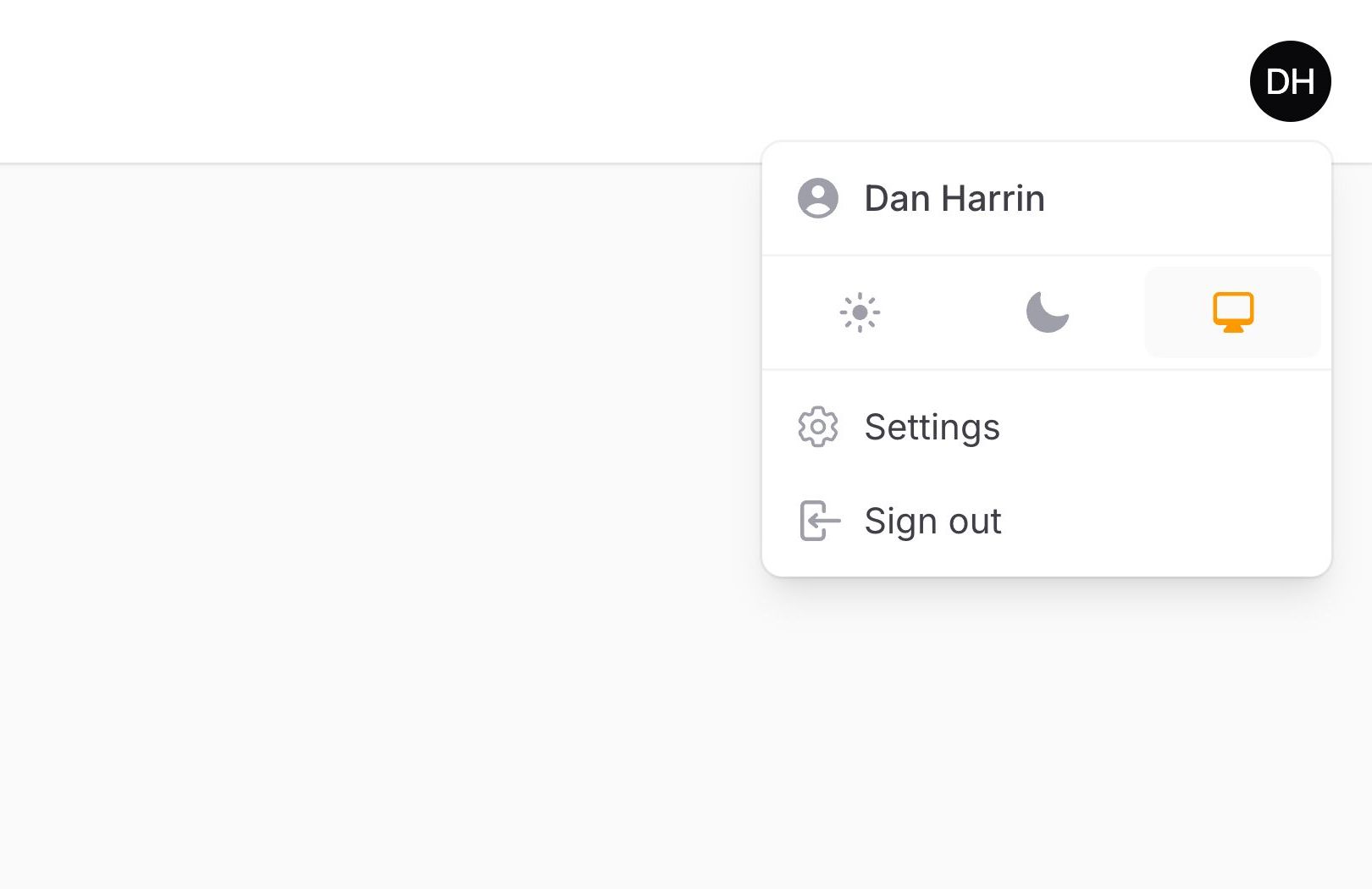
The user menu is featured in the top right corner of the admin layout. It's fully customizable.
Each menu item is represented by an action, and can be customized in the same way. To register new items, you can pass the actions to the userMenuItems() method of the configuration:
use App\Filament\Pages\Settings;
use Filament\Actions\Action;
use Filament\Panel;

public function panel(Panel $panel): Panel
{
    return $panel
        // ...
        ->userMenuItems([
            Action::make('settings')
                ->url(fn (): string => Settings::getUrl())
                ->icon('heroicon-o-cog-6-tooth'),
            // ...
        ]);
}
#Grouping user menu items
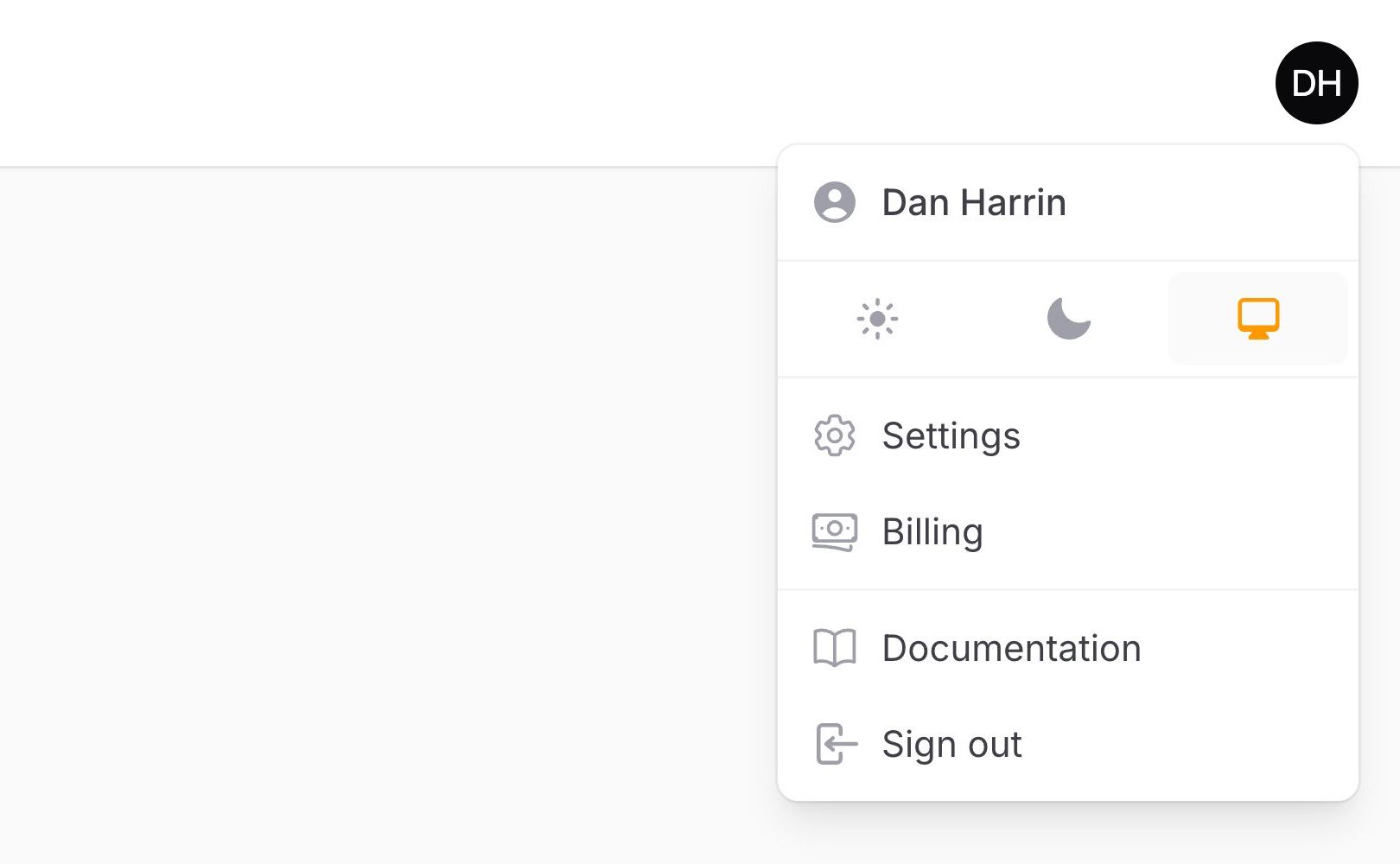
By default, all user menu items are rendered in a single list. If you want to separate them into distinct groups, you can pass an array of arrays to the userMenuItems() method. Each array is rendered as its own group, separated by a divider:
use App\Filament\Pages\Billing;
use App\Filament\Pages\Settings;
use Filament\Actions\Action;
use Filament\Panel;

public function panel(Panel $panel): Panel
{
    return $panel
        // ...
        ->userMenuItems([
            [
                Action::make('settings')
                    ->url(fn (): string => Settings::getUrl())
                    ->icon('heroicon-o-cog-6-tooth'),
                Action::make('billing')
                    ->url(fn (): string => Billing::getUrl())
                    ->icon('heroicon-o-banknotes'),
            ],
            [
                Action::make('documentation')
                    ->url('https://filamentphp.com/docs')
                    ->icon('heroicon-o-book-open'),
            ],
        ]);
}
#Moving the user menu to the sidebar
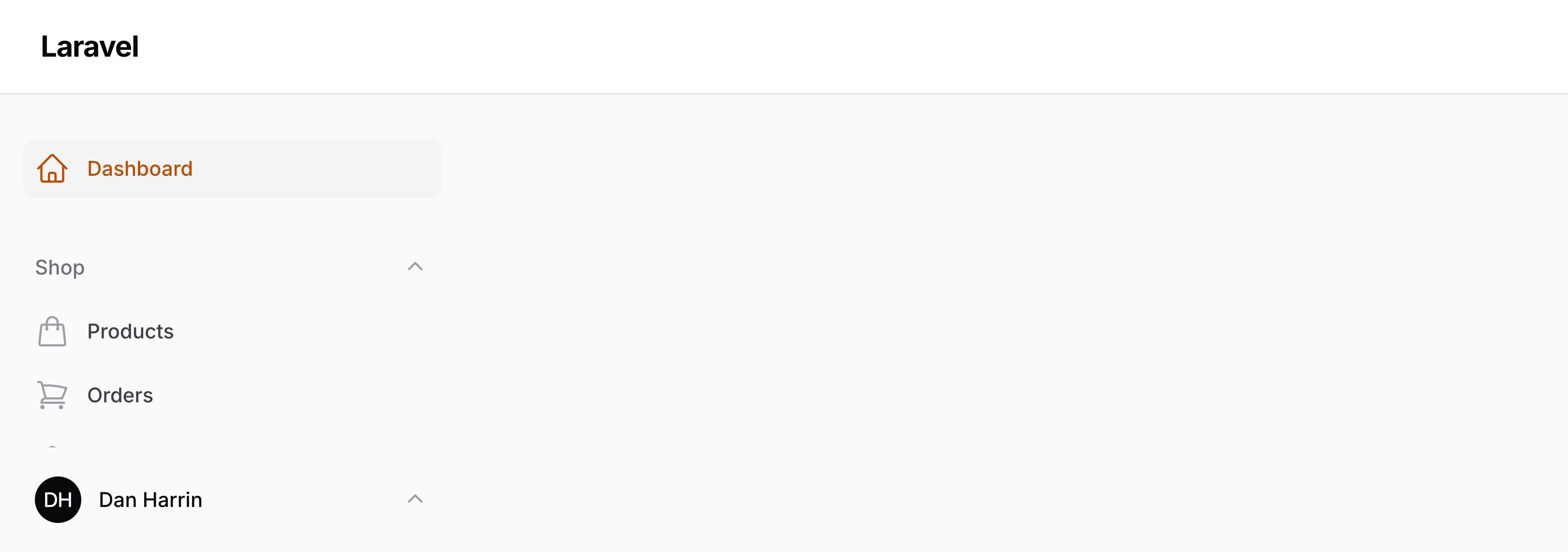
By default, the user menu is positioned in the topbar. If the topbar is disabled, it is added to the sidebar.
You can choose to always move it to the sidebar by passing a position argument to the userMenu() method in the configuration:
use Filament\Enums\UserMenuPosition;
use Filament\Panel;

public function panel(Panel $panel): Panel
{
    return $panel
        // ...
        ->userMenu(position: UserMenuPosition::Sidebar);
}
#Customizing the profile link
To customize the user profile link at the start of the user menu, register a new item with the profile array key, and pass a function that customizes the action object:
use Filament\Actions\Action;
use Filament\Panel;

public function panel(Panel $panel): Panel
{
    return $panel
        // ...
        ->userMenuItems([
            'profile' => fn (Action $action) => $action->label('Edit profile'),
            // ...
        ]);
}
For more information on creating a profile page, check out the authentication features documentation.
#Customizing the logout link
To customize the user logout link at the end of the user menu, register a new item with the logout array key, and pass a function that customizes the action object:
use Filament\Actions\Action;
use Filament\Panel;

public function panel(Panel $panel): Panel
{
    return $panel
        // ...
        ->userMenuItems([
            'logout' => fn (Action $action) => $action->label('Log out'),
            // ...
        ]);
}
#Conditionally hiding user menu items
You can also conditionally hide a user menu item by using the visible() or hidden() methods, passing in a condition to check. Passing a function will defer condition evaluation until the menu is actually being rendered:
use App\Models\Payment;
use Filament\Actions\Action;

Action::make('payments')
    ->visible(fn (): bool => auth()->user()->can('viewAny', Payment::class))
    // or
    ->hidden(fn (): bool => ! auth()->user()->can('viewAny', Payment::class))
#Sending a POST HTTP request from a user menu item
You can send a POST HTTP request from a user menu item by passing a URL to the url() method, and also using postToUrl():
use Filament\Actions\Action;

Action::make('lockSession')
    ->url(fn (): string => route('lock-session'))
    ->postToUrl()
#Disabling the user menu
You may disable the user menu entirely by passing false to the userMenu() method:
use Filament\Panel;

public function panel(Panel $panel): Panel
{
    return $panel
        // ...
        ->userMenu(false);
}