#Introduction
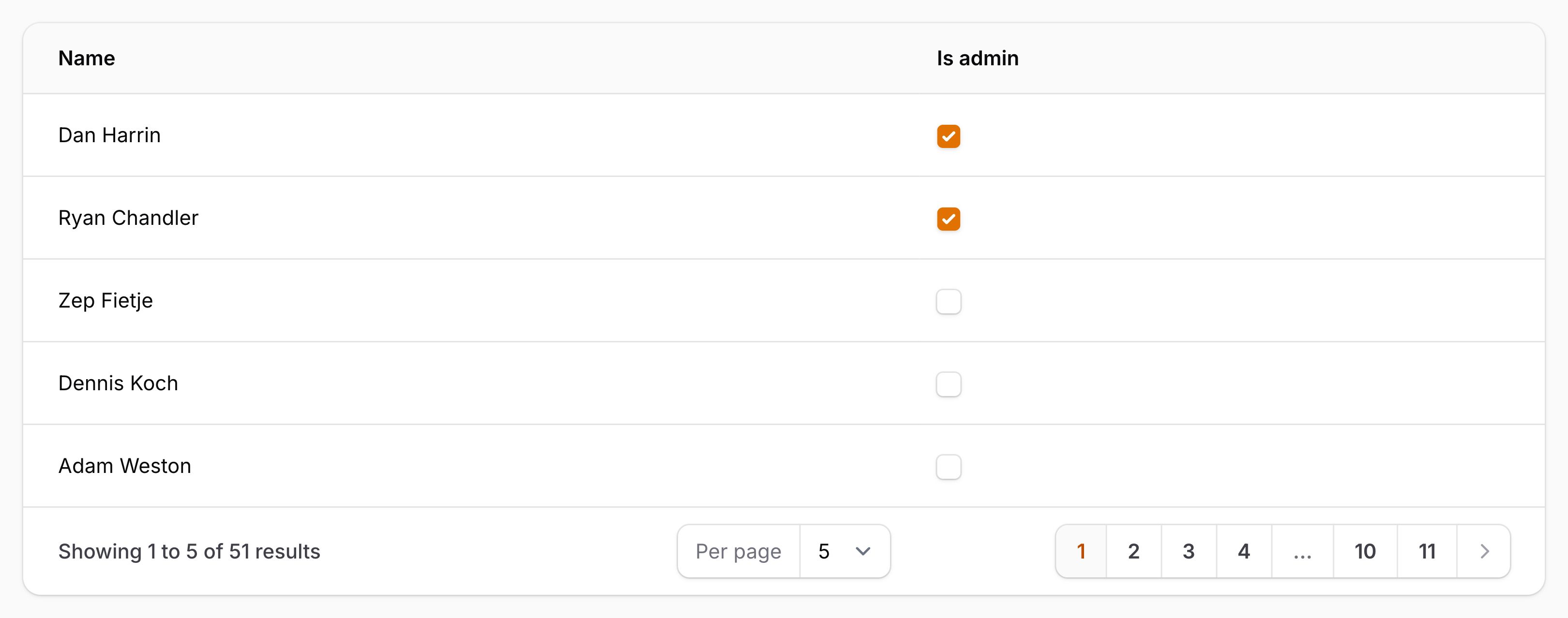
The checkbox column allows you to render a checkbox inside the table, which can be used to update that database record without needing to open a new page or a modal:
use Filament\Tables\Columns\CheckboxColumn;

CheckboxColumn::make('is_admin')
#Lifecycle hooks
Hooks may be used to execute code at various points within the checkbox's lifecycle:
use Filament\Tables\Columns\CheckboxColumn;

CheckboxColumn::make('is_admin')
    ->beforeStateUpdated(function ($record, $state) {
        // Runs before the state is saved to the database.
    })
    ->afterStateUpdated(function ($record, $state) {
        // Runs after the state is saved to the database.
    })
#Rendering only the updated cells
By default, the whole table re-renders after a checkbox column is updated. You may re-render only the updated cells using partiallyRenderAfterStateUpdated() or partiallyRenderColumnsAfterStateUpdated().
#Security
#Authorization
By default, checkbox columns do not check model policies. Without an authorization check, users can update the column for records accessible through the table query, even if the record's update() policy denies access to its edit page.
Use authorize() to check the record's update() policy. Denied columns are disabled, and changes are rejected on the server:
use Filament\Tables\Columns\CheckboxColumn;

CheckboxColumn::make('is_admin')
    ->authorize()
You may pass a different ability, such as authorize('updateAdminStatus'), or a custom callback. See authorizing editable columns for callbacks and global configuration.
Check permission for the specific attribute being changed, especially sensitive attributes such as administrator access. If the column updates a related model or pivot, authorize that operation too. Alternatively, use a resource edit page or a policy-backed EditAction to apply the resource's edit authorization.