#Introduction
Filament includes an action that is able to force-delete soft-deleted Eloquent records. When the trigger button is clicked, a modal asks the user for confirmation. You may use it like so:
use Filament\Actions\ForceDeleteAction;

ForceDeleteAction::make()
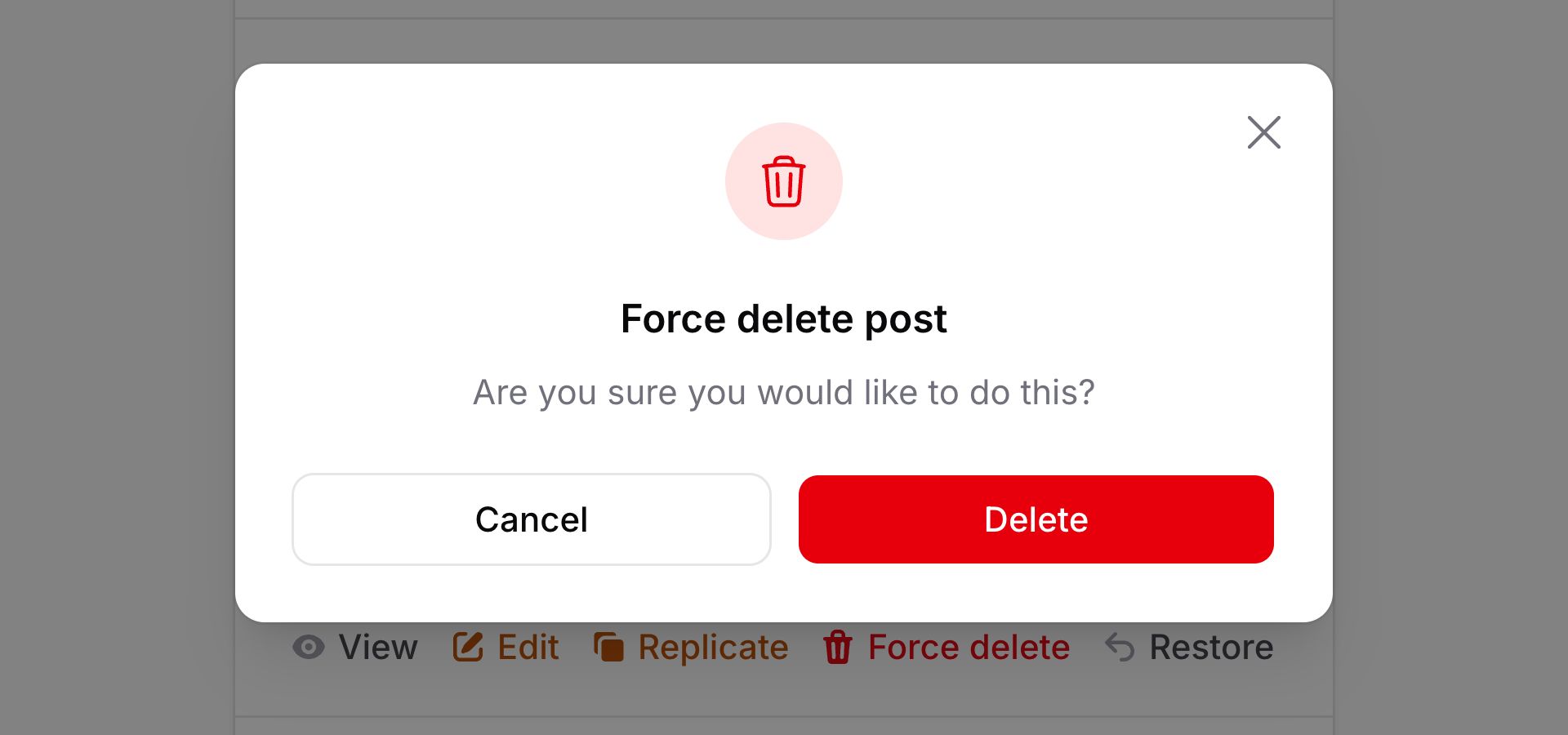
Or if you want to add it as a table bulk action, so that the user can choose which rows to force-delete, use Filament\Actions\ForceDeleteBulkAction:
use Filament\Actions\ForceDeleteBulkAction;
use Filament\Tables\Table;

public function table(Table $table): Table
{
    return $table
        ->toolbarActions([
            ForceDeleteBulkAction::make(),
        ]);
}
#Redirecting after force-deleting
You may set up a custom redirect when the form is submitted using the successRedirectUrl() method:
use Filament\Actions\ForceDeleteAction;

ForceDeleteAction::make()
    ->successRedirectUrl(route('posts.list'))
As well as $record, the successRedirectUrl() function can inject various utilities as parameters.
$record, the successRedirectUrl() function can inject various utilities as parameters.-
Action
$actionFilament\Actions\ Action The current action instance.
-
Arguments
$argumentsarray<string, mixed> The array of arguments passed to the action when it was triggered.
-
Data
$dataarray<string, mixed> The array of data submitted from form fields in the action's modal. It will be empty before the modal form is submitted.
-
Livewire
$livewireLivewire\Component The Livewire component instance.
-
Eloquent model FQN
$model?string<Illuminate\Database\ Eloquent\ Model> The Eloquent model FQN for the current action, if one is attached.
-
Mounted actions
$mountedActionsarray<Filament\Actions\ Action> The array of actions that are currently mounted in the Livewire component. This is useful for accessing data from parent actions.
-
Parent action
$parentAction?Filament\Actions\ Action The mounted parent action, or the containing parent action if one exists.
-
Eloquent record
$record?Illuminate\Database\ Eloquent\ Model The Eloquent record for the current action, if one is attached.
-
Schema
$schemaFilament\Schemas\ Schema [Actions in schemas only] The schema object that this action belongs to.
-
Schema component
$schemaComponentFilament\Schemas\ Components\ Component [Actions in schemas only] The schema component that this action belongs to.
-
Schema component state
$schemaComponentStatemixed [Actions in schemas only] The current value of the schema component.
-
Schema get function
$schemaGetFilament\Schemas\ Components\ Utilities\ Get [Actions in schemas only] A function for retrieving values from the schema data. Validation is not run on form fields.
-
Schema operation
$schemaOperationstring [Actions in schemas only] The current operation being performed by the schema. Usually
create,edit, orview.-
Schema set function
$schemaSetFilament\Schemas\ Components\ Utilities\ Set [Actions in schemas only] A function for setting values in the schema data.
-
Schema state
$schemaStatemixed [Actions in schemas only] The current value of the schema that this action belongs to, like the current repeater item.
-
Selected Eloquent records
$selectedRecordsIlluminate\Support\ Collection|Illuminate\ Support\ LazyCollection [Actions in tables only] The selected records, filtered by individual record authorization when it is enabled. Requires
accessSelectedRecords().-
Selected Eloquent records query
$selectedRecordsQueryIlluminate\Database\ Eloquent\ Builder [Actions in Eloquent-query-backed tables only] The query for the selected records. Requires
accessSelectedRecords(). Individual record authorization has not been applied to this query.-
Table
$tableFilament\Tables\ Table [Actions in tables only] The table object that this action belongs to.
#Customizing the force-delete notification
When the record is successfully force-deleted, a notification is dispatched to the user, which indicates the success of their action.
To customize the title of this notification, use the successNotificationTitle() method:
use Filament\Actions\ForceDeleteAction;

ForceDeleteAction::make()
    ->successNotificationTitle('User force-deleted')
As well as allowing a static value, the successNotificationTitle() method also accepts a function to dynamically calculate it. You can inject various utilities into the function as parameters.
successNotificationTitle() method also accepts a function to dynamically calculate it. You can inject various utilities into the function as parameters.-
Action
$actionFilament\Actions\ Action The current action instance.
-
Arguments
$argumentsarray<string, mixed> The array of arguments passed to the action when it was triggered.
-
Data
$dataarray<string, mixed> The array of data submitted from form fields in the action's modal. It will be empty before the modal form is submitted.
-
Livewire
$livewireLivewire\Component The Livewire component instance.
-
Eloquent model FQN
$model?string<Illuminate\Database\ Eloquent\ Model> The Eloquent model FQN for the current action, if one is attached.
-
Mounted actions
$mountedActionsarray<Filament\Actions\ Action> The array of actions that are currently mounted in the Livewire component. This is useful for accessing data from parent actions.
-
Parent action
$parentAction?Filament\Actions\ Action The mounted parent action, or the containing parent action if one exists.
-
Eloquent record
$record?Illuminate\Database\ Eloquent\ Model The Eloquent record for the current action, if one is attached.
-
Schema
$schemaFilament\Schemas\ Schema [Actions in schemas only] The schema object that this action belongs to.
-
Schema component
$schemaComponentFilament\Schemas\ Components\ Component [Actions in schemas only] The schema component that this action belongs to.
-
Schema component state
$schemaComponentStatemixed [Actions in schemas only] The current value of the schema component.
-
Schema get function
$schemaGetFilament\Schemas\ Components\ Utilities\ Get [Actions in schemas only] A function for retrieving values from the schema data. Validation is not run on form fields.
-
Schema operation
$schemaOperationstring [Actions in schemas only] The current operation being performed by the schema. Usually
create,edit, orview.-
Schema set function
$schemaSetFilament\Schemas\ Components\ Utilities\ Set [Actions in schemas only] A function for setting values in the schema data.
-
Schema state
$schemaStatemixed [Actions in schemas only] The current value of the schema that this action belongs to, like the current repeater item.
-
Selected Eloquent records
$selectedRecordsIlluminate\Support\ Collection|Illuminate\ Support\ LazyCollection [Actions in tables only] The selected records, filtered by individual record authorization when it is enabled. Requires
accessSelectedRecords().-
Selected Eloquent records query
$selectedRecordsQueryIlluminate\Database\ Eloquent\ Builder [Actions in Eloquent-query-backed tables only] The query for the selected records. Requires
accessSelectedRecords(). Individual record authorization has not been applied to this query.-
Table
$tableFilament\Tables\ Table [Actions in tables only] The table object that this action belongs to.
You may customize the entire notification using the successNotification() method:
use Filament\Actions\ForceDeleteAction;
use Filament\Notifications\Notification;

ForceDeleteAction::make()
    ->successNotification(
       Notification::make()
            ->success()
            ->title('User force-deleted')
            ->body('The user has been force-deleted successfully.'),
    )
As well as allowing a static value, the successNotification() method also accepts a function to dynamically calculate it. You can inject various utilities into the function as parameters.
successNotification() method also accepts a function to dynamically calculate it. You can inject various utilities into the function as parameters.-
Action
$actionFilament\Actions\ Action The current action instance.
-
Arguments
$argumentsarray<string, mixed> The array of arguments passed to the action when it was triggered.
-
Data
$dataarray<string, mixed> The array of data submitted from form fields in the action's modal. It will be empty before the modal form is submitted.
-
Livewire
$livewireLivewire\Component The Livewire component instance.
-
Eloquent model FQN
$model?string<Illuminate\Database\ Eloquent\ Model> The Eloquent model FQN for the current action, if one is attached.
-
Mounted actions
$mountedActionsarray<Filament\Actions\ Action> The array of actions that are currently mounted in the Livewire component. This is useful for accessing data from parent actions.
-
Notification
$notificationFilament\Notifications\ Notification The default notification object, which could be a useful starting point for customization.
-
Parent action
$parentAction?Filament\Actions\ Action The mounted parent action, or the containing parent action if one exists.
-
Eloquent record
$record?Illuminate\Database\ Eloquent\ Model The Eloquent record for the current action, if one is attached.
-
Schema
$schemaFilament\Schemas\ Schema [Actions in schemas only] The schema object that this action belongs to.
-
Schema component
$schemaComponentFilament\Schemas\ Components\ Component [Actions in schemas only] The schema component that this action belongs to.
-
Schema component state
$schemaComponentStatemixed [Actions in schemas only] The current value of the schema component.
-
Schema get function
$schemaGetFilament\Schemas\ Components\ Utilities\ Get [Actions in schemas only] A function for retrieving values from the schema data. Validation is not run on form fields.
-
Schema operation
$schemaOperationstring [Actions in schemas only] The current operation being performed by the schema. Usually
create,edit, orview.-
Schema set function
$schemaSetFilament\Schemas\ Components\ Utilities\ Set [Actions in schemas only] A function for setting values in the schema data.
-
Schema state
$schemaStatemixed [Actions in schemas only] The current value of the schema that this action belongs to, like the current repeater item.
-
Selected Eloquent records
$selectedRecordsIlluminate\Support\ Collection|Illuminate\ Support\ LazyCollection [Actions in tables only] The selected records, filtered by individual record authorization when it is enabled. Requires
accessSelectedRecords().-
Selected Eloquent records query
$selectedRecordsQueryIlluminate\Database\ Eloquent\ Builder [Actions in Eloquent-query-backed tables only] The query for the selected records. Requires
accessSelectedRecords(). Individual record authorization has not been applied to this query.-
Table
$tableFilament\Tables\ Table [Actions in tables only] The table object that this action belongs to.
To disable the notification altogether, use the successNotification(null) method:
use Filament\Actions\ForceDeleteAction;

ForceDeleteAction::make()
    ->successNotification(null)
#Lifecycle hooks
You can use the before() and after() methods to execute code before and after a record is force-deleted:
use Filament\Actions\ForceDeleteAction;

ForceDeleteAction::make()
    ->before(function () {
        // ...
    })
    ->after(function () {
        // ...
    })
These hook functions can inject various utilities as parameters.
-
Action
$actionFilament\Actions\ Action The current action instance.
-
Arguments
$argumentsarray<string, mixed> The array of arguments passed to the action when it was triggered.
-
Data
$dataarray<string, mixed> The array of data submitted from form fields in the action's modal. It will be empty before the modal form is submitted.
-
Livewire
$livewireLivewire\Component The Livewire component instance.
-
Eloquent model FQN
$model?string<Illuminate\Database\ Eloquent\ Model> The Eloquent model FQN for the current action, if one is attached.
-
Mounted actions
$mountedActionsarray<Filament\Actions\ Action> The array of actions that are currently mounted in the Livewire component. This is useful for accessing data from parent actions.
-
Parent action
$parentAction?Filament\Actions\ Action The mounted parent action, or the containing parent action if one exists.
-
Eloquent record
$record?Illuminate\Database\ Eloquent\ Model The Eloquent record for the current action, if one is attached.
-
Schema
$schemaFilament\Schemas\ Schema [Actions in schemas only] The schema object that this action belongs to.
-
Schema component
$schemaComponentFilament\Schemas\ Components\ Component [Actions in schemas only] The schema component that this action belongs to.
-
Schema component state
$schemaComponentStatemixed [Actions in schemas only] The current value of the schema component.
-
Schema get function
$schemaGetFilament\Schemas\ Components\ Utilities\ Get [Actions in schemas only] A function for retrieving values from the schema data. Validation is not run on form fields.
-
Schema operation
$schemaOperationstring [Actions in schemas only] The current operation being performed by the schema. Usually
create,edit, orview.-
Schema set function
$schemaSetFilament\Schemas\ Components\ Utilities\ Set [Actions in schemas only] A function for setting values in the schema data.
-
Schema state
$schemaStatemixed [Actions in schemas only] The current value of the schema that this action belongs to, like the current repeater item.
-
Selected Eloquent records
$selectedRecordsIlluminate\Support\ Collection|Illuminate\ Support\ LazyCollection [Actions in tables only] The selected records, filtered by individual record authorization when it is enabled. Requires
accessSelectedRecords().-
Selected Eloquent records query
$selectedRecordsQueryIlluminate\Database\ Eloquent\ Builder [Actions in Eloquent-query-backed tables only] The query for the selected records. Requires
accessSelectedRecords(). Individual record authorization has not been applied to this query.-
Table
$tableFilament\Tables\ Table [Actions in tables only] The table object that this action belongs to.
#Improving the performance of force-delete bulk actions
By default, the ForceDeleteBulkAction will load all Eloquent records into memory, before looping over them and deleting them one by one.
If you are deleting a large number of records, you may want to use the chunkSelectedRecords() method to fetch a smaller number of records at a time. This will reduce the memory usage of your application:
use Filament\Actions\ForceDeleteBulkAction;

ForceDeleteBulkAction::make()
    ->chunkSelectedRecords(250)
Filament loads Eloquent records into memory before deleting them for two reasons:
- To allow individual records in the collection to be authorized with a model policy before deletion (using
authorizeIndividualRecords('forceDelete'), for example). - To ensure that model events are run when deleting records, such as the
forceDeletingandforceDeletedevents in a model observer.
If you do not require individual record policy authorization and model events, you can use the fetchSelectedRecords(false) method, which will not fetch the records into memory before deleting them, and instead will delete them in a single query:
use Filament\Actions\ForceDeleteBulkAction;

ForceDeleteBulkAction::make()
    ->fetchSelectedRecords(false)