
Warp Repeater by Yuichi Okada
CommunityDraws the rows of Filament table repeaters on a canvas so forms with hundreds or thousands of items stay fast, can show each item on several lines like a ledger, and keeps every field behaving exactly like Filament's own.
filament/
namespace. Review the source and install at your own risk. Found
malware or an unresolved security issue the author won't
address?
Report it
.
 Author:
Yuichi Okada
Author:
Yuichi Okada
Documentation
- Why
- Features
- Screenshots
- Requirements
- Installation
- Usage
- Sticky header
- Validation errors
- Multi-level rows
- Column summaries
- Spreadsheet editing
- Unsaved changes
- Search
- Sorting and filters
- Line numbers
- Fixed height
- Wide tables and frozen columns
- Supported fields
- Automatic fallback
- Limitations
- How it works
- Troubleshooting
- Changelog
- Support
- License
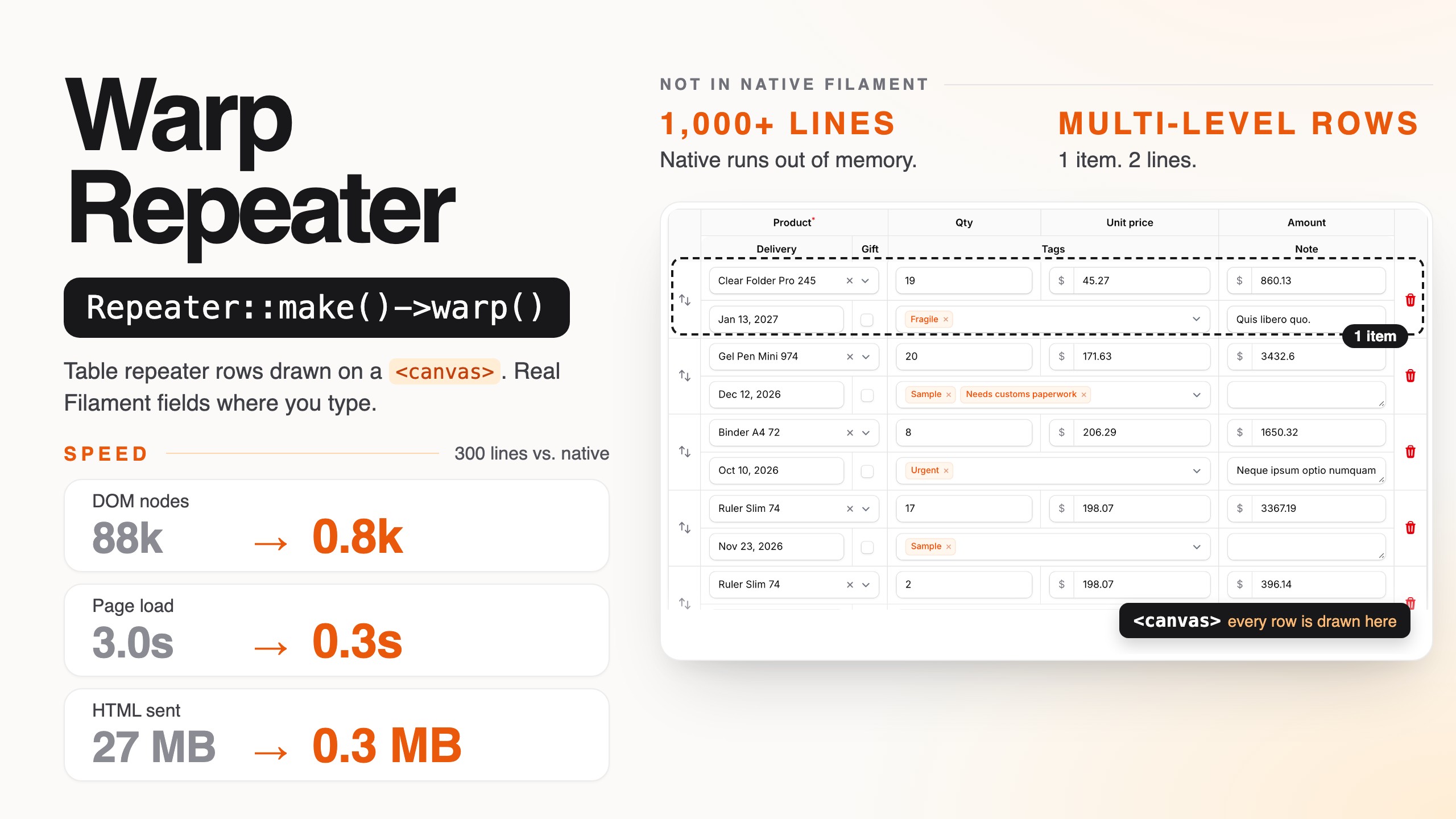
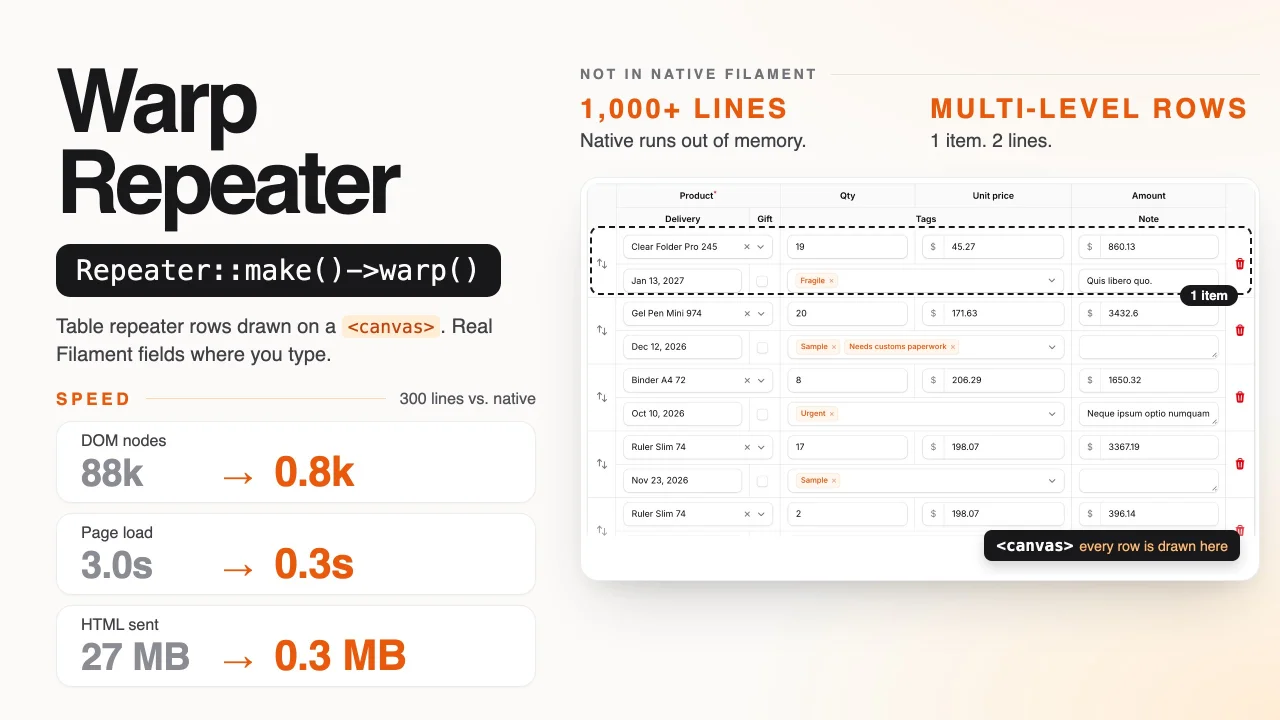
Fast Filament table repeaters for long forms: the rows of a Repeater::table() are drawn on a <canvas>, with a sticky header and ledger-style multi-level rows that the native repeater does not have, while every field still behaves exactly like Filament's own.

Edit line items, open the searchable selects and date pickers, reorder lines and compare with the native repeater side by side at filament-warp-repeater.webllsystem.com. No sign-up needed; the data is reset every hour.
A table repeater with a few hundred items gets slow, and with a thousand it may not render at all. Every item renders every field as Blade, and fields such as a Select repeat their whole option list in every row. The browser then has to parse megabytes of HTML and start thousands of Alpine components.
Warp Repeater keeps your existing Repeater definition. Add ->warp() and the rows are drawn on a canvas. The header, the "Add" button, validation, actions and saving are still Filament's own. The row under the pointer and the row you are working in become real Filament fields, so typing, selecting, date pickers, dropdowns and the item actions are exactly the native ones.
Repeater::make('items')
    ->table([...])
    ->schema([...])
    ->warp()
#Why
Measured on the demo's invoice form, whose line items have five fields, one of them a Select with 200 options (Chrome, Filament 5):
| Native repeater | Warp Repeater | |
|---|---|---|
| 300 lines: HTML sent | 27 MB | 0.3 MB |
| 300 lines: DOM nodes | 88,175 | 809 |
300 lines: time to load |
3.0 s | 0.3 s |
| 300 lines: save | 4.3 s | 0.8 s |
| 1,000 lines | PHP runs out of memory (256 MB) | 0.6 MB, loads in 1.0 s |
On an order form with a relationship() repeater, a searchable select, a JavaScript date picker, a multiple select and live() totals, 300 lines go from 16.3 MB and 97,457 DOM nodes to 0.5 MB and 926 nodes, the page loads in 0.6 s instead of 1.8 s, and saving takes 1.3 s instead of 2.5 s.
#Features
- Drop-in: one method on the repeater you already have. Same schema, same
TableColumnheaders, same validation, actions and saving, includingrelationship()repeaters andorderColumn(). - Looks exactly like the native repeater. The canvas draws what Filament renders: each field is rendered by Filament, measured in a hidden table with the same markup and CSS, and drawn from that. Compared pixel by pixel with the native repeater, in light and dark mode, on Chrome, Firefox and Safari.
- Behaves like the native repeater, because the rows you interact with are the native fields:
- The row under the pointer and the focused row are real Filament fields. Clicking, typing, the caret, native selects, Filament's searchable select, the date picker panel, the clone, delete and move buttons all work as usual.
- Tab and Shift+Tab move through the fields row by row, and in and out of the repeater, with each browser's own rules (Safari skips buttons by default, just like on the native repeater).
- Values you type before saving are drawn from Livewire's state, so the canvas never shows stale data.
live()fields andafterStateUpdated()hooks run as usual. - Validation errors appear under the fields, and the rows grow to fit them.
- Drag-and-drop reordering, with Filament's own
reorderaction. - Narrow containers use Filament's stacked layout (each item as a card), like the native repeater.
- Sticky header:
->warpStickyHeader()keeps the header row on screen while the page scrolls, so you always know which column you are typing in, even 500 lines down. The native repeater has no equivalent. - Validation errors: saving scrolls to the first line with an error, like the native form.
->warpErrorNavigation()adds "3 lines have errors" with previous and next buttons, and error markers along the table. - Multi-level rows: show each item on several lines, ledger style, with a multi-level header. The native repeater has no equivalent.
- Column summaries:
->warpSummary()on a field adds a summary row under its column (sum, average, min, max, count, checked), updated as you type. - Spreadsheet editing:
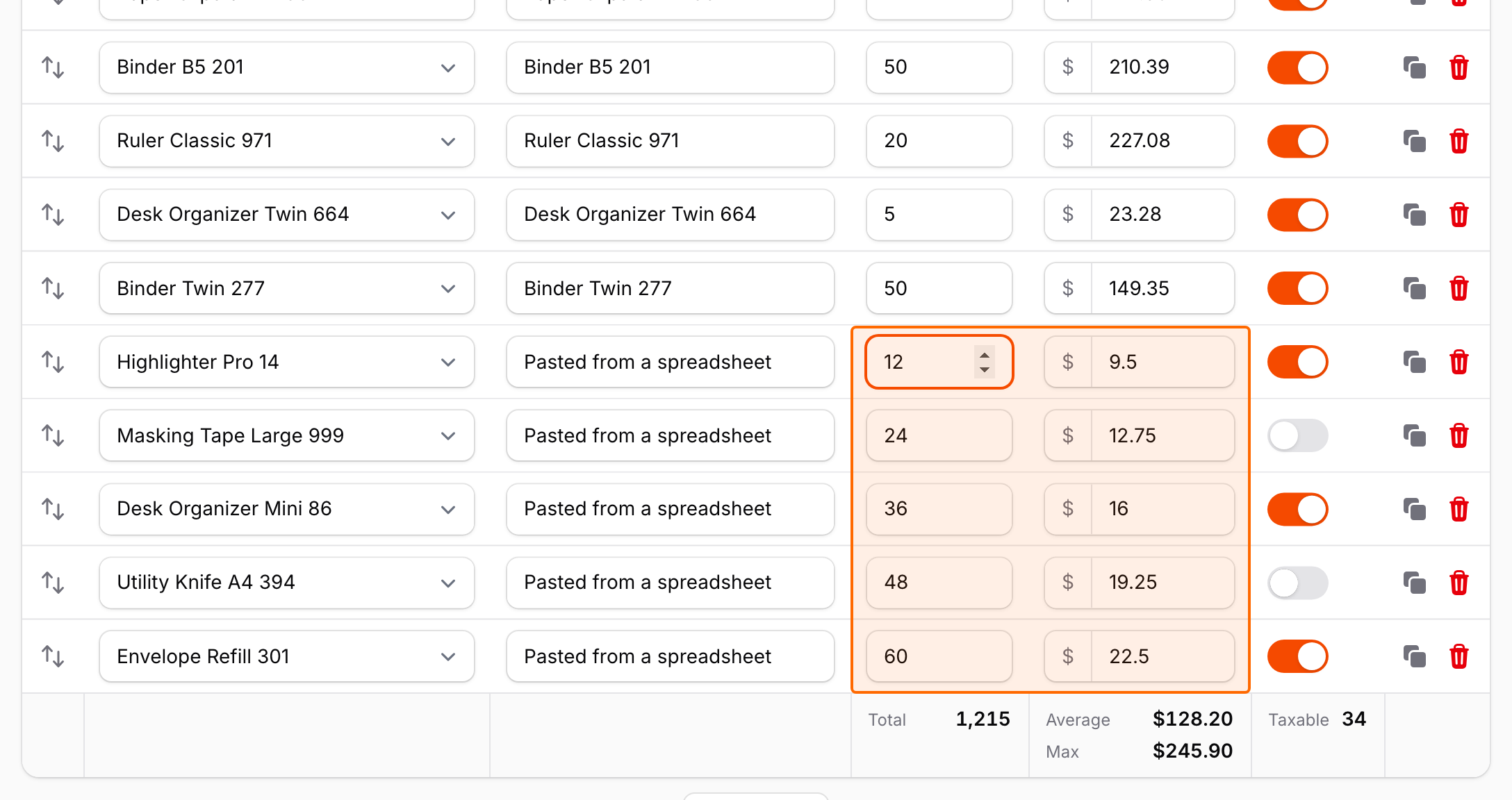
->warpSpreadsheet()adds Enter and arrow keys to move between lines, pasting tables from Excel or Google Sheets (adding lines as needed), range selection, copy, and fill down with Ctrl/Cmd+D. - Unsaved changes:
->warpChangeMarks()marks the cells and lines changed since the last save, and counts changed, new and removed lines. - Search:
->warpSearch()adds a search field that finds text in every line, including the ones drawn on the canvas, which the browser's own find cannot see. - Sorting and filters:
->warpSorting()and->warpFilters()add a button to each column header to sort the lines and filter them by value, like a spreadsheet. Only what you see changes: the saved order and the hidden lines stay as they are. - Line numbers:
->warpRowNumbers()numbers the lines in a first column, so "line 214" in a validation message or a phone call is easy to find. - Fixed height:
->warpHeight(480)scrolls the lines inside the repeater, so the header, the summary row and the fields after the repeater stay in place. - Wide tables with frozen columns:
->warpTableWidth(1800)->warpFrozenColumns(1)scrolls tables with many columns horizontally while the first columns stay in view. - Theme aware: colors, fonts, spacing and icons come from Filament's CSS, so custom themes and dark mode work without configuration.
- Automatic fallback: layouts other than
table()and empty repeaters render the regular Filament repeater with no change on your side.
#Screenshots
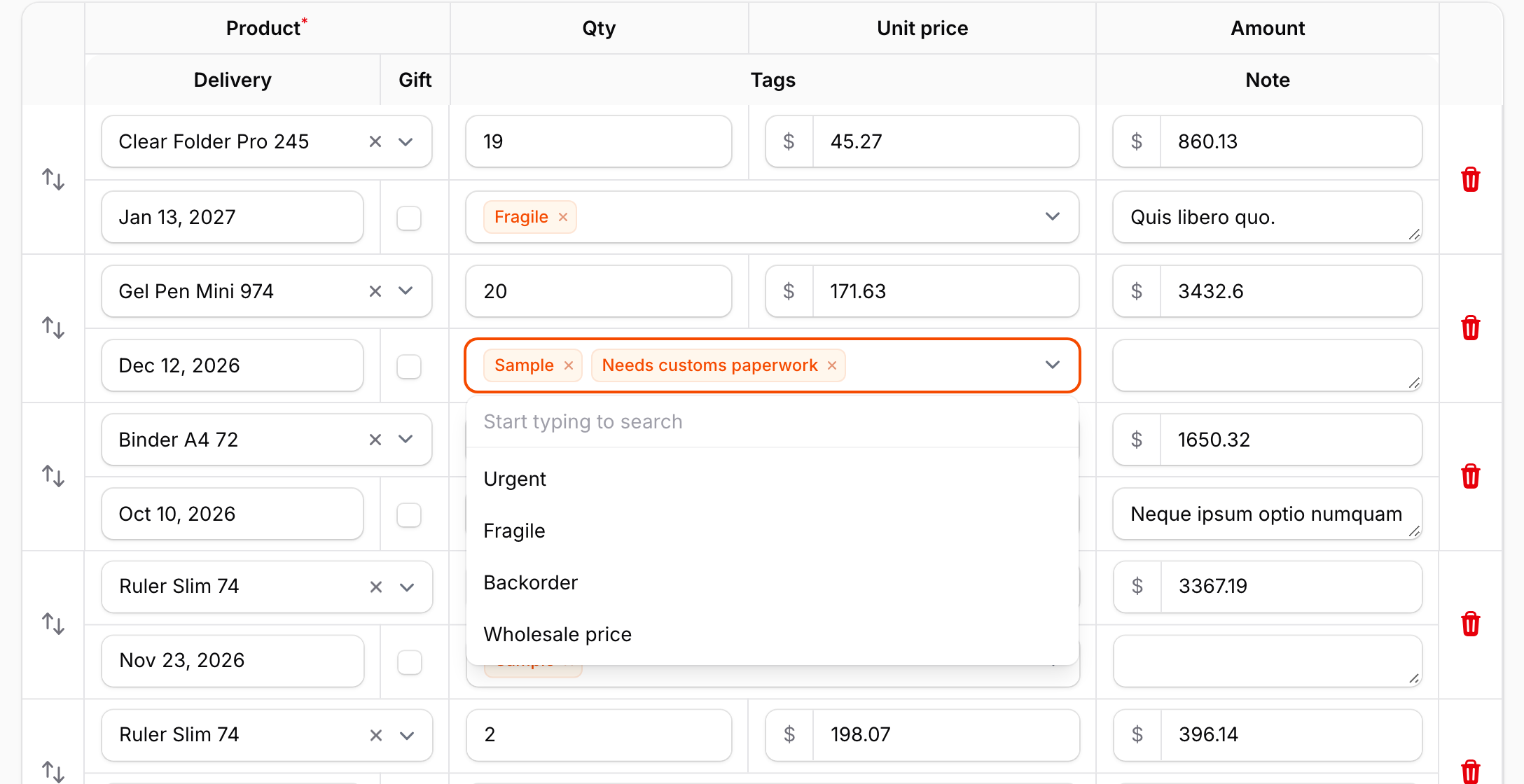
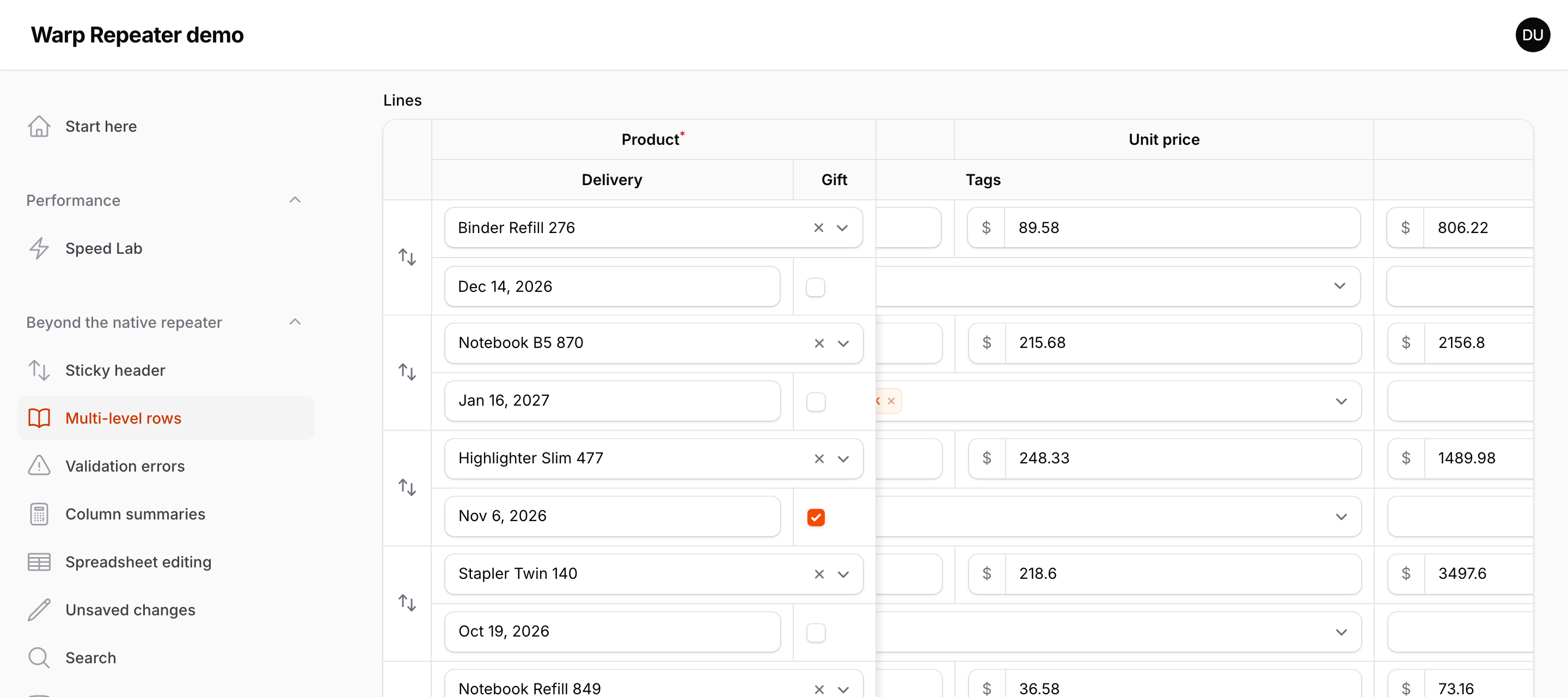
Multi-level rows, two lines per item. The item under the pointer is made of real Filament fields, here with a multiple select open; the other items are drawn on the canvas:
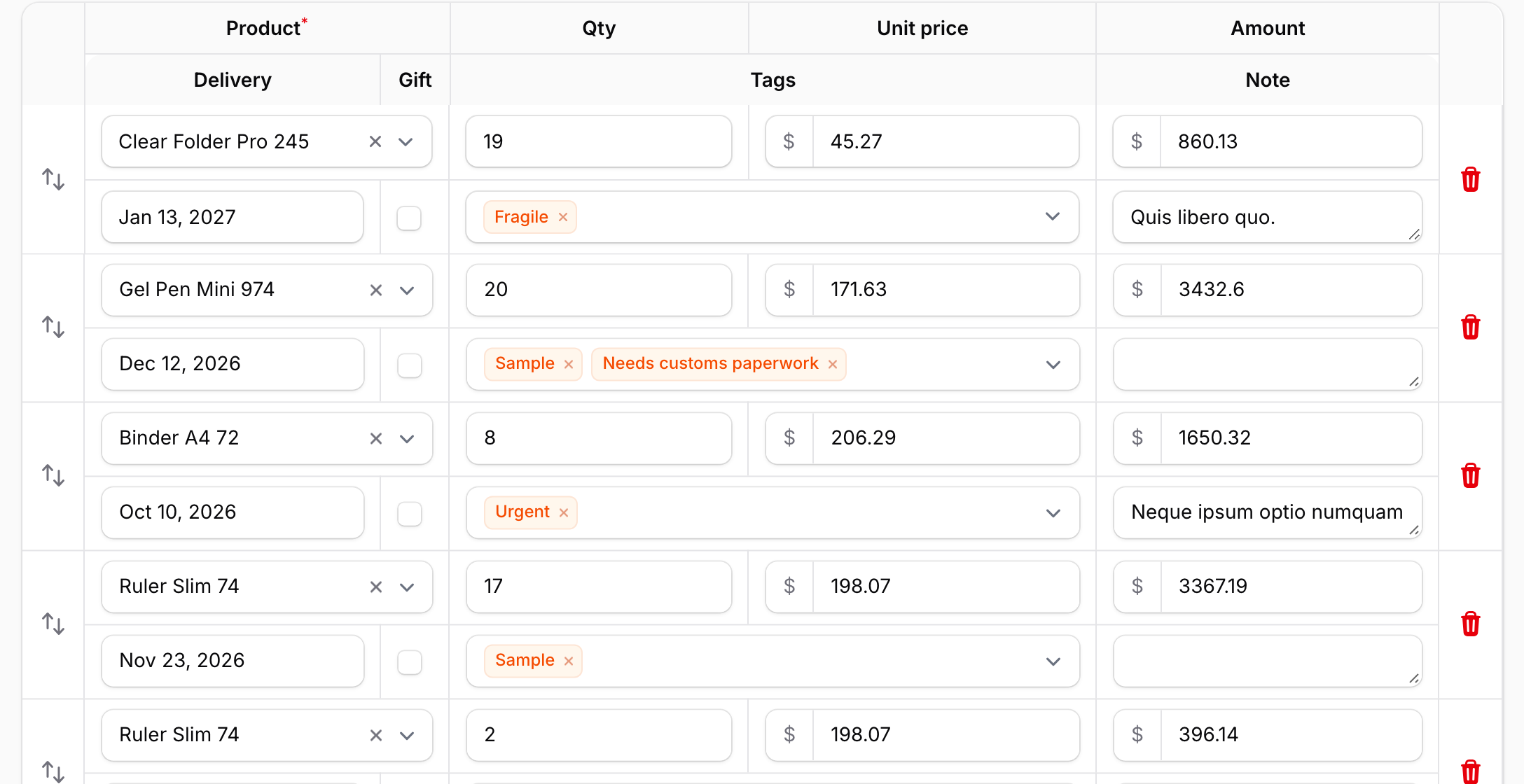
The same items without the pointer, all drawn on the canvas:
A sticky header that stays below the panel's topbar, 64 lines down:
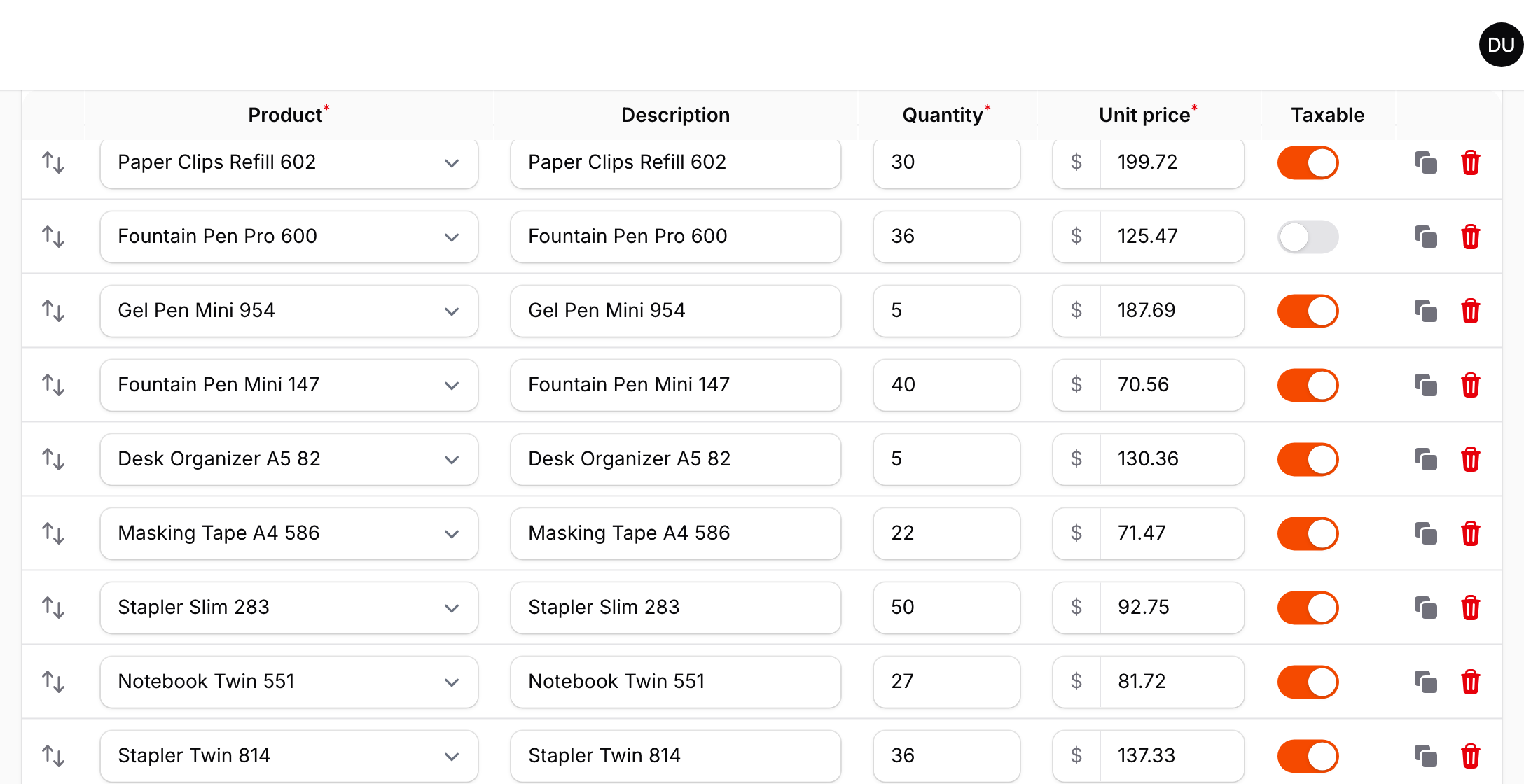
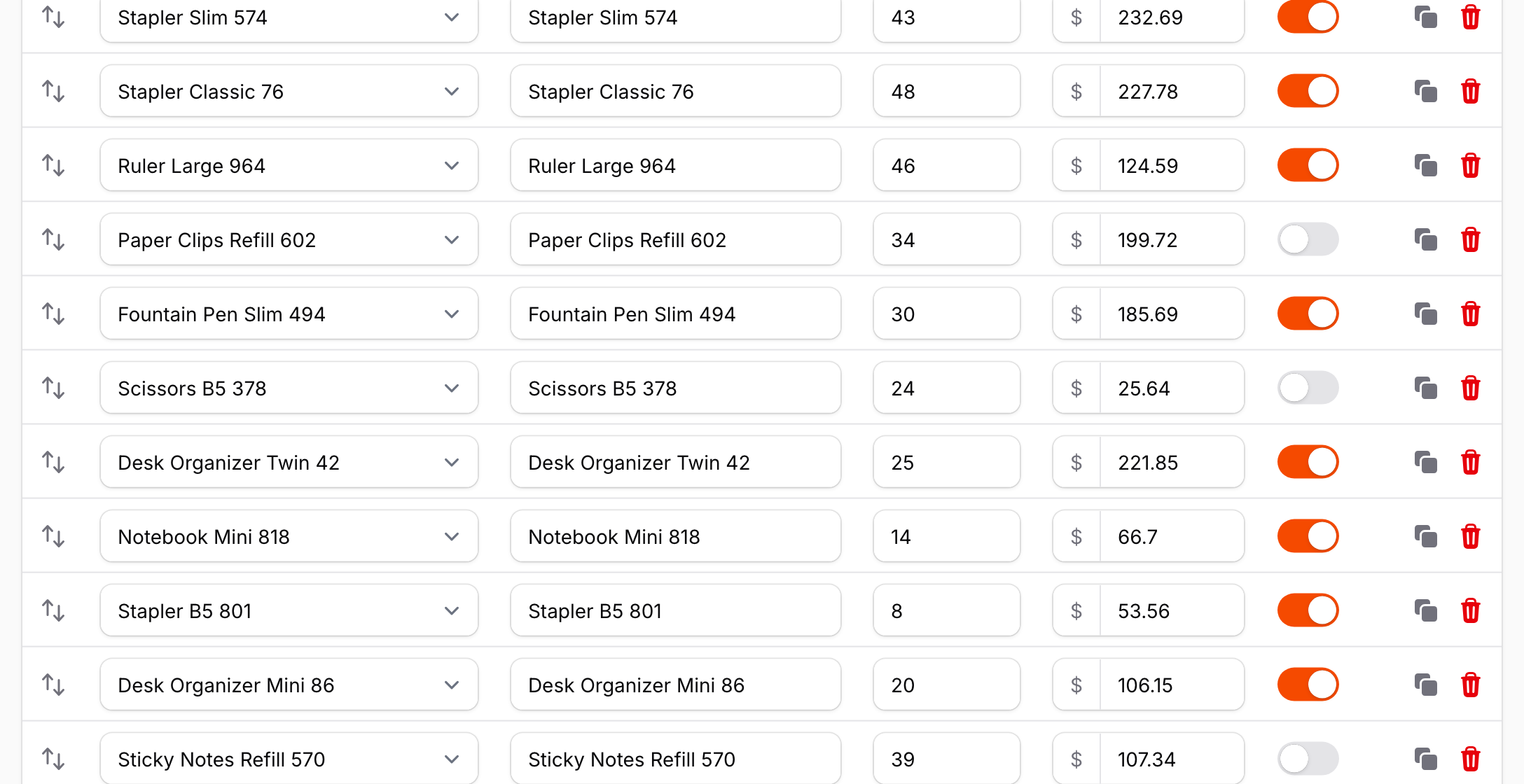
600 lines down an invoice with 1,000 lines:
#Requirements
- PHP 8.3+
- Laravel 12 or 13
- Filament 5.x (Livewire 4)
Works in panels and in standalone Livewire components that use Filament's form builder.
#Installation
Warp Repeater is a commercial plugin. A license is required. After purchase you receive credentials for the private Composer repository.
Add the repository and authenticate:
composer config repositories.qalainau composer https://qalainau.privato.pub/composer
composer config --auth http-basic.qalainau.privato.pub "your-email" "your-license-key"
The username is the email address on your license and the password is your license key. Use the same credentials on every machine and server that installs the package, such as your laptop, CI and production.
Install the package and publish Filament's assets:
composer require qalainau/filament-warp-repeater
php artisan filament:assets
The service provider is auto-discovered. There is nothing else to register.
Run
php artisan filament:assetsagain after every update of the package. The asset URLs contain a hash of the file contents, so browsers pick up the new build immediately.
#Usage
Call ->warp() on any repeater with a table() layout:
use Filament\Forms\Components\DatePicker;
use Filament\Forms\Components\Repeater;
use Filament\Forms\Components\Repeater\TableColumn;
use Filament\Forms\Components\Select;
use Filament\Forms\Components\TextInput;
use Filament\Forms\Components\Toggle;
use Filament\Schemas\Components\Utilities\Get;
use Filament\Schemas\Components\Utilities\Set;

Repeater::make('lines')
    ->relationship()
    ->orderColumn('sort')
    ->table([
        TableColumn::make('Product')->markAsRequired(),
        TableColumn::make('Delivery'),
        TableColumn::make('Qty')->width('6rem'),
        TableColumn::make('Unit price')->width('9rem'),
        TableColumn::make('Taxable'),
    ])
    ->schema([
        Select::make('product_id')
            ->relationship('product', 'name')
            ->searchable()
            ->preload()
            ->required(),
        DatePicker::make('delivery_on')->native(false),
        TextInput::make('quantity')
            ->numeric()
            ->live(onBlur: true)
            ->afterStateUpdated(fn (Get $get, Set $set) => $set('amount', $get('quantity') * $get('unit_price'))),
        TextInput::make('unit_price')->numeric()->prefix('$'),
        Toggle::make('taxable'),
    ])
    ->warp();
->warp() accepts a boolean or a closure, so you can enable it conditionally:
Repeater::make('lines')->warp(fn (): bool => auth()->user()->prefersFastForms());
$repeater->isWarp() tells you whether Warp Repeater is enabled for a repeater.
#Sticky header
Repeater::make('lines')
    ->table([...])
    ->schema([...])
    ->warp()
    ->warpStickyHeader();
warpStickyHeader() keeps the header row below the panel's topbar while the page scrolls, until the last item scrolls past. Inside a modal or slide-over, the header sticks to the top of its scrolling area instead. Multi-level headers stick as a whole. It accepts a boolean or a closure and is off by default, like the native repeater, which has no sticky header.
#Validation errors
When saving shows validation errors, Filament scrolls to the first field with an error. Lines that are drawn on the canvas have no fields to scroll to, so Warp Repeater does it for them: it scrolls to the first line with an error, turns it into real fields, highlights it and focuses the field. This is always on, so the form behaves like the native one.
With hundreds of lines, finding the other errors is the hard part. warpErrorNavigation() helps with that:
Repeater::make('lines')
    ->table([...])
    ->schema([...])
    ->warp()
    ->warpErrorNavigation();
- Above the repeater: "3 lines have errors", with buttons that jump to the previous and next line with errors, and the position ("2 of 3").
- On the right edge of the table: one marker per line with errors, placed relative to the whole repeater, like the markers on an editor's scrollbar. They stay in view while the repeater is on screen, and a click jumps to the line.
- Nothing is shown while there are no errors.
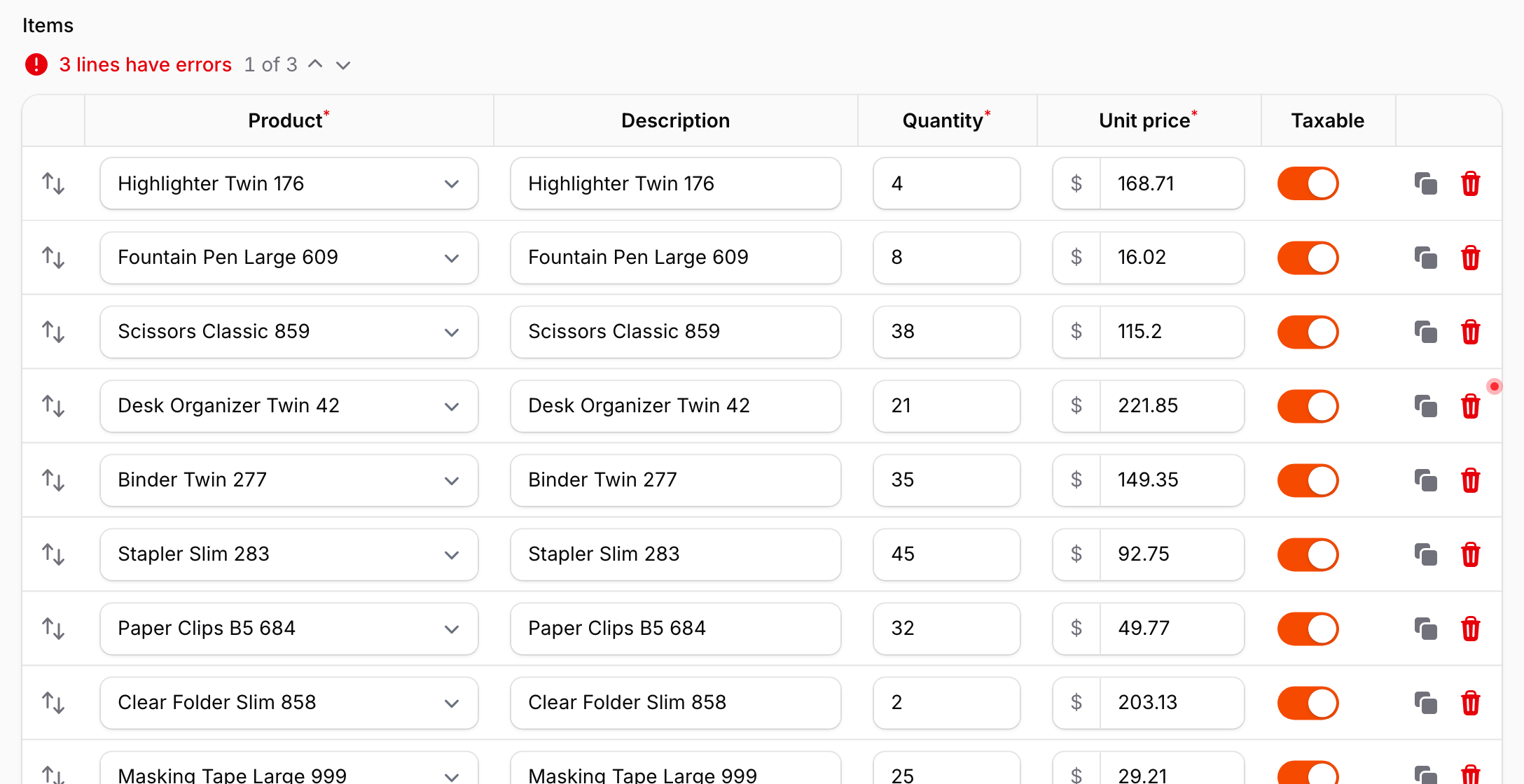
The labels come from the package's translations (English and Japanese). To change them, publish the translations with php artisan vendor:publish --tag=filament-warp-repeater-translations.
#Multi-level rows
Items with many fields are easier to read when each item spans several lines, like a paper ledger. warpMultiLevel() lays the fields out on a grid: every item gets the same number of lines, and each field is placed on the grid with warpCell().
use Qalainau\FilamentWarpRepeater\MultiLevel\HeaderCell;

Repeater::make('lines')
    ->table([...])
    ->schema([
        Select::make('product_id')->warpCell(row: 1, col: 1, colSpan: 2),
        TextInput::make('quantity')->warpCell(row: 1, col: 3),
        TextInput::make('unit_price')->warpCell(row: 1, col: 4),
        DatePicker::make('delivery_on')->warpCell(row: 2, col: 1),
        Checkbox::make('gift_wrap')->warpCell(row: 2, col: 2),
        Textarea::make('note')->warpCell(row: 2, col: 3, colSpan: 2),
    ])
    ->warp()
    ->warpMultiLevel(columns: 4, rows: 2, header: [
        HeaderCell::make('Product')->row(1)->col(1)->colSpan(2)->markAsRequired(),
        HeaderCell::make('Qty')->row(1)->col(3),
        HeaderCell::make('Unit price')->row(1)->col(4),
        HeaderCell::make('Delivery')->row(2)->col(1),
        HeaderCell::make('Gift')->row(2)->col(2),
        HeaderCell::make('Note')->row(2)->col(3)->colSpan(2),
    ]);
warpCell(row, col, rowSpan, colSpan)places a field (1-based). If you give onlyrow, the field takes the first free place on that line. Fields withoutwarpCell()fill the remaining free places line by line, like CSS Grid auto-placement. Extra lines are added when the grid is full.headeris optional. Without it, eachTableColumnheader is shown at its field's position.HeaderCellsupports->alignment(),->markAsRequired()and->wrapHeader().bordered: falseremoves the lines between the columns of the grid. The lines between the lines of an item stay.- The reorder handle and the item actions span the full height of the item.
- Tab moves through the fields line by line, then to the item actions.
- The column widths of the grid are computed from the content, the same way as in the regular layout.
Multi-level rows are a Warp Repeater layout. When Warp Repeater is disabled, when it falls back to the native repeater, and in narrow containers where Filament stacks each item as a card, the items are shown in the regular layout.
#Column summaries
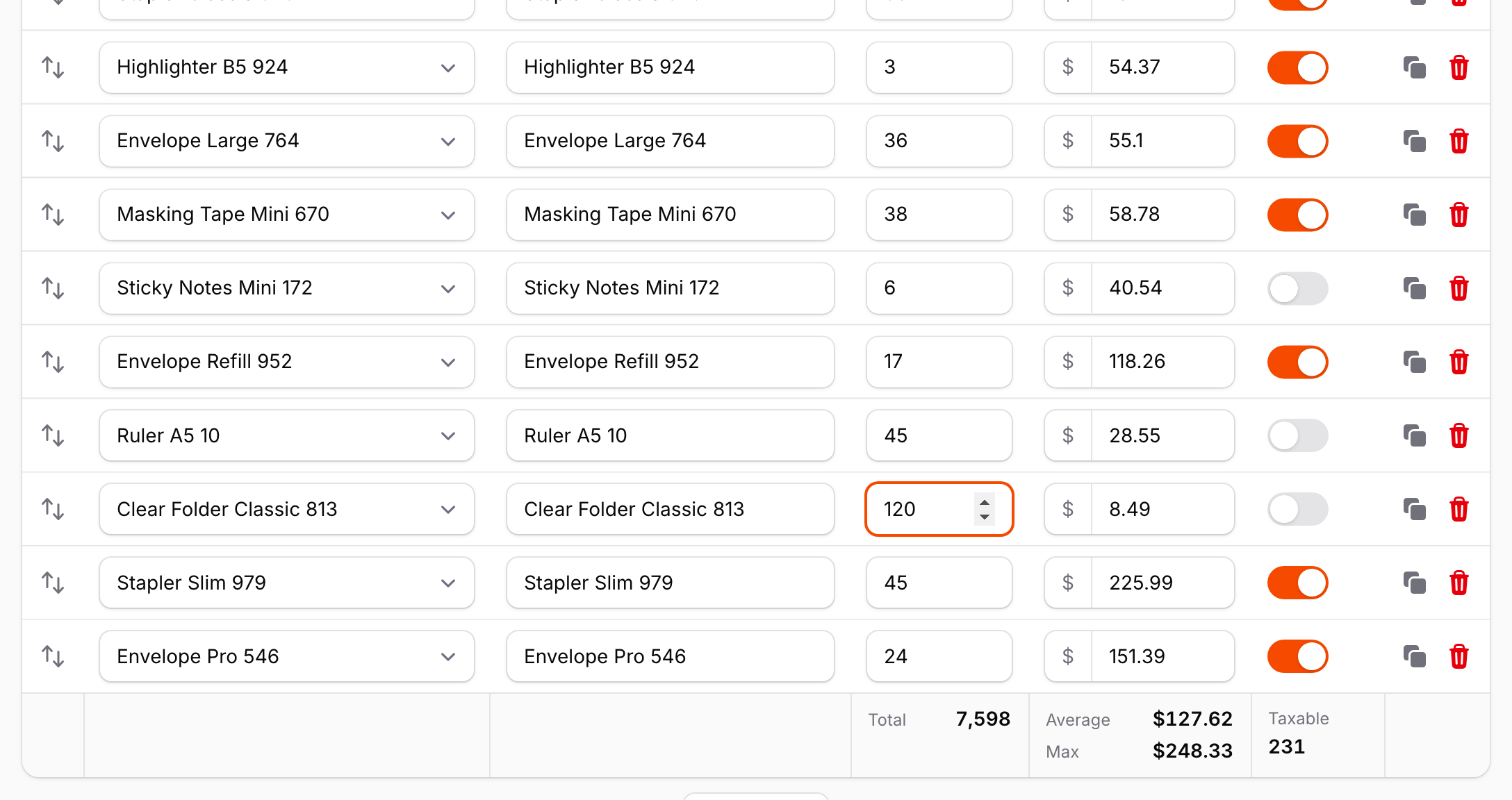
Add ->warpSummary() to a field in the repeater's schema to show a summary row under its column. The row is part of the table, below the last line, in the header's colors.
use Qalainau\FilamentWarpRepeater\Summaries\Summary;

Repeater::make('lines')
    ->table([
        TableColumn::make('Product'),
        TableColumn::make('Quantity'),
        TableColumn::make('Unit price'),
        TableColumn::make('Taxable'),
    ])
    ->schema([
        Select::make('product_id')->options(...),
        TextInput::make('quantity')
            ->numeric()
            ->warpSummary(Summary::sum()->label('Total')),
        TextInput::make('unit_price')
            ->numeric()
            ->prefix('$')
            ->warpSummary([
                Summary::average()->prefix('$')->decimals(2),
                Summary::max()->prefix('$')->decimals(2),
            ]),
        Toggle::make('taxable')
            ->warpSummary(Summary::checked()),
    ])
    ->warp();
| Summary | Shows |
|---|---|
Summary::sum() |
The total of the numeric values. |
Summary::average() |
The average of the numeric values. Empty fields are not counted. |
Summary::min(), Summary::max() |
The lowest and highest numeric value. |
Summary::count() |
The number of lines with a value (not empty, not false, not an empty array). |
Summary::checked() |
The number of lines that are on (toggles, checkboxes). |
->label()replaces the default label ("Sum", "Average", ...). Pass''to show the value alone.->prefix()and->suffix()are added around the value, for example a currency or a unit.->decimals()fixes the number of decimals. Without it, values show up to 2 decimals. Numbers are formatted for the page's language (<html lang>), with thousands separators.- Pass an array to show several summaries in one column, one per line.
- Every option accepts a closure, evaluated like the field's own options.
The values are computed in the browser from the repeater's Livewire state, for all the lines, including the ones that are drawn on the canvas. They follow every change as you type, before anything is sent to the server, as well as lines that are added, cloned or deleted, and values set by live() fields and afterStateUpdated(). Values like "1,250.50" are read as numbers, and fields that are not numbers are skipped by sum, average, min and max.
With multi-level rows, each summary is placed under its field, at the same position on the grid, and footer lines without any summary are left out. In narrow containers, where Filament stacks each item as a card, the summary row lists each summarized column by name with its values.
The summary row is a Warp Repeater feature. When Warp Repeater is disabled or falls back to the native repeater, warpSummary() has no effect.
#Spreadsheet editing
Line items often come from a spreadsheet, and long tables are faster to fill with the keyboard. warpSpreadsheet() adds the keys people expect from Excel and Google Sheets:
Repeater::make('lines')
    ->table([...])
    ->schema([...])
    ->warp()
    ->warpSpreadsheet();
| Keys | In a text or number field |
|---|---|
| Enter / Shift+Enter | Move to the same column on the next / previous line. |
| ↓ / ↑ | Same as Enter / Shift+Enter. |
| Shift+click, Shift+↓ / Shift+↑ | Select a range of cells, from the focused field. |
| Ctrl/Cmd+C | With a range selected: copy it as tab-separated text, ready to paste into a spreadsheet. |
| Ctrl/Cmd+V | Paste cells copied from a spreadsheet (see below). |
| Ctrl/Cmd+D | With a range selected: copy the values of its first line to the other lines. |
| Escape | Clear the range. |
Tab and Shift+Tab still move between fields, and the arrow keys inside dropdowns, date pickers and select search fields keep working as usual.
Pasting. Copy cells in Excel, Numbers or Google Sheets and paste them into any field of the repeater. The values fill the fields to the right and below, and lines are added at the end when there are not enough of them, up to maxItems() and at most 1,000 lines per paste. To paste one value into many cells, select a range and paste. Each value is turned into the field's state:
- Selects accept the option's key or its label (any case). Multiple selects take a comma-separated list. Values that are not an option are skipped.
- Toggles and checkboxes are on for
TRUE,1,yes,y,on,xor✓, and off for anything else. - Numeric text inputs drop thousands separators, currency symbols and units:
$1,250.50becomes1250.50. - Date pickers read any date that PHP can parse, and store it in the field's format.
- Disabled, read-only and hidden fields are skipped.
Copying a range works the other way: selects are copied as their labels and toggles as TRUE / FALSE, so the cells paste back as they were.
Pasting and filling down run on the server, as a single Filament action on the repeater. The action is only available while warpSpreadsheet() is on and the repeater is not disabled, and it only writes to fields the user could type into. New lines are added the same way as with the "Add" button, so default values apply, and every changed field runs its afterStateUpdated() hooks, so live() totals are recalculated. Nothing is saved until the form is saved.
Notes:
- Enter no longer submits the form from a field in the repeater, and ↑ / ↓ no longer step the value of number fields.
- Filament's
DeleteActionuses Ctrl/Cmd+D as its keyboard shortcut. While a range is selected in the repeater, Ctrl/Cmd+D fills down instead. Without a range, the shortcut is left to Filament. - The repeater's items are filled in order, with columns counted in the order of the schema, the same as
table()columns.
#Unsaved changes
In a long table it is easy to lose track of what you have changed. warpChangeMarks() marks it until the form is saved:
Repeater::make('lines')
    ->table([...])
    ->schema([...])
    ->warp()
    ->warpChangeMarks();
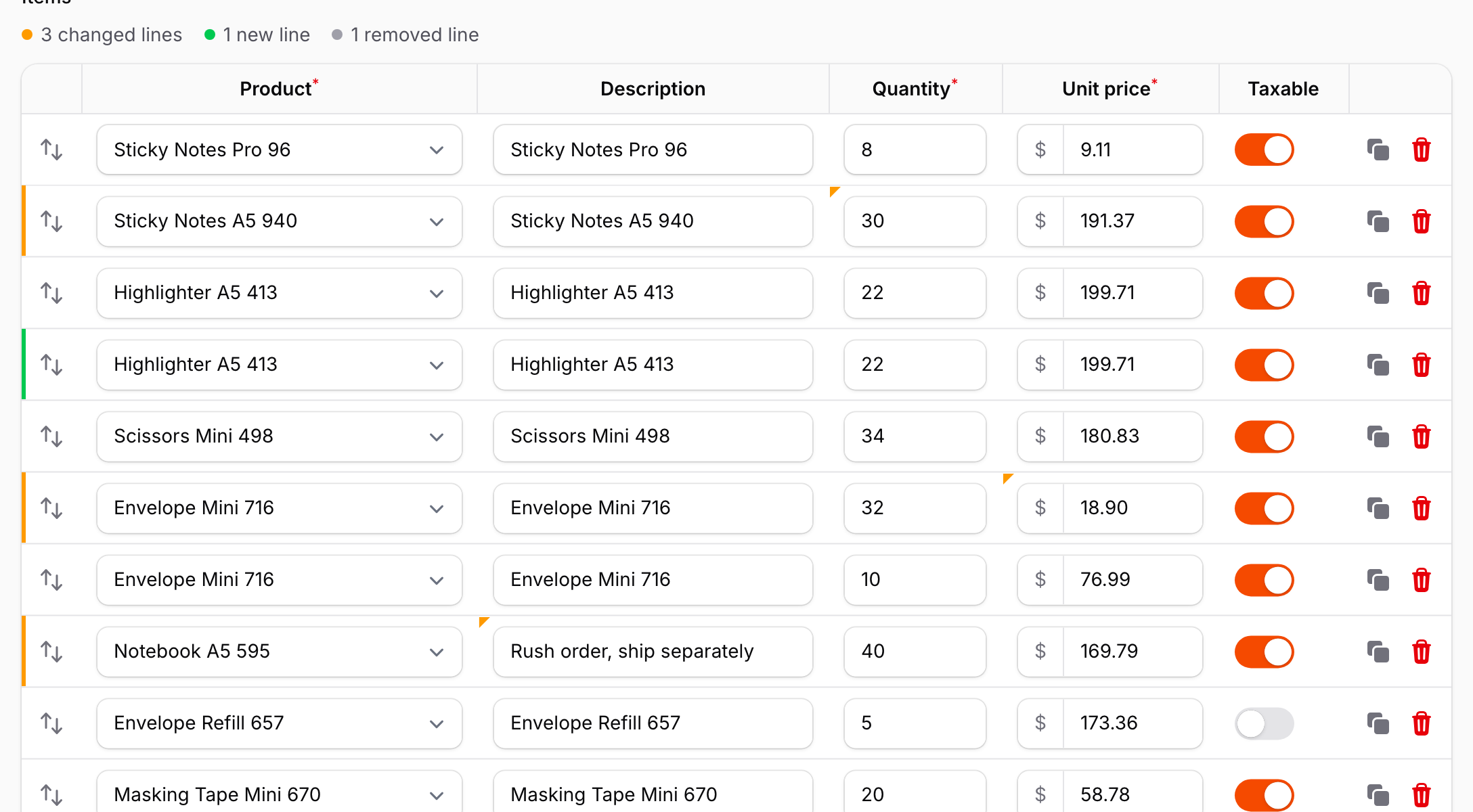
- A changed cell gets a small triangle in its top-left corner, and its line a bar on the left edge (warning color).
- A new line, added with "Add", cloned or pasted, gets a bar in the success color.
- Above the repeater: "3 changed lines", "1 new line", "2 removed lines". Click "changed" or "new" to jump to those lines one after another.
- Changing a value back to what it was removes the mark. Values are compared as the form would save them, so
23and"23", or an empty string andnull, are the same.
The marks compare each line with its values when the repeater was first shown, and follow every change as you type, before anything is sent to the server. When the form is saved, the current values become the new reference. A save is any Livewire call to one of the resetOn methods that ends without validation errors: by default save (edit pages) and create (create pages). Pass your own method names if your form saves differently:
->warpChangeMarks(resetOn: ['save', 'saveDraft'])
If saving fails with validation errors, the marks stay.
The reference values live in the browser. Reloading the page starts again from the saved values, the same as the form itself.
#Search
The browser's find (Ctrl/Cmd+F) only sees text in the page, and the lines that are drawn on the canvas are not text. warpSearch() adds a search field above the repeater that looks through every line:
Repeater::make('lines')
    ->table([...])
    ->schema([...])
    ->warp()
    ->warpSearch();
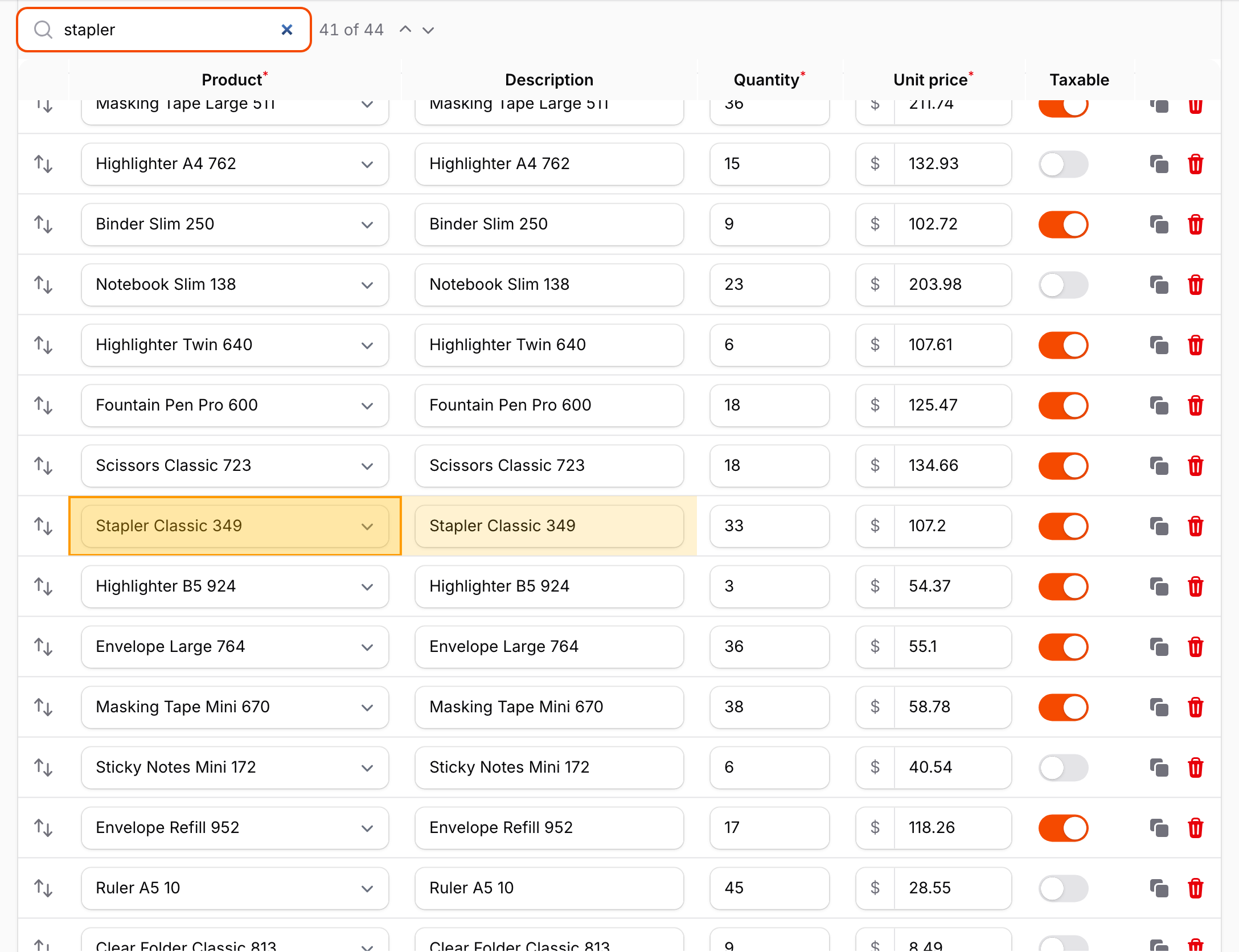
- Matching cells are highlighted, and the current match is outlined and scrolled into view. The position ("2 of 14") is shown next to the field.
- Enter and Shift+Enter, or the arrow buttons, move to the next and previous match. Escape clears the search.
- Ctrl/Cmd+F while the focus is in the repeater moves to the search field. Elsewhere on the page it opens the browser's find as usual.
- The search looks at what the cells show: option labels for selects, the displayed date for date pickers, and the text of inputs. Case and accents are ignored (
zebrafindsZébra). Toggles, checkboxes and password fields are not searched. - The matches follow the values as you type, paste, add or delete lines.
With warpStickyHeader(), the search field and the other tools above the repeater stay on screen together with the header row.
#Sorting and filters
warpSorting() sorts the lines from the column headers, and warpFilters() filters them by value, like the filter buttons of a spreadsheet. Both change only what you see: the order in which the items are saved (orderColumn()) does not change, and hidden lines keep their values and are saved with the form.
Repeater::make('lines')
    ->table([...])
    ->schema([...])
    ->warp()
    ->warpSorting()                        // every column
    ->warpFilters(['product_id', 'tags']); // or only these fields
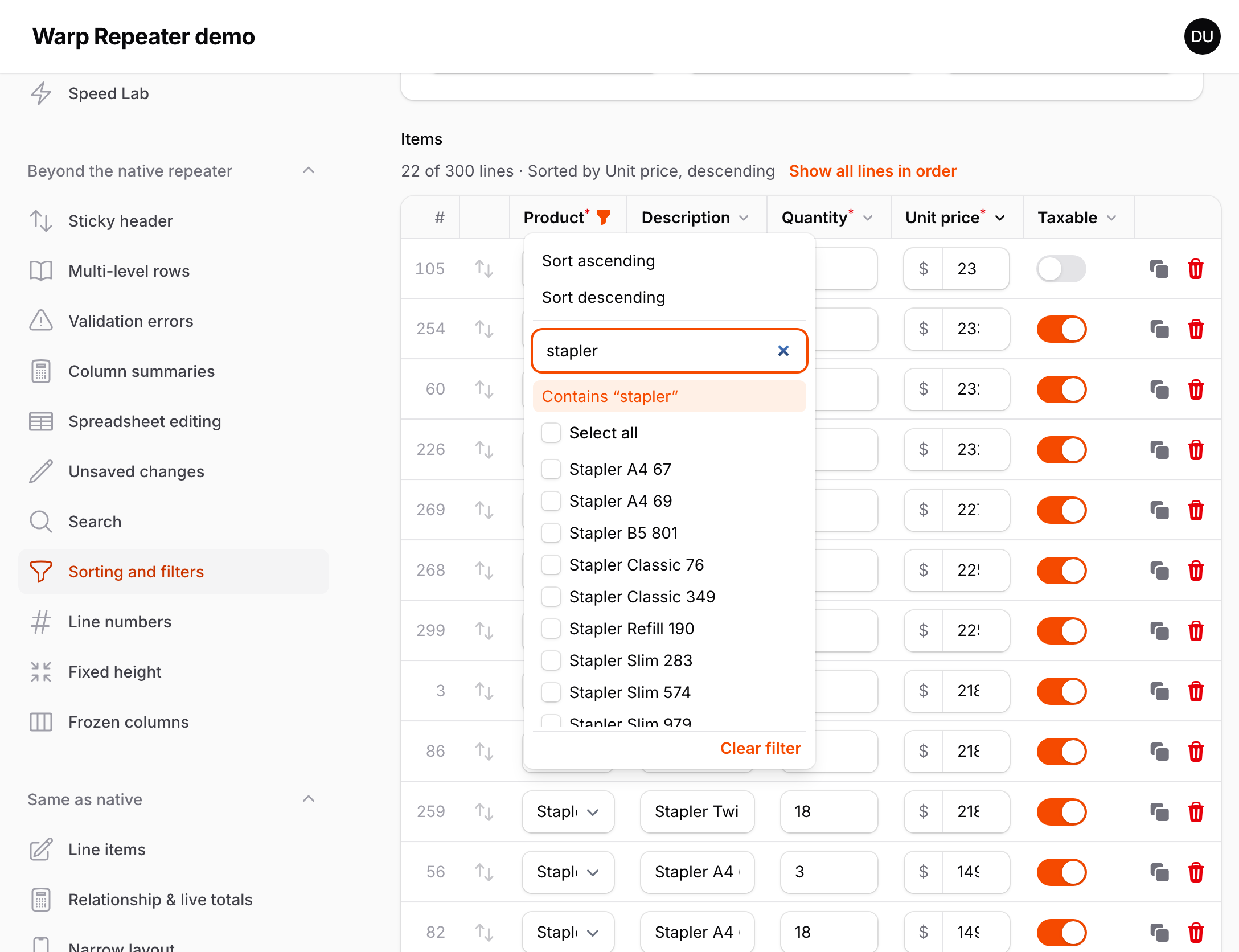
300 lines filtered to the 22 that contain "stapler", sorted by unit price. The line numbers keep the saved position, and drag and drop is off until "Show all lines in order":
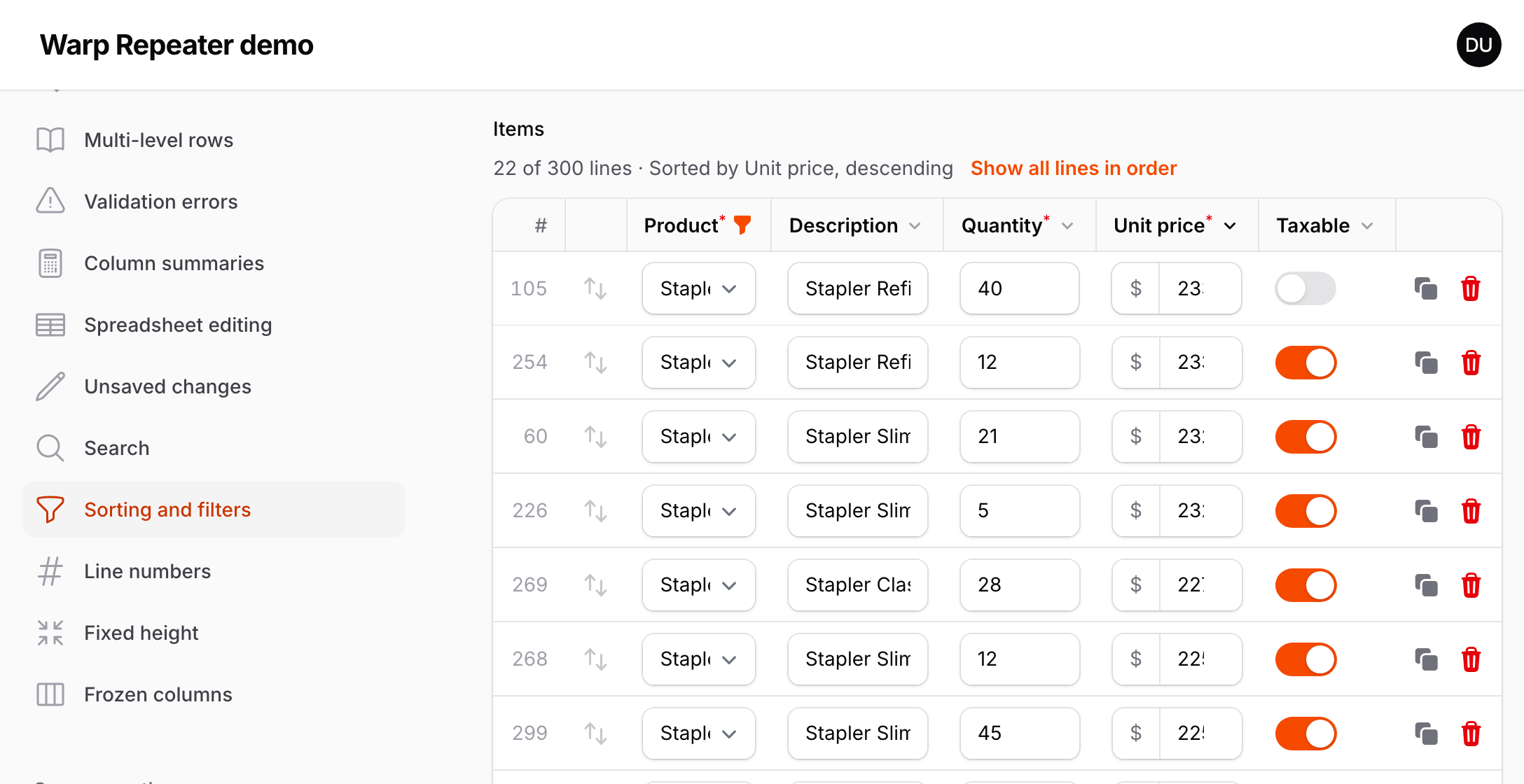
- Each sortable or filterable header gets one button, with the same chevron as Filament's sortable table columns, so the column widths hardly change. For a column you can only sort, the button switches between ascending, descending and the saved order. For a column you can filter, it opens a panel with "Sort ascending", "Sort descending" and the values of the column.
- The panel lists the values as they are shown: option labels for selects (each tag of a multiple select), the displayed date for JavaScript date pickers, and On / Off for toggles and checkboxes. Uncheck values to hide their lines, type to find a value, or press Enter to show the lines that contain the text. A line with several values (a multiple select) is shown as long as one of them is checked.
- Numbers sort by value, dates by date, and everything else by the shown text, in the page's language. Empty cells go last in both directions.
- The order and the filter are decided when you choose them, like in a spreadsheet: lines do not move or disappear while you type. Lines you add, clone or paste are shown, and so are lines with validation errors, even when they do not match the filter.
- Above the repeater, "10 of 120 lines" and the sorted column are shown, with "Show all lines in order" to go back.
- While the lines are sorted or filtered, reordering by drag and drop and the move up and down buttons are off, because the order on screen is not the saved order. Pasting a table and filling down with
warpSpreadsheet()fill the shown lines, in the order they are shown. - Line numbers (
warpRowNumbers()) keep the saved position, the column summaries (warpSummary()) still total every line, and the search (warpSearch()) looks at the shown lines. - Password fields are never sorted or filtered. In narrow containers, where Filament stacks each item as a card, the headers are hidden; an order or filter chosen before stays, and "Show all lines in order" is still above the repeater.
- Both options accept a closure. The native repeater has no equivalent.
#Line numbers
warpRowNumbers() adds a column with the number of each line, before the reorder handle:
Repeater::make('lines')
    ->table([...])
    ->schema([...])
    ->warp()
    ->warpRowNumbers();
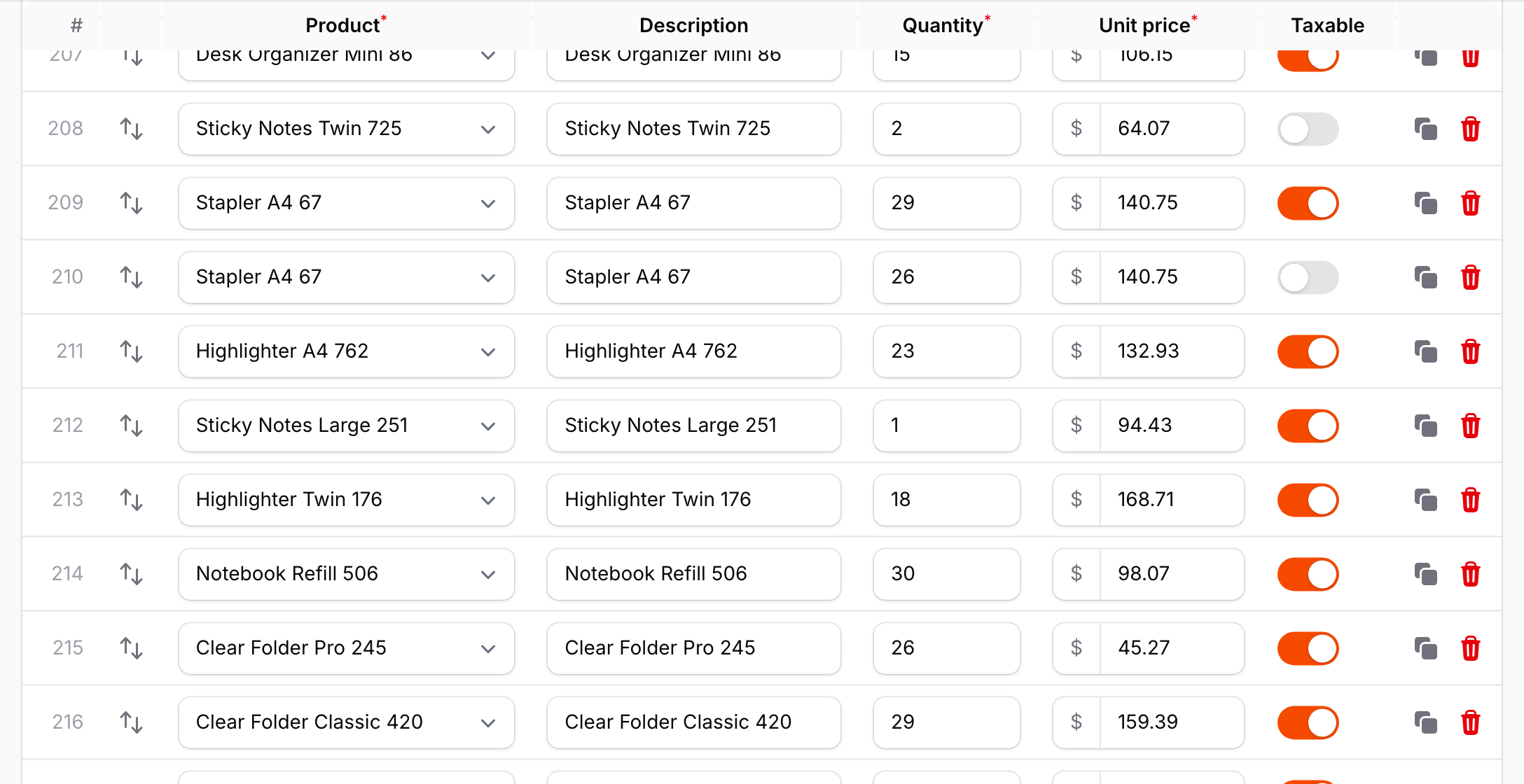
- The numbers are the position in the repeater, starting at 1. They follow the order as you reorder, add, clone or delete lines.
- They are not part of the form's state and are not saved.
- The header shows
#, with "Line number" for screen readers (translatable). - With multi-level rows, the number spans all the lines of an item. In narrow containers, where Filament stacks each item as a card, it is shown as
#12at the top of the card. - The column is as wide as the largest number, measured in the same way as the other columns.
#Fixed height
By default the repeater is as tall as its lines, and the page scrolls. warpHeight() gives the lines a fixed height and scrolls them inside the repeater instead, like a spreadsheet:
Repeater::make('lines')
    ->table([...])
    ->schema([...])
    ->warp()
    ->warpHeight(480);      // pixels, or any CSS length: '60vh', '30rem'
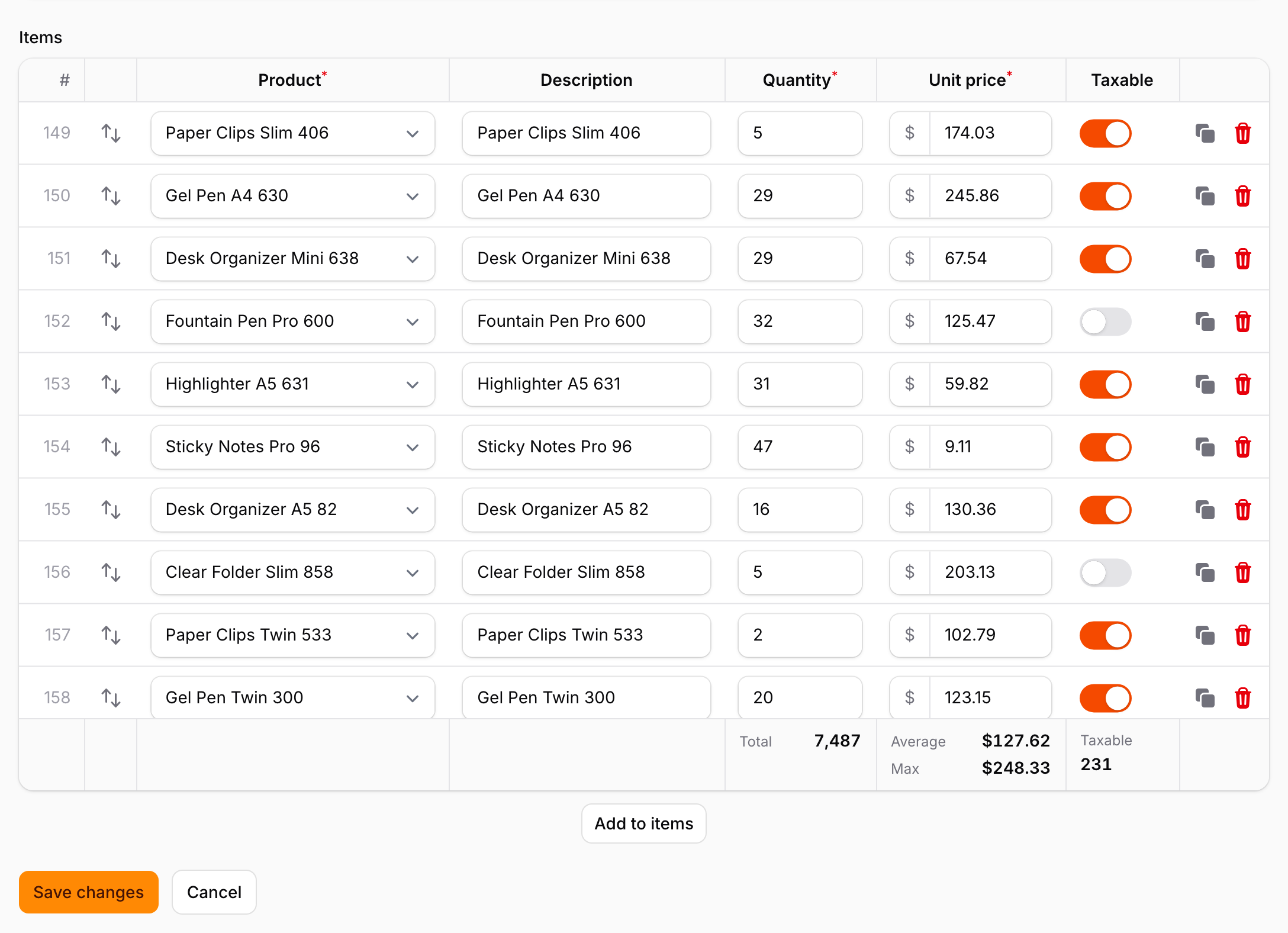
- Only the lines scroll. The header row, the summary row (
warpSummary()), the "Add" button and the rest of the form stay where they are, so the fields after a 1,000-line repeater are one scroll away. - When the lines are shorter than the height, the repeater is just as tall as its lines.
- Everything that moves to a line scrolls inside the repeater first, then the page if needed: saving with validation errors, the error navigation, search, Enter and the arrow keys of
warpSpreadsheet(). - The scroll position stays when Livewire updates the form.
- With narrow containers (Filament's stacked layout), the cards scroll inside the same height.
With classic scrollbars (Windows, or macOS set to always show scrollbars), the scrollbar is drawn over the right edge of the last column, which is usually the item actions. It is a thin scrollbar where the browser supports scrollbar-width.
#Wide tables and frozen columns
A repeater with many columns squeezes every field into the width of the form. warpTableWidth() gives the table a minimum width and scrolls it horizontally when the form is narrower. warpFrozenColumns() keeps the first columns in view while you scroll, like frozen columns in a spreadsheet:
Repeater::make('lines')
    ->table([
        TableColumn::make('Product'),
        TableColumn::make('SKU'),
        TableColumn::make('Quantity'),
        // ... ten more columns
    ])
    ->schema([...])
    ->warp()
    ->warpTableWidth(1800)      // pixels, or any CSS length: '120rem'
    ->warpFrozenColumns(1);     // the first column (Product) stays in view
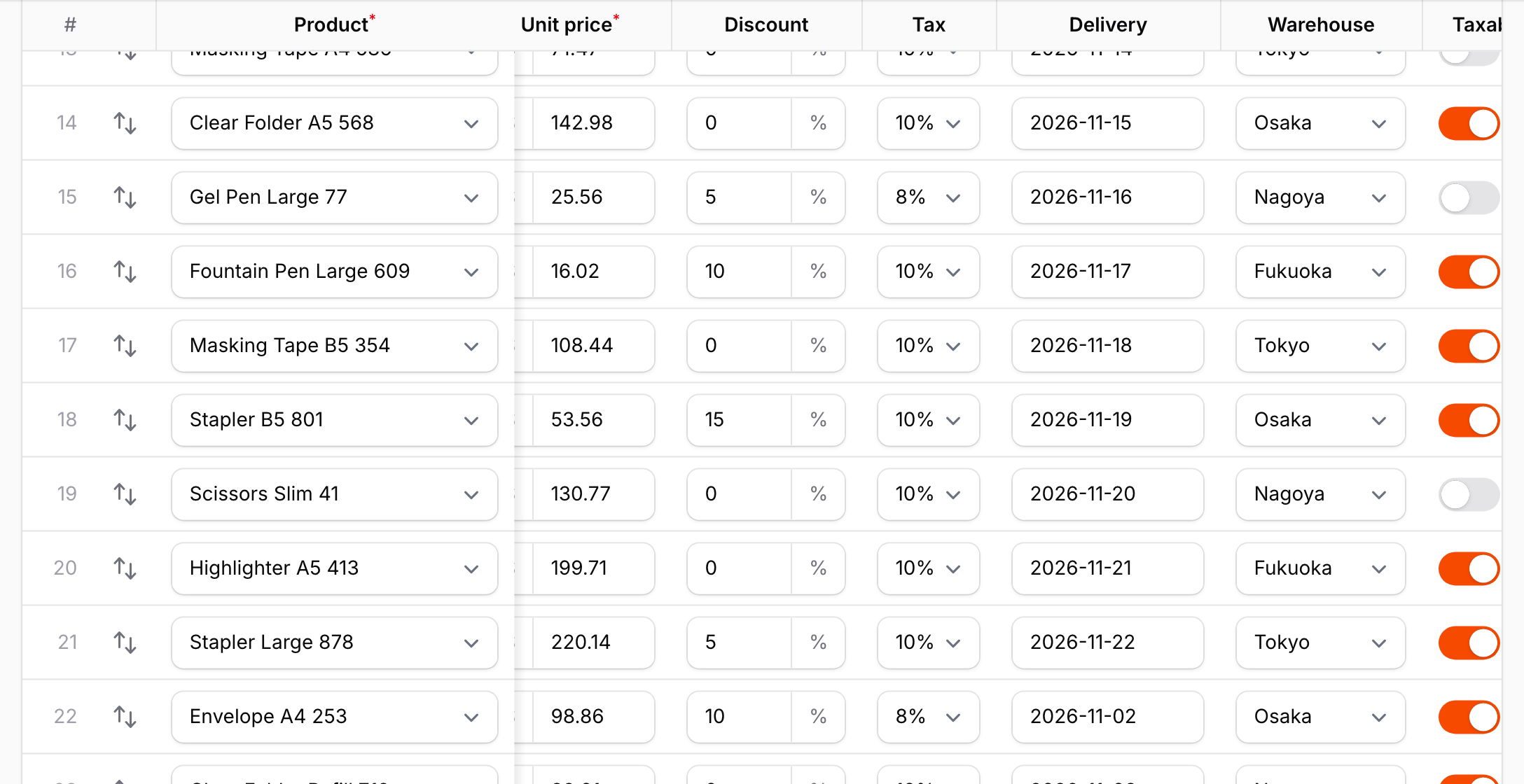
- The header row, the lines and the summary row scroll together. The column widths are computed from the content for the given width, as usual.
warpFrozenColumns(n)freezes the firstncolumns oftable(). The line numbers (warpRowNumbers()) and the reorder handle are always frozen with them. A thin shadow marks the edge while the table is scrolled.- Tab and Shift+Tab move through all the fields, and the table scrolls sideways so the focused field is in view, never hidden under the frozen columns. Dropdowns and date pickers opened in a frozen column stay on top of the lines below.
warpStickyHeader()keeps working: the header row follows the page while staying aligned with the scrolled columns.warpHeight()can be combined too.- With multi-level rows,
ncounts the columns of the grid (warpMultiLevel(columns: ...)), and the fields and header cells in those columns are frozen on every line. A field or header cell that spans across the edge cannot be cut in two, so the frozen part is widened to include it: withProductinwarpCell(col: 1, colSpan: 2),warpFrozenColumns(1)freezes the first two grid columns. - In narrow containers, where Filament stacks each item as a card, there is nothing to scroll and both settings are ignored.
Multi-level rows with warpTableWidth(1600)->warpFrozenColumns(2), scrolled sideways: the product, delivery and gift cells stay in view on both lines.
#Supported fields
Every field works, because the fields you interact with are always Filament's own. The canvas only has to draw the rows you are not interacting with:
| Field | Drawn on the canvas |
|---|---|
TextInput |
The current value (or the placeholder), prefixes and suffixes, icons, password dots, number fields with the browser's spin buttons. |
Select |
Native selects, searchable and JavaScript selects (the selected label, wrapped like the native one) and multiple selects (the selected badges). |
DatePicker, DateTimePicker, TimePicker |
Native inputs, and JavaScript pickers with the value in their display format. |
Toggle, Checkbox |
On and off states with their colors. |
Textarea |
The text, wrapped like the browser does, with the resize handle. |
| Anything else | The HTML that Filament renders for the field, for example placeholders and text entries, hints, helper texts and error messages. |
Values changed in the browser and not yet sent to the server are drawn from Livewire's state. The labels of searchable selects and the display format of JavaScript date pickers are computed in the browser until the next request.
#Automatic fallback
Warp Repeater only replaces the rows. In these states the regular Filament repeater is rendered instead:
- Repeaters without a
table()layout (the default card layout andsimple()). - An empty repeater. Only the "Add" button is shown, like the native repeater.
#Limitations
The canvas cannot do everything the DOM can. These are the known differences from the native repeater:
- Screen readers cannot read the rows that are drawn on the canvas. The first, the last, the hovered and the focused rows are real fields, but the others are not part of the accessibility tree. If your users rely on assistive technology, keep the native repeater for them.
->warp()accepts a closure, so you can base it on a user preference. - Browser find (Cmd/Ctrl+F) does not find the values of rows that are drawn on the canvas. Use
warpSearch()to search every line. - Selecting text with the mouse across several rows is not possible. Inside one row it works, because the row under the pointer is real.
- Fields whose display is built in the browser other than the ones listed above, for example rich editors, file uploads and color pickers, are drawn from the HTML that Filament renders on the server, which may look plainer than the initialized field. They become fully interactive when the pointer is over the row.
#How it works
- Templates instead of rows. On every Livewire render, Filament renders every cell as usual. Cells that are identical apart from the item key become one template, so 1,000 lines usually need fewer than ten templates. Values that differ per row, such as the selected label of a searchable select, are sent separately.
- The browser measures Filament's own markup. A hidden table with the same markup and CSS as the native repeater gives the column widths, the row heights and a list of boxes, texts and icons to draw. Fields that Alpine renders are initialized once, detached from Livewire, to measure their real look.
- Canvas drawing. The rows on screen are drawn from those lists, with the current values from Livewire's state. Scrolling only repaints the visible part.
- Real fields where you work. The row under the pointer and the focused row are built from the templates as real Filament fields, bound to the item's state, on top of the canvas. Everything you do there is Filament's own code.
#Troubleshooting
The repeater still looks like the native one. Check whether the repeater has a table() layout and at least one item. Also make sure you ran php artisan filament:assets after installing or updating.
Old behavior after an update. Run php artisan filament:assets again. Asset URLs include a content hash, so a hard refresh is not needed once the new files are published.
#Changelog
See CHANGELOG.md.
#Support
Open an issue at https://github.com/qalainau-labs/filament-warp-repeater-docs/issues. Do not post your license key in the issue.
#License
Warp Repeater is commercial software. See LICENSE.md for the license terms.
The author
From the same author
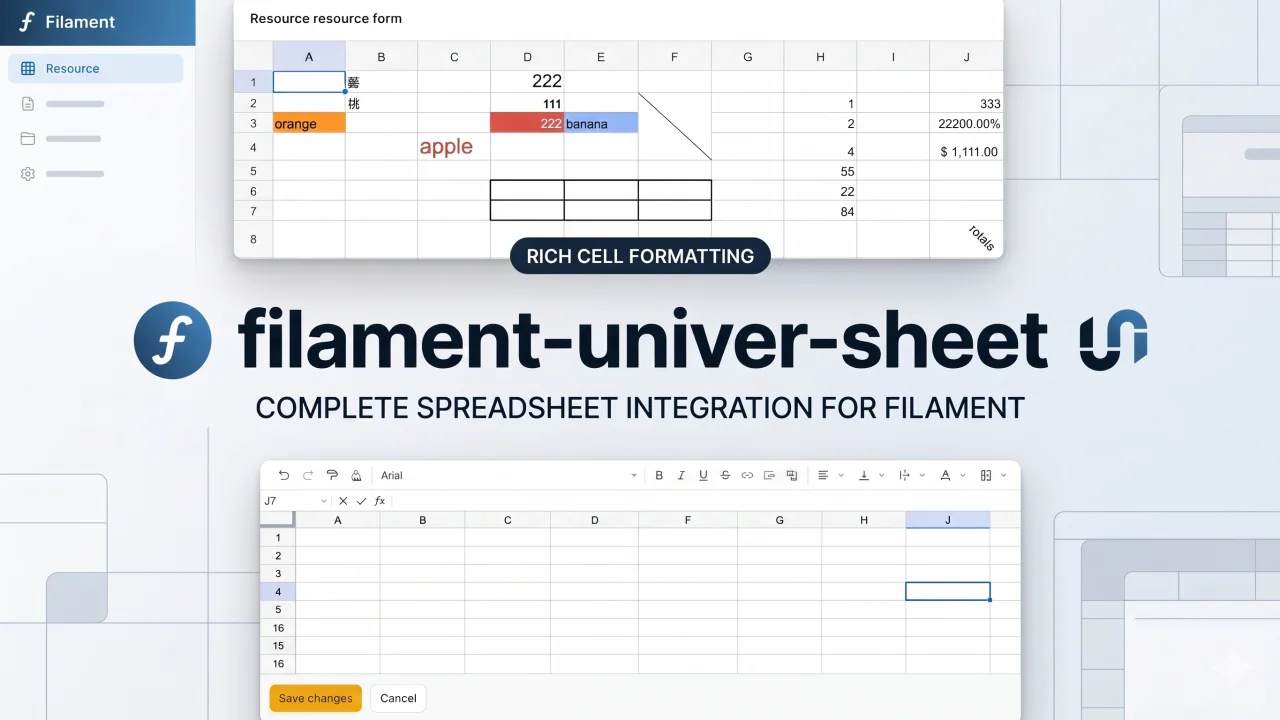
Univer Sheet
Integrate Univer Sheet into Filament — full spreadsheet editor for forms, read-only display for infolists, and compact preview for table columns.
Author:
Yuichi Okada
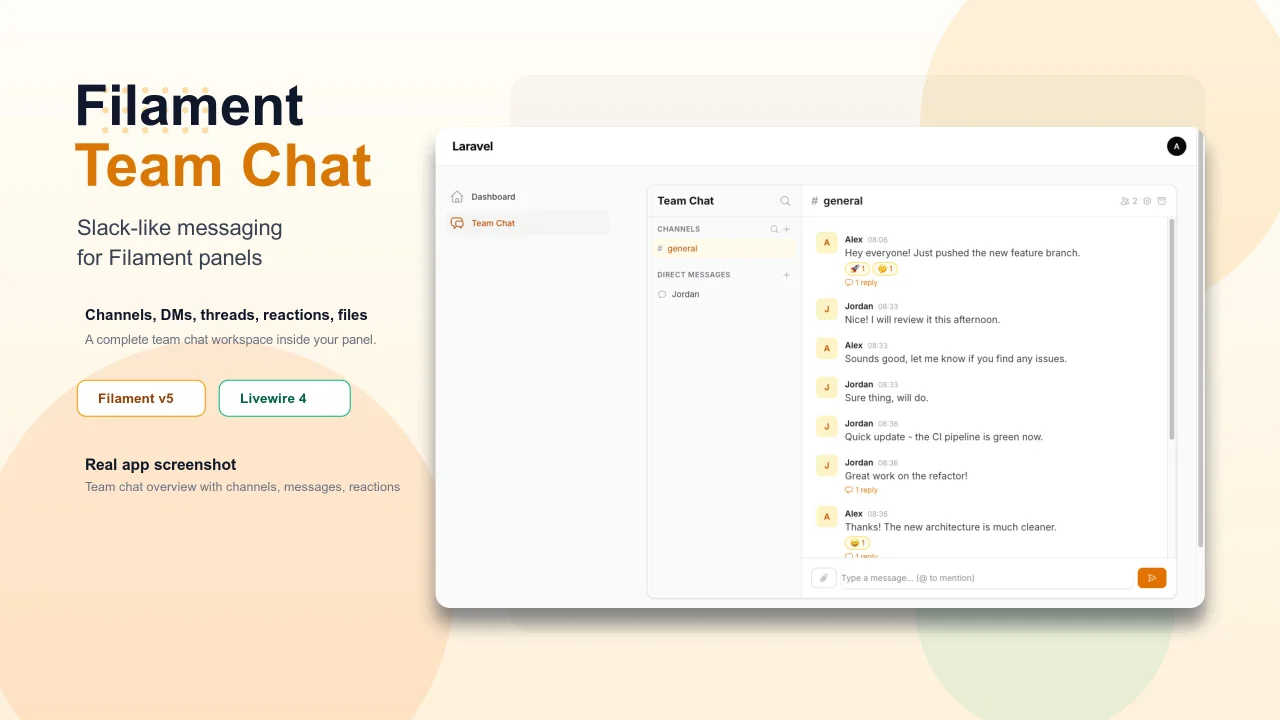
Team Chat
Add Slack-like team chat to any Filament panel — channels, DMs, threads, reactions, @mentions, file sharing, and unread tracking, all self-hosted with zero external dependencies.
Author:
Yuichi Okada
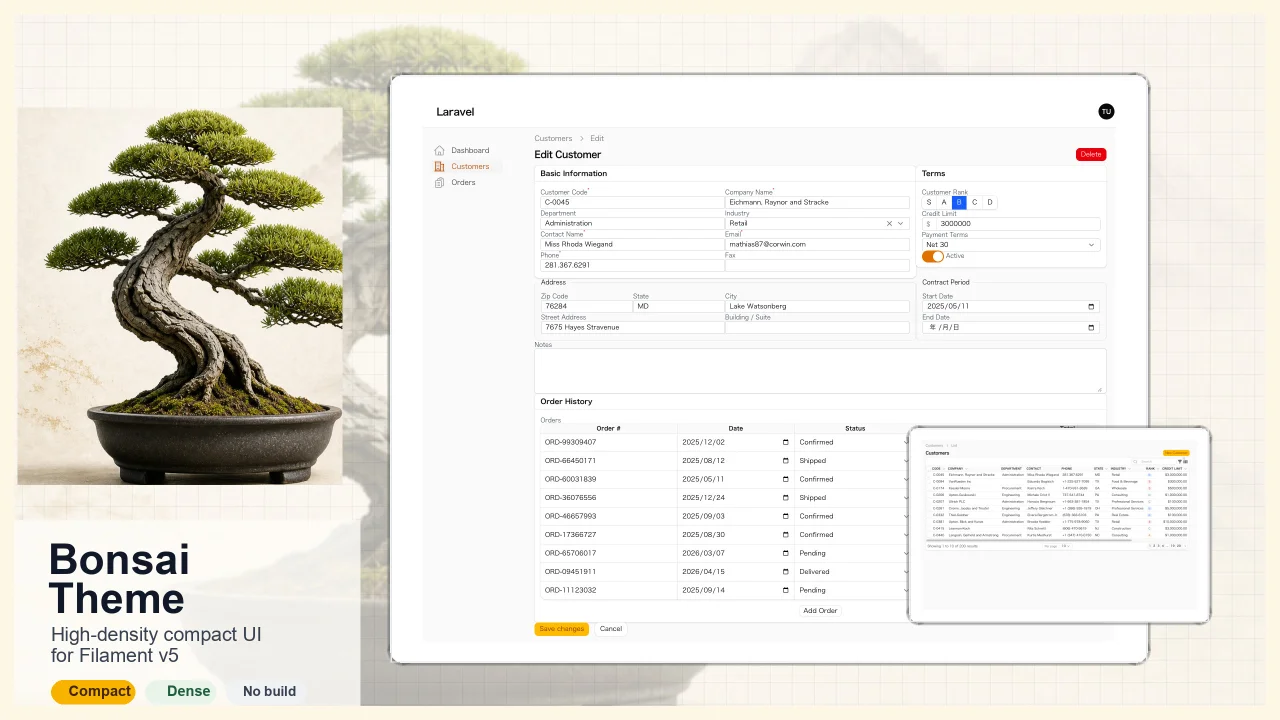
Bonsai Theme
High-density, compact UI theme for Filament v5. Inspired by Japanese business applications (sales, inventory, order management) that prioritize information density, Bonsai Theme reduces padding, gaps, and font sizes across all Filament components to fit more data on screen. No Tailwind build required. The theme ships as pre-compiled CSS and is loaded automatically.
Author:
Yuichi Okada
Inbox
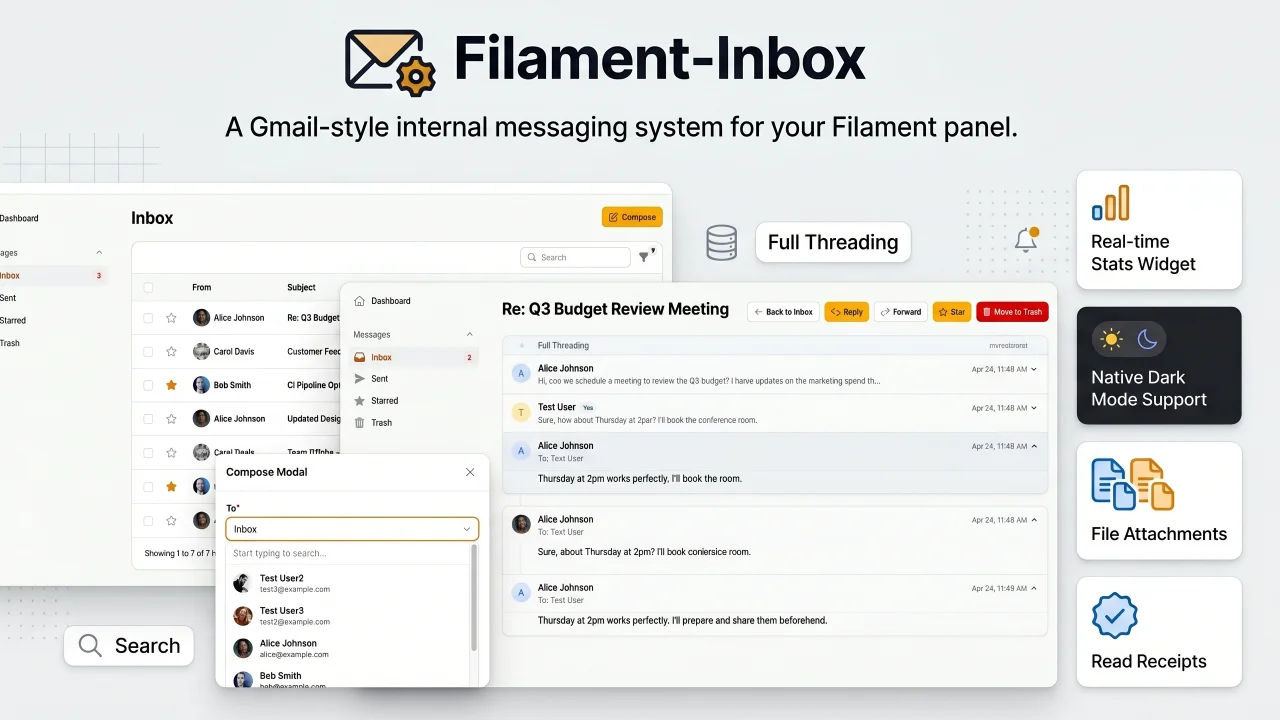
A Gmail-style internal messaging system for your Filament panel. Provides inbox, sent, starred, and trash pages with full message threading, reply/reply all, forwarding, read receipts, rich text editing, file attachments, bulk actions, search & filters, database notifications, stats widget, dark mode, multi-tenancy support, and i18n (8 languages). Built natively for Filament v5 with Laravel events, configurable user model, and test factories included.
Author:
Yuichi Okada
Featured Plugins
A selection of plugins curated by the Filament team

Sharp Theme
A theme that gives panels a precise, technical look with square corners, strong borders, and clear contrast.
 Filament

Custom Dashboards
Let your users build and share their own dashboards with a drag-and-drop interface. Define your data sources in PHP and let them do the rest.
Filament

Advanced Tables (formerly Filter Sets)
Supercharge your tables with powerful features like user-customizable views, quick filters, multi-column sorting, advanced table searching, convenient view management, and more. Compatible with Resource Panel Tables, Relation Managers, Table Widgets, and Table Builder!
 Kenneth Sese

