
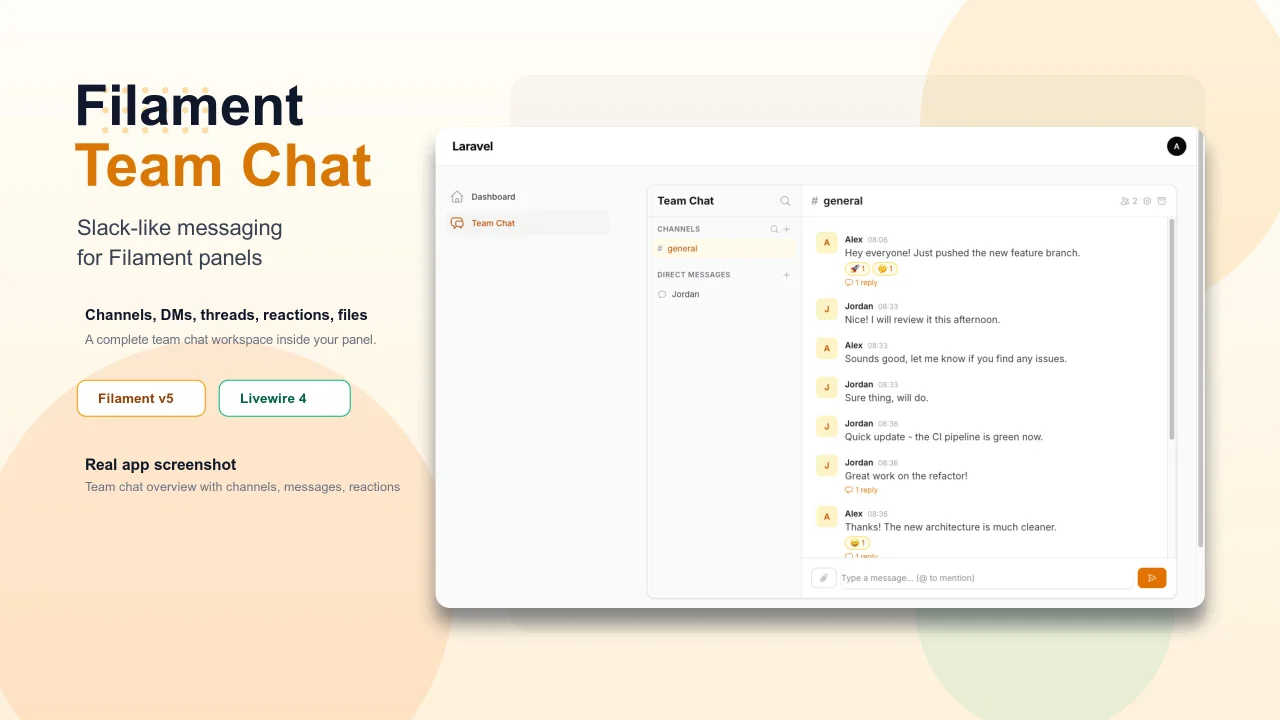
Team Chat by Yuichi Okada
CommunityAdd Slack-like team chat to any Filament panel — channels, DMs, threads, reactions, @mentions, file sharing, and unread tracking, all self-hosted with zero external dependencies.
 Author:
Yuichi Okada
Author:
Yuichi Okada
Package health
Automated checks of this plugin's Composer package
15 checks
- Passed: GitHub Actions pinned to SHA
- Skipped: GitLab CI includes pinned to SHA
- Passed: Open security advisories
- Passed: Dependabot PR responsiveness — No open Dependabot PRs.
- Skipped: Renovate MR responsiveness
- Passed: Dependabot or Renovate configured
- Passed: Dependency update cooldown configured
- Passed: Provides a security policy
- Passed: Abandoned or archived — No consulted source marks the package abandoned (packagist, github).
- Passed: Commit and release recency — Active: last commit 0 days ago; last release 3 days ago.
-
Passed:
composer.lock not committed by library
—
composer.lockis absent from the released dist archive. - Passed: Dist archive is lean
-
Passed:
Current Laravel version supported
—
Package dependencies resolve together with current Laravel
13.0. -
Passed:
Current PHP version supported
—
Constraint
^8.3supports current PHP8.5. - Skipped: Current Symfony version supported
filament/
namespace. Review the source and install at your own risk. Found
malware or an unresolved security issue the author won't
address?
Report it
.
Documentation
- Why Filament Team Chat?
- Screenshots
- Features
- Installation
- Getting Started
- Configuration
- Programmatic API
- Architecture
- Testing
- Changelog
- More Filament Plugins
- Stay Updated
- License
A complete Slack-like team chat for Filament v5. Drop it into any panel — channels, DMs, threads, reactions, mentions, file sharing, search, and unread tracking work out of the box. Self-hosted, no external services needed.





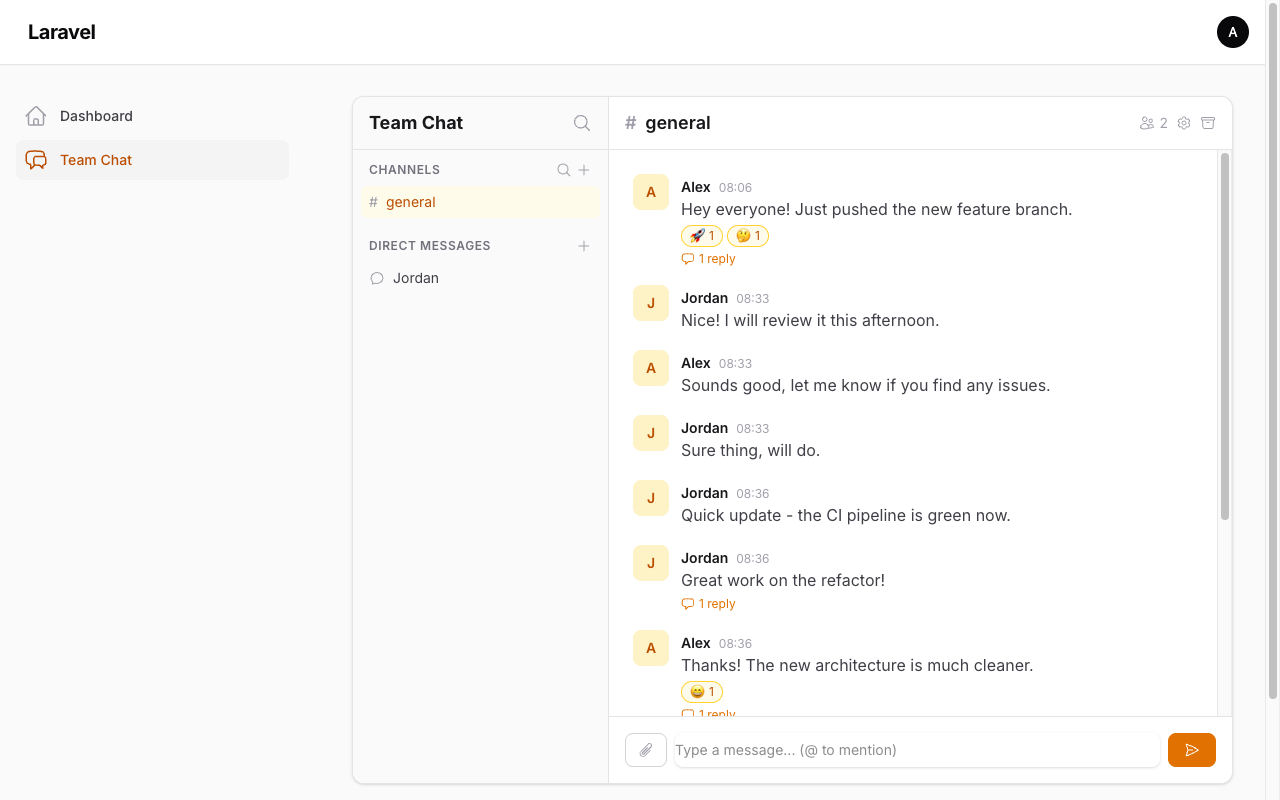
#Why Filament Team Chat?
- Zero external dependencies — No Pusher, no Redis, no WebSocket server. Works with Livewire polling out of the box.
- Filament-native — Lives inside your Filament panel. Uses your existing auth, your existing users, your existing database.
- Multi-tenant ready — Optional
team_idscoping with automatic Filament tenant detection. - Self-hosted — Your data stays on your server. No third-party chat services.
#Screenshots
| Threaded Conversations Click any message to reply in a side panel — just like Slack. 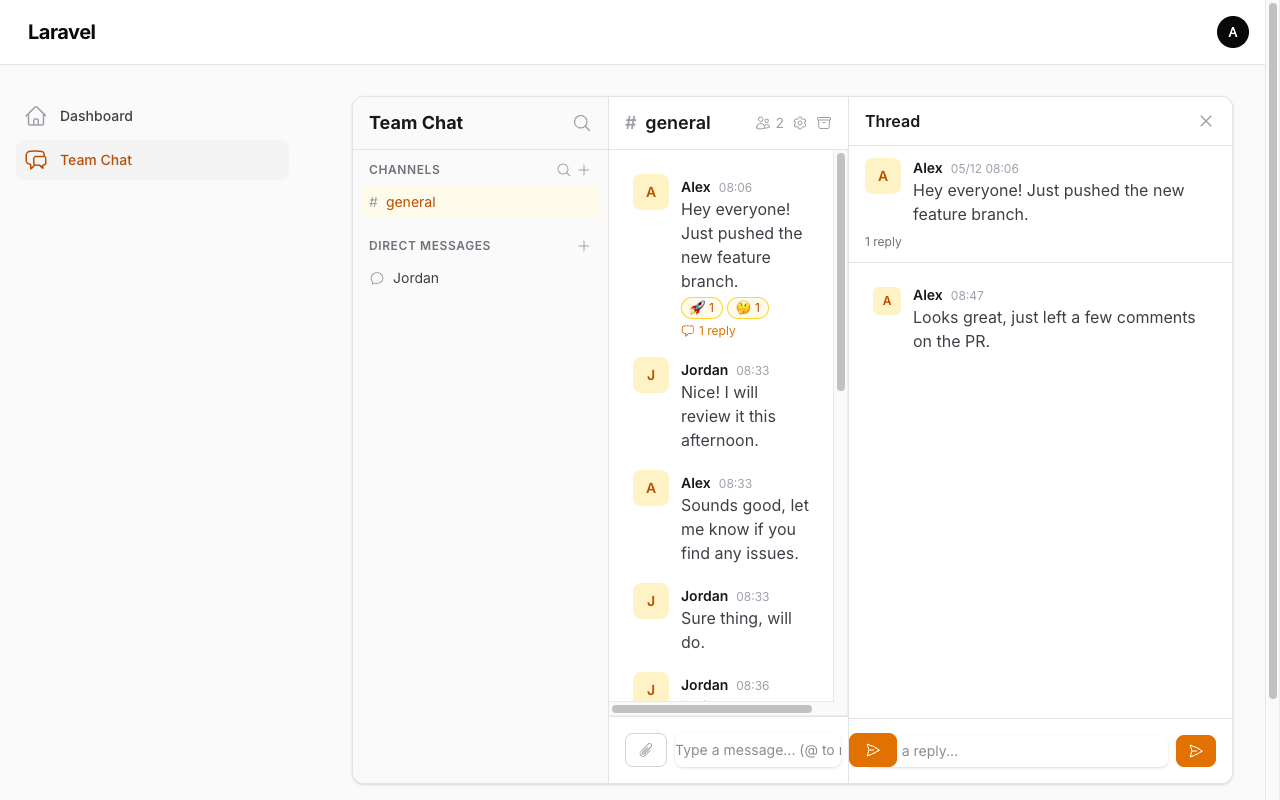 |
File Attachments Share images (with inline preview) and documents. 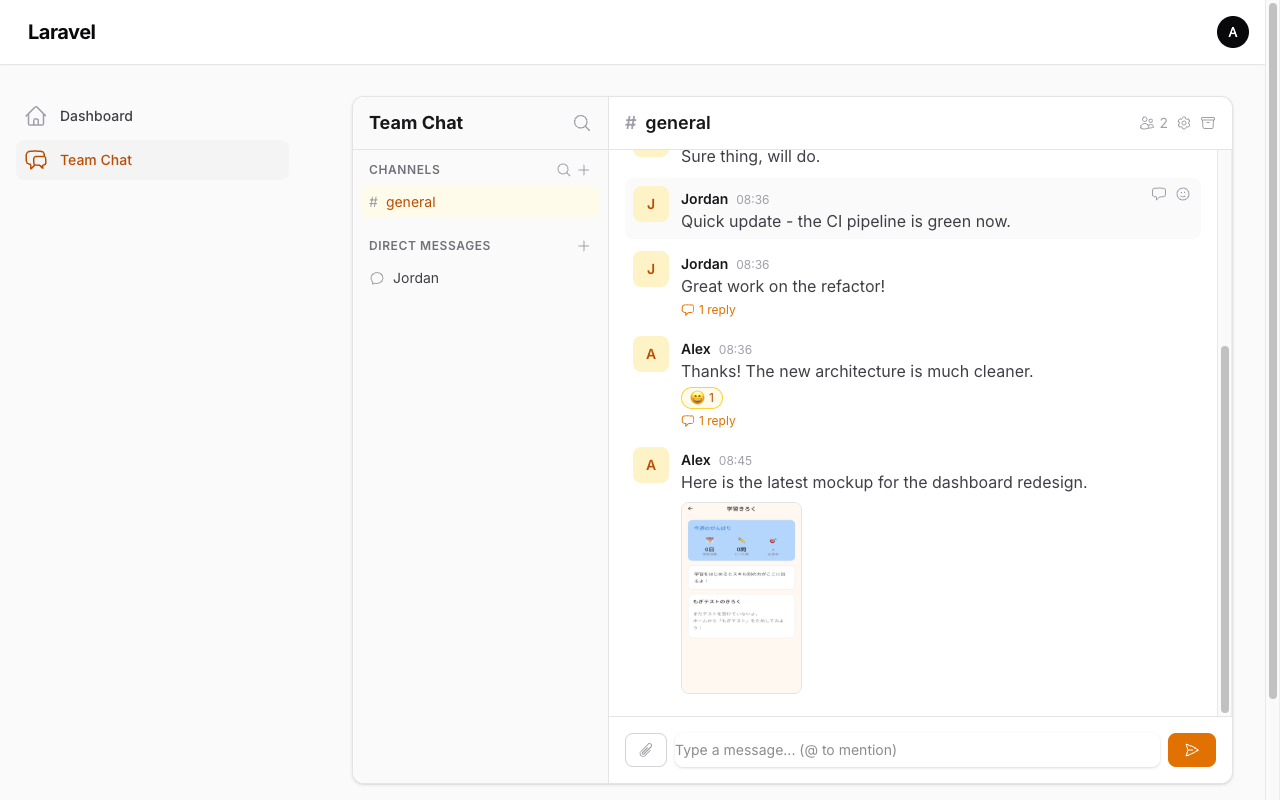 |
| Dark Mode Full dark mode support, following your Filament panel theme. 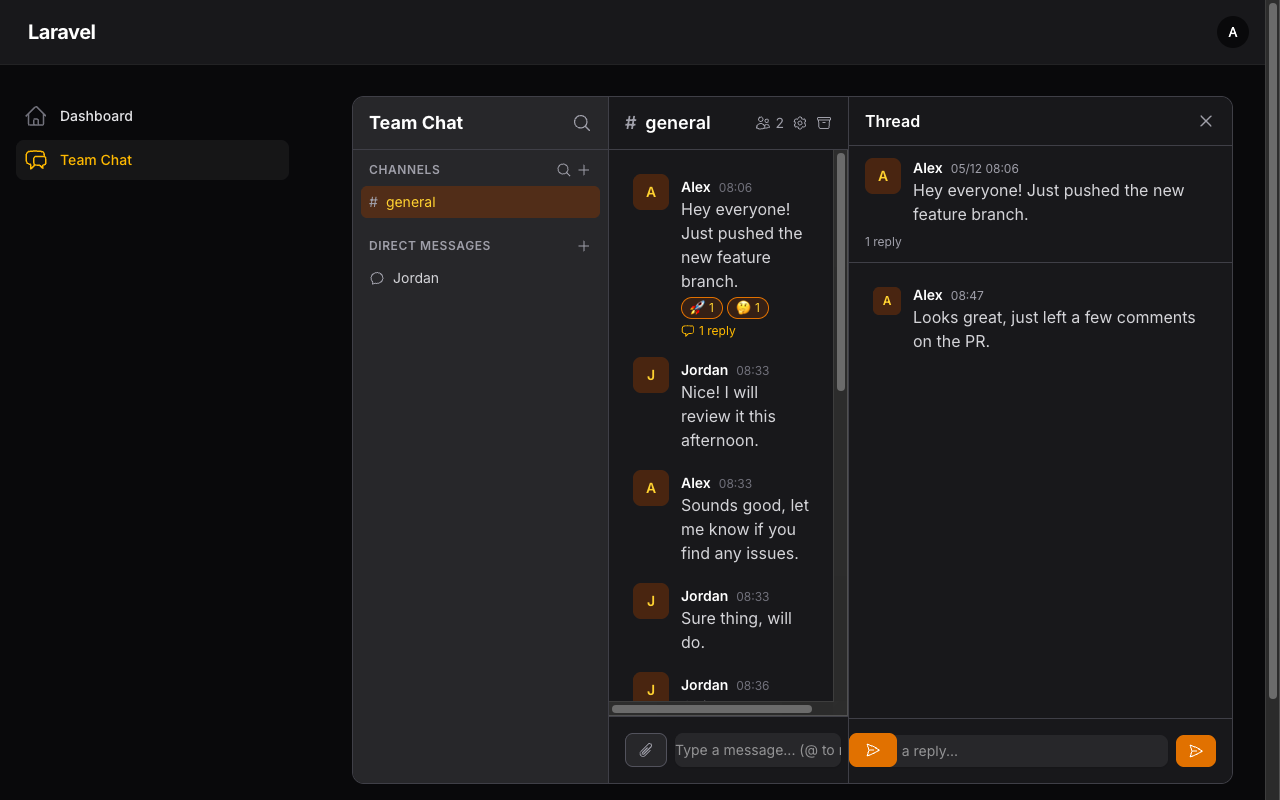 |
|
#Features
#Messaging
- Channels — Public and private channels with member management
- Direct Messages — 1-on-1 and group DMs
- Threads — Reply to any message in a side panel, with reply count on the main feed
- Markdown — Messages support bold, italic,
code, lists, and links - Edit & Delete — Edit or soft-delete your own messages (hover action bar)
#Collaboration
- Reactions — 8 built-in emoji reactions (toggle on/off)
- @Mentions —
@user,@channel,@herewith live autocomplete - File Attachments — Upload multiple files per message, image previews, download links
- Search — Full-text search across all channels and DMs you belong to
#Awareness
- Unread Badges — Per-channel/DM unread counts with automatic read tracking
- Instant Refresh — Your own messages appear immediately; others update via polling
- Online Status — Presence indicators and custom status text
- Notifications — Database notifications for @mentions and DMs
#Management
- Inline Channel Settings — Edit name, topic, and visibility directly in the chat header (owner only)
- Archive Channels — Soft-archive channels to hide them from the sidebar
- Public Auto-Join — Public channels appear for all users; clicking auto-joins
- Member List — View channel/DM members with online indicators and profile cards
#Technical
- Multi-Tenancy — Optional
team_idscoping with Filament tenant auto-detection - Restrict Who Can Chat — Limit the users each person can find and DM
- Feature Toggles — Turn off channels, threads, reactions, or search (e.g. 1-on-1 helpdesk mode)
- Responsive — On mobile, the sidebar and the chat are shown one at a time with a back button
- RTL & i18n — Right-to-left layout support; English, Japanese, and Persian translations
- UUID / ULID Keys — Works with UUID or ULID user and tenant primary keys
- Dark Mode — Follows your Filament panel theme
- 128 Tests — Comprehensive test suite with Orchestra Testbench
#Installation
composer require qalainau/filament-team-chat
Publish and run the migrations:
php artisan vendor:publish --tag=team-chat-migrations
php artisan migrate
#Getting Started
#1. Register the Plugin
use Filament\TeamChat\FilamentTeamChatPlugin;

public function panel(Panel $panel): Panel
{
    return $panel
        // ...
        ->plugin(FilamentTeamChatPlugin::make());
}
#2. Add the Trait to Your User Model
use Filament\TeamChat\Concerns\HasTeamChat;

class User extends Authenticatable
{
    use HasTeamChat;
}
#3. Notifications Table (if needed)
Required for @mention and DM notifications:
php artisan make:notifications-table
php artisan migrate
#4. Tailwind CSS Setup
The plugin uses Tailwind CSS classes that must be included in your Filament theme.
If you don't have a custom theme yet, create one first:
php artisan filament:theme
Then add the package views as a source in your theme file:
/* resources/css/filament/admin/theme.css */
@source '../../../../vendor/qalainau/filament-team-chat/resources/views/**/*';
Build the theme:
npm run build
Done! Visit /admin/team-chat to start chatting.
#Configuration
Publish the config file:
php artisan vendor:publish --tag=team-chat-config
// config/team-chat.php
return [
    'table_prefix' => 'tc_',

    'user_model' => \App\Models\User::class,

    'user_key_type' => 'int', // 'int', 'uuid', or 'ulid'

    'features' => [
        'channels' => true,
        'threads' => true,
        'reactions' => true,
        'search' => true,
    ],

    'polling' => [
        'messages' => 3,  // seconds
        'sidebar' => 5,   // seconds
    ],

    'uploads' => [
        'disk' => 'public',
        'directory' => 'team-chat-attachments',
        'max_size' => 10240, // KB
    ],

    'tenancy' => [
        'enabled' => false,
        'model' => null,    // e.g. \App\Models\Team::class
        'resolver' => null, // null = Filament::getTenant()
        'key_type' => 'int', // 'int', 'uuid', or 'ulid'
    ],
];
#Multi-Tenancy
Set tenancy.enabled to true to scope channels and conversations per team. The resolver supports:
| Mode | Config | Behavior |
|---|---|---|
| Auto (default) | null |
Uses Filament::getTenant() |
| Callable | fn () => auth()->user()->team_id |
Custom closure |
| Class | TenantResolver::class |
Must have resolve() method |
#Restricting Who Can Chat
By default, users can start a DM with (and @mention) every other user. Use modifyAvailableUsersQueryUsing() to restrict this — for example by role or team. The restriction is applied to the DM user list, @mention suggestions, profile cards, and enforced on the server when a DM is started.
use Illuminate\Database\Eloquent\Builder;

FilamentTeamChatPlugin::make()
    ->modifyAvailableUsersQueryUsing(function (Builder $query, User $user): Builder {
        if ($user->is_admin) {
            return $query; // Admins can chat with everyone
        }

        // Others can chat with admins and members of their own teams
        return $query->where(fn (Builder $query) => $query
            ->where('is_admin', true)
            ->orWhereHas('teams', fn (Builder $query) => $query->whereKey($user->teams->modelKeys())));
    })
The query passed in already excludes the current user.
#Helpdesk Mode (1-on-1 Only)
Disable features you don't need in config/team-chat.php. Turning everything off leaves a simple 1-on-1 messenger:
'features' => [
    'channels' => false,
    'threads' => false,
    'reactions' => false,
    'search' => false,
],
Combine it with modifyAvailableUsersQueryUsing() so that, for example, customers can only message support staff.
#UUID / ULID Primary Keys
If your user (or tenant) model uses UUID or ULID primary keys, set user_key_type (or tenancy.key_type) to 'uuid' or 'ulid' before running the migrations. The foreign key columns are then created with the matching type.
#Programmatic API
All features are available as PHP classes — useful for seeders, commands, or integrations.
#Channels & DMs
use Filament\TeamChat\Models\Channel;

// Create a channel
$channel = Channel::create([
    'name' => 'general',
    'slug' => 'general',
    'type' => 'public', // or 'private'
    'created_by' => $user->id,
]);
$channel->members()->attach($user->id, ['role' => 'owner']);

// DMs (idempotent — returns existing conversation if found)
$dm = $user->findOrCreateDirectMessage($otherUser->id);

// Group DM
$group = $user->createGroupConversation(
    userIds: [$user2->id, $user3->id],
    name: 'Project Team',
);
#Messages
use Filament\TeamChat\Actions\SendMessage;

$message = app(SendMessage::class)->execute(
    messageable: $channel,    // Channel or Conversation
    userId: $user->id,
    body: 'Hello @Jordan! Check this **bold** text.',
    parentId: null,           // set for thread replies
    files: [],                // array of UploadedFile
);
#Reactions, Read Tracking, Search
use Filament\TeamChat\Actions\{ToggleReaction, MarkAsRead, SearchMessages};

// Toggle reaction (returns true=added, false=removed)
app(ToggleReaction::class)->execute($message->id, $user->id, '👍');

// Unread count
$channel->unreadCountFor($user->id); // => 3

// Mark as read
app(MarkAsRead::class)->execute($channel, $user->id);

// Search (respects channel/DM membership)
$results = app(SearchMessages::class)->execute($user->id, 'deploy', limit: 20);
#Architecture
#Database
All tables use a configurable tc_ prefix:
| Table | Purpose |
|---|---|
tc_channels |
Public/private channels (optional team_id) |
tc_channel_user |
Channel membership pivot with roles |
tc_conversations |
1-on-1 and group DMs (optional team_id) |
tc_conversation_user |
DM participant pivot |
tc_messages |
Polymorphic messages (Channel or Conversation) |
tc_reactions |
Emoji reactions per message per user |
tc_attachments |
File metadata (name, path, MIME, size) |
tc_mentions |
@user / @channel / @here per message |
tc_read_receipts |
Per-user last-read tracking (polymorphic) |
tc_user_statuses |
Online status, display name, custom status |
#Livewire Components
| Component | Role | Updates |
|---|---|---|
Sidebar |
Channel/DM list, unread badges, create/join | 5s poll + event |
MessageFeed |
Messages, reactions, edit/delete, reply | 3s poll + event |
MessageComposer |
Input, file upload, @mention autocomplete | on submit |
ChannelHeader |
Name, topic, members, settings, archive | on event |
ThreadPanel |
Threaded replies with own composer | 3s poll |
SearchModal |
Full-text search across channels/DMs | on input |
MemberList |
Member list with online status | on open |
UserProfileCard |
Profile popup with DM shortcut | on open |
#Testing
# Run in the package directory
composer test

# Or in your Laravel app
php artisan test --filter=TeamChat
102 tests covering channels, DMs, threads, reactions, mentions, attachments, search, read receipts, notifications, user status, and channel management.
#Changelog
Please see CHANGELOG for more information on what has changed recently.
#More Filament Plugins
Need Filament screens that stay fast with real amounts of data? Check out WarpUI — premium Filament v5 plugins with canvas-based rendering for large datasets.
#Stay Updated
Get release notes, upgrade guides for new Filament versions, and early access to new plugins — a few emails a year, no spam.
#License
The MIT License (MIT). Please see License File for more information.
The author
From the same author
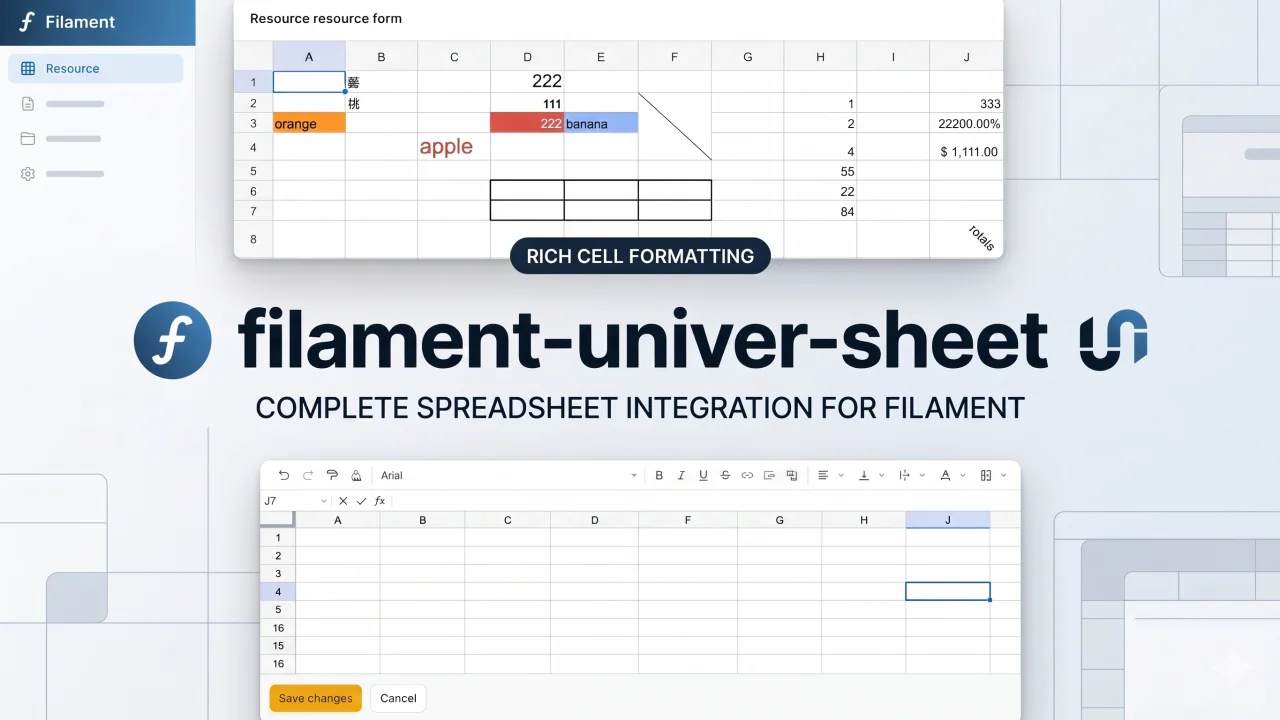
Univer Sheet
Integrate Univer Sheet into Filament — full spreadsheet editor for forms, read-only display for infolists, and compact preview for table columns.
Author:
Yuichi Okada
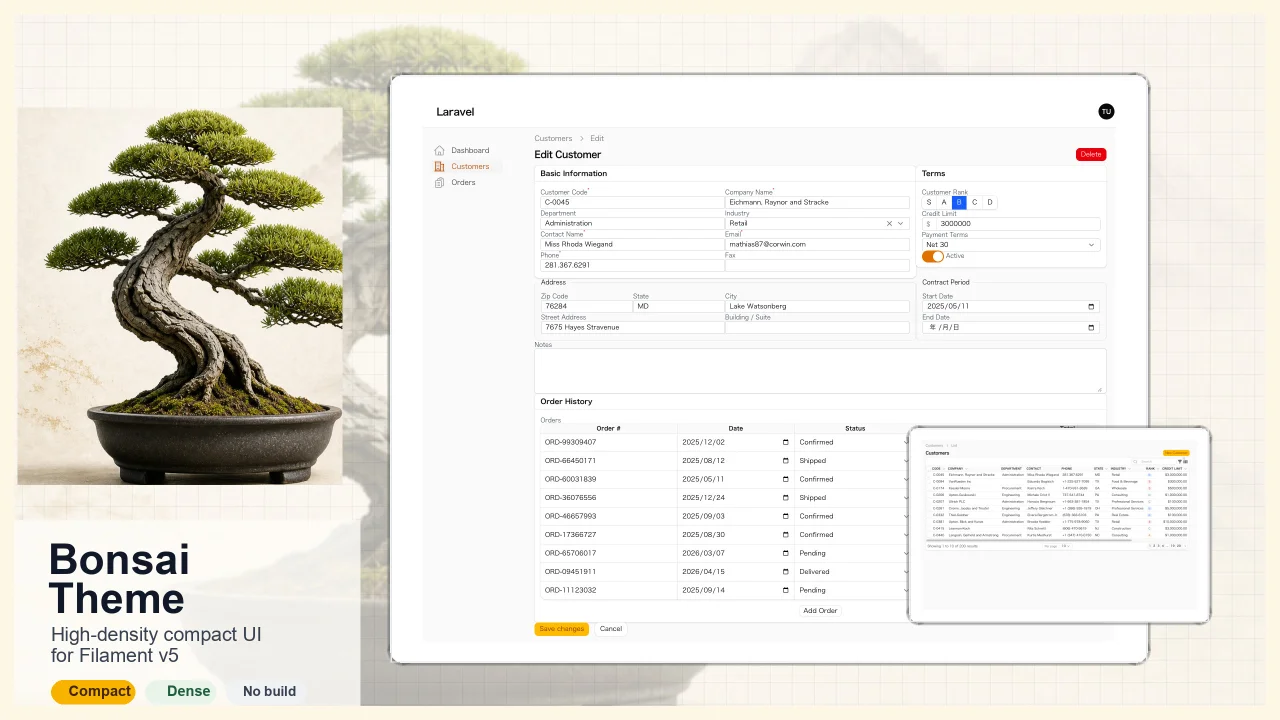
Bonsai Theme
High-density, compact UI theme for Filament v5. Inspired by Japanese business applications (sales, inventory, order management) that prioritize information density, Bonsai Theme reduces padding, gaps, and font sizes across all Filament components to fit more data on screen. No Tailwind build required. The theme ships as pre-compiled CSS and is loaded automatically.
Author:
Yuichi Okada
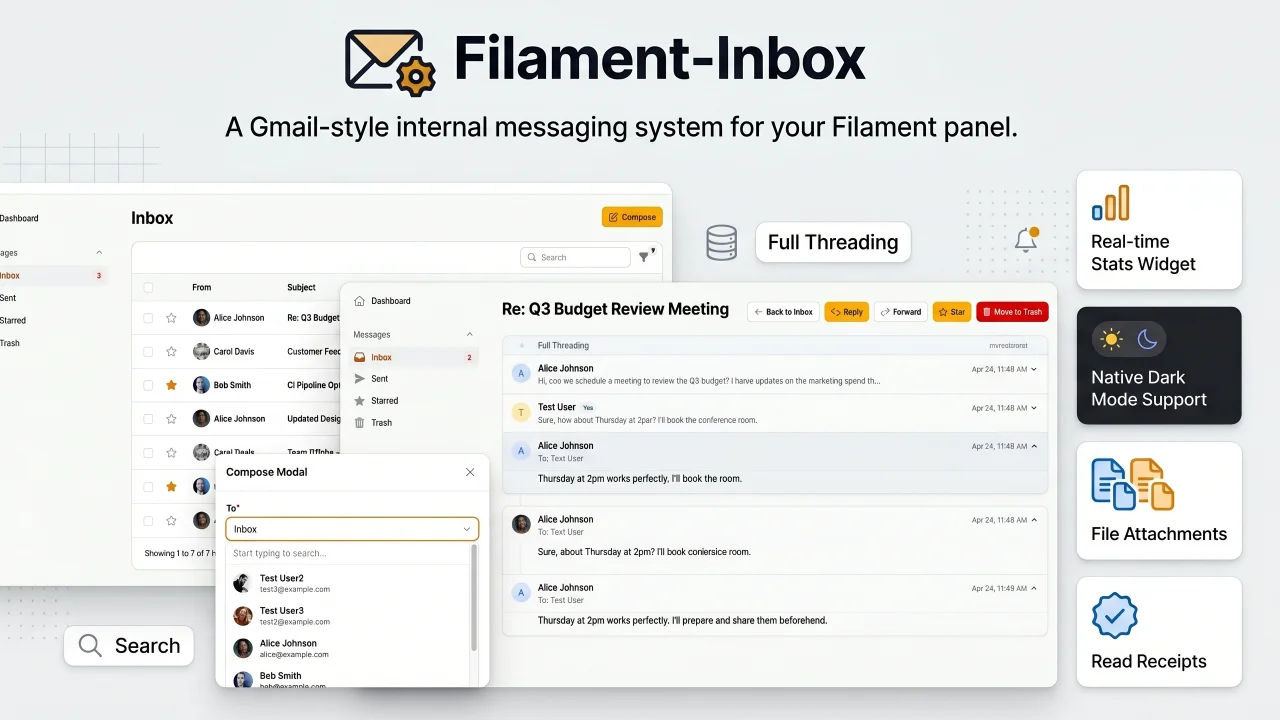
Inbox
A Gmail-style internal messaging system for your Filament panel. Provides inbox, sent, starred, and trash pages with full message threading, reply/reply all, forwarding, read receipts, rich text editing, file attachments, bulk actions, search & filters, database notifications, stats widget, dark mode, multi-tenancy support, and i18n (8 languages). Built natively for Filament v5 with Laravel events, configurable user model, and test factories included.
Author:
Yuichi Okada
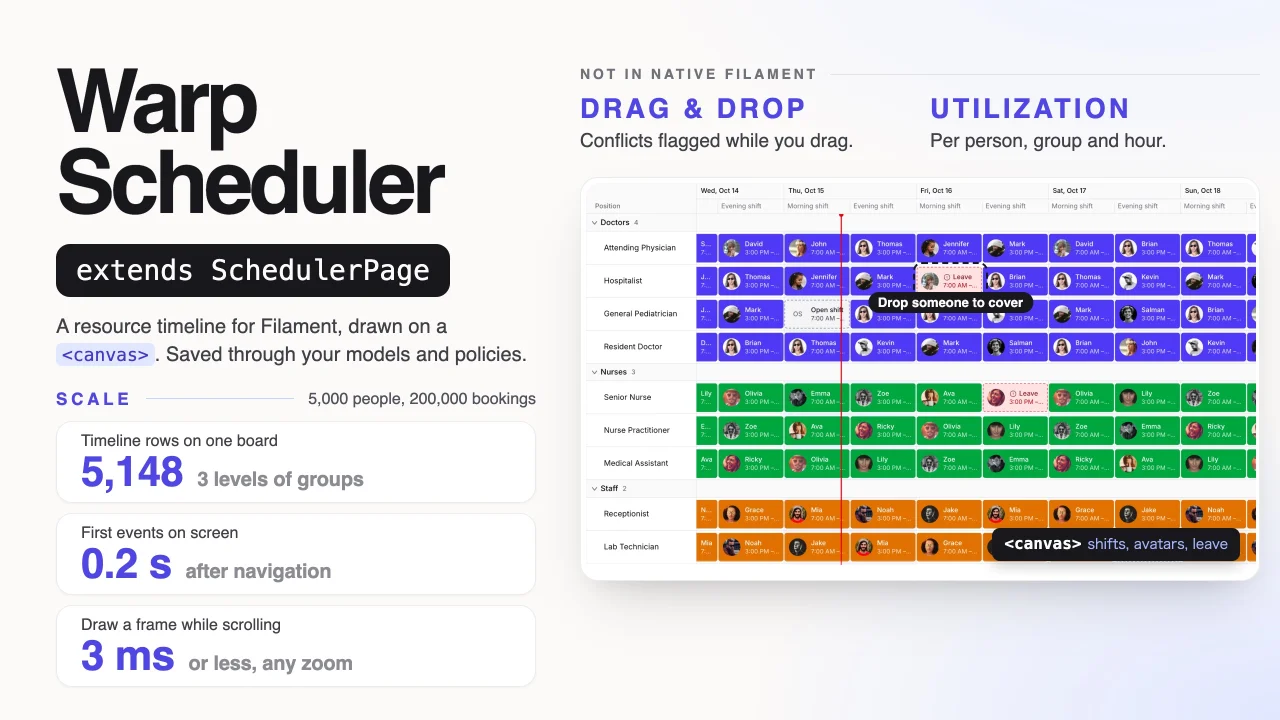
Warp Scheduler
A canvas-rendered resource scheduler that keeps thousands of people, rooms or machines on one fast timeline, with drag and drop, recurring events, conflict rules and utilization, all saved through your own Eloquent models and policies.
Author:
Yuichi Okada
Featured Plugins
A selection of plugins curated by the Filament team

Sharp Theme
A theme that gives panels a precise, technical look with square corners, strong borders, and clear contrast.
 Filament

Custom Fields
Eliminate custom field migrations forever. Let your users create and manage form fields directly in Filament admin panels with 20+ built-in field types, validation, and zero database changes.
 Relaticle

Advanced Tables (formerly Filter Sets)
Supercharge your tables with powerful features like user-customizable views, quick filters, multi-column sorting, advanced table searching, convenient view management, and more. Compatible with Resource Panel Tables, Relation Managers, Table Widgets, and Table Builder!
 Kenneth Sese
