
Navigator
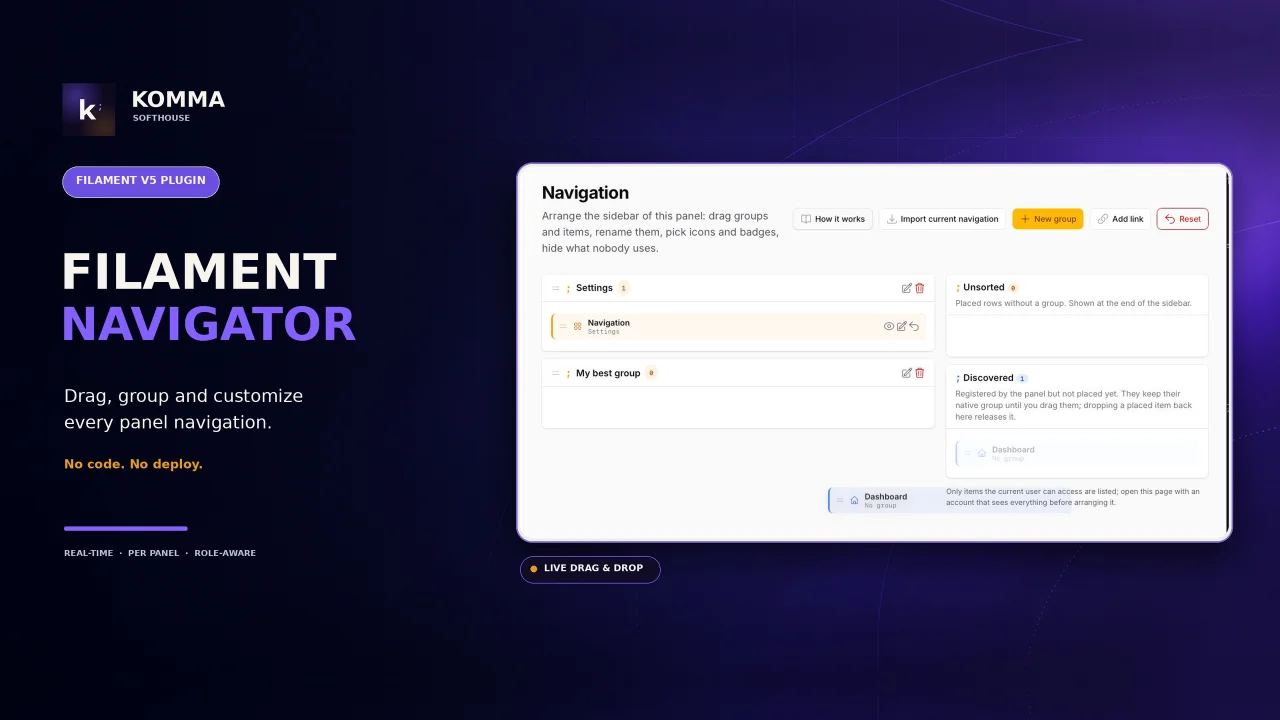
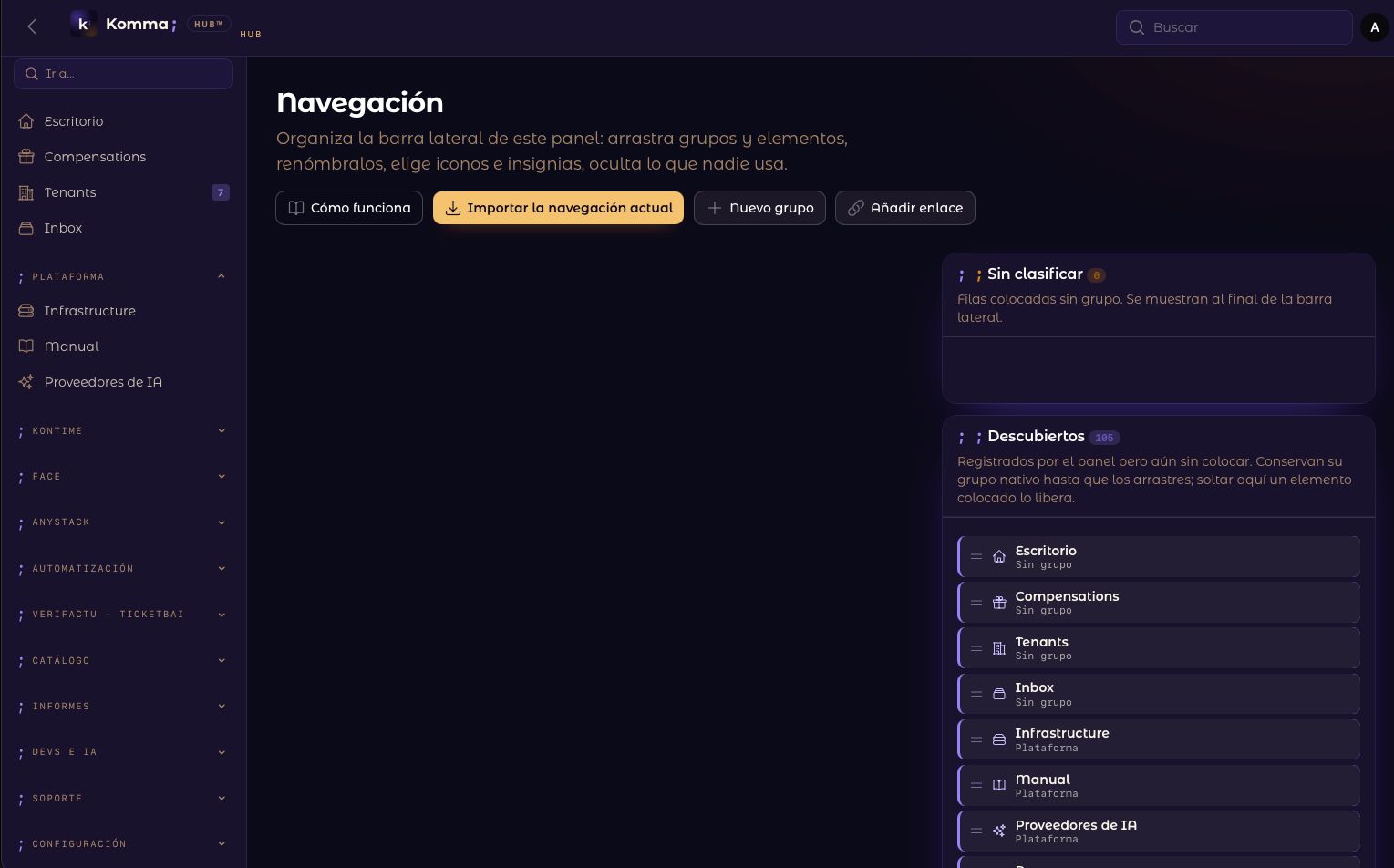
CommunityManage your panel's navigation from the panel itself: reorder groups and items with drag and drop, add custom links, and use any symbol as a menu icon — text markers, Blade icons, pasted SVG or uploaded PNG, JPG and WebP images — with no code and no deploy.
filament/
namespace. Review the source and install at your own risk. Found
malware or an unresolved security issue the author won't
address?
Report it
.
 Author:
Komma SoftHouse
Author:
Komma SoftHouse
Documentation
- What this plugin does
- Screenshots
- Requirements
- Installation
- Configuration
- The settings page
- How the composition works
- Artisan commands
- Theming
- Dark mode and translations
- Testing
- Changelog
- Support and community
- Security Vulnerabilities
- Credits
- License
Official documentation for Filament Navigator: the navigation of a Filament 5.x panel, run from the panel itself. Whoever administers the application rearranges the menu, renames it, adds links to anything — internal pages, external tools, documentation — and gives every entry its own symbol: a text marker, any Blade icon, pasted SVG or an uploaded PNG, JPG, WebP, GIF or AVIF, not just the icon set the developer installed. No code, no deploy, no view override: the change is live in the sidebar the moment it is saved.
Underneath, the sidebar (and optionally the topbar) is rendered by the plugin's own Livewire components from a per-panel configuration stored in the database, so the panel also stops looking like stock Filament.



#What this plugin does
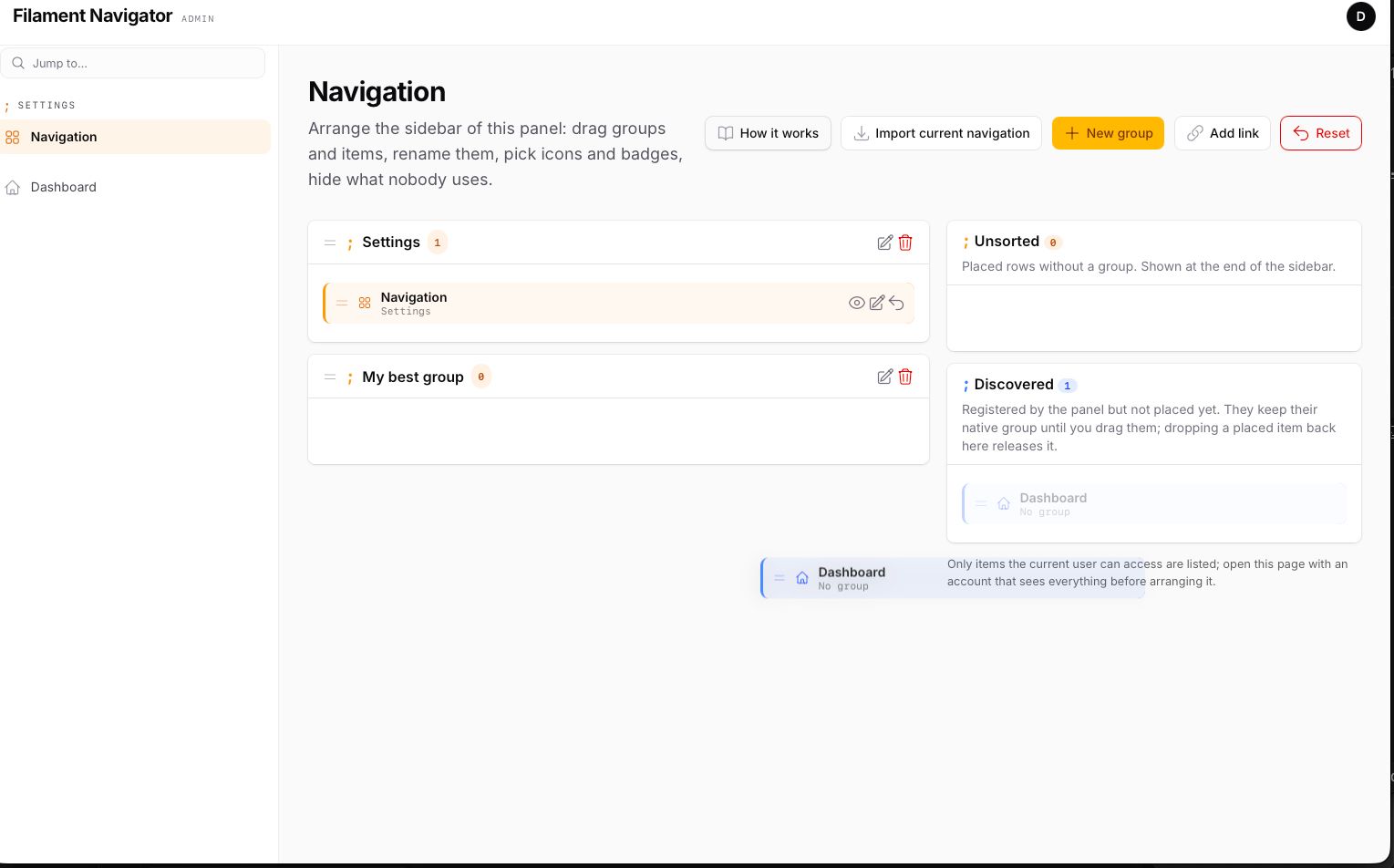
- A menu edited at runtime, not in code. Groups, order, labels, visibility and role restrictions are rows in the database, arranged on a settings page with drag and drop — between groups, out of them, back to where the code put them. Every save refreshes the sidebar on the spot.
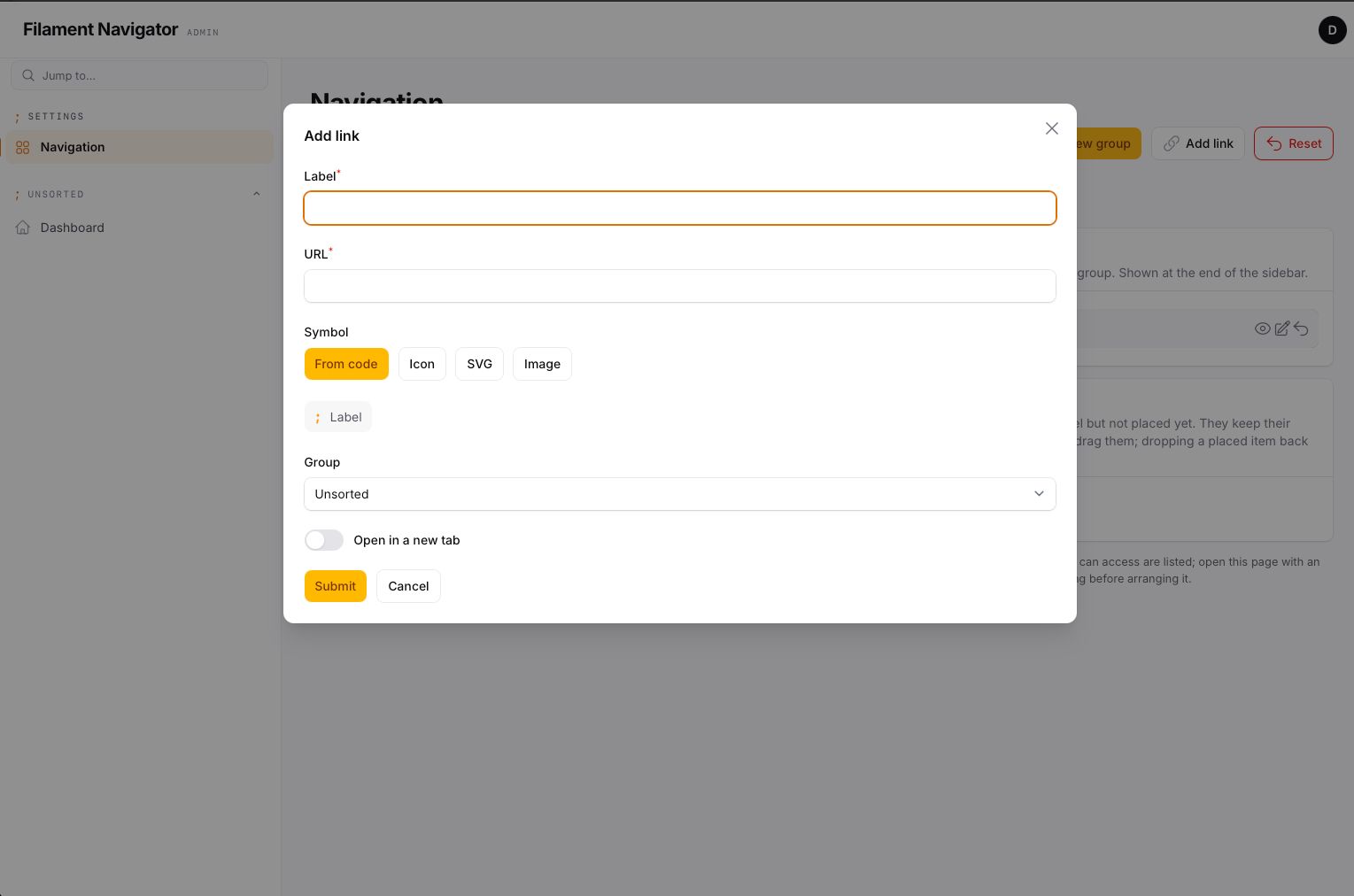
- Links to anywhere. Add link puts any URL in the sidebar — a path of the application, an external tool, a help centre — with its own label, symbol, group, badge, role restriction and "open in a new tab". A registered page or resource can also have its URL overridden.
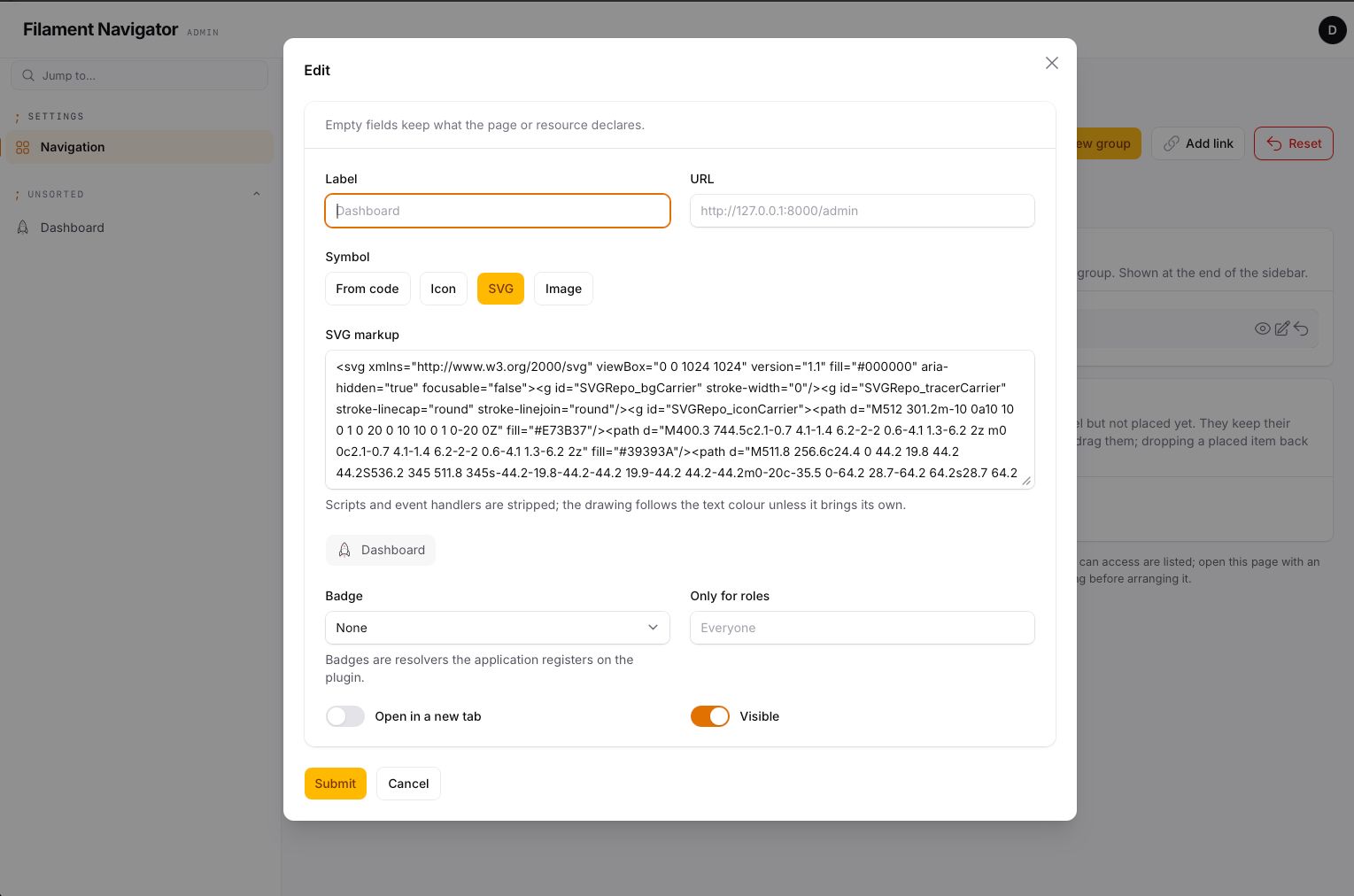
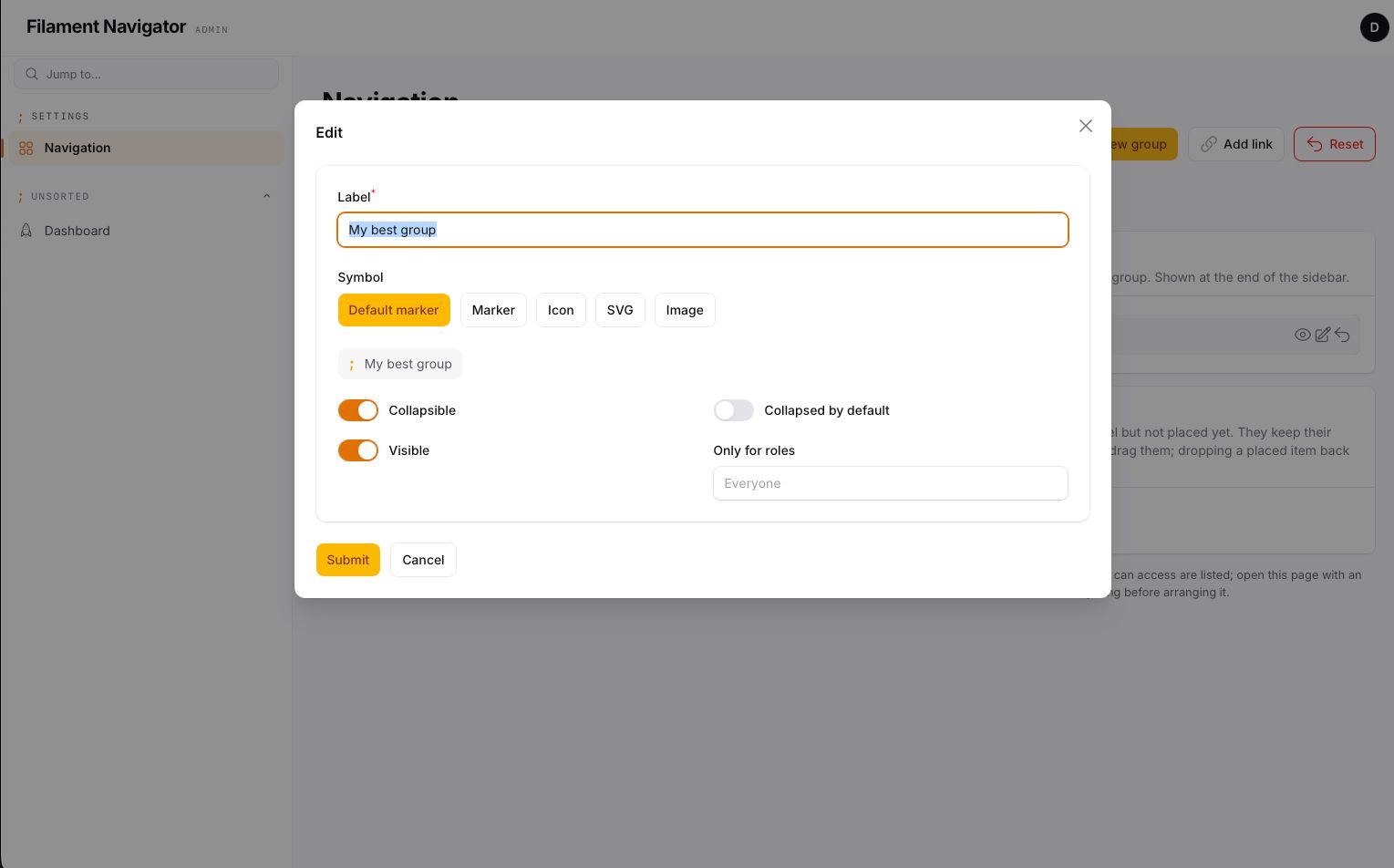
- Any symbol, not only an icon set. Every group and item takes a text
marker (
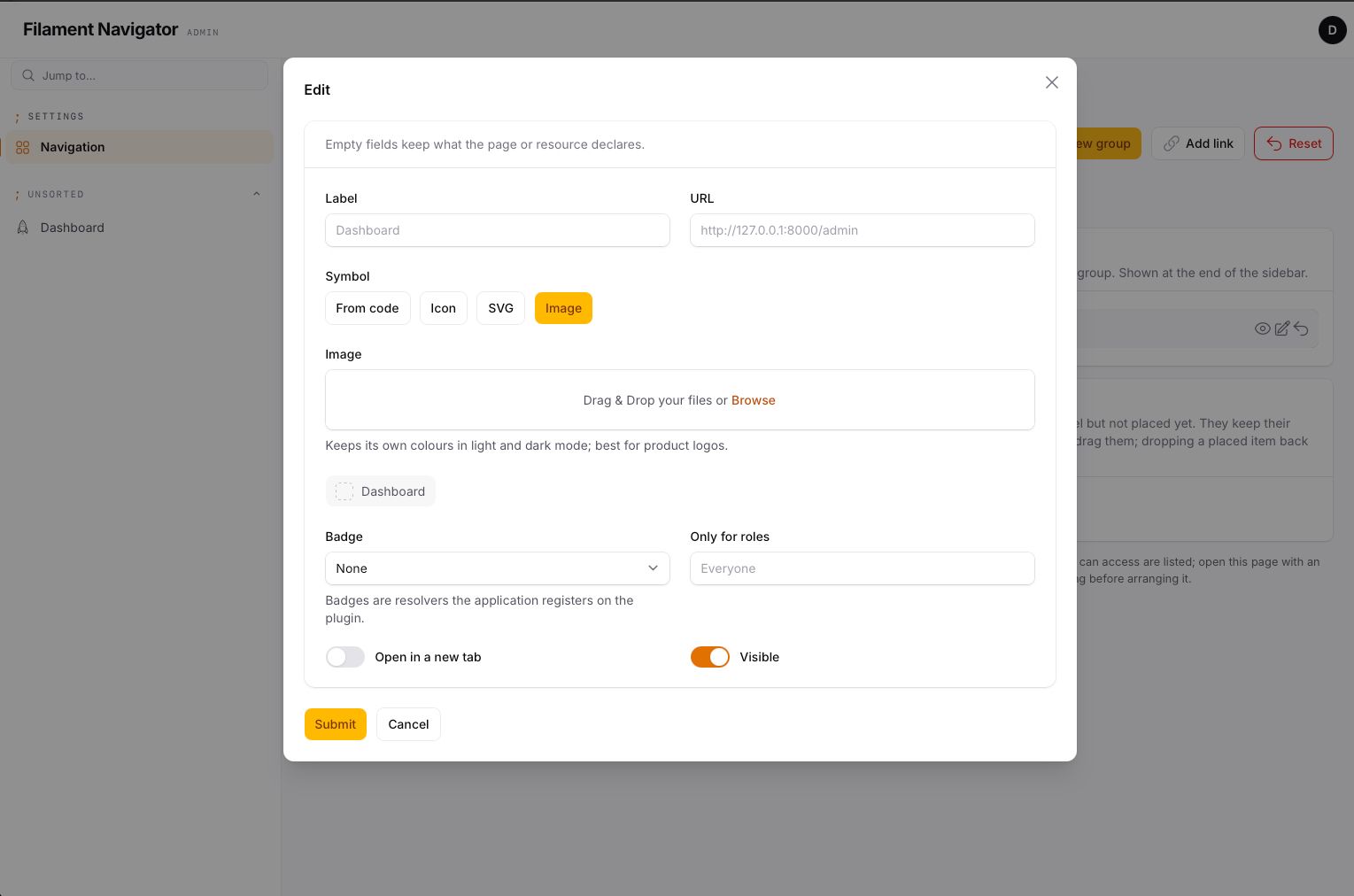
;,→,$,//), a Blade icon name from whatever icon packages the application has, pasted SVG markup or an uploaded image (PNG, JPG, WebP, GIF, AVIF or an SVG file) — the logo of the tool a link opens, a brand's own pictogram, a drawing exported from Figma. Chosen in a selector with a live preview of the row. - SVG made safe. Pasted markup is sanitised before it is stored and again before it is rendered: scripts, event handlers, foreign objects and external references are removed, it is sized by CSS, and it follows the text colour (active state included) unless the drawing brings its own colours.
- Rename and re-icon what the code declares. Label, symbol, URL and badge of a registered page or resource can be overridden from the page; an empty field keeps what the class declares, and Release gives the item back to the code.
- Live badges. Named resolvers registered on the plugin; an item is given one from a select. Resolved once per request.
- Replaces the sidebar, and optionally the topbar, with its own Livewire components: brand block with tagline, type-to-filter box, monospace group markers. Every render hook of the stock sidebar and topbar is honoured in the same position.
- Nothing disappears. Items the panel registers but the configuration has not placed stay visible under their native group. Rows whose page or resource is gone are skipped, not shown broken.
- Filament decides who sees what. The plugin rearranges the navigation
Filament already composed for the current user, so
canAccess(),shouldRegisterNavigation()and cluster rules keep working. Role restrictions in the plugin are an extra layer on top. - Per panel. One configuration per panel id; the plugin can be registered on several panels of the same application.
- Themeable. Every colour, size and font is a
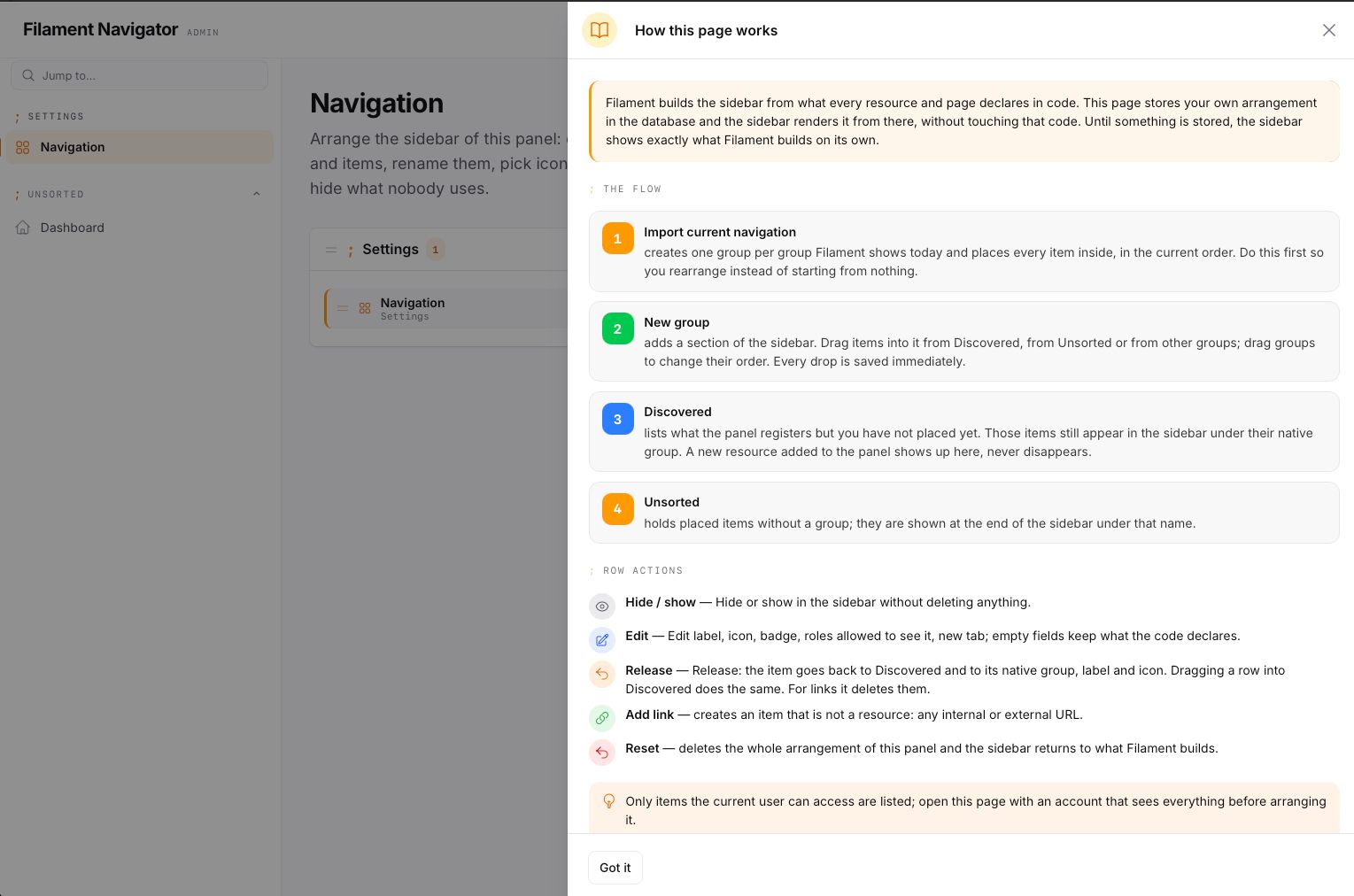
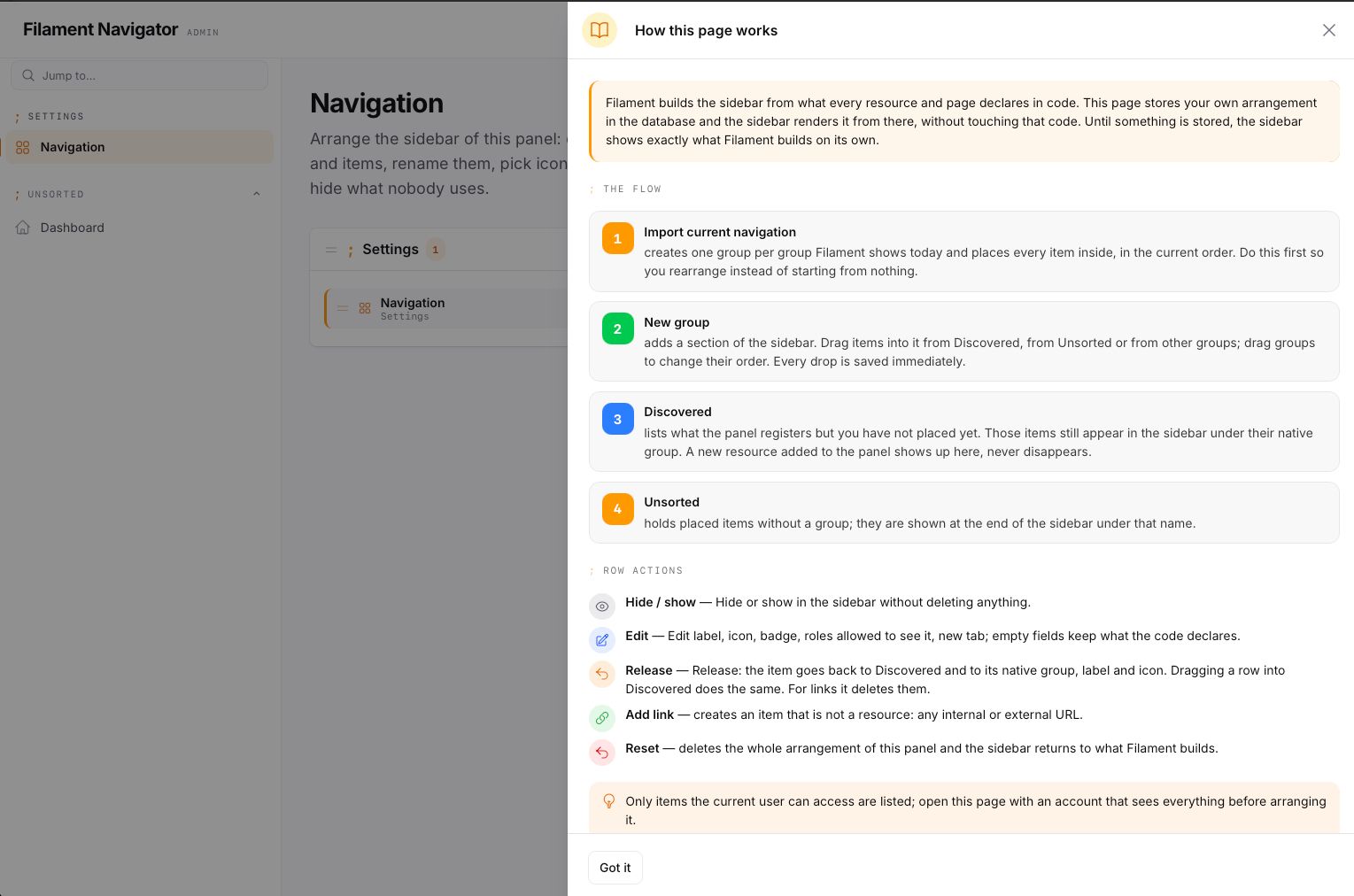
--kn-*custom property with a neutral fallback, in light and dark mode. - Explains itself. A How it works slide-over on the settings page walks through the flow and opens by itself on a panel with no configuration yet.
#Screenshots
#Requirements
- PHP >= 8.4
- Laravel >= 13.0
- Filament >= 5.7
#Installation
This is a commercial package distributed through Anystack — it is not on public Packagist. Your license key is what authenticates the download.
1. Add the private repository to your project's composer.json:
{
    "repositories": [
        {
            "type": "composer",
            "url": "https://filament-navigator.composer.sh"
        }
    ]
}
2. Require the package:
composer require komma-softhouse/filament-navigator
Composer will prompt for authentication against
filament-navigator.composer.sh:
- Username: the email address your license is registered to.
- Password: your license key. If your license policy requires a
fingerprint, append it to the key separated by a colon —
your-license-key:your-domain.com— using the fingerprint you entered when activating the license.
Answer yes when Composer offers to store the credentials (they go in
auth.json — add that file to .gitignore). For CI, configure the same
credentials as http-basic auth from your secrets instead:
composer config http-basic.filament-navigator.composer.sh your@email.com YOUR-LICENSE-KEY
3. Migrate and publish the assets:
php artisan migrate
php artisan filament:assets
The migrations are loaded from the package; publish them, or the config file, only if you need to edit them:
php artisan vendor:publish --tag=filament-navigator-migrations
php artisan vendor:publish --tag=filament-navigator-config
4. Register the plugin on your panel provider:
use Komma\Navigator\NavigatorPlugin;

public function panel(Panel $panel): Panel
{
    return $panel
        // ...
        ->plugin(
            NavigatorPlugin::make()
                ->topbar()
                ->settingsPage()
                ->quickFilter()
                ->groupMarker(';')
                ->brandTagline('Admin')
                ->badges([
                    'tenants' => fn (): int => Tenant::query()->count(),
                ])
                ->authorizeSettingsUsing(fn (): bool => auth()->user()->hasRole('super-admin')),
        );
}
5. Import the navigation. Open the settings page
(/{panel}/navigator) and press Import current navigation, or run:
php artisan navigator:snapshot admin
Until you do, the sidebar shows exactly the tree Filament builds — the plugin changes the look, not the structure.
#Configuration
The sidebar replacement is always on. Everything else ships disabled.
| Method | Getter | Default | Config key | What it does |
|---|---|---|---|---|
->topbar(bool $condition = true) |
hasTopbar() |
false |
topbar |
Replaces the panel topbar with the plugin's (brand block with tagline, sidebar controls, global search, notifications, user menu). Top navigation mode is not supported by the replacement topbar. |
->settingsPage(bool $condition = true) |
hasSettingsPage() |
false |
settings_page |
Registers the Navigation page in the panel (slug navigator, group Settings). |
->quickFilter(bool $condition = true) |
hasQuickFilter() |
false |
quick_filter |
Type-to-filter box at the top of the sidebar; filters the rendered items client-side, Esc clears. |
->brandTagline(string | Closure | null $tagline) |
getBrandTagline() |
null |
brand_tagline |
Short monospace line under the logo, in the sidebar header and in the replacement topbar. |
->groupMarker(?string $marker) |
getGroupMarker() |
'' |
group_marker |
Monospace character printed before every group label instead of an icon (;, →, //). |
->unsortedLabel(?string $label) |
getUnsortedLabel() |
'Unsorted' |
unsorted_label |
Label of the trailing group that holds placed rows without a group. Passed through __(). |
->badges(array $resolvers) |
getBadges() |
[] |
— | Named closures. An item configured with one of these keys shows the returned value as its badge; null or '' hides it. Resolved once per request; a throwing resolver hides the badge. |
->authorizeSettingsUsing(?Closure $callback) |
canManageSettings() |
any authenticated user | — | Who may open the settings page. |
->iconsDisk(?string $disk) |
getIconsDisk() |
'public' |
icons.disk |
Filesystem disk for image symbols uploaded from the settings page. Must be publicly reachable. |
->iconsDirectory(?string $directory) |
getIconsDirectory() |
'navigator' |
icons.directory |
Directory on that disk. |
Config file (config/filament-navigator.php):
| Key | Default | What it does |
|---|---|---|
connection |
null |
Database connection of the navigator tables (models and migration). |
tables.groups / tables.items |
navigator_groups / navigator_items |
Table names. Change before the first migration. |
cache_ttl |
3600 |
Seconds the composed configuration of a panel stays cached. Every write flushes it; 0 disables the cache. |
unsorted_label, topbar, settings_page, quick_filter, brand_tagline, group_marker |
see above | Defaults for the fluent options. Environment variables: FILAMENT_NAVIGATOR_CONNECTION, FILAMENT_NAVIGATOR_CACHE_TTL, FILAMENT_NAVIGATOR_TOPBAR, FILAMENT_NAVIGATOR_SETTINGS_PAGE, FILAMENT_NAVIGATOR_QUICK_FILTER, FILAMENT_NAVIGATOR_BRAND_TAGLINE, FILAMENT_NAVIGATOR_GROUP_MARKER. |
icons.disk / icons.directory |
public / navigator |
Where uploaded image symbols are stored. Environment variables: FILAMENT_NAVIGATOR_ICONS_DISK, FILAMENT_NAVIGATOR_ICONS_DIRECTORY. |
#The settings page
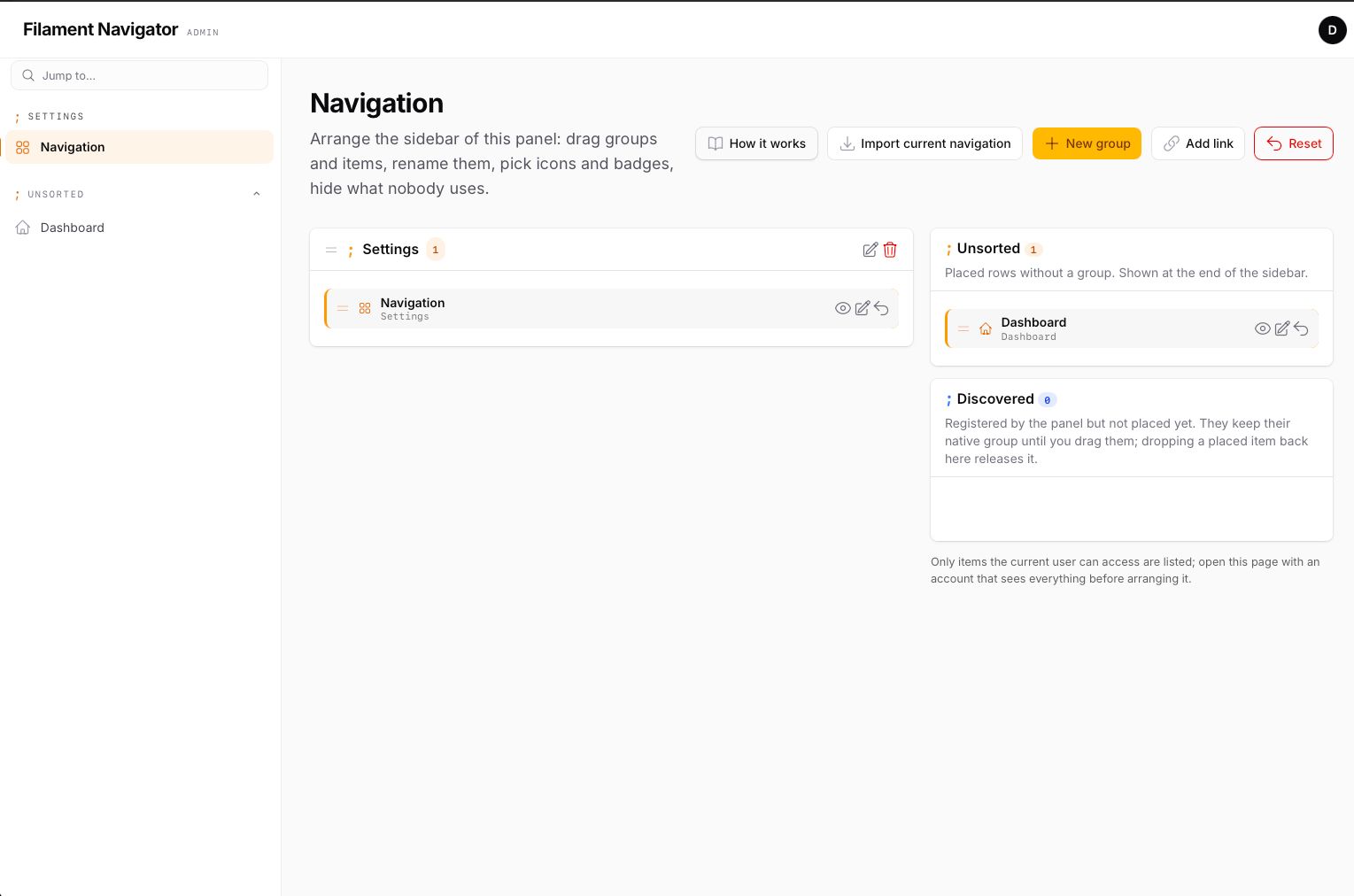
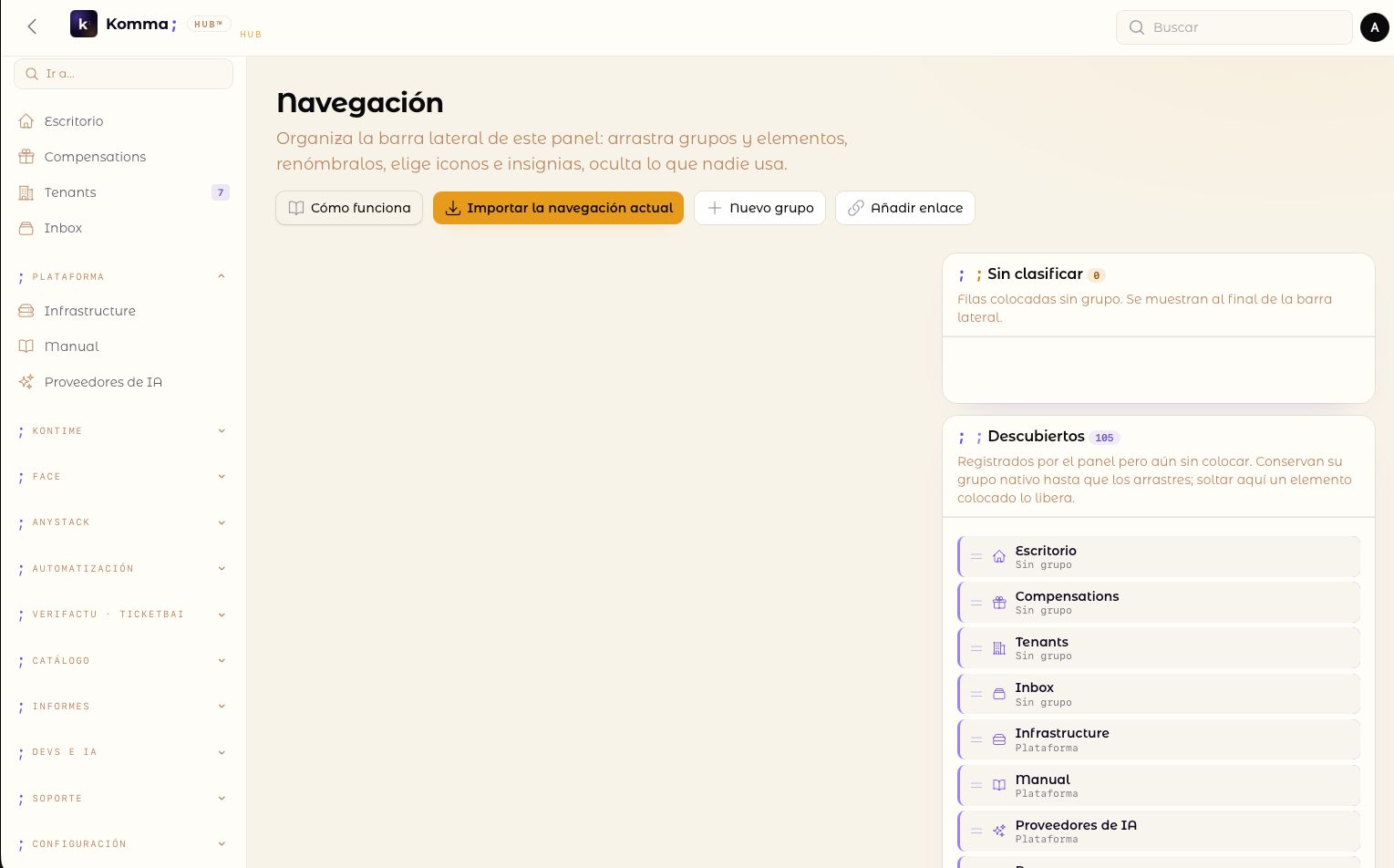
A How it works header action opens a slide-over with the flow and the meaning of every row action; it opens by itself the first time, while the panel has no configuration. Two columns. On the left, the configured groups with their items; on the right, the Unsorted bucket and the Discovered list (items the panel registers that have no row yet). Everything is drag and drop, between lists included:
- drag a discovered item into a group to place it;
- drag a placed item back to Discovered to release it (custom links cannot be released, only deleted);
- drag groups to reorder them.
Header actions: Import current navigation (imports every native group and item as rows, keeping existing rows), New group, Add link (a custom URL, optionally in a new tab), Reset (deletes the panel's configuration; the sidebar returns to what Filament builds).
Per group: edit (label, symbol, collapsible, collapsed by default, visible, roles) and delete (its items move to Unsorted). Per item: hide/show, edit (label, symbol, URL, badge, roles, new tab, visible — empty fields keep what the page or resource declares) and release/delete.
#Custom links
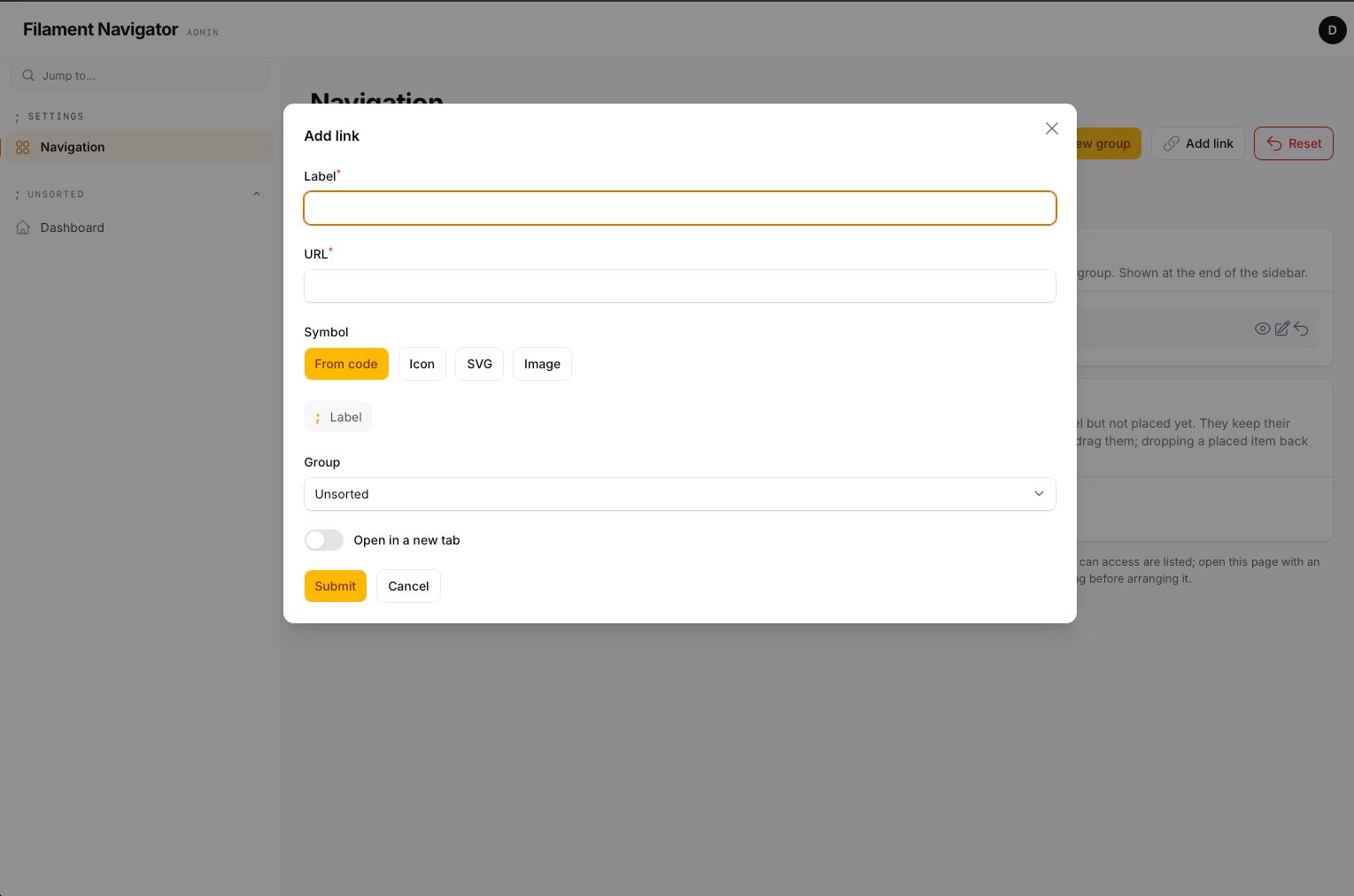
Add link creates a navigation item that no page or resource declares.
It takes a label, a URL — a path of the application (/admin/reports) or a
full address (https://status.example.com) —, a symbol, the group it goes
in (or Unsorted) and whether it opens in a new tab. From then on it is a
row like any other: drag it, edit it, give it a badge, restrict it to
roles, hide it. It is highlighted as active while the current URL is its
own. A custom link cannot be released, because there is no code to give it
back to; it is deleted.
A registered page or resource accepts a URL too: filled in, the item keeps its place, access rules and active state and points somewhere else.
#Symbols: markers, icons, SVG, images
Every group and item — custom links included — has a Symbol, picked in its create or edit modal with a live preview of how the row will look. An icon name the application does not have is flagged in the preview and cannot be saved; one that stops existing later (an icon package removed) is ignored at render time, so a row never breaks the panel:
| Choice | Groups | Items | Stored as |
|---|---|---|---|
| Default | the plugin's groupMarker() (or the native icon if the group has one) |
what the page or resource declares | NULL |
| Marker | any short text up to 16 characters (;, →, $, //), monospace, in the accent colour |
— | marker column |
| Icon | a Blade icon name available in the app (heroicon-o-home, phosphor-…) |
same | icon column |
| SVG | pasted markup, sanitised (scripts, event handlers, foreign objects and external references removed; sized by CSS; fill="currentColor" unless the drawing brings its own colours) |
same | icon column, <svg… |
| Image | PNG, JPG, WebP, GIF, AVIF or an SVG file up to 512 KB, uploaded to the icons disk and rendered as <img> at icon size |
same | icon column, path on the disk |
Rendering precedence for a group: its marker → its icon → the plugin's global marker.
Images keep their own colours in light and dark mode and do not react to the active state — good for product logos, SVG is better for menu icons. Uploads go to ->iconsDisk('public') / ->iconsDirectory('navigator') (config icons.disk / icons.directory); the disk must be publicly reachable.
Only items the current user can access are listed, because discovery reads the navigation Filament composed for that user: arrange the panel with an account that sees everything.
Roles are stored as an array of names and checked with hasAnyRole() on the panel's user model when that method exists (spatie/laravel-permission). Without it, role restrictions are ignored.
#How the composition works
$panel->getNavigation()— Filament's own tree for the current user.- Configured groups, in their order, with the rows placed in them. Rows whose key is not registered any more are skipped.
- Rows without a group → the Unsorted group.
- Registered items without a row → appended under their native group label, in native order.
With no rows at all for the panel the native tree is returned untouched, so installing the plugin changes the look but not the structure until you arrange it.
Item keys are what Filament assigns: the resource or page class for discovered items, the label for hand-made NavigationItem instances, custom:{slug}-{random} for links created from the page. Renaming a class orphans its row (it is skipped, never shown broken); release it from the page and place the item again.
#Artisan commands
php artisan navigator:snapshot {panel} [--fresh]   # import the native navigation (--fresh deletes the current rows first)
php artisan navigator:reset {panel} [--force]      # delete the configuration of a panel
The snapshot command runs without an authenticated user: pages and resources that gate navigation on the user register nothing there. Use the page action when that matters.
#Theming
The stylesheet reads these custom properties (defaults shown for light mode; .dark redefines the colours). Override them in the panel theme:
:root {
    --kn-bg: #ffffff;
    --kn-bg-elevated: color-mix(in srgb, var(--gray-50) 70%, #ffffff);
    --kn-fg: var(--gray-700);
    --kn-fg-strong: var(--gray-950);
    --kn-fg-muted: var(--gray-500);
    --kn-line: color-mix(in srgb, var(--gray-950) 8%, transparent);
    --kn-accent: var(--primary-600);
    --kn-accent-soft: color-mix(in srgb, var(--primary-500) 10%, transparent);
    --kn-hover: color-mix(in srgb, var(--gray-950) 5%, transparent);
    --kn-active-bg: color-mix(in srgb, var(--primary-500) 12%, transparent);
    --kn-active-fg: var(--gray-950);
    --kn-icon: var(--gray-400);
    --kn-icon-active: var(--primary-600);
    --kn-badge-bg: color-mix(in srgb, var(--primary-500) 16%, transparent);
    --kn-badge-fg: var(--primary-700);

    --kn-font: var(--font-family);
    --kn-mono: var(--mono-font-family);
    --kn-radius: 0.55rem;
    --kn-item-height: 2.35rem;
    --kn-group-gap: 1.1rem;
    --kn-label-size: 0.875rem;
    --kn-group-size: 0.66rem;
    --kn-group-tracking: 0.14em;
    --kn-marker-size: 0.9rem;
    --kn-pad-x: 0.9rem;
}
Class hooks, for anything the tokens do not cover: .kn-sidebar, .kn-header, .kn-brand, .kn-brand-tagline, .kn-filter, .kn-nav, .kn-group, .kn-group-head, .kn-group-marker, .kn-group-label, .kn-item, .kn-item-link, .kn-item-icon, .kn-item-label, .kn-item-badge-ctn, .kn-footer, .kn-topbar, .kn-topbar-brand, .kn-topbar-end. Active states: .kn-item-active, .kn-item-parent-active, .kn-group-active, .kn-collapsed.
All render hooks of the stock sidebar and topbar (SIDEBAR_START, SIDEBAR_LOGO_BEFORE/AFTER, SIDEBAR_NAV_START/END, SIDEBAR_FOOTER, TOPBAR_START/END, TOPBAR_LOGO_BEFORE/AFTER, GLOBAL_SEARCH_BEFORE/AFTER) are honoured in the same positions.
#Dark mode and translations
Every surface the plugin renders — sidebar, topbar, settings page and the
help slide-over — follows Filament's own light/dark toggle with no
configuration; .dark redefines the --kn-* colour tokens.
Strings are English literals wrapped in __(); a Spanish translation
ships in resources/lang/es.json, and the keys resolve against your own
application's lang/{locale}.json too. Publish to add a language:
php artisan vendor:publish --tag=filament-navigator-translations
#Testing
composer test
#Changelog
Please see CHANGELOG for more information on what has changed recently.
#Support and community
The plugin's source is private. Everything public lives in the docs repository:
- Documentation — this README.
- Issues — bugs and feature requests.
- Discussions — questions, integration help, show and tell.
#Security Vulnerabilities
Never in a public issue or discussion. Please review our security policy — a private advisory on the docs repository, or security@kommasofthouse.com.
#Credits
#License
This is commercial software. Please see License File for the full terms.
The author
Komma SoftHouse builds Laravel and Filament software — point-of-sale, ERPs, and the multi-tenant SaaS platform behind them. The plugins it publishes are pieces of that work, released once they have proven themselves in production: Spanish fiscal compliance, tenancy infrastructure, and whatever the next product turns out to need.
From the same author
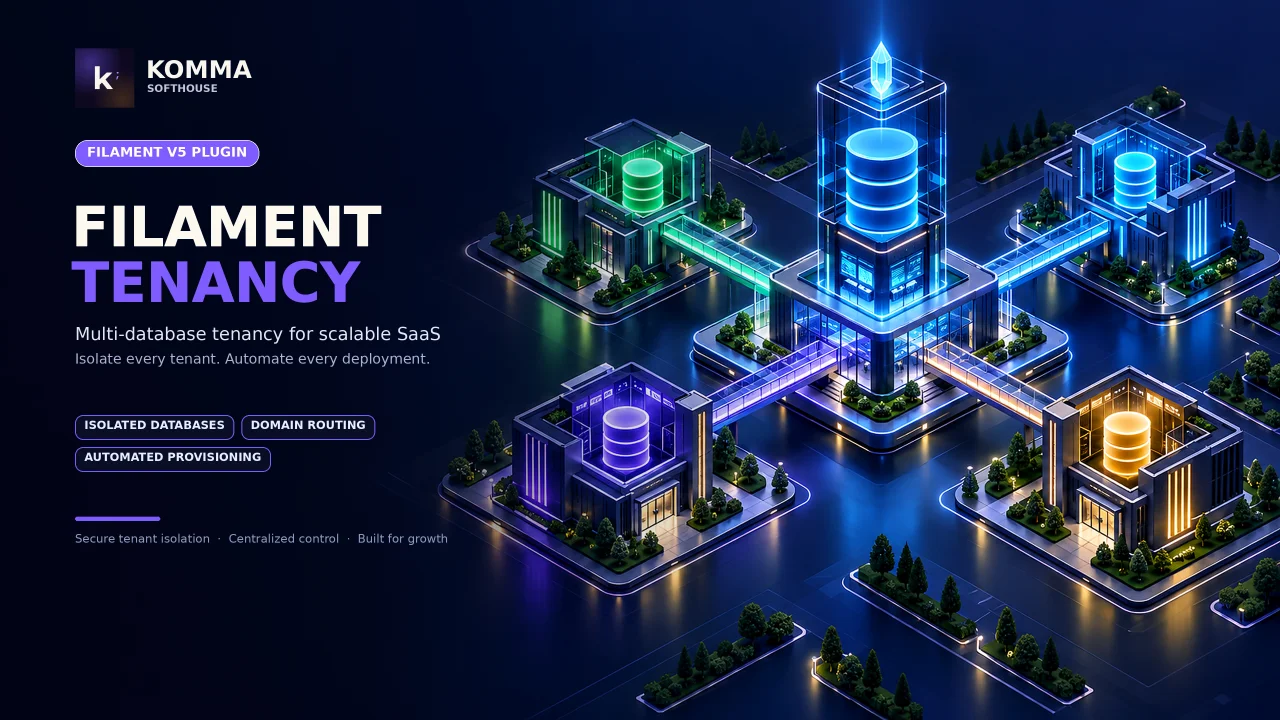
Tenancy Suite
Database-per-tenant multi-tenancy on stancl/tenancy: one identity across every workspace, invitations, custom domains verified by DNS, backups and restore, health checks with per-check repairs, async provisioning, and a pool of database servers.
Author:
Komma SoftHouse
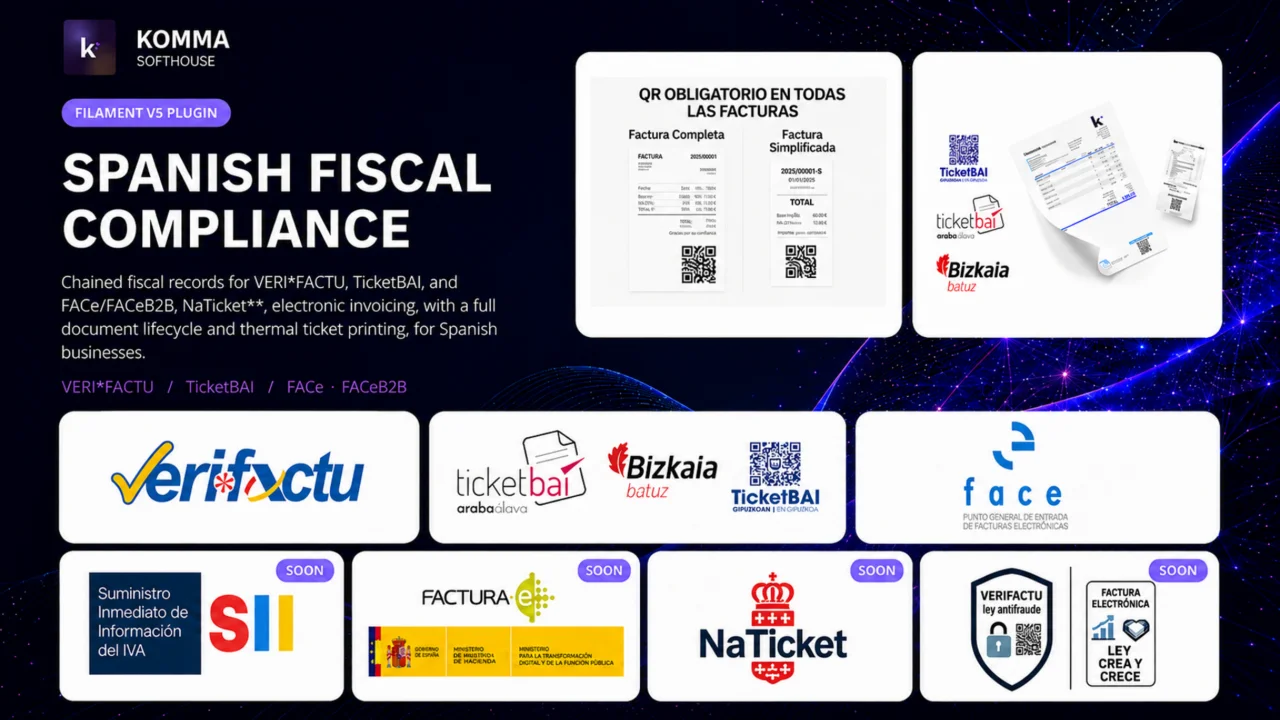
Verifactu
VERI*FACTU / RRSIF and TicketBAI compliant fiscal engine for Filament 5, covering all four Spanish fiscal regimes: chained fiscal records, AEAT and foral submission, XAdES signing, the full document lifecycle, the received side of the ledger, FACe/FACeB2B, and state and foral tax report drafts.
Author:
Komma SoftHouse
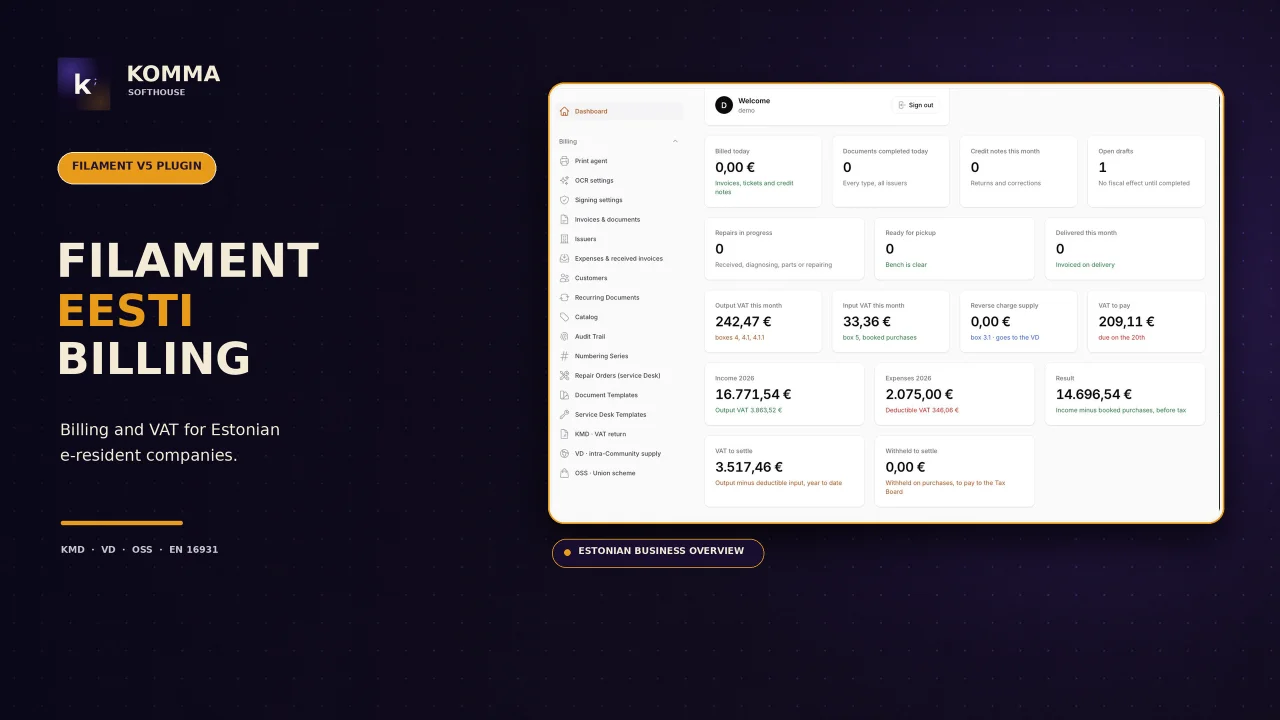
Eesti Billing
Invoicing for companies established in Estonia: numbered document cycle, VAT decided by customer with VIES proof, viitenumber, KMD/VD/OSS files for e-MTA, e-invoices (EN 16931, e-arve), ID-kaart / Smart-ID / Mobile-ID signing, thermal receipts and a service desk.
Author:
Komma SoftHouse
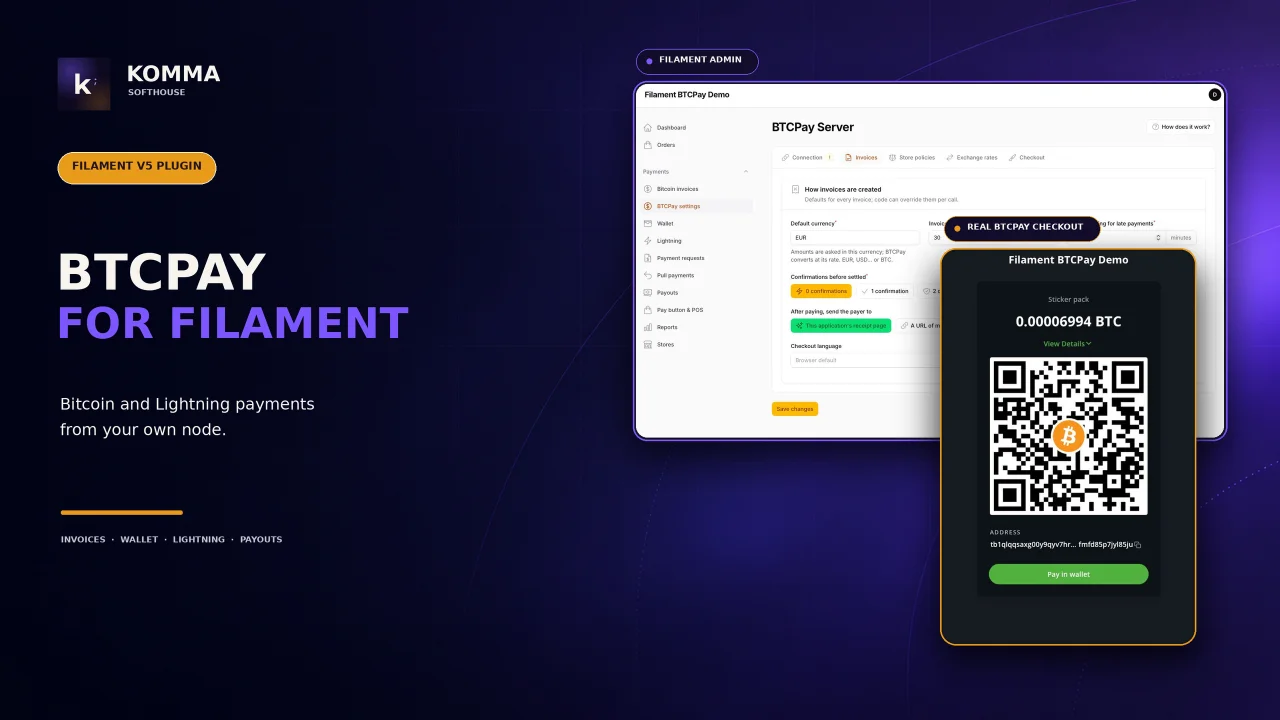
BTCPay
A complete Bitcoin and Lightning payment system on your own BTCPay Server, run from a Filament 5.x panel. No intermediary, no custodian, no fees beyond the network's: the plugin talks to the server you run, and everything a shop does with bitcoin — invoices, refunds, the wallet, the Lightning node, payment requests, payouts, a pay button, a point of sale, reports, several stores — happens in the panel, never in BTCPay's own UI.
Author:
Komma SoftHouse
Featured Plugins
A selection of plugins curated by the Filament team

Compact Theme
A theme that makes data-heavy panels easier to scan by fitting more useful information on each screen.
 Filament

Custom Fields
Eliminate custom field migrations forever. Let your users create and manage form fields directly in Filament admin panels with 20+ built-in field types, validation, and zero database changes.
 Relaticle

Advanced Tables (formerly Filter Sets)
Supercharge your tables with powerful features like user-customizable views, quick filters, multi-column sorting, advanced table searching, convenient view management, and more. Compatible with Resource Panel Tables, Relation Managers, Table Widgets, and Table Builder!
 Kenneth Sese
