
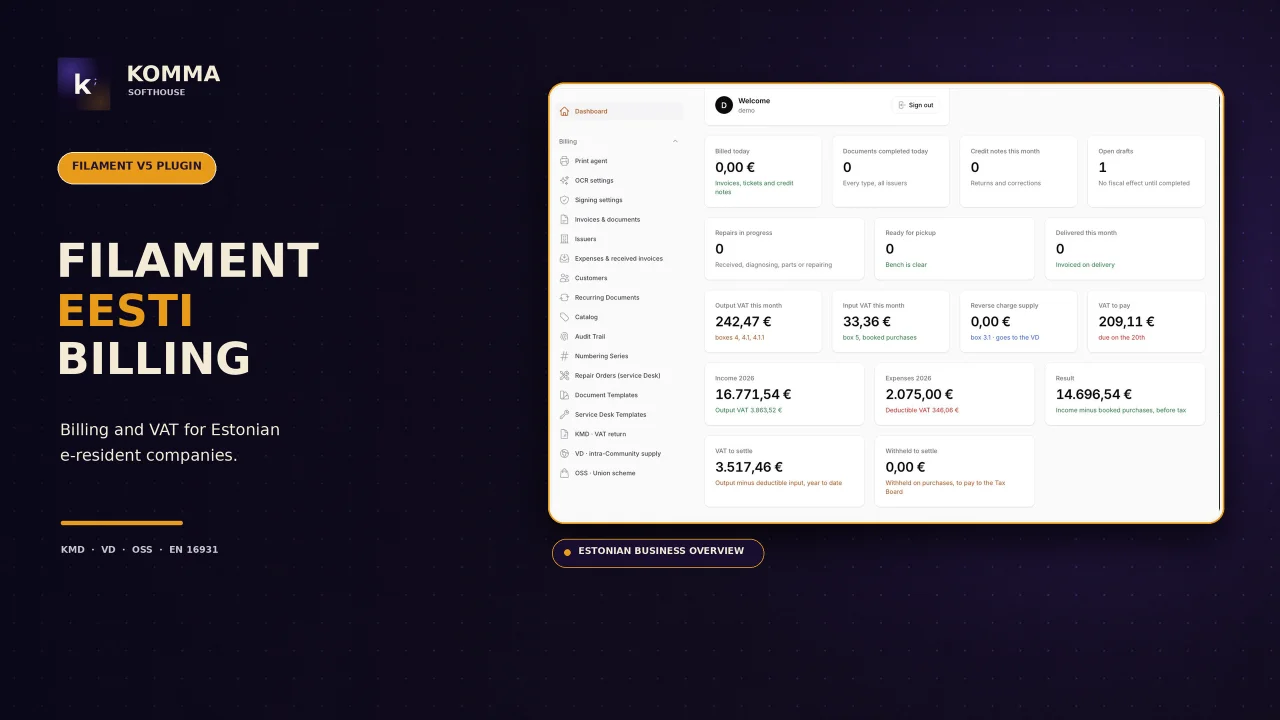
Eesti Billing
CommunityInvoicing for companies established in Estonia: numbered document cycle, VAT decided by customer with VIES proof, viitenumber, KMD/VD/OSS files for e-MTA, e-invoices (EN 16931, e-arve), ID-kaart / Smart-ID / Mobile-ID signing, thermal receipts and a service desk.
filament/
namespace. Review the source and install at your own risk. Found
malware or an unresolved security issue the author won't
address?
Report it
.
 Author:
Komma SoftHouse
Author:
Komma SoftHouse
Documentation
- Screenshots
- Requirements
- Installation
- Options
- Configuration
- The issuer
- Numbering series
- Documents
- Customers
- Returns
- E-invoicing
- Signing
- Receipts
- Expenses
- Repairs
- Commands
- Translations
- Testing
- Security
- License
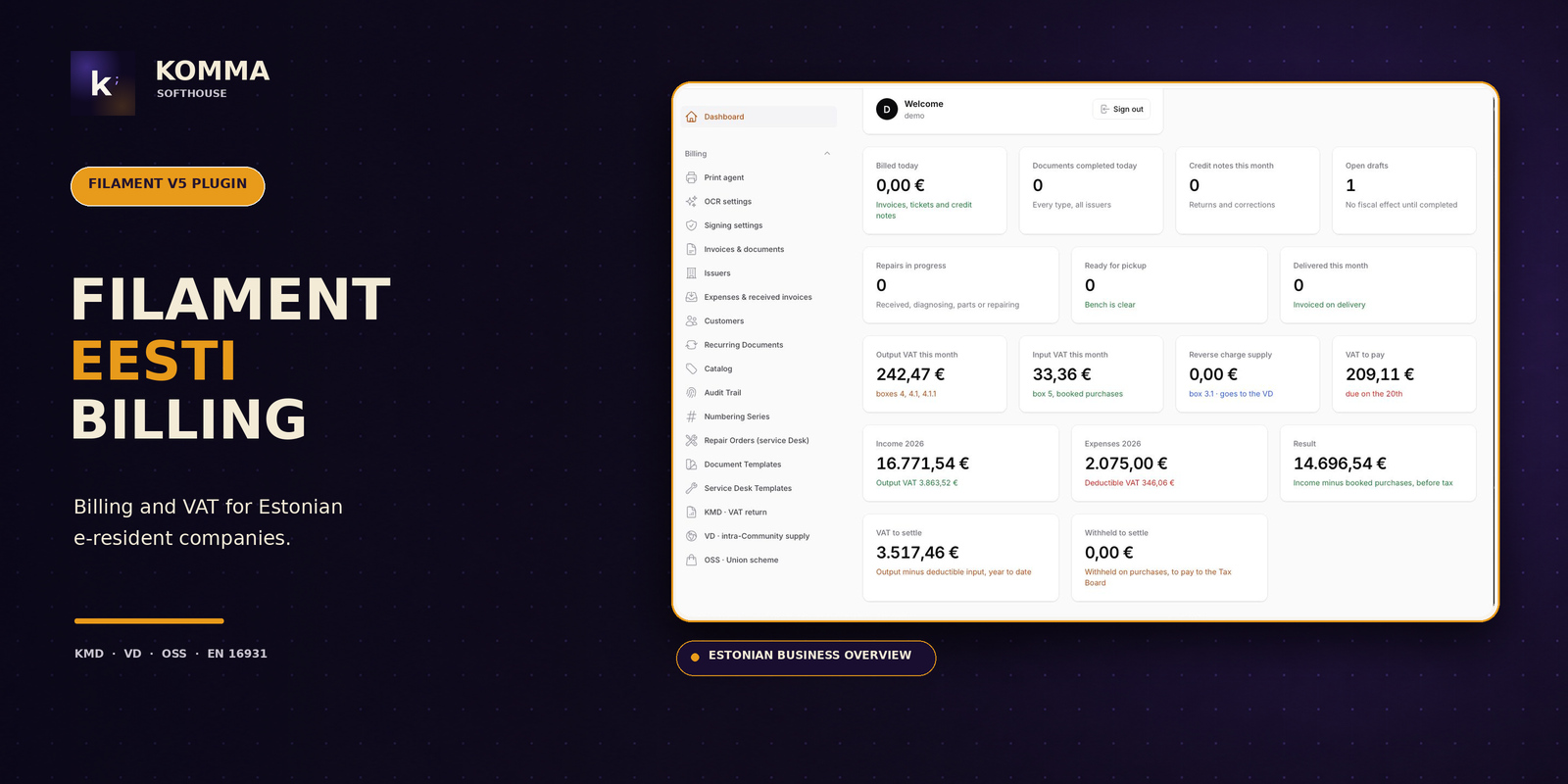



Invoicing for companies established in Estonia, the way Estonian software does it — inside a Filament 5.x panel. Quotes, orders, delivery notes, proformas, invoices, receipts and credit notes in one numbered cycle; VAT decided by customer with the VIES proof stored; the payment reference (viitenumber) every Estonian bank matches on; the monthly KMD with its INF annexes, the VD and the quarterly OSS as the files e-MTA imports; e-invoices in EN 16931 or e-arve 1.2 through your operator; digital signing with ID-kaart, Smart-ID or Mobile-ID; receipts on thermal printers.
- Nothing is fiscalised. Estonia has no per-document reporting, no chained records, no tax QR. A document is a document; the returns are built from them once a month.
- VAT by customer. Estonian VAT at home (24 %, with 13 % and 9 % per line), reverse charge for EU businesses with a valid number, the customer's rate for EU consumers under OSS, zero-rated outside the Union, and an unregistered issuer handled correctly.
- Viitenumber on every invoice. 7-3-1 check digit per the Estonian Banking Association, per invoice or per customer, printed and carried in the e-invoice and the XML.
- Payment terms Estonian companies expect. Due date from the payment term, late interest per day printed on the invoice, bank accounts in any country.
- Everything else the fiscal plugin taught us: draft → complete → convert forward, template designer for A4 and receipts, ESC/POS and print agent, PDF through mPDF or Gotenberg, received invoices and expenses with OCR, recurring documents, catalog, audit trail, permissions.
#Screenshots
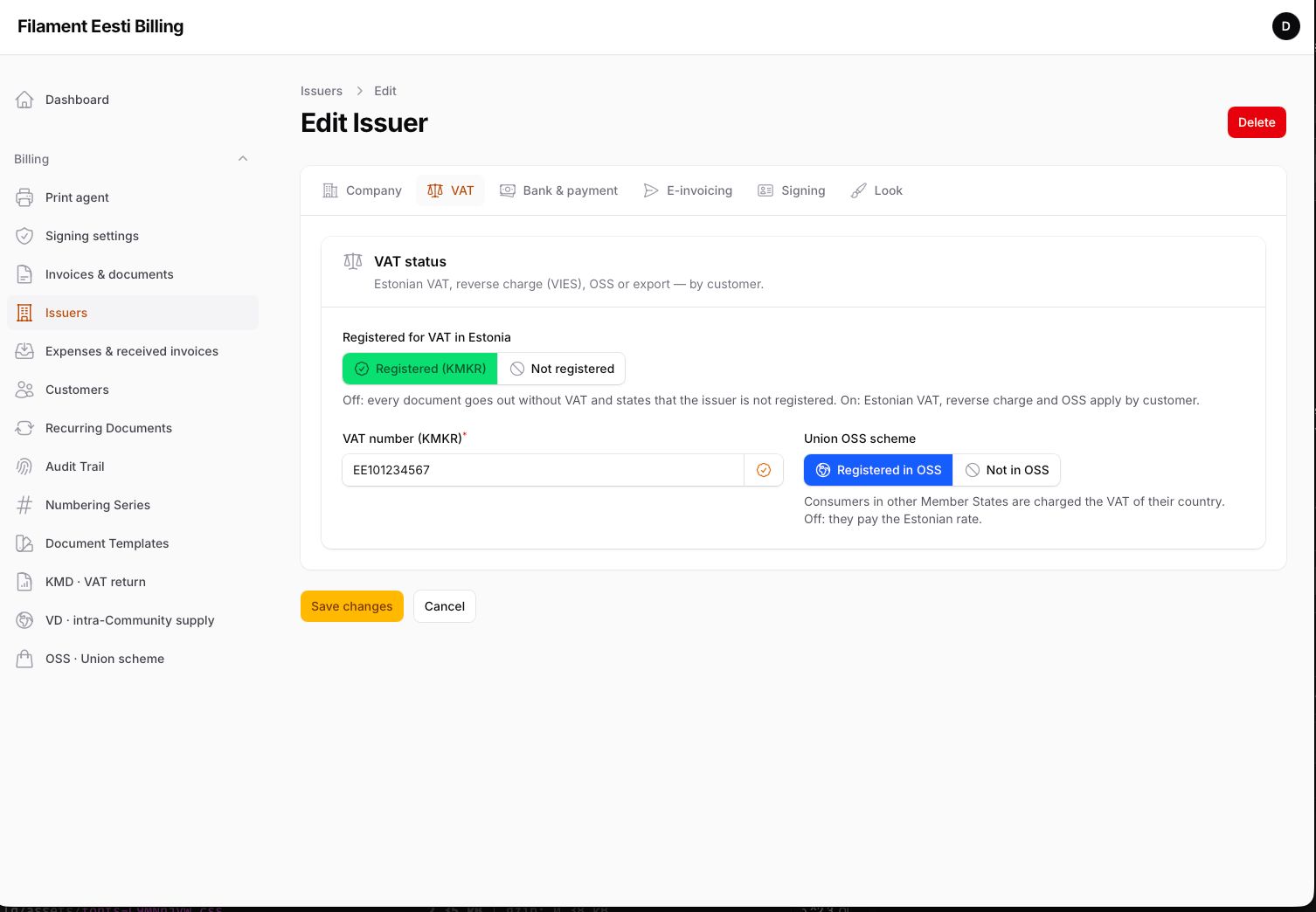
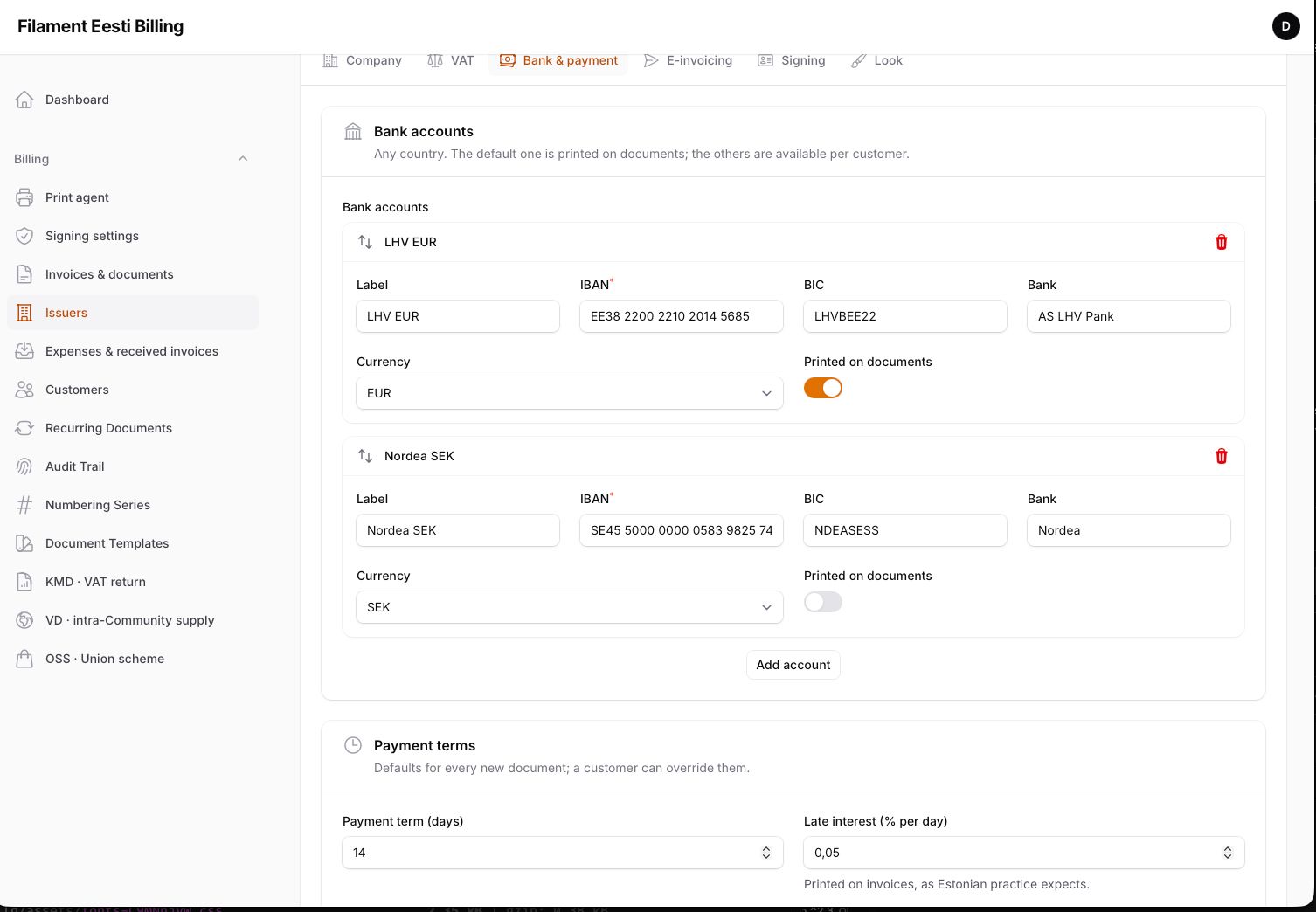
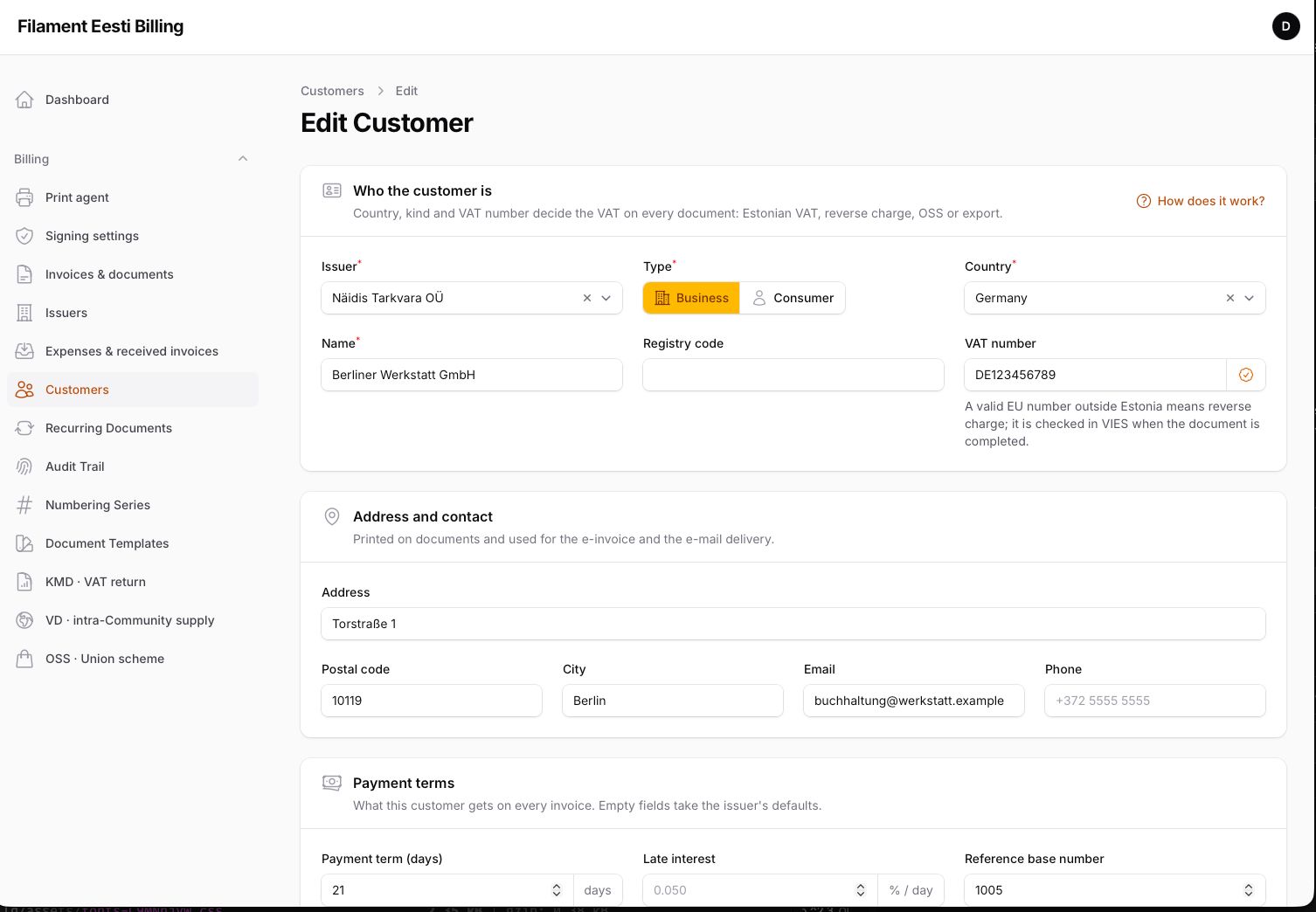
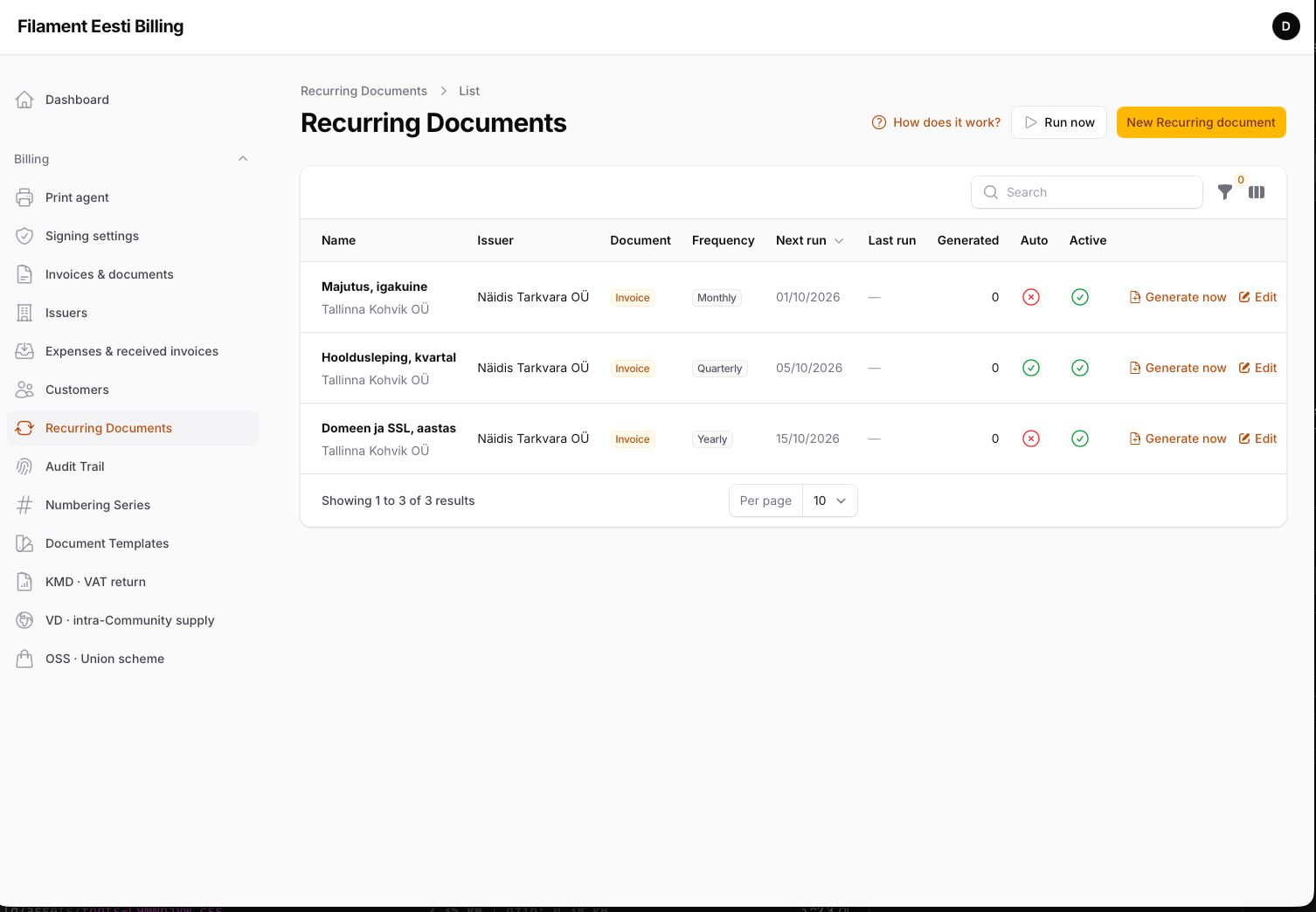
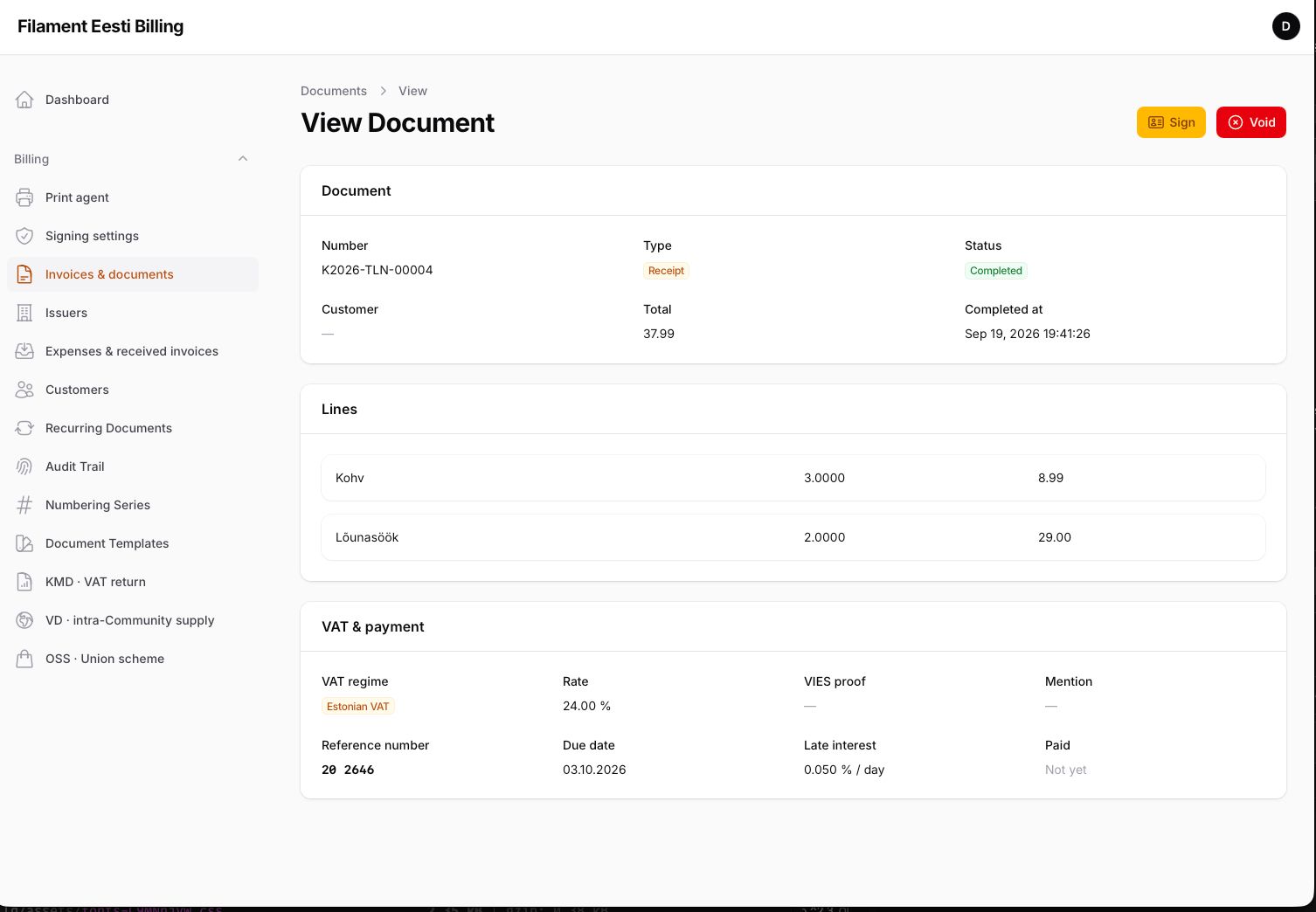
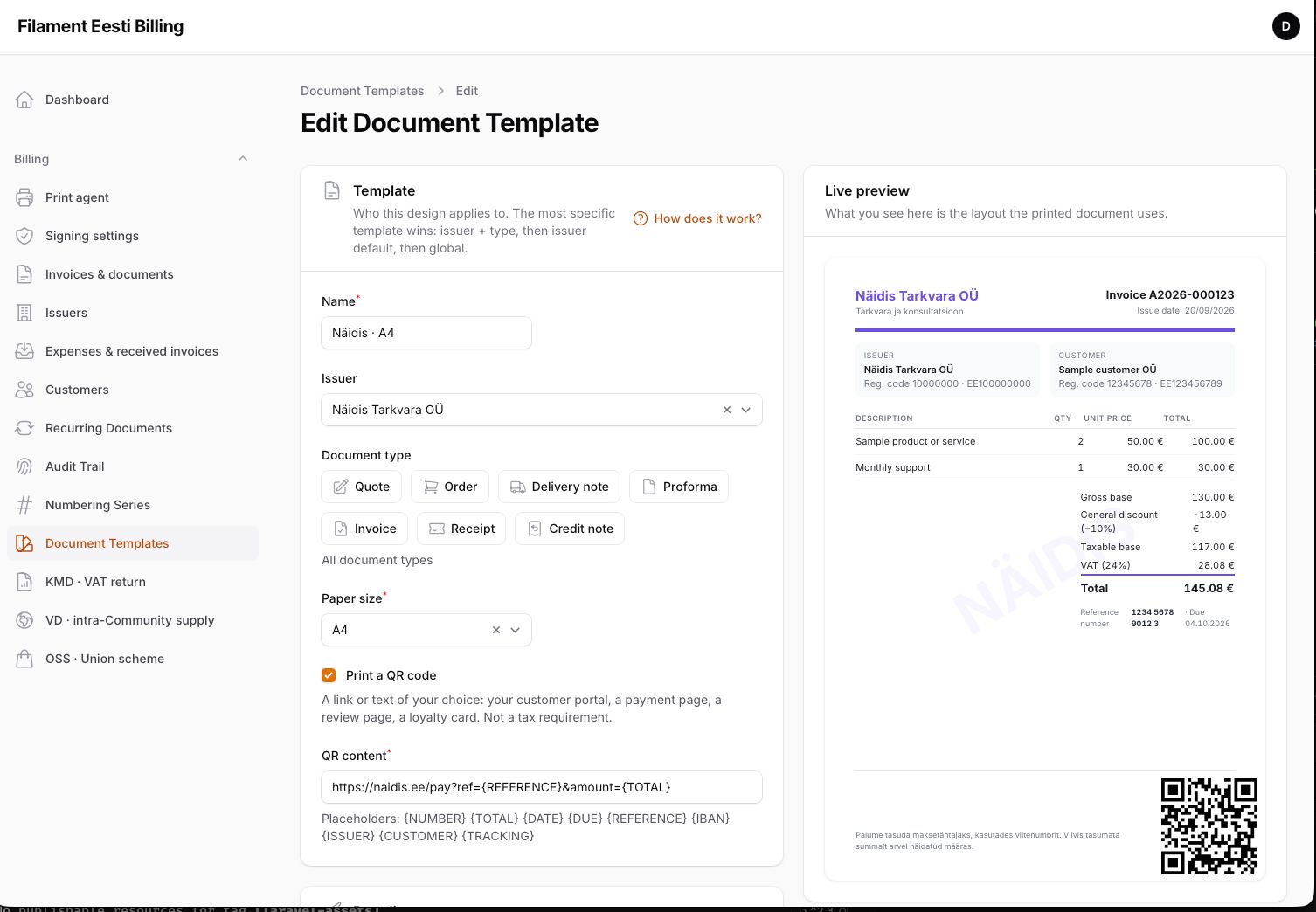
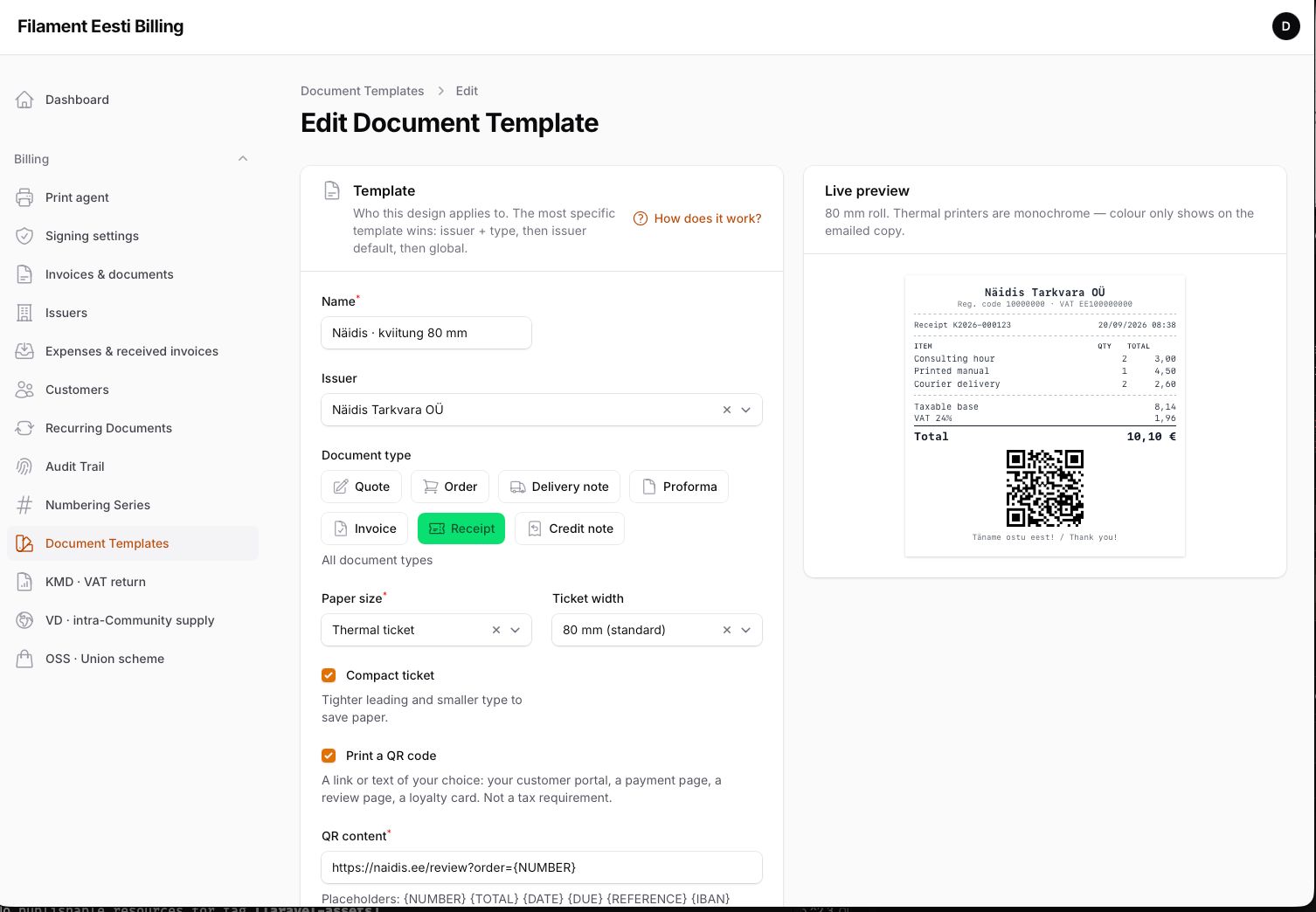
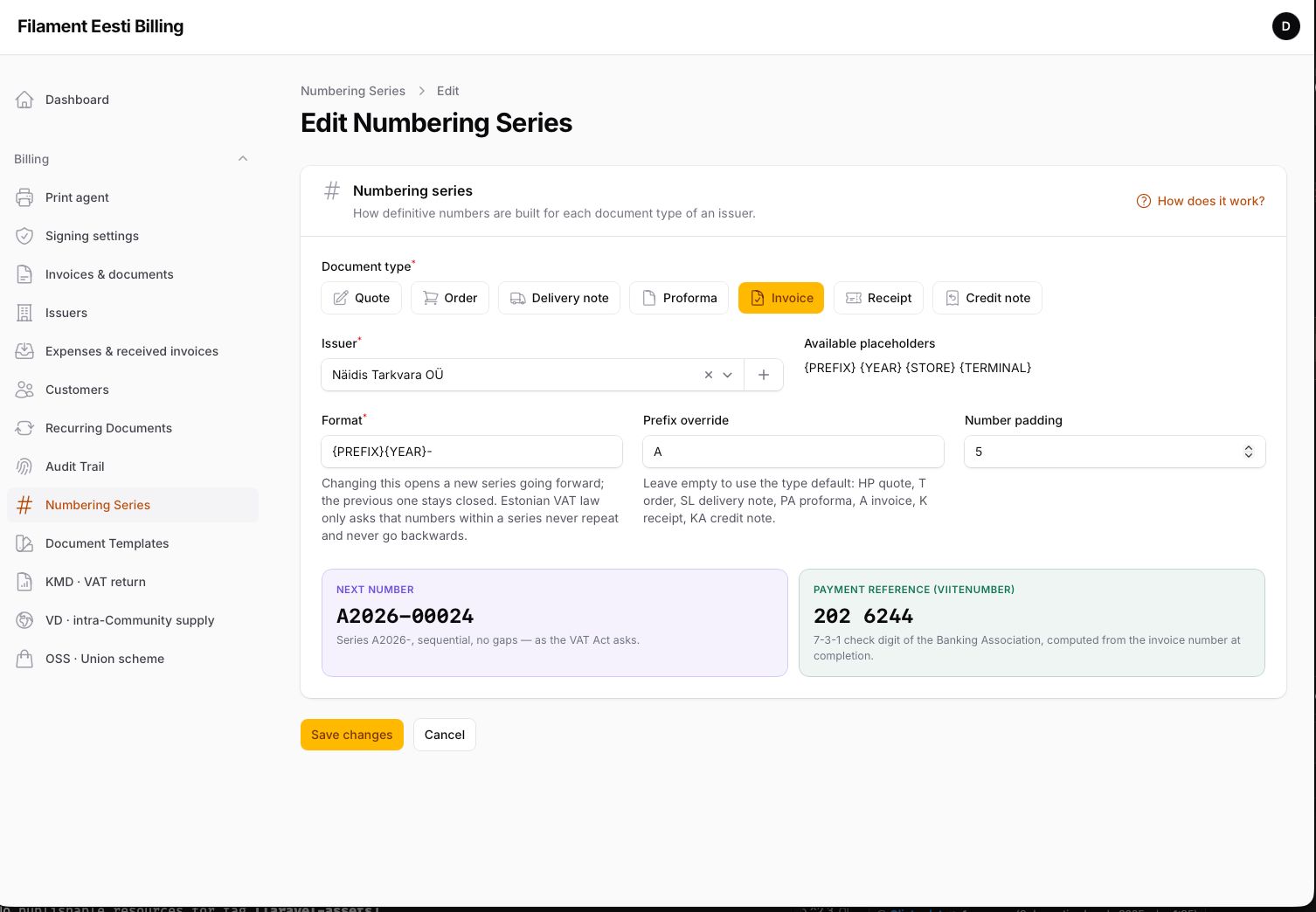
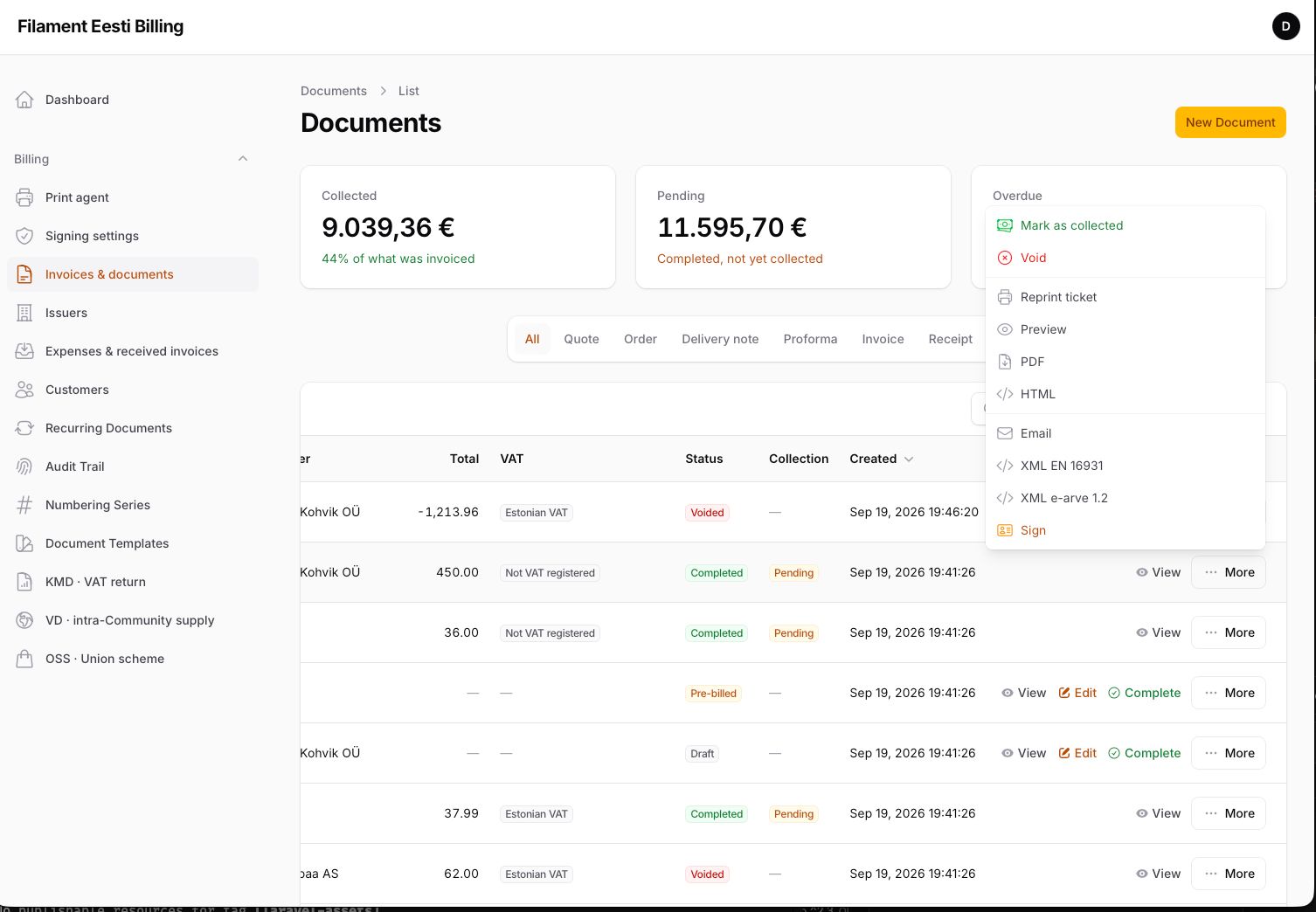
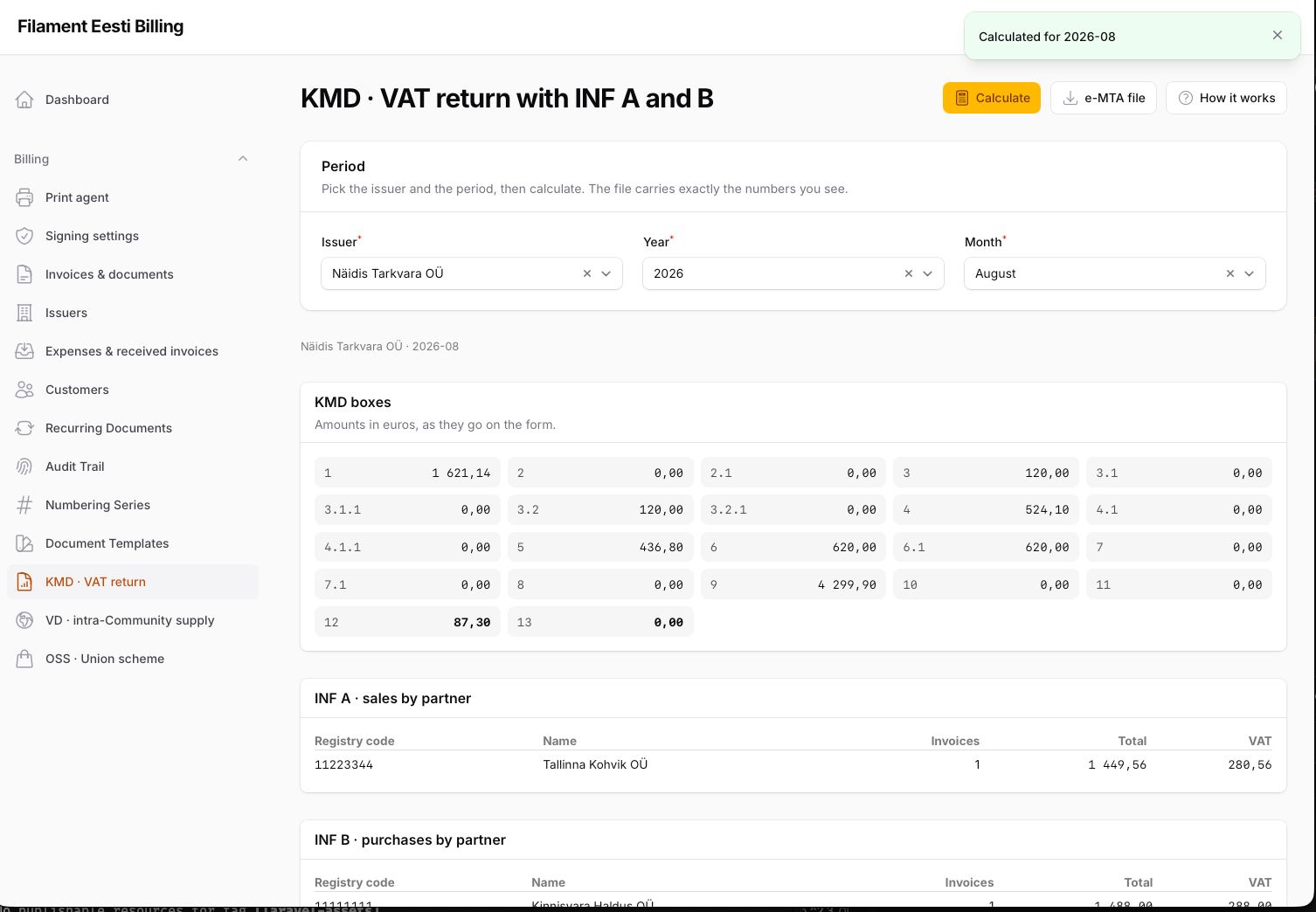
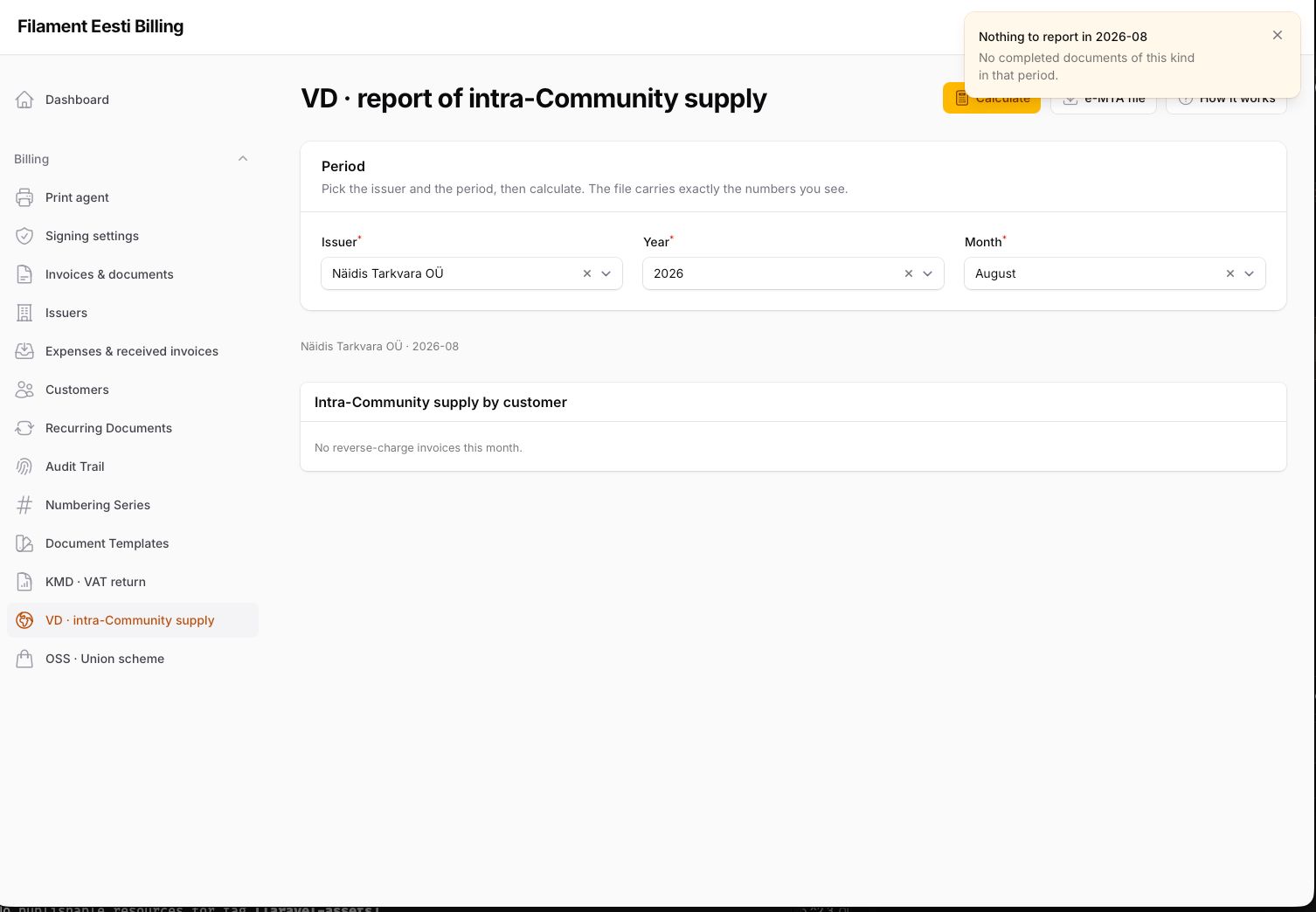
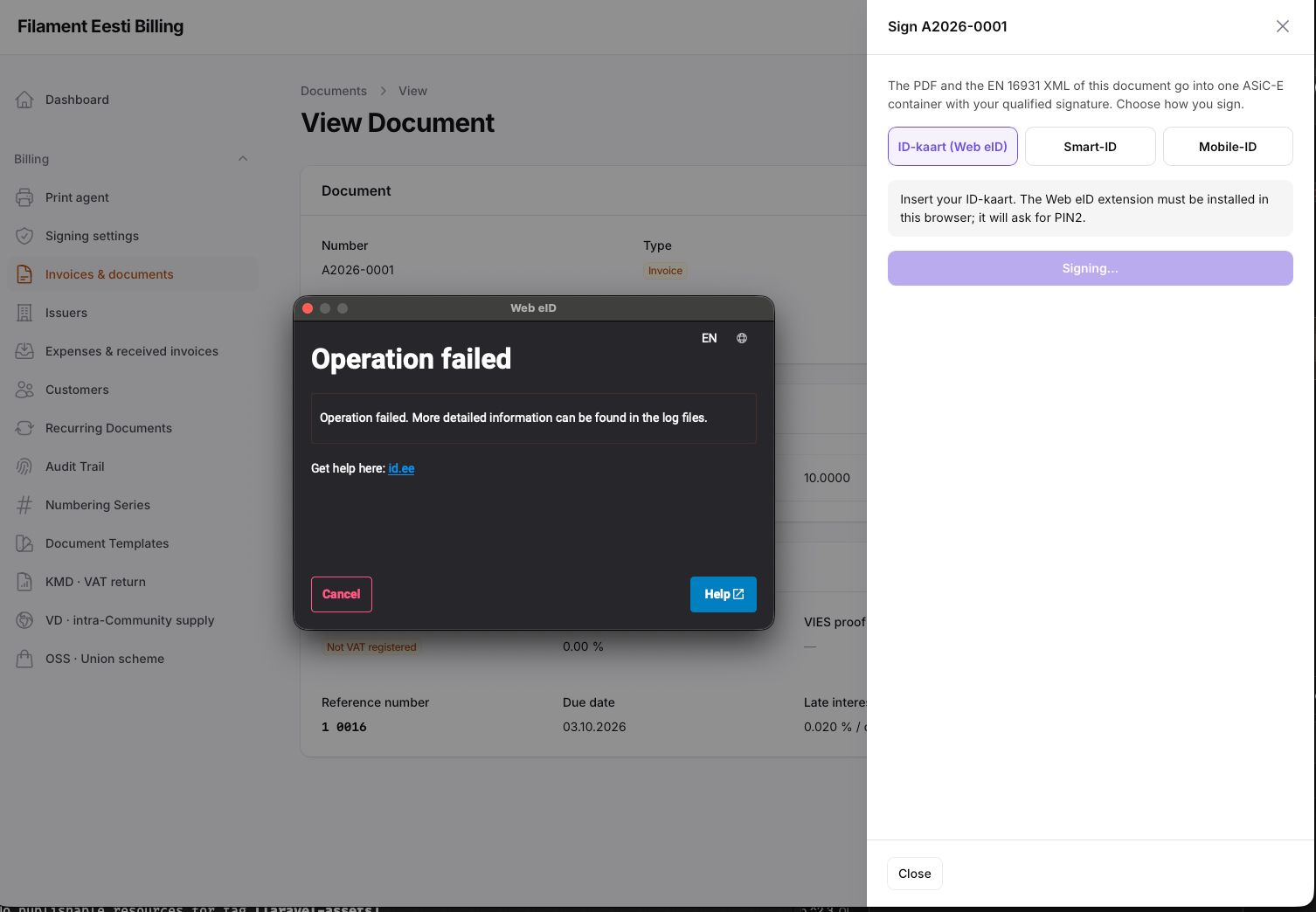
#Requirements
- PHP 8.4+, Laravel 13, Filament 5.x
- A PDF engine you choose:
->mpdf()(bundled) or->gotenbergPdf()(Docker) - For signing:
komma-softhouse/asice-engine; for Smart-ID and Mobile-ID, a relying-party account at SK ID Solutions, entered on the Signing settings page
#Installation
composer require komma-softhouse/filament-eesti-billing
php artisan migrate
php artisan filament:assets
php artisan eesti:selftest
filament:assets publishes the plugin's browser assets (the Web eID library among them). Run it again after every update; hosts created with filament:install already do so from composer.json's post-autoload-dump. eesti:selftest reports what is missing, with the command to run for each item.
Register the plugin in the panel provider and switch on what you need:
use Komma\EestiBilling\EestiBillingPlugin;

->plugin(
    EestiBillingPlugin::make()
        ->navigationGroup('Billing')
        ->mpdf()                 // or ->gotenbergPdf('http://gotenberg:3000')
        ->customers()
        ->expenses()
        ->reports()
        ->einvoice()
        ->signing()
        ->escPos()
        ->printAgent()
        ->ocr()
        ->catalog()
        ->repairs()
        ->dashboardWidgets()
        ->brandingDisk('s3'),
)
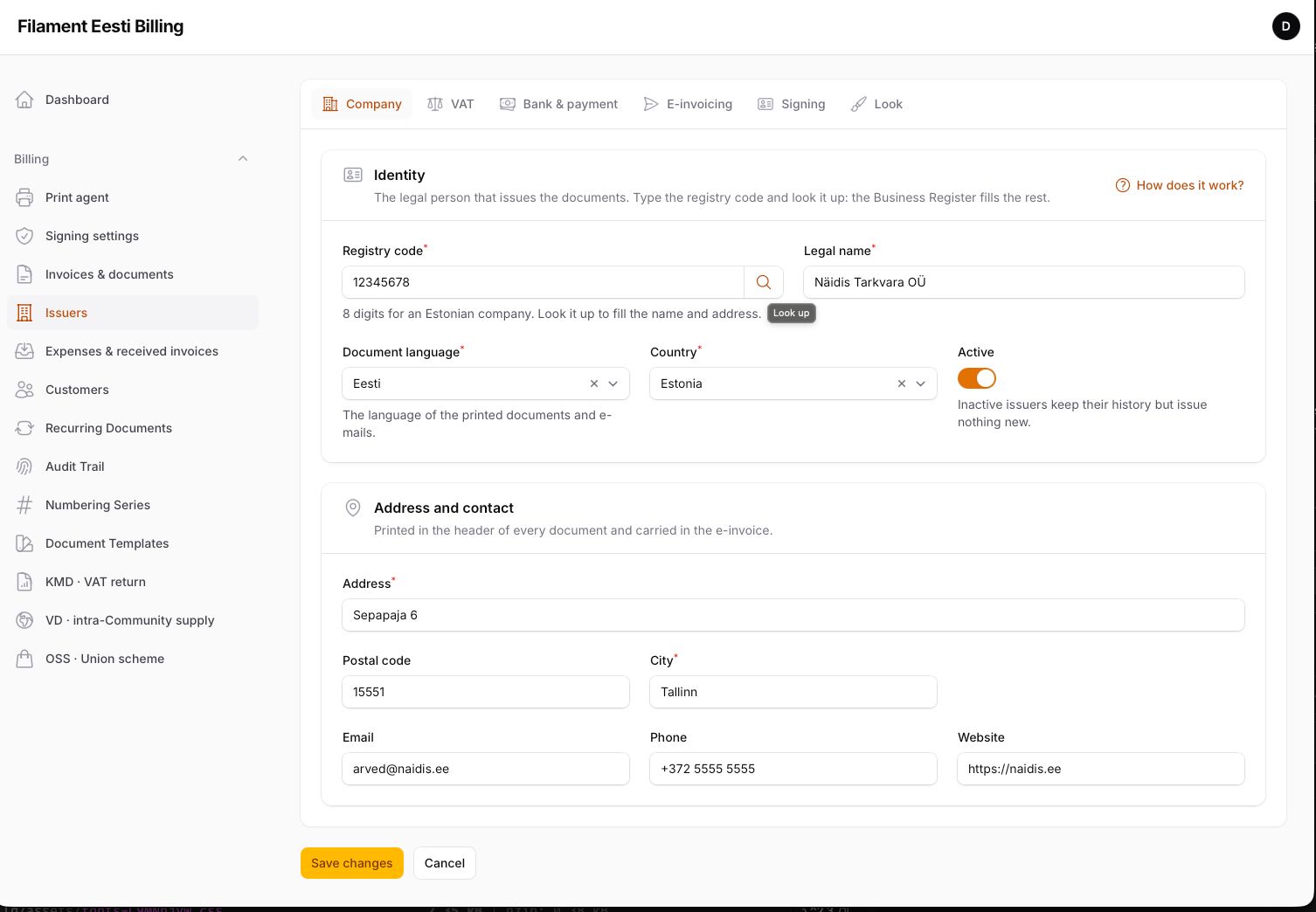
Open Issuers, type your registry code and press the magnifier: name, address, contact and VAT number come from the Business Register. Add the bank accounts and save. Documents can be issued from that moment.
#Options
| Method | Default | What it does |
|---|---|---|
navigationGroup(?string) |
null |
Sidebar group of every resource and page. |
mpdf() / gotenbergPdf(?url) / pdfDriver(FQCN) |
none | The PDF engine. Without one, PDF actions are hidden. |
documents(bool) |
true |
The document cycle, series, templates, recurring. |
customers(bool) |
true |
Customer directory with Business Register lookup and VIES. |
expenses(bool) |
false |
Received invoices and expenses (input VAT, INF B). |
reports(bool) |
true |
KMD, VD and OSS pages with e-MTA files. |
einvoice(bool) |
false |
Sending through the issuer's operator. |
signing(bool) |
false |
ID-kaart, Smart-ID and Mobile-ID signing. |
escPos(bool) / printAgent(bool) |
false |
Thermal receipts: raw bytes, or the print agent channel. |
ocr(bool) |
false |
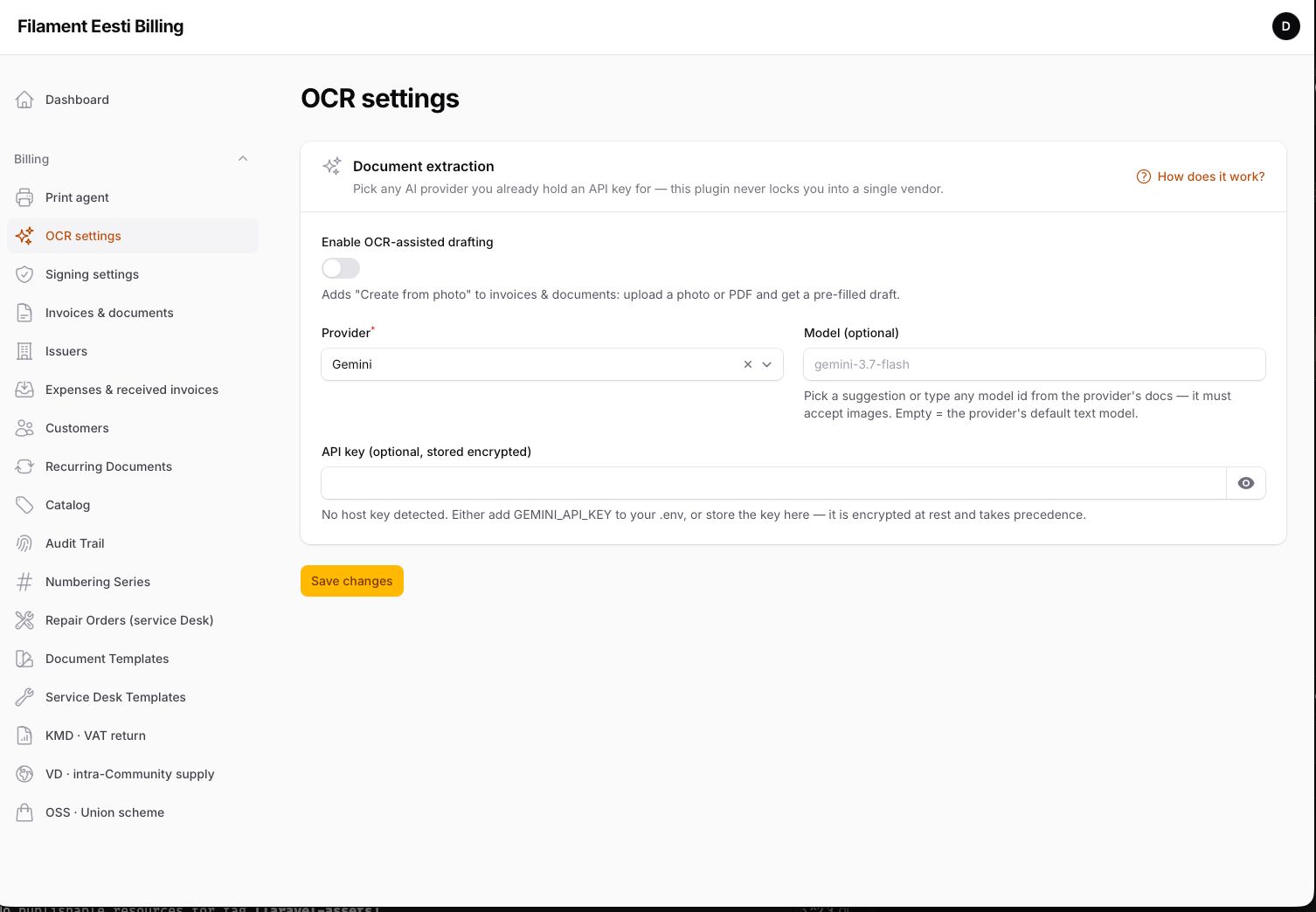
Create documents and expenses from a photo or PDF. |
catalog(bool) |
false |
Items with price and rate to pick in the lines. |
repairs(bool) |
false |
Service desk: repair orders with reception receipt, quote, delivery and a public tracking page. |
audit(bool) |
true |
The read-only trail. |
dashboardWidgets(bool) |
false |
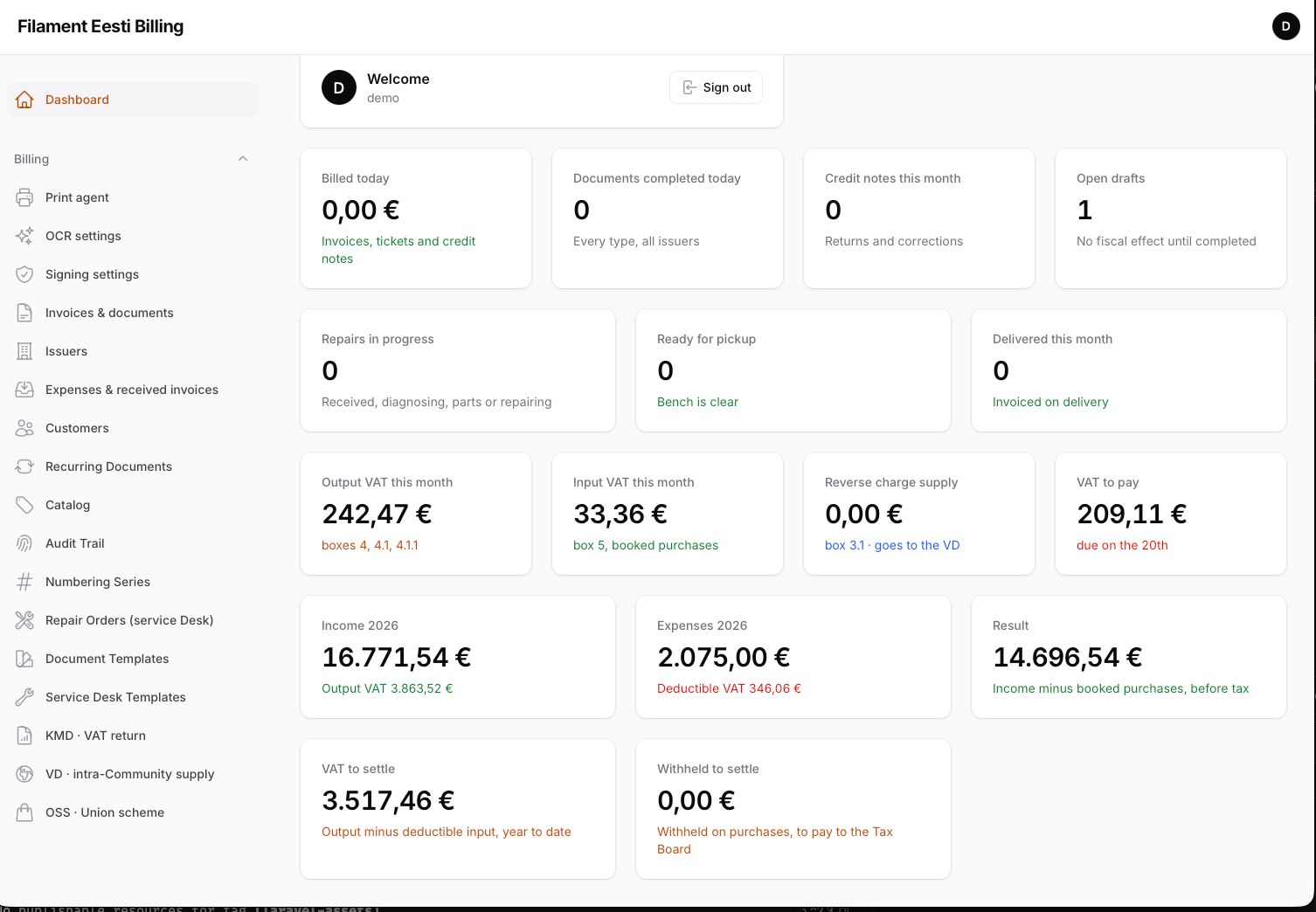
Financial summary, document stats, VAT position. |
brandingDisk(disk, visibility) |
public |
Where logos, watermarks and signed containers live. |
#Configuration
config/eesti-billing.php mirrors the options (EESTI_* env keys) and adds: connection for the tables, domestic_rate, VIES and Business Register settings, kmd.inf_threshold, and permissions — every panel action on by default, switchable per installation or per user through a Gate named eesti.{ability}. Signing credentials live on the Signing settings page; the signing.* keys are only a fallback.
Every identity field is masked and validated: registry codes, VAT numbers, IBAN, BIC, postal codes, phones and personal codes accept only what can be valid, and the Estonian check digits are verified.
#The issuer
Company (registry code with lookup, address, document language), VAT (registered, KMKR number with VIES check, OSS), bank & payment (accounts in any country, the one printed on documents, payment term, late interest, viitenumber policy), e-invoicing (operator and credentials, default format), signing (which ways, default signer), look (logo, accent, footer). Each tab has its own "How does it work?" slide-over.
#Numbering series
One series per document type and issuer, with {PREFIX}, {YEAR}, {STORE} and {TERMINAL} markers. The Estonian VAT Act asks for sequential numbers that never repeat and never go backwards, so changing a format closes the series and opens a new one. The form previews the next number and the payment reference it will carry.
#Documents
Drafts are free to edit. Complete takes the number from the series, freezes the document, decides the VAT regime and stores the VIES consultation number, computes the viitenumber, sets the due date and copies the late-interest rate. Completed documents never change; a mistake is corrected with a credit note that references the original. Quotes, orders, delivery notes and proformas convert forward into an invoice or a receipt.
Every completed invoice offers: PDF (A4 or receipt paper), XML EN 16931, XML e-arve 1.2, e-mail with the PDF, e-invoice through the operator, signing, and the signed container (.asice) once signed.
#From code
use Komma\EestiBilling\Facades\EestiBilling;

$invoice = EestiBilling::completeDocument($draft);
$pdf = EestiBilling::documentPdf($invoice);
$xml = EestiBilling::documentUbl($invoice);
EestiBilling::sendEInvoice($invoice);
$credit = EestiBilling::creditNote($invoice, CreditReason::Return);
EestiBilling::printTicket($receipt);
Veto issuing from the host (quotas, plans, anything):
EestiBilling::beforeIssuing(fn (string $operation, Issuer $issuer): ?string => $issuer->documents()->count() >= 100 ? 'Plan limit reached' : null);
Events after commit: DocumentCompleted, DocumentVoided, ExpenseBooked, IssuerActivated.
#Customers
A directory per issuer: business or consumer, registry or personal code, VAT number with VIES, the regime the engine would apply today, payment term, late interest, reference base (for per-customer viitenumbers), e-invoice format, and whether the customer is a registered e-invoice recipient. For an Estonian company, the Business Register lookup (by code or by name) fills name, address, contact, VAT number and the e-invoice flag.
#Returns
- KMD — monthly VAT return, boxes filled from completed sales and booked purchases (24/13/9 %, reverse charge, export, OSS, input VAT, acquisitions), INF A and INF B above the threshold, one XML for e-MTA (or X-tee).
- VD — intra-Community supply per customer VAT number, goods and services apart. XML and CSV.
- OSS — quarterly, per Member State and rate; shown only when an issuer is OSS-registered.
Each page: issuer and period, Calculate, e-MTA file, and a "How it works" slide-over.
#E-invoicing
Formats: EN 16931 UBL (default since July 2025) and e-arve 1.2 (by agreement, and for bank standing orders). Operators: Finbite and any Peppol access point with an HTTP API; register yours with app(EInvoiceService::class)->register('key', YourOperator::class). Before sending, the plugin checks the Business Register: a customer registered as e-invoice recipient is flagged in the dialog.
#Signing
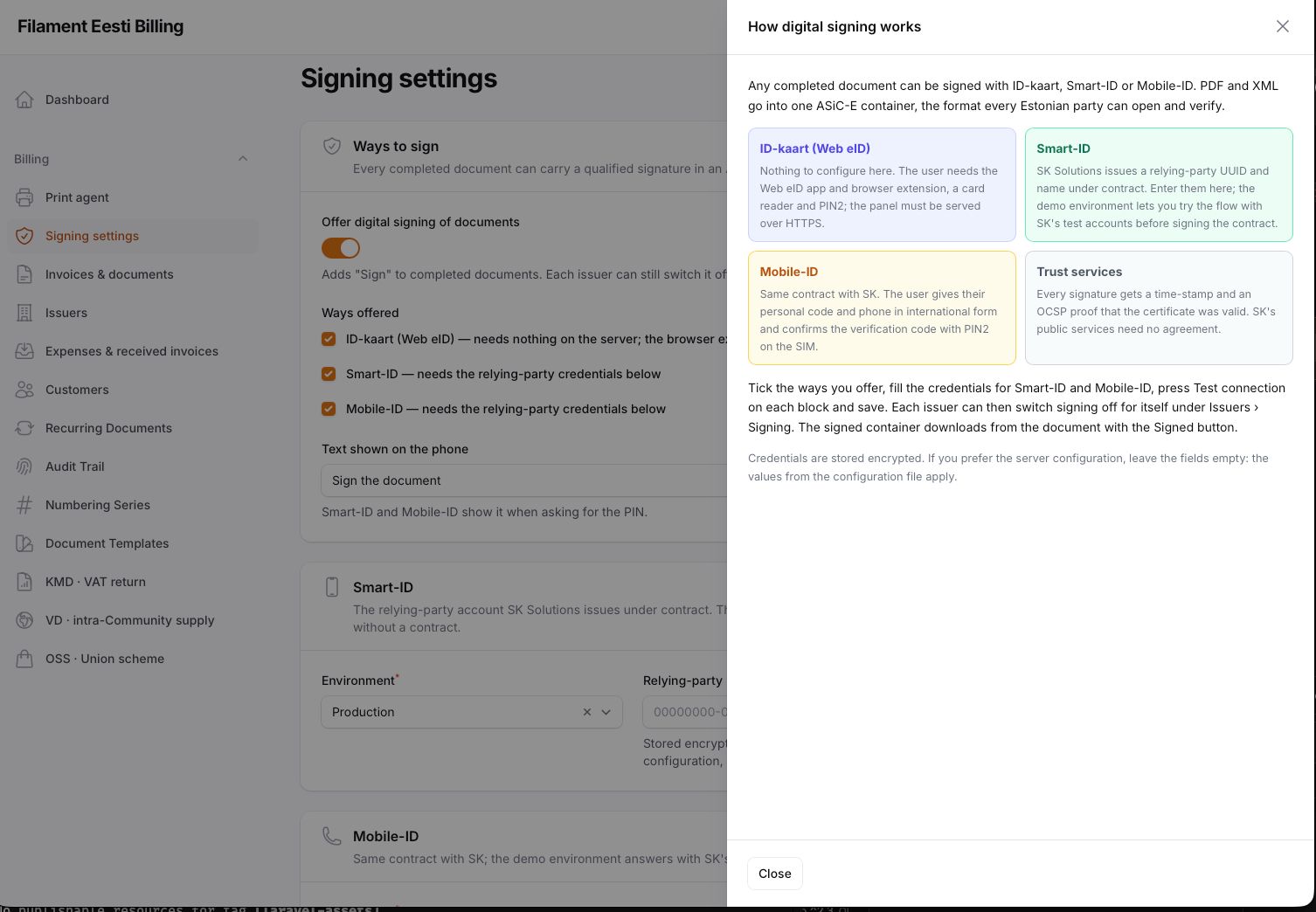
Any completed document: PDF + XML into an ASiC-E container with an XAdES signature. ID-kaart through the Web eID browser extension; Smart-ID and Mobile-ID through SK's services with the verification code on screen. The container engine is komma-softhouse/asice-engine; bind another SignsContainers to use your own.
What each way needs:
| Way | On the server | On the user's side |
|---|---|---|
| ID-kaart (Web eID) | php artisan filament:assets (publishes the Web eID JavaScript library the plugin ships) and the panel served over HTTPS — the extension refuses insecure contexts, so http://localhost does not work; use a local HTTPS domain or a tunnel |
The Web eID app and browser extension from web-eid.eu, a card reader, the ID-kaart and its PIN2 |
| Smart-ID | The relying-party UUID and name SK issues under contract, entered on the Signing settings page; the demo environment works with SK's test accounts before the contract | The Smart-ID app; the verification code shown in the panel must match the one on the phone |
| Mobile-ID | Same contract with SK, same page | A Mobile-ID SIM; the number in international form (+372…) |
Time-stamps come from tsa.sk.ee and revocation from SK's OCSP responder; both are reachable without any agreement. eesti:selftest checks the published library and the HTTPS scheme.
Credentials and endpoints for Smart-ID and Mobile-ID are set on the Signing settings page of the panel (encrypted at rest, with a Test connection button per service and a demo/production switch); the .env keys are only a fallback for hosts that prefer them.
What the ID-kaart dialog says when something is missing, and what it means:
| Message | Cause |
|---|---|
| Web eID is not available in this browser | The plugin's JavaScript is not published: run php artisan filament:assets |
| The Web eID extension or the Web eID app is not installed | The browser extension is off, or the Web eID app (part of the ID-software from id.ee) is missing. Safari uses its own web-eid-safari app from the App Store; Chrome, Edge and Firefox use the Web eID app that comes with the ID-software |
| Web eID only works over HTTPS | The panel is open on an http:// address |
| The Web eID window shows Operation failed | The origin is not HTTPS (the app refuses it silently), or no reader or card is present. Open the panel through https:// first; only then look at the reader |
| Failed to start app | A previous Web eID window is still open or hung: close it (on macOS killall web-eid-safari) and retry |
#Receipts
A receipt is Estonia's simplified invoice, for sales up to the legal limit without a named customer. Templates for 80 and 58 mm paper, ESC/POS bytes for your own print stream or the print agent for a paired Windows printer; Z and X reports and movement lists as in the fiscal plugin.
#Expenses
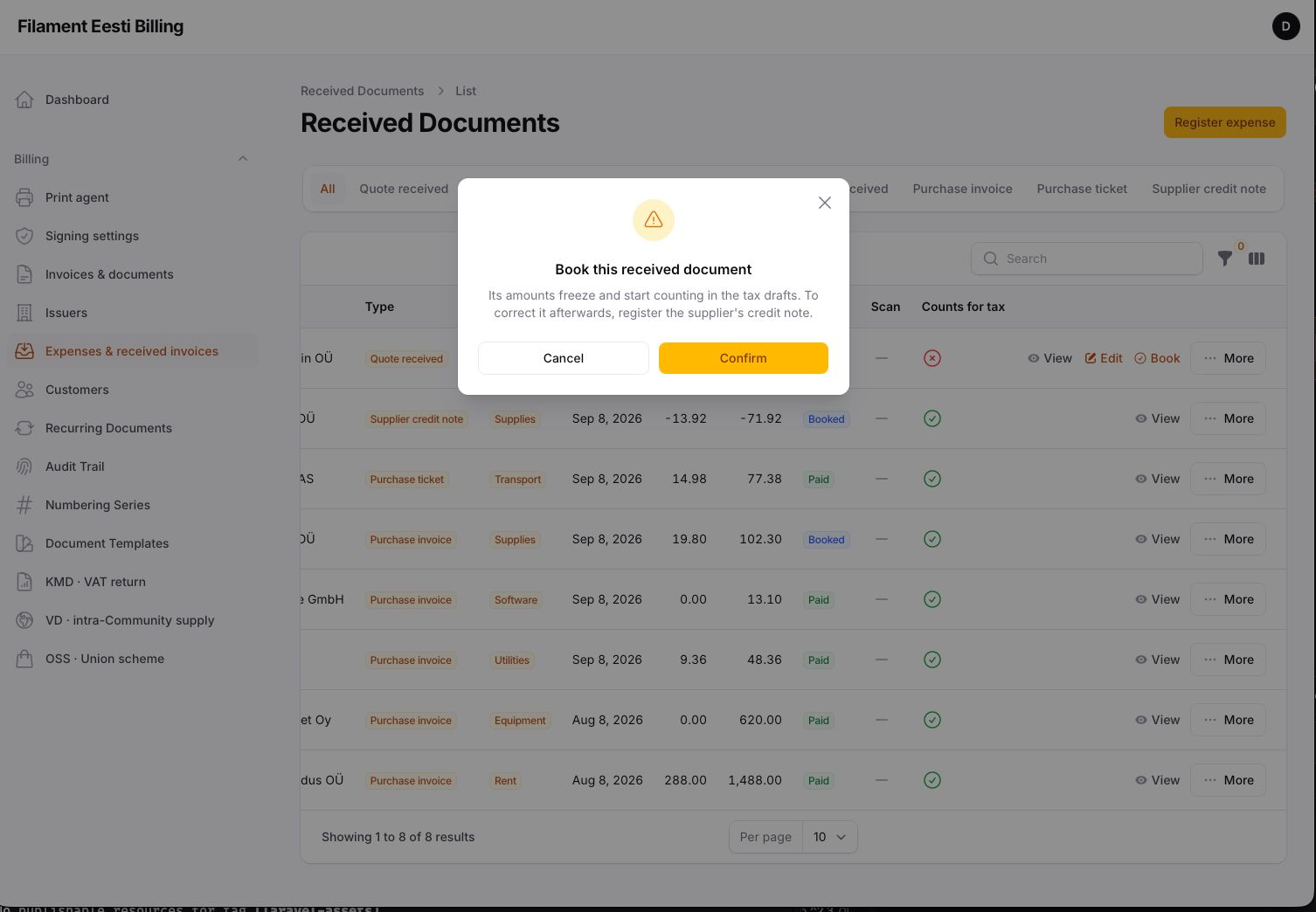
Received invoices by hand or from a photo (OCR), booked with their input VAT and deductible share; they feed box 5 and INF B. Supplier credit notes subtract.
#Repairs
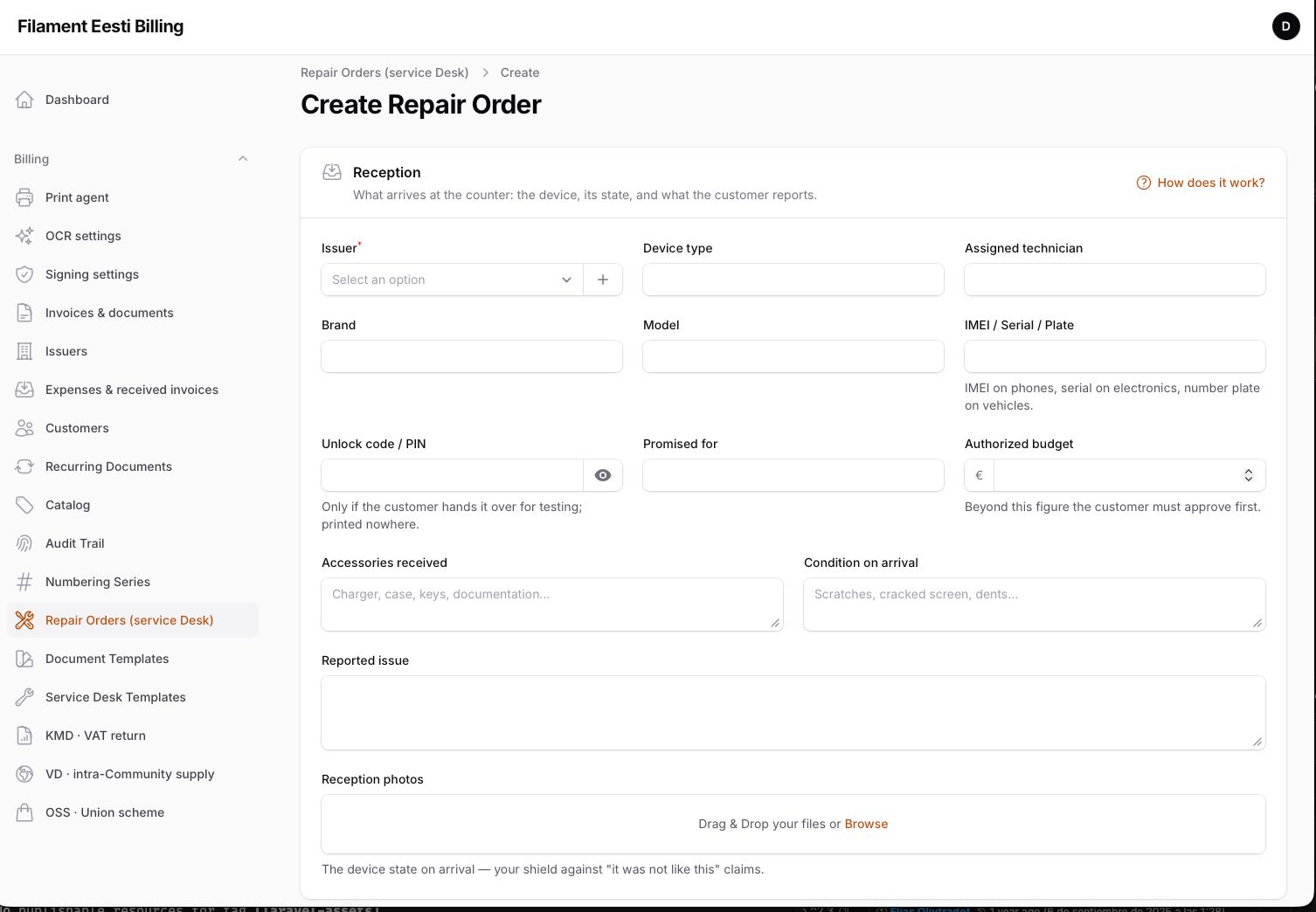
With ->repairs(): repair orders from reception (device, condition, accessories, reported issue, photos) through diagnosis, quote, parts, repair and delivery. A deposit receipt and a repair report print from their own template; the customer follows the order on a public tracking page; delivery issues the receipt or invoice from the labour and parts lines.
#Commands
eesti:selftest— database, licence, PDF engine, VIES, Business Register, issuer completeness, operator, signing engine, Web eID library, HTTPS.eesti:recurring:run— generate the recurring documents due today.eesti:license— licence status.
#Translations
English, Estonian, Russian and Spanish for the panel; Estonian and English on documents.
#Testing
composer test
#Security
If you discover a security issue, email info@kommasofthouse.com instead of using the issue tracker.
#License
Commercial. Sold and activated through Anystack. See LICENSE.md.
The author
Komma SoftHouse builds Laravel and Filament software — point-of-sale, ERPs, and the multi-tenant SaaS platform behind them. The plugins it publishes are pieces of that work, released once they have proven themselves in production: Spanish fiscal compliance, tenancy infrastructure, and whatever the next product turns out to need.
From the same author

Tenancy Suite
Database-per-tenant multi-tenancy on stancl/tenancy: one identity across every workspace, invitations, custom domains verified by DNS, backups and restore, health checks with per-check repairs, async provisioning, and a pool of database servers.
Author:
Komma SoftHouse
Verifactu
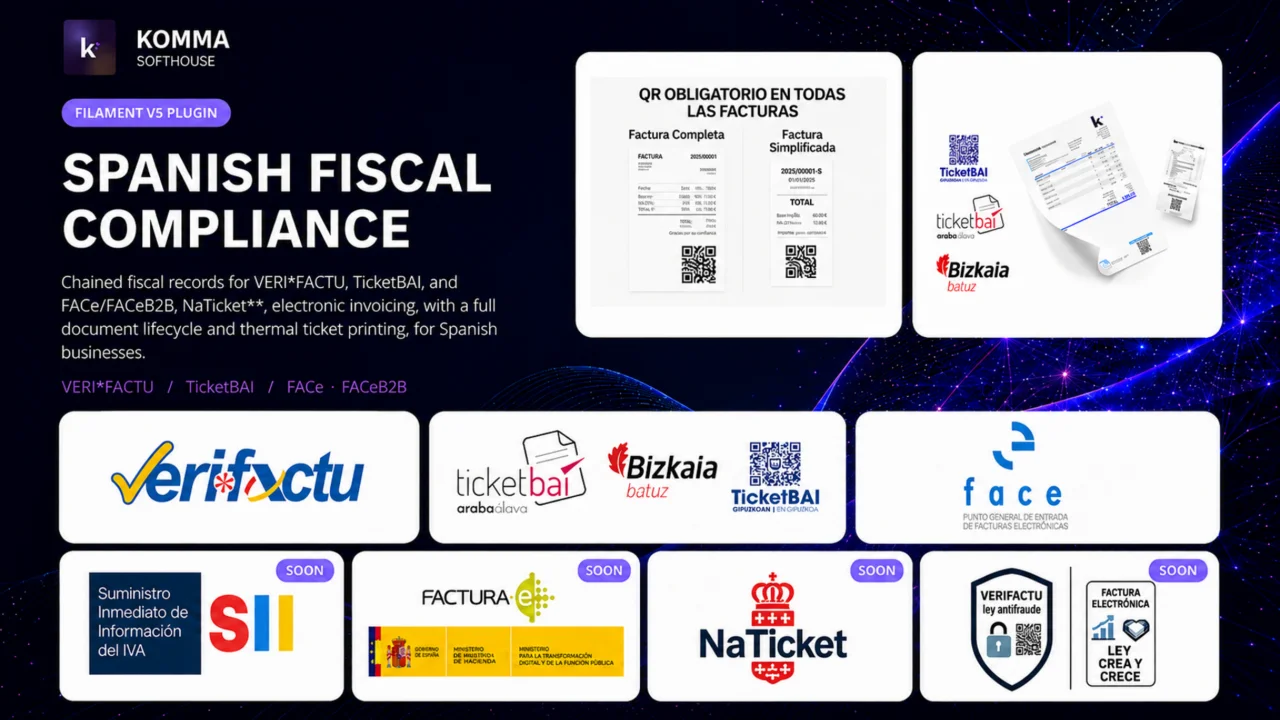
VERI*FACTU / RRSIF and TicketBAI compliant fiscal engine for Filament 5, covering all four Spanish fiscal regimes: chained fiscal records, AEAT and foral submission, XAdES signing, the full document lifecycle, the received side of the ledger, FACe/FACeB2B, and state and foral tax report drafts.
Author:
Komma SoftHouse
Featured Plugins
A selection of plugins curated by the Filament team

Custom Dashboards
Let your users build and share their own dashboards with a drag-and-drop interface. Define your data sources in PHP and let them do the rest.
 Filament

Advanced Tables (formerly Filter Sets)
Supercharge your tables with powerful features like user-customizable views, quick filters, multi-column sorting, advanced table searching, convenient view management, and more. Compatible with Resource Panel Tables, Relation Managers, Table Widgets, and Table Builder!
 Kenneth Sese

Noir Theme
A theme that gives panels a focused, refined look with near-black surfaces, crisp actions, and restrained color.
Filament

