
BTCPay
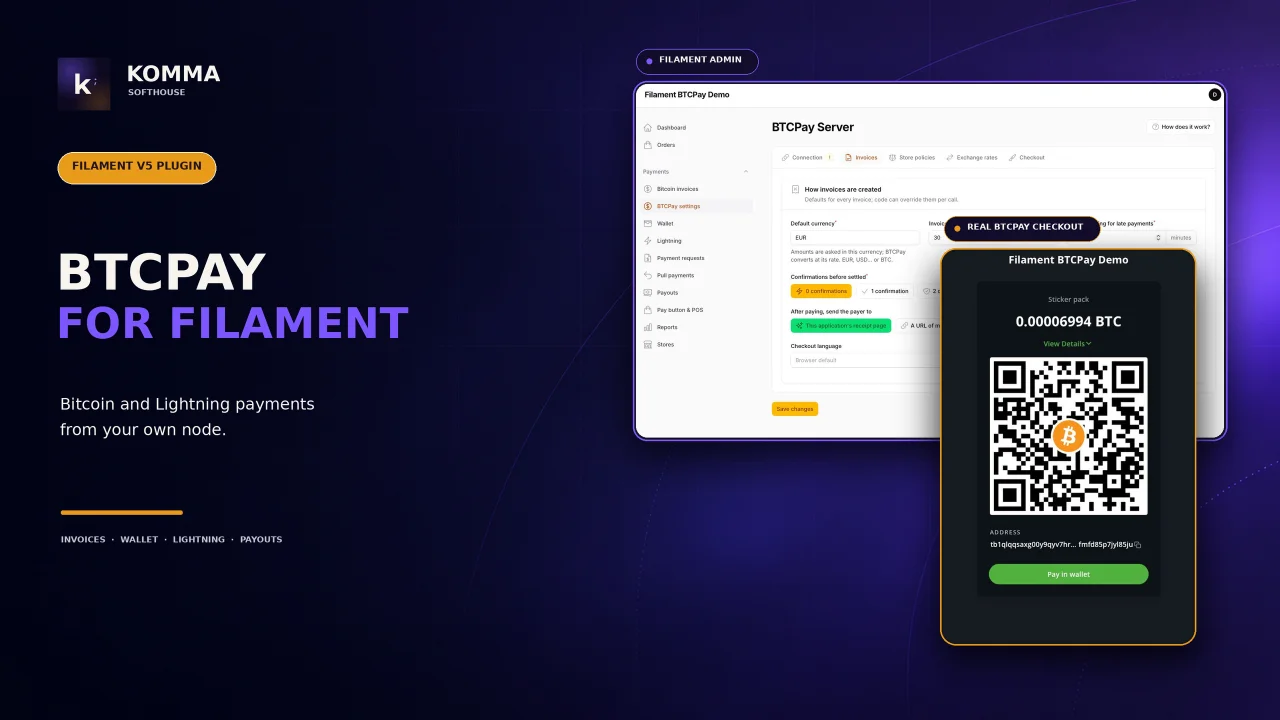
CommunityA complete Bitcoin and Lightning payment system on your own BTCPay Server, run from a Filament 5.x panel. No intermediary, no custodian, no fees beyond the network's: the plugin talks to the server you run, and everything a shop does with bitcoin — invoices, refunds, the wallet, the Lightning node, payment requests, payouts, a pay button, a point of sale, reports, several stores — happens in the panel, never in BTCPay's own UI.
filament/
namespace. Review the source and install at your own risk. Found
malware or an unresolved security issue the author won't
address?
Report it
.
 Author:
Komma SoftHouse
Author:
Komma SoftHouse
Documentation
- Screenshots
- Requirements
- Installation
- Options
- Configuration
- Connecting to BTCPay
- Creating invoices
- Reacting to payments
- The store, from the panel
- Wallet and Lightning
- Refunds, pull payments, payouts
- Payment requests, pay button, Point of Sale
- Reports
- Several stores
- Store events
- Commands
- Translations
- Testing
- Security
- License
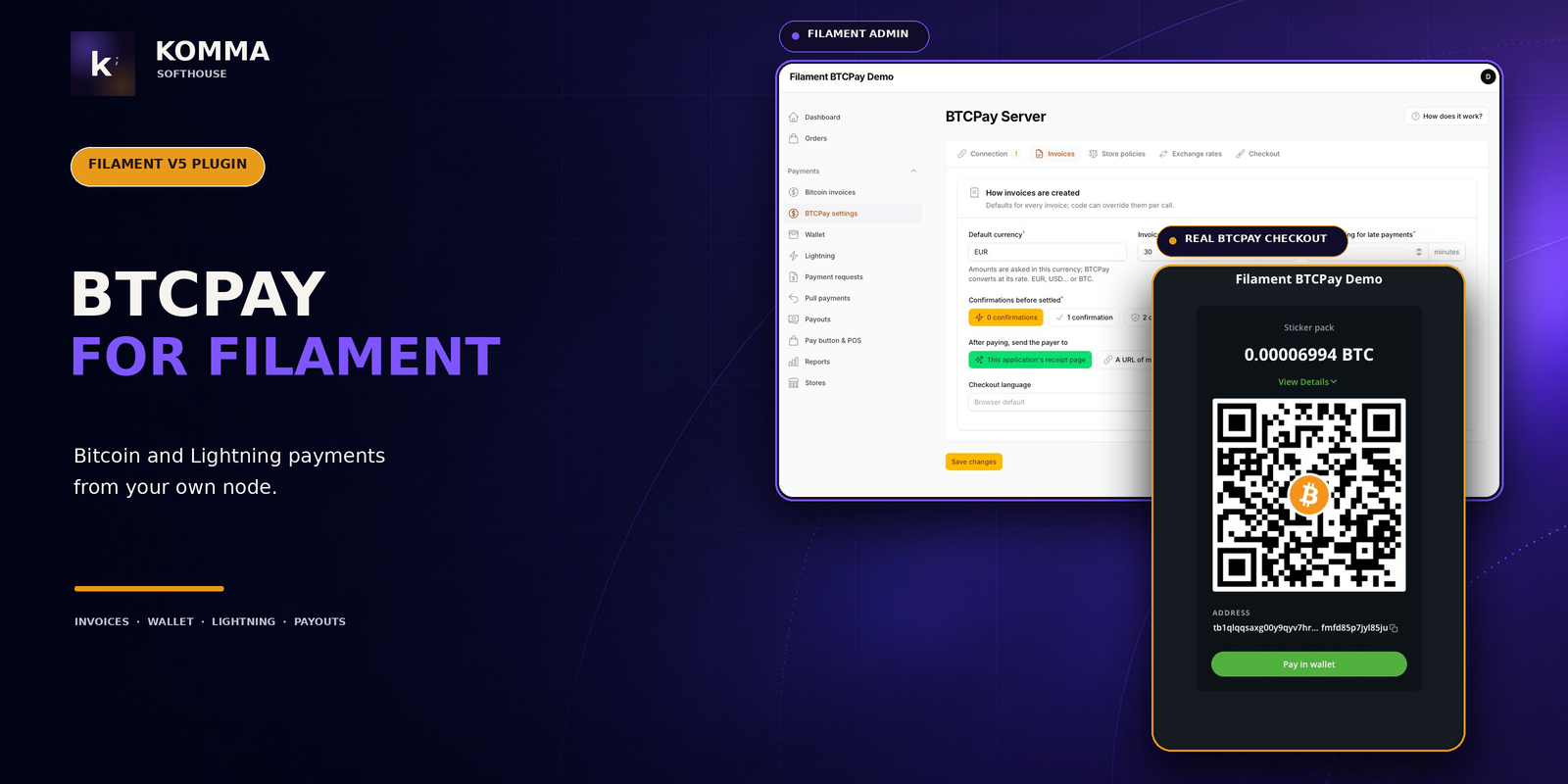



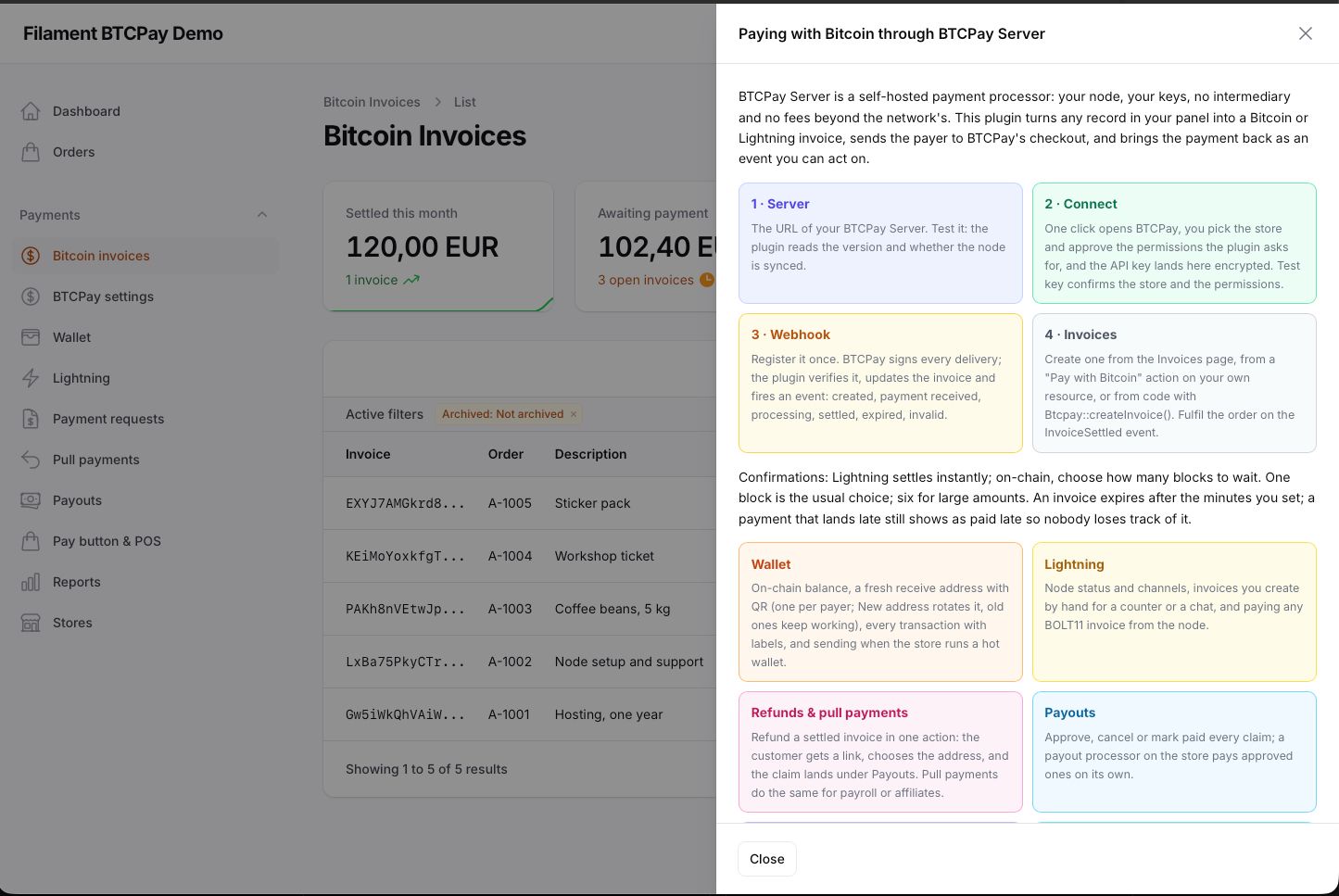
A complete Bitcoin and Lightning payment system on your own BTCPay Server, run from a Filament 5.x panel. No intermediary, no custodian, no fees beyond the network's: the plugin talks to the server you run, and everything a shop does with bitcoin — invoices, refunds, the wallet, the Lightning node, payment requests, payouts, a pay button, a point of sale, reports, several stores — happens in the panel, never in BTCPay's own UI.
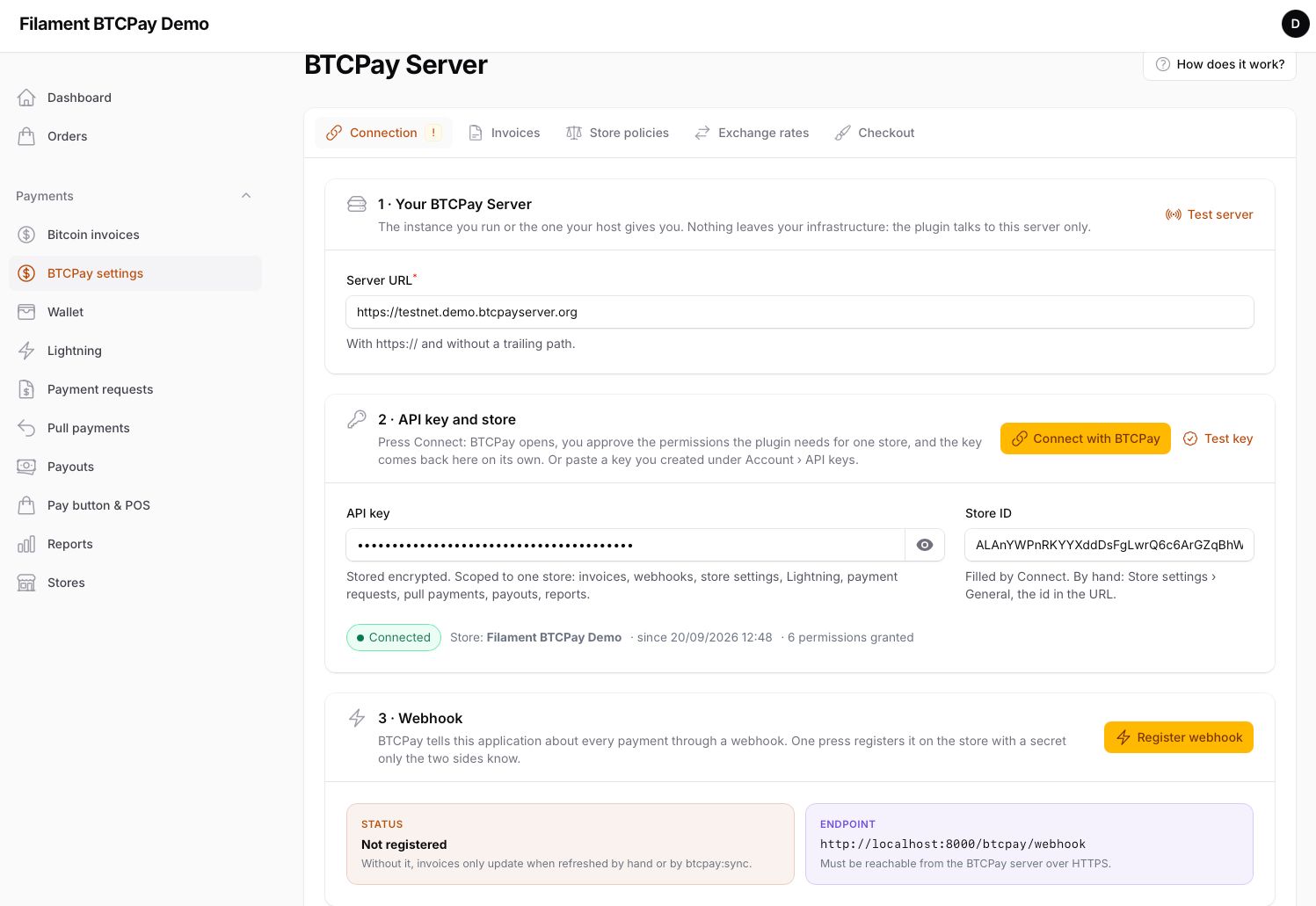
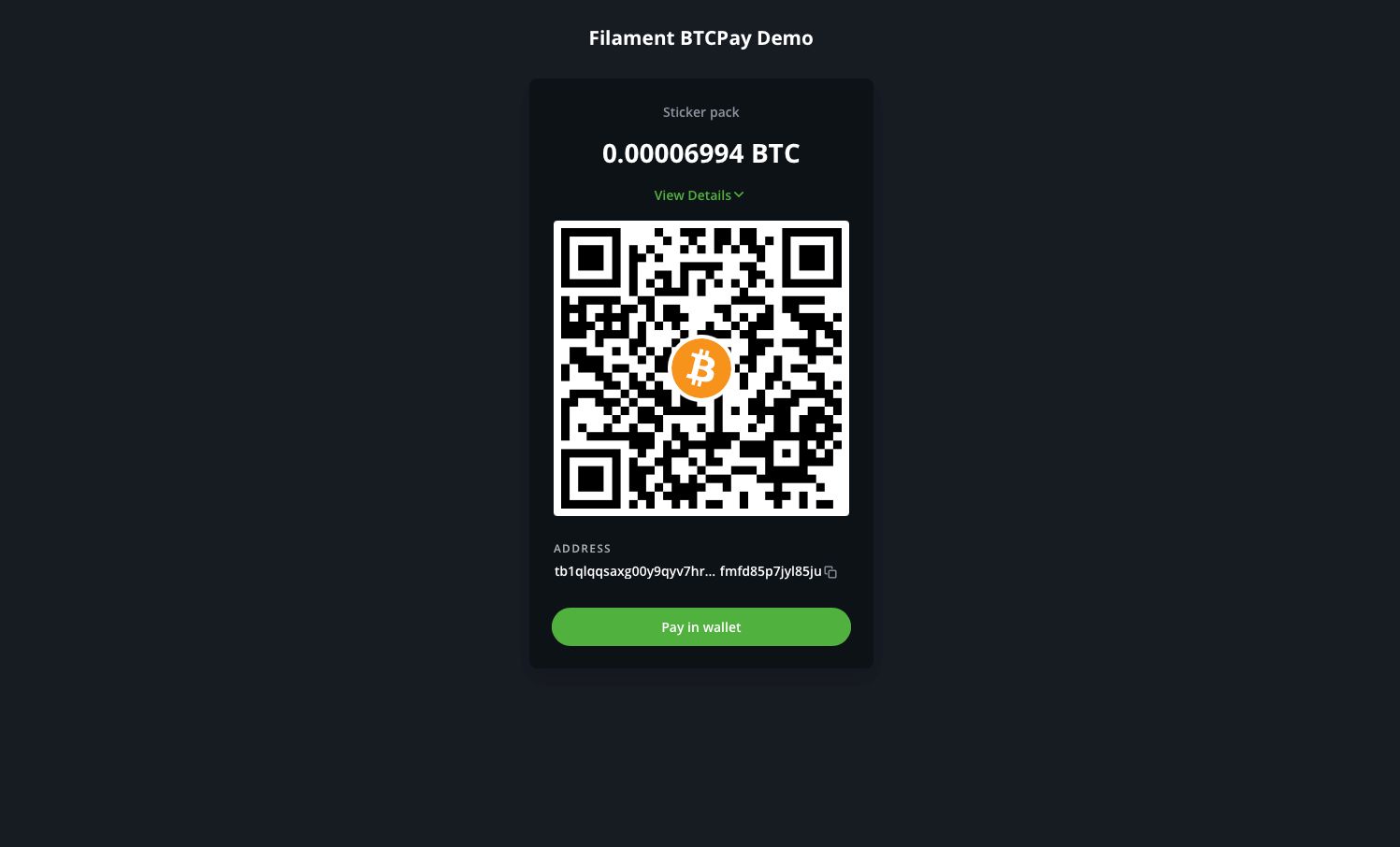
- Connect in one click. Type the server URL, press Connect with BTCPay, approve the permissions for one store, and the API key comes back encrypted. Register the webhook with one more click.
btcpay:selftesttells you what is left. - Invoices from anywhere. A Pay with Bitcoin action for your own resources, a New invoice dialog for payments typed by hand, and
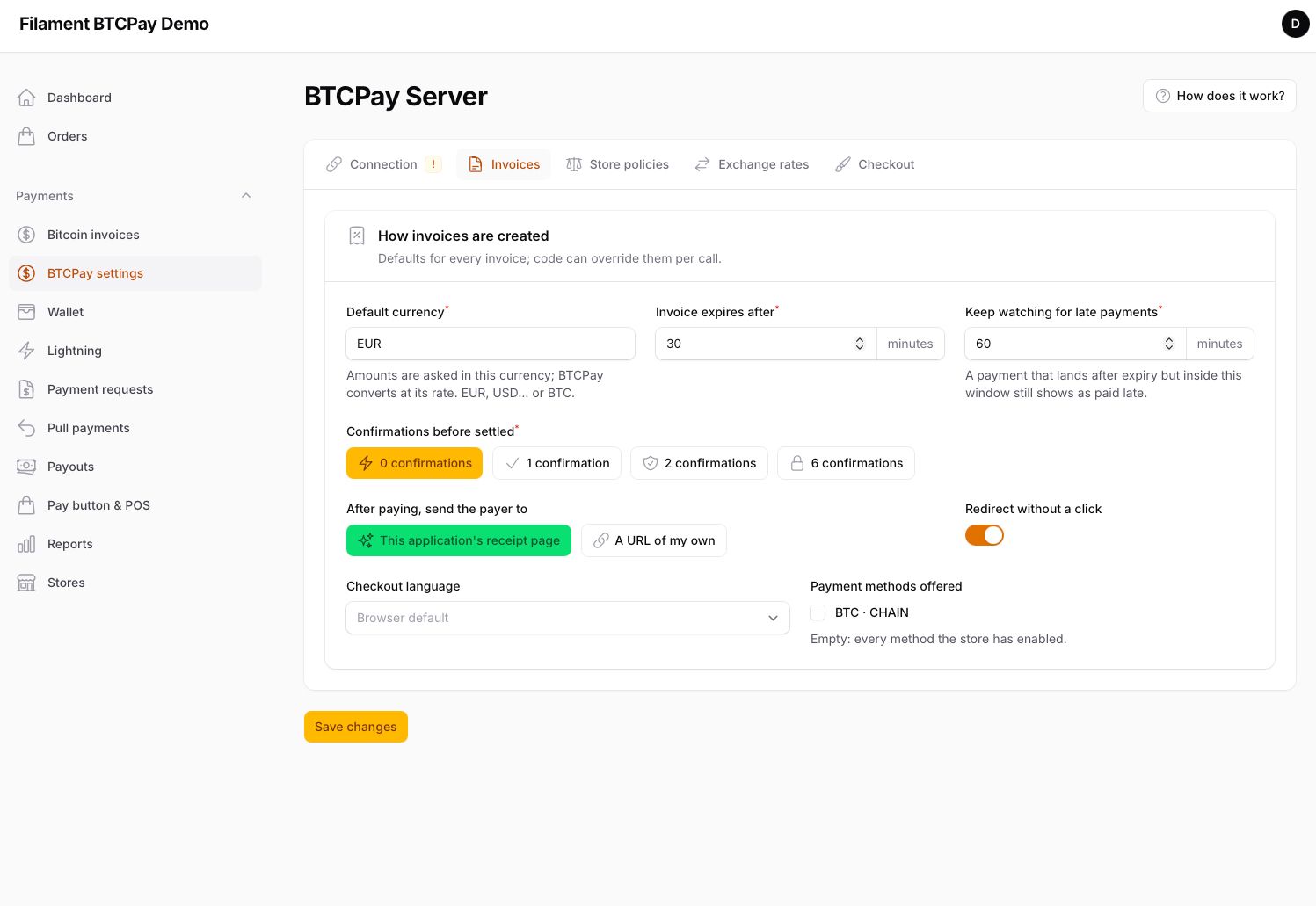
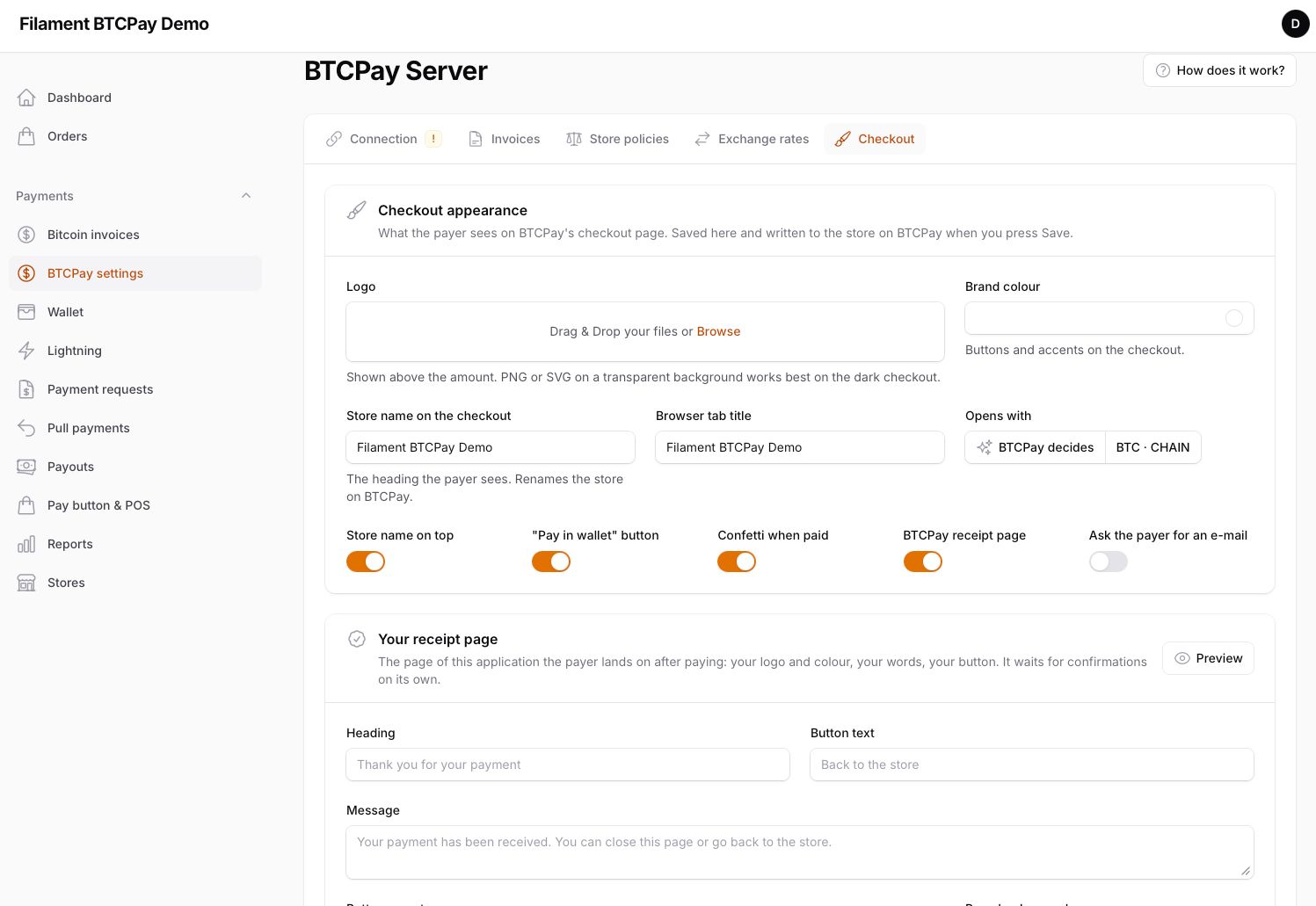
Btcpay::createInvoice()for code. Each invoice shows its checkout link and QR; a settled one refunds in one action. - The store, configured here. Confirmations, expiry, payment tolerance, network fee policy, rate source and spread, the checkout's logo, colour, heading, default method, receipt, confetti and language: saved on the settings page and written to the store on BTCPay.
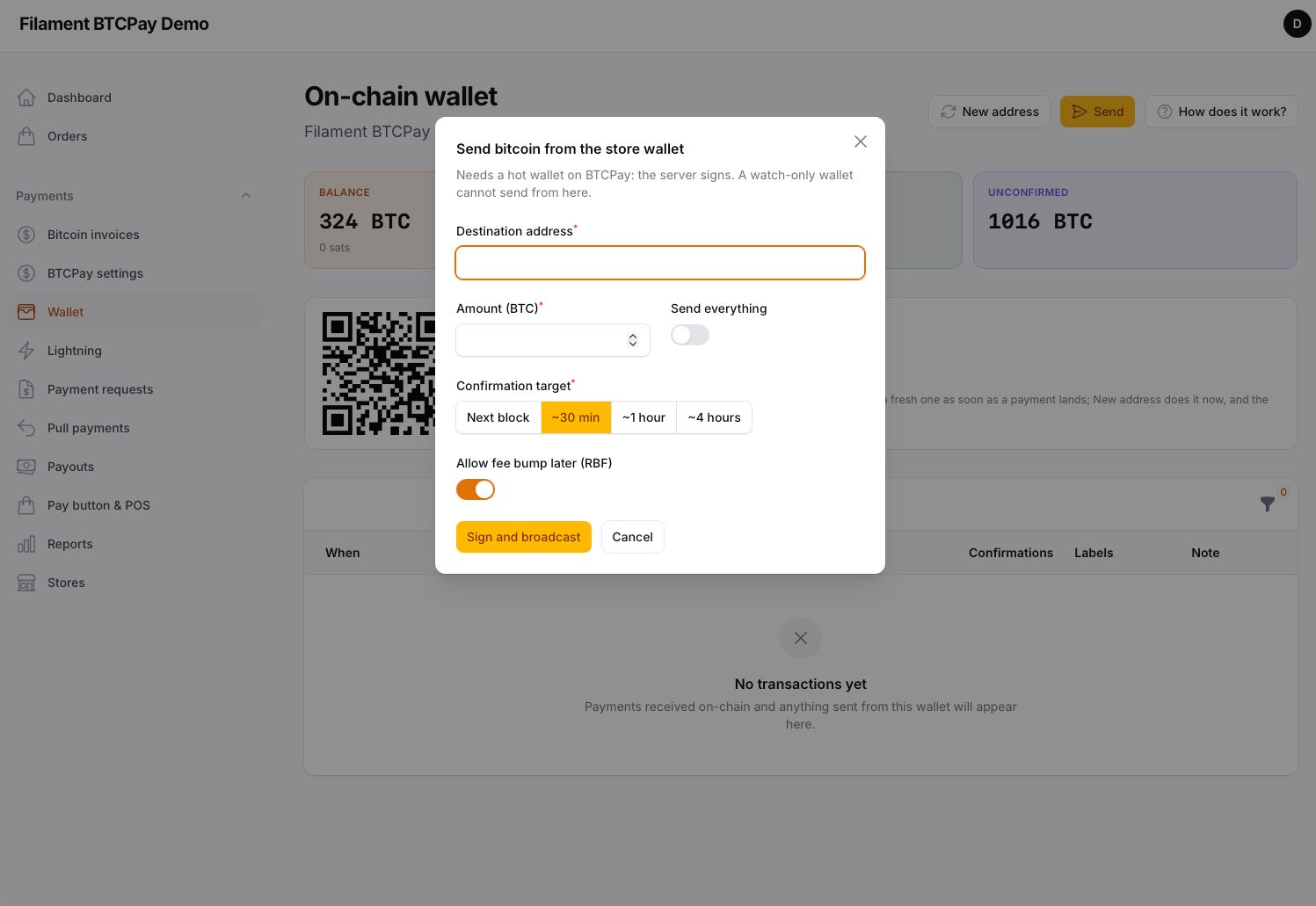
- Wallet and node. On-chain balance, receive addresses, transactions with labels, sending from a hot wallet; Lightning status, channels, invoices, paying BOLT11 invoices, funding the node.
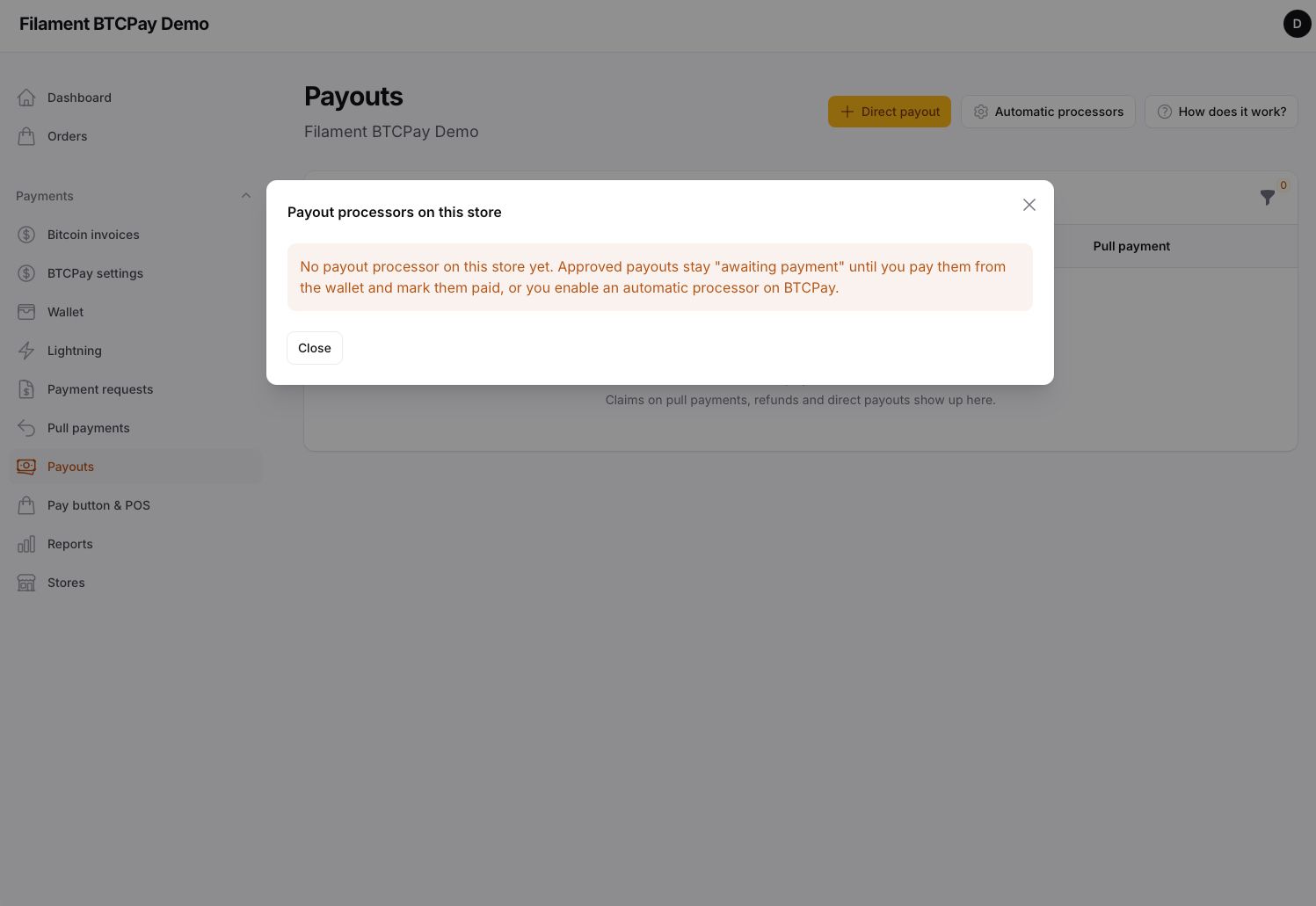
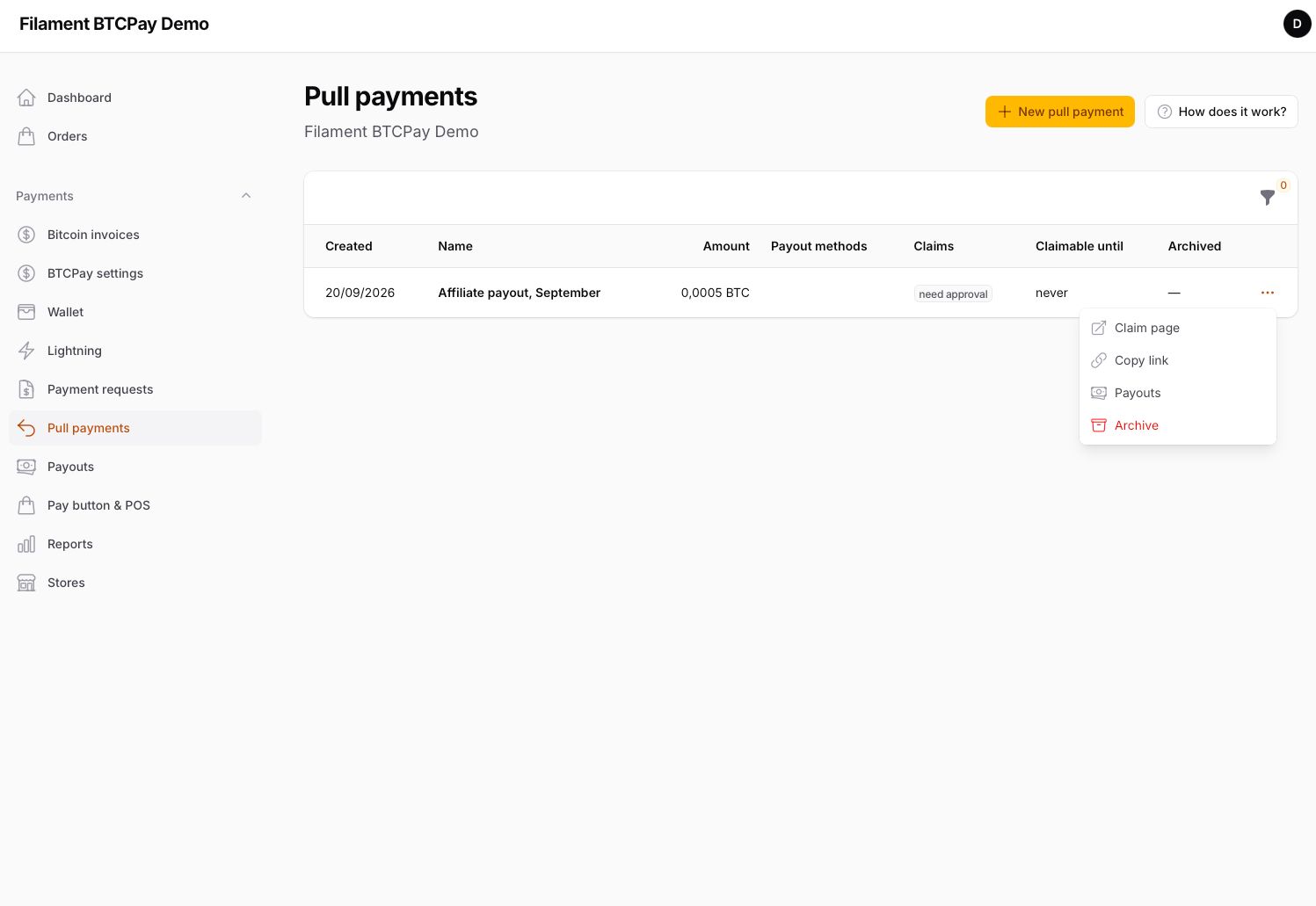
- Money out. Refunds, pull payments and payouts with approve, cancel and mark paid; payout processors pay approved ones on their own.
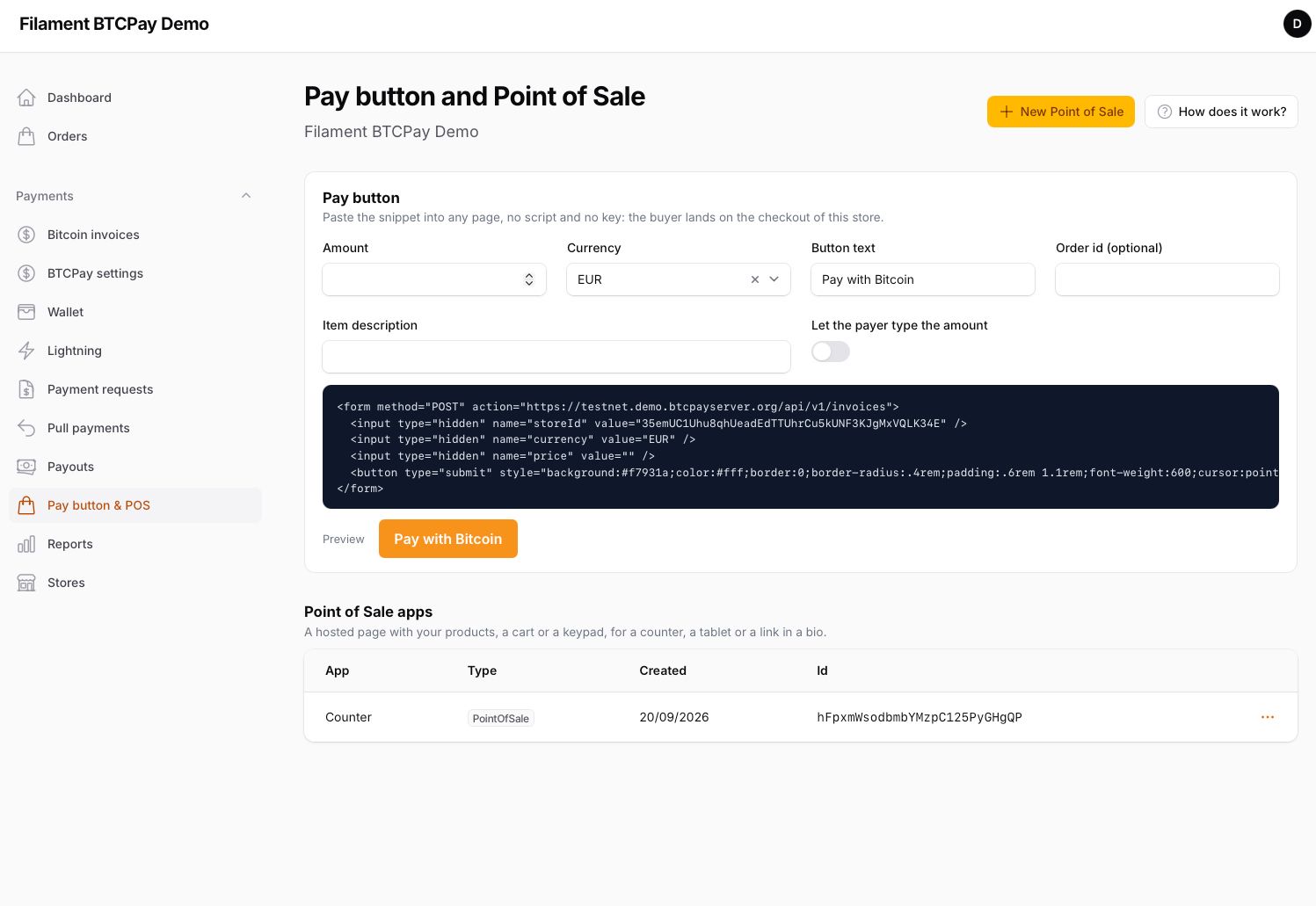
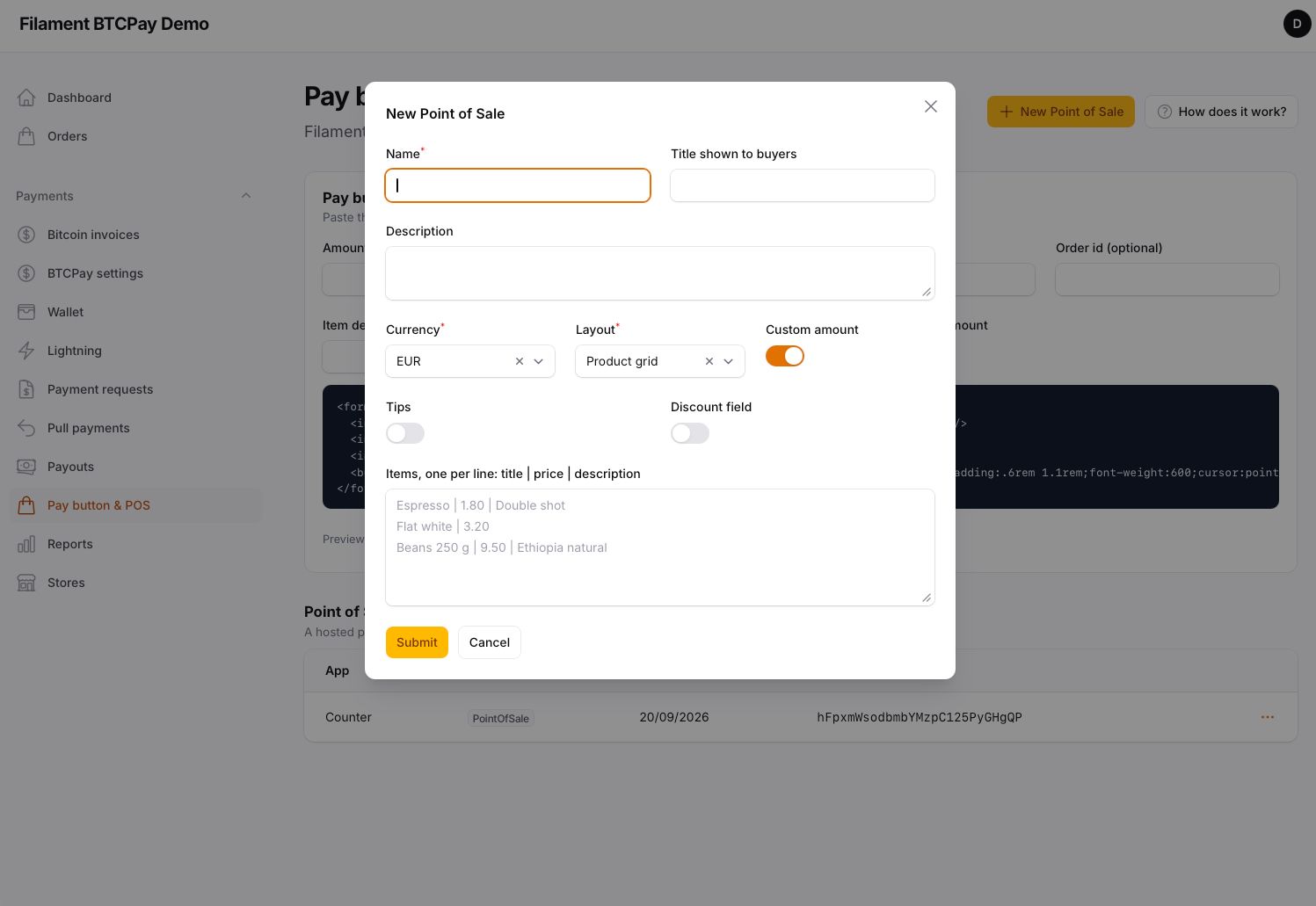
- Selling without code. Payment requests with a hosted page, a pay-button snippet, Point of Sale apps.
- Reports, events, stores. BTCPay's reports with CSV; twelve events for invoices, refunds, payouts and payment requests; as many stores as the panel serves, switchable from every page.
- Multi-tenant ready. One line resolves a different BTCPay store per tenant; a veto hook lets the host refuse an invoice before it exists.
#Screenshots
#Requirements
- PHP 8.4+, Laravel 13, Filament 5.x
- A BTCPay Server (1.13 or newer) you run or one a host runs for you, reachable over HTTPS, with a store and at least one wallet or Lightning node
- Your application reachable from that server over HTTPS, so the webhook can arrive
#Installation
composer require komma-softhouse/filament-btcpay
php artisan migrate
migrate creates the plugin's tables and, when the host does not have it yet, the settings table the settings page writes to. Nothing else to publish.
Register the plugin in the panel provider and switch on what you need — without this line the panel shows no BTCPay page at all:
use Komma\Btcpay\BtcpayPlugin;

->plugin(
    BtcpayPlugin::make()
        ->navigationGroup('Payments')
        ->everything(),
)
everything() switches on every module; pick them one by one instead when a panel should show less (see Options).
Then open BTCPay settings in the panel and follow the three numbered steps: server, Connect with BTCPay, Register webhook. Connect saves the server URL and sends you to BTCPay; the key and the store come back on their own. php artisan btcpay:selftest confirms tables, licence, server, key permissions, webhook and HTTPS.
APP_URL must be the public HTTPS address of your application: the webhook and the connect callback are built on it, and BTCPay has to reach both.
#Options
| Method | Default | What it does |
|---|---|---|
navigationGroup(?string) |
null |
Sidebar group of every page the plugin registers. |
everything(bool) |
false |
Every module below at once. |
invoices(bool) |
false |
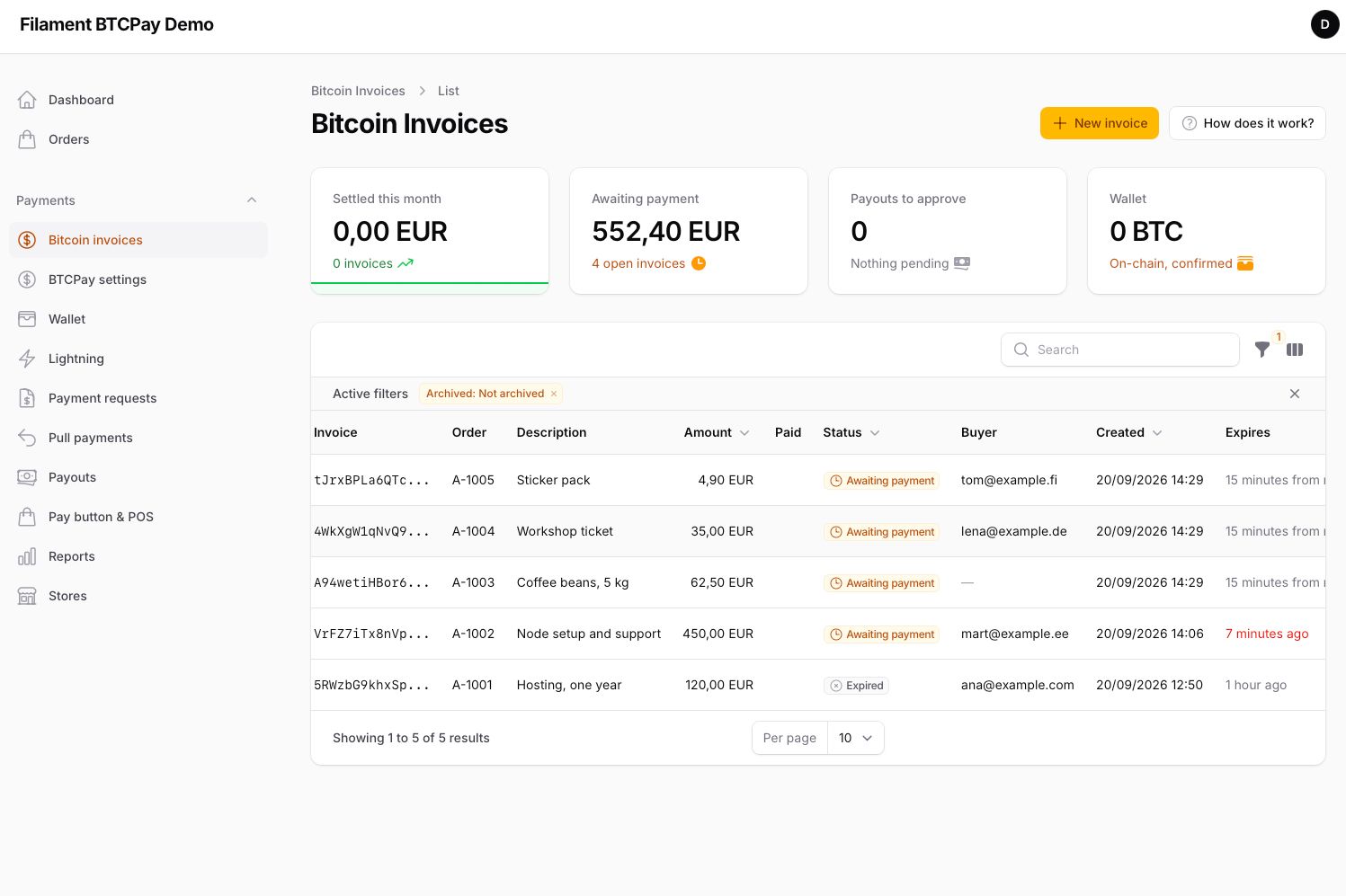
Bitcoin invoices: list, view with QR, new invoice, refund, refresh, mark settled or invalid, archive. |
settingsPage(bool) |
false |
Server, Connect, webhook, invoice defaults, store policies, exchange rates, checkout appearance. |
wallet(bool) |
false |
On-chain wallet: balances, receive address with QR, transactions with labels, send from a hot wallet. |
lightning(bool) |
false |
Lightning node: status, balances, channels, invoices, paying BOLT11 invoices, deposit address, opening channels. |
paymentRequests(bool) |
false |
Hosted pages that ask someone for an amount, with expiry and partial payments. |
pullPayments(bool) |
false |
Money someone can claim to an address of their choice: refunds, payroll, affiliates. |
payouts(bool) |
false |
Every claim and direct payout: approve, cancel, mark paid; payout processors. |
apps(bool) |
false |
Pay-button snippet generator and Point of Sale apps. |
reports(bool) |
false |
BTCPay's reports for a period with totals and CSV. |
stores(bool) |
false |
Additional stores and the store switcher on every page. |
dashboardWidgets(bool) |
false |
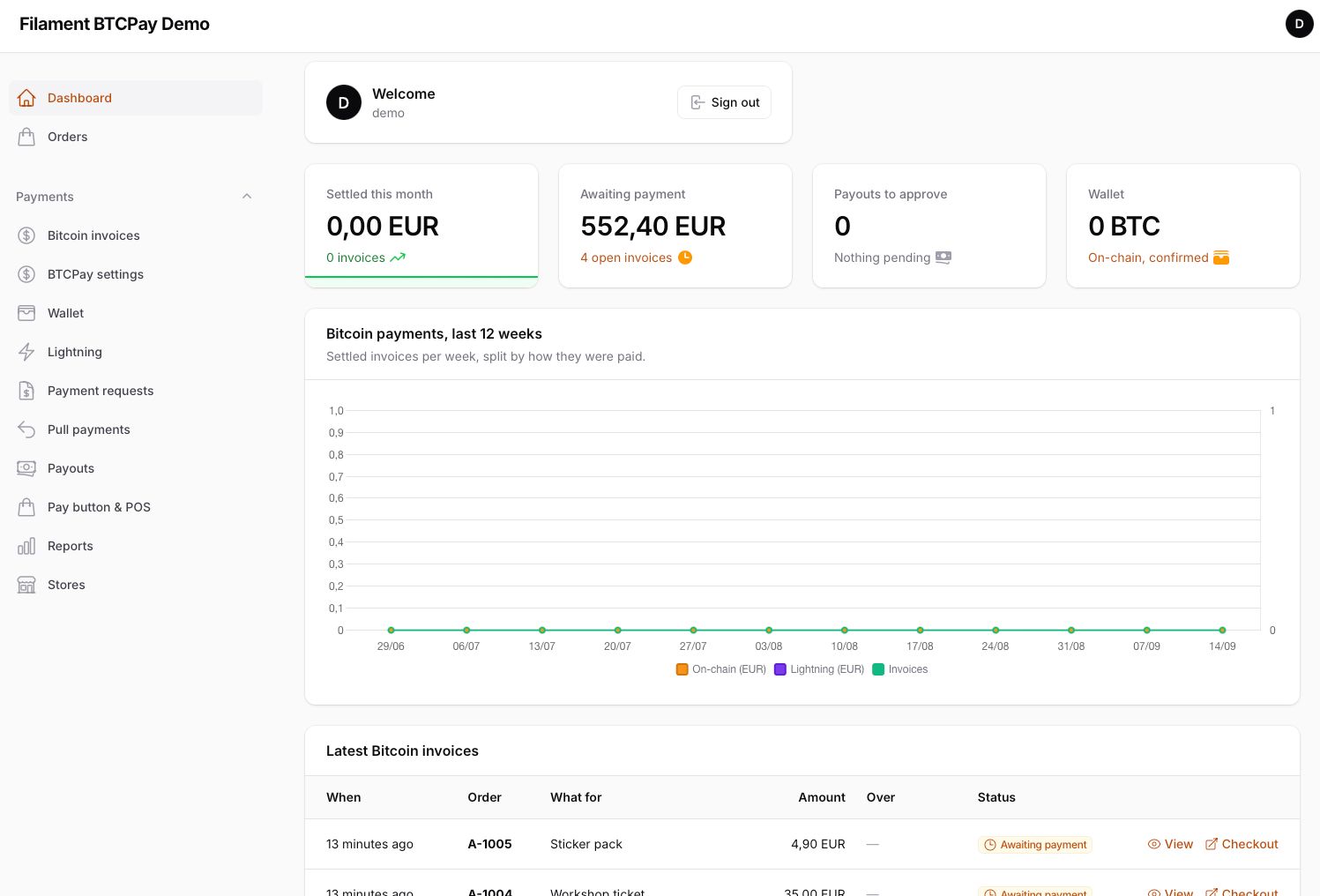
Settled this month with trend, awaiting payment, payouts to approve, wallet balance; 12-week on-chain/Lightning chart; latest invoices. |
brandingDisk(string) |
public |
The public disk that holds the checkout logo. |
Nothing is registered until switched on: a host that only wants the facade and the webhook gets no pages at all.
#Configuration
config/filament-btcpay.php: connection for the tables, migrations.enabled, the BTCPAY_* fallbacks for server, key, store and webhook secret (the settings page wins when filled), default_currency, routes (prefix and middleware of the webhook and the connect callback), queue to process webhook deliveries on a queue connection, webhook_retention_days, and permissions — every panel ability (view-invoices, create-invoice, mark-invoice, archive-invoice, refresh-invoice, refund-invoice, manage-settings, manage-wallet, send-from-wallet, manage-lightning, manage-payment-requests, manage-payouts, view-reports, manage-stores) on by default, switchable per installation or per user through a Gate named btcpay.{ability}. send-from-wallet also guards paying Lightning invoices and opening channels: the abilities that move money out.
#Connecting to BTCPay
The settings page asks for the server URL and offers Connect with BTCPay: the browser goes to BTCPay's Authorize page with the permissions the plugin needs — invoices (view, create, modify), webhooks, store settings (view, modify: policies, rates, appearance, wallet, apps), Lightning (view and create invoices, use the node), payment requests, pull payments, payouts and reports — scoped to the store you pick; BTCPay posts the key back to the plugin's callback, which stores it encrypted together with the store id. The callback is stateless — a signed state on the URL, no session — so it works across sites and never disturbs your panel login.
A key made by hand under Account › API keys works the same: paste it and the store id, press Test key.
Register webhook creates the webhook on the store with a fresh secret and the seven invoice events; the same is available as php artisan btcpay:webhook:register for deploy scripts. The plugin verifies BTCPay-Sig on every delivery, refuses other stores, records the delivery, and processes it once even if BTCPay redelivers.
#Creating invoices
From the panel: New invoice on the invoices page (amount, currency, what for, reference, buyer e-mail), or Pay with Bitcoin on any resource whose model implements Payable:
use Komma\Btcpay\Contracts\Payable;

class Order extends Model implements Payable
{
    public function btcpayAmount(): string { return $this->total; }
    public function btcpayCurrency(): string { return 'EUR'; }
    public function btcpayDescription(): ?string { return "Order {$this->number}"; }
    public function btcpayOrderId(): ?string { return $this->number; }
    public function btcpayBuyerEmail(): ?string { return $this->customer_email; }
    public function btcpayRedirectUrl(): ?string { return route('orders.thanks', $this); }
}
use Komma\Btcpay\Filament\Actions\PayWithBtcpayAction;

->recordActions([PayWithBtcpayAction::make()])
The action creates the invoice (or reuses the open one for that record), links it to the record, and opens the checkout.
From code:
use Komma\Btcpay\Facades\Btcpay;

$invoice = Btcpay::createInvoice('49.90', 'EUR', [
    'orderId' => 'A-1001',
    'itemDesc' => 'Hosting, one year',
    'buyerEmail' => 'ana@example.com',
]);

return redirect()->away($invoice->checkoutUrl());

$invoice = Btcpay::checkoutFor($order);           // Payable
$invoice = Btcpay::find('9KzZ…');                  // by BTCPay id
Btcpay::sync($invoice);                            // re-read from BTCPay
Btcpay::mark($invoice, InvoiceStatus::Settled);    // by hand
Btcpay::rate('EUR');                               // '61234.5'
Defaults for every invoice come from the settings page: currency, confirmations (0, 1, 2 or 6 blocks), expiry, late-payment window, redirect, checkout language, payment methods offered. The fourth argument of createInvoice() overrides any of them for one call with BTCPay's own checkout keys.
Checkout appearance, on the same page, is written to the store on BTCPay when you save: logo, brand colour, browser title, which method the checkout opens with, store name on top, the Pay in wallet button, confetti, the receipt page, and whether the payer is asked for an e-mail. Everything else the checkout offers stays one click away in BTCPay's own store settings.
#Reacting to payments
use Komma\Btcpay\Events\InvoiceSettled;

Event::listen(InvoiceSettled::class, function (InvoiceSettled $event): void {
    $order = $event->invoice->payable;   // the linked record, when there is one
    $order?->markPaid($event->invoice);
});
| Event | When |
|---|---|
InvoiceCreated |
BTCPay registered the invoice; nothing paid yet. |
InvoicePaymentReceived |
A payment appeared (mempool or Lightning), not yet confirmed. |
InvoiceProcessing |
The full amount is in, waiting for confirmations. |
InvoicePaymentSettled |
One payment reached the confirmations the policy asks for. |
InvoiceSettled |
Paid and confirmed — fulfil the order here. |
InvoiceExpired |
No full payment before expiry; a partial payment may be present. |
InvoiceInvalid |
BTCPay or an operator declared the invoice invalid. |
Every invoice event carries the invoice (already synced with BTCPay) and the raw payload. Set BTCPAY_QUEUE to process deliveries on a queue.
#The store, from the panel
Everything on the settings page below the connection is written to the store on BTCPay when you press Save:
- How invoices are created — currency, confirmations, expiry, late-payment window, redirect, checkout language, payment methods offered.
- Store policies — payment tolerance, who pays the network fee, suggested fee rate, countdown, sound, Lightning amounts in sats, on-chain fallback inside Lightning invoices, private route hints, lazy methods, support link, external CSS, whether anyone can create invoices (needed by the pay button).
- Exchange rates — the source BTCPay quotes (Kraken, Coinbase, Bitstamp…) and the spread it adds; Rate now shows today's price.
- Checkout appearance — store name, logo, brand colour, browser title, the method the checkout opens with, header, Pay in wallet button, confetti, BTCPay's receipt, asking the payer for an e-mail.
- Your receipt page — the page of your application the payer lands on after paying (
/btcpay/return/{invoice}): your logo and colour, heading, message, button, order reference and payments received; it refreshes the invoice on arrival and polls while the payment confirms. Switch to a URL of your own on the Invoices tab when you already have one;{InvoiceId}is filled by BTCPay.
#Wallet and Lightning
Wallet shows the on-chain balance (confirmed and pending), the current receive address with its QR and bitcoin: link, and every transaction with confirmations, labels and a note you can edit. Send builds, signs and broadcasts a transaction when the store runs a hot wallet on BTCPay, with the confirmation target of your choice and RBF; a watch-only wallet receives here and spends elsewhere.
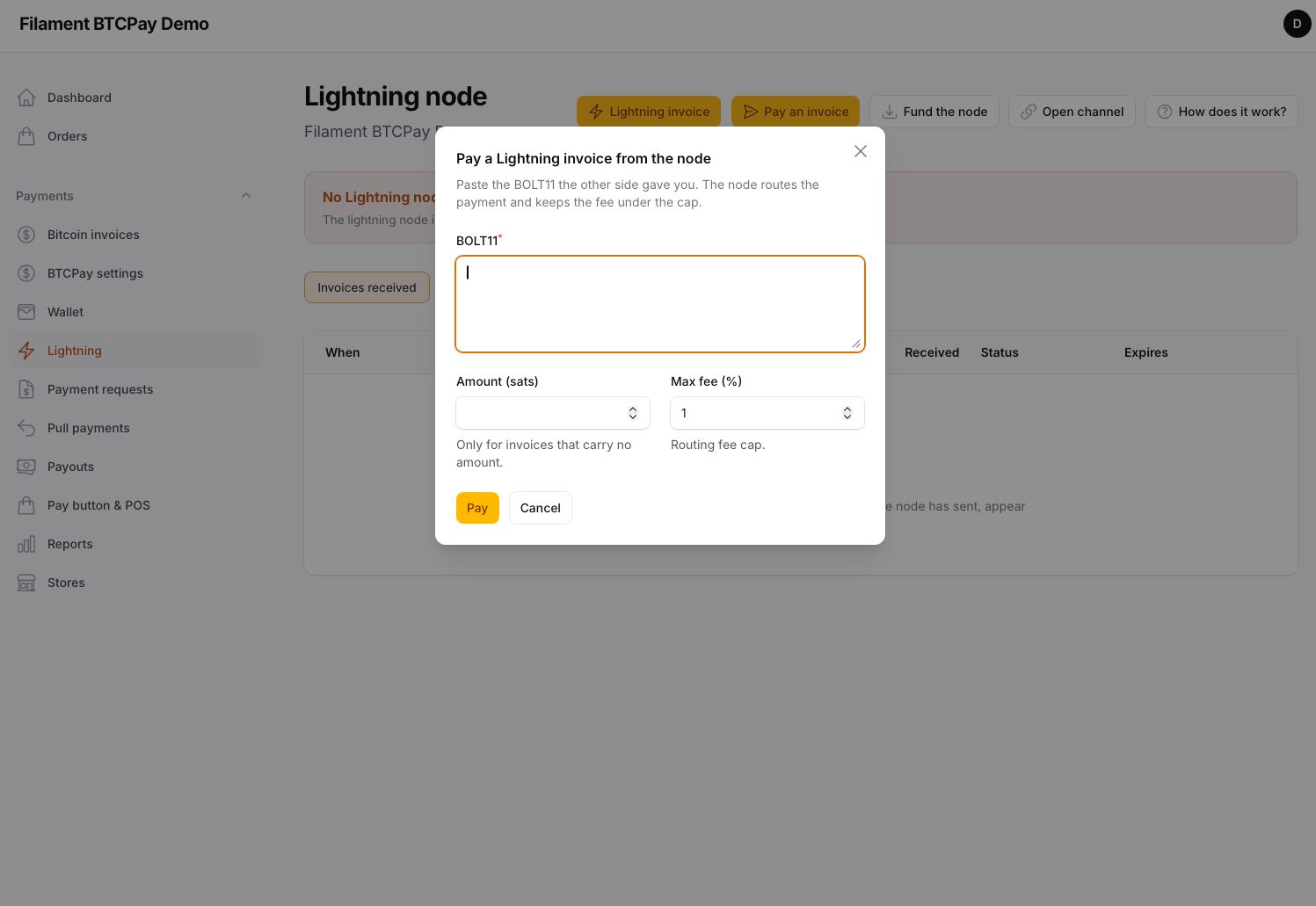
Lightning shows the node (alias, URIs, block height), on-chain and channel balances, the channels with their capacity, the invoices received and the payments sent. New Lightning invoice makes a BOLT11 with its QR for a counter or a chat; Pay an invoice pays any BOLT11 from the node with a fee cap; Deposit address funds the node; Open channel connects to a peer and opens a channel of the size you set.
#Refunds, pull payments, payouts
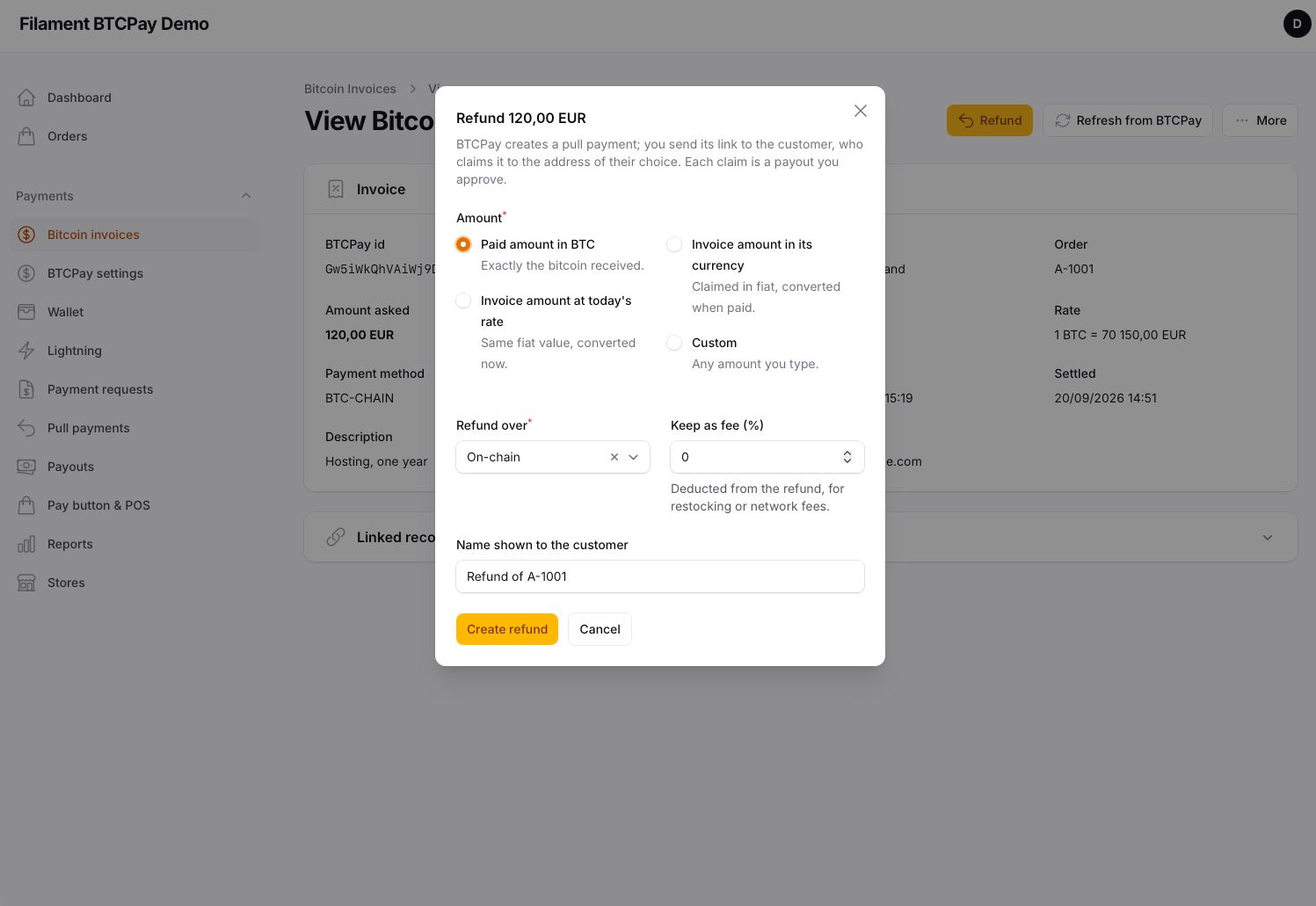
A settled invoice has a Refund action: the paid bitcoin, the invoice amount at today's rate, the amount in fiat, or a custom one, over on-chain or Lightning, with an optional percentage kept as fee. BTCPay creates a pull payment; you send its link to the customer, who claims it to the address of their choice.
Pull payments is the same mechanism for anything the store lets someone claim — payroll, affiliates, prizes — with amount, currency, validity, payout methods and auto-approval. Every claim, and every direct payout you create for an address, is a payout: approve it, cancel it, or mark it paid when you settled it elsewhere. A payout processor on the store pays approved payouts on its own.
#Payment requests, pay button, Point of Sale
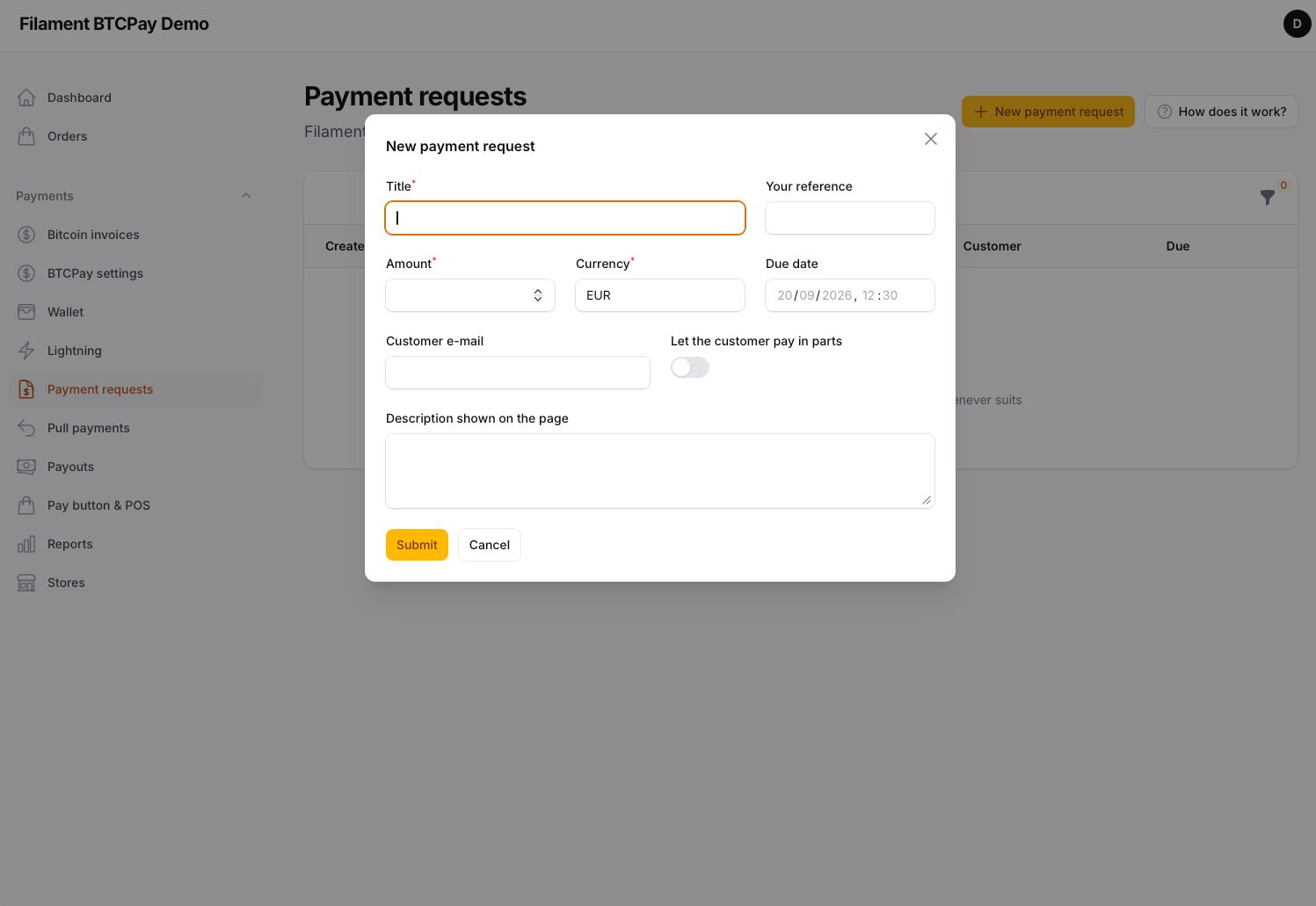
Payment requests are hosted pages that ask someone for an amount: title, description, e-mail, due date, partial payments allowed or not. Share the link; the page turns into an invoice when they pay.
Pay button & POS writes the HTML snippet of a pay button for any page — fixed or free amount, currency, label, order id — and creates Point of Sale apps hosted by BTCPay: product grid, cart, keypad or printable QR codes, with tips and discounts.
#Reports
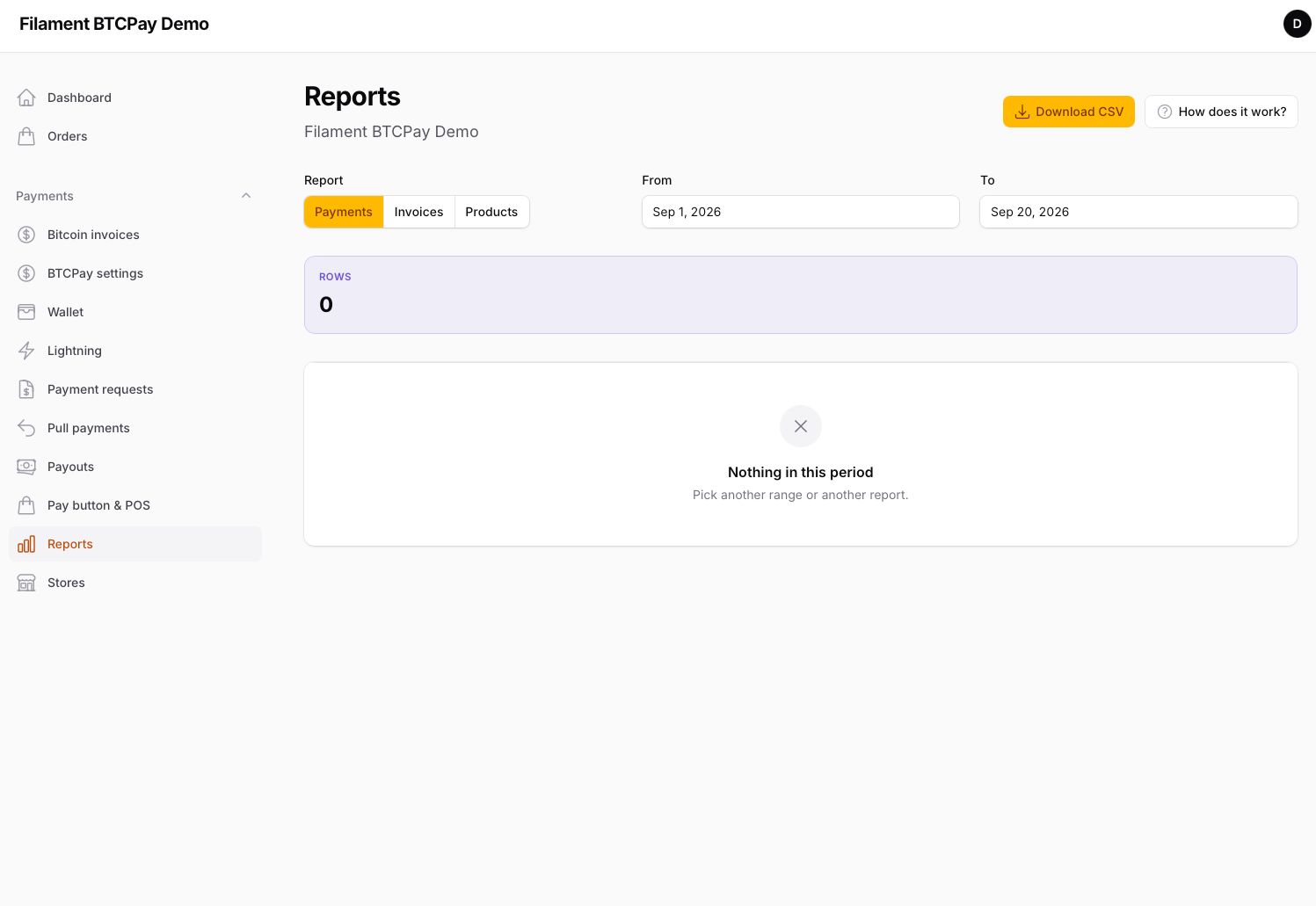
Reports runs BTCPay's own reports — payments, invoices, products — for any period, shows the totals per currency, and downloads the rows as CSV.
#Several stores
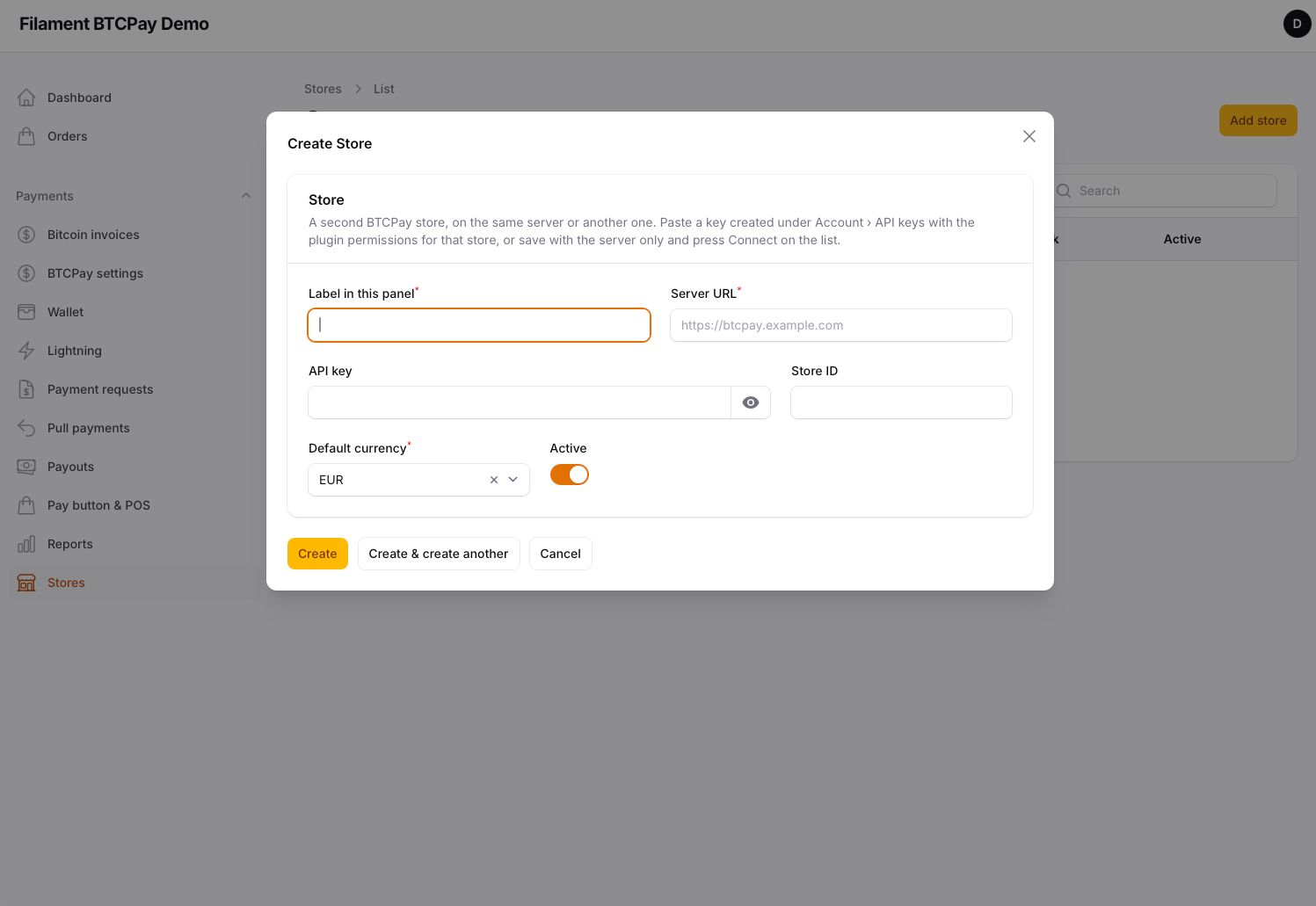
The settings page holds the primary store. Stores adds more — on the same server or another — each with its own key and webhook, connected with the same Connect button. The header of every page carries a store switcher; invoices remember their store, and each webhook delivery is verified with the secret of the store it comes from. On a multi-tenant host, resolve the connection per tenant instead:
Btcpay::resolveConnectionUsing(fn () => new Connection(
    tenant()->btcpay_url, tenant()->btcpay_api_key, tenant()->btcpay_store_id,
));

Btcpay::beforeCreating(fn (string $amount, string $currency, array $metadata): ?string =>
    tenant()->invoicesThisMonth() >= 100 ? 'Plan limit reached' : null,
);
Set BTCPAY_CONNECTION to keep the plugin's tables on the tenant connection.
#Store events
Beside the invoice events, the panel raises RefundCreated, PayoutApproved, PayoutPaid and PaymentRequestCompleted, each carrying BTCPay's object in $event->payload.
#Commands
btcpay:selftest— tables, licence, server URL, API key and store, permissions, server version and sync, webhook, HTTPS.btcpay:sync— refresh open invoices from BTCPay; schedule it every few minutes as a safety net for lost deliveries.--allrefreshes finished ones too.btcpay:webhook:register— register or replace the webhook.btcpay:prune— delete processed webhook deliveries older than the retention.btcpay:license— licence status.
#Translations
English and Spanish for the panel. BTCPay's checkout has its own languages; pick the default on the settings page.
#Testing
composer test
#Security
If you discover a security issue, email security@kommasofthouse.com instead of using the issue tracker. See SECURITY.md.
#License
Commercial. Sold and activated through Anystack. See LICENSE.md.
The author
Komma SoftHouse builds Laravel and Filament software — point-of-sale, ERPs, and the multi-tenant SaaS platform behind them. The plugins it publishes are pieces of that work, released once they have proven themselves in production: Spanish fiscal compliance, tenancy infrastructure, and whatever the next product turns out to need.
From the same author

Tenancy Suite
Database-per-tenant multi-tenancy on stancl/tenancy: one identity across every workspace, invitations, custom domains verified by DNS, backups and restore, health checks with per-check repairs, async provisioning, and a pool of database servers.
Author:
Komma SoftHouse

Verifactu
VERI*FACTU / RRSIF and TicketBAI compliant fiscal engine for Filament 5, covering all four Spanish fiscal regimes: chained fiscal records, AEAT and foral submission, XAdES signing, the full document lifecycle, the received side of the ledger, FACe/FACeB2B, and state and foral tax report drafts.
Author:
Komma SoftHouse

Navigator
Manage your panel's navigation from the panel itself: reorder groups and items with drag and drop, add custom links, and use any symbol as a menu icon — text markers, Blade icons, pasted SVG or uploaded PNG, JPG and WebP images — with no code and no deploy.
Author:
Komma SoftHouse
Eesti Billing
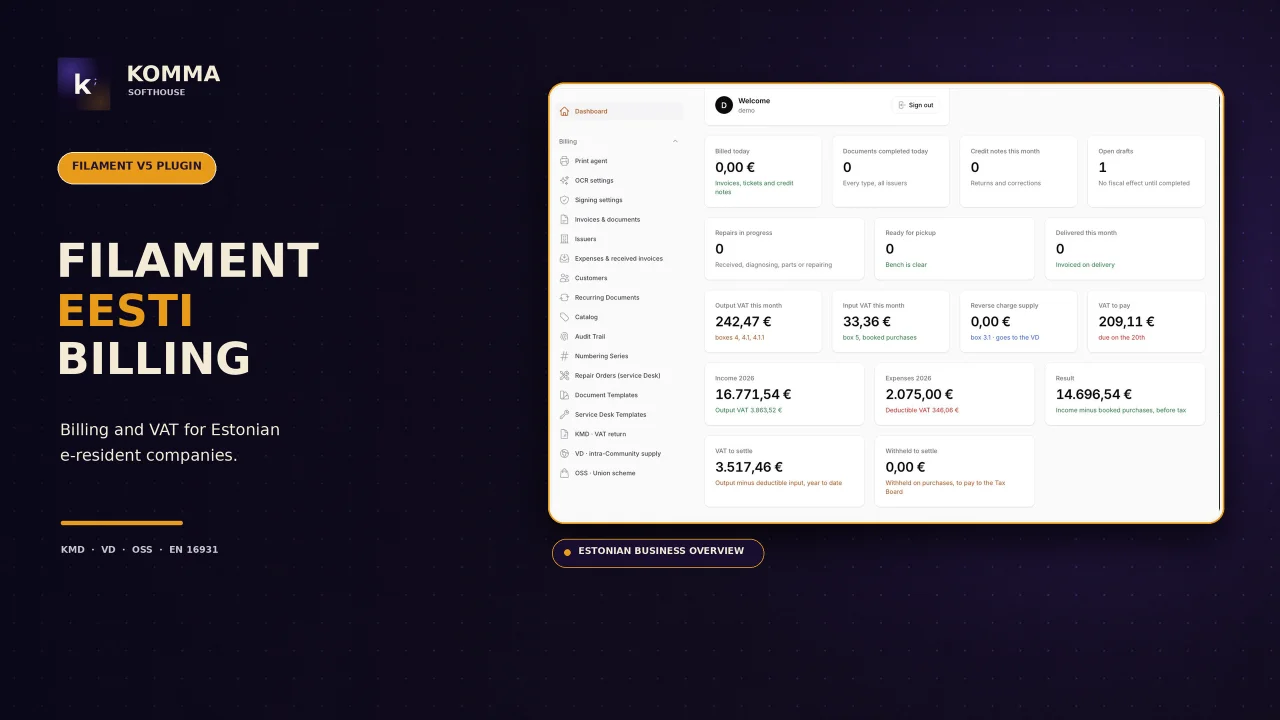
Invoicing for companies established in Estonia: numbered document cycle, VAT decided by customer with VIES proof, viitenumber, KMD/VD/OSS files for e-MTA, e-invoices (EN 16931, e-arve), ID-kaart / Smart-ID / Mobile-ID signing, thermal receipts and a service desk.
Author:
Komma SoftHouse
Featured Plugins
A selection of plugins curated by the Filament team

Noir Theme
A theme that gives panels a focused, refined look with near-black surfaces, crisp actions, and restrained color.
 Filament

Spotlight Pro
Browse your Filament Panel with ease. Filament Spotlight Pro adds a Spotlight like Command Palette to your Filament Panel.
 Dennis Koch

Advanced Tables (formerly Filter Sets)
Supercharge your tables with powerful features like user-customizable views, quick filters, multi-column sorting, advanced table searching, convenient view management, and more. Compatible with Resource Panel Tables, Relation Managers, Table Widgets, and Table Builder!
 Kenneth Sese
