
Warp Table by Yuichi Okada
CommunityDraws Filament table rows on a canvas so pages with thousands of rows stay fast, while behaving exactly like the native table.
filament/
namespace. Review the source and install at your own risk. Found
malware or an unresolved security issue the author won't
address?
Report it
.
 Author:
Yuichi Okada
Author:
Yuichi Okada
Documentation
- Why
- Features
- Screenshots
- Requirements
- Installation
- Usage
- Multi-level rows
- Supported columns
- Keyboard
- Automatic fallback
- Limitations
- How it works
- Troubleshooting
- Changelog
- Support
- License
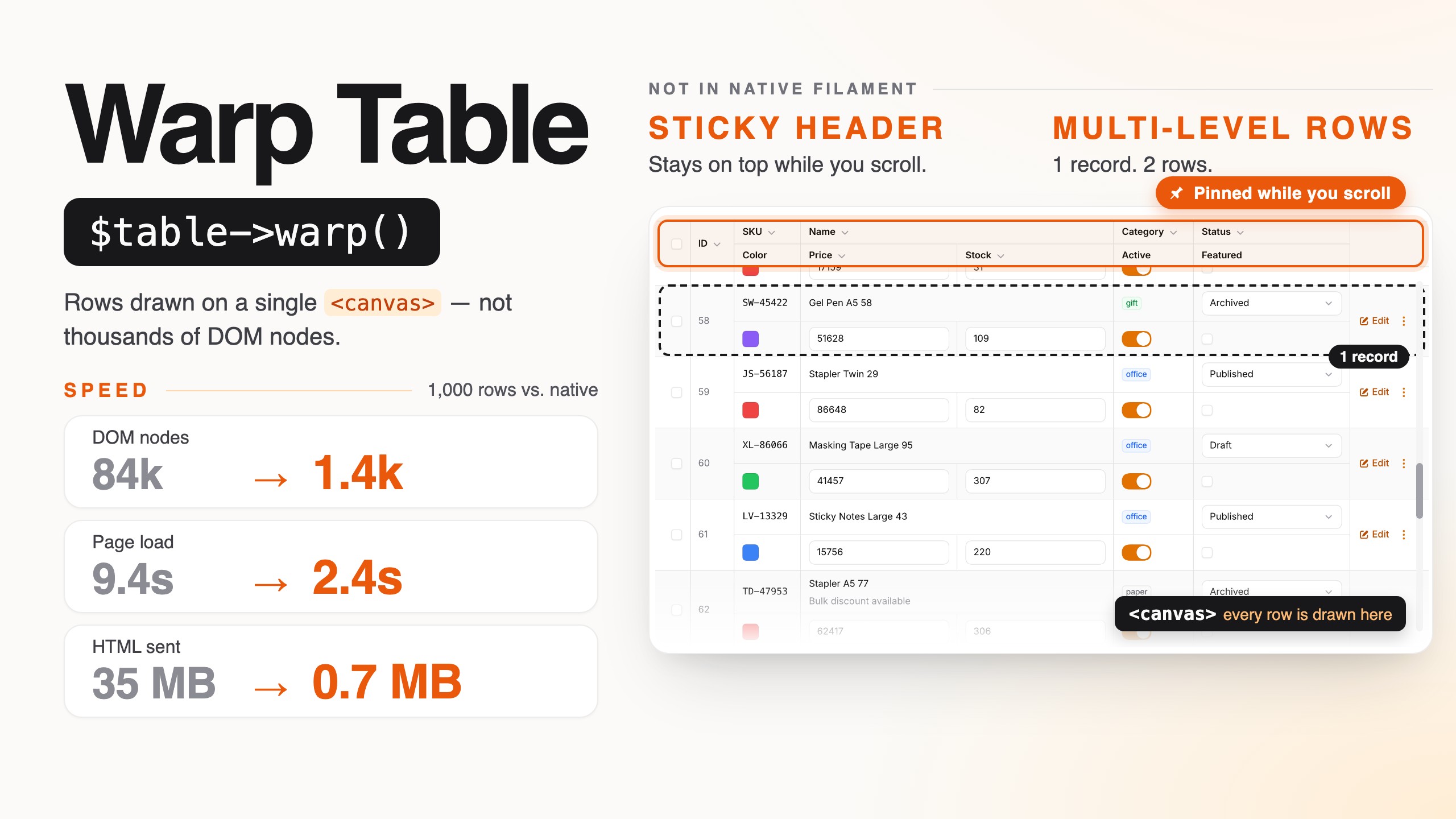
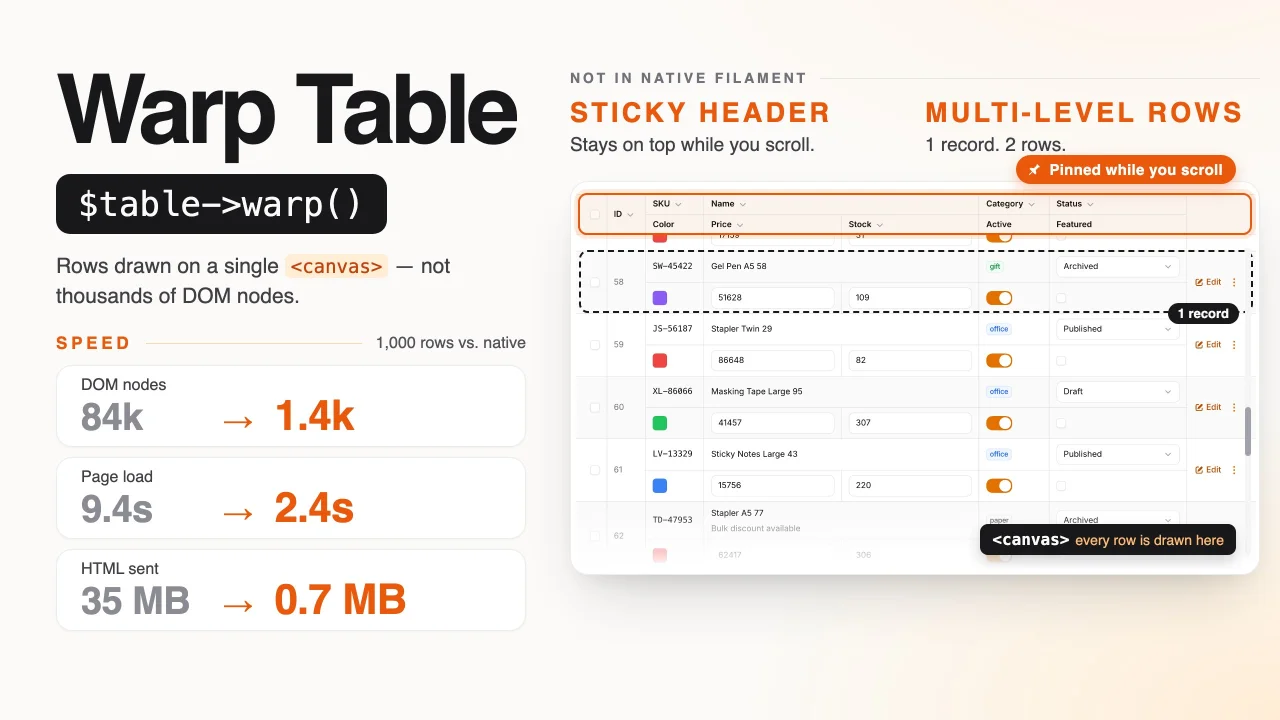
Fast Filament tables for large pages: the rows are drawn on a <canvas>, with a sticky header and ledger-style multi-level rows that the native table does not have, while everything else behaves exactly like the native table.
Filament tables slow down once a page holds several hundred rows, and much more so when those rows contain inline-editable columns (TextInputColumn, SelectColumn, ToggleColumn, CheckboxColumn). Every cell becomes Blade output and Alpine components, and the browser has to build and lay out tens of thousands of DOM nodes.
Warp Table keeps your existing Table definition. Add ->warp() and the records area is drawn on a canvas. The header toolbar, filters, search, pagination, bulk actions, modals and notifications are still Filament's own. Only the cell you are editing becomes a real <input> / <select>.
public static function table(Table $table): Table
{
    return $table
        ->warp()
        ->columns([...]);
}
#Why
Measured on a demo table with 1,000 rows and 10 columns, 4 of them editable (Chrome, Filament 5):
| Native table | Warp Table | |
|---|---|---|
| HTML sent | 35 MB | 0.7 MB |
| DOM nodes | 83,961 | 1,445 |
| Alpine components | 6,021 | 23 |
Time to load |
9.4 s | 2.4 s |
On a real order-management table (grouped by file, with group subtotals), the native table could not render 2,500 rows per page at all: PHP ran out of memory while rendering the Blade. Warp Table rendered the same page, with 869 groups and 872 summary rows, in about 3.7 s.
#Features
- Drop-in: one method, same
Tabledefinition, same columns, filters, actions and pagination. - Behaves like the native table, verified side by side against Filament's own table:
- Row links are real links: Cmd/Ctrl-click and middle-click open a new tab, the context menu works, and the URL shows in the status bar.
- Cell clicks follow the native rules: a column
url()makes the whole cell a link, a columnaction()runs instead of the row's URL, anddisabledClick()turns the cell off. - Selection, "select all", Shift-click range selection, group checkboxes and bulk actions go through Filament's own selection store.
- Keyboard: the Tab order, focus rings and Enter / Space behavior match the native table.
- Page scrolling: the table scrolls with the page, and paging scrolls back to the top of the table.
- Loading states: checkboxes are disabled and the sort indicator spins while Livewire is busy.
- Column widths are measured by the browser with the same markup, so columns line up with the native table to the pixel, at every screen width.
- Phones and tablets: columns hidden with
visibleFrom()/hiddenFrom()follow the screen width, touch scrolling and taps work, andstackedOnMobile()tables use Filament's stacked layout on narrow screens. - Browser find (Cmd/Ctrl+F) finds text in every row, including rows that are off screen.
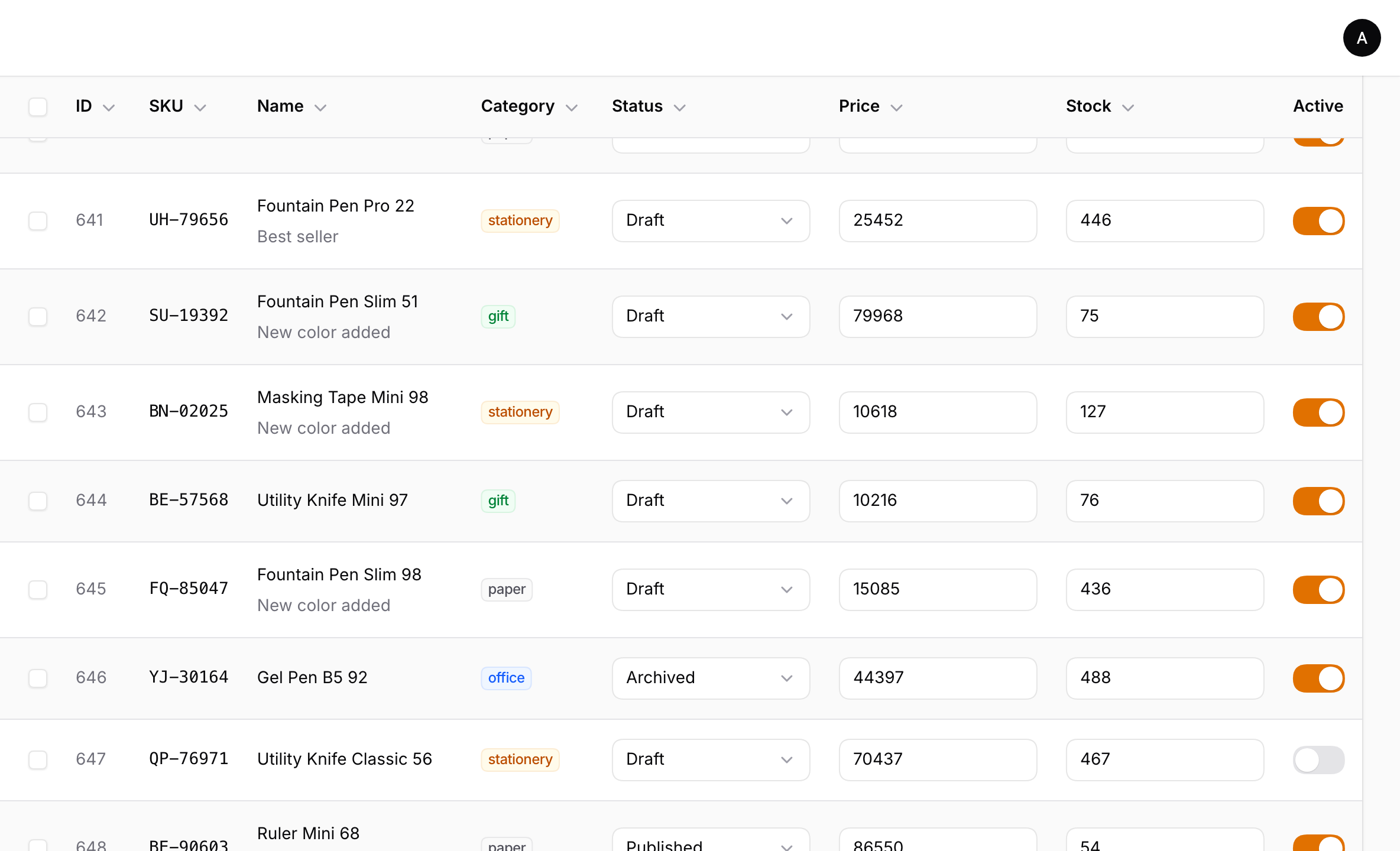
- Sticky header:
->warpStickyHeader()keeps the header row on screen while the page scrolls, so you always know which column you are looking at, even 600 rows down. The native table cannot do this, because its scrolling container stops CSSposition: stickyfrom working. It also works inside modals and slide-overs. - Grouping: collapsible groups, HTML group titles, group descriptions and group selection.
- Column groups:
ColumnGrouplabels above the column headers, with the same dividers as the native table. - Summaries: group subtotals, page summary and table summary, using Filament's summarizers.
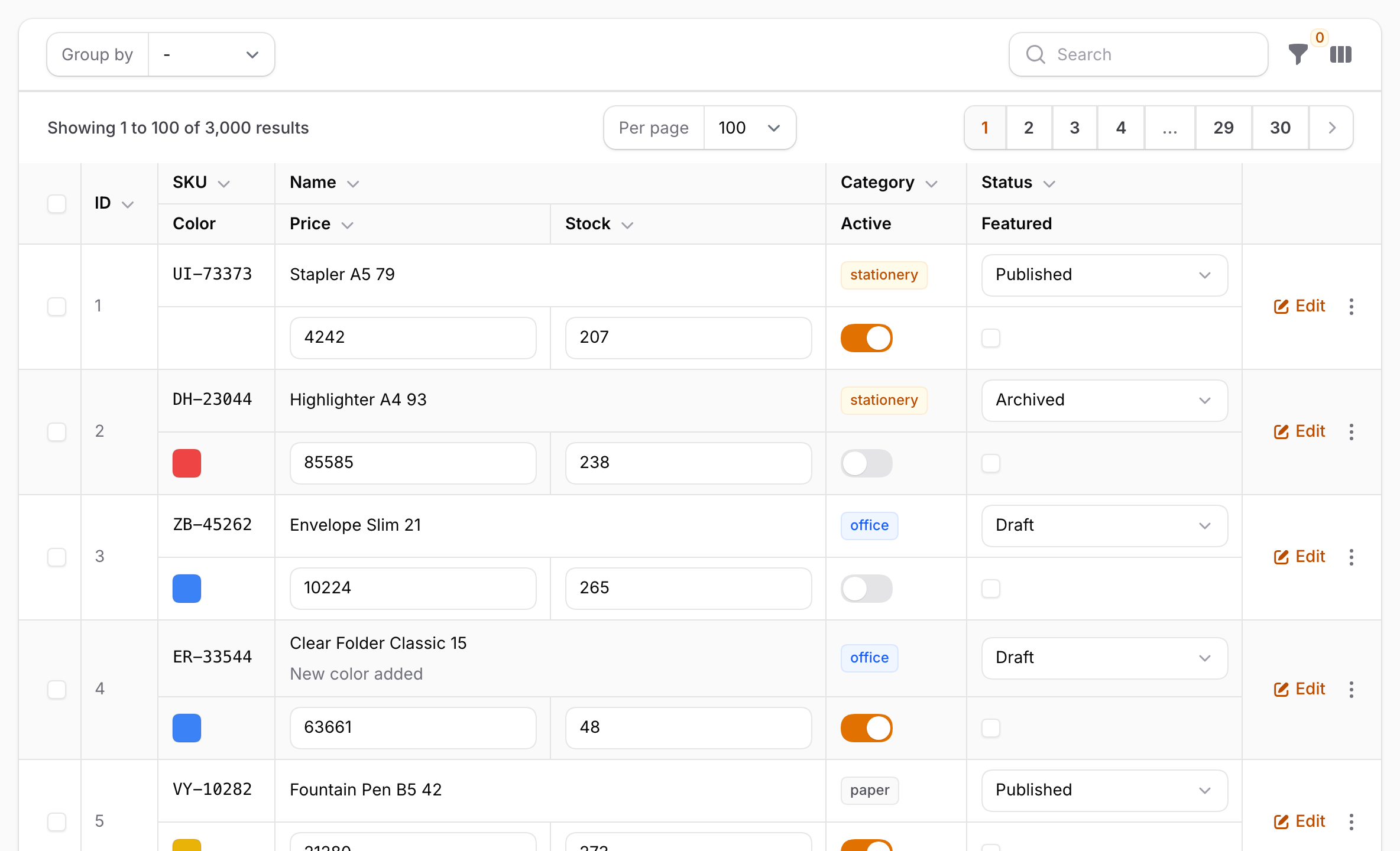
- Multi-level rows: show each record on several lines, ledger style, with a multi-level header. The native table has no equivalent either.
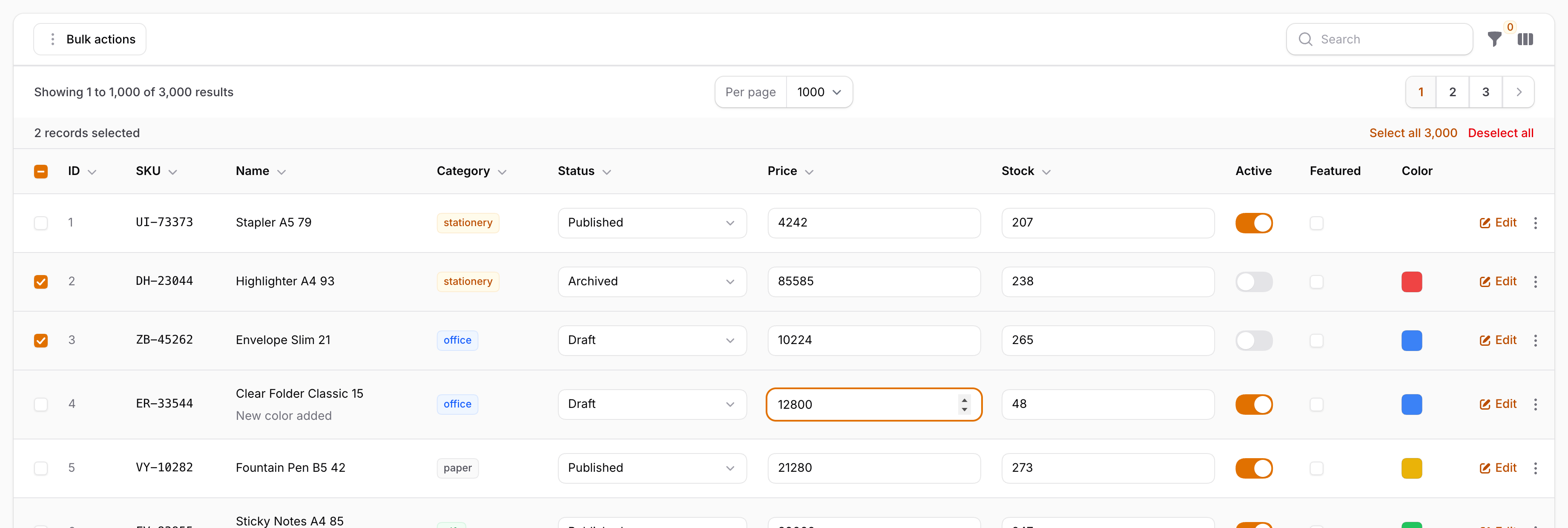
- Inline editing: text inputs and selects are edited in place, and toggles and checkboxes are toggled in place. Validation errors are shown inline, exactly as your column rules return them.
- Actions: record actions, action groups (dropdowns), URL actions, modals and confirmations, all using Filament's own action pipeline.
- Theme aware: colors, fonts and spacing are read from Filament's CSS at runtime, so custom themes and dark mode work without configuration.
- Automatic fallback: in states the canvas does not draw (see below), the regular Filament table is rendered with no change on your side.
#Screenshots
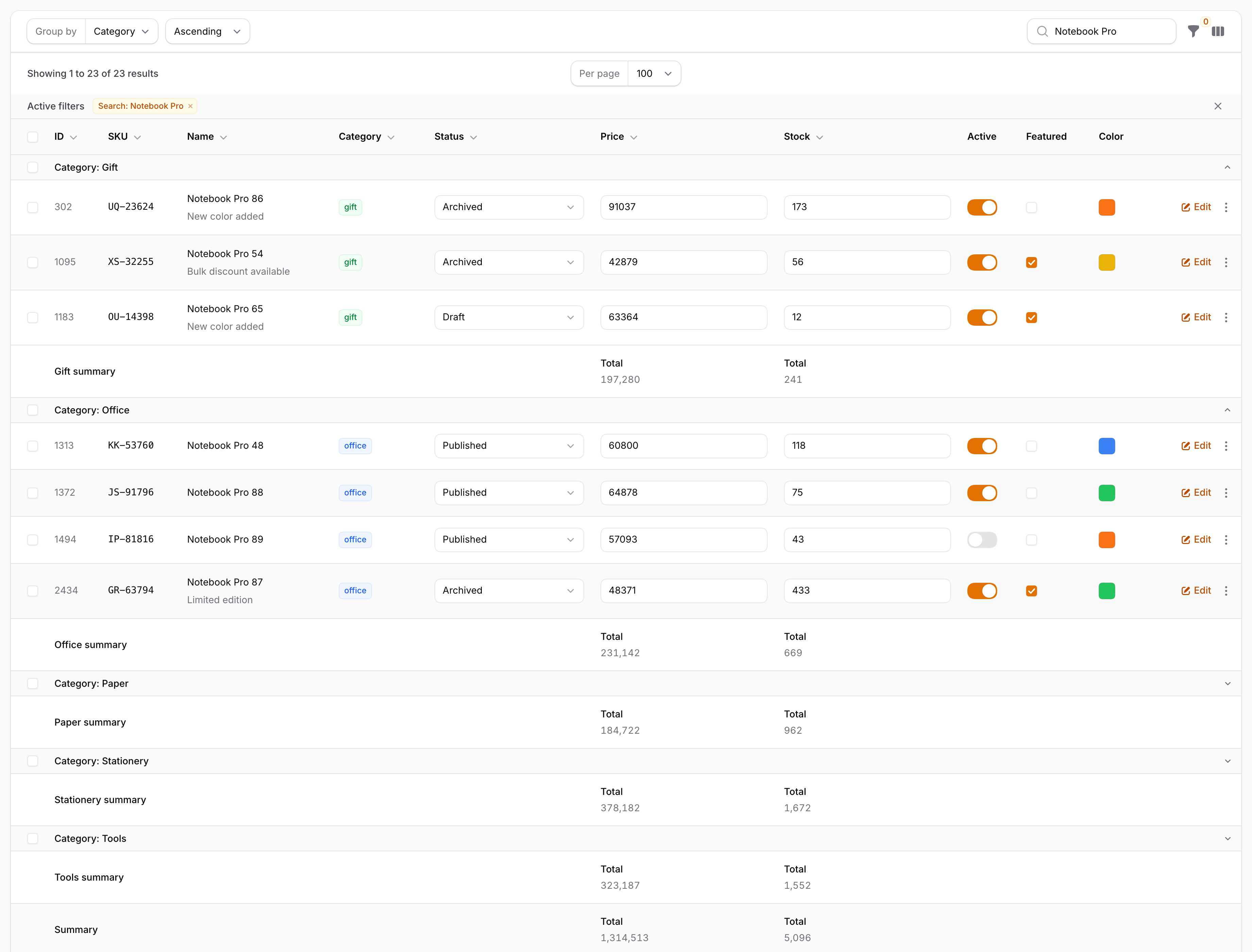
A sticky header that stays below the panel's topbar, 640 rows down a 1,000-row page:
Inline editing, row selection and badges:
Collapsible groups with subtotals and a table summary:
#Requirements
- PHP 8.3+
- Laravel 12 or 13
- Filament 5.x (Livewire 4)
Works in panels and in standalone Livewire components that use Filament's Table Builder.
#Installation
Warp Table is a commercial plugin. A license is required. After purchase you receive credentials for the private Composer repository.
Add the repository and authenticate:
composer config repositories.qalainau composer https://qalainau.privato.pub/composer
composer config --auth http-basic.qalainau.privato.pub "your-email" "your-license-key"
The username is the email address on your license and the password is your license key. Use the same credentials on every machine and server that installs the package, such as your laptop, CI and production.
Install the package and publish Filament's assets:
composer require qalainau/filament-warp-table
php artisan filament:assets
The service provider is auto-discovered. There is nothing else to register.
Run
php artisan filament:assetsagain after every update of the package. The asset URLs contain a hash of the file contents, so browsers pick up the new build immediately.
#Usage
Call ->warp() on any table:
use Filament\Actions\ActionGroup;
use Filament\Actions\DeleteAction;
use Filament\Actions\EditAction;
use Filament\Tables\Columns\CheckboxColumn;
use Filament\Tables\Columns\SelectColumn;
use Filament\Tables\Columns\TextColumn;
use Filament\Tables\Columns\TextInputColumn;
use Filament\Tables\Columns\ToggleColumn;
use Filament\Tables\Table;

public static function table(Table $table): Table
{
    return $table
        ->warp()
        ->columns([
            TextColumn::make('sku')->sortable()->searchable()->copyable(),
            TextColumn::make('name')->description(fn ($record) => $record->note),
            TextColumn::make('category')->badge(),
            SelectColumn::make('status')->options([
                'draft' => 'Draft',
                'published' => 'Published',
            ]),
            TextInputColumn::make('price')->type('number')->rules(['integer', 'min:0']),
            ToggleColumn::make('is_active'),
            CheckboxColumn::make('is_featured'),
        ])
        ->groups(['category'])
        ->recordActions([
            EditAction::make(),
            ActionGroup::make([DeleteAction::make()]),
        ])
        ->paginated([100, 500, 1000]);
}
->warp() accepts a boolean or a closure, so you can enable it conditionally:
$table->warp(fn (): bool => auth()->user()->prefersFastTables());
$table->isWarp() tells you whether Warp Table is active for a table.
#Options
$table
    ->warp()
    ->warpStickyHeader()          // keep the header row on screen while the page scrolls (default: off)
    ->warpHeight('70vh')          // scroll inside the table with a sticky header (default: scroll with the page)
    ->warpRowHeight(56)           // fixed row height in px (default: computed from the content, like the native table)
    ->warpMeasureSampleSize(300)  // rows measured for column widths, plus the widest rows further down (default: 300)
    ->warpMultiLevel(columns: 6, rows: 2); // several lines per record (see "Multi-level rows")
By default the table scrolls with the page, exactly like the native table. warpStickyHeader() keeps the page scroll but pins the header row below the panel's topbar until the last record scrolls past, so long tables stay readable. Inside a modal or slide-over, the header sticks to the top of the modal's scrolling area instead. The native table has no equivalent, because its scrolling container stops CSS position: sticky from working, so the option is off by default. warpHeight() switches to a fixed-height scroll area with a sticky header row. This is useful for dashboards or very long pages.
#Multi-level rows
Wide records are easier to read when each record spans several lines, like a paper ledger. warpMultiLevel() lays the columns out on a grid: every record gets the same number of lines, and each column is placed on the grid with warpCell().
use Qalainau\FilamentWarpTable\MultiLevel\HeaderCell;

$table
    ->warp()
    ->warpMultiLevel(columns: 6, rows: 2, header: [
        HeaderCell::make('ID')->row(1)->col(1)->rowSpan(2)->column('id'),
        HeaderCell::make('Product')->row(1)->col(2)->colSpan(3),
        HeaderCell::make('Price')->row(2)->col(2)->column('price'),
        // ...
    ])
    ->columns([
        TextColumn::make('id')->sortable()->warpCell(row: 1, col: 1, rowSpan: 2),
        TextColumn::make('sku')->warpCell(row: 1, col: 2),
        TextColumn::make('name')->warpCell(row: 1, col: 3, colSpan: 2),
        TextInputColumn::make('price')->sortable()->warpCell(row: 2, col: 2),
        TextInputColumn::make('stock')->warpCell(row: 2),
        // ...
    ]);
warpCell(row, col, rowSpan, colSpan)places a column (1-based). If you give onlyrow, the column takes the first free place on that line. Columns withoutwarpCell()fill the remaining free places line by line, like CSS Grid auto-placement. Extra lines are added when the grid is full.headeris optional. Without it, each column's label is shown at the column's position. AHeaderCelllinked to a column with->column('name')sorts that column and shows its sort icon.->alignment()is supported.bordered: falseremoves the lines between the columns of the grid. The lines between the lines of a record stay.- The selection checkbox and the record actions span the full height of the record.
warpRowHeight()sets the height of each line instead of the whole record.- Summaries are placed under their columns. Lines without any summary are left out of the summary row.
- The column widths of the grid are computed from the content, the same way as in the regular layout.
- Editing, links, selection, grouping and the keyboard work the same as in the regular layout. Tab moves through the cells in reading order (line by line).
Multi-level rows are a Warp Table layout. When Warp Table is disabled or falls back to the native table (see Automatic fallback), the table is shown with one line per record.
#Supported columns
| Column | Rendering |
|---|---|
TextColumn |
Text, lists, badges, colors, icons, weight, font family and size, descriptions, wrap(), limitList(), copyable(), url(), action(), placeholders. numeric() and money() use tabular figures. |
IconColumn |
Icons, boolean(), colors, line breaks, url(). |
ImageColumn |
Images (lazy-loaded), circular or square, stacked, limit with a remaining count, url(). |
ColorColumn |
Swatches, copyable, url(). |
TextInputColumn |
Drawn on the canvas, edited in a real <input>. Prefix and suffix labels and icons (with their colors), inline prefixes and suffixes, mask(), validation errors. |
SelectColumn |
Drawn on the canvas. A native select is edited in a real <select> (grouped options are supported). native(false) and searchableOptions() columns open Filament's own select, with search, server-side search results and relationships. |
ToggleColumn |
On/off colors and icons. |
CheckboxColumn |
Standard checkbox. |
| Anything else | The column's regular HTML is rendered as a DOM overlay for the rows currently on screen, for example ViewColumn, HTML or Markdown TextColumn, and third-party columns. |
Row classes from ->recordClasses() are supported. Background colors, text colors and opacity that your CSS assigns to those classes (for example tr.is-overdue > td { background: … }) are applied to the canvas rows.
Column extraAttributes(), extraCellAttributes(), extraInputAttributes() and extraImgAttributes() work like in the native table. Their classes and styles count when the column widths are measured, so ->extraAttributes(['style' => 'min-width: 6rem']) widens the column. Their effect on the cell is drawn on the canvas: background, padding, text color, weight, italics, text decoration, alignment and opacity. Other CSS, such as borders or shadows, is not drawn.
#Keyboard
The Tab order is the same as the native table: the page checkbox, then sortable headers, then per group the group checkbox and the collapse button, then per row the row checkbox, cell links and cell buttons (column or row actions), editable cells and actions. Tab leaves the table at either end.
- Space: toggles checkboxes and toggles.
- Enter: follows links (Cmd/Ctrl+Enter opens a new tab) and activates buttons.
- While editing a cell:
- Enter saves and moves down; Shift+Enter moves up.
- Tab / Shift+Tab save and move to the next or previous focus target.
- Esc cancels.
#Automatic fallback
Warp Table only replaces the records area. In these states the regular Filament table is rendered instead:
- Column layouts (
Split,Stack,Panel). - Reorder mode (while reordering with
->reorderable()). - Groups-only tables (
->groupsOnly()). - An empty result. Filament's empty state is shown with the header row, like the native table.
->stackedOnMobile()tables on screens narrower thansm(640px), where Filament stacks each record into a card. The browser reports the screen width, so resizing switches between the stacked native table and Warp Table without a reload. Tables withoutstackedOnMobile()stay on Warp Table on phones.
#Limitations
The canvas cannot do everything the DOM can. These are the known differences from the native table:
- Screen readers cannot read the rows. The canvas is not part of the accessibility tree. If your users rely on assistive technology, keep the native table for them.
->warp()accepts a closure, so you can base it on a user preference, e.g.->warp(fn () => ! auth()->user()->prefers_accessible_tables). - Selecting text with the mouse is not possible inside the rows. In the native table this only affects cells that are not links, because link cells cannot be drag-selected there either.
- Browser find (Cmd/Ctrl+F) works once the shortcut is pressed. Opening "Find" from the browser menu does not trigger it.
- Custom column types are rendered as DOM overlays for the rows on screen (see Supported columns). They work, but they do not get the canvas speed-up.
#How it works
- Payload instead of Blade. On every Livewire render, the table serializes the current page into a compact JSON payload instead of rendering Blade per cell: column definitions, one small object per cell, groups, summaries, and record actions with their handlers and URLs.
- Canvas drawing. An Alpine component reads the payload and draws the rows that are on screen. Scrolling only repaints the visible part.
- Styles come from Filament's CSS. Colors, fonts and spacing are not hard-coded. Hidden probe elements carrying Filament's own classes are measured with
getComputedStyle. Column widths are measured by the browser from a hidden<table>with Filament's markup. - Filament's own code runs every interaction.
- Editable cells call Filament's
updateTableColumnState. - Selection uses Filament's
filamentTableAlpine store. - Actions run through the same
mountAction(...)calls the native table emits. - Links are real
<a>elements placed under the pointer.
- Editable cells call Filament's
#Troubleshooting
The table still looks like the native table. Check whether one of the fallback states applies. Also make sure you ran php artisan filament:assets after installing or updating.
Old behavior after an update. Run php artisan filament:assets again. Asset URLs include a content hash, so a hard refresh is not needed once the new files are published.
Colors look wrong after changing the theme at runtime. Warp Table re-reads the theme when the dark class on <html> changes (Filament's theme switcher does this), and on every Livewire update of the table. If you swap stylesheets another way, the colors are picked up on the next update of the table.
#Changelog
See CHANGELOG.md.
#Support
Open an issue at https://github.com/qalainau-labs/filament-warp-table-docs/issues. Do not post your license key in the issue.
#License
Warp Table is commercial software. See LICENSE.md for the license terms.
The author
From the same author
Univer Sheet
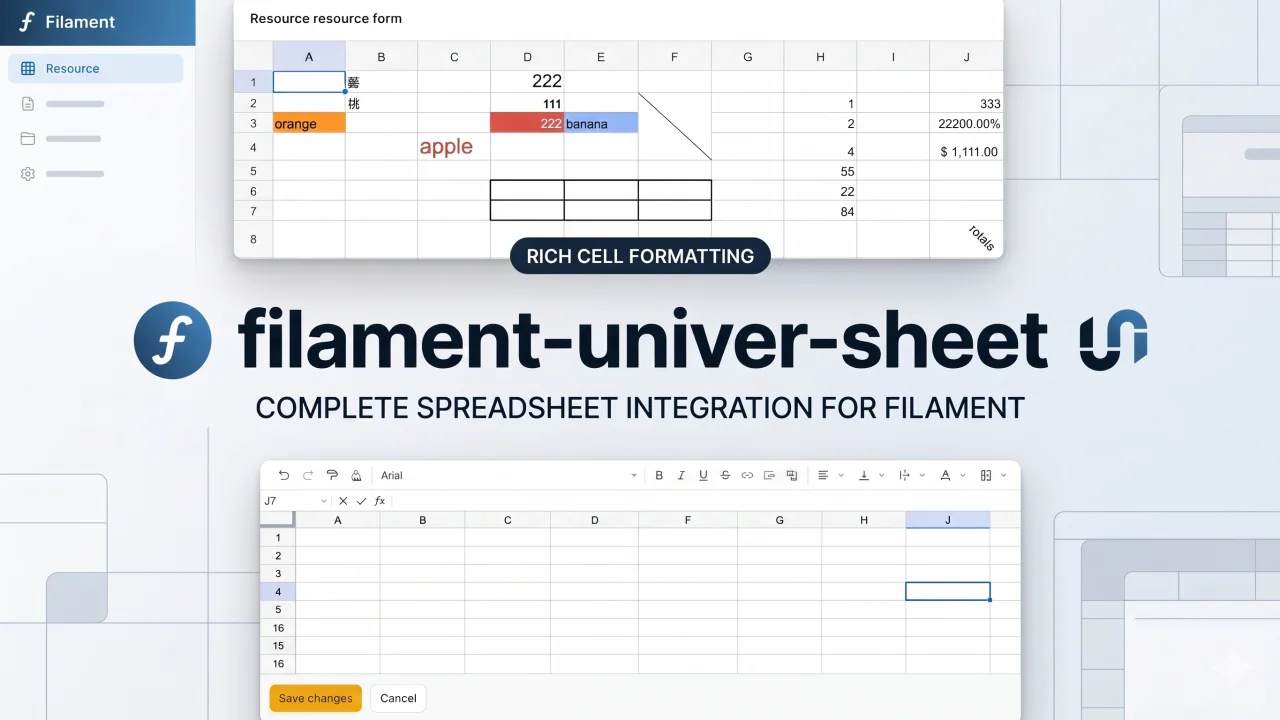
Integrate Univer Sheet into Filament — full spreadsheet editor for forms, read-only display for infolists, and compact preview for table columns.
Author:
Yuichi Okada
Team Chat
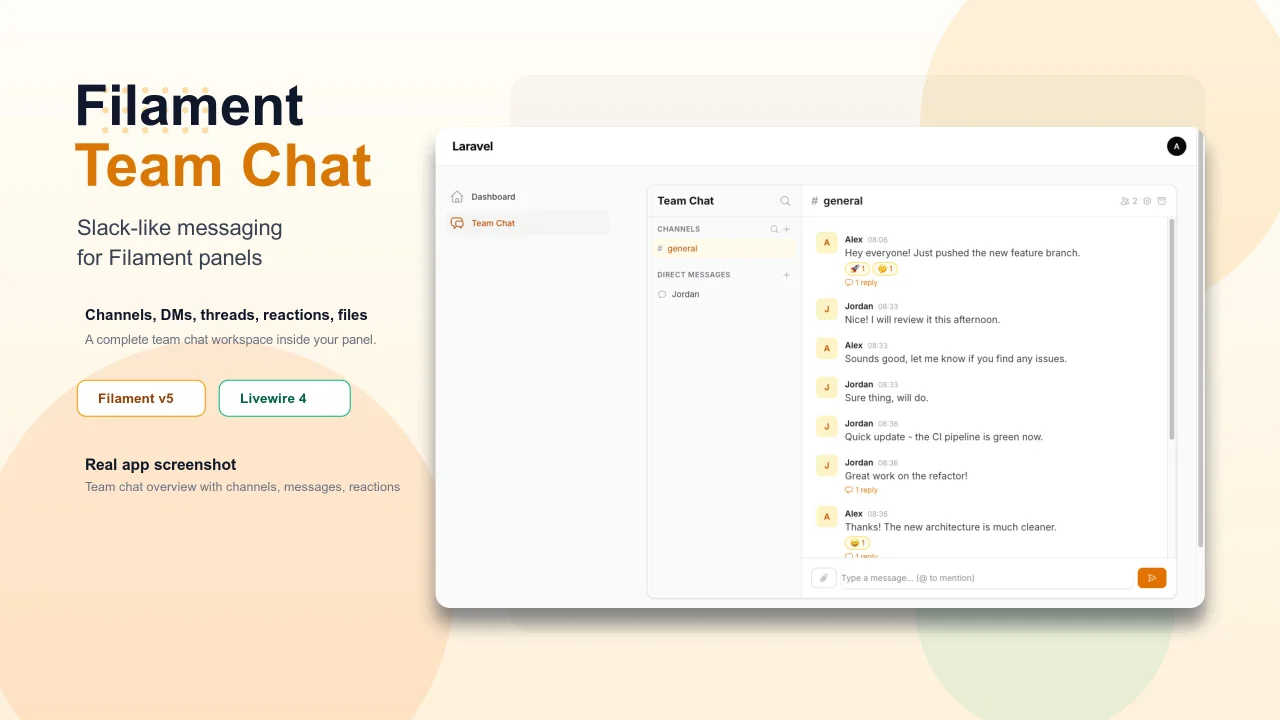
Add Slack-like team chat to any Filament panel — channels, DMs, threads, reactions, @mentions, file sharing, and unread tracking, all self-hosted with zero external dependencies.
Author:
Yuichi Okada
Bonsai Theme
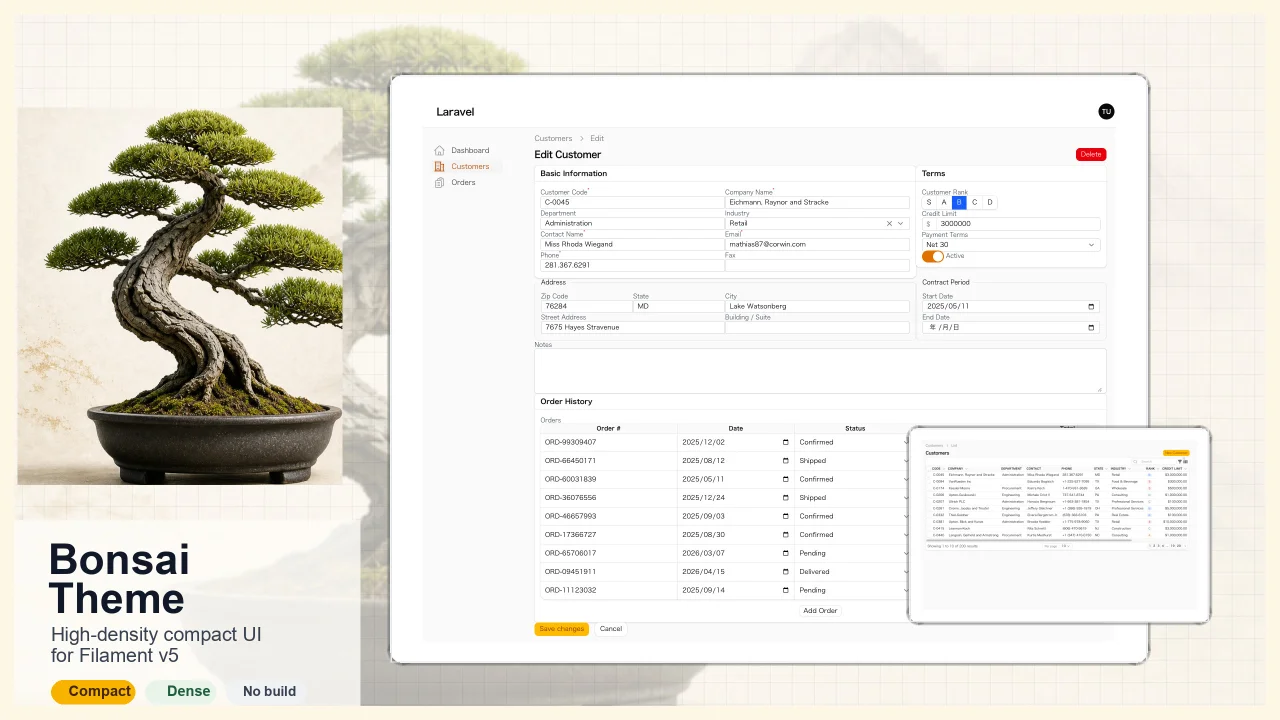
High-density, compact UI theme for Filament v5. Inspired by Japanese business applications (sales, inventory, order management) that prioritize information density, Bonsai Theme reduces padding, gaps, and font sizes across all Filament components to fit more data on screen. No Tailwind build required. The theme ships as pre-compiled CSS and is loaded automatically.
Author:
Yuichi Okada
Inbox
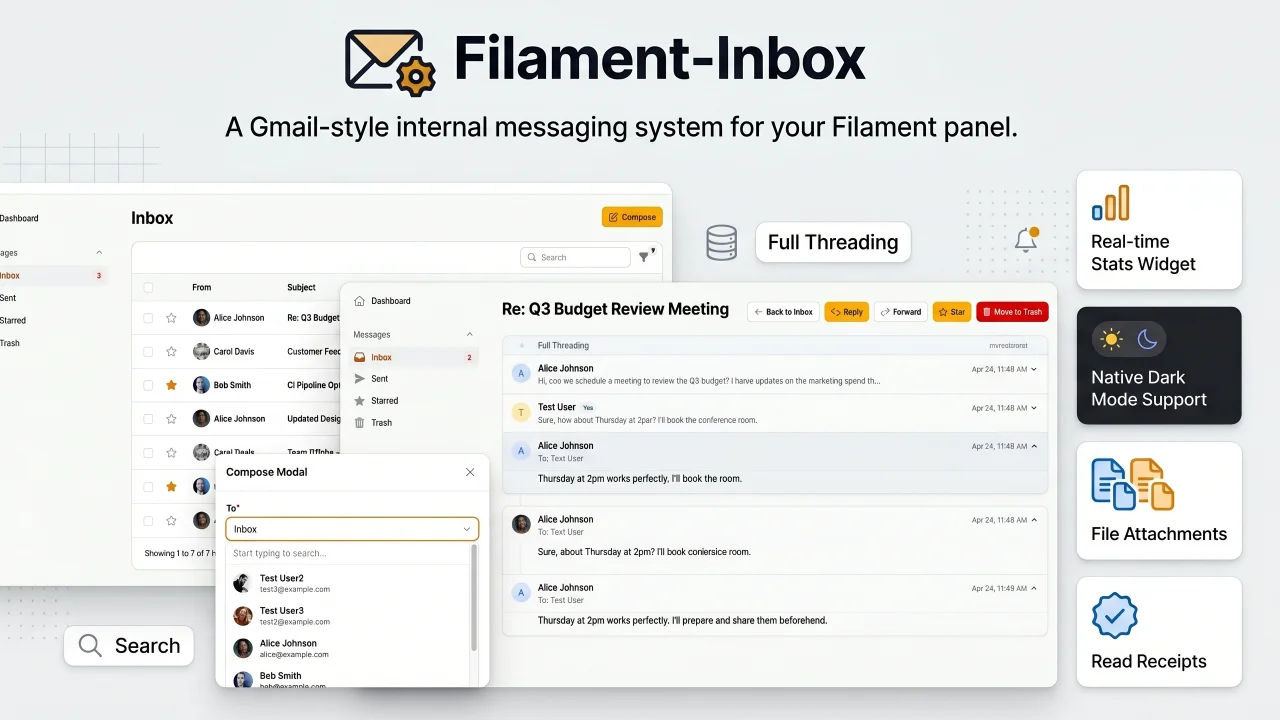
A Gmail-style internal messaging system for your Filament panel. Provides inbox, sent, starred, and trash pages with full message threading, reply/reply all, forwarding, read receipts, rich text editing, file attachments, bulk actions, search & filters, database notifications, stats widget, dark mode, multi-tenancy support, and i18n (8 languages). Built natively for Filament v5 with Laravel events, configurable user model, and test factories included.
Author:
Yuichi Okada
Featured Plugins
A selection of plugins curated by the Filament team

Noir Theme
A theme that gives panels a focused, refined look with near-black surfaces, crisp actions, and restrained color.
 Filament

Custom Fields
Eliminate custom field migrations forever. Let your users create and manage form fields directly in Filament admin panels with 20+ built-in field types, validation, and zero database changes.
 Relaticle

Spotlight Pro
Browse your Filament Panel with ease. Filament Spotlight Pro adds a Spotlight like Command Palette to your Filament Panel.
 Dennis Koch
