

Header Filters by Chris Jones
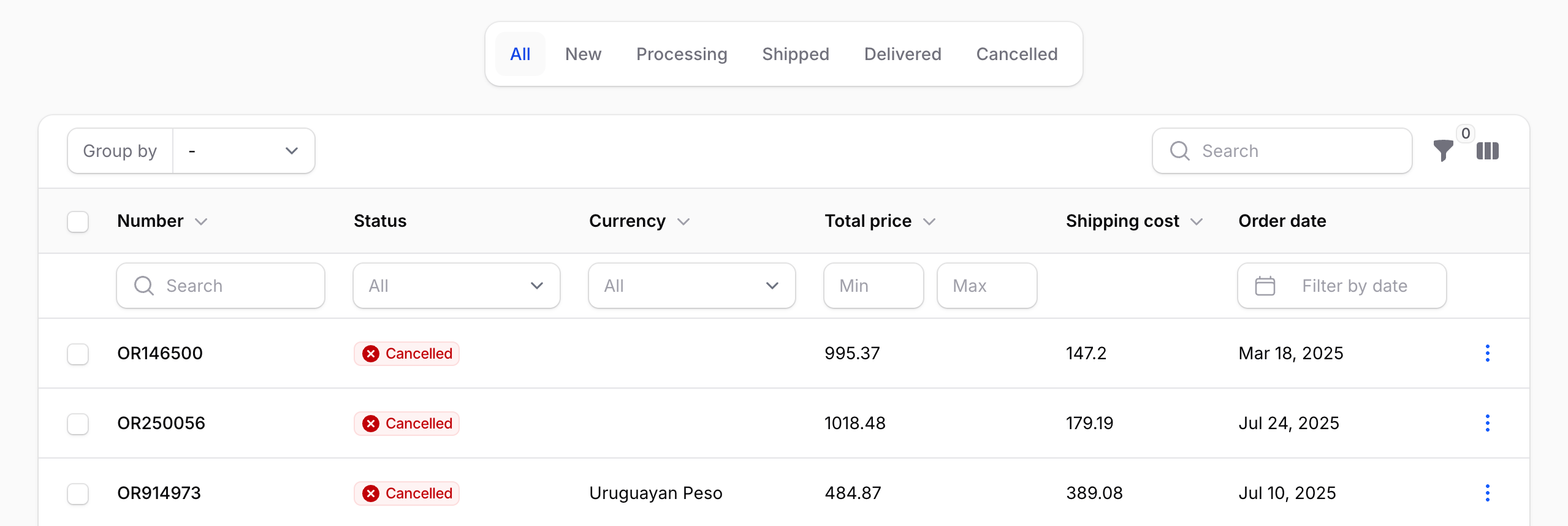
CommunityInline header filters for Filament tables. Attach any BaseFilter to a column header — select dropdowns, date pickers, min/max ranges, custom multi-field schemas — as a richer alternative to searchable(isIndividual: true).
 Author:
Chris Jones
Author:
Chris Jones
Package health
Automated checks of this plugin's Composer package
15 checks
- Passed: GitHub Actions pinned to SHA
- Skipped: GitLab CI includes pinned to SHA
- Passed: Open security advisories
- Passed: Dependabot PR responsiveness — No open Dependabot PRs.
- Skipped: Renovate MR responsiveness
- Passed: Dependabot or Renovate configured
- Passed: Dependency update cooldown configured
- Passed: Provides a security policy
- Passed: Abandoned or archived — No consulted source marks the package abandoned (packagist, github).
- Passed: Commit and release recency — Active: last commit 0 days ago; last release 0 days ago.
-
Passed:
composer.lock not committed by library
—
composer.lockis absent from the released dist archive. - Passed: Dist archive is lean
-
Passed:
Current Laravel version supported
—
Package dependencies resolve together with current Laravel
13.0. -
Passed:
Current PHP version supported
—
Constraint
^8.2supports current PHP8.5. - Skipped: Current Symfony version supported
filament/
namespace. Review the source and install at your own risk. Found
malware or an unresolved security issue the author won't
address?
Report it
.
Documentation
- Screenshot
- Requirements
- Installation
- Usage
- Behavior
- Tips
- How it works
- Testing
- More Filament plugins by Leek
- License
Inline header filters for Filament tables. Attach any BaseFilter to a column header — select dropdowns, date pickers, min/max ranges, custom multi-field schemas — as a richer alternative to searchable(isIndividual: true).
#Screenshot
#Requirements
- PHP 8.2+
- Filament v4.x or v5.x
#Installation
composer require leek/filament-header-filters
Add the HasHeaderFilters trait to any Livewire component that uses InteractsWithTable (resource list pages, custom Livewire table components):
use Filament\Resources\Pages\ListRecords;
use Leek\FilamentHeaderFilters\Concerns\HasHeaderFilters;

class ListOrders extends ListRecords
{
    use HasHeaderFilters;
}
#Styles
Add the package stylesheet to the panel theme configured with ->viteTheme(...). Place it after Filament's theme import so it can adjust the table and header filter styles:
@import '../../../../vendor/filament/filament/resources/css/theme.css';
@import '../../../../vendor/leek/filament-header-filters/resources/css/filament-header-filters.css';
Then rebuild your app assets:
npm run build
If you are using Vite locally, restart or keep running:
npm run dev
#Usage
Call ->headerFilter() on any column and pass a filter instance.
#Dropdown filter
Use SelectFilter for exact-match column filtering. The default placeholder is "All".
use App\Enums\OrderStatus;
use Filament\Tables\Columns\TextColumn;
use Filament\Tables\Filters\SelectFilter;

TextColumn::make('status')
    ->badge()
    ->headerFilter(
        SelectFilter::make('status')
            ->options(OrderStatus::class)
            ->native(false)
    )
#Min/max range filter
Use a custom Filter with two TextInput fields and ->columns(2) for a side-by-side numeric range:
use Filament\Forms\Components\TextInput;
use Filament\Tables\Columns\TextColumn;
use Filament\Tables\Filters\Filter;
use Illuminate\Database\Eloquent\Builder;

TextColumn::make('total_price')
    ->headerFilter(
        Filter::make('total_price_range')
            ->columns(2)
            ->schema([
                TextInput::make('min')->numeric()->placeholder('Min'),
                TextInput::make('max')->numeric()->placeholder('Max'),
            ])
            ->query(fn (Builder $query, array $data): Builder => $query
                ->when($data['min'] ?? null, fn (Builder $q, $v): Builder => $q->where('total_price', '>=', $v))
                ->when($data['max'] ?? null, fn (Builder $q, $v): Builder => $q->where('total_price', '<=', $v))
            )
    )
#Date range filter
Use DatePicker fields for a two-date range:
use Filament\Forms\Components\DatePicker;
use Filament\Tables\Columns\TextColumn;
use Filament\Tables\Filters\Filter;
use Illuminate\Database\Eloquent\Builder;

TextColumn::make('created_at')
    ->label('Order date')
    ->date()
    ->headerFilter(
        Filter::make('order_date_range')
            ->columns(2)
            ->schema([
                DatePicker::make('from')->placeholder('From')->native(false),
                DatePicker::make('until')->placeholder('Until')->native(false),
            ])
            ->query(fn (Builder $query, array $data): Builder => $query
                ->when($data['from'] ?? null, fn (Builder $q, $v): Builder => $q->whereDate('created_at', '>=', $v))
                ->when($data['until'] ?? null, fn (Builder $q, $v): Builder => $q->whereDate('created_at', '<=', $v))
            )
    )
#Behavior
- Header filters share state with panel filters (
$tableFilters). Filter indicators, reset, and session persistence all work. - Header filters are always live — they apply immediately on change, regardless of
deferFilters(). - Field labels inside header filters are auto-hidden; the column header acts as the label.
- Hidden columns' header filters are not applied to the query.
#Tips
#Hide the filters button when only using header filters
If a table has only header filters and no panel filters, hide the filters dropdown so the button doesn't render empty:
use Filament\Tables\Enums\FiltersLayout;

public function table(Table $table): Table
{
    return $table
        ->filtersLayout(FiltersLayout::Hidden)
        ->columns([
            TextColumn::make('status')->headerFilter(/* ... */),
            // ...
        ]);
}
#Filacheck false positive
Filacheck's missing-table-filters rule doesn't recognize ->headerFilter() and will flag tables that only use header filters. Publish the config and disable the rule:
php artisan vendor:publish --tag=filacheck-config
// config/filacheck.php
'missing-table-filters' => [
    'enabled' => false,
],
#How it works
The package ships:
Column::macro('headerFilter', ...),getHeaderFilter(),hasHeaderFilter()BaseFilter::macro('columnName', ...),getColumnName(),isHeaderFilter()Table::macro('getHeaderFilters', ...),hasHeaderFilters()- A
HasHeaderFiltersLivewire trait that wires filters into the table, seeds header filter state, and exposesgetTableHeaderFiltersForm() - A view override (
filament-tables::index) that renders the header filter row under the column search row - A small CSS file raising the z-index and lifting overflow clipping so dropdown / date picker popups escape the table container
The view override is a patched copy of Filament's table view. If you upgrade Filament and something breaks, please open an issue.
#Testing
composer test
#More Filament plugins by Leek
Premium
- Filament UI Plus — Enhanced UI components: dual sub-navigation, animated sidebar, horizontal-scroll tables, loading bar, and more.
- Filament Workflow Engine — Automated workflows with a visual builder, triggers/actions, async execution, and audit logging.
- Filament Decision Tables — Business rules engine with spreadsheet-style decision tables.
Free & open source
- Filament Right Click — Right-click context menus for table rows.
- Filament Subtenant Scope — Second-level tenancy scoping via a topnav dropdown.
- Filament DiceBear — DiceBear avatar provider with 31 styles.
#License
MIT. See LICENSE.md.
The author
Web Application Architect and Developer with a passion for helping businesses make sense of web-based technology and its numerous applications.
From the same author

DiceBear Avatars
DiceBear avatar provider for Filament panels with 31 avatar styles, disk caching, and per-model customization.
Author:
Chris Jones
Subtenant Scope
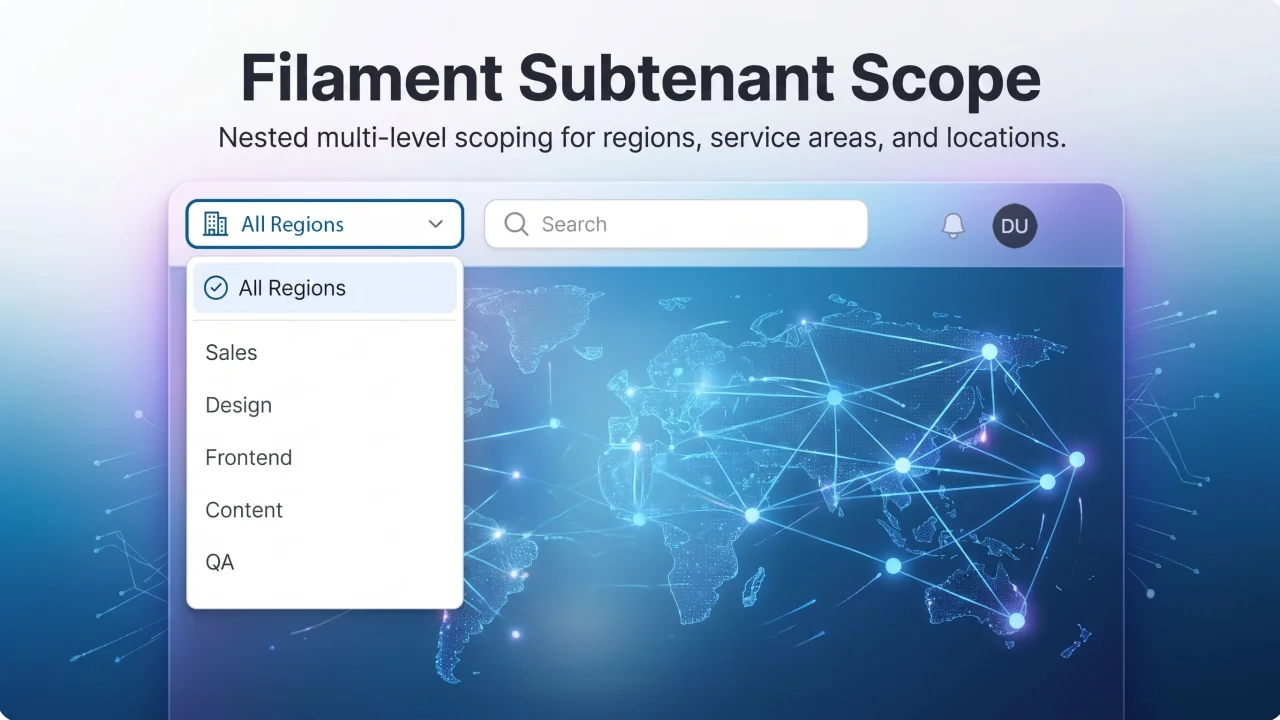
Second-level tenancy scope (service area, region, location) for Filament panels — topnav dropdown that scopes Eloquent queries globally.
Author:
Chris Jones
Right Click
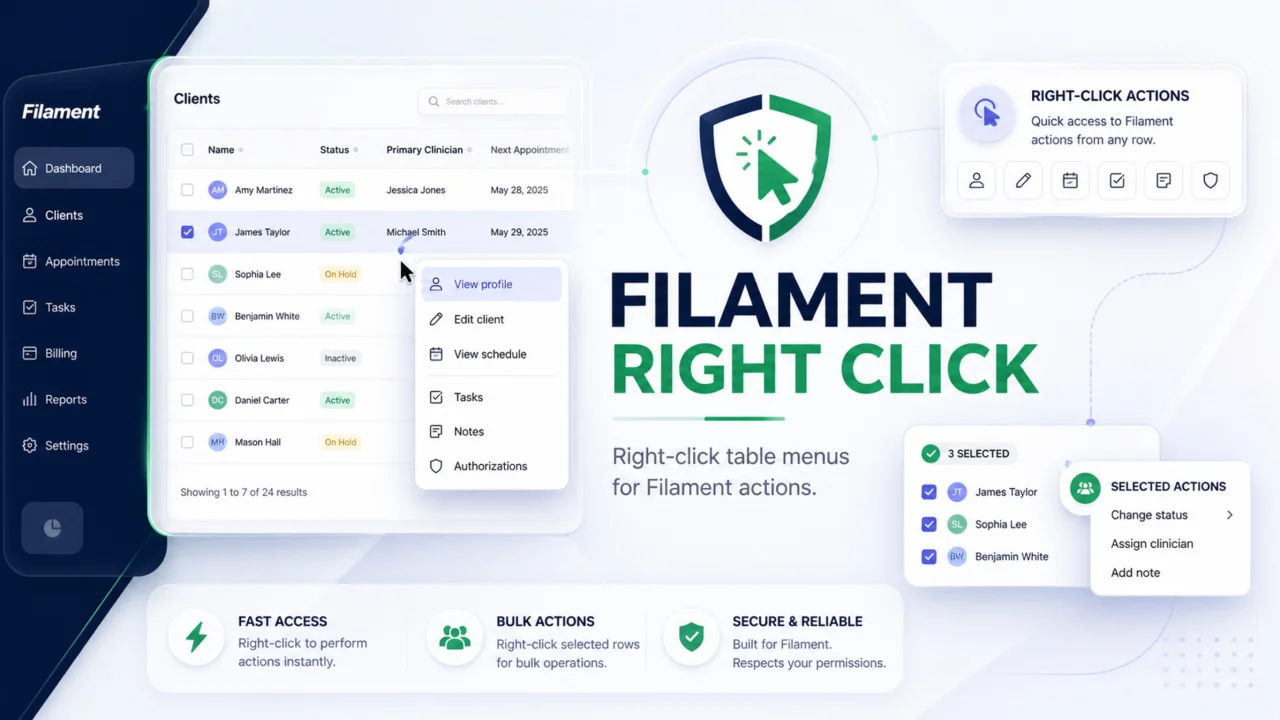
Add native-feeling right-click menus to Filament table rows. Trigger regular Filament actions for single records, or show a separate bulk menu when users right-click selected rows. Actions stay server-enforced, so modals, authorization, validation, redirects, and notifications still work through Filament.
Author:
Chris Jones

Decision Tables (Rules Engine)
A visual rules engine for Filament v4 that lets users create and manage complex decision logic - no code required.
Author:
Chris Jones
Featured Plugins
A selection of plugins curated by the Filament team

Custom Dashboards
Let your users build and share their own dashboards with a drag-and-drop interface. Define your data sources in PHP and let them do the rest.
 Filament

Custom Fields
Eliminate custom field migrations forever. Let your users create and manage form fields directly in Filament admin panels with 20+ built-in field types, validation, and zero database changes.
 Relaticle

Advanced Tables (formerly Filter Sets)
Supercharge your tables with powerful features like user-customizable views, quick filters, multi-column sorting, advanced table searching, convenient view management, and more. Compatible with Resource Panel Tables, Relation Managers, Table Widgets, and Table Builder!
 Kenneth Sese
