
UI Plus by Chris Jones
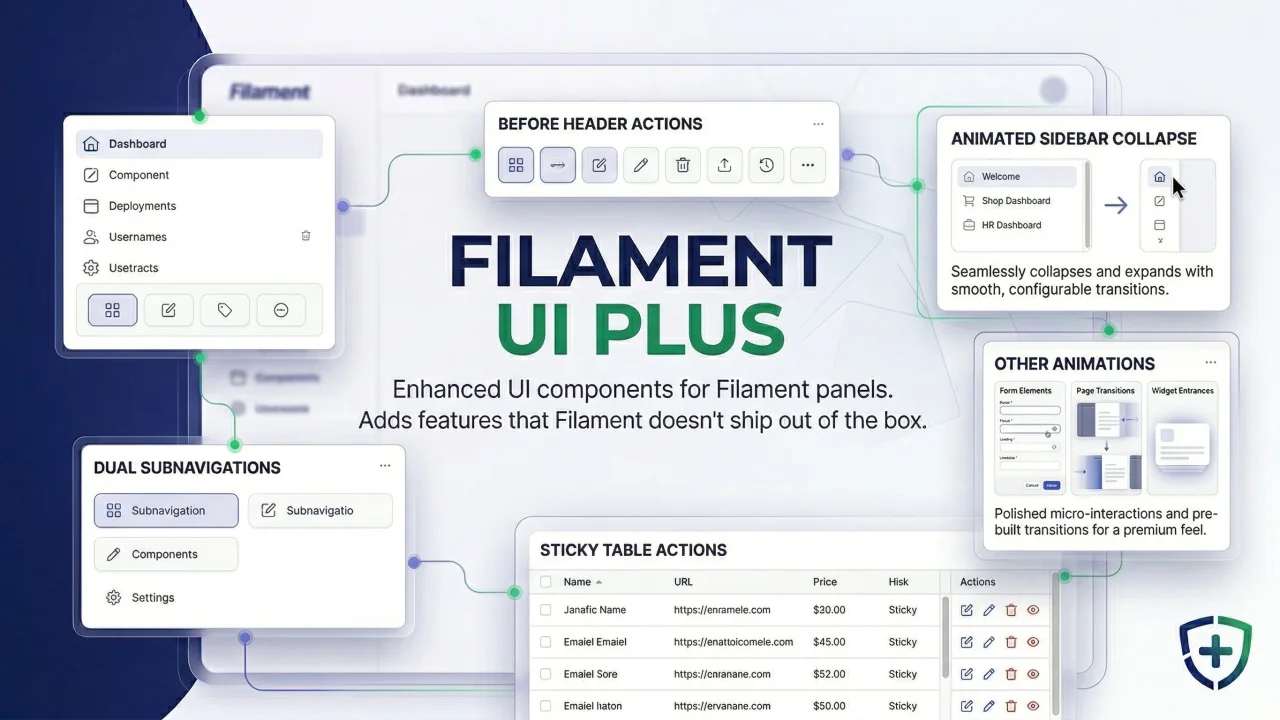
CommunityEnhanced UI components. Adds features that Filament doesn't ship out of the box, designed to be minimally invasive and upgrade-safe.
filament/
namespace. Review the source and install at your own risk. Found
malware or an unresolved security issue the author won't
address?
Report it
.
 Author:
Chris Jones
Author:
Chris Jones
Documentation
- Features
- Dual Sub-Navigation
- Before Header Actions
- Action Separator
- Animated Sidebar / Chevron Animation
- Animated Notification Bell
- Table Skeleton Loader
- Stats Overview Skeleton Loader
- Sticky Table Actions / Table Horizontal Scroll
- Loading Bar
- Animated Favicon Spinner
- Disabled Button Shake
- Select Filter Label Controls
- Inline Label Prefix (Form Fields)
- Requirements
- Installation
- Setup
- Configuration
- Usage
- Upgrade Safety
- License
Filament UI Plus — Enhanced UI components for Filament panels
Enhanced UI components for Filament panels. Adds features that Filament doesn't ship out of the box, designed to be minimally invasive and upgrade-safe.
#Features
#Dual Sub-Navigation
Add a second, independent sub-navigation to any page (sidebar or tabs) alongside Filament's cluster/resource sub-navigation.
#Before Header Actions
Place actions (like a back button) to the left of the page heading.
#Action Separator
Visual dividers between header actions — vertical line inline, <hr> in dropdowns.
#Animated Sidebar / Chevron Animation
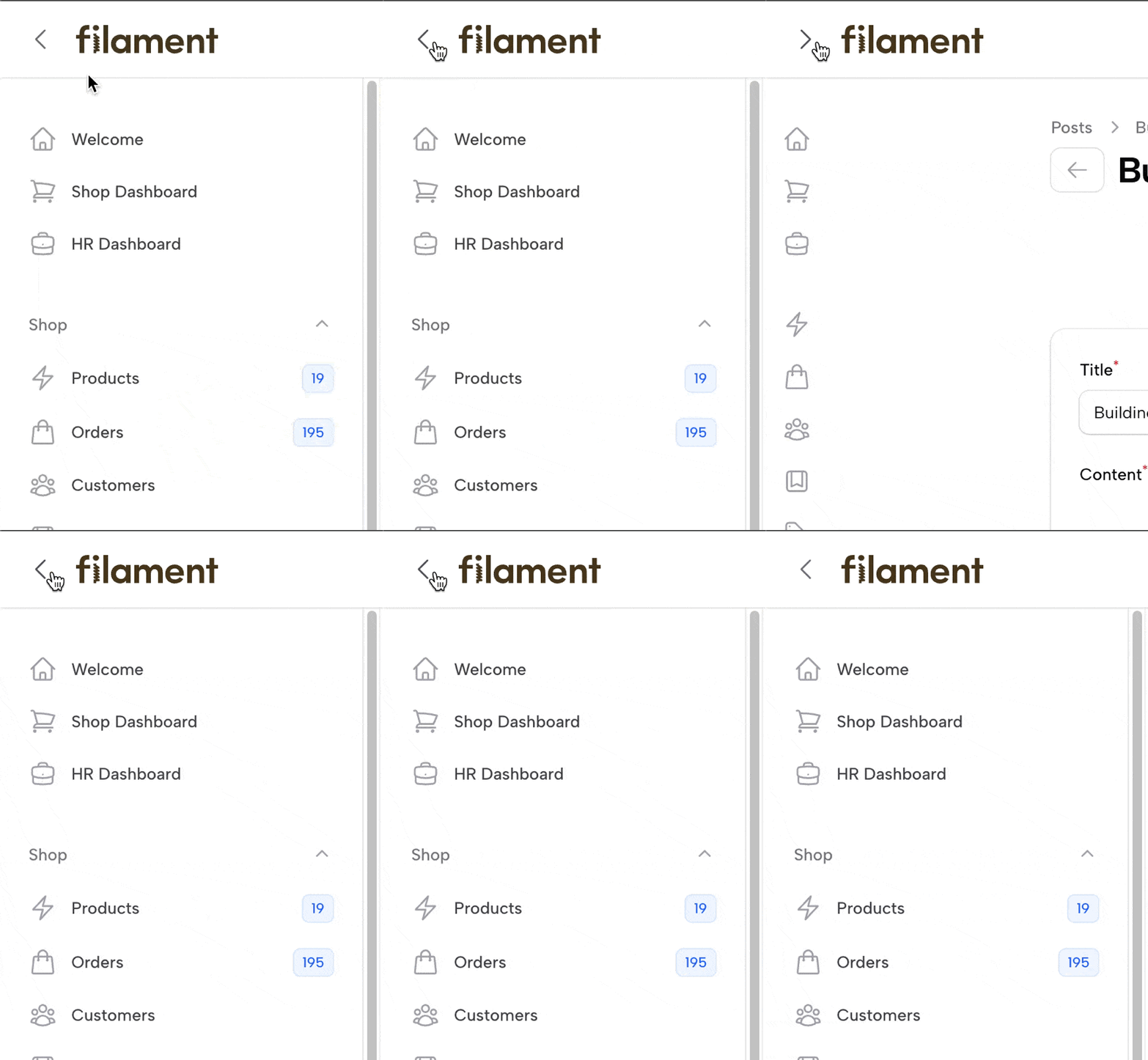
- Smooth collapse/expand width transition for the collapsible sidebar.
- Single rotating chevron replaces Filament's two show/hide buttons.
#Animated Notification Bell
Bell icon swings on hover.

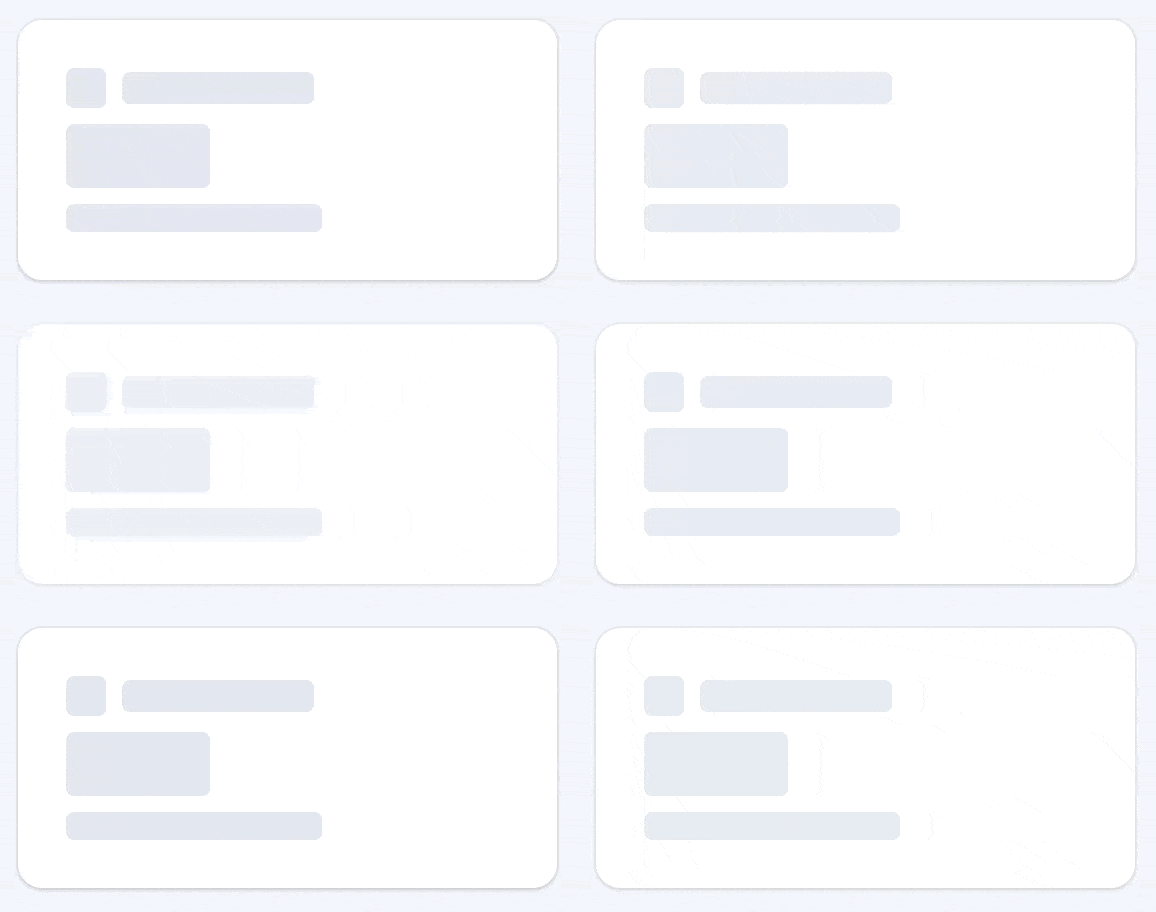
#Table Skeleton Loader
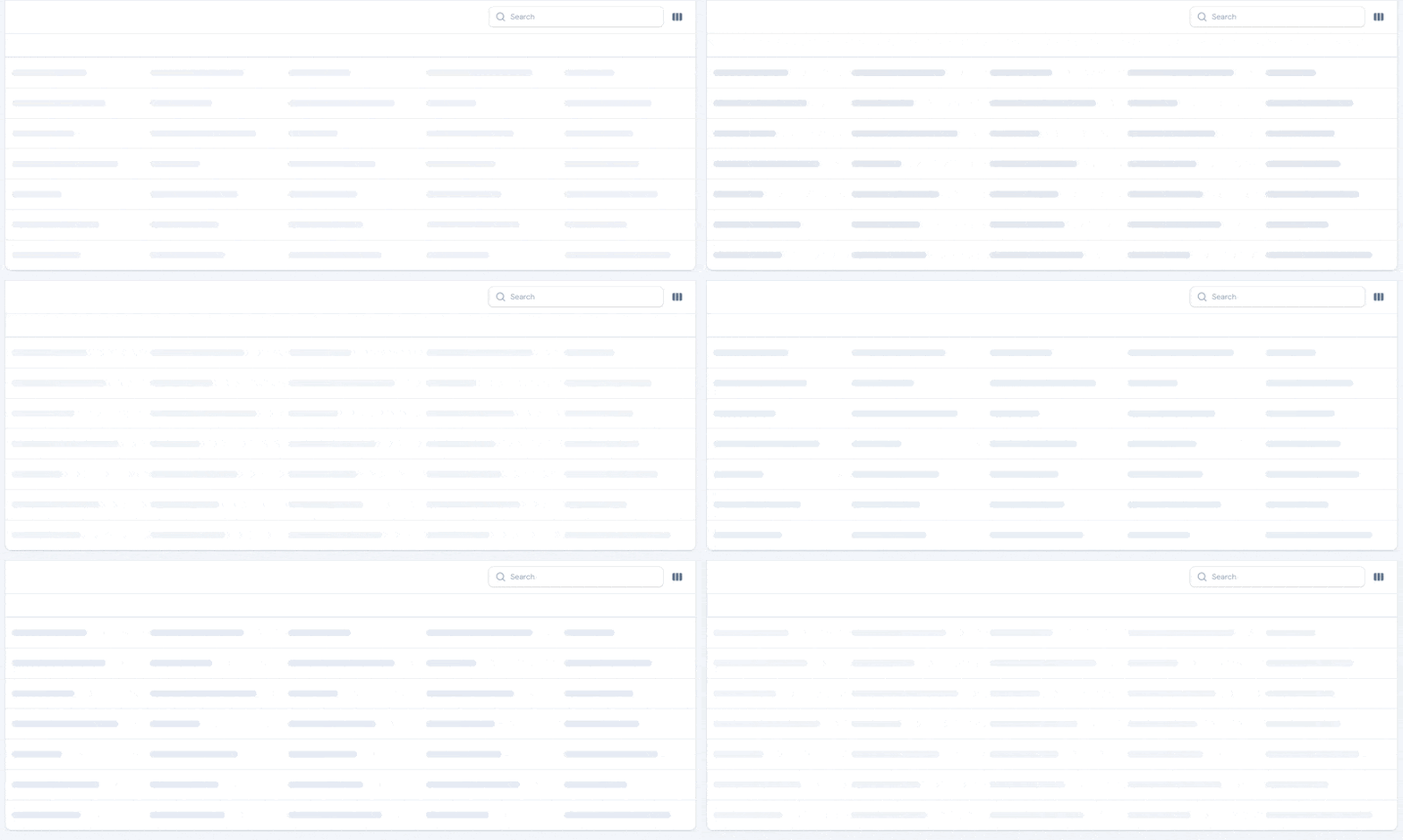
Automatic skeleton placeholder for tables using deferLoading(). Replaces Filament's default spinner with a realistic table skeleton — header row, body rows with pulsing content bars. Works on any table with deferLoading() enabled, zero configuration needed.
#Stats Overview Skeleton Loader
Skeleton placeholder for StatsOverviewWidget during lazy loading. Shows animated stat cards matching the real widget layout while data loads. Card count auto-derives from the widget's $columns property.
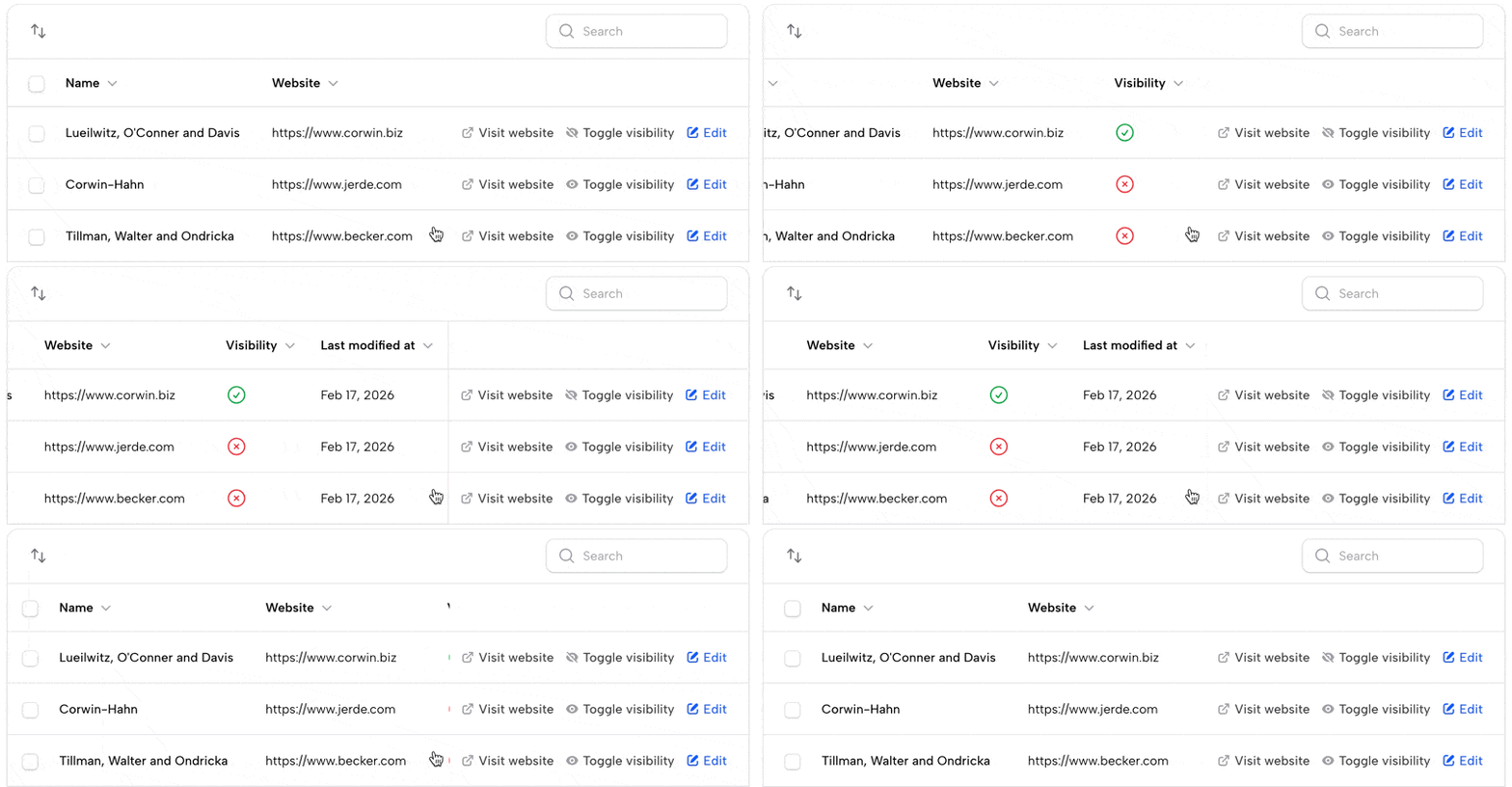
#Sticky Table Actions / Table Horizontal Scroll
Opt-in. Disabled by default — the CSS and JS for this feature do not load unless you opt in.
- Action column pins to the right edge when tables overflow horizontally.
- Custom scrollbar with trackpad, mouse wheel, and drag support for tables with
overflow-x: clip.
Enable on the plugin:
FilamentUiPlusPlugin::make()
    ->stickyTableActions();
Then add the CSS import to your panel's theme.css, after the base import:
@import '../../../../vendor/leek/filament-ui-plus/resources/css/filament-ui-plus.css';
@import '../../../../vendor/leek/filament-ui-plus/resources/css/table-sticky-actions.css';
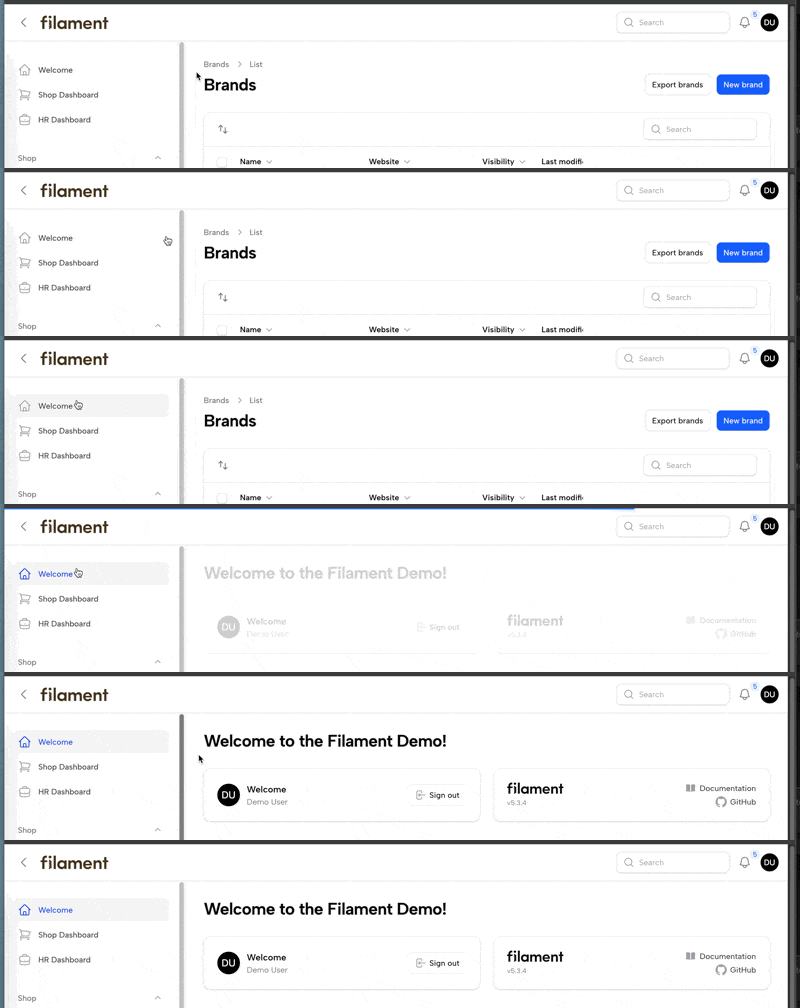
#Loading Bar
Livewire request progress bar at the top of the viewport.
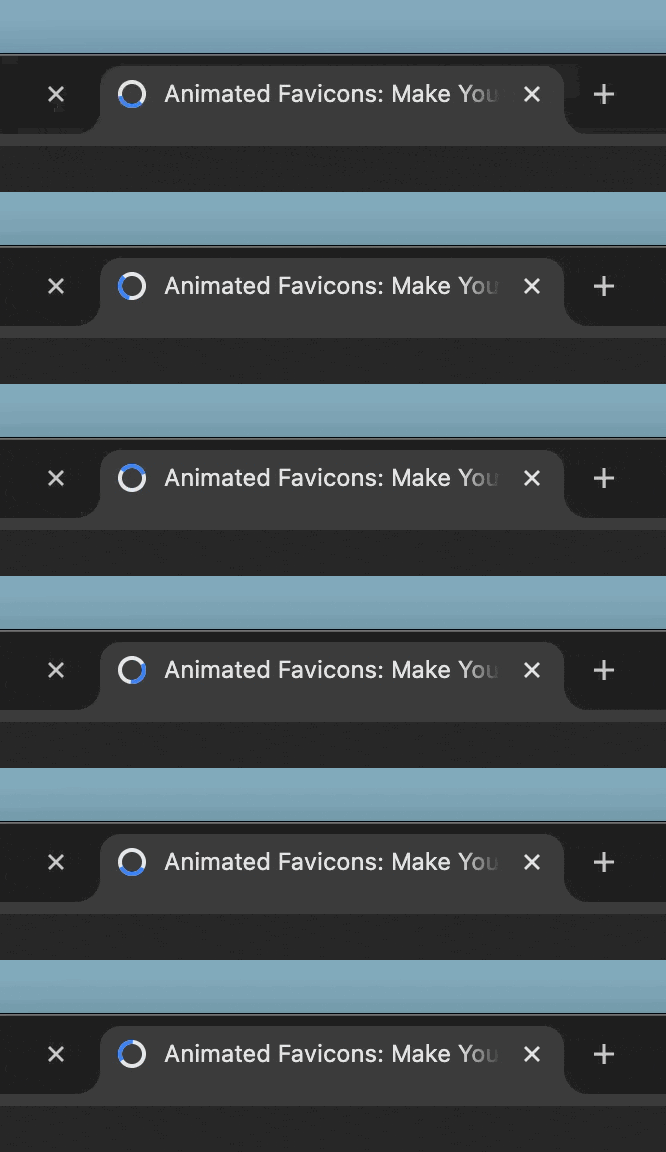
#Animated Favicon Spinner
Opt-in. Replaces the browser tab favicon with an animated spinner while Livewire requests are in flight, then restores the original favicon when the request finishes. Uses your panel's primary color (--color-primary-500).
Inspired by favicon.im's animated favicon demo.
Enable on the plugin:
FilamentUiPlusPlugin::make()
    ->faviconSpinner();
#Disabled Button Shake
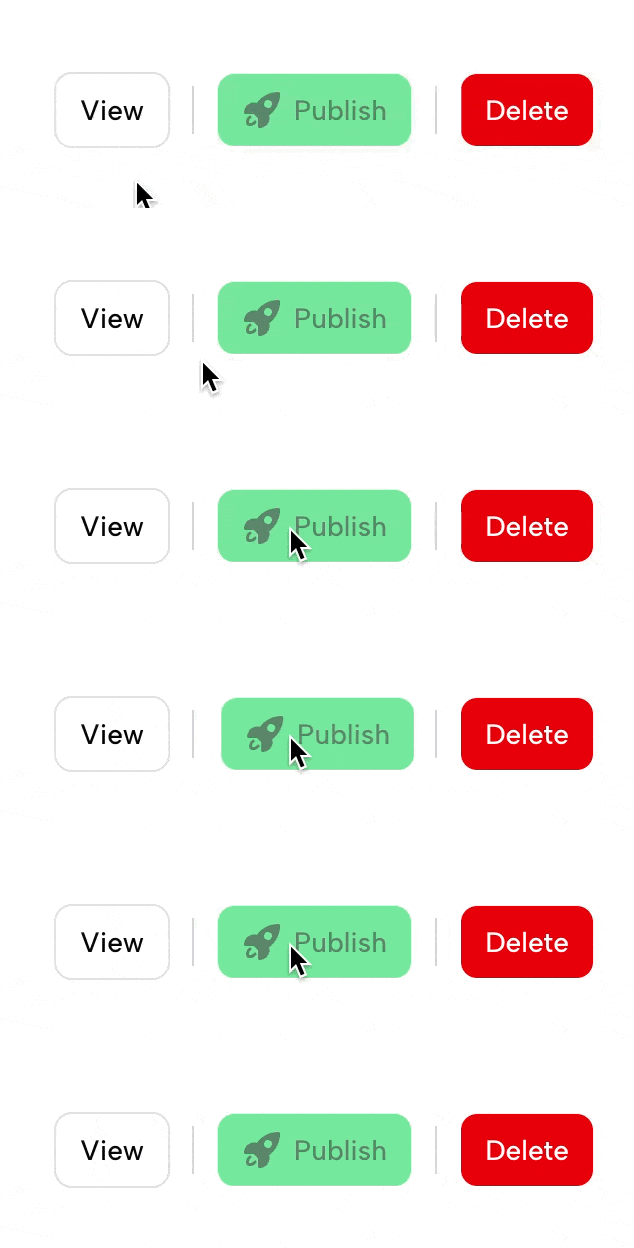
Tactile shake animation when clicking disabled buttons.
#Select Filter Label Controls
Adds the label-control methods that form fields already have to SelectFilter, which otherwise always stacks its label above the control:
->hiddenLabel()— genuinely hide the label, like a form field.->inlineLabel()— fold the label into a bold inline prefix inside the select, with the selected value / placeholder muted after it — a compactStatus Any ⌄control.
use Filament\Tables\Filters\SelectFilter;

SelectFilter::make('status')
    ->options(StatusEnum::class)
    ->placeholder('Any')
    ->inlineLabel();
- Work on any
SelectFilter(and subclasses) — relationship, multiple, searchable. inlineLabel()keeps the open dropdown's options full-contrast; only the trigger is muted.- Pass a condition to toggle either:
->inlineLabel(fn () => $someCondition).
#Inline Label Prefix (Form Fields)
Filament form fields already ship a native ->inlineLabel(), but it renders the label in a separate column beside the control. ->inlineLabelPrefix() instead tucks the label inside the control's border as a bold prefix — the same compact Status Any ⌄ look as the SelectFilter ->inlineLabel() above. Use it for dashboard filter forms (header / HasFiltersForm) so they read identically to an above-content filter bar.
use Filament\Forms\Components\Select;

Select::make('status')
    ->label('Status')
    ->options(StatusEnum::class)
    ->placeholder('Any')
    ->inlineLabelPrefix();
- Registered on the affix-capable inputs:
Select,TextInput,DateTimePicker(and itsDatePicker/TimePickersubclasses). - Reads the label eagerly — call it after
->label(...). Falls back to the humanized field name when no label is set. - The value/placeholder muting is select-specific; on a
TextInput/ date field only the bold inline label is applied. - Pass a condition to toggle:
->inlineLabelPrefix(fn () => $someCondition).
#Requirements
- PHP 8.2+
- Filament 4.x or 5.x
- Laravel 11+
#Installation
Add the repository to your composer.json:
{
    "repositories": [
        {
            "type": "composer",
            "url": "https://filament-ui-plus.composer.sh"
        }
    ]
}
Once the repository has been added to the composer.json file, you can install Filament UI Plus like any other composer package using the composer require command:
composer require leek/filament-ui-plus
You will be prompted to provide your username and password.
Loading composer repositories with package information
Authentication required (filament-ui-plus.composer.sh):
Username: [licensee-email]
Password: [license-key]
The username will be your email address and the password will be equal to your license key. Additionally, you will need to append your fingerprint to your license key. For example, let's say we have the following licensee and license activation:
- Contact email: philo@anystack.sh
- License key: 8c21df8f-6273-4932-b4ba-8bcc723ef500
- Activation fingerprint: anystack.sh
This will require you to enter the following information when prompted for your credentials:
Loading composer repositories with package information
Authentication required (filament-ui-plus.composer.sh):
Username: philo@anystack.sh
Password: 8c21df8f-6273-4932-b4ba-8bcc723ef500:anystack.sh
To clarify, the license key and fingerprint should be separated by a colon (:).
#Setup
#1. Register the plugin
use Leek\FilamentUiPlus\FilamentUiPlusPlugin;

public function panel(Panel $panel): Panel
{
    return $panel
        // ...
        ->plugin(FilamentUiPlusPlugin::make())
        ->sidebarCollapsibleOnDesktop(); // Required for animated sidebar
}
#2. Publish the view overrides
php artisan vendor:publish --tag=filament-ui-plus-views
#3. Add the CSS to your theme
Add the plugin's CSS import and @source directives to your panel's theme.css:
/* resources/css/filament/{panel}/theme.css */

@import '../../../../vendor/filament/filament/resources/css/theme.css';
@import '../../../../vendor/leek/filament-ui-plus/resources/css/filament-ui-plus.css';

/* ... your existing @source lines ... */

@source '../../../../resources/views/vendor/filament-panels/**/*.blade.php';
@source '../../../../vendor/leek/filament-ui-plus/resources/views/**/*.blade.php';
#4. Build your theme
npm run build
#Configuration
FilamentUiPlusPlugin::make()
    ->loadingBar(false)          // Disable the Livewire loading bar
    ->defaultBackAction(false)   // Disable the automatic back button on HasBeforeHeadingActions pages
    ->stickyTableActions()       // Opt in to sticky action column + horizontal scroll (also requires the table-sticky-actions.css import)
    ->faviconSpinner()           // Opt in to animated favicon spinner during Livewire requests
All other features are either opt-in via traits (dual sub-navigation, before-header-actions) or passive CSS/JS that only activates when the relevant DOM elements exist.
Note: Even with
defaultBackAction(false), pages usingHasBeforeHeadingActionscan still render a custom back action by overridinggetBackAction().
#Usage
#Dual Sub-Navigation
Add the HasPageSubNavigation trait to any Filament page and override getPageSubNavigation():
use Leek\FilamentUiPlus\Concerns\HasPageSubNavigation;
use Filament\Navigation\NavigationItem;
use Filament\Pages\Enums\SubNavigationPosition;

class ReportsPage extends Page
{
    use HasPageSubNavigation;

    public function getPageSubNavigation(): array
    {
        return [
            NavigationItem::make('Funnel Report')
                ->url(FunnelReportPage::getUrl())
                ->isActiveWhen(fn () => request()->routeIs(FunnelReportPage::getRouteName())),
            NavigationItem::make('Attribution Report')
                ->url(AttributionReportPage::getUrl())
                ->isActiveWhen(fn () => request()->routeIs(AttributionReportPage::getRouteName())),
        ];
    }

    public function getPageSubNavigationPosition(): SubNavigationPosition
    {
        return SubNavigationPosition::Start; // Sidebar (default)
        // return SubNavigationPosition::Top;  // Tabs
        // return SubNavigationPosition::End;  // Right sidebar
    }
}
This works completely independently of Filament's cluster/resource sub-navigation. Both systems can render simultaneously in any position combination — both Start, both Top, or any mix.
#Before Header Actions
Add the HasBeforeHeadingActions trait to place actions before the page heading:
use Leek\FilamentUiPlus\Concerns\HasBeforeHeadingActions;
use Filament\Actions\Action;

class ClientDetailPage extends Page
{
    use HasBeforeHeadingActions;

    // Default: renders a circular back button (history.back())
    // Override to customize:
    protected function getBackAction(): ?Action
    {
        return $this->makeDefaultBackAction()
            ->url(ClientResource::getUrl('index'));
    }
}
#Action Separator
Drop a visual divider between header actions:
use Leek\FilamentUiPlus\Actions\ActionSeparator;

protected function getHeaderActions(): array
{
    return [
        Action::make('create')->label('New Lead'),
        ActionSeparator::make(),
        Action::make('export')->label('Export'),
    ];
}
Renders as a vertical 1px line in inline action rows, or an <hr> inside dropdown menus.
#Stats Overview Skeleton Loader
Add the HasStatsSkeleton trait to any StatsOverviewWidget subclass:
use Leek\FilamentUiPlus\Concerns\HasStatsSkeleton;
use Filament\Widgets\StatsOverviewWidget;

class RevenueStatsWidget extends StatsOverviewWidget
{
    use HasStatsSkeleton;

    protected int|array|null $columns = 4;

    protected function getStats(): array
    {
        // ...
    }
}
The skeleton automatically shows the correct number of placeholder cards based on the widget's $columns property (defaults to 3). Override getPlaceholderStatCount() for custom control:
protected function getPlaceholderStatCount(): int
{
    return 6;
}
#Upgrade Safety
| Feature | Method | View Override? |
|---|---|---|
| Animated Sidebar | Theme CSS | No |
| Sidebar Chevron | View override | Yes (livewire/topbar) |
| Animated Notification Bell | Theme CSS | No |
| Sticky Table Actions + Horizontal Scroll | JS + Theme CSS | No |
| Table Skeleton Loader | JS + Theme CSS | No |
| Loading Bar | Render hook | No |
| Animated Favicon Spinner | JS asset | No |
| Disabled Button Shake | JS + Theme CSS | No |
| Action Separator | PHP class + Blade | No |
| Stats Overview Skeleton | Trait + Blade + Theme CSS | No |
| Select Filter Label Controls | Macro + Theme CSS | No |
| Inline Label Prefix (Form Fields) | Macro + Theme CSS | No |
| Page Sub-Navigation | View override | Yes (page/index) |
| Before Header Actions | View override | Yes (header/index) |
10 of 13 features require zero view overrides and will survive Filament upgrades without changes.
View-override features are clearly marked with [UI Plus] comments for easy diffing when Filament updates.
#License
Filament UI Plus is proprietary software. You must purchase a license to use it. See anystack.sh for details.
The author
Web Application Architect and Developer with a passion for helping businesses make sense of web-based technology and its numerous applications.
From the same author

DiceBear Avatars
DiceBear avatar provider for Filament panels with 31 avatar styles, disk caching, and per-model customization.
Author:
Chris Jones
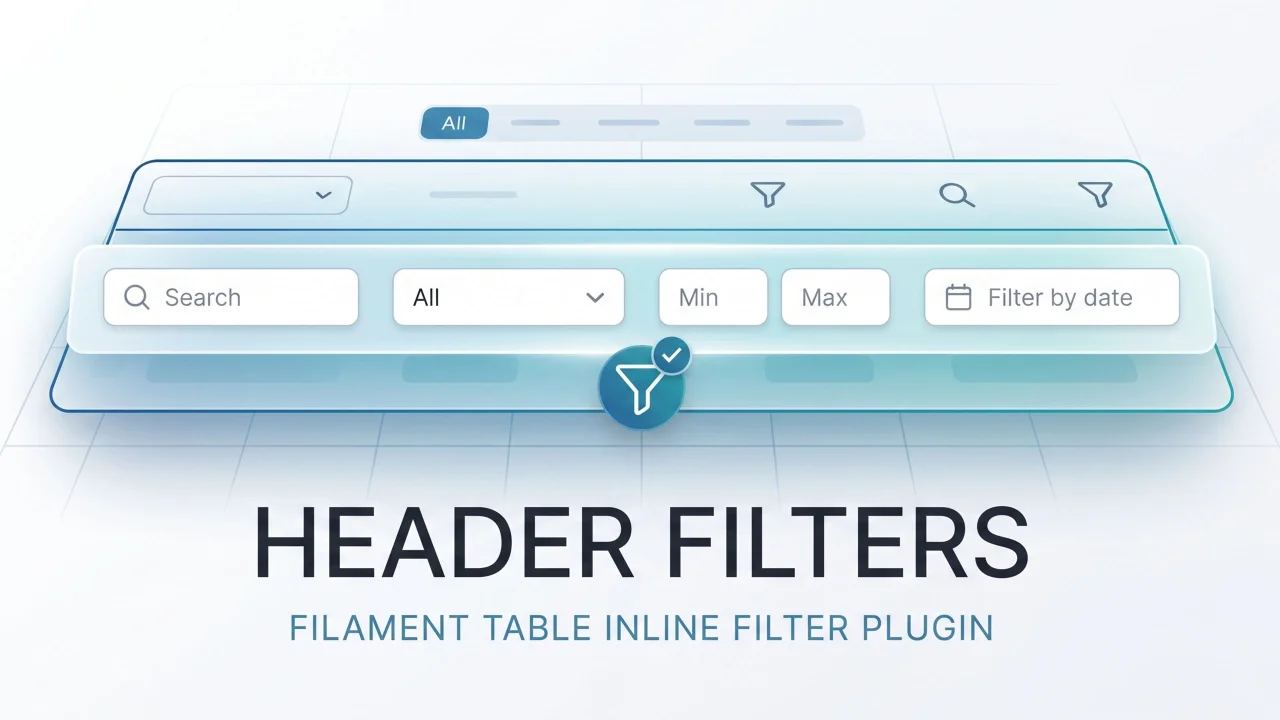
Header Filters
Inline header filters for Filament tables. Attach any BaseFilter to a column header — select dropdowns, date pickers, min/max ranges, custom multi-field schemas — as a richer alternative to searchable(isIndividual: true).
Author:
Chris Jones
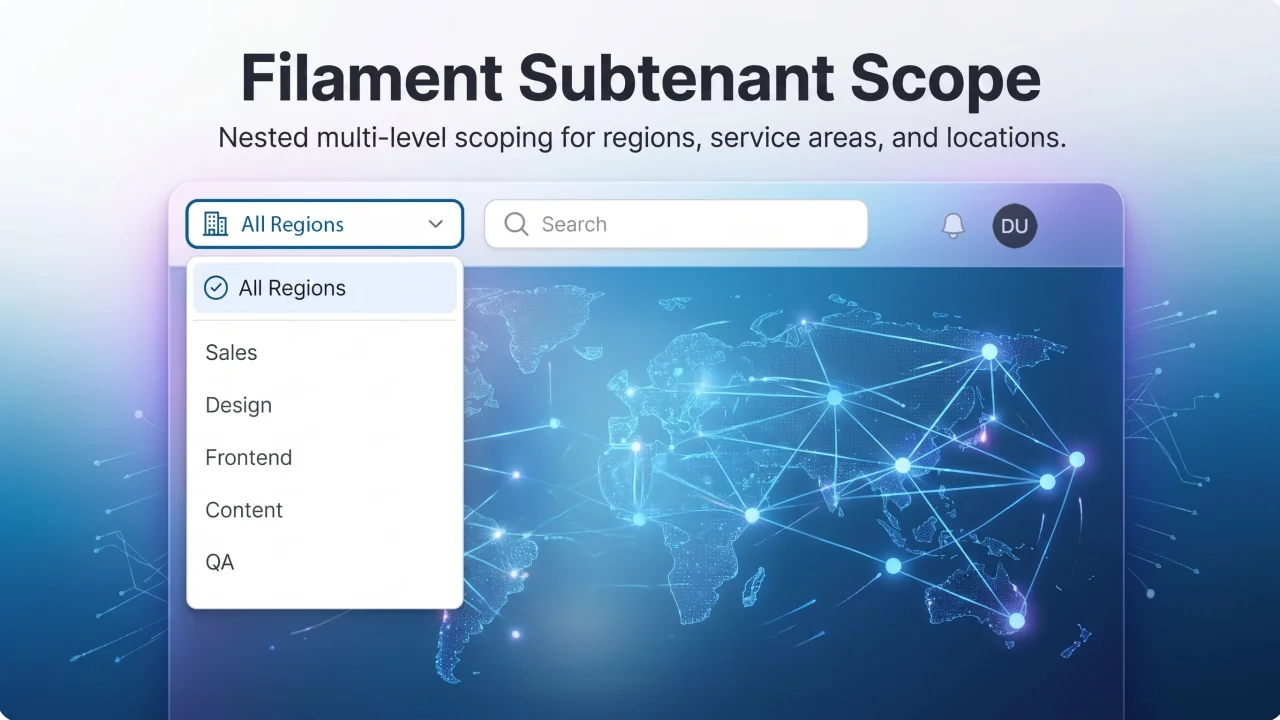
Subtenant Scope
Second-level tenancy scope (service area, region, location) for Filament panels — topnav dropdown that scopes Eloquent queries globally.
Author:
Chris Jones
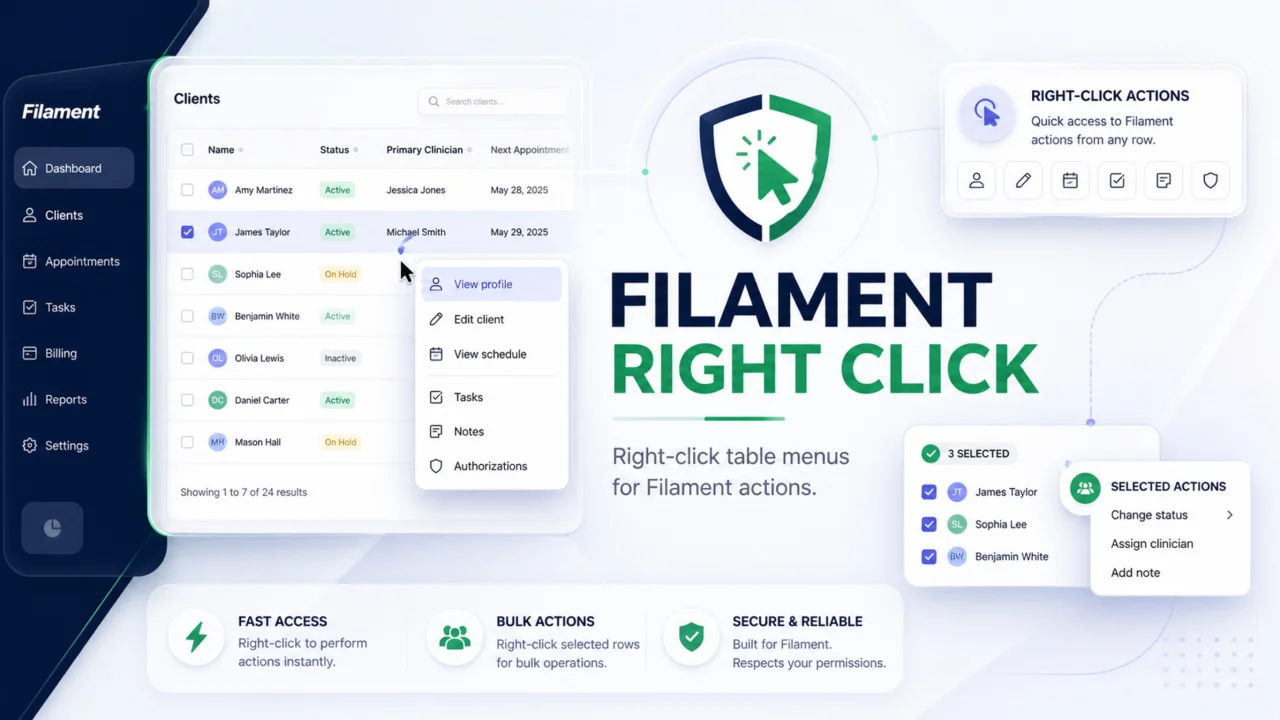
Right Click
Add native-feeling right-click menus to Filament table rows. Trigger regular Filament actions for single records, or show a separate bulk menu when users right-click selected rows. Actions stay server-enforced, so modals, authorization, validation, redirects, and notifications still work through Filament.
Author:
Chris Jones
Featured Plugins
A selection of plugins curated by the Filament team

Noir Theme
A theme that gives panels a focused, refined look with near-black surfaces, crisp actions, and restrained color.
 Filament

Custom Fields
Eliminate custom field migrations forever. Let your users create and manage form fields directly in Filament admin panels with 20+ built-in field types, validation, and zero database changes.
 Relaticle

Spotlight Pro
Browse your Filament Panel with ease. Filament Spotlight Pro adds a Spotlight like Command Palette to your Filament Panel.
 Dennis Koch
