
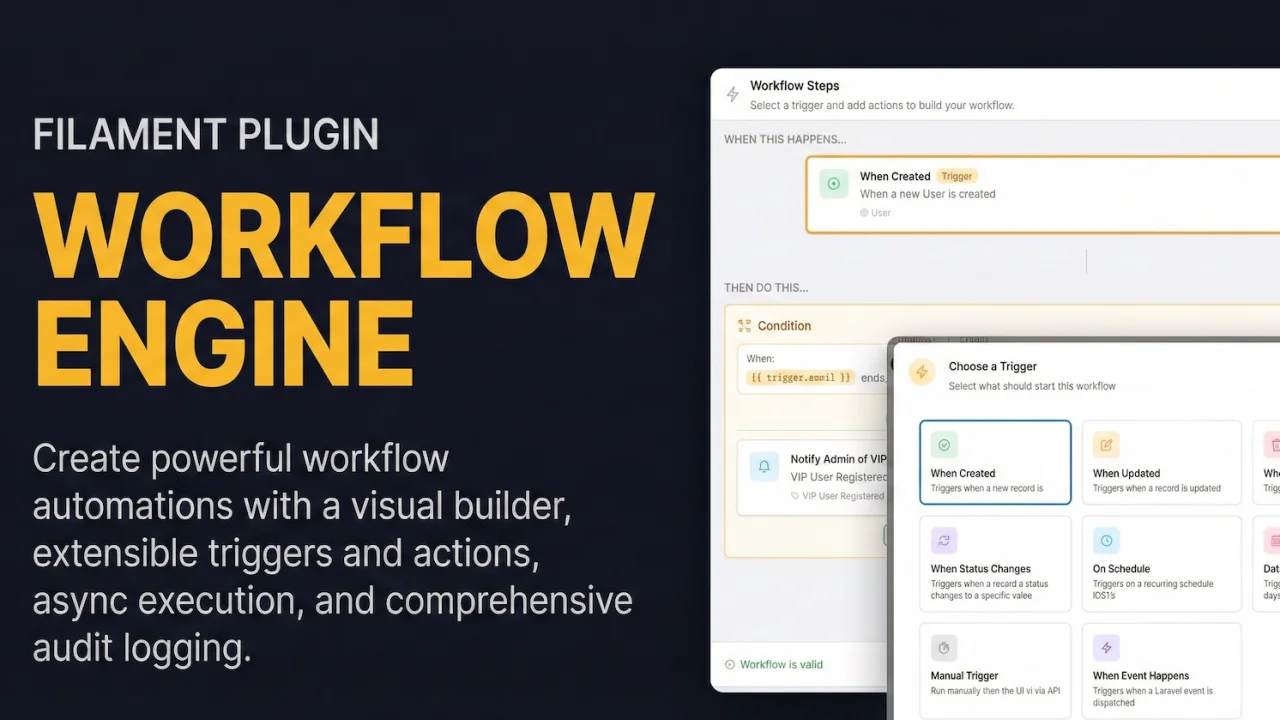
Workflow Engine (Automation) by Chris Jones
CommunityCreate powerful workflow automations with a visual builder, extensible triggers and actions, async execution, and comprehensive audit logging.
filament/
namespace. Review the source and install at your own risk. Found
malware or an unresolved security issue the author won't
address?
Report it
.
 Author:
Chris Jones
Author:
Chris Jones
Documentation
- Video
- Screenshots
- Features
- Installation
- Configuration
- Usage
- Queue Configuration
- Triggerable Models
- Multi-Tenancy
- Built-in Triggers
- Built-in Actions
- Variable Interpolation
- Workflow Secrets
- Workflow Test Mode
- Metrics & Performance Tracking
- Workflow Templates
- Integrations
- Notification Roles
- Event Discovery
- Model Introspection
- Scheduled Workflows
- Programmatic Execution
- Debugging Workflows
- Creating Custom Triggers
- Creating Custom Actions
- Authorization
- Requirements
- Changelog
- Issues & Support
- Security
- Credits
- License
A Filament plugin for building and managing automated workflows. Create powerful workflow automations with a visual builder, extensible triggers and actions, async execution, and comprehensive audit logging.
#Video
#Screenshots
#Features
- Visual Workflow Builder: Create and manage workflows with an intuitive drag-and-drop interface
- Extensible Triggers: Model events, schedules, date conditions, manual triggers, and Laravel events
- Extensible Actions: Communication (email, notifications), CRUD operations, HTTP requests, data transforms, and flow control
- Condition Branching: Build conditional logic with true/false branches
- Workflow Chaining: Trigger workflows from other workflows with depth protection
- Rate Limiting: Configurable limits to prevent runaway execution
- Async Execution: Queue-based execution with retry and backoff support
- Workflow Secrets: Securely store API keys and tokens with encryption
- Run History: Complete audit trail with step-by-step execution logs
- Test Mode: Dry-run workflows to preview execution without side effects
- Multi-tenancy Support: Built-in optional tenant scoping for SaaS applications
- Performance Metrics: Dashboard widget with success rates, execution times, and trend charts
- Workflow Templates: Create workflows from pre-built templates
- Decision Table Integration: Evaluate Decision Tables in workflow steps (auto-detected)
- Model States Integration: Trigger workflows on Spatie Model States transitions and transition states as workflow steps (auto-detected)
- Laravel Actions Bridge: Invoke registered Laravel Action classes as workflow steps with automatic parameter resolution
- Model Introspection: Autocomplete model fields, relationships, and enums in the builder
- SSRF Protection: Configurable domain allowlists/blocklists and private network blocking for HTTP Request actions
#Installation
Add the repository to your composer.json:
{
  "repositories": [
    {
      "type": "composer",
      "url": "https://filament-workflow-engine.composer.sh"
    }
  ],
}
Once the repository has been added to the composer.json file, you can install Filament Workflows like any other composer package using the composer require command:
composer require leek/filament-workflows
You will be prompted to provide your username and password.
Loading composer repositories with package information
Authentication required (filament-workflow-engine.composer.sh):
Username: [licensee-email]
Password: [license-key]
The username will be your email address and the password will be equal to your license key. Additionally, you will need to append your fingerprint to your license key. For example, let's say we have the following licensee and license activation:
- Contact email: philo@anystack.sh
- License key: 8c21df8f-6273-4932-b4ba-8bcc723ef500
- Activation fingerprint: anystack.sh
This will require you to enter the following information when prompted for your credentials:
Loading composer repositories with package information
Authentication required (filament-workflow-engine.composer.sh):
Username: philo@anystack.sh
Password: 8c21df8f-6273-4932-b4ba-8bcc723ef500:anystack.sh
To clarify, the license key and fingerprint should be separated by a colon (:).
Run the installation command:
php artisan filament-workflows:install
This will:
- Publish the configuration file
- Publish and run migrations
Alternatively, you can manually publish the config and migrations:
php artisan vendor:publish --tag="filament-workflows-config"
php artisan vendor:publish --tag="filament-workflows-migrations"
php artisan migrate
Optionally, you can publish the views:
php artisan vendor:publish --tag="filament-workflows-views"
#Configuration
The published config file (config/filament-workflows.php) contains the following options:
return [
    // Customize the model classes if you need to extend them
    'models' => [
        'workflow'          => Workflow::class,
        'workflow_run'      => WorkflowRun::class,
        'workflow_run_step' => WorkflowRunStep::class,
        'workflow_secret'   => WorkflowSecret::class,
        'workflow_metric'   => WorkflowMetric::class,
        'workflow_template' => WorkflowTemplate::class,
        'user'              => env('WORKFLOWS_USER_MODEL', 'App\\Models\\User'),
    ],

    // Queue configuration
    'queue' => [
        'name'       => env('WORKFLOWS_QUEUE_NAME', 'workflows'),
        'connection' => env('WORKFLOWS_QUEUE_CONNECTION', null),
    ],

    // Rate limiting configuration
    'rate_limiting' => [
        'max_concurrent_runs'   => env('WORKFLOWS_MAX_CONCURRENT_RUNS', 10),
        'max_runs_per_minute'   => env('WORKFLOWS_MAX_RUNS_PER_MINUTE', 60),
        'global_max_concurrent' => env('WORKFLOWS_GLOBAL_MAX_CONCURRENT', 100),
    ],

    // Execution configuration
    'execution' => [
        'default_failure_strategy' => env('WORKFLOWS_FAILURE_STRATEGY', 'stop'),
        'default_max_retries'      => env('WORKFLOWS_DEFAULT_MAX_RETRIES', 3),
        'retry_backoff'            => [60, 300, 900],
        'max_chain_depth'          => env('WORKFLOWS_MAX_CHAIN_DEPTH', 5),
    ],

    // Metrics configuration
    'metrics' => [
        'enabled'              => env('WORKFLOWS_METRICS_ENABLED', true),
        'max_duration_samples' => 100,
    ],

    // Templates configuration
    'templates' => [
        'enabled' => env('WORKFLOWS_TEMPLATES_ENABLED', true),
    ],

    // Multi-tenancy configuration
    'tenancy' => [
        'enabled' => env('WORKFLOWS_TENANCY_ENABLED', false),
        'column'  => env('WORKFLOWS_TENANCY_COLUMN', 'tenant_id'),
        'model'   => env('WORKFLOWS_TENANT_MODEL', 'App\\Models\\Team'),
    ],

    // Notification roles for SendNotification "Users with Role" option
    'notification_roles' => [
        // 'admin' => 'Administrator',
        // 'manager' => 'Manager',
    ],

    // Triggerable models for workflow triggers
    'triggerable_models' => [
        // App\Models\User::class,
    ],

    // Model discovery settings
    'discovery' => [
        'enabled' => env('WORKFLOWS_DISCOVERY_ENABLED', false),
        'paths'   => [app_path('Models')],
    ],

    // HTTP Request action SSRF protection
    'http_request' => [
        'blocked_domains'        => [],
        'allowed_domains'        => [], // empty = allow all non-private
        'block_private_networks' => true,
        'max_response_body_size' => 10240, // 10KB
    ],

    // Integrations with other packages (auto-detected)
    'integrations' => [
        'decision_tables' => env('WORKFLOWS_DECISION_TABLES_ENABLED', true),
        'model_states'    => env('WORKFLOWS_MODEL_STATES_ENABLED', true),
        'actions_bridge'  => env('WORKFLOWS_ACTIONS_BRIDGE_ENABLED', true),

        // Action classes available to the RunAction workflow step.
        // Each must have an execute() method.
        'action_classes'  => [
            // App\Actions\MyCustomAction::class,
        ],
    ],

    // Laravel event classes that can trigger workflows
    'triggerable_events' => [
        // App\Events\UserRegistered::class,
    ],

    // Event discovery for event-triggered workflows
    'event_discovery' => [
        'enabled'       => env('WORKFLOWS_EVENT_DISCOVERY_ENABLED', true),
        'paths'         => [app_path('Events')],
        'vendor_events' => null, // null = built-in defaults (auth, mail, notification, queue)
    ],

    // Model introspection for autocomplete in the builder
    'introspection' => [
        'excluded_columns'       => ['id', 'ulid', 'created_at', 'updated_at', 'deleted_at'],
        'user_field_patterns'    => ['user_id', 'created_by', 'updated_by', 'assigned_to', ...],
        'max_relationship_depth' => 2,
    ],
];
#Usage
#Register the Plugin
In your Panel Provider (e.g., app/Providers/Filament/AdminPanelProvider.php):
use Leek\FilamentWorkflows\WorkflowsPlugin;

public function panel(Panel $panel): Panel
{
    return $panel
        // ...
        ->plugin(WorkflowsPlugin::make());
}
#Customizing Navigation
WorkflowsPlugin::make()
    ->navigation(false)                    // Disable navigation items
    ->navigationGroup('Automation')        // Set navigation group
    ->navigationSort(100)                  // Set sort order
#Integrate into Theme
[!IMPORTANT] Filament v4 requires you to create a custom theme to support a plugin's additional Tailwind classes.
Add this plugin's views to your theme's theme.css file:
@source '../../../../vendor/leek/filament-workflows';
Compile your theme and run the Filament upgrade command:
npm run build
php artisan filament:upgrade
#Queue Configuration
Workflows execute asynchronously via Laravel queues. Ensure a queue worker is running:
php artisan queue:work --queue=workflows
Or with Laravel Horizon, add the workflows queue to your configuration:
// config/horizon.php
'environments' => [
    'production' => [
        'supervisor-workflows' => [
            'connection' => 'redis',
            'queue' => ['workflows'],
            'balance' => 'auto',
            'processes' => 3,
            'tries' => 3,
        ],
    ],
],
Jobs are tagged with workflow and workflow_run:{id} for Horizon monitoring.
#Triggerable Models
Models must be registered to trigger workflows automatically. There are two options:
#Option 1: Configuration Array
Add model classes to config/filament-workflows.php:
'triggerable_models' => [
    App\Models\User::class,
    App\Models\Order::class,
    App\Models\Lead::class,
],
#Option 2: Auto-Discovery with Trait
Add the HasWorkflowTriggers trait to your models for more control:
<?php

namespace App\Models;

use Illuminate\Database\Eloquent\Model;
use Leek\FilamentWorkflows\Concerns\HasWorkflowTriggers;

class Lead extends Model
{
    use HasWorkflowTriggers;

    /**
     * Customize display name in workflow UI.
     */
    public static function getWorkflowDisplayName(): string
    {
        return 'Sales Lead';
    }

    /**
     * Define status field for status_changed triggers.
     * Returns null if model doesn't have a status field.
     */
    public static function getWorkflowStatusField(): ?string
    {
        return 'status';
    }

    /**
     * Define watchable fields for model_updated triggers.
     * Only changes to these fields will trigger workflows.
     */
    public static function getWorkflowWatchableFields(): array
    {
        return ['status', 'priority', 'assigned_to'];
    }

    /**
     * Conditionally disable triggers (e.g., during bulk imports).
     */
    public function shouldTriggerWorkflows(): bool
    {
        return true;
    }

    /**
     * Add custom context data available in workflows.
     */
    public function getWorkflowContextData(): array
    {
        return [
            'company_name' => $this->company?->name,
            'owner_email' => $this->owner?->email,
        ];
    }
}
Enable auto-discovery in config:
'discovery' => [
    'enabled' => true,
    'paths' => [app_path('Models')],
],
#Disabling Triggers Temporarily
During bulk operations, you may want to disable workflow triggers:
// Option 1: Using Laravel's withoutEvents
Lead::withoutEvents(function () {
    Lead::insert($bulkData); // Won't trigger workflows
});

// Option 2: Using shouldTriggerWorkflows() in your model
public function shouldTriggerWorkflows(): bool
{
    return !$this->importing; // Custom flag
}
#Multi-Tenancy
The plugin includes built-in multi-tenancy support, allowing you to scope all workflow data to specific tenants in SaaS applications.
#Enabling Multi-Tenancy
- Set the environment variables in your
.env:
WORKFLOWS_TENANCY_ENABLED=true
WORKFLOWS_TENANCY_COLUMN=tenant_id
WORKFLOWS_TENANT_MODEL=App\Models\Team
Or configure in config/filament-workflows.php:
'tenancy' => [
    'enabled' => true,
    'column'  => 'tenant_id',
    'model'   => App\Models\Team::class,
],
- The migration stubs automatically include the tenant column when
tenancy.enabledistrue. Ensure migrations are published and run:
php artisan vendor:publish --tag="filament-workflows-migrations"
php artisan migrate
- The plugin integrates with Filament's tenant system via
Filament::getTenant(). If you're using Filament's multi-tenancy features, no additional setup is required.
#How Multi-Tenancy Works
When multi-tenancy is enabled:
- Global Scope: All queries for workflows, runs, and secrets are automatically scoped to the current tenant
- Auto-Assignment: New records automatically receive the current tenant ID on creation
- Data Isolation: Tenants can only see and manage their own workflows
The BelongsToTenant trait handles tenant scoping automatically:
// All queries are scoped to current tenant
$workflows = Workflow::all(); // Only returns current tenant's workflows

// Bypass tenant scope for admin/global access
$allWorkflows = Workflow::query()->withoutTenantScope()->get();
#Custom Tenant Resolution
By default, the tenant ID is retrieved from Filament's context:
$tenant = Filament::getTenant();
$tenantId = $tenant?->getKey();
If you need custom tenant resolution, you can extend the models and override getCurrentTenantId():
use Leek\FilamentWorkflows\Models\Workflow as BaseWorkflow;

class Workflow extends BaseWorkflow
{
    protected static function getCurrentTenantId(): int|string|null
    {
        // Custom tenant resolution logic
        return auth()->user()?->current_team_id;
    }
}
Then update your config to use the extended model:
'models' => [
    'workflow' => App\Models\Workflow::class,
    // ...
],
#Tenant Column Requirements
The tenant column must exist on these tables when multi-tenancy is enabled:
workflowsworkflow_runsworkflow_secrets
The workflow_run_steps table does not require a tenant column as it's scoped through the parent workflow_runs relationship.
#Configuring the Tenant Column
The default tenant column is tenant_id. To use a different column name:
WORKFLOWS_TENANCY_COLUMN=team_id
Ensure your tenant table's foreign key matches the configured column name.
#Built-in Triggers
| Type | Description |
|---|---|
model-created |
Fires when a model record is created |
model-updated |
Fires when a model record is updated (optionally watch specific fields) |
model-deleted |
Fires when a model record is deleted |
status-changed |
Fires when a model's status field changes to/from specific values |
schedule |
Fires on a cron schedule (hourly, daily, weekly, monthly, custom) |
date-condition |
Fires based on date field logic (X days before/after/on) |
manual |
User-initiated execution via UI button |
event |
Fires when a Laravel event is dispatched |
state-transition |
Fires when a Spatie model state transitions (auto-detected) |
#Model Updated with Watch Fields
Configure the model-updated trigger to only fire when specific fields change:
- In trigger configuration, enable "Watch specific fields"
- Select the fields to watch:
status,priority,assigned_to - The workflow only triggers when those fields change
The model's getWorkflowWatchableFields() method defines available fields.
#Status Changed Trigger
Triggers when a model's status transitions between specific values:
Configuration:
- Status Field:
status(auto-detected or fromgetWorkflowStatusField()) - From Status:
pending(leave empty for "any previous status") - To Status:
approved
Example Use Case:
Trigger when: Order status changes from "pending" to "approved"
Action: Send confirmation email to customer
#Date Condition Trigger
Triggers based on date field values relative to the current time.
Use Cases:
- Send reminder 7 days before subscription expires
- Follow up 30 days after last contact
- Send birthday greetings on the day
Configuration:
- Model: Select the model (e.g.,
Subscription) - Date Field:
expires_at - Condition:
7 days before - Time:
09:00(optional, when to run)
#Manual Trigger
Manual workflows are triggered by users via a button in your Filament resource. The plugin provides a TriggerWorkflowAction that shows a modal with a dropdown of active manual workflows configured for the current model.
Adding the action to a resource:
use Leek\FilamentWorkflows\Filament\Actions\TriggerWorkflowAction;

// In your resource's EditRecord or ViewRecord page:
protected function getHeaderActions(): array
{
    return [
        TriggerWorkflowAction::make(),
        // ...other actions
    ];
}
The action automatically filters to manual workflows matching the current record's model type. When a user clicks "Run Workflow", they select from available workflows and the workflow executes immediately with the current record as the trigger model.
#Event Trigger
Triggers when a Laravel event is dispatched.
Configuration:
- Select "Event" trigger type
- Enter the fully-qualified event class:
App\Events\OrderPlaced - Optionally add conditions on event properties
Your Event Class:
<?php

namespace App\Events;

class OrderPlaced
{
    public function __construct(
        public Order $order,
        public float $total,
    ) {}
}
Dispatching:
event(new OrderPlaced($order, $order->total));
The workflow receives the event's public properties as trigger data, accessible via {{trigger.total}}.
#Built-in Actions
#Communication
| Type | Description |
|---|---|
send_email |
Send an email to a user or email address |
send_notification |
Send an in-app notification to users or roles |
#Records (CRUD)
| Type | Description |
|---|---|
create_record |
Create a new model record |
update_records |
Update existing records with filters |
delete_record |
Delete records (soft or hard delete) |
assign_record |
Assign a record to a user |
clone_record |
Duplicate a record with optional field overrides |
#Flow Control
| Type | Description |
|---|---|
condition |
Conditional branching with true/false action paths |
http_request |
Make HTTP API calls with secret support |
transform_data |
Transform, map, and compute data |
run_workflow |
Chain another workflow (with depth protection) |
#Integration
| Type | Description |
|---|---|
evaluate_decision_table |
Evaluate a decision table using workflow context |
transition_state |
Transition a model to a target Spatie state |
run_action |
Execute a registered Laravel Action class with mapped parameters |
[!TIP] Integration actions are automatically available when their respective packages are installed — auto-detected via
class_exists(). Each can be individually toggled:
WORKFLOWS_DECISION_TABLES_ENABLED=false— Decision TablesWORKFLOWS_MODEL_STATES_ENABLED=false— Spatie Model StatesWORKFLOWS_ACTIONS_BRIDGE_ENABLED=false— Laravel Actions bridge
#Variable Interpolation
Actions support variable interpolation using the {{placeholder}} syntax:
{{trigger.name}}              - Access trigger model field
{{trigger.user.email}}        - Access related model field
{{step.stepId.output}}        - Access output from a previous step
{{var.customVariable}}        - Access workflow variable
{{context.customVariable}}    - Alias for var
{{now}}                       - Current timestamp
Example in email subject:
Welcome {{trigger.name}} to {{trigger.company.name}}!
#Condition Operators
The condition action supports 18 comparison operators:
| Operator | Description |
|---|---|
equals |
Loose equality (==) |
not_equals |
Loose inequality (!=) |
strict_equals |
Strict equality (===) |
gt |
Greater than (>) |
gte |
Greater than or equal (>=) |
lt |
Less than (<) |
lte |
Less than or equal (<=) |
contains |
String contains substring |
not_contains |
String does not contain |
starts_with |
String starts with |
ends_with |
String ends with |
in |
Value in array/comma-separated list |
not_in |
Value not in array |
is_empty |
Value is empty/null/blank |
is_not_empty |
Value has content |
is_null |
Value is null |
is_not_null |
Value is not null |
is_true |
Value is truthy |
is_false |
Value is falsy |
matches |
Regex pattern match |
#Workflow Secrets
Secrets store sensitive data (API keys, tokens) encrypted at rest.
#Creating Secrets
Navigate to Workflows → Secrets in your Filament panel and create a secret:
- Name: Identifier used in actions (e.g.,
stripe_api_key) - Value: The sensitive value (encrypted on save)
#Using Secrets in HTTP Requests
In the HTTP Request action configuration:
-
Bearer Token Auth: Enable "Use Bearer Token" and select your secret
Authorization: Bearer {decrypted_secret_value} -
Custom Headers: Reference secrets in header values
{
  "X-API-Key": "{{secret.my_api_key}}"
}
#Workflow Test Mode
The visual builder includes a "Test" button that allows dry-run execution:
- Simulates side-effect actions (emails, notifications, HTTP requests) without executing them
- Shows step-by-step execution preview with resolved variables
- Displays condition evaluation results and which branches would execute
- Does not create WorkflowRun records or persist any changes
#Metrics & Performance Tracking
The plugin includes a dashboard widget that displays workflow performance metrics: total runs, success rate, average execution time, and a 24-hour trend chart. The widget polls automatically to stay up to date.
Metrics collection is enabled by default. To disable:
WORKFLOWS_METRICS_ENABLED=false
For accurate rolling metrics (P95 execution time, etc.), schedule the recomputation command:
use Illuminate\Support\Facades\Schedule;

Schedule::command('workflows:compute-metrics')->hourly();
To recompute metrics for a specific workflow:
php artisan workflows:compute-metrics --workflow=<id>
#Workflow Templates
Templates let users create workflows from pre-built starting points. The feature is enabled by default. To disable:
WORKFLOWS_TEMPLATES_ENABLED=false
When creating a new workflow, users can click "Create from Template" to choose a template, fill in its configurable variables (e.g. model, email subject, API URL), give the workflow a name, and save.
#Seeding Built-in Templates
The plugin ships with a seeder containing several starter templates (Welcome Email, Notify on Status Change, Sync to External API, Daily Report, Archive Old Records). Run it with:
php artisan db:seed --class="Leek\\FilamentWorkflows\\Database\\Seeders\\WorkflowTemplateSeeder"
Or call it programmatically:
use Leek\FilamentWorkflows\Database\Seeders\WorkflowTemplateSeeder;

(new WorkflowTemplateSeeder)->run();
#Integrations
#Decision Tables
When the Decision Tables plugin is installed, an Evaluate Decision Table action becomes available automatically (auto-detected via class_exists()).
Configuration fields:
- Decision Table: Select an active decision table by slug
- Input Mapping: Map decision table input fields to workflow values or variables (e.g.
{{trigger.field_name}}) - Context Key: Key under which the result is stored (default:
decision_result) - Fail on No Match: Mark the action as failed if no rule matches
Accessing results in subsequent steps:
{{var.decision_result.success}}              - Whether a rule matched
{{var.decision_result.output.field_name}}    - Output field values
To disable the integration even when the package is installed:
WORKFLOWS_DECISION_TABLES_ENABLED=false
#Spatie Model States
When spatie/laravel-model-states is installed, two new capabilities become available automatically:
State Transition Trigger — Fires a workflow when a model's Spatie state transitions. Configure it with:
- Record Type: The model with
HasStates - State Field: Which state attribute to watch (auto-discovered from the model)
- From State / To State: Filter to specific transitions (leave empty for "any")
Transition to State Action — Transitions a model's state as a workflow step. Configure it with:
- Record Type: Target model class
- State Field: Which state attribute to transition
- Target State: The state to transition to
- Record ID: Use
{{trigger.id}}for the trigger model, or specify a static/variable ID
The StateTransitionListener caches which model+field combos have active workflows for fast event filtering.
To disable:
WORKFLOWS_MODEL_STATES_ENABLED=false
#Laravel Actions Bridge
The Run Action step lets you invoke any registered Laravel Action class as a workflow step. Action classes are registered in the config:
'integrations' => [
    'action_classes' => [
        App\Actions\ResolvePharmacy::class,
        App\Actions\SyncToExternalCRM::class,
    ],
],
Each action class must have an execute() method. Parameters are resolved via reflection and mapped from workflow context variables.
Configuration fields:
- Action Class: Select from registered actions
- Parameter Mapping: Map action parameters to workflow values (e.g.
{{trigger.id}},{{var.some_key}}) - Context Key: Key under which the result is stored (default:
action_result)
Accessing results in subsequent steps:
{{var.action_result}} - The action's return value
To disable:
WORKFLOWS_ACTIONS_BRIDGE_ENABLED=false
#Notification Roles
The SendNotification action supports a "Users with Role" recipient option. Configure available roles in the notification_roles config:
'notification_roles' => [
    'admin' => 'Administrator',
    'manager' => 'Manager',
    'support' => 'Support Staff',
],
The key is the role identifier passed to your application's role-checking logic, and the value is the display label shown in the workflow builder.
#Event Discovery
The plugin includes a wildcard event subscriber (WorkflowEventSubscriber) that listens for Laravel events and triggers matching workflows automatically.
WORKFLOWS_EVENT_DISCOVERY_ENABLED=true # Enabled by default
Configuration:
event_discovery.paths— Directories to scan for event classes (default:app/Events)event_discovery.vendor_events— Curated vendor events to include. Set tonull(default) to use built-in defaults covering auth, mail, notification, and queue events. Provide an array to override.triggerable_events— Explicit list of event classes. When populated, these are always available regardless of discovery settings.
#Model Introspection
Model introspection powers autocomplete for model fields, relationships, and enum values in the workflow builder UI. It is used when configuring triggers, actions, and conditions.
Configuration:
introspection.excluded_columns— Columns hidden from field listings (default:id,ulid, timestamps)introspection.user_field_patterns— Column name patterns that reference user records (e.g.user_id,assigned_to), used for smart suggestionsintrospection.max_relationship_depth— How deep to traverse relationships for autocomplete (default:2)
#Scheduled Workflows
For schedule-based triggers, add the processing command to your scheduler in routes/console.php:
use Illuminate\Support\Facades\Schedule;

Schedule::command('workflows:process-scheduled')->everyMinute();
#Programmatic Execution
#Triggering Workflows via Code
use Leek\FilamentWorkflows\Engine\WorkflowExecutor;
use Leek\FilamentWorkflows\Enums\TriggerType;
use Leek\FilamentWorkflows\Jobs\ExecuteWorkflowJob;
use Leek\FilamentWorkflows\Models\Workflow;

$workflow = Workflow::find($id);
$executor = app(WorkflowExecutor::class);

// Start a workflow run
$run = $executor->start(
    workflow: $workflow,
    triggerModel: $order,              // Optional: model that triggered
    triggerSource: TriggerType::MANUAL,
    triggeredBy: auth()->id(),
);

// Execute synchronously
$result = $executor->execute($run);

// Or dispatch for async execution
ExecuteWorkflowJob::dispatch($run->id);
#Checking Run Status
use Leek\FilamentWorkflows\Enums\RunStatus;

$run = WorkflowRun::find($runId);

if ($run->status === RunStatus::COMPLETED) {
    // Workflow finished successfully
}

if ($run->status === RunStatus::FAILED) {
    $error = $run->error_message;
}
#Debugging Workflows
#Viewing Run History
Each workflow has a "Runs" relation manager showing:
- Status: Pending, Running, Completed, Failed
- Trigger: What initiated the run (Manual, Model Event, Schedule, etc.)
- Triggered By: User who initiated (if applicable)
- Steps: Expandable step-by-step execution log with input/output data
- Duration: Time taken to complete
#Step Statuses
| Status | Meaning |
|---|---|
pending |
Not yet executed |
running |
Currently executing |
completed |
Successfully finished |
failed |
Error occurred (see error message) |
skipped |
Condition branch not taken |
#Common Issues
Workflow not triggering:
- Verify model is in
triggerable_modelsconfig or hasHasWorkflowTriggerstrait - Check
shouldTriggerWorkflows()returnstrueon the model - Ensure a queue worker is running:
php artisan queue:work --queue=workflows - Check rate limits haven't been exceeded
- Verify the workflow is set to "Active"
Step failing:
- Expand the step in run history to see the error message
- Check Laravel logs (
storage/logs/laravel.log) for stack traces - Verify variable placeholders like
{{trigger.field}}resolve correctly - For HTTP requests, check the response status and body in step output
Variables not resolving:
- Ensure the trigger model has the expected attributes
- Check for typos in placeholder names (case-sensitive)
- Use
{{trigger.relation.field}}syntax for related model fields - Verify the relation is loaded (eager loading recommended)
#Creating Custom Triggers
Triggers define when a workflow should execute. You can create custom triggers by implementing the BaseTrigger interface.
#Trigger Interface
<?php

namespace App\Workflows\Triggers;

use Filament\Forms\Components\Select;
use Filament\Forms\Components\TextInput;
use Leek\FilamentWorkflows\Triggers\Contracts\BaseTrigger;

class PaymentReceivedTrigger implements BaseTrigger
{
    /**
     * Unique identifier for this trigger type (kebab-case).
     */
    public static function type(): string
    {
        return 'payment-received';
    }

    /**
     * Human-readable name for the trigger selection UI.
     */
    public static function name(): string
    {
        return 'Payment Received';
    }

    /**
     * Description shown in the trigger selection grid.
     */
    public static function description(): string
    {
        return 'Triggers when a payment is received and matches specified criteria';
    }

    /**
     * Heroicon name for UI display.
     */
    public static function icon(): string
    {
        return 'heroicon-o-currency-dollar';
    }

    /**
     * Filament color for badges (primary, success, warning, danger, info).
     */
    public static function color(): string
    {
        return 'success';
    }

    /**
     * Filament form schema for trigger configuration.
     */
    public static function configSchema(): array
    {
        return [
            Select::make('payment_type')
                ->label('Payment Type')
                ->options([
                    'one_time' => 'One-Time Payment',
                    'recurring' => 'Recurring Payment',
                    'any' => 'Any Payment',
                ])
                ->default('any')
                ->required(),
            TextInput::make('minimum_amount')
                ->label('Minimum Amount')
                ->numeric()
                ->prefix('$')
                ->placeholder('Any amount'),
        ];
    }

    /**
     * Default configuration values.
     */
    public static function defaultConfig(): array
    {
        return [
            'payment_type' => 'any',
            'minimum_amount' => null,
        ];
    }

    /**
     * Determine if workflow should trigger for this event.
     */
    public function shouldTrigger(array $config, mixed $subject, array $context = []): bool
    {
        // $subject is the payment model
        if (! $subject instanceof \App\Models\Payment) {
            return false;
        }

        // Check payment type
        if ($config['payment_type'] !== 'any' && $subject->type !== $config['payment_type']) {
            return false;
        }

        // Check minimum amount
        if (! empty($config['minimum_amount']) && $subject->amount < $config['minimum_amount']) {
            return false;
        }

        return true;
    }

    /**
     * Extract context data for variable resolution in actions.
     */
    public function getContextData(array $config, mixed $subject, array $context = []): array
    {
        return [
            'payment' => $subject,
            'amount' => $subject->amount,
            'customer_email' => $subject->customer->email ?? null,
        ];
    }

    /**
     * Dynamic description based on configuration (HTML-safe).
     */
    public static function getConfiguredDescription(array $config): string
    {
        $type = $config['payment_type'] ?? 'any';
        $amount = $config['minimum_amount'] ?? null;

        $desc = match ($type) {
            'one_time' => 'one-time payments',
            'recurring' => 'recurring payments',
            default => 'any payment',
        };

        if ($amount) {
            $desc .= " over <strong>\${$amount}</strong>";
        }

        return "Triggers on {$desc}";
    }

    /**
     * Validate trigger configuration.
     */
    public function validateConfig(array $config): array
    {
        $errors = [];

        if (empty($config['payment_type'])) {
            $errors[] = 'Payment type is required';
        }

        return [
            'valid' => empty($errors),
            'errors' => $errors,
        ];
    }
}
#Registering Custom Triggers
Register your trigger in a service provider:
use Leek\FilamentWorkflows\Facades\Workflows;
use App\Workflows\Triggers\PaymentReceivedTrigger;

public function boot(): void
{
    Workflows::triggers()->register(PaymentReceivedTrigger::class);
}
#Creating Custom Actions
Actions define what happens when a workflow executes. Create custom actions using the WorkflowAction trait.
#Action Class
<?php

namespace App\Workflows\Actions;

use Filament\Forms\Components\Select;
use Filament\Forms\Components\Textarea;
use Filament\Forms\Components\TextInput;
use Leek\FilamentWorkflows\Concerns\WorkflowAction;
use Leek\FilamentWorkflows\Context\WorkflowContext;

class CreateSlackMessageAction
{
    use WorkflowAction;

    /**
     * Unique identifier for this action type.
     */
    public static function workflowType(): string
    {
        return 'create_slack_message';
    }

    /**
     * Human-readable name.
     */
    public static function workflowName(): string
    {
        return 'Send Slack Message';
    }

    /**
     * Brief description.
     */
    public static function workflowDescription(): string
    {
        return 'Send a message to a Slack channel or user';
    }

    /**
     * Category for grouping in the action selection grid.
     */
    public static function workflowCategory(): string
    {
        return 'Communication';
    }

    /**
     * Heroicon name.
     */
    public static function workflowIcon(): string
    {
        return 'heroicon-o-chat-bubble-left';
    }

    /**
     * Filament color name.
     */
    public static function workflowColor(): string
    {
        return 'info';
    }

    /**
     * Filament form schema for configuration.
     */
    public static function workflowConfigSchema(): array
    {
        return [
            Select::make('channel')
                ->label('Channel')
                ->options([
                    '#general' => '#general',
                    '#alerts' => '#alerts',
                    '#sales' => '#sales',
                ])
                ->required(),
            TextInput::make('title')
                ->label('Message Title')
                ->placeholder('Use {{trigger.name}} for dynamic values')
                ->helperText('Supports variable interpolation: {{trigger.field}}, {{step.stepId.output}}'),
            Textarea::make('message')
                ->label('Message Body')
                ->rows(4)
                ->required()
                ->helperText('Supports variable interpolation'),
        ];
    }

    /**
     * Default configuration values.
     */
    public static function workflowDefaultConfig(): array
    {
        return [
            'channel' => '#general',
            'title' => '',
            'message' => '',
        ];
    }

    /**
     * Execute the action. Config values are pre-resolved with variables.
     */
    public function handle(array $config, ?WorkflowContext $context = null): array
    {
        $channel = $config['channel'];
        $title = $config['title'] ?? '';
        $message = $config['message'];

        // Your Slack integration logic here
        // Example using Laravel's Slack notification channel:
        // Notification::route('slack', config('services.slack.webhook'))
        //     ->notify(new SlackMessage($channel, $title, $message));

        return [
            'success' => true,
            'channel' => $channel,
            'message_sent' => true,
            'sent_at' => now()->toIso8601String(),
        ];
    }

    /**
     * Optional: Custom validation.
     */
    public static function validateWorkflowConfig(array $config): array
    {
        $errors = [];

        if (empty($config['channel'])) {
            $errors[] = 'Slack channel is required';
        }

        if (empty($config['message'])) {
            $errors[] = 'Message body is required';
        }

        return [
            'valid' => empty($errors),
            'errors' => $errors,
        ];
    }
}
#Registering Custom Actions
Register your action in a service provider:
use Leek\FilamentWorkflows\Facades\Workflows;
use App\Workflows\Actions\CreateSlackMessageAction;

public function boot(): void
{
    Workflows::actions()->register(CreateSlackMessageAction::class);
}
#Authorization
#Resource Policies
Create policies to control access to workflow resources:
<?php

namespace App\Policies;

use App\Models\User;
use Leek\FilamentWorkflows\Models\Workflow;

class WorkflowPolicy
{
    public function viewAny(User $user): bool
    {
        return $user->hasPermission('workflows.view');
    }

    public function view(User $user, Workflow $workflow): bool
    {
        return $user->hasPermission('workflows.view');
    }

    public function create(User $user): bool
    {
        return $user->hasPermission('workflows.create');
    }

    public function update(User $user, Workflow $workflow): bool
    {
        return $user->hasPermission('workflows.edit');
    }

    public function delete(User $user, Workflow $workflow): bool
    {
        return $user->hasPermission('workflows.delete');
    }
}
Register in AuthServiceProvider:
protected $policies = [
    \Leek\FilamentWorkflows\Models\Workflow::class => \App\Policies\WorkflowPolicy::class,
    \Leek\FilamentWorkflows\Models\WorkflowSecret::class => \App\Policies\WorkflowSecretPolicy::class,
];
#Requirements
- PHP 8.2 or higher
- Laravel 10.x or higher
- Filament 4.x or 5.x
#Changelog
Please see CHANGELOG for more information on what has changed recently.
#Issues & Support
Report bugs and request features on the public issue tracker.
#Security
If you discover any security-related issues, please email leeked@gmail.com instead of using the issue tracker.
#Credits
#License
This is a commercial product. You must purchase a license to use this plugin in production.
Purchase a license at Anystack.sh
#Code Distribution
None of this plugin’s licenses permit publicly sharing its source code. As a result, you cannot build an application that uses this plugin and then publish that application’s code in an open-source repository, on hosting services, or through any other public code-distribution platform.
The author
Web Application Architect and Developer with a passion for helping businesses make sense of web-based technology and its numerous applications.
From the same author

DiceBear Avatars
DiceBear avatar provider for Filament panels with 31 avatar styles, disk caching, and per-model customization.
Author:
Chris Jones

Header Filters
Inline header filters for Filament tables. Attach any BaseFilter to a column header — select dropdowns, date pickers, min/max ranges, custom multi-field schemas — as a richer alternative to searchable(isIndividual: true).
Author:
Chris Jones
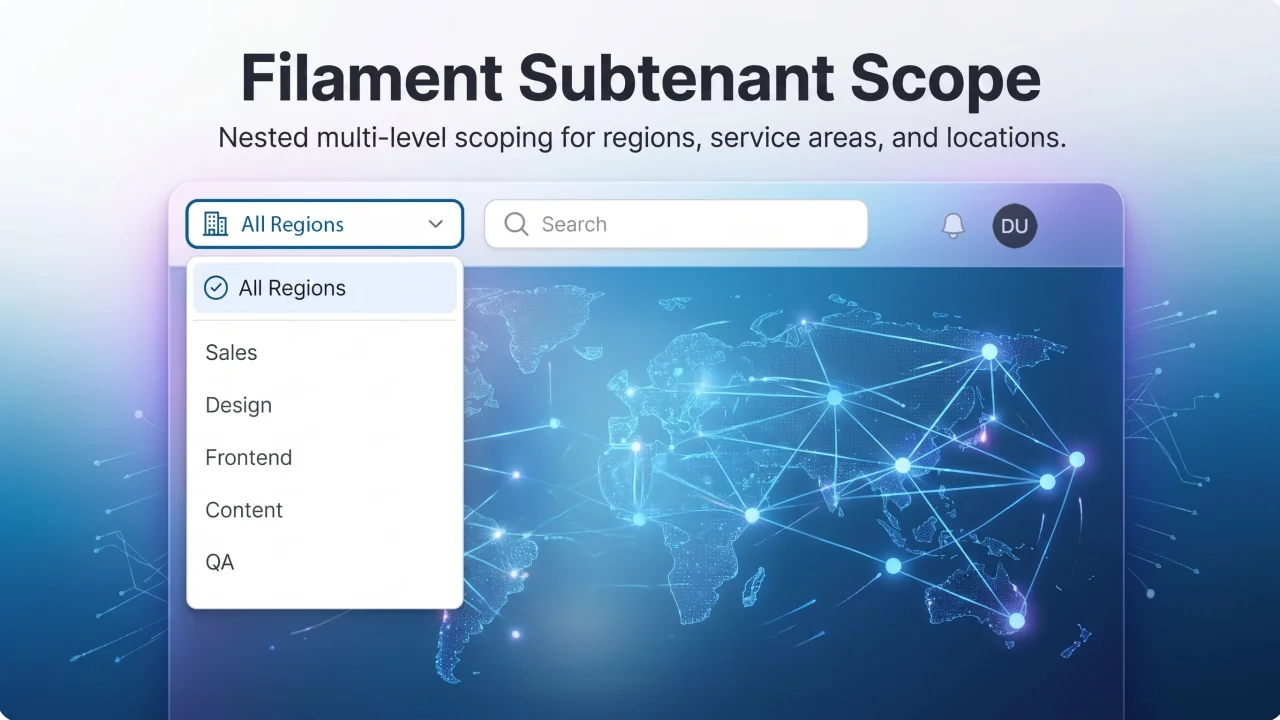
Subtenant Scope
Second-level tenancy scope (service area, region, location) for Filament panels — topnav dropdown that scopes Eloquent queries globally.
Author:
Chris Jones

Right Click
Add native-feeling right-click menus to Filament table rows. Trigger regular Filament actions for single records, or show a separate bulk menu when users right-click selected rows. Actions stay server-enforced, so modals, authorization, validation, redirects, and notifications still work through Filament.
Author:
Chris Jones
Featured Plugins
A selection of plugins curated by the Filament team

Compact Theme
A theme that makes data-heavy panels easier to scan by fitting more useful information on each screen.
 Filament

Noir Theme
A theme that gives panels a focused, refined look with near-black surfaces, crisp actions, and restrained color.
Filament

Advanced Tables (formerly Filter Sets)
Supercharge your tables with powerful features like user-customizable views, quick filters, multi-column sorting, advanced table searching, convenient view management, and more. Compatible with Resource Panel Tables, Relation Managers, Table Widgets, and Table Builder!
 Kenneth Sese

