Realtime by Hibira
CommunityLive notifications, tables and record pages, edit locks, who's-here avatars, team chat and waiting rooms for your panels, set up with one command and powered by Hibira's Pusher-compatible WebSockets.
 Author:
Hibira
Package health
Automated checks of this plugin's Composer package
15 checks
- Passed: GitHub Actions pinned to SHA
- Skipped: GitLab CI includes pinned to SHA
- Passed: Open security advisories
- Passed: Dependabot PR responsiveness — No stale Dependabot PRs.
- Skipped: Renovate MR responsiveness
- Passed: Dependabot or Renovate configured
- Passed: Dependency update cooldown configured
- Passed: Provides a security policy
- Passed: Abandoned or archived — No consulted source marks the package abandoned (packagist, github).
- Passed: Commit and release recency — Active: last commit 0 days ago; last release 0 days ago.
-
Passed:
composer.lock not committed by library
—
composer.lockis absent from the released dist archive. - Passed: Dist archive is lean
-
Passed:
Current Laravel version supported
—
Package dependencies resolve together with current Laravel
13.0. -
Passed:
Current PHP version supported
—
Constraint
^8.1supports current PHP8.5. - Skipped: Current Symfony version supported
filament/
namespace. Review the source and install at your own risk. Found
malware or an unresolved security issue the author won't
address?
Report it
.
Documentation
- Install
- Live database notifications
- Connection light
- Live channels widget
- Who's here
- Edit locks
- AI agents
- Live tables
- Live records
- Import and export progress
- Team chat
- Waiting rooms
- Echo options
- Translations
- Development
- 中文摘要
- License

Live notifications for Filament panels, on Hibira.
Filament can already talk to any Pusher-compatible WebSocket service, once
you publish config/filament.php, uncomment its Echo block and fill in the
host, port and key. This plugin does that for you from the same HIBIRA_*
settings the rest of your app uses, and adds:
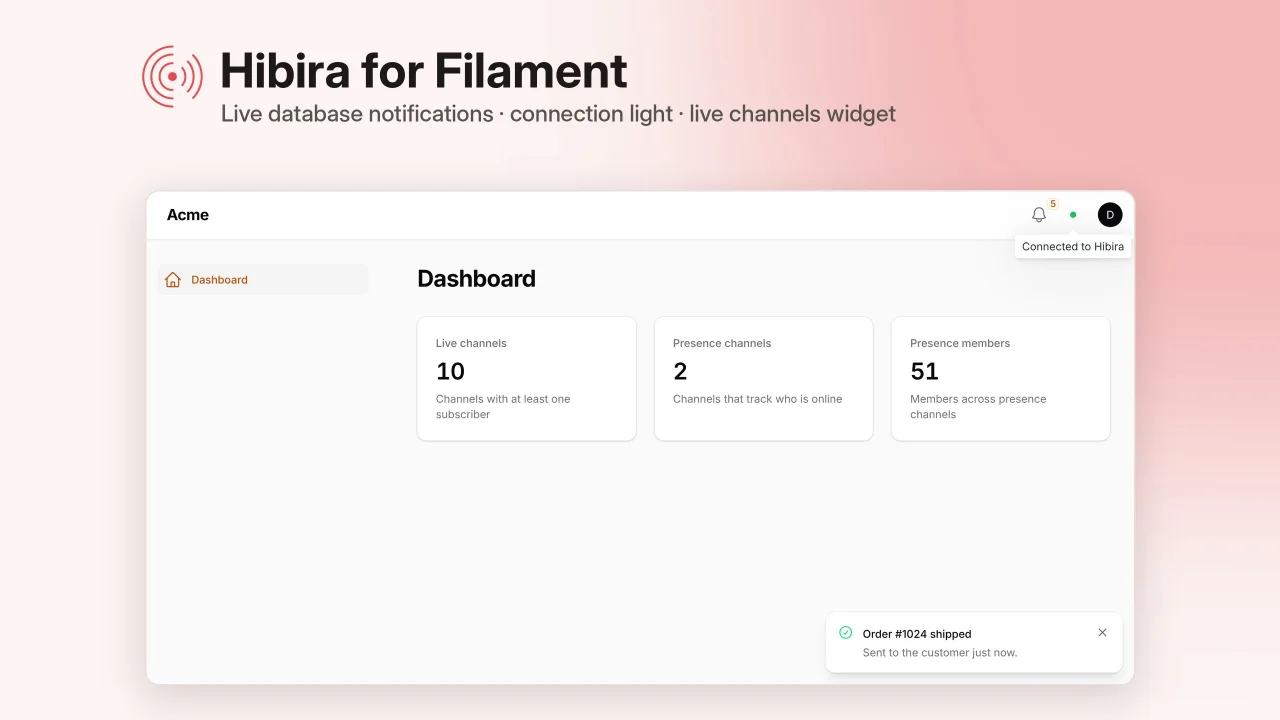
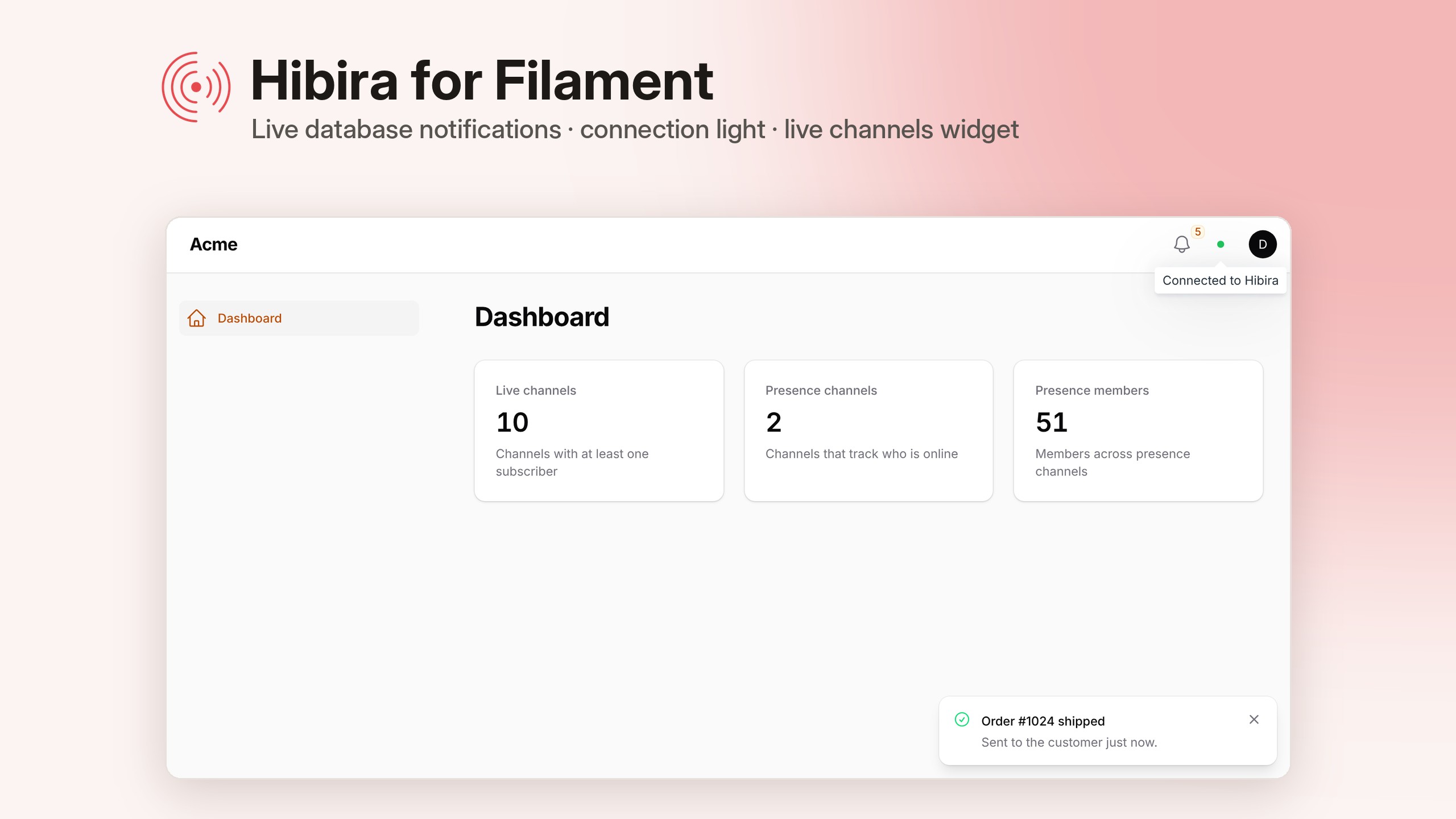
- Live database notifications. The bell updates the moment a notification is sent, instead of every 30 seconds.
- A connection light next to the user menu, so you can see at a glance whether the browser is connected.
- A live channels widget for the dashboard: channels in use, presence channels and the members in them.
- Who's here. Avatars in the page header show who else has the same page open.
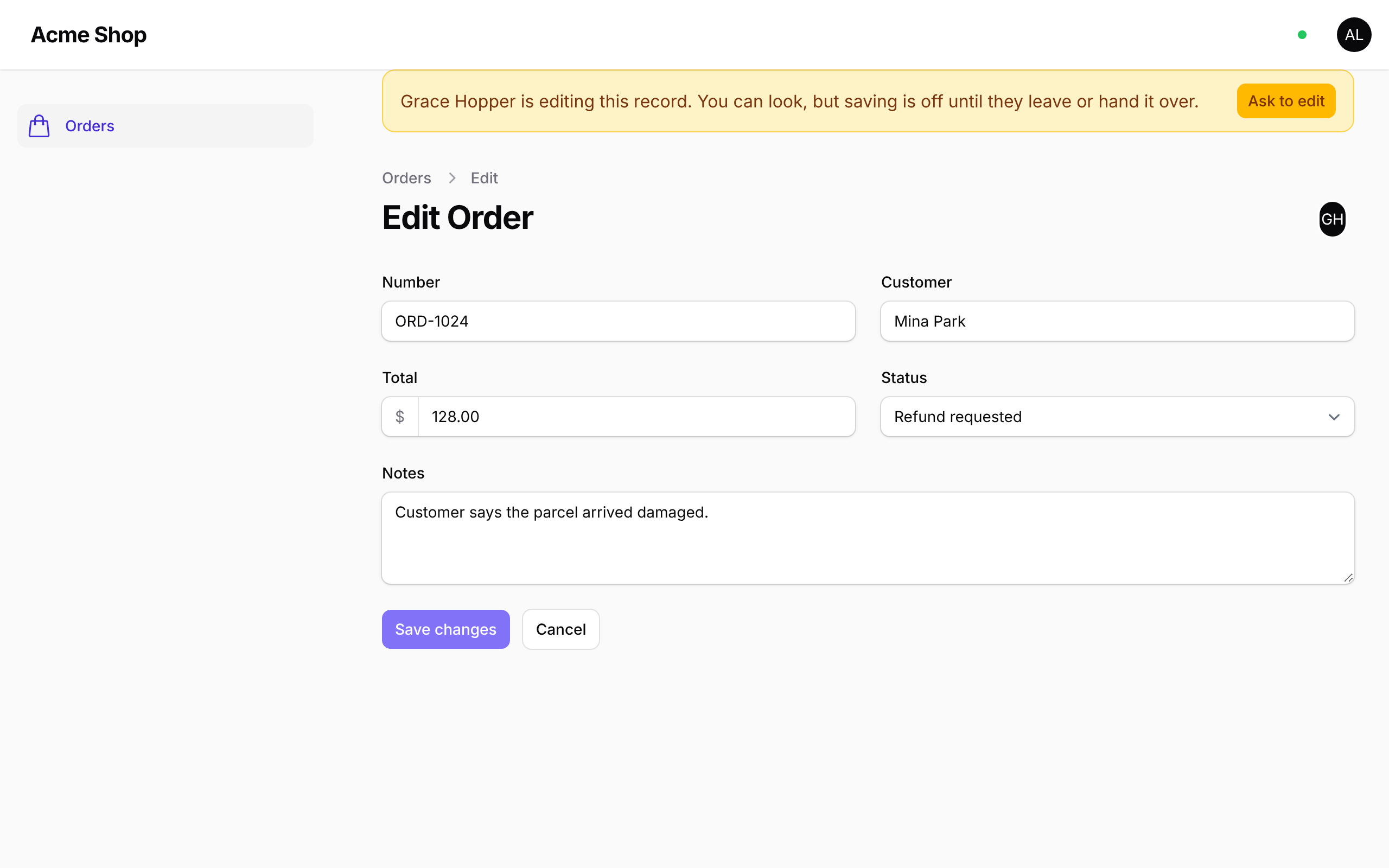
- Edit locks. One person edits a record at a time. Others see who holds it, can ask for it, and get it as soon as the holder hands it over or leaves, with no heartbeat polling and no lock table.
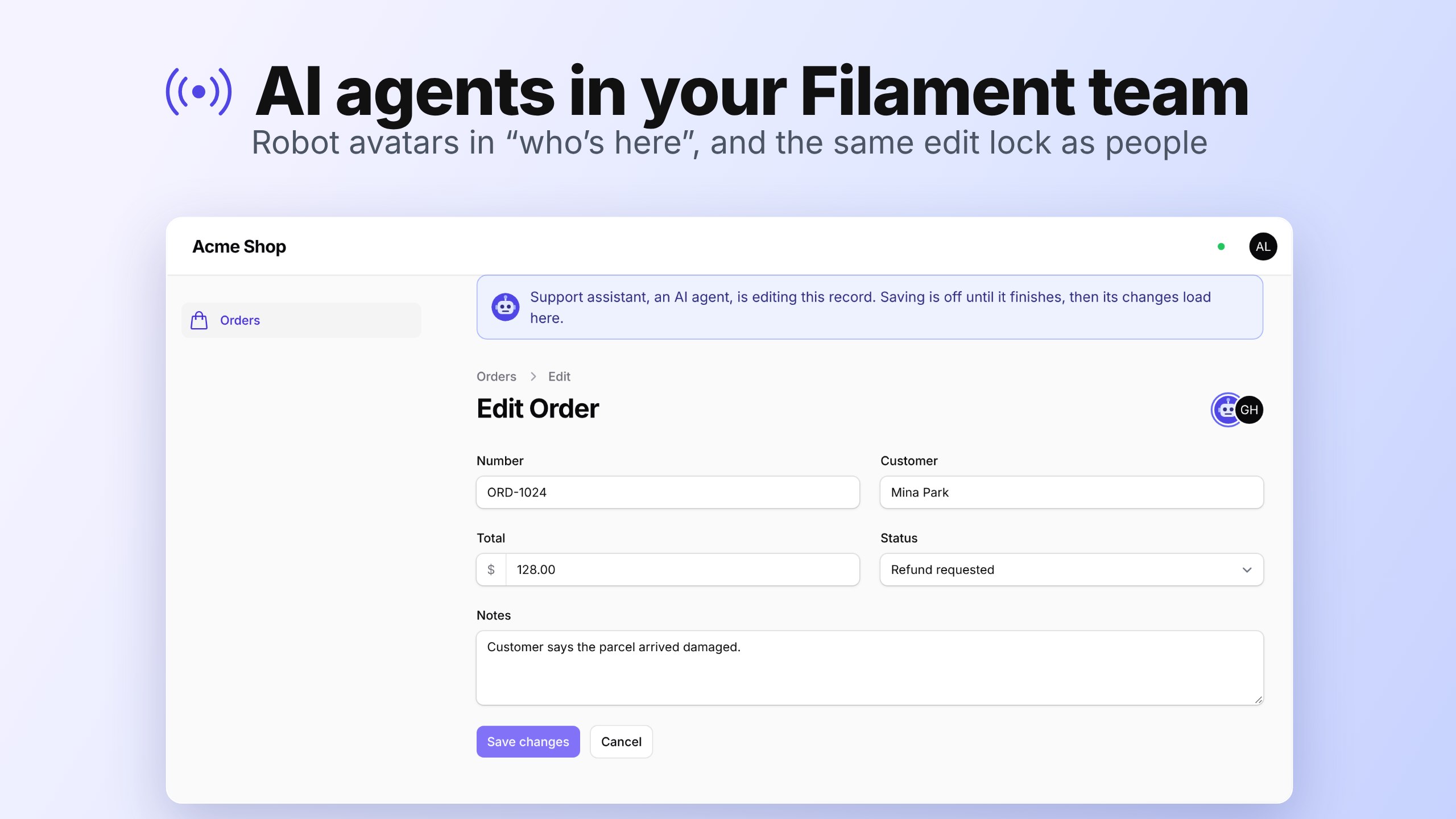
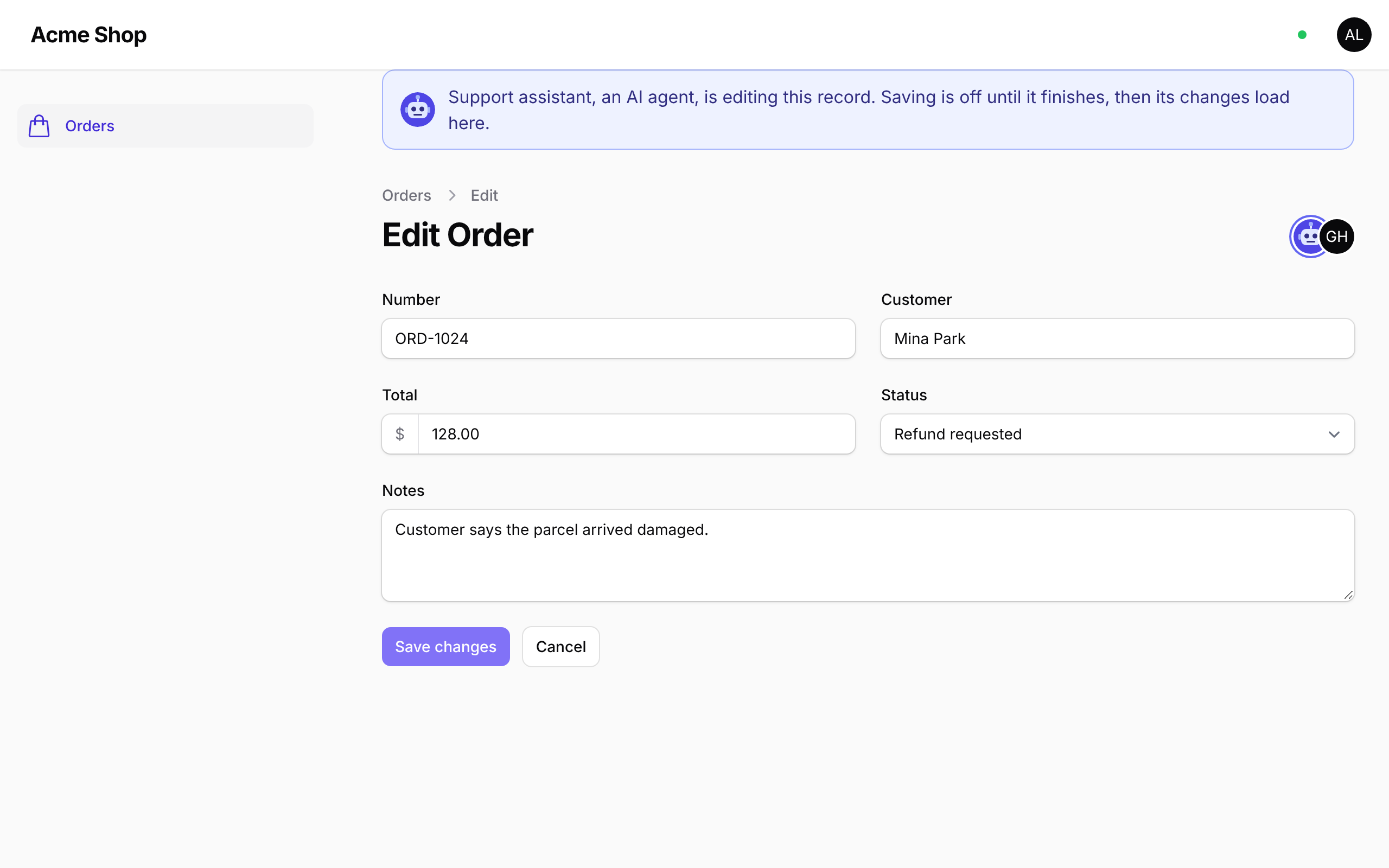
- AI agents in the room. When an AI agent edits a record, it shows up in the avatars with a robot face and takes the record's edit lock, just like a person, so nobody saves over its work and it never saves over theirs.
- Live tables. Resource tables refresh for everyone who has them open when records are saved or deleted, instead of polling.
- Import and export progress. A progress bar shows how many rows of an import or export are done, chunk by chunk.
- Team chat. A Chat page for the panel's users, one to one or in groups, with unread counts, online status and message history.
- Waiting rooms. A Waiting rooms page to run a ticket drop or a launch: watch the line move live, pause, open, let more in, post a notice to everyone in line, or close the room when you sell out.
Supports Filament 3, 4 and 5. It builds on hibira-io/laravel, which sets up broadcasting, push notifications and webhooks.
#Install
composer require hibira-io/filament
php artisan hibira:filament
hibira:filament sets everything up in one go and then checks it:
- adds the
HIBIRA_*settings to.env, setsBROADCAST_CONNECTION=hibiraand asks for your app ID, key and secret (copy them from your app page on hibira.io/portal; the free plan needs no card) - turns on the broadcasting auth route and creates
routes/channels.php, if your app doesn't have them yet - creates the notifications table migration and offers to run it
- adds the plugin to each panel provider in
app/Providers/Filament, with live notifications, who's here, live tables and live records on - checks the connection, the broadcasting route, each panel's guard and user model, and reminds you to add your site to Allowed origins
Run it again at any time: it only changes what is missing. To check without
changing anything, run php artisan hibira:filament --check.
That's it. Filament's own JavaScript already includes Laravel Echo, so there
is nothing to build. You don't need npm run build for the panel, and you
don't need to publish config/filament.php.
#Setting it up by hand
composer require hibira-io/filament
php artisan hibira:install --no-echo
php artisan install:broadcasting --without-reverb --without-node
php artisan make:notifications-table
php artisan migrate
BROADCAST_CONNECTION=hibira
HIBIRA_APP_ID=your-app-id
HIBIRA_APP_KEY=your-app-key
HIBIRA_APP_SECRET=your-app-secret
HIBIRA_HOST=ws.hibira.io
Then add the plugin to your panel:
use Hibira\Filament\HibiraPlugin;

public function panel(Panel $panel): Panel
{
    return $panel
        // ...
        ->plugin(
            HibiraPlugin::make()
                ->databaseNotifications()
                ->presence()
                ->liveTables()
                ->liveRecords()
        );
}
Until HIBIRA_APP_KEY is set the plugin stays out of the way: the panel
loads without Echo and database notifications keep polling.
#Live database notifications
->databaseNotifications() turns on the panel's notification bell and
turns off its polling. Every database notification then shows up straight
away, however it is sent, with no change to your code:
use Filament\Notifications\Notification;

Notification::make()
    ->title('Order #1024 shipped')
    ->success()
    ->sendToDatabase($user);

// Laravel notifications stored with the database channel too.
$user->notify(new OrderShipped($order));
Filament on its own only updates the bell for notifications sent with
isEventDispatched: true, and does it with a second queued job. The plugin
tells the bell itself, straight to Hibira, once per user when the request or
queued job that stored the notification ends. It also refreshes the bell itself, because Filament 4 and 5 only
start listening once a user already has a notification, so the first one
would otherwise wait for a page load. To go back to Filament's behaviour,
pass ->databaseNotifications(live: false).
Filament stores its database notifications from the queue, so keep
php artisan queue:work running (or use QUEUE_CONNECTION=sync while
developing). hibira:filament reminds you.
To send a toast that is not stored, to a user who is online now:
Notification::make()
    ->title('Export ready')
    ->broadcast($user);
Both go out on the user's private channel (App.Models.User.{id} for the
default user model). The plugin lets each user listen on their own channel,
so you don't need a rule in routes/channels.php; a rule you write there
wins. The broadcasting auth route has to be on, which hibira:filament
does for you.
If you'd rather keep polling as a fallback, give it an interval:
HibiraPlugin::make()->databaseNotifications(polling: '60s')
#Panels with their own guard
Echo authorizes private channels at /broadcasting/auth, which uses the
web guard by default. If your panel signs users in with another guard,
register the broadcasting routes with that guard, and point Echo at them if
you changed the path:
// bootstrap/app.php
->withBroadcasting(__DIR__.'/../routes/channels.php', [
    'middleware' => ['web', 'auth:admin'],
])
HibiraPlugin::make()->echoOptions(['authEndpoint' => '/admin/broadcasting/auth'])
#Connection light
A small dot next to the user menu shows the connection: green when connected, amber while connecting, red when the service can't be reached and grey when disconnected. Hovering shows the state in words.
Move it or turn it off:
use Filament\View\PanelsRenderHook;

HibiraPlugin::make()->connectionStatus(renderHook: PanelsRenderHook::TOPBAR_END)
HibiraPlugin::make()->connectionStatus(false)
#Live channels widget
->channelsWidget() adds HibiraChannelsWidget to the dashboard. It shows:
- Live channels: channels with at least one subscriber
- Presence channels: channels that track who is online
- Presence members: members across all presence channels (someone in two rooms counts twice)
It refreshes every 10 seconds through the Channels HTTP API. API calls don't count as messages on your plan.
To place it yourself, for example on a custom page or only for some users,
leave ->channelsWidget() off and register the class like any other widget:
use Hibira\Filament\Widgets\HibiraChannelsWidget;

$panel->widgets([HibiraChannelsWidget::class]);
#Who's here
->presence() shows the avatars of everyone else on the same page, next to
the page's header actions. Each page path is its own room, so people on the
posts list don't show up on a post's edit page.
HibiraPlugin::make()->presence()
The plugin registers the presence channels itself and lets in anyone who may
use the panel (the same canAccessPanel() check Filament makes). Echo joins
them through /broadcasting/auth, so the broadcasting routes need to be on,
as for live notifications. Move the avatars
with ->presence(renderHook: PanelsRenderHook::TOPBAR_END).
#Edit locks
Add InteractsWithHibiraLock to an edit page:
use Filament\Resources\Pages\EditRecord;
use Hibira\Filament\Concerns\InteractsWithHibiraLock;

class EditPost extends EditRecord
{
    use InteractsWithHibiraLock;

    protected static string $resource = PostResource::class;
}
The first person to open a record holds its lock. Anyone else who opens it sees who is editing, and Save is turned off for them. They can:
- Ask to edit. The holder gets a prompt with Save and hand over, which saves the holder's changes and passes the lock across.
- Wait. When the holder closes the page, the next person on it takes the lock within a few seconds.
Everyone on the edit page joins a presence channel for that record. When the holder's connection drops, Hibira tells the others, and the server checks Hibira's member list before moving the lock, so a stale lock never blocks anyone and nothing polls. If Hibira can't be reached, the lock stays where it is.
The holder is kept in your cache store, so use one that supports atomic
locks (redis, database, memcached, dynamodb, file or array).
Presence for locks works with or without ->presence().
#AI agents
Agents that change records, such as a Laravel AI SDK
tool, a support bot or an approved action from
hibira-io/filament-approvals,
can join a record's page the same way a person does. Wrap the change in
Agent::edit():
use Hibira\Filament\Agents\Agent;

Agent::make('support-assistant')
    ->name('Support assistant')
    ->edit($order, function () use ($order) {
        $order->update(['status' => 'refunded']);
    });
While the callback runs:
- The agent shows up in "Who's here" on the record's view and edit pages,
with a robot avatar and an "AI agent" label. Pass
->avatar($url)for your own image. - It holds the edit lock. People on the edit page see a banner saying the agent is editing, and their Save button is off.
- It lets go when done, even if the callback throws. The next person on the page takes the lock and their form reloads with the agent's changes.
| The agent is editing | It's done, its changes are loaded |
|---|---|
 |
 |
The agent follows the lock rules too. If a person is editing the record,
edit() throws RecordLockedException without running the callback. Pass
wait: to ask them for it instead: they get the usual Save and hand over
prompt, and the agent waits up to that many seconds for the record.
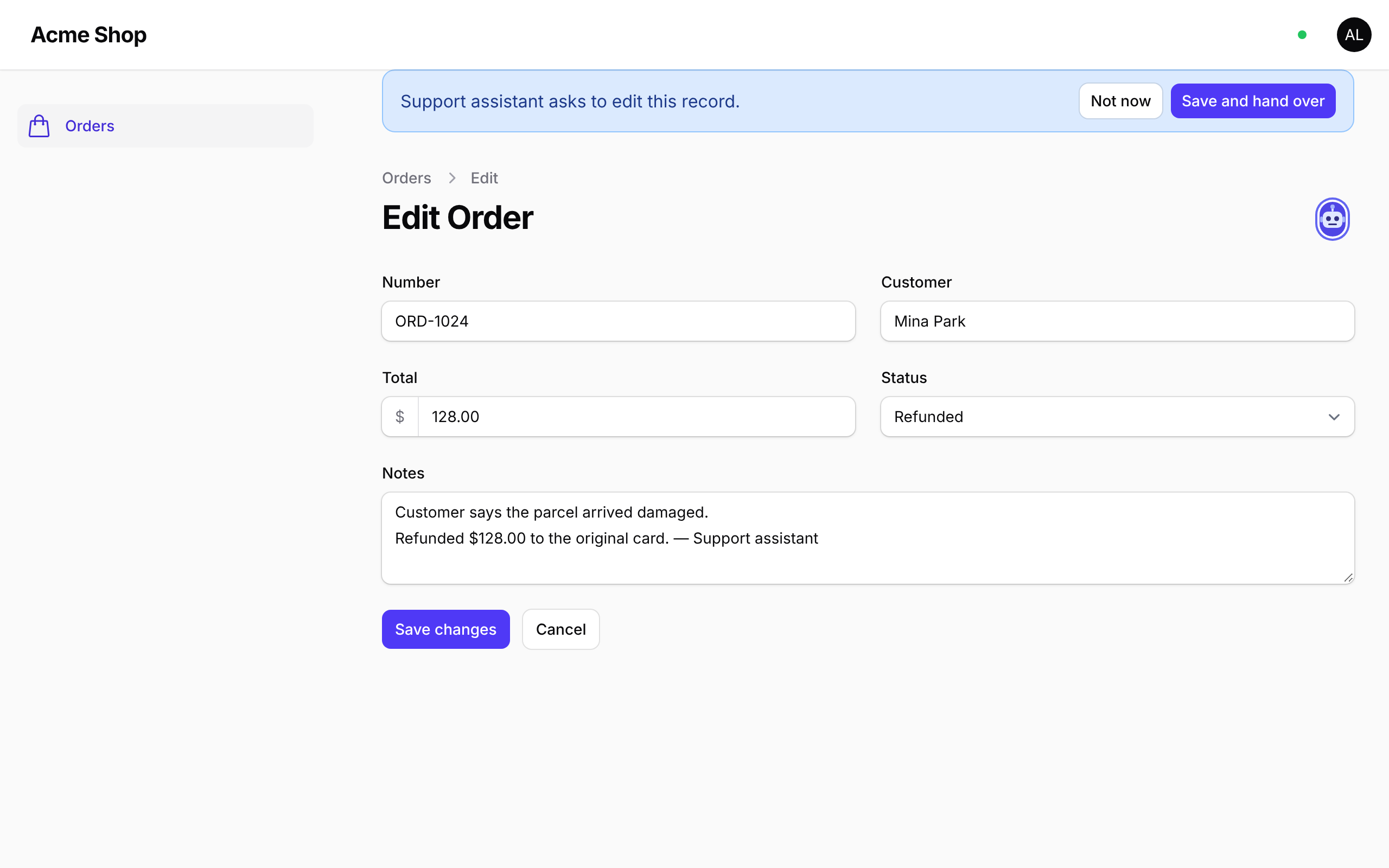
In a Laravel AI SDK tool, tell the model when the record is busy so it can say so or try later:
use Hibira\Filament\Agents\Agent;
use Hibira\Filament\Agents\RecordLockedException;
use Laravel\Ai\Contracts\Tool;
use Laravel\Ai\Tools\Request;

class RefundOrder implements Tool
{
    public function handle(Request $request): string
    {
        $order = Order::findOrFail($request['order_id']);

        try {
            return Agent::for(SupportAssistant::class)->edit($order, function () use ($order) {
                $order->refund();

                return "Order {$order->id} refunded.";
            }, wait: 20);
        } catch (RecordLockedException $e) {
            return "{$e->holder['name']} is editing this order right now. Try again later.";
        }
    }

    // description() and schema() as usual.
}
Agent::for() names the agent after a class: SupportAssistant becomes
"Support Assistant".
The agent appears in every panel that uses this plugin and has a resource for
the record's model, and takes the lock of each edit page that uses
InteractsWithHibiraLock. Limit it with ->panels('admin').
Agents run in a queued job or a request, not a browser, so they can't keep a
WebSocket open. They are kept in your cache store and announced to the page
with events instead. If the agent's process dies, it times out after five
minutes (->ttl(seconds)). For longer work, call touch() on the session the
callback receives, or use start() and stop() yourself:
$session = Agent::make('importer')->start($record);

try {
    foreach ($rows as $row) {
        // ...
        $session->touch();
    }
} finally {
    $session->stop();
}
#Live tables
->liveTables() refreshes tables for everyone who has them open, whenever
one of their records is created, updated, deleted or restored: in the
panel, in a queued job, an API controller or a console command. That covers
resource list pages, relation managers (a post's comments, an order's
items) and table widgets.
HibiraPlugin::make()->liveTables()
Changes are collected and sent once when the request or queued job ends, so an import of a thousand rows refreshes each open table once per chunk, not a thousand times. Browsers wait 300 ms after the last message before refreshing.
The plugin watches the models of the panel's resources and of their relation managers. For other tables, such as a table widget that lists another model, pass it:
HibiraPlugin::make()->liveTables(models: [AuditEntry::class])
Only Eloquent model events are seen. After a mass update through the query builder, mark the table yourself:
Post::query()->where('draft', true)->update(['draft' => false]);

app(\Hibira\Filament\LiveTables::class)->touch(Post::class);
#Live records
->liveRecords() keeps view and edit pages up to date when their record is
changed somewhere else: by a teammate, a queued job, an API call or an AI
agent.
HibiraPlugin::make()->liveRecords()
- View pages show the new values at once.
- Edit pages say who changed the record, with a Load changes button. It loads only the fields they changed, so your other unsaved edits stay. If the record is deleted, the page says so.
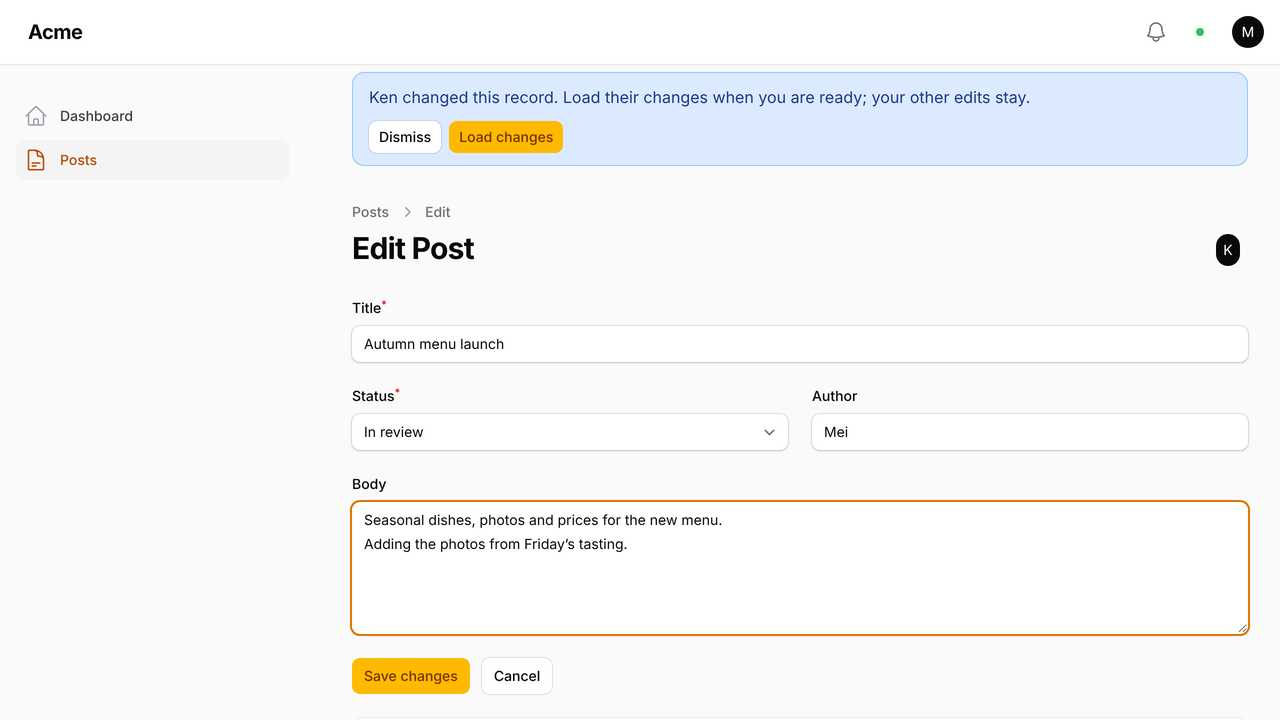
Messages name the changed fields and who changed them, never their values. Edit pages that use edit locks are kept up to date by the lock instead. Like live tables, only Eloquent model events are seen.
#Import and export progress
Filament runs imports and exports as queued jobs and tells you when they are
finished. ->importProgress() also shows how far along they are: a small
card in the corner fills up as each chunk of rows is processed, and goes
away a few seconds after the last one.
HibiraPlugin::make()->importProgress()
It works with Filament's own ImportAction and ExportAction, including
custom importers and exporters, and picks up imports that were already
running when the page loads. The card only goes to the user who started the
import.
#Team chat
->chat() adds a Chat page and a chat button with the unread count to
the top bar. Panel users can message each other one to one or start a group,
see who is online, and scroll back through earlier messages.
HibiraPlugin::make()->chat()
Messages are stored by Hibira's Chat API, so there are no tables to migrate and nothing to queue. The Chat API is in beta and is turned on per account: ask us at hibira.io to turn it on. Until then the Chat page says chat is unavailable.
How it fits together:
- Each browser signs in to Hibira as its panel user, through a route the
plugin adds to the panel (
/admin/hibira/user-auth). New messages, read receipts and online status arrive over that sign-in, with no channel per conversation. - Anyone who may use the panel (
canAccessPanel()) can chat. Users are found bynameandemail; pass other columns with->chat(searchColumns: ['name', 'username']). - Chat users are named
<panel>.<user key>, so each panel has its own conversations. - A group holds up to 50 people. Messages are up to 4,000 characters.
Hide the page from the navigation with ->chat(navigation: false) (the top
bar button still links to it), or move the button with
->chat(buttonRenderHook: PanelsRenderHook::TOPBAR_END).
Every message counts as one message per member toward your plan, like any other event.
#Waiting rooms
->waitingRooms() adds a Waiting rooms page for the
waiting rooms that
protect your routes with Route::middleware('hibira.waiting:presale').
It needs hibira-io/laravel 0.4 or later.
HibiraPlugin::make()->waitingRooms()
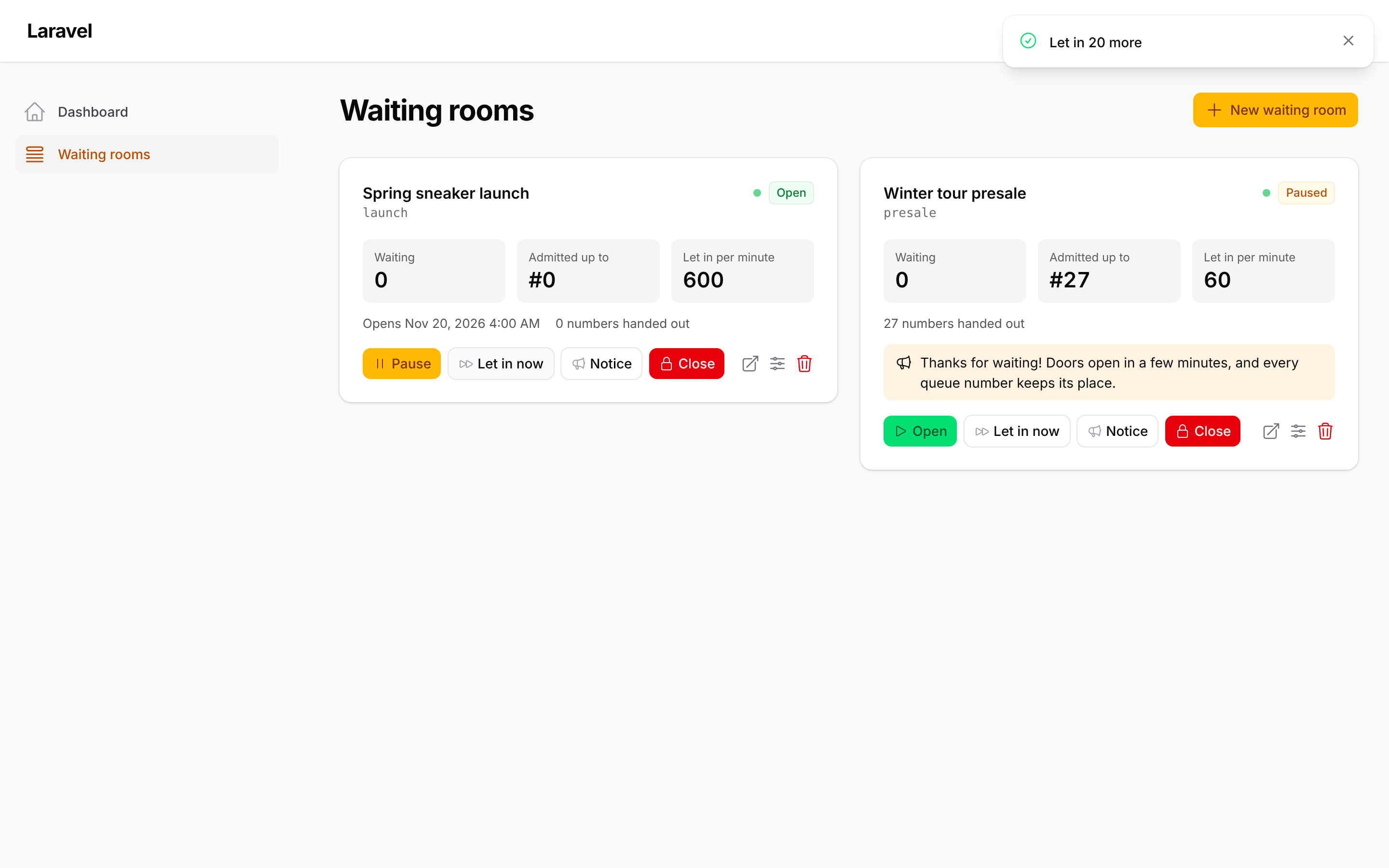
Each room shows how many people are waiting, how far the line has got, the rate per minute and about how long the last person in line will wait. The numbers update live from the room's status channel, and the page refreshes every 15 seconds as well. From the page you can:
- Pause (the line keeps its places) and Open again.
- Let in now: move the line forward by a number of visitors, even while paused.
- Notice: a message shown at once to everyone on the waiting page, such as "Restock at 3pm". Leave it empty to remove it.
- Close when you sell out: nobody new can join, and people already let in keep their pass until it expires.
- Create a room, change its title, rate or opening time, open its waiting page, or delete it.
Every panel user may open the page unless you say who can:
HibiraPlugin::make()->waitingRooms(
    authorize: fn ($user) => $user->is_admin,
    navigationGroup: 'Shop',
)
Rooms are listed from Hibira. A Hibira server that cannot list rooms yet
shows only the rooms you name: ->waitingRooms(rooms: ['presale']).
#Echo options
The plugin builds these Echo options from config/hibira.php:
| Option | From |
|---|---|
key |
HIBIRA_APP_KEY |
wsHost |
HIBIRA_HOST (default ws.hibira.io) |
wsPort, wssPort |
HIBIRA_PORT (default 443) |
forceTLS |
HIBIRA_SCHEME is https |
cluster |
always hkg; pusher-js requires one but ignores it once wsHost is set |
Anything else can be added or replaced with ->echoOptions([...]).
The settings are applied only while the panel with the plugin is being
served, so other panels keep their own filament.broadcasting.echo config.
#Translations
Everything the plugin shows comes in English, Traditional Chinese, Simplified Chinese, Japanese, Korean, Thai and Vietnamese, following the app locale. To change the wording:
php artisan vendor:publish --tag=hibira-filament-translations
#Development
composer install
composer test
#中文摘要
Filament 3/4/5 插件,把面板的 Laravel Echo 接到 Hibira。composer require hibira-io/filament
後執行 php artisan hibira:filament,一條命令就會寫好 .env 設定、開啟廣播授權路由、建立通知資料表,
並把插件加進 Panel,最後檢查連線與設定。功能:所有資料庫通知一存入就即時更新鈴鐺(不必加
isEventDispatched)、連線指示燈、誰在線、編輯鎖、AI 代理、即時表格(含關聯表與表格小工具)、
即時記錄(查看頁自動更新,編輯頁提示誰改了並可載入對方的修改)、匯入匯出進度與團隊聊天。
->waitingRooms() 加上「等候室」頁面:即時看排隊人數與放行進度,可暫停、開放、立即放行、對排隊的人發布公告,
售完時關閉等候室(需要 hibira-io/laravel 0.4 以上)。
#License
The author
From the same author
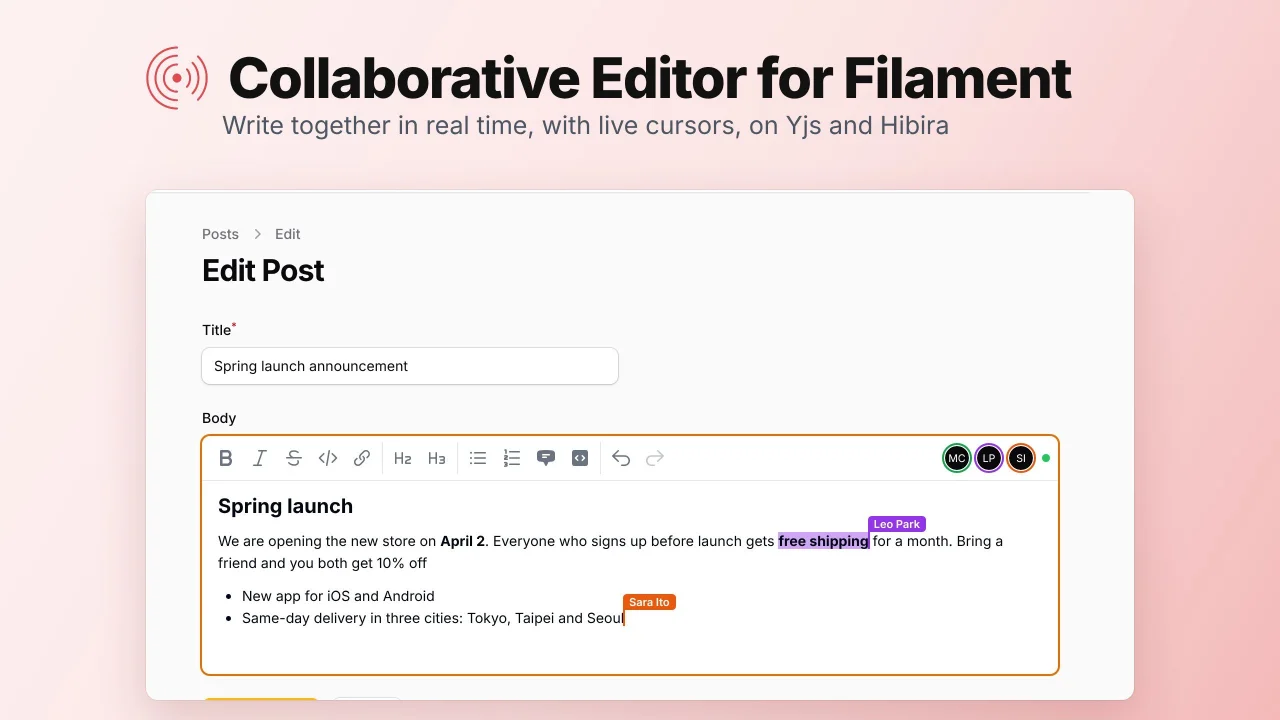
Collaborative Editor
A rich text field that several people can edit at once, with live cursors, synced with Yjs over Hibira WebSockets.
Author:
Hibira
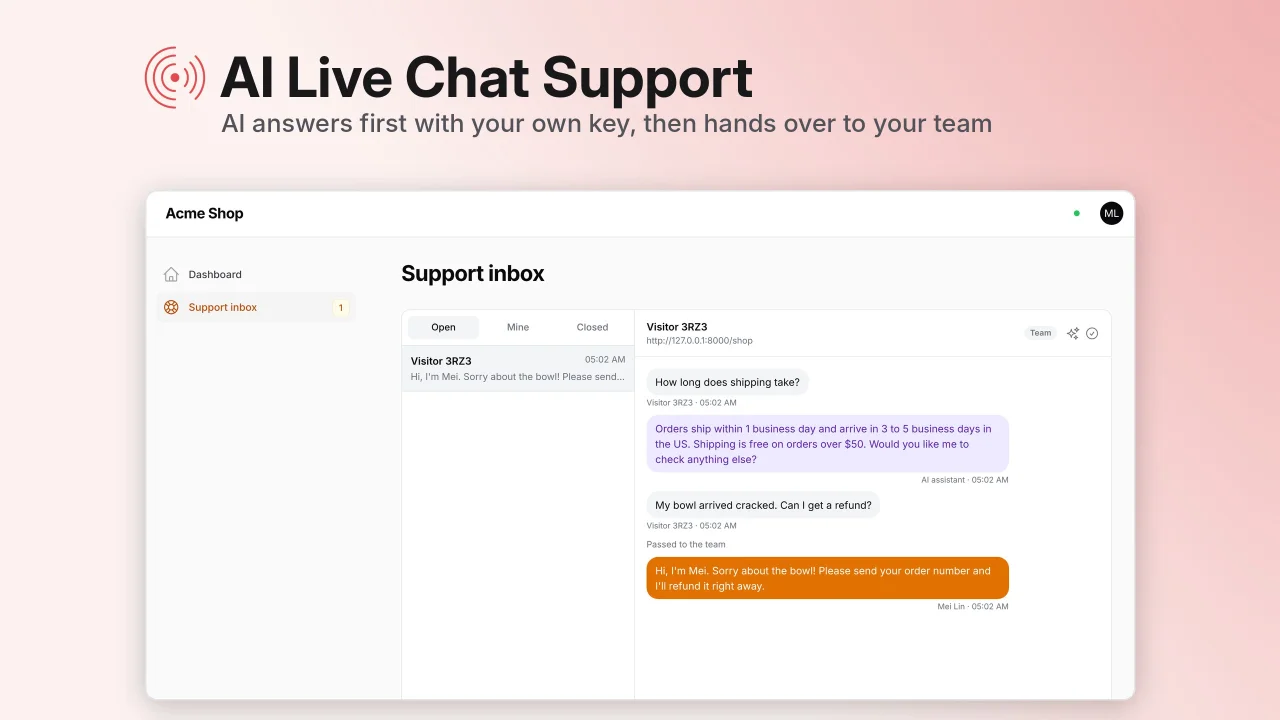
AI Live Chat Support
A live chat widget for your website where AI answers first with your own API key and hands visitors over to your team in a live support inbox in your panel.
Author:
Hibira
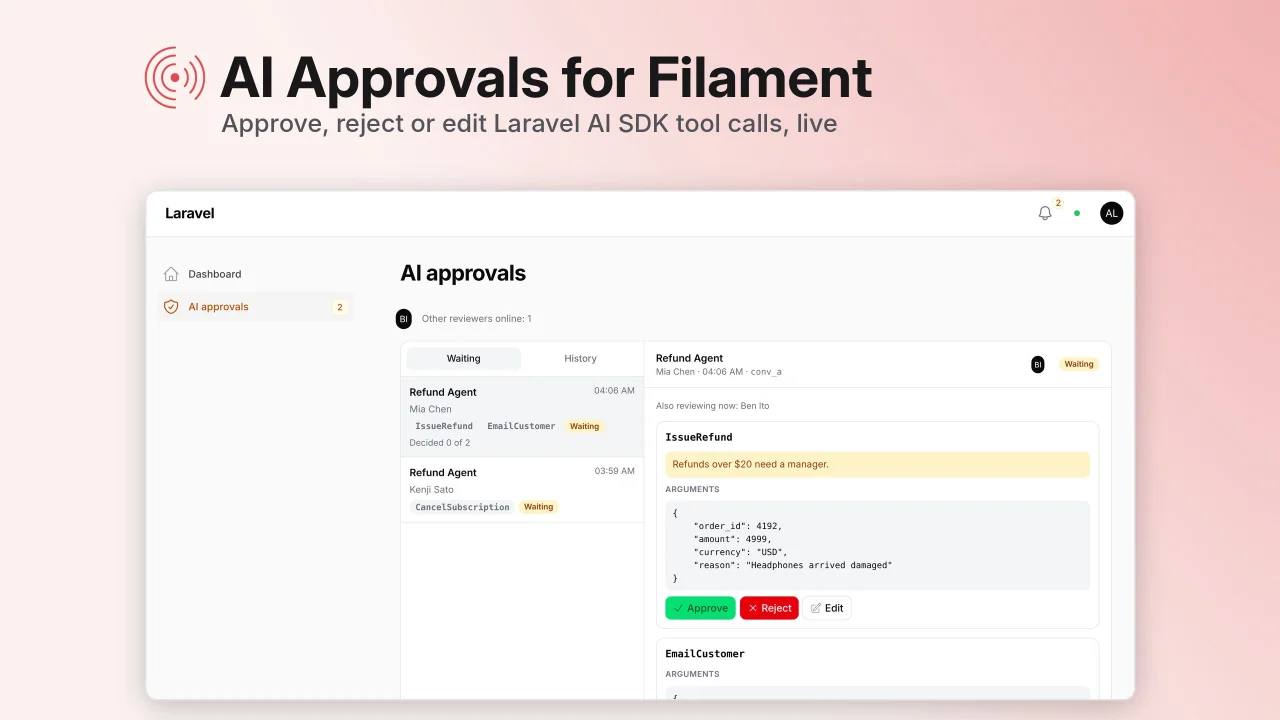
AI Approvals
A live inbox in your panel where your team approves, rejects or edits Laravel AI SDK tool calls before the agent runs them, then the agent carries on by itself.
Author:
Hibira
Featured Plugins
A selection of plugins curated by the Filament team
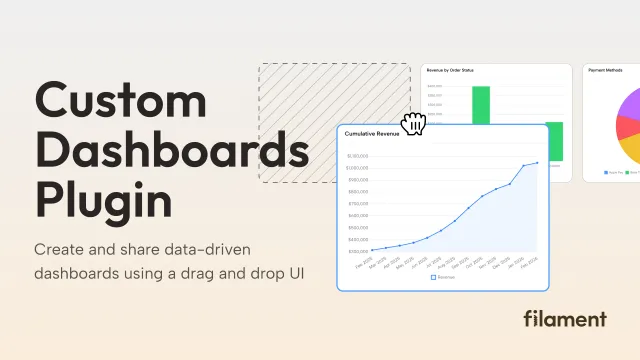
Custom Dashboards
Let your users build and share their own dashboards with a drag-and-drop interface. Define your data sources in PHP and let them do the rest.
 Filament
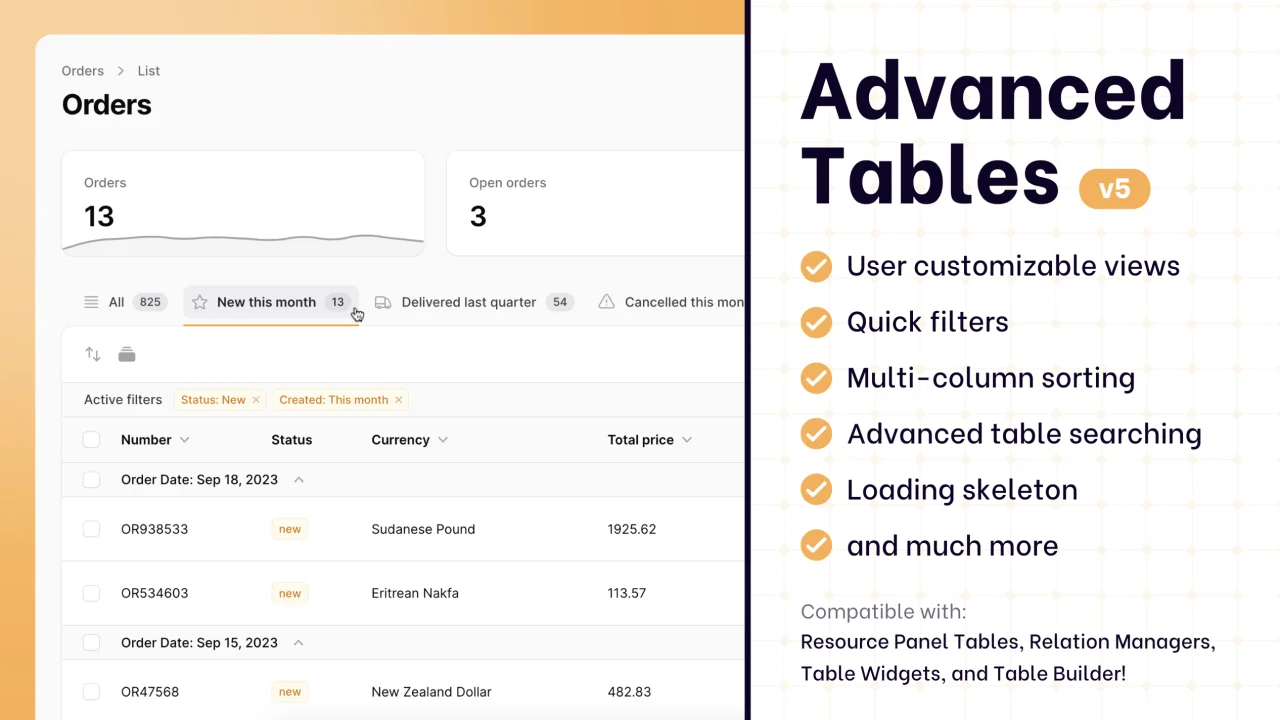
Advanced Tables (formerly Filter Sets)
Supercharge your tables with powerful features like user-customizable views, quick filters, multi-column sorting, advanced table searching, convenient view management, and more. Compatible with Resource Panel Tables, Relation Managers, Table Widgets, and Table Builder!
 Kenneth Sese
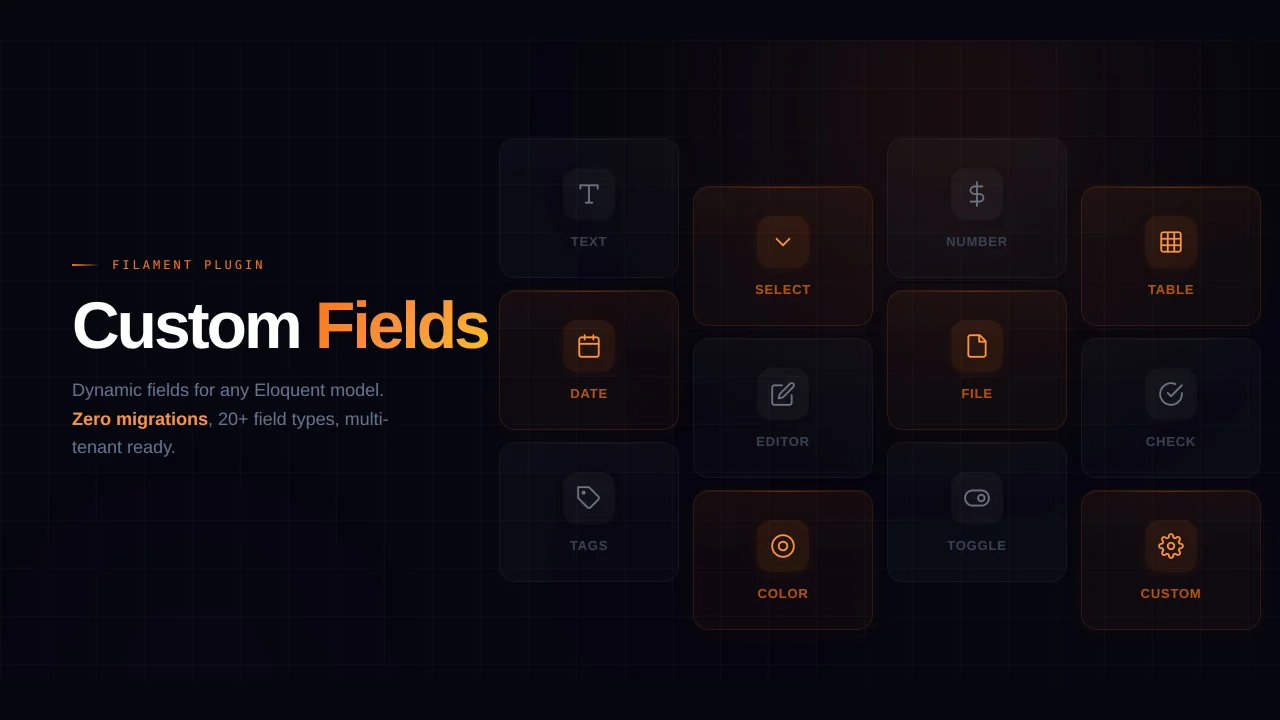
Custom Fields
Eliminate custom field migrations forever. Let your users create and manage form fields directly in Filament admin panels with 20+ built-in field types, validation, and zero database changes.
 Relaticle