
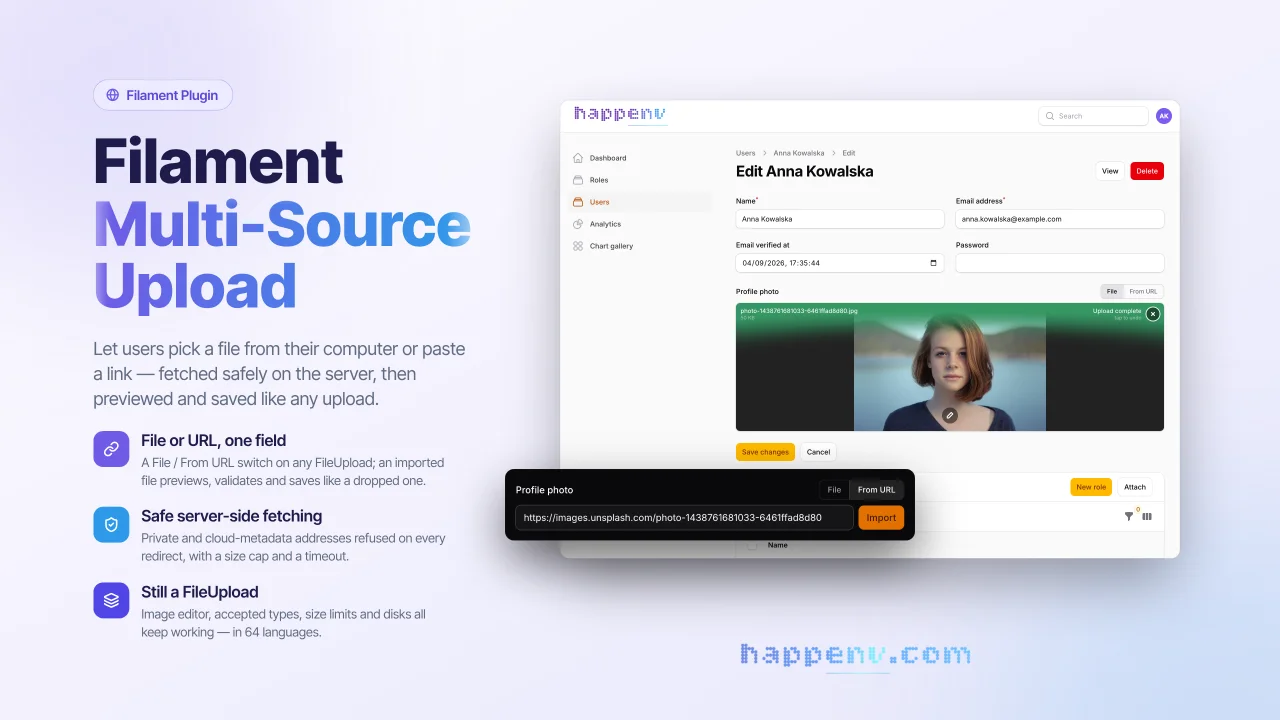
Multi Source Upload
CommunityA drop-in replacement for Filament's FileUpload field that lets users add a file from their disk or from a URL.
filament/
namespace. Review the source and install at your own risk. Found
malware or an unresolved security issue the author won't
address?
Report it
.
 Author:
Happenv sp. z o.o.
Author:
Happenv sp. z o.o.
Documentation
- Why
- Key features
- Requirements
- Installation
- Configuration
- Usage
- Translations
- Development
- Upgrading
- Changelog
- Contributing
- Security vulnerabilities
- Credits
- License
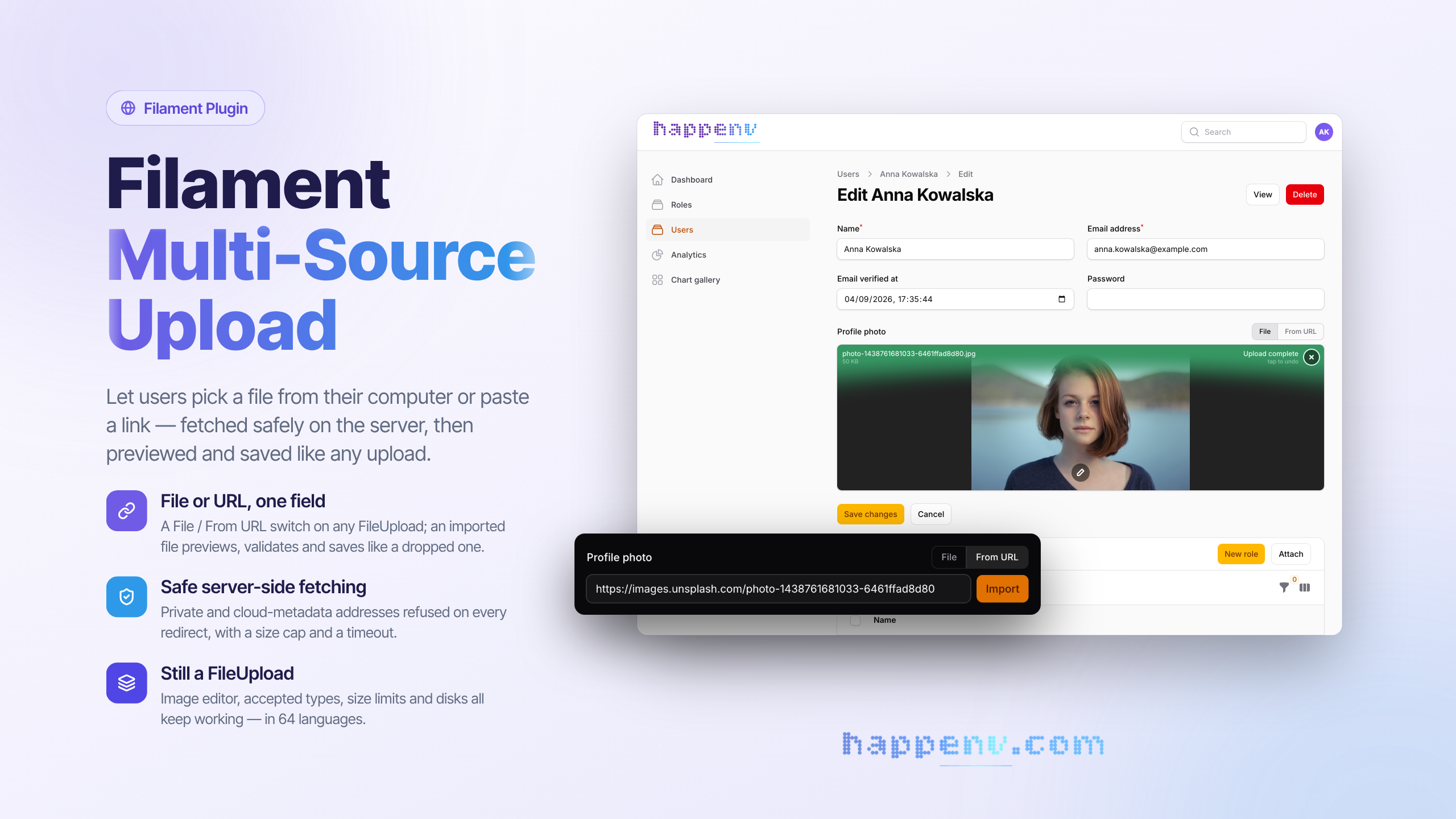






A drop-in replacement for Filament's FileUpload field that lets users add a file from their disk or from a URL — and in both cases the file is downloaded and stored on your target disk, exactly as if it had been uploaded.
No second *_url column, no remote references to babysit. One column, one file, always on your storage.
use Happenv\FilamentMultiSourceUpload\MultiSourceFileUpload;

MultiSourceFileUpload::make('logo_path')
    ->image()
    ->disk('s3')
    ->directory('logos');
#Why
Most "upload from URL" components store the link in a separate column (image or image_url) and leave the file on someone else's server. The moment that URL rots, moves, or blocks hotlinking, your data is gone.
MultiSourceFileUpload takes the opposite approach: a pasted URL is fetched server-side, turned into a real Livewire temporary upload, and then flows through Filament's own save pipeline. The result is byte-for-byte identical to a drag-and-drop upload — same disk, same directory, same visibility, same filename strategy, same single string column.
#Key features
- A file from disk or from a link, in one field. A compact File / From URL switch beside the label; the pasted link is imported with one click. See Usage.
- Always stored on your disk. An imported file goes through the field's own uploader and save pipeline, so it lands on
disk()/directory()exactly like a dragged-in file — one string column, no remote references. - Every
FileUploadoption still applies. It is aFileUpload:acceptedFileTypes(),maxSize(),multiple(), image editing, file naming and visibility work unchanged. See How it works. - Instant preview. The imported file drops into the dropzone as a live upload item with a thumbnail, progress bar and remove button. See Instant preview.
- Safe server-side fetching. http(s) only, private and internal addresses refused on every redirect, the connection pinned to the checked address, a size cap and a timeout. See Security.
- Matches your panel. Reuses Filament's component classes and design tokens, dark mode included; translated into all 64 languages Filament ships.
- Tested. Covered by a Pest suite on every supported version combination.
#Requirements
| Package | Versions |
|---|---|
| PHP | 8.5 |
| Laravel | 13 |
| Filament | 4 (^4.12.0), 5 (^5.7.0) |
| Livewire | 3 (Filament 4), 4 (Filament 5) |
#Installation
Install the package via Composer:
composer require happenv-com/filament-multi-source-upload
The service provider is auto-discovered and the field's stylesheet is registered as a Filament asset — that's it, the field is ready to use. It does not use Tailwind utility classes of its own, so your panel theme needs no extra @source line.
#Configuration
In addition to the full FileUpload API, the field adds:
| Method | Default | Description |
|---|---|---|
urlImport(bool | Closure) |
true |
Enable/disable the From URL tab. When false, the field behaves like a plain FileUpload. |
allowPrivateNetworks(bool | Closure) |
false |
Allow importing from private/loopback/link-local addresses (relaxes the SSRF guard). |
maxUrlImportSize(int | Closure | null) |
maxSize() or 25 MB |
Hard cap (in kilobytes) for URL downloads. |
fileTabLabel(string | Closure | null) |
translated | Label of the File tab. |
urlTabLabel(string | Closure | null) |
translated | Label of the From URL tab. |
MultiSourceFileUpload::make('document')
    ->acceptedFileTypes(['application/pdf'])
    ->disk('documents')
    ->maxUrlImportSize(10 * 1024)   // 10 MB
    ->urlTabLabel('Paste a link');
#Publishing views & translations
To customise the tab labels, placeholders or error messages, or the view, publish them:
php artisan vendor:publish --tag="filament-multi-source-upload-translations"
php artisan vendor:publish --tag="filament-multi-source-upload-views"
The label and source switch reuse Filament's own component classes and design tokens, so they match the active panel theme (including dark mode) with no extra configuration.
#Usage
#Uploading a file or importing it from a URL
Use it anywhere you would use FileUpload. Every FileUpload method works unchanged, because it is a FileUpload:
use Happenv\FilamentMultiSourceUpload\MultiSourceFileUpload;

MultiSourceFileUpload::make('avatar')
    ->image()
    ->avatar()
    ->disk('public')
    ->directory('avatars')
    ->maxSize(2048);
The field renders a compact File / From URL switch beside the label. On From URL the user pastes a link and clicks Import: the file is fetched server-side (SSRF/size guarded) and handed to the field's own uploader, so it appears in the dropzone as a normal upload — thumbnail, type/size validation, progress bar, remove button and all — and saves exactly like a dragged-in file.
#Multiple files
MultiSourceFileUpload::make('gallery')
    ->image()
    ->multiple()
    ->maxFiles(10)
    ->disk('s3')
    ->directory('gallery');
#Disabling URL import conditionally
MultiSourceFileUpload::make('logo_path')
    ->urlImport(fn (): bool => auth()->user()->canImportFromUrl());
#How it works
- The user pastes a URL and clicks Import.
- The file is downloaded server-side (with SSRF, size and timeout guards) and its bytes are handed back to the browser.
- The browser rebuilds a real
Fileand feeds it to the field's FilePond instance viaaddFile()— so from that point it is indistinguishable from a file the user dragged in: FilePond validates it (type/size), previews it, uploads it to Livewire's temporary storage and, on submit, Filament promotes it onto the configured disk.
Because the URL and the local file converge on the exact same uploader, the imported file honours every setting you already use: disk(), directory(), visibility(), acceptedFileTypes(), maxSize(), getUploadedFileNameForStorageUsing(), storeFileNamesIn(), image editing, and so on — with no duplicated logic.
#Instant preview
The moment the user clicks Import, the file drops into the dropzone as a live upload item — image/video/audio thumbnails render immediately, other types (PDF, ZIP, …) show as a named file entry — with an upload progress bar and a remove button, just like a local upload.
#Security
Fetching a user-supplied URL server-side is an SSRF vector, so the download is guarded by default:
- Scheme allow-list — only
httpandhttpsURLs are accepted. - Private-network blocking — hosts resolving to private, reserved, loopback, link-local, shared (CGNAT) or multicast addresses are rejected, including the cloud metadata endpoints (
169.254.169.254,100.100.100.200), IPv4-mapped IPv6 and IPv6 ranges that embed an IPv4 address (NAT64, 6to4, Teredo). Opt out per field withallowPrivateNetworks(). - Redirects are checked too — at most three redirects are followed, and every target passes the same scheme and address checks as the URL the user entered.
- Pinned connection — the request connects to exactly the address that was checked, so a DNS answer that changes between the check and the download (DNS rebinding) cannot redirect it to an internal host. The Host header, TLS SNI and certificate verification still use the host name. This needs PHP's
curlextension; without it URL imports are refused. - Size cap — the download is written straight to a temporary file and aborted the moment it exceeds
maxUrlImportSize()(falling back tomaxSize(), then 25 MB). A declaredContent-Lengthover the cap stops it before the body arrives. - Timeout — a hard request timeout for every request.
- MIME validation — the downloaded file's type is sniffed from its bytes (not the server's
Content-Type) and carried on the rebuiltFile, so FilePond validates it againstacceptedFileTypes()client-side exactly as it would a local upload, on top of Filament's usual save-time validation.
As with any FileUpload, always call acceptedFileTypes() (or image()) with an explicit type list when files land on a public, PHP-executing disk.
If your server sends outgoing HTTP through a proxy, the proxy connects to the target, so the address checks are only as strong as the proxy's own rules.
#Translations
The field ships in every locale Filament ships:
am ar az bg bn bs ca ckb cs da de el en es et eu fa fi fil fr he hi hr hu hy id it ja ka km ko ku lt lus lv mk mn ms my nb ne nl pl pt pt_BR ro ru sk sl sq sr_Cyrl sr_Latn sv sw tg th tr uk ur uz vi zh_CN zh_HK zh_TW
Publish them with php artisan vendor:publish --tag="filament-multi-source-upload-translations" to change the wording or add a language. tests/Unit/TranslationsTest.php checks that every locale has exactly the keys English has, and that every locale Filament ships has a translation.
#Development
composer test          # unit and feature tests
composer phpstan       # static analysis
composer cs            # fix code style: composer normalize, Rector, Pint
composer ci            # everything CI checks, locally
The compiled stylesheet in resources/dist/ is committed, so installing the package needs no build step. It is authored with Tailwind (@apply) in resources/css/index.css and only emits the component's own rules (Filament's theme is pulled in via @reference, so no base styles are duplicated). The build reads that theme from vendor/, so install the Composer dependencies first. After changing resources/css, rebuild and commit the result — CI refuses outdated assets:
composer update
npm ci
npm run build   # or `npm run dev` to rebuild on change
npm run lint    # Prettier check, as in CI (`npm run format` fixes it)
#Upgrading
Breaking changes and how to migrate are described in UPGRADING for every major version.
#Changelog
See CHANGELOG and GitHub releases for what has changed recently.
#Contributing
See CONTRIBUTING for details.
#Security vulnerabilities
Please review our security policy on how to report security vulnerabilities.
#Credits
#License
The MIT License (MIT). See License File for more information.

The author
Happenv is a software development company specializing in e-commerce solutions, logistics systems, and Order Management Systems (OMS). We design, build, and maintain scalable business applications that help companies streamline operations, automate workflows, and improve customer experiences. Our expertise includes custom development, system integrations, and long-term support of solutions built with Laravel and Filament, delivering reliable and efficient platforms tailored to modern commerce and logistics needs.
From the same author
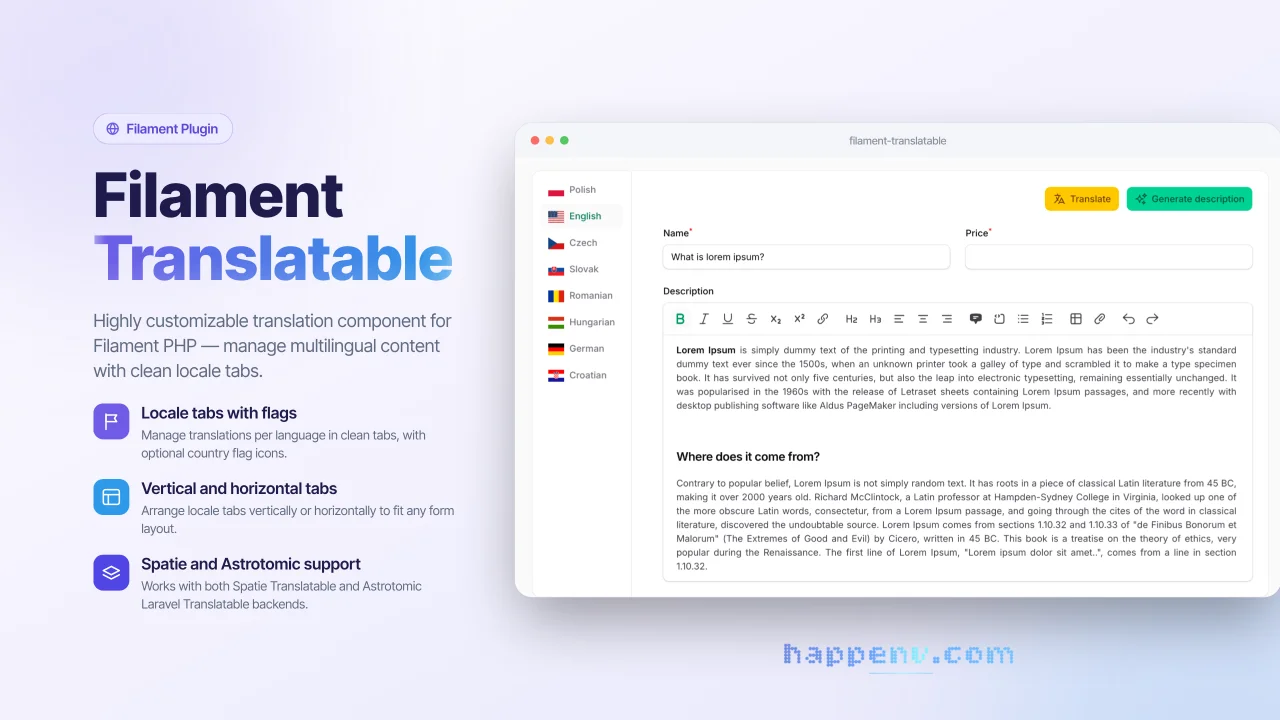
Translatable Fields
ilament Translatable is a flexible package that provides a complete solution for managing multilingual content in Filament admin panels. It allows you to easily create translatable form fields with an intuitive tabbed interface, supporting multiple locales and translation packages.
Author:
Happenv sp. z o.o.
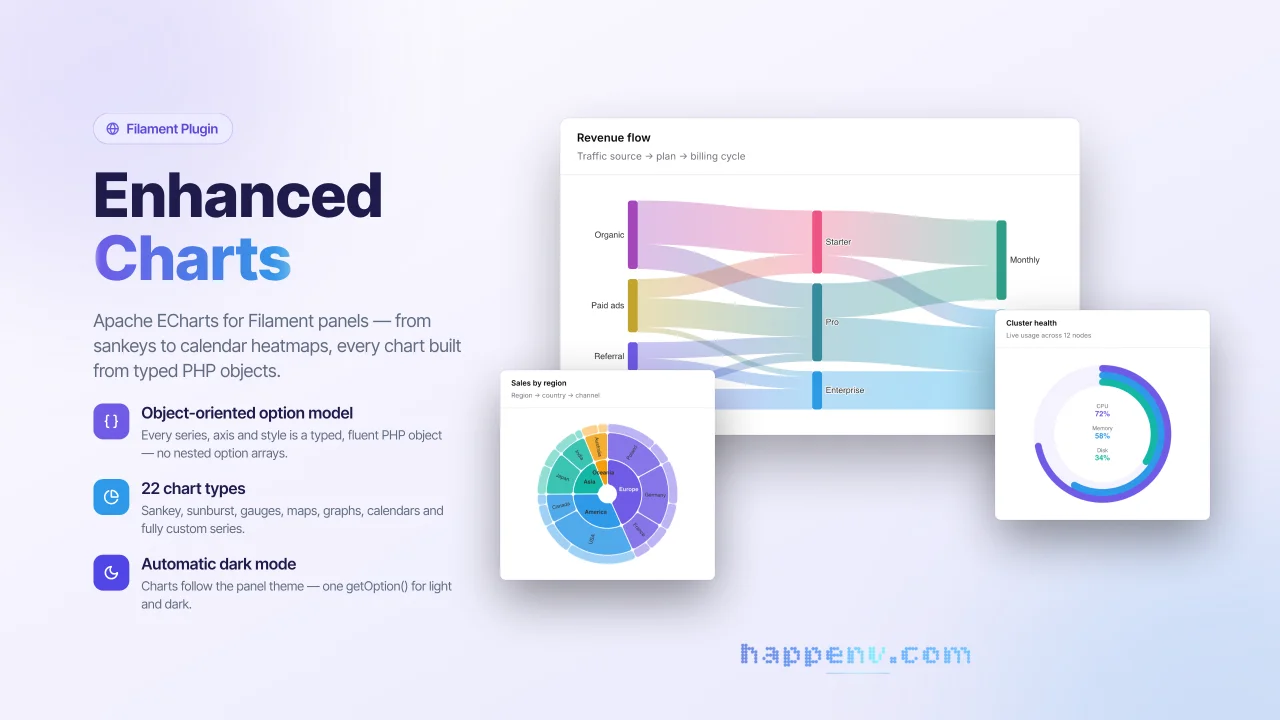
Enhanced Charts
Apache ECharts for Filament panels - from sankeys to calendar heatmaps, every chart built from typed PHP objects.
Author:
Happenv sp. z o.o.
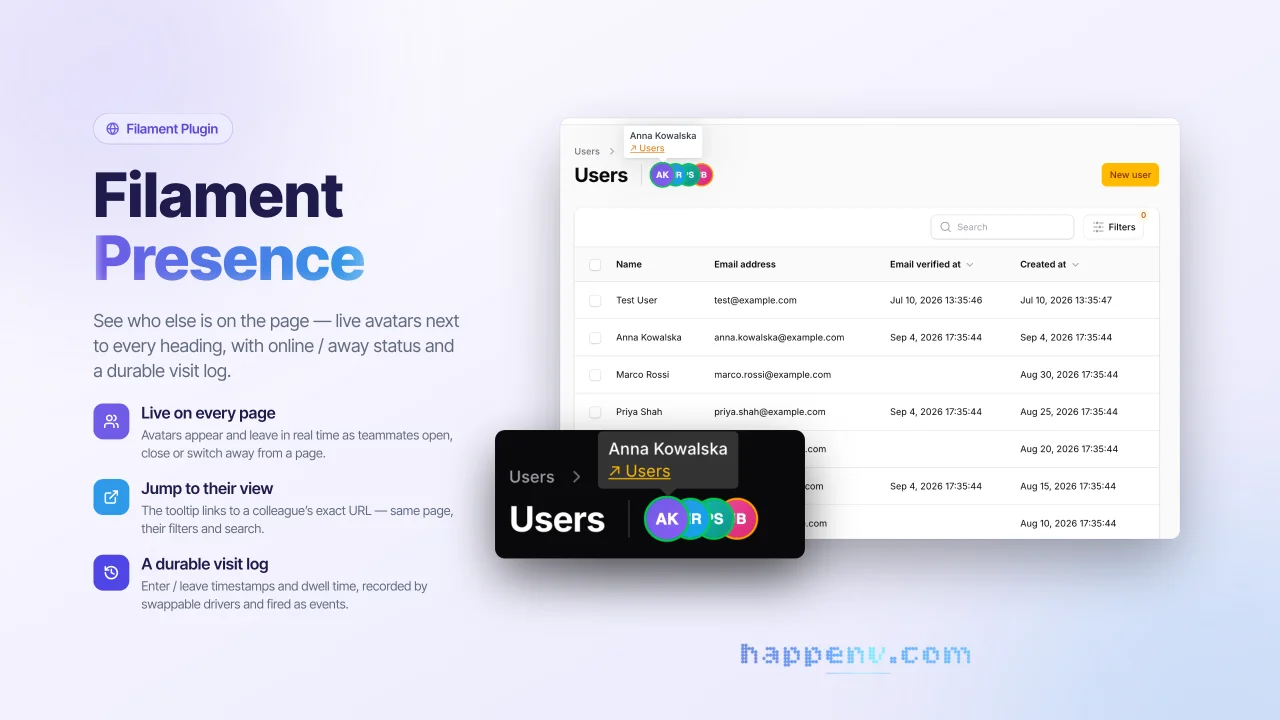
User Presence
See who else is on the page - live avatars next to every heading, with online / away status and a durable visit log.
Author:
Happenv sp. z o.o.
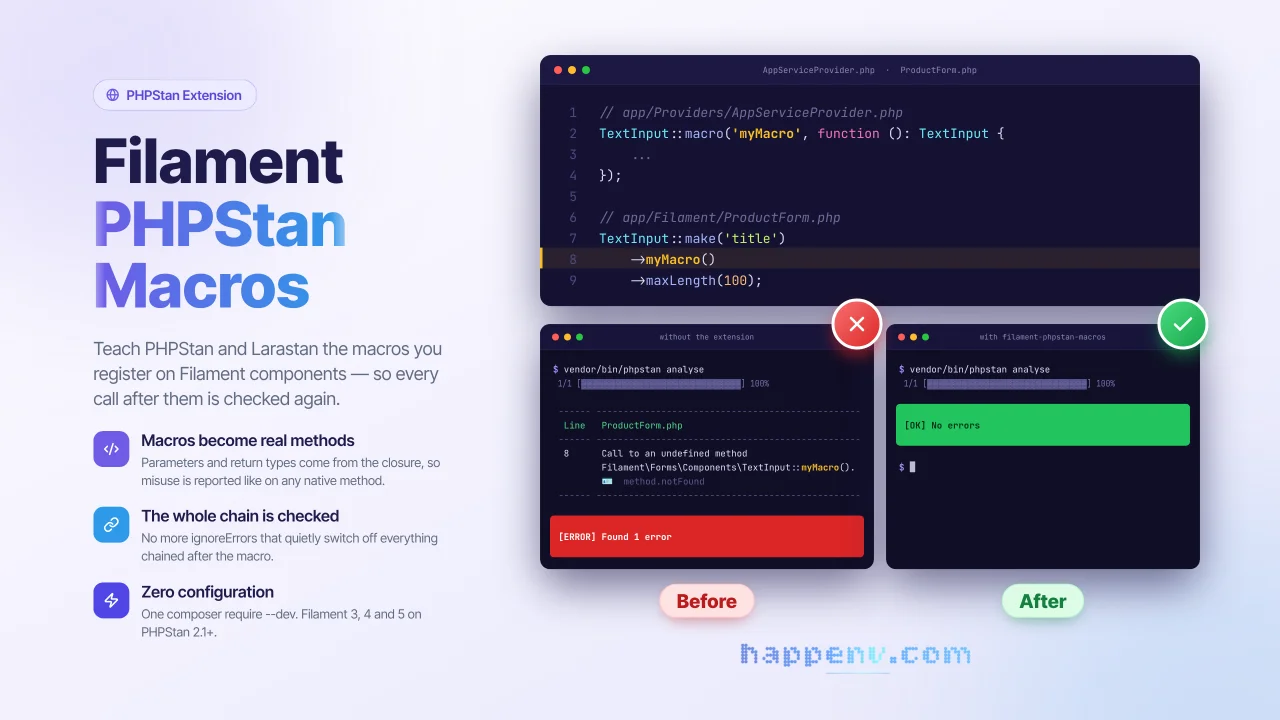
PHPStan readable macros
PHPStan and Larastan understand macros registered on Filament components.
Author:
Happenv sp. z o.o.
Featured Plugins
A selection of plugins curated by the Filament team

Sharp Theme
A theme that gives panels a precise, technical look with square corners, strong borders, and clear contrast.
 Filament

Spotlight Pro
Browse your Filament Panel with ease. Filament Spotlight Pro adds a Spotlight like Command Palette to your Filament Panel.
 Dennis Koch

Soft Theme
A theme that gives panels a warm, approachable look with rounded shapes, gentle colors, and serif headings.
Filament

