Starter Kit Easy
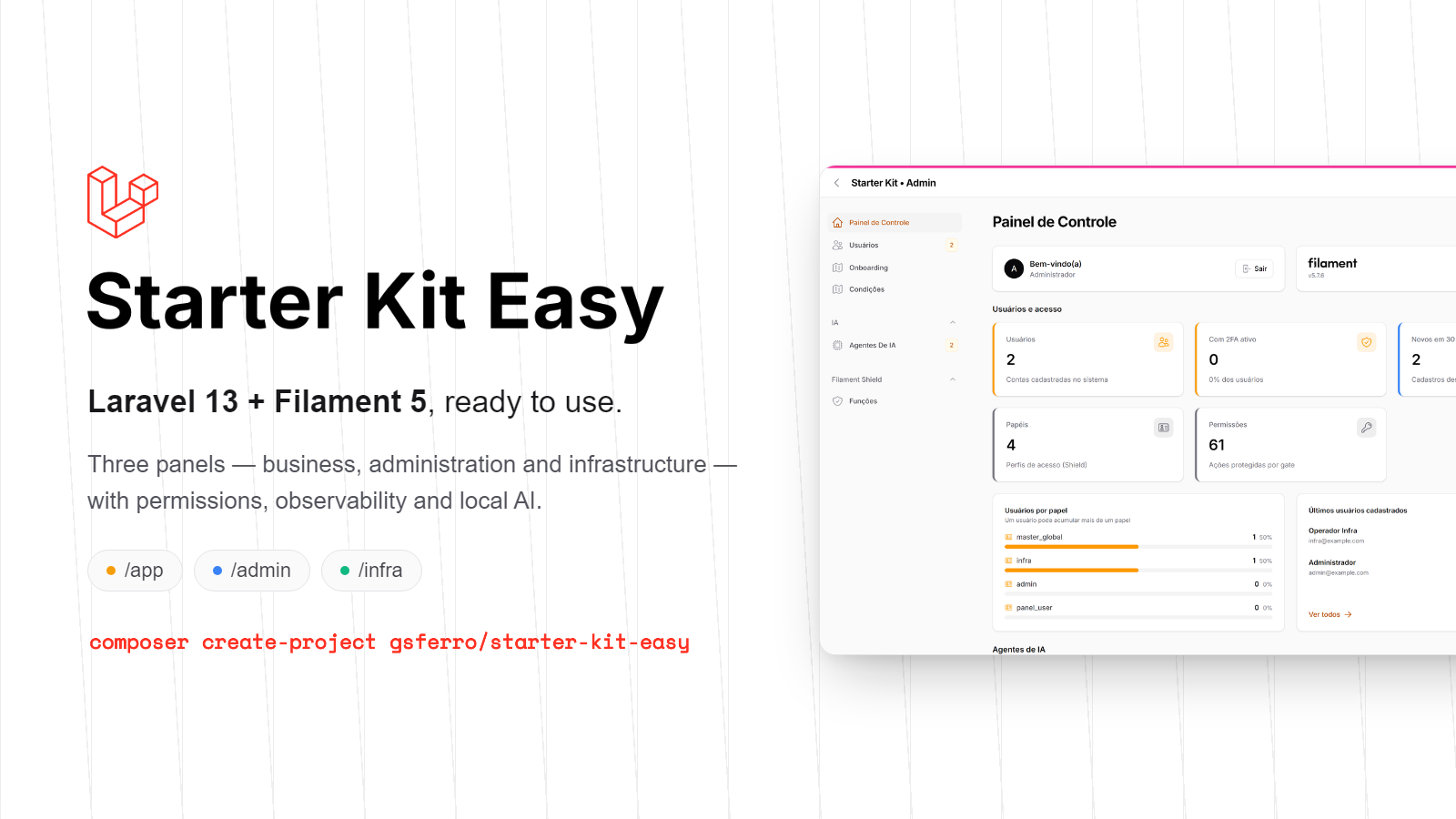
CommunityA ready-to-use Laravel 13 + Filament 5 starter kit. One command creates the project, installs everything, migrates, seeds the database and hands you three working panels: business, administration and infrastructure. Support for multi-tenant.
 Author:
Guilherme Ferro
Author:
Guilherme Ferro
Package health
BetaAutomated checks of this plugin's Composer package
15 checks
- Failed: GitHub Actions pinned to SHA — View details on Plumb
- Skipped: GitLab CI includes pinned to SHA
- Passed: Open security advisories
- Passed: Dependabot PR responsiveness — No open Dependabot PRs.
- Skipped: Renovate MR responsiveness
- Passed: Dependabot or Renovate configured
-
Failed:
Dependency update cooldown configured
—
No cooldown configured in
.github/dependabot.yml. View details on Plumb - Passed: Provides a security policy
- Passed: Abandoned or archived — No consulted source marks the package abandoned (packagist, github).
- Passed: Commit and release recency — Active: last commit 0 days ago; last release 0 days ago.
- Skipped: composer.lock not committed by library
- Warning: Dist archive is lean
- Skipped: Current Laravel version supported
-
Passed:
Current PHP version supported
—
Constraint
^8.4supports current PHP8.5. - Skipped: Current Symfony version supported
filament/
namespace. Review the source and install at your own risk. Found
malware or an unresolved security issue the author won't
address?
Report it
.
Documentation
- Demo access
- The three panels
- Our numbers
- What's already there
- Full documentation
- Requirements
- Database
- Docker
- Commands
- Customize your project
- Updating a project born from the kit
- Troubleshooting
- License





🇺🇸 English · 🇧🇷 Português
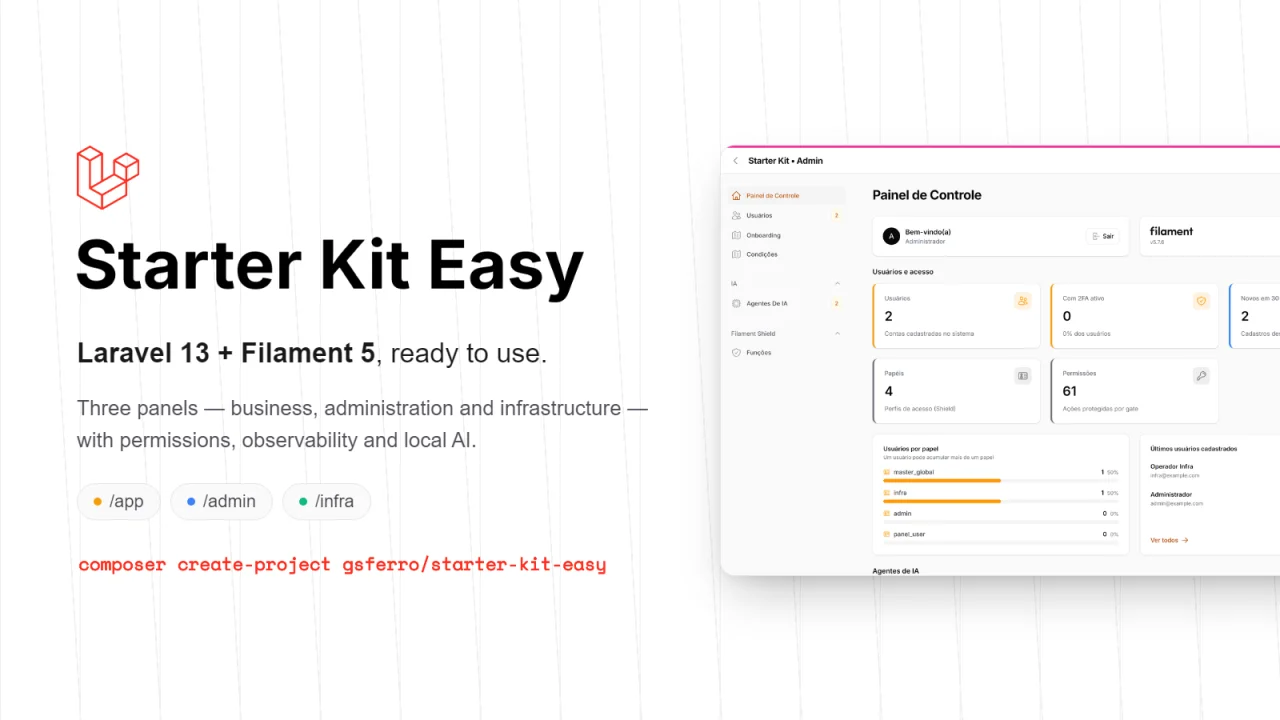
A ready-to-use Laravel 13 + Filament 5 starter kit. One command creates the project, installs everything, migrates, seeds the database and hands you three working panels: business, administration and infrastructure.
composer create-project gsferro/starter-kit-easy my-project
cd my-project
composer dev
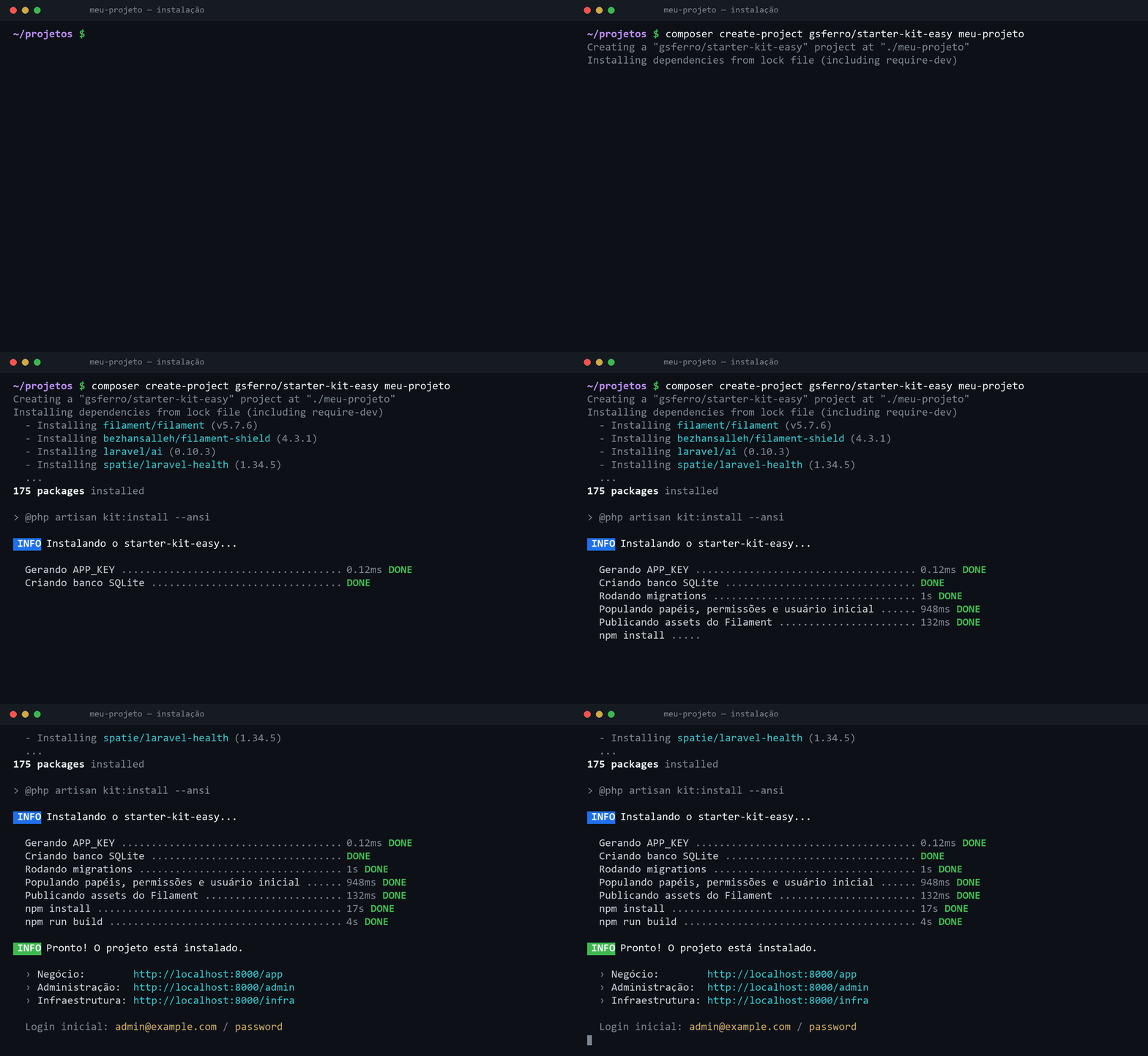
There is no manual step: create-project already creates the .env, generates the APP_KEY, creates the database, runs the migrations, seeds roles/permissions/user, publishes the Filament assets and builds the front-end. At the end it prints the URLs and the initial login.
Before touching the database, it asks five questions — the same way laravel new does:
| Question | Default | |
|---|---|---|
| 1 | Project name | the folder name |
| 2 | Database | SQLite · PostgreSQL (recommended: the only one with pgvector, required by the local AI features) · MySQL |
| 3 | Administrator e-mail and password | admin@example.com / password |
| 4 | Primary color of the panels | the Filament default |
| 5 | Multi-tenancy | off |
Hitting Enter on everything installs exactly as before — no question is mandatory, and the first one is "customize now?", which skips them all at once. With no terminal (CI, Docker, --no-interaction) nothing is asked. At the end the installer prints a summary of what changed, what is still edited by hand, and offers to run the kit's test suite.
On Windows the questions don't show up, and that is not a kit bug. Measured in both shells, PowerShell and Git Bash: Composer never enables TTY on Windows —
ProcessExecutor::runProcess()drops TTY mode whenPlatform::isWindows(), becausesymfony/processwould throwTTY mode is not supported on Windows platform.artisanreceives pipes, and the installer skips itself through its own terminal guard, saying so on screen.What to do, and the order matters:
php artisan kit:install --force # the five questions — RECREATES the databaseRun it right after installing, while the database holds nothing but seed data: there the
--forceis harmless. Later on it is destructive, because it deletes the SQLite file before asking.If the database already has data and you only want the name and the colour:
php artisan kit:install --custom # name and colour, touching nothing elseThe other three questions have no non-destructive version, and the command explains why: database and multi-tenancy require recreating (the permission tables only get the tenant column before
migrate), and the administrator credentials are not synced by the seeder — it guarantees that an administrator exists, not that it mirrors.env, because it runs on everydb:seedand overwriting there would revert a password changed by hand.To change the administrator's e-mail or password, the path is deliberate:
php artisan kit:admin
php artisan kit:admin --email=new@example.com --senha=secret --force   # no prompts — avoid it: the password lands in the shell history
It asks for confirmation, never echoes the password, refuses an e-mail that already belongs to another account and stops if there is more than one
master_global— instead of picking one by ordering. The panel's profile screen works too.On Linux, macOS and WSL the questions show up during
create-projectand none of this is needed.
Multi-tenancy is the item that pays off most to decide now: switched on during installation it costs nothing; switched on later,
kit:tenancyrecreates the database (the permission tables only get the tenant column if the flag is active before the migration).
Prefer to clone? The same installer runs on its own:
git clone https://github.com/gsferro/filament-starter-kit-easy.git my-project
cd my-project && rm -rf .git && git init   # drop the kit's history
composer setup
#Demo access
The seeder creates a master user that already gets into all three panels:
| User | admin@example.com |
| Password | password |
| Role | master_global (beats any permission through Gate::before) |
Sign in at /app, /admin or /infra — the same session works for all three, and the user menu switches panels.
⚠️ Change the password before exposing the environment. To be born with different credentials, set
KIT_ADMIN_EMAIL,KIT_ADMIN_PASSWORDandKIT_ADMIN_NAMEin.envbefore running the installation (the values live inconfig/kit.php). On an already-installed project, change it from the panel itself at/admin/usersor under My profile.
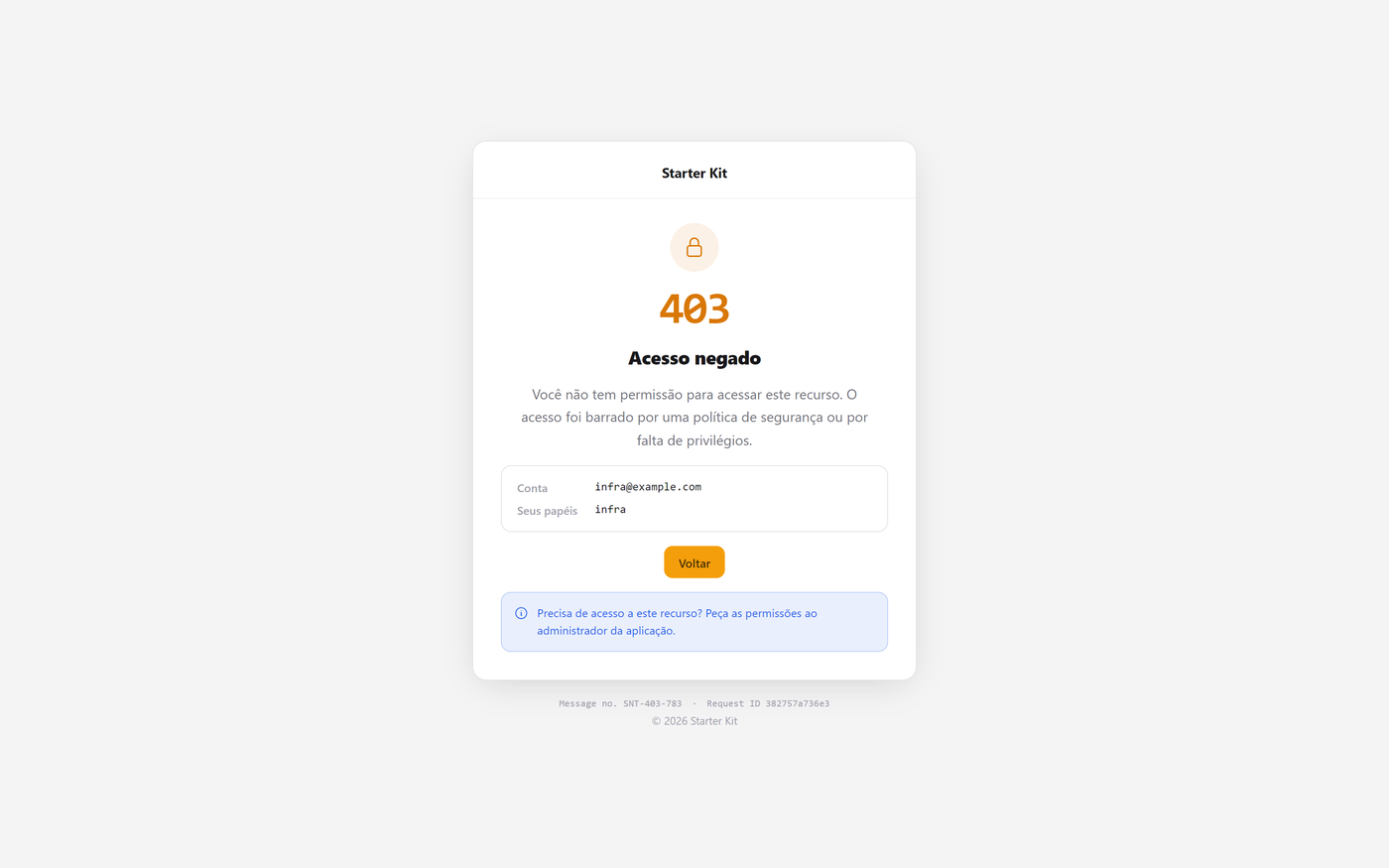
To see the access boundary in action, create a user with only the admin or infra role: they get into the matching panel and take a 403 on the other.
#The three panels
| Panel | URL | What for | Who gets in |
|---|---|---|---|
| App | /app |
The business operation. Intentionally empty — this is where your project is born | master_global, panel_user, admin_app (with tenancy) |
| Admin | /admin |
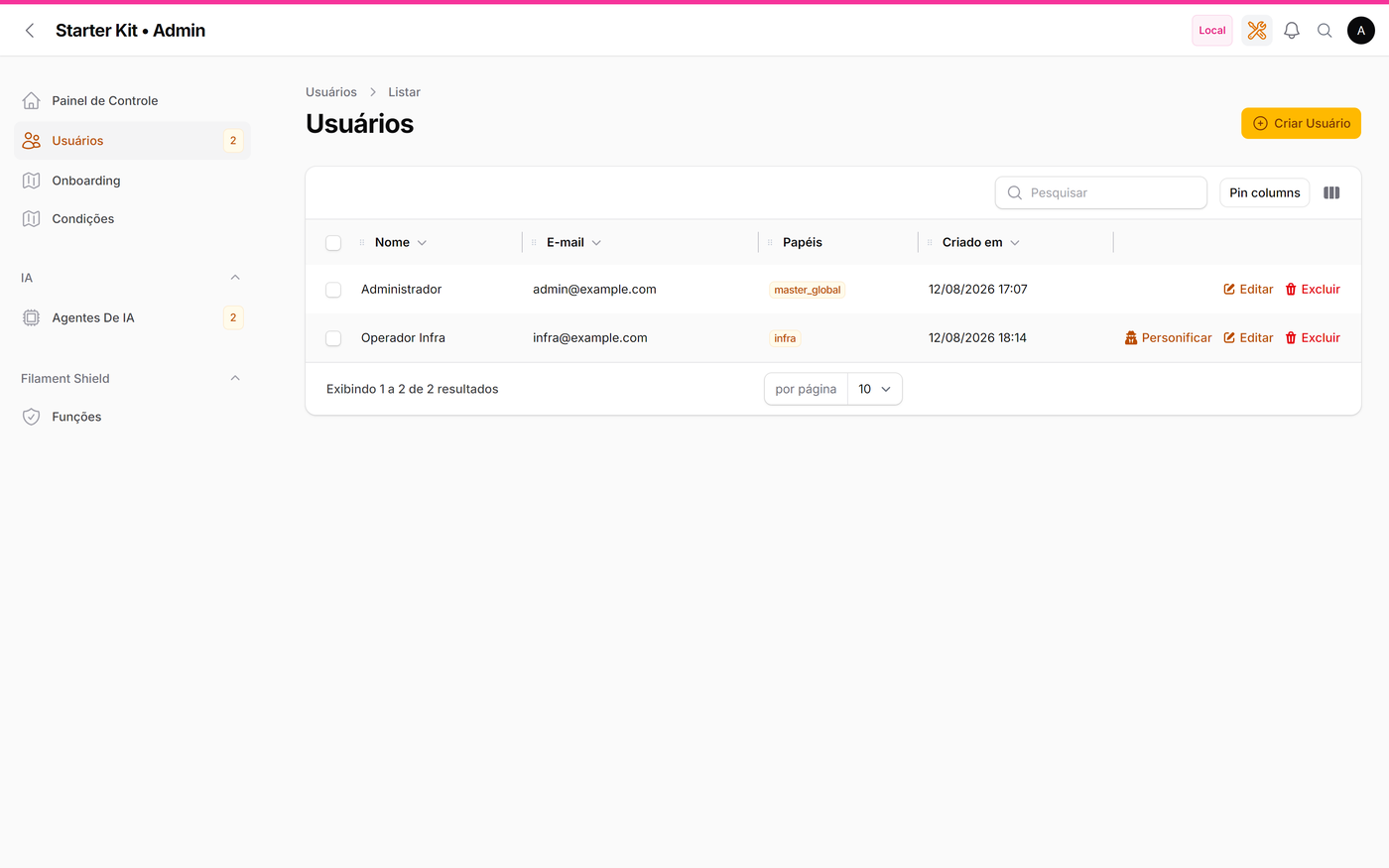
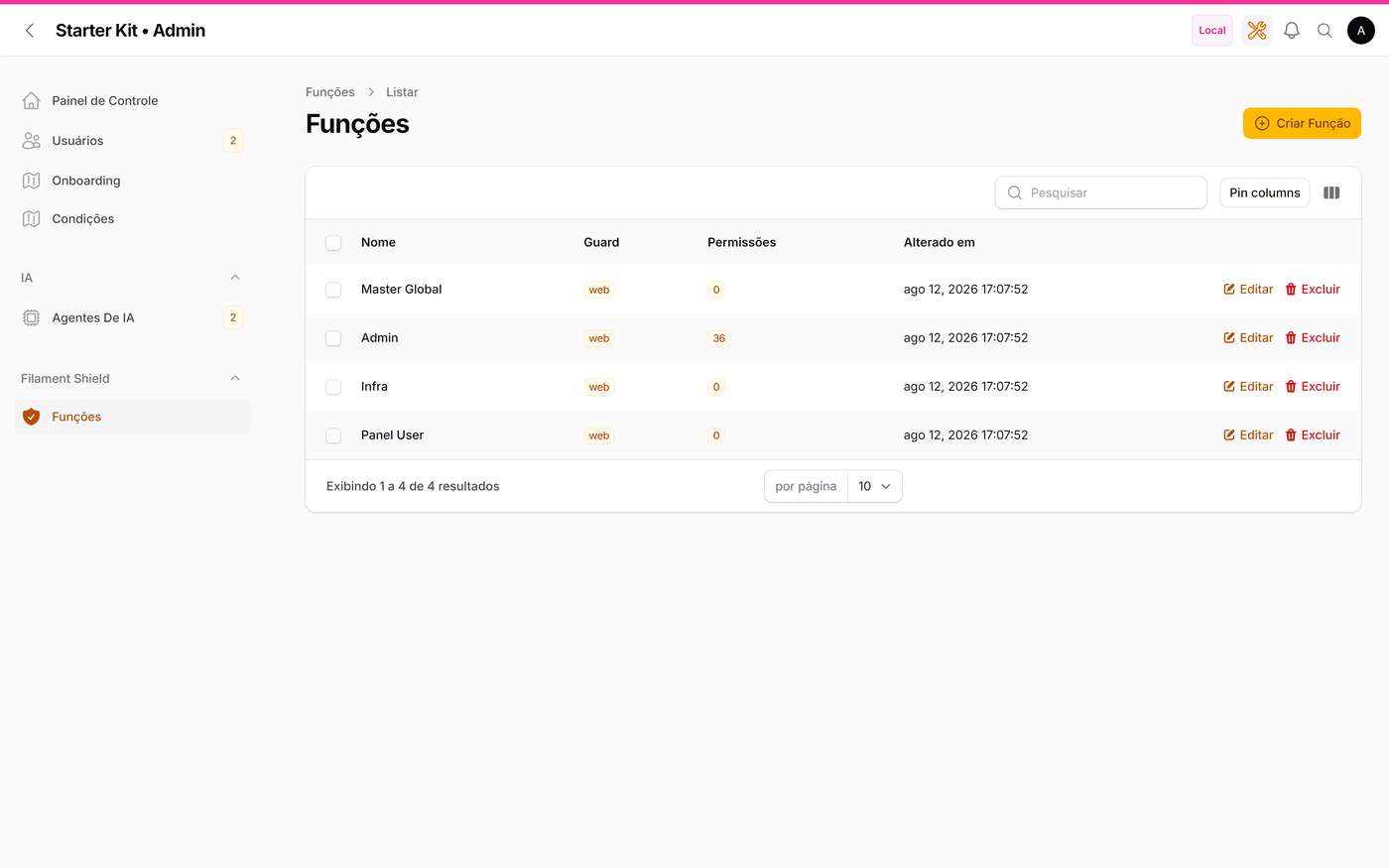
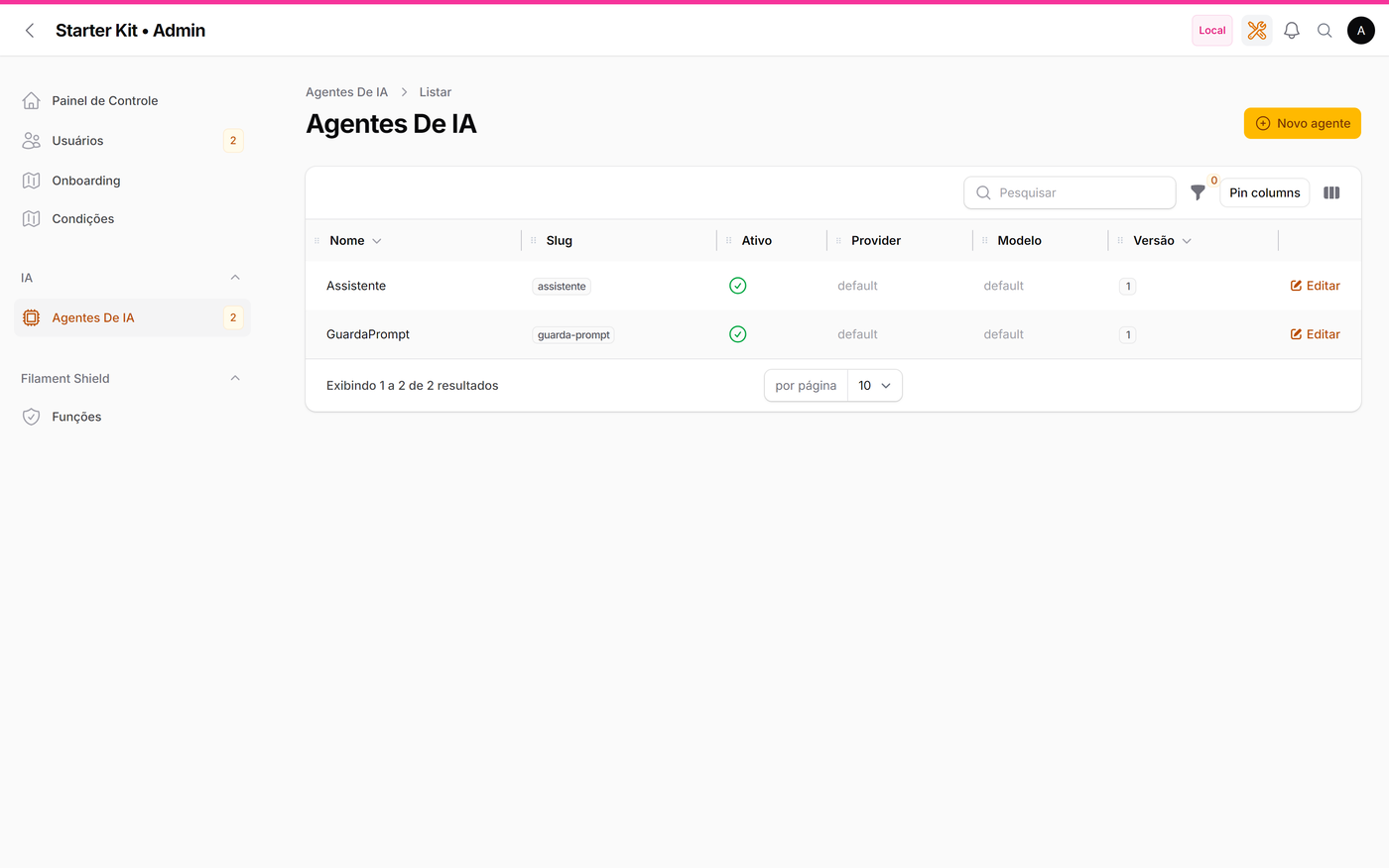
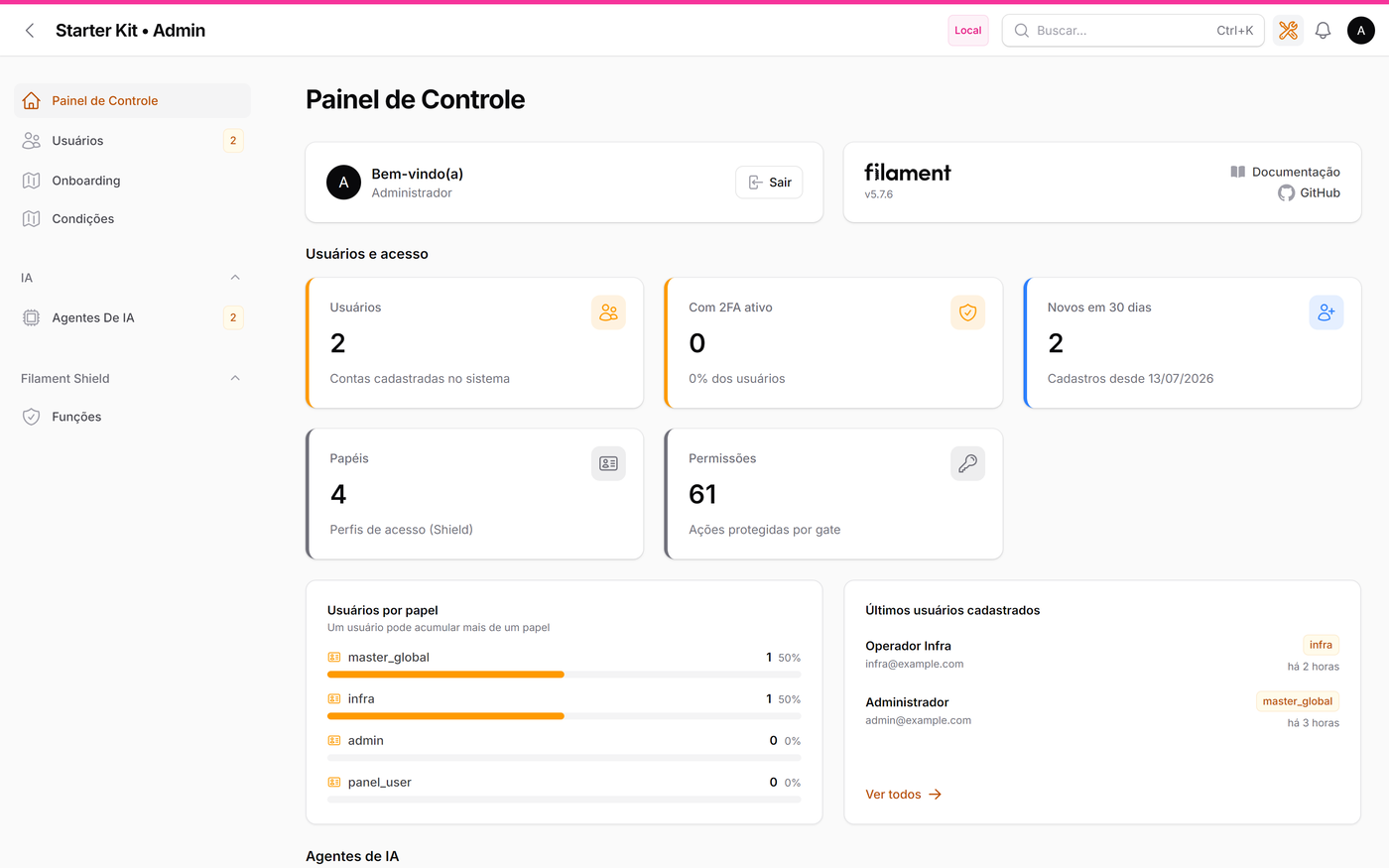
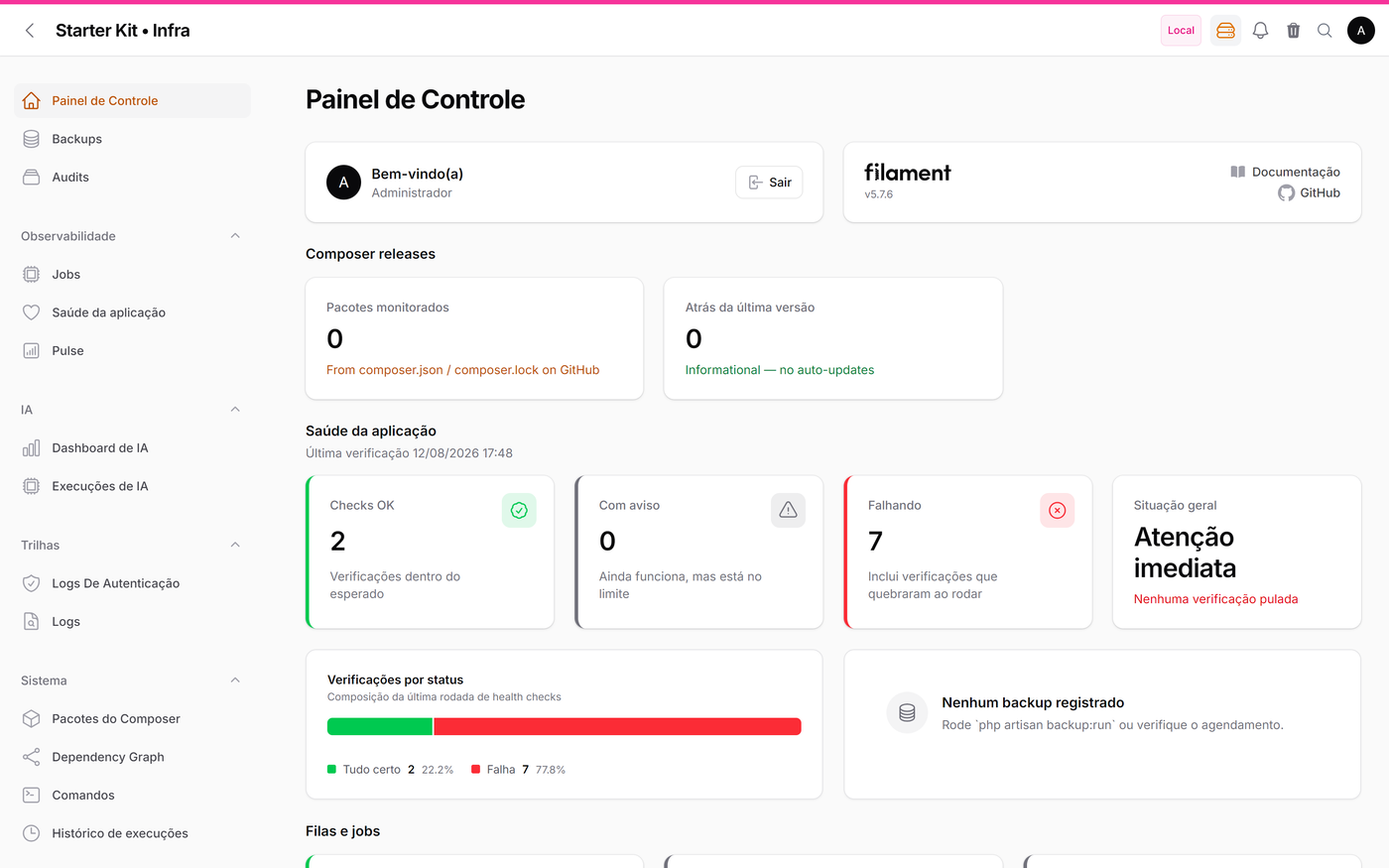
Users, roles and permissions (Shield), AI agent catalog, onboarding authoring | master_global, admin |
| Infra | /infra |
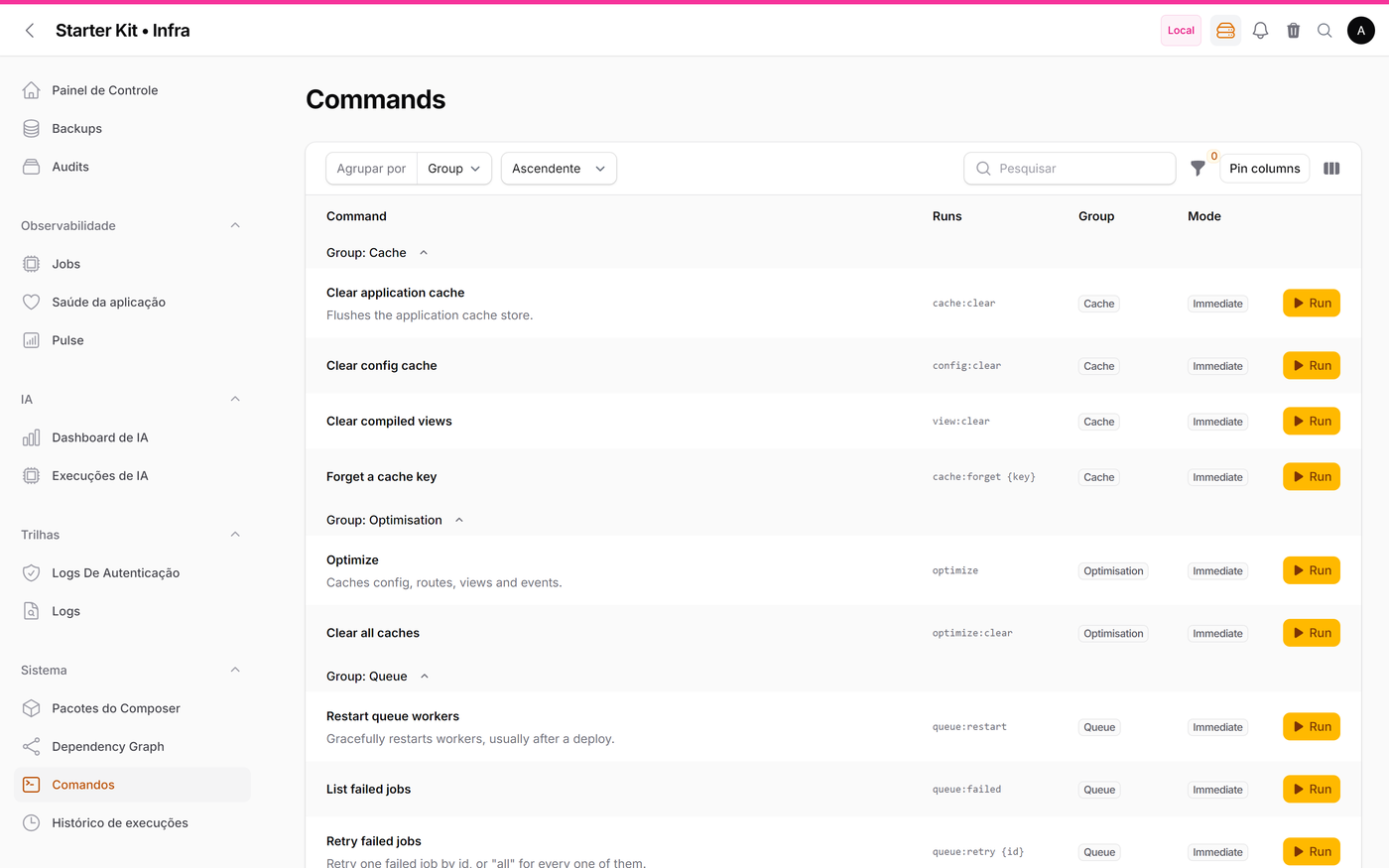
Health checks, backups, queues, logs, exceptions, mail trail, recycle bin, auditing, caches, commands, Pulse, AI costs | master_global, infra |
Who gets in comes from the role, not from a list in the code. Each role declares which panel it is good for, in the roles.painel column — the Painel field on the /admin → Roles screen. App\Models\User::canAccessPanel() compares that column against the panel being opened. Creating a role and picking its panel is the act of granting access.
Null is not a wildcard: a role with no panel only carries permissions and opens no panel at all. The master_global role gets into all three another way — it beats any gate through Gate::before (App\Providers\KitServiceProvider), with no permissions in the database, and canAccessPanel() lets it through before it ever looks at the column.
On panels without tenancy (/admin, /infra) the role must be assigned in the global context: being an admin inside one organization is not a credential to administer the installation. On /app the role counts in any organization — which one you open is decided later, by canAccessTenant().
The user-menu badge shows the role for the OPEN organization. Someone who belongs to more than one may hold different roles in each — panel_user in one, admin_app in another — and the badge follows the organization switch. With no role in the open organization there is no badge: entering the panel does not depend on the organization (that is the paragraph above), but the display does. Nothing changes on panels without tenancy, since there is no current organization there.
With multi-tenancy turned on, App becomes
/app/{tenant}and shows only the selected tenant's data. Admin and Infra stay global.
Separating admin from infra is the whole point of the kit: whoever administers users doesn't need (and shouldn't) see logs, queues and operational commands, and vice versa.
#What each one looks like
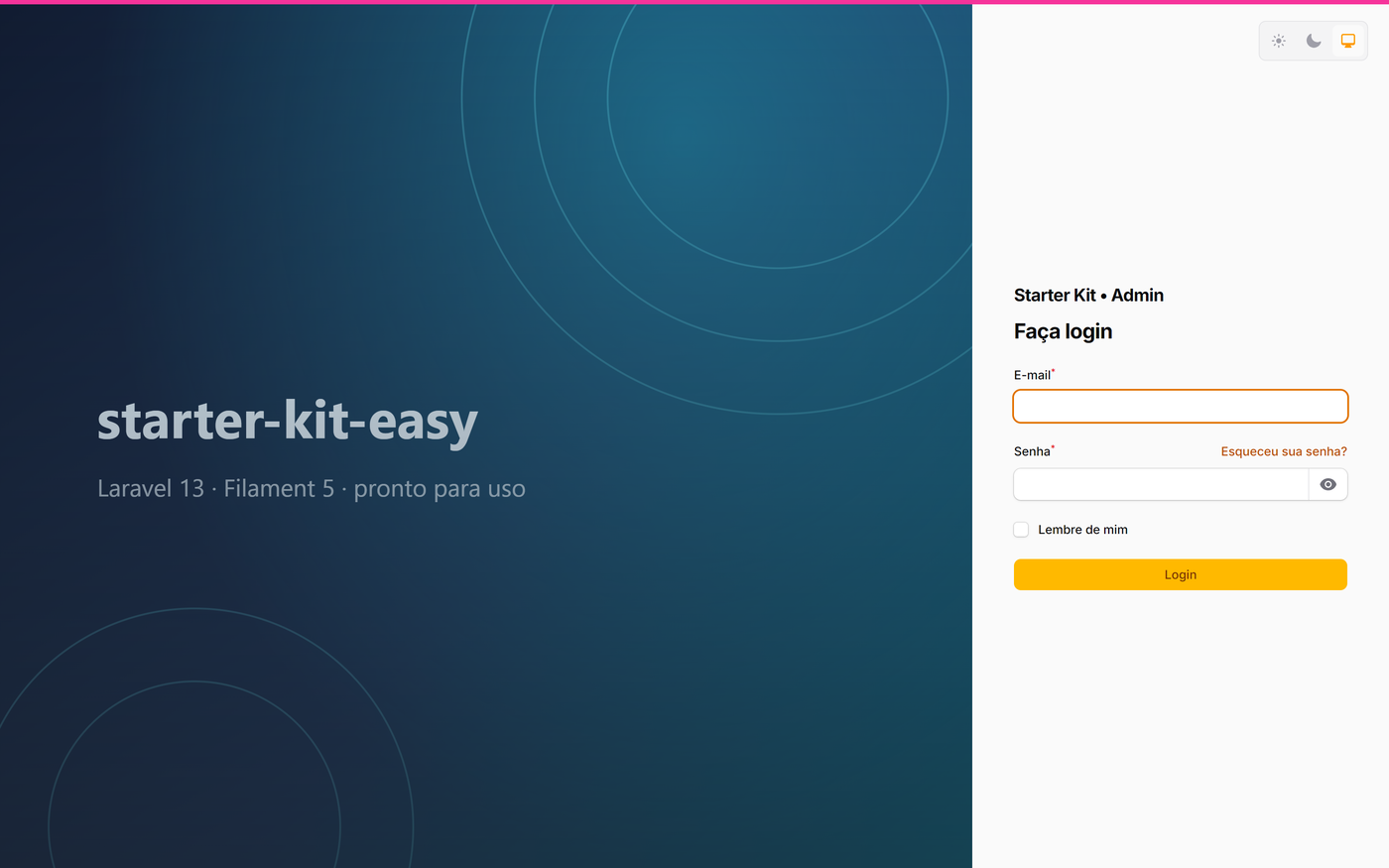
| Login | Administration |
|---|---|
 |
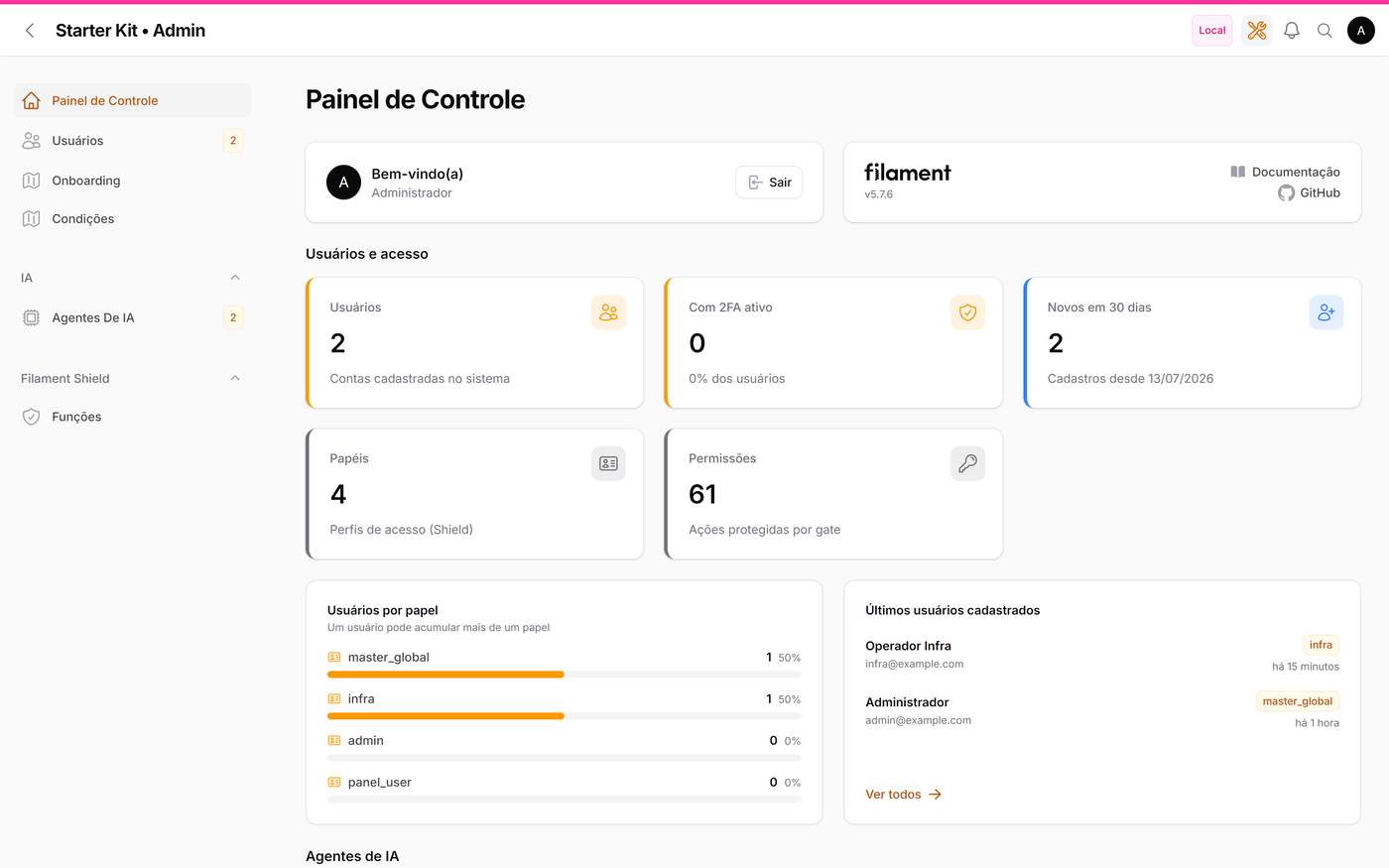 |
| Two-column Auth Designer — the artwork shows the application name | Users, roles, AI agents and administration indicators |
| Infrastructure | Business |
|---|---|
 |
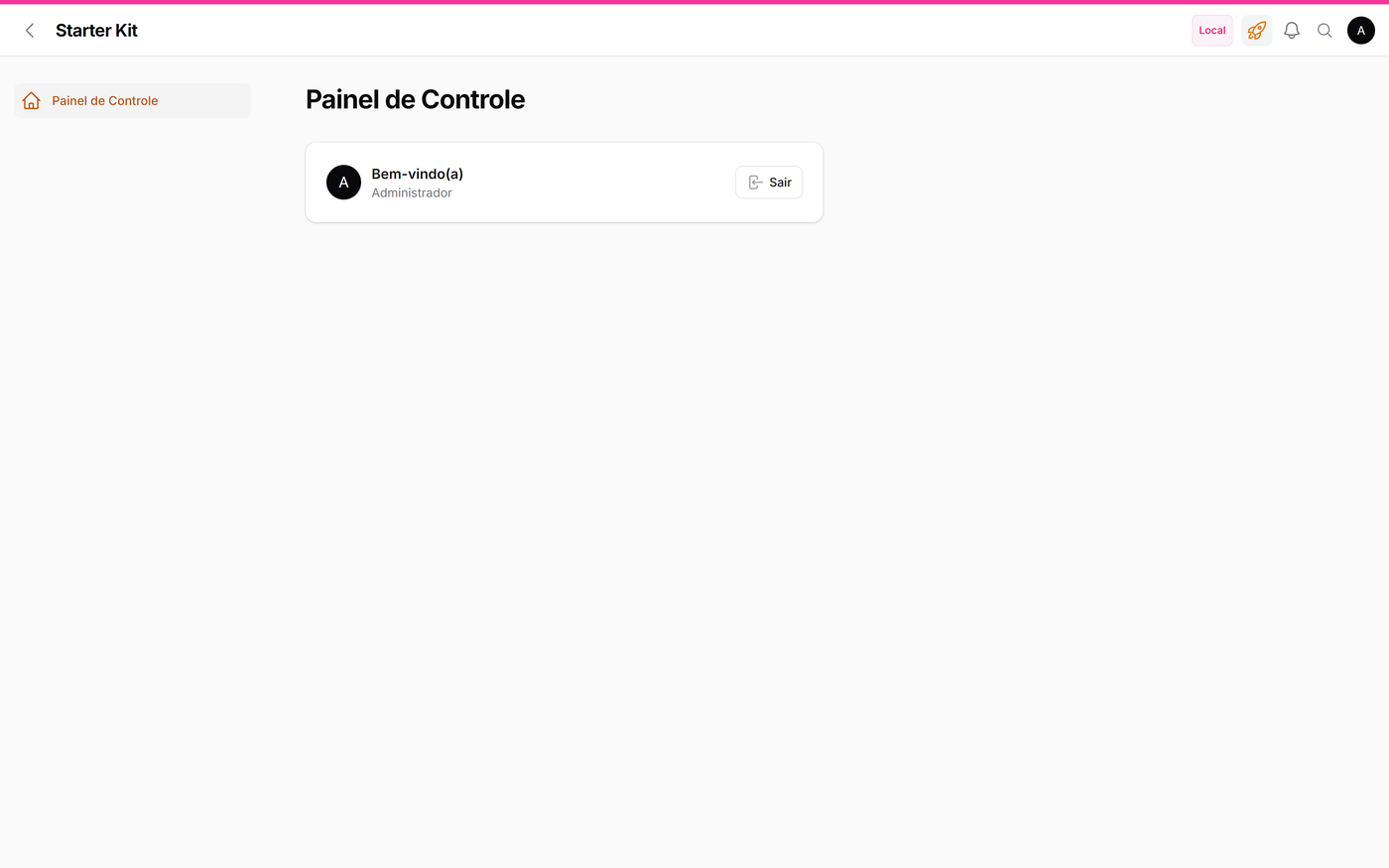 |
| Health, queues, audit trails, commands and AI costs — grouped under Observability, AI, Trails and System | Intentionally empty: it's where your project is born |
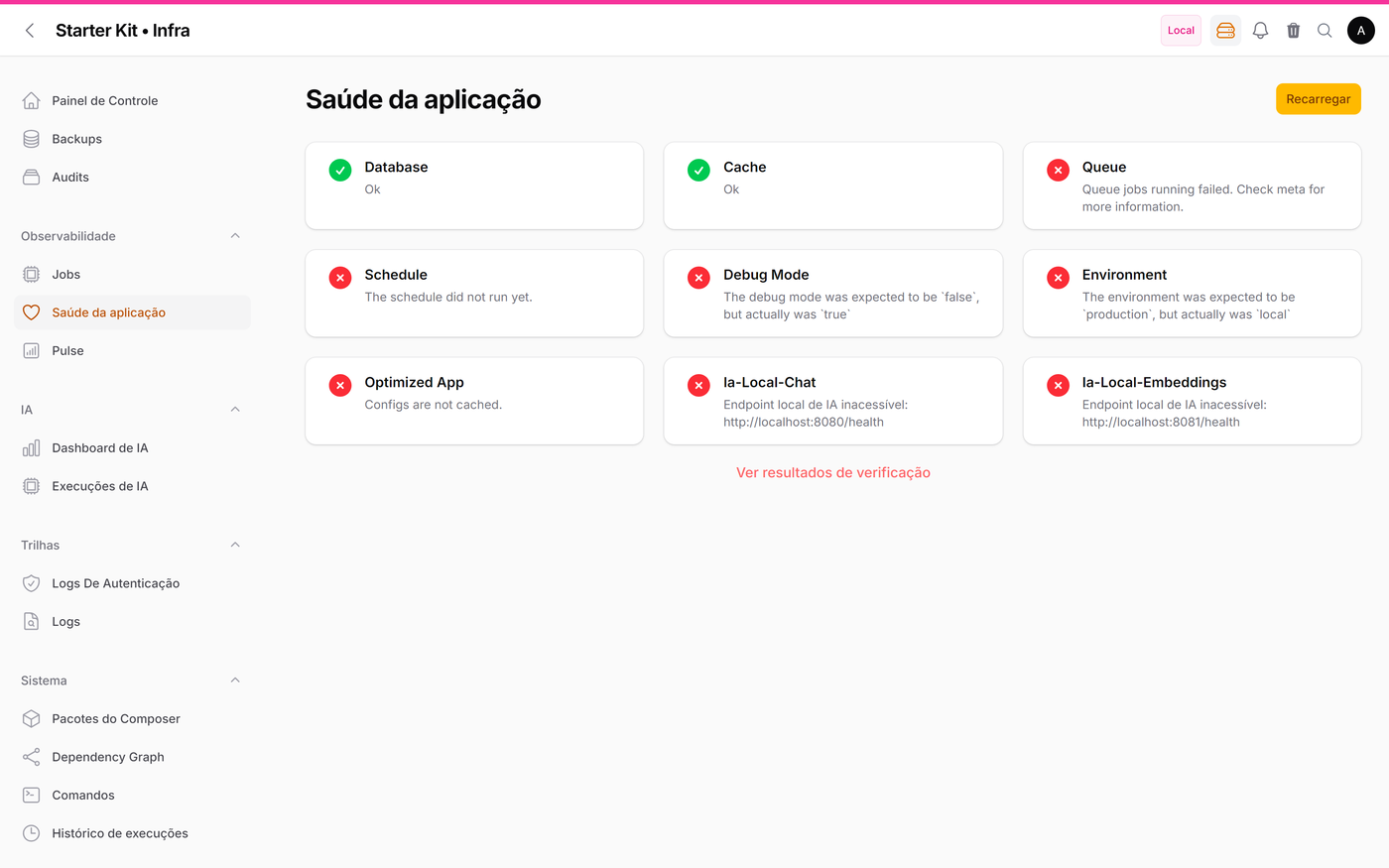
More screens: application health · users · permissions (Shield) · AI agent catalog · command center · ⌘K search · access denied
#Our numbers
Not a showcase: it's the inventory of everything that already exists, and of what you won't have to write.
/app |
/admin |
/infra |
Total | |
|---|---|---|---|---|
| Navigable screens | 14 | 31 | 28 | 73 |
| Resources | 4 | 8 | 8 | 20 |
| Standalone pages | 5 | 5 | 13 | 23 |
| Widgets | 1 | 9 | 19 | 29 |
GET routes |
23 | 38 | 34 | 95 |
/app is the smallest on purpose — it is born empty, because that's where your business comes in.
The other two already come complete.
The criterion for each row, so the numbers can be audited. A navigable screen is a panel
GETroute with a route name, excluding authentication routes, JSON endpoints and redirects. Standalone pages is$panel->getPages(), with no exclusions.GETroutes counts everything under the panel path, including authentication and redirects. Widgets is$panel->getWidgets()— panel widgets; the 6 resource widgets inTenants/Widgets/are not included, which is why anlsreturns a larger number. Measured withkit.tenancy.enabled = false; with tenancy on,/approutes gain the organisation prefix.Until v0.36.1 the Navigable screens row had no declared criterion and was not falsifiable — it sat at
12 / 28 / 27since 2026-08-18 and survived a whole fact-check uncorrected, because there was no way to check it. All five rows are now locked bytests/Kit/SiteDeDocumentacaoTest.php.
| Foundation | |
|---|---|
| Production packages | 58 |
| Development packages | 19 |
| Migrations | 60 |
| Policies | 16 |
kit:* commands |
8 |
| Quality | |
|---|---|
Test cases (Kit + Tenancy, measured on 2026-09-08) |
2,226, with 7,428 assertions |
| Screens swept in a real browser | 55 |
| Test files | 152 in Kit + Tenancy (178 in total) |
| PHPStan | level 7, zero errors |
| FilaCheck | 17 rules, all passing |
| Documentation | |
|---|---|
Reference documents (wikis/) |
11 |
Specified features (wikis/specs/) |
67 |
Project rules for AI agents (.ai/rules/, excluding the index) |
18 |
The details moved to the site: Reference and Getting started.
#What's already there
Front door
- Welcome page on the
/route, replacing Laravel's default welcome: one card per panel plus whatkit:installcustomised (details)
Administration and security
- Shield (roles and permissions with a UI) on top of spatie/laravel-permission
- Breezy: user profile, avatar, 2FA and passkeys
- Full-screen user record page (
/admin/users/{id}and/app/users/{id}): account, status, origin and dates, with the edit button on top. Only on/admindoes it list the person's organizations and roles — on/appthe omission is the feature: telling them there would tell whoever administers one organization that the account also belongs to another (details) - Avatar drawn in here: without a photo, Filament's default provider makes every person's browser request
ui-avatars.comon every screen — carrying the initials in the query string and the panel'sRefereralong.App\Support\AvatarDeIniciaisreturns an inline SVG on all three panels: same looks, no external request - Auth Designer: two-column login screen — the artwork shows the application name, read from
APP_NAMEon every load; to use your own image, upload it at/admin/configuracoes-da-aplicacao - Optional open sign-up (off by default): registration without an invitation on
/app, with a single role, manual approval and e-mail verification — each behind its own key (details) - Lockscreen: session lock on inactivity (30 min), registered on all 3 panels — the lock screen wears the same layout as the login page (Auth Designer), not Filament's simple layout
- Impersonate, authentication log, change auditing (owen-it)
- Panel Switch: switch panels from the user menu
- DTOs with
spatie/laravel-data: every structured value crossing a class boundary is a typed object, with an automated guard — credentials never go into a DTO, and API consumption/responses require one (details) - Optional anti-robot protection (off by default): reCAPTCHA v2/v3, Turnstile or hCaptcha on the login, password reset and register screens, via
ddr/filament-captcha(details) - Single login page (off by default):
KIT_LOGIN_UNIFICADO=truesends/admin/login,/infra/loginand/app/loginto/login; whoever can access one panel goes straight in, whoever can access more than one picks from a card screen after signing in. Heads-up: external SSO (SAML / corporate OIDC) is not pre-configured yet and does not go through that rule — see the docs page - Social login per panel: each provider can be enabled separately for
/app,/adminand/infra; button, route and destination respect the panel of origin
Observability and maintenance (infra panel)
- Spatie Health with checks for database, cache, queues, scheduler, disk (except on Windows), debug mode, environment, optimized app and local AI
- Backup Monitor (spatie/laravel-backup), Jobs Monitor, Logs Explorer (no delete button — a trail is evidence)
- Grouped exceptions by type and frequency — what Health, Pulse and the log file don't answer
- Sent-mail trail: separates "it was never sent" from "it was sent and landed in spam"
- Recycle bin: restores what was deleted with
SoftDeletes(details) - Command Center: Artisan commands pre-approved for the UI, with history
- Laravel Pulse embedded as a panel page
- Dependency Graph: a map of models, relations, resources and panels
- Release Notifier: warns you when there's a new version of the Composer packages
AI (optional, local by default)
laravel/aiwith an agent catalog in the database: system prompt, provider, model, tools and guardrails are data, editable in/adminwith no deploy- Chained guardrails: budget, prompt injection, local classifier, PII redaction and sensitive-output filter
- Execution ledger (
ai_runs) with cost and tokens in the infra panel - Chat widget with streaming
- 100% local inference through llama.cpp (
docker compose --profile ai up -d) or any SaaS provider by switchingAI_PROVIDER
Productivity
- ⌘K search in place of the topbar's native field: finds records, screens, pages and creation actions — all scoped by permission (details below)
- Animated count badges in the menu, notification center with tabs, environment indicator
- Dashboards already filled in on the admin and infra panels: 29 widgets (stat cards with an animated counter, funnels, goals, breakdowns, timelines) over the data the panels already have — including today's logins with a seven-day history and, with tenancy, organization insights and accesses
- Branded error pages (Sentinel) in Portuguese (pt-BR) — the 403 one only shows the permission diagnosis outside production
- 100% pt-BR UI, including plugins that ship English only (translations in
lang/vendor/) - Language switcher on all three panels and on the login screens — driven by data, not by a flag (details below)
- Media layer (spatie/laravel-medialibrary) inside Filament's components: uploads, collections and conversions in form, table and infolist (details)
- Rich header on top of the view and edit screens for users and organizations: avatar (or the initials), name, status badge and copyable metadata, in place of Filament's plain text title
- Unsaved-changes warning when leaving a form on any of the three panels, and your system's version in the footer — both are a switch at
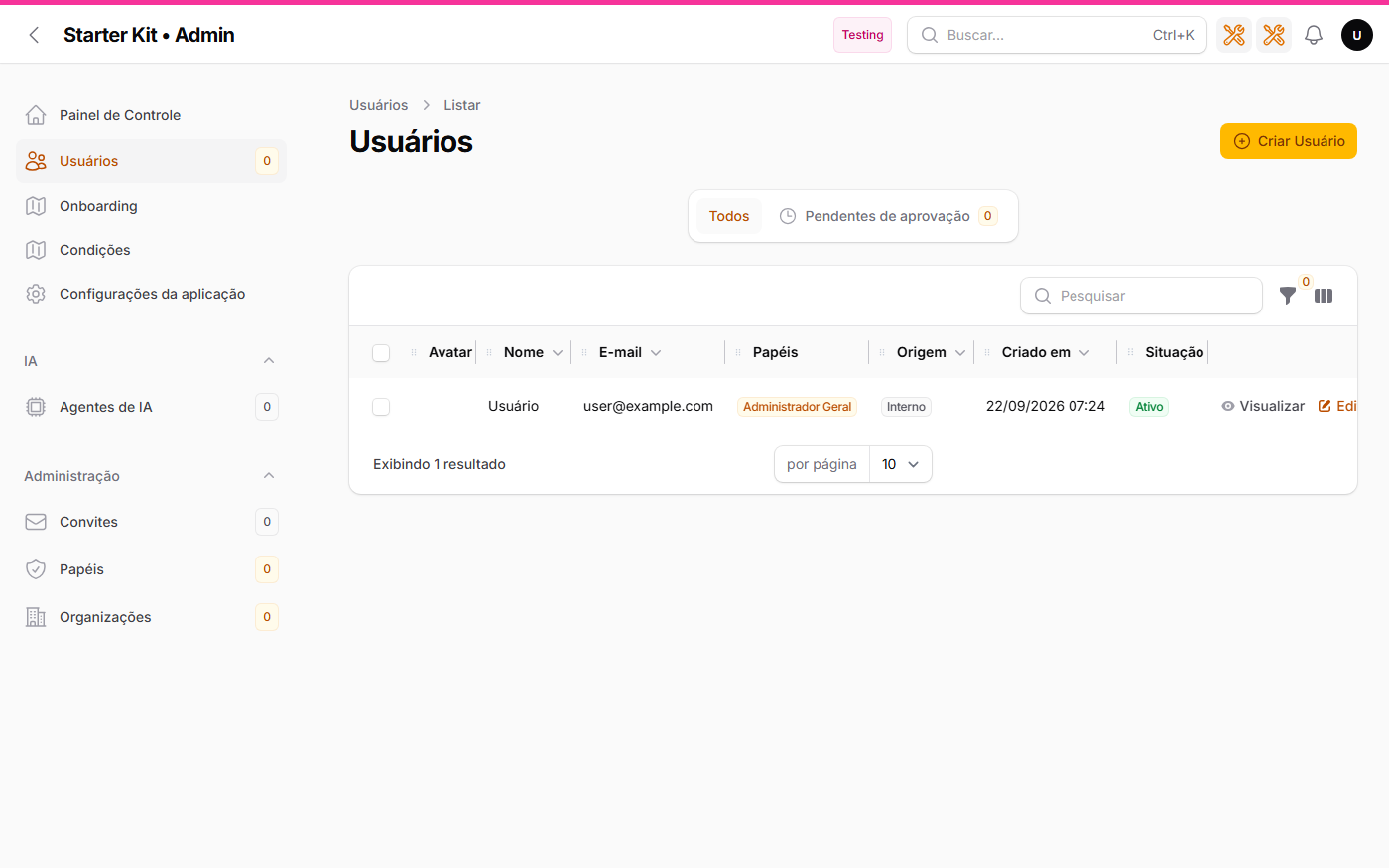
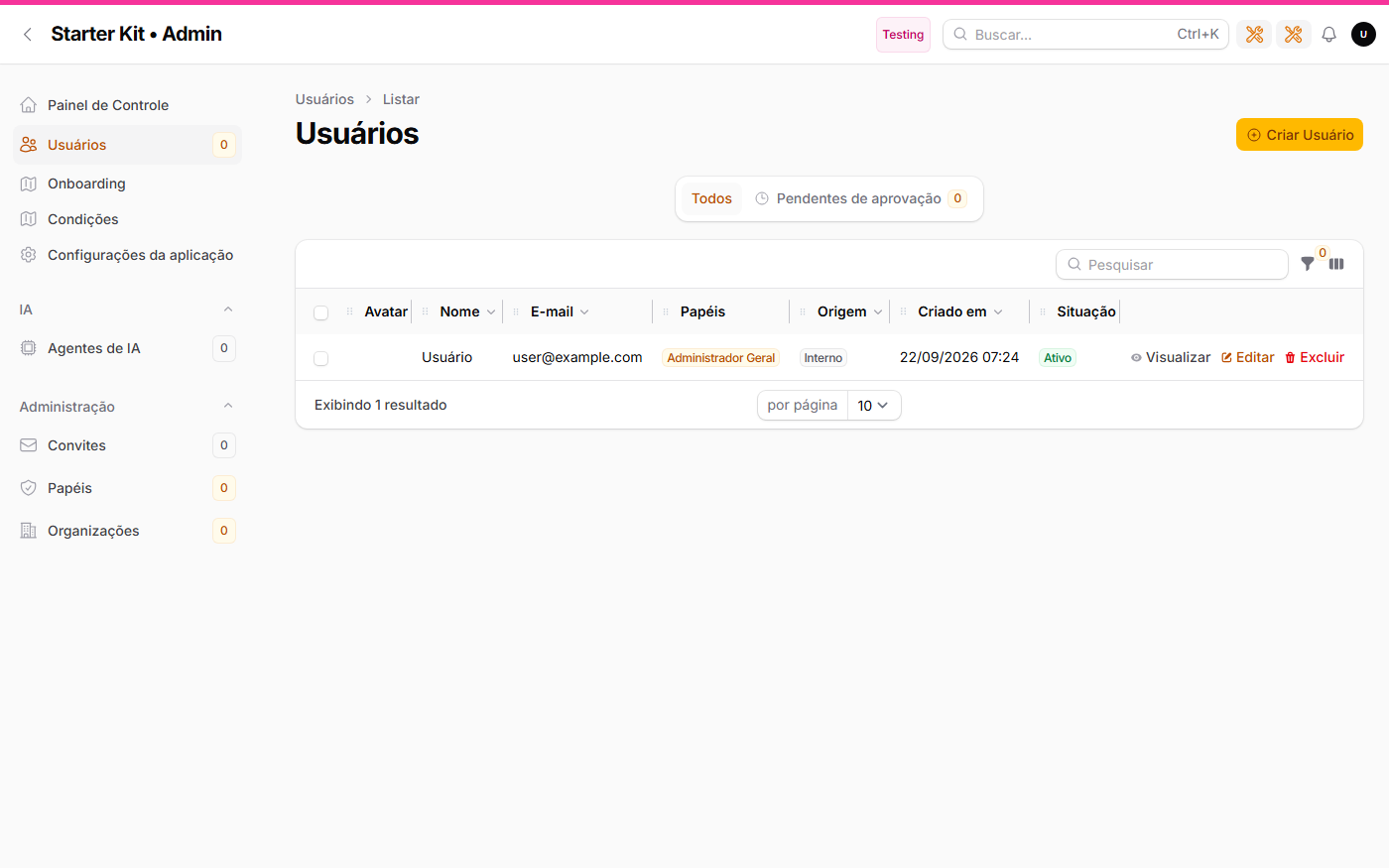
/admin/configuracoes-da-aplicacao, no deploy (details) - Layout density in three steps, on the same settings screen: confortável (Filament's own default), compacto and denso. It tightens the stat cards, the tables, the sidebar and the buttons of all three panels at once, and takes effect on the next refresh — no Vite theme, no
npm run build, no deploy. Measured on the kit itself: the table row drops −17.1% on compacto and −23.4% on denso (details) - Direct link to each organization's panel (with multi-tenancy) on all three
/adminscreens — list, view and edit. On the list it is a column with the address in plain sight, opening in a new tab: you know where it goes before clicking (details)
#Layout density, on the same screen
| Confortável (default) | Compacto | Denso |
|---|---|---|
 |
 |
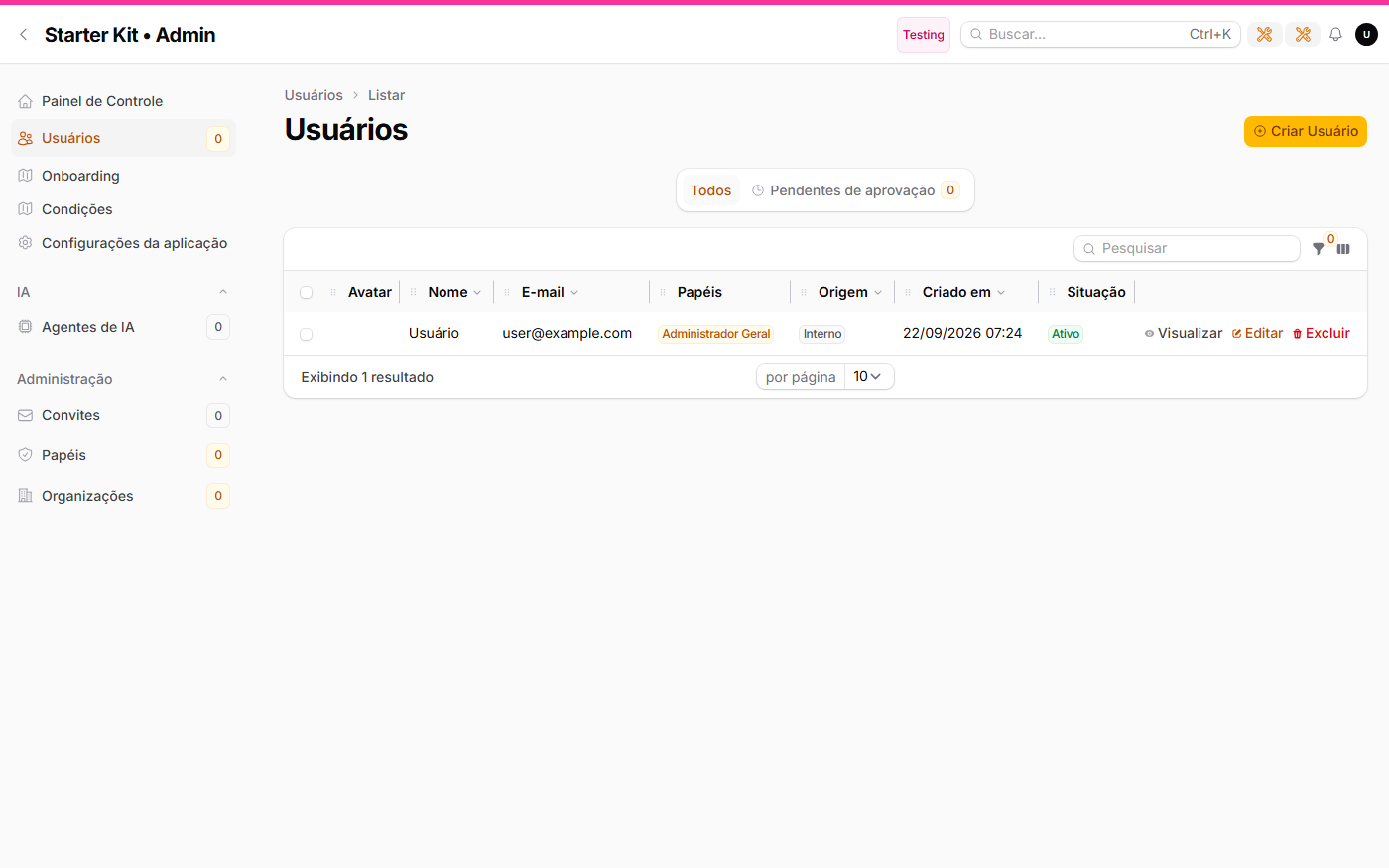 |
Look at the actions column: on confortável it is clipped to "Edi…"; on denso it fits whole. Tightening is not only about height — it stops hiding content.
#Full documentation
What used to live here — over two thousand lines of it — now has its own site, with search and navigation: https://gsferro.github.io/filament-starter-kit-easy/en/
| Group | What you find there |
|---|---|
| Getting started | advanced install, database, commands, customisation, and how to update a project born from the kit |
| Authentication | invitations, open registration, social login, anti-robot protection, user states |
| Features | multi-tenancy, attachments and media, CSV import/export, /infra trails, kit settings, card hub, DTOs with Laravel Data |
| Operations | AI agents, the complete feature roadmap, conventions, what to do after creating a Resource |
| Reference | code quality, search and language, the 77 installed packages |
The Portuguese version lives at https://gsferro.github.io/filament-starter-kit-easy/pt/.
#Future improvements
The kit roadmap records what has already been looked at and deliberately deferred, with the reason and, where there was one, the measurement behind the decision: per-user appearance preferences, Filament's paid compact theme, and the trigger that retires the current density implementation.
It ships with your project on purpose — it is the kit's future, not your project's, and it exists so you don't spend an afternoon re-evaluating something that already has numbers on record.
#Requirements
- PHP 8.4+ and Composer 2
- Node 20+ (optional — without it the installation still goes through and tells you how to build later)
- Docker (optional — only for Postgres/MySQL, Redis, local AI and e-mail)
#Database
The installation asks — SQLite, PostgreSQL or MySQL. The default is SQLite, so it depends on nothing.
PostgreSQL is the recommended one, for a functional reason: it is the only one shipping pgvector, which the local AI features that use semantic search (embeddings) depend on. With SQLite or MySQL the rest of the kit runs the same — only those features are unavailable.
Postgres and MySQL both ship a container — MySQL in its own profile, because the installation picks a single database. The commands are in the Docker section.
If you pick Postgres during installation, the .env already comes with the block docker-compose.yml reads. If the container is not up at that moment, the kit warns you, skips the migrations and prints the command to finish:
docker compose up -d              # pgsql (with pgvector) + redis
php artisan migrate --seed
To switch after the installation, bring the containers up and copy the variables:
docker compose up -d              # pgsql (with pgvector) + redis
# copy the database block from .env.docker into your .env
php artisan migrate --seed
#Docker
Everything is opt-in per profile. One container per feature:
docker compose up -d                            # pgsql (with pgvector) + redis
docker compose up -d mysql redis                # MySQL instead of Postgres
docker compose --profile ai up -d               # + llama.cpp (chat and embeddings)
docker compose --profile mail up -d             # + mailpit (1025 / 8025)
docker compose --profile full up -d             # the whole infrastructure
docker compose --profile app up -d --build      # the containerized application
docker compose --profile realtime up -d reverb pulse
| Service | Port | Profile |
|---|---|---|
| PostgreSQL 17 + pgvector | 5432 | base |
| MySQL 8 | 3306 | mysql |
| Redis 7 (cache only) | 6379 | base |
| llama.cpp (chat) | 8080 | ai |
| llama.cpp (embeddings) | 8081 | ai |
| Mailpit | 1025 / 8025 | mail |
| App (nginx + php-fpm) | 8000 | app |
| Reverb (WebSocket) | 8090 | app, realtime |
Reverb uses 8090 instead of the default 8080 so it doesn't collide with llama.cpp.
No service declares a fixed container_name: the prefix comes from COMPOSE_PROJECT_NAME, which kit:install writes with your project's name. Details on the site.
#A local hostname, instead of IP and port
You can open the project at http://my-project.test rather than http://127.0.0.1:8000: it costs one line in the machine's hosts file and two keys in .env. No versioned file changes, adoption is individual, and anyone who does nothing stays on http://localhost:8000. Full recipe, including the Windows elevation trap.
kit:install offers to do this at the end of the installation: it suggests the domain from the name you chose, writes the line into hosts (asking for elevation on Windows) and adjusts APP_URL. It is opt-in, depends on no flag, and declining leaves everything exactly as it always was. A domain outside the suffixes reserved for local use (.test, .localhost, .example, .invalid) takes one more yes, because pointing a real domain at 127.0.0.1 blocks access to the actual site on this machine.
#Updating the stack on the machine that hosts it
./deploy_docker_local.sh runs on the container host (not on your development machine) and does the whole sequence: git pull, image rebuild, --profile app up -d, migrations, optimize:clear, a health check on /up and a TCP probe of Reverb. Output is appended to storage/logs/deploy_docker_local.log.
./deploy_docker_local.sh
./deploy_docker_local.sh --recreate   # when .env changed
The rebuild comes after the pull because the image is self-contained (the code is baked into it) — rebuilding first would bake the old code. And since it recreates reverb and pulse, both in the same app profile, there is no separate restart command: a long-running process won't see new code without restarting.
--recreate adds --force-recreate, needed when .env changed: Compose reads env_file when the container is created, so an existing container keeps the old values. If .env.example changed in the pull, the script warns you.
#Commands
composer dev          # server + queue + vite together
composer test         # pint + phpstan + filacheck + the whole suite
composer test:kit     # only the kit's tests (the foundation), in parallel
composer lint         # formats the code
composer lint:check   # only checks the formatting, changing nothing (what CI runs)
composer filament:check   # only the Filament-specific lint (FilaCheck)
composer refactor:preview # what Rector would rewrite (dry-run) — OUTSIDE composer test
composer refactor:apply   # applies Rector's rewrite — OUTSIDE composer test
composer upgrade:filament # runs vendor/bin/filament-v5 (filament/upgrade is already in require-dev)
php artisan kit:install --force   # reinstalls from scratch (deletes the SQLite file) and asks again
php artisan kit:install --custom   # redoes only name and colour, without touching the database
php artisan kit:install --no-custom   # installs without asking anything
php artisan kit:install --no-npm      # skips installing and building the front-end assets
php artisan kit:install --no-seed     # doesn't seed the database (roles, initial user, AI agents)
php artisan kit:install --no-support  # skips the invitation to star the kit on GitHub
#   --create-project is internal to post-create-project-cmd: removes what only serves the kit's own repository
php artisan kit:admin             # changes the administrator's e-mail and password (asks for confirmation)
php artisan kit:admin --email=x --senha=y --force   # no prompts — avoid it: the password lands in the shell history
php artisan kit:info              # shows how the project is customized and where each value comes from
php artisan kit:update            # brings in improvements from a new kit version
php artisan kit:tenancy           # turns on multi-tenancy (opt-in)
#Customize your project
The installer already asks the first five — the list below is for changing them later, or for whoever skipped the questions.
| # | What | Where | Asked during installation? |
|---|---|---|---|
| 1 | Name | APP_NAME in .env |
✅ |
| 2 | Database | the DB_* block in .env |
✅ |
| 3 | Seeder credentials | KIT_ADMIN_EMAIL / KIT_ADMIN_PASSWORD in .env |
✅ |
| 4 | Primary color | KIT_COR_PRIMARIA in .env (a color name from the Filament palette), or KIT_COR_PRIMARIA_HEX with a free hex value — the hex beats the name when both are filled |
✅ |
| 5 | Multi-tenancy | php artisan kit:tenancy, and the displayed term in config/kit.php → tenancy.label |
✅ |
| 6 | Login artwork | none: it shows the application name (APP_NAME) on its own. To replace it with your own image, upload it at /admin/configuracoes-da-aplicacao |
✅ (via the name) |
| 7 | Panel access | each user's role (/admin → Roles, the Painel field); the rule that reads it is App\Models\User::canAccessPanel() |
— |
| 8 | Permission matrix | database/seeders/PapeisSeeder.php |
— |
| 9 | Health checks | KitServiceProvider::configureHealthChecks() |
— |
| 10 | Commands in the UI | config/command-center.php |
— |
| 11 | Backups | destination and schedule in config/backup.php |
— |
| 12 | AI agent | /admin → AI Agents (or database/seeders/AssistenteSeeder.php) |
— |
| 13 | Panel languages | config/kit.php → idiomas (a list of locales; with only one, the switcher doesn't show) |
— |
| 14 | Trail retention | KIT_RETENCAO_EXCECOES_DIAS / KIT_RETENCAO_EMAILS_DIAS in .env |
— |
| 15 | Media disk | MEDIA_DISK in .env (local by default — private, served through a signed URL) |
php artisan kit:midia-privada migrates media already written to a public disk |
| 16 | CSV import and export | the Action in each app/Filament/**/Pages/List*.php (on or commented out); the permission in config/filament-shield.php → policies.methods; history retention in KIT_RETENCAO_IMPORTACOES_DIAS / KIT_RETENCAO_EXPORTACOES_DIAS in .env |
reseed ShieldPermissionsSeeder + PapeisSeeder after touching the config |
The last eleven are not asked because they are code or screen data, not a value that fits in a terminal prompt. The installer lists them in the final summary, each with its file.
⚠️ Item 5 is the only one that is not "edit a file" once installed:
kit:tenancyrunsmigrate:fresh --seedand deletes your data. It requires a clean git tree and an explicit confirmation. Answered during installation it deletes nothing — the database does not exist yet, and that is the right moment to decide.
The primary color applies to all three panels. With multi-tenancy on, each organization's color wins over it inside
/app/{slug}—/adminand/infrakeep the project's one. For a full palette, and not justprimary, the way is still->colors([...])in eachapp/Providers/Filament/*PanelProvider.php.
#Updating a project born from the kit
The kit is a starting point, not a dependency. After create-project the project is yours: you rename panels, change canAccessPanel(), edit seeders. That's why there is no kit:update that overwrites files — it would rewrite exactly what you customized, and a starter kit that ruins the user's project is worth nothing.
What changes splits into three layers, and each one has its own path:
| Layer | What it is | How to update |
|---|---|---|
| Dependencies | Filament, plugins, Laravel | composer update — it's most of the improvements and it arrives on its own |
| The kit's glue | providers, traits, widgets, error views | manual diff against the new tag (below) |
| Your business | everything you wrote | never touched |
#Troubleshooting
- 403 on every panel, right after signing in — the user has no role at all, or their role has no panel declared (an empty
roles.painelis not a wildcard: it opens nothing). Give them a role at/admin→ Users, or fill in the Painel field at/admin→ Roles. /infraor/adminreturning 403 — your user needs a role whose panel is that one (master_global,adminorinfra), and with multi-tenancy on the role must be assigned in the global context. The 403 screen shows which permission was missing, but only outside production: in production it reveals neither roles nor permissions.- Filament assets gone —
php artisan filament:assets. - Pulse with no data — the daemon is missing:
php artisan pulse:check(or the composepulseservice). - The bell doesn't update in real time —
BROADCAST_CONNECTION=reverbrequires the Reverb process to be up; without it the kit falls back to 30s polling. - AI assistant unavailable — bring up
docker compose --profile ai up -d(the first boot downloads ~4.5 GB of model) or switchAI_PROVIDERto a SaaS provider with an API key.
#License
MIT.
The author
I am passionate about simplifying complex problems, enabling you to leverage solutions efficiently and intuitively. By using my solutions, you will reduce the time and effort required for implementation, making the development process easier and more straightforward.
From the same author
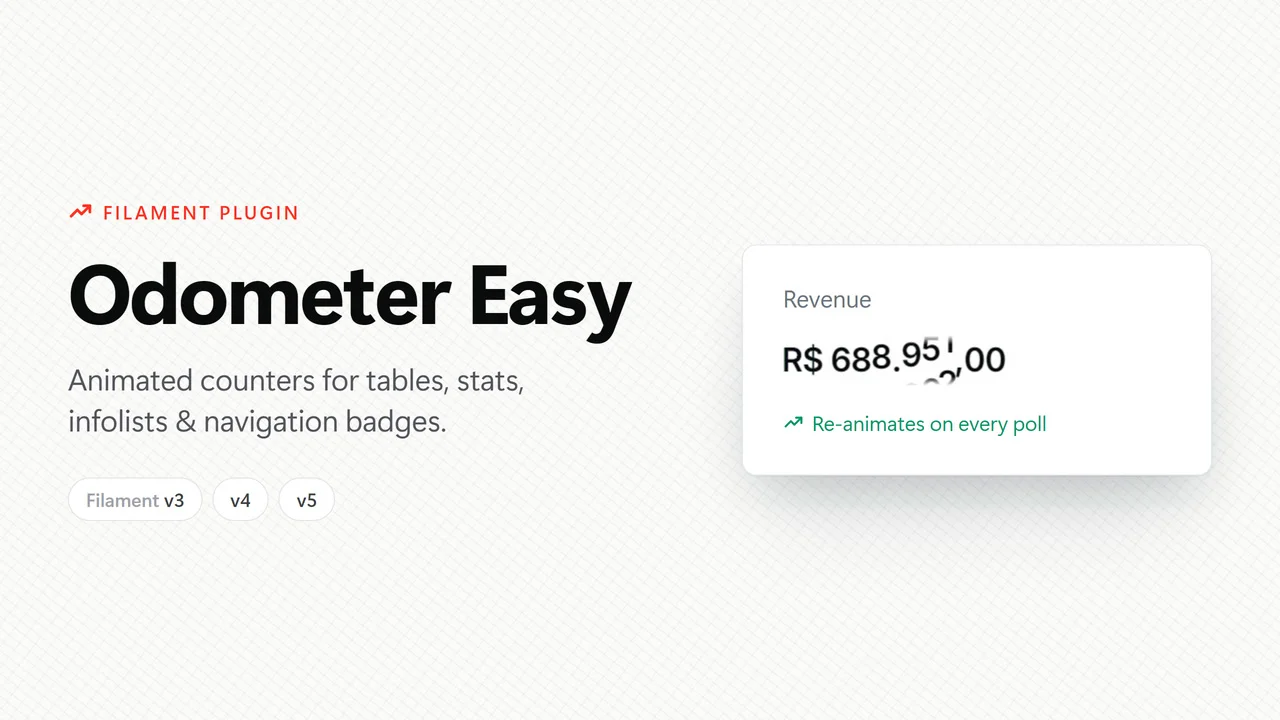
Odometer Easy
Animated counters for Filament v3, v4 and v5 — tables, infolists and stats widgets — the easiest way possible: install, register the plugin and use it.
Author:
Guilherme Ferro
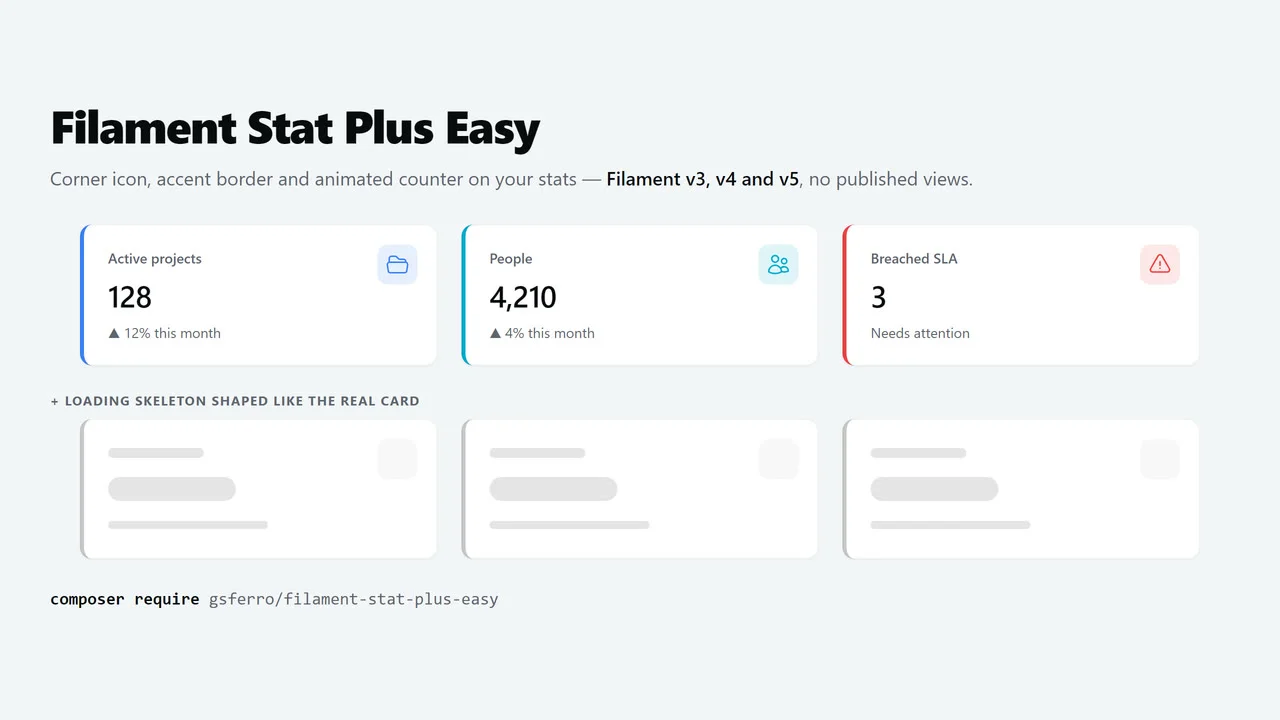
Stat Plus Easy
The Filament v3, v4 and v5 Stat with the look every dashboard ends up asking for: icon in the top-right corner, colored accent border on the left and an animated counter — plus a loading skeleton shaped like the real card.
Author:
Guilherme Ferro
Featured Plugins
A selection of plugins curated by the Filament team

Sharp Theme
A theme that gives panels a precise, technical look with square corners, strong borders, and clear contrast.
 Filament

Spotlight Pro
Browse your Filament Panel with ease. Filament Spotlight Pro adds a Spotlight like Command Palette to your Filament Panel.
 Dennis Koch

Custom Fields
Eliminate custom field migrations forever. Let your users create and manage form fields directly in Filament admin panels with 20+ built-in field types, validation, and zero database changes.
 Relaticle