
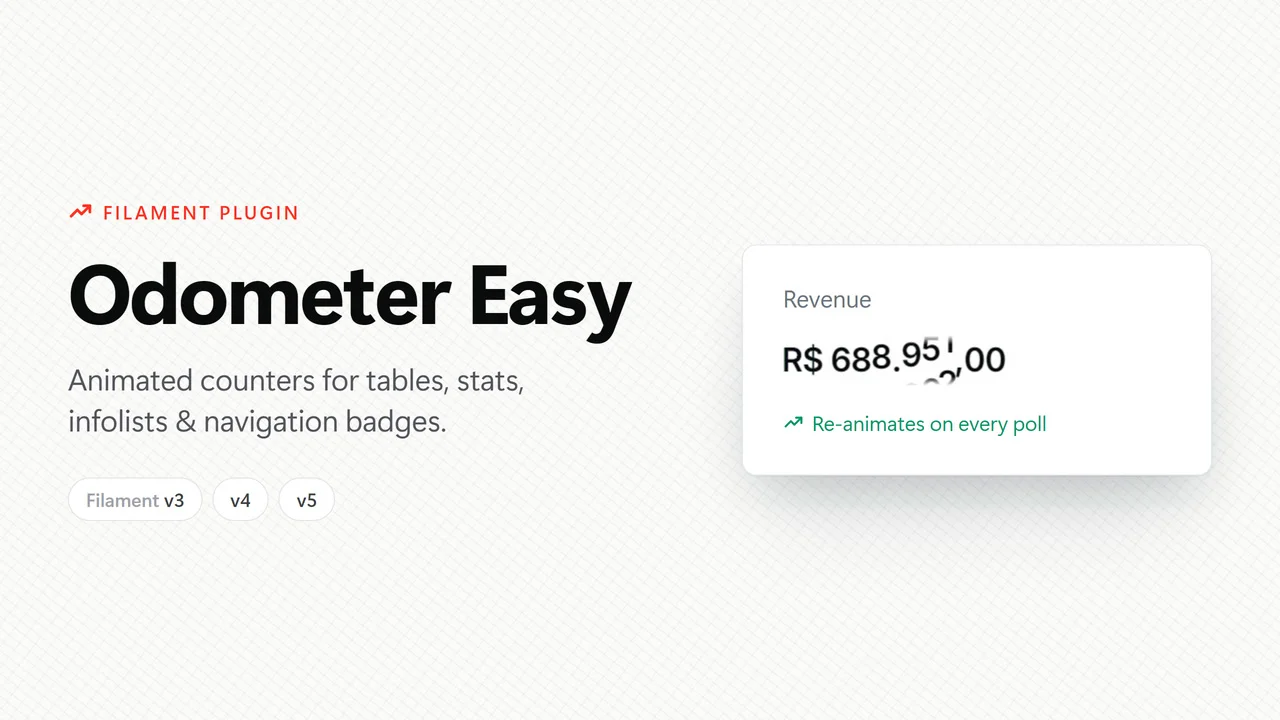
Odometer Easy
CommunityAnimated counters for Filament v3, v4 and v5 — tables, infolists and stats widgets — the easiest way possible: install, register the plugin and use it.
 Author:
Guilherme Ferro
Author:
Guilherme Ferro
Package health
BetaAutomated checks of this plugin's Composer package
15 checks
- Passed: GitHub Actions pinned to SHA
- Skipped: GitLab CI includes pinned to SHA
- Passed: Open security advisories
- Passed: Dependabot PR responsiveness — No open Dependabot PRs.
- Skipped: Renovate MR responsiveness
- Failed: Dependabot or Renovate configured — No dependency updater configuration found. View details on Plumb
- Skipped: Dependency update cooldown configured
- Passed: Provides a security policy
- Passed: Abandoned or archived — No consulted source marks the package abandoned (packagist, github).
- Passed: Commit and release recency — Active: last commit 2 days ago; last release 2 days ago.
-
Failed:
composer.lock not committed by library
—
composer.lockis present in the released dist archive. View details on Plumb - Passed: Dist archive is lean
-
Passed:
Current Laravel version supported
—
Package dependencies resolve together with current Laravel
13.0. -
Passed:
Current PHP version supported
—
Constraint
^8.2supports current PHP8.5. - Skipped: Current Symfony version supported
filament/
namespace. Review the source and install at your own risk. Found
malware or an unresolved security issue the author won't
address?
Report it
.
Documentation
- 🎬 Demo
- Components
- Animation engines (drivers)
- Compatibility
- Installation
- Usage
- Formatting
- Configuration
- How it works under the hood
- Development
- Tests
- See also
- Changelog
- Contributing
- Security Vulnerabilities
- Credits
- License



🇺🇸 English · 🇧🇷 Português
Animated counters for Filament v3, v4 and v5 — tables, infolists and stats widgets — the easiest way possible: install, register the plugin and use it.
It's the same effect as the "Items found" counter on the official filamentphp.com/plugins page, ready for your dashboards and real-time metrics.
#🎬 Demo
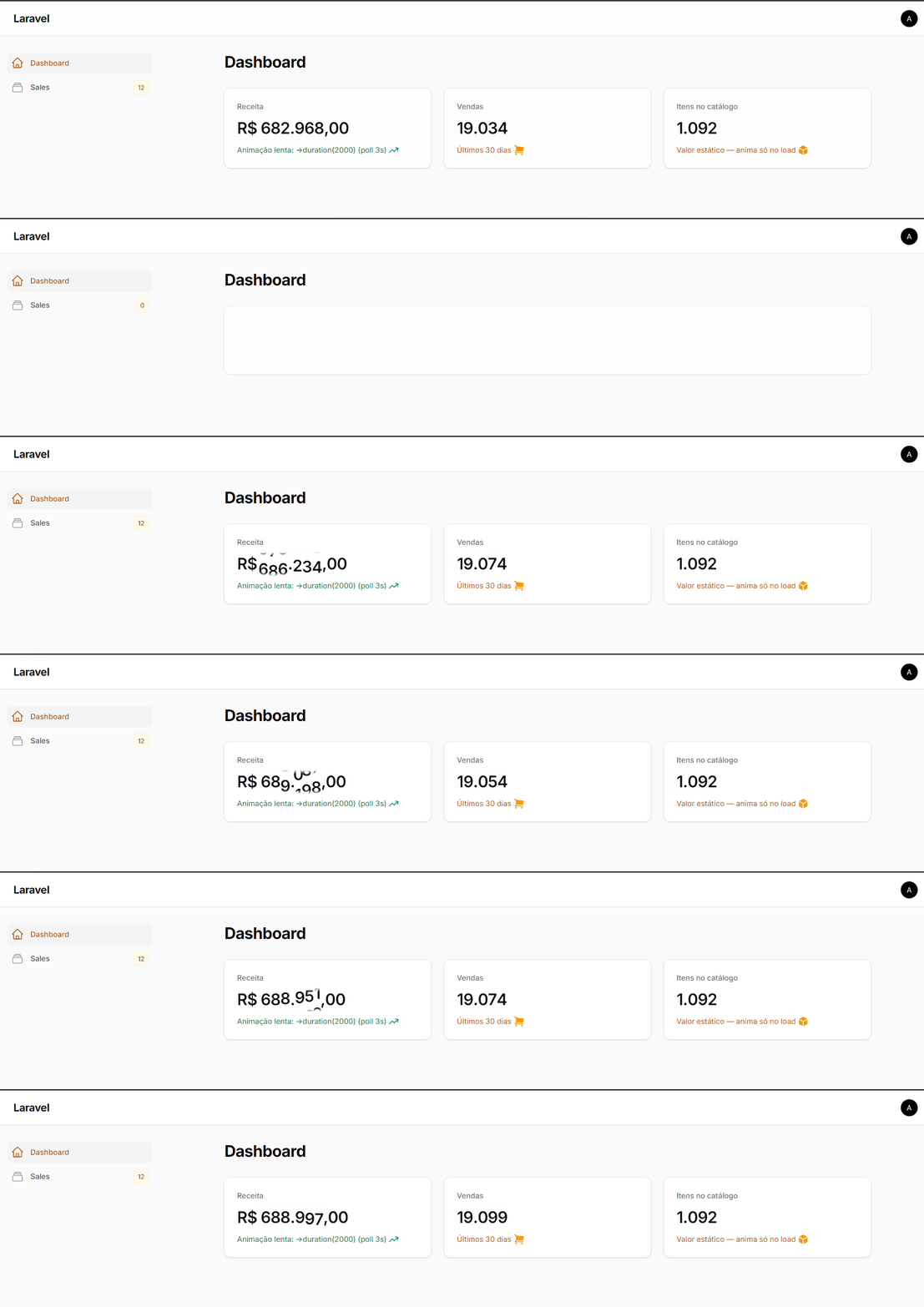
OdometerStat on the dashboard — with poll, the counters re-animate on their own every time the value updates:
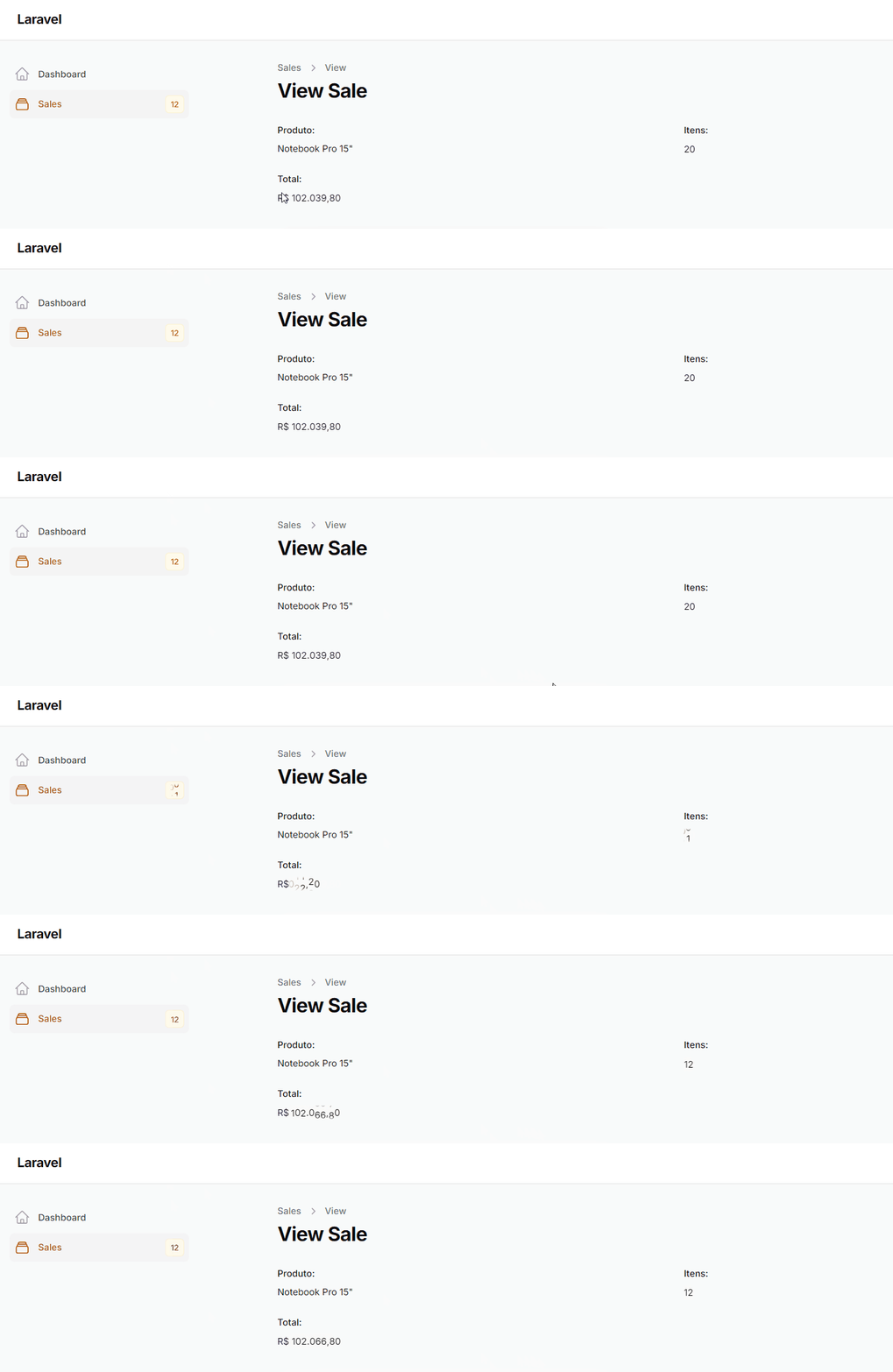
OdometerColumn in tables — animates on load, on sorting and on page change:

OdometerEntry in infolists and OdometerNavigationBadge in menus:
Badge visible on a collapsed sidebar — Filament hides the badge as soon as the menu collapses; with ->badgeOnCollapsedSidebar() it floats on the icon's corner instead, in the same shape Filament already uses for the table filters button:
| Light | Dark |
|---|---|
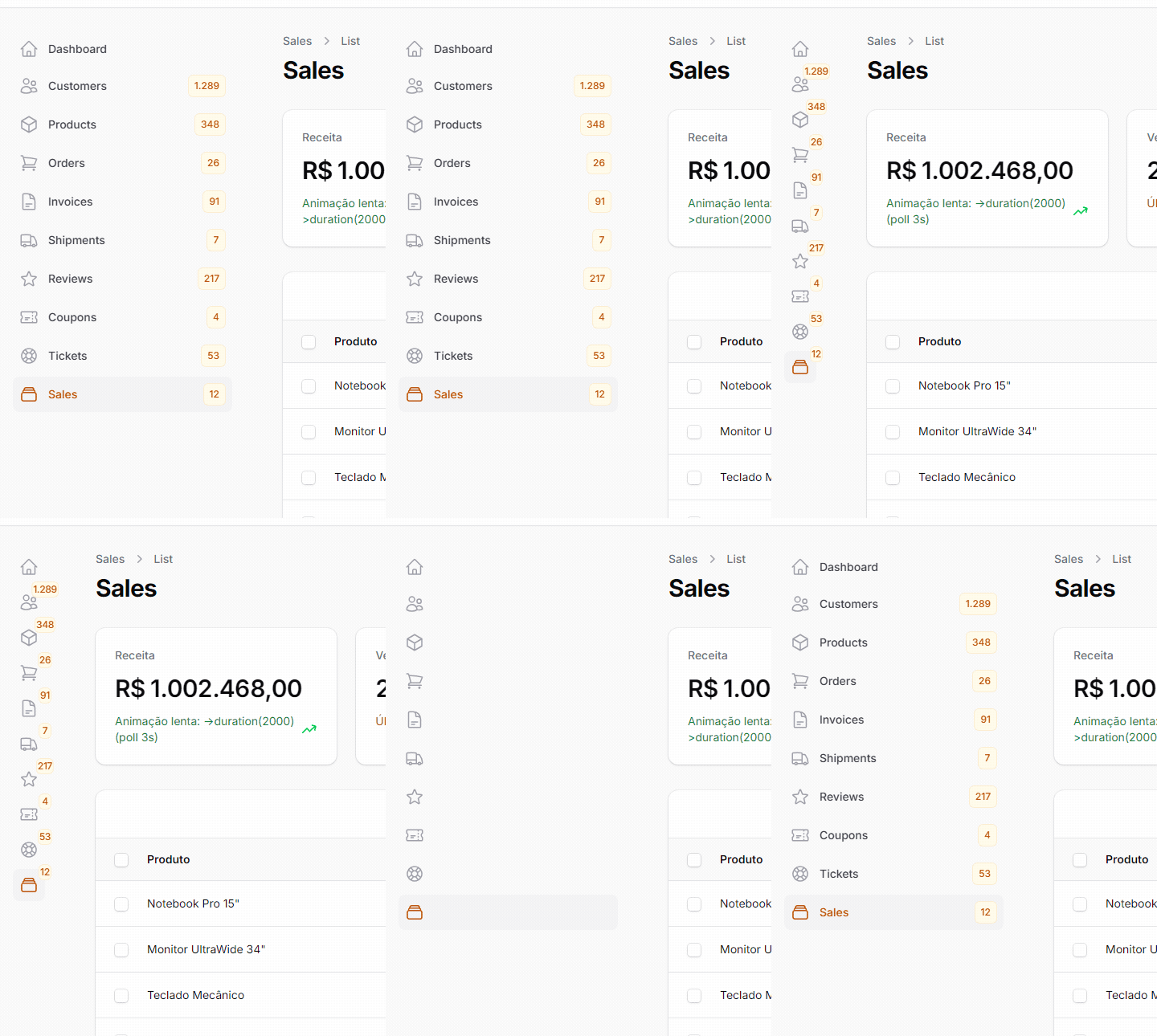 |
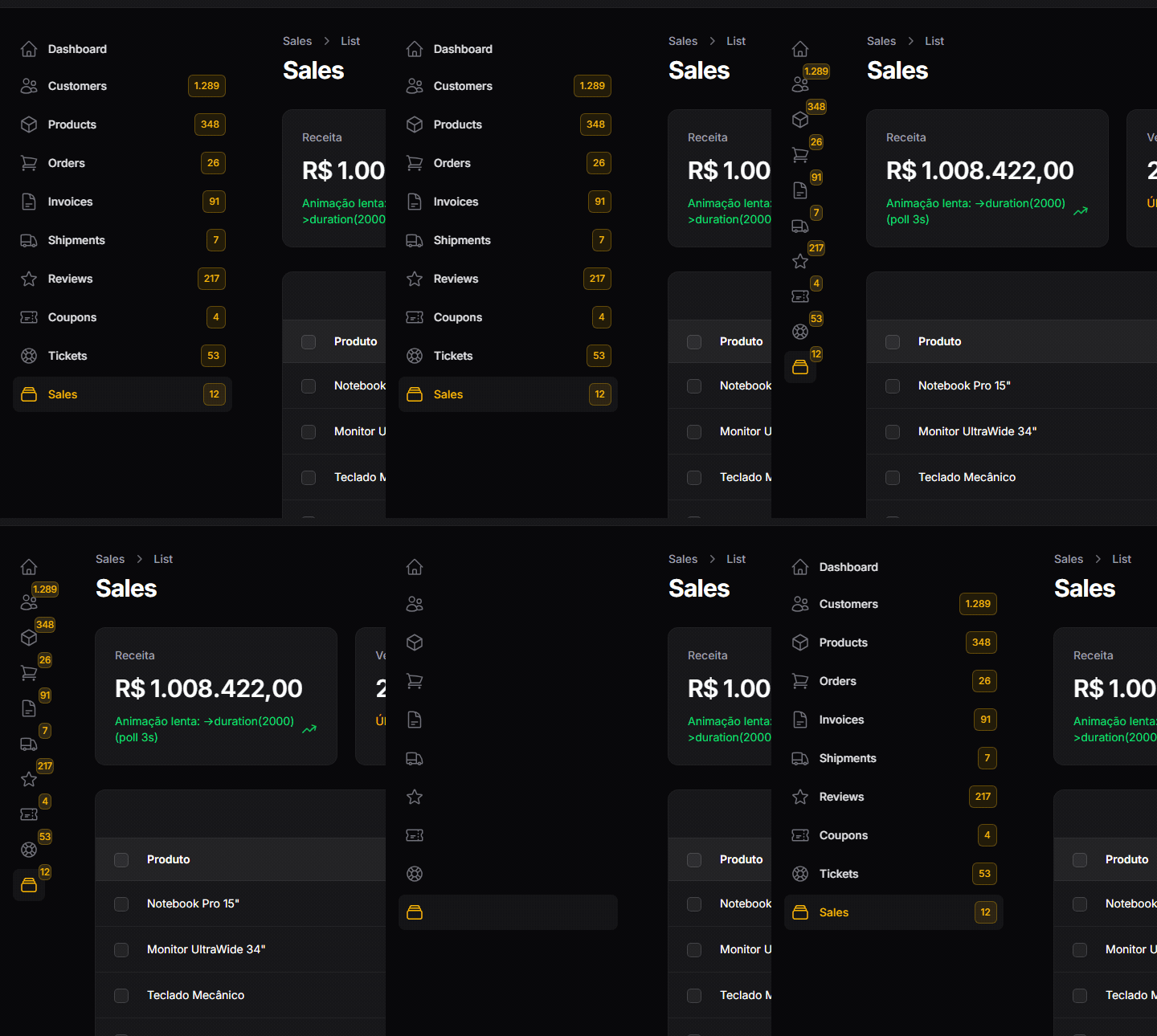 |
#Components
| Component | Extends | Usage |
|---|---|---|
OdometerColumn |
TextColumn |
Table columns |
OdometerEntry |
TextEntry |
Infolist entries |
OdometerStat |
Stat |
Counts in StatsOverviewWidget |
OdometerNavigationBadge |
— | Navigation badge (getNavigationBadge()) — can stay visible on a collapsed sidebar |
FilamentOdometerEasy facade |
— | Any custom view/blade |
All of them inherit 100% of the base component API (sortable, searchable, label, description, color etc.) — only the value becomes animated.
#Animation engines (drivers)
The package ships two engines and you pick one via config or fluently on the plugin:
#number-flow — default ⭐
The number-flow web component (used by the Filament website itself):
- ✅ Zero dependencies — no jQuery, no CDN; the bundle (~16 KB) ships with the package
- ✅ Animates from 0 on first render — shows 0 and, after a configurable delay, animates up to the value
- ✅ Re-animates on every update — perfect with Livewire,
poll()and real-time dashboards - ✅ Native formatting via
Intl.NumberFormat— currency, decimals and locale (pt-BR→1.000,00) - ✅ Accessible — respects
prefers-reduced-motion - ✅ Actively maintained
#odometer — secondary
The classic odometer.js effect via gsferro/laravel-odometer-easy (installed as a dependency):
- 🎨 7 visual themes:
default,car,digital,minimal,plaza,slot-machine,train-station - ⚠️ Depends on jQuery (the plugin injects it automatically into the panels'
<head>) - ⚠️ Animates only on first render (does not re-animate when the value updates)
#Compatibility
| Filament | Support | Notes |
|---|---|---|
| 5.x | ✅ | |
| 4.x | ✅ | |
| 3.x (3.2+) | ✅ |
The same package version covers all three — Composer resolves it against your project's Filament version. Requires PHP 8.2+.
#Installation
composer require gsferro/filament-odometer-easy
php artisan filament:assets
Register the plugin in your panel:
use Gsferro\FilamentOdometerEasy\FilamentOdometerEasyPlugin;

public function panel(Panel $panel): Panel
{
    return $panel
        // ...
        ->plugin(FilamentOdometerEasyPlugin::make());
}
Done. ✨ No npm, no publishing views, no asset configuration — the number-flow driver just works.
[!TIP] Most apps already run
filament:assetsautomatically onpost-autoload-dump(viafilament:upgrade). In that case,composer requireis all you need.
#Usage
#Table column
use Gsferro\FilamentOdometerEasy\Tables\Columns\OdometerColumn;

OdometerColumn::make('total_sales')
    ->label('Total sales')
    ->sortable(),
#Infolist entry
use Gsferro\FilamentOdometerEasy\Infolists\Components\OdometerEntry;

OdometerEntry::make('total_sales')
    ->label('Total sales'),
#Stat (StatsOverviewWidget)
use Gsferro\FilamentOdometerEasy\Widgets\OdometerStat;

protected function getStats(): array
{
    return [
        OdometerStat::make('Total sales', Sale::count())
            ->description('Last 30 days')
            ->descriptionIcon('heroicon-m-arrow-trending-up')
            ->color('success'),
    ];
}
[!TIP] Combine it with
->poll('10s')on the widget: with thenumber-flowdriver, the counter re-animates on every value update. 📈
#Navigation badge (panel menu)
use Gsferro\FilamentOdometerEasy\Navigation\OdometerNavigationBadge;

// on a Resource (or Page)
public static function getNavigationBadge(): ?string
{
    return OdometerNavigationBadge::make(static::getModel()::count());
}

// or on a custom NavigationItem
NavigationItem::make('Sales')
    ->badge(fn (): string => OdometerNavigationBadge::make(Sale::count())),
Filament's navigation API only accepts string (HTML is escaped), so the
component wraps the value with an invisible marker and the package's JS swaps
the badge text for an animated <number-flow>. Formatting uses the global
number-flow config (locales, format, delay, duration).
[!NOTE] Available only on the
number-flowdriver. On theodometerdriver, the value is displayed as plain text, without animation.
#Keeping the badge visible on a collapsed sidebar
With ->sidebarCollapsibleOnDesktop() on the panel, Filament hides the badge as soon as the
sidebar collapses: the container carries x-show="$store.sidebar.isOpen" and gets an inline
display:none. The count disappears exactly in the mode where only the icon is left — the mode
with the least information.
The option lives on the plugin, inside your Panel Provider — and it depends on the panel having a collapsible sidebar, which is the state it covers:
// app/Providers/Filament/AdminPanelProvider.php

public function panel(Panel $panel): Panel
{
    return $panel
        ->id('admin')
        ->path('admin')
        // 1. prerequisite: without a collapsible sidebar there is no state to fix
        ->sidebarCollapsibleOnDesktop()
        ->plugin(
            FilamentOdometerEasyPlugin::make()
                // 2. keeps the badge visible once it collapses
                ->badgeOnCollapsedSidebar()
        );
}
[!WARNING] Without
->sidebarCollapsibleOnDesktop()(or->sidebarFullyCollapsibleOnDesktop()) on the panel, the option does nothing: Filament never enters the collapsed state, and the CSS only applies to.fi-main-sidebar:not(.fi-sidebar-open).
The badge then floats on the icon's top-right corner, with a solid background cutting through the border — exactly the shape Filament already uses for the table filters trigger. With the sidebar open, nothing changes: the native layout (inline badge, right of the label) is preserved.
- ✅ CSS only — no published Filament view, no JavaScript
- ✅ Inlined in
<head>(~600 bytes) — does not requirephp artisan filament:assets - ✅ Works on both drivers: it positions Filament's badge, not the counter
- ✅ Light and dark mode, plus RTL
[!IMPORTANT] Opt-in. Off by default, so bumping the version never changes the menu of someone who did not ask for it. To enable it from the config file:
'badge-on-collapsed-sidebar' => true.
[!TIP] There are only ~16px of room to the right of the item, so counts with 5+ digits may lose 1-2px at the edge (
.fi-sidebar-navisoverflow-x:hidden). If that is your case, use compact notation:->format(['notation' => 'compact'])— 12,345 becomes12K.
#In any view (facade)
use Gsferro\FilamentOdometerEasy\Facades\FilamentOdometerEasy;

// configured driver (number-flow by default)
FilamentOdometerEasy::render(1500);

// forcing a driver on the spot
FilamentOdometerEasy::renderNumberFlow(1500, format: ['style' => 'currency', 'currency' => 'BRL']);
FilamentOdometerEasy::renderOdometer(1500, format: '(.ddd),dd', class: 'h3');
#Formatting
The ->format() method is available on every component and accepts the active driver's format. On the default number-flow driver, pass an array of Intl.NumberFormat options — formatting (symbol, separators, fraction digits) is applied by the browser and animated digit by digit.
#Currency ($, R$, €…)
By default the counter shows the plain number. To display the currency symbol, pass a format with style: currency:
OdometerStat::make('Approved amount (ongoing projects)', $approved)
    ->format(['style' => 'currency', 'currency' => 'BRL']),
[!TIP] Combine it with
->locales('pt-BR')on the plugin (or in the config) to getR$ 1.234,56— without a locale, the user's browser decides the separators.
#Ready-to-use recipes (number-flow driver)
| Result (en-US) | ->format([...]) |
|---|---|
$1,234.56 (currency) |
['style' => 'currency', 'currency' => 'USD'] |
$1,235 (currency, no cents) |
['style' => 'currency', 'currency' => 'USD', 'maximumFractionDigits' => 0] |
R$ 1.234,56 / €1,234.56 |
['style' => 'currency', 'currency' => 'BRL'] / 'EUR' |
12.5% (percentage) |
['style' => 'percent', 'minimumFractionDigits' => 1] |
1,234.50 (fixed decimals) |
['minimumFractionDigits' => 2, 'maximumFractionDigits' => 2] |
1.2M (compact notation) |
['notation' => 'compact'] |
1,234 km (units) |
['style' => 'unit', 'unit' => 'kilometer'] |
+1,234 (always show sign) |
['signDisplay' => 'always'] |
1234 (no grouping) |
['useGrouping' => false] |
[!WARNING]
style: percentmultiplies the value by 100 — pass0.125to display12.5%.
#Dynamic format (Closure)
->format() also accepts a Closure. On columns and entries, Filament injects $record/$state:
OdometerColumn::make('balance')
    ->format(fn (Account $record): array => [
        'style' => 'currency',
        'currency' => $record->currency, // BRL, USD, EUR...
    ]),
#Animation speed
Every component accepts ->duration() (number-flow driver; the higher, the slower):
OdometerStat::make('Revenue', $total)
    ->duration(2000), // counts in slow motion ✨
#odometer driver
On the secondary driver, ->format() takes the odometer.js data-format string:
OdometerColumn::make('revenue')
    ->format('(.ddd),dd'),
#Where to set each number-flow option
| Option | Per component | Global (plugin/config) | What it does |
|---|---|---|---|
format |
->format([...]) |
->format([...]) |
Intl.NumberFormat options (currency, percent, decimals…) |
duration |
->duration(ms) |
->duration(ms) |
Animation speed (default ~900ms) |
locales |
— | ->locales('pt-BR') |
Language/separators (1.000,00) |
delay |
— | ->delay(ms) |
Wait before the initial 0 → value animation (default 500ms) |
The per-component value always wins over the global one. The FilamentOdometerEasy::renderNumberFlow() facade accepts every option per call (format, delay, duration).
References: Intl.NumberFormat options · odometer format.
#Configuration
#Fluently, right on the plugin
FilamentOdometerEasyPlugin::make()
    ->locales('pt-BR')                                      // number-flow: 1.000,00
    ->format(['style' => 'currency', 'currency' => 'BRL'])  // global default
    ->delay(500)                                            // ms before the initial animation (0 → value)
    ->duration(1500)                                        // animation speed in ms (default ~900ms)
    ->badgeOnCollapsedSidebar(),                            // menu badge stays visible when the sidebar collapses
To use the classic engine:
FilamentOdometerEasyPlugin::make()
    ->driver('odometer')
    ->theme('digital')          // default, car, digital, minimal, plaza, slot-machine, train-station
    ->format('(.ddd),dd')       // default data-format
    ->jquery(enabled: false),   // when your application already loads jQuery
#Or through the config file
php artisan vendor:publish --tag="filament-odometer-easy-config"
return [
    // number-flow (default) | odometer
    'driver' => 'number-flow',

    // keeps the navigation badge visible when the desktop sidebar is collapsed
    'badge-on-collapsed-sidebar' => false,

    'number-flow' => [
        'locales' => null,  // e.g. 'pt-BR'; null uses the browser locale
        'format' => null,   // e.g. ['style' => 'currency', 'currency' => 'BRL']
        'delay' => 500,     // ms before the initial animation: shows 0 and animates up to the value
        'duration' => null, // animation speed in ms; null uses the default (~900ms)
    ],

    'odometer' => [
        'theme' => 'default',
        'format' => null,  // e.g. '(.ddd),dd'; null uses the default (pt-BR: 1.000,00)

        'jquery' => [
            'enabled' => true,
            'src' => 'https://code.jquery.com/jquery-4.0.0.min.js',
            'integrity' => 'sha256-OaVG6prZf4v69dPg6PhVattBXkcOWQB62pdZ3ORyrao=',
        ],
    ],
];
#How it works under the hood
- number-flow: the package ships the
<number-flow>web component bundled (resources/dist/filament-odometer-easy.js, registered as an ES module viaFilamentAsset), the same one used on filamentphp.com/plugins. The Blade view renders the element withdata-value/data-format/data-localesand the bundle initializes it: shows 0, waits for thedelayand animates up to the value. AMutationObservertracksdata-valuechanges made by Livewire's morph (poll, refresh) and re-animates from the current value to the new one — without relying onx-init, which does not run again when Livewire preserves the element. - Navigation badge:
getNavigationBadge()andNavigationItem::badge()are typed as?stringand Blade escapes the content, so returning HTML is not possible.OdometerNavigationBadge::make()wraps the value withU+2060(word joiner, invisible); the bundle detects the marker inside.fi-badge-label, swaps the text for a<number-flow>and uses the global config exposed onwindow.filamentOdometerEasyvia render hook. When Livewire re-renders the badge, the animation starts from the previous value (data-start). - Collapsed sidebar badge: Filament has no prop, config or per-item render hook for this, and
publishing the
sidebar.itemview would freeze 150 lines of Blade on every upgrade. The package injects a<style>into<head>via render hook, scoped to.fi-main-sidebar:not(.fi-sidebar-open)— Filament itself already exposes the sidebar state as a class (fi-sidebar-open) and the menu item is alreadyposition: relative. Thedisplay: flex !importantis what beats the inline declaration Alpine'sx-showwrites. It only applies inside@media (width >= 64rem), the same breakpoint as Filament's Alpine sidebar store. - odometer: the assets (css theme,
odometer.js,odometer-easy.js) are served straight from thegsferro/odometer-easyvendor viaFilamentAsset, and jQuery is injected via render hook into the panels'<head>. - Switching drivers selects which assets get registered — never both at the same time.
#Development
The number-flow bundle only needs to be rebuilt if you change resources/js/index.js:
npm install
npm run build
#Tests
composer test
#See also
gsferro/filament-stat-plus-easy — stat cards
with a corner icon and a colored accent border, for Filament v3, v4 and v5. StatPlus extends this
package's OdometerStat, so the animated counter comes along — plus a matching loading skeleton.
#Changelog
Please see CHANGELOG for more information on what has changed recently.
#Contributing
Please see CONTRIBUTING for details.
#Security Vulnerabilities
Please review our security policy on how to report security vulnerabilities.
#Credits
- gsferro
- number-flow by Maxwell Barvian
- odometer.js by HubSpot
- All Contributors
#License
The MIT License (MIT). Please see License File for more information.
The author
I am passionate about simplifying complex problems, enabling you to leverage solutions efficiently and intuitively. By using my solutions, you will reduce the time and effort required for implementation, making the development process easier and more straightforward.
From the same author
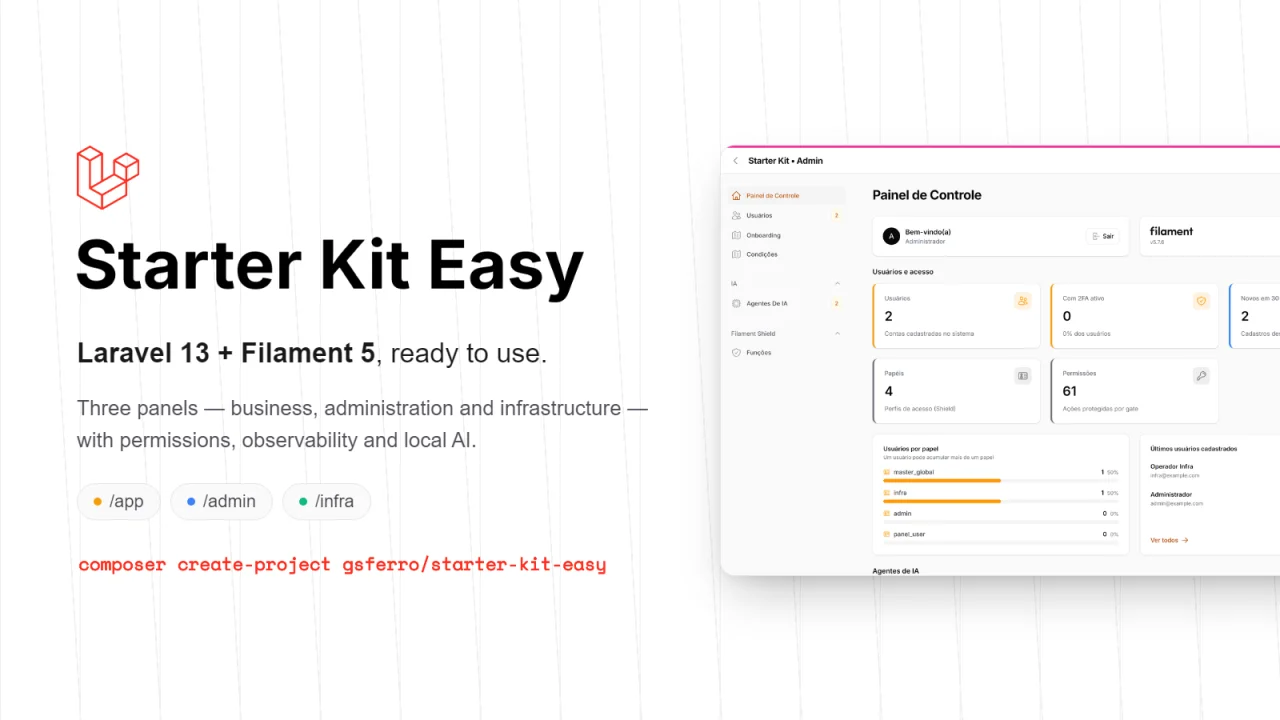
Starter Kit Easy
A ready-to-use Laravel 13 + Filament 5 starter kit. One command creates the project, installs everything, migrates, seeds the database and hands you three working panels: business, administration and infrastructure. Support for multi-tenant.
Author:
Guilherme Ferro
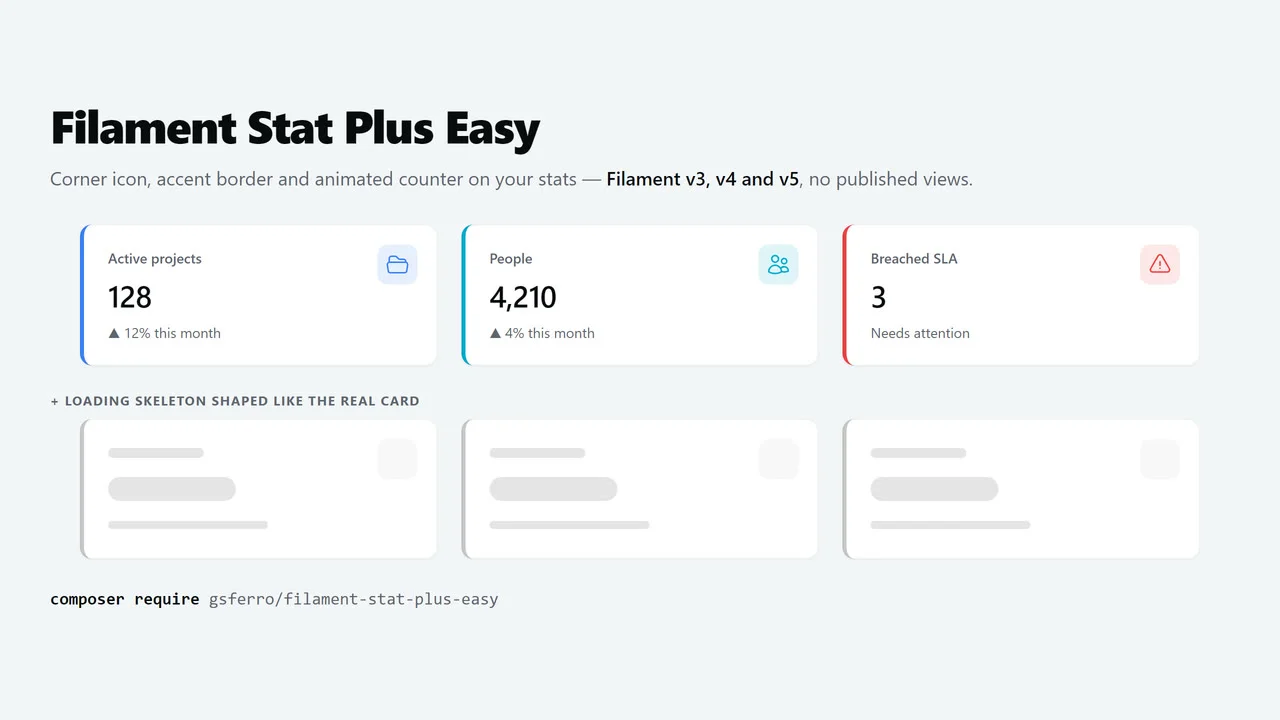
Stat Plus Easy
The Filament v3, v4 and v5 Stat with the look every dashboard ends up asking for: icon in the top-right corner, colored accent border on the left and an animated counter — plus a loading skeleton shaped like the real card.
Author:
Guilherme Ferro
Featured Plugins
A selection of plugins curated by the Filament team

Soft Theme
A theme that gives panels a warm, approachable look with rounded shapes, gentle colors, and serif headings.
 Filament

Blueprint
Filament Blueprint is a premium Laravel Boost extension that helps AI agents produce accurate, detailed implementation plans and security reports for Filament apps.
Filament

Spotlight Pro
Browse your Filament Panel with ease. Filament Spotlight Pro adds a Spotlight like Command Palette to your Filament Panel.
 Dennis Koch

