
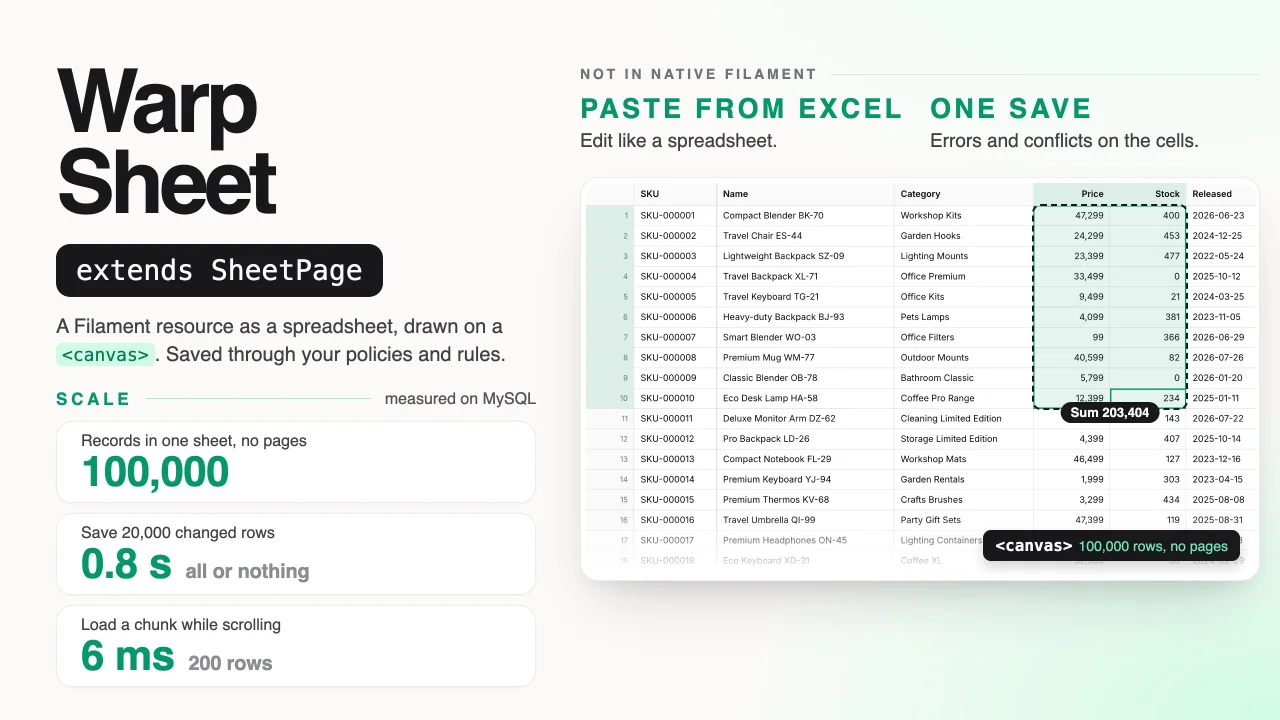
Warp Sheet by Yuichi Okada
CommunityTurns a Filament resource into a spreadsheet: scroll through every record without pagination, edit and paste like Excel, and save all changes in one go with policies, validation and conflict checks.
filament/
namespace. Review the source and install at your own risk. Found
malware or an unresolved security issue the author won't
address?
Report it
.
 Author:
Yuichi Okada
Author:
Yuichi Okada
Documentation
- Why
- Features
- Requirements
- Installation
- Usage
- Multi-tenancy
- Keyboard
- Limitations
- Troubleshooting
- Changelog
- Support
- License
Turn a Filament resource into a spreadsheet: scroll through every record without pagination, edit and paste like Excel, and save all changes in one go — with your policies, validation and conflict checks.

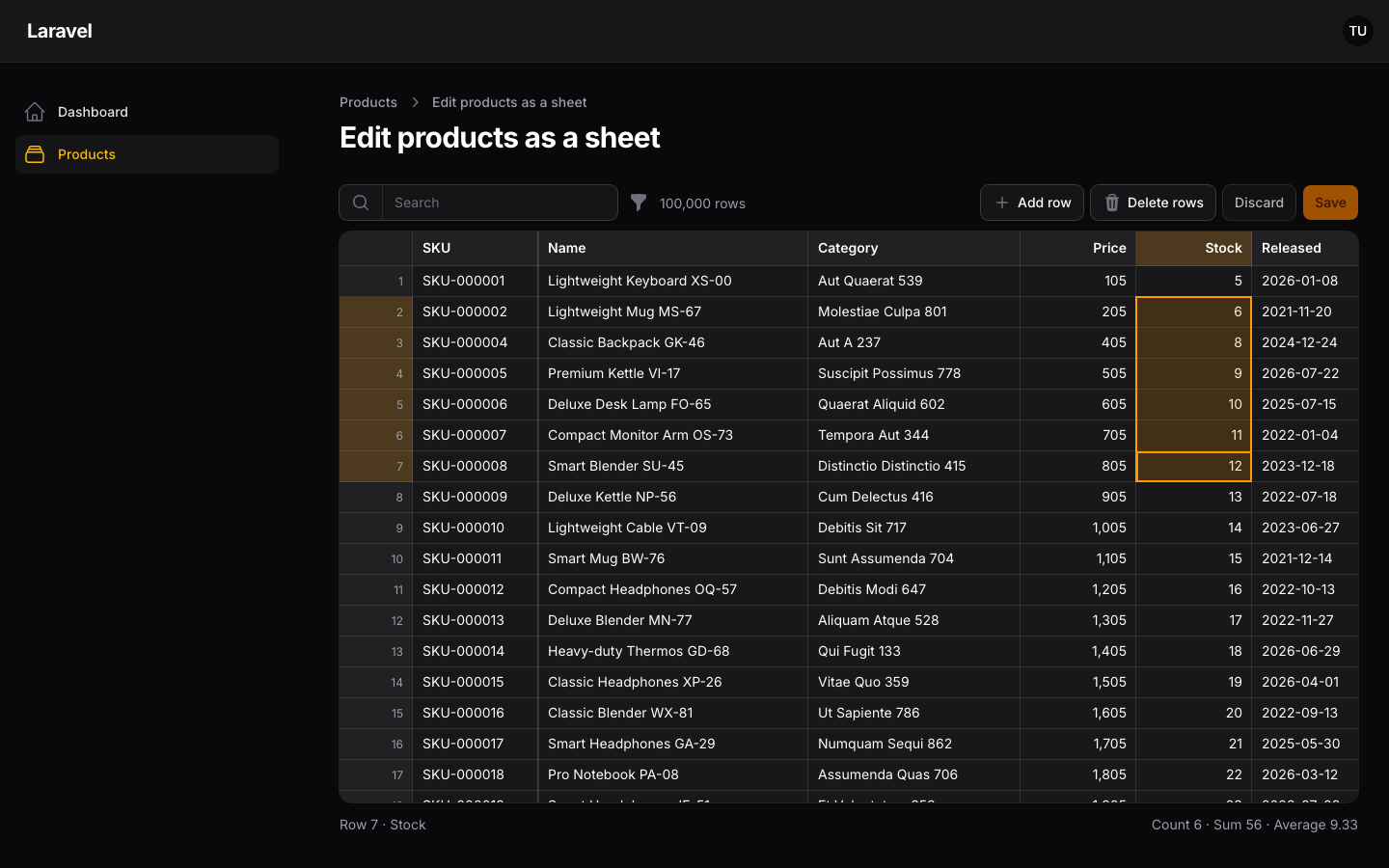
Scroll through 100,000 products, paste from Excel, group by category and save every change at once at demo.warpui.com/sheet. No sign-up needed; the data is reset every hour.
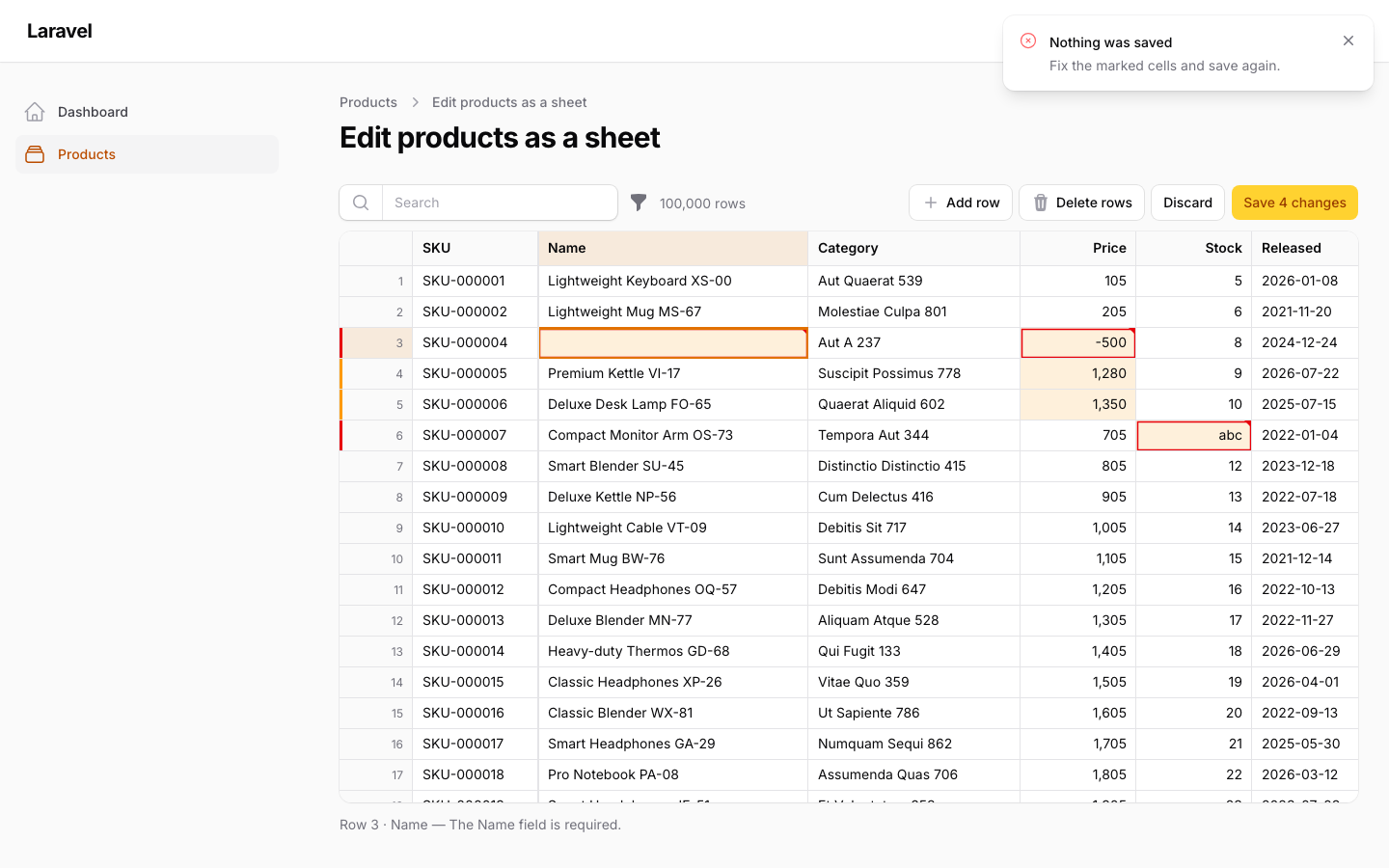
Price updates, stock counts and cleaning up a customer list usually mean exporting to Excel, fixing the file and importing it again. Warp Sheet lets your users do that work inside Filament. They see the whole query result as one sheet, move around with the keyboard, paste a block of cells from Excel or Google Sheets, and press Save. The server checks every changed record against its policy and your rules, writes everything in one transaction or nothing at all, and marks the cells that need attention.
use Qalainau\FilamentWarpSheet\Columns;
use Qalainau\FilamentWarpSheet\Pages\SheetPage;
use Qalainau\FilamentWarpSheet\Sheet;

class EditProductsSheet extends SheetPage
{
    protected static string $resource = ProductResource::class;

    public function sheet(Sheet $sheet): Sheet
    {
        return $sheet
            ->columns([
                Columns\Text::make('sku')->readOnly()->frozen(),
                Columns\Text::make('name')->rules(['required', 'max:255']),
                Columns\Number::make('price')->decimals(0)->rules(['required', 'integer', 'min:0']),
                Columns\Select::make('category_id')->relationship('category', 'name'),
                Columns\Date::make('released_on'),
                Columns\Boolean::make('is_active'),
            ])
            ->creatable()
            ->deletable();
    }
}
#Why
Measured with 100,000 products and 1,000 categories, on the server only:
| SQLite | MySQL 8.4 | PostgreSQL 18 | |
|---|---|---|---|
| List all 100,000 records (sorted by a column) | 18 ms | 29 ms | 66 ms |
| Load a chunk of 200 rows while scrolling | 5 ms | 6 ms | 7 ms |
| Save 1,000 changed rows | 0.05 s | 0.06 s | 0.07 s |
| Save 20,000 changed rows | 0.6 s | 0.8 s | 1.0 s |
| Save 100,000 changed rows | 3.0 s | 3.8 s | 4.6 s |
The sheet is drawn on a <canvas>, so 100,000 rows cost no more DOM than 100. Only the rows on screen are loaded. Saves are processed 500 rows at a time, so memory stays flat however many rows change.
#Features
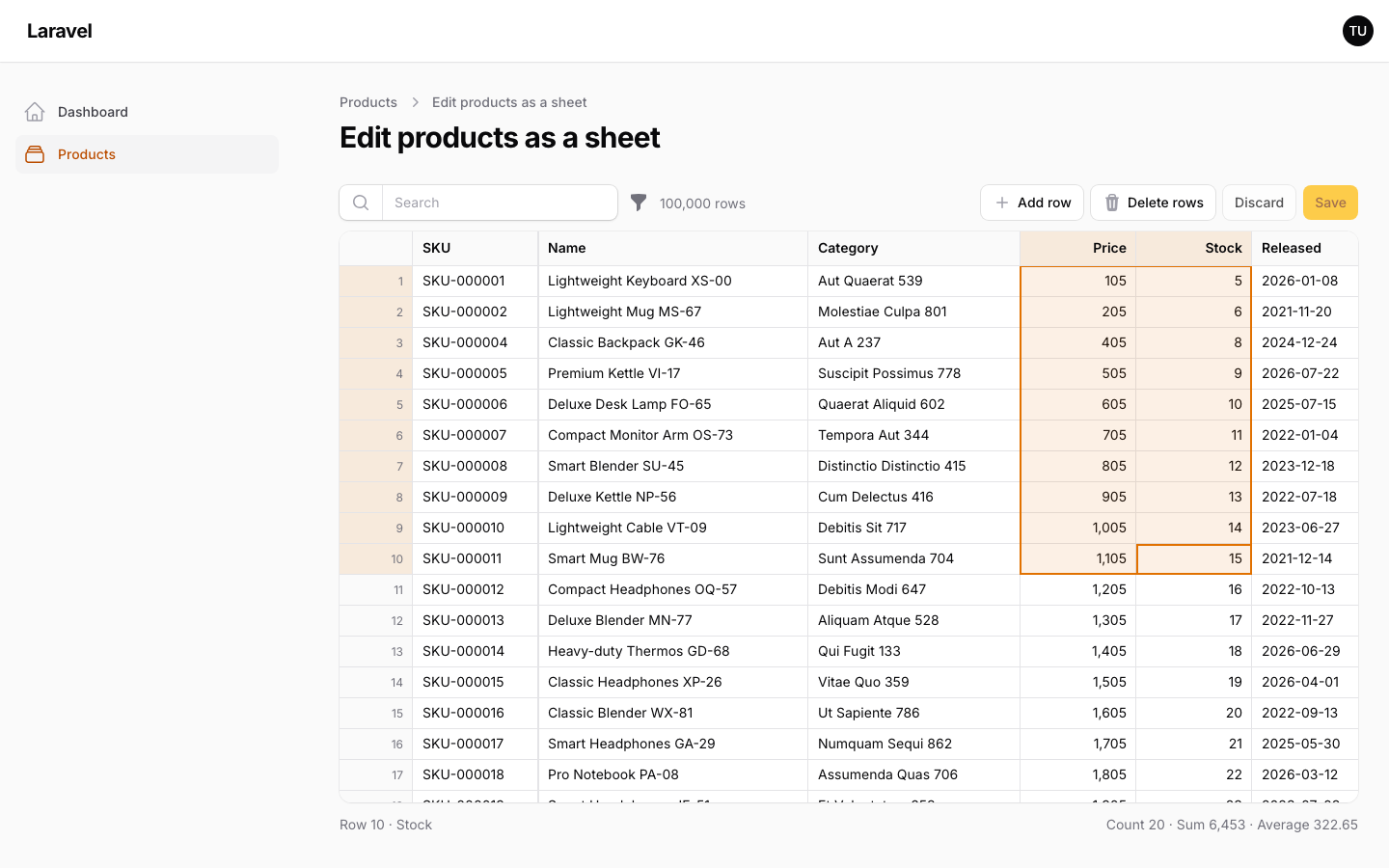
- The whole result, no pages: scroll or jump to row 100,000 at once. Sort by clicking a header (select columns sort by their labels), search, and filter with Filament's own table filters.
- Spreadsheet editing: a cell cursor, typing replaces the cell (Japanese and other input methods included), F2 edits it, Shift extends the selection, a fill handle that continues series, fill down and right, undo and redo, and frozen columns. The status bar shows the count, sum and average of the selection.
- Paste from Excel: tab-separated cells from Excel, Numbers or Google Sheets.
1,234is read as a number,2026/10/14as a date, and labels of a select column as its values. Paste or fill down far past the loaded rows; the sheet tracks every change by primary key. - One save, all or nothing: changes stay in the browser until the user saves. Each record is checked against your resource's
canEdit,canCreateandcanDeleteand against the column rules, inside one transaction. Errors are marked on the cells and nothing is written until everything passes. - Conflicts: when someone else changed a record after it was loaded, the save stops and shows their values — unless they changed other columns, in which case the changes are merged.
- Review before saving: a panel lists every unsaved change with its old and new value, to jump to it or revert it.
- Import, export and bulk edit: export the filtered records to Excel or CSV, edit them anywhere, and import the file back as changes to review; or change one column of thousands of records at once on the server.
- Columns and views: resize, hide and reorder columns, and save the arrangement with the sort, search and filters as private or shared views.
- Grouping: group the rows by a column, with counts and subtotals per group, and collapse groups.
- Large saves: tens of thousands of changes are sent in parts and written in batches, with progress in the toolbar.
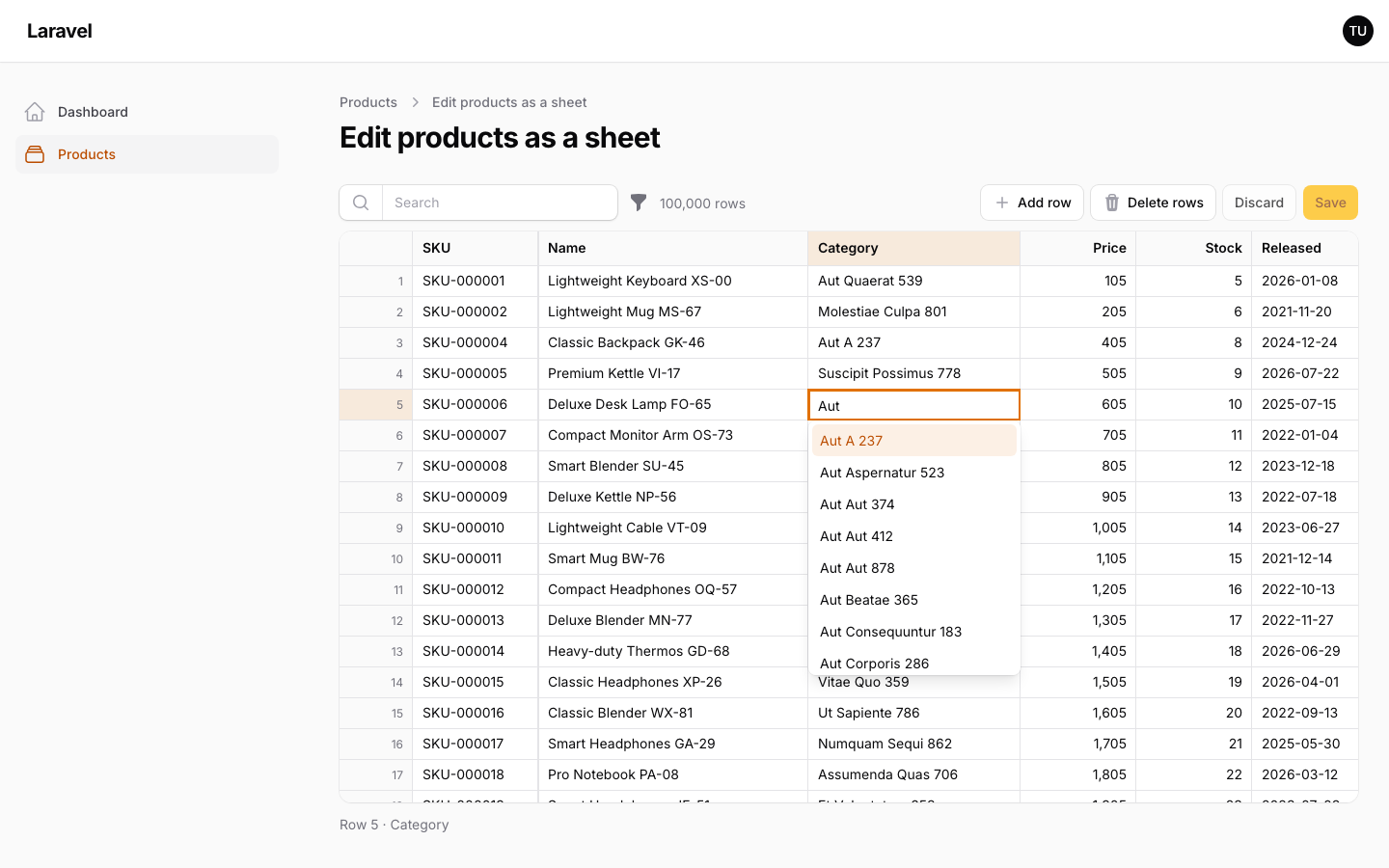
- Select columns with many options: a searchable dropdown; relationships with more than 1,000 options are searched on the server as you type.
- Column types: text, multi-line text, numbers with currencies, selects (including enums and searched relationships), multi-selects for
belongsToMany, dates, date-times, times and booleans, with per-record read-only cells and colors. - Pages, widgets and relation managers: a sheet can be a resource page, a dashboard widget, or a relation manager on a record's page, with as many on one page as you like.
- Multi-tenancy: on a panel with Filament's tenancy, each team sees, edits and saves views of its own records only. See Multi-tenancy.
- Filament integration: a resource page, panel colors and fonts, dark mode, notifications, modal actions, save hooks and translations (English and Japanese).
| Select editor | Dark mode |
|---|---|
 |
 |
#Requirements
- PHP 8.3+
- Laravel 12 or 13
- Filament 5.x (Livewire 4)
- SQLite 3.25+, MySQL 8.0+, MariaDB 10.2+ or PostgreSQL (grouping uses window functions)
#Installation
Warp Sheet is a commercial plugin. A license is required. After purchase you receive credentials for the private Composer repository.
Add the repository and authenticate:
composer config repositories.qalainau composer https://qalainau.privato.pub/composer
composer config --auth http-basic.qalainau.privato.pub "your-email" "your-license-key"
This writes your license key to auth.json in the project. Add auth.json to .gitignore, and on CI or servers pass the credentials in the COMPOSER_AUTH environment variable instead.
Install the package, run the migration and publish Filament's assets:
composer require qalainau/filament-warp-sheet
php artisan migrate
php artisan filament:assets
The migrations create two tables: warp_sheet_views for the views users save, and warp_sheet_changes for the history of sheets with auditLog(). Your tables are not changed. To edit the migration, publish it with php artisan vendor:publish --tag=filament-warp-sheet-migrations. Publish it before you run php artisan migrate for the first time: Warp Sheet then runs your copy instead of its own. If the tables already exist, change them with a migration of your own instead.
Run
php artisan filament:assetsagain after every update of the package.
#Usage
#Create a sheet page
Create a page in your resource that extends SheetPage and describe the sheet in sheet() (see the example at the top). Then register it in the resource's getPages():
public static function getPages(): array
{
    return [
        'index' => ListProducts::route('/'),
        'sheet' => EditProductsSheet::route('/sheet'),
        // ...
    ];
}
Link to it from the list page with a header action, for example Action::make('sheet')->url(ProductResource::getUrl('sheet')).
Users who can open the resource can open the sheet. Each changed record is checked with the resource's canEdit(), new rows with canCreate() and deleted rows with canDelete().
The sheet shows the records of the resource's getEloquentQuery(), so its scopes and tenancy apply (see Multi-tenancy). Pass another query with $sheet->query(...); every read and write of the sheet stays inside that query.
#Columns
use Qalainau\FilamentWarpSheet\Columns;
| Column | Notes |
|---|---|
Columns\Text |
Searched by the search box unless you call $sheet->searchable([...]). |
Columns\Textarea |
Several lines. Shown on one line in the cell; the editor grows while editing. Alt+Enter (Option+Enter on a Mac) adds a line break. |
Columns\Number |
->decimals(int), ->currency('USD'), ->prefix('$') and ->suffix(' kg') set how it is shown, in the page language. Typed and pasted values may include them and thousands separators ($1,234). |
Columns\Select |
->options([...]), ->enum(Status::class) (labels from Filament's HasLabel) or ->relationship('category', 'name') (belongsTo). Sorted by label. |
Columns\MultiSelect |
Several values: ->relationship('tags', 'name') (belongsToMany, saved with sync()), or ->options([...]) / ->enum(...) on an attribute cast to an array. Shown as small labels; typed and pasted as labels separated by commas (Sale, Eco), with the list completing the last one. Not sortable. |
Columns\Date |
Stored as Y-m-d. Accepts pasted 2026/10/14. |
Columns\DateTime |
Shown as Y-m-d H:i, or with seconds after ->seconds(). ->timezone('Asia/Tokyo') shows and reads it in another timezone than the app's; the column filter's dates are that timezone's days too. Accepts pasted 2026/10/14 9:05. |
Columns\Time |
Shown as H:i, or with seconds after ->seconds(). |
Columns\Image |
A thumbnail of the value: a URL, a path on ->disk('public'), or ->url(fn ($value, $record) => ...). ->circular() for photos of people. Read-only unless you call ->readOnly(false). |
Columns\Link |
Text shown as a link. Ctrl/Cmd+click (or the right-click menu) opens it in a new tab; a plain click selects the cell as usual. The value is the URL unless you build one with ->url(fn ($value, $record) => ...). javascript: and data: URLs never open. |
Columns\Computed |
Read-only number worked out from other columns: ->formula('price * stock'). See below. |
Columns\Boolean |
Space toggles the selected cells. Accepts pasted true, yes, 1, ✓ and their opposites. |
Dates, times and numbers typed in full-width characters by a Japanese input method (1,200, 2026/10/14) are read as usual.
Columns are named Columns\Text and so on so they do not clash with Filament's TextColumn imports.
All columns accept ->label(), ->width(), ->readOnly(), ->frozen() and ->rules(). Rules that depend on the record (such as unique ignoring it) take a closure that receives the record, or null for a new row:
Columns\Text::make('sku')->rules(fn (?Model $record): array => [
    'required',
    Rule::unique('products', 'sku')->ignore($record),
]),
#Totals
summarize() adds a row of totals at the bottom of the sheet, for every record matching the search and filters — not only the rows on screen:
Columns\Number::make('stock')->summarize('sum'),
Columns\Number::make('price')->summarize(['avg', 'min', 'max']),
Columns\Text::make('sku')->summarize('count'),
sum, avg, min and max work on number and computed columns, count (filled values) on any column. They are worked out in one query on the saved values, and again after each save.
#Computed columns
Columns\Computed::make('stock_value')->formula('price * stock')->currency('USD')->decimals(0),
Columns\Computed::make('margin')->formula('round((price - cost) / price * 100, 1)')->suffix('%'),
Formulas use numbers, the names of the sheet's other columns, + - * /, parentheses, and round(x, decimals), min(…), max(…) and abs(x). The browser recalculates them as soon as a column they use changes, before saving. They sort in the database (the formula becomes SQL) and are exported. An empty value or a division by zero makes the result empty, as in SQL. An invalid formula throws when the sheet is built.
#Checking values as they are typed
Simple rules are also checked in the browser the moment a cell changes — required, numeric, integer, min, max, between, email, url and the date formats of the date and time columns — so a wrong value is marked before the user saves, with Laravel's message for the rule. The server still checks every rule on save, including the ones the browser cannot (unique, exists, closures). Rules given as a closure (record-dependent rules) are only checked on the server.
#Read-only cells and colors
readOnly() also takes a closure that receives the record, or null for a new row, to lock cells record by record. A column that can only be filled in on a new row:
Columns\Text::make('sku')->readOnly(fn (?Product $record): bool => $record !== null),
color() colors a cell with one of the panel's colors (danger, warning, success, info, primary, gray or your own). Pass a closure to decide by value:
Columns\Number::make('stock')->color(fn (?int $value): ?string => match (true) {
    $value === 0 => 'danger',
    $value < 20 => 'warning',
    default => null,
}),
Both are decided on the server from the saved values: a cell the user has just changed keeps its "changed" mark until it is saved.
#Select columns with many options
A relationship with more than 1,000 options is not embedded in the page; the editor searches it on the server as you type, with prefix matches first. Change the threshold with ->preloadLimit(int) (0 always searches on the server, null always embeds). Pasted labels are matched to values on the server, case-insensitively.
#Column widths, order and visibility
Users can drag the edge of a header to resize a column (double-click it to fit the contents), and use "Columns" in the toolbar to hide columns and move them left or right. Frozen columns stay first. The arrangement is remembered in the browser for each sheet page.
#Saved views
"Views" in the toolbar saves the current arrangement — column widths, order and visibility, sort, search and filters — under a name. Signed-in users see their own views and the ones shared with everyone, can make one their default (the sheet opens with it), and delete their own. "Default view" goes back to the sheet as defined.
$sheet
    ->shareableViews(false)   // views stay private
    ->savedViews(false)       // or turn saving off
    ->viewKey('products');    // share views between pages that show the same sheet (defaults to the page class)
Views are stored per tenant when the panel has tenancy (see Multi-tenancy).
#Grouping rows
Open the menu of a column header (the funnel) and choose "Group by this column". The rows are ordered by that column — select columns by their labels — and every group gets a heading row with its value, its number of rows and the column summaries (summarize()) of its records, worked out in the database. Click a heading's arrow, press Space on it, or use the right-click menu to collapse and expand groups; the toolbar has "Collapse all", "Expand all" and a button to stop grouping. Sorting sorts within each group, and saved views remember the grouping.
Text, select, boolean, date and number columns can be grouped by. Turn it off for a column with ->groupable(false). A column with more than 5,000 different values in the result is not grouped. Rows added while grouped are listed in a "New rows" group at the end; after a save the groups are worked out again.
Values that the database treats as equal share a group: with a case-insensitive collation (MySQL's default), "Apple" and "apple" are one group, named after its first row. A date column groups by day even when the database column also stores times, and its subtotals cover the whole day. Grouping by another column opens every group again.
#Find and replace
Ctrl/Cmd+F opens a find bar over the sheet; Enter and Shift+Enter go to the next and previous matching cell, and matching cells are highlighted. It searches every record matching the search and filters, not only the rows loaded: the server finds the rows whose text columns or select labels contain the text, and the browser then checks the cells as they are shown, unsaved changes included (also with "Match case"). Number and date cells match in rows already found.
Ctrl+H, or the arrow in the find bar, shows replace. "Replace" changes the current cell and "Replace all" every text cell that matches, in up to 10,000 rows; both are unsaved changes to review and save, and Replace all is one undo step. For more rows, use the bulk edit's find and replace.
#Column filters
Every column header has a filter button, as in Excel: text columns filter by what they contain, numbers and computed columns by a range, dates and times by a period, and selects, multi-selects and booleans by a list of values (including empty cells). The panel also sorts the column. Column filters run in the database, so they cover every record, and they apply to the totals, the export, bulk edit and saved views. "Clear column filters" in the toolbar removes them all. Nothing needs to be configured.
#Filters
Pass Filament table filters to the sheet. They appear in the toolbar and narrow the records the sheet lists:
use Filament\Tables\Filters\Filter;
use Filament\Tables\Filters\SelectFilter;
use Filament\Tables\Filters\TernaryFilter;

$sheet->filters([
    SelectFilter::make('category_id')->relationship('category', 'name')->searchable()->multiple(),
    TernaryFilter::make('is_active'),
    Filter::make('out_of_stock')->query(fn (Builder $query): Builder => $query->where('stock', 0)),
]);
#Opening a record
Double-click a row number, or right-click a row and choose "Open record" (Shift+F10 or the menu key from the keyboard), to open the record in the resource's form in a modal — for the fields the sheet does not show, such as long descriptions or relationships. Records the user may not edit open read-only. After a save the sheet reloads its rows; unsaved changes stay. The right-click menu also adds and deletes rows.
It needs a form on the resource. Turn it off with $sheet->recordModal(false).
#Adding and deleting rows
->creatable() adds an "Add row" button and ->deletable() a "Delete rows" button. New rows are validated against every column's rules, so required works; columns the user left empty get the database default. Deleted rows are struck through until the save.
#Saving
"Review" in the toolbar lists the unsaved changes record by record — new rows, deleted rows and each changed cell with its old and new value. Click one to go to it, or revert a cell or a whole record (Ctrl/Cmd+Z brings it back).
The save is all or nothing. Deletes are processed first, then updates, then new rows, so a new row may reuse a unique value of a deleted one.
A record changed by someone else after it was loaded is a conflict only when the same column changed; changes to other columns are merged. Rows written without being loaded (for example by pasting far below the visible rows) are a conflict when they changed after the sheet listed the records. Conflicts use updated_at, so the model needs timestamps for them. Most databases keep updated_at in whole seconds, so a record changed in the same second as the listing also counts as a conflict. Rows with unsaved changes keep the version they were edited on when the sheet reloads its rows (after a bulk edit or the record form), so someone else's change in between is still a conflict. A changed record that someone else deleted is taken out of the sheet with its changes, and the sheet says so.
After a save the sheet shows the saved rows as the database has them, so columns written by an observer, a trigger or a generated column appear straight away. The totals are worked out again, also for columns that are hidden. If a model event (saving, updating, creating, deleting) returns false, nothing is saved and the record is marked with an error.
By default a save may touch up to 100,000 records:
$sheet->maxChangesPerSave(20_000); // or null for no limit
Rows are written with prepared UPDATE statements rather than Model::save(), which is several times faster. On MySQL, MariaDB and PostgreSQL, rows that change the same columns are written 100 at a time in one statement. If the model has event listeners (observers, saving/updated hooks and so on), the sheet saves through Eloquent so they still run. Force either way with $sheet->modelEvents(true) or $sheet->modelEvents(false).
#Bulk edit
bulkEditable() adds "Bulk edit" to the toolbar. It changes one column of the selected rows, or of every record matching the search and filters — including the rows not loaded yet — on the server:
| Change | Columns |
|---|---|
| Set to a value, clear | All |
| Add values, remove values | MultiSelect |
| Find and replace (optionally matching case) | Text, Textarea |
| Add an amount, change by a percentage (rounded to the column's decimals) | Number |
The new values go through the same path as a save: the resource's canEdit(), the column rules, beforeSave()/afterSave(), and one transaction, so if any record fails, nothing is changed. Records whose cell is read-only for them are skipped. The sheet then reloads the rows; unsaved changes stay. Date times and times are set as typed, in the column's timezone, whatever the panel's Filament timezone.
$sheet->bulkEditable();
#Export
exportable() adds "Export" to the toolbar, with Excel (.xlsx) and CSV. It writes the saved records with the sheet's current search, filters and sort, one column per sheet column: select columns as labels, booleans as TRUE/FALSE and dates as Y-m-d, so the file can be imported again. Values a spreadsheet would read as formulas are written as text. Unsaved changes are not in the file.
$sheet
    ->exportable()                 // or ->exportable(['csv'])
    ->exportFileName('products');  // defaults to the table name
The Excel export needs PHP's zip extension. 100,000 rows take a few seconds and about 50 MB of memory.
#Import
importable() adds "Import" to the toolbar. The user picks a CSV, TSV or Excel (.xlsx) file; it is read in the browser, not uploaded. The header row is matched to the columns by name or label, and each row is matched to a record by the key column — the primary key by default, or any column you name:
$sheet->importable(key: 'sku');
Only the cells whose values differ become changes, so the user can review them ("Review") and save as usual, with the same policies, validation and conflict checks. Rows whose key is not found become new rows if the sheet is creatable(). The whole import is one undo step. Columns that are not in the sheet, and read-only columns, are ignored. CSV files may be UTF-8 or Shift_JIS (Japanese Excel's default), and dates in Excel files are read as dates.
An exported file can be imported again unchanged, so "export, edit in Excel, import" is a round trip. 100,000 rows take a few seconds.
#Widgets and relation managers
A sheet can also be a dashboard widget or a relation manager. The sheet() method is the same; each sheet on a page has its own search, filters, views and unsaved changes. When one sheet saves (also through bulk edit or the record form), the other sheets on the page that show the same model reload their rows; their unsaved changes stay.
A widget extends SheetWidget. It checks canView() and, for edits, the model's policy (update, create, delete) if it has one. It is 28rem tall unless you set height(), and has no resource form, so pass one to open rows:
use Filament\Forms\Components\TextInput;
use Qalainau\FilamentWarpSheet\Widgets\SheetWidget;

class OutOfStock extends SheetWidget
{
    protected static ?string $heading = 'Out of stock';

    public function sheet(Sheet $sheet): Sheet
    {
        return $sheet
            ->query(Product::query()->where('stock', 0))
            ->columns([
                Columns\Text::make('name')->readOnly(),
                Columns\Number::make('stock')->rules(['required', 'integer', 'min:0']),
            ])
            ->recordForm([
                TextInput::make('name')->required(),
            ])
            ->recordTitleAttribute('name');
    }
}
A widget on a dashboard with filters can use Filament's InteractsWithPageFilters and read $this->pageFilters in sheet(). When the dashboard filters change, the sheet lists its records again:
use Filament\Widgets\Concerns\InteractsWithPageFilters;

class OutOfStock extends SheetWidget
{
    use InteractsWithPageFilters;

    public function sheet(Sheet $sheet): Sheet
    {
        return $sheet
            ->query(Product::query()->where('stock', 0)->when(
                $this->pageFilters['category'] ?? null,
                fn ($query, $category) => $query->where('category_id', $category),
            ))
            ->columns([/* … */]);
    }
}
A relation manager extends SheetRelationManager and edits a hasMany or morphMany relationship. Its query is the relationship's, and rows added in the sheet belong to the owner record. It checks the relation manager's canEdit(), canCreate() and canDelete() (read-only on view pages when the panel says so) and opens rows with its form():
use Qalainau\FilamentWarpSheet\RelationManagers\SheetRelationManager;

class ProductsRelationManager extends SheetRelationManager
{
    protected static string $relationship = 'products';

    public function sheet(Sheet $sheet): Sheet
    {
        return $sheet
            ->columns([
                Columns\Text::make('name')->rules(['required']),
                Columns\Number::make('stock')->rules(['required', 'integer', 'min:0']),
            ])
            ->creatable()
            ->deletable();
    }
}
#History
auditLog() records every save from the sheet — including bulk edits and imports — in the warp_sheet_changes table, inside the save's transaction: one row per record and save, with the operation, the old and new value of each changed column, the user and the time. Right-click a row and choose "History" to see it, newest first, with column and option labels.
$sheet->auditLog();
Changes made outside the sheet (the record's own form, other code) are not recorded. The table can grow large; prune it as you would any log, for example with SheetChange::where('created_at', '<', now()->subYear())->delete() in a scheduled command.
#Hooks
beforeSave() runs at the start of the save's transaction and afterSave() after every record is written, in the same transaction. Use them for an audit log or to update related data. The callbacks are called through Laravel's container, so they receive services, and afterSave() receives the primary keys of the saved records by name:
use Qalainau\FilamentWarpSheet\Exceptions\SaveAborted;

$sheet
    ->beforeSave(function (): void {
        if (Inventory::isLocked()) {
            throw new SaveAborted('Stock is locked while the warehouse is counting.');
        }
    })
    ->afterSave(function (array $created, array $updated, array $deleted): void {
        AuditLog::record('products', $created, $updated, $deleted);
    });
If a hook throws, nothing is saved. A SaveAborted exception shows its message to the user; any other exception shows the generic "Saving failed" message.
#Other options
| Method | Default |
|---|---|
$sheet->chunkSize(int) |
200 rows loaded per request while scrolling |
$sheet->height(string) |
The rest of the window, so the page does not scroll. Adjusted when the window is resized. Pass a CSS height to fix it |
$sheet->searchable(array) |
all text columns |
#Security
- What users can see is the sheet's query. Every read and write — rows, saves, deletes, history, import, export, bulk edit — stays inside
query()(the resource'sgetEloquentQuery()on a page, the relationship on a relation manager). Hiding a column or filtering rows only changes the view: every column of the sheet is sent to the browser for the rows on screen. Leave out of the query the records users must not see, and out of the columns the attributes they must not read. - Writes are checked record by record with the policies (
canEdit(),canCreate(),canDelete()) and the column rules. A widget uses the model's policy; without a policy it allows every change, so add one or make the columnsreadOnly(). - Keys: do not make a key column writable (the primary key or a foreign key) unless users may move records with it. A relation manager always makes its parent key read-only, and a panel with tenancy always makes the tenant key read-only (see Multi-tenancy).
- Select columns check new values against the relationship's query — its own constraints, global scopes and tenancy — and
relationship('category', 'name', fn (Builder $query) => ...)narrows it further. On a panel with tenancy, see which options are scoped. - Links and images open only
http,https,mailtoandtelURLs. Image columns load their URLs in every viewer's browser; when users can type them, preferdisk()orurl(). - Messages:
SaveAbortedand validation messages are escaped before they are shown in Filament notifications. - Limits: a user can export 10 times a minute and save 100 views per sheet; staged parts of large saves are limited in size and number.
#Translations
The sheet ships with English and Japanese. To change the wording, publish the translations:
php artisan vendor:publish --tag=filament-warp-sheet-translations
#Multi-tenancy
Filament panels can serve many teams (or companies, or shops) from one app with multi-tenancy: $panel->tenant(Team::class). Warp Sheet supports it, so a SaaS can give every team a sheet of its own records. There is nothing to switch on. On a panel without tenancy, the sheet works exactly as before.
#Setting up the panel
This is Filament's own setup; the sheet needs nothing more. A full example with a Team model, users who belong to several teams, and products that belong to one team:
// app/Providers/Filament/AppPanelProvider.php
use App\Models\Team;

public function panel(Panel $panel): Panel
{
    return $panel
        ->id('app')
        ->path('app')
        ->login()
        ->tenant(Team::class, slugAttribute: 'slug')   // URLs like /app/acme/products
        ->discoverResources(in: app_path('Filament/Resources'), for: 'App\Filament\Resources');
}
// app/Models/User.php
use Filament\Models\Contracts\HasTenants;
use Filament\Panel;

class User extends Authenticatable implements HasTenants
{
    public function teams(): BelongsToMany
    {
        return $this->belongsToMany(Team::class);
    }

    public function getTenants(Panel $panel): Collection
    {
        return $this->teams;
    }

    public function canAccessTenant(Model $tenant): bool
    {
        return $this->teams()->whereKey($tenant)->exists();
    }
}
// app/Models/Team.php
class Team extends Model
{
    public function products(): HasMany
    {
        return $this->hasMany(Product::class);
    }
}

// app/Models/Product.php
class Product extends Model
{
    public function team(): BelongsTo   // the "ownership relationship"
    {
        return $this->belongsTo(Team::class);
    }
}
The sheet page is the same as on any panel:
class EditProductsSheet extends SheetPage
{
    protected static string $resource = ProductResource::class;

    public function sheet(Sheet $sheet): Sheet
    {
        return $sheet
            ->columns([
                Columns\Text::make('sku')->rules(fn (?Model $record): array => [
                    'required',
                    // unique inside the team (see "Things to watch" below)
                    Rule::unique('products', 'sku')->where('team_id', Filament::getTenant()?->getKey())->ignore($record),
                ]),
                Columns\Text::make('name')->rules(['required']),
                Columns\Select::make('category_id')->relationship('category', 'name'),
                Columns\Number::make('stock'),
            ])
            ->creatable()
            ->deletable();
    }
}
#What is kept per team
- Rows. Filament scopes the models of the panel's resources to the current team. The sheet reads through that scope, so every read and write — rows, totals, groups, find, saves, deletes, bulk edit, import, export, history and opening a record — only reaches the current team's records. A key of another team's record sent from the browser is treated like a record that does not exist: a change to it is reported as a conflict, a delete does nothing, and loading it returns nothing. Opening another team's URL is refused by Filament.
- New rows. Filament puts the current team on a record when it is created, so rows added in the sheet (also in widgets, relation managers and imports) belong to the team that added them.
- The tenant key is read-only. The column of the ownership relationship —
team_id, the type and id of amorphTo, or aMultiSelectof abelongsToManyownership — is read-only in the sheet, so users can neither move a record to another team nor create one there. You can still show the column. Values sent for it are ignored. - Select options. A select column's options, the labels of pasted values and the check of saved values use the relationship's query with its global scopes. When the related model has a resource in the panel (say
CategoryResource), only the current team's options are offered and accepted. Otherwise narrow the options yourself (see below). - Saved views. Views are stored with the team. A team sees only its own views, and a shared view is shared with the other members of the team.
- The column arrangement that the browser remembers for each sheet page is not stored per team. It holds no data, only widths, order and visibility.
#Columns and migrations
- Your table needs the column of the ownership relationship, for example
$table->foreignId('team_id')->constrained(), as for any Filament resource with tenancy. Warp Sheet adds no columns to your tables. - Warp Sheet's tables:
warp_sheet_viewsstores the team intenant_typeandtenant_id, and the user inowner_typeandowner_id; the history table (warp_sheet_changes) stores the user inuser_typeanduser_id. These key columns are text, so teams and users with UUID or ULID keys work. The history table has no team column; it is only read through a record of the sheet, which is already scoped. - Upgrading from 1.0.x: run
php artisan migrate. The migrationupdate_warp_sheet_keys_to_stringsturnsowner_id,tenant_idanduser_idfrom integer into text columns and keeps the saved views and the history. (Before, a team or a user with a UUID or ULID key could not save views or history on MySQL, MariaDB and PostgreSQL.) If you published Warp Sheet's migrations, publish them again withphp artisan vendor:publish --tag=filament-warp-sheet-migrationsand migrate.
#Not scoping, and other relationship names
The sheet follows the settings of Filament's tenancy:
// Every team's records on one resource (an admin overview, shared data):
class ProductResource extends Resource
{
    protected static bool $isScopedToTenant = false;
}
The sheet of such a resource shows every team's records and does not lock the tenant key.
// Another name for the ownership relationship, for the whole panel...
$panel->tenant(Team::class, ownershipRelationship: 'owner');

// ...or for one resource:
class NoteResource extends Resource
{
    protected static ?string $tenantOwnershipRelationshipName = 'owner';
}
The sheet locks the column of the relationship with that name. The ownership relationship may also be belongsToMany through a pivot table (teams()); the rows are then scoped through the pivot table, and new rows are attached to the current team.
A sheet with its own $sheet->query(Product::query()...) is scoped the same way, as long as the model has a resource in the panel. Do not call withoutGlobalScopes() on it.
#Things to watch
-
Models without a resource in the panel are not scoped by Filament. This matters for a widget or a relation manager on such a model, and for a select column whose related model has no resource. Scope them yourself:
use Filament\Facades\Filament; $sheet ->query(Note::query()->whereBelongsTo(Filament::getTenant())) ->newRecordUsing(fn (): Note => new Note(['team_id' => Filament::getTenant()->getKey()])) ->columns([ Columns\Select::make('category_id')->relationship( 'category', 'name', fn (Builder $query) => $query->whereBelongsTo(Filament::getTenant()), ), // ... ]); -
Unique rules: Laravel's
Rule::unique()does not know about teams. Add the team to the rule, as in the example above, and to the unique index of the table ($table->unique(['team_id', 'sku'])). -
Your own code in
beforeSave(),afterSave(), policies and column rules runs inside the panel's request, soFilament::getTenant()returns the current team there. -
No routes or jobs: the sheet has no routes, queued jobs or notifications outside the panel. Exports are streamed in the same request, so they are scoped too.
#Keyboard
| Key | Action |
|---|---|
| Arrow keys, Tab, Enter | Move the cursor |
| Ctrl/Cmd + arrow keys | Jump to the first or last row or column |
| Shift + movement | Extend the selection |
| Typing | Replace the cell |
| F2 / double-click | Edit the cell |
| Escape | Cancel editing |
| Delete / Backspace | Clear the selected cells |
| Space | Toggle the selected Boolean cells |
| Ctrl/Cmd + A | Select all |
| Ctrl/Cmd + C, V | Copy and paste (tab-separated) |
| Ctrl/Cmd + D, R | Fill down, fill right |
| Ctrl/Cmd + F, Ctrl + H | Find in the sheet, find and replace |
| Ctrl + ; / Ctrl + Shift + ; | Today's date / the current time (into the selected cells, or at the caret while editing) |
| Ctrl/Cmd + Z, Shift+Z / Y | Undo and redo |
Drag the small square at the bottom-right corner of the selection (the fill handle) to extend it in any direction, as in Excel: two or more numbers, dates or texts ending in a number (Item 1, SKU-009) with an even step continue as a series, a single date or numbered text counts up by one, and anything else is repeated.
#Limitations
- Warp Sheet is a page for whole resources. For rows inside a form, use a repeater.
- Columns are the types above, on the model's own attributes,
belongsTorelationships (Select) andbelongsToManyrelationships (MultiSelect). - No formulas, multiple sheets or Excel formatting — paste values from Excel, not workbooks.
- New rows are saved one by one through Eloquent, to get their primary keys.
#Troubleshooting
Nothing is drawn. Run php artisan filament:assets after installing or updating, and check that the page shows no JavaScript errors.
Conflicts on every save. The sheet compares updated_at. Make sure the model uses timestamps and nothing else touches the records between loading and saving.
#Changelog
See CHANGELOG.md.
#Support
Ask a question or report a bug at https://warpui.com/support?plugin=sheet. Do not post your license key in your question.
#License
Warp Sheet is commercial software. See LICENSE.md for the license terms.
The author
From the same author
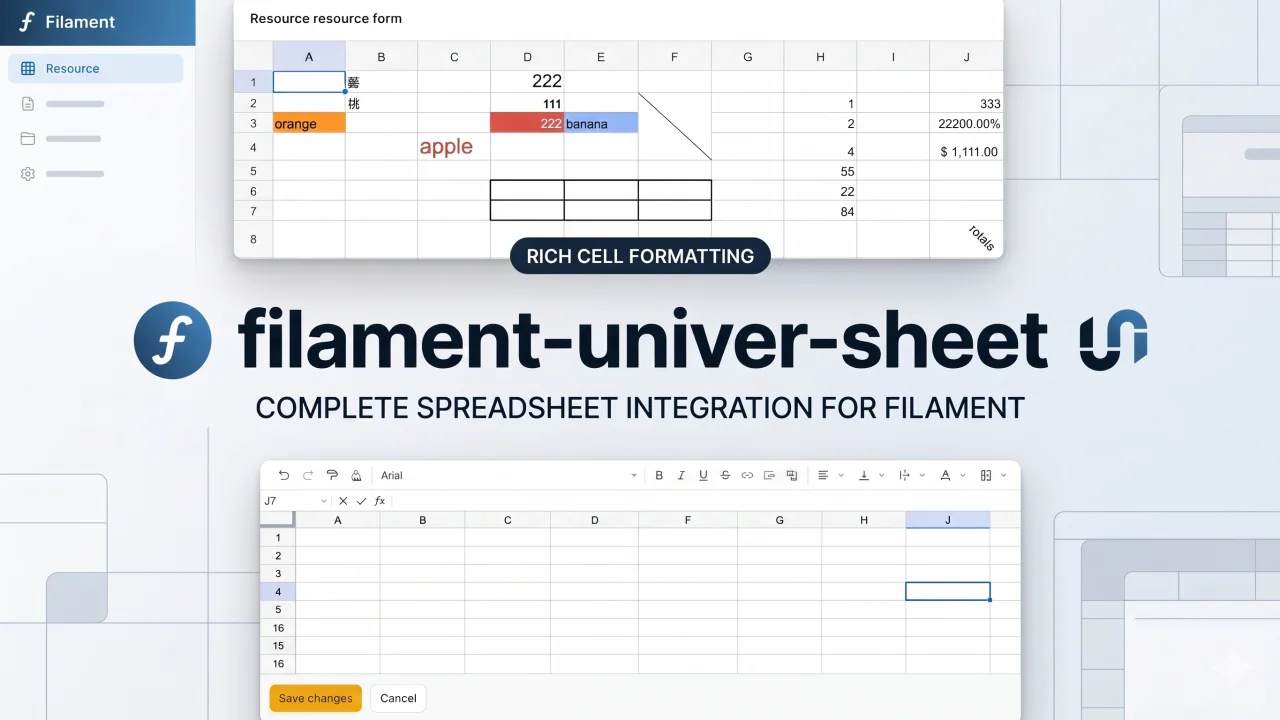
Univer Sheet
Integrate Univer Sheet into Filament — full spreadsheet editor for forms, read-only display for infolists, and compact preview for table columns.
Author:
Yuichi Okada
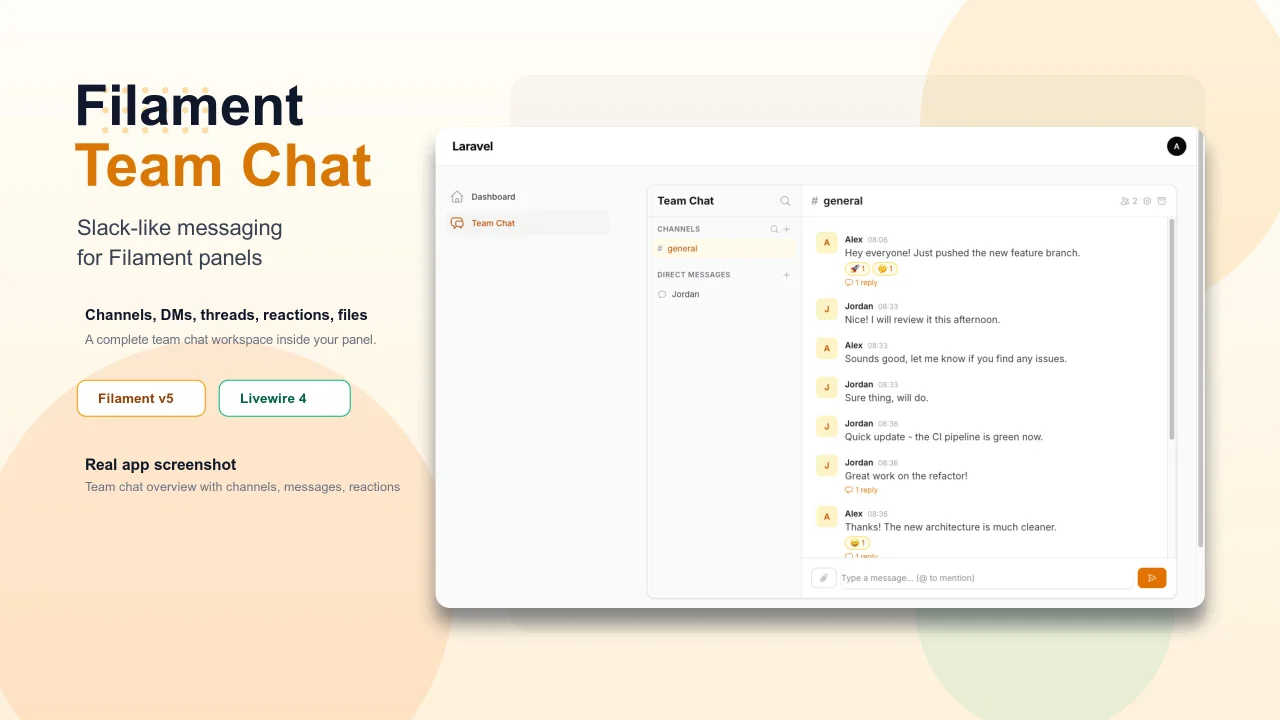
Team Chat
Add Slack-like team chat to any Filament panel — channels, DMs, threads, reactions, @mentions, file sharing, and unread tracking, all self-hosted with zero external dependencies.
Author:
Yuichi Okada
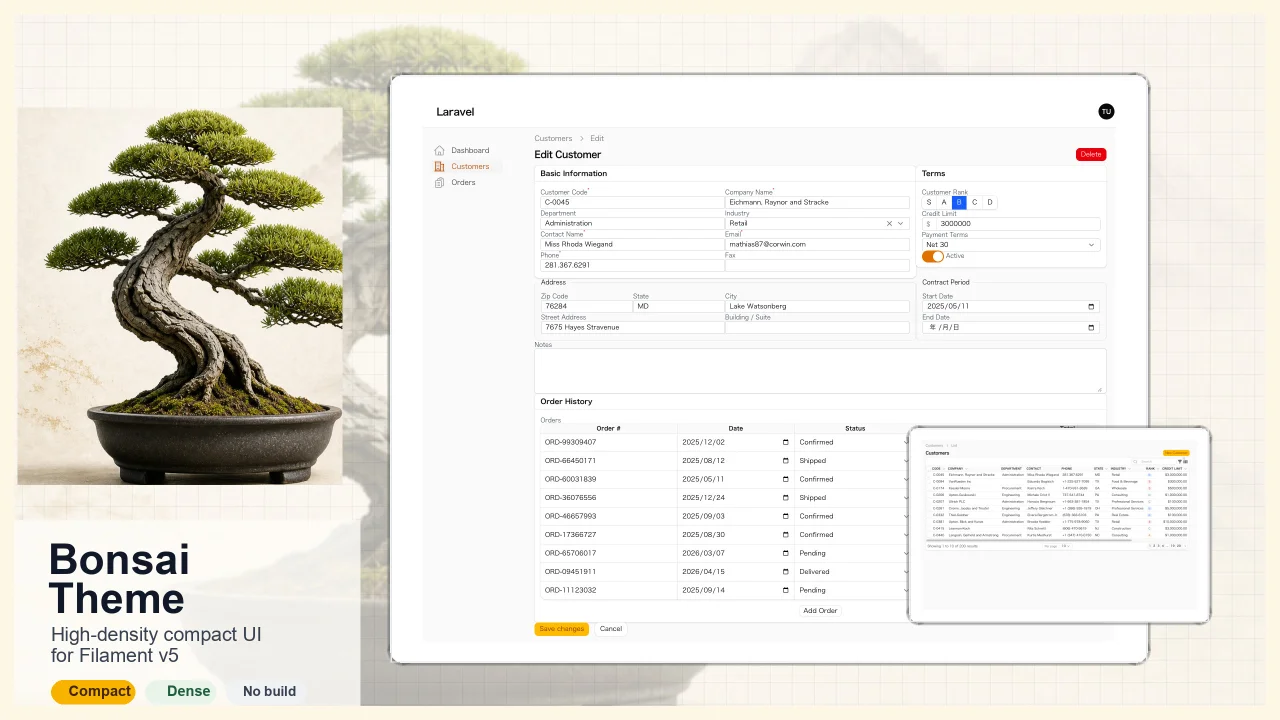
Bonsai Theme
High-density, compact UI theme for Filament v5. Inspired by Japanese business applications (sales, inventory, order management) that prioritize information density, Bonsai Theme reduces padding, gaps, and font sizes across all Filament components to fit more data on screen. No Tailwind build required. The theme ships as pre-compiled CSS and is loaded automatically.
Author:
Yuichi Okada
Inbox
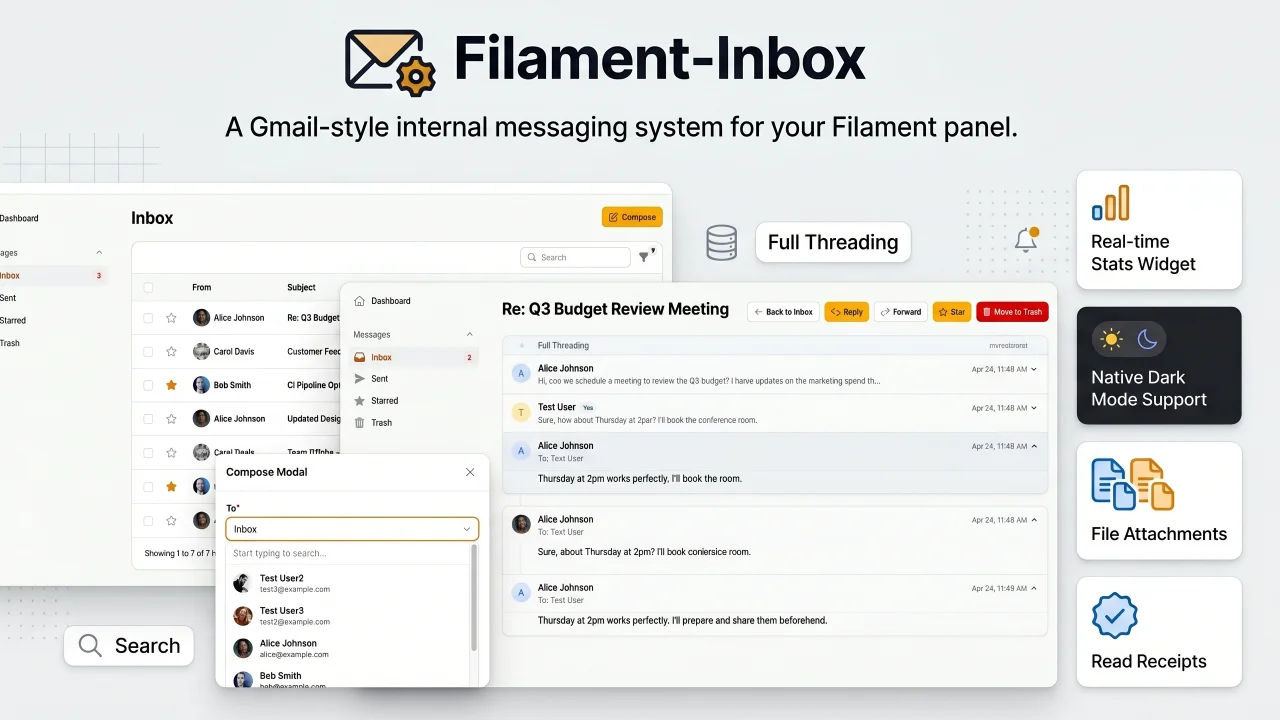
A Gmail-style internal messaging system for your Filament panel. Provides inbox, sent, starred, and trash pages with full message threading, reply/reply all, forwarding, read receipts, rich text editing, file attachments, bulk actions, search & filters, database notifications, stats widget, dark mode, multi-tenancy support, and i18n (8 languages). Built natively for Filament v5 with Laravel events, configurable user model, and test factories included.
Author:
Yuichi Okada
Featured Plugins
A selection of plugins curated by the Filament team

Compact Theme
A theme that makes data-heavy panels easier to scan by fitting more useful information on each screen.
 Filament

Noir Theme
A theme that gives panels a focused, refined look with near-black surfaces, crisp actions, and restrained color.
Filament

Spotlight Pro
Browse your Filament Panel with ease. Filament Spotlight Pro adds a Spotlight like Command Palette to your Filament Panel.
 Dennis Koch

