
Shiplog by Yusuf Kaya
CommunityA beautiful changelog & release notes timeline
 Author:
Yusuf Kaya
Author:
Yusuf Kaya
Package health
Automated checks of this plugin's Composer package
15 checks
- Failed: GitHub Actions pinned to SHA — View details on Plumb
- Skipped: GitLab CI includes pinned to SHA
- Passed: Open security advisories
- Passed: Dependabot PR responsiveness — No open Dependabot PRs.
- Skipped: Renovate MR responsiveness
- Failed: Dependabot or Renovate configured — No dependency updater configuration found. View details on Plumb
- Skipped: Dependency update cooldown configured
- Passed: Provides a security policy
- Passed: Abandoned or archived — No consulted source marks the package abandoned (packagist, github).
- Passed: Commit and release recency — Active: last commit 14 days ago; last release 14 days ago.
-
Passed:
composer.lock not committed by library
—
composer.lockis absent from the released dist archive. - Passed: Dist archive is lean
-
Passed:
Current Laravel version supported
—
Package dependencies resolve together with current Laravel
13.0. -
Passed:
Current PHP version supported
—
Constraint
^8.3supports current PHP8.5. - Skipped: Current Symfony version supported
filament/
namespace. Review the source and install at your own risk. Found
malware or an unresolved security issue the author won't
address?
Report it
.
Documentation
- Highlights
- What it looks like
- Quick start
- Installation
- Showing the timeline on your frontend
- Drivers
- Authorization
- Environment awareness
- Writing release notes
- Configuration
- Plugin API
- Reading releases in your own code
- Theming
- Testing
- How teams use this
- Troubleshooting
- Credits
- License





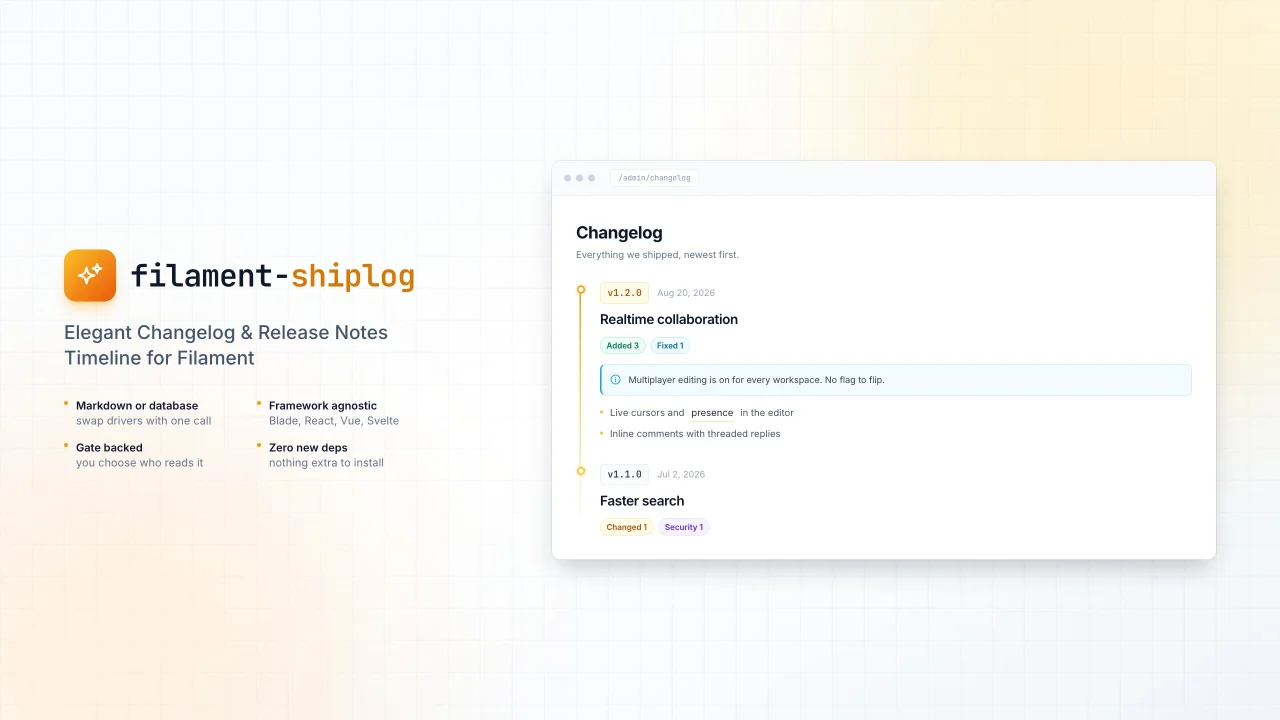
A changelog your users will actually read.
Ship Log turns release notes into a premium, animated timeline — a floating
button on your frontend, a full-screen overlay that opens in place, and a
dedicated page inside your Filament panel. Notes can come from a CHANGELOG.md
file or from your database, and nobody sees them unless you say so.
#Highlights
- Two drivers, one timeline. Read from
CHANGELOG.mdor from the database, and switch with one config line. - Framework agnostic. The timeline is a custom element rendered in a shadow root, so it drops into Blade, React, Vue or Svelte without a single style collision.
- Gate backed. Explicit Laravel gates decide who sees the button and who may edit releases.
- Environment aware. Ship a release to staging only, and production never learns it exists.
- Rich notes. Alert boxes, tooltips, images, tables and code — all from plain markdown.
- No new dependencies.
league/commonmarkalready ships with Laravel.
#What it looks like
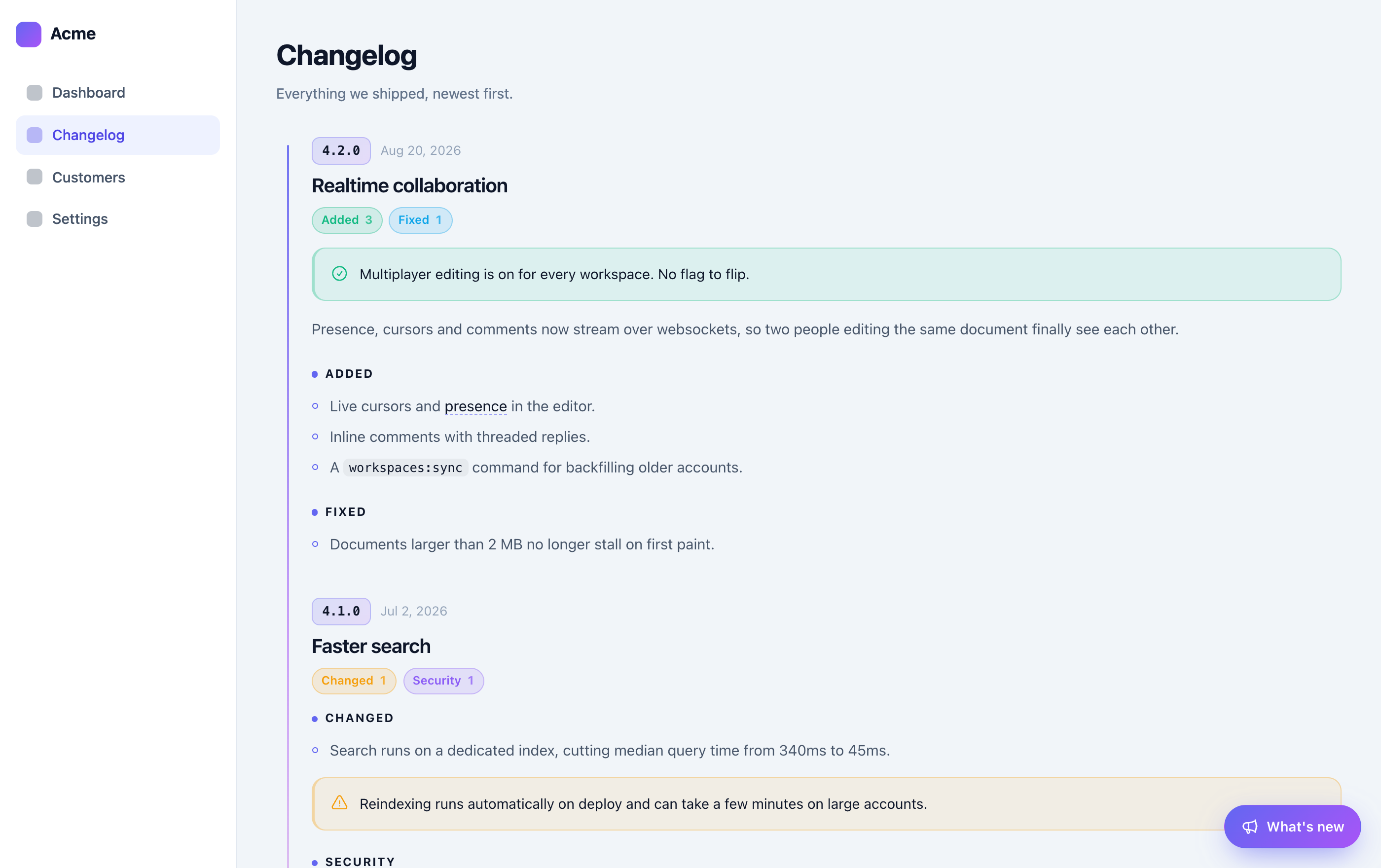
The timeline is one component rendered two ways.
In your panel — a read-only page for the whole team, at /admin/changelog:
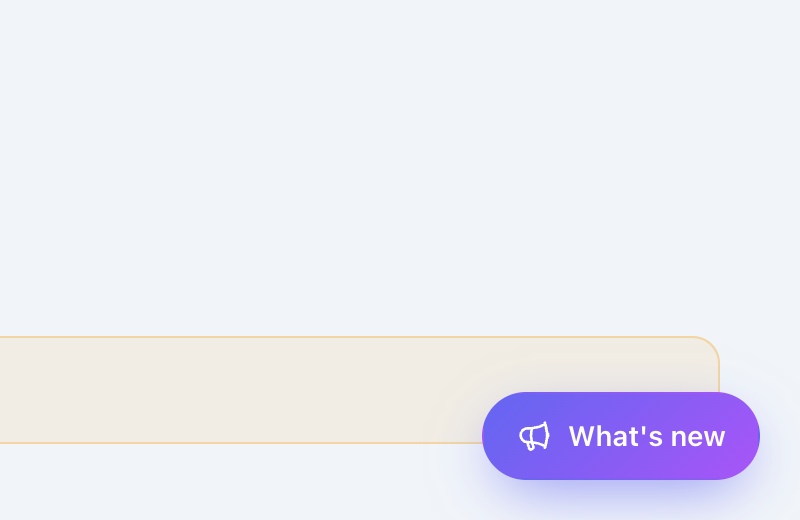
On your frontend — a floating button that stays out of the way:
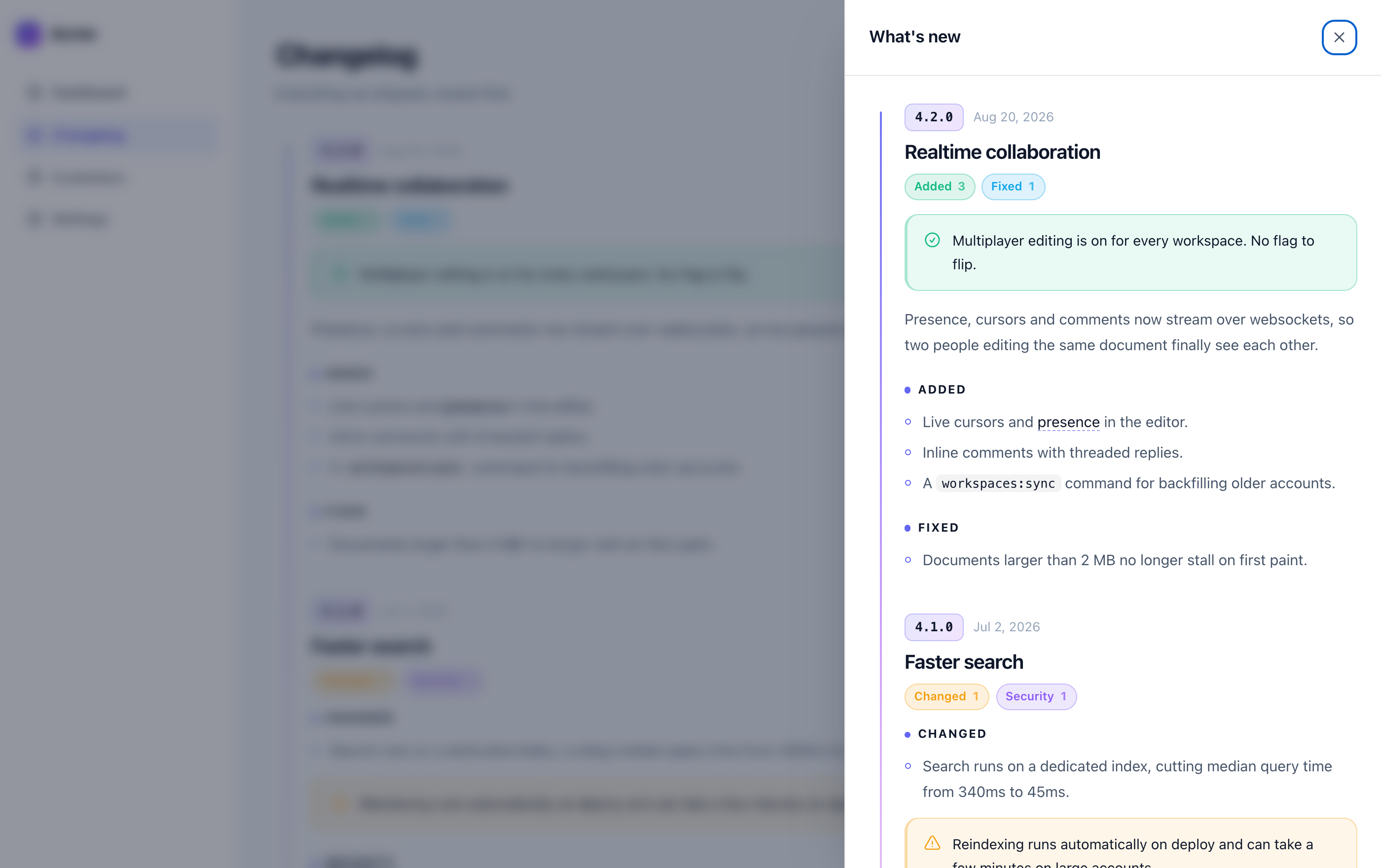
Opened — a sheet slides in from the right, over the page, no redirect:
It follows the host page's theme automatically:
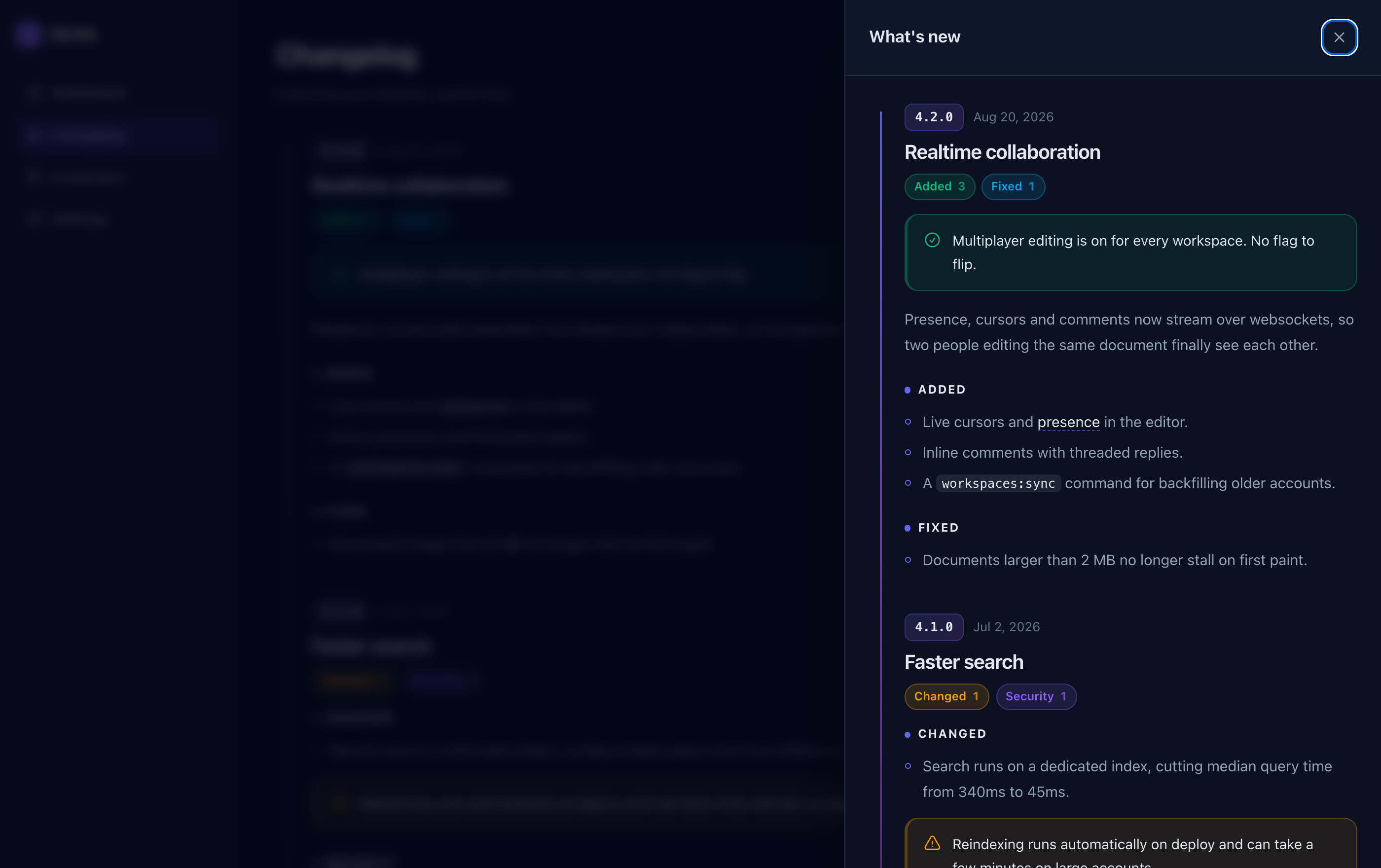
Both surfaces render the same <ship-log> element and read the same feed, so
they can never drift apart.
#Quick start
composer require ysfkaya/filament-shiplog
php artisan filament:assets
cp vendor/ysfkaya/filament-shiplog/stubs/CHANGELOG.example.md CHANGELOG.md
// AdminPanelProvider
->plugins([
    ShipLogPlugin::make(),
])
{{-- your layout, before </body> --}}
<x-shiplog />
Log in, and the button appears. That is the whole setup — the sample changelog exercises every renderer feature, so you can see what the package does before writing a line of your own notes.
#Installation
composer require ysfkaya/filament-shiplog
php artisan filament:assets
Ship Log reads base_path('CHANGELOG.md') by default. To preview every
renderer feature, copy the sample:
cp vendor/ysfkaya/filament-shiplog/stubs/CHANGELOG.example.md CHANGELOG.md
Publish what you need:
php artisan vendor:publish --tag=shiplog-config
php artisan vendor:publish --tag=shiplog-migrations   # only for the database driver
php artisan vendor:publish --tag=shiplog-views        # only if you want to reshape the markup
Register the plugin on any panel:
use Ysfkaya\ShipLog\ShipLogPlugin;

public function panel(Panel $panel): Panel
{
    return $panel
        ->plugin(ShipLogPlugin::make());
}
That is enough to get a Changelog page in your panel, reading from
base_path('CHANGELOG.md').
#Showing the timeline on your frontend
Add the component wherever you like — usually the layout:
<x-shiplog />
Or let the middleware do it for every HTML response, which is the easiest path for a JavaScript frontend:
// bootstrap/app.php
use Ysfkaya\ShipLog\Http\InjectShipLog;

->withMiddleware(function (Middleware $middleware): void {
    $middleware->web(append: [
        InjectShipLog::class,
    ]);
})
Both routes render the same element and honour the same authorization, so nothing appears for a visitor who is not allowed to read the changelog.
#Opening it from your own UI
window.ShipLog.open()     // open the overlay
window.ShipLog.close()
window.ShipLog.toggle()
window.ShipLog.refresh()  // re-fetch after publishing a release
The element also emits shiplog:open and shiplog:close, which bubble and
cross the shadow boundary:
document.addEventListener('shiplog:open', () => analytics.track('changelog_opened'))
#Inertia
Render the component once in your root Blade layout (app.blade.php), outside
the Inertia root element. The timeline survives every client side visit, because
Inertia never replaces that part of the document.
<body>
    @inertia
    <x-shiplog />
</body>
The middleware is Inertia aware: it injects into the initial page load and skips
X-Inertia visit responses, so partial reloads never receive a second copy.
#React, Vue and Svelte
<ship-log> is a standard custom element, so it works as-is:
export function Changelog() {
    return <ship-log src="/shiplog/feed" position="bottom-left" label="What's new" />
}
<template>
    <ship-log src="/shiplog/feed" position="bottom-left" />
</template>
Everything renders inside a shadow root: your CSS cannot reach in, and Ship Log's cannot leak out. Only two pieces are restylable, on purpose:
ship-log::part(fab)   { border-radius: 0.5rem; }
ship-log::part(panel) { max-width: 60rem; }
#Drivers
#Markdown (default)
Point it at any Keep a Changelog document:
'driver' => 'markdown',

'markdown' => [
    'path' => base_path('CHANGELOG.md'),
],
Every ## heading starts a release. All of these parse:
## [3.2.0] - 2026-08-14 — Timeline, redrawn
## [3.1.1] - 2026-07-11 [YANKED]
## [Unreleased]
## 1.0.0 - 2025-11-20
## [2.0.0](https://github.com/you/repo/compare/1.0.0...2.0.0) - 2026-01-01
#Database
'driver' => 'database',
php artisan vendor:publish --tag=shiplog-migrations
php artisan migrate
A Releases resource appears in the panel with a markdown editor, a status (draft or published), a release date, environment targeting and a yanked flag. Future dated releases stay hidden until the day arrives, and the timeline cache is flushed automatically whenever a release is saved or deleted.
#Your own driver
use Ysfkaya\ShipLog\Facades\ShipLog;

ShipLog::extend('github', fn (): ChangelogRepository => new GitHubReleaseRepository(
    repository: 'laravel/framework',
));
'driver' => 'github',
A driver implements three methods:
interface ChangelogRepository
{
    public function all(): Collection;          // Release objects, newest first
    public function find(string $version): ?Release;
    public function signature(): string;        // changes when the changelog changes
}
signature() powers the unread dot on the floating button. Return anything
cheap that changes when the content does — a file modification time, a
max(updated_at), an ETag.
#Authorization
Ship Log defines two gates, and leaves them alone if your application already owns them:
| Gate | Controls |
|---|---|
shiplog.view |
The floating button, the feed, the panel page |
shiplog.manage |
The releases resource and the cache action |
Both default to "any authenticated user". Override them the way you would any gate:
Gate::define('shiplog.view', fn (?User $user): bool => $user !== null);
Gate::define('shiplog.manage', fn (User $user): bool => $user->isAdmin());
Or fluently on the plugin, which applies to the panel and the frontend:
ShipLogPlugin::make()
    ->authorizeView(fn (?User $user): bool => $user?->hasVerifiedEmail() ?? false)
    ->authorizeManage(fn (User $user): bool => $user->hasRole('admin'));
ShipLogPlugin::make()->authorize(view: true, manage: false); // both at once
A visitor who fails
shiplog.viewgets nothing: no button, no markup, and a403from the feed. The button never hints at updates somebody cannot read.
#Environment awareness
Two independent controls.
Which releases are visible, set per release. In markdown:
## [2.4.0] - 2026-03-18
<!-- shiplog: environments: staging, local -->

Still baking.
In the database, fill the Environments field. Leave it empty and the release shows everywhere.
Where the button appears at all:
ShipLogPlugin::make()->fabEnvironments(['production']);
'fab' => [
    'environments' => ['production', 'staging'],
],
#Writing release notes
Standard markdown, plus three additions.
#Alert boxes
GitHub's callout syntax, in five flavours:
> [!NOTE]
> Neutral context.

> [!TIP]
> Something helpful.

> [!IMPORTANT]
> Do not miss this.

> [!WARNING]
> This one breaks something.

> [!CAUTION]
> Be careful here.
NOTE/INFO, TIP/SUCCESS and CAUTION/DANGER are interchangeable. A
blockquote without a marker stays a blockquote.
#Tooltips
The timeline renders in a ^[shadow root](An isolated DOM tree, so styles never collide).
Hover or focus to reveal. Fully keyboard accessible.
#Images

Images render lazily, so a changelog full of screenshots stays cheap to open.
#Change groups
### headings matching a Keep a Changelog type become badges on the release
card:
### Added
- Something new

### Fixed
- Something broken
Recognised types: Added, Changed, Deprecated, Removed, Fixed,
Security.
#Configuration
There is no config file. The plugin is the only place Ship Log is configured, so there is nothing to publish and nothing that can drift out of sync.
use Filament\Support\Icons\Heroicon;
use Ysfkaya\ShipLog\Enums\FabPosition;
use Ysfkaya\ShipLog\ShipLogPlugin;

ShipLogPlugin::make()
    // Where releases come from
    ->usingMarkdown(base_path('CHANGELOG.md'))
    // ->usingDatabase(Release::class, table: 'shiplog_releases')
    ->allowRawHtml(false)

    // Performance
    ->cache(true, ttl: 3600, store: 'redis')
    ->perPage(20)

    // Feed route
    ->feedRoute(prefix: 'changelog', middleware: ['web', 'auth'])

    // Panel page
    ->slug('whats-new')
    ->pageTitle('Product updates')
    ->navigationLabel('Updates')
    ->navigationIcon(Heroicon::OutlinedSparkles)
    ->navigationGroup('Settings')
    ->navigationSort(90)
    ->resource()

    // Floating button
    ->fab(FabPosition::BottomLeft)
    ->fabLabel('What changed?')
    ->fabEnvironments(['production'])

    // Authorization
    ->gates(view: 'changelog.view', manage: 'changelog.manage')
    ->authorizeView(fn (?User $user): bool => $user !== null)
    ->authorizeManage(fn (User $user): bool => $user->isAdmin());
Important
Because the plugin owns everything, the frontend timeline needs the plugin registered on a panel. Routes, gates and the driver are all configured there, and are set up once panels have booted.
#Plugin API
Almost everything is configurable from the plugin, so publishing the config file
is optional. Anything you do not set falls back to config/shiplog.php.
ShipLogPlugin::make()
    ->usingMarkdown(base_path('CHANGELOG.md'))    // or ->usingDatabase()
    ->cache(true, ttl: 3600, store: 'redis')
    ->perPage(20)
    ->fab(FabPosition::BottomLeft)
    ->authorizeView(fn (?User $user): bool => $user !== null);
| Method | Replaces |
|---|---|
->driver('database') |
shiplog.driver |
->usingMarkdown($path) |
shiplog.driver + shiplog.markdown.path |
->usingDatabase($model) |
shiplog.driver + shiplog.model |
->allowRawHtml() |
shiplog.markdown.allow_html |
->cache($on, $ttl, $store) |
shiplog.cache.* |
->perPage(20) |
shiplog.per_page |
->fab(...), ->fabLabel(), ->fabEnvironments() |
shiplog.fab.* |
->authorizeView(), ->authorizeManage() |
shiplog.gates.* |
The route prefix and middleware stay in config, because routes are registered before any panel boots.
#Everything at once
use Filament\Support\Icons\Heroicon;
use Ysfkaya\ShipLog\Enums\FabPosition;
use Ysfkaya\ShipLog\ShipLogPlugin;

ShipLogPlugin::make()
    // Panel page
    ->slug('whats-new')
    ->pageTitle('Product updates')
    ->navigationLabel('Updates')
    ->navigationIcon(Heroicon::OutlinedSparkles)
    ->navigationGroup('Settings')
    ->navigationSort(90)
    ->usingPage(YourOwnChangelogPage::class)

    // Releases resource
    ->resource()                                  // force on; defaults to the database driver
    ->resource(false)                             // force off

    // Floating button
    ->fab(FabPosition::BottomLeft)
    ->fabLabel('What changed?')
    ->fabEnvironments(['production'])

    // Authorization
    ->authorizeView(fn (?User $user): bool => $user !== null)
    ->authorizeManage(fn (User $user): bool => $user->isAdmin());
FabPosition covers TopLeft, TopRight, BottomLeft and BottomRight.
#Reading releases in your own code
use Ysfkaya\ShipLog\Facades\ShipLog;

ShipLog::releases();              // Collection<Release>, filtered for the current environment
ShipLog::releases('staging');     // as a specific environment would see it
ShipLog::latest();
ShipLog::find('3.2.0');
ShipLog::signature();
ShipLog::flush();
ShipLog::driver();                // the underlying ChangelogRepository
Each Release is a readonly object:
$release->version;        // '3.2.0'
$release->title;          // 'Timeline, redrawn'
$release->releasedAt;     // ?CarbonImmutable
$release->body;           // rendered HTML
$release->changes;        // ChangeGroup[] — type and items
$release->environments;   // string[]; empty means everywhere
$release->yanked;         // bool
#Theming
The timeline follows whatever the host page already decided — a dark class on
<html>, a data-theme attribute, or the operating system preference — and
updates live when that changes. Force it if you would rather not:
<x-shiplog theme="dark" />
If your frontend toggles a dark class and resolves "system" into it itself (as
Filament does), use theme="class" so the operating system preference never
overrides a light page:
<x-shiplog theme="class" />
Animations respect prefers-reduced-motion.
#Testing
composer test          # pest, pint, phpstan, rector
composer test:unit
Testing the plugin inside your own application:
use Ysfkaya\ShipLog\Filament\Pages\Changelog;

it('hides the changelog from visitors', function (): void {
    expect(Changelog::canAccess())->toBeFalse();

    $this->getJson('/shiplog/feed')->assertForbidden();
});
Note
Filament rebinds Livewire's DataStore mechanism. In a package test suite,
register Filament\Support\SupportServiceProvider before
Livewire\LivewireServiceProvider, or component error bags resolve to null.
#How teams use this
Developers own the changelog (default). Keep CHANGELOG.md in the repo,
edit it in the pull request that ships the feature, and it deploys with the
code. The markdown driver is read-only by design: there is one source of truth
and it is version controlled.
Non-developers publish releases. Switch to the database driver. Releases get a form, a draft status and a release date, so marketing can write notes ahead of time and schedule them.
Either way the timeline looks identical, because both drivers hand back the same
Release objects.
#Troubleshooting
Nothing renders at all. The gate is doing its job — shiplog.view defaults
to authenticated users, so guests see no markup. Log in, or relax the gate.
The button is missing but the markup is there. The JavaScript did not load.
Run php artisan filament:assets after installing or upgrading, and confirm
/js/ysfkaya/fi-shiplog.js returns 200.
Releases are missing from the timeline. Check their environment targeting
against APP_ENV. ShipLog::releases('staging') shows what a given environment
would see. For the database driver, drafts and future dated releases are hidden
on purpose.
Edits do not show up. Caching is on. It clears itself when a database
release is saved, but not when you edit a file — run ShipLog::flush() or use
the Clear cache action on the panel page.
Styles look wrong. The timeline lives in a shadow root, so your CSS cannot
reach it. Use ::part(fab) and ::part(panel), or publish the views.
#Credits
#License
MIT. See LICENSE.md.
The author
Yusuf is a Laravel engineer and has developed products for customers at Penta Yazılım for many years. In his spare time, he develops free and premium packages for Filament.
From the same author
Phone Input
A phone input component that uses intl-tel-input
Author:
Yusuf Kaya
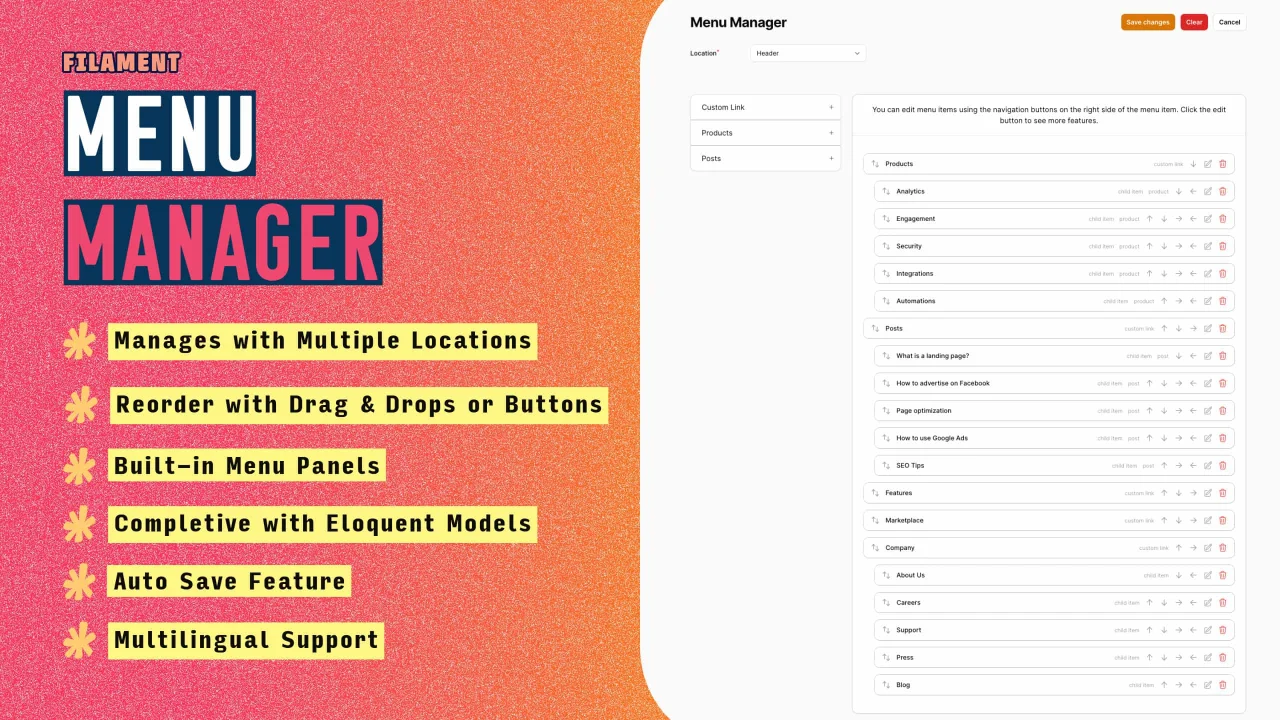
Menu Manager
Empower your users to effortlessly manage their navigation menus right from the front-end interface, enhancing user interaction and simplifying site navigation.
Author:
Yusuf Kaya
Featured Plugins
A selection of plugins curated by the Filament team

Custom Dashboards
Let your users build and share their own dashboards with a drag-and-drop interface. Define your data sources in PHP and let them do the rest.
 Filament

Advanced Tables (formerly Filter Sets)
Supercharge your tables with powerful features like user-customizable views, quick filters, multi-column sorting, advanced table searching, convenient view management, and more. Compatible with Resource Panel Tables, Relation Managers, Table Widgets, and Table Builder!
 Kenneth Sese

Spotlight Pro
Browse your Filament Panel with ease. Filament Spotlight Pro adds a Spotlight like Command Palette to your Filament Panel.
 Dennis Koch
