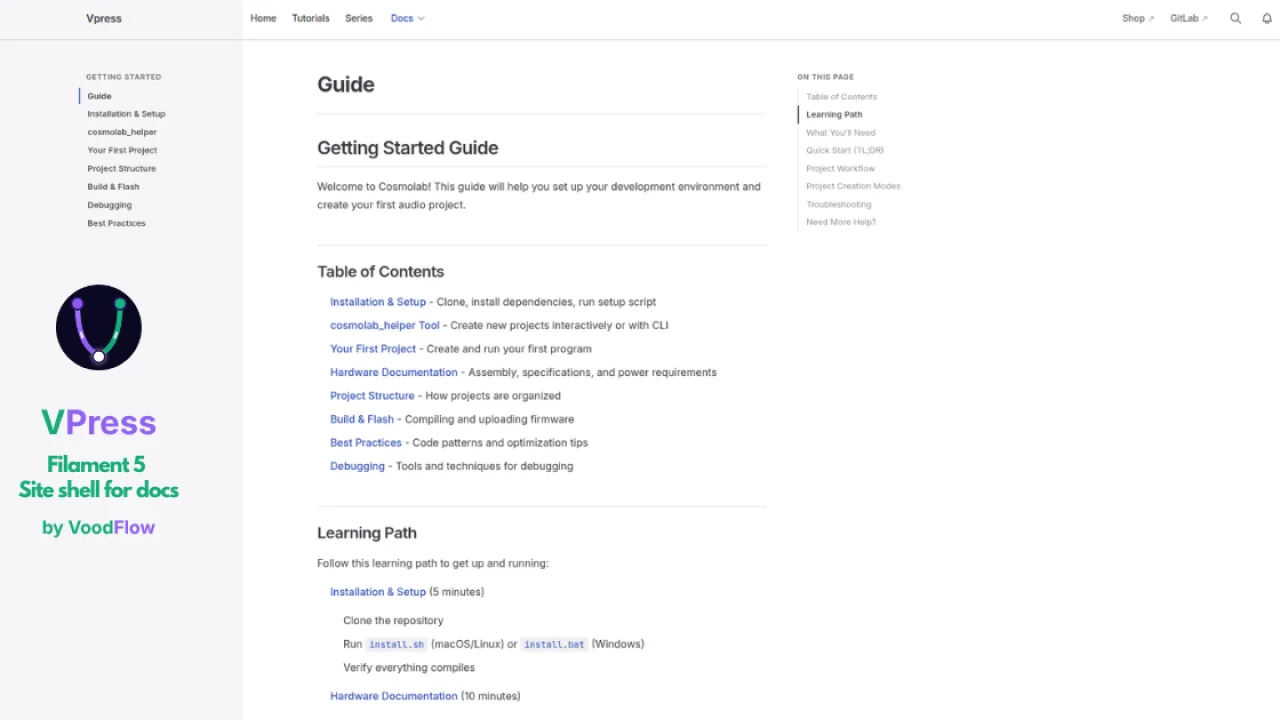
Vpress
CommunityFree & Open Source (MIT) — VitePress-style public frontend for Laravel with a Filament 5 admin panel.
filament/
namespace. Review the source and install at your own risk. Found
malware or an unresolved security issue the author won't
address?
Report it
.
 Author:
Voodflow
Author:
Voodflow
Documentation
- What it does
- Requirements
- Installation
- Site pages
- Navigation menus
- How it works
- Vite & CSS
- Custom RichEditor blocks
- Public routes
- License
Free & Open Source (MIT) — VitePress-style public frontend for Laravel with a Filament 5 admin panel.
Companion plugins voodflow/vtuts and voodflow/vdocs are paid, source-available packages (not Open Source).
Vpress is not a full CMS and requires Filament 5 for site pages, navigation, and settings. It is a lightweight site shell: a handful of managed pages, navigation, SEO defaults, theme (light/dark), optional auth, notifications, and layouts tuned for documentation (vdocs) and tutorials (vtuts). Think “VitePress chrome + Filament admin for site settings”, not WordPress.
#What it does
| Area | What you get |
|---|---|
| Public theme | VitePress-like nav, doc sidebar, outline scroll-spy, reading progress, mobile drawer, dark/light mode |
| Site pages | Home + static pages built with Filament RichEditor and custom blocks (hero, features grid, latest vtuts, …) |
| Navigation | Main, header-extra, and footer menus — route names, URLs, or site pages |
| Settings (DB) | Brand name, site title, logo, favicon, social image, theme default, locale, toggles (search, theme, language, bell) |
| SEO | Integrates ralphjsmit/laravel-seo; global defaults from Settings |
| Auth (Fortify) | Optional public /login and /register using Laravel Fortify views styled like the theme |
| Account | /account profile page (avatar, name) when enabled |
| Notifications | Bell in the nav for logged-in users (DB notifications table); e.g. new comments on your content |
| Search | /search across vtuts, vdocs, and site pages when routes exist |
| Cookie consent | Public banner only (admin configures policy in Filament; banner is not shown in the panel) |
Vpress does not ship blog posts, e-commerce, or arbitrary content types — pair it with voodflow/vtuts, voodflow/vdocs, or Relaticle Ink for that.
#Requirements
- PHP 8.4+
- Laravel 12+
- Filament 5+
- Vite + Tailwind CSS v4 (theme CSS is bundled in your app build)
- ralphjsmit/laravel-seo
- spatie/laravel-settings (site settings in DB)
Optional
- laravel/fortify — login/register on the public site
- voodflow/vtuts — tutorials with doc layout
- voodflow/vdocs — technical documentation
#Installation
#From GitHub (Composer)
{
    "repositories": [
        {
            "type": "vcs",
            "url": "https://github.com/voodflow/vpress.git"
        }
    ],
    "require": {
        "voodflow/vpress": "^0.0.2"
    }
}
composer update voodflow/vpress
php artisan vpress:install
vpress:install will:
- Publish Spatie Settings (required for cookie consent + vpress settings)
- Publish SEO config/migrations if needed
- Run
migrate(vpress tables,notifications, settings) - Seed default navigation and cookie policy page
- Configure cookie-consent for frontend only (no banner in Filament)
- Remove Laravel’s default
Route::get('/')welcome route so vpress can serve the homepage - Patch
vite.config.jswith the correct theme CSS path when possible - If
voodflow/vtutsis installed — patchconfig/vtuts.phpto usevpress::layouts.*
Important: A stock Laravel app defines
GET /inroutes/web.php, which overrides the vpresshomeroute and shows the default welcome page without the vpress theme.vpress:installremoves that route automatically.
Vpress migrations load from the package automatically. Do not publish duplicate migration files.
#Filament
use Voodflow\Vpress\VpressPlugin;

$panel->plugins([
    VpressPlugin::make(),
]);
Admin → Site
- Settings — branding, SEO, theme default, feature toggles, primary locale
- Pages — home and static pages (RichEditor + blocks)
- Navigation — menus linked to routes or pages
#Site pages
Site pages are managed in Admin → Site → Pages. They are stored in the vpress_pages table and served by vpress public routes — no manual routes/web.php entry is required for each page.
#Creating a page
-
Open Pages → Create.
-
Fill in Title — the slug is generated automatically from the title on first save (you can edit it before publishing).
-
Write content in the RichEditor — use headings, lists, links, and custom blocks (Hero, Features grid, Partner banner, and blocks registered by other packages such as
latest_vtuts). -
In the Publish sidebar:
- Published — must be enabled for the page to appear on the public site.
- Published at — optional schedule; leave empty or set a past date to publish immediately.
- Layout —
Standard pageorHome (full width)(see below). - Home page — mark exactly one page as the site homepage (
/).
-
Save. Use the View action (eye icon) in the Publish panel to open the public URL in a new tab when the page is published.
#Routing and public URLs
| Page kind | Public URL | Laravel route | Notes |
|---|---|---|---|
| Home page | / |
home |
Set via Home page toggle; slug is fixed to home and cannot be changed |
| Static page | /pages/{slug} |
vpress.pages.show |
Default prefix is pages (configurable) |
Examples:
- Home →
https://yoursite.test/ - About →
https://yoursite.test/pages/about - Privacy Policy →
https://yoursite.test/pages/privacy-policy
If no published home page exists (or it has no content), GET / falls back to vpress::pages.welcome with SEO defaults from Settings.
Configure the pages route in config/vpress.php:
'pages' => [
    'enabled' => true,           // set false to disable /pages/{slug}
    'route_prefix' => 'pages',   // e.g. 'p' → /p/about
],
Disable the home route separately:
'home' => [
    'route_enabled' => true,
],
#Layouts per page
| Layout (Filament) | Blade layout | Use for |
|---|---|---|
| Home (full width) | vpress::layouts.home |
Homepage hero, feature grids, marketing sections |
| Standard page | vpress::layouts.page |
Legal pages, about, simple content |
The home page always uses the Home layout. Other pages default to Standard page. Both render through vpress::pages.site-page, which outputs the RichEditor HTML and custom blocks.
#SEO
Each page uses ralphjsmit/laravel-seo via the HasSEO trait. Title comes from the page title; the meta description is derived from the rendered content excerpt. Global defaults (site title, default description, social image) are set in Settings.
#Drafts and the home page
- Unpublished pages are not reachable on the public site (
published()scope). - The home page cannot be deleted from the list; you can replace its content or unpublish it.
- Only one page can have Home page enabled at a time.
#Navigation menus
Menus are managed in Admin → Site → Navigation. Each menu record has a placement (slug) that tells the theme where to render it, and an ordered list of items.
#Menu placements
Create one menu per placement (the slug field is unique):
Placement (slug) |
Where it appears |
|---|---|
main |
Center of the header navbar (desktop and mobile drawer) |
header_extra |
Right side of the header, before language switcher / theme toggle / account / search |
footer |
Footer link row above the copyright line |
vpress:install seeds a Main navigation menu (Home + Tutorials when vtuts is installed) and a Footer menu (Privacy Policy, Cookie Policy).
Use header_extra for secondary links such as Shop, Blog, or Pricing that should sit on the right side of the navbar.
#Menu items
Each item has:
| Field | Description |
|---|---|
| Label | Text shown in the nav |
| Type | How the link target is resolved (see below) |
| Link | Page slug, route name, or URL depending on type |
| Active route pattern | Wildcard pattern for highlight state (auto-filled for pages and app routes) |
| Open in new tab | Adds target="_blank" |
Drag items in the repeater to reorder them (sort_order).
#Item types
#1. Site page
Links to a vpress page by slug.
- Select the page from a searchable dropdown (draft pages are listed with a “Draft” suffix).
- The URL is resolved at render time from the published page (
/for home,/pages/{slug}otherwise). - Active route pattern is set automatically:
homefor the home page, or left empty for static pages (active state matchesvpress.pages.show+ slug).
#2. App route
Links to a named Laravel route registered in your application (e.g. vtuts.index, vdocs.index, home).
- Choose from a searchable select of public GET routes (
MenuRouteCatalog). - Admin, Livewire, Filament, and other internal routes are excluded via
config('vpress.menus.route_exclude_patterns'). - Active route pattern is filled automatically when you pick a route, e.g.:
vtuts.index→vtuts.*(highlights on all tutorial pages)vtuts.series.lesson→vtuts.series.*home→home
You can add or remove exclude patterns in config/vpress.php:
'menus' => [
    'route_exclude_patterns' => [
        'filament.*',
        'livewire.*',
        // …
    ],
],
#3. External URL
Links to an absolute URL (https://…) or a site path (/docs/, /shop).
- Enter the URL manually in the Link field.
- Active route pattern is shown only for this type — use it when you need a custom highlight rule for external targets (optional; usually leave empty).
#Active (current) link highlighting
The theme compares the current request against each item’s route_match (or page slug for site pages) and applies an active CSS class. This keeps parent items highlighted on child routes — e.g. Tutorials stays active on /tutorials/my-post when route_match is vtuts.*.
#Example menus
Main navigation — Tutorials (vtuts installed)
| Label | Type | Link | route_match |
|---|---|---|---|
| Home | App route | home |
home |
| Tutorials | App route | vtuts.index |
vtuts.* |
Footer — legal pages
| Label | Type | Link |
|---|---|---|
| Privacy Policy | Site page | privacy-policy |
| Cookie Policy | Site page | cookie-policy |
Header extras — external shop
| Label | Type | Link | Open in new tab |
|---|---|---|---|
| Shop | External URL | https://shop.example.com |
Yes |
#Cache
Menu items are cached for one hour per placement (vpress.menu.{slug}). The cache is cleared when menus are saved in Filament.
#How it works
#Layouts
| Layout | Use |
|---|---|
vpress::layouts.app |
Base shell: nav, footer, Vite assets, cookie banner |
vpress::layouts.home |
Home page (full-width, no doc sidebar) |
vpress::layouts.doc |
Doc/tutorial: fixed gray left sidebar, outline, progress bar |
vpress::layouts.page |
Simple content page |
Other Voodflow packages point their config at these layouts (e.g. vtuts.doc_layout → vpress::layouts.doc).
#Login & registration (Fortify)
When Fortify is installed and routes are registered, vpress serves themed /login and /register blades. Users created on the public site receive the registered role when Shield/vtuts integration is present. Subscriber-only content is enforced by vtuts visibility + SubKit, not by vpress alone.
#Notifications
Enable in Settings (show_notification_bell). Requires Laravel’s notifications table (vpress:install creates it). The bell Livewire component shows unread Filament/database notifications — useful for moderators when someone comments on a tutorial.
#Settings vs config file
config/vpress.php— layouts, feature flags, Vite entry paths (committed)- Database (
VpressSettings) — logo, titles, theme default, toggles (edited in Filament)
ApplyVpressSiteConfig middleware applies DB settings on each web request (title, favicon, locale hints).
#Search
/search?q=… queries published vtuts, vdocs pages, and site pages when those packages/routes exist. Disable via settings if not needed.
#With voodflow/vtuts
php artisan vpress:install
php artisan vtuts:install
vpress:install sets in config/vtuts.php:
layout→vpress::layouts.pagedoc_layout→vpress::layouts.doc
Tutorial listing and doc pages use the vpress shell; vtuts-specific CSS (vtuts.css) loads for comments, TOC, materials.
Nav seeder adds a Tutorials link when vtuts.index exists.
#Vite & CSS
Vpress does not ship pre-built CSS. php artisan vpress:install tries to add the theme entry to your vite.config.js automatically. The path depends on how the package is installed:
| Install method | Theme CSS path |
|---|---|
| Composer (GitHub / Packagist) | vendor/voodflow/vpress/resources/css/theme.css |
| Path repo / monorepo | packages/voodflow/vpress/resources/css/theme.css |
config/vpress.php resolves this at runtime — you do not need to edit it manually.
Add Tailwind and fonts, then build:
npm install -D @fontsource-variable/inter @fontsource/jetbrains-mono tailwindcss @tailwindcss/vite
npm run build
Your vite.config.js should look like this (path may differ):
export default defineConfig({
    plugins: [
        laravel({
            input: [
                'resources/css/app.css',
                'resources/js/app.js',
                'vendor/voodflow/vpress/resources/css/theme.css',
            ],
            refresh: true,
        }),
        tailwindcss(),
    ],
});
#Custom RichEditor blocks
use Voodflow\Vpress\Vpress;

Vpress::richContentBlock('Dynamic', YourBlock::class);
Built-in: Hero, Features grid, Partner banner. vtuts registers latest_vtuts.
#Public routes
| Route | Description |
|---|---|
/ |
Home (CMS page or fallback view) |
/pages/{slug} |
Static site pages |
/search |
Site search |
/login, /register |
Fortify (when enabled) |
/account |
User profile (when enabled) |
#License
MIT — free for commercial and personal use. See LICENSE.
The author
We are a development team focused on building modern, efficient management applications using FilamentPHP. We’ve been working with FilamentPHP since version 3 for several years, leveraging its flexibility to create solid, scalable, and productivity-oriented admin interfaces.
Over time, we developed an internal management system for one of our businesses, tackling real-world challenges and delivering practical, field-tested solutions. From that experience, we also built a range of plugins designed to extend Filament’s capabilities in a focused and meaningful way.
This natural evolution led to the creation of Voodflow: not just a plugin, but a full workflow engine that lives inside FilamentPHP. Voodflow is designed to orchestrate complex processes in an intuitive way, while preserving the consistency and elegance of the Filament ecosystem—while pushing it beyond its traditional limits.
From the same author
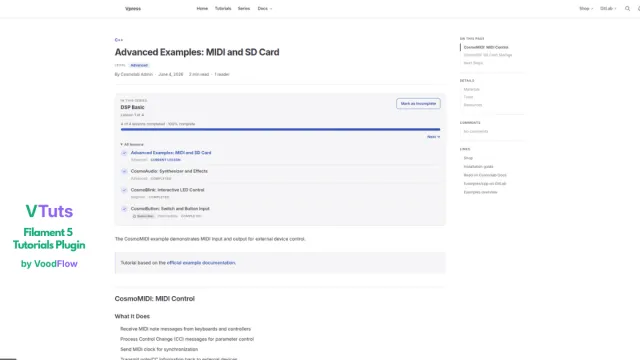
Vtuts
Filament 5 package for technical tutorials: markdown, table of contents, materials, tools, resources, SEO, translations, comments, learning paths (series), and optional public routes.
Author:
Voodflow
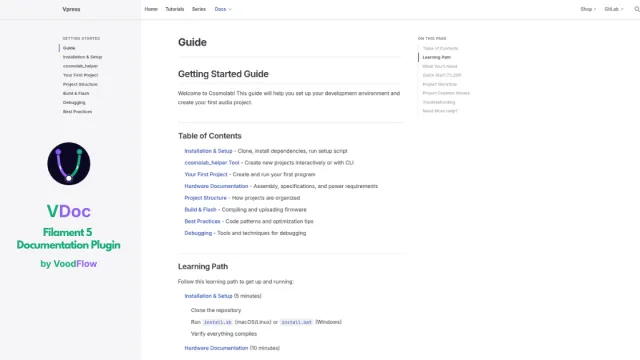
Vdocs
Filament 5 package for documentation sites: markdown pages, VitePress-style sidebar navigation, import 1:1 from vite-press, table of contents, locales, and optional integration with voodflow/vpress.
Author:
Voodflow

Voodflow
Self-hosted visual workflow automation for Filament and Laravel: design and run automations in your own admin while your workflows, credentials, and data stay entirely on your infrastructure.
Author:
Voodflow
Featured Plugins
A selection of plugins curated by the Filament team

Blueprint
Filament Blueprint is a premium Laravel Boost extension that helps AI agents produce accurate, detailed implementation plans and security reports for Filament apps.
 Filament

Custom Dashboards
Let your users build and share their own dashboards with a drag-and-drop interface. Define your data sources in PHP and let them do the rest.
Filament

Spotlight Pro
Browse your Filament Panel with ease. Filament Spotlight Pro adds a Spotlight/Raycast like Command Palette to your Filament Panel.
 Dennis Koch

