Spreadsheet by Packstub
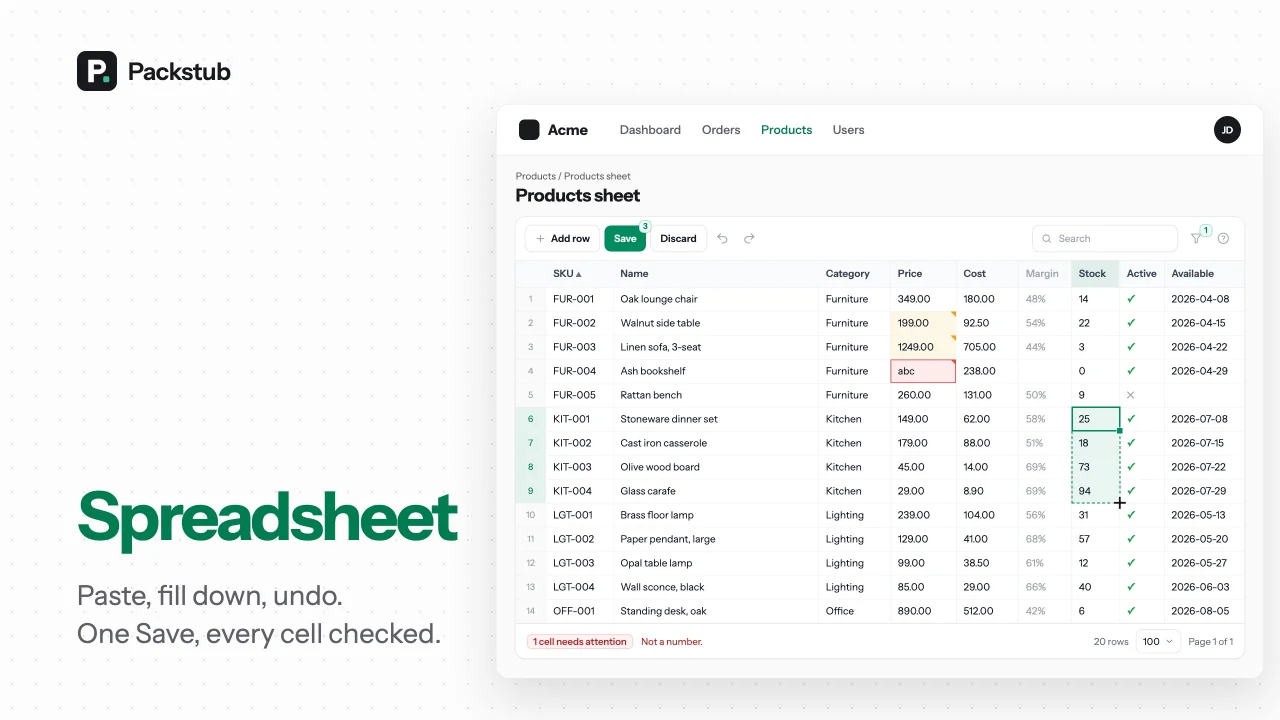
CommunityEdit hundreds of Filament records like a spreadsheet: paste from Excel, fill down, undo, and one Save checked on the server.
 Author:
Packstub
Package health
Automated checks of this plugin's Composer package
15 checks
- Passed: GitHub Actions pinned to SHA
- Skipped: GitLab CI includes pinned to SHA
- Skipped: Open security advisories
- Passed: Dependabot PR responsiveness — No stale Dependabot PRs.
- Skipped: Renovate MR responsiveness
- Passed: Dependabot or Renovate configured
- Passed: Dependency update cooldown configured
- Passed: Provides a security policy
- Passed: Abandoned or archived — No consulted source marks the package abandoned (packagist, github).
- Passed: Commit and release recency — Active: last commit 3 days ago; no release date available.
- Skipped: composer.lock not committed by library
- Skipped: Dist archive is lean
- Skipped: Current Laravel version supported
- Skipped: Current PHP version supported
- Skipped: Current Symfony version supported
filament/
namespace. Review the source and install at your own risk. Found
malware or an unresolved security issue the author won't
address?
Report it
.
Documentation
- Features
- Compatibility
- Installation
- Columns
- Editing
- Saving
- Adding and deleting rows
- Search, sort, filters, pagination
- Configuration
- Editable columns or a sheet?
- Documentation
- Testing
- Changelog
- Security vulnerabilities
- Credits
- License
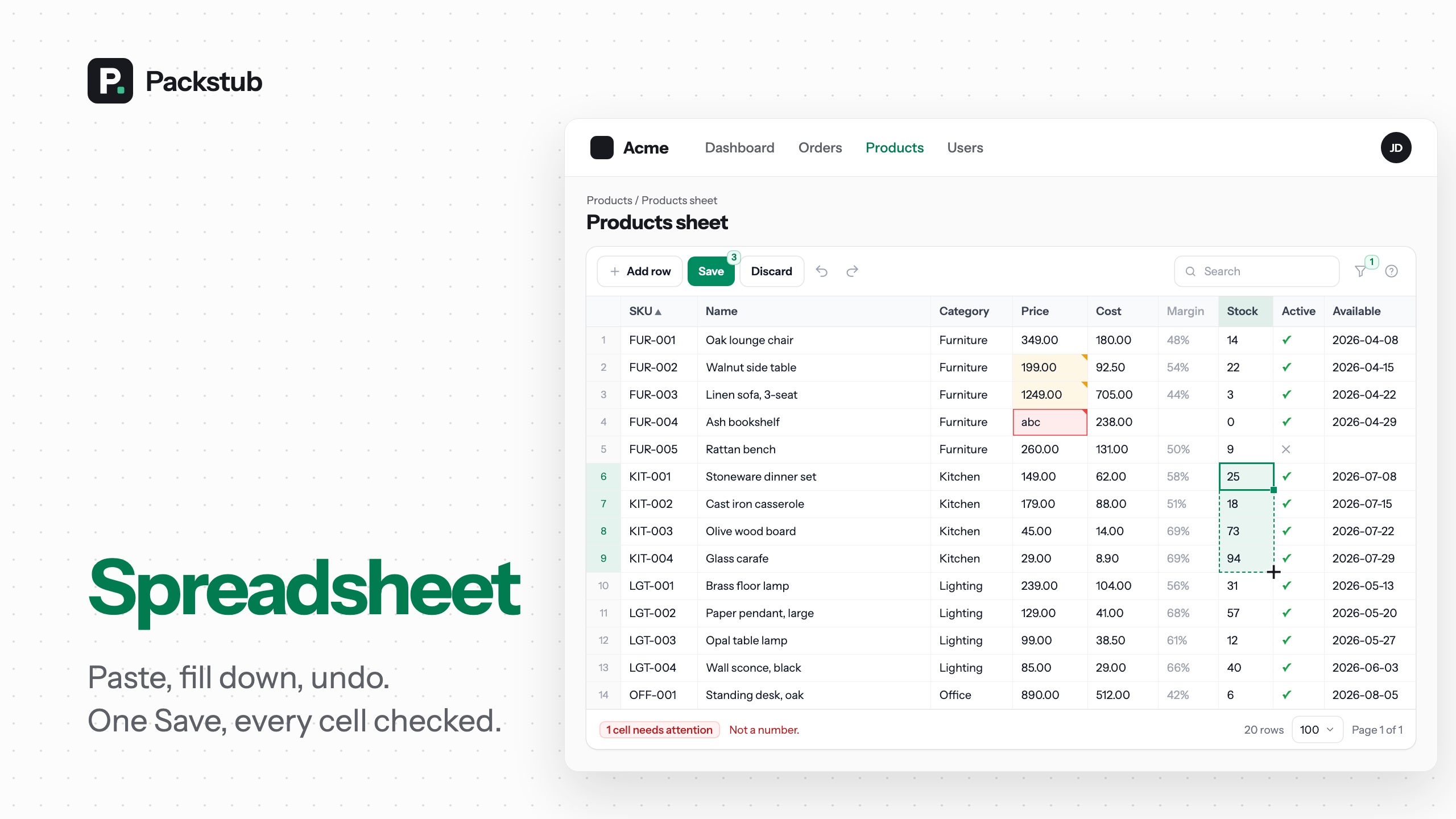






An inline-editable table for bulk editing Eloquent records in Filament: a sheet page for any resource where you edit cells in place with the keyboard, paste rows from Excel or Google Sheets, fill down, undo, and press Save once. The server validates every cell with your rules, checks your policies row by row, detects conflicts, and writes the whole batch in one transaction. Edit multiple records at once without a form per record.
#Features
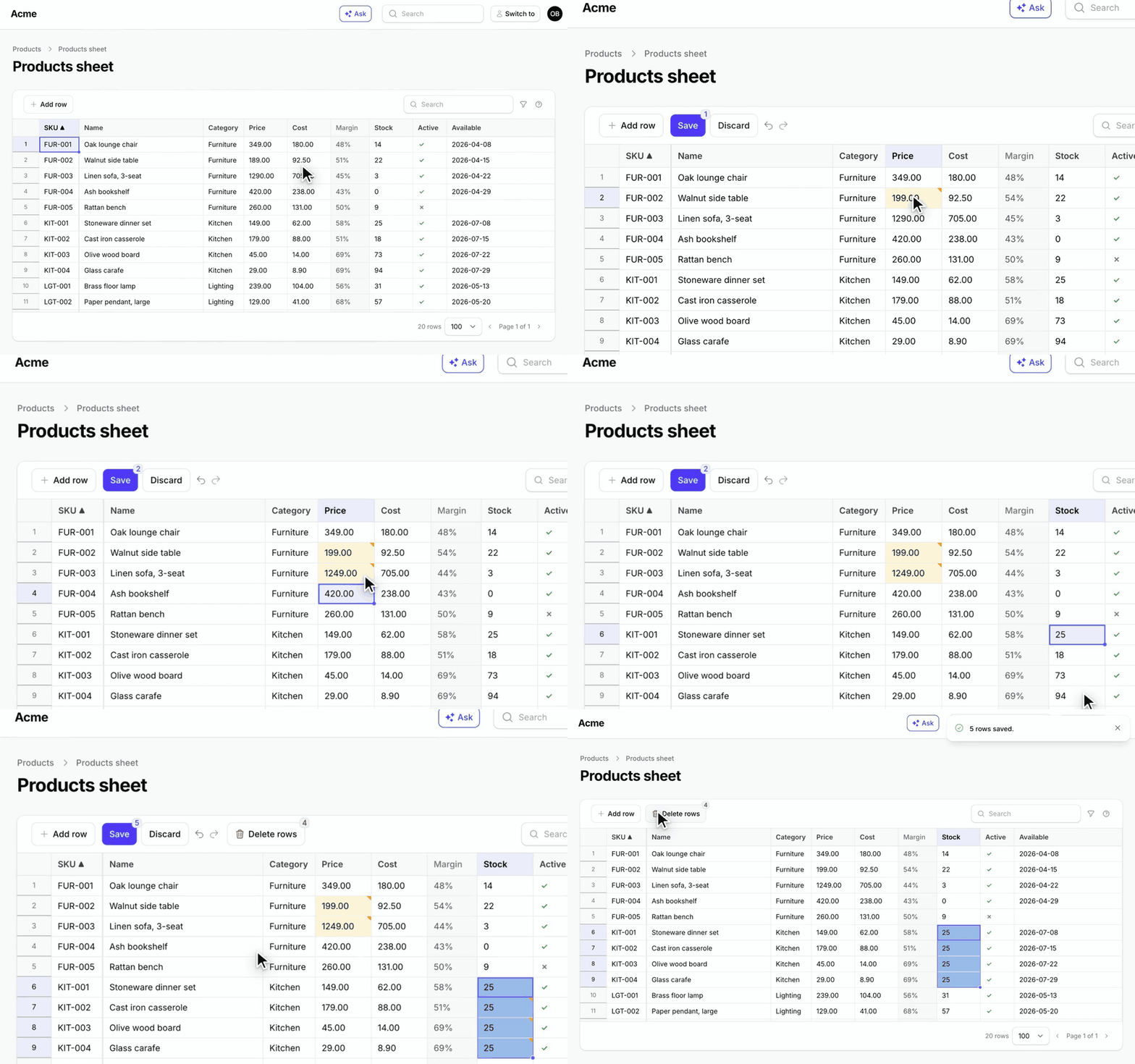
- One Save for hundreds of cells: edits wait across pages, one transaction writes them.
- Rules, policies and conflicts on the server: every cell validated, every row authorized.
- A keyboard grid: ranges, fill down, undo and redo.
- Paste from Excel or Sheets: extra rows become new records.
- Seven column types: text, number, boolean, select, dates and formulas.
- Add and delete rows: behind your policy, written with the next Save.
- Search, sort, filters and pages: on the server, unsaved cells kept.
- A resource page or your own: an Edit as sheet button on any resource.
- Events and hooks:
RowsSaved,RowSaveFailed, before and after a save. - Dark mode, RTL and translations: Tabulator bundled, nothing else to install.
#Compatibility
| Plugin | Filament | Laravel | PHP |
|---|---|---|---|
| 1.x | 4.13+, 5.x | 12.x, 13.x | 8.3+ |
1.x is built for a desktop browser: keyboard, pointer and clipboard. On a touch screen a sheet can be read, searched, filtered and paged; editing cells by touch is planned.
#Installation
composer require packstub/filament-spreadsheet
php artisan filament:assets
No migrations: the sheet reads and writes your own columns. The config file is optional (php artisan vendor:publish --tag=packstub-spreadsheet-config).
A sheet in a minute, next to a resource:
use App\Filament\Resources\Products\ProductResource;
use Packstub\Spreadsheet\Columns\BooleanColumn;
use Packstub\Spreadsheet\Columns\NumberColumn;
use Packstub\Spreadsheet\Columns\SelectColumn;
use Packstub\Spreadsheet\Columns\TextColumn;
use Packstub\Spreadsheet\Pages\SpreadsheetResourcePage;
use Packstub\Spreadsheet\Spreadsheet;

class ProductsSheet extends SpreadsheetResourcePage
{
    protected static string $resource = ProductResource::class;

    public function spreadsheet(Spreadsheet $spreadsheet): Spreadsheet
    {
        return $spreadsheet
            ->columns([
                TextColumn::make('sku')->rules(['required', 'max:32', 'unique:products,sku'])->frozen(),
                TextColumn::make('name')->rules(['required', 'max:120']),
                SelectColumn::make('category_id')->relationship('category', 'name'),
                NumberColumn::make('price')->decimals(2)->min(0),
                NumberColumn::make('stock')->integer()->min(0),
                BooleanColumn::make('is_active')->default(true),
            ])
            ->searchable(['sku', 'name'])
            ->defaultSort('sku')
            ->creatable()
            ->deletable();
    }
}
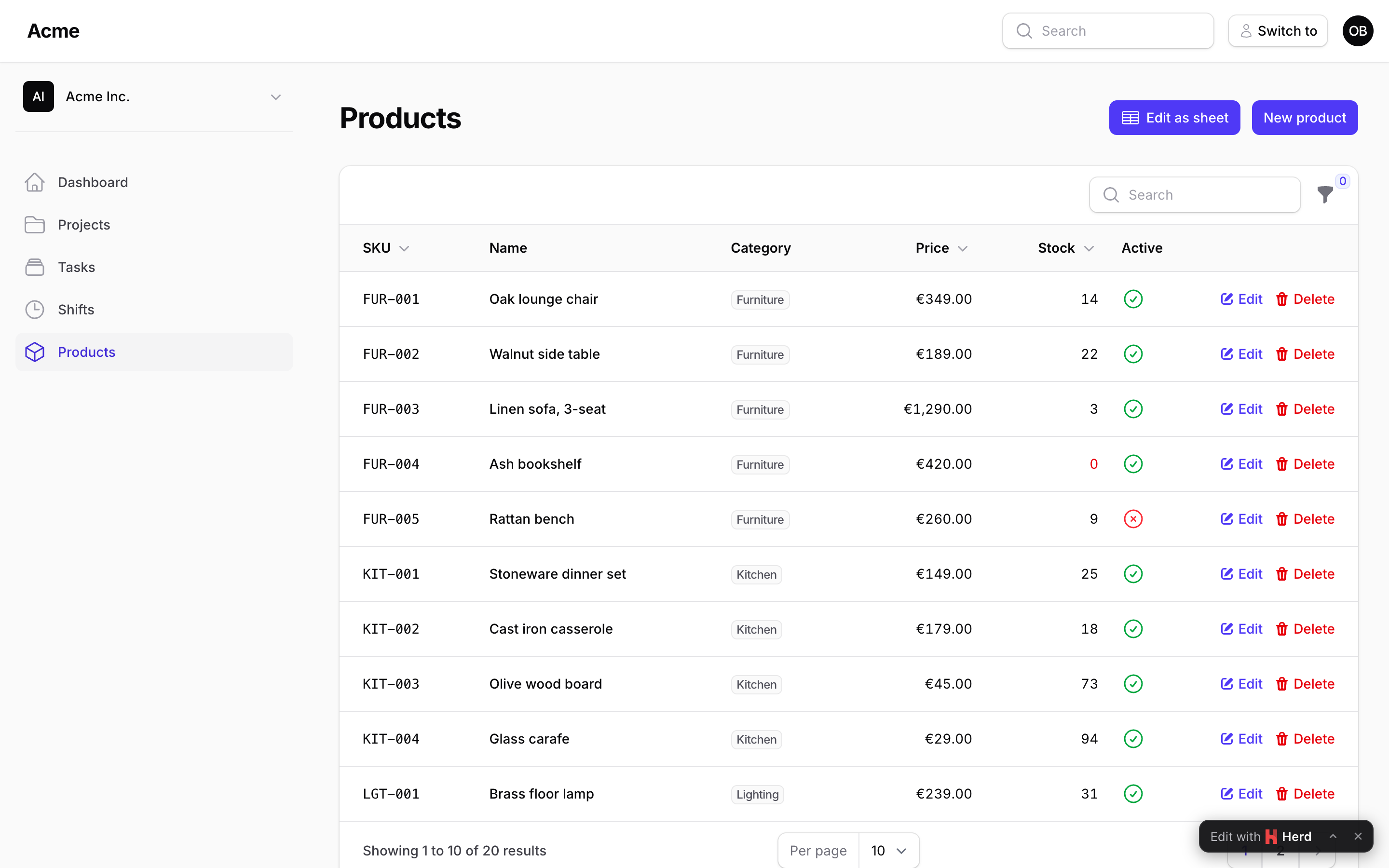
Register it in the resource's getPages(): 'sheet' => ProductsSheet::route('/sheet'), and add SheetAction::make() to the list page's header actions to link to it. Rows come from ProductResource::getEloquentQuery() (tenant-scoped); each row's update, create and delete go through the resource's canEdit(), canCreate() and canDelete().
Read more: Installation · Your first sheet.
#Columns
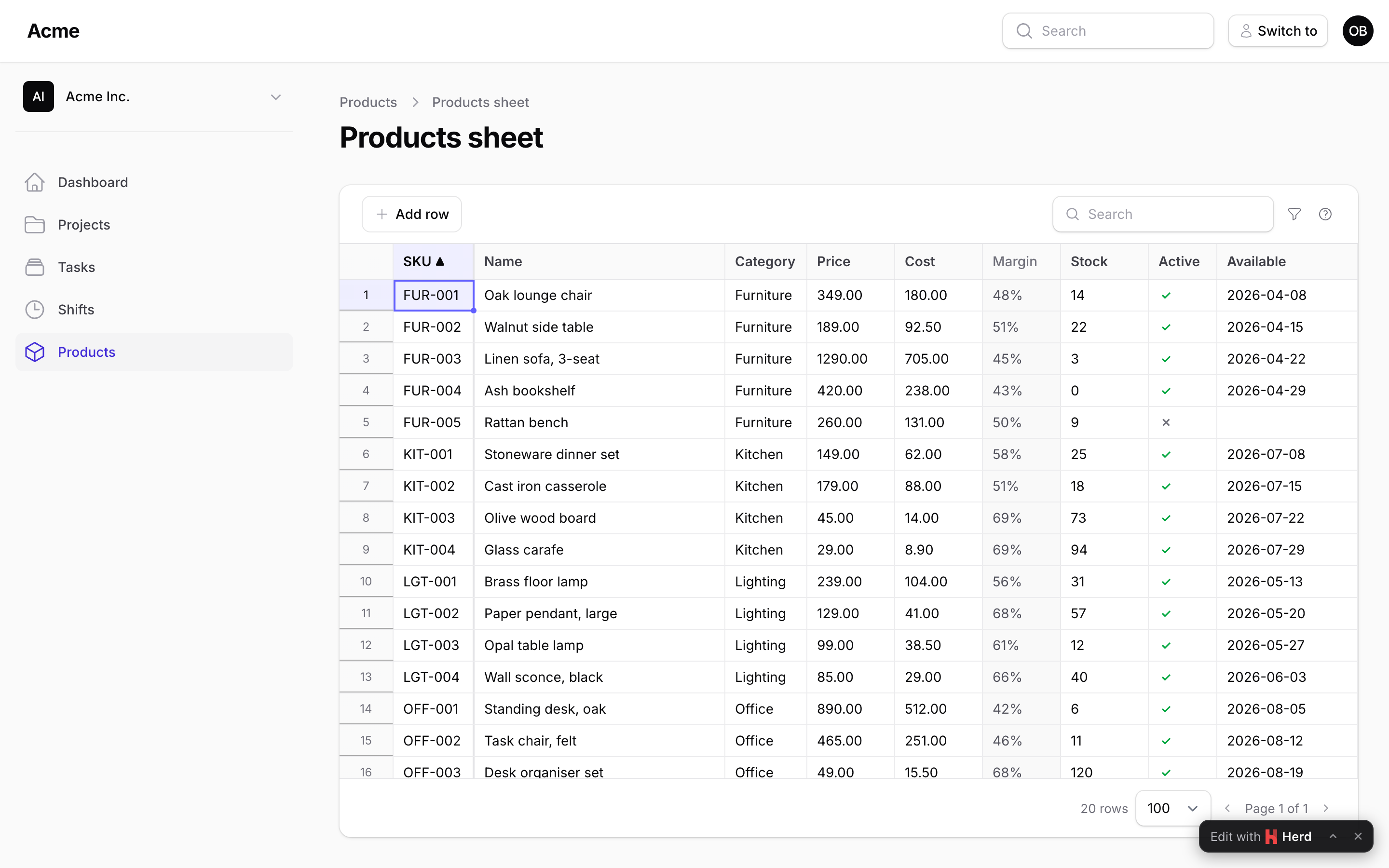
A column names an attribute and says how to read and write it. Every write is coerced by its column, validated with its rules and the type's, and refused on the cell when it cannot be read:
TextColumn::make('name')->rules(['required'])->maxLength(120),
NumberColumn::make('price')->decimals(2)->min(0),
NumberColumn::make('stock')->integer()->readOnly(fn (Product $product) => $product->is_locked),
BooleanColumn::make('is_active')->default(true),
SelectColumn::make('status')->options(Status::class),
SelectColumn::make('category_id')->relationship('category', 'name', fn (Builder $query) => $query->where('active', true)),
DateColumn::make('available_on')->format('d/m/Y'),
DateTimeColumn::make('published_at'),
ComputedColumn::make('margin')->formula('price - cost')->decimals(2),   // recomputed in the browser as you type
ComputedColumn::make('orders')->state(fn (Product $product) => $product->orders_count),
A formula() is a small expression over the sheet's own columns (if(stock < 5, 'Reorder', 'OK'), round(price * 1.2, 2), coalesce(cost, 0)): the server computes it for every row and the browser again over the unsaved cells, so the value follows an edit, an undo and a paste before Save.
Read more: Columns.
#Editing
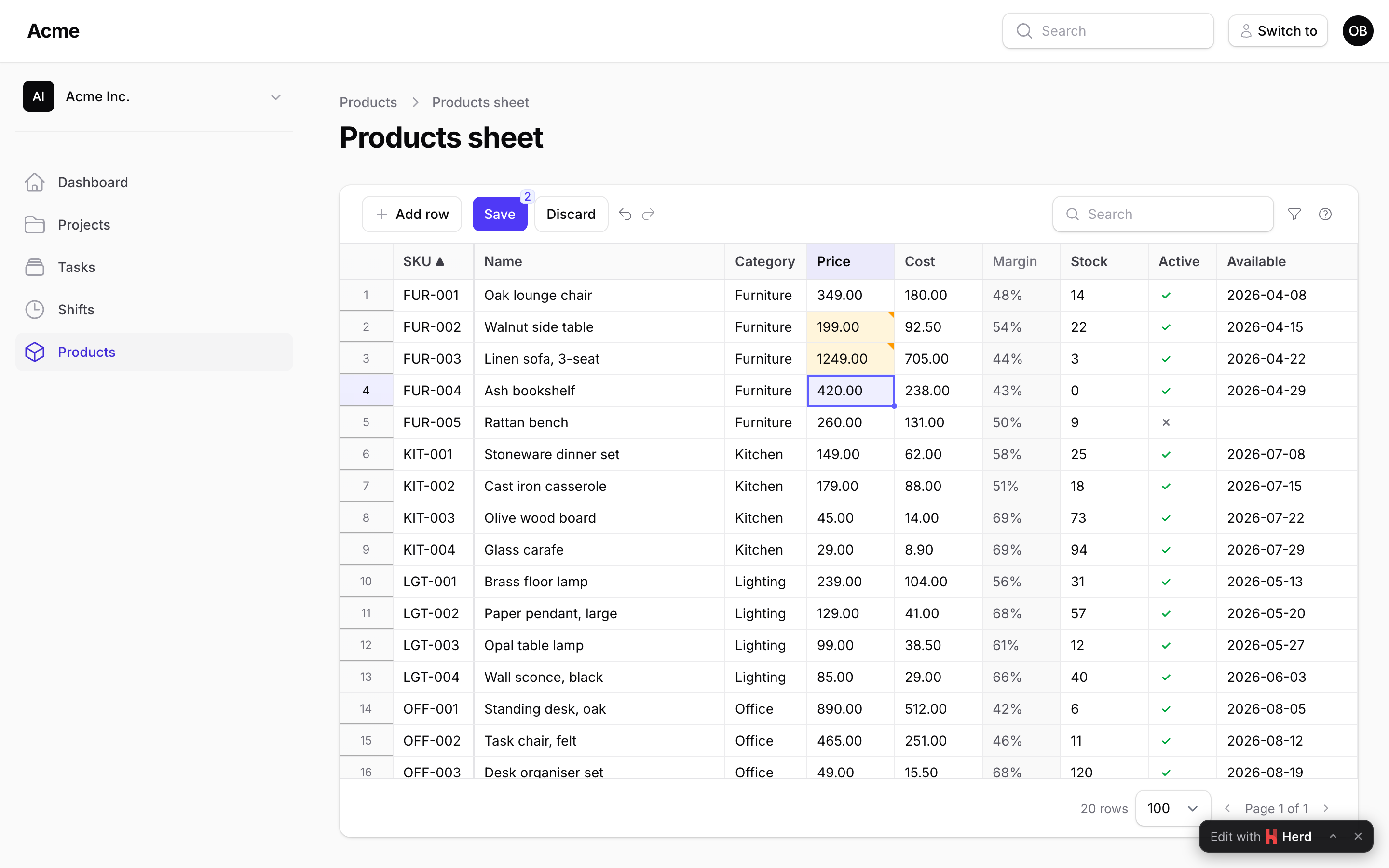
Click a cell to select it, type to replace it, double-click, Enter or F2 to edit it in place. Enter moves down, Tab moves right, Escape cancels. Shift+arrows select a range; Ctrl+C copies it as tab-separated text (labels for selects, ISO dates), Ctrl+X cuts it, Ctrl+V pastes whatever is on the clipboard, Delete clears it (the cells you may edit), Ctrl+D fills the first row down, and the small handle at the corner of the selection drags to fill. Ctrl+Z and Ctrl+Y walk the history, across pages. Changed cells get an amber corner; a cell the column cannot read ("abc" in a number) is red at once, before you even save.
Read more: Editing.
#Saving
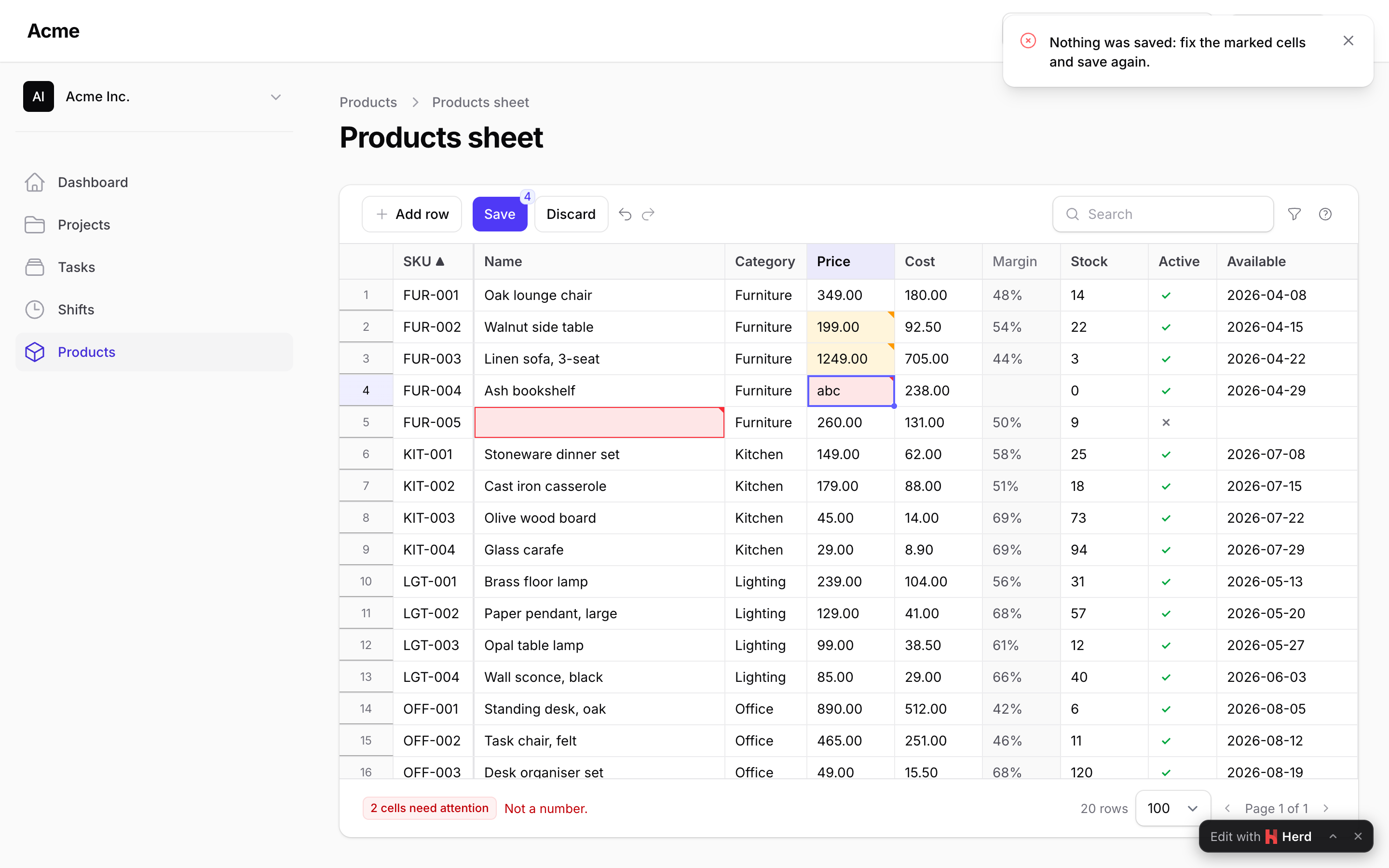
Save (or Ctrl+S) sends every changed cell, the new rows and the deletions in one call. The server loads each record through the sheet's query, checks the policy, compares the version, coerces and validates, and writes:
->saveMode(SaveMode::PerRow)                    // or AllOrNothing (the default)
->versionColumn('lock_version')                 // updated_at by default; false to skip the check
->mutateRowBeforeSave(fn (array $data, ?Product $record) => $data + ['updated_by' => auth()->id()])
->beforeSave(fn (SavePayload $payload) => throw_if($payload->rowCount() > 500, new SaveRejected('Save in smaller batches.')))
->afterSave(fn (Collection $products) => ProductIndexer::dispatch($products->modelKeys()))
The answer tells the browser which rows went through (with their values after casts and mutators), which cells were refused (the message on the cell), and which rows changed on the server meanwhile (purple, with their value next to yours; save again to win). RowsSaved fires after the transaction commits, RowSaveFailed for each refused row.
Read more: Saving · Authorization.
#Adding and deleting rows
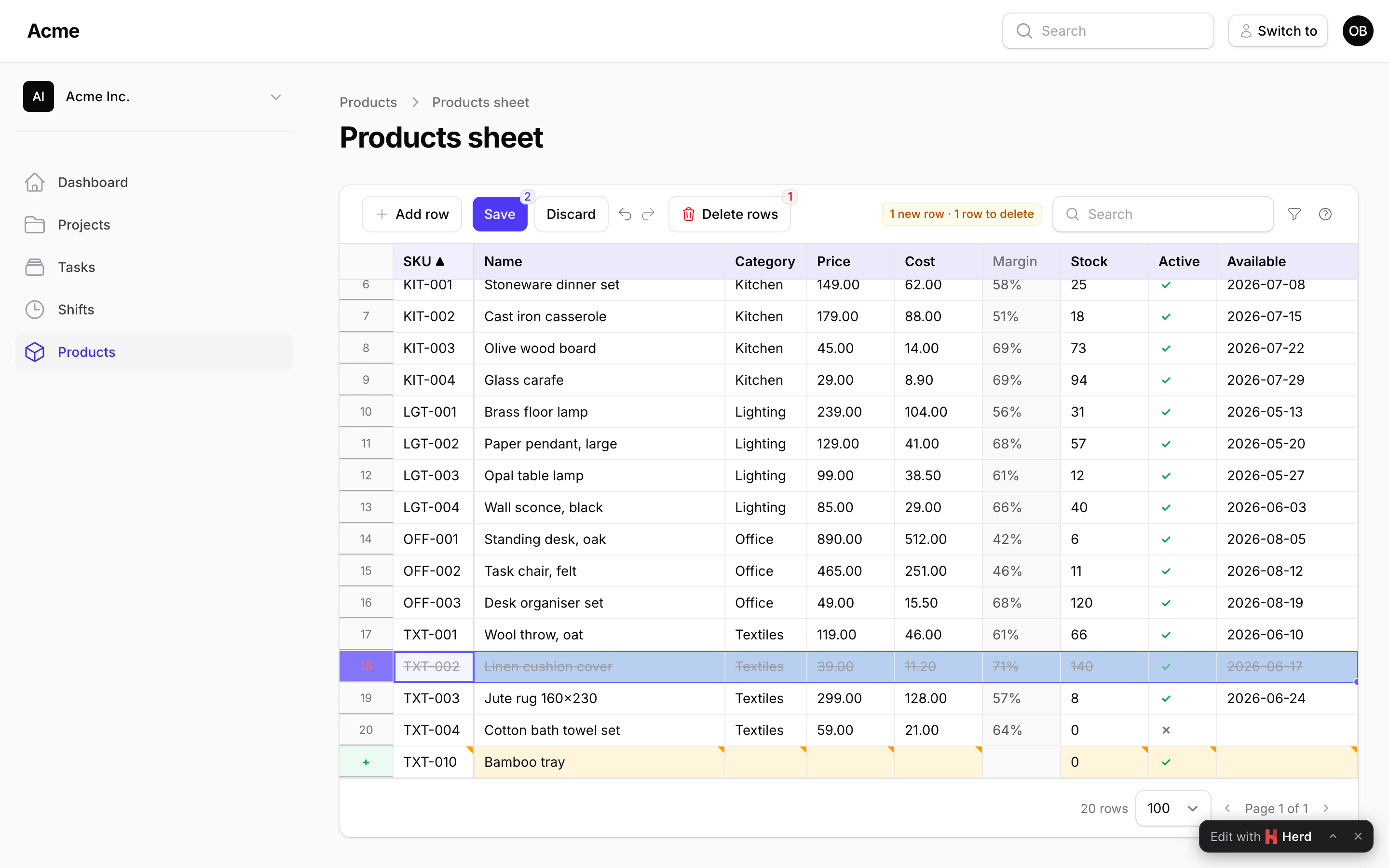
->creatable() shows an Add row button (Ctrl+Enter) and lets a paste past the last row create records; new rows start with the columns' default() values and are validated over every column. ->deletable() lets a row selection (click its number) or the row's context menu mark rows for deletion; they go with the next Save. Both are gated by the policy (create, delete) or your authorizeCreate() / authorizeDelete() closures.
Read more: Adding and deleting rows.
#Search, sort, filters, pagination
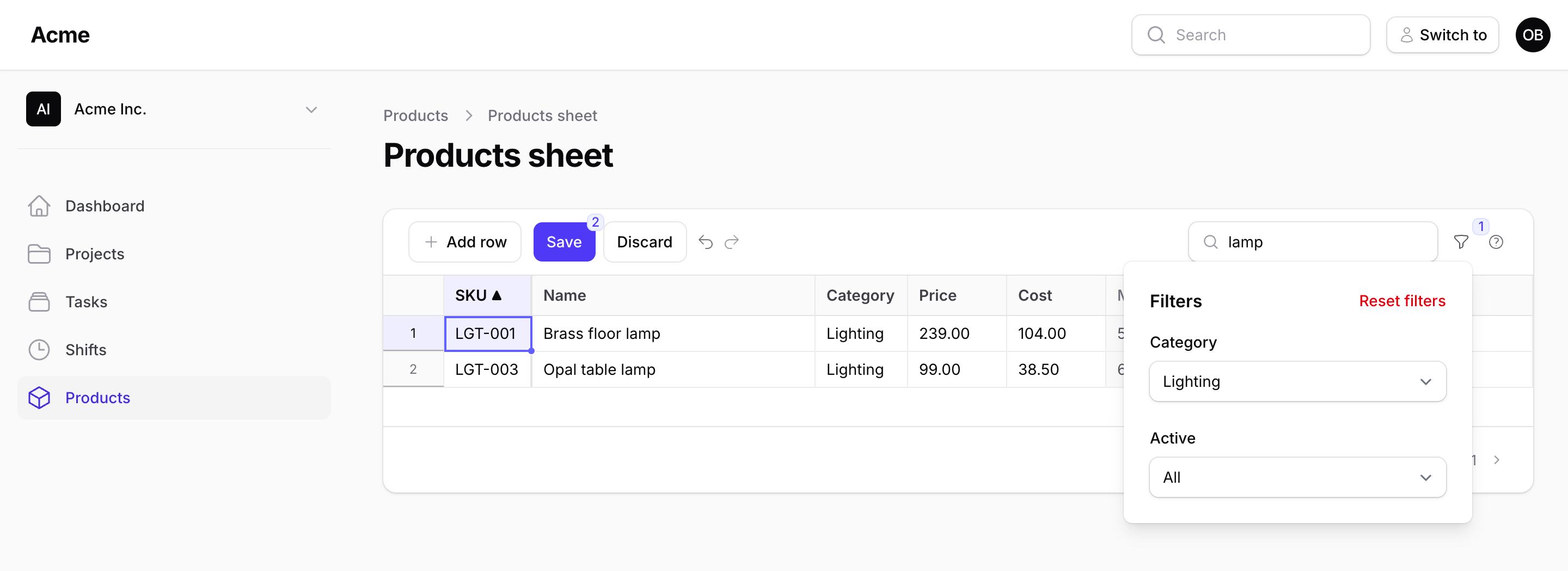
Everything the toolbar does happens on the server: the search box looks in searchable([...]), a header click sorts by that column, filters([...]) are Filament's own fields applied to the query (a select, also multiple() or searchable(), a yes/no select, a toggle, a date range with Filament's date picker; the same Filter as Kanban and Gantt), and the page size runs from 25 to 1,000 rows. Unsaved cells stay in the browser through all of it: the badge says how many and on how many pages.
->searchable(['sku', 'name', 'category.name'])
->defaultSort('sku')
->perPage(200)
->filters([
    Filter::select('category_id')->options(fn () => Category::pluck('name', 'id')->all()),
    Filter::select('supplier_id')->searchable()->options(fn () => Supplier::pluck('name', 'id')->all()),
    Filter::boolean('is_active'),
    Filter::toggle('low_stock')->query(fn (Builder $query) => $query->where('stock', '<', 5)),
    Filter::dateRange('available_on'),
])
->filtersLayout(FiltersLayout::Dropdown) // the funnel button (default), Toolbar, AboveContent
Read more: Search, sort, filters, pagination.
#Configuration
$spreadsheet
    ->perPage(200)                       // rows per page (25 to 1,000)
    ->searchable(['sku', 'name'])        // what the search box looks in
    ->defaultSort('sku')                 // a header click sorts by any column
    ->creatable()->deletable()           // Add row, paste past the end, mark rows for deletion
    ->saveMode(SaveMode::PerRow)         // or AllOrNothing, the default
    ->versionColumn('updated_at')        // the conflict check; false to skip it
    ->filtersLayout(FiltersLayout::Dropdown)
    ->readOnly(fn () => ! auth()->user()->isAdmin())
    ->key('products');                   // the sheet's name in RowsSaved / RowSaveFailed
config/packstub-spreadsheet.php holds the defaults: rows per page and the maximum, the most rows one Save may carry, the save mode, the version column, whether leaving with unsaved changes asks first, a pinned first column (off by default), where the filters are (a dropdown, the toolbar or a row above the grid), the row height, the keyboard shortcuts, the date formats and the first day of the week in the filters' calendars.
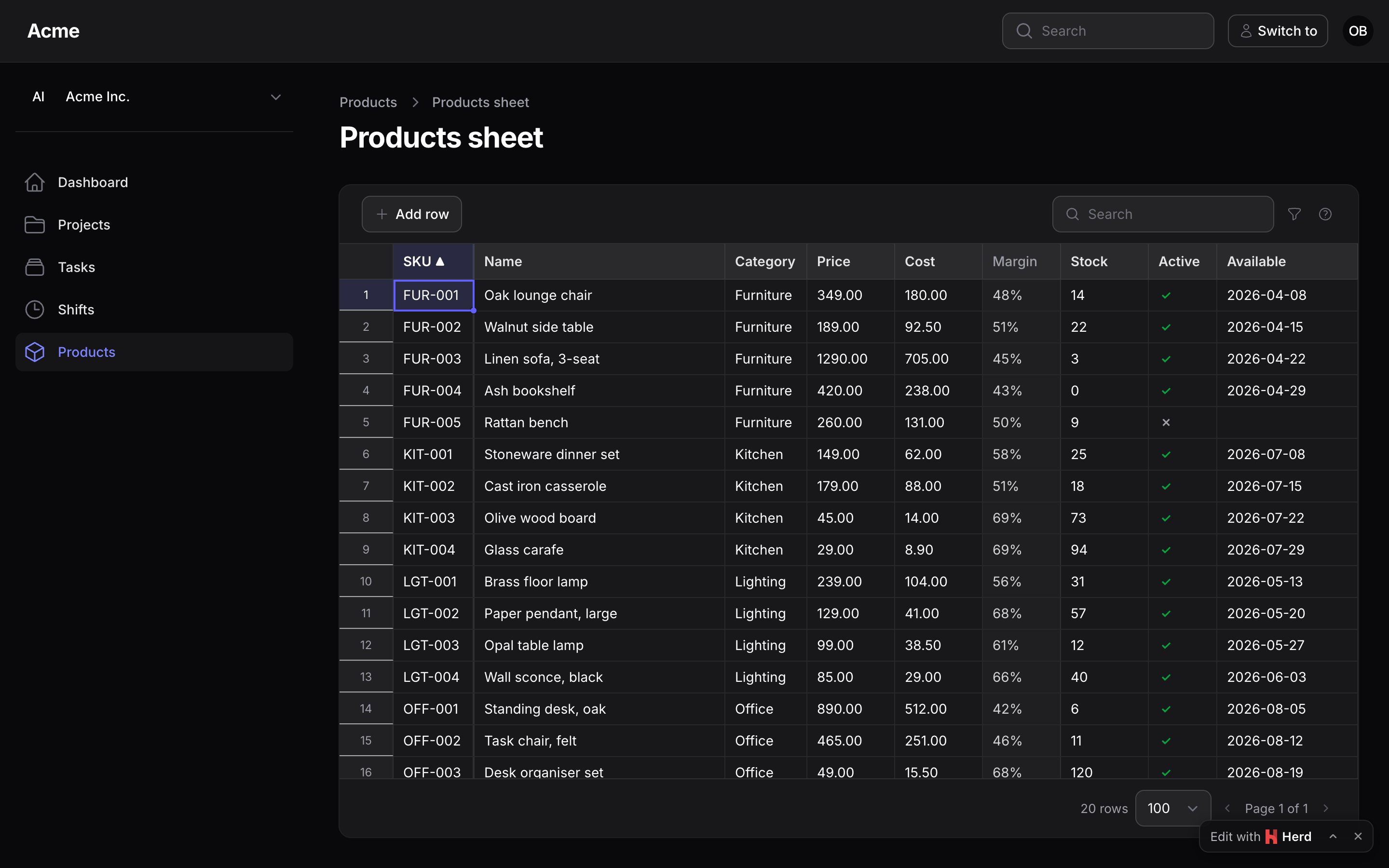
The sheet is a table-style container, the same shell as a Filament table and as Kanban and Gantt, its controls Filament's own components; the stylesheet maps Tabulator's surfaces to Filament's colour variables, follows dark mode and reads right-to-left with the panel. Restyle it with the --ps-sheet-* variables on .ps-sheet (--ps-sheet-bg, -border, -ring, -radius… the names Kanban and Gantt use with their own prefix).
Read more: Styling.
#Editable columns or a sheet?
Filament's editable table columns (TextInputColumn, SelectColumn, ToggleColumn) are perfect for flipping a toggle or fixing one price: one cell, saved as you leave it. This plugin is for the afternoon when you need to fix three hundred of them: the same cells, but edited like a spreadsheet, validated together, checked against your policies, and written in one go. Keep the editable columns on your list page; add a sheet page next to it for the bulk work.
#Documentation
- Installation
- Your first sheet
- Columns
- Editing
- Saving
- Adding and deleting rows
- Search, sort, filters, pagination
- Authorization
- Tenancy
- Events and hooks
- A sheet outside a resource
- Styling
- Performance
- Editable columns vs a sheet
- Upgrading
The same pages live in the docs/ directory of this repository.
#Testing
composer test      # the Pest suite
composer test:js   # the browser side's pure parts (TSV, coercion, the buffer, undo, paste) on plain Node
#Changelog
See the changelog.
#Security vulnerabilities
Please e-mail [email protected] rather than opening a public issue.
#Credits
- Ion Caliman
- Tabulator by Oli Folkerd, the grid engine (MIT)
- All contributors
#License
MIT. See the license file.
Search terms: filament inline edit table, filament editable table, filament bulk edit records, filament edit multiple records, filament spreadsheet, filament excel like editing, filament paste from excel, filament TextInputColumn save button, laravel spreadsheet editor livewire, filament grid editor, filament datasheet.
The author
Packstub builds plugins for Filament and Laravel, from open-source utilities to paid infrastructure for multi-tenant SaaS. It is the author of Packstub Tenancy, which brings stancl/tenancy's database-per-tenant model to Filament panels, and Filament Account Switcher, which adds linked accounts, impersonation, and developer logins with an audit trail. Packstub is run by XLITE, a web development studio based in Moldova.
From the same author
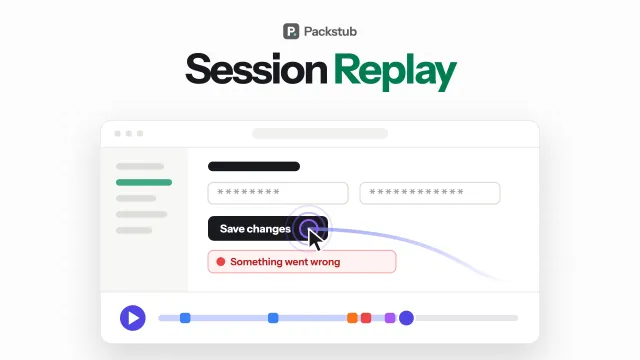
Session Replay
Session replay in your panel: every recording in a filterable resource, played with errors and rage clicks on the timeline.
Author:
Packstub

Nitpick
Give users a theme picker in the Filament user menu: designed themes, community themes or your own, with a default per panel.
Author:
Packstub
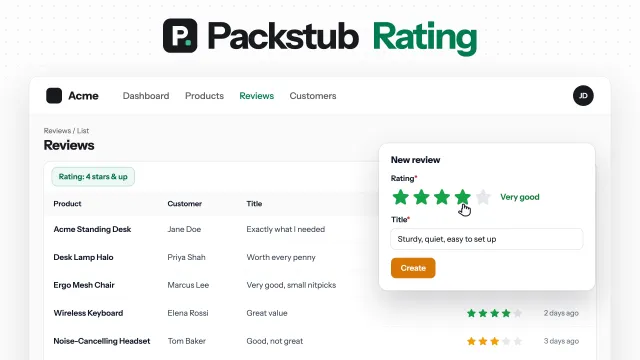
Rating
Star ratings for Filament: a form field, a column you can rate from, a filter, and average and distribution summaries.
Author:
Packstub
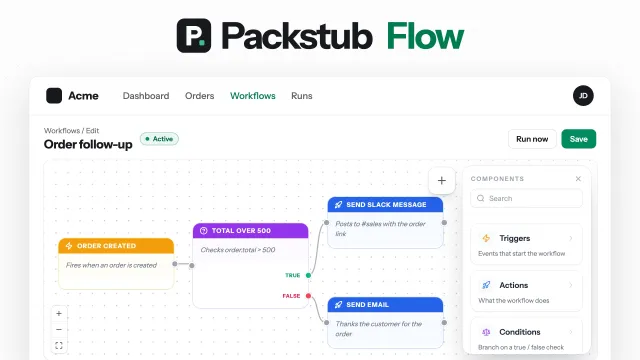
Flow
Visual workflows in your panel: record, schedule and webhook triggers, conditions, email, Slack and HTTP actions, approvals.
Author:
Packstub
Featured Plugins
A selection of plugins curated by the Filament team
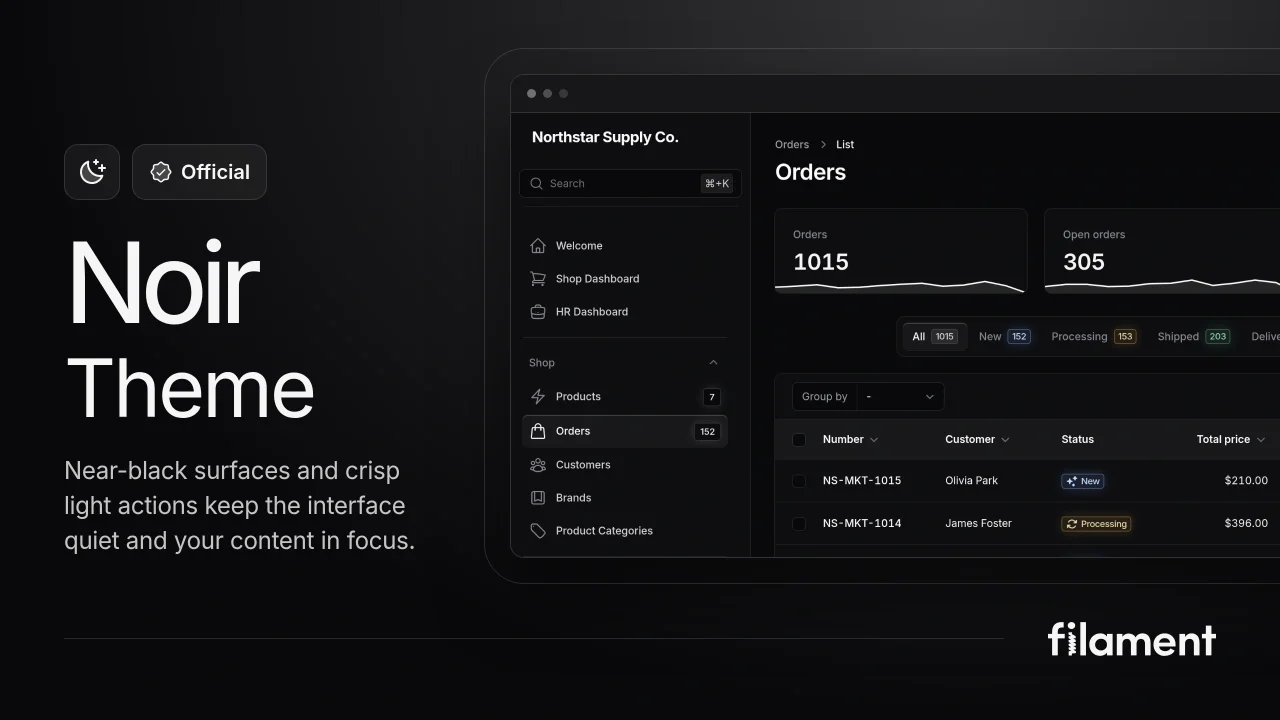
Noir Theme
A theme that gives panels a focused, refined look with near-black surfaces, crisp actions, and restrained color.
 Filament

Spotlight Pro
Browse your Filament Panel with ease. Filament Spotlight Pro adds a Spotlight like Command Palette to your Filament Panel.
 Dennis Koch
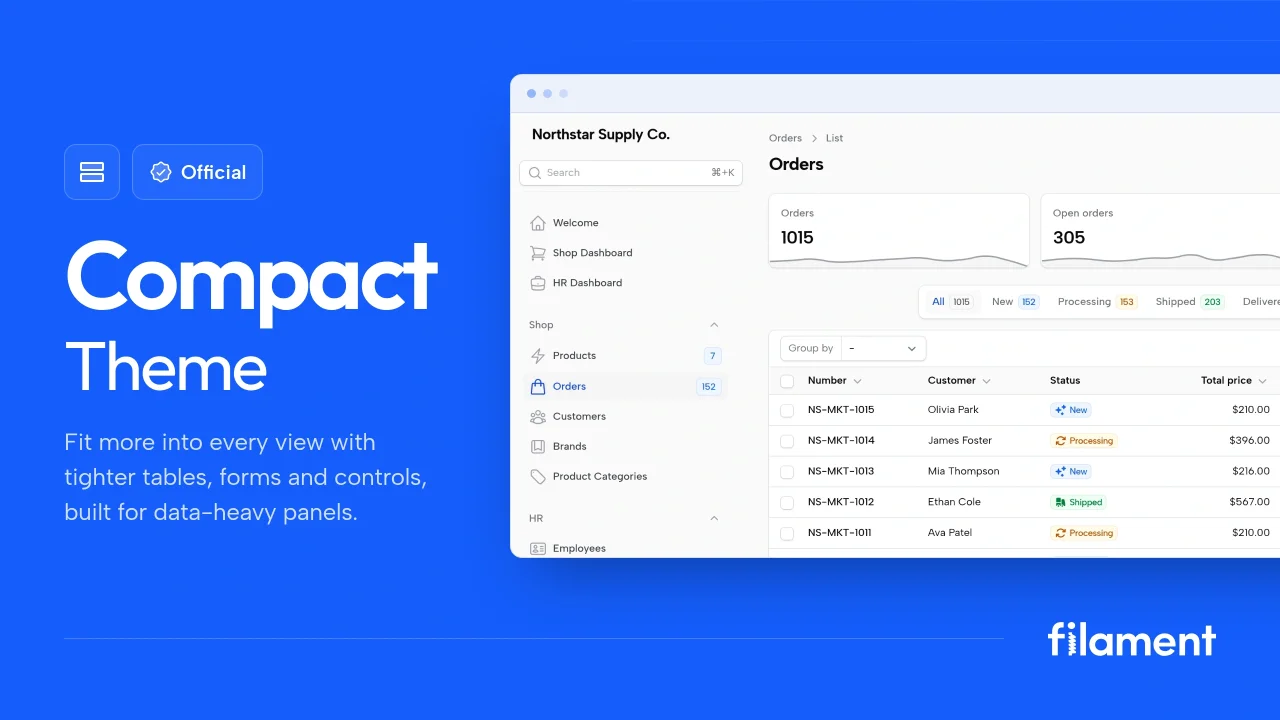
Compact Theme
A theme that makes data-heavy panels easier to scan by fitting more useful information on each screen.
Filament