
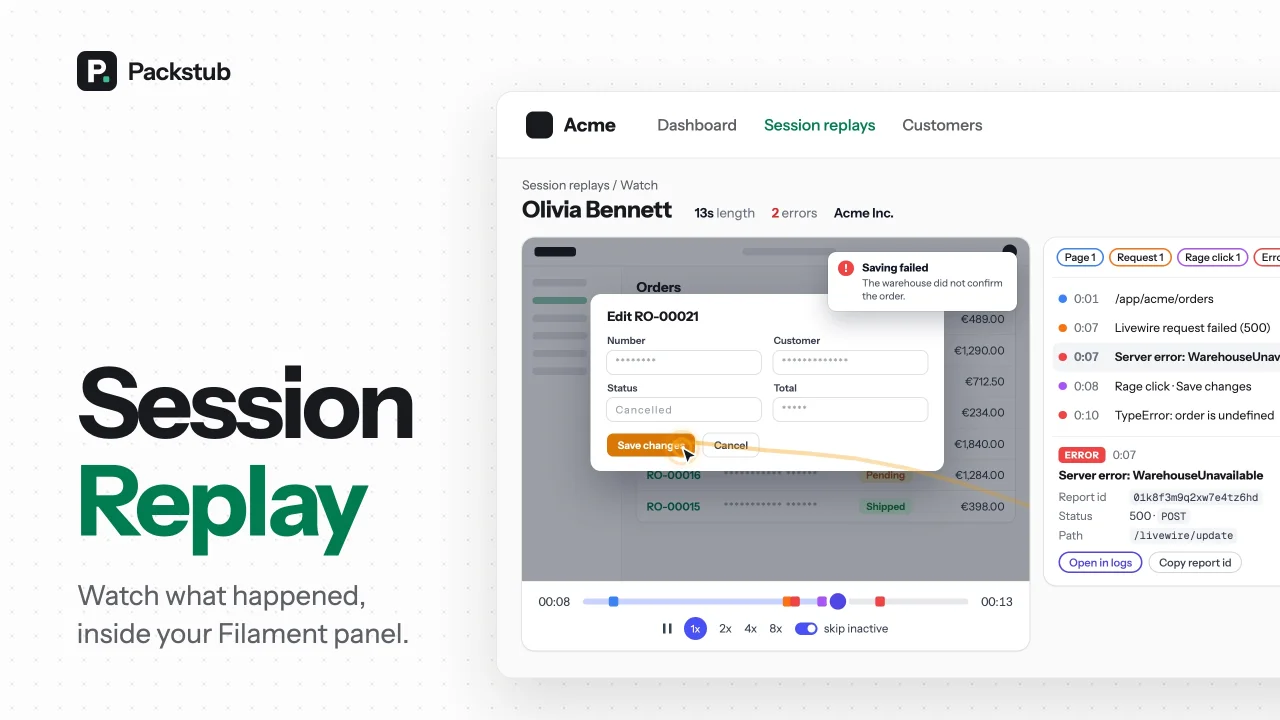
Session Replay by Packstub
CommunitySession replay in your panel: every recording in a filterable resource, played with errors and rage clicks on the timeline.
 Author:
Packstub
Author:
Packstub
Package health
Automated checks of this plugin's Composer package
15 checks
- Passed: GitHub Actions pinned to SHA
- Skipped: GitLab CI includes pinned to SHA
- Passed: Open security advisories
- Passed: Dependabot PR responsiveness — No open Dependabot PRs.
- Skipped: Renovate MR responsiveness
- Passed: Dependabot or Renovate configured
- Passed: Dependency update cooldown configured
- Passed: Provides a security policy
- Passed: Abandoned or archived — No consulted source marks the package abandoned (packagist, github).
- Passed: Commit and release recency — Active: last commit 0 days ago; last release 0 days ago.
-
Passed:
composer.lock not committed by library
—
composer.lockis absent from the released dist archive. - Passed: Dist archive is lean
-
Passed:
Current Laravel version supported
—
Package dependencies resolve together with current Laravel
13.0. -
Passed:
Current PHP version supported
—
Constraint
^8.3supports current PHP8.5. - Skipped: Current Symfony version supported
filament/
namespace. Review the source and install at your own risk. Found
malware or an unresolved security issue the author won't
address?
Report it
.
Documentation
- Features
- Compatibility
- Installation
- Recording a panel
- The Sessions resource
- Watching a recording
- Around your users
- Masking where the field is
- Workspaces and impersonation
- Who may watch
- Two packages, one picture
- Documentation
- Testing
- Changelog
- Security
- Credits
- License
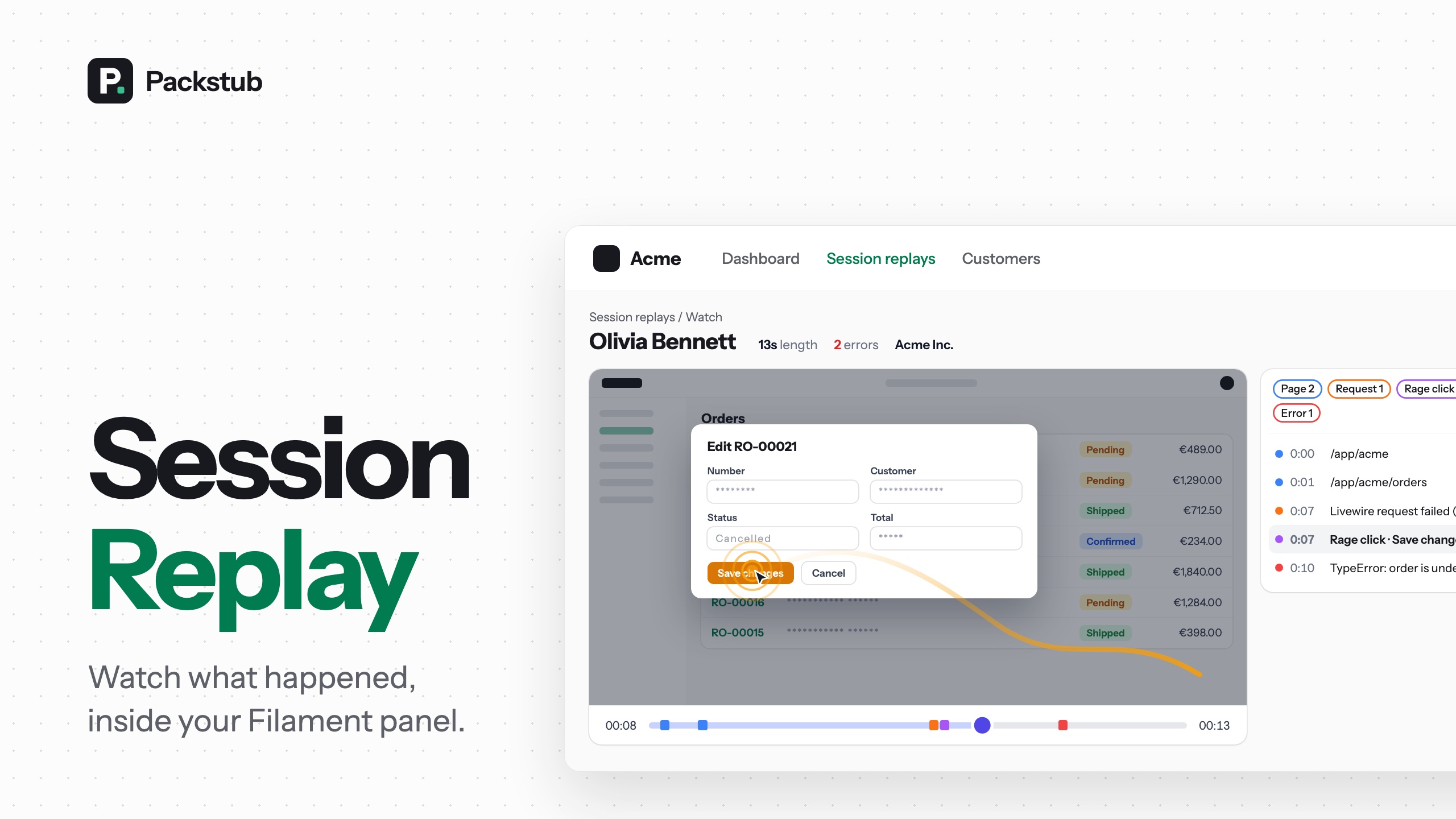






Session replay inside your Filament panel. "The form did nothing when I clicked save" becomes a replay you watch next to the user it belongs to, with the failed Livewire request, the JavaScript error and the rage click marked on the timeline. Recordings stay on your own disk and database, and who may watch them is a gate your app defines. Free and open source (MIT), built on Session Replay for Laravel and rrweb.
#Features
- Recording without a directive: register the plugin and the panel's pages are recorded, with its guard, tenant and impersonator.
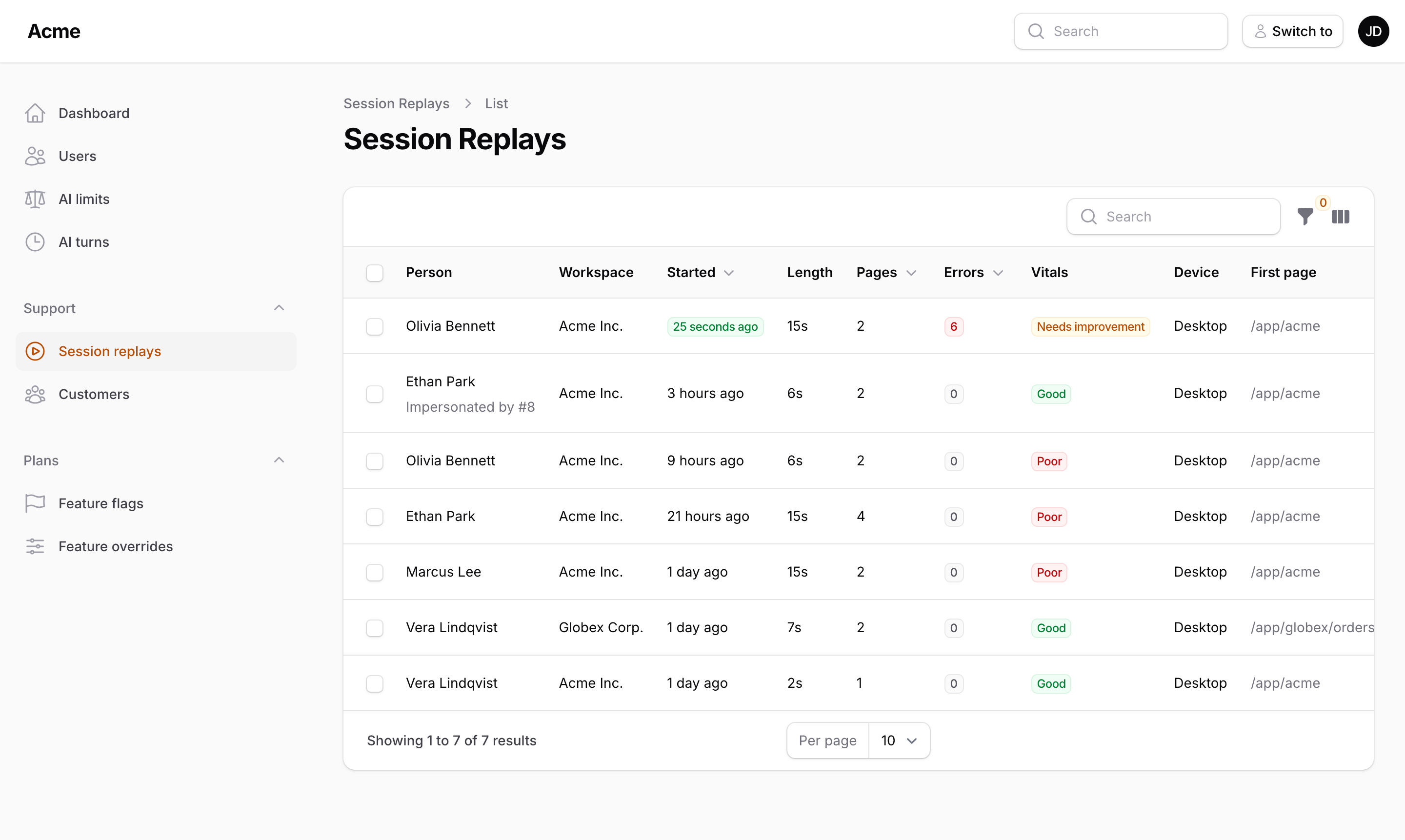
- A Sessions resource: every recording with its errors, rage clicks and vitals, searchable and filterable.
- The player in the panel: markers on the timeline and in a list that seeks on click, with Pin, Export and Delete.
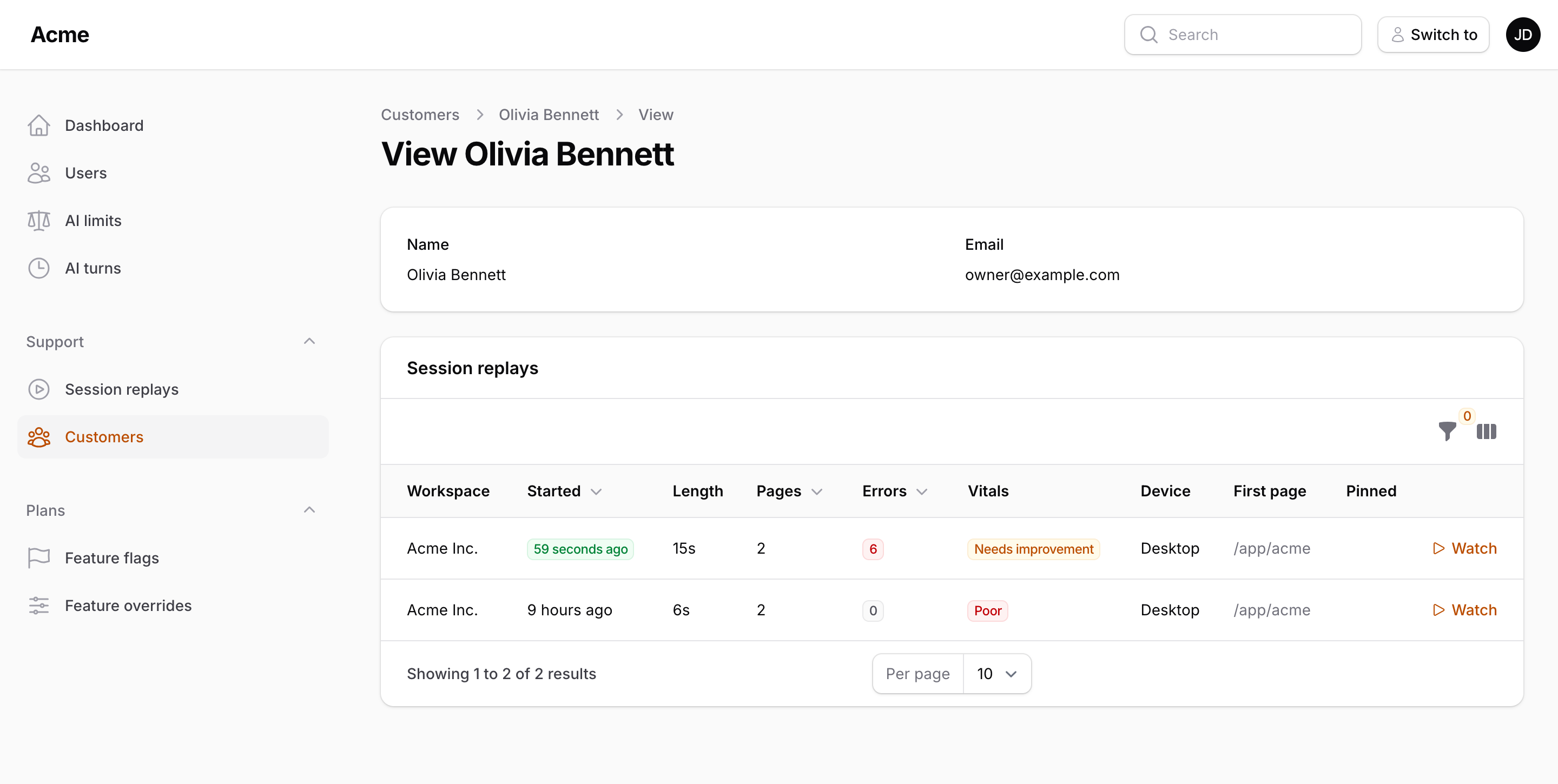
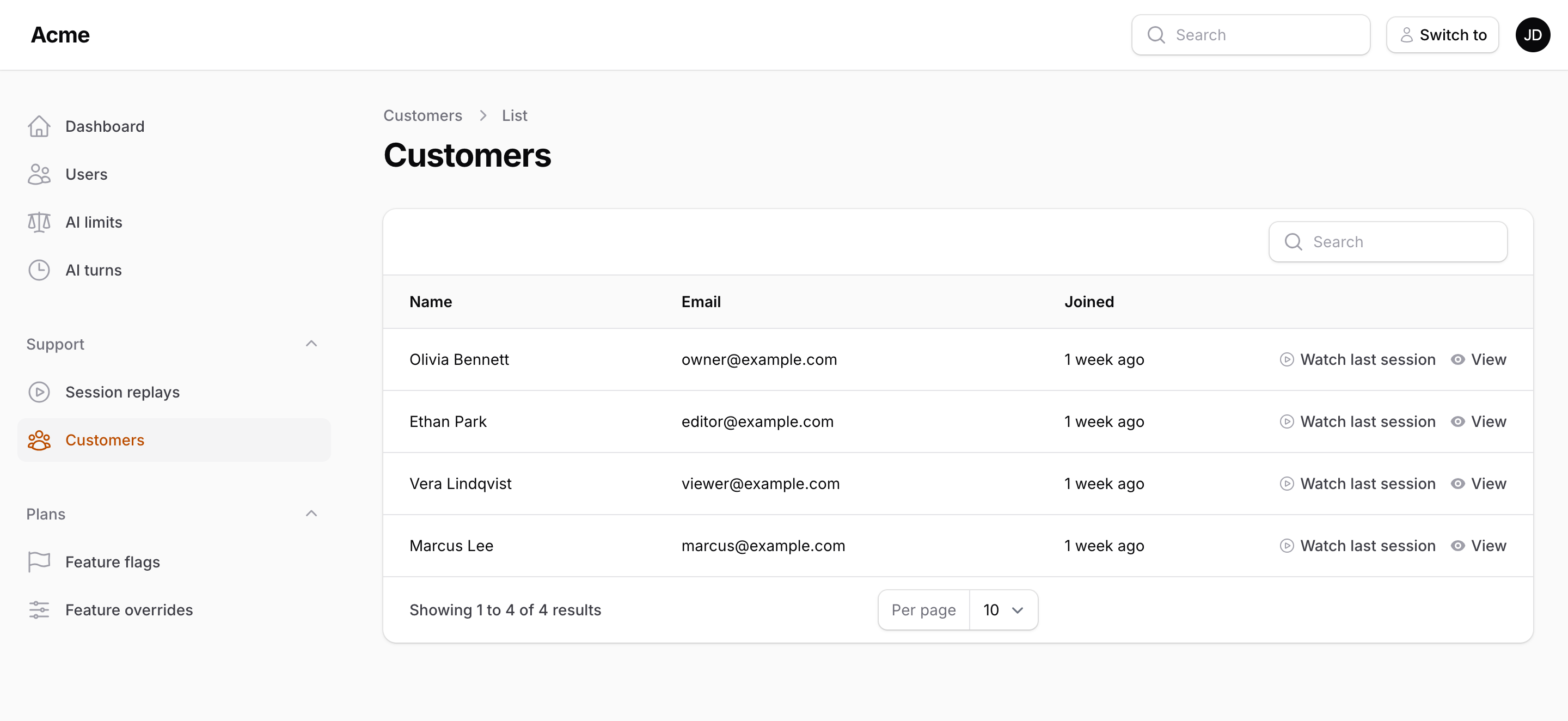
- Around your users: a relation manager, a "Watch last session" action and a dashboard widget.
- Masking where the field is:
->maskInReplay()and->blockInReplay()on fields, columns, entries and sections. - Workspace-aware: each workspace sees its own recordings, an operator panel sees them all, impersonated sessions are flagged.
- One rule for access: the core's
viewSessionReplaygate, or your own policy, so Filament Shield permissions plug in. - Dark mode, five languages: replays look the way the page did, and the panel pages speak English, German, Spanish, Romanian and Russian.
#Compatibility
| Filament Session Replay | Filament | Laravel | PHP |
|---|---|---|---|
| 1.x | 5.x | 12, 13 | 8.3+ |
#Installation
composer require packstub/filament-session-replay
php artisan session-replay:install
Composer brings packstub/session-replay along; the install command publishes its config, runs the migrations and publishes App\Providers\SessionReplayServiceProvider with the gate in it. Register the plugin in your panel provider:
use Packstub\SessionReplay\SessionReplayPlugin;

public function panel(Panel $panel): Panel
{
    return $panel
        // ...
        ->plugin(SessionReplayPlugin::make());
}
Schedule the clean-up:
use Illuminate\Support\Facades\Schedule;

Schedule::command('session-replay:prune')->daily();
Open the panel, click around, then open Session replays in the navigation. Read more
#Recording a panel
The recorder is added through a render hook, so there is no directive to place. It records with what only the panel knows: the panel's guard, the current tenant, the panel id and who is impersonating. The pages recordings are watched on are never recorded. Record one panel and watch in another by registering the plugin twice:
// The customer panel is recorded.
SessionReplayPlugin::make()->resource(false);

// The operator panel is where recordings are watched.
SessionReplayPlugin::make()->record(false)->widget();
->record(fn (?Model $user): bool => ! $user?->is_staff) narrows it per person. What recording costs (34 KB for a 50-row table page, 0.2 KB per idle minute) is measured in the installation guide.
#The Sessions resource
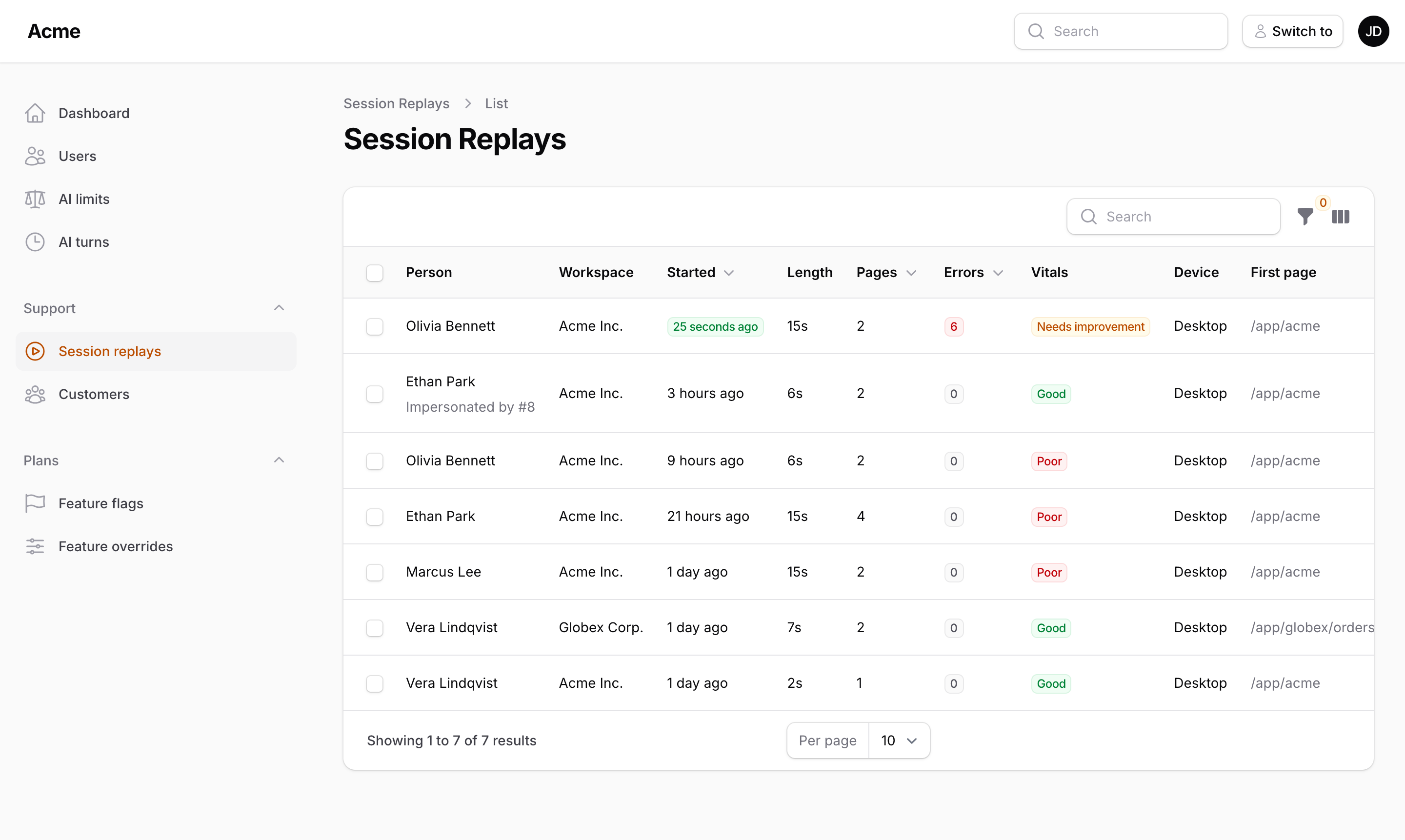
Newest first, searchable by a person's name, email or key, with the numbers that tell you which recording to open: errors, rage clicks and web vitals are indexed when the recording arrives, so filtering never opens a file.
#Watching a recording
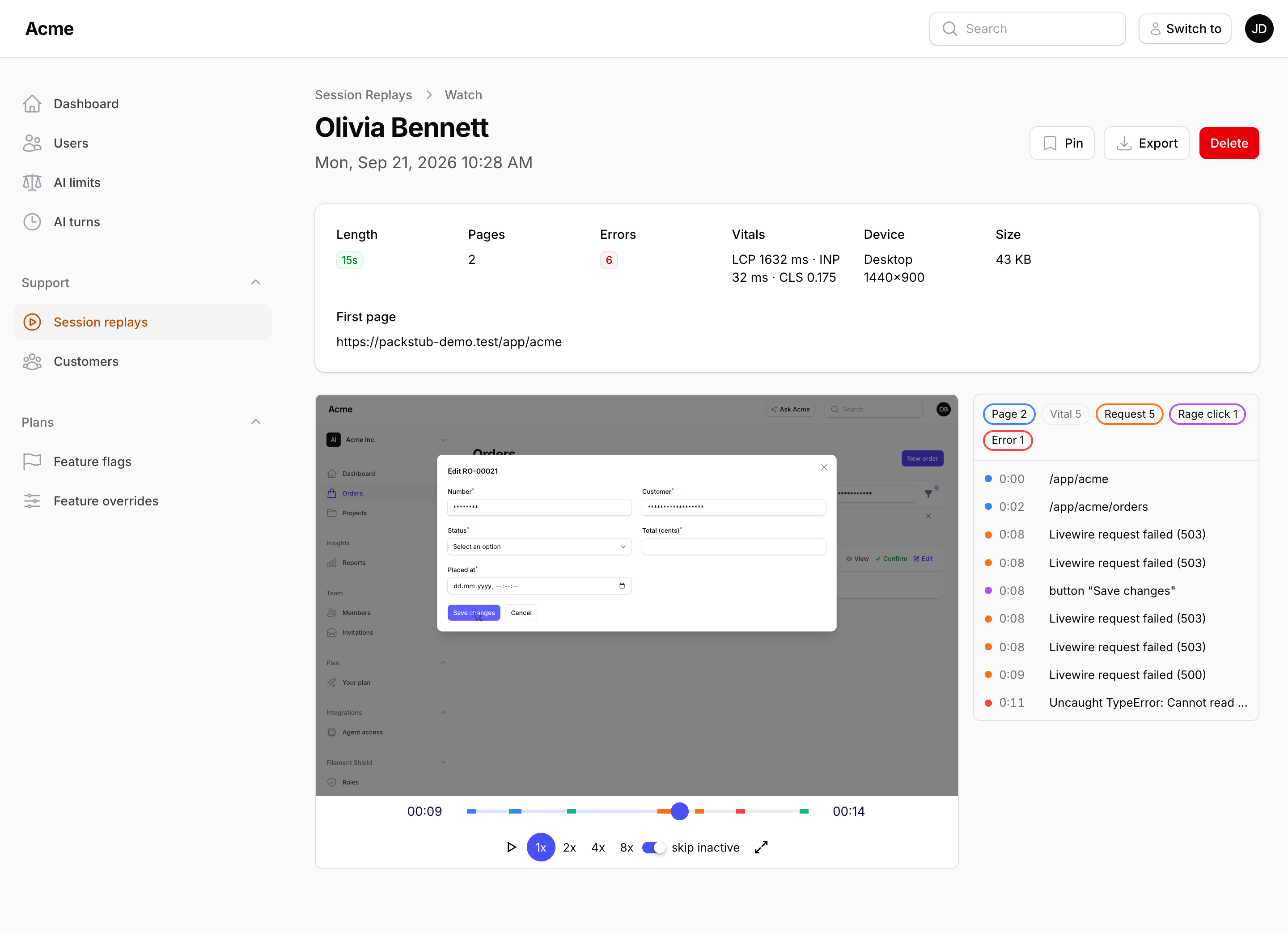
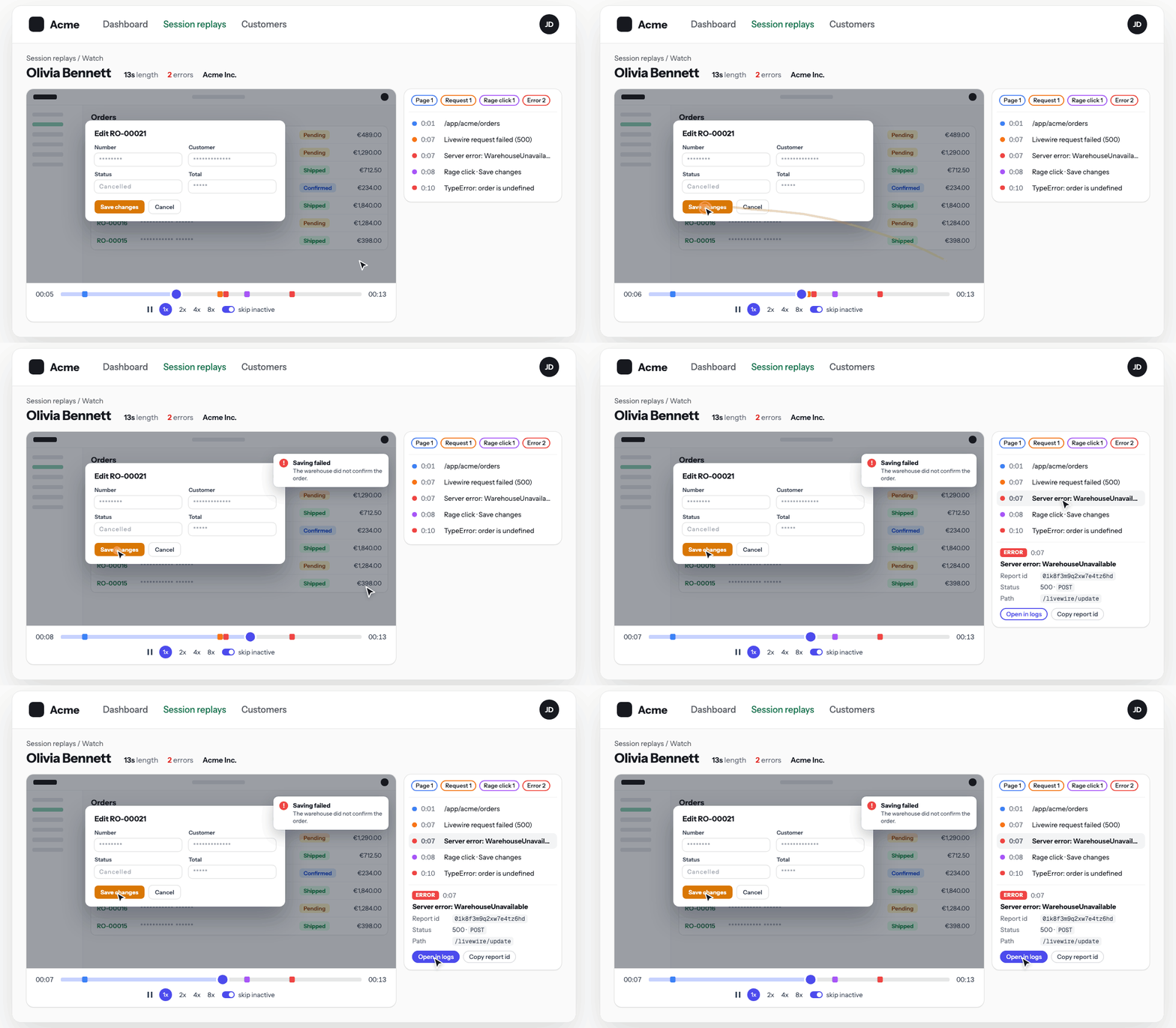
The watch page shows the facts, the player and the markers: page views, failed Livewire requests, uncaught errors, console.error, web vitals and rage clicks. A click on a marker seeks to a second before it, and ?t=83 opens a replay at 1:23, which makes a good link for a ticket. Pin keeps a recording out of pruning, Export downloads it as one JSON file with its stylesheets, Delete removes it with its files. Read more
#Around your users
use Packstub\SessionReplay\Concerns\HasSessionReplays;
use Packstub\SessionReplay\Filament\Actions\WatchLastSessionAction;
use Packstub\SessionReplay\Filament\Resources\ReplaySessions\RelationManagers\ReplaysRelationManager;

class User extends Authenticatable
{
    use HasSessionReplays;
}

// In your user resource:
public static function getRelations(): array
{
    return [ReplaysRelationManager::class];
}

// On a row or in a page header:
WatchLastSessionAction::make(),
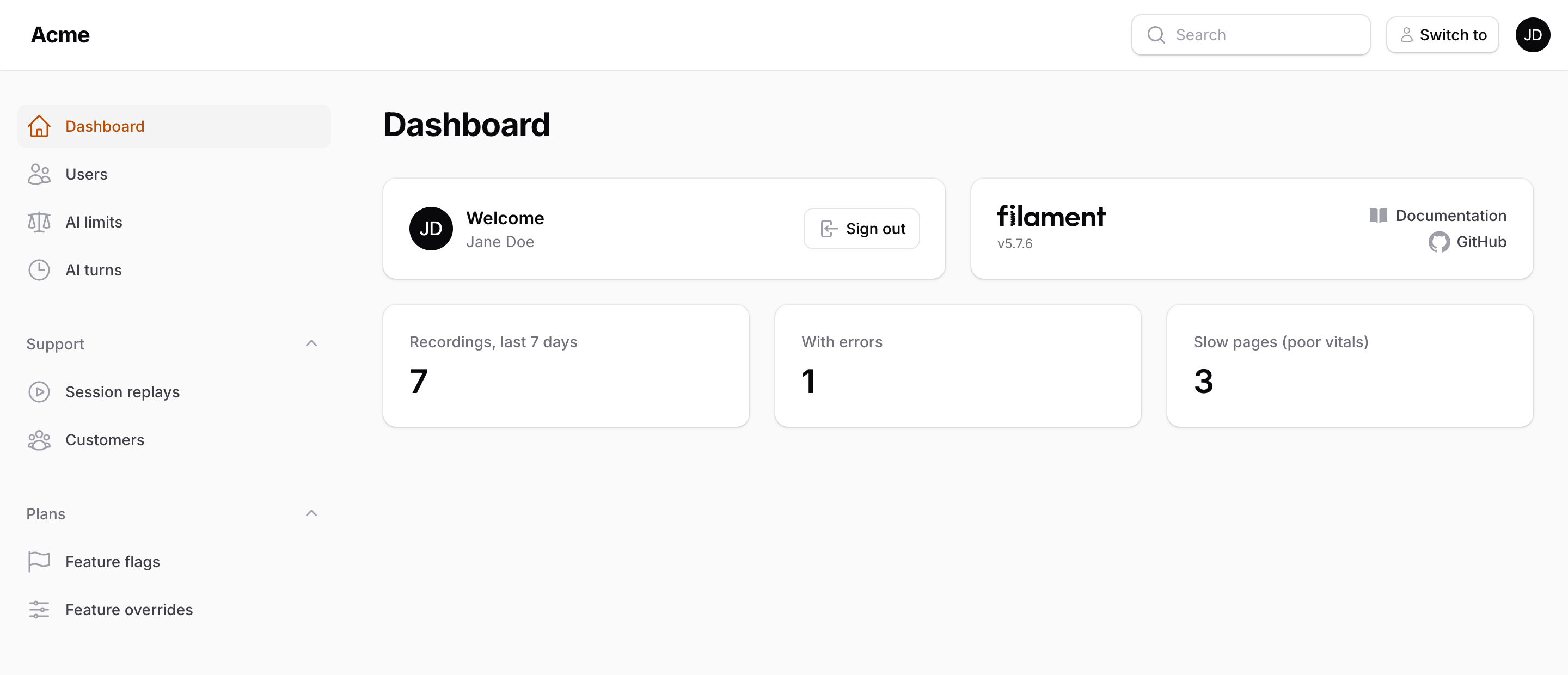
->widget() adds the last seven days to the dashboard, each number linked to the filtered list:
#Masking where the field is
Every input is masked by default and passwords always are. For what a page displays, say so where the field is declared:
TextColumn::make('customer')->maskInReplay(),
TextEntry::make('iban')->maskInReplay(),
Section::make('Payout details')->blockInReplay(),
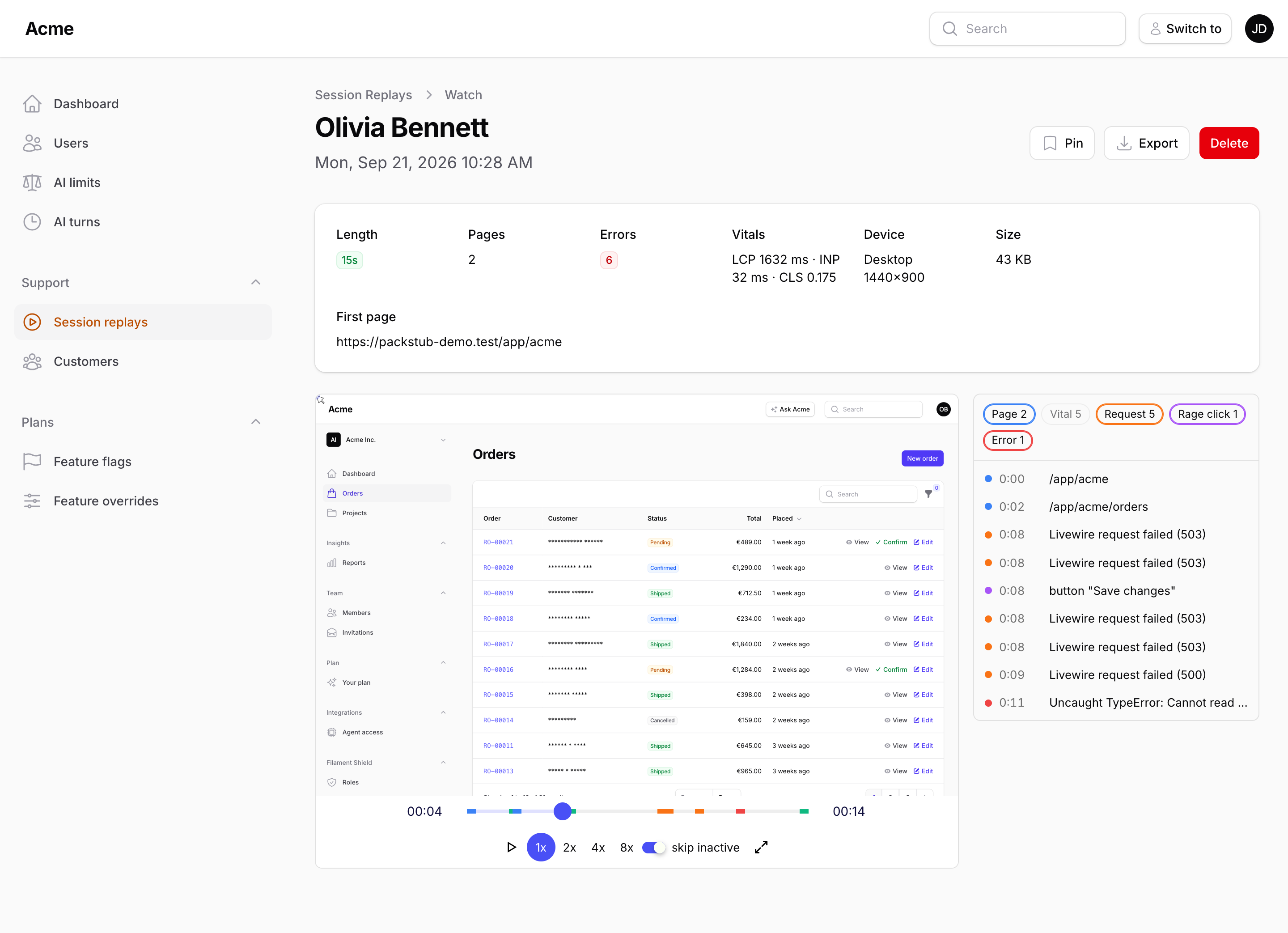
Mask keeps the page readable for whoever watches (the value is there, its content is not); block records an empty box of the same size. Masking happens in the browser, before anything is uploaded. Read more
#Workspaces and impersonation
In a panel with tenancy the resource and the widget list the current workspace's recordings; a panel without a tenant lists all of them with a Workspace column (->tenantLabelUsing() when your tenant has no name). Sessions made while impersonating carry who was behind them: Packstub's Account Switcher is detected, ->impersonatorUsing() covers anything else. Database-per-tenant apps keep the index on the central connection. Read more
#Who may watch
use Illuminate\Support\Facades\Gate;
use Packstub\SessionReplay\Models\ReplaySession;

Gate::define('viewSessionReplay', function ($user, ?ReplaySession $session = null): bool {
    return $user->is_admin;
});
The gate is asked without a recording for the list and with it for a single replay and every file behind it, in the panel and on the core's data routes alike. Until it is defined only the local environment is let in. A policy registered for ReplaySession takes over inside the panel (Filament Shield), deleteSessionReplay separates deleting from watching, and SessionReplay::visibleUsing() keeps rows the gate would refuse out of every list. Read more
#Two packages, one picture
| Package | What it does |
|---|---|
packstub/session-replay |
Records (rrweb, masked inputs, markers), ingests, stores gzip chunks on your disk with an index in your database, prunes, links the recording into Laravel's log context, and guards every byte with the viewSessionReplay gate. Works in any Laravel app. |
packstub/filament-session-replay (this one) |
The panel experience: recording wired to the panel's guard and tenant, the Sessions resource, the watch page, the relation manager, the action, the widget and the masking macros. |
Everything about privacy, storage, consent and configuration lives in the core and applies here unchanged. Hosted replay products are a great fit for product analytics and funnels; this pair is for replay inside your own app, and the two run happily side by side.
#Documentation
The full documentation, both packages' guides in one place, is on packstub.dev/docs/filament-session-replay. On GitHub:
| Guide | What it covers |
|---|---|
| Overview | What you get, at a glance |
| Installation | Install, register, the gate, the plugin's options, languages, recording in one panel and watching in another |
| Watching | The resource, its filters, the watch page, Pin, Export, Delete, who may do what |
| Masking | maskInReplay() and blockInReplay() |
| People | The relation manager, "Watch last session", the stats widget, naming and finding people |
| Tenancy | Workspaces, operator panels, database-per-tenant apps, impersonation |
The core's guides cover the rest: Recording, Privacy, Watching replays, Storage, Error tracking, Configuration.
#Testing
composer test
#Changelog
See CHANGELOG.md.
#Security
Please report security issues to [email protected] instead of the issue tracker.
#Credits
#License
MIT. See LICENSE.md.
The author
Packstub builds plugins for Filament and Laravel, from open-source utilities to paid infrastructure for multi-tenant SaaS. It is the author of Packstub Tenancy, which brings stancl/tenancy's database-per-tenant model to Filament panels, and Filament Account Switcher, which adds linked accounts, impersonation, and developer logins with an audit trail. Packstub is run by XLITE, a web development studio based in Moldova.
From the same author
Rating
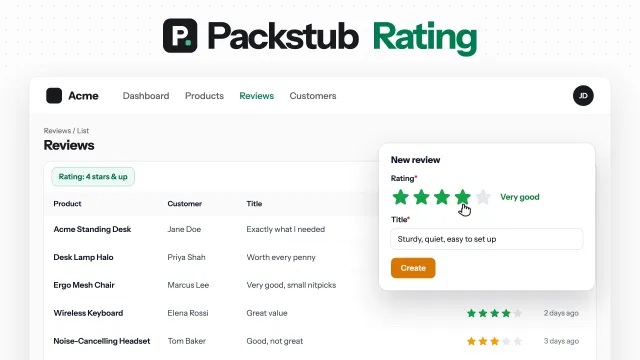
Star ratings for Filament: a form field, a column you can rate from, a filter, and average and distribution summaries.
Author:
Packstub
Flow
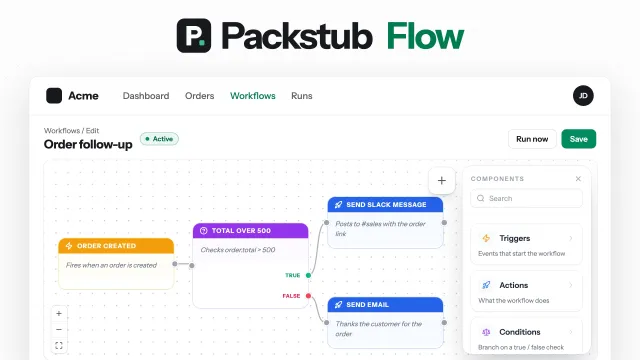
Visual workflows in your panel: record, schedule and webhook triggers, conditions, email, Slack and HTTP actions, approvals.
Author:
Packstub
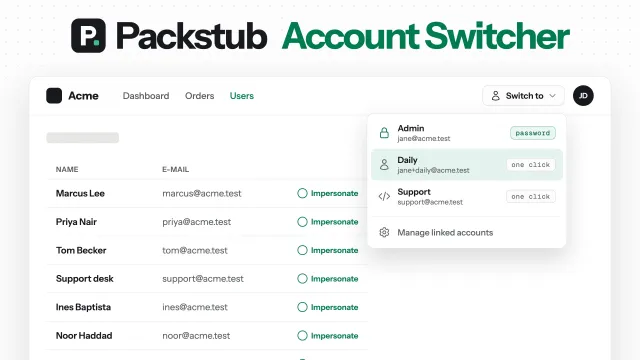
Account Switcher
Switch between accounts without signing out: linked sub-accounts with password-confirmed escalation, impersonation with a switch-back banner, and one-click developer logins.
Author:
Packstub
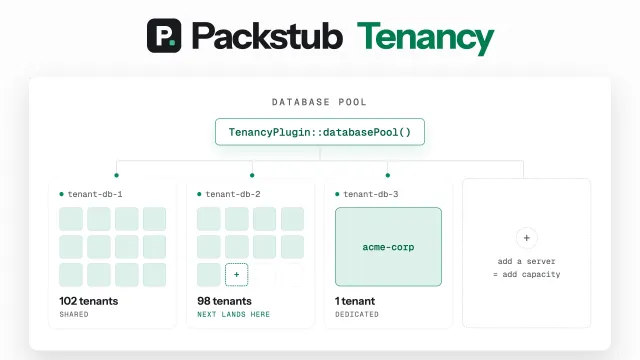
Tenancy
Multi-database tenancy powered by stancl/tenancy v4 — one isolated database per tenant or shared databases with tenant_id scoping, async provisioning, and a load-balanced database pool that scales tenants across multiple database servers.
Author:
Packstub
Featured Plugins
A selection of plugins curated by the Filament team

Soft Theme
A theme that gives panels a warm, approachable look with rounded shapes, gentle colors, and serif headings.
 Filament

Custom Fields
Eliminate custom field migrations forever. Let your users create and manage form fields directly in Filament admin panels with 20+ built-in field types, validation, and zero database changes.
 Relaticle

Custom Dashboards
Let your users build and share their own dashboards with a drag-and-drop interface. Define your data sources in PHP and let them do the rest.
Filament

