
Workspace Tabs by Mustafa Khaled
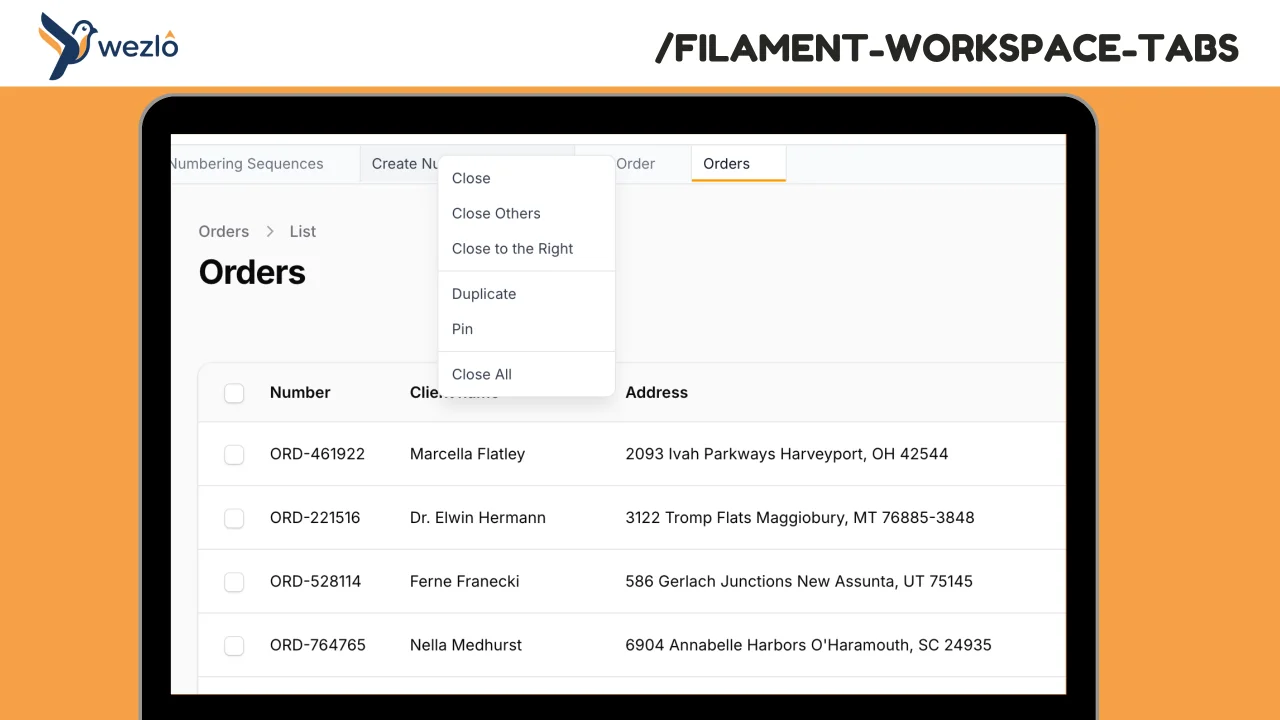
CommunityBrowser-like tabs for Filament panels. Open multiple pages in tabs without losing context, drag to reorder, pin frequently accessed pages, and right-click for quick actions.
 Author:
Mustafa Khaled
Author:
Mustafa Khaled
Package health
Automated checks of this plugin's Composer package
15 checks
- Skipped: GitHub Actions pinned to SHA
- Skipped: GitLab CI includes pinned to SHA
- Passed: Open security advisories
- Passed: Dependabot PR responsiveness — No open Dependabot PRs.
- Skipped: Renovate MR responsiveness
- Failed: Dependabot or Renovate configured — No dependency updater configuration found. View details on Plumb
- Skipped: Dependency update cooldown configured
- Failed: Provides a security policy — View details on Plumb
- Passed: Abandoned or archived — No consulted source marks the package abandoned (packagist, github).
- Warning: Commit and release recency — Low activity: last commit 181 days ago; last release 181 days ago.
-
Passed:
composer.lock not committed by library
—
composer.lockis absent from the released dist archive. - Passed: Dist archive is lean
-
Passed:
Current Laravel version supported
—
Package dependencies resolve together with current Laravel
13.0. -
Passed:
Current PHP version supported
—
Constraint
^8.2supports current PHP8.5. - Skipped: Current Symfony version supported
filament/
namespace. Review the source and install at your own risk. Found
malware or an unresolved security issue the author won't
address?
Report it
.
Documentation
Browser-like tabs for Filament panels. Open multiple pages in tabs without losing context, drag to reorder, pin frequently accessed pages, and right-click for quick actions.
#Features
- Tab per page — Every navigation opens a new tab. Revisiting a URL activates the existing tab.
- Drag to reorder — Rearrange tabs via drag-and-drop (powered by SortableJS).
- Pin tabs — Double-click a tab to pin/unpin it. Pinned tabs can't be closed and stick to the left.
- Context menu — Right-click any tab for: Close, Close Others, Close to the Right, Duplicate, Pin/Unpin, Close All.
- Recently closed — Reopen closed tabs from the dropdown (last 50 stored).
- Keyboard shortcuts —
Ctrl+W/Cmd+Wto close the active tab. - Middle-click — Middle-click or
Ctrl+clicksidebar links to open in a new tab. - Persistent — Tabs survive page reloads via localStorage.
- Dark mode — Full support for Filament's dark mode.
- SPA-ready — Works with Filament's
->spa()mode and Livewire'swire:navigate.
#Requirements
- PHP 8.2+
- Filament v4 or v5
- Laravel 11+
#Installation
composer require wezlo/filament-workspace-tabs
#Setup
#1. Register the plugin
Add the plugin to your panel provider:
use Wezlo\FilamentWorkspaceTabs\WorkspaceTabsPlugin;

public function panel(Panel $panel): Panel
{
    return $panel
        ->plugins([
            WorkspaceTabsPlugin::make(),
        ]);
}
#2. Add the Tailwind source
Add the package views to your Filament theme CSS so Tailwind can scan utility classes:
/* resources/css/filament/{panel}/theme.css */
@source '../../../../vendor/wezlo/filament-workspace-tabs/resources/views/**/*';
Then rebuild your frontend assets:
npm run build
#Configuration
All options are available as fluent methods on the plugin:
WorkspaceTabsPlugin::make()
    ->maxTabs(25)                          // Maximum open tabs (default: 20)
    ->persistKey('my_tabs')                // localStorage key prefix (default: 'filament_workspace_tabs')
    ->excludeUrls(['/admin/login'])        // URL prefixes to never track as tabs
    ->contextMenu(false)                   // Disable right-click context menu
    ->dragReorder(false)                   // Disable drag-to-reorder
#Usage
Once installed, the tab bar appears below the topbar automatically.
| Action | Behavior |
|---|---|
| Click sidebar link | Opens a new tab |
| Click an existing tab | Switches to that tab (navigates to its URL) |
| Middle-click / Ctrl+click a link | Opens in a new tab without navigating |
| Close button (x) | Closes the tab |
| Double-click a tab | Pins / unpins the tab |
| Right-click a tab | Opens context menu |
Ctrl+W / Cmd+W |
Closes the active tab |
| Drag a tab | Reorders it |
#Pinned tabs
Pinned tabs display a pin icon alongside the label, have an indigo left border, and cannot be closed until unpinned. They always stay to the left of unpinned tabs.
#Context menu options
- Close — Close this tab (not available for pinned tabs)
- Close Others — Close all tabs except this one (respects pinned tabs)
- Close to the Right — Close all tabs to the right of this one
- Duplicate — Open the same URL in a new tab
- Pin / Unpin — Toggle the pinned state
- Close All — Close all unpinned tabs
#Recently closed
When tabs are closed, they're stored in a history list. Click the dropdown arrow on the right side of the tab bar to reopen any of the last 10 recently closed tabs.
#How it works
- Tab state (URLs, labels, order, pinned status) is stored client-side in
localStorageusing Alpine.js$persist(). - Switching tabs triggers
Livewire.navigate()for SPA-style page transitions. - Page titles are automatically extracted from
document.titleon each navigation. - The tab bar is injected via Filament's
TOPBAR_AFTERrender hook — no template modifications needed. - The persist key is automatically scoped to the panel ID to avoid cross-panel tab bleed.
#Publishing config
php artisan vendor:publish --tag="filament-workspace-tabs-config"
#License
MIT
The author
From the same author
Modal Notifications
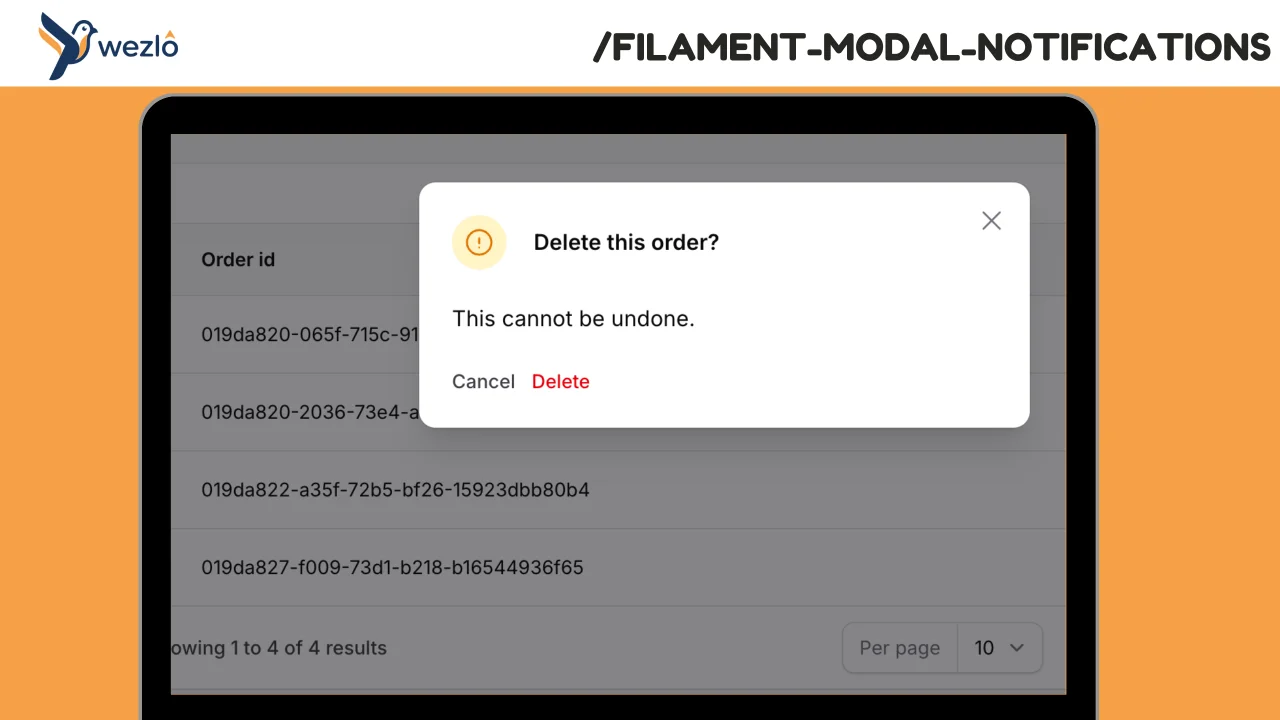
Render any Filament notification as a blocking modal by chaining one method: ->asModal(). Multiple modal notifications fired in the same request are queued one at a time — the user dismisses one and the next slides in, no stacking.
Author:
Mustafa Khaled
Record Freezer
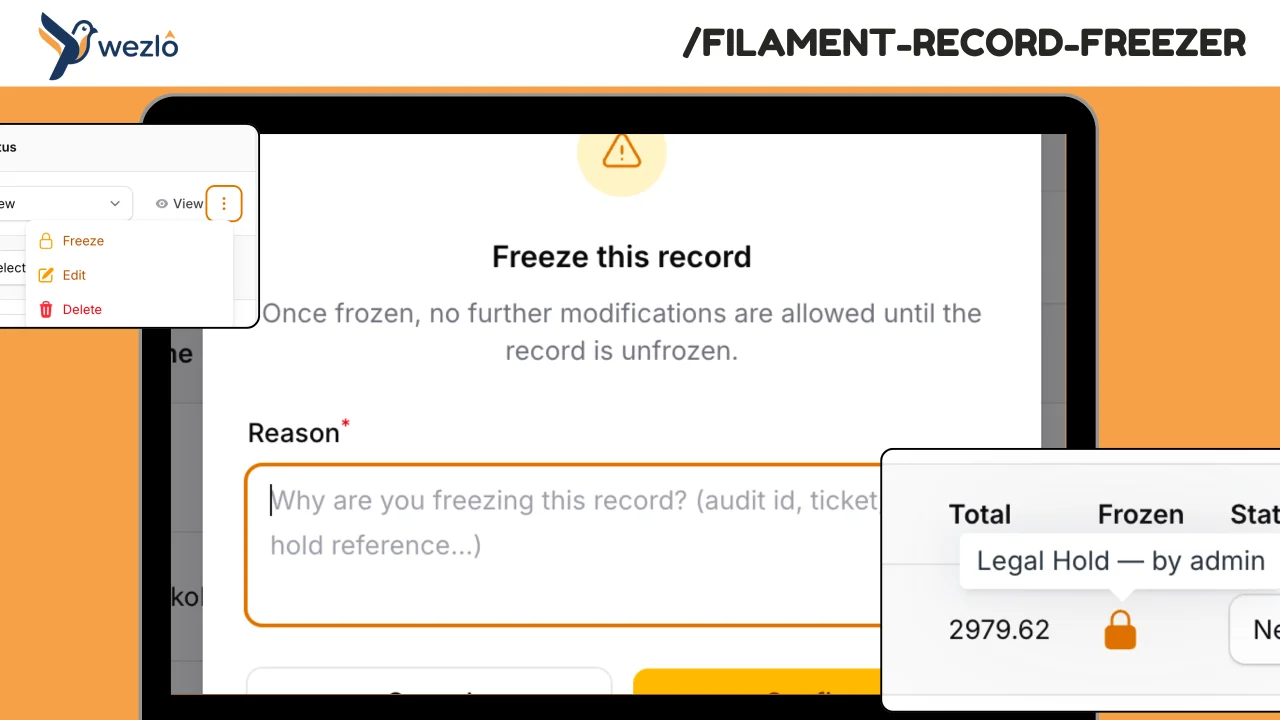
Freeze individual Eloquent records against modification — finalised contracts, audited financial periods, legal holds
Author:
Mustafa Khaled
Record Watcher
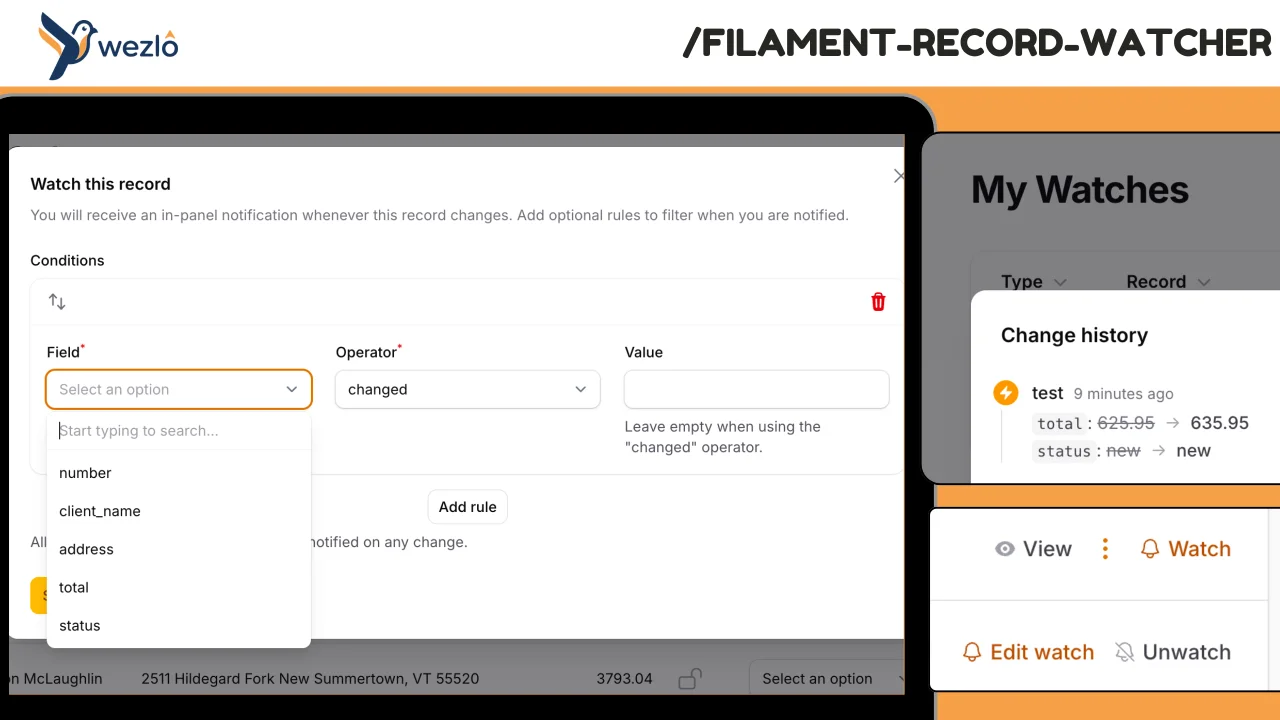
Subscribe to individual Eloquent records and receive in-panel Filament notifications whenever they change — with the actor (who) and a field-level diff (what). Watches can carry conditions ("only if status changes", "only if amount > 10K"), can be paused, and live on a personal **My Watches** page scoped to the authenticated user. Every fan-out is also persisted to a permanent event log, so users can review the full change history even after dismissing notifications.
Author:
Mustafa Khaled
Lookups
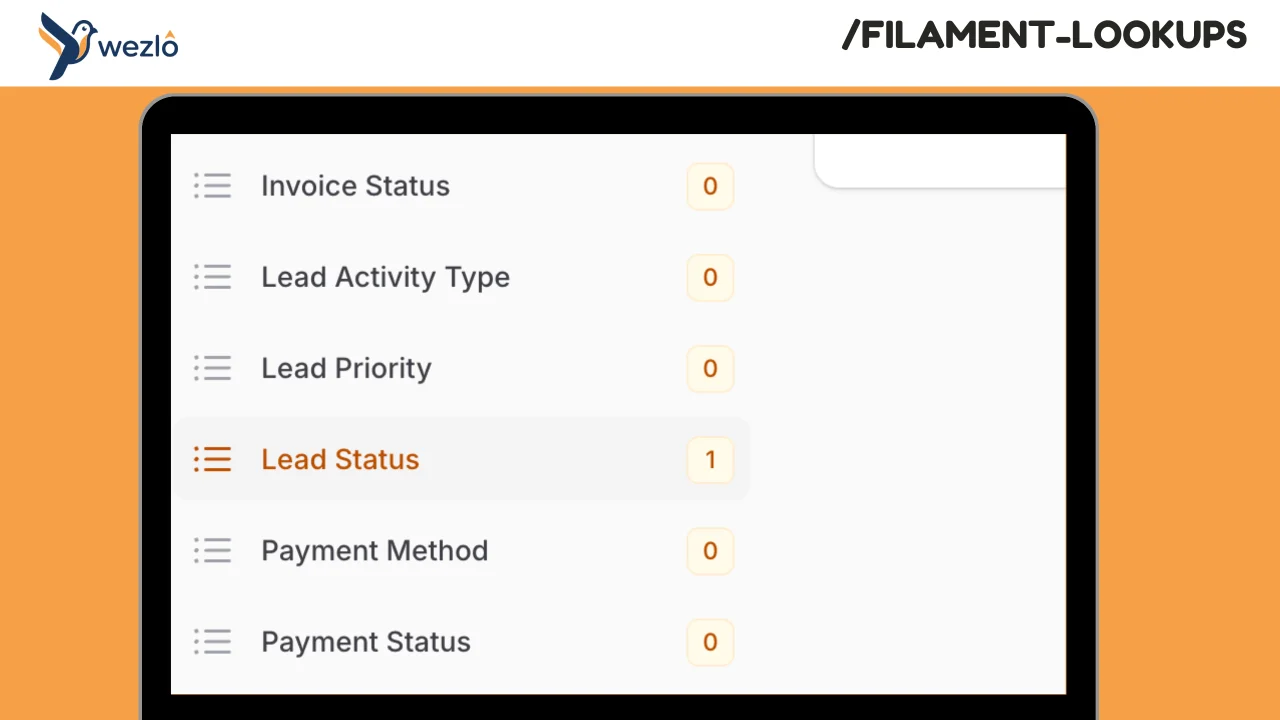
Hierarchical lookup management for Filament with configurable multi-tenant support. Manage lookup tables (countries, categories, regions, statuses, etc.) with optional parent-child hierarchies. Each lookup type is defined as a PHP class with full control over permissions and behavior.
Author:
Mustafa Khaled
Featured Plugins
A selection of plugins curated by the Filament team

Blueprint
Filament Blueprint is a premium Laravel Boost extension that helps AI agents produce accurate, detailed implementation plans and security reports for Filament apps.
 Filament

Spotlight Pro
Browse your Filament Panel with ease. Filament Spotlight Pro adds a Spotlight like Command Palette to your Filament Panel.
 Dennis Koch

Custom Fields
Eliminate custom field migrations forever. Let your users create and manage form fields directly in Filament admin panels with 20+ built-in field types, validation, and zero database changes.
 Relaticle
