
Modal Notifications by Mustafa Khaled
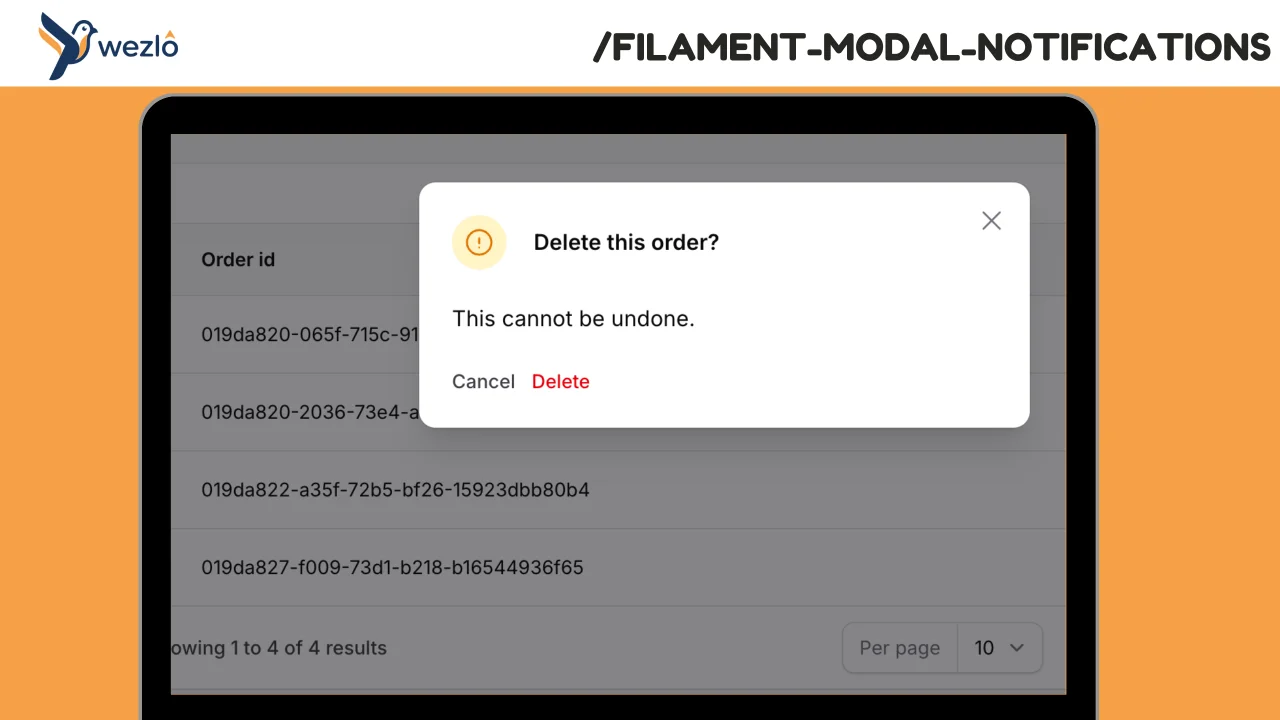
CommunityRender any Filament notification as a blocking modal by chaining one method: ->asModal(). Multiple modal notifications fired in the same request are queued one at a time — the user dismisses one and the next slides in, no stacking.
 Author:
Mustafa Khaled
Author:
Mustafa Khaled
Package health
Automated checks of this plugin's Composer package
15 checks
- Skipped: GitHub Actions pinned to SHA
- Skipped: GitLab CI includes pinned to SHA
- Passed: Open security advisories
- Passed: Dependabot PR responsiveness — No open Dependabot PRs.
- Skipped: Renovate MR responsiveness
- Skipped: Dependabot or Renovate configured
- Skipped: Dependency update cooldown configured
- Failed: Provides a security policy — View details on Plumb
- Passed: Abandoned or archived — No consulted source marks the package abandoned (packagist, github).
- Passed: Commit and release recency — Active: last commit 93 days ago; last release 93 days ago.
-
Passed:
composer.lock not committed by library
—
composer.lockis absent from the released dist archive. - Passed: Dist archive is lean
-
Passed:
Current Laravel version supported
—
Package dependencies resolve together with current Laravel
13.0. -
Passed:
Current PHP version supported
—
Constraint
^8.2supports current PHP8.5. - Skipped: Current Symfony version supported
filament/
namespace. Review the source and install at your own risk. Found
malware or an unresolved security issue the author won't
address?
Report it
.
Documentation
Render any Filament notification as a blocking modal by chaining one method: ->asModal(). Multiple modal notifications fired in the same request are queued one at a time — the user dismisses one and the next slides in, no stacking.
Everything else you already know about Filament notifications (title, body, icon, color, actions, danger()/success()/warning()/info()) carries over unchanged.
#Requirements
- PHP 8.2+
- Laravel 11+ / 13
- Filament 4 or 5
#Features
- One-line opt-in — chain
->asModal()onto anyNotification::make()call. No new classes to learn. - Queued — multiple modal notifications show one at a time, dismissal advances to the next.
- Auto-added Close button — if the developer didn't declare actions, the modal gets a "Close" button in its footer so it's always dismissible.
- Respects your actions — if you declare
->actions([...]), those render in the footer instead. - Conditional —
->asModal($isCritical)is a no-op when the condition is false, so the notification sends as a regular toast. - Independent of the toast tray — modal notifications never briefly flash as toasts; they use a dedicated session key and Livewire event.
- Plugin-level defaults — set the default modal width, closable behavior, and close button label per panel.
#Installation
composer require wezlo/filament-modal-notifications
Register the plugin on your panel so the Livewire component mounts at the page footer:
use Wezlo\FilamentModalNotifications\FilamentModalNotificationsPlugin;

public function panel(Panel $panel): Panel
{
    return $panel
        ->plugins([
            FilamentModalNotificationsPlugin::make(),
        ]);
}
Optionally publish the config:
php artisan vendor:publish --tag=filament-modal-notifications-config
#Quick Start
use Filament\Notifications\Notification;

Notification::make()
    ->title('Changes not saved')
    ->body('Your unsaved edits will be lost if you leave this page.')
    ->danger()
    ->asModal()
    ->send();
That's it. On the next Livewire cycle, a modal opens with the title, body, and a default Close button. Regular toasts still work exactly as before — only notifications with ->asModal() go through the modal pipeline.
#Usage
#With custom actions
The notification's actions render in the modal footer:
use Filament\Actions\Action;
use Filament\Notifications\Notification;

Notification::make()
    ->title('Delete this order?')
    ->body('This cannot be undone.')
    ->warning()
    ->actions([
        Action::make('cancel')->label('Cancel')->color('gray')->close(),
        Action::make('delete')->label('Delete')->color('danger')
            ->action(fn () => $this->record->delete())
            ->close(),
    ])
    ->asModal()
    ->send();
When any action's ->close() is invoked (or the user clicks X / Esc / clicks outside if closable), the queue advances to the next pending modal notification.
#Conditional modal
->asModal(false) leaves the notification as a normal toast:
Notification::make()
    ->title($wasCritical ? 'Error' : 'Saved')
    ->asModal($wasCritical)
    ->send();
#Queued — multiple in one request
Notification::make()->title('Step 1 complete')->asModal()->send();
Notification::make()->title('Step 2 complete')->asModal()->send();
Notification::make()->title('Step 3 complete')->asModal()->send();
The user sees one modal at a time in FIFO order. Each dismissal advances to the next. When the queue is empty the modal closes.
#Panel-level defaults
use Filament\Support\Enums\Width;
use Wezlo\FilamentModalNotifications\FilamentModalNotificationsPlugin;

->plugins([
    FilamentModalNotificationsPlugin::make()
        ->defaultWidth(Width::Large)
        ->defaultClosable(false)        // block Esc / click-away / X — require an explicit action
        ->defaultCloseButtonLabel('Dismiss'),
])
| Method | Type | Default | Description |
|---|---|---|---|
defaultWidth(Width|string) |
enum/string | md |
Modal width (sm, md, lg, xl, 2xl, …, screen) |
defaultClosable(bool) |
bool | true |
Whether the modal can be dismissed via X, Esc, or click-away |
defaultCloseButtonLabel(string) |
string | Close |
Label for the auto-added Close action |
#Default Config File
// config/filament-modal-notifications.php
return [
    'default_width' => 'md',
    'default_closable' => true,
    'default_close_label' => 'Close',
];
#How It Works
->asModal()is a macro registered onFilament\Notifications\Notificationin the service provider. It returns aWezlo\FilamentModalNotifications\ModalNotification— a subclass that overridessend()to push into a dedicated session key (filament.modal-notifications) instead of the defaultfilament.notifications.- A custom dehydrate hook dispatches the
modalNotificationsSentLivewire event when the modal session key has pending notifications (same pattern Filament uses for its toast tray). - A Livewire component (
Wezlo\FilamentModalNotifications\Livewire\ModalNotifications) mounts atPanelsRenderHook::BODY_END. It listens formodalNotificationsSent, drains the session key into an in-component queue, and renders the first pending notification through<x-filament::modal>. When the user dismisses the modal (X, Esc, click-away, or any action chained with->close()), the component advances to the next queued notification. - No toast flash — because modal notifications use a separate session key, the default toast tray never sees them.
#License
MIT
The author
From the same author
Workspace Tabs
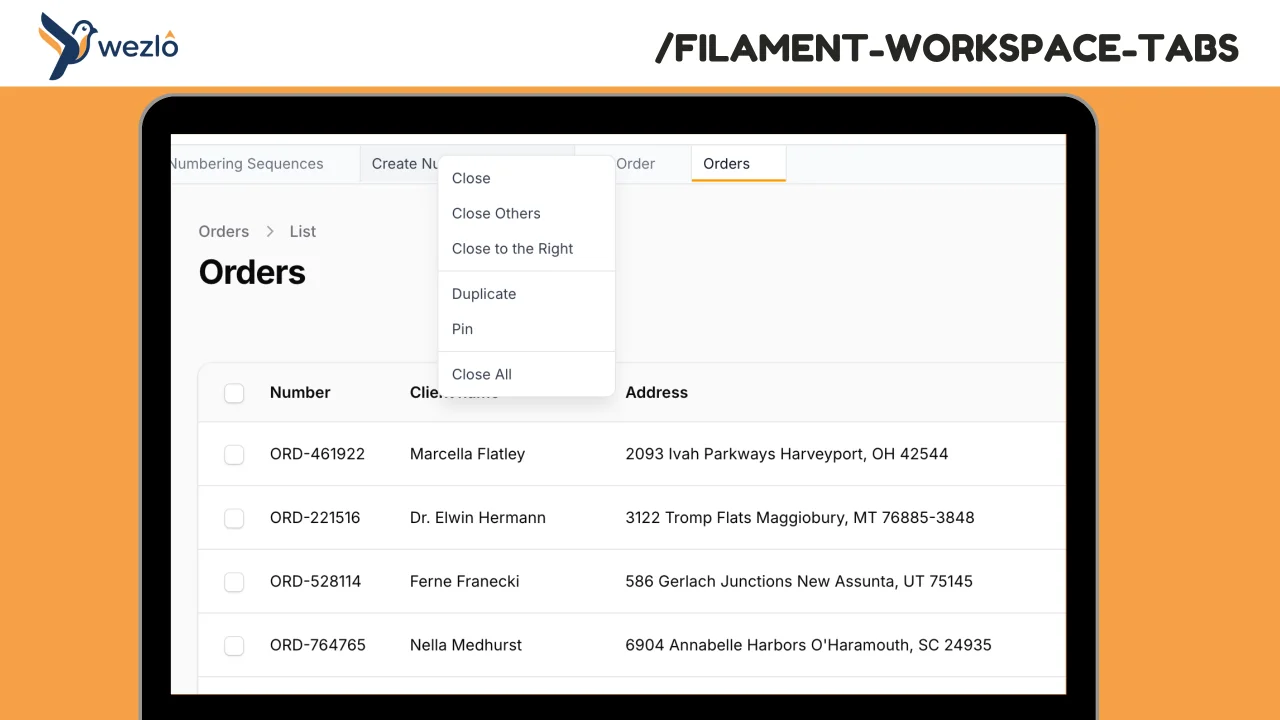
Browser-like tabs for Filament panels. Open multiple pages in tabs without losing context, drag to reorder, pin frequently accessed pages, and right-click for quick actions.
Author:
Mustafa Khaled
Record Freezer
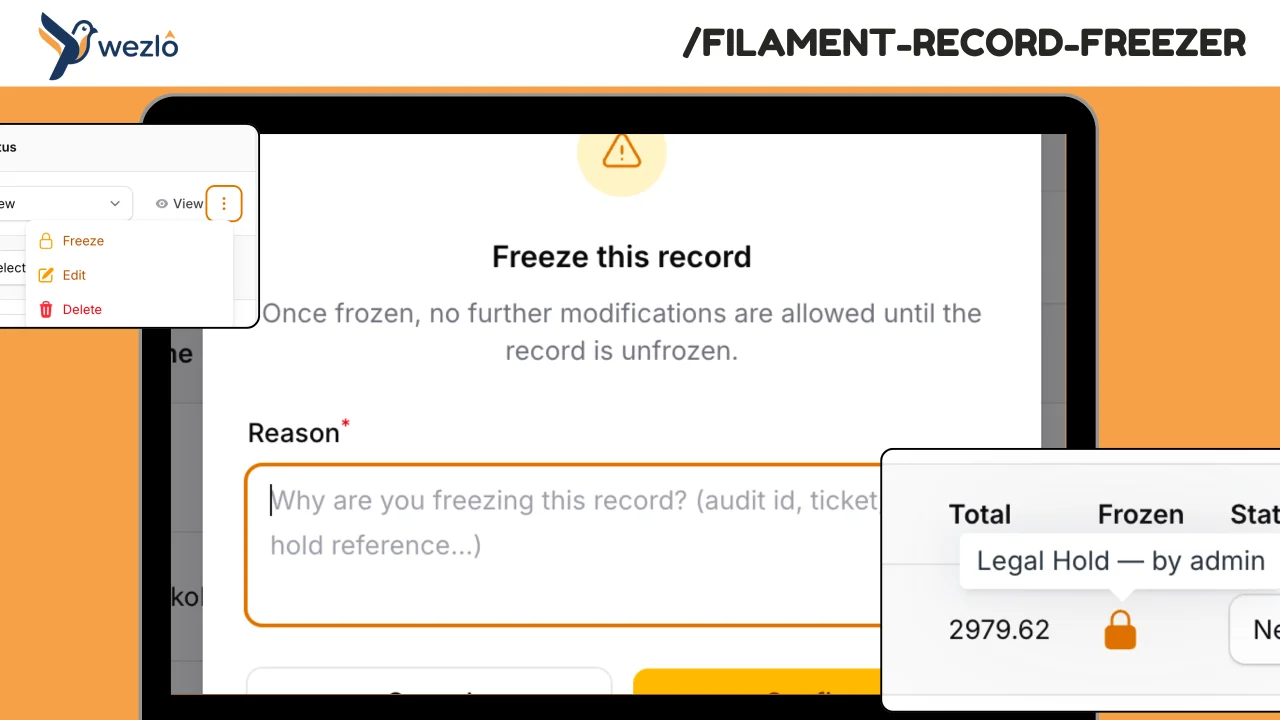
Freeze individual Eloquent records against modification — finalised contracts, audited financial periods, legal holds
Author:
Mustafa Khaled
Record Watcher
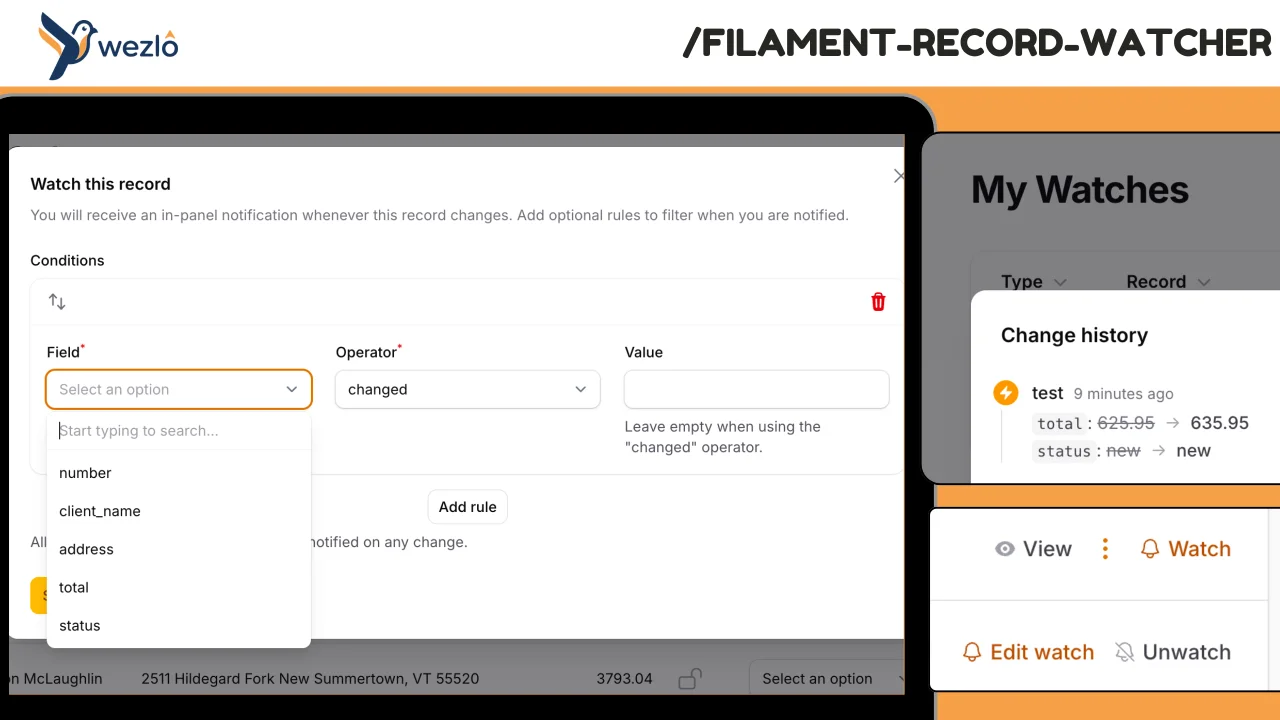
Subscribe to individual Eloquent records and receive in-panel Filament notifications whenever they change — with the actor (who) and a field-level diff (what). Watches can carry conditions ("only if status changes", "only if amount > 10K"), can be paused, and live on a personal **My Watches** page scoped to the authenticated user. Every fan-out is also persisted to a permanent event log, so users can review the full change history even after dismissing notifications.
Author:
Mustafa Khaled
Lookups
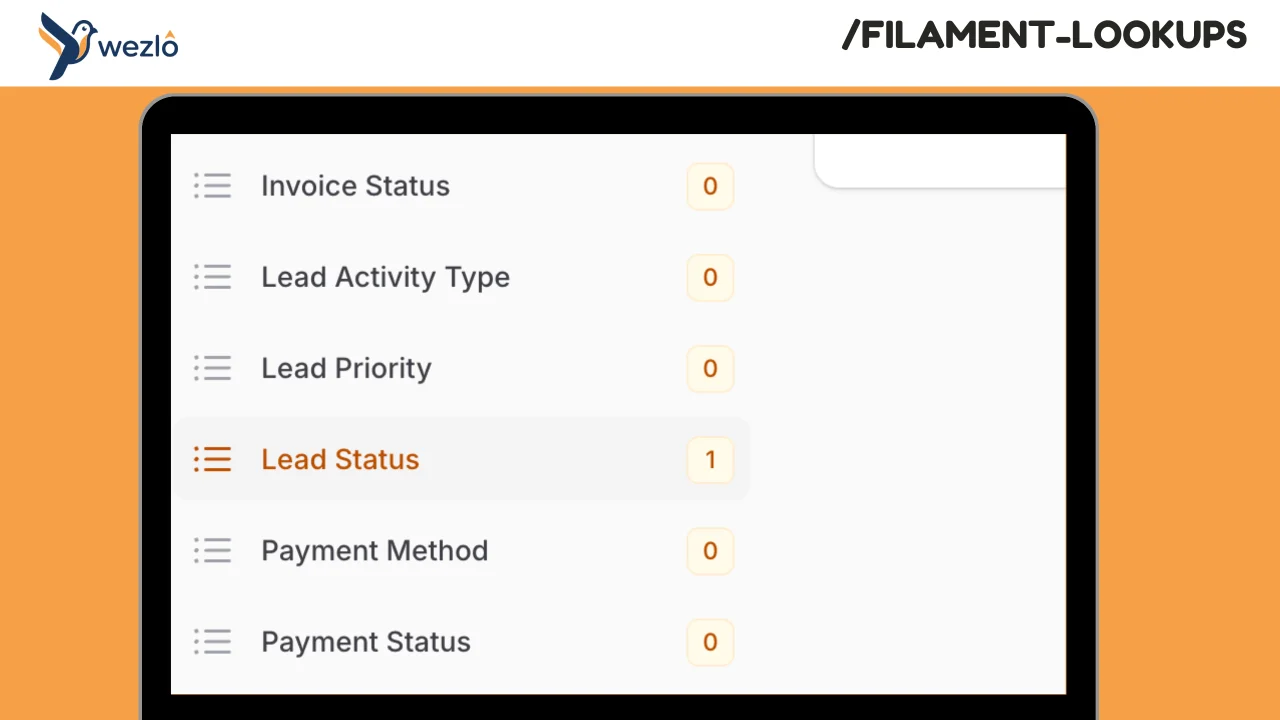
Hierarchical lookup management for Filament with configurable multi-tenant support. Manage lookup tables (countries, categories, regions, statuses, etc.) with optional parent-child hierarchies. Each lookup type is defined as a PHP class with full control over permissions and behavior.
Author:
Mustafa Khaled
Featured Plugins
A selection of plugins curated by the Filament team

Sharp Theme
A theme that gives panels a precise, technical look with square corners, strong borders, and clear contrast.
 Filament

Custom Fields
Eliminate custom field migrations forever. Let your users create and manage form fields directly in Filament admin panels with 20+ built-in field types, validation, and zero database changes.
 Relaticle

Custom Dashboards
Let your users build and share their own dashboards with a drag-and-drop interface. Define your data sources in PHP and let them do the rest.
Filament

