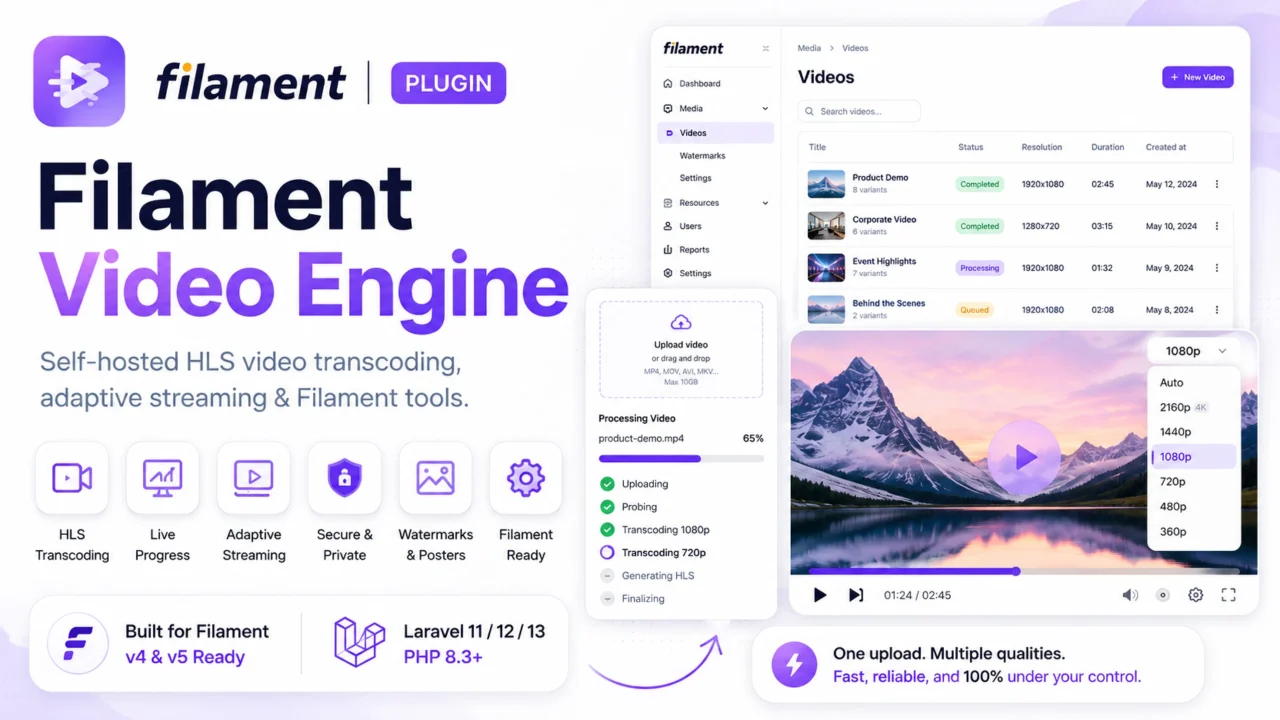
Video Engine
CommunitySelf-hosted HLS video transcoding, adaptive multi-bitrate streaming, and live progress form controls for Filament. Launch Offer: Use code LAUNCH20 at checkout to get 20% OFF for a limited time!
filament/
namespace. Review the source and install at your own risk. Found
malware or an unresolved security issue the author won't
address?
Report it
.
 Author:
Martin Khachatryan
Author:
Martin Khachatryan
Documentation
- Table of contents
- Demo
- What you get
- Requirements
- Installation
- License key
- Quick start
- VideoEnginePicker
- Posters
- Watermarks
- Videos admin
- Front-end player
- Queue worker
- Programmatic usage
- HTTP API
- Configuration
- Smart resolution
- Storage and cleanup
- Security
- Software license
- Support
Self-hosted HLS transcoding and adaptive playback for Laravel + Filament.
Upload a source video once. A queue worker runs FFmpeg, builds a multi-bitrate HLS ladder, extracts (or accepts) a poster, and optionally burns in a watermark. Filament shows live progress. A Plyr + hls.js player plays the result. Everything stays on your disks and your servers.


#Table of contents
- Demo
- What you get
- How it works
- Requirements
- Installation
- License key
- Quick start
- VideoEnginePicker
- Posters
- Watermarks
- Videos admin
- Front-end player
- Queue worker
- Programmatic usage
- HTTP API
- Configuration
- Smart resolution
- Storage and cleanup
- Security
- Software license
- Support
#Demo
See Filament Video Engine in action — upload, live progress, watermark, and HLS playback:
▶ Watch the demo on YouTube
Opens in a new browser tab
#What you get
| Area | What it does |
|---|---|
| Transcoding | Multi-bitrate HLS (240p–4K) via FFmpeg |
| Filament | VideoEnginePicker — upload, poster, watermark, live progress |
| Admin | Videos resource — preview, retry, regenerate, watermark re-apply, trash |
| Posters | Custom image upload, or auto frame extract; restore via queue when custom is cleared |
| Watermarks | Per-video image upload + layout controls (config supplies defaults only) |
| License | Lemon Squeezy key — required to unlock picker + queue processing |
| Player | Blade <x-video-engine-player> with ABR, quality, speed |
| API | Manifest, progress, quality endpoints (optional signed URLs) |
| Storage | Separate input / output disks (local, S3, R2, Spaces, …) |
No third-party transcoding SaaS. You run FFmpeg on a worker.
Important: Watermark and HLS segments are baked in at encode time. Changing the watermark image later updates the database only — use Apply watermark to streams (or regenerate qualities) to refresh existing playback.
#Requirements
| Dependency | Version |
|---|---|
| PHP | 8.3+ |
| Laravel | 11 / 12 / 13 |
| Filament | v4 / v5 |
| FFmpeg + FFprobe | On the queue worker PATH, or set in config |
| Queue | Redis / database / SQS recommended in production |
Optional: Sanctum or Passport for API tokens; Flysystem S3 for cloud disks.
#Installation
#1. Require the package
composer require martin6363/filament-video-engine
#2. Publish config and assets
php artisan vendor:publish --tag=filament-video-engine-config
php artisan vendor:publish --tag=filament-video-engine-assets
Optional:
php artisan vendor:publish --tag=filament-video-engine-translations
php artisan vendor:publish --tag=filament-video-engine-views
#3. Migrate
php artisan migrate
Creates video_media and video_conversions.
#4. Register the Filament plugin
In your panel provider (e.g. AdminPanelProvider):
use Martin6363\FilamentVideoEngine\FilamentVideoEnginePlugin;

public function panel(Panel $panel): Panel
{
    return $panel
        ->plugins([
            FilamentVideoEnginePlugin::make(),
        ]);
}
Hide the built-in Videos resource if you manage media yourself:
FilamentVideoEnginePlugin::make()
    ->registerResource(false);
#5. Add your license key
Purchase a license, then set the key in .env:
FILAMENT_VIDEO_ENGINE_LICENSE_KEY=xxxxxxxx-xxxx-xxxx-xxxx-xxxxxxxxxxxx
(see License key).
#6. Link storage and check FFmpeg
php artisan storage:link
ffmpeg -version
ffprobe -version
Useful .env keys:
FFMPEG_BINARY=/usr/bin/ffmpeg
FFPROBE_BINARY=/usr/bin/ffprobe
FFMPEG_TIMEOUT=3600
FILAMENT_VIDEO_ENGINE_LICENSE_KEY=xxxxxxxx-xxxx-xxxx-xxxx-xxxxxxxxxxxx
FILAMENT_VIDEO_ENGINE_QUEUE=video-engine
FILAMENT_VIDEO_ENGINE_INPUT_DISK=local
FILAMENT_VIDEO_ENGINE_OUTPUT_DISK=public
#7. Start the worker
php artisan queue:work --queue=video-engine --timeout=3600
Keep this process running wherever videos are encoded.
#License key
Commercial use is gated with a Lemon Squeezy license key.
#Setup
- Buy a license for Filament Video Engine.
- Copy the key into
.env:
FILAMENT_VIDEO_ENGINE_LICENSE_KEY=your-lemonsqueezy-license-key
Banner copy:
Filament Video Engine license key is missing or invalid. Please set FILAMENT_VIDEO_ENGINE_LICENSE_KEY in your .env file.
#After rotating a key
Clear the local license cache (or wait for TTL), then set the new env value and reload config:
php artisan config:clear
php artisan cache:clear
Or call app(\Martin6363\FilamentVideoEngine\Services\LicenseManager::class)->forget();
#Quick start
#1. Trait on your model
use Martin6363\FilamentVideoEngine\Concerns\HasVideoEngine;

class Movie extends Model
{
    use HasVideoEngine;
}
#2. Picker on the Filament form
use Martin6363\FilamentVideoEngine\Filament\Forms\Components\VideoEnginePicker;

VideoEnginePicker::make('video')
    ->label('Video')
    ->qualities(['1080p', '720p', '480p', '360p'])
    ->posterControls()
    ->watermarkControls()
    ->columnSpanFull()
    ->titleFromRecord(fn ($record) => $record?->title);
#3. Save in admin
- Create or edit the record.
- Choose a source video (optional poster / watermark).
- Save — upload + queue start automatically.
- Watch progress in the picker until
completed.
#4. Play
<x-video-engine-player :video="$movie" />
if ($movie->hasHlsStream()) {
    $manifest = $movie->getVideoManifestUrl();
    $poster = $movie->getPosterUrl();
}
#VideoEnginePicker
One field for source upload, poster, watermark, progress, and polymorphic attach.
- Form state is the video UUID (
string|null). - The field is not dehydrated; work runs on parent form save.
- Disks, mime types, and size limits come from package config — you do not wire separate
FileUploaddisks.
#Fluent API
| Method | Default | Purpose |
|---|---|---|
qualities([...]) |
default_qualities in config |
Ladder to encode |
posterControls() |
true |
Poster upload + extract time |
posterControls(false) |
— | Hide UI; auto-extract still runs |
watermarkControls() |
false |
Per-video watermark upload + layout |
watermarkControls(true, ['1:1', '16:9']) |
— | Crop ratios in the image editor |
pollingInterval('3s') |
Config | Poll while processing |
titleFromRecord(fn) |
null |
Title on VideoMedia |
columnSpanFull() |
— | Full-width layout in sections |
#On save
- Source file → input disk
VideoMediacreated/updated and linked- Poster / watermark settings stored
- Job(s) dispatched to
video-engine - Picker polls until done or failed
#Posters
| Mode | Behaviour |
|---|---|
| Auto | FFmpeg extracts a frame at thumbnail.default_timestamp (or the time chosen in the picker) |
| Custom | Admin uploads an image; poster_is_custom = true |
| Clear custom | Restore is queued on video-engine — save stays fast; a new frame is extracted from the source |
| Replace custom | New file is stored; the previous poster file is deleted from the output disk |
Videos admin View shows the poster image and an HLS preview player (lazy segment load). Edit allows updating the poster image only.
#Watermarks
Watermarks are per video, driven by an image upload in the picker — not a single fixed file path in day-to-day use.
#Recommended flow (Filament)
- Enable controls:
->watermarkControls()onVideoEnginePicker. - Toggle watermark on.
- Upload a PNG/WebP/JPEG (image editor + optional crop ratios).
- Set position, opacity, margin, and size (% of frame width).
- Save the form — settings are stored on that
VideoMedia. - On first encode, FFmpeg burns the uploaded image into every HLS quality.
#Config defaults (fallback only)
Config / .env supply defaults when a video has no override yet (or when you encode without picker UI):
FILAMENT_VIDEO_ENGINE_WATERMARK=false
FILAMENT_VIDEO_ENGINE_WATERMARK_PATH=   # optional global fallback image path on the output disk
FILAMENT_VIDEO_ENGINE_WATERMARK_POSITION=bottom-right
FILAMENT_VIDEO_ENGINE_WATERMARK_OPACITY=0.6
FILAMENT_VIDEO_ENGINE_WATERMARK_MARGIN=20
FILAMENT_VIDEO_ENGINE_WATERMARK_MAX_WIDTH_PERCENT=12
Prefer uploading in the picker for flexibility. A global WATERMARK_PATH is only a fallback, not the primary workflow.
#After you change an existing watermark
Saving the new image/settings does not rewrite old HLS files by itself.
- Use Apply watermark to streams in the picker footer or Videos admin row menu, or
- Regenerate quality for selected renditions.
Both re-encode from the original source — no re-upload of the video file.
#Videos admin
Enabled when filament.register_resource is true (default).
FILAMENT_VIDEO_ENGINE_REGISTER_RESOURCE=true
'filament' => [
    'navigation_group' => 'Media',
    'navigation_sort' => 20,
    'polling_interval' => '3s',
],
| Action | Use when |
|---|---|
| View | Preview player + poster + metadata |
| Edit | Title / replace poster image |
| Apply watermark to streams | Watermark image or layout changed |
| Retry transcoding | Failed / partial / cancelled |
| Regenerate quality | Re-encode selected qualities (above-source heights disabled) |
| Trash / Force delete | Soft delete keeps files; force delete can purge storage |
Row actions are grouped in Filament’s ActionGroup (⋮ menu).
#Front-end player
{{-- Model with HasVideoEngine, VideoMedia, or UUID --}}
<x-video-engine-player :video="$movie" />

{{-- Admin-style lazy preview (segments after play) --}}
<x-video-engine-player :video="$movie" mode="preview" />
- Adaptive bitrate (hls.js; native HLS on Safari)
- Quality + speed in Plyr settings
- Poster, keyboard, PiP, fullscreen
- Assets under
public/vendor/filament-video-engine/
#Model helpers (HasVideoEngine)
| Method | Returns |
|---|---|
getPrimaryVideoMedia() |
Latest VideoMedia |
hasHlsStream() |
Master playlist ready |
getVideoManifestUrl() |
Manifest API URL |
getVideoQuality('720p') |
Single quality URL |
getPosterUrl() |
Poster URL |
videoMedia() |
MorphMany |
#Queue worker
All heavy work runs asynchronously on the configured queue (default name video-engine):
- Full transcoding
- Per-quality regenerate / watermark re-apply
- Poster restore after clearing a custom image
php artisan queue:work --queue=video-engine --timeout=3600
FILAMENT_VIDEO_ENGINE_QUEUE=video-engine
FILAMENT_VIDEO_ENGINE_QUEUE_CONNECTION=redis
Use a dedicated worker in production. Set --timeout ≥ ffmpeg.timeout.
#Programmatic usage
use Martin6363\FilamentVideoEngine\Actions\UploadVideoAction;
use Martin6363\FilamentVideoEngine\Actions\DispatchTranscodingAction;
use Martin6363\FilamentVideoEngine\Actions\RegenerateQualityAction;
use Martin6363\FilamentVideoEngine\Actions\ReapplyWatermarkAction;
use Martin6363\FilamentVideoEngine\Actions\RestoreExtractedVideoPosterAction;
use Martin6363\FilamentVideoEngine\Services\VideoEngineManager;

$media = app(UploadVideoAction::class)->execute(
    file: $request->file('video'),
    videoable: $movie,
);

app(DispatchTranscodingAction::class)->execute($media);

app(RegenerateQualityAction::class)->executeMany($media, ['720p', '1080p']);
app(ReapplyWatermarkAction::class)->execute($media);

// Clear custom poster → queue FFmpeg extract (same as admin)
app(RestoreExtractedVideoPosterAction::class)->queue($media);

$manifest = app(VideoEngineManager::class)->manifest($media);
$progress = app(VideoEngineManager::class)->progress($media);
#HTTP API
Prefix: /api/v1 (configurable).
| Method | Endpoint | Description |
|---|---|---|
| GET | /api/v1/videos/{uuid}/progress |
Status, %, step, errors |
| GET | /api/v1/videos/{uuid}/manifest |
Master URL, poster, qualities |
| GET | /api/v1/videos/{uuid}/qualities/{quality} |
One rendition |
When api.security.enabled is true, use signed URLs or Sanctum/Passport.
use Martin6363\FilamentVideoEngine\Services\Security\SignedUrlGenerator;

$url = app(SignedUrlGenerator::class)->manifestUrl($videoMedia);
Local / public demo:
FILAMENT_VIDEO_ENGINE_API_SECURITY=false
#Configuration
Published file: config/filament-video-engine.php.
| Key | Purpose |
|---|---|
enabled |
Package on/off |
license_key |
Lemon Squeezy license key (FILAMENT_VIDEO_ENGINE_LICENSE_KEY) |
disks.* |
input, output, temp |
paths.* |
Uploads, HLS, posters, watermarks, chunks |
queue.* |
Connection + queue name |
ffmpeg.* |
Binaries, codec, CRF, preset, timeout |
qualities / default_qualities |
Ladder |
hls.* |
Segment length, optional AES-128 |
thumbnail.* |
Default extract time, format |
watermark.* |
Defaults + accepted mime types (upload is primary) |
uploads.* |
Max size, chunk size, video mime types |
api.* |
Routes + security |
player.* |
Speeds, theme, PiP |
filament.* |
Resource, nav, polling |
cleanup.* |
Delete files on force delete / failure |
FILAMENT_VIDEO_ENGINE_ENABLED=true
FILAMENT_VIDEO_ENGINE_LICENSE_KEY=your-lemonsqueezy-license-key
FILAMENT_VIDEO_ENGINE_INPUT_DISK=local
FILAMENT_VIDEO_ENGINE_OUTPUT_DISK=public
FILAMENT_VIDEO_ENGINE_QUEUE=video-engine
FILAMENT_VIDEO_ENGINE_API_SECURITY=true
FILAMENT_VIDEO_ENGINE_API_AUTH=signed
FILAMENT_VIDEO_ENGINE_SIGNED_TTL=60
FILAMENT_VIDEO_ENGINE_DELETE_FILES_ON_FORCE_DELETE=true
FFMPEG_PRESET=medium
FFMPEG_CRF=23
Without a valid FILAMENT_VIDEO_ENGINE_LICENSE_KEY, the picker stays locked and encoding jobs will not run. Details: License key.
#Smart resolution
Source height is probed before encode.
Example: Upload is 480p; defaults include 720p and 1080p.
- Dimensions stored on
VideoMedia - Higher targets skipped (
source_resolution_lower) — no upscaling - Allowed qualities encode → status
completed - Manifest / admin expose source and skipped list
partial means real encode failures, not skipped upscales. The same rule disables invalid options in Regenerate quality.
#Storage and cleanup
| Action | Database | Files |
|---|---|---|
| Soft delete | Trashed | Kept (restorable) |
| Force delete | Removed | Purged if cleanup.delete_files_on_force_delete is true |
Force delete removes originals, posters, HLS tree, per-video watermark uploads, and encryption keys for that video.
Tip: keep originals on a private input disk; serve HLS + posters from public or a CDN output disk.
#Security
Please report vulnerabilities privately — see SECURITY.md.
Do not open a public GitHub issue for security reports. Email martin.khachatryan.2024@gmail.com.
#Software license
This plugin is a paid commercial product. A Lemon Squeezy license key is required to activate and use it.
See License key.
#Support
| Author | Martin Khachatryan — martin.khachatryan.2024@gmail.com |
Built with Laravel, Filament, FFmpeg, Plyr, and hls.js.
The author
I am a passionate Full-Stack Developer specializing in building modern web applications with Laravel, React, Next js. I love creating clean, efficient code and developing open-source packages that enhance developer productivity, with a strong focus on the Filament PHP ecosystem.
From the same author
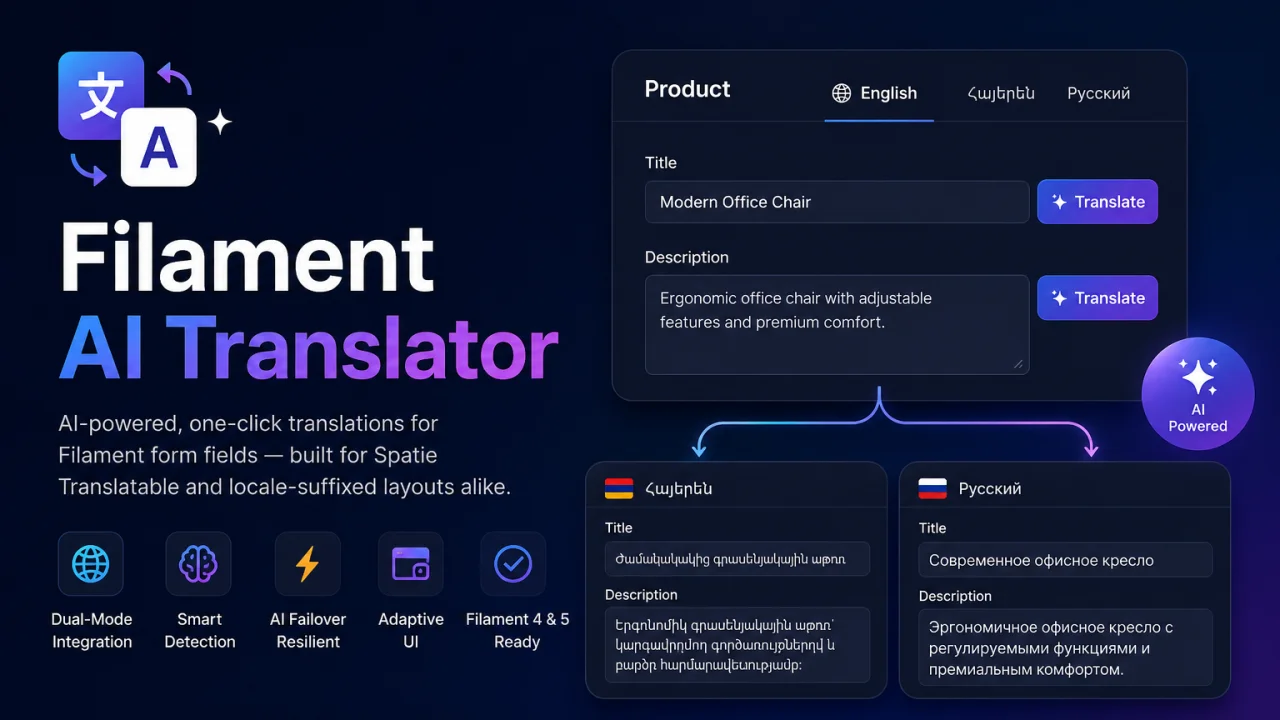
AI Translator
AI-powered, one-click translations for Filament form fields — built for Spatie Translatable and locale-suffixed layouts alike. Translate content across locales in seconds using Google Gemini — directly inside your Filament admin panel.
Author:
Martin Khachatryan

Smart SEO
An AI-powered SEO optimizer that provides live Google SERP previews, automated metadata generation via Gemini, and seamless multi-language support for forms.
Author:
Martin Khachatryan
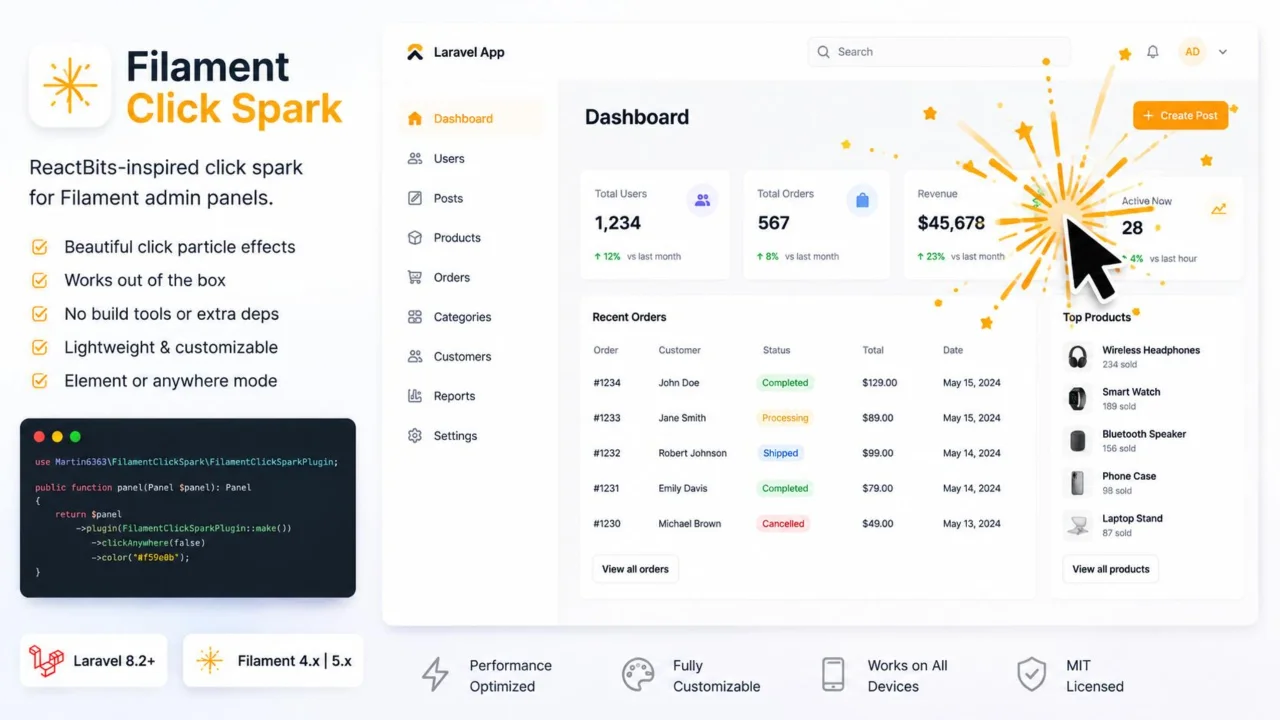
Click Spark
A lightweight, zero-dependency click spark particle effect for Filament admin panel elements and page clicks.
Author:
Martin Khachatryan
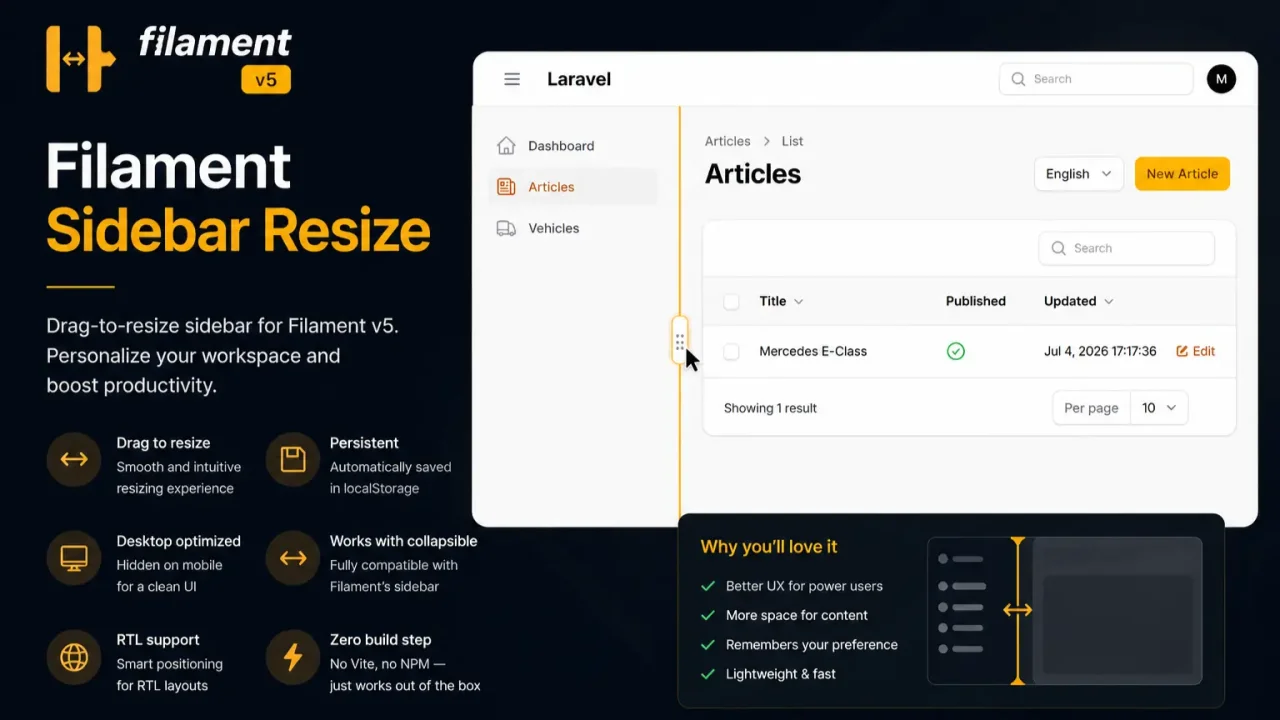
Sidebar Resize
A lightweight, zero-dependency extension that enables dynamic mouse-resizing for the Filament admin sidebar layout with automatic width persistence.
Author:
Martin Khachatryan
Featured Plugins
A selection of plugins curated by the Filament team

Blueprint
Filament Blueprint is a premium Laravel Boost extension that helps AI agents produce accurate, detailed implementation plans and security reports for Filament apps.
 Filament
Data Lens
Advanced Data Visualization for Laravel Filament - a premium reporting solution enabling custom column creation, sophisticated filtering, and enterprise-grade data insights within admin panels.
 Padmission

Advanced Tables (formerly Filter Sets)
Supercharge your tables with powerful features like user-customizable views, quick filters, multi-column sorting, advanced table searching, convenient view management, and more. Compatible with Resource Panel Tables, Relation Managers, Table Widgets, and Table Builder!
 Kenneth Sese

