
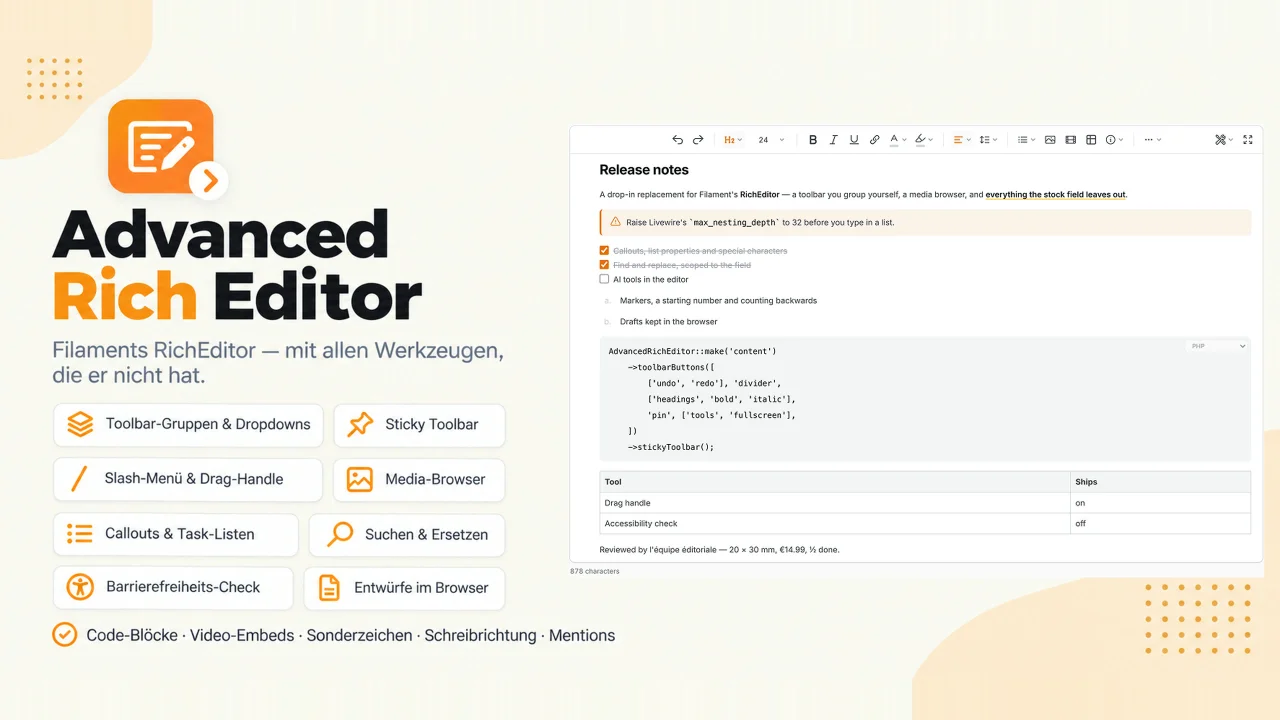
Advanced Rich Editor by Kiyan Doguc
CommunityA drop-in replacement for Filament's rich editor with a toolbar you arrange yourself: groups, dropdowns, a pinned corner, sticky while scrolling. It adds callouts, a media browser, find and replace, an accessibility check, drafts kept in the browser, a drag handle, a slash menu, video embeds and code blocks with a language picker.
 Author:
Kiyan Doguc
Author:
Kiyan Doguc
Package health
Automated checks of this plugin's Composer package
15 checks
- Passed: GitHub Actions pinned to SHA
- Skipped: GitLab CI includes pinned to SHA
- Passed: Open security advisories
- Passed: Dependabot PR responsiveness — No stale Dependabot PRs.
- Skipped: Renovate MR responsiveness
- Passed: Dependabot or Renovate configured
- Passed: Dependency update cooldown configured
- Passed: Provides a security policy
- Passed: Abandoned or archived — No consulted source marks the package abandoned (packagist, github).
- Passed: Commit and release recency — Active: last commit 10 days ago; last release 15 days ago.
-
Passed:
composer.lock not committed by library
—
composer.lockis absent from the released dist archive. - Passed: Dist archive is lean
-
Passed:
Current Laravel version supported
—
Package dependencies resolve together with current Laravel
13.0. -
Passed:
Current PHP version supported
—
Constraint
^8.2supports current PHP8.5. - Skipped: Current Symfony version supported
filament/
namespace. Review the source and install at your own risk. Found
malware or an unresolved security issue the author won't
address?
Report it
.
Documentation
- What you get that the stock RichEditor does not
- Contents
- Requirements
- Installation
- Usage
- The toolbar
- The default toolbar
- Toolbar presets
- The mode with no toolbar
- Rearranging the toolbar
- Dividers
- Dropdowns
- Custom tokens
- Custom tools
- Toolbar alignment
- Pinned buttons
- The tools menu
- The more menu
- Sticky toolbar
- Toolbar over a selection
- Floating toolbars
- Maximum height
- Fullscreen
- A hard limit
- Statistics
- Help
- Blocks
- Characters
- Media and links
- Typing instead of aiming
- Getting it right
- Rendering
- Configuration
- How it works / caveats
- What's next
- Found a bug? Got an idea?
Everything the package does, in one file, installation included. The short version is the README.
#What you get that the stock RichEditor does not
AdvancedRichEditor extends Filament v5's Filament\Forms\Components\RichEditor, so
everything you already call — ->disableToolbarButtons(), ->customBlocks(),
->mergeTags(), ->fileAttachmentsDisk(), ->mentions() — keeps working. This is what is
on top of it, checked against the current Filament v5 release:
Filament v5 RichEditor |
This package | |
|---|---|---|
| Toolbar | A fixed default row. Groups and dropdowns exist, but each one is assembled by hand | Tokens that expand into whole groups, dividers, two overflow menus, a pinned corner, start, centre, end or spread across the width, sticky while scrolling, and one config file for every field in the project |
| Your own toolbar entries | ->tools() registers a tool, and you place it by hand in every toolbar array that wants it |
A token of your own that expands wherever it is named, and replaces a built-in one when it takes its key — headings defined in your config is the headings dropdown |
| Headings | All six exist; the default row offers h2 and h3, and every level is a separate button |
One dropdown of the levels this field allows, with the plain paragraph in front of them as the way back out |
| Lists | Bullets and numbers | Task lists and definition lists too, plus markers, a starting number and counting backwards |
| Block layout | Four separate alignment buttons, three of them in the default row | One alignment dropdown showing the alignment the caret is in, and line spacing beside it |
| Writing direction | — | dir on the block the caret sits in, so a Hebrew paragraph inside a German article reads the right way round — registered on every field, and named ltr / rtl when you want the buttons |
| Character look | textColor with an optional free picker, highlight, small, lead |
+ a background colour with a palette of its own, font size, your design system's own named styles, a typeface picker |
| Images | attachFiles uploads a file — every time, even the same one |
A browser over the pictures already on the server on its own button, with Filament's dialog left untouched beside it, a caption beside the alt text, and Spatie Media Library as an option |
| Sizing a picture | ->resizableImages(), off by default, and the drag always keeps the ratio |
On by default, with the pixel size beside the pointer — a ratio lock you can open, quarter turns, a panel to type the two numbers into, and a download |
| Links | A URL and "open in a new tab" | + rel, referrerpolicy and hreflang, with noopener noreferrer added automatically to anything opening in a new window, and a search over your own records instead of a typed URL |
| Video | — | Paste a YouTube or Vimeo link and get a player, timestamp included, through the cookie-free host |
| Code | A code block with no language | A language picker on the block, and syntax colours rendered in PHP |
| Callouts | — | Note, tip, warning and danger boxes that hold whole blocks, from the bar, the slash menu or by typing :::warning |
| Finding text | The browser's Ctrl+F — which finds, and stops there |
Find and replace inside the field — every hit marked at once, whole words and case optional, and replacing all of them is one undo |
| Seeing what is not drawn | — | The ¶ view: no-break spaces, soft hyphens, zero-width characters, line breaks and paragraph ends, and an outline round every block naming its element |
| Reaching a tool | Aim at the bar | Type / for the commands this field offers, or use the grip in the margin to move a block and the plus to start one |
| Formatting what you selected | ->floatingToolbars() exists; the only bar Filament ships is the one over a table cell |
A bar over the selected text carrying the styles, the marks, the link and both colour pickers — taking the same tokens the main toolbar does |
| Pasting from Word | What Word wrote, minus what the sanitiser strips on save | Cleaned on the way in: the list Word writes as twelve paragraphs is a list again, and somebody else's fonts, sizes and colours stay behind |
| Accessibility | — | A check for missing alt text, "click here" links, skipped heading levels, tables with no header row and colours too weak to read — and lang on a passage, which is what WCAG 3.1.2 actually asks for |
| Closing the tab | The text is gone | A draft kept in the browser, offered back the next time the field is opened, and a warning before the tab closes |
| Seeing the HTML | — | The document in Filament's own code editor |
| Seeing the page | — | A preview in an isolated frame drawn with your stylesheet rather than the editor's — the panel's CSS cannot reach inside it, which is what makes it the page rather than a flattering copy of it |
| How long it is | minLength() / maxLength() count characters, and an untouched field still stores one empty paragraph |
A visible counter in characters or words, word counts and rules about what the document holds, an empty document that fails required instead of passing it, and null in the column when you ask for it |
| Mentions | The @ menu — the ids sit in the document, and reading them back out is yours to write |
A picture and a line of context under each name, so five people called the same thing are five different rows — and Mentions::in($post->content) for the saved() hook that has to send the mail |
| Editor chrome | — | Fullscreen, a maximum height, a shortcut list, emoji, special characters and today's date in the application's language and Filament's display timezone |
| Rendering | toHtml(), toText(), toArray() |
+ heading anchors, a table of contents from the same slug pass, column widths that reach the page and Markdown with the checkboxes intact |
| And the smaller half | Mostly yours to write | The parts you reach for once rather than daily: rebuilding the image bar button by button, normalising imported HTML through the field's own schema, the character and word counts as numbers, asking a stored document whether it is blank, an event when one is written, and swapping any icon or translating any label. The contents list is the whole of it |
Everything is off, on or replaceable per field, and the defaults live in one config file.
#Contents
Getting started — Requirements · Installation · Raise Livewire's nesting limit · Usage
The toolbar — The default toolbar · Presets · No toolbar · Rearranging it · Dividers · Dropdowns · Custom tokens · Custom tools · Toolbar alignment · Pinned buttons · The tools menu · The more menu · Sticky toolbar · Toolbar over a selection · Floating toolbars · Maximum height · Fullscreen · A hard limit · Statistics · Help
Blocks — Heading levels · Lists and task lists · Definition lists · List markers, numbering and direction · Callouts · Alignment · Line spacing · Indenting · Text direction · Code blocks
Characters — Styles · Fonts · Font size · Colours · Language of a passage · Emoji · Special characters · Format brush · Changing the case · Date and time
Media and links — Images · Where a picture sits · Size and lazy loading · A picture that carries nothing · A picture that points somewhere · Media browser · Spatie Media Library · Links · Video embeds · Video and audio you host · Anchors in the editor
Typing instead of aiming — Slash menu · Typography while typing · Drag handle · Find and replace · Invisible characters and block outlines · Pasting from Word and Google Docs
Getting it right — Accessibility check · Drafts in the browser · Character count · Rules about the content · Being told a document was saved · Preview · Required, and what counts as empty · Source code
Rendering — Table column widths · Anchors · Table of contents · Mentions · Markdown · Excerpts · Blade component · On a view page · Ticking a box there · In a table · Caching a render · Extending the renderer
Project-wide — Configuration · What ships on · Everything, in one call · Icons · Translations · Theming · How it works / caveats · What's next · Found a bug? Got an idea?
#Requirements
- PHP 8.2+ with the
intlextension - Filament v5.7+
#Installation
composer require kisame76/filament-advanced-rich-editor
The stylesheets and the scripts auto-register with Filament. After install (and on deploy, and after every update) run:
php artisan filament:assets
There are two stylesheets, and the line between them is what can be on screen before
anybody does anything. filament-advanced-rich-editor.css is a stored document wherever it
is drawn — the editor, AdvancedRichEntry, AdvancedRichColumn, a plain Filament text
entry — and the field around the editor, and Filament loads it on every page of the panel.
filament-advanced-rich-editor-overlays.css is what only an action opens: the pickers, the
menus, the media browser, find and replace, the reports and the dialogs. Only the editor
loads it, with x-load-css as it starts, so a dashboard, a login page or a table never
downloads it. It is placed straight after the first one rather than at the end of the
page's <head>, ahead of your panel's theme, so a theme that overrides one of its rules
keeps winning.
Optionally publish the config:
php artisan vendor:publish --tag="filament-advanced-rich-editor-config"
#Raise Livewire's nesting limit
One line, and not optional. Livewire caps the depth of a property path at 10 and answers
anything deeper with a 500. The editor entangles a TipTap document, and text inside a list item
is already eleven levels deep — so typing in any list, or saving afterwards, throws
MaxNestingDepthExceededException.
Publish Livewire's config if you have not already, then raise the limit inside payload:
php artisan livewire:publish --config
// config/livewire.php
'payload' => [
    // …
    'max_nesting_depth' => 32,   // 10 is Livewire's default and is not enough
],
Change that one line rather than pasting a whole payload block — a published payload
replaces the vendor one outright, and its other keys differ between Livewire releases.
Since 1.5.0 the package no longer only writes this down: a field checks the effective limit
when it renders and refuses with a message naming both numbers and this step, rather than
letting Livewire answer the first keystroke in a list with a 500 that mentions neither the
editor nor the setting. A field that will never hold a list can opt out with
->nestingCheck(false), and one that knows its own documents can ask for less with
->nestingCheck(16).
Upgrading does not help: every release from 4.1 to 4.4.1 ships the same default. Nor is this
package the cause — a stock Filament RichEditor with a plain bullet list does the same. It
just ships the task lists, tables and details that make documents deep, so you meet it here
first.
#Usage
Swap the import — that is the whole migration:
use Kisame76\FilamentAdvancedRichEditor\Forms\Components\AdvancedRichEditor;

AdvancedRichEditor::make('content')
    ->label('Content')
    ->columnSpanFull();
#The toolbar
#The default toolbar
Out of the box the field renders the layout from config/filament-advanced-rich-editor.php:
[
    ['undo', 'redo'],
    'divider',
    ['headings', 'styles', 'fontSize'],
    'divider',
    ['bold', 'italic', 'underline', 'link', 'textColor', 'textBackground'],
    'divider',
    ['alignment', 'lineHeight'],
    'divider',
    ['lists', 'mediaBrowser', 'table', 'callouts'],
    'divider',
    ['more'],
    'pin',
    ['tools', 'fullscreen'],
]
Each nested array is one visually grouped cluster, and the groups answer one question each: what came before, what the text is (its block type, its size), how the characters look, how the block is laid out, what to put into the document, how to view it. Left to right that is also the order the decisions are made in — you pick a heading before you pick a size, and you emphasise a word before you decide how the paragraph sits.
Four things are registered but deliberately not in the shipped layout. The typeface picker
(fontFamily) is one: choosing a font in an article is the front end's business, not the
author's, and this package strips font-family out of a paste on exactly that reasoning —
a bar that offers the picker invites somebody to do by hand what the paste cleanup exists to
undo. Where a project genuinely needs it, name the token. The styles dropdown is the
sanctioned way to reach a theme's typography, because it carries the theme's own names.
Striking out is the second, and it is nowhere in the shipped layout at all — not on the bar,
not in the overflow menu, not in the bubble. It is registered, so 'strike' anywhere in any
of those three lists brings it back; it simply is not one of the eight or nine things a
default toolbar should spend a row on.
The quote is the third. It sits in the more menu rather than beside the table, because a
document that needs one usually needs one — a quote is a thing you reach for occasionally,
not a thing you reach for while writing. The callout dropdown took the place it had, and
that is the trade being made: a note, a warning and a tip come up far more often than a
pull quote does.
The language of a passage is the fourth, and it is nowhere at all — not on the bar, not in
the overflow menu, not in the bubble. Most documents never quote a foreign phrase, and a bar
should not carry a control for something most of its readers will never do. A project that
does want it names 'language' in text_toolbar_buttons, which is where it belongs; see
Language of a passage.
The two block dropdowns are apart on purpose. Alignment and line spacing shape a paragraph, so they share a group; a list is a thing you make, which is why it sits with the image, the table and the callout rather than with the alignment. All four put something into the document, and that is what groups them rather than whether they happen to be a mark or a node.
The last group sits behind 'pin' — see Pinned buttons. Those three are
about the editor rather than about the text, so they keep a corner of the bar to
themselves instead of moving with everything else. The overflow menu is not one of them:
what it holds are tools for the text, so it stays with the aligned groups and ends them.
The tools most documents never need do not get a button of their own: superscript,
subscript, inline code, codeBlock, blockquote, clearFormatting, horizontalRule
and details sit in the 'more' dropdown at the end, together with this package's own
emoji and characters pickers. Every other Filament tool - highlight, small, lead, attachFiles,
mergeTags, customBlocks and the table editing ones - is registered too, so naming it
anywhere in the array, or in the more list, brings it into the bar.
The key is toolbar in config/filament-advanced-rich-editor.php. Change it to change
every editor in the project at once; per field, ->toolbarButtons([...]) replaces it
outright and Filament's own ->disableToolbarButtons([...]) subtracts from it.
Four of the tools named above are registered but not shipped on the bar. None of them is unavailable - each is one token away:
AdvancedRichEditor::make('content')
    ->moreTools([..., 'fontFamily', 'strike'])        // the typeface picker, striking out
    ->textToolbarButtons([..., 'language']);          // the language of a passage
// the quote ships inside the `more` menu already
#Toolbar presets
Five named starting points, each covering all four bars at once:
AdvancedRichEditor::make('content')->preset('comment');
| Preset | The bar | Uploads |
|---|---|---|
minimal |
bold, italic, underline · link, lists | off |
comment |
bold, italic · link, lists, quote · emoji | off |
blog |
undo · headings, styles · bold, italic, underline, link · lists, media, callouts · more ⟨pin⟩ tools | on |
default |
the shipped bar above, unchanged | on |
full |
default plus fontFamily, textCase and language on the bar and strike in the overflow |
on |
minimal and comment also empty the overflow and the tools menu and cut the selection
bubble down to bold, italic and link. That is the point of a preset: a comment box whose
main bar has three buttons and whose bubble still offers the style picker and both colour
pickers is not a comment box.
Uploads are named, not inferred. Without a preset the field answers
hasFileAttachments() from whether the bar carries mediaBrowser, image or attachFiles,
so a hand-cut bar naming none of them takes the upload, the drop and the paste-upload with
it and says nothing. Each preset
states its own answer instead, and ->fileAttachments(true) overrules it.
That answer holds only while the preset still describes what is on screen. A field that
replaces the bar outright with ->toolbarButtons([...]) is no longer drawing the preset's
toolbar, so the picture button answers again — the same way it does on a field with no
preset at all.
A preset is a fixed list, not a copy of the config. ->preset('default') stays the bar
this package ships even in a project that has rebuilt toolbar into something else — which
is what makes it a starting point rather than a second name for the current state.
Everything the field says itself still wins. The order is field → preset → config → shipped default, one bar at a time:
AdvancedRichEditor::make('content')
    ->preset('blog')                       // structure, pictures, both menus
    ->toolsMenu(['find', 'help'])          // …but this menu, not the preset's
    ->fileAttachments(false);              // …and no uploads after all
A preset may answer only some of the five keys — toolbar, more, tools_menu,
text_toolbar_buttons, file_attachments. What it leaves out falls through to the config
file, so a house preset is free to speak about the main bar and leave the rest alone. Add
one, or replace a shipped one under its own name, in toolbar_presets:
// config/filament-advanced-rich-editor.php
'toolbar_presets' => [
    'house' => [
        'toolbar' => [['bold', 'italic'], 'divider', ['link']],
        'file_attachments' => false,
    ],
],
The name may be a closure, so a field can pick its bar from the record it is editing.
->preset(null) means no preset; every other name that is not registered — an empty string
included — raises with the known ones in the message rather than quietly falling back to the
shipped bar. A preset registered under a key nothing reads, or registered as something other
than an array, raises too: a misspelled more_tools would otherwise leave the overflow menu
falling through to the config file as though the preset had said nothing about it.
#The mode with no toolbar
AdvancedRichEditor::make('content')->notion();
The bar above the field is not drawn. What is left is what a document needs anyway and what
this package already ships: / opens the slash menu, which knows this field's own tools;
the grip in the margin rearranges blocks and its plus starts new ones; selecting text raises
the bar with the marks, the link and both colour pickers.
All three are on by default, so the mode is not a shortcut for three calls. It is the statement that this field is a document, and it holds that statement against a project that switched one of them off globally — the field with nothing else left to reach a block with is not the field that setting was written for. The order is field → mode → config:
->notion()->dragHandle(false)   // no grip: the field overrules the mode
// 'drag_handle.enabled' => false in the config no longer reaches a ->notion() field
Naming a preset alongside puts a bar back, because a preset says something more specific
about the bar than "there is none" — ->notion()->preset('minimal') is a document with a
five-button bar, and everything else the mode stands for.
The mode says yes to uploads, and has to. Without a preset the field reads that answer
off the bar, this mode has no bar, and the slash menu's insert group ships image and
attachFiles — so inferring it would switch the upload off on the one field where / is
the only way to put a picture in. A preset named alongside answers instead
(->notion()->preset('comment') takes uploads with it), and ->fileAttachments(false)
overrules both.
The bar over a selection is the way to a link and the colours here, and it appears wherever a mark means something — a heading, a list item, a quote, a callout and a table cell as well as a paragraph. Filament's own rule shows it in a paragraph and nowhere else, which left a heading with no link, no colours and no styles on a field without a toolbar. This package replaces that rule on every field — see Toolbar over a selection — so the mode has no such hole.
#Rearranging the toolbar
toolbarButtons() is Filament's own method and takes the same widened array — button
names, nested groups, tokens and component instances, mixed freely:
AdvancedRichEditor::make('content')
    ->toolbarButtons([
        ['bold', 'italic', 'link'],
        'divider',
        ['headings'],
        'divider',
        ['bulletList', 'orderedList', 'taskList'],
        ['image', 'attachFiles'],
    ]);
Every button Filament ships is available (bold, italic, underline, strike,
subscript, superscript, link, h1–h6, alignStart, alignCenter, alignEnd,
alignJustify, blockquote, codeBlock, bulletList, orderedList, table,
attachFiles, customBlocks, mergeTags, undo, redo), plus this package's image
and taskList.
#Dividers
'divider' renders a vertical rule between two clusters. Use the class directly if you
prefer explicit objects:
use Kisame76\FilamentAdvancedRichEditor\RichEditor\ToolbarDivider;

->toolbarButtons([
    ['bold', 'italic'],
    ToolbarDivider::make(),
    ['link'],
])
#Dropdowns
Seven tokens build a dropdown for you from the field's own configuration:
'headings'— one entry per configured heading level'lists'— one entry per configured list type, including the task list when it is enabled'alignment'— one entry per configured alignment, see Alignment'lineHeight'— one entry per configured spacing, see Line spacing'callouts'— one entry per configured kind of callout, see Callouts'language'— one entry per configured language, see Language of a passage'more'— one entry per tool in themorelist, see The more menu
All seven render with a label next to the icon. 'headings', 'lists', 'alignment'
and 'callouts' mirror the icon of whatever is active in the current selection on their
trigger; 'language' keeps its globe, because every entry carries the same one; 'more'
keeps its three dots, because an overflow menu that hides its own handle is one you cannot
find your way back to, and 'lineHeight' keeps its own icon because its options are
numbers and there is nothing to swap it for. Both still highlight while one of their tools
is on. The options reuse the editor's
registered tools, so their labels are Filament's own (h1 reads Title, h2 Heading 2,
…) — override those in your app's lang/vendor/filament-forms files, or build a dropdown
with labels of your own.
Build your own with ToolbarDropdown, which extends Filament's ToolbarButtonGroup:
use Filament\Support\Icons\Heroicon;
use Kisame76\FilamentAdvancedRichEditor\RichEditor\ToolbarDropdown;

->toolbarButtons([
    ['bold', 'italic'],
    ToolbarDropdown::make('Alignment', ['alignStart', 'alignCenter', 'alignEnd'])
        ->icon(Heroicon::Bars3BottomLeft)
        ->textualButtons(),   // show the label next to each option
])
ToolbarDropdown::make() takes the trigger label first and the button names second; the
names are resolved against the editor's registered tools, so an unknown or disabled button
is simply dropped.
Every one of them opens upwards when there is no room below, and caps itself to the room
it has when neither side can hold it whole. That is not cosmetic: the editor's content box
scrolls its own overflow, so a menu opening low in the field is cut off by the field — and
the bar over a selection makes that the normal case, since it hangs below the text it
belongs to. A higher z-index would not help, because the menu is clipped by geometry
rather than by paint order.
The cap matters as much as the turn. A field a few hundred pixels tall with a selection in the middle of it has less than half of that above the bar and less than half below, which a long list outgrows either way — so the menu takes the roomier side and scrolls inside what is there.
#Custom tokens
Anything you find yourself repeating can become a token of its own. Tokens are keyed
closures that receive the field and return a component (or a plain button name), and they
are merged over the built-in ones — defining headings here replaces the built-in
dropdown:
// config/filament-advanced-rich-editor.php

use Filament\Support\Icons\Heroicon;
use Kisame76\FilamentAdvancedRichEditor\Forms\Components\AdvancedRichEditor;
use Kisame76\FilamentAdvancedRichEditor\RichEditor\ToolbarDropdown;

'tokens' => [
    'inline' => fn (AdvancedRichEditor $editor) => ToolbarDropdown::make('Inline', [
        'bold', 'italic', 'strike', 'underline',
    ])->icon(Heroicon::Bold)->textualButtons(),
],
->toolbarButtons([['undo', 'redo'], 'divider', ['inline', 'link']])
A config file holding closures cannot be cached, so register tokens from a service
provider instead if you run php artisan config:cache.
#Custom tools
A token can just as well return a RichEditorTool, which is how the package's own image
button is built:
use Filament\Forms\Components\RichEditor\RichEditorTool;
use Filament\Support\Icons\Heroicon;

'tokens' => [
    'highlight' => fn () => RichEditorTool::make('highlight')
        ->label('Highlight')
        ->icon(Heroicon::PaintBrush)
        ->jsHandler('$getEditor()?.chain().focus().toggleHighlight().run()')
        ->activeKey('highlight'),
],
Tools that need a TipTap extension belong in a RichContentPlugin — see Filament's
rich content plugin docs and this
package's TaskListPlugin for a worked example.
#Toolbar alignment
The groups are centred on the bar. Filament's own editor is left aligned; change it per
field or project-wide through toolbar_alignment:
AdvancedRichEditor::make('content')
    ->toolbarAlignment('start');            // 'start' | 'center' | 'end' | 'between'
    // ->toolbarAlignment(Alignment::End);  // Filament's enum works too
#Pinned buttons
'pin' is not a thing on the bar but a place in it: everything after it is pushed to the
far end of the toolbar instead of travelling with the aligned groups. The shipped bar pins
['tools', 'fullscreen'] — the tools menu and the fullscreen switch, with the source view,
find, the accessibility check and the help dialog one click inside the menu. They are
controls for the editor, not for the text, and they should stay in the same corner whatever
the rest of the bar does.
->toolbarButtons([
    ['bold', 'italic'],
    'pin',
    ['fullscreen', 'help'],   // hard against the far edge
])
The centred groups stay centred on the whole bar, not on what is left of it, so pinning does not nudge the toolbar sideways. There is nothing to configure: the pinned buttons take the edge the aligned groups are not pushed against — the end normally, and the start when the toolbar itself is aligned to the end, because that bar has already taken the end for itself.
The marker may sit anywhere, including inside a group, and it is dropped either way; a
second one has nothing left to split and goes the same way. Each half collapses its own
dividers, so a rule left leading or trailing by the split disappears rather than floating
in the gap. ->disableToolbarButtons(['pin']) puts the whole bar back into one row.
#The tools menu
'tools' is a second overflow for the other half of a toolbar: what a field does rather
than what it writes - searching, the accessibility check, the statistics, the preview, the
invisible characters and the block outlines, the
source view, the shortcut list.
What the menu holds is tools_menu in the config file, shipped as
['find', 'accessibility', 'statistics', 'preview', 'invisibleCharacters', 'blockOutlines', 'sourceCode', 'help']. Per field,
->toolsMenu(['find', 'help']) replaces that list; an empty list drops the button altogether.
It is the shipped corner: ['tools', 'fullscreen'], with the menu holding that list. On a
field that switched nothing on it shows find, the statistics, the two views of what a page
does not draw and the help - the accessibility check and the source view ship off, and the
preview waits for a stylesheet.
// A project that would rather have the buttons names them individually.
->toolbarButtons([
    // ...
    'pin',
    ['find', 'accessibility', 'sourceCode', 'fullscreen', 'help'],
]);
It is named rather than being a second set of three dots, and that is the whole reason it can exist. Two menus both called "More" on one bar are two doors with the same sign and different rooms behind them; a menu called Tools is a different kind of thing, and a reader has to be told which once rather than guess every time.
Shipped that way the corner never changes shape. The accessibility check and the source view are both off by default and drop out of the menu while they are; switching either on puts it in the menu rather than adding a third and fourth icon beside it. The statistics and the preview went the same way, and so will whatever joins them.
The cost is that finding is one click deeper on a field that has switched nothing on -
Ctrl+F is unaffected, and the help dialog lists it.
An empty menu is dropped rather than drawn, and emptiness counts what survived rather than what was asked for: every tool in the list belongs to a feature that can be switched off, so every one of them can be gone while the list naming them is as long as it ever was.
#The more menu
The 'more' token renders the overflow dropdown at the end of the toolbar: the tools that
earn a place in the editor but not a button of their own.
AdvancedRichEditor::make('content')
    ->moreTools([
        'subscript', 'superscript', 'code', 'codeBlock', 'clearFormatting', 'horizontalRule', 'details',
        'emoji',
    ]);
That is also the default, and it lives in config('filament-advanced-rich-editor.more').
Any Filament tool name is valid; an unknown one is dropped while resolving, exactly as it is
inside every other dropdown. An empty list removes the dropdown along with its trigger:
AdvancedRichEditor::make('content')->moreTools([]);
Build another one anywhere with ToolbarDropdown::more([...]), or keep any dropdown's
trigger from following the caret with ->staticIcon().
The last entry is this package's own: the emoji picker, which has a switch of its own. The two direction buttons are registered but not listed - name them where you want them.
#Sticky toolbar
The toolbar is pinned by default. offset is any CSS length and should match the height of
whatever sits above the form — the panel topbar in a standard Filament panel:
AdvancedRichEditor::make('content')
    ->stickyToolbar()                  // default: config('filament-advanced-rich-editor.sticky.enabled')
    ->stickyToolbarOffset('4rem');     // default: config('filament-advanced-rich-editor.sticky.offset')

AdvancedRichEditor::make('excerpt')
    ->stickyToolbar(false);            // short field, nothing to pin
While it rests at the top of its field the bar has the field's round corners; once it is held
under the page header it is square, since the top of the field has scrolled away by then. A
small script watches for that and gives the bar fi-arte-stuck while it is pinned, which is
also the class to hang anything else on that should only show while the bar is.
#Toolbar over a selection
Select text and a small bar appears over it: the project's own styles, bold, italic, underline, link, colour and the highlighter. Filament ships one of these for a selected image and one for a table cell; this is the third, and the one people reach for most.
It offers the same buttons in the same order as the group at the top of the field, which is why the link sits with the marks in both places rather than between the image and the table. A link is an annotation on selected text, the same as bold; two bars that offer the same things in a different order are two things to learn instead of one.
AdvancedRichEditor::make('comment')->textToolbar(false);              // no bar
AdvancedRichEditor::make('content')->textToolbarButtons(['bold', 'link']);
It takes the same tokens the main toolbar does, so 'styles' and 'textColor' mean the
same thing in both, and a feature switched off on the field takes its button out of here too
rather than leaving a dead one behind. An empty list takes the bar away, and so does
text_toolbar => false in the config.
Any dropdown in the bar — the styles picker, the two colour pickers — opens upwards when there is no room below it. The bar hangs under the text it belongs to, so near the foot of a document a menu would otherwise be cut off by the editor's own scrolling content box.
The bar is keyed 'paragraph' rather than 'text', which is not a naming choice: Filament's
JavaScript treats that one key as a special case, where every other key waits for a node to
be active. A key called anything else would be drawn and never shown.
Where it appears. Anywhere a stretch of text is selected and a mark means something:
a paragraph, a heading, a list item, a quote, a callout, a table cell. Filament's own rule
asks for isActive('paragraph') and so shows the bar in a paragraph and nowhere else, which
leaves a heading with no link, no colours and no styles at all - and on a field with no
toolbar, no way to reach them. This package replaces that rule rather than adding a second
bar, because a bar registered under heading would appear on a click into the heading
instead of on a selection inside it.
Two places it stays away from, both on purpose. A code block, because bold, italic, a colour and a link have nothing to do in one - asked of the schema, so a project's own code-ish block gets the same answer. And a selected node: a picture, an embed or a callout selected whole is not a selection of text, and the bar for laying that node out is the one that belongs there.
Asked of everything the selection covers rather than of the block it starts in, and the difference is not academic. A selection across two table cells resolves its first position to the cell rather than to a paragraph, so read from that one block the bar would vanish the moment a selection crossed a cell boundary - on text every button still applies to. One block that takes marks is enough, which is also why a selection leaving a code block for ordinary prose keeps the bar.
#Floating toolbars
A floating toolbar is a bar that shows itself while the caret is somewhere particular and
takes itself away on the way out. Filament shows one while editor.isActive(<the key>) is
true, so the key is a node or mark name and the bar is scoped to it for free. Filament ships
one, over a table cell. This package ships the rest.
| Key | Shows while | Holds |
|---|---|---|
paragraph |
text is selected, in any block that takes marks | the selection bar — styles, marks, link, both colour pickers |
image |
an image is selected | the aspect lock, the size panel, the two quarter turns, the alt and caption panel, replace, download, delete |
file |
a document card is selected | replace, download, remove |
media |
a video or a sound is selected | replace, download, remove |
embed |
an embed is selected | replace, remove |
bulletList / orderedList |
the caret is in a list | the marker, start number and reverse panel |
The four bars over something that came out of the library end the same way — Replace, Download, Delete, wherever each applies — so a hand that learned one knows the others. An embed has nothing to download, since the video is on somebody else's server, and its Replace is the embed dialog filled in with it. Replace on a card or a player needs a media browser to go back to and is left out without one; a picture's goes to Filament's own dialog then, which replaces the selected picture too. Download saves a card under the card's own name, and everything else under the last part of its address.
All of them assemble themselves from what the field has switched on: no
->imageToolbar(), no image bar; no ->listProperties(),
no list bubbles; no ->textToolbar(), no selection bar. Leave
them alone and you never touch this API.
To change what one of them holds, replace it with Filament's own ->floatingToolbars(),
keyed the same way. The entries are the ordinary toolbar tokens plus four objects that exist
only here, because these controls are panels rather than buttons and have no token name:
use Kisame76\FilamentAdvancedRichEditor\RichEditor\ToolbarDivider;
use Kisame76\FilamentAdvancedRichEditor\RichEditor\ToolbarImageLock;
use Kisame76\FilamentAdvancedRichEditor\RichEditor\ToolbarImagePanel;
use Kisame76\FilamentAdvancedRichEditor\RichEditor\ToolbarListPanel;

AdvancedRichEditor::make('content')
    ->floatingToolbars([
        'image' => [
            ToolbarImageLock::make(),      // the aspect ratio lock
            ToolbarImagePanel::size(),     // width and height, with Apply
            'imageRotateLeft',
            'imageRotateRight',
            ToolbarDivider::make(),
            ToolbarImagePanel::alt(),      // alt text and caption
            'imageDelete',                 // 'imageDownload' dropped
        ],
        'paragraph' => ['bold', 'italic', 'link'],
        'bulletList' => [ToolbarListPanel::bullet()],
        'orderedList' => [ToolbarListPanel::ordered()],
    ]);
->floatingToolbars() replaces the shipped set outright rather than merging into it, so a
key you leave out is a bar you lose. The shipped set is built in
AdvancedRichEditor::getDefaultFloatingToolbars() if you want to read it before replacing
it.
Two things to know before you rebuild the image bar. ToolbarImageLock and
ToolbarImagePanel::size() write the very attributes a resize drag commits, so they mean
nothing on a field where resizing is off — the shipped bar leaves both out in that
case. And with text selected inside a list, Filament prefers the paragraph bar over the
list one, which is right: somebody who has selected words wants to format them.
#Maximum height
A long document pushes everything below it off the screen. maxHeight() caps the field and
lets it scroll inside itself instead:
AdvancedRichEditor::make('content')
    ->maxHeight('400px');              // default: config('filament-advanced-rich-editor.max_height')

AdvancedRichEditor::make('content')->maxHeight(400);    // a bare number is pixels
AdvancedRichEditor::make('content')->maxHeight(null);   // grow freely, against a configured height
Any CSS length. A bare number is read as pixels, because max-height: 400 is not a length
any browser accepts and the field would keep growing with nothing to show for the call.
Only the text box is capped, so a capped field turns its own sticky toolbar off: the bar sits above the box that scrolls and stays in view without being pinned to anything. Pinning it to the viewport as well would peel it off the field as the page scrolls past. Fullscreen wins over both — the overlay already fills the window, and a 400px box inside it would leave most of the screen empty.
#Fullscreen
The last button expands the editor over the window, and Escape leaves again.
AdvancedRichEditor::make('content')->fullscreen(false); // default: config('...fullscreen')
It is a fixed overlay, not the browser's Fullscreen API: that promotes one element into the top layer, and Filament renders its modals at the end of the body, so the file upload dialog would be invisible while the editor was expanded. The overlay deliberately sits below Filament's modal layer, so those dialogs still work. While expanded the editor body is the scroll container, and a sticky toolbar pins to it rather than to the page.
#A hard limit
maxLength() is a rule the save is checked against. Whether the editor also refuses the
keystroke is a separate decision — a comment box wants to block, an article wants to warn —
so it is a switch of its own:
AdvancedRichEditor::make('content')
    ->maxLength(280)
    ->enforceMaxLength();
Off by default; character_count.enforce turns it on for a whole project.
What is held is maxLength(), not ->characterCountLimit(). The second falls back to
the first but may be set on its own, and it is a number with no rule behind it — enforcing
that would refuse a keystroke the server would have accepted.
What is refused is growth past the limit, and nothing else. Three things stay possible, and they are the difference between a limit and a trap:
| Situation | What happens |
|---|---|
| Typing at the limit | refused |
| A paste that would go past it | refused whole, rather than silently cut in half |
| A document that is already too long | opens, and can be shortened — every edit that does not make it longer is allowed |
| Loading, the source dialog, a restored draft, undo | always allowed |
The last row is why the rule looks at more than the size. Those all arrive as one replacement of the whole document, which is a shape no keystroke makes; without recognising it, a record saved before the limit existed could not even be opened.
The counter under the field reads as full rather than nearly full on a field that enforces — the count can never pass a limit that is held, so a line that only turned red above it would never turn red at all.
#Statistics
AdvancedRichEditor::make('content')->statistics();      // on by default
AdvancedRichEditor::make('content')->statistics(false); // take it out of the tools menu
How long the document is, in a dialog: words, characters, characters without spaces, blocks, and an estimated reading time. It lives in the tools menu rather than on the bar — the things a field does belong together, and a dropdown drops an entry whose tool was switched off instead of raising on it.
The numbers are the field's own. Characters is the number maxLength() refuses a save
over, which is Filament's Str::length($editor->getText()) — so a single & costs the five
characters of &, and every nesting level joins with a blank line. That is the number
the counter under the field shows too; a friendlier one here would give a reader two answers
to one question. Characters without spaces is measured off that same string, for the
same reason.
Blocks counts what a reader would count at the top level of the document — a paragraph,
a heading, a list, a table, a picture. The empty paragraph TipTap always keeps at the end is
not one, and neither is one somebody left behind by pressing return twice; the rule is the
one required uses, so a document called empty there
reports zero blocks here.
Reading time is words ÷ words per minute, rounded up, and it says so rather than
pretending to precision: under a minute is shown as "under a minute". The rate lives in the
config file, because a project knows its own readers better than a default does:
// config/filament-advanced-rich-editor.php
'statistics' => [
    'enabled' => true,
    'words_per_minute' => 200,   // the usual figure for prose; technical writing is slower
],
#Help
'help' opens a dialog listing the keyboard shortcuts the field actually answers to. It
ships inside the tools menu (tools_menu), one click behind the wrench in the pinned corner;
name 'help' in toolbar to give it a button of its own.
AdvancedRichEditor::make('content')->help(false); // default: config('...help')
The list is built from the field's own configuration, not from a fixed table: it names the heading levels that field offers, leaves the task list out where the task list is off, and mentions the table keys only where there is a table tool. Every shortcut in it was read out of the editor build Filament ships, or out of the extension in this package that binds it - a list that names keys nobody bound is worse than no list.
Keys are drawn as caps and named by the machine reading them: ⌘⌥⇧ on a Mac, Ctrl/Alt/Shift everywhere else.
Two of them are repaired rather than reported. TipTap's TextAlign binds Ctrl+Shift+L
and Ctrl+Shift+R to the alignments left and right, Filament configures the extension
with start and end so that right-to-left content behaves, and setTextAlign answers an
alignment it was not configured with by doing nothing - which also hands the key back to
the browser, where Ctrl+Shift+R is a hard reload with the draft still in the field. This
package rebinds those two to start and end. Centring and justifying are TipTap's own
and always worked, since center and justify are spelled the same on both lists.
The heading rows are the one place the list is narrower than the editor. TipTap registers
Ctrl+Alt+1 through Ctrl+Alt+6 whatever the field offers, so a field that stops at four
still writes an h5 for Ctrl+Alt+5 - one no button can take back. The list names the
levels the field has rather than advertising that.
Some of what TipTap binds collides with the browser, and nothing in a page can win those.
On Windows and Linux Ctrl+Shift+J (justify), Ctrl+Shift+E (centre) and Ctrl+Shift+S
(strikethrough) are developer-tools shortcuts in Chrome or Firefox and open a panel instead.
On German, Polish and other AltGr layouts, AltGr is Ctrl+Alt, so the paragraph, heading
and code block keys sit on top of {, [, ], }, ² and ³. Both are upstream
defaults; the toolbar, the slash menu and the dropdowns are the way round them.
Add a second tab with something to tell the people writing in the field:
AdvancedRichEditor::make('content')
    ->helpMore('Product names are never translated. Ask the editorial team before publishing.');
Without a note the dialog stays one plain list - a tab bar over a single tab is furniture.
A plain string is escaped and keeps its line breaks; pass an Htmlable for markup, which is
trusted, so build it in code rather than out of anything a user typed. The tab's own label
is the second argument, and help_more in the config sets a note for every field at once.
#Blocks
#Heading levels
The dropdown lists the plain paragraph in front of the levels, so it reads as a choice of
block rather than a row of toggles, and there is an obvious way back out of a heading.
Picking the level a block already has also returns it to a paragraph, so a block is never
left without a type. Drop the entry with ->headingParagraph(false) or the
heading_paragraph config key.
The six heading tools are relabelled to "Heading 1" … "Heading 6" (Filament labels h1
"Title", which reads wrong next to the other levels in a dropdown). Override the wording
through the tools.heading_level translation key.
AdvancedRichEditor::make('content')
    ->headingLevels([2, 3, 4]);   // default: config('...heading_levels')
The levels drive both the 'headings' dropdown and which of the h1–h6 buttons are
available. Only 1 to 6 are valid — anything else throws a LogicException at build time
rather than silently rendering a broken editor.
#Lists and task lists
AdvancedRichEditor::make('content')
    ->listTypes(['bulletList', 'orderedList', 'taskList'])
    ->taskList();                      // default: config('filament-advanced-rich-editor.task_list')
The task list adds checkbox items that stay checkable in the editor and are saved as
<ul data-type="taskList"> in the content. Its TipTap extensions are registered as
loadedOnRequest() assets, so nothing extra is downloaded on pages without a task list.
->taskList(false) unregisters the taskList tool, so the entry disappears from the
'lists' dropdown on its own and the same listTypes() config works for fields with and
without it.
Both the browser extension and the PHP renderer stamp the fi-arte-task-list /
fi-arte-task-item classes onto the saved markup, so the same stylesheet covers the editor,
Filament text entries and your own front end. The package CSS is registered with Filament and
therefore loads in the panel only — copy those rules from filament-advanced-rich-editor.css
into your front end stylesheet if you render the content outside Filament.
The checkbox sits on the optical centre of the item's first line at any text size. A
stylesheet can only size it against the list item's own font, so the editor's node view
measures the real first line - including an inline font size applied to the text - and
hands the result to CSS as --fi-arte-task-line. Outside the editor the stylesheet falls
back to the line box, which is correct for content that carries no inline sizes.
The saved markup carries no <input type="checkbox">. Filament sanitises rich content before
it reaches a page, and its sanitiser removes input elements as well as the data-checked
attribute, which would take the tick state with them. The state is therefore also written as a
fi-arte-task-item-checked class — class survives sanitisation — and the checkbox itself is
drawn in CSS. Inside the editor a real checkbox is rendered by the node view, so ticking an
item works as usual.
#Definition lists
<dl>, <dt> and <dd>: terms and their descriptions - semantically right for a glossary,
which otherwise ends up as a bulleted list with bold words at the front. Off by default:
most fields never hold a glossary, and a fourth list type in every lists dropdown - and one
more script on every page - is a cost for a feature most projects do not use. Switched on, it
is the fourth entry of the 'lists' dropdown and in the slash menu as /dl or /glossary;
the names are already in both lists and resolve to nothing while it is off.
AdvancedRichEditor::make('content')->descriptionList(); // default: config('...description_list'), false
Typing one follows the rhythm a glossary is written in:
| Key | In a term | In a description |
|---|---|---|
| Enter | starts its description | starts the next term |
| Enter, in an empty one | leaves the list | leaves the list |
| Tab | makes it a description | stays where it is |
| Shift+Tab | takes it out of the list as a paragraph | makes it a term |
| Backspace, at the start of the first | takes it out of the list as a paragraph | the same |
Inside a list Tab never moves the focus out of the editor - in a description, where there is nowhere further in to go, it would otherwise have landed on whatever comes next on the page. With text selected, Tab and Shift+Tab change every part the selection touches. Outside the list Tab behaves as it does everywhere else in the field.
The button switches the paragraphs the selection covers into a list - every other one a term, the ones between them descriptions - and switches a list the caret is in back into paragraphs. A term may have several descriptions, and a list may end on a term while it is being written; HTML's stricter grouping is not enforced, so no keystroke is ever refused.
Both parts hold text rather than paragraphs: a glossary is a word and a sentence about it, and
a description that needs two lines takes a line break. A pasted <dd><p>…</p><p>…</p></dd> is
read for its text, one line per paragraph, and a list or table typed into a term splits the
list round it without leaving empty parts behind.
The saved markup carries fi-arte-description-list on the <dl>, for the same reason the task
list carries its classes: the stylesheet sets the term in bold and indents the description, in
the editor, in a text entry and on your own front end. Filament's prose has no rules for dl.
A stored list renders whether or not the field that renders it has the feature switched on.
#Lists: markers, numbering and direction
AdvancedRichEditor::make('content')
    ->listProperties();                // default: config('…list_properties')
TinyMCE's advlist, and in every longer document needed eventually: which marker a list
draws, which number it starts counting at, and whether it counts backwards.
The panel offers Default and then the markers that differ from it — a, b, c, A, B, C,
i, ii, iii, I, II, III for ordered lists; circle and square for bullet ones. The ones a
browser already draws unasked, 1 and disc, are not offered: a button for them beside
Default would be two buttons that draw the same list. They are still accepted, so a
document that already carries type="disc" keeps it rather than having it stripped on the
next save, and the panel shows Default as the one that is on.
The controls are a panel in the bubble that appears while the caret is in a list, not a button on the bar. They mean nothing anywhere else in a document, and a bar already carrying five dropdowns has no room to say so permanently. Select text inside a list and you get the text bubble instead, which is right: somebody who has selected words wants to format them.
All three ride in the attributes HTML already has for them, and all three are on the sanitiser's safe list:
<ol type="a" start="3" reversed style="list-style-type: lower-alpha;">
The marker is written twice, and both are load-bearing. The attribute is what both
halves of this package parse and what a bare browser honours. The inline list-style-type
is what survives a stylesheet that sets one — and Filament's own prose styles do, so a list
marked type="a" would otherwise still be drawn with numbers. It is the same reasoning the
embed wrapper carries its aspect ratio inline for: the page a document ends
up on is not this package's, and style is what travels there.
The marker is also read back out of that CSS, which is what makes a list pasted from Word or Google Docs arrive numbered the way it looked: those write the style and not the attribute.
Case matters here and is kept — a and A are different alphabets, i and I different
numerals — which is the one place this package does not fold case. start="1" is never
written: it would be an attribute saying exactly what its absence says.
->listProperties(false) declares the schema on neither side, so a stored list keeps its
markup in the database and loses it on the next save.
#Callouts
Shipped on, with one dropdown on the toolbar beside the quote.
AdvancedRichEditor::make('content')
    ->callouts()                                          // default: config('…callouts.enabled')
    ->calloutVariants(['note', 'tip', 'warning', 'danger']);
A callout is a paragraph pulled out of the flow and drawn as something the reader is meant to stop at — the note, tip, warning and danger boxes every documentation site has. It holds blocks rather than text, so it can carry a list or a second paragraph, which is the difference between an infobox and a coloured sentence.
The four kinds are one node with the kind as an attribute rather than four nodes. Turning a note into a warning is therefore a change of colour rather than a delete and a rewrite, and the toolbar entry for the kind you are already in takes the box off again.
Saved content looks like this:
<div class="fi-arte-callout fi-arte-callout-warning" data-type="callout">
    <p>Do not do this in production.</p>
</div>
data-type says it is a callout and the class says which kind. Those are the two attributes
Filament's sanitiser keeps on every element, which is why the kind rides in a class — a
data-variant would be gone from every rendered page while still sitting in the database.
Reaching it. The 'callouts' token puts one dropdown on the bar with an entry per kind,
and the same kinds are listed in the slash menu under Style. In the editor typing
:::warning at the start of a line makes one too, which is the spelling MkDocs, Docusaurus
and GitHub's alerts all use.
Kinds of your own. calloutVariants() decides which kinds are offered and in what order
— that order is what the dropdown and the slash menu read in. A name is a lowercase word,
optionally hyphenated; anything else is dropped rather than escaped, because a variant
becomes part of a CSS class and part of a button's JavaScript handler.
Naming one the package does not ship works: the tool, the menu entry and the class are all built from the name. It gets its name in title case for a label, the family's icon, and the neutral grey box the stylesheet draws for a kind it has no colour for. Give it its own by adding a translation, an icon and a rule:
// config/filament-advanced-rich-editor.php
'callouts' => ['enabled' => true, 'variants' => ['note', 'warning', 'legal-notice']],
'icons' => ['callout_legal_notice' => 'heroicon-o-scale'],
// lang/vendor/filament-advanced-rich-editor/en/advanced-rich-editor.php
'callouts' => ['legal-notice' => 'Legal notice'],
.fi-arte-callout-legal-notice {
    --fi-arte-callout-accent: #7c3aed;
    --fi-arte-callout-wash: rgba(124, 58, 237, 0.07);
    --fi-arte-callout-icon: url("data:image/svg+xml,…");
}
Those three custom properties are the whole colour: the accent draws the rule down the side
and the icon, the wash sits behind the text, and the icon is painted as a mask so nothing has
to be an element in the markup. The shipped kinds set them from Filament's own registered
palette (--info-*, --success-*, --warning-*, --danger-*), so a panel with its own
colours gets its own note blue.
Both halves stamp the same classes onto the saved markup, so one stylesheet covers the
editor, Filament text entries and your own front end. The package CSS is registered with
Filament and therefore loads in the panel only — copy those rules from
filament-advanced-rich-editor.css into your front end stylesheet if you render the content
outside Filament.
->callouts(false) unregisters the tools and does not load the extension, so the trigger
disappears from the bar on its own and the editor's JSON stays free of callout nodes.
AdvancedRichContentRenderer declares the node either way: a callout somebody wrote is one
that belongs on the page, whether or not this render was told the field had them switched
on.
#Alignment
The four alignment buttons live in one dropdown whose trigger shows the alignment the
caret is currently in - left by default, and the justify icon while the cursor sits in a
justified paragraph. Its options are labelled after what they do (Left, Center, Right,
Justify) while the underlying tool names stay logical (alignStart, alignEnd), so
right-to-left content keeps working; the wording is translatable.
AdvancedRichEditor::make('content')
    ->alignments(['alignStart', 'alignCenter', 'alignEnd']);   // default: config('...alignments')
All four keyboard shortcuts work - Ctrl+Shift+L, E, R and J. Two of them only do
because this package rebinds them: TipTap binds L and R to the alignments left and
right, which Filament's editor is not configured with, so both keys did nothing and
Ctrl+Shift+R reached the browser as a hard reload. The repair is registered on every
field, whatever the field's own alignments() is, because the keys are bound by Filament's
build either way. See Help.
#Line spacing
The 'lineHeight' dropdown sits next to the alignment and writes a unitless line-height
into the block's inline style. Unitless is what makes it scale: a heading keeps its own
proportions instead of inheriting a paragraph's leading, and the same document reads the
same in the editor, in a saved page and in print.
AdvancedRichEditor::make('content')
    ->lineHeights([1, 1.15, 1.5, 2])   // default: config('...line_height.values')
    // ->lineHeight(false);            // no dropdown, and no attribute in the schema
1 and 2 are labelled Single (1.0) and Double (2.0); every other value shows its
number. Picking the spacing a block already has takes it back off, which is the way back to
whatever your theme sets — there is no "default" entry to hunt for.
Values are bare numbers between 0.5 and 5. Anything else — 150%, 24px, a pasted
inherit — is dropped rather than carried through, on both sides: Filament's sanitiser
allows style on every element but does not look inside CSS, so a value with a unit in it
would be a way to smuggle a second declaration in behind a semicolon. 1.50 and 1.5 are
also collapsed into one option, because the toolbar compares the stored value against the
one its button carries.
Paragraphs, headings, quotes and list items carry a spacing. Turning the dropdown off drops the extension with it, so a field that has none stops declaring the attribute — and content that already carries one loses it on the next save, the same way the text direction does.
#Indenting
'indent' and 'outdent' move a block one step further in and one step back out, and
answer Mod+] and Mod+[ on every field that has
them — buttons or no buttons.
Ships off, and nothing ships on a bar either. Most documents indent nothing, and the
ones that do are a kind rather than a majority — a contract, a report, minutes — so this is
a decision rather than a default. Switching it on is one line, and the two keys work from
that moment; put the names in more, or the 'indent' and 'outdent'
tokens on a bar, to give them buttons as well.
AdvancedRichEditor::make('content')
    ->indent()               // the keys; no buttons until the names are placed
    ->indentStep('2.5rem')   // default: config('...indent.step')
    ->indentMax(8)           // default: config('...indent.max')
    ->moreTools([..., 'indent', 'outdent']);
The step is stored as a margin-inline-start in the block's inline style. Logical rather
than margin-left, so an indent on a right-to-left paragraph sits on its right; a style
rather than a class, because a class means nothing without a stylesheet this package does
not ship over your rendered pages, and a data-* would not survive Filament's sanitiser at
all — it would be visible while editing and gone for the reader. A margin-left written by
another editor is read on the way in and converted.
What a document keeps is the number of steps, not the length, so both buttons always land
on the grid. Two things follow from that. A length written in another unit is read onto the
grid — a 36pt pasted from Word is a step and a fifth at the shipped 2.5rem, so it
becomes one step — and anything under half a step is read as no indent at all. And changing
indentStep re-measures existing documents on their next save, which is the price of never
drifting off the grid.
indentStep takes any absolute CSS length — '2.5rem', '1.27cm', '40px' — and a bare
number is read as rem. A percentage, an unknown unit or a zero is not a step this can
multiply, so the shipped 2.5rem is used instead: a field whose step is nothing would have
two buttons that do nothing. indentMax is 1 to 40 steps.
Paragraphs, headings and quotes carry an indent. List items do not — with the caret inside a list the same two buttons and the same two keys nest the item instead, which is where a list's numbering and bullets come from. A margin beside that would be a second indent the list knows nothing about.
#Text direction
'ltr' and 'rtl' write a dir attribute onto the block the caret sits in - the
paragraph, heading, blockquote, list item or code block - which is the HTML that means this
and one of the attributes Filament's sanitiser lets through untouched.
Neither is in the default toolbar. dir is not the alignment dropdown in different
clothes: alignment says where a line sits in its box, dir says which way the text runs,
which is what orders mixed scripts, digits and punctuation and which side a list marker sits
on. In a document written in one left-to-right language it changes nothing you can see, so
it is registered and left out. Name the tools where you want them:
AdvancedRichEditor::make('content')
    ->moreTools(['subscript', 'superscript', 'emoji', 'ltr', 'rtl']);
Picking the direction a block already has takes it back off, the same way the headings dropdown returns a heading to a paragraph.
AdvancedRichEditor::make('content')->textDirection(false); // default: config('...text_direction')
That switch is a heavier thing than leaving the buttons out. Unlike the emoji this half is
part of the schema, and content is re-parsed on every hydration - so an editor that stops
declaring dir drops it on the next save, in documents that already carry one. Leaving the
extension registered and the buttons unlisted costs one small script and keeps that content
intact. The same applies to rendering saved content: pass the plugin, or the attribute is
dropped.
use Kisame76\FilamentAdvancedRichEditor\RichEditor\Plugins\TextDirectionPlugin;

RichContentRenderer::make($html)->plugins([TextDirectionPlugin::make()])->toHtml();
#Code blocks
A code block carries the language it is written in, picked from a select in its own corner:
AdvancedRichEditor::make('content')
    ->codeBlockLanguages([                 // default: config('...code_block.languages')
        'php' => 'PHP',
        'blade' => 'Blade',
    ]);
Twelve languages are offered out of the box. An empty list takes the picker away — one switch rather than two, since a project that curated the languages down to nothing has already said it does not want one. A language a block already carries is offered even when it is not on the list: it is still what that block is written in.
The picker sits on the block rather than in the toolbar, because the language is a property
of that block and a document may hold several in different ones. What it writes is the
language-… class TipTap already stores, so nothing new goes into the schema.
#Colours
Colouring happens in PHP, when the page is rendered:
use Kisame76\FilamentAdvancedRichEditor\RichEditor\AdvancedRichContentRenderer;

AdvancedRichContentRenderer::make($article->content)
    ->highlightCode()                              // default: config('...code_block.theme')
    ->toHtml();
The editor shows plain monospace, and that is the intended state. A highlighter worth having in a browser is measured in megabytes and needs a build step this package does not have — and it would colour text that only its author ever sees. The reader is where colour matters, and there the work happens once, on render.
Phiki does it and is an optional dependency: it carries every TextMate grammar and every theme, which is nine megabytes nobody who does not colour code should be made to carry. Without it the call throws with the command to install it:
composer require phiki/phiki
To ask before it throws — a shared package, a Blade view that wants a graceful fallback:
use Kisame76\FilamentAdvancedRichEditor\RichEditor\CodeHighlighter;

CodeHighlighter::isAvailable();   // is phiki/phiki installed
A block that declares no language is left alone — guessing the language is guessing — and so is a language nothing knows about. The code itself is never touched; only spans are added around it.
#Dark mode
One theme by default, which needs no stylesheet of yours. Passing a pair writes both into the same markup — the light one as ordinary colours, the dark one as custom properties — so the page is not rendered twice:
AdvancedRichContentRenderer::make($article->content)
    ->highlightCode(themes: ['light' => 'github-light', 'dark' => 'github-dark'])
    ->toHtml();
Inside a Filament panel there is nothing to do. The package stylesheet is registered
with Filament and loads there and nowhere else, so it ships the swap itself — inside a panel
"dark mode" has exactly one meaning, and it is .dark. A code block in an
AdvancedRichEntry or a rich content text entry follows the panel on its own.
On your own front end it needs three lines, because there the switch is your project's idea of dark mode rather than this package's:
.dark .phiki-themes,
.dark .phiki-themes span {
    color: var(--phiki-dark-color) !important;
    background-color: var(--phiki-dark-background-color) !important;
}
Say color-scheme on the page, whether or not you swap anything. A page that declares
no dark styling at all is one the browser darkens on its own — Chrome's auto dark mode —
and the inversion remaps inherited text colours while leaving the highlighter's inline
background-color alone. What that looks like is a white code block on a black page with
every uncoloured token gone: the brackets, the commas, the spaces. The tokens the theme
does colour stay put, which makes it read like the highlighter dropped half the syntax:
:root { color-scheme: light dark; } /* or `light` on a page that has no dark mode */
Any Phiki theme name works, and the defaults live in
code_block.theme and code_block.themes.
#Characters
#Styles
Named styles from your own design system, offered as a dropdown. This is the thing a Filament editor can do that a generic one cannot: the classes belong to your front end, so an editor gets at the design system without anyone opening the source dialog.
Shipped empty — an editor offering styles nobody designed is worse than one offering none.
// config/filament-advanced-rich-editor.php
'styles' => [
    'lead'   => ['label' => 'Lead',   'class' => 'text-lg text-slate-600', 'scope' => 'block'],
    'kicker' => ['label' => 'Kicker', 'class' => 'uppercase tracking-wide', 'scope' => 'inline'],
],
Then put 'styles' in the toolbar, or in more. Per field:
AdvancedRichEditor::make('content')
    ->styles(['note' => ['label' => 'Note', 'class' => 'rounded bg-amber-50 p-4']]);

AdvancedRichEditor::make('comment')->styles([]);   // no styles on this field
Two scopes, because there are two mechanisms. A block style is an attribute on the
paragraph or heading the caret sits in; an inline style is a mark on the selected text.
scope defaults to block, which is the common case by a distance. A block entry may name
'types' => ['heading'] to restrict where it applies; the default is every block that can
also carry a text direction. A style that cannot apply where the caret is stays in the menu,
dimmed — a list that changes length as the caret moves is a list nobody can aim at.
One style at a time, per scope. Picking a second replaces the first, the way a heading level does. A style that wants two of your classes together is one entry holding both.
#What gets stored
<p data-style="lead" class="text-lg text-slate-600">…</p>
Both, and both are needed. The classes are what the page uses; the key is what the next
parse reads. Editing a style's class list in the config therefore updates documents that
already exist, instead of leaving them on the old classes until a save quietly dropped them.
data-style is not on Filament's sanitiser allow list, so it reaches the database and not
the reader — which is exactly the split that is wanted. Content that arrives carrying only
the classes, pasted out of a rendered page, is recognised by them.
#Seeing a style in the editor
The editor cannot show you what a style looks like, and neither can this package. A
style is a set of your classes, and an admin panel has never loaded your front end's
stylesheet — text-lg and bg-amber-50 mean nothing in there. So the editor's markup
carries the key rather than the classes:
<p data-style="lead">…</p>
The dropdown names the style and shows a checkmark, and that is the whole of the feedback you get out of the box. Two ways to get more.
Style the keys in your panel theme. This is the real answer: precise, scoped to the editor, and it makes the editor look like the page. Six lines, once:
/* resources/css/filament/admin/theme.css */
.fi-fo-rich-editor-content [data-style="lead"]   { font-size: 1.125rem; color: #475569; }
.fi-fo-rich-editor-content [data-style="kicker"] { text-transform: uppercase; letter-spacing: .05em; }
.fi-fo-rich-editor-content [data-style="note"]   { border-radius: .5rem; background: #fffbeb; padding: 1rem; }
Write one rule per style you configured, using the same declarations your front end's classes produce. Nothing else is needed — the attribute is already in the markup.
Or switch on the neutral marking while you have not written those rules yet:
AdvancedRichEditor::make('content')->stylePreview(); // default: config('...style_preview')
Styled text then gets a rule down the side of a block and a dotted line under a run of text.
It says that a style is set, never what it looks like — a stopgap, and your own
[data-style] rules override it, so leaving it on while you write them costs nothing.
Why the package does not simply do this for you: inventing an appearance for content it knows nothing about is how an editor ends up lying about the page. The list of styles ships empty for the same reason.
#Class names
Anything a class can be, including Tailwind's colons, slashes, brackets and leading hyphens. An entry with no label, no classes, an unknown scope, or characters that could not appear in a class attribute at all is left out of the list — visibly absent rather than quietly rendered as nonsense. The value is escaped on its way into the attribute either way.
#Fonts
The fontFamily token is a dropdown of typefaces, and every entry in it is one the project
can actually draw. Nothing is fetched from anywhere - no CDN, no Google Fonts, no network at
all.
The token is in no shipped list - not the toolbar, not more, not tools_menu. That
is deliberate (see The default toolbar), but it means configuring the
directory below gets you nothing on its own. Put the token somewhere first:
AdvancedRichEditor::make('content')
    ->toolbarButtons([['headings', 'fontFamily'], 'divider', ['bold', 'italic']]);

// or leave the shipped bar alone and drop it into the overflow menu:
AdvancedRichEditor::make('content')->moreTools(['fontFamily']);
fonts.enabled (shipped true) is the project-wide switch, and ->fontPicker(false)
removes both the dropdown and the mark that stores the choice.
Fonts are found rather than declared. Point the config at the directory where the project keeps its own font files and every file in it is offered:
// config/filament-advanced-rich-editor.php
'fonts' => [
    'directory' => 'fonts',   // relative to public/
],
fonts/Inter/Inter-SemiBoldItalic.woff2 becomes Inter at weight 600, italic; a loose
fonts/Fraunces-Light.woff becomes Fraunces at 300. The family comes from the folder name,
or from the file name up to its first separator; the weight and style from the rest of it.
An @font-face rule is written for every file found, once per page, so the picker never
offers a typeface the page was not told how to load. Only the directory and one level
inside it are read, which is what keeps a panel's own published fonts out of the list.
Three generic stacks come free, since system-ui, serif and monospace resolve
everywhere without a byte being downloaded. For typefaces the project loads somewhere else -
a theme, a self-hosted kit - name them, and the browser is asked whether they arrived before
they are shown:
'fonts' => [
    'families' => ['Brand Sans' => '"Brand Sans", system-ui, sans-serif'],
    'generic' => false,       // drop the three stacks
],
Per field, ->fonts(['Label' => 'CSS, stack']) replaces the whole list - no directory is
read and no face is written, the field saying it knows what is loaded - and
->fontPicker(false) removes the dropdown along with the mark that stores the choice.
The family is written into the style attribute, checked against a pattern on both sides
of the round trip. That check is the only thing between the editor and a stylesheet smuggled
in as a family name: Filament's sanitiser passes style through untouched.
#Font size
The fontSize token shows the size in force and opens a menu of the sizes people actually
pick, with Default to take a size back off. The number in the toolbar is the field: click
it and type, for the size that is not on the list.
AdvancedRichEditor::make('content')
    ->fontSize()                                            // default: config('...font_size.enabled')
    ->fontSizeOptions(min: 10, max: 40, step: 2, default: 16);
The offered sizes live in font_size.sizes. Anything outside min/max is dropped from
the menu rather than offered and then silently corrected, and a typed size is clamped to the
same bounds.
Default is marked while the text carries no size of its own, and a size is marked while it
does - which is not the same question as which number is on screen. Text inheriting 14px and
text set to 14px look alike and behave differently: only the first follows a restyled theme.
Where the text carries no size of its own, the trigger reports the size the browser actually
renders - the theme's, or a heading's while the caret is inside one - rather than a fixed
starting value. default is only used when that measurement fails.
->fontSize(false) removes the dropdown and the TipTap extensions with it, so nothing
writes or parses a size. The size is written into the style attribute, which is what
Filament's sanitiser keeps, so it survives to the rendered page.
#Colours
Two swatch dropdowns sit next to the other inline marks: textColor paints the letters,
textBackground paints behind them. Both offer the palette, a way back to no colour, and
a free colour picker.
use Filament\Forms\Components\RichEditor\TextColor;

AdvancedRichEditor::make('content')
    ->textColors(['brand' => TextColor::make('Brand', '#0ea5e9', darkColor: '#38bdf8')])
    ->backgroundColors(['#fef08a' => 'Yellow', '#bbf7d0' => 'Green'])
    ->customColors(false)          // drop the free colour picker
    ->textColor(false)             // drop the text colour dropdown entirely
    ->textBackground(false);       // and the background one
Project-wide, the same five live under colors: colors.text, colors.background and
colors.custom are the three switches (all shipped true), and colors.text_palette and
colors.background_palette hold the swatches.
The text palette is stored by name, and each entry carries a light and a dark value - that
is what keeps a colour readable in both themes, since the document holds only the name.
The package ships twelve: three neutrals and nine hues, in colors.text_palette:
'text_palette' => [
    'ink' => ['label' => 'Ink', 'color' => '#18181b', 'dark' => '#f4f4f5'],
    // …
],
Filament's own default is not used, because it lists all 26 Tailwind hues and nine of them
are near-identical greys and browns - fine in the labelled select it was built for, poor as
a grid of swatches. Configuring ->textColors([...]) on the field (or on the model's rich
content attribute) still takes over completely.
A colour chosen through the free picker is stored as given and therefore looks identical in dark mode - a property of hand-picked colours, not a bug.
The background is this package's own mark. Filament registers TipTap's highlight without
colour support, and its own colourless mark is added to the renderer unconditionally, so
replacing it by name would nest another <mark> on every save. A separate mark name
sidesteps that entirely, and Filament's plain highlight tool keeps working alongside it.
Colours are run through Filament's CSS colour sanitiser before they reach the style
attribute.
#Language of a passage
// config/filament-advanced-rich-editor.php — the dropdown is not in the shipped layout,
// so naming the token is what puts it there.
'text_toolbar_buttons' => [
    'styles', 'bold', 'italic', 'underline', 'link', 'textColor', 'textBackground',
    'language',
],
AdvancedRichEditor::make('content')
    ->languages()                                     // default: config('…languages.enabled')
    ->languageOptions(['fr' => 'Français', 'la']);    // either way round
Marks a phrase as being written in another language, as <span lang="fr">. WCAG 3.1.2 asks
for it and a screen reader needs it: without it a French title inside a German paragraph is
read out in German.
A mark, not an attribute on the block — and that is the whole feature. The requirement is
about a passage, which is usually a phrase inside a sentence, and a lang on the paragraph
cannot say "these three words are French". lang is on the sanitiser's safe list, exactly
like dir, so nothing has to be allowed in your application's sanitiser config.
It is registered but not shipped on any bar. Most documents never quote a foreign
phrase, and a bar should not carry a control for something most of its readers will never
do — the same bargain the typeface picker and striking out make. Where it belongs once a
project wants it is the bar over a selection, because marking a
passage starts with selecting one; the 'language' token works in the main toolbar array
too, and per field through ->textToolbarButtons([...]).
Its first entry takes the marking off again — a list offering only languages has no way back to the language of the page, which is what most of a document is written in.
The mark itself is declared whether or not a button is: a passage somebody marked elsewhere survives a save on a field that offers no way to have marked it.
languageOptions() takes either ['fr' => 'Français'] or ['fr']. A code is its own worst
label but is still better than nothing, and a project adding one language should not have to
look up how that language spells its own name. The shipped labels are endonyms on purpose: a
language is best named in itself, which is the name somebody picking it out of a list
recognises.
Codes are lowercased throughout — lang is case-insensitive by specification, and kept apart
fr-CA and fr-ca would be two languages with a document stored under one spelling lighting
up no button for the other. A code that could not be a language tag is dropped rather than
escaped, because it travels into a tool name and into a button's JavaScript.
->languages(false) unregisters the tools and does not load the extension.
AdvancedRichContentRenderer declares the mark either way: a passage somebody marked as
French is one a screen reader should still read in French, whatever this render was told.
#Emoji
'emoji' opens a picker with the full Unicode emoji list - 1906 of them, searchable by
their Unicode names.
The tabs follow the grouping every phone keyboard uses rather than Unicode's own: what
Unicode files under Smileys & Emotion and People & Body is one tab here, because
someone looking for a face does not know which of the two it landed in. The first tab is
the emoji picked most recently, kept in the browser's own storage - it belongs to the
person, not to the record, and the same handful get reached for across every form in the
panel. Its icons are drawn ones from the icons registry (emoji_recent, emoji_smileys,
… ) rather than a representative emoji, so they read as chrome and can be swapped like
every other icon.
AdvancedRichEditor::make('content')->emoji(false); // default: config('...emoji')
An emoji is inserted as a plain Unicode character, so nothing about it is markup: it needs
no extension on the PHP side, survives the sanitiser and RichContentRenderer like any
other letter, and switching the picker off later leaves every emoji already written where
it is.
The picker opens under the line being written, not over it, and stays open until it is dismissed: picking one emoji is rarely the whole job. Its header closes it and doubles as a drag handle, Escape closes it, and so does a click anywhere outside it - except inside the editor, where a click is how the caret gets moved to the next spot an emoji belongs in.
The list is a second asset, imported by the picker the first time it opens - an editor
nobody clicks that button in never loads 60 KB of emoji. The names come from Unicode's own
emoji-test.txt (see resources/js/emoji-data.js), skin tone variants left out.
#Special characters
AdvancedRichEditor::make('content')
    ->characters();                    // default: config('…characters')
Dashes, typographic quotation marks, currencies, mathematics, arrows, marks, and the accented and Greek letters a keyboard cannot reach — about 265 of them across seven tabs, searchable by name, with the ones you picked last kept in a tab of their own.
It is the emoji picker's twin and shares its popup, so only one of the two is ever open.
Both sit in the 'more' menu, because they do the same job: a character the keyboard cannot
type. Both are also in the slash menu.
Nothing about it touches the schema. A dash is a character, so it is inserted as plain text
and travels through the sanitiser, the save and RichContentRenderer like any other letter
— which is why switching the picker off later leaves every character already written exactly
where it is.
The list is a separate file, fetched the first time the picker opens, so an editor nobody clicks that button in never pays for it. Names are English throughout, the same as the emoji list: a Unicode name is an English name.
One entry is invisible and is drawn as ␣ — the non-breaking space, which German typography
needs several times a page ("10 %", "Nr. 5", "S. 12"). A blank button is one nobody can aim
at.
#Format brush
Word's format painter, TinyMCE's permanent pen: pick the formatting up at one passage and put it down on another.
AdvancedRichEditor::make('content')
    ->formatBrush();                   // default: config('…format_brush')
Ships off. A brush is a mode: it changes what the next click does, and that is a thing to
hand somebody deliberately rather than something to find. Switching it on is the line above,
and it then arrives registered but with no button — the same as the case switcher and for the
same reason, the overflow menu is finite. Put formatBrush where you want it: on the bar, in
the selection bubble, or in moreTools().
One button, three states. A click picks the formatting up and arms it for one stroke; a
second click keeps it armed; a third puts it away. Plain clicks rather than click-versus-
double-click, which is the gesture every editor copies from Word and the one part of this
that could not be built honestly — telling the two apart means reading event.detail, and
the second half of a double-click is indistinguishable from a deliberate second click.
Escape puts it away too.
While it is armed the pointer is a copy cursor, and the button carries data-arte-brush
with once or sticky in it, so a theme can draw the two states apart.
It carries character formatting. Bold, italic, underline, strikethrough, super- and subscript, highlight, small, colour, background, size and typeface — whichever of those this field's schema declares, read at the moment the brush is used rather than from a list written here. Two editors on one page do not have the same schema: the styles plugin is on for one and off for the other, and a written-out list would promise a mark that is not there.
Three marks are refused, and only the last one by name:
- A code run. It declares
excludes: "_", so applying it takes every other mark back off. A brush carrying it would put down something other than what it picked up — measured in both orders. - A link. A destination rather than a look, and it carries an
idthat has to stay unique; brushed onto a second passage, two elements answer to one#nameand the second is unreachable. Refused by what the mark declares, so a plugin's own anchor-carrying mark is refused on the same grounds without an entry anywhere. - A language. What a passage is, not how it looks — it is what a screen reader switches voice on. Nothing structural gives it away, so this one is named.
It replaces rather than adds, the way Word does — but only within what it carries. A
hyperlink, a language and a code run on the target survive a stroke, because they were never
on the list. That is why the stroke is made mark by mark instead of with unsetAllMarks,
which was measured taking the hyperlink off as well.
What it refuses to do. It will not arm where there is nothing to take, so the button
cannot light for a brush that is empty. It will not pick up from a selected picture: an image
declares no marks of its own, so ProseMirror's default lets every mark onto it — the chain
returns true, can() returns true, and the document quietly gains a bold picture. And a
selection is read through all of its ranges rather than through from/to, because a
selection across table cells has one range per cell and from/to are the ends of one of
them.
Paragraph formatting — alignment, line spacing, direction — is not carried. A mark applies to a range of characters and a block attribute applies to a whole node, so brushing one over half a sentence would change the whole paragraph: more than was selected.
#Changing the case
AdvancedRichEditor::make('content')
    ->textCase();                      // default: config('…text_case')
Sentence case, lower case and UPPER CASE over the selection, plus Shift+F3 to walk the
three the way Word does. The cycle starts over on a different selection: pressing the key on
a new word means "change this one", not "carry on from whatever the last one ended up as".
Nothing is shipped on the toolbar, and nothing in the overflow menu either. Most documents
never change the case of anything, and 'more' is finite: a slot spent here is one not spent on
something a writer reaches for weekly. What ships is the shortcut, and the shortcut is named in
the help dialog so it can be found at all.
Put it where you want it. Either the three names in 'more':
'more' => [..., 'textCaseSentence', 'textCaseLower', 'textCaseUpper'],
or the textCase token, which puts them behind one trigger - on the bar, or over a selection:
'text_toolbar_buttons' => ['styles', 'bold', 'italic', 'textCase', 'link'],
Each label is set in the case it produces, and each carries Lucide's drawing of that case -
Aa, AB, ab. The two say the same thing twice on purpose: in the overflow menu the label
does the work, on the bar the icon does.
Nothing about it touches the schema - a raised letter is a letter - so switching it off later leaves every word already changed exactly as it is.
Two things it does that a simpler version would get wrong. Each text node is written back on
its own, with its own marks, so a bold word inside the selection stays bold and a selection
across two paragraphs stays two paragraphs; replacing the whole range in one step would flatten
both. And the edits are applied last first, because uppercasing ß yields SS and an edit that
grows moves everything after it.
#Date and time
Writing today's date, or the time, into the document.
AdvancedRichEditor::make('content')
    ->dateTime()                       // default: config('…date_time.enabled'), off
    ->dateTimeFormats(['date' => 'j. F Y', 'stamp' => '\\S\\t\\a\\n\\d: j.n.Y, H:i']);
                                       // default: config('…date_time.formats')
One tool per configured format, named insert plus the key: insertDate, insertTime,
insertDateTime, and insertStamp for the example above. That is the shape rather than one
tool taking a format, because a toolbar array carries names and nothing else — they are
matched by exact equality out of the configuration, so 'd.m.Y H:i' cannot be one. A key is
therefore a bare identifier: a lower-case letter, then letters and digits. Anything else
registers no tool.
Ships off, and nothing ships on a bar either. A date button is worth having where a
template is filled in daily and worth nothing in a blog, so this is a decision rather than a
default. Switched on, the way in is the slash menu, where /date, /heute or /timestamp
all find it. To give them buttons as well, name them in 'more' or put the 'dateTime'
token on a bar — it draws a dropdown of everything the field offers, and disappears with the
feature.
Where the format comes from. null means whatever this schema says a date looks like,
and that is a question Filament already answers three times over — for a date, a time and
both together. Its answer is inherited rather than replaced, which is the precedence
Filament's own columns and entries follow. The settings live on the schema rather than on the
panel, so an application-wide answer is a Schema::configureUsing() in a service provider:
Schema::configureUsing(fn (Schema $schema) => $schema
    ->defaultDateDisplayFormat('j. F Y')
    ->defaultDateTimeDisplayFormat('j. F Y, H:i'));
Worth knowing when the two disagree: Filament's own DateTimePicker does not read those
settings — it carries its own defaults — so a project that sets them reaches this field and
not its pickers. Only the three keys above may stand as null; a fourth key naming no format
has nothing to fall back on and is dropped rather than registering a button that inserts
nothing.
Language and timezone. Formats are rendered with Carbon's translatedFormat(), so month
and day names come out in the application's language — never the browser's, which this
package does not consult anywhere. S behaves differently from date(): it is the ordinal
suffix of that language rather than the English one. e, p, x and X depend on the
installed Carbon — before 3.14 they arrive as the bare letter, from 3.14 on they print what
date() prints — so a format that has to read the same on every installation names a zone
with T, O or P. Every other unescaped letter is a token, which is why a literal needs a
backslash: '\\H\\e\\u\\t\\e, j. F Y'.
A format carrying a time is rendered in Filament's display timezone
(FilamentTimezone::set()); a date on its own is not. That exemption is Filament's own and
it is not cosmetic: an offset applied to a date moves it a whole day for every instant near
midnight. Which of the two a format is gets read off the format itself, since that is all
there is to read — and a zone counts as a time, because a zone only means something about an
instant: Y-m-d T follows the display timezone and can land on another day than Y-m-d.
e and p count as well, whichever Carbon is installed; x and X do not, since what they
expand is a year.
Why it asks the server. The string is fetched when the button is clicked rather than carried in the button. A date written in at render time is the date the page was opened, and a field left open across an afternoon would insert an afternoon-old timestamp. The click therefore makes one request — over the same seam the media browser and the mention menu use — and what comes back is already in the right language and the right timezone. The alternative that needs no request is the browser's own clock and the browser's own idea of a language, and this package takes neither anywhere else. What crosses is the configured key and never a format: the field looks it up in its own list, so a crafted request cannot make the server render a format nobody configured. An answer that does not come back inserts nothing.
Nothing about it touches the schema — a date is text — so it needs no extension on either
side, survives the sanitiser and RichContentRenderer like any other letter, and switching it
off later leaves every date already written where it is. It is the only tool in the package
with no JavaScript module at all: insertContent is one of TipTap's own commands. That
command's text path takes the marks at the caret, so a date written inside a bold sentence
comes out bold, the way a typed one would.
The dropdown labels the three shipped formats by name and anything else by drawing the format itself — a format a project added has no name anybody wrote down. That example is rendered with the page, which is worth knowing for a format that is only a clock: the menu then shows the hour the page was opened while the insert writes the hour it was clicked.
#Media and links
#Images
The image tool inserts an image and, when the cursor sits on one, re-opens the same
dialog pre-filled with its src and alt so the alt text can be corrected without
deleting the node. It uses Filament's normal file attachment pipeline, so the usual
methods apply:
AdvancedRichEditor::make('content')
    ->fileAttachmentsDisk('public')
    ->fileAttachmentsDirectory('editor')
    ->fileAttachmentsVisibility('public');
Inserted images can be dragged to a new size, with the pixel size shown next to the pointer while dragging. Clicking an image opens a floating toolbar carrying a lock: with the ratio unlocked, a drag changes width and height independently, so a square can be pulled into a rectangle. Holding shift during a drag always keeps the ratio, whichever way the lock is set.
Clicking an image opens a floating toolbar: the aspect ratio lock, a size panel, rotate left and right, a divider, an alt text panel, a download and a delete.
Size writes the same width and height attributes a drag commits, so both ways agree.
The aspect ratio lock sits between the two fields, and it is the same switch as the one in
the bar - one state, shown where each is useful: in the bar while dragging, between the
fields while typing. With it closed, editing one field previews the other; nothing is
written until Apply, because committing each field on its own would undo the other
before both numbers had been entered. Reset clears both and hands the image back to its
natural size.
While a panel is open it stops following the editor, so a live update cannot overwrite what is being typed; it reads the current values again each time it opens.
Rotation turns in quarter steps. A turned image can still be dragged to a new size; the
handles work on the image's own box, so with the picture on its side a sideways drag changes
what now reads as its height. The size panel is the exact way round that. There is no rotation attribute in TipTap or in
Filament, so the package adds one as a global attribute on the image node - the mechanism
Tiptap\Extensions\TextAlign uses - on both sides. The angle travels in the inline
style, the only carrier Filament's sanitiser keeps, and is whitelisted to quarter turns
before it is written, because nothing else in the stack validates CSS. A turned image also
gets margin compensation: a transform leaves the layout box alone, so without it a quarter
turned picture would overlap the lines around it. The resize handles are hidden while an
image is turned - their axes are swapped at that point, and the size panel still works.
Alt text is stored on the image like any other attribute. Clearing the field removes it rather than storing an empty string: both renderers drop falsy attributes, so an empty alt cannot survive a save and pretending otherwise would be a lie in the UI.
The bar holds text inputs, which is only possible because the package widens its visibility rule. Filament shows a floating toolbar while the editor has focus, and typing in an input takes that focus away - the first write after that would hide the bar along with the field being typed into. The rule is replaced through the bubble menu's own options message, for the image toolbar only, with the same condition TipTap's own default uses. Delete removes the image from the content; with the media library provider the file itself is cleaned up on the next save, along with every other attachment the content no longer references. Download hands the browser the image's own URL - files on your own domain save directly, a remote one opens in a new tab, which is the browser's call rather than something a page can override.
AdvancedRichEditor::make('content')->imageToolbar(false); // default: config('...images.toolbar')
The lock only appears where resizing is allowed; the two actions are there either way.
An image whose file does not load is drawn as a dashed placeholder rather than as an empty hole: the node keeps its width and height, so without it a broken source looks like a bug in the editor instead of a missing file.
Filament fixes its own resizing to the image's aspect ratio and reads that setting once, when the editor is built, so it cannot be reconfigured later. The lock therefore works on the node view that performs the drag - no part of Filament's image extension is replaced - and the state lives on the editor rather than on the image, because it modifies a drag rather than describing content.
Inserted images can be dragged to a new size. Filament ships that switched off; this
package turns it on because the image tool is part of the default toolbar. The default
lives in images.resizable, and a field always wins:
AdvancedRichEditor::make('content')->resizableImages(false);
#Where a picture sits
Three buttons on the image toolbar — left, centre, right. Left and right let the text run past the picture instead of starting below it, the oldest thing anybody has ever asked an editor for and the last piece of laying a picture out that this package did not have; the size, the rotation and the caption were all already there.
Centre is not a float, and cannot be. CSS has no way to run text down both sides of a block, so centre is what every editor means by it: the picture on its own line, in the middle, with the text above and below. It is written as a block with automatic margins.
Pressing the placement a picture already has takes it off again, so three buttons cover four
states. It is the idiom the callouts already use: the button that put something there is the
one that takes it away. The button of the current placement is drawn as active — spelled out
rather than left to Filament, which decides that by asking editor.isActive(<the tool's name>) and therefore only ever recognises a node or a mark. A placement is neither; it is a
global attribute on the image node.
AdvancedRichEditor::make('content')->imageFloat();        // on by default
AdvancedRichEditor::make('content')->imageFloat(false);   // no buttons, and the extension is not loaded
The placement rides in the inline style, which is what survives Filament's sanitiser —
the same road the rotation takes, and the reason both are whitelisted before they are
written: nothing in the stack validates CSS. The gap beside a floated picture is written
with it:
<img src="/cat.jpg" style="float: left; margin-inline-end: 1rem; margin-block-end: 1rem;">
<img src="/cat.jpg" style="display: block; margin-inline: auto;">
The gap travels in the markup because the page a document lands on has not loaded this
package's stylesheet, and a floated picture with no gap has the words against the frame.
It is images.float_gap in the config, and a project that would rather draw it itself sets
that to null and gets the bare float. Logical properties, so a picture inside a
right-to-left passage gets its gap on the correct side.
A caption moves the placement outwards. A captioned image is wrapped in a <figure>,
which is a block — and placing a picture inside a block places it within the block rather
than placing the block. A float reads as a caption sitting in a column of its own with the
text refusing to come near it; a centred picture is centred inside a figure that is still
hard left. The placement and its gap move to the figure; everything that describes the
picture stays on it.
In the editor it is the node view that moves. Filament draws an image through a resize
node view: the picture sits in a wrapper, and that wrapper sits in an inline-flex box
which is what the paragraph lays out. Placing either inner element moves nothing, so the
package stylesheet places the outer one, matched on the style the extension wrote. Centring
it needs one !important, because that display: inline-flex is an inline style and no
ordinary rule outranks one. All of this is the editor's business only — a page sees the
<img> and needs no rule of yours.
There is a second way to centre an image: the alignment dropdown centres the paragraph it sits in, which centres an inline picture with it. The button here is the one that works whatever that paragraph says, and it is where somebody laying out a picture looks.
#Captions
Click an image and the toolbar's text panel asks for two things: the alt text, which stands in for the picture where it cannot be seen, and the caption, which is printed under it for everyone. They are different jobs and they sit together, because anyone writing one is thinking about the other.
A captioned image is rendered as the markup a caption means:
<figure class="fi-arte-figure">
    <img src="/hafen.jpg" alt="Kräne im Nebel">
    <figcaption>Hamburger Hafen, 1962</figcaption>
</figure>
The paragraph the image was alone in is replaced rather than kept around the figure — a
<figure> inside a <p> is markup browsers close early and disagree about. An image
sitting between words is left where it is, caption or not: a figure is a block that stands
apart from the text, and lifting an inline image out of a sentence would rewrite the
sentence. The caption is dropped from the output there rather than shown somewhere it does
not belong.
Clearing the field removes the caption instead of storing an empty one, the same way the alt text does.
What is stored is data-caption on the image, not the figure. A <figure> is a
structure, and a TipTap attribute can only add attributes — building one would mean
replacing Filament's image node and taking on its resizing, its uploads and its node view
for the sake of one line of text. The figure is built when the page is rendered, out of that
attribute. Nothing has to be added to your sanitiser config for it: what is stored is never
sanitised, and by the time the sanitiser sees the content the attribute has become a
<figcaption> — which, along with <figure>, is on Filament's safe list already.
In the editor the caption is drawn under the picture. On the page, the figure carries one
inline style: margin-inline: 0, which takes off the 40px browsers indent every <figure>
by — a user agent default rather than anyone's design decision, and one that would push a
captioned image out of line with the paragraphs around it.
Everything else is yours, through .fi-arte-figure. Two rules are worth having, and most
projects have the second one in a reset already:
.fi-arte-figure figcaption {
    padding-top: 0.375rem;
    font-size: 0.8125rem;
    color: #71717a;
    /* text-align: center; if that is your house style */
}

.fi-arte-figure img {
    max-width: 100%;
    height: auto;
}
#Size and lazy loading
A picture inserted through the media browser carries the size it was measured at on upload:
<img src="…" width="1600" height="900">
That is not there to fix how large it is drawn. It is there so a browser knows the shape of the picture before it has the file, leaves a hole of the right proportions for it, and stops the article below jumping down the moment it arrives. It costs one round of measuring that already happened for the media browser's own listing.
One thing to know before leaving it on. Filament renders width as an inline style as
well as an attribute — the pair this package's own resizing drags — so the measured size is
also the displayed size. On a page carrying the usual reset that is exactly right and costs
nothing:
img { max-width: 100%; height: auto }
Inside a Filament panel there is nothing to do: that rule is part of the preflight Filament already ships. On your own front end it is the one line this needs, and without it a page that caps the width and lets the height stand draws a squashed picture. A project that cannot promise the reset turns the size off rather than finding out on the front page:
AdvancedRichEditor::make('content')->imageDimensions(false);
A file the measuring could not read — a remote disk, an SVG, a format getimagesize() does
not know — is inserted without the pair rather than with half of it. Half a pair says nothing
about the shape, and a lone width is worse than none.
The loading hint is off. loading="lazy" is not written unless a project asks for it:
AdvancedRichEditor::make('content')->imageLoading('lazy');
The default is nothing at all, and that is the considered answer rather than the timid one. A
field cannot know where on a page its pictures land, and lazy on the one above the fold
delays the largest contentful paint instead of helping it — which is usually the number
somebody switching it on is trying to improve. The measured size above earns the bulk of the
same prize without that risk. Set it project-wide under images.loading, and use
->imageLoading(false) to keep one field eager where the project turned it on everywhere.
#A picture that carries nothing
A divider, a texture, a flourish beside a heading the words already say. The decorative button on the image toolbar marks one, and what it writes is a pair:
<img src="…" alt="" role="presentation">
Both halves matter. An empty alt on its own is indistinguishable from a description
somebody forgot — which is exactly what the accessibility check has
to report as a fault. Saying it deliberately is what takes the picture off that list, and the
check knows about the mark.
Pressing the button again takes the mark off. Turning it on clears the alt text, because a description and "there is nothing to describe" cannot both be true; turning it off leaves the empty alt alone rather than inventing one — the picture then wants a description, and the check is about to say so.
It ships off. The whole of what the mark buys is an accessibility check that stops
reporting a deliberate empty alt as a forgotten one — and that check
ships off too. On a field without it the button has no visible effect, on a bar that already
carries thirteen. Switch the two on together:
AdvancedRichEditor::make('content')
    ->accessibility()
    ->imageDecorative();
Project-wide: the images.decorative key. One thing to know before switching it off again: a
field that does not offer the mark does not know the attribute either, so a picture marked
elsewhere loses the mark the next time that field saves. That is the bargain every switch in
this package makes, and the rendering half is unaffected — a stored document keeps its role
on the page whether or not any field offers the button.
role survives the sanitiser on its own; nothing has to be allowed for this.
#A picture that points somewhere
The link button asks for an address and whether it opens in a new tab, and the picture is rendered inside an anchor:
<a href="/articles/7" target="_blank" rel="noopener noreferrer"><img src="…"></a>
rel is written whether or not anybody asked for it, the same reasoning the link
dialog applies to text: target="_blank" hands the opened page a handle on the
window that opened it, and nobody ticking "new tab" is thinking about that.
With a caption, the link goes around the picture and not around the pair:
<figure>
    <a href="/articles/7"><img src="…"></a>
    <figcaption>Eine Katze</figcaption>
</figure>
A caption is text about the picture rather than part of what is being linked, and an anchor
wrapping the <figcaption> would make those words a click target nobody aimed at.
Emptying the address removes the link — the same field, the same button, no second control for undoing something.
What may be written. http, https, mailto and tel, plus any address with no scheme
at all: /articles/7, ../up, #section are what a link inside a site is written as.
Anything else — javascript:, data: — is dropped rather than escaped, because there is no
correct escaping for "this was meant to be an address". The check runs in the browser and
again in PHP, since a document can be edited in the source view and saved without ever
passing through the dialog.
Inside the editor a linked picture is not clickable, and should not be: clicking a picture there selects it so it can be resized, turned, placed or described.
Per field: ->imageLink(false); project-wide: the images.link key.
#Media browser
The 'mediaBrowser' button — the one on the shipped bar — opens the files that are
already on the server, with uploading built into the grid, because uploading is what you do
when the file is not there yet. Filament's own dialog only ever asks for a file, so the same
image lands on the disk once per article that shows it.
One door, four families. Pictures, video, audio and documents share one browser, with a
tab each — drawn only where the pool actually holds more than one, so a library of nothing but
pictures is the dialog it always was. What gets inserted is decided by the file: a picture
becomes an <img> with everything that hangs off it — caption, float, size, link,
decorative — a video or a sound becomes the player node, and a
pdf, a spreadsheet or an archive becomes a download card. Unifying the way in
is the point; the storage stays one node per family.
'image', 'video', 'audio' and 'file' are the same door under narrower names: each opens
the browser on its own tab. 'image' is kept registered so a bar somebody already wrote keeps
working. A fifth tab, Embeds, appears where the library holds any.
What a tile shows. A picture is its own thumbnail. A film gets its first frame, pulled
with the ffmpeg binary; a sound gets whatever cover art its ID3 tag carries, read without a
dependency. Neither is asked for twice: a file that cannot produce a cover is marked and
skipped from then on, and one listing makes at most three of them, so a first opening never
stalls and the library fills itself in over a few visits. Install ffmpeg later and
php artisan arte:media-covers --retry forgets every mark.
A description that belongs to the file. The panel on the right carries one field — alt
text for a picture, title for anything else — saved against the medium as you leave the
field, and used as the default every time that medium is inserted. The image toolbar still
edits one insert, which is the point: global is the default, never a lock. On a disk the
description lives in a sunset.png.json beside the file; with a media collection it is the
arte_alt and arte_title custom properties. A description typed against an upload that is
not saved yet is held on the component and written the moment the file becomes real.
A link, whatever kind of link it is. From a link sits beside Upload — the two ways of putting something in, side by side. One field takes the address and the package works out what it is: a YouTube or Vimeo link becomes an entry in your library, with the service's own still on its tile and a tab of its own, there to be picked again tomorrow; any other address is a file on somebody else's server, which is inserted as a link and stored nowhere, because it is not yours to keep. The helper text says which is which.
Asking somebody to choose between two dialogs before they know which one their link belongs in was the wrong question, so there is one door. What follows from the link is still two different things, and that difference is real rather than cosmetic.
Picking an embed and pressing Submit runs exactly what the embed dialog runs — same node, same attributes — so nothing about what a document stores has changed. That dialog keeps the aspect ratio; this one asks only for the link and a title, because a file address has no ratio to state.
The panel knows what it is looking at. An embed has no bytes, so it offers no download and no size; Copy link hands over the address a person recognises — the watch link, not the frame one. Its still is shown with a play mark, and pressing it swaps in the player: drawing an iframe as soon as something is selected would call the video service from every editor that opens the dialog, which is the tracking the cookie-free host exists to avoid.
Copy link, Download, Replace, Delete. The panel ends in four actions, two over two and all the same width. Whatever does not apply to what is selected is left out and the grid closes up: an embed has no file to download or replace, and an upload that is not saved yet offers only Download, since nothing of it is in the library. Replace is drawn the moment a file is selected and greyed out until the server has said what may take its place, so the grid keeps its shape instead of growing a cell under the pointer.
Deleting and replacing ask first, in Filament's own confirmation dialog — the same one an
action with requiresConfirmation() opens, so it follows the panel's theme, its dark mode and
its language, and Escape, Cancel and a click beside it all leave everything as it was. The
heading names the file (Delete “Preise.pdf” for good?, Replace “Preise.pdf” with
“Preise-2027.pdf”?) and under it is what follows: the entries the file is used in, or, where
none is found, that other documents may lose it. A delete is red and a replacement is a warning.
Replacing. Replace puts a new file in the selected one's place and keeps its id — so every document using the file shows the new one from its next render, without anybody opening them. The file picker only offers what may take the place, the server checks it again, and a file it turns away is named in the panel with what would have been taken:
| With Spatie Media Library | On a plain disk | |
|---|---|---|
| What stays | the row: uuid, key, owner, order, description | the path — which is the id, and the file's name — and the description beside it |
| What changes | the file, and its names: the file name and the name in the library both come from the upload, as they would have on upload; type and size; conversions are made again | the file's bytes |
| A picture, a film, a sound | may change format within its family — a png for a webp | keeps its ending, because the path is the id |
| A document | keeps its ending, because every card using it downloads under that name | keeps its ending |
The new file's name is taken over with Spatie, and not on a plain disk. Replace Quarterly report.pdf with Report Q4.pdf and the library, the panel and the card of every entry that is found say Report Q4.pdf from then on. On a disk the path is the file's name and its id at once: keeping the id means keeping the name, so the new bytes go under the old name.
A cover made from a film is thrown away with the old film and made again from the new one.
Every entry follows. The dialog before replacing names the entries using the file, and afterwards every one of them is pointed at the new file as stored: the address, a card's name and size, and the shape of a sized picture, which keeps its width and takes the new picture's proportions. The open editor follows at once, without a save. Where the entries are is below, under Where a file is used.
One thing a replacement cannot reach: on a disk the address stays the same, so a reader's
browser may show the old file from its cache for a while. With Spatie the address changes with
the file name, and media-library.version_urls covers the rest.
Replacing is on everywhere, because nothing breaks: the id stays. What it does change is what every document shows, so it can be narrowed:
->mediaLibraryReplaceable(fn (): bool => auth()->user()->can('manage-media'))
A pool of your own implements ReplacesMedia beside MediaSource to offer it; one that does
not simply has no Replace button.
Deleting. Delete takes the file and everything written beside it — and takes it out of every entry using it: the dialog names them (It is used in 3 entries (Article #1 “Welcome”, Article #4 “Prices”, +1 more) and will be taken out of them as well), and afterwards the picture, card or player is gone from each of them, saved through the model so whatever listens to it hears. The open editor lets go of it at once.
By default the panel offers Delete only where the library is this record's own attachments. In a shared library it does not, and that is not an oversight: the file may be in an entry the package was never told about, which then keeps a dead link. Whether that is acceptable is your call rather than the package's, so a shared library can be opened for it — with a closure that says who may:
->mediaLibraryDeletable()                                        // everybody
->mediaLibraryDeletable(fn (): bool => auth()->user()->isAdmin()) // some
->mediaLibraryDeletable(false)                                   // not even the record's own
Where no entry is found, the dialog in a shared library still says that other documents may lose the file. A document still pointing at a deleted file — open in another tab, say — saves as before.
'media_library' => [
    'deletable' => null,    // null follows the scope; true and false decide for every field
    'replaceable' => true,
],
#Where a file is used
A package cannot know which of an application's tables hold rich content, so the field is told.
Its own column it knows without being told — an AdvancedRichEditor::make('content') on an
article finds every article using a file, which is the common case and needs nothing. Anything
else is named, per field or for all of them:
->mediaLibraryDocuments([
    Page::class => ['body', 'sidebar'],   // these columns
    Post::class,                          // the columns it registered with registerRichContent()
])
'media_library' => [
    'documents' => [
        App\Models\Page::class => ['body', 'sidebar'],
    ],
],
The database is asked for the id as a pattern, which finds candidates cheaply; each one is then
read, and only a picture, a card or a player pointing at the file itself counts — a custom
block's data-id, or an id that merely contains this one, never does. The change is made where
it lives, in the stored HTML or document tree, and everything around it comes back out as it
went in. A place named here that cannot be read any more — a table that was dropped — is
reported and passed over rather than stopping the delete.
The dialog names other records, so they are only looked up on a field that may delete or replace at all.
'media_library' => [
    'covers' => [
        'enabled' => true,
        'ffmpeg' => 'ffmpeg',            // binary name, or an absolute path
        'timeout' => 5,                  // seconds per file
        'per_page' => 3,                 // how many one listing may make
        'max_picture_bytes' => 5242880,  // the biggest cover worth lifting out of a tag
    ],
],
Which files it takes is one list per family, in media_library.types:
'types' => [
    'image' => null,   // Filament's own fileAttachmentsAcceptedFileTypes(), as before
    'video' => ['mp4', 'webm', 'mov', 'm4v', 'ogv'],
    'audio' => ['mp3', 'm4a', 'aac', 'wav', 'ogg', 'oga', 'opus', 'flac', 'weba'],
    'file'  => ['pdf', 'doc', 'docx', 'odt', 'rtf', 'pages', 'txt', 'md',
                'xls', 'xlsx', 'ods', 'csv', 'tsv', 'numbers',
                'ppt', 'pptx', 'odp', 'key',
                'zip', '7z', 'rar', 'gz', 'bz2', 'tar'],
],
A picture, a film or a sound may be named by its ending ('mp4'), its mime type
('image/png') or its family ('image/*') — the vocabulary of an HTML accept attribute. A
document is named by its ending alone, and ['*'] takes every ending. An empty list takes a
family away, tab and upload together; a family that is missing or null gets the list above.
Per field it is merged one family at a time, so a field says only what it changes:
AdvancedRichEditor::make('content')
    // One call per field: it replaces what the field said before it, and is merged over the
    // configuration one family at a time. Pictures keep theirs, documents are pdfs alone,
    // and the two players are gone.
    ->mediaLibraryTypes(['file' => ['pdf'], 'video' => [], 'audio' => []])
    ->media(false);   // no player node, so no video or audio in the browser either
A file uploaded through the browser is shown before the form is saved through Livewire's
temporary preview URL, and Livewire only issues one for the extensions in its
temporary_file_upload.preview_mimes list — which stops at mp4, mov, mp3, wav and
m4a. The package adds every picture, film and sound it draws to that list at boot, and a
document the browser took to it when the tile is drawn, so a webm, a flac or a docx
shows up like anything else. Only by adding: what a project put there stays, and Livewire
hands a preview out as a download rather than as a page.
mediaLibraryTypes() is deliberately not Filament's fileAttachmentsAcceptedFileTypes().
That one also governs Filament's compiled drop-and-paste handler, which inserts an image node
for anything it accepts — widening it would turn a film or a pdf dropped into the editor into an
<img> pointing at it. So the browser carries its own, wider list and Filament's stays as
narrow as Filament left it. Dropping a document straight into the text is therefore still
Filament's to refuse; the way in for one is the browser.
Picking an existing picture stores exactly what an upload would have stored: the media UUID for a field with a media collection, the storage path for one without. Nothing is copied. One file on the disk backs any number of references, and content saved before this dialog existed is the same content as content saved through it — no migration, no new attribute.
Resizing and rotating stay where they were: they are attributes of the image node, never of the file. The same picture can appear at three sizes in three articles without any of them disturbing the others.
AdvancedRichEditor::make('content')->mediaLibrary(false); // default: config('...media_library.enabled')
Switching it off leaves both buttons naming Filament's own dialog, which is what they did before any of this existed. Everything that opens a dialog — the toolbar button, the slash menu entry, clicking an image that is already in the text — keeps working either way.
Filament's attachFiles is left alone. The browser used to be registered as
attachFiles, replacing Filament's action by name, which meant a project that wanted the
plain upload dialog could not have it on any field: the name it answers to was taken. The
browser is its own action now, so both exist side by side — put 'attachFiles' on a bar or
in more and you get Filament's dialog, unchanged, next to the browser.
A field with nothing browsable behind it registers no browser at all — a foreign attachment
provider, or a disk field with no directory of its own to tell its pictures apart. There both
buttons name Filament's dialog, because an empty grid is a worse answer than a working
upload. A provider of your own only counts as this package's when it extends
SpatieMediaLibraryFileAttachmentProvider.
#Documents
A pdf, a spreadsheet, an archive — anything that is taken away rather than drawn — is listed
under its own tab, drawn as the tile its card will wear, and inserted as a download card:
the ending in a coloured tile, the name, and the size. The card is inline, so several of them
sit side by side and wrap; pressing return puts one on a line of its own. It is written into
the stored markup as an <a download> with its shape inline, because the page a document ends
up on has not loaded this package's stylesheet — and a plain download link written by hand or
by another editor is read back as a card too, so there is nothing to migrate.
'file' opens the browser on the documents, and it is in the slash menu as /file — /datei
in a German panel. It is on no bar, the way the film and sound buttons are not; name 'file' on
a bar or in more to give it one.
A card goes back to the browser. Click one and a bar appears over it: Replace opens the browser on the documents with this card's file already picked, and whatever is chosen takes the card's place rather than landing beside it; Remove takes the card out. A field with no pool behind it offers only Remove, because its browser button would open Filament's picture dialog.
What is taken, and what never is. A document is taken when its ending is on the list and
its content agrees with that ending — a page sent as report.pdf is refused, while a
spreadsheet finfo calls plain text is not. It is then stored under that ending, and a web
server hands a file out by its ending, so what arrives as .pdf is served as a pdf. Some
endings are refused whatever the list says, because a server or a browser would run them as
your site: php and its relatives, html, svg, xml and js among them — the full list is
LibraryTypes::DENIED, and it is read wherever the question comes up, so an .svg already in
the directory is not listed either. A second list, LibraryTypes::RISKY, is what ['*'] does
not reach: exe, msi, bat, hta, vbs, ps1, jar, sh and their relatives run on the
machine of whoever opens the download rather than on yours, and a star is a statement about
documents. Naming one of them outright still takes it, the way every other ending does. A
refused upload is named in the dialog rather than quietly left out.
Names. A media collection keeps the name a file was uploaded under. On a plain disk,
Filament stores an upload under forty random characters, which is fine for a picture that is
recognised by looking at it and useless for a document, which is found by its name. So what the
browser uploads to a disk is stored under that name, made safe for an address, with six random
characters after it — quartalsbericht-q3--7kq2xm.pdf — and shown, searched and put on the card
as quartalsbericht-q3.pdf. The random part is what keeps the address from being guessed: a pdf
taken out of a draft again stays in a shared library, and /storage/gehaltsliste.pdf is a
guess where /storage/gehaltsliste--7kq2xm.pdf is not. Files already on the disk keep the names
they have.
A link to somebody else's document — typed into From a link — becomes a card too, with no size line, since nobody on this side knows how big the file is.
With a media collection, a card always points at the file, never at a conversion: a
conversion is a picture made from the file, and a card pointing at one would hand out a JPEG of
page one where the reader asked for the report. The grid is the one place that wants that
picture — where the model makes its thumbnail conversion for documents too (a pdf, with Imagick
and Ghostscript installed), the tile shows the first page instead of the letters. Guard
registerMediaConversions() against non-images if you would rather Spatie did not try:
public function registerMediaConversions(?Media $media = null): void
{
    if ($media !== null && ! str_starts_with((string) $media->mime_type, 'image/')) {
        return;
    }

    $this->addMediaConversion('arte-thumb')->fit(Fit::Contain, 320, 320);
}
#What it shows
Out of the box the pool is the collection the field uploads to — every file in it,
whichever record or model owns it. The collection is the library: a picture put in
rich-editor is a picture for rich editors, so an article and a post that both upload there
draw from one pool instead of each fetching the same file again. Separate libraries are
separate collections, which is what collections are for.
Nothing is duplicated: both documents reference the same media row and the same file.
Two narrower settings, for content whose pictures have no business being seen from elsewhere:
->mediaLibraryScope('model')    // only records of the model being edited
->mediaLibraryScope('record')   // only the record in front of you
To define the pool outright:
// A media collection: the closure is the pool.
AdvancedRichEditor::make('content')
    ->spatieMediaLibrary('rich-editor')
    ->mediaLibraryQuery(fn (Builder $query) => $query->where('collection_name', 'library'));

// Plain files on a disk: the directory is the pool, and it is browsable with real folders.
AdvancedRichEditor::make('content')
    ->fileAttachmentsDisk('public')
    ->mediaLibraryDirectory('library');
->mediaLibraryPageSize(60) changes how many pictures one request fetches; the footer counts
the library and the arrows beside it turn the pages.
#Thumbnails
A tile is about 120 pixels wide, so a grid drawing full-size photographs is a dialog that takes seconds to open for no visible gain. Point it at a small conversion:
AdvancedRichEditor::make('content')
    ->spatieMediaLibrary('rich-editor')
    ->mediaLibraryThumbnail('arte-thumb');   // default: config('...media_library.thumbnail')
The conversion has to be declared on the model — that is the only place the media library accepts one, so a package cannot add it to your model for you:
public function registerMediaConversions(?Media $media = null): void
{
    $this->addMediaConversion('arte-thumb')->fit(Fit::Contain, 320, 320);
}
It is deliberately separate from the conversion an inserted picture uses: the tile should be small, and the image that lands in the document should not be.
Anything not generated yet falls back to the original file — a model that never declared the conversion, or a fresh upload with a queued job still behind it. Naming a conversion before it exists costs nothing and starts working the moment it does, and a library of broken thumbnails is never the answer.
#Tiles or list
The browser opens on tiles, because picking a picture is done by looking at pictures. The
list is what tiles cannot do — names, sizes and dimensions lined up in columns, which is how
you find one file among four hundred rather than recognise one among twelve. The switch is in
the dialog, and which one was last used is remembered in the browser, because that is a
habit rather than a setting. ->mediaLibraryListView() and media_library.list_view
decide what a reader who has no habit yet gets.
Everything the dialog draws is built from Filament's own components — its input, its select, its dropdown, its buttons — so a panel with its own theme, its own dark mode or its own input styling gets a dialog that belongs to it.
A search box, a filter for the kinds of picture the pool actually holds, and a sort — newest, oldest, name, largest, smallest. The filter is derived from the pool, so it never offers WebP to a library that has none.
Selecting a picture fills a details panel beside the grid: preview, name, size, dimensions, type, modified, and a button that copies its URL.
Dimensions are read off the picture, because for a field storing plain files there is nowhere else they could come from — no row to stamp, no custom properties. The same path is used with a media collection, so both behave alike:
- everything this package uploads is measured at upload time, where the file is a local copy that has already been read and measuring costs nothing;
- everything else is measured from the file — the local path where the disk has one, so only the few hundred bytes of header get read, and a ranged read otherwise.
A measurement is remembered per file, keyed by its size and modification time, so a
listing pays for a picture once rather than once per listing — and a file replaced under the
same name is measured again. media_library.cache_store chooses where. With a media
collection the numbers are also written onto the row once its details have been opened, so
they survive a cache flush.
#Uploads appear straight away
The library is the dropzone. Drag a picture anywhere onto the grid or the list and it uploads; the Upload button in the header opens the same file dialog. There is no separate upload field to find — a second target would sit exactly where the pictures being compared want to be.
Both ways in go through Filament's own file upload, which is kept in the dialog but off screen: it is the whole upload path, with Livewire's protocol, the size and type validation, the progress events and the pending attachment behind it. Nothing here re-implements any of that.
An upload is not in the library until the form is saved — Filament holds it as a pending attachment and only writes it on save. The browser shows it anyway, at the front of the first page, drawn with a dashed border and labelled as not yet saved. A fresh upload selects itself, because it is what somebody just went and fetched.
The dialog can hold two candidates at once, and what decides which one is inserted is what is selected — not which of the two happens to exist. Choosing a picture from the library leaves an upload sitting where it is, unselected: it was fetched on purpose, and having it vanish because something else was clicked would be a surprise.
Nothing is lost by keeping it. Only pictures that end up in the content are turned into attachments, so an upload nobody inserted stays a temporary file and expires on its own — there is nothing to delete and nothing to tidy up. Attachments that were inserted and are later taken out of the text are removed on the next save, by the same sweep that has always done it — unless the browser shares its pool across records, which switches the sweep off for a reason worth reading: see Sharing a library safely.
This also works on create pages, where there is no record for a media row to belong to yet.
#One rule
A stored data-id resolves only inside the pool the browser draws from. The pool is the
scope — the collection, the model, the record, or the query a shared library was defined with
— and the grid and the lookup read it from the same object, so opening the browser wider and
widening what saved content may point at are one act rather than two.
What the field offers takes no part in that. The family lists under media_library.types say
what the browser shows and takes today, and a document written last year must not lose its
film because mkv has since come off the list — so on a media collection they narrow the
listing and nothing else.
On a media collection the file attachment provider enforces it — every lookup Filament makes
goes through the provider, and it resolves a UUID against the record's own collection and
the pool, and nothing else. On a plain disk there is no provider to enforce anything, so the
browser switches on Filament's own preventFileAttachmentPathTampering() and answers it from
what the grid lists: the directory, and in it the endings the field takes. Two things stay
valid regardless, and both have to: a path that is already in the saved content, so nothing
anyone has published breaks, and a file uploaded a moment ago, which is a pending attachment
rather than a path.
A field that calls preventFileAttachmentPathTampering() itself overrides this.
#Sharing a library safely
Reuse is a reference, not a copy, and that has one consequence worth stating before anything else: a shared library is not swept automatically.
The sweep can read the document in front of it. It cannot read every other document in the application, and it has no way to learn which models and columns even hold rich content. So the moment the pool is wider than the record — which is the shipped default, because sharing is what the browser is for — the picture being removed here may equally be sitting in another record's content, and deleting the file would take that record's picture away too, silently and permanently. The editor therefore stops deleting: with a shared pool, taking a picture out of a document leaves the file where it is.
The two mistakes are not comparable. A file kept too long costs disk space, is visible in the
library, and can be removed whenever you decide; a file deleted too early costs somebody else's
content and cannot be undone. Tidy a shared library deliberately — spatie/laravel-medialibrary
ships cleanup commands that can see the whole picture, which this sweep cannot.
Automatic clean-up comes back the moment nothing else can be holding the id:
->mediaLibraryScope('record')   // the browser shows only this record; the sweep resumes
->mediaLibrary(false)           // no browser at all; likewise
Beyond that, a picture is deleted by whoever owns it. The sweep only ever considers attachments this field uploaded to this record — media it did not put there is never touched, so an image picked from a shared pool is not a candidate in the first place. But if the pool points at another record's collection, deleting that record still takes its files.
That matters because of how the media library stores things. A media row belongs to a model,
and the default path generator builds the file's path out of the row's id — so two rows can
never share one file, and $media->copy() copies the bytes. A picture uploaded while editing
an article is that article's, and deleting the article takes the file with it.
Give the pictures a model of their own and the coupling is gone:
->mediaLibraryUploadsTo(fn () => MediaLibrary::firstOrCreate(['key' => 'editor']))
New uploads then belong to that model rather than to whichever record happened to be open. Nothing an editor deletes owns them, and the per-field sweep never touches them — it only ever looks at the record's own collection. Reading and browsing are unchanged: the pool is still the collection, so the library and the articles drawing from it see each other.
It also removes the wait on create pages. A library exists before the form is opened, so there is no record to be inserted first and the attachment is written straight away.
#Spatie Media Library
Optional. Install spatie/laravel-medialibrary, make the model implement HasMedia, and
opt the field in — attachments then land in a media collection instead of a raw disk path:
AdvancedRichEditor::make('content')
    ->spatieMediaLibrary(
        collection: 'rich-editor',   // default: config('filament-advanced-rich-editor.spatie.collection')
        conversion: 'web',           // null (default) embeds the original file
        disk: 's3',                  // null falls back to the collection's own disk
        visibility: 'public',
    );
The record is resolved from the field at runtime, so this works on create pages too: the
attachment is associated once the record exists. Defaults come from the spatie section of
the config, and the whole feature is inert until you call the method.
Every upload is stamped with the name of the field that made it, and removing an image from the text only ever deletes that field's own attachment. Two editors on one record can share a collection — the default one — without cleaning up after each other, and anything else the project keeps in that collection is never touched:
AdvancedRichEditor::make('content')->spatieMediaLibrary(),
AdvancedRichEditor::make('summary')->spatieMediaLibrary(),   // same collection, separate images
#Extending the provider
The provider is the one place that turns a stored media UUID into a file, so anything that reads the content outside the editor — a PDF export, a public page, an API — needs the same provider the editor uses. Extend the package's class and register your subclass on the model:
use Kisame76\FilamentAdvancedRichEditor\FileAttachmentProviders\SpatieMediaLibraryFileAttachmentProvider;

class ArticleImageProvider extends SpatieMediaLibraryFileAttachmentProvider
{
    public function toPdfSource(mixed $file): ?string
    {
        // resolveMedia() takes a UUID (or a Media) and returns a Media, or null
        return $this->resolveMedia($file)?->getPath();
    }
}

// in the model's rich content attribute
ArticleImageProvider::make(collection: 'content_images', disk: 's3', visibility: 'private')
Two things to know:
- There is no
->collection(). The collection, conversion, disk and visibility are constructor arguments ofmake(). Leave one out and it falls back to thespatiesection of the config — forvisibilitythat ispublic, so a private collection has to say so. resolveMedia($file)isprotected. It is the lookup the provider itself uses forgetFileAttachmentUrl(), and it is scoped: the record's own collection, plus the browsable pool where the field has one. Call it from a subclass rather than reaching forMedia::findByUuid(), which would resolve any row in the application.
Mind the pool. The browser lists the whole collection by default, so a picture chosen from
another record's upload is a picture this record's own collection does not hold. Where the
provider has no field — a renderer, an export — there is no pool to ask, and that picture does
not resolve. Keep the pool to what the export can see with
->mediaLibraryScope('record'), or give the export the same collection.
#Links
The link dialog asks for the attributes a link in a published document carries, not only
the ones a link in a form does:
| Field | Attribute |
|---|---|
| URL | href |
| Opens in | target — same window, new window, parent frame, top frame |
| Relationship | rel — checkboxes for nofollow, noopener, noreferrer, sponsored, ugc, plus a field for the rest |
| Referrer policy | referrerpolicy — the eight the specification defines |
| Language of the linked page | hreflang |
| Anchor | id, so something can link to this spot in the text |
rel is checkboxes and referrerpolicy a select rather than the free text fields the
obvious implementation reaches for. Both are closed vocabularies, and a typo in either
produces an attribute that is silently inert — worse than a missing one, because the author
believes it is doing something. rel itself is an open list, which is what the field beside
the checkboxes is for: me, alternate, license and anything else valid go there, and
the two halves are merged into one attribute with each value appearing once.
A link that opens in a new window is given rel="noopener noreferrer" whether or not
anyone ticked them. target="_blank" on its own hands the opened page a handle on the
window that opened it, which it can navigate somewhere else while the reader is looking at
the new tab. Nothing further down the stack prevents that, and nobody ticking "new window"
is thinking about it.
AdvancedRichEditor::make('content')
    ->linkAttributes(false);   // default: config('filament-advanced-rich-editor.link.attributes')
Turning it off falls back to Filament's own dialog — a URL and a checkbox — and to Filament's own link mark. Note that this is a heavier switch than hiding a button: the extra attributes are part of the schema, and content is re-parsed on every hydration and again on every save, so a field that stops declaring them drops them on the next save in documents that already carry them.
Why the mark is replaced rather than extended. Filament declares href, target,
rel and class; the parser keeps only what something declares, so anything else is
dropped. Two extensions of the same name are both applied, and a second link mark
alongside Filament's renders <a><a>text</a></a>. This package therefore swaps Filament's
mark out by name — in its own renderer and in its own field, carrying the protocol allow
list across — rather than rebinding Tiptap\Marks\Link in the container, which would
change every other package's links too.
Everything the dialog writes survives Filament's sanitiser: rel, target, hreflang,
referrerpolicy and id all reach the page as written.
#Linking to a record instead of typing a URL
Give the field somewhere to pick from and the dialog grows a search above the URL field. This is the thing a Filament editor can do that a generic one never will: the records are already here.
use Kisame76\FilamentAdvancedRichEditor\RichEditor\LinkSource;

AdvancedRichEditor::make('content')->linkSources([
    LinkSource::make('articles')
        ->label('Articles')
        ->using(fn (string $search): array => Article::query()
            ->when($search, fn ($query) => $query->whereLike('title', "%{$search}%"))
            ->limit(20)
            ->get()
            ->mapWithKeys(fn (Article $article): array => [
                route('articles.show', $article) => $article->title,
            ])
            ->all()),

    LinkSource::make('categories')
        ->using(fn (string $search): array => /* ... */ []),
]);
A source answers with url => label. The URL is the value of the option, so picking one
fills the URL field below — and that field stays the thing the link stores. The picker is a
way of writing a URL, not a second way of storing a link.
That is not a simplification, it is the only shape that works. tiptap-php's link mark
matches a[href] and returns false for an empty one, so a link carrying a reference and no
href is not a link the next hydration recognises: the markup survives, the linking quietly
does not, and nothing reports it. A resolved URL is therefore always what is written.
The query is yours. What the package needs is a name, a heading and somewhere to be asked; which models are linkable, how their URLs are built and who may see them are decisions it has no business making. That is also why there is no config key for this — a source is a closure, and the config file is cacheable.
A source with no label is headed by its own name read as a title, so LinkSource::make('articles')
is "Articles". With one source the list is flat: a heading over the only group in it is a
heading over everything. With two or more, each source's records sit under their own. A source
that finds nothing is left out rather than drawn as an empty heading.
Re-opening a link does not preselect the record it points at. Finding the record behind a URL means storing a reference next to it, which is exactly what the mark cannot carry.
#Video embeds
Registered and on, but not on the shipped bar. The
media browser covers video from your own server, and two video-shaped
buttons beside each other is one door too many for a bar with a finite number of places. The
way in is the slash menu — /video, /youtube, /vimeo — and a bar or
more that names 'embed' gets the button back.
An embed can also live in the media browser, where + Add → Embed puts it
in the library and it is picked from a grid instead of pasted again. The same node either
way: a library entry is a shortcut to this dialog, not a second way of storing a video.
The embed tool takes a link and puts a video in the document. Paste the link from the
address bar or the share button — every shape either of them produces is understood:
https://www.youtube.com/watch?v=ID          https://vimeo.com/ID
https://youtu.be/ID?t=90                    https://player.vimeo.com/video/ID
https://www.youtube.com/shorts/ID           https://www.youtube.com/embed/ID?start=45
The timestamp in a link shared "from 1:30" is kept, in all three spellings (t=90,
t=1m30s, start=45). What is stored is what the video is — a provider, an id, a
timestamp — and the embed URL is built from that on the way out. Storing the URL instead
would mean trusting whatever the document held: a watch link, which no browser will frame,
or a host this package has no business pointing an iframe at.
Pasting a video link on an empty line turns it into a video. The same link pasted into the middle of a sentence stays a link, because there it is a link somebody is writing.
AdvancedRichEditor::make('content')
    ->embeds(false);   // default: config('filament-advanced-rich-editor.embed.enabled')
Turning it off removes the button and the script. Videos already in stored content are still rendered — a field that stops offering something has no business deleting what was written while it did.
The editor does not play the video. It draws a card naming what will be there. Ten embeds in one document would otherwise be ten players loading from YouTube, each with its own requests and its own cookie, in a screen where nobody is watching anything — and an iframe swallows every click, so the block could not be selected, dragged or deleted like the rest of the document.
#The sanitiser
Filament renders rich content through Str::sanitizeHtml(), and Symfony's safe element
list has no <iframe> in it. That is the right default and it also removes every embed. So
this package allows the element back — and only ever together with a restriction:
// config/filament-advanced-rich-editor.php
'embed' => [
    'sanitizer' => true,                       // allow <iframe> back at all
    'allowed_hosts' => [
        'youtube-nocookie.com',
        'youtube.com',
        'vimeo.com',
    ],
],
An iframe whose host is not on the list loses its src on the way to the page. The node
goes further and refuses to build the element at all, so what reaches the sanitiser is
already an embed rather than an iframe — the sanitiser is the second line, for markup that
arrived some other way. A database is not written only by this editor.
Subdomains of a listed host count (player.vimeo.com for vimeo.com); a host that merely
ends in one does not — youtube.com.attacker.test is a domain anybody can register.
'sanitizer' => false leaves the application's sanitiser alone. Embeds are then still
stored and edited, and stripped from every rendered page — which is a coherent choice only
if something else in the project renders them.
Living with another package. Symfony chains every sanitiser registered for the same element and attribute, and each one may only narrow what the last returned. Two packages that both allowlist
iframe srctherefore end up with the intersection of their lists, and each other's embeds vanish. If something else in your project embeds iframes, add its hosts toallowed_hostsrather than expecting both to work side by side.
#Privacy
YouTube is embedded through youtube-nocookie.com by default: embedding a video should not
decide on its own to put a tracking cookie on the reader's machine. The frame is also given
referrerpolicy="strict-origin-when-cross-origin" and loading="lazy", and its allow
list is short — fullscreen and picture-in-picture, no camera and no microphone.
'embed' => ['youtube_nocookie' => false], // for a project with a reason to
#Shape and titles
The wrapper carries the aspect ratio in its own style, and the frame fills it — so a
video keeps its shape at any width. 16:9, 4:3, 1:1, 21:9 and 9:16 are offered in the dialog.
A title is optional and worth setting: a screen reader announces it instead of "video".
The rendered embed needs no stylesheet of yours. The aspect ratio and the frame's size
are written into the markup as inline styles, because this package's stylesheet is loaded
into the admin panel and the page the content ends up on is somebody else's - an embed
arriving there with only a class on it is a 300×150 box in the corner. .fi-arte-embed is
still on the wrapper for styling beyond that.
#Video and audio you host
The other half of the question embeds answer. 'video' and 'audio'
place a <video> or an <audio> pointing at a file on your own server; one node draws
both, and which of the two it is stays an attribute you can correct.
Registered and unplaced, the way the case tools are. The way in is the
media browser — its own button on the bar, or the slash menu's /video,
/audio, /mp4, /podcast, each of which opens the browser on the right tab.
AdvancedRichEditor::make('content')
    ->moreTools([..., 'video', 'audio'])
    // ->media(false);   // no node, no buttons, and the browser offers pictures only
Which of the two elements is drawn is read off the file — .mp4 is a video, .mp3 a sound
— and it is stored as an attribute of its own, so a container that holds either (.ogg,
.webm) can be corrected rather than renamed.
controls is always written and is not a setting. A player nobody can start is a file
nobody can play and nobody can see is there. autoplay is not offered either: it is on
Symfony's unsafe attribute list, so the sanitiser would strip it on the way to the
database — a setting that never survives a save is worse than no setting.
Addresses are checked on both sides, and the whole of the check is the scheme. A path with
no scheme — /storage/clips/talk.mp4 — is the ordinary case; http and https are
allowed; anything else is refused while the dialog is still open, because a javascript:
or a data: in a src is what turns a player into a script. Whitespace and control
characters are refused rather than stripped, since java\nscript: is javascript: to a
browser.
Nothing has to be unlocked in your sanitiser. video, audio and source are on
Symfony's safe element list, and so are src, controls, preload, poster and loop —
which is what made this a smaller job than the embed, where the iframe host list had to
be built.
The editor draws the real element rather than a card, which is where this parts company
with the embed: there is no third party to call, preload="metadata" fetches a few
kilobytes, and pressing play is how anyone finds out the path was wrong before the page
ships. It sits inside a block you can select and drag — a media element answers every click
with its own controls, so without something around it there would be nowhere left to click.
Reading is wider than writing. A <video><source src="…"></video> written by hand or by
another editor becomes a node with that address; only the first source is kept, because this
node plays one file.
A player picked out of the library carries a data-id exactly as a picture does, and it is
walked by the same bookkeeping — which is not a nicety. The list of ids a save collects is the
list the clean-up spares, so an id nothing walks is a file deleted by the next save of the
same record, with the document still pointing at it. RichEditor/Media/FileAttachments.php
is where a node type joins that lifecycle.
#Anchors in the editor
An id typed into a heading through the source code view is kept. TipTap's
heading declares level and nothing else, so without this half the anchor is dropped the
moment the document is parsed — and the link pointing at it stops working on the next save,
with nothing to say it happened.
<h2 id="preise">Preise</h2>
An id that could not be linked to — one with a space or a quote in it — is dropped rather than stored. It would survive the sanitiser and still not be a fragment any browser jumps to. The same rule applies to the anchor on a link.
Anchors this package generates while rendering are a separate thing and need no configuration in the editor; see Anchors.
#Typing instead of aiming
#Slash menu
Typing / on an empty line, or after a space, opens a searchable list of the commands the
field offers. It is the toolbar reached by typing instead of by aiming — which is worth
having precisely because this package's toolbar has an overflow dropdown: the tools nobody
could find are the ones a search is for.
AdvancedRichEditor::make('content')
    ->slashMenu(false)                   // default: config('...slash.enabled')
    ->slashChar(';')                     // default: config('...slash.char')
    ->slashGroups([                      // default: config('...slash.groups')
        'style' => ['paragraph', 'headings'],
        'insert' => ['image'],
    ]);
Everything below can be set project-wide in the config file and overruled on the field that wants something else — a short summary field may offer three commands where the article body offers sixteen. Every setter takes a closure too, so a menu can depend on the record or the current user.
↑ and ↓ move, Enter or Tab picks, Escape closes — for the word being typed rather than for
good, so the next / opens it again.
What is typed is matched against each entry's label, its tool name and the words it is known
by in the panel's language, ignoring case and accents: /enum finds the French
énumération, /uber the German Überschrift. Letters that are letters of their own - ø,
æ, ł, ß - are not taken for the one beside them.
A row carries an icon and a name and nothing else. A keyboard shortcut in a third column makes every row as wide as its widest entry, and the panel then covers the text being written — which is the one thing a menu opened mid-sentence must not do. The shortcuts live in the help dialog, where they are looked up on purpose.
The list is derived, not declared. Every entry is a tool the field actually registered,
carrying that tool's own label, icon and handler — picking one evaluates the same string
the toolbar button runs. A command and its button therefore cannot come apart: there is
only one of them, and the menu is a different way to press it. Switch the task list off and
it leaves the menu with it; offer only h2 and h3 and those are the only headings listed;
name a tool in the config that this field does not have and it is dropped, exactly as it is
inside a toolbar dropdown.
Merge tags and custom blocks are a special case: Filament registers both tools whether or not anything was configured for them, so the menu offers them only once the field has some. A picker over an empty list is not a command.
Two groups, split by the question each command answers. Style changes what the block already there is — a heading, a list, a quote. Insert is what arrives — an image, a table, a rule. Grouping by node type instead would put the horizontal rule next to the blockquote, which is a fact about the schema rather than about what anyone is doing. Uploading is not a group of its own, the way it is in some editors: one entry does not need a heading over it.
Only blocks and things you insert. The menu opens where the caret sits with nothing
selected, and /bold there would mark nothing at all — an entry that does nothing is worse
than a missing one. Inline formatting keeps to the toolbar, where there is a selection to
apply it to.
The group keys are also the translation keys their headings are read from, so a new group
needs a slash.groups.<key> entry in your language files. 'headings' expands to the levels
the field offers:
// config/filament-advanced-rich-editor.php
'slash' => [
    'enabled' => true,
    'char' => '/',
    'groups' => [
        'style' => ['paragraph', 'headings', 'bulletList', 'orderedList', 'taskList',
                    'blockquote', 'codeBlock'],
        'insert' => ['image', 'attachFiles', 'table', 'horizontalRule', 'details', 'emoji',
                     'customBlocks', 'mergeTags'],
    ],
],
A group left with nothing in it does not appear, and a menu left with no groups does not open — the data attribute carrying it is not even written.
Searching matches the label, the tool name and a list of aliases, with a command whose
name starts with what was typed ranked above one that merely contains it: /co means the
code block far more often than it means "table of columns". The aliases are translated, so
/liste finds the bullet list in a German panel and /ul finds it in any:
// resources/lang/de/advanced-rich-editor.php
'slash' => ['aliases' => ['bulletList' => 'ul, liste, aufzählung, punkte']],
A slash only opens the menu at the start of a block or after a space, so and/or stays a
word somebody is writing. Code blocks are left alone entirely — a slash there is nearly
always code.
The panel is drawn on document.body rather than inside the editor, because a field with
maxHeight() scrolls and a menu clipped by that box would be unusable on
the last line. Style it through .fi-arte-slash and the classes under it.
#Typography while typing
AdvancedRichEditor::make('content')
    ->typography()                     // default: off
    ->typographyLanguage('en');        // default: the application's locale
Straight quotes become the ones the language uses as they are typed, ... becomes …, and
-- becomes that language's dash: straight away where it follows a word (9--17), and as the
space after it is typed where it stands between spaces (Wort -- Wort). So --force in a
sentence is left alone, and so is a line opening with --. Nothing is stored as anything but
characters, so switching it off later leaves every quotation already written exactly as it is.
Shipped off, unlike most of what this package adds. Everything else here gives a field
something it can do; this one changes what somebody typed, and what it changes ends up in the
database. The two mistakes are not the same size: switching it on costs a line, while
switching it off afterwards does not un-write the quotation marks already stored. An editor
may well expect a word processor's behaviour — the developer installing a rich text field does
not expect it to rewrite characters. Switch it on per field, or under
config('…typography.enabled') for all of them.
Which characters are right is a question about a language, not about typography. German
opens with „ and closes with “ — the shape English uses to open — and sets the shorter
dash, –, where English sets —. An editor with one hard-coded pair writes correct English
and wrong German. TipTap's own Typography extension is that editor, which is why reaching it
would not have been enough even if this package could.
Shipped for the two languages the package is translated into. Anything else falls back to the English convention, and a language you know better is described rather than guessed at:
'typography' => [
    'languages' => [
        'fr' => ['open' => '«', 'close' => '»', 'openSingle' => '‹',
                 'closeSingle' => '›', 'dash' => '—'],
    ],
],
The same key overrides a shipped language — German is also set with inward guillemets, and which of the two a house uses is not this package's decision.
The language comes from app()->getLocale() unless the field says otherwise, which it has to
be able to: a German site may hold one field of English copy, and the quotation marks belong
to the text rather than to the panel around it.
One case is harder than it looks, and it is the reason this reads the whole line rather than
the character in front of the caret. German closes a single quotation with ‘ and
apostrophises with ’ — two different characters, both following a letter. geht's and a
closed quotation cannot be told apart from what precedes them. What decides is whether a
single quotation is still open earlier in the same text. English never notices, because its
closing single quote and its apostrophe are the same character; a rule written against English
gets German wrong and looks fine doing it.
Three things this did not have to solve, because the framework already does: the input rule
runner steps aside inside code, never runs on a paste, and Backspace undoes a rule that
just fired.
#Drag handle
Shipped on. Hovering a block puts two controls in the margin to its left: a grip to move the block, and a plus to start a new one under it.
AdvancedRichEditor::make('content')
    ->dragHandle(false)          // default: config('...drag_handle.enabled')
    ->dragHandleInsert(false);   // the plus only: config('...drag_handle.insert')
Dragging the grip moves the block. Where it may land is ProseMirror's answer rather than this package's - it draws the line saying where, it refuses a place a node may not go, and the move is one step in the undo chain. Clicking the grip selects the block instead, which is what puts the floating toolbar on it.
The plus starts a new block under the one being hovered and opens the slash menu on top of it, so what the button offers is everything that could go there rather than a paragraph. It does that by typing the slash character into the new block, which is the same event as somebody pressing the key - down to the query it starts with and to backspacing out of it closing the menu again. On a block that is already an empty paragraph it uses that one rather than making a second. Where the slash menu is switched off it makes the empty block and stops, which is the whole of what it can honestly do without a list to offer.
Only the top level of the document gets a handle, so the grip on a list takes the list rather than the item under the mouse. Grabbing a single item out of a list is the thing people ask for next and it is deliberately not here: a list item is a node that may only live inside a list, so dropping one into a paragraph is a question ProseMirror answers with "nowhere" - the honest version of that feature is a drag that refuses more often than it works.
A field with a handle has a wider left margin. The controls sit in the editor's own padding, and Filament leaves twenty pixels there where two of them need fifty, so the stylesheet widens it for fields carrying the handle and for no others. That is the price of the feature and it is worth knowing before switching it on: an editor without the grip is laid out exactly as Filament lays it out.
Nothing about any of this is stored. Rearranging a document changes the order of what is in it and leaves no trace of how, so turning the handle off later changes nothing that was ever written with it.
#Find and replace
'find' opens a bar inside the field, and so does Ctrl+F while the caret is in the
editor. Every hit is marked in the text, the one being looked at is marked differently, and
the counter says which of how many.
AdvancedRichEditor::make('content')->find(false); // default: config('...find')
The bar is a small window, one row tall, opening in the top right corner of the field and
draggable by the grip on its left - the same kind of window the emoji picker is. It hangs
off the body rather than sitting inside the field, which is not a matter of taste: Filament
lays the editor's body out as a two-column row from 2xl up, so a bar living in there
becomes a column and takes half the editor on a wide screen.
It carries the query, a counter, two switches, the way through the hits and the way out.
Two keys open it, and each stands for one of its two states rather than for a change to whichever it is in:
| Key | What it opens |
|---|---|
Ctrl+F |
the window with the replacing row put away |
Ctrl+Alt+F, or Ctrl+H on Windows and Linux |
the same window with the replacing row out |
Pressed again they repeat themselves, and that is deliberate: the usual reason for pressing
Ctrl+F a second time is that something else is selected now, so the second press picks
that up the way the first one did. Only the button in the bar shows and hides the replacing
row, because that is the one place it is a thing to be toggled.
Ctrl+H is bound alongside Ctrl+Alt+F for the muscle memory Word and Google Docs built,
and it never arrives on a Mac - Cmd+H hides the application before the page sees it, which
is the same reason VS Code settled on Cmd+Alt+F. The shortcut list in the help dialog
names Ctrl+Alt+F, since that is the one of the two that is true on every platform.
Enter steps to the next hit and Shift+Enter to the previous one, Escape closes the window and puts the cursor back in the text. A click anywhere outside closes it too - except in the editor, where clicking is how the next place to search from gets chosen.
Two switches narrow the search: Aa minds upper and lower case, and ab matches whole
words only - and whole words are counted in letters rather than in ASCII, so Mü does not
match inside Müller. What is typed is text and never a pattern: searching for a.b finds
those three characters.
A hit may run through formatting. he<strong>ll</strong>o is three text nodes in the
document and one word on the page, so the search runs on the text laid end to end rather
than on the tree - and a hit never runs across a block boundary, an image or a line break,
because a paragraph ending in hello followed by one starting with world is not the
phrase hello world.
Replacing every hit is one step in the undo chain rather than one per hit, and the cursor is never moved while the bar is open: the hit is scrolled to, not selected, so what is being typed in the bar keeps the focus.
Nothing about any of this is stored. A search marks no document and a replacement is ordinary text by the time it is saved, so turning the feature off later leaves everything written with it exactly as it is - it only takes the button and the keys away.
#Invisible characters and block outlines
Two buttons in the tools menu that show what a document holds and does not draw. Neither changes anything: both are drawn by the browser over the document and are never part of it, so the saved HTML, the clipboard and the undo history are the same with them on as off.
AdvancedRichEditor::make('content')->invisibles(false); // default: config('...invisibles')
Show invisible characters is Word's ¶ button:
| Sign | What it stands for |
|---|---|
° over the space |
a space that may not break - no-break, narrow no-break (5 kg, French « ») and figure space |
¬ |
a soft hyphen, which only shows when a line breaks at it |
| a dashed hairline | a character with no width at all - zero-width space, word joiner, a byte order mark carried in by a paste |
↵ |
a line break (Shift+Enter) |
¶ |
the end of a paragraph, a heading, a list item or a table cell - and of an empty paragraph, which is the one most worth seeing |
The ° is laid over the space itself, so switching the view on moves no word. Code blocks get
no ¶ - it would read as part of the code - but their characters are marked like any others,
since a no-break space pasted into a shell command is exactly the thing worth finding. Ordinary
spaces and tabs are not marked: a sign on every space is what makes Word's view so loud.
Neither are the zero-width joiners, which hold every family emoji together.
Show blocks draws a dashed outline round every block and names the element it is written
as - P, H2, UL, LI, DL, DT, DD, BLOCKQUOTE, PRE. Tables, details and callouts are outlined and
not named, since their own frame says what they are. The label sits in a strip of room above
the block's first line, so the text moves down while the view is on, as it does in CKEditor
and TinyMCE; a label laid over the first line would hide the words it is about. While it is on,
the label also stands where Filament draws a quotation's closing quote mark.
Both start off on every page load and remember nothing. Each editor has its own pair, so two fields on one form are switched separately.
The signs are the stylesheet's rather than the script's - every element drawn for them is empty -
so a project can change one by overriding a content, and the colours by setting
--fi-arte-invisible, --fi-arte-block-outline and --fi-arte-block-label:
.fi-arte-invisible-space::after { content: '·'; }
.fi-fo-rich-editor { --fi-arte-invisible: var(--gray-400); }
What a keystroke costs while the characters are shown grows with the paragraph being typed in, not with the document: an edit redraws only the paragraphs it touched. Measured on 3,000 paragraphs (55,000 words), typing went from 4.5 to 13 ms a keystroke with the view on.
#Pasting from Word and Google Docs
A paste is cleaned on the way in. Nothing is stored about it, there is no button for it and nothing says it happened - what arrives in the document is what the paste was worth.
AdvancedRichEditor::make('content')
    ->pasteCleanup(false)                          // default: config('...paste.cleanup')
    ->pasteKeepStyles(['text-align', 'color']);    // default: config('...paste.keep_styles')
                                                   // shipped: ['text-align', 'aspect-ratio']
Word does not put a paragraph on the clipboard. It puts a paragraph, the stylesheet it was
drawn with, a handful of tags no browser has heard of, and a list that is not a list.
Google Docs is tidier and worse: every run of text is a <span> carrying eleven
declarations, one of which is the only place its bold lives.
What survives is the document: headings, paragraphs, lists, tables, links, images, video embeds, bold, italic, underline, struck-out text, superscript and subscript, and the alignment. What does not is the typography - the fonts, the sizes, the colours, the line heights and the margins of a document that was written somewhere else.
Two style properties are kept, because both of them are structure wearing a style attribute
rather than typography: text-align, and the aspect-ratio an embed is drawn at. An
element that is its src - a frame, a video, an audio player - keeps it for the same
reason: this package's embed reads the video off the frame inside it and drops the node
when it cannot, so an embed whose src had been stripped would come back as nothing at
all. Which frames are allowed to stand is not decided here: the schema takes only a frame
inside an embed whose host it recognises, and the sanitiser narrows it again on the way out.
That last part is a deliberate opinion rather than a shortcut. This package parses
font-family, font-size, color, background-color and line-height into marks of its
own, so a declaration left standing is not cosmetic noise that the next save drops: it is
Calibri 11pt in black, in the document, for good, in a design system that never asked for
it. A project that wants a paste to arrive wearing its colours names the properties in
pasteKeepStyles(), and naming one also takes it out of the promotion below - keeping
font-weight means wanting the style, not a <strong> and a style.
Word's lists are rebuilt. A bulleted list in a Word paste is a run of paragraphs, each
carrying mso-list in its style and drawing its own bullet as text in a span. Twelve
paragraphs starting with a dot is what every editor without a paste filter shows, and it
cannot be fixed later - by then the list is gone. The run is put back together here, nested
by the level in the style, and whether a level is bulleted or numbered is read off the
marker: a number always brings its . or ) along, which is what keeps Word's second-level
bullet - the letter o in Courier - from turning into a lettered list. A list continued
after an interruption keeps counting from where it was.
The meaning that only lives in a style attribute is turned into tags first. Bold in
Google Docs is font-weight:700 and nothing else, so the styles become <strong>, <em>,
<u>, <s>, <sup> and <sub> before anything is dropped. Strip first and the paste
arrives correct in structure and flat in meaning, which is the one failure mode nobody
notices until the article is published. The <b style="font-weight:normal"> that Google
Docs wraps a whole selection in - a tag meaning bold and a style meaning it is not - goes
the other way and is unwrapped.
A stylesheet that came along is removed rather than kept. ProseMirror walks into an
element it has no rule for and keeps the text it finds, so a <style> block in a paste
arrives in the document as three hundred words of CSS. So do <o:p>, <xml>, the VML
shapes and Word's conditional comments, along with the empty paragraphs Word leaves between
everything and the runs of non-breaking spaces it indents with. A single non-breaking space
is a decision somebody made and stays.
What a browser puts in front of a paste is looked past. Chrome hands over
<meta charset='utf-8'> and then the markup, so every question this asks about what the
paste starts with is asked of the string without it - otherwise a loose run of table rows,
which has to be handed on untouched because an HTML parser throws it away rather than keeps
it, would be flattened into the text of its cells.
Ids are kept where somebody chose them. id on a heading is an anchor in this package,
so dropping them all would cost a paste from a page it rendered the anchors it was written
with - and keeping them all plants Word's _Toc496 in the document. The generated ones go
by name: _Toc, _Ref, _Hlk, _GoBack, docs-internal-guid. data-* is never dropped,
which is the other half of the same round trip: a mention, an anchor and a named style are
data-* and nothing else, so content copied out of a rendered page comes back as itself.
A copy from another editor is left exactly as it is. It carries ProseMirror's own
data-pm-slice, it is already the shape the document wants, and a field that quietly took
the colours off content on its way to the field beside it would be worse than one that kept
Word's fonts. The same goes for a fragment that is not a whole element - loose table rows,
which an HTML parser throws away rather than keeps.
The cleaning happens before ProseMirror parses the markup, which is also why a drag and drop of the same content is cleaned the same way, and why images in a Word paste still reach Filament's uploader: it hands its rebuilt markup back through the same door.
Turning it off changes the next paste and no document already written with it.
#Pasting as plain text
Ctrl+Shift+V takes the text and none of the markup - no headings, no lists, no links, no
emphasis, whatever was on the clipboard. It is the way out of a paste that arrived wearing
more than it should, and it is bound in the help dialog's shortcut list alongside everything
else the editor answers to.
Nothing in this package binds it, which is why it works whether or not a field cleans its
pastes. Chrome, Edge and Firefox read Ctrl+Shift+V (Cmd+Shift+V) as paste-and-match-style
and hand over the plain half of the clipboard on their own, and ProseMirror's own paste
handler takes the text half whenever Shift is held - so the markup is dropped twice over.
Line breaks in the text become paragraphs, the way they do in every editor built on
ProseMirror.
Safari is the exception, and the shortcut list does not say so. WebKit maps no command to
Cmd+Shift+V - its paste-and-match-style is Cmd+Alt+Shift+V - so nothing is pasted at
all there. The row keeps the key that is right on every other browser rather than naming
one that is wrong on all of them; Safari users have the Edit menu, which spells its own
key out.
There is no menu entry for it and there is not going to be one. A button cannot paste: it
would have to read the clipboard itself through navigator.clipboard.readText(), which
needs a permission Chrome prompts for, Safari confirms with its own dialog and Firefox does
not give a page at all - a button that silently does nothing on one browser in three is
worse than no button.
#Getting it right
#Accessibility check
Shipped off. Switch it on and 'accessibility' opens a panel listing what is wrong with
the document, with every row selecting the thing it is about.
AdvancedRichEditor::make('content')
    ->accessibility()                                 // default: config('...accessibility.enabled'), false
    ->accessibilityRules(['missing_alt', 'empty_link']);
Off is the default for two reasons, and the second is the real one. It is a review tool rather than a way of writing, so it belongs on the bar of the fields a project decided it belongs on. And the contrast rule is measured against a page this package has to be told the colour of: shipped on, every project whose pages are not white would be handed findings that are wrong - which is the surest way to teach somebody to stop reading a panel.
The shipped place for it is the tools menu, not the bar: tools_menu is
['find', 'accessibility', 'statistics', 'preview', 'invisibleCharacters', 'blockOutlines', 'sourceCode', 'help'], and that place
fills itself in as soon as the check is switched on. A project that has published the config
file therefore needs to change nothing to see the button. Naming 'accessibility' in
toolbar instead gives it a button of its own on the bar.
The whole of it in the published config:
'accessibility' => [
    'enabled' => false,
    'rules' => [
        'missing_alt', 'empty_link', 'weak_link_text',
        'skipped_heading', 'table_without_header', 'weak_contrast',
    ],
    'background' => '#ffffff',   // the colour the contrast rule measures against
    'text' => '#18181b',
    'threshold' => 4.5,          // WCAG AA for ordinary text
    'large_threshold' => 3.0,    // headings, and 24px and up
],
Six questions, and they are six because they are the ones a person writing an article can answer and nobody downstream can. A stylesheet cannot invent alt text and a renderer cannot decide what a link should have said.
| Rule | What it finds |
|---|---|
missing_alt |
an image with no alt text |
empty_link |
a link with nothing in it |
weak_link_text |
a link whose whole text is "click here" or the like |
skipped_heading |
a heading level jumped over, such as h2 followed by h4 |
table_without_header |
a table whose first row is ordinary cells |
weak_contrast |
a set text colour that cannot be read on the page it is going to |
Heading levels are only checked for jumps, never for where the document starts. An
article whose page already carries the <h1> starts at two, and one rendered inside a card
may reasonably start at three. What no document can defend is two, then four.
A weak link text has to be the whole text, not part of it. "Click here for the report"
says what it is and is left alone; "click here" on its own does not. The phrases come from
the translation files, because "click here" is a fact about English rather than about the
web - and accessibility.weak_link_phrases adds a project's own to the shipped list rather
than replacing it.
Contrast is the one rule with an assumption in it, and it is stated rather than hidden.
The editor cannot know what colour the page will be, because that belongs to the front end.
A colour is measured against accessibility.background - white unless a project says
otherwise - or against the text background where one was set on the same words, and it has
to reach accessibility.threshold, which is 4.5, WCAG AA for ordinary text. Headings of the
first two levels and text of 24px and up are held to large_threshold instead, which is 3,
the same standard's easier level for large text. The finding says the number it got and the
number it needed, because "not enough" is not something anybody can act on.
Only the light half of the palette is checked. A document rendered in both a light and a dark theme is two questions, and answering one of them twice would be a panel listing everything twice.
The panel rechecks itself as the document changes, so a finding disappears when it is fixed rather than when the panel is opened again. Nothing about any of it is stored: a check marks no document, and a picture that was given alt text is an ordinary picture by the time it is saved.
#Drafts in the browser
Shipped on. A draft of what is being written is kept in the browser's own storage, offered back the next time the same field on the same record is opened, and dropped as soon as the document on screen says the same thing.
AdvancedRichEditor::make('content')
    ->autosave(false)              // default: config('...autosave.enabled')
    ->autosaveWarnOnLeave(false);  // the "leave site?" question only
This is not a save. Nothing about it reaches the application, nothing about it is a record, and a draft that is never restored is never anything. It exists for the moment a submit comes back as an expired session, as a validation error on a field nobody can see, or as the 500 that Raise Livewire's nesting limit explains how to cause - where the reply is not the saved record but a page that has forgotten the article.
Three parts, and they are three because they fail at three different moments:
| When | What happens |
|---|---|
| While typing | the document is written to the browser's storage, once typing stops for autosave.debounce |
| On opening | a bar above the document offers a draft that says something the page does not |
| On leaving | the browser's own "leave site?" question, for an editor with changes the server has not been told about |
The draft is found again by its field, its record and its page. The key is a hash of the Livewire component, the model, the record's key and the path to the field within the form, plus the path of the page in the browser - PHP knows the first four and cannot reliably know the last, because to Livewire every request looks like the same endpoint. Nothing in the key is in the clear: it is a key in storage that anything on the origin can read, so what it says is that two drafts are different rather than what either of them is about.
Restoring is an ordinary edit. It is a ProseMirror transaction rather than a call into
TipTap, which is what makes the restored document reach the state the form submits - and it
is one step in the undo chain, so restoring can be taken back with Ctrl+Z.
A draft is dropped as soon as it is stale: when the document on screen says the same
thing, when the form is submitted, when it is discarded, and when it is older than
autosave.ttl. Expired drafts belonging to this package are swept whenever a field opens,
because the tab that wrote one is usually the tab that is never coming back.
This is content in a browser's storage. It sits on whatever machine somebody was working on and it outlives the session that wrote it - a day by default,
autosave.ttlotherwise. A field holding something that should not sit there switches this off with->autosave(false), and a project that wants none of it anywhere setsautosave.enabledto false.
Where the browser has no storage to offer - a private window, storage switched off, a third-party iframe - the field is the field it was before: no draft, no bar, no question on the way out.
#Character count
A quiet line under the editor saying how long the text is. It is on by default and needs no setup:
AdvancedRichEditor::make('content')->characterCount(false); // default: config('...character_count.enabled')
With a maxLength() on the field it counts towards it - 1,234 / 2,000 characters - and
turns amber at 90% and red past it. For a target with no rule behind it, set the limit
directly:
AdvancedRichEditor::make('content')
    ->characterCountLimit(160)      // shown, never enforced
    ->characterCountWords();        // adds "218 words ·" in front
The number is the one Filament validates. That is the whole point of it, and it is not
free: maxLength on a rich editor is measured server side with
Str::length($tiptapEditor->getText()), and that serialiser escapes the text - a single &
counts as the five characters of & - and separates every nesting level with a blank
line, so a list item costs two of them. A counter reading the text off the screen would show
a smaller number than the one a save is rejected over. This one mirrors those rules, in PHP
for the first render and in the browser for every keystroke after it.
The editor announces its counts as a DOM event and the line listens - nothing is polled, no view is replaced, and two editors on a page keep their numbers apart. Turning the counter off also drops the script that does the counting.
The counter's numbers are available without the counter:
$field->measureCharacterCount($post->content);   // ['characters' => 812, 'words' => 137]

// And everything the statistics dialog says, measured the same way in one go. Kept apart
// from the two above because the counter under the field shows two and would otherwise pay
// for a second walk of the document on every render.
$field->measureDocument($post->content);
// ['characters' => 812, 'words' => 137, 'charactersWithoutSpaces' => 689,
//  'paragraphs' => 6, 'readingMinutes' => 1]
Deliberately the same counting rule Filament's maxLength validation uses, so a reading-time
estimate, an excerpt check or a table column agrees with the number the author was shown
while writing.
#Rules about the content
minLength() and maxLength() measure characters, and Filament measures them on the
serialised text rather than on the markup — which is right, and is also all they measure.
Two other things are ordinary to ask of a document: how many words it holds, and what it
has to have in it.
AdvancedRichEditor::make('teaser')
    ->minWords(20)
    ->maxWords(60);

AdvancedRichEditor::make('content')
    ->mustContain('image')                 // one
    ->mustContain(['heading', 'image']);   // or several - a later call replaces the earlier
Words are counted the way the counter under the field counts them, deliberately: the number
that refuses a save is the number the author was watching while they wrote. Setting either
half turns the words on in that counter, since a field that validates words and reports
characters underneath is a field reporting the wrong number. ->characterCountWords(false)
still overrules it.
Neither has a config key. A word count is a statement about one field, the way maxLength()
is; a project-wide "every editor needs fifty words" is not a thing anybody means.
#What mustContain() takes
Node and mark names, as TipTap knows them — image, heading, table, blockquote,
bulletList, orderedList, codeBlock, and this package's own callout, embed and
taskList. Marks count as well as nodes, so 'link' works: somebody asking whether the
document has a link in it does not care that TipTap stores one as a mark on text.
Names rather than a method per kind, because the list of kinds is not this package's to close. A project's own node is asked for by its own name and needs no entry anywhere:
AdvancedRichEditor::make('content')->mustContain('productCard');
The message says it in words — "must contain an image", not "must contain image" — from
validation.content.<type> in the translation file. A type with no entry there falls back to
its own name, which is what makes the line above work without an edit to this package.
#Both stand down on an empty field
An empty field is required()'s business, and only its. A minWords(50) on an optional
field must not refuse a save nobody typed into, and on a required one it must not complain a
second time about the same emptiness.
Empty here is the same question required() asks —
hasContent(), not blank(). The two differ on exactly the state that matters: an untouched
editor hands over a document holding one empty paragraph, which is present, not blank, and
holds no words at all.
The rules also exist without a field, for an observer or a job that only has the column:
use Kisame76\FilamentAdvancedRichEditor\RichEditor\DocumentContent;

DocumentContent::contains($post->content, 'image');   // nodes and marks, any depth
#Being told a document was saved
Optimise the pictures in a document, check its links, clear the cache that renders it — three jobs an application eventually wants, and none of them the editor's. Put the trait on the model and it says so:
use Kisame76\FilamentAdvancedRichEditor\RichEditor\Models\Concerns\FiresRichContentEvents;

class Article extends Model implements HasRichContent
{
    use InteractsWithRichContent;
    use FiresRichContentEvents;
}
RichContentSaved is then dispatched once per rich content column that changed:
use Kisame76\FilamentAdvancedRichEditor\RichEditor\Events\RichContentSaved;

Event::listen(function (RichContentSaved $event): void {
    $event->record;              // the model
    $event->attribute;           // which column
    $event->content;             // what is in it now
    $event->previousContent;     // what it replaced - null on a create
    $event->wasRecentlyCreated;  // whether this save created the record
});
Which columns count is what the model already declares through registerRichContent(). A
model storing a document in a column it never declared can name its own by overriding
richContentEventAttributes().
On the model rather than on the field, and that is the design rather than a preference.
Filament holds exactly one saveRelationshipsUsing() closure, so a field registering a second
one replaces the file attachment save without a word. And on an edit page that hook runs
inside getState(), before handleRecordUpdate() writes anything — which is why Filament's
own use of it bails out unless the record wasRecentlyCreated. A field cannot answer "was
this saved". A model can, and it answers for an import, a queued job and a tinker session too,
none of which ever go near a field.
A trait rather than something the package installs for you. This is behaviour a project opts into; a package has no business hooking every save an application makes on the chance that one of them is a document.
#What it does not announce
- A save that changed another column. A listener that re-optimises every picture whenever somebody fixes a typo in the title is a listener nobody keeps.
- A record created with nothing in the column. Clearing a document later is news; never having had one is not.
- A record created through an editor nobody typed into. That is the same case, and saying it
twice is the point: an untouched editor does not store nothing, it stores
<p></p>— which is present, not blank, and empty. Emptiness here is the question the rest of the package asks,DocumentContent::isBlank(), so a create page saved without a word in the field announces nothing, and one holding a single picture and no words announces it.
Clearing a document is announced, with the old content in previousContent.
There is a trap behind the first of those, and it is why the trait hangs on created and
updated rather than on saved: wasRecentlyCreated is set on insert and never cleared, so
on the instance that created a record, every later save still answers true to it. Asked on
saved, a typo fix in the title would announce a document nobody wrote.
#Required, and what counts as empty
An empty editor is not an empty value. TipTap keeps at least one paragraph in the document
at all times, so a field nobody typed into reaches the validator as
['type' => 'doc', 'content' => [['type' => 'paragraph']]] — an array Laravel's required
is perfectly happy with. Filament rejects that exact shape; press return once and the
document has two empty paragraphs, which it does not.
This package answers the question once, for every shape state arrives in:
AdvancedRichEditor::make('content')->required();
A document counts as empty when it holds nothing but paragraphs, line breaks and whitespace — ordinary spaces, and the non-breaking ones a paste from Word leaves behind. Everything else is content: a list, a heading, a horizontal rule, an image, a table, a custom block, and any node a project or another package adds.
That direction is deliberate. A list of nodes that count as content would need extending every time a node is added, and the day one was forgotten it would throw away somebody's work. Stated this way an unknown node counts as content, so the worst this can do is let an empty-looking document through — visible, and reported — rather than reject a document that had something in it.
The same question is available on the field, which is what a custom rule or an observer wants:
$field->hasContent($state); // markup, a document, or null - all three
$field->hasContent($state) answers the same question but needs a field instance. Where you
only have the column — an observer, a custom validation rule, a queued job — the rule is a
static:
use Kisame76\FilamentAdvancedRichEditor\RichEditor\DocumentContent;

DocumentContent::isBlank($post->content);   // true for a document of empty paragraphs
It takes the column in whichever shape it is stored — a doc array from a JSON column,
markup from a text one, or nothing — because a job or an observer holding an attribute is
in no position to narrow it first. It treats non-breaking spaces, zero-width spaces and byte
order marks as blank, which is what makes it agree with what the author sees rather than with
strlen().
On markup it reads rather than parses, and that is deliberate: the only parser that knows
your nodes is the one a field assembles, which is exactly what a job does not have, and a
parser built without them would call a document holding nothing but a callout empty. So the
blank list becomes a blank tag list — a paragraph and a line break — and every other tag
counts. That is coarser in one direction only: an empty <strong></strong> is content here
where the parsed document would call it blank. Erring that way is the point; the other way
throws somebody's work out.
#Storing nothing instead of <p></p>
By default an empty document is stored as <p></p>, exactly as Filament stores it. That is
noise in a nullable column, and it is why @if($post->content) is true for a post with no
content. To store nothing instead:
AdvancedRichEditor::make('content')->nullWhenEmpty(); // default: config('...null_when_empty')
It is off by default, and that is a decision about your database rather than a preference: a
column that is NOT NULL without a default takes <p></p> and refuses a null, so turning
this on for everyone would break a save that works today. Turn it on per field, or once in
the config file when you know your columns.
Emptiness means the same thing here as it does above, and json() fields get the same
answer even though what they store is a document rather than markup.
#Hydrating an empty column
A text NOT NULL DEFAULT '' column is ordinary, and Filament's cast only guards against
null - an empty string went to TipTap's DOM parser, which reached for a <body> that was
never built and threw DOMParser::getDocumentBody(): Return value must be of type DOMElement, null returned out of a form that was only being rendered. This package treats a
blank string as no content, so such a record opens on an empty editor like any other.
#Preview
What the document looks like on the site, in a dialog. Everything else this package shows an author is a view of the editor; this is the one view of the page.
AdvancedRichEditor::make('content')
    ->previewStylesheets([asset('build/site.css')])
    ->previewWrapperClass('prose dark:prose-invert mx-auto max-w-2xl');
The tool appears in the tools menu once a stylesheet is named, and not before. That is the whole shape of the feature, so it is worth being blunt about it: the package supplies the frame, your project supplies the CSS. A front end's stylesheet is not this package's to invent — it has said so twice already, once about styles and once about rendering outside Filament — and a frame with no stylesheet draws unstyled markup. A button labelled "preview" opening onto that would lie about what it did, so a field with nothing named gets no button.
It is a real frame, not a styled box. The panel has already loaded this package's whole
stylesheet, and the content rules in it are deliberately unscoped so that they apply wherever
content is rendered — including inside anything drawn in the panel. A <div> preview inherits
the editor's idea of how content looks by construction, whatever it is labelled. The dialog
holds an <iframe srcdoc> because that is the only boundary a browser enforces.
Which has a consequence worth expecting rather than discovering: nothing from the panel reaches inside. Filament's colour tokens are gone, and so are this package's own callout, task list and figure rules. That is not a gap, it is the point — those rules load in the panel only, and the documentation tells you to copy them into your own stylesheet. The preview is where you find out whether that was done.
Point it at the file the site actually loads rather than a copy of it. A preview built on a second copy of the rules can drift from the page without anybody noticing, which is the one failure a preview cannot survive.
The wrapper class goes on the frame's <body>. A stylesheet on its own usually draws very
little: rendered content normally sits inside a container that sets the measure and inside a
prose class that styles the bare tags at all, and a dark theme is usually a class on an
ancestor. One string on the body covers all three; a class on an inner wrapper could not carry
the theme.
What it shows is what you typed, not what is stored. The document is read out of the browser and sent back through the field's own schema, the same channel and the same reasoning as the source view: the last keystrokes may not have been synced yet, and they are usually the ones somebody opened a preview to look at. Anything the schema cannot hold is already gone in the frame — visibly, and before the record is written.
The frame runs no scripts. sandbox carries allow-same-origin but never allow-scripts;
the two together are what would let a frame lift its own sandbox, and nothing lifts anything
with no script to lift it. Keeping the origin is what lets a relative /storage/… picture
resolve and a web font be served. Links open in a new tab rather than navigating the frame,
because a preview a single click destroys is one nobody uses twice.
Point it at the same rendering your page uses. A field knows its own plugins, mentions and disk, and knows nothing at all about the decisions a page makes on top of them — heading anchors, a table of contents, syntax colours are named where the document is rendered, which is somewhere the field has never seen. Without this the preview is truthful about the field and wrong about the page:
AdvancedRichEditor::make('content')
    ->previewStylesheets([asset('build/site.css')])
    // The same call your page renders through, not a copy of it.
    ->configureRenderer(Rendering::configure(...));
configureRenderer() is the hook AdvancedRichEntry and
AdvancedRichColumn already carry, and it is applied last — what the field was
told about rendering wins over what it worked out about itself. It reaches the field's own
schema too, so a closure adding a plugin adds it to what a save is parsed through: a node the
renderer draws and the parser strips is a node that disappears on the next save.
Both halves have a config default, and a field overrules either:
'preview' => [
    'enabled' => true,
    'stylesheets' => [],
    'wrapper_class' => null,
],
->preview(false) takes the tool away from a field that has a stylesheet and does not want it.
One caveat, and it is the front end's rather than the preview's: a stylesheet built by a purging Tailwind may not carry this package's class names at all, because they live in this package's config rather than in your templates. The frame then shows the document nearly unstyled — which is the preview being right about a stylesheet that is missing the rules.
#Source code
'sourceCode' opens the document as HTML, in Filament's own code editor, next to the
fullscreen button. Off by default:
AdvancedRichEditor::make('content')->sourceCode(); // default: config('...source_code')
It hands an editor a way past every control the toolbar stands for — whoever types into that box writes whatever the schema will accept, and the toolbar stops being the answer to what a document may contain. Worth having where the people using it know HTML, not worth giving to everybody who installs the package. The token stays in the shipped toolbar and resolves to nothing while this is off, so turning it on needs no toolbar surgery.
Both directions go through the field's own TipTap schema rather than being passed along untouched, and that is the point of it:
- Opening shows the markup as it is stored, not as the browser happened to serialise it. Every plugin the field carries is in that schema, so a rotation, a background colour or a direction is there to see.
- Applying hands the markup to the same schema before it reaches the editor. Anything it cannot represent is gone at that moment - the same thing that happens to pasted markup, but visibly, and before the record is written rather than silently on the next save.
Which also means the source view is not a way to store markup the editor does not support. Filament sanitises rich content on the way out anyway; this simply makes the boundary visible.
The markup is laid out for reading on the way in - every block on its own line, indented by
nesting - and compacted again on the way out. That costs nothing, because the parser drops
whitespace between block tags; inline content is never broken, since the whitespace between
inline elements is part of the sentence, and anything inside a <pre> is copied through
exactly as written. A single long paragraph still arrives as a single long line, wrapped by
the code editor: that one is the document's own doing, not the layout's.
#Normalising HTML from somewhere else
The source dialog does not hand TipTap whatever was typed into it: markup is round-tripped through that field's own schema first, so what is stored is what the field would have written itself. The same pass is public, and is what an importer or a seeder wants:
$field = AdvancedRichEditor::make('content')->headingLevels([2, 3]);

$field->normaliseSourceHtml($legacyPost->body);
// an <h1> becomes a paragraph, unknown tags are dropped, the rest is schema-clean
It obeys everything the field was configured with, which is the point: HTML normalised
against a field that allows h2 and h3 cannot come back carrying an h1.
#Rendering
Everything above is about the editor. This part is about the page the content ends up on.
AdvancedRichContentRenderer is Filament's RichContentRenderer with what this package
adds, used exactly the same way — every method you already know is still there:
use Kisame76\FilamentAdvancedRichEditor\RichEditor\AdvancedRichContentRenderer;

AdvancedRichContentRenderer::make($article->content)
    ->anchorHeadings()
    ->toHtml();
A subclass rather than macros on Filament's own class. A macro is registered once and applies to every renderer in the application, including the ones other packages build for their own content — installing this package would change what those render, without anyone asking for it. Where the additions should apply everywhere, including Filament's model rich content attributes, which build their renderer themselves and take no arguments, one line says so:
// AppServiceProvider::register()
AdvancedRichContentRenderer::bind();
It declares everything this package can write, whether or not you name a plugin. A
renderer that has to be told is one that drops it the day somebody forgets to say so, and
that is not hypothetical: task lists, font sizes, typefaces, line heights, highlights,
writing directions and image rotations all used to arrive only with the plugin that puts
their button on the toolbar, so a plain AdvancedRichContentRenderer::make($article->content) ->toHtml() quietly rendered a task list as an ordinary bullet list with every tick gone.
Passing the plugins still matters where a field configures them — a plugin's instance
carries that configuration and wins — but nothing is lost by leaving them out.
It also renders an empty record as an empty string. Filament's own renderer walks the
document without first checking that there is one, and a rich content column is null until
somebody types into it — so RichContentRenderer::make(null)->toHtml() throws where this
one returns ''. The same goes for toText().
#Table column widths
A column somebody dragged wider stays wider on the page. Filament configures TipTap's table
with resizable: true, so dragging already worked and the width was already kept in the
document — it just never reached the reader. ueberdosis/tiptap-php writes it as
data-colwidth on the cell, which is neither on the sanitiser's allow list nor anything a
browser does something with: CSS cannot read an attribute value as a width. The editor
looked right, the page did not, and nothing said so.
The renderer now turns those widths into the <colgroup> ProseMirror itself draws while
resizing, and colgroup, col and style all survive the sanitiser:
<table style="table-layout: fixed;">
    <colgroup><col style="width: 220px;" /><col /></colgroup>
    ...
Three things are worth knowing:
- The widths are read off the first row, which is where ProseMirror reads them too. A width sitting only on a later row is not one the editor is showing either.
table-layout: fixedcomes with the widths and only with them. Without it a column width is a suggestion the browser drops as soon as the text is wider. A table nobody resized is left exactly as it was — forcing a fixed layout on it would make every column equally wide, which is a change to content that was fine.- The styles are inline, like the ones a caption gets, because the page this lands on has never loaded this package's stylesheet.
Nothing about what is stored changes, and the editor's own round trip is untouched.
Both passes are plain callables on a string of HTML, usable on markup you did not render
through AdvancedRichContentRenderer — a cached HTML column, a feed, another renderer:
use Kisame76\FilamentAdvancedRichEditor\RichEditor\ImageCaptions;
use Kisame76\FilamentAdvancedRichEditor\RichEditor\TableColumnWidths;

$html = (new TableColumnWidths)->apply($html);   // data-colwidth -> <colgroup>
$html = (new ImageCaptions)->apply($html);       // data-caption -> <figure><figcaption>
Each returns the string untouched when the attribute it looks for is absent, so running both over arbitrary HTML is safe.
#Anchors
anchorHeadings() gives every heading an id, so a link can point at one.
use Kisame76\FilamentAdvancedRichEditor\RichEditor\AnchorPosition;

// ids only, nothing visible on the page
AdvancedRichContentRenderer::make($article->content)->anchorHeadings()->toHtml();

// …and a link to each heading's own anchor
AdvancedRichContentRenderer::make($article->content)
    ->anchorHeadings(position: AnchorPosition::After)
    ->toHtml();
The id is a slug of the heading's own text. A heading that repeats is numbered rather than
given the same anchor twice — two sections called Installation become installation and
installation-2, because an anchor that appears twice sends every link to the first one.
A heading that slugs to nothing, because it is an emoji or a piece of punctuation, still
gets one: section, section-2.
An id already in the stored markup — typed into the source code view, or carried in from an import — is kept as it is and counted as taken, so nothing generated afterwards collides with it. Something out there may link to it, and replacing it with a slug of the current wording would break that link without anyone touching the document.
Four positions decide what is drawn into the heading:
position |
What the heading gets |
|---|---|
None |
The id, and nothing else. The default. |
Before |
A marker in front of the text. |
After |
A marker after the text. |
Wrap |
No marker; the heading text itself becomes the link. |
None is the default because the usual reason to want anchors is a table of contents
linking into the page, and a symbol appearing next to every heading is a change to a design
nobody asked to change.
On the marker and screen readers. Before and After draw a link whose text is a
symbol, and a screen reader announces it as one — "number sign, link". Filament's sanitiser
strips aria-label and aria-hidden from stored content, so that cannot be papered over
from here. Wrap is the position to reach for where it matters: the link's text is the
heading, so it is announced as the section it leads to.
The four arguments, and their config defaults:
->anchorHeadings(
    levels: [2, 3],                    // default: config('...anchors.levels')
    position: AnchorPosition::After,   // default: config('...anchors.position')
    symbol: '#',                       // default: config('...anchors.symbol')
    class: 'fi-arte-anchor',           // default: config('...anchors.class')
)
The class is a hook, not a rule: the marker is drawn on your page, which this package's stylesheet is not loaded into. Style it in your own theme.
Umlauts are a decision rather than a default. Über uns folds to uber-uns in plain
ASCII, which is right where nobody spells it out, and to ueber-uns under German
transliteration rules, which is what German readers expect to see in a URL. The anchor ends
up in links, so it is set once for the project:
// config/filament-advanced-rich-editor.php
'anchors' => ['language' => 'de'],
The id attribute survives Filament's sanitiser untouched, so an anchored heading reaches
the page as written. Anchors are read and written on both sides of the round trip, which is
what keeps a hand-written one from being dropped the next time the record is saved.
#Table of contents
The headings of a document, as a list that links into it:
use Kisame76\FilamentAdvancedRichEditor\RichEditor\TableOfContents;

TableOfContents::make($article->content)->asHtml();    // <nav> with nested <ol>s
TableOfContents::make($article->content)->asArray();   // build your own markup
asArray() gives back the headings nested, each with the level, the text, the id and
its children. asHtml() writes that as nested ordered lists inside a <nav>, with the
heading text escaped.
TableOfContents::make($article->content)
    ->levels([2, 3])                  // default: config('...anchors.levels')
    ->class('fi-arte-toc')
    ->plugins([TaskListPlugin::make()])
    ->asHtml();
The ids come from the same pass anchorHeadings() uses, so a link in the list and an id
on the page cannot drift apart. That is the whole reason both go through one class: two
slug algorithms agree until two headings share a name, and then every duplicate link points
at the wrong section.
A document that jumps from h2 to h4 — which is most documents nobody wrote to a style
guide — nests one step, not two. The reader meant this belongs under that; a list that
opened two levels for it would be describing the markup rather than the document.
#Mentions
Mentions are Filament's own feature — RichEditor::mentions(), the @ menu, more than one
trigger — and a field configured the way Filament documents it works here unchanged:
use Filament\Forms\Components\RichEditor\MentionProvider;

AdvancedRichEditor::make('content')
    ->mentions([
        MentionProvider::make('@')
            ->getSearchResultsUsing(fn (string $search): array => User::query()
                ->where('name', 'like', "%{$search}%")
                ->limit(10)
                ->pluck('name', 'id')
                ->all())
            ->getLabelsUsing(fn (array $ids): array => User::query()
                ->whereKey($ids)
                ->pluck('name', 'id')
                ->all())
            ->url(fn (string $id): string => "/users/{$id}"),
    ]);
Hand the renderer the same providers. A stored mention is an id and a copy of the name
as it stood when it was typed; the provider is the only thing that knows the name now, and
url() is never called anywhere else — the editor writes no href. A renderer that was not
given the providers renders a stale name nobody can click:
AdvancedRichContentRenderer::make($article->content)
    ->mentions($providers)     // the same array the field was given
    ->toHtml();
What this package adds on top:
A menu with a row worth reading. Filament draws a suggestion as one line of text: the name, and nothing else. Five people called Müller are five identical rows. This package's menu has room for the picture somebody is recognised by and a line under the name — a role, a team, an email address — which is what tells them apart:
use Kisame76\FilamentAdvancedRichEditor\RichEditor\MentionProvider;
use Kisame76\FilamentAdvancedRichEditor\RichEditor\MentionRow;

AdvancedRichEditor::make('content')
    ->mentions([
        MentionProvider::make('@')
            ->getSearchResultsUsing(fn (string $search): array => User::query()
                ->where('name', 'like', "%{$search}%")
                ->limit(10)
                ->get()
                ->map(fn (User $user): MentionRow => MentionRow::make($user->id, $user->name)
                    ->avatar($user->avatar_url)
                    ->hint($user->job_title))
                ->all()),
    ]);
MentionProvider here is this package's own, extending Filament's: getLabelsUsing(),
url(), extraAttributes() and the messages are its methods, called by its code. A row
without an avatar is drawn with the initials of the name rather than a gap, and a row
without a hint is drawn as one line.
A trigger whose whole list is known up front is handed over with rows() instead, and the
browser filters it without a request per keystroke — the name and the second line both:
MentionProvider::make('#')
    ->rows(fn (): array => Team::query()
        ->get()
        ->map(fn (Team $team): MentionRow => MentionRow::make($team->id, $team->name)
            ->avatar($team->logo_url)
            ->hint($team->department))
        ->all())
A row may also be a plain array — ['id' => 7, 'label' => 'Ada', 'hint' => 'Mathematician'] —
so a query that already selects the right columns needs no mapping.
The menu is on by default and can be switched off per field with ->mentionMenu(false) or
for the whole project with the mentions.menu config key, in which case Filament's own menu
opens instead. Nothing about what is stored changes either way: the same node, the same
data-id, the same markup on the page.
Two things are worth knowing about how this is done. The extension carries Filament's own name and therefore replaces it — that is the only seam Filament offers, because its suggestion is built into ProseMirror plugins while the editor is constructed. And it is only loaded on a field that was actually given providers, so a field without mentions keeps Filament's node untouched.
A class to style. Filament renders a mention as data-type and data-id and nothing
else, which on a page is indistinguishable from any other span. It cannot render more:
Filament's sanitiser allows class, data-id, data-type and style, so the data-char
saying which trigger was used is stripped before the markup reaches anyone. The trigger
therefore goes into the class instead:
<a data-type="mention" data-id="2" href="/users/2"
   class="fi-arte-mention fi-arte-mention-at">@Ada Lovelace</a>
at, hash, plus, tilde, dollar, percent, amp, bang, slash and question
are named; any other trigger gets fi-arte-mention alone. Nothing is styled for you — the
stylesheet this package ships is the editor's, and the page your content ends up on is
yours.
Mentions survive toText(). TipTap's PHP text serialiser walks content and text and
calls renderText() on nothing at all, so a mention — an atom node with neither — used to
come out as a hole with a blank line on each side. It reads the way it was typed now, which
is what a search index, an excerpt or the body of a notification is copying:
Ping @Ada Lovelace and #Backend.
Mentions answers who was mentioned. The question that follows every mention feature,
and the one neither the editor nor the renderer answers: the observer that has to send the
mail has a column of markup and nothing else.
use Kisame76\FilamentAdvancedRichEditor\RichEditor\Mentions;

$mentions = Mentions::in($article->content);

$mentions->ids('@');    // ['2', '7'] — each id once, in the order they were written
$mentions->ids();       // every id, whichever trigger wrote it
$mentions->grouped();   // ['@' => ['2', '7'], '#' => ['4']]
$mentions->all();       // ['char' => '@', 'id' => '2', 'label' => 'Ada Lovelace'], repeats included
It takes no providers on purpose. Resolving a mention needs configuration, and a saved()
hook that had to be handed the same providers as the field would be one more place for the
two to drift apart. This reads what the document itself carries; whoever wants the record
now has the id to look it up with.
#The markup before the sanitiser
toHtml() runs Filament's sanitiser over the result. The captions, the table column widths
and the code highlighting are applied before that, inside toUnsafeHtml() — which is
public, and is the hook for anyone who needs the markup as this package writes it:
$html = AdvancedRichContentRenderer::make($article->content)
    ->anchorHeadings()
    ->toUnsafeHtml();          // no sanitiser has run over this
The name is the warning: nothing has been cleaned. Use it when you are running your own
purifier, or rendering into a mail template or a PDF pass that sanitises for itself. For a
web page, use toHtml().
#Markdown
AdvancedRichContentRenderer::make($article->content)->toMarkdown();
Conversion is done by league/html-to-markdown, which is an optional dependency — a project that never calls this should not carry it. Without it the call throws with the command to install it rather than a fatal error:
composer require league/html-to-markdown
Two defaults are set on top of the library's own, and anything passed to toMarkdown()
wins over them:
header_style: 'atx'—## Headingrather than an underlined one. Both are valid Markdown; only one of them still looks deliberate in a diff.strip_tags: true— markup the converter has no spelling for becomes its text instead of raw HTML. Markdown that carries stray HTML is Markdown only in name.
Task lists keep their boxes. A task item is rendered as a label, a box and a content
div, so a converter that has never heard of data-checked writes plain bullets and throws
away the state — which is the only thing a task list is about. This package teaches the
converter the - [x] / - [ ] spelling that GitHub, GitLab and every editor that renders
task lists agree on:
- [x] Anchors built
- [ ] Slash menu open
Definition lists keep their shape. Core Markdown has no list of this kind, and with
strip_tags on, a glossary would come out as its terms and descriptions run together into one
line. It is written in the spelling Markdown Extra started and CommonMark's description list
extension reads - which is what reading it back in understands:
Apple
: A fruit.

Bank
: Where money is kept.
: The side of a river.
AdvancedRichContentRenderer::make($article->content)
    ->toMarkdown(['header_style' => 'setext']);      // overrules the default
Nothing has to be registered for it. TaskListPlugin puts the button on a toolbar; the
renderer declares the two nodes whether or not anything asked for them, so a plain render
of a stored document keeps its boxes.
#Reading Markdown back in
$article->content = AdvancedRichContentRenderer::make()->fromMarkdown($markdown);
The mirror of toMarkdown(), and the more dangerous direction: what the export gets wrong
is a string somebody reads, and what this gets wrong is a column somebody keeps. It returns
the document itself rather than a renderer holding it, because the column is the one thing
anybody wants it for.
The parser is Str::markdown(), so nothing has to be installed — league/commonmark
comes with the framework, unlike the converter the export needs. It is the
GitHub-flavoured one, which brings tables, strikethrough, bare urls and - [x] along with
it. Tables in particular need no permission from the toolbar.
Markdown says more than any rich text schema can hold, and each of those things arrives looking like content. Five decisions cover them, and the first four are not preferences:
-
Footnotes are parsed. Without the extension CommonMark reads
[^1]: The note.as a link reference definition: the note's text disappears from the document and the marker before it becomes a link pointing at what used to be the note. Both halves are wrong and neither shows up as an error, because a link is perfectly valid markup. With it, a footnote is something this schema can hold — a superscript marker, a rule, and a numbered list of notes. -
Definition lists are parsed with CommonMark's description list extension, so the
Term/: Descriptionspelling the export writes comes back as a list rather than as a paragraph followed by a line starting with a colon. A loose list - a blank line between a term and its description - arrives as text in its parts, since a part holds no paragraphs. Like a task list, it is parsed whether or not a field offers it, and renders everywhere; a field with definition lists switched off - the default - shows its terms and descriptions as plain paragraphs when the document is opened in it. Switch them on where imported glossaries are edited. -
Its plumbing is not. The extension links marker and note to each other by id, and ids are not attributes this schema keeps — so the anchors would arrive pointing at nothing and the
↩would be a glyph to delete by hand. Both go; the marker stays. -
Loose content is put back into a paragraph. Raw HTML is part of Markdown, so
Ein <div>roh</div> Wortconverts to<p>Ein <div>roh</div> Wort</p>— and a<div>inside a<p>closes that paragraph while the markup is parsed, which leaves the words after it with no block around them. Nothing raises over it, which is the point: the editor coerces the stray text into a paragraph while it loads and the renderer writes it out as it found it, so the same document is two paragraphs in the field and one paragraph plus a bare text node on the page — where none of the styling a paragraph gets can reach it. That markup parses back to the same document, so it stays that way until somebody opens the record and saves it.Text is not the only thing this happens to. Images and mentions are inline nodes here, so a picture written as raw
<img>rather than as![]()lands beside the blocks in the same way — four of the 433 Markdown files in a typicalvendortree open with exactly that.Below the document's own children the repair asks for a paragraph beside the loose run, and nothing weaker, because a paragraph closed early always leaves its first half behind as one. The near miss is worth knowing about if you are reading the code: "inline content sitting beside a block" reads like the same rule and is not. A nested list is
listItem[text, bulletList], a README title with a badge isheading[text, image], a picture in a sentence isparagraph[image, text]— all three are inline beside non-inline, none is damaged, and all three are what the editor holds too. Measured over those 433 files, the wider rule rewrites 27 of them and the one shipped here fires once. -
A list keeps the kind of list it is. Markdown lets an author put a box on some items and not others;
taskListholdstaskItem+and cannot. A list that mixes them is split into runs, so each item stays what it was written as — a plain bullet is not an unticked task. Boxes are read at the front of an item and at the front of its first block, which is where GitHub-flavoured Markdown puts them, and nowhere else: a checkbox is legal raw HTML, and one further inside an item would otherwise promote the whole list to something nobody wrote.1. [x]keeps its text but loses its state — a task list is a<ul>, so a numbered one has nowhere to put it. -
allow_unsafe_linksdefaults tofalse. Ajavascript:url in a link is already dropped, because a link is a mark and marks are checked; an image's address is an attribute and is stored exactly as written. Nothing executes either way — browsers stopped runningjavascript:in asrclong ago — but a column is not the place for it.
Options and extensions are passed through, and anything named there wins:
AdvancedRichContentRenderer::make()->fromMarkdown(
    $markdown,
    ['html_input' => 'escape'],          // overrules the default
    [new SmartPunctExtension],           // added to the parser
);
Naming a FootnoteExtension of your own replaces the one above rather than adding a second
— CommonMark registers a parser per extension, and two of them raise while the environment
is built.
An empty string reads as an empty document rather than an empty array, which is what Filament stores for a field nobody typed into.
#Excerpts
The first few lines of a document, for a meta description, a teaser or a card:
AdvancedRichContentRenderer::make($article->content)->toExcerpt();          // 160 characters
AdvancedRichContentRenderer::make($article->content)->toExcerpt(200, ' …'); // and your own marker
The length is the length of the text; the marker is added on top of it, the way
Str::limit() counts. The cut falls on a word boundary, and nothing is appended where the
text already ends in a full stop — Der erste Satz.… is two marks doing one job. Defaults
live under excerpt in the config.
The text it cuts is toText(), which means mentions read the way they were typed and merge
tags carry the values they hold now. Two things had to be repaired in that method to make an
excerpt out of it, and both apply to toText() itself:
- A sentence is one line again. TipTap's text serialiser puts its block separator
between any two children, not between blocks — so
<p>Hallo <strong>Welt</strong>!</p>came back as three lines, two of them one word long. Anything that indexed or excerpted a document with a link or a bold word in it got that shape. - Entities are spelled out. The serialiser escapes every text node it walks, which is
right on the way into markup and wrong in the one method that promises there is none. A
search index holding
Tom & Jerrydoes not answer a search for Tom & Jerry.
The cutting itself is a plain function on a string, usable on text this package did not produce:
use Kisame76\FilamentAdvancedRichEditor\RichEditor\Excerpt;

Excerpt::from($text, 160);
#Blade component
One tag instead of three lines of renderer assembly in every template that prints a document:
<x-arte-content :content="$article->content" class="prose" />
It draws a <div> around the document and passes your attributes to it. :tag="'article'"
draws something else, :tag="null" prints the document on its own. What it prints has been
through the sanitiser — it calls toHtml(), which is the point of having the component at
all: toUnsafeHtml() is the shorter name and the wrong one.
The props follow the renderer:
<x-arte-content
    :content="$article->content"
    anchors                       {{-- or :anchors="[2, 3]" --}}
    highlight                     {{-- or highlight="github-dark" --}}
    :styles="$styles"
    :link-attributes="false"
    :merge-tags="['name' => $user->name]"
    :mentions="$providers"
    disk="s3"
    visibility="private"
    :cache="3600"
/>
Anything not in that list goes through a renderer you build yourself, which the component then applies its own props on top of:
<x-arte-content :renderer="$renderer" :content="$article->content" />
#On a view page
use Kisame76\FilamentAdvancedRichEditor\Infolists\Components\AdvancedRichEntry;

AdvancedRichEntry::make('content')
    ->anchorHeadings()
    ->highlightCode()
    ->columnSpanFull()
The alternative is TextEntry::make('content')->html(), and it is wrong in the way that
costs an afternoon: it prints the markup as it lies in the column, so a picture whose src
is a file attachment id renders broken, a mention renders as an empty span, and a custom
block renders as nothing at all. Those are resolved by the renderer and by nothing else.
Where the record declares the attribute — Filament's HasRichContent — the entry starts
from what the model already says about it: its plugins, its merge tags, its mention
providers, the disk its pictures are on. Anything set on the entry wins over that; the model
describes the field, the entry describes one place it is shown.
If your uploads go through a media library, the model has to say so.
->spatieMediaLibrary()on the field configures the writing half only. On the reading side an uploaded picture is an attachment id, and only its provider knows what that id points at — so a view page without one shows an<img>with its measurements and no source, which a browser draws as an empty box of exactly the right size. Nothing about it looks like a misconfiguration: the document is intact, the file is on the disk, the URL works if you paste it into a browser.Declare it once, where every reading path finds it:
use Kisame76\FilamentAdvancedRichEditor\RichEditor\Plugins\SpatieMediaLibraryPlugin;

public function setUpRichContent(): void
{
    $this->registerRichContent('content')
        ->plugins([SpatieMediaLibraryPlugin::make('rich-editor')]);
}
Where that is not possible — a document rendered outside its model, or one attribute shown two different ways — the entry, the column and the renderer each take
->fileAttachmentProvider(...).Since 1.5.0 a source that cannot be resolved is left as it was found rather than erased, so a document written with a working URL still draws. That is a safety net and not the configuration: a media library URL is derived from the id, and on a private disk it expires.
The document is drawn in fi-prose, Filament's own class for rich content — the same one
the editor draws it in, so the view page and the form agree.
filament/infolists is not a dependency of this package; the class needs it and says so in
suggest.
#Ticking a box on the view page
A view page is for reading, so the checkboxes on one are drawn and not offered. Where they should be offered, say so — and say who may:
AdvancedRichEntry::make('content')
    ->tickableTasks(fn (Article $record): bool => auth()->user()->can('update', $record))
Off unless asked for, and asked for with a question rather than a switch. A view page is shown to people who may only look, and this package does not know your policies. The callback is handed the record, and it is asked again when the click comes back: the button was drawn for somebody who may write, and a request is not a button.
A click writes straight away. Only that one attribute is assigned, so the update Eloquent sends is the one column — and the document is edited where it lies rather than rebuilt through the editor, because a round trip through the schema would rewrite every node on the way past and a click on a checkbox has no business touching the paragraph beside it. Model events and timestamps behave as they do for any other save; the record did change.
The item is addressed by its position in document order, which is the order it was drawn in. An index naming no item — a document that changed between the drawing and the click — writes nothing rather than a guess.
Two mechanics worth knowing:
- The buttons are added after the sanitiser, which is the opposite of every other pass in
this package and is the point: what they carry is a
wire:click, and the sanitiser's allow list would take it off again. Nothing user-written goes in — the only values interpolated are an integer and the schema component's own key. - The control becomes a
<button>, not the label the renderer draws. On a page where the box does something, the thing that does it has to be reachable with a keyboard. It carriesaria-pressedand disables itself while its own round trip is in flight. - The count is checked before anything is drawn. A merge tag or a custom block renders
markup of its own, past the sanitiser, and an
liin it shaped like a task item would shift every index after it — which does not fail loudly, it ticks the neighbour. Where the markup and the stored document disagree about how many task items there are, the boxes are left as they were.
#In a table
use Kisame76\FilamentAdvancedRichEditor\Tables\Columns\AdvancedRichColumn;

AdvancedRichColumn::make('content')
    ->excerptLength(80)
    ->searchable()
A row is one line high, so the default is the excerpt and not the markup — plain text,
which also means the column keeps everything TextColumn does with plain text: the tooltip,
the line clamp, the copy button. ->excerptLength(null) hands back the whole text for a
column that would rather clamp it with CSS; never calling it takes the configured length.
->html() renders the document instead, for the tables where that is genuinely wanted.
It reads the model's declaration exactly as the entry does, and takes the same configuration
methods. filament/tables is likewise a suggest rather than a dependency.
#Caching a render
Turning a document into HTML is a parse, a walk over every node and a pass through the sanitiser. An article printed to a thousand readers pays for all of it a thousand times:
AdvancedRichContentRenderer::make($article->content)->cached()->toHtml();
AdvancedRichContentRenderer::make($article->content)->cached(3600, 'redis')->toHtml();
Off unless asked for, because a cache nobody asked for is a stale page nobody can explain. The same call exists on the entry, the column and the Blade component.
The key is the content and the configuration. The same article rendered with anchors, with a different code theme or with another set of named styles is another page, and a key built from the content alone would hand one of them the other's markup. The fingerprint covers the document, the extension list — including the ones a project's own plugins contribute — the anchors, the styles, the colours, the protocols, the disk and the visibility. Markup, plain text and Markdown are kept apart, and Markdown is kept apart per set of converter options.
Two things it cannot see:
- What a closure closes over. A merge tag whose value comes from a variable, or a node processor built around one, prints the same key for two different pages. Closures are fingerprinted by the file and line they are written at.
- What a mention provider will answer. Labels are looked up when the page is drawn, which is the whole point of them, and a cached page holds the ones from last time.
Either is a reason to name the key yourself — which is usually shorter to compute anyway:
->cacheKey($article->getKey().'-'.$article->updated_at->timestamp)
Temporary URLs cap the lifetime. An attachment on a private disk is rendered as a
temporary URL that expires — half an hour by default — so a page cached for a day would
spend the rest of it showing broken pictures. Where the render can produce one, the lifetime
is capped at filament.temporary_file_url_expiry_minutes. A render with a file attachment
provider is exempt: the provider decides what a URL is, and Spatie's are ordinary ones.
Defaults live under render_cache in the config.
#Extending the renderer
A package that adds a node of its own has two halves to place, and only one of them was ever open.
The editor half is Filament's, and already works. Implement RichContentPlugin, hand it
to a field with ->plugins(), and the plugin's PHP extensions, JS extensions and toolbar
tools are all picked up.
The rendering half is this package's, and needed a seam. The call everything here is built around is:
AdvancedRichContentRenderer::make($article->content)->toHtml();
Nothing else said. A node that only survives when somebody remembers to name its plugin is a node that disappears from the page the day somebody forgets — which is the bug this package found seven times in itself, and why it declares its own extensions unconditionally. Declare yours the same way, once, from a service provider:
use Kisame76\FilamentAdvancedRichEditor\RichEditor\AdvancedRichContentRenderer;

public function boot(): void
{
    AdvancedRichContentRenderer::extendWith(MyPlugin::make());
}
Every render then declares it, whether or not it was handed the plugin. Registering the same plugin twice registers it once — service providers run in an order nobody controls. A render that was handed its own copy keeps that one, because an instance carries configuration.
#Turning an attribute into a structure
The half a schema cannot do. An attribute travels through the document and comes out the
other side as an attribute; what it cannot become is a <figure> around a picture, an <a>
around it, a <colgroup> in front of a table. This package needs that four times over and
does it with passes over the rendered markup. Implement TransformsRenderedHtml alongside
RichContentPlugin and yours runs too:
use Kisame76\FilamentAdvancedRichEditor\RichEditor\Contracts\TransformsRenderedHtml;

class MyPlugin implements RichContentPlugin, TransformsRenderedHtml
{
    public function transformRenderedHtml(string $html): string
    {
        // Cheap way out first: this runs on every render, including the documents
        // that have nothing of yours in them.
        if (! str_contains($html, 'data-mine')) {
            return $html;
        }

        return $this->wrapThem($html);
    }
}
It runs after this package's own passes and after the code highlighting, so what arrives
is the finished document rather than a half-built one — the order of toUnsafeHtml() is not
your problem. It runs before the sanitiser, which is the point: markup produced there
goes through the same door as everything else.
#Widening the sanitiser
Which is the other half of getting a node onto a page, and the half people reach for first.
It is worth being clear about the order: the schema decides before the sanitiser does. An
<aside> in a stored document is gone before the sanitiser is asked, because no extension
declares it — widening the allow list changes nothing until something parses the node.
Once it does, the allow list is what decides whether the markup survives. Filament keeps a
short list on any element — class, data-type, data-id, style and a few more — which
is why the callouts and the embeds in this package ride on data-type. Needing more than
that is an ordinary Laravel extension and needs nothing from this package:
$this->app->extend(
    HtmlSanitizerConfig::class,
    fn (HtmlSanitizerConfig $config): HtmlSanitizerConfig => $config
        ->allowElement('aside', ['class']),
);
extend() composes rather than replaces, so this package's own widening — the one that lets
a video embed keep its <iframe> — still applies afterwards. Do it while booting: the config
is resolved once, and an extend() after that reaches nothing.
#Configuration
#What ships on
Every feature below is on or off before you configure anything. The config key sets it for the whole project; the method sets it for one field and wins.
| Ships off | Config key | Per field |
|---|---|---|
| Accessibility check | accessibility.enabled |
->accessibility() |
| Source view | source_code |
->sourceCode() |
| Definition lists | description_list |
->descriptionList() |
| Marking styled text in the editor | style_preview |
->stylePreview() |
null in the column for an empty document |
null_when_empty |
->nullWhenEmpty() |
| Named styles (the list ships empty, so the dropdown is absent) | styles |
->styles([...]) |
A height cap (null) |
max_height |
->maxHeight('400px') |
| Marking a picture as carrying nothing | images.decorative |
->imageDecorative() |
A loading hint on an inserted picture (null) |
images.loading |
->imageLoading('lazy') |
| Ships on | Config key | Per field |
|---|---|---|
| Drafts in the browser | autosave.enabled |
->autosave(false) |
| Drag handle | drag_handle.enabled |
->dragHandle(false) |
| Slash menu | slash.enabled |
->slashMenu(false) |
| Video embeds | embed.enabled |
->embeds(false) |
| Callouts | callouts.enabled |
->callouts(false) |
| Language of a passage | languages.enabled |
->languages(false) |
| Task lists | task_list |
->taskList(false) |
| List markers, start and reverse | list_properties |
->listProperties(false) |
| Media browser | media_library.enabled |
->mediaLibrary(false) |
| A family of the media browser — documents, say (see Media browser) | media_library.types.file |
->mediaLibraryTypes(['file' => []]) |
| Replacing a file in the media browser | media_library.replaceable |
->mediaLibraryReplaceable(false) |
| Character count | character_count.enabled |
->characterCount(false) |
| Font size | font_size.enabled |
->fontSize(false) |
| Typeface picker (on, but its token is on no bar — see Fonts) | fonts.enabled |
->fontPicker(false) |
| Text and background colours, and the free picker | colors.text, colors.background, colors.custom |
->textColor(false), ->textBackground(false), ->customColors(false) |
| Emoji | emoji |
->emoji(false) |
| Special characters | characters |
->characters(false) |
| Find and replace | find |
->find(false) |
| Invisible characters and block outlines | invisibles |
->invisibles(false) |
| Help dialog | help |
->help(false) |
| Fullscreen | fullscreen |
->fullscreen(false) |
| Text direction | text_direction |
->textDirection(false) |
| Line spacing | line_height.enabled |
->lineHeight(false) |
| Sticky toolbar | sticky.enabled |
->stickyToolbar(false) |
| Bar over a selection | text_toolbar |
->textToolbar(false) |
| Image toolbar | images.toolbar |
->imageToolbar(false) |
| Image resizing | images.resizable |
Filament's ->resizableImages(false) |
| Where a picture sits | images.float |
->imageFloat(false) |
| Linking a picture | images.link |
->imageLink(false) |
| The measured size on an inserted picture | images.dimensions |
->imageDimensions(false) |
Link rel / referrerpolicy / hreflang |
link.attributes |
->linkAttributes(false) |
| Paste cleanup | paste.cleanup |
->pasteCleanup(false) |
| Mention menu rows | mentions.menu |
->mentionMenu(false) |
| Paragraph entry in the headings dropdown | heading_paragraph |
->headingParagraph(false) |
Toolbar alignment, shipped 'center' |
toolbar_alignment |
->toolbarAlignment('start') |
Four tools are registered but on no shipped bar — the typeface picker (fontFamily),
striking out (strike), the language of a passage (language) and the writing direction
(ltr / rtl). They are one token away; see
The default toolbar.
#Everything, in one call
AdvancedRichEditor::make('content')
    ->toolbarButtons([...])                        // full toolbar layout
    ->stickyToolbar(true)                          // pin the toolbar while scrolling
    ->stickyToolbarOffset('4rem')                  // distance from the top of the viewport
    ->maxHeight('400px')                           // cap the field and scroll inside it
    ->linkAttributes(true)                         // rel, referrerpolicy, hreflang, anchor
    ->slashMenu(true)                              // type / for a searchable command list
    ->slashGroups(['insert' => ['image']])         // what that menu offers, and in what groups
    ->slashChar('/')                               // the character that opens it
    ->embeds(true)                                 // the video button, and the paste handler
    ->pasteCleanup(true)                           // clean a paste from Word and Google Docs
    ->dragHandle(true)                             // the grip and the plus in the margin
    ->autosave(true)                               // keep a draft in the browser's storage
    ->accessibility()                              // the check, and the panel it reports in (off by default)
    ->codeBlockLanguages(['php' => 'PHP'])         // the language picker on a code block
    ->headingLevels([1, 2, 3, 4])                  // levels offered by the headings dropdown
    ->listTypes(['bulletList', 'orderedList', 'taskList'])
    ->taskList(true)                               // checkbox task lists
    ->callouts(true)                               // note, tip, warning and danger boxes
    ->calloutVariants(['note', 'warning'])         // which kinds, and in what order
    ->languages(true)                              // mark a passage as another language
    ->languageOptions(['fr' => 'Français'])        // which languages, and in what order
    ->listProperties(true)                         // list marker, start number, direction
    ->characters(true)                             // the special characters picker
    ->spatieMediaLibrary('rich-editor');           // opt into media library attachments
Every setter also accepts a closure, so anything can depend on the record or the current
user. Project-wide defaults live in config/filament-advanced-rich-editor.php.
#Icons
Every icon the package draws goes through one registry, and each entry can be pointed at any registered Blade Icons set:
// config/filament-advanced-rich-editor.php
'icons' => [
    'image_rotate_left' => 'lucide-rotate-ccw',
    'image_delete' => 'lucide-trash-2',
],
A bare Heroicon name (trash, arrows-pointing-out) is handed to Filament as its enum,
which picks the variant matching the size it is drawn at - the filled 20px one in a toolbar.
A prefixed name (heroicon-o-trash, fi-o-heading, arte-rotate-cw, lucide-trash-2)
is used verbatim.
The defaults spell out heroicon-o-*, i.e. outline throughout. Filament's editor already
mixes the two - its heading buttons are outline fi-o-* drawings next to a filled Bold -
and outline is what this package's own buttons and the bundled Lucide drawings agree on.
Swap an entry for a bare name to get Filament's filled variant instead.
Filament ships heroicon-* and its own fi-o-*; this package ships arte-*; installing
mallardduck/blade-lucide-icons adds lucide-*, and any other Blade Icons package works
the same way.
Every key is spelled out in the icons block of the published config file with the default
it currently draws, so swapping one is an edit in place rather than a name to look up. An
entry left out (or set to null) falls back to that default.
Six defaults are Lucide drawings bundled with the package (ISC, see
resources/svg/LICENSE.md), redrawn at Heroicons' stroke width so they sit level with the
rest. They are there where Heroicons has nothing that says the same thing: the two image
rotations (arte-rotate-ccw, arte-rotate-cw), since Heroicons' curved arrows read as undo
and redo, which the toolbar already uses for exactly that; the blockquote
(arte-message-square-quote); and the three colour icons - arte-letter-a for the text
colour, arte-highlighter for the background, arte-palette for the free colour inside
both menus.
Filament's own buttons - bold, italic, the headings - are not in that registry. They belong to Filament and are changed through its icon alias registry:
FilamentIcon::register([
    'forms::components.rich-editor.toolbar.bold' => 'lucide-bold',
]);
#Translations
Everything the package puts on screen is translatable: the tool labels, the slash menu and
the words it is searched by, the callouts, the panels and their messages. Twelve languages ship
with the package: English (en) and German (de), both read by a person, and Czech (cs),
Danish (da), Dutch (nl), French (fr), Italian (it), Norwegian Bokmål (nb), Polish
(pl), Brazilian Portuguese (pt_BR), Spanish (es) and Swedish (sv), which were translated
with an AI model and have not been checked by a native speaker. Publish the language files to
add or override locales:
php artisan vendor:publish --tag="filament-advanced-rich-editor-translations"
This writes lang/vendor/filament-advanced-rich-editor/{locale}/advanced-rich-editor.php.
The labels of Filament's own toolbar buttons are Filament's and live in
filament-forms::components.rich_editor.
A language for everybody is a pull request and a folder under resources/lang. A test holds
every shipped language against English - the same lines, the same placeholders - and
CONTRIBUTING.md says what is different about the two kinds
of line that are not word-for-word: the words somebody types after the slash, and the list of
link texts that tell a reader nothing.
#Theming
Everything the package adds is prefixed with fi-arte- and can be restyled from your panel
theme:
/* Opaque background painted behind the pinned toolbar. */
.fi-fo-rich-editor-toolbar.fi-arte-sticky {
  --fi-arte-sticky-bg: #fff;
}

/* Opaque background painted behind the fullscreen overlay. */
.fi-fo-rich-editor.fi-arte-fullscreen {
  --fi-arte-fullscreen-bg: #fff;
}

.fi-arte-toolbar-divider { /* the vertical rule between clusters, --fi-arte-divider-color */ }
.fi-arte-toolbar-flow { /* the aligned half of a toolbar carrying a 'pin' */ }
.fi-arte-toolbar-pinned { /* the half pinned to an edge; on its own row below 24rem */ }
.fi-arte-stuck { /* a sticky toolbar while it is held under the page header */ }
.fi-arte-task-list { /* <ul data-type="taskList"> */ }
.fi-arte-task-item { /* a single checkbox item */ }
.fi-arte-callout   { /* <div data-type="callout">, see Callouts */ }
.fi-arte-callout-note, .fi-arte-callout-tip,
.fi-arte-callout-warning, .fi-arte-callout-danger {
  /* one kind of callout: --fi-arte-callout-accent, --wash and --icon */
}
.fi-arte-characters-popup { /* the special characters picker, twinned with the emoji one */ }
.fi-arte-list-panel-menu  { /* the panel in the bubble a list opens */ }
Two classes are written into rendered content rather than into the editor, so this package's
stylesheet — which is loaded into the admin panel — never reaches them. Style them in the
theme of the page the content ends up on, or rename them with the anchors.class config key
and TableOfContents::class():
.fi-arte-anchor { /* the link to a heading's own anchor, see Anchors */ }
.fi-arte-toc    { /* the <nav> around a table of contents */ }
--fi-arte-sticky-offset and --fi-arte-max-height are the exceptions: the field writes both
as inline styles, so they cannot be overridden from a stylesheet. Use ->stickyToolbarOffset()
and ->maxHeight() — or the sticky.offset and max_height config keys — instead.
The blade view is publishable too, if the toolbar markup itself needs changing:
php artisan vendor:publish --tag="filament-advanced-rich-editor-views"
#How it works / caveats
- It is still Filament's editor. The field extends
RichEditorand only widensgetToolbarButtons(): string tokens and component instances are resolved right before render, everything else is passed through untouched. Filament's own toolbar features (custom blocks, merge tags, tables, mentions) keep working alongside the additions. - Tokens resolve recursively.
'divider','headings'and'lists'work at any nesting depth, so a token inside a group behaves exactly like a button name there. - Dropdowns never render dead entries. Dropdown entries are resolved against the
editor's registered tools, so a name with no matching tool —
taskListon a field with->taskList(false), for instance — is dropped instead of rendering a menu item that does nothing.->disableToolbarButtons()works on the toolbar array itself and therefore does not reach inside a'headings'or'lists'dropdown; narrow those with->headingLevels()/->listTypes(). - Sticky needs a scroll container. The toolbar uses
position: sticky, which only takes effect while an ancestor actually scrolls. Inside a modal with its ownoverflow: autobody, set the offset to0— the panel topbar is not in that scroll context. - Task list content is portable. Task lists are stored as standard TipTap task list
nodes (
<ul data-type="taskList">), soRichContentRendererand any other TipTap consumer read them without this package installed — only thefi-arte-classes and the checkbox styling come from here. - The deferred save is patched. When a file attachment provider needs a persisted
record — the media library one does, because media hangs off a saved model — Filament
writes the state back after the record is created and resolves the attribute name through
getContentAttribute(), which only exists when the model registers rich content. The field overridessaveFileAttachmentsToRecord()to fall back to its own name, so plain models work on create pages instead of fataling on the first upload. - Media library is opt-in. Without
->spatieMediaLibrary()no media library code is touched, and the package works fine whenspatie/laravel-medialibraryis not installed at all. - Livewire's nesting limit is too low for a rich editor. Raising it is a step of installing this package, not an optional tweak — see Raise Livewire's nesting limit.
#What's next
The editor is finished in the sense that it does what it says. It is not finished in the sense that there is nothing left to build.
- AI tools in the editor. Rewrite a paragraph, shorten it, fix the tone, draft alt text for a picture you just dropped in. This is the next big one, and it is deliberately not rushed: it has to work with whichever provider a project already pays for, and it has to be switched off by default. Coming in a later release.
Nothing here is a promise with a date on it. If one of them is what you need, say so and it moves up.
Done since this list was written:
Finding and replacing.A bar inside the field, opened by the button or byCtrl+F, marking every hit and stepping through them. See Find and replace.A richer mention menu.Rows carry a picture and a line of context now, and a row without a picture is drawn with the initials of the name. See Mentions.Tests for the media browser's front end.The browser moved out of the Blade attribute it was written in and intoresources/js/media-picker.js, where fifty tests cover paging, folders, filtering, the details panel, uploads and drag and drop.
#Found a bug? Got an idea?
Both are welcome, and neither needs an apology.
- Something broken? Open an issue. A short reproduction beats a long description, but a long description beats staying quiet.
- Missing a feature, or the API feels wrong? Open an issue too. A good number of the things in this package exist because the shape somebody suggested was better than the one that was there.
- Wrote a fix? Pull requests are read and answered.
composer test,composer pintandcomposer analyseall have to pass, and the suite runs against SQLite, MySQL and PostgreSQL.
Security reports go to the address in SECURITY.md, never to the issue tracker.
The author
From the same author
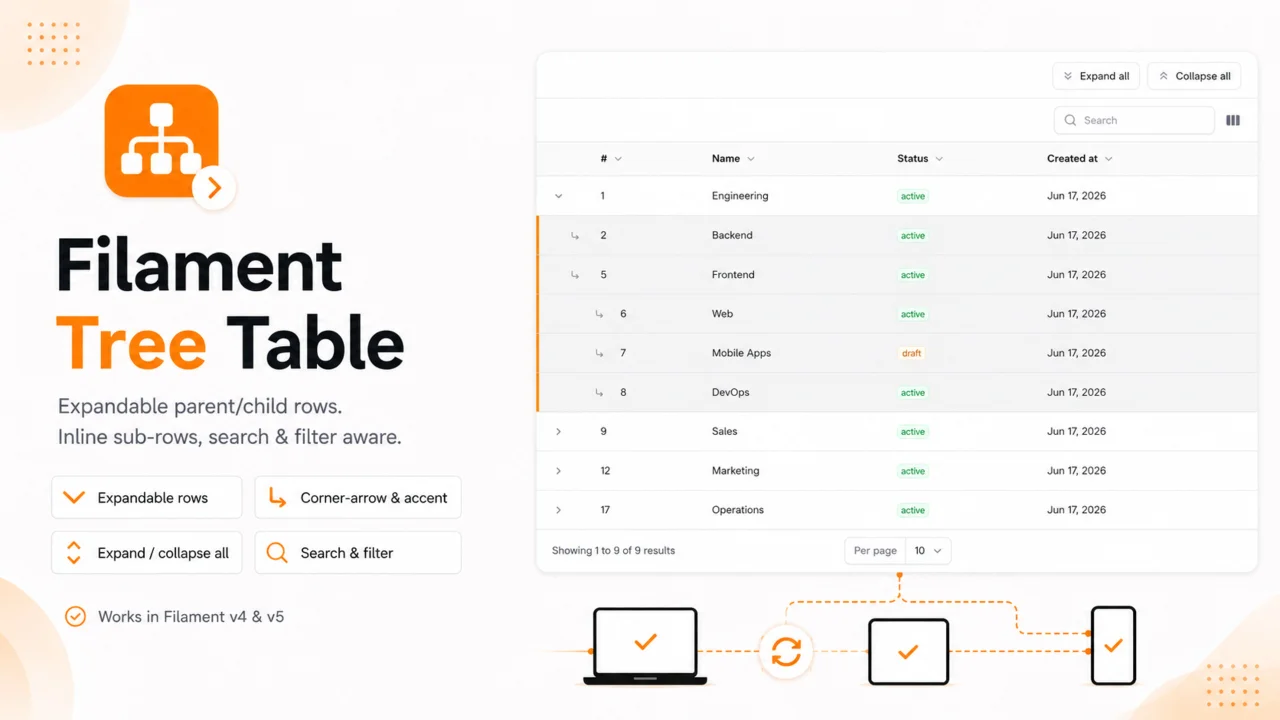
Tree Table
Turn any Filament table into an expandable parent/child tree — sub-rows render inline, search & filter aware, with expand/collapse all.
Author:
Kiyan Doguc
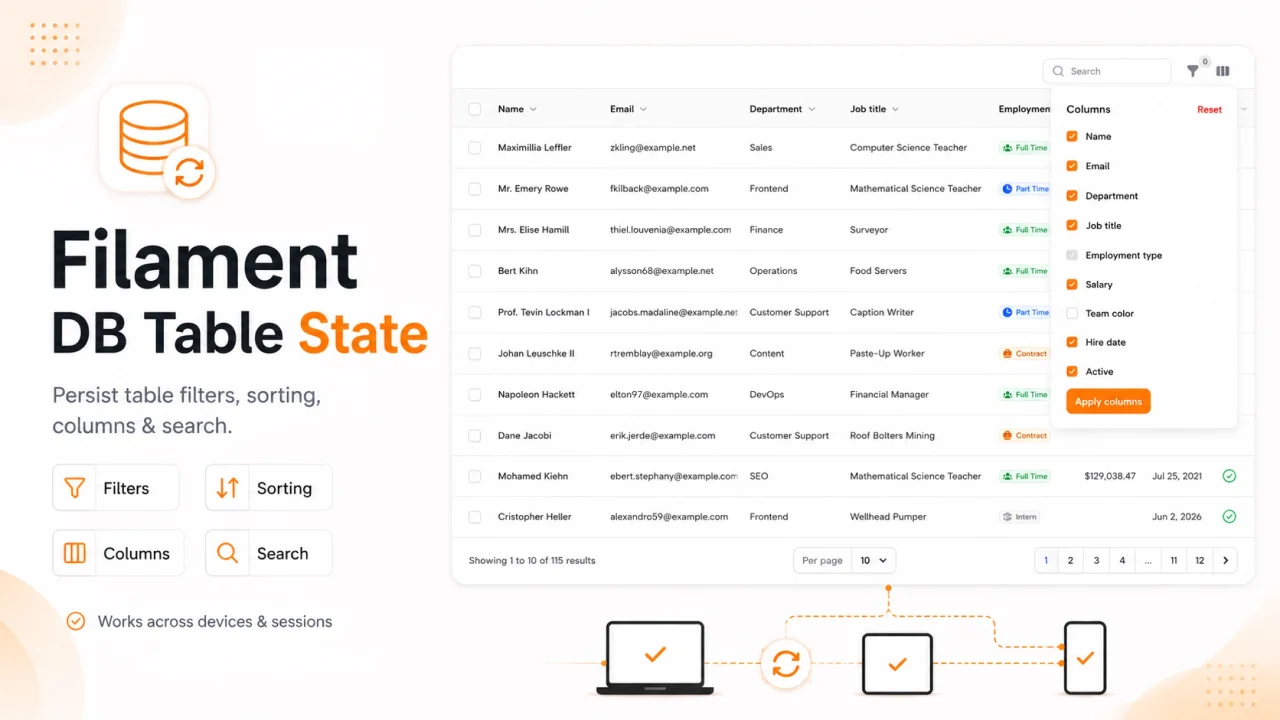
DB Table State
Persist Filament table state (filters, sort, search, columns) per user in the database — across sessions and devices.
Author:
Kiyan Doguc
Featured Plugins
A selection of plugins curated by the Filament team

Compact Theme
A theme that makes data-heavy panels easier to scan by fitting more useful information on each screen.
 Filament

Sharp Theme
A theme that gives panels a precise, technical look with square corners, strong borders, and clear contrast.
Filament

Advanced Tables (formerly Filter Sets)
Supercharge your tables with powerful features like user-customizable views, quick filters, multi-column sorting, advanced table searching, convenient view management, and more. Compatible with Resource Panel Tables, Relation Managers, Table Widgets, and Table Builder!
 Kenneth Sese

