
Tree Table by Kiyan Doguc
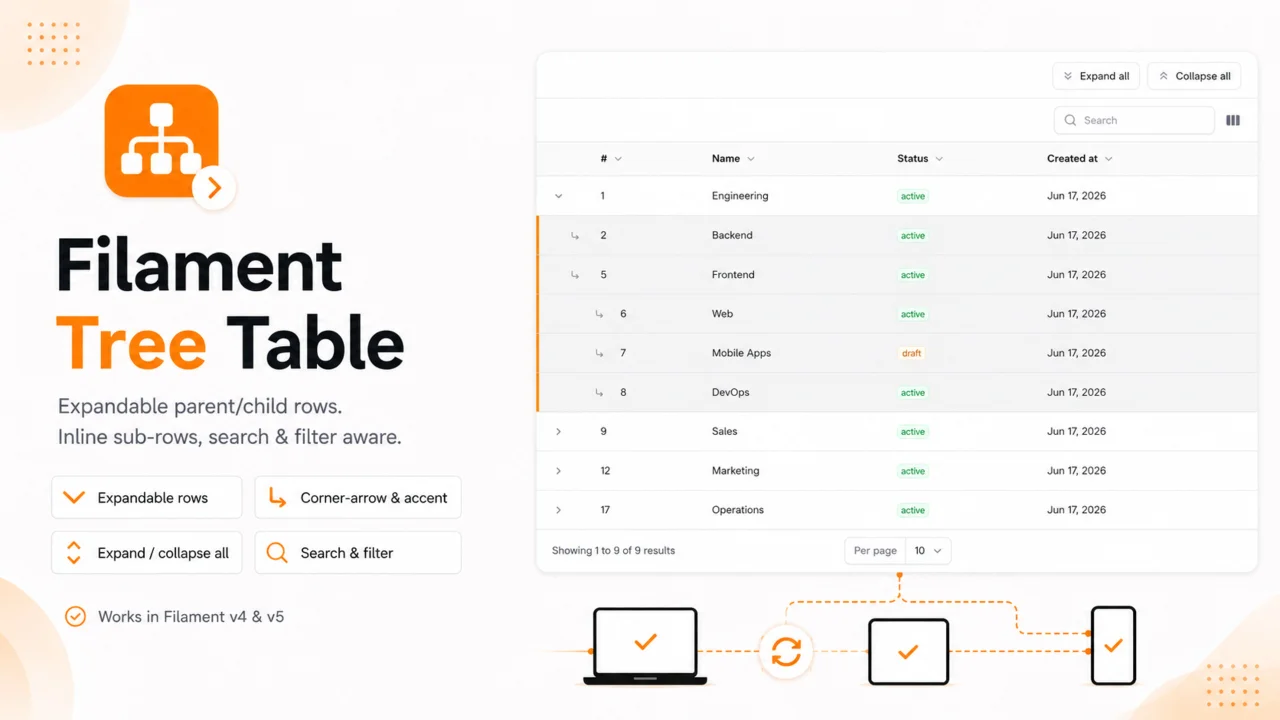
CommunityTurn any Filament table into an expandable parent/child tree — sub-rows render inline, search & filter aware, with expand/collapse all.
 Author:
Kiyan Doguc
Author:
Kiyan Doguc
Package health
Automated checks of this plugin's Composer package
15 checks
- Passed: GitHub Actions pinned to SHA
- Skipped: GitLab CI includes pinned to SHA
- Passed: Open security advisories
- Passed: Dependabot PR responsiveness — No open Dependabot PRs.
- Skipped: Renovate MR responsiveness
- Passed: Dependabot or Renovate configured
- Passed: Dependency update cooldown configured
- Passed: Provides a security policy
- Passed: Abandoned or archived — No consulted source marks the package abandoned (packagist, github).
- Passed: Commit and release recency — Active: last commit 0 days ago; last release 105 days ago.
-
Passed:
composer.lock not committed by library
—
composer.lockis absent from the released dist archive. - Passed: Dist archive is lean
-
Passed:
Current Laravel version supported
—
Package dependencies resolve together with current Laravel
13.0. -
Passed:
Current PHP version supported
—
Constraint
^8.2supports current PHP8.5. - Skipped: Current Symfony version supported
filament/
namespace. Review the source and install at your own risk. Found
malware or an unresolved security issue the author won't
address?
Report it
.
Documentation




Expandable parent/child tree rows for Filament v4.3+ & v5 tables. Show only top-level parents, expand them with a chevron, and render the sub-rows inline as real table rows — search and filter stay correct, and you get expand-all / collapse-all buttons.
- ✅ Inline expandable rows that keep all your existing columns
- ✅ Search / filter aware — flatten to a flat match list, or keep the tree and reveal each match with its ancestor path (auto-expanded, non-matching ancestors dimmed as context)
- ✅ Custom sibling ordering —
defaultSort()plus full->sortable(query: ...)/ relationship-column support inside the tree - ✅ Clear sub-rows without forcing an icon convention: a corner-arrow glyph on children and/or a coloured accent bar (+ optional per-depth tint) — mix or switch, fully themeable
- ✅ Expand-all / collapse-all header actions
- ✅ Optional pagination by root — keep each family on one page instead of splitting parents and children across page boundaries (
paginateByRoot()) - ✅ Database-agnostic ordering (Postgres / MySQL / SQLite)
- ✅ No stored
level/depth column required — depth is derived fromparent_id
#Requirements
- PHP 8.2+
- Filament v4.3+ or v5
#Installation
composer require kisame76/filament-tree-table
The CSS auto-registers with Filament. After install (and on deploy) run:
php artisan filament:assets
Optionally publish the config:
php artisan vendor:publish --tag="filament-tree-table-config"
#Usage
Your model needs a self-referencing parent_id column and a children() HasMany
relationship (both names are configurable).
It takes two pieces — applying the tree where the table is defined, and opting the page in.
#1. Apply the tree in your table definition
In Filament's resource structure the table lives in Tables/<Name>Table::configure()
(or directly in the resource's table() method). Wrap it with ExpandableRows:
use Filament\Tables\Table;
use Kisame76\FilamentTreeTable\ExpandableRows;

class CategoriesTable
{
    public static function configure(Table $table): Table
    {
        return ExpandableRows::make()
            ->parentKey('parent_id')           // default
            ->childrenRelationship('children') // default
            ->applyTo(
                $table->columns([
                    // ... your normal columns
                ])
            );
    }
}
applyTo() prepends the chevron toggle column, wires the tree query, applies the
per-row styling, and adds the expand/collapse-all header actions.
#2. Opt the page in
The List page is the Livewire component that holds the expand state, so add the
interface + trait there. It has no table() of its own — that stays in the table class:
use Filament\Resources\Pages\ListRecords;
use Kisame76\FilamentTreeTable\Concerns\InteractsWithExpandableRows;
use Kisame76\FilamentTreeTable\Contracts\HasExpandableRows;

class ListCategories extends ListRecords implements HasExpandableRows
{
    use InteractsWithExpandableRows;

    protected static string $resource = CategoryResource::class;
}
Relation managers and table widgets define
table()on the component itself, so there is only one class: add theExpandableRows::make()->applyTo(...)call and theimplements HasExpandableRows+use InteractsWithExpandableRowsto that same class.
#Configuration
Every cue is an independent toggle — combine or switch freely:
ExpandableRows::make()
    ->parentKey('parent_id')                        // default
    ->childrenRelationship('children')              // default
    ->recordKey(fn ($record) => $record->getKey())  // for non-default primary keys
    ->grid(true)                                    // per-level stepping (indentation) on/off
    ->cornerArrow(true)                             // corner-down-right glyph on children
    ->accentBar(true)                               // coloured bar on the child's left edge
    ->depthTint(true)                               // per-depth background tint (child rows lighter)
    ->recordClasses(fn ($record, int $depth) => []) // extend/override row classes
    ->expandAllAction(true)
    ->collapseAllAction(true)
    ->flattenOnSort(false)                          // false (default): sort hierarchically, keep tree; true: flat sorted list
    ->flattenOnFilter(true)                         // true (default): a filter flattens the tree; false: keep the tree + reveal matches with ancestors
    ->flattenOnSearch(true)                         // true (default): a search flattens the tree; false: keep the tree + reveal matches with ancestors
    ->paginateByRoot(false)                         // false (default): paginate by row; true: paginate by root so families never split across pages
    ->defaultSort('sort')                           // default sibling order: a column name...
    ->defaultSort(fn ($query, $direction) => $query->orderBy('sort', $direction)) // ...or a closure (order by a related/computed value)
    ->applyTo($table);
Project-wide defaults live in config/filament-tree-table.php.
#Translations
The expand-all / collapse-all action labels are translatable. English (en) and German
(de) ship with the package; publish the language files to add or override locales:
php artisan vendor:publish --tag="filament-tree-table-translations"
This writes lang/vendor/filament-tree-table/{locale}/tree-table.php, where each locale
defines actions.expand_all and actions.collapse_all.
#Theming
All visuals are driven by CSS variables — override them in your panel theme:
.ftt-row {
  --ftt-slot: 1.5rem; /* width of each marker column (indent step) */
  --ftt-accent-color: rgb(99 102 241 / 0.85);
  --ftt-tint-color: rgb(99 102 241);
}
#How it works / caveats
- Filtering / search: by default (
flattenOnFilter(true)/flattenOnSearch(true)) an active filter or search drops the tree and shows a flat list of every match, so nothing stays hidden behind a collapsed parent. Set either tofalseto keep the tree — matches are then shown together with their ancestor path (auto-expanded), and the non-matching ancestors are dimmed via the.ftt-contextclass (style it in your theme). While a filter/search drives the expansion the chevrons are non-interactive and the expand/collapse-all actions hide, so the displayed state can't be toggled out of sync. - Pagination: by default the page counts visible tree rows, so page sizes shift as
you expand and a branch can span a page boundary (a parent on one page, its children on
the next). Enable
->paginateByRoot()to paginate by root instead: each page holds N roots (the per-page selection) plus all of their currently visible descendants, so a family is never split — the row count per page then varies, and "Showing X to Y of Z" and the page count refer to roots. It is a no-op while the view is flattened (sort/filter/search), under a non-default pagination mode, or with->paginated(false). For very deep trees you can also disable pagination entirely with->paginated(false). - Sorting: a column sort is delegated to the column itself, so
->sortable(query: ...)closures and relationship/computed columns order the tree exactly as they would a flat table. UsedefaultSort()for the sibling order when no column sort is active. WithflattenOnSort(false)(default) the sort stays hierarchical — each sibling group follows the column while keeping the tree grouped under its parent (Jira-style); setflattenOnSort(true)to drop the tree and show a flat sorted list. - Stepping:
grid(false)removes the per-level indentation (flat rows); the hierarchy is then shown only byaccentBar/depthTint.gridandcornerArroware independent. - Column manager: the chevron toggle column is kept out of the column-manager panel
(the
toggleableColumns()/reorderableColumns()dropdown) and is always pinned as the first column, so a persisted column order can never hide it or push it to the back. It still carries a non-breaking-space label internally (->toggleColumnLabel('…')to change it) because Filament rejects blank labels on reorderable columns — the label is no longer shown anywhere. The pinning is done byInteractsWithExpandableRows, which overrides Filament'sgetDefaultTableColumnState()/updateTableColumns(). On a List page, relation manager, or table widget this just works (the base class suppliesInteractsWithTable). The only exception is a bare custom Livewire component that usesInteractsWithTableandInteractsWithExpandableRowsside by side — there, resolve the trait conflict explicitly:use InteractsWithTable, InteractsWithExpandableRows { InteractsWithExpandableRows::getDefaultTableColumnState insteadof InteractsWithTable; InteractsWithExpandableRows::updateTableColumns insteadof InteractsWithTable; InteractsWithExpandableRows::paginateTableQuery insteadof InteractsWithTable; }. - Components that do not implement
HasExpandableRows(e.g. a widget sharing the sametable()definition) render completely flat — every wired behaviour self-disables.
#Security
Security reports go to the address in SECURITY.md, never to the issue tracker.
#License
MIT.
The author
From the same author
Advanced Rich Editor
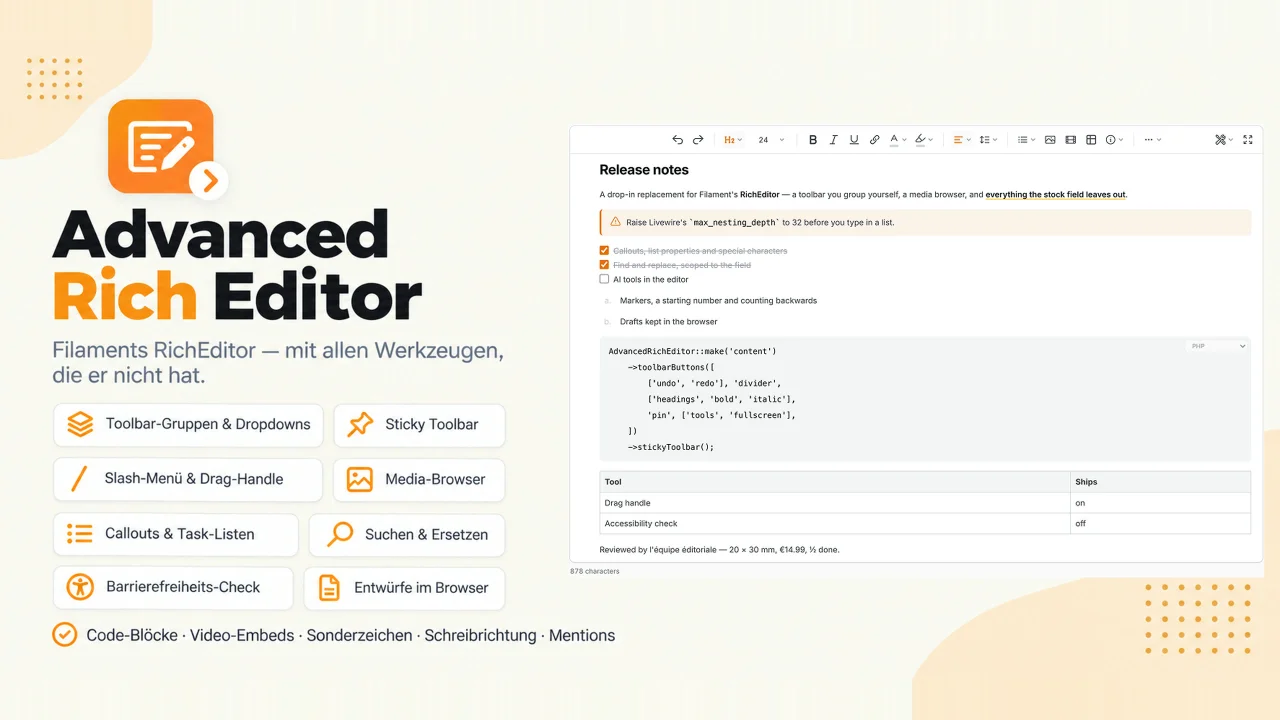
A drop-in replacement for Filament's rich editor with a toolbar you arrange yourself: groups, dropdowns, a pinned corner, sticky while scrolling. It adds callouts, a media browser, find and replace, an accessibility check, drafts kept in the browser, a drag handle, a slash menu, video embeds and code blocks with a language picker.
Author:
Kiyan Doguc
DB Table State
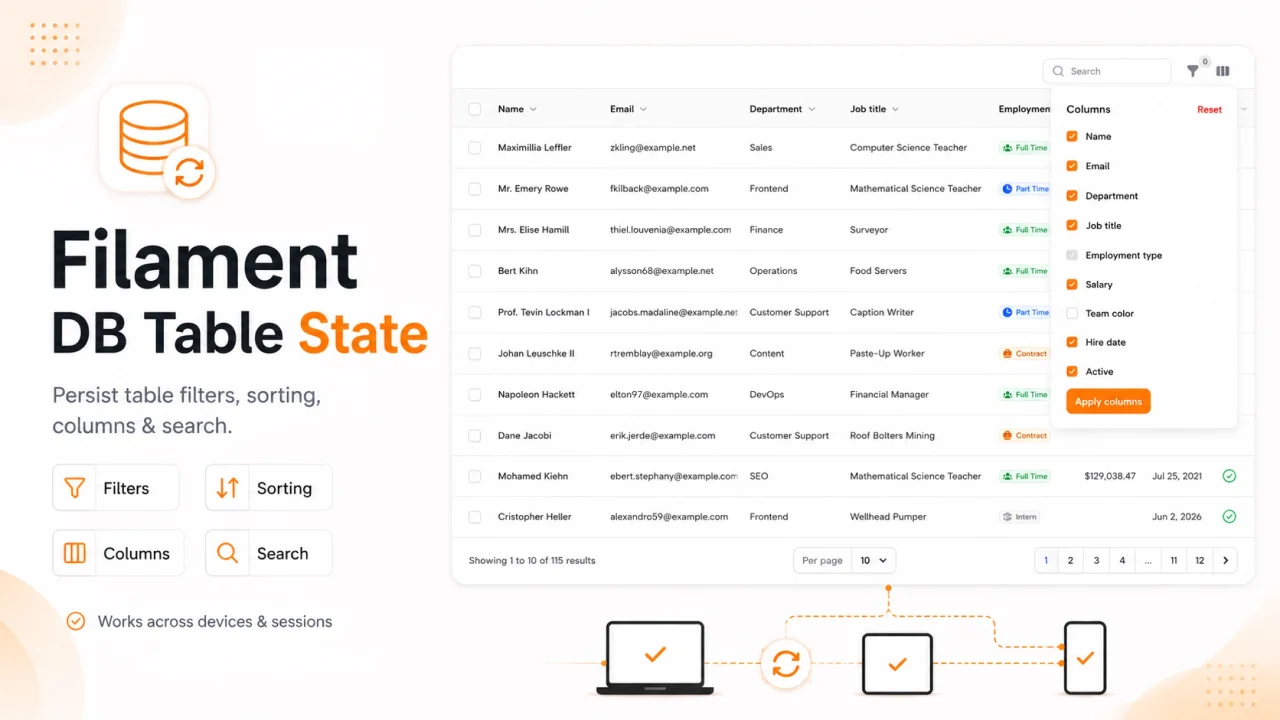
Persist Filament table state (filters, sort, search, columns) per user in the database — across sessions and devices.
Author:
Kiyan Doguc
Featured Plugins
A selection of plugins curated by the Filament team

Sharp Theme
A theme that gives panels a precise, technical look with square corners, strong borders, and clear contrast.
 Filament

Noir Theme
A theme that gives panels a focused, refined look with near-black surfaces, crisp actions, and restrained color.
Filament

Spotlight Pro
Browse your Filament Panel with ease. Filament Spotlight Pro adds a Spotlight like Command Palette to your Filament Panel.
 Dennis Koch

