
Nested Comments
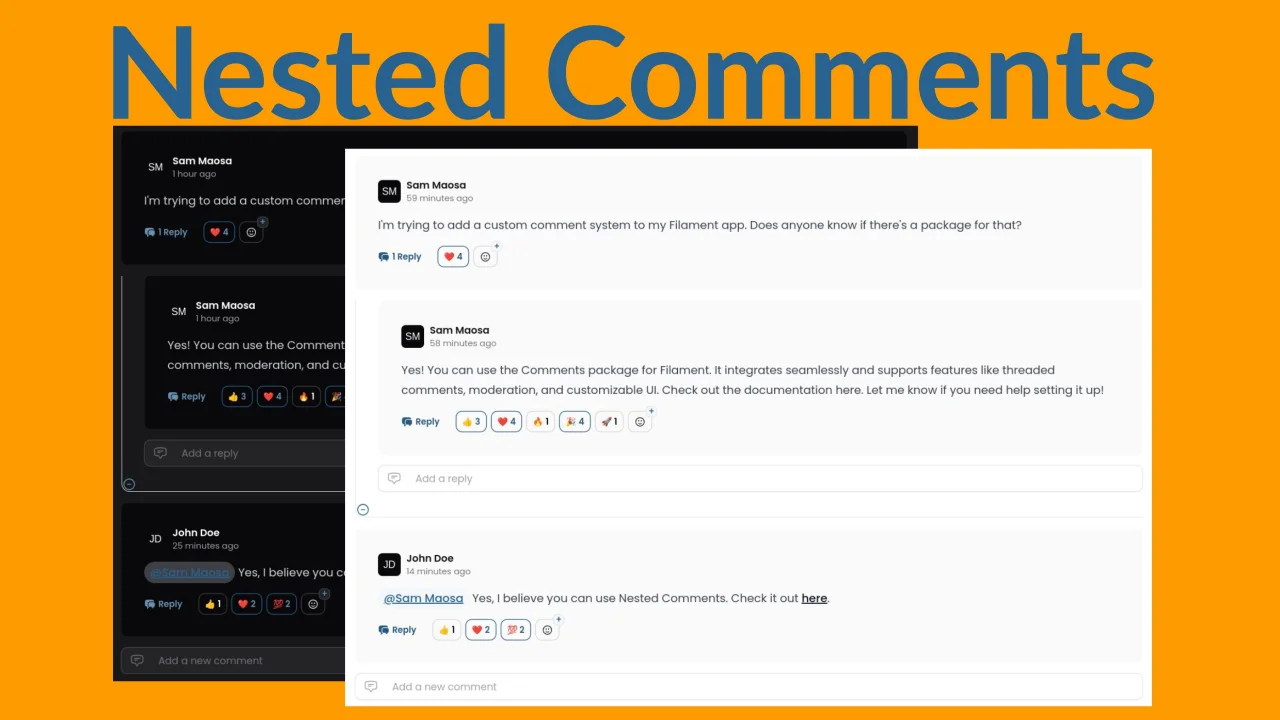
CommunityAdd comments, mentions, replies, and emoji reactions to your model and allow your users to interact with them from right in your app.
 Author:
Sam Maosa
Author:
Sam Maosa
Package health
BetaAutomated checks of this plugin's Composer package
15 checks
- Skipped: GitHub Actions pinned to SHA
- Skipped: GitLab CI includes pinned to SHA
- Passed: Open security advisories
- Passed: Dependabot PR responsiveness — No open Dependabot PRs.
- Skipped: Renovate MR responsiveness
- Skipped: Dependabot or Renovate configured
- Skipped: Dependency update cooldown configured
- Failed: Provides a security policy — View details on Plumb
- Passed: Abandoned or archived — No consulted source marks the package abandoned (packagist).
- Failed: Commit and release recency — Inactive: no commit date available; last release 432 days ago. View details on Plumb
-
Passed:
composer.lock not committed by library
—
composer.lockis absent from the released dist archive. - Passed: Dist archive is lean
-
Warning:
Current Laravel version supported
—
Package does not co-install with current Laravel
13.0; the newest co-installable line is12.0, which receives security patches only (until 2027-02-24). -
Passed:
Current PHP version supported
—
Constraint
^8.2supports current PHP8.5. - Skipped: Current Symfony version supported
filament/
namespace. Review the source and install at your own risk. Found
malware or an unresolved security issue the author won't
address?
Report it
.
Documentation
- Installation
- Usage: Comments
- Using the Comments Infolist Entry
- Using the Comments Widget inside a Resource Page (e.g EditRecord)
- Using the Comments Widget in a custom Filament Page (You have to pass $record manually)
- Using the Comments Page Action in a Resource Page (which interacts with $record)
- Using the Comments Page Action in a custom Filament Page (You have to pass $record manually)
- Using the Comments Table Action
- Using the Comments Blade Component ANYWHERE!
- Mentions
- Usage: Emoji Reactions
- Package Customization
- Testing
- Open Source Dependencies
- Changelog
- Contributing
- Security Vulnerabilities
- Credits
- License





This package allows you to incorporate comments and replies in your Filament forms, infolists, pages, widgets etc, or even simply in your livewire components. Comment replies can be nested as deep as you want, using the Nested Set data structure. Additionally, the package comes with a Reactions feature to enable your users to react to any of your models (e.g comments or posts) with selected emoji reactions.
#Installation
You can install the package via composer:
composer require coolsam/nested-comments
Run the installation command and follow the prompts:
php artisan nested-comments:install
During the installation, you will be asked if you would like to publish and replace the config file.
This is important especially if you are upgrading the package to a newer version in which the config file structure has changed.
No worries, if you have customizations in your config file that you would like to keep, your current config file will be backed up to config/nested-comments.php.bak before the new config file is published.
You will also be asked if you would like to re-publish the package's assets. This is also important in case the package's styles and scripts have changed in the new version.
Adjust the configuration file as necessary, then run migrations.
`That's it! You are now ready to add nested comments
#Usage: Comments
At the very basic level, this package is simply a Livewire Component that takes in a model record which is commentable. Follow the following steps to prepare your model to be commentable or reactable:
- Add the
HasCommentstrait to your model
use Coolsam\NestedComments\Concerns\HasComments;

class Conference extends Model
{
    use HasComments;

    // ...
}
- If you would like to be able to react to your model directly as well, add the
HasReactionstrait to your model
use Coolsam\NestedComments\Concerns\HasReactions;

class Conference extends Model
{
    use HasReactions;

    // ...
}
- You can now access the comments and reactions of your model in the following ways
#Using the Comments Infolist Entry
public static function infolist(Infolist $infolist): Infolist
    {
        return $infolist
            ->schema([
                Section::make('Basic Details')
                    ->schema([
                        TextEntry::make('name'),
                        TextEntry::make('start_date')
                            ->dateTime(),
                        TextEntry::make('end_date')
                            ->dateTime(),
                        TextEntry::make('created_at')
                            ->dateTime(),
                    ]),

                // Add the comments entry
                \Coolsam\NestedComments\Filament\Infolists\CommentsEntry::make('comments'),
            ]);
    }
#Using the Comments Widget inside a Resource Page (e.g EditRecord)
As long as the resource page interacts with the record, the CommentsWidget will resolve the record automatically.
class EditConference extends EditRecord
{
    protected static string $resource = ConferenceResource::class;

    protected function getHeaderActions(): array
    {
        return [
            Actions\ViewAction::make(),
            Actions\DeleteAction::make(),
        ];
    }

    protected function getFooterWidgets(): array
    {
        return [
            \Coolsam\NestedComments\Filament\Widgets\CommentsWidget::class,
        ];
    }
}
#Using the Comments Widget in a custom Filament Page (You have to pass $record manually)
// NOTE: It's up to you how to get your record, as long as you pass it to the widget
public function getRecord(): ?Conference
{
    return Conference::latest()->first();
}

protected function getFooterWidgets(): array
{
    return [
        CommentsWidget::make(['record' => $this->getRecord()])
    ];
}
#Using the Comments Page Action in a Resource Page (which interacts with $record)
namespace App\Filament\Resources\ConferenceResource\Pages;

use App\Filament\Resources\ConferenceResource;
use Coolsam\NestedComments\Filament\Actions\CommentsAction;
use Filament\Actions;
use Filament\Resources\Pages\ViewRecord;
use Illuminate\Database\Eloquent\Model;

class ViewConference extends ViewRecord
{
    protected static string $resource = ConferenceResource::class;

    protected function getHeaderActions(): array
    {
        return [
            CommentsAction::make()
                ->badgeColor('danger')
                ->badge(fn(Model $record) => $record->getAttribute('comments_count')),
            Actions\EditAction::make(),
        ];
    }
}
#Using the Comments Page Action in a custom Filament Page (You have to pass $record manually)
In this case you will have to pass the record attribute manually.
protected function getHeaderActions(): array
{
    return [
        CommentsAction::make()
            ->record($this->getRecord()) // Define the logic for getting your record e.g in $this->getRecord()
            ->badgeColor('danger')
            ->badge(fn(Model $record) => $record->getAttribute('comments_count')),
        Actions\EditAction::make(),
    ];
}
#Using the Comments Table Action
public static function table(Table $table): Table
{
    return $table
        ->columns([
            // ... Columns
        ])
        ->actions([
            \Coolsam\NestedComments\Filament\Tables\Actions\CommentsAction::make()
                ->button()
                ->badgeColor('danger')
                ->badge(fn(Conference $record) => $record->getAttribute('comments_count')),
            // ... Other actions
        ]);
}
#Using the Comments Blade Component ANYWHERE!
This unlocks incredible possibilities. It allows you to render your comments even in your own frontend blade page. All you have to do is simply pass the commentable $record to the blade component
$record = Conference::find(1); // Get your record from the database then,

<x-nested-comments::comments :record="$record"/>
Alternatively, you could use the Livewire component if you prefer.
$record = Conference::find(1); // Get your record from the database then,

<livewire:nested-comments::comments :record="$record"/>
#Mentions
The package uses Filament TipTap Editor which supports mentions. You can mention users in your comments by typing @ followed by the user's name.
In the future, the package will support sending notifications to the mentioned users via database notifications if supported.
For more on how to customize the mentions, see the Package Customization section below.
#Usage: Emoji Reactions
This package also allows you to add emoji reactions to your models. You can use the HasReactions trait to add reactions to any model. The reactions are stored in a separate table, and you can customize the reactions that are available via the configuration file.
The Comments model that powers the comments feature described above already uses emoji reactions.
In order to start using reactions for your model, add the HasReactions trait to your model. You can then use the reactions method to get the reactions for the model.
use Coolsam\NestedComments\Concerns\HasReactions;

class Conference extends Model
{
    use HasReactions;

    // ...
}
The above trait adds the react() method to your model, allowing you to toggle a reaction for the model. You can also use the reactions method to get the reactions for the model.
$conference = Conference::find(1);
$comference->react('👍'); // React to the conference with a thumbs up emoji
You can also use the reactions method to get the reactions for the model.
$conference = Conference::find(1);
$reactions = $conference->reactions; // Get the reactions for the conference
Other useful methods include
/**
* @var \Illuminate\Database\Eloquent\Model&\Coolsam\NestedComments\Concerns\HasReactions $conference
 */
$conference = Conference::find(1);
$conference->total_reactions; // Get the total number of reactions for the conference
$conference->reactions_counts; // Get the no of reactions for each emoji for the model
$conference->my_reactions; // Get the reactions for the current user
$conference->emoji_reactors // Get the list of users who reacted to the model, grouped by emoji
$conference->isAllowed('👍') // check if the app allows the user to react with the specified emoji
$conference->reactions_map // return the map of all the reactions for the model, grouped by emoji. This tells you the number of reactions for each emoji, and whether the current user has reacted with that emoji
To interact with the methods above with ease within and even outside Filament, this package comes with the following handy components:
#Reactions Infolist Entry
use Coolsam\NestedComments\Filament\Infolists\ReactionsEntry;

public static function infolist(Infolist $infolist): Infolist
{
    return $infolist
        ->schema([
            Section::make('Basic Details')
                ->schema([
                    TextEntry::make('name'),
                    TextEntry::make('start_date')
                        ->dateTime(),
                    TextEntry::make('end_date')
                        ->dateTime(),
                    TextEntry::make('created_at')
                        ->dateTime(),
                        // Add the reactions entry
                    ReactionsEntry::make('reactions')->columnSpanFull(),
                ])->columns(4),
        ]);
}
#Reactions Blade Component
Just include the blade component anywhere in your blade file and pass the model record to it.
$record = Conference::find(1); // Get your record from the database then,
In your view:
<x-nested-comments::reactions :record="$record"/>
#Reactions Livewire Component
Similar to the blade component, you can use the Livewire component anywhere in your Livewire component and pass the model record to it.
$record = Conference::find(1); // Get your record from the database then,
In your view:
<livewire:nested-comments::reaction-panel :record="$record"/>
The two components can be used anywhere, in resource pages, custom pages, actions, form fields, widgets, livewire components or just plain blade views. Here is a sample screenshot of how the components will be rendered:
#Package Customization
You can customize the package by changing most of the default values in the config file after publishing it. Additionally, you can customize how the package interacts with your models by overriding some methods in your commentable model.
#Customize how to get the Comment Author's Name
You can customize how to get the comment author's name by overriding the getUserName method in your commentable model.
By default, the package uses the name attribute of the user model, but you can change this to any other attribute or method that returns a string.
This name will be displayed in the comment card, and it will also be used to mention the user in the comment text.
// e.g in your Post model or any other model that uses the HasComments trait
use Coolsam\NestedComments\Concerns\HasComments;

public function getUserName(Model|Authenticatable|null $user): string
{
    return $user?->getAttribute('username') ?? $user?->getAttribute('guest_name') ?? 'Guest';
}
#Customize the User's Avatar
You can customize the user's avatar by overriding the getUserAvatar method in your commentable model.
By default, the package uses ui-avatars to generate the avatar based on the user's name, but you can change this to any other method that returns a URL to the user's avatar image.
// e.g in your Post model or any other model that uses the HasComments trait
use Coolsam\NestedComments\Concerns\HasComments;

public function getUserAvatar(Model|Authenticatable|string|null $user): ?string
{
//    return 'https://yourprofile.url.png';
    return $user->getAttribute('profile_url') // get your user's profile url here, assuming you have defined it in your user's model.
}
#Customize how to get the Mention Items
You can customize how to get the mention items by overriding and changing the getMentionsQuery method in your commentable model.
By default, the package gets mention items from all users in your database.
For example, if you would only like to mention users who have commented on the current thread, you can do so by changing the method to return only those users.
There is a handy method included in the default class to achieve this. Alternatively, you can go wild and mention fruits instead of users! The choice is within your freedom.
// e.g in your Post model or any other model that uses the HasComments trait
use Coolsam\NestedComments\Concerns\HasComments;

public function getMentionsQuery(string $query): Builder
{
    return app(NestedComments::class)->getCurrentThreadUsersQuery($query, $this);
}
#Customize the Supported Emoji Reactions
You can customize the supported emoji reactions by changing the reactions array in the config file.
Decent defaults are provided, but you can change them to any emojis you prefer.
return [
    '👍',
    '❤️',
    '😂',
    '😮',
    '😢',
    '😡',
];
#Testing
composer test
#Open Source Dependencies
This package uses the following awesome open source packages, among many others under the hood:
I am grateful for the work that has been put into these packages. They have made it possible to build this package in a short time.
#Changelog
Please see CHANGELOG for more information on what has changed recently.
#Contributing
Please see CONTRIBUTING for details.
#Security Vulnerabilities
Please review our security policy on how to report security vulnerabilities.
#Credits
#License
The MIT License (MIT). Please see License File for more information.
The author
Sam Maosa is a Full-Stack software developer and open-source software maintainer with 10+ years of experience, mainly using the TALL stack (Tailwind, Alpine, Laravel & Livewire). His Open source contributions are currently mainly centered around FilamentPHP. He also contributes to other stacks such as Inertia.js, Vue.js, and Node.
Sam resides in Nairobi, Kenya, and is an employee of Strathmore University. His goal is to transition fully into open-source software development and maintenance and to make more contributions to the core packages of the TALL/FLAT stack.
From the same author
Signature Pad
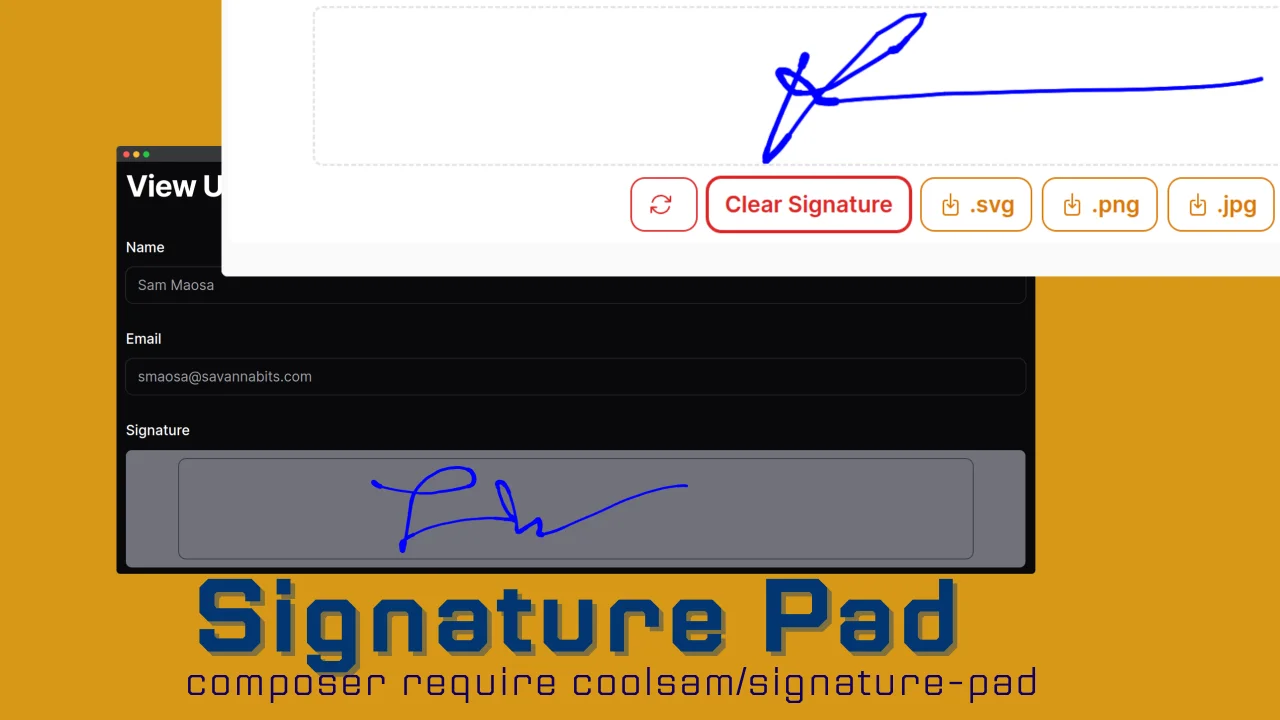
A beautiful Signature Pad Field for Filamentphp Forms
Author:
Sam Maosa
Flatpickr
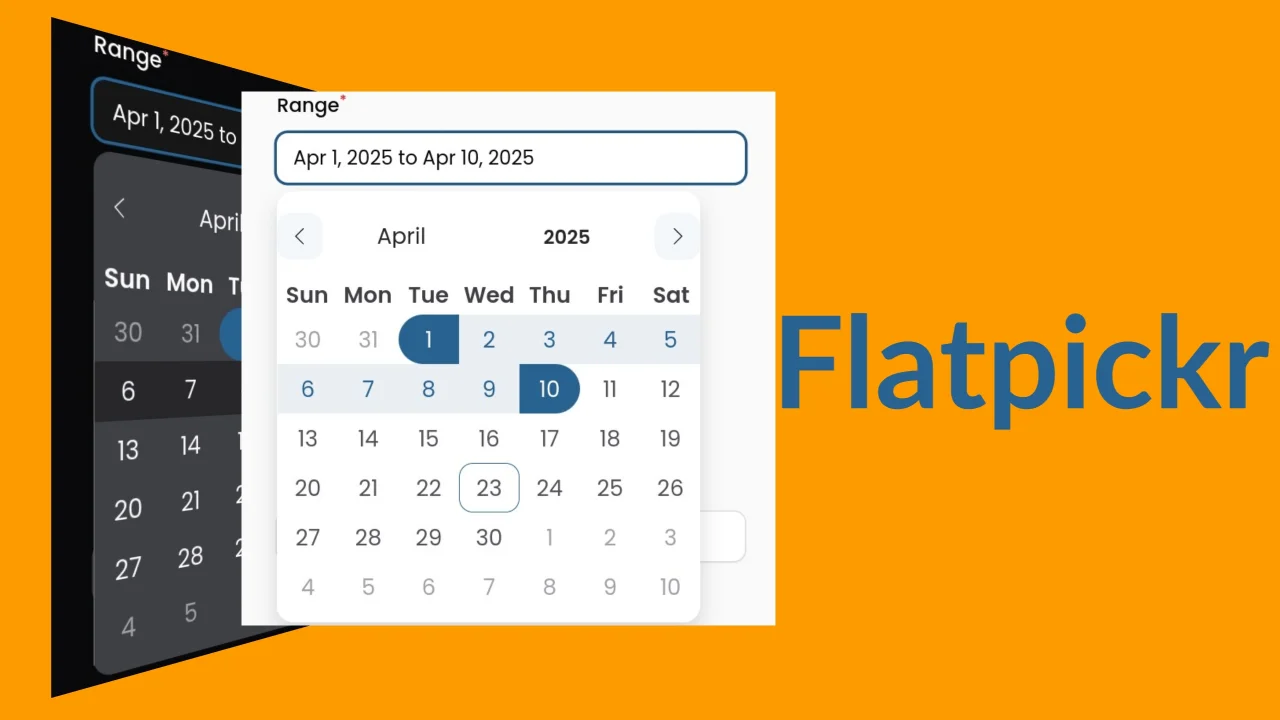
A DateTime field extension which uses Flatpickr js library, supporting Date Picker, Date-Time Picker, Time Picker, Month Picker and Date Range Picker
Author:
Sam Maosa
Modules
This plugin enables you to easily integrate Filament with your Laravel Modular app powered by nwidart/laravel-modules. Host all your panel's code autonomously in your module!
Author:
Sam Maosa
Featured Plugins
A selection of plugins curated by the Filament team

Noir Theme
A theme that gives panels a focused, refined look with near-black surfaces, crisp actions, and restrained color.
 Filament

Spotlight Pro
Browse your Filament Panel with ease. Filament Spotlight Pro adds a Spotlight like Command Palette to your Filament Panel.
 Dennis Koch

Advanced Tables (formerly Filter Sets)
Supercharge your tables with powerful features like user-customizable views, quick filters, multi-column sorting, advanced table searching, convenient view management, and more. Compatible with Resource Panel Tables, Relation Managers, Table Widgets, and Table Builder!
 Kenneth Sese
