
Record Settings by Muhammad Amjad
CommunityEdit per-user, per-team and per-tenant settings in Filament from a settings page, a modal action or resource form fields, stored with glorand/laravel-model-settings or in a JSON column.
 Author:
Muhammad Amjad
Author:
Muhammad Amjad
Package health
Automated checks of this plugin's Composer package
15 checks
- Skipped: GitHub Actions pinned to SHA
- Skipped: GitLab CI includes pinned to SHA
- Passed: Open security advisories
- Passed: Dependabot PR responsiveness — No open Dependabot PRs.
- Skipped: Renovate MR responsiveness
- Skipped: Dependabot or Renovate configured
- Skipped: Dependency update cooldown configured
- Failed: Provides a security policy — View details on Plumb
- Passed: Abandoned or archived — No consulted source marks the package abandoned (packagist, github).
- Passed: Commit and release recency — Active: last commit 0 days ago; last release 0 days ago.
-
Passed:
composer.lock not committed by library
—
composer.lockis absent from the released dist archive. - Passed: Dist archive is lean
-
Passed:
Current Laravel version supported
—
Package dependencies resolve together with current Laravel
13.0. -
Passed:
Current PHP version supported
—
Constraint
^8.2supports current PHP8.5. - Skipped: Current Symfony version supported
filament/
namespace. Review the source and install at your own risk. Found
malware or an unresolved security issue the author won't
address?
Report it
.
Documentation
- What it does
- Requirements
- Installation
- Usage
- Defaults
- Policies
- Coming from quadrubo/filament-model-settings
- Static analysis
- Testing
- Changelog
- Support
- Need this customised, or something built?
- More packages
- Credits
- License
Edit per-record settings in Filament 4 and 5: a user's preferences, a team's or a tenant's options, any model's settings. Use a settings page, a modal action on a table row or record page, or fields inside a resource form. The settings live in glorand/laravel-model-settings (v8 or v9, any driver) or in a plain JSON column.
Docs: amjad.com.pk/filament/plugins/filament-record-settings



#What it does
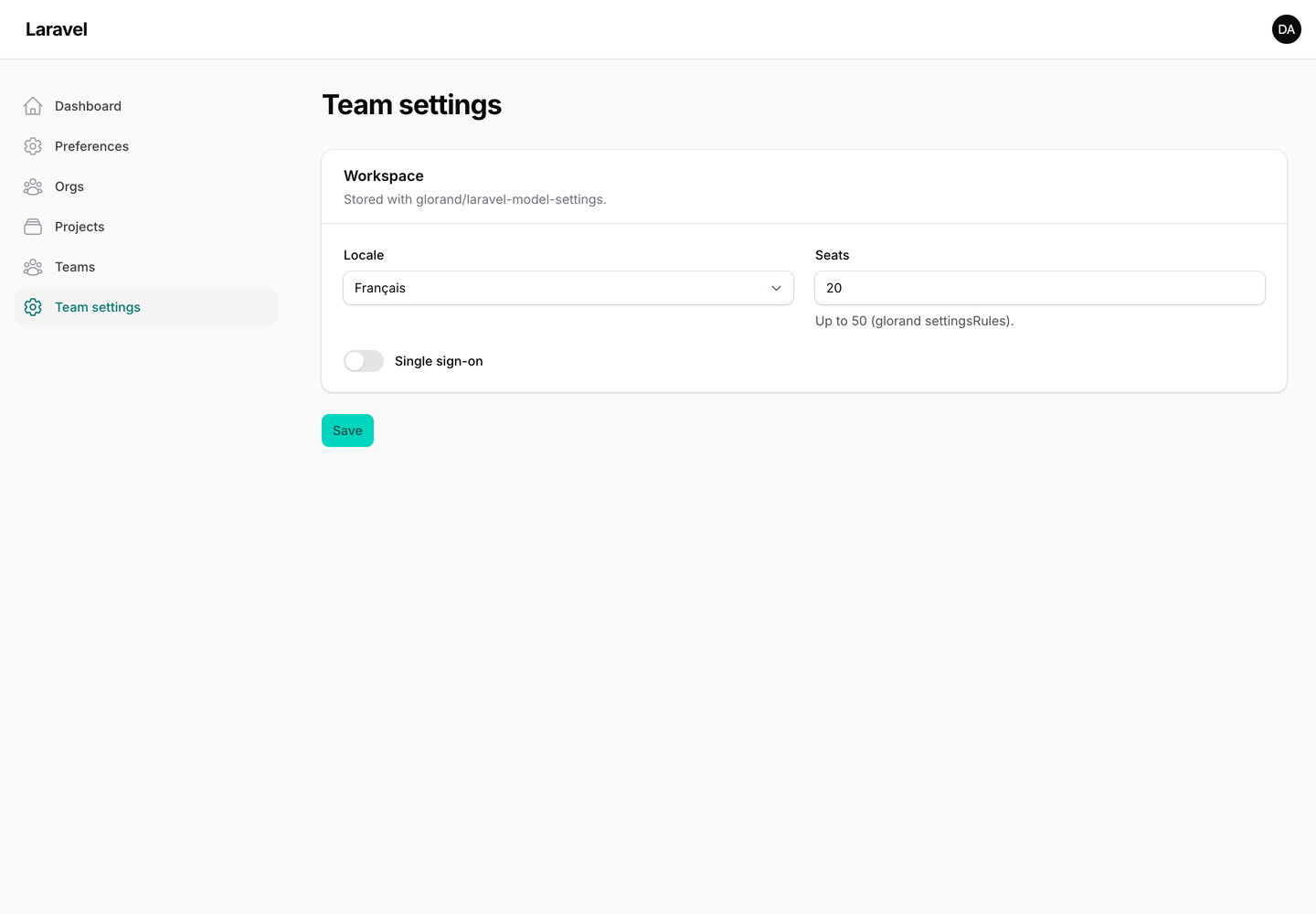
- A settings page (
RecordSettingsPage). With only aform()it edits the signed-in user's settings, so a preferences page is one small class. PointgetSettingsRecord()at a tenant, a team or any other model instead. - A modal action (
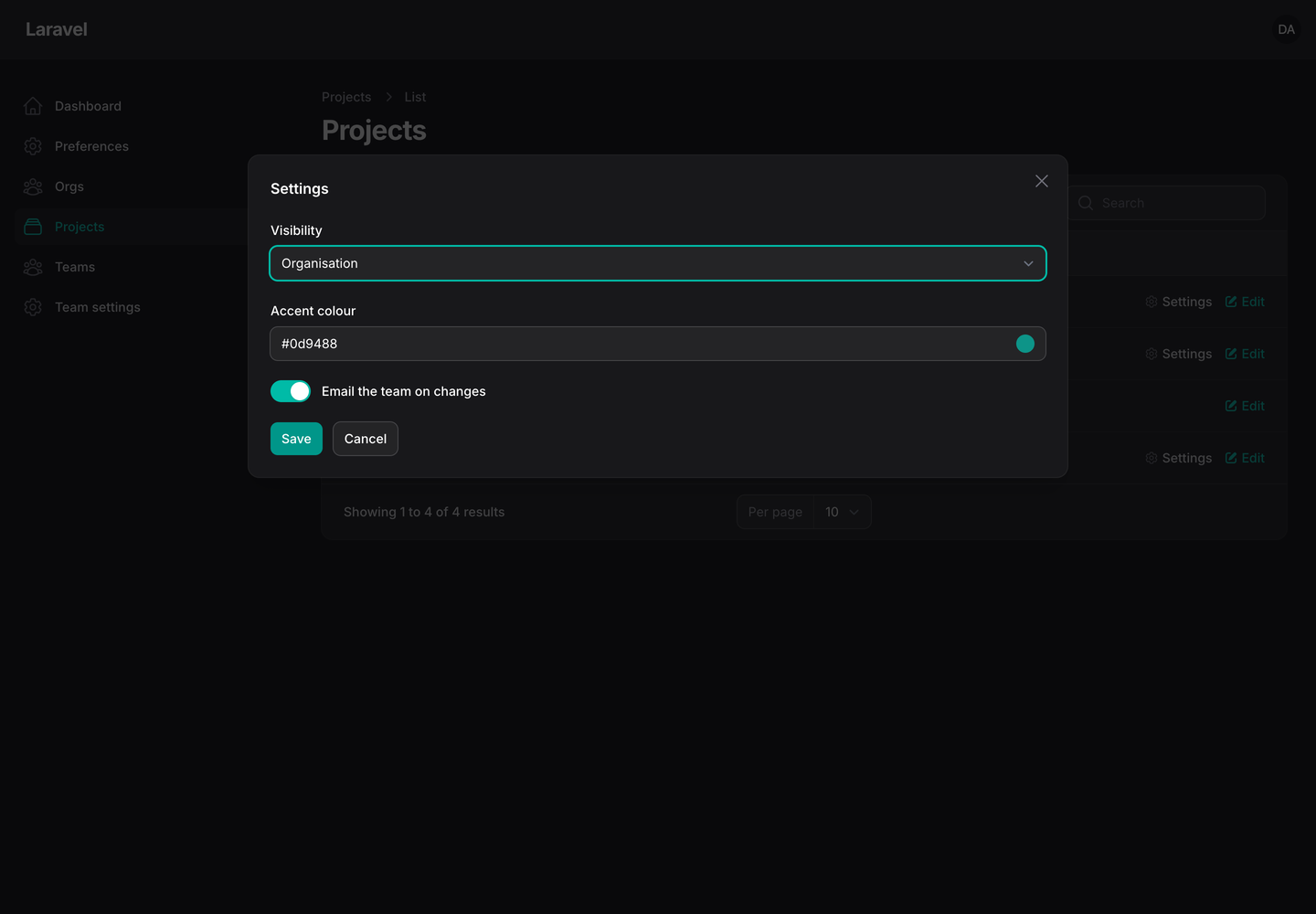
EditRecordSettingsAction) for table rows and record pages: open a record's settings, change them, save. - Fields inside a resource form (
->recordSetting()): settings next to the record's own fields, saved on create and on edit. - Two backends, picked for you. A model that uses glorand/laravel-model-settings goes through glorand, with its
defaults, its
$settingsRulesand whichever driver it uses (field, table, Redis, cache). Any other model keeps its settings in a JSON column (settingsunless you name another one). - Only the keys the form shows are written. Other top-level settings in the same column or store are kept. A field that holds an array (a repeater, a key-value field) replaces that key as a whole.
- Policies. When the record's policy has an
updateSettingsmethod, the page and the action ask it. The ability name is configurable. Without such a method the plugin adds no check (see Policies). - Plain Filament UI. Only core components, so it looks right in any panel and theme, light and dark, with no stylesheet or build step.
#Requirements
| Version | |
|---|---|
| PHP | 8.2+ |
| Laravel | 12 or 13 |
| Filament | 4 or 5 |
| glorand/laravel-model-settings | optional: 8 or 9 |
#Installation
composer require amjadiqbal/filament-record-settings
There is nothing to publish. If you want glorand's storage drivers, install and set up glorand/laravel-model-settings as its README says. Without it, add a JSON column to the model's table:
$table->json('settings')->nullable();
and cast it on the model:
protected function casts(): array
{
    return ['settings' => 'array'];
}
#Usage
#A settings page
php artisan make:filament-record-settings-page ManagePreferences
This writes app/Filament/Pages/ManagePreferences.php (or the panel's page directory; pass --panel= to choose,
and --force to overwrite an existing file).
Fill in the form:
use AmjadIqbal\FilamentRecordSettings\Pages\RecordSettingsPage;
use Filament\Forms\Components\Select;
use Filament\Forms\Components\Toggle;
use Filament\Schemas\Schema;

class ManagePreferences extends RecordSettingsPage
{
    protected static ?string $title = 'Preferences';

    public function form(Schema $schema): Schema
    {
        return $schema->components([
            Select::make('theme')->options(['system' => 'System', 'light' => 'Light', 'dark' => 'Dark']),
            Toggle::make('email_digest'),
        ]);
    }
}
That page edits the signed-in user's settings. For another record, override getSettingsRecord():
use Filament\Facades\Filament;
use Illuminate\Database\Eloquent\Model;

public static function getSettingsRecord(): ?Model
{
    return Filament::getTenant();
}
Options on the page class:
protected static ?string $settingsColumn = 'preferences';       // JSON column; null = glorand or `settings`
protected static ?string $settingsAbility = 'updateSettings';   // policy method; null = no policy check

public static function getSettingsDefaults(): array             // fallback defaults, JSON column only
{
    return ['theme' => 'system'];
}
To open it from the user menu instead of the sidebar:
use Filament\Actions\Action;

// In your panel provider
->userMenuItems([
    Action::make('preferences')
        ->label('Preferences')
        ->url(fn (): string => ManagePreferences::getUrl())
        ->icon('heroicon-o-cog-6-tooth'),
])

// In the page
public static function shouldRegisterNavigation(): bool
{
    return false;
}
The page has the usual hooks: beforeFill, afterFill, beforeValidate, afterValidate, beforeSave,
afterSave, plus mutateFormDataBeforeFill() and mutateFormDataBeforeSave().
#A modal action
use AmjadIqbal\FilamentRecordSettings\Actions\EditRecordSettingsAction;
use Filament\Forms\Components\ColorPicker;
use Filament\Forms\Components\Toggle;

public static function table(Table $table): Table
{
    return $table
        ->columns([...])
        ->recordActions([
            EditRecordSettingsAction::make()
                ->settingsColumn('prefs')                // optional
                ->settingsDefaults(['color' => '#0d9488']) // optional fallbacks, JSON column only
                ->schema([
                    ColorPicker::make('color'),
                    Toggle::make('archived_view'),
                ]),
        ]);
}
It works as a header action on a view or edit page too. ->settingsAbility('manageSettings') changes the policy
method; ->settingsAbility(null) turns the check off. Your own ->authorize() or ->visible() adds to the policy
check; it does not replace it.
#Fields in a resource form
use Filament\Forms\Components\Toggle;

Toggle::make('settings.email_digest')->recordSetting(),
Toggle::make('prefs.public')->recordSetting(),              // JSON column `prefs`
The part before the first dot is the prefix: the JSON column for the column store. On a glorand model the prefix only
groups the fields, and the value goes through glorand. On the edit page the field is filled from the stored settings
and the model's defaults; on the create page the field's own ->default() applies. The value is written after the
record is saved, so it works on create too. A nested name (settings.notify.email) writes inside its key and keeps
that key's other values.
A glorand $settingsRules failure shows under the field, and that value is not saved. On the edit page the record's
own fields are not saved either. Each setting field writes on its own, so a field that passed before the failing one
is already stored; on the create page the new record is kept unless the panel uses ->databaseTransactions().
#Defaults
Values are read in this order, the later one winning:
- the page's
getSettingsDefaults()or the action's->settingsDefaults()(JSON column only), - the model's defaults:
getDefaultSettings()or a$defaultSettingsproperty, - the stored settings.
A glorand model uses glorand's own defaults ($defaultSettings, or config('model_settings.defaultSettings.<table>')
keyed by the model's table), and
page and action defaults are not used for it. Defaults are only shown: a default is saved when the form shows it and
the user submits the form.
#Policies
The page and the action call the record's policy when it has the ability, updateSettings by default:
class TeamPolicy
{
    public function updateSettings(User $user, Team $team): bool
    {
        return $user->ownsTeam($team);
    }
}
With no such method, the plugin adds no check of its own. Then anyone who can open the page, see the table row
or edit the record can change its settings. The page still needs a record (a signed-in user, or whatever
getSettingsRecord() returns) and its usual canAccess(); on the action, add ->visible() or ->authorize()
conditions (they are added to the policy check); resource fields follow the resource's own policy. For a per-user
preferences page that is usually what you want; for team, tenant or record settings, add the policy method.
#Coming from quadrubo/filament-model-settings
This package is a separate, new implementation for Filament 4 and 5, Laravel 12 and 13 and glorand 8 and 9. The names you used still work, so moving is mostly an import change:
| quadrubo/filament-model-settings | Record Settings |
|---|---|
ModelSettingsPage + HasModelSettings |
RecordSettingsPage (no interface needed) |
public static function getSettingRecord() |
still read; getSettingsRecord() is the new name, and it defaults to the signed-in user |
->isModelSetting() / ->isModelSetting('prefix') |
still registered (unless another package registered it); ->recordSetting() is the new name |
make:filament-model-settings-page |
make:filament-record-settings-page |
Differences: the page form uses Filament 4/5's Schema, and saving writes only the keys in the form.
#Static analysis
recordSetting() and isModelSetting() are macros on Filament's Field, so PHPStan doesn't know them. Ignore the
call in your phpstan.neon:
parameters:
    ignoreErrors:
        - '#Call to an undefined method .*::(recordSetting|isModelSetting)\(\)#'
#Testing
composer test
composer analyse
scripts/ci-local.sh   # the full PHP x Laravel x Filament x glorand matrix
#Changelog
See CHANGELOG.md.
#Support
- 🐛 Bug or feature request: open an issue
- 🔒 Security issue: please report it privately through GitHub's security tab
#Need this customised, or something built?
I'm available for custom development, package integration, and technical consulting.

#More packages
This is part of a family of open-source packages. See all of them.
| filament-stat-cards | Progress bars, icon tiles, colours and trends for Filament stats |
| filament-deleted-records | A recycle bin for Filament: browse, restore or purge deleted models |
| filament-change-requests | Hold record edits in Filament for approval, with a field-by-field diff |
#Credits
- Amjad Iqbal
- The idea and the
getSettingRecord()/isModelSetting()names follow quadrubo/filament-model-settings (MIT). No code is shared, and this package is not affiliated with or endorsed by its author. - Storage: glorand/laravel-model-settings.
#License
The MIT License (MIT). See LICENSE.md.
The author
I am a seasoned full-stack web developer specializing in Laravel, Livewire, and Vue.js ecosystems. With extensive experience in building modern web applications, I leverage the power of Laravel's elegant syntax and robust features to create scalable backend solutions. My expertise extends to crafting responsive and interactive user interfaces using Livewire and Vue.js, enhanced by the utility-first approach of Tailwind CSS.
From the same author
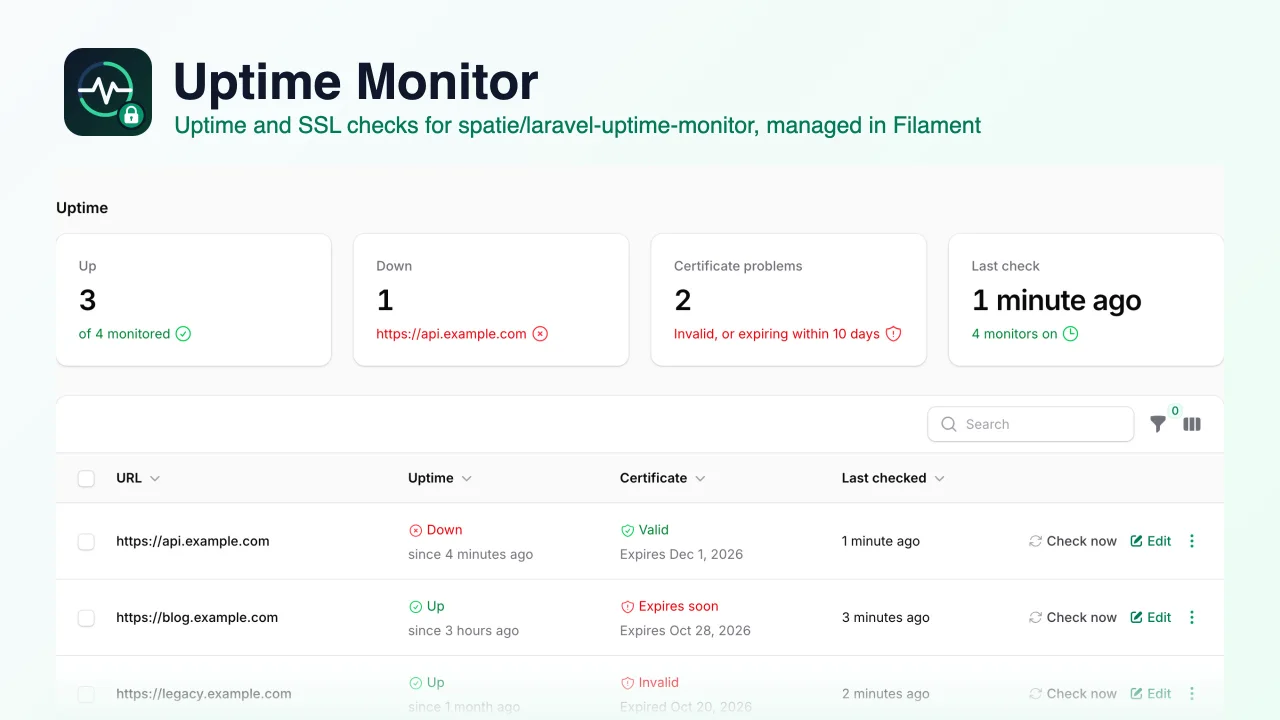
Uptime Monitor
An admin UI for spatie/laravel-uptime-monitor that lets you add, edit, turn on and off and check uptime and SSL certificate monitors from your Filament panel, with status filters and a dashboard widget.
Author:
Muhammad Amjad
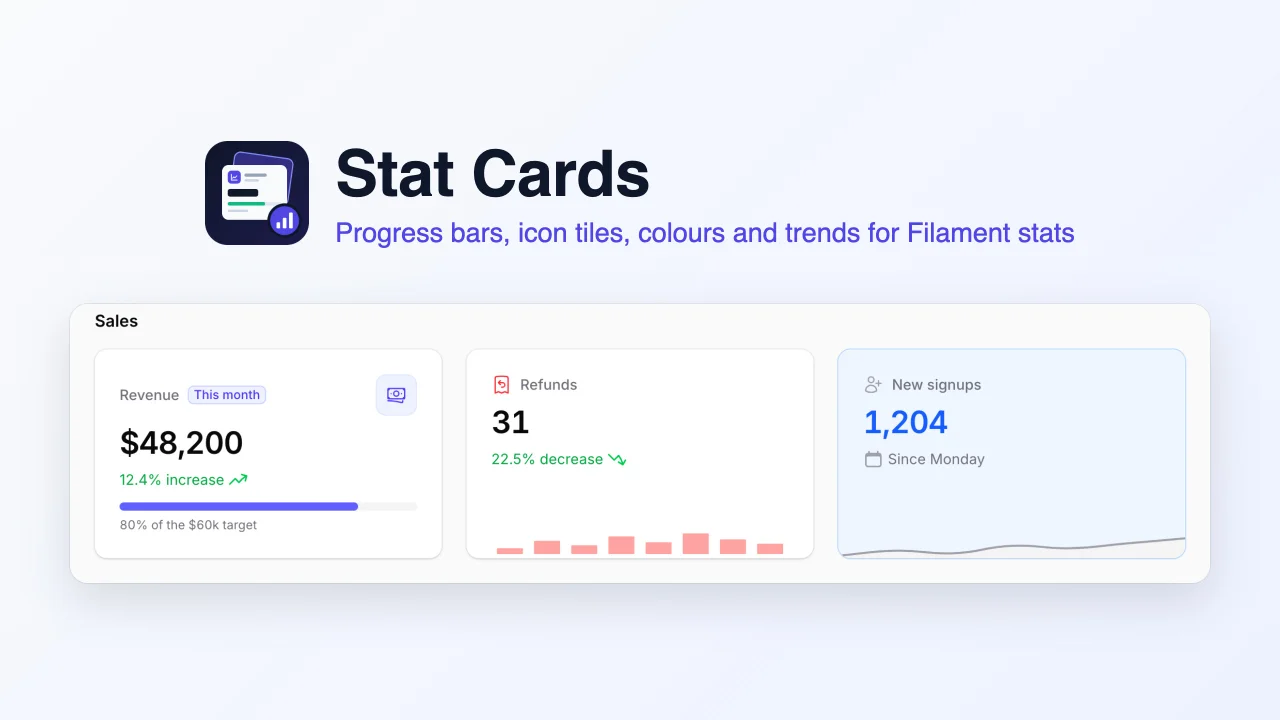
Stat Cards
Richer stat cards for the Filament stats overview widget, adding progress bars, icon tiles, background, label and value colours, trends, badges and bar charts to the widget you already have.
Author:
Muhammad Amjad
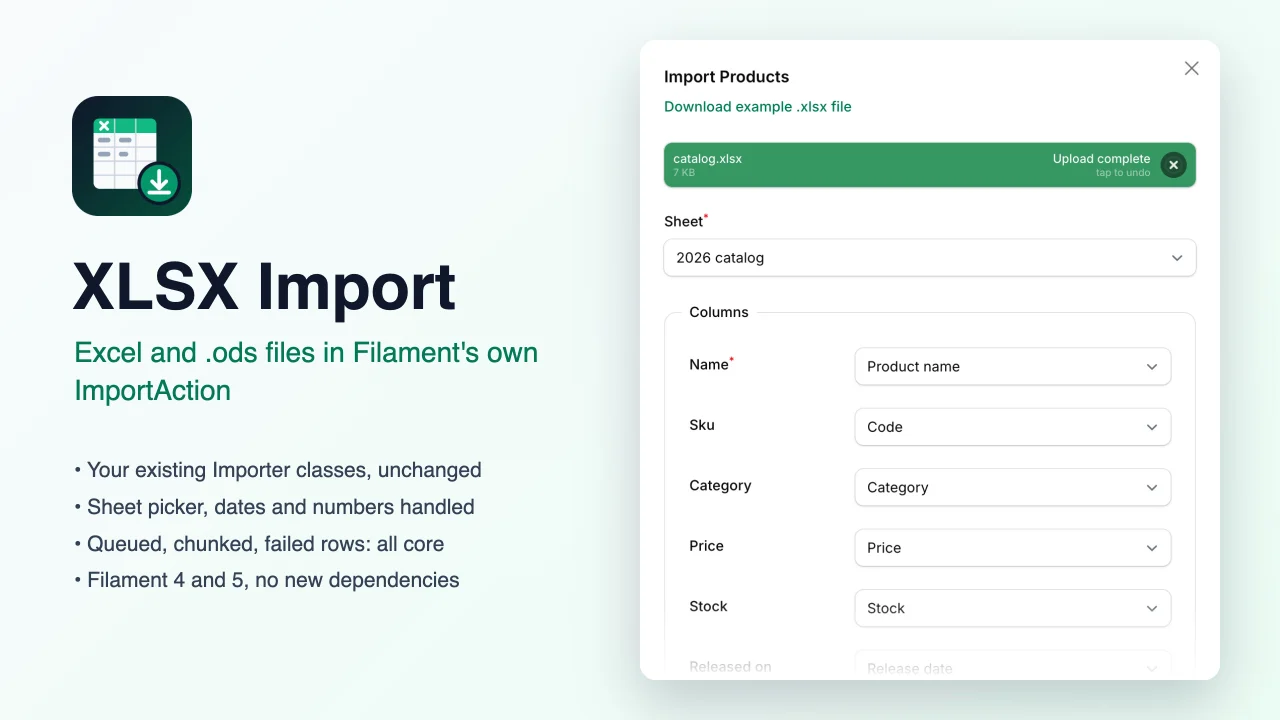
XLSX Import
Lets Filament's own ImportAction read Excel (.xlsx) and OpenDocument (.ods) workbooks as well as CSV, with a sheet picker, while your existing Importer classes, queued jobs and failed-rows downloads keep working unchanged.
Author:
Muhammad Amjad
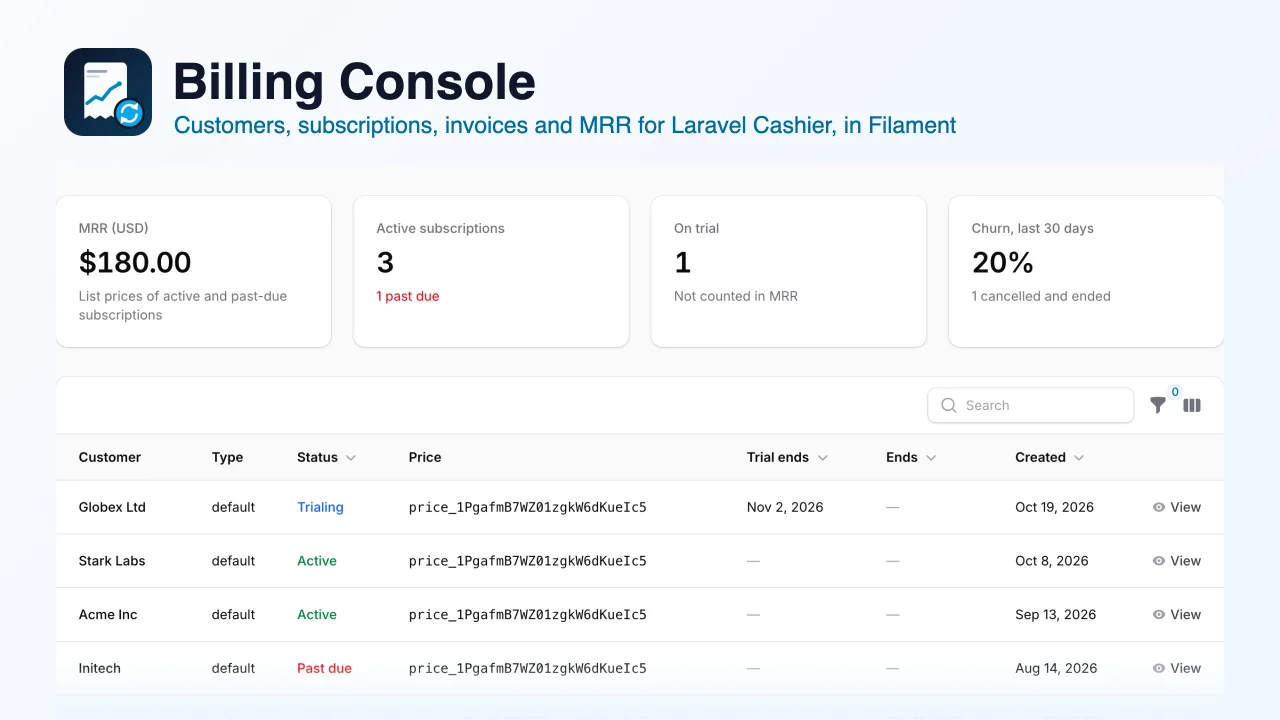
Billing Console
A free, read-only billing console for Laravel Cashier (Stripe) that shows your customers, subscriptions, invoices and payments, with an MRR and churn summary, "Open in Stripe" links and a safe "Sync from Stripe" action, inside your Filament panel.
Author:
Muhammad Amjad
Featured Plugins
A selection of plugins curated by the Filament team

Sharp Theme
A theme that gives panels a precise, technical look with square corners, strong borders, and clear contrast.
 Filament

Spotlight Pro
Browse your Filament Panel with ease. Filament Spotlight Pro adds a Spotlight like Command Palette to your Filament Panel.
 Dennis Koch

Advanced Tables (formerly Filter Sets)
Supercharge your tables with powerful features like user-customizable views, quick filters, multi-column sorting, advanced table searching, convenient view management, and more. Compatible with Resource Panel Tables, Relation Managers, Table Widgets, and Table Builder!
 Kenneth Sese
