CRM Sync by Muhammad Amjad
CommunityA free lead sync for HubSpot that pushes your Filament records as contacts, companies and deals with a field mapping you write once, syncs one record, a selection or every save through the queue, and shows each record's sync status, HubSpot values and recent activity in your panel.
 Author:
Muhammad Amjad
Package health
Automated checks of this plugin's Composer package
15 checks
- Skipped: GitHub Actions pinned to SHA
- Skipped: GitLab CI includes pinned to SHA
- Passed: Open security advisories
- Passed: Dependabot PR responsiveness — No open Dependabot PRs.
- Skipped: Renovate MR responsiveness
- Skipped: Dependabot or Renovate configured
- Skipped: Dependency update cooldown configured
- Failed: Provides a security policy — View details on Plumb
- Passed: Abandoned or archived — No consulted source marks the package abandoned (packagist, github).
- Passed: Commit and release recency — Active: last commit 0 days ago; last release 0 days ago.
-
Passed:
composer.lock not committed by library
—
composer.lockis absent from the released dist archive. - Passed: Dist archive is lean
-
Passed:
Current Laravel version supported
—
Package dependencies resolve together with current Laravel
13.0. -
Passed:
Current PHP version supported
—
Constraint
^8.2supports current PHP8.5. - Skipped: Current Symfony version supported
filament/
namespace. Review the source and install at your own risk. Found
malware or an unresolved security issue the author won't
address?
Report it
.
Documentation
- What it does
- Requirements
- Installation
- Map your models
- Add the UI to your resources
- Queue and rate limits
- Authorization
- What it does not do (yet)
- Testing
- Changelog
- Support
- Need this customised, or something built?
- More packages
- Credits
- License
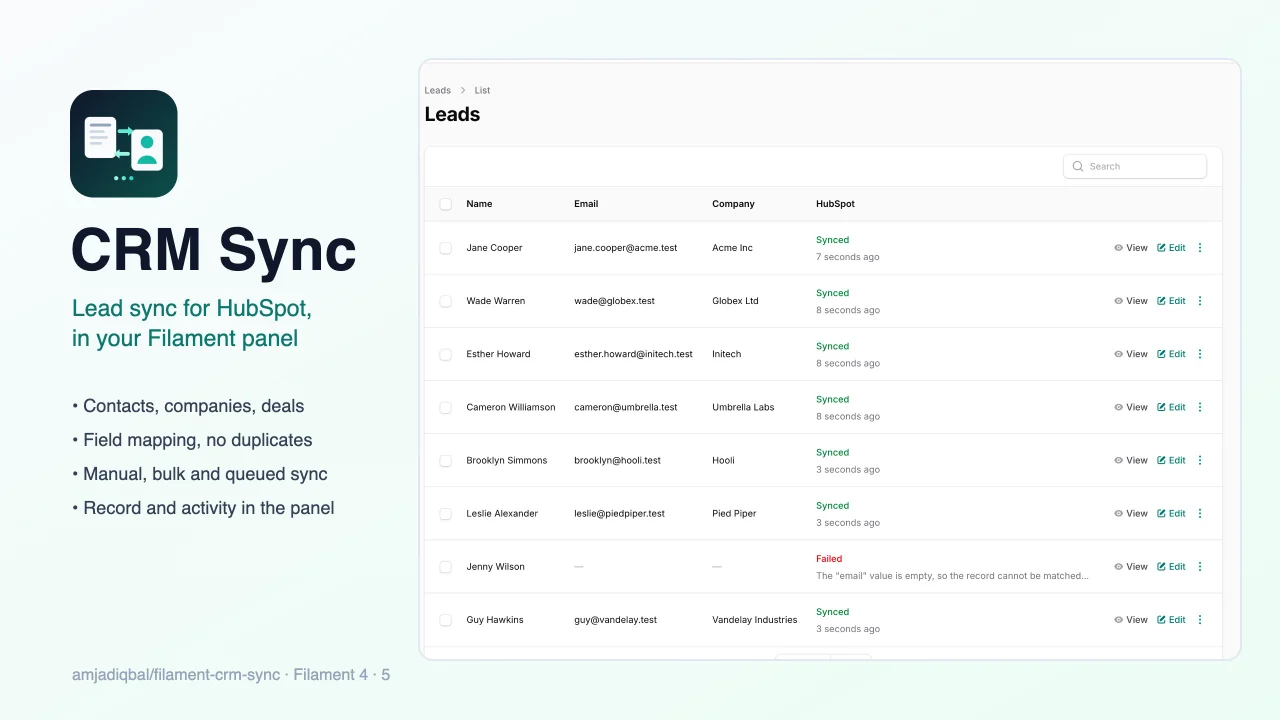
A free lead sync for HubSpot, in your Filament panel. Push your records (leads, users, orders, anything Eloquent) to HubSpot as contacts, companies and deals with a field mapping you write once. Sync one record, a selection or every save, see each record's sync status in your tables, and see the HubSpot record and its recent activity on the record's page. It works with Filament 4 and 5.



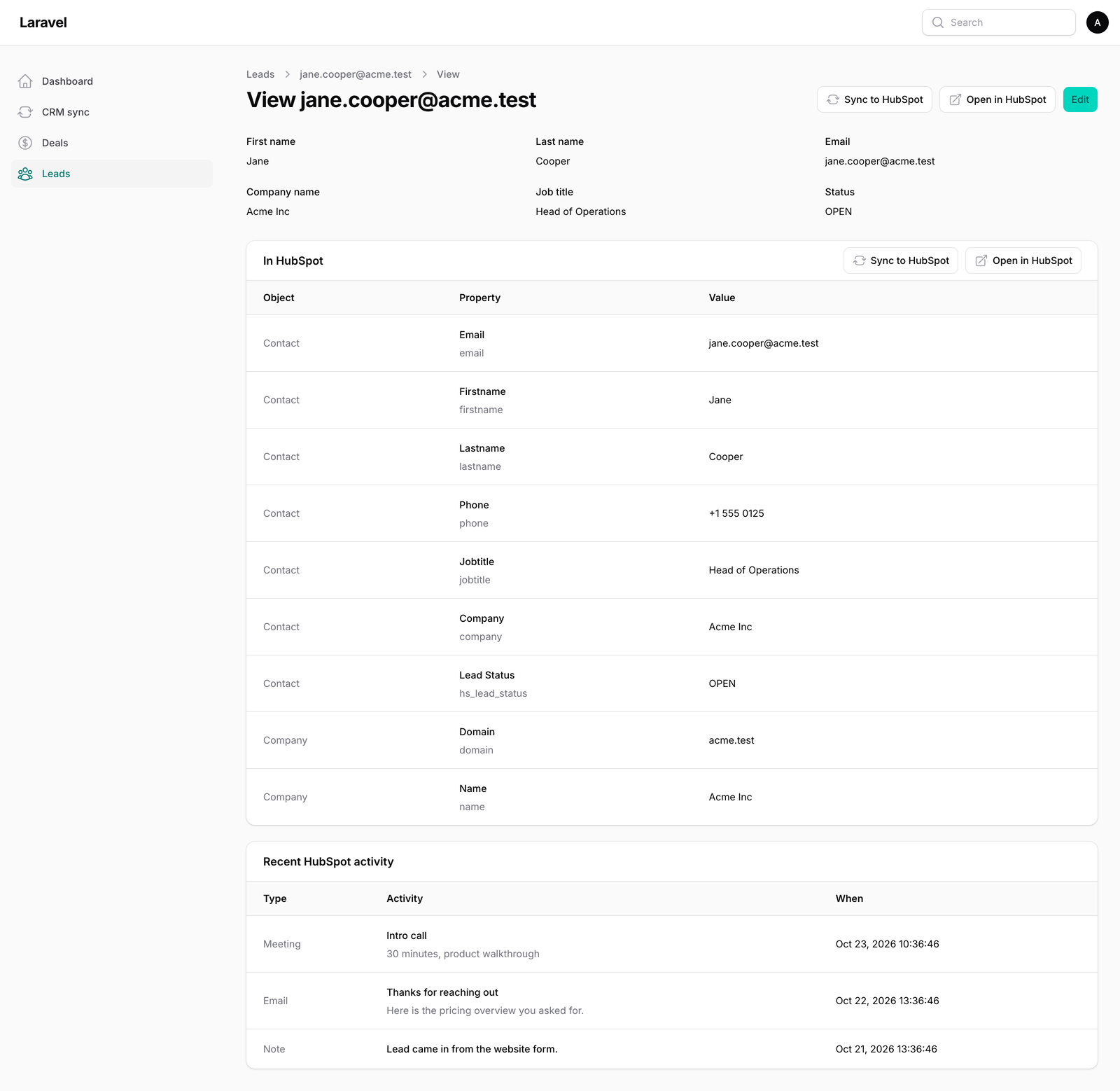
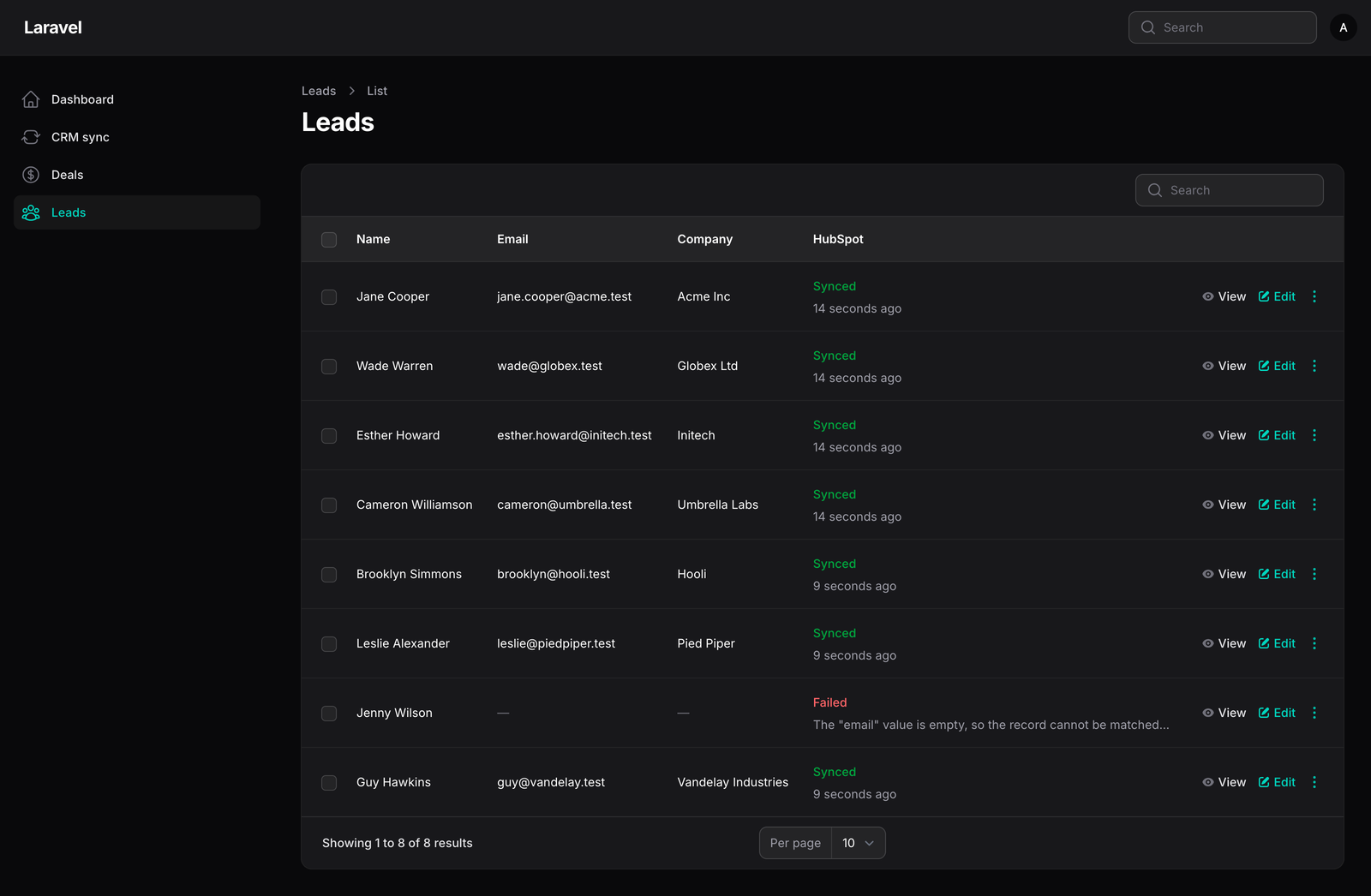
#What it does
- Field mapping in code. Map a model to HubSpot contacts, companies and deals: CRM property => attribute, dot path
(
company.name) or closure. Dates, booleans, enums and lists are converted to the format HubSpot takes. - Idempotent upserts. Each record remembers its HubSpot ID. Contacts are matched by email with HubSpot's batch
upsert; companies and deals by any property you choose (for example
domain), else by the stored ID. Re-syncing never creates duplicates. Automatic syncs (on save, orCrmSync::queue()from your code) skip records whose values have not changed; the Sync actions, the bulk action and Retry always send. - Associations. Associate the contact with its company, or a deal with the lead it belongs to. A related record that was never synced is synced first.
- Manual and queued sync. A "Sync to HubSpot" row and page action (runs at once and shows the result), a bulk
action that queues the selection, and optional sync on every save. Queued jobs are rate-limited, back off on
HubSpot's 429 responses using
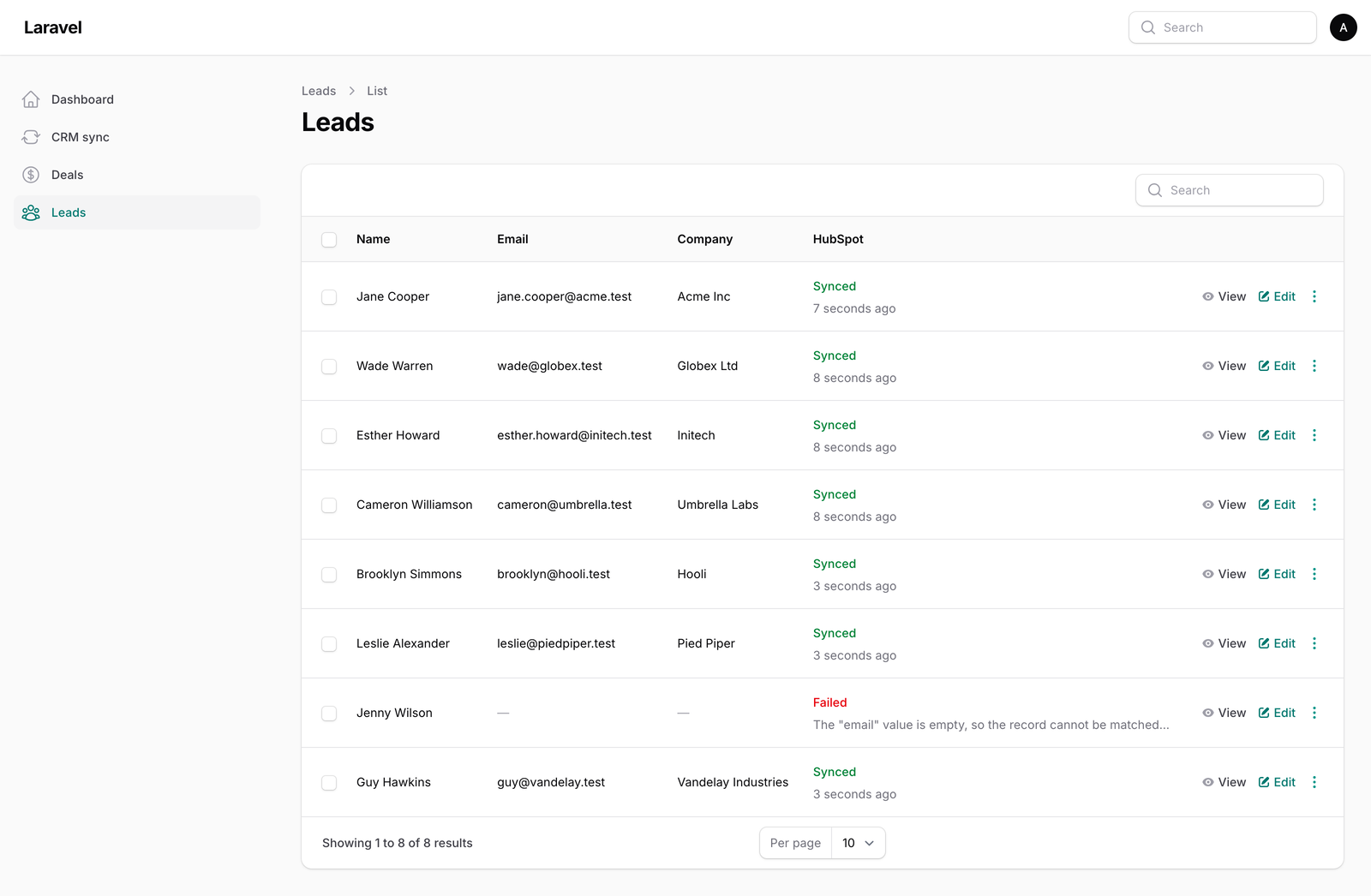
Retry-After, and never run twice at once for the same record. - Status in your tables. A column shows Synced, Queued, Failed or Not synced, with the time or the error.
- The HubSpot record in your panel. Two widgets for a View or Edit page: the record's current HubSpot values, and its recent notes, emails, calls, meetings and tasks. Plus an "Open in HubSpot" action.
- A CRM sync page. Test the connection, check that mapped properties exist and are writable in your HubSpot account, and see every sync with its status and error, with retry.
Your own HubSpot account is used through a private-app token you create. The token is read from your .env, sent
only to HubSpot, and never logged, stored or shown; error messages are masked before they are shown or saved.
#Requirements
- PHP 8.2+ (8.3+ for Filament 5)
- Laravel 12 or 13
- Filament 4 or 5
- A HubSpot account where you can create a private app, and a queue worker for queued syncs
#Installation
composer require amjadiqbal/filament-crm-sync
php artisan migrate
The migration adds one table, crm_sync_links, which stores each record's HubSpot ID and last sync status.
#Create the HubSpot token
In HubSpot, go to Settings > Integrations > Private apps (in newer accounts: Development > Legacy apps), create a private app and give it these scopes:
| Scope | For |
|---|---|
crm.objects.contacts.read, crm.objects.contacts.write |
contacts, and reading activity on them |
crm.objects.companies.read, crm.objects.companies.write |
companies |
crm.objects.deals.read, crm.objects.deals.write |
deals |
crm.schemas.contacts.read, crm.schemas.companies.read, crm.schemas.deals.read |
"Check mappings" and property labels |
Activity types the app can't read are left out of the activity widget, so missing scopes there only hide those
items. Copy the access token into .env:
CRM_SYNC_HUBSPOT_TOKEN=pat-na1-...
# Optional: for "Open in HubSpot" links without an extra API call
CRM_SYNC_HUBSPOT_PORTAL_ID=12345678
#Register the plugin
use AmjadIqbal\FilamentCrmSync\CrmSyncPlugin;

public function panel(Panel $panel): Panel
{
    return $panel
        // ...
        ->plugin(CrmSyncPlugin::make());
}
This adds the CRM sync page. Open it and click Test connection.
#Map your models
Implement SyncsToCrm on a model you own:
use AmjadIqbal\FilamentCrmSync\Concerns\InteractsWithCrm;
use AmjadIqbal\FilamentCrmSync\Contracts\SyncsToCrm;
use AmjadIqbal\FilamentCrmSync\Mapping\CrmMapping;

class Lead extends Model implements SyncsToCrm
{
    use InteractsWithCrm;

    public function crmMappings(): array
    {
        return [
            CrmMapping::contact()
                ->identifyBy('email')                    // HubSpot property, and the attribute (same name here)
                ->fields([
                    'firstname' => 'first_name',
                    'lastname' => 'last_name',
                    'phone' => 'phone',
                    'hs_lead_status' => fn (Lead $lead) => $lead->qualified ? 'OPEN_DEAL' : 'NEW',
                ])
                ->associate('company')                   // this lead's own company mapping, below
                ->when(fn (Lead $lead) => $lead->marketing_consent),

            CrmMapping::company()
                ->identifyBy('domain', fn (Lead $lead) => parse_url($lead->website, PHP_URL_HOST))
                ->fields(['name' => 'company_name']),
        ];
    }
}
Or map a model you don't own (or prefer to keep clean) from a service provider's boot():
use AmjadIqbal\FilamentCrmSync\CrmSync;
use AmjadIqbal\FilamentCrmSync\Mapping\CrmMapping;

app(CrmSync::class)->map(Order::class, fn () => [
    CrmMapping::deal()
        ->fields([
            'dealname' => fn (Order $order) => "Order {$order->number}",
            'amount' => 'total',
            'pipeline' => fn () => 'default',
            'dealstage' => fn (Order $order) => $order->paid ? 'closedwon' : 'appointmentscheduled',
            'closedate' => 'paid_at',
        ])
        ->associate('contact', 'customer'),      // the Order's customer relation, synced with its own mapping
]);
| Mapping method | What it does |
|---|---|
CrmMapping::contact(), company(), deal() |
The HubSpot object (CrmMapping::object('...') for a driver's own objects) |
identifyBy($property, $value = null) |
Finds an existing record before creating one. Contacts by email use HubSpot's upsert; other properties are searched. Without it, only the stored ID matches. |
fields([...]) |
HubSpot property => attribute, dot path or closure |
associate($object, $relation = null) |
Associate with the related model's synced record, or with this model's own mapping of $object |
when(fn ($model) => bool) |
Only sync matching records. Others are not sent and get no sync-log row; a manual Sync says "skipped by its condition" |
syncOnSave() |
Queue a sync on every save (off by default) |
keepNulls() |
Send empty values, clearing the HubSpot property, instead of leaving it alone |
Use HubSpot's internal property names (firstname, not "First name"). Check mappings on the CRM sync page lists
any mapped property your account doesn't have, or that is read-only. It checks models mapped with CrmSync::map(),
and models that implement SyncsToCrm once they appear in the sync log (after their first sync); the page cannot
find a SyncsToCrm model that was never synced.
#Add the UI to your resources
use AmjadIqbal\FilamentCrmSync\Actions\OpenInCrmAction;
use AmjadIqbal\FilamentCrmSync\Actions\SyncToCrmAction;
use AmjadIqbal\FilamentCrmSync\Actions\SyncToCrmBulkAction;
use AmjadIqbal\FilamentCrmSync\Tables\CrmSyncStatusColumn;
use Filament\Actions\ActionGroup;

public static function table(Table $table): Table
{
    return $table
        ->columns([
            // ...
            CrmSyncStatusColumn::make(),
        ])
        ->recordActions([
            // ... your View / Edit actions
            ActionGroup::make([                  // keeps the row narrow next to your own actions
                SyncToCrmAction::make(),         // runs now; ->queue() to queue it instead
                OpenInCrmAction::make(),
            ]),
        ])
        ->toolbarActions([
            SyncToCrmBulkAction::make(),     // queues the selection
        ]);
}
On a View or Edit page:
use AmjadIqbal\FilamentCrmSync\Widgets\CrmActivityWidget;
use AmjadIqbal\FilamentCrmSync\Widgets\CrmRecordWidget;

protected function getHeaderActions(): array
{
    return [SyncToCrmAction::make(), OpenInCrmAction::make()];
}

protected function getFooterWidgets(): array
{
    return [CrmRecordWidget::class, CrmActivityWidget::class];
}
The record widget shows the mapped properties plus a few standard ones per object (change them with
CrmSyncPlugin::make()->recordProperties('contact', ['email', 'lifecyclestage'])). The activity widget reads the
contact first, else the company or deal. HubSpot reads are cached for 5 minutes (cache_seconds) and refreshed
after a sync.
You can also sync from code:
app(CrmSync::class)->syncNow($lead);   // returns a SyncResult
app(CrmSync::class)->queue($lead);     // queues it
#Queue and rate limits
Bulk syncs, retries and sync-on-save are queued, so run a worker (php artisan queue:work). Set CRM_SYNC_QUEUE=false
to run everything in the request instead.
HubSpot allows private apps 100 to 190 requests per 10 seconds, depending on your plan. A sync makes one to four
requests. Queued syncs start at most queue.jobs_per_second (default 4) per second across workers. On a 429, a
queued job is released for HubSpot's Retry-After (10 seconds when absent, an hour for the daily limit) and keeps
trying for 6 hours. A sync in the request waits up to max_wait_seconds (10) and retries twice; when HubSpot asks
for a longer wait (or the daily limit is reached), the objects not yet sent are queued as a job delayed by
Retry-After and shown as Queued (with queueing off, they are marked Failed). Network errors and 5xx responses are
retried twice. A HubSpot error such as an invalid property value marks that object Failed at once; the job gives up
only after 6 hours of rate limits or 3 unexpected exceptions. Manual syncs are limited to 20 per user per minute
(CrmSyncPlugin::make()->syncsPerMinute(...)).
Publish the config to change these:
php artisan vendor:publish --tag="filament-crm-sync-config"
#Authorization
By default, anyone who can use the panel can view the CRM sync page and widgets. Syncing a record needs its policy's
update ability when the model has a policy. To decide yourself:
// Gates, when defined, are used instead:
Gate::define('viewCrmSync', fn (User $user) => $user->is_admin);
Gate::define('syncToCrm', fn (User $user, ?Model $record = null) => $user->can('update', $record));

// Or one closure for both ("view" and "sync"), which replaces gates and policies:
CrmSyncPlugin::make()->authorizeUsing(fn (string $ability, ?Model $record, $user) => $user->is_admin);
#What it does not do (yet)
- It pushes from your app to HubSpot only. Changes made in HubSpot do not come back, and deleting a local record does not delete or archive it in HubSpot (its sync-log rows are removed; with soft deletes, on force delete).
- Mapping is code-only; there is no mapping editor in the panel.
- HubSpot is the only driver. The driver contract (
AmjadIqbal\FilamentCrmSync\Contracts\CrmDriver, registered withapp(CrmSync::class)->extend('name', fn (array $config) => new MyDriver($config))) is there so others can be added.
A Pro version is planned with two-way sync, scheduled backfills, more objects and more CRMs.
#Testing
composer test
The tests use Laravel's HTTP fake with responses in the shape HubSpot's API documents; they never call HubSpot.
#Changelog
See CHANGELOG.md.
#Support
- 🐛 Bug or feature request: open an issue
- 🔒 Security issue: please report it privately through GitHub's security tab
#Need this customised, or something built?
I'm available for custom development, package integration, and technical consulting.

#More packages
This is part of a family of open-source packages. See all of them.
| filament-billing-console | A read-only billing console for Laravel Cashier (Stripe) in Filament |
| filament-uptime-monitor | Uptime and SSL checks managed in Filament, for spatie/laravel-uptime-monitor |
| laravel-webhook-console | Browse, inspect and replay received webhooks, for spatie/laravel-webhook-client |
#Credits
This is an independent project. It is not affiliated with, endorsed by or sponsored by HubSpot, Inc. "HubSpot" is a trademark of HubSpot, Inc. and is used here only to say which CRM the plugin works with.
#License
The MIT License (MIT). See LICENSE.md.
The author
I am a seasoned full-stack web developer specializing in Laravel, Livewire, and Vue.js ecosystems. With extensive experience in building modern web applications, I leverage the power of Laravel's elegant syntax and robust features to create scalable backend solutions. My expertise extends to crafting responsive and interactive user interfaces using Livewire and Vue.js, enhanced by the utility-first approach of Tailwind CSS.
From the same author
Record Settings
Edit per-user, per-team and per-tenant settings in Filament from a settings page, a modal action or resource form fields, stored with glorand/laravel-model-settings or in a JSON column.
Author:
Muhammad Amjad
Uptime Monitor
An admin UI for spatie/laravel-uptime-monitor that lets you add, edit, turn on and off and check uptime and SSL certificate monitors from your Filament panel, with status filters and a dashboard widget.
Author:
Muhammad Amjad
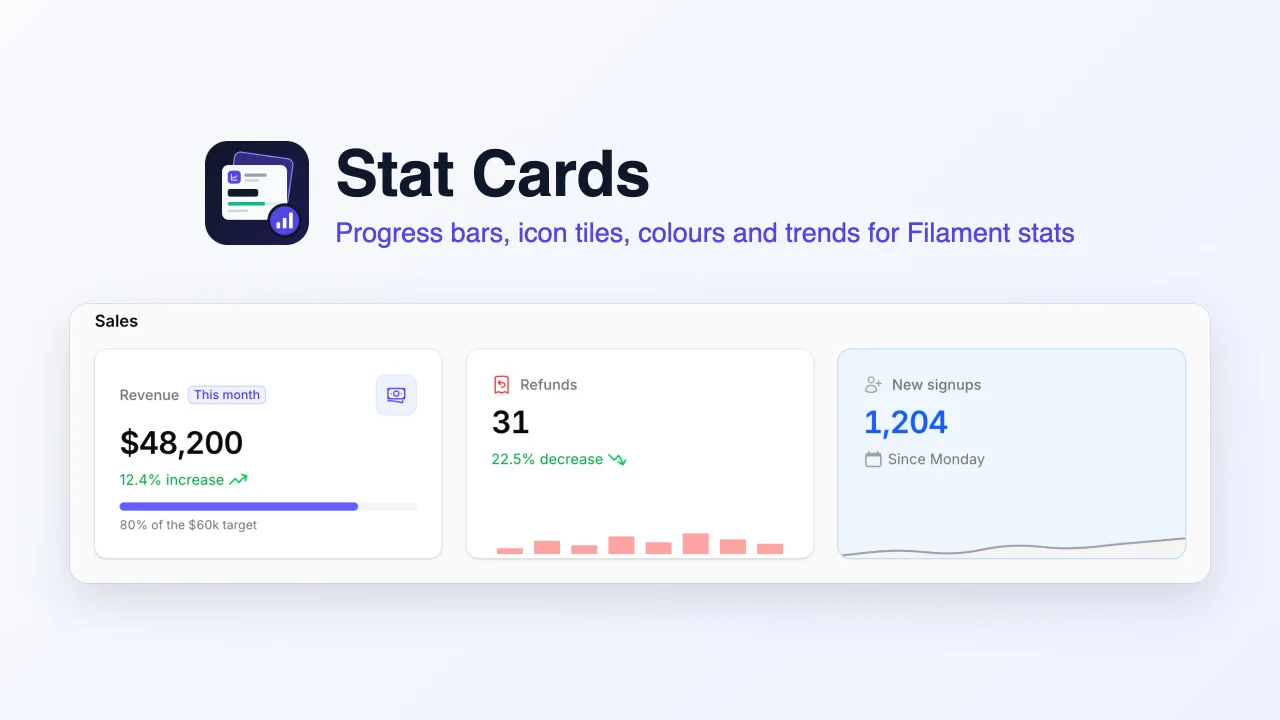
Stat Cards
Richer stat cards for the Filament stats overview widget, adding progress bars, icon tiles, background, label and value colours, trends, badges and bar charts to the widget you already have.
Author:
Muhammad Amjad
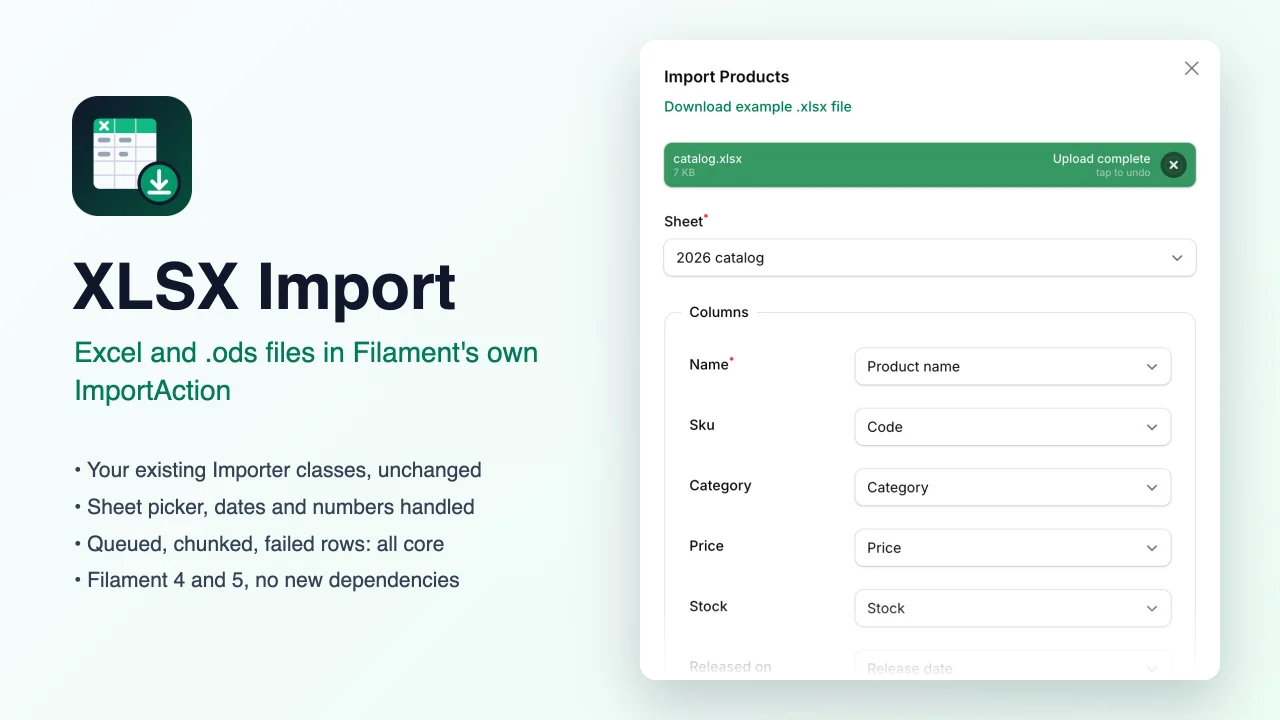
XLSX Import
Lets Filament's own ImportAction read Excel (.xlsx) and OpenDocument (.ods) workbooks as well as CSV, with a sheet picker, while your existing Importer classes, queued jobs and failed-rows downloads keep working unchanged.
Author:
Muhammad Amjad
Featured Plugins
A selection of plugins curated by the Filament team
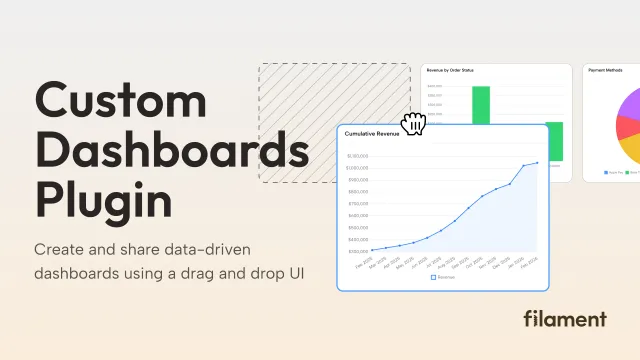
Custom Dashboards
Let your users build and share their own dashboards with a drag-and-drop interface. Define your data sources in PHP and let them do the rest.
 Filament
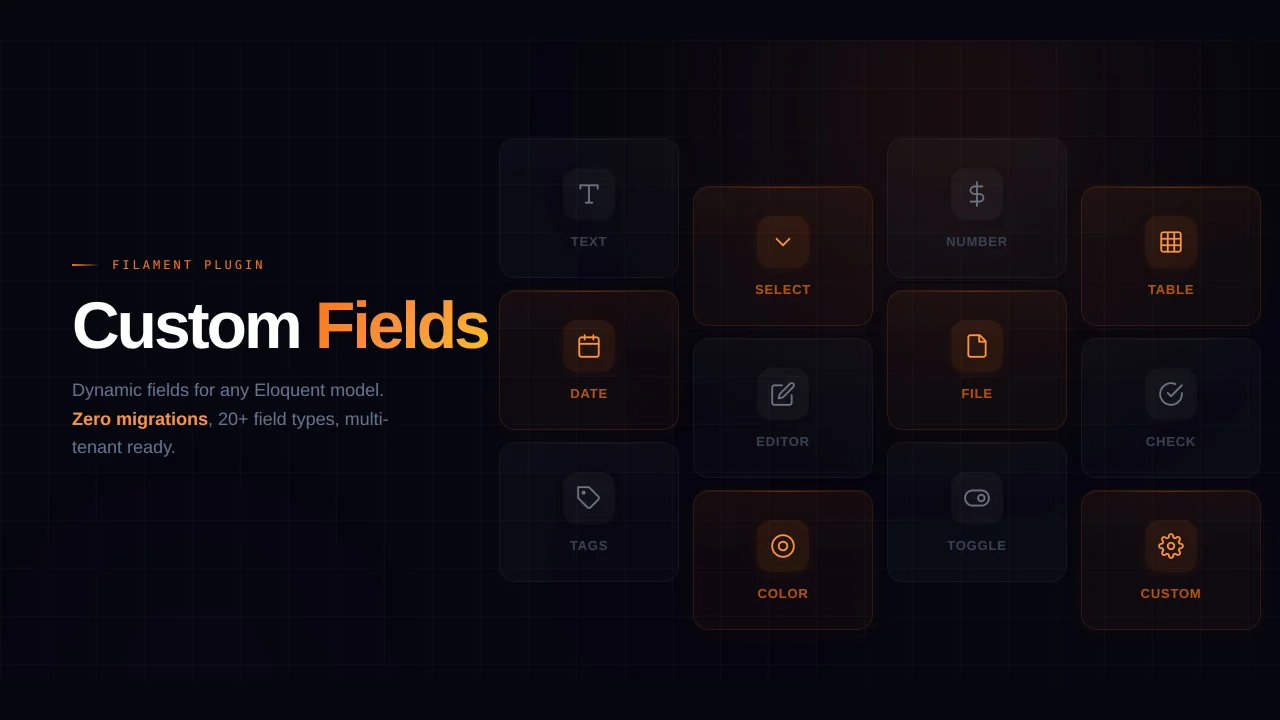
Custom Fields
Eliminate custom field migrations forever. Let your users create and manage form fields directly in Filament admin panels with 20+ built-in field types, validation, and zero database changes.
 Relaticle
Compact Theme
A theme that makes data-heavy panels easier to scan by fitting more useful information on each screen.
Filament