
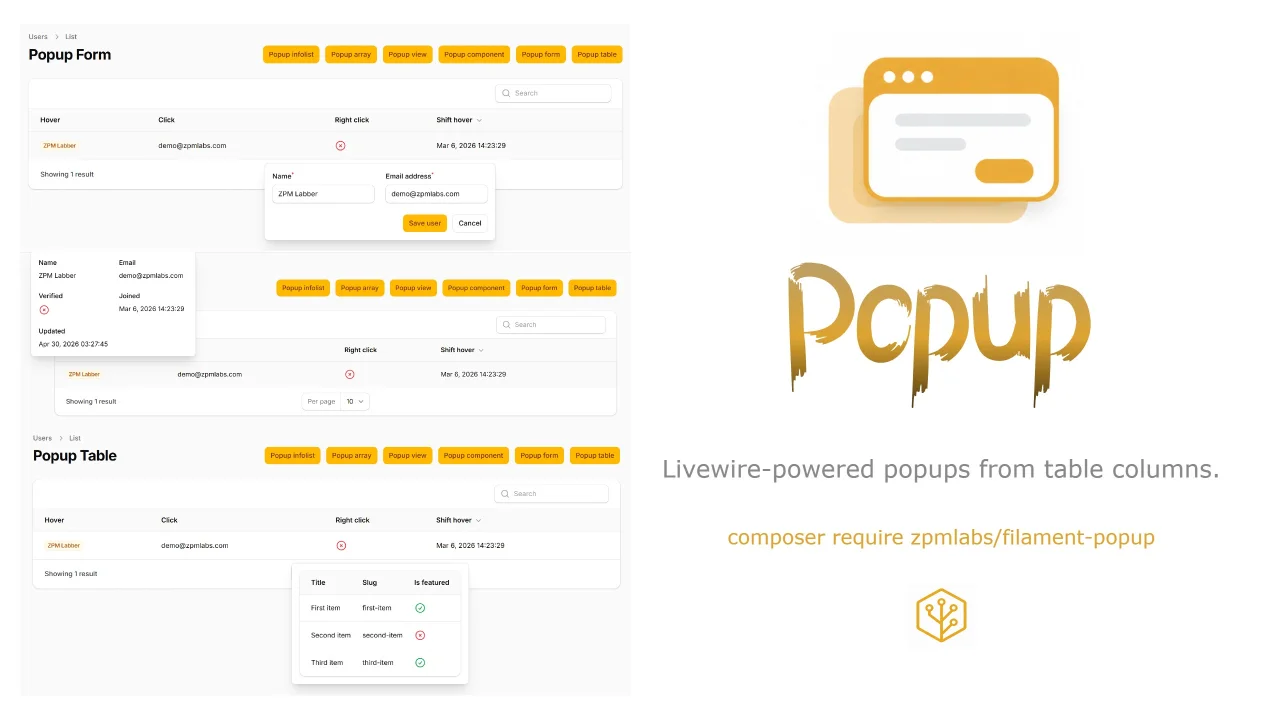
Popup by ZPMLabber
CommunityLivewire-powered popups from table columns.
 Author:
ZPMLabber
Author:
ZPMLabber
Package health
Automated checks of this plugin's Composer package
15 checks
- Skipped: GitHub Actions pinned to SHA
- Skipped: GitLab CI includes pinned to SHA
- Passed: Open security advisories
- Passed: Dependabot PR responsiveness — No open Dependabot PRs.
- Skipped: Renovate MR responsiveness
- Skipped: Dependabot or Renovate configured
- Skipped: Dependency update cooldown configured
- Failed: Provides a security policy — View details on Plumb
- Passed: Abandoned or archived — No consulted source marks the package abandoned (packagist, github).
- Passed: Commit and release recency — Active: last commit 87 days ago; last release 87 days ago.
-
Passed:
composer.lock not committed by library
—
composer.lockis absent from the released dist archive. - Passed: Dist archive is lean
-
Passed:
Current Laravel version supported
—
Package dependencies resolve together with current Laravel
13.0. -
Passed:
Current PHP version supported
—
Constraint
^8.3supports current PHP8.5. - Skipped: Current Symfony version supported
filament/
namespace. Review the source and install at your own risk. Found
malware or an unresolved security issue the author won't
address?
Report it
.
Documentation
- How It Works
- Installation
- Column API
- Options
- Shared Example Table
- Array Popups
- Infolist / Schema Popups
- Form Popups
- Blade View Popups
- Blade Component Popups
- Table Popups
- Example Resource
- Configuration
- Troubleshooting
- Current Scope
A Filament 5 plugin for rendering Livewire-powered popups from table columns.
The package is designed for quick previews and inline interactions on table cells:
use ZPMLabs\FilamentPopup\Enums\PopUpPosition;

TextColumn::make('name')
    ->badge()
    ->popup(UserPopupInfolist::class, PopUpPosition::TopCenter)
    ->searchable();
#How It Works
The table cell only stores popup metadata. JavaScript handles browser events and sends an open event to one global Livewire popup host. The host loads the Eloquent record, renders the popup content, manages form state, validates forms, saves data, and refreshes the page table.
This is important because Filament forms, actions, and tables need a real Livewire render cycle. The package does not put rendered HTML into data-* attributes.
#Installation
Install with Composer:
composer require zpmlabs/filament-popup
The service provider registers the column macros, assets, Livewire component, and a Filament BODY_END render hook for the global popup host.
If package auto-discovery is disabled, register the provider manually:
ZPMLabs\FilamentPopup\FilamentPopupServiceProvider::class,
Publish the config if you want to change defaults:
php artisan vendor:publish --tag=filament-popup-config
If your panel theme uses Tailwind source scanning, include the package views:
@source '../../../../vendor/zpmlabs/filament-popup/resources/views/**/*';
Then publish Filament assets:
php artisan filament:assets
#Column API
Use popup() on any Filament table column:
TextColumn::make('name')
    ->popup(UserPopupInfolist::class, PopUpPosition::TopCenter, [
        'width' => 'md',
        'delay' => 250,
        'closeDelay' => 300,
        'offset' => 10,
        'interactive' => true,
        'trigger' => 'hover',
    ]);
Fluent helpers are also available:
TextColumn::make('name')
    ->popup(UserPopupInfolist::class)
    ->popupPosition(PopUpPosition::TopCenter)
    ->popupWidth('md')
    ->popupDelay(300)
    ->popupCloseDelay(300)
    ->popupTrigger('hover', key: 'shift');
#Options
Supported options:
width:xs,sm,md,lg,xl,2xldelay: hover open delay in millisecondscloseDelay: hover close delay in millisecondsoffset: spacing between the trigger and popupinteractive: keeps hover popups usable while moving into the popupposition: provided by thePopUpPositionenum:TopLeft,TopCenter,TopRight,MiddleLeft,MiddleRight,BottomLeft,BottomCenter,BottomRighttrigger:hover,click, orcontextmenutriggerKey: optional modifier or key, such asshift,alt,ctrl, ormetashowActions,saveLabel,cancelLabel: legacy host action options; prefer schema actions for forms
#Shared Example Table
The examples use a normal users table with four trigger styles:
TextColumn::make('name')
    ->label('Hover')
    ->badge()
    ->popup($content, PopUpPosition::TopCenter, [
        'width' => 'md',
        'trigger' => 'hover',
    ]);

TextColumn::make('email')
    ->label('Click')
    ->copyable()
    ->popup($content, PopUpPosition::MiddleRight, [
        'width' => 'lg',
        'trigger' => 'click',
    ]);

IconColumn::make('email_verified_at')
    ->label('Right click')
    ->boolean()
    ->popup($content, PopUpPosition::BottomCenter, [
        'trigger' => 'contextmenu',
    ]);

TextColumn::make('created_at')
    ->label('Shift hover')
    ->dateTime()
    ->popup($content, PopUpPosition::MiddleLeft, [
        'width' => 'xl',
        'trigger' => 'hover',
        'triggerKey' => 'shift',
    ]);
#Array Popups
Arrays are useful for simple read-only previews:
TextColumn::make('name')
    ->popup(fn ($record) => [
        'Name' => $record->name,
        'Email' => $record->email,
        'Joined' => $record->created_at?->toFormattedDateString(),
    ]);
Closures are resolved when the table cell metadata is rendered. They should return static array content.
#Infolist / Schema Popups
For Filament schema or infolist content, create a class with a static make() method:
use Filament\Infolists\Components\IconEntry;
use Filament\Infolists\Components\TextEntry;
use Filament\Schemas\Components\Grid;
use Filament\Schemas\Schema;

final class UserPopupInfolist
{
    public static function make(Schema $schema, mixed $record): Schema
    {
        return $schema
            ->record($record)
            ->components([
                Grid::make(2)
                    ->schema([
                        TextEntry::make('name'),
                        TextEntry::make('email'),
                        IconEntry::make('email_verified_at')
                            ->label('Verified')
                            ->boolean(),
                    ]),
            ]);
    }
}
Then use it:
TextColumn::make('name')
    ->popup(UserPopupInfolist::class);
#Form Popups
Form popups should also use a static make() method. The important part is statePath('popupFormData'), because the popup host stores form state there.
use Filament\Actions\Action;
use Filament\Forms\Components\TextInput;
use Filament\Schemas\Components\Actions;
use Filament\Schemas\Components\Form;
use Filament\Schemas\Components\Grid;
use Filament\Schemas\Schema;

final class UserPopupForm
{
    public static function make(Schema $schema, mixed $record): Schema
    {
        return $schema
            ->record($record)
            ->statePath('popupFormData')
            ->components([
                Form::make([
                    Grid::make(2)
                        ->schema([
                            TextInput::make('name')
                                ->required(),
                            TextInput::make('email')
                                ->label('Email address')
                                ->email()
                                ->required(),
                        ])
                        ->columnSpanFull(),
                ])
                    ->footer([
                        Actions::make([
                            Action::make('cancelPopupForm')
                                ->label('Cancel')
                                ->color('gray')
                                ->action('close'),
                            Action::make('savePopupForm')
                                ->label('Save user')
                                ->action('save'),
                        ])
                            ->alignEnd(),
                    ])
                    ->columnSpanFull(),
            ]);
    }
}
Use string Livewire handlers for form actions:
Action::make('savePopupForm')->action('save');
Action::make('cancelPopupForm')->action('close');
Do not use closure actions for the popup save/cancel buttons. Popup content is rendered dynamically by the popup host, so string handlers are the simplest way to render buttons with direct wire:click handlers. The host save() method validates the popup schema before updating the record, then dispatches refresh events so the page table updates.
You do not need ->livewireSubmitHandler('save') when using action buttons with ->action('save'). Add it only if you intentionally use a submit button that relies on the form submit event.
#Blade View Popups
Pass a Blade view name:
TextColumn::make('name')
    ->popup('filament-popup::examples.user-popup');
The view receives:
$record
$options
#Blade Component Popups
Pass a Blade component class:
TextColumn::make('name')
    ->popup(UserPopupComponent::class);
The component is constructed with named arguments:
public function __construct(
    public mixed $record,
    public array $options = [],
) {}
#Table Popups
Table popup classes use a static configure() method:
use Filament\Tables\Columns\IconColumn;
use Filament\Tables\Columns\TextColumn;
use Filament\Tables\Table;

final class UserPopupPreviewTable
{
    public static function configure(Table $table, mixed $record): Table
    {
        return $table
            ->records(fn (): array => [
                1 => [
                    'title' => 'First item',
                    'slug' => 'first-item',
                    'is_featured' => true,
                ],
                2 => [
                    'title' => 'Second item',
                    'slug' => 'second-item',
                    'is_featured' => false,
                ],
            ])
            ->columns([
                TextColumn::make('title'),
                TextColumn::make('slug'),
                IconColumn::make('is_featured')
                    ->boolean(),
            ]);
    }
}
Then use:
TextColumn::make('name')
    ->popup(UserPopupPreviewTable::class);
For custom array data, make sure every row has a stable key. Filament adds one when using keyed arrays like the example above.
#Example Resource
The package includes a ready-to-register UserResource for testing all formats against App\Models\User.
Register it in your panel provider:
use ZPMLabs\FilamentPopup\Examples\UserResource;

public function panel(Panel $panel): Panel
{
    return $panel
        ->resources([
            UserResource::class,
        ]);
}
The example routes are:
/admin/popup-examples: infolist popup/admin/popup-examples/array: array popup/admin/popup-examples/view: Blade view popup/admin/popup-examples/component: Blade component popup/admin/popup-examples/form: form popup/admin/popup-examples/table: table popup
#Configuration
The config key is filament-popup:
return [
    'default_width' => 'sm',
    'default_delay' => 250,
    'default_close_delay' => 200,
    'default_offset' => 8,
    'default_position' => 'top-center',
    'default_trigger' => 'hover',
    'default_trigger_key' => null,
    'default_show_actions' => false,
    'default_save_label' => 'Save',
    'default_cancel_label' => 'Cancel',
];
#Troubleshooting
If the popup JavaScript changes are not visible, run:
php artisan filament:assets
php artisan optimize:clear
If Tailwind classes in package views are missing, add the package view source path to your panel theme CSS and rebuild your frontend assets.
If a form button renders but does not do anything, check that it uses a string Livewire handler such as ->action('save') or ->action('close'), not a closure.
If a table popup shows "no data", ensure the table class returns records with stable keys and that it is passed as a class string with configure(Table $table, mixed $record): Table.
#Current Scope
Supported content:
- arrays and closures returning arrays
- schema/infolist classes
- schema form classes
- Blade views
- Blade components
- table classes
Not supported yet:
- full Filament page rendering inside a popup
The author
From the same author

World Map Widget
World map widget for statistics.
Author:
ZPMLabber
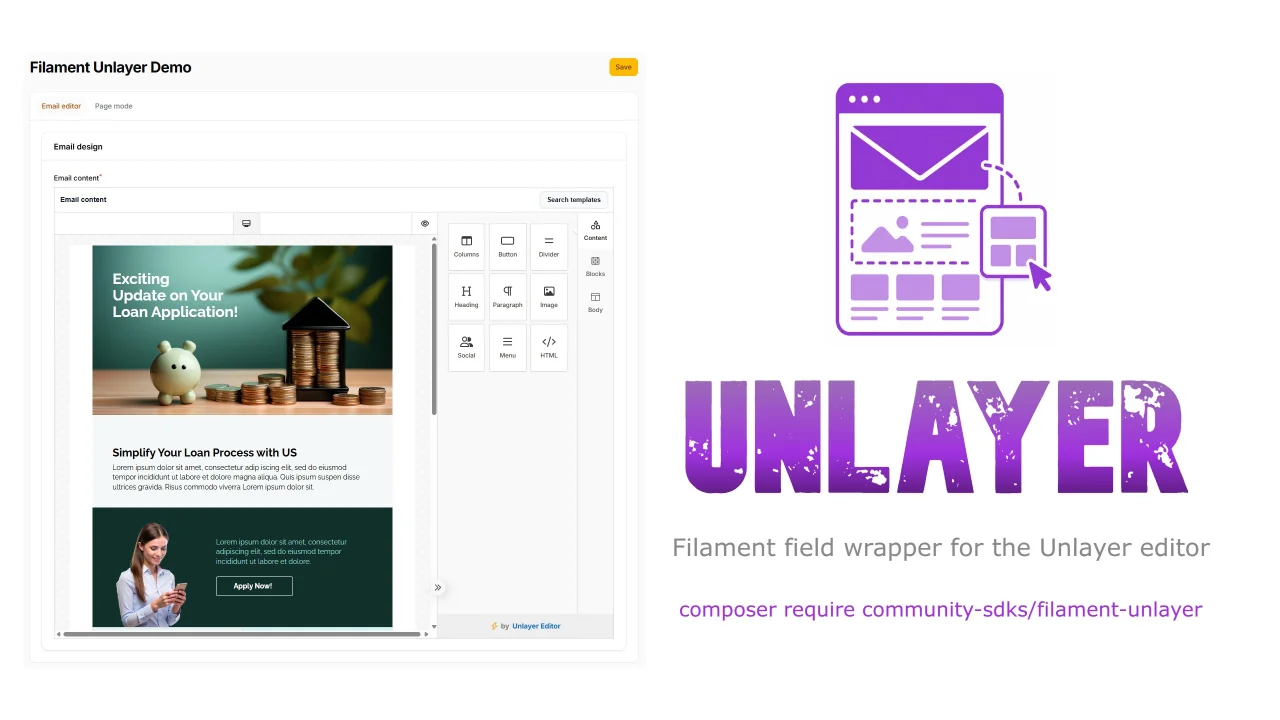
Unlayer
This is a Filament field wrapper for the Unlayer editor.
Author:
ZPMLabber
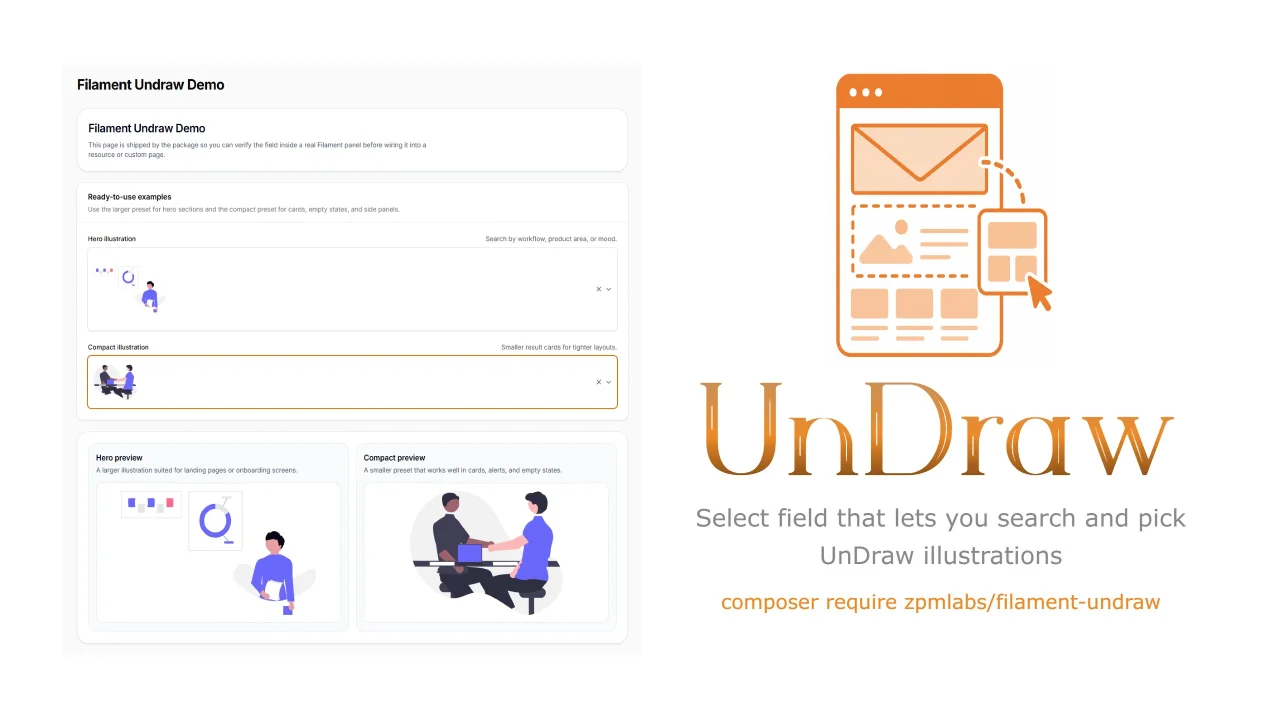
Undraw Select
A Filament select component that lets you search & pick unDraw illustrations.
Author:
ZPMLabber
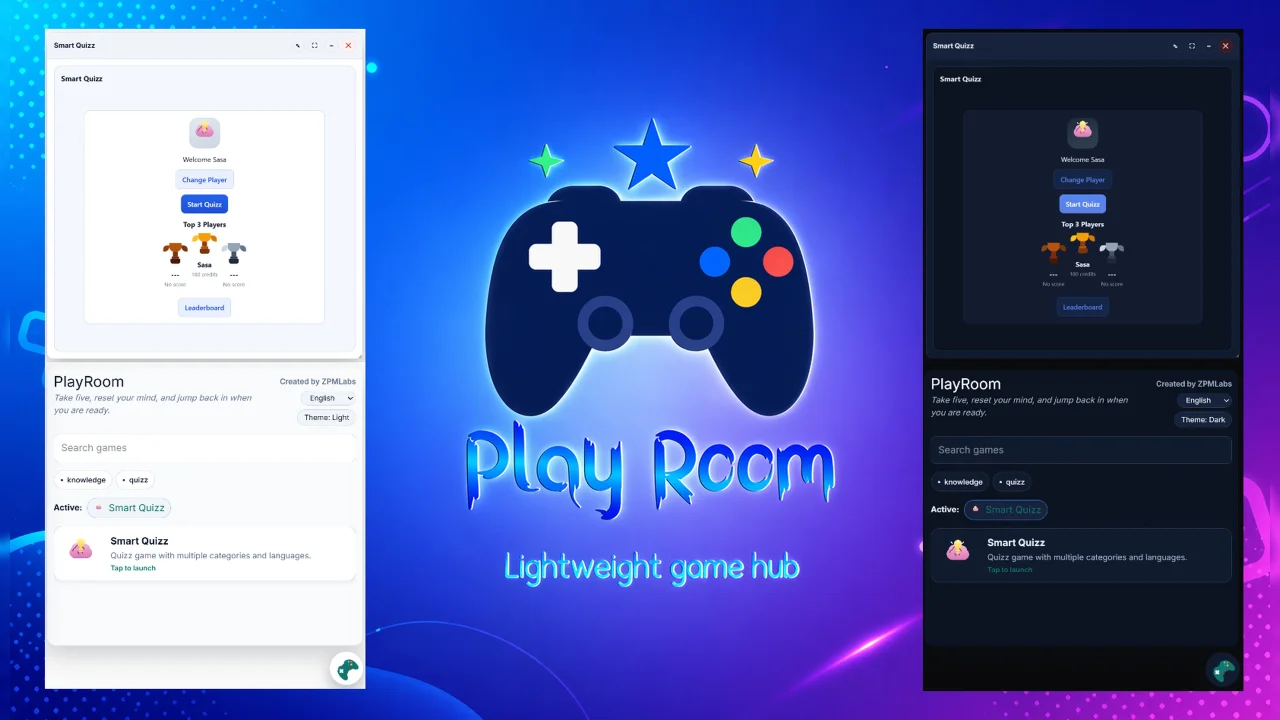
Play Room
PlayRoom is a lightweight, framework-agnostic game hub with filament adapter.
Author:
ZPMLabber
Featured Plugins
A selection of plugins curated by the Filament team

Noir Theme
A theme that gives panels a focused, refined look with near-black surfaces, crisp actions, and restrained color.
 Filament

Advanced Tables (formerly Filter Sets)
Supercharge your tables with powerful features like user-customizable views, quick filters, multi-column sorting, advanced table searching, convenient view management, and more. Compatible with Resource Panel Tables, Relation Managers, Table Widgets, and Table Builder!
 Kenneth Sese

Custom Fields
Eliminate custom field migrations forever. Let your users create and manage form fields directly in Filament admin panels with 20+ built-in field types, validation, and zero database changes.
 Relaticle
