
Play Room by ZPMLabber
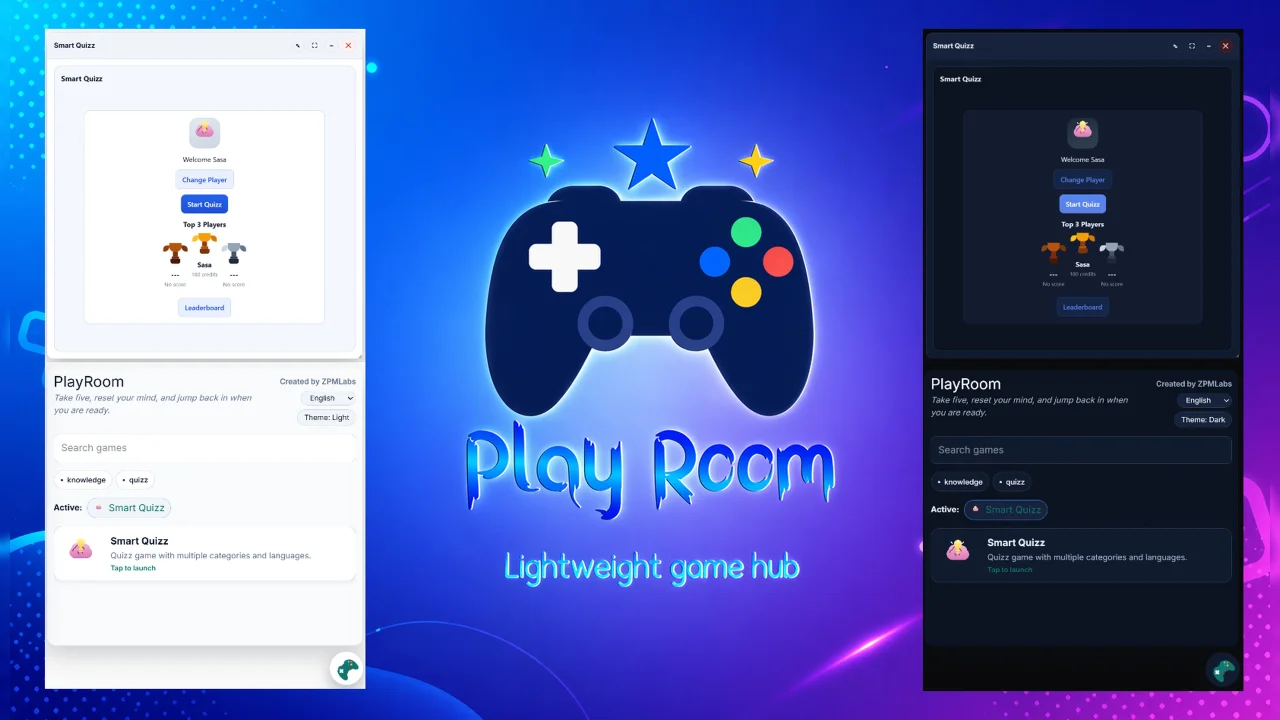
CommunityPlayRoom is a lightweight, framework-agnostic game hub with filament adapter.
filament/
namespace. Review the source and install at your own risk. Found
malware or an unresolved security issue the author won't
address?
Report it
.
 Author:
ZPMLabber
Author:
ZPMLabber
Documentation
- Requirements
- Installation
- Register The Plugin
- Package Classes
- Use The Widget
- Customization
- Configuration API Reference
- State Synchronization Methods
- Read Methods
- Layout Methods
- wrapperClass(string $wrapperClass): static
- containerClass(string $containerClass): static
- inline(): static
- floating(): static
- browserStartMode(string $mode): static
- launcher(array $launcher): static
- persistence(array $persistence): static
- draggableModal(bool $draggable = true): static
- resizableModal(bool|array $config = true): static
- Locale And Theme Methods
- Game Registration Methods
- Generic Option Methods
- Default Configuration
- Example Configurations
Filament v5 plugin and widget package for embedding PlayRoom in a panel.
#Requirements
- PHP 8.3+
- Laravel 13+
- Filament 5+
- Livewire 4+
#Installation
Require the Filament adapter with Composer:
composer require playroom/filament-adapter:^1.0
Laravel package discovery will register PlayRoom\\FilamentPlayRoom\\FilamentPlayRoomServiceProvider automatically.
#Register The Plugin
Register the plugin in your Filament panel provider:
use Filament\Panel;
use PlayRoom\FilamentPlayRoom\PlayRoomPlugin;

public function panel(Panel $panel): Panel
{
    return $panel
        ->plugins([
            PlayRoomPlugin::make(),
        ]);
}
The default plugin configuration mounts a floating PlayRoom launcher in the bottom-right corner of the panel.
#Package Classes
#FilamentPlayRoomServiceProvider
This service provider is registered through Laravel package discovery.
#boot(): void
- Loads the package views under the
filament-play-room::namespace. - This is the method that makes
filament-play-room::globalandfilament-play-room::widgetavailable to the host application.
#PlayRoomPlugin
This is the primary Filament integration for mounting PlayRoom globally in a panel.
#make(): static
- Factory method that returns a preconfigured plugin instance.
- Applies the package defaults for a floating launcher.
- Sets launcher position to
bottom-right. - Sets default floating panel dimensions.
- Enables persistence with the default storage key
playroom:floating-demo.
#getId(): string
- Returns the plugin identifier:
playroom. - Filament uses this as the unique plugin id for the panel.
#register(Panel $panel): void
- Registers a Filament render hook on
PanelsRenderHook::BODY_END. - Injects the package global view so PlayRoom is rendered across the panel.
- Passes the configured locale, theme, options, default-game config, and game registrars into the global Livewire mount.
#boot(Panel $panel): void
- Present for Filament's plugin contract.
- Currently does not perform additional runtime work.
#Use The Widget
Add the widget to a dashboard or panel widget list:
use PlayRoom\FilamentPlayRoom\PlayRoomWidget;

public function getWidgets(): array
{
    return [
        PlayRoomWidget::class,
    ];
}
#PlayRoomWidget
Use this when you want PlayRoom rendered as an explicit dashboard widget instead of a global floating launcher.
#canView(): bool
- Always returns
true. - The widget is visible whenever the widget is registered in Filament.
The widget renders the package view filament-play-room::widget, which mounts the shared Livewire component with the widget's current configuration.
#Customization
Both PlayRoomPlugin and PlayRoomWidget use the shared configuration API from the Livewire adapter, so you can chain methods such as:
PlayRoomPlugin::make()
    ->locale('en')
    ->theme('dark')
    ->floating()
    ->launcher([
        'position' => 'bottom-right',
        'panelWidth' => 'min(520px, calc(100vw - 2rem))',
        'panelHeight' => 'min(78vh, 760px)',
    ])
    ->persistence([
        'enabled' => true,
        'storageKey' => 'playroom:floating-demo',
    ]);
#Configuration API Reference
The following methods are provided by the shared ConfiguresPlayRoom trait used by both PlayRoomPlugin and PlayRoomWidget.
#State Synchronization Methods
#onLocaleChanged(mixed $payload = null): void
- Handles the
playroom-locale-changedLivewire event. - Accepts a string payload or an array containing
localeorvalue. - Ignores invalid or empty values.
#onThemeChanged(mixed $payload = null): void
- Handles the
playroom-theme-changedLivewire event. - Accepts a string payload or an array containing
themeorvalue. - Only accepts
lightordark.
#syncPlayRoomLocale(string $locale): void
- Convenience method that forwards a locale update through
onLocaleChanged(). - Useful when the frontend needs to push the current locale back into Livewire state.
#syncPlayRoomTheme(string $theme): void
- Convenience method that forwards a theme update through
onThemeChanged(). - Useful when the frontend needs to push the current theme back into Livewire state.
#Read Methods
#playRoomOptions(): array
- Returns the resolved PlayRoom options array.
- Merges the stored option set with the current
localeandtheme.
#playRoomDefaultGamesConfig(): array
- Returns the configured default game definitions.
#playRoomGameRegistrars(): array
- Returns the list of JavaScript registrar function names that should be called when PlayRoom initializes.
#isFloating(): bool
- Returns
truewhen the current launcher mode isfloating. - Returns
falsefor inline mode.
#Layout Methods
#wrapperClass(string $wrapperClass): static
- Sets the CSS classes applied to the outer PlayRoom wrapper element.
#containerClass(string $containerClass): static
- Sets the CSS classes applied to the inner PlayRoom container element.
#inline(): static
- Switches PlayRoom into inline mode.
- Sets
browserStartModetoinline. - Sets the launcher mode to
inline.
#floating(): static
- Switches PlayRoom into floating modal mode.
- Sets
browserStartModetomodal. - Sets the launcher mode to
floating.
#browserStartMode(string $mode): static
- Sets the raw PlayRoom browser start mode.
- The package currently uses
inlineandmodal.
#launcher(array $launcher): static
- Merges launcher settings into the current launcher configuration.
- Common keys include
mode,position,panelWidth,panelHeight, andstartOpen.
#persistence(array $persistence): static
- Merges persistence settings into the current persistence configuration.
- Expected keys are
enabledandstorageKey.
#draggableModal(bool $draggable = true): static
- Enables or disables dragging for the floating PlayRoom modal.
#resizableModal(bool|array $config = true): static
- Enables or disables modal resizing when passed a boolean.
- Accepts a detailed configuration array when you need to customize min, base, or max width and height values.
#Locale And Theme Methods
#locale(string $locale): static
- Sets the active locale.
- Trims the input and falls back to
enwhen an empty string is provided.
#localeOptions(array $options): static
- Replaces the locale switcher options.
- Each item should contain
valueandlabelkeys.
#localeMessages(array $messages): static
- Sets translated message dictionaries keyed by locale.
- Use this when the embedded PlayRoom UI needs custom copy per language.
#showLocaleSwitcher(bool $show = true): static
- Shows or hides the locale switcher in the PlayRoom UI.
#theme(string $theme): static
- Sets the active theme.
- Any value other than
darkresolves tolight.
#showThemeSwitcher(bool $show = true): static
- Shows or hides the theme switcher in the PlayRoom UI.
#themeColors(array $colors): static
- Merges custom theme colors into the PlayRoom options.
- Supports
primaryand optionalsecondarykeys.
#Game Registration Methods
#useDefaultGames(bool $use = true): static
- Enables or disables registration of the package's default games.
#defaultGamesConfig(array $config): static
- Merges per-game configuration into the default games config array.
- Use this to override settings for built-in games.
#registerGameRegistrar(string $registrar): static
- Adds a JavaScript registrar function name to the initialization pipeline.
- Duplicate registrar names are ignored.
#Generic Option Methods
#option(string $key, mixed $value): static
- Sets a single top-level PlayRoom option by key.
#options(array $options): static
- Deep-merges an array of top-level PlayRoom options into the existing configuration.
#Default Configuration
The shared defaults used by the Filament package are:
- Locale:
en - Theme:
light - Wrapper class:
h-[42rem] overflow-hidden rounded-lg border - Container class:
h-full w-full - Browser start mode:
inline - Launcher mode:
inline - Persistence: disabled by default in the trait, enabled by default in
PlayRoomPlugin::make() - Draggable modal: disabled
- Resizable modal: enabled
- Default locale options: English, Srpski, Francais
- Locale switcher: enabled
- Theme switcher: enabled
- Theme colors: primary
#0f766e, secondary#475569
#Example Configurations
#Inline Widget Configuration
use PlayRoom\FilamentPlayRoom\PlayRoomWidget;

class DemoPlayRoomWidget extends PlayRoomWidget
{
    public function mount(): void
    {
        $this
            ->inline()
            ->locale('en')
            ->theme('light')
            ->showThemeSwitcher(false)
            ->themeColors([
                'primary' => '#1d4ed8',
                'secondary' => '#0f172a',
            ]);
    }
}
#Floating Plugin Configuration
use PlayRoom\FilamentPlayRoom\PlayRoomPlugin;

PlayRoomPlugin::make()
    ->floating()
    ->draggableModal()
    ->resizableModal([
        'enabled' => true,
        'size' => [
            'width' => ['min' => '480px', 'base' => '80vw', 'max' => '96vw'],
            'height' => ['min' => '360px', 'base' => '78vh', 'max' => '92vh'],
        ],
    ])
    ->persistence([
        'enabled' => true,
        'storageKey' => 'playroom:admin-panel',
    ])
    ->registerGameRegistrar('registerAdminPlayRoomGames');
The author
From the same author

World Map Widget
World map widget for statistics.
Author:
ZPMLabber
Popup
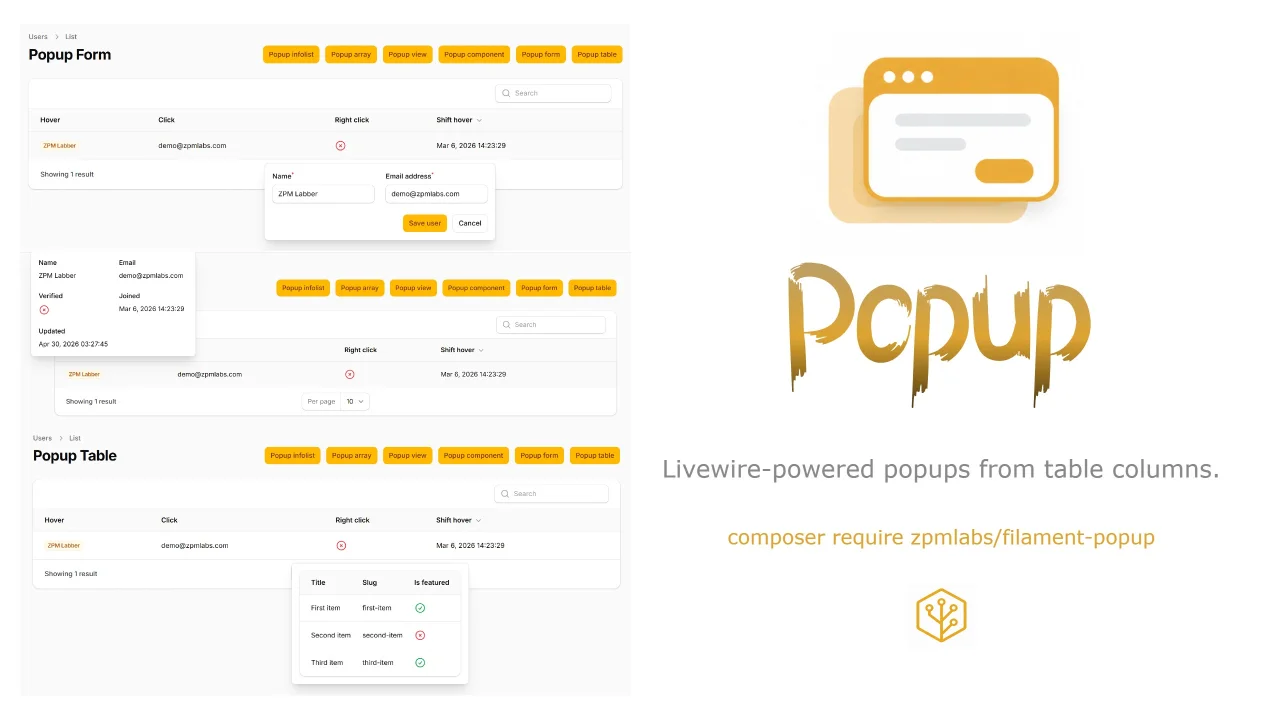
Livewire-powered popups from table columns.
Author:
ZPMLabber
Unlayer
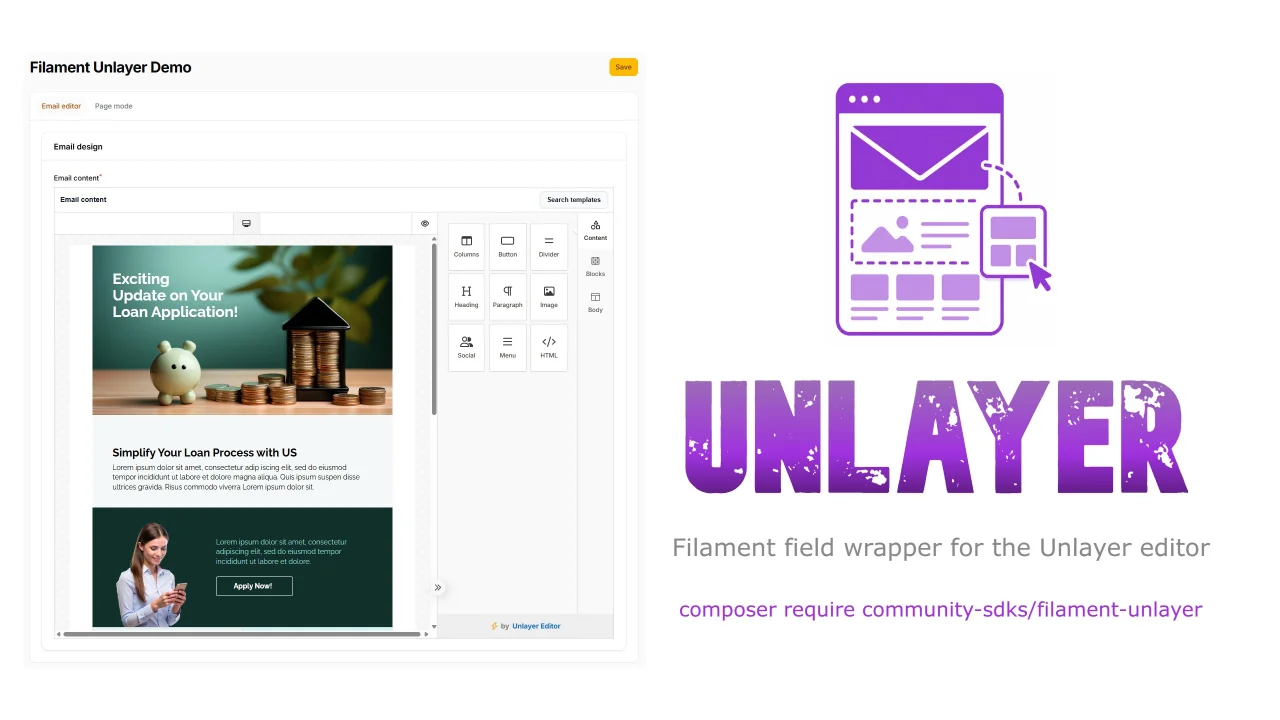
This is a Filament field wrapper for the Unlayer editor.
Author:
ZPMLabber
Undraw Select
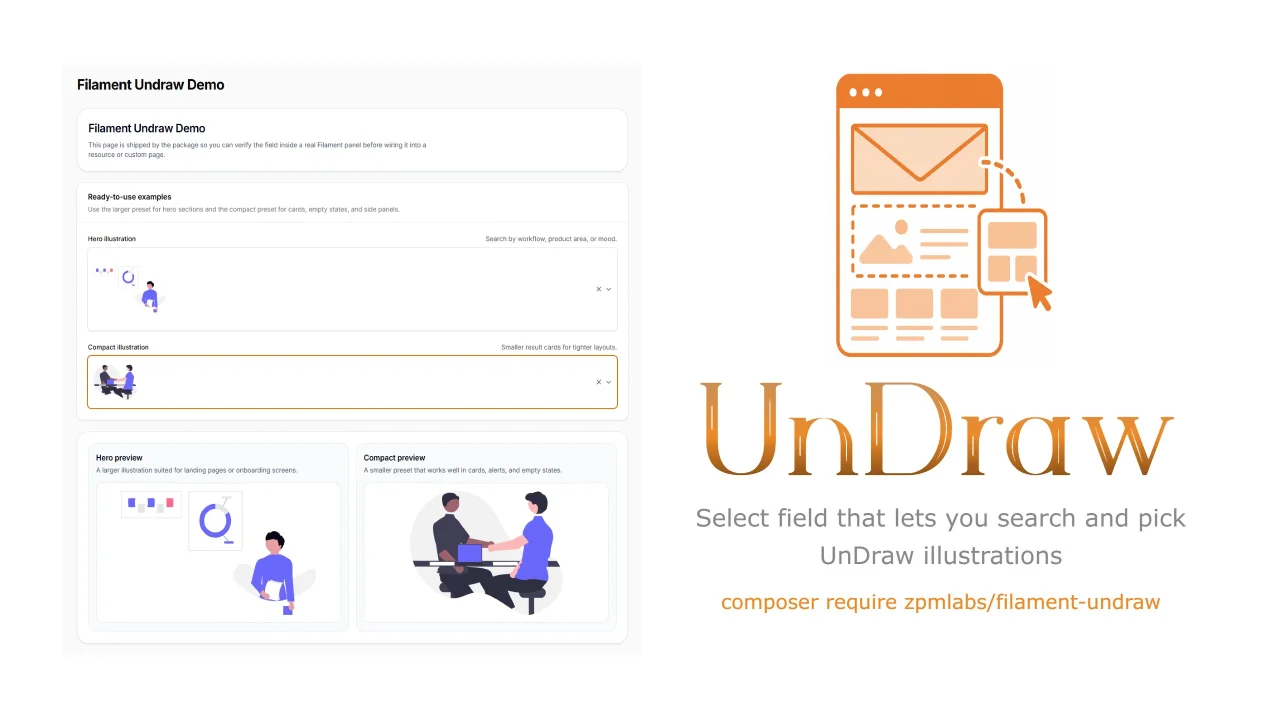
A Filament select component that lets you search & pick unDraw illustrations.
Author:
ZPMLabber
Featured Plugins
A selection of plugins curated by the Filament team

Compact Theme
A theme that makes data-heavy panels easier to scan by fitting more useful information on each screen.
 Filament

Custom Fields
Eliminate custom field migrations forever. Let your users create and manage form fields directly in Filament admin panels with 20+ built-in field types, validation, and zero database changes.
 Relaticle

Spotlight Pro
Browse your Filament Panel with ease. Filament Spotlight Pro adds a Spotlight like Command Palette to your Filament Panel.
 Dennis Koch
