API Docs
CommunityAllows you to build a good looking and functional api documentation. Including exporting and importing actions with postman standard.
filament/
namespace. Review the source and install at your own risk. Found
malware or an unresolved security issue the author won't
address?
Report it
.
 Author:
ZPMLabber
Author:
ZPMLabber
Documentation




This package allows you to build a good looking and functional api documentation. Including exporting and importing actions with postman standard.
#Installation
You can install the package via composer repositories:
composer require zpmlabs/filament-api-docs-builder
You can install the package with:
php artisan filament-api-docs-builder:install
Also you need to add a source to your custom theme:
@source '<path-to-vendor>/vendor/zpmlabs/filament-api-docs-builder/resources/views/filament/**/*';
@source '<path-to-vendor>/vendor/guava/filament-icon-picker/resources/**/*';
Since we are using Guava Icon Picker, you can get error on loading multiple icons too fast. So check their docs for that...
Otherwise you can publish and run the migrations with:
php artisan vendor:publish --tag="filament-api-docs-builder-migrations"
php artisan migrate
You can publish the config file with:
php artisan vendor:publish --tag="filament-api-docs-builder-config"
Optionally, you can publish the views using
php artisan vendor:publish --tag="filament-api-docs-builder-views"
#Usage
You can use this package by registering the plugin inside you filament service provider.
->plugin(ZPMLabs\FilamentApiDocsBuilder\FilamentApiDocsBuilderPlugin::make())
Otherwise you can make your own resource and ApiDocsFormBuilder for form generation.
use ZPMLabs\FilamentApiDocsBuilder\Filament\Forms\ApiDocsFormBuilder;

public static function getModel(): string
{
    return config('filament-api-docs-builder.model');
}

public static function form(Form $form): Form
{
    return $form->schema(ApiDocsFormBuilder::make());
}
And ApiDocsInfolistBuilder for infolist generation.
use ZPMLabs\FilamentApiDocsBuilder\Filament\Infolists\ApiDocsInfolistBuilder;

public static function getResource(): string
{
    return config('filament-api-docs-builder.resource');
}

public function infolist(Infolist $infolist): Infolist
{
    $record = $this->getRecord();

    $this->heading = '[v' . $record->version . '] ' . $record->title;
    $this->subheading = $record->description;

    return $infolist->schema(ApiDocsInfolistBuilder::make($record));
}
There are also two actions for export and import docs with postman json standard.
use ZPMLabs\FilamentApiDocsBuilder\Filament\Actions\CollectionDownloaderAction;
use ZPMLabs\FilamentApiDocsBuilder\Filament\Actions\CollectionImporterAction;

protected function getHeaderActions(): array
{
    return [
        CollectionDownloaderAction::make('downloader'),
        CollectionImporterAction::make('importer'),
    ];
}
This package includes various different code builders but you can add your own in config code_builders array.
You can also predefine your enpoint parameter in config predefined_params array. [Check config for more details]
If you are using multi tenancy you need to set your tenant model class in config with method getTenant.
If you want to use infolist publicly, just make a public filament page and pass in infolist.
#Screenshots
#Changelog
Please see CHANGELOG for more information on what has changed recently.
#Contributing
Please see CONTRIBUTING for details.
#Security Vulnerabilities
Please review our security policy on how to report security vulnerabilities.
#Credits
#License
Proprietary license. Please see License File for more information.
The author
From the same author

World Map Widget
World map widget for statistics.
Author:
ZPMLabber
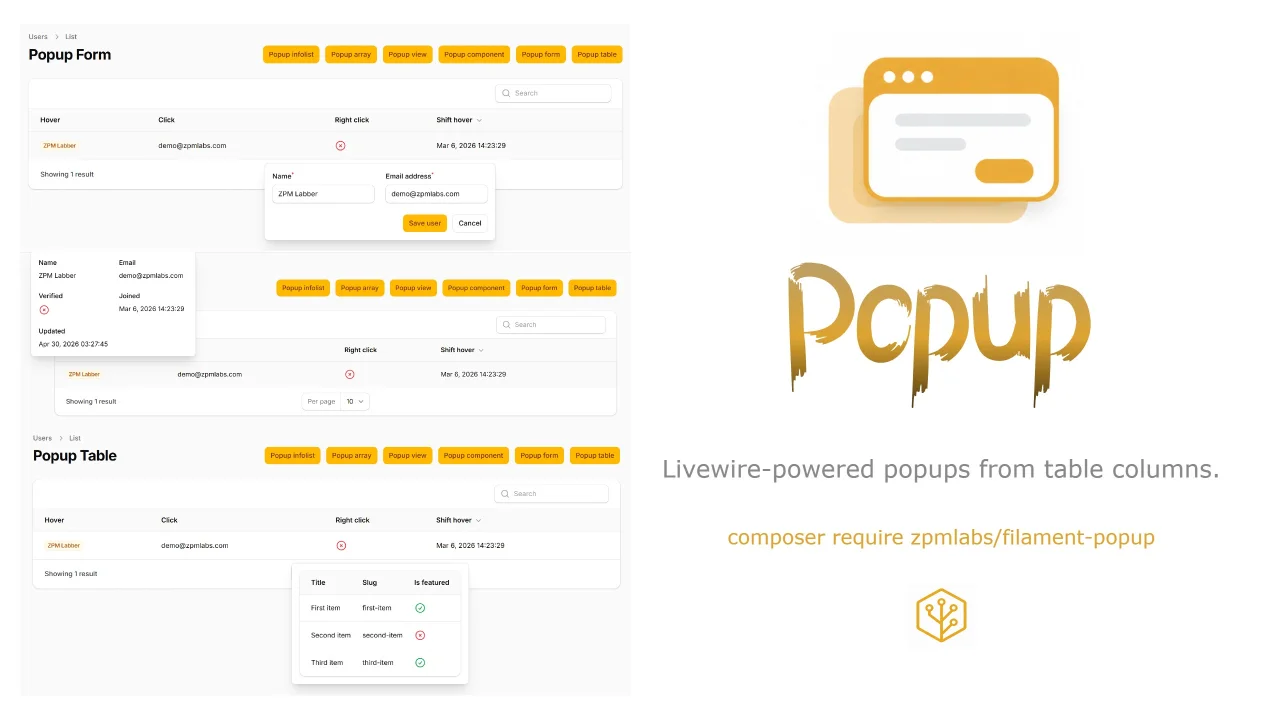
Popup
Livewire-powered popups from table columns.
Author:
ZPMLabber
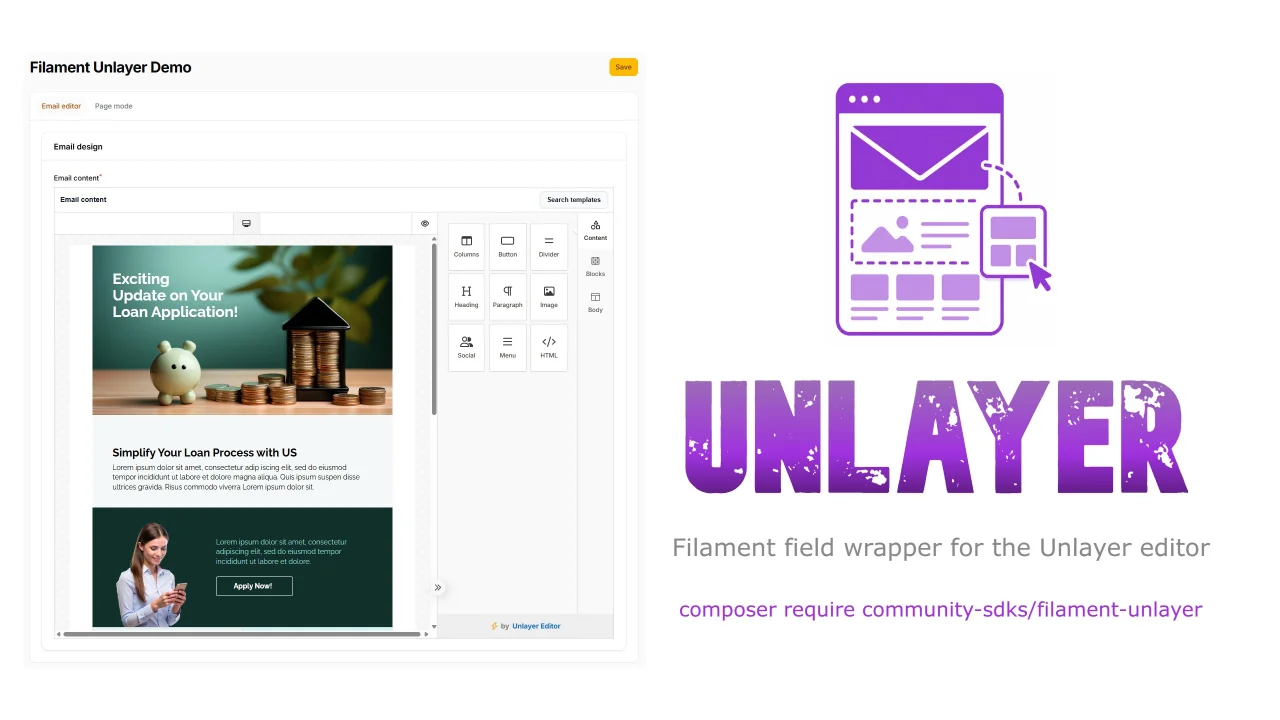
Unlayer
This is a Filament field wrapper for the Unlayer editor.
Author:
ZPMLabber
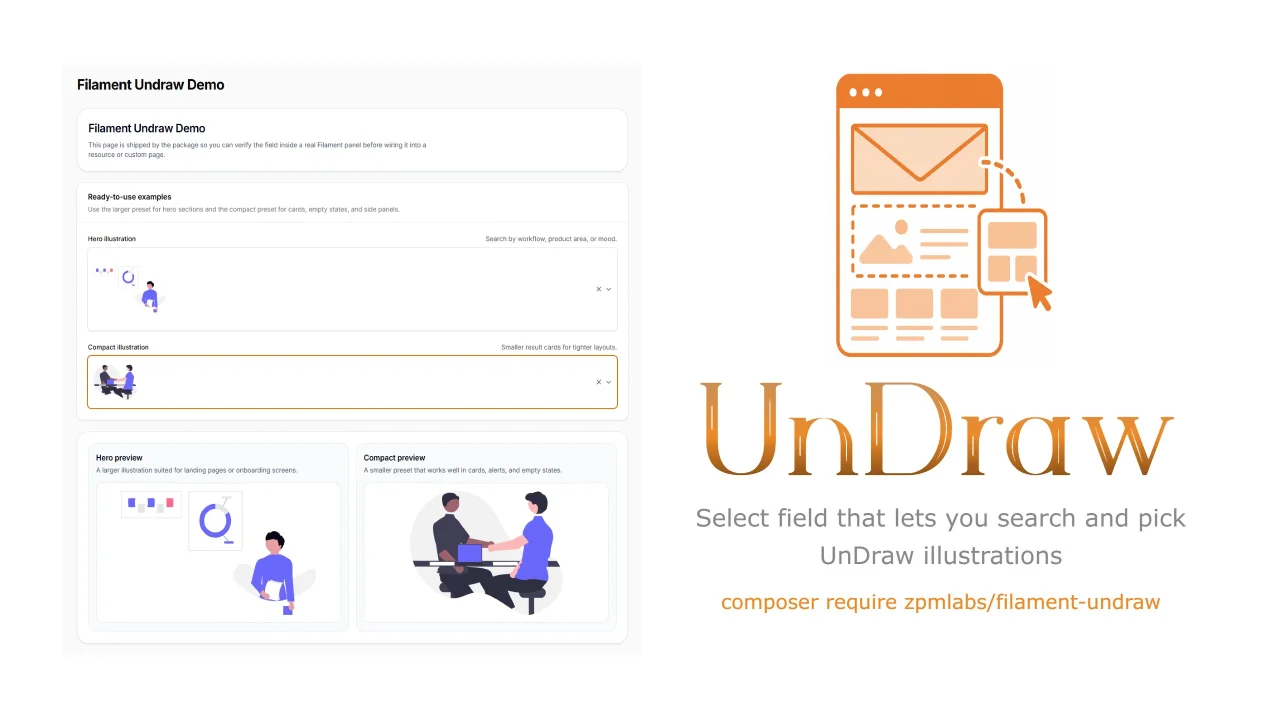
Undraw Select
A Filament select component that lets you search & pick unDraw illustrations.
Author:
ZPMLabber
Featured Plugins
A selection of plugins curated by the Filament team

Custom Dashboards
Let your users build and share their own dashboards with a drag-and-drop interface. Define your data sources in PHP and let them do the rest.
 Filament

Advanced Tables (formerly Filter Sets)
Supercharge your tables with powerful features like user-customizable views, quick filters, multi-column sorting, advanced table searching, convenient view management, and more. Compatible with Resource Panel Tables, Relation Managers, Table Widgets, and Table Builder!
 Kenneth Sese

Spotlight Pro
Browse your Filament Panel with ease. Filament Spotlight Pro adds a Spotlight/Raycast like Command Palette to your Filament Panel.
 Dennis Koch

