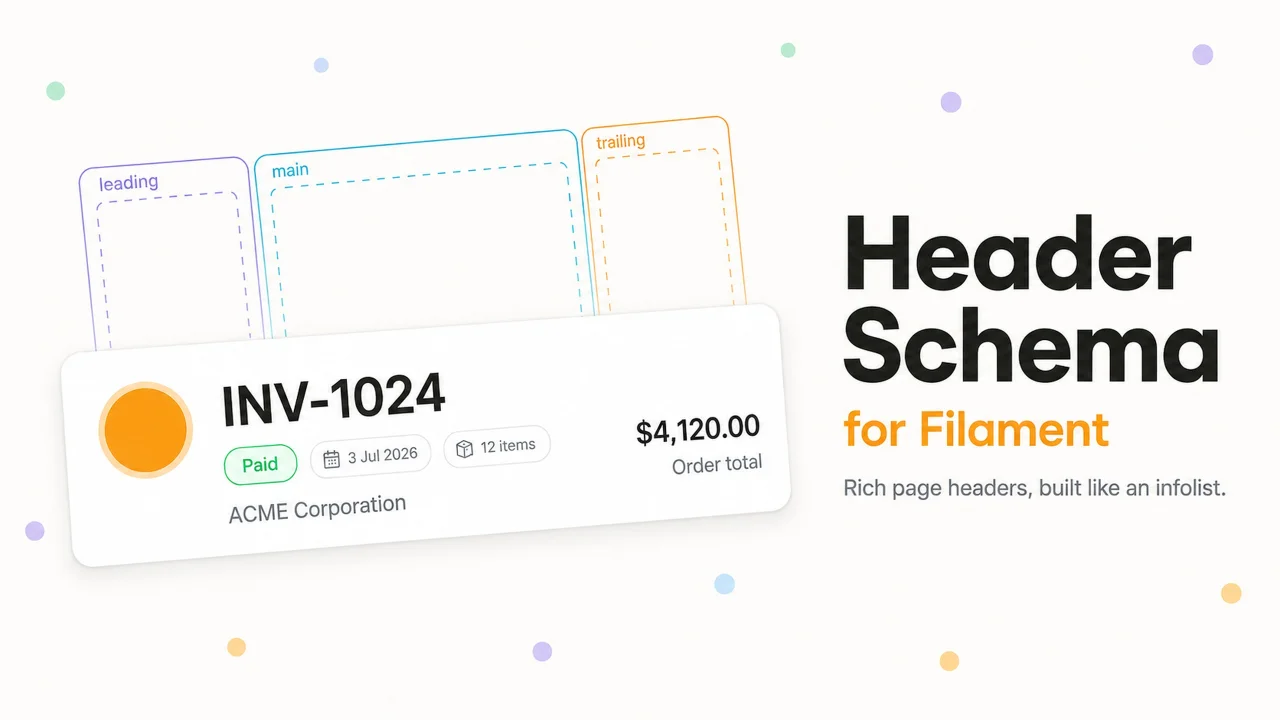
Header Schema
CommunityBuild rich Filament page headers with a schema instead of a Blade view.
 Author:
Vitis Studio
Author:
Vitis Studio
Package health
BetaAutomated checks of this plugin's Composer package
15 checks
- Failed: GitHub Actions pinned to SHA — View details on Plumb
- Skipped: GitLab CI includes pinned to SHA
- Passed: Open security advisories
- Passed: Dependabot PR responsiveness — No open Dependabot PRs.
- Skipped: Renovate MR responsiveness
- Passed: Dependabot or Renovate configured
- Warning: Dependency update cooldown configured — Cooldown of 1 day(s) is below the recommended 3 days.
- Failed: Provides a security policy — View details on Plumb
- Passed: Abandoned or archived — No consulted source marks the package abandoned (packagist, github).
- Passed: Commit and release recency — Active: last commit 0 days ago; last release 20 days ago.
-
Passed:
composer.lock not committed by library
—
composer.lockis absent from the released dist archive. - Passed: Dist archive is lean
-
Passed:
Current Laravel version supported
—
Package dependencies resolve together with current Laravel
13.0. -
Passed:
Current PHP version supported
—
Constraint
^8.2supports current PHP8.5. - Skipped: Current Symfony version supported
filament/
namespace. Review the source and install at your own risk. Found
malware or an unresolved security issue the author won't
address?
Report it
.
Documentation
- Requirements
- Installation
- Usage
- Components
- Demo app
- Testing
- Changelog
- Contributing
- Security vulnerabilities
- Credits
- License
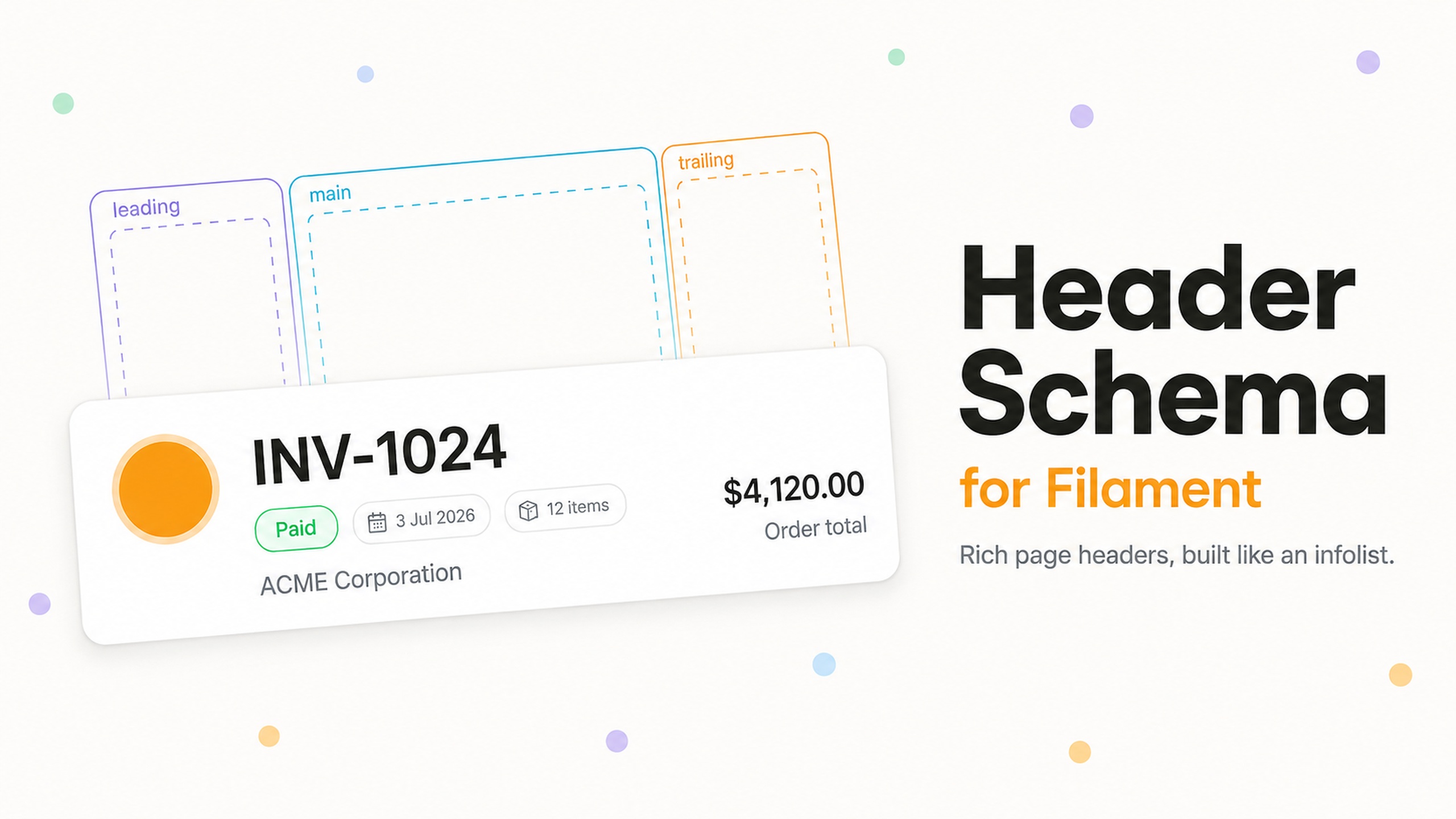




Build the header of a Filament page with a schema instead of a Blade view.
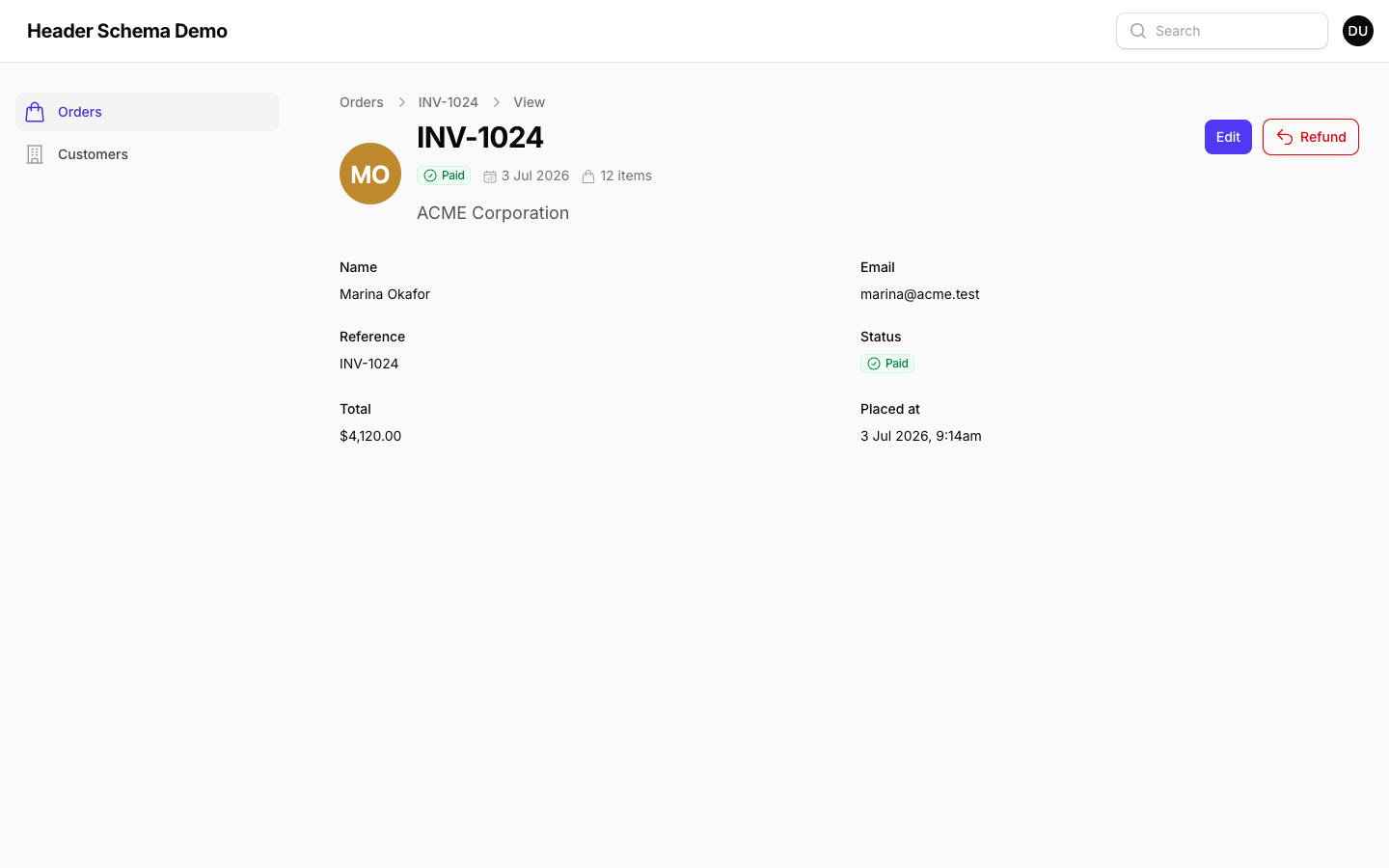
Filament gives you getHeading() and getSubheading() for plain text, and getHeader() for everything else — which means dropping to a Blade view the moment you want an avatar next to the title, a status badge beside it, and a couple of totals pushed to the right. This package adds a headerSchema() method that sits alongside form() and infolist(), so a rich header is written the same way as the rest of the page.
use Filament\Infolists\Components\TextEntry;
use Filament\Resources\Pages\ViewRecord;
use Filament\Schemas\Components\Flex;
use Filament\Schemas\Schema;
use VitisStudio\FilamentHeaderSchema\Components\HeaderSection;
use VitisStudio\FilamentHeaderSchema\Components\Heading;
use VitisStudio\FilamentHeaderSchema\Components\Subheading;
use VitisStudio\FilamentHeaderSchema\Concerns\HasHeaderSchema;

class ViewOrder extends ViewRecord
{
    use HasHeaderSchema;

    protected static string $resource = OrderResource::class;

    public function headerSchema(Schema $schema): Schema
    {
        return $schema->components([
            HeaderSection::make([
                Heading::make('customer_name'),
                Flex::make([
                    TextEntry::make('status')->badge()->hiddenLabel(),
                    TextEntry::make('reference')->hiddenLabel(),
                ]),
                Subheading::make('summary'),
            ])
                ->leading(ImageEntry::make('customer_avatar')->circular()->hiddenLabel())
                ->trailing(TextEntry::make('total')->money()->hiddenLabel()),
        ]);
    }
}
Everything you can put in an infolist works, because a header schema is a schema — entries, layouts, actions, visibility rules, the lot.
Table of contents
#Requirements
- PHP 8.2+
- Laravel 11.28, 12 or 13
- Filament 5.0+
#Installation
composer require vitisstudio/filament-header-schema
That's the whole install. There is no asset to publish and no theme change to make: the package's styles are written against Filament's own design tokens and inlined into the page head, so dark mode and custom panel colors work out of the box.
#Usage
#Generating a header schema
php artisan make:filament-header-schema
It asks which resource the header belongs to, then which of that resource's pages should use it — a multi-select built from the pages the resource actually registers, so you only ever see ListOrders, ViewOrder, EditOrder and friends. List, view and edit are pre-selected; create is not.
The schema class lands in the resource's Schemas directory, next to the OrderForm and OrderInfolist Filament generates:
app/Filament/Resources/Orders/
├── OrderResource.php
├── Pages/
│   ├── ViewOrder.php          ← trait applied
│   └── EditOrder.php          ← trait applied
└── Schemas/
    ├── OrderForm.php
    ├── OrderInfolist.php
    └── OrderHeader.php        ← generated
namespace App\Filament\Resources\Orders\Schemas;

use Filament\Schemas\Schema;
use VitisStudio\FilamentHeaderSchema\Components\HeaderSection;
use VitisStudio\FilamentHeaderSchema\Components\Heading;

class OrderHeader
{
    public static function configure(Schema $schema): Schema
    {
        return $schema
            ->components([
                HeaderSection::make([
                    Heading::make('reference')
                        ->default(fn ($livewire) => $livewire->getHeading()),
                    //
                ]),
            ]);
    }
}
The heading is seeded from the resource's record title attribute. The ->default() matters more than it looks: one header schema serves every page of the resource, and a list page has no record to read reference from, so it falls back to the page's own heading. Opting a page in never leaves it with no title.
The trait finds {Model}Header in the resource's Schemas namespace by convention — nothing references it by name, so a page only has to apply the trait.
Useful options:
| Option | Effect |
|---|---|
--page=view --page=edit |
Skip the prompt and apply the trait to these route keys |
--no-pages |
Only generate the class; wire the trait up yourself |
--panel, --cluster, --resource-namespace |
Skip the corresponding prompt |
-F, --force |
Overwrite an existing schema class |
Applying the trait edits your page files in place, adding one import and one use statement. It is idempotent, and everything else in the file — formatting, docblocks, other traits — is left alone.
#Opting a page in by hand
Add the trait to any resource View, Edit or List page and define headerSchema():
use Filament\Actions\Action;
use Filament\Schemas\Components\Flex;
use Filament\Support\Icons\Heroicon;
use VitisStudio\FilamentHeaderSchema\Concerns\HasHeaderSchema;

class ViewCustomer extends ViewRecord
{
    use HasHeaderSchema;

    public function headerSchema(Schema $schema): Schema
    {
        return $schema->components([
            HeaderSection::make([
                Flex::make([
                    Heading::make('name')->grow(false),
                    Action::make('favorite')
                        ->iconButton()
                        ->icon(fn (Customer $record): Heroicon => $record->is_priority ? Heroicon::Star : Heroicon::OutlinedStar)
                        ->color(fn (Customer $record): string => $record->is_priority ? 'warning' : 'gray')
                        ->tooltip(fn (Customer $record): string => $record->is_priority ? 'Unfavorite' : 'Favorite')
                        ->action(fn (Customer $record) => $record->update(['is_priority' => ! $record->is_priority])),
                ])->verticallyAlignCenter(),
                Subheading::make('email'),
            ]),
        ]);
    }
}
Actions are schema components in Filament, so an Action drops straight into a header schema — beside the heading as above, or on its own in any of HeaderSection's slots. It behaves like any other action on the page: closures receive the record, modals and confirmations work, and the header re-renders after it runs, so an icon that reads state flips as soon as the state changes. This is separate from getHeaderActions(), which still renders its own row on the right.
A headerSchema() method on the page takes precedence over the conventional Schemas class, so you can generate one for the resource and still override it on a single page.
The schema replaces the page's heading and subheading. Breadcrumbs and the header actions row are untouched, so getHeaderActions() keeps working exactly as before — they are pinned to the top of the header rather than centered against it, so they stay level with the heading however tall the schema grows.
#Falling back to Filament's heading
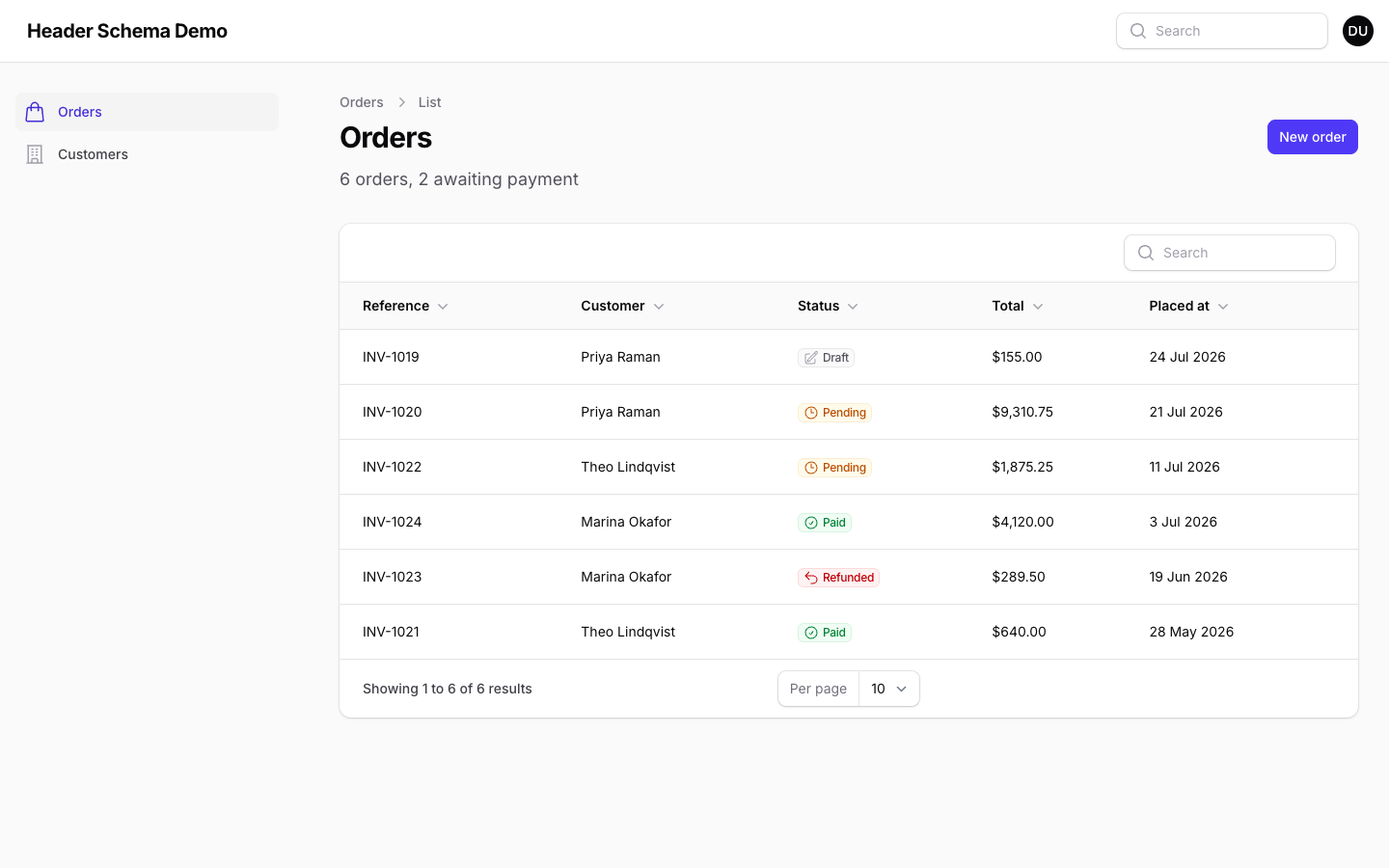
The trait is additive. A page with no headerSchema() method and no conventional Schemas class — or one whose schema resolves to no components — renders Filament's native heading, unchanged. You can apply the trait to a base page class and opt individual pages in over time. Custom pages that are not resource pages have no resource to resolve a class from, so they need headerSchema() declared on the page.
To take the header over completely, define getHeader() on the page as you always would. A method on the page wins over one inherited from a trait, so your Blade view is used and the schema is ignored:
public function getHeader(): ?View
{
    return view('orders.header', ['record' => $this->getRecord()]);
}
#Reading data
Components read state exactly like infolist entries. On View and Edit pages the schema is bound to the record, so a component name is an attribute path:
Heading::make('reference')          // $record->reference
Subheading::make('customer.name')   // $record->customer->name
List pages have no record. Use ->state() for a literal or a closure, which receives the usual Filament arguments including $livewire:
Heading::make('title')->state('Orders'),
Subheading::make('count')->state(fn ($livewire) => $livewire->getModel()::count().' total'),
If a page should bind to some other record — a tenant, a parent model, a settings singleton — override getHeaderSchemaRecord():
public function getHeaderSchemaRecord(): ?Model
{
    return Filament::getTenant();
}
#Spacing
A header schema is dense by default — Filament's usual schema gap is built for page content and reads as loose next to a heading. Call ->dense(false) on the schema for the roomier spacing.
#Labels
Infolist entries render their label by default, which is rarely what a header wants. Call ->hiddenLabel() on entries you place in a header schema. Heading and Subheading never render one.
#Dark mode
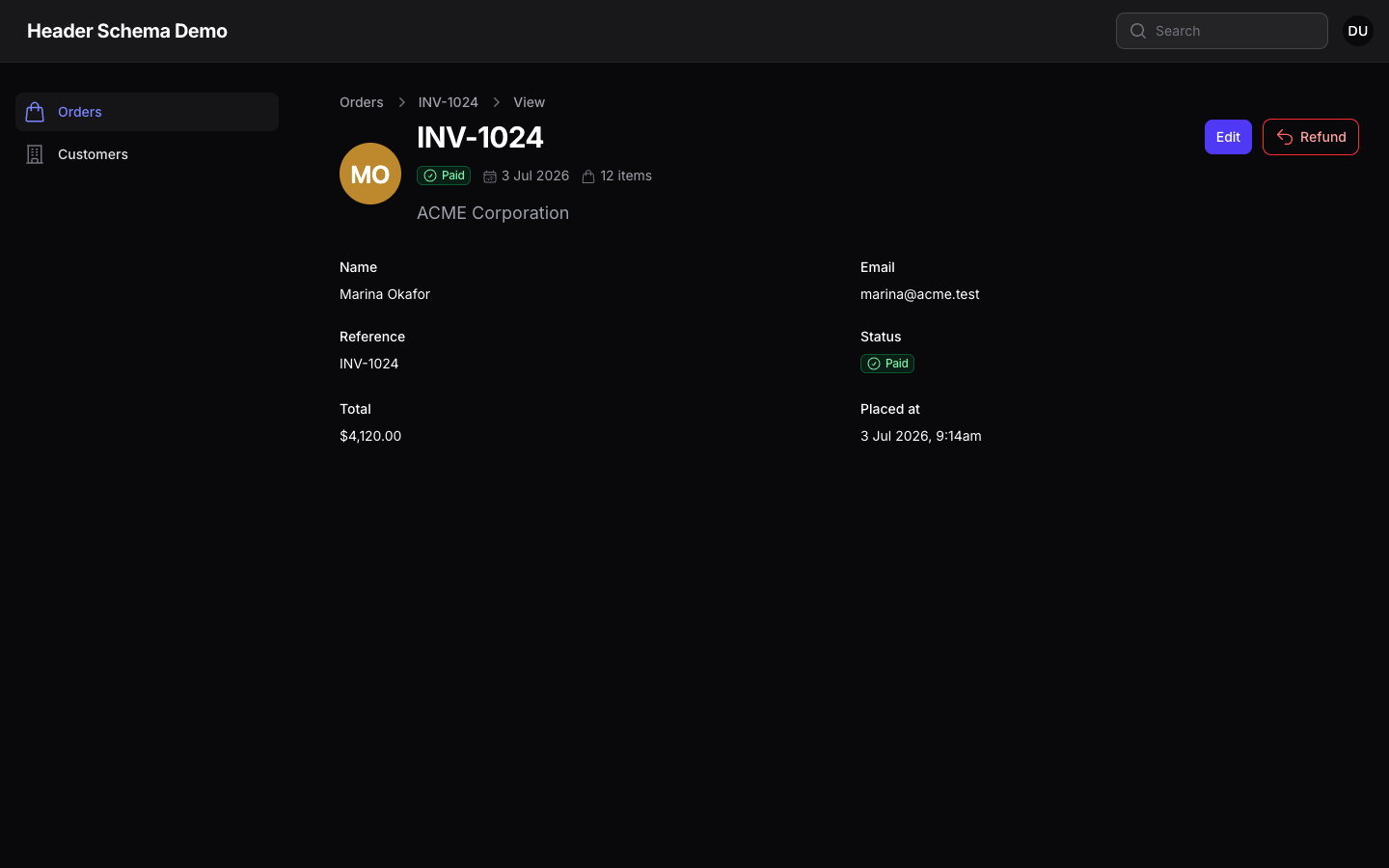
Nothing to configure. Every color is a Filament token, so a panel's own palette carries through:
#Components
Infolist entries and schema layouts all work as-is. These three fill the gaps Filament has no component for.
#Heading
A real <h1>–<h6> element, sized and weighted to stand out.
Heading::make('reference')
    ->level(2)                  // 1 by default
    ->size('2xl')               // xs, sm, md, lg, xl, 2xl, 3xl
    ->weight(FontWeight::Bold)
    ->color('danger')
    ->icon(Heroicon::Star)
    ->iconPosition(IconPosition::After)
    ->placeholder('Untitled')   // shown when the state is blank
Level 1 matches Filament's native page heading exactly, so opting a page in doesn't change how it looks until you want it to. Each level has a sensible default size; ->size() overrides it.
Headings render bare — no entry wrapper, so no label, hint or helper text. The heading text is the label.
#Subheading
The muted supporting line, as a <p>. Same modifiers as Heading, minus ->level(), and defaults to the lg size Filament's native subheading uses.
Subheading::make('summary')->size('sm')->color('gray')
#HeaderSection
The flexbox layout a rich header usually wants, in three slots.
#Slots
HeaderSection::make([
    // main slot — stacks vertically
    Heading::make('name'),
    Subheading::make('email'),
])
    ->leading(ImageEntry::make('avatar')->circular()->hiddenLabel())
    ->trailing([
        TextEntry::make('orders_count')->hiddenLabel(),
        TextEntry::make('lifetime_value')->money()->hiddenLabel(),
    ])
Slots with no components are not rendered. The three slots stack in a column on small screens and become a row from the sm breakpoint, which ->from('md') moves. Nest a Flex inside a slot for anything that should sit side by side, such as a row of badges.
Every slot takes what a schema takes — entries, layouts, and Action or ActionGroup objects — so a favorite toggle or an overflow menu can sit in the header itself rather than in the actions row.
#Vertical alignment
->verticallyAlignStart() / ->verticallyAlignCenter() / ->verticallyAlignEnd() align all three slots against each other once they sit in a row.
Any slot can break from that, which is what pins an avatar to the top of a header whose other slots stay centered. Pass a VerticalAlignment as the second argument of the method that fills the slot:
use Filament\Support\Enums\VerticalAlignment;

HeaderSection::make([
    Heading::make('name'),
    Subheading::make('email'),
], VerticalAlignment::Start)
    ->leading(ImageEntry::make('avatar')->circular()->hiddenLabel(), VerticalAlignment::Start)
    ->trailing(TextEntry::make('lifetime_value')->money()->hiddenLabel(), VerticalAlignment::End)
Or set it separately, with the same three shortcuts the section has:
HeaderSection::make([Heading::make('name')])
    ->leadingVerticallyAlignStart()   // ->leadingVerticallyAlignCenter(), ->leadingVerticallyAlignEnd()
    ->mainVerticallyAlignStart()      // ->mainVerticallyAlign*()
    ->trailingVerticallyAlignEnd()    // ->trailingVerticallyAlign*()
->leadingVerticalAlignment(), ->mainVerticalAlignment() and ->trailingVerticalAlignment() take a VerticalAlignment case, a string or a closure. A slot that says nothing follows the section.
#Width
Filament's ->grow() controls the width of the main slot. It grows by default, taking the leftover width — which is what holds the trailing slot against the far edge. Turn it off and the main slot sizes to its content, so the slots pack together:
->grow()        [avatar] [ heading .......................... ] [ total ]
->grow(false)   [avatar] [ heading ] [ total ]
HeaderSection::make([Heading::make('name')])
    ->grow(false)
    ->trailing(TextEntry::make('total')->money()->hiddenLabel())
One Filament habit worth knowing: components inside a Flex grow to fill the available width by default, which spreads a row of badges across the whole header. Call ->grow(false) on them to pack them together:
Flex::make([
    TextEntry::make('status')->badge()->hiddenLabel()->grow(false),
    TextEntry::make('placed_at')->date()->hiddenLabel()->grow(false),
])
The trailing slot handles this for you, since it always sizes to its content.
#Demo app
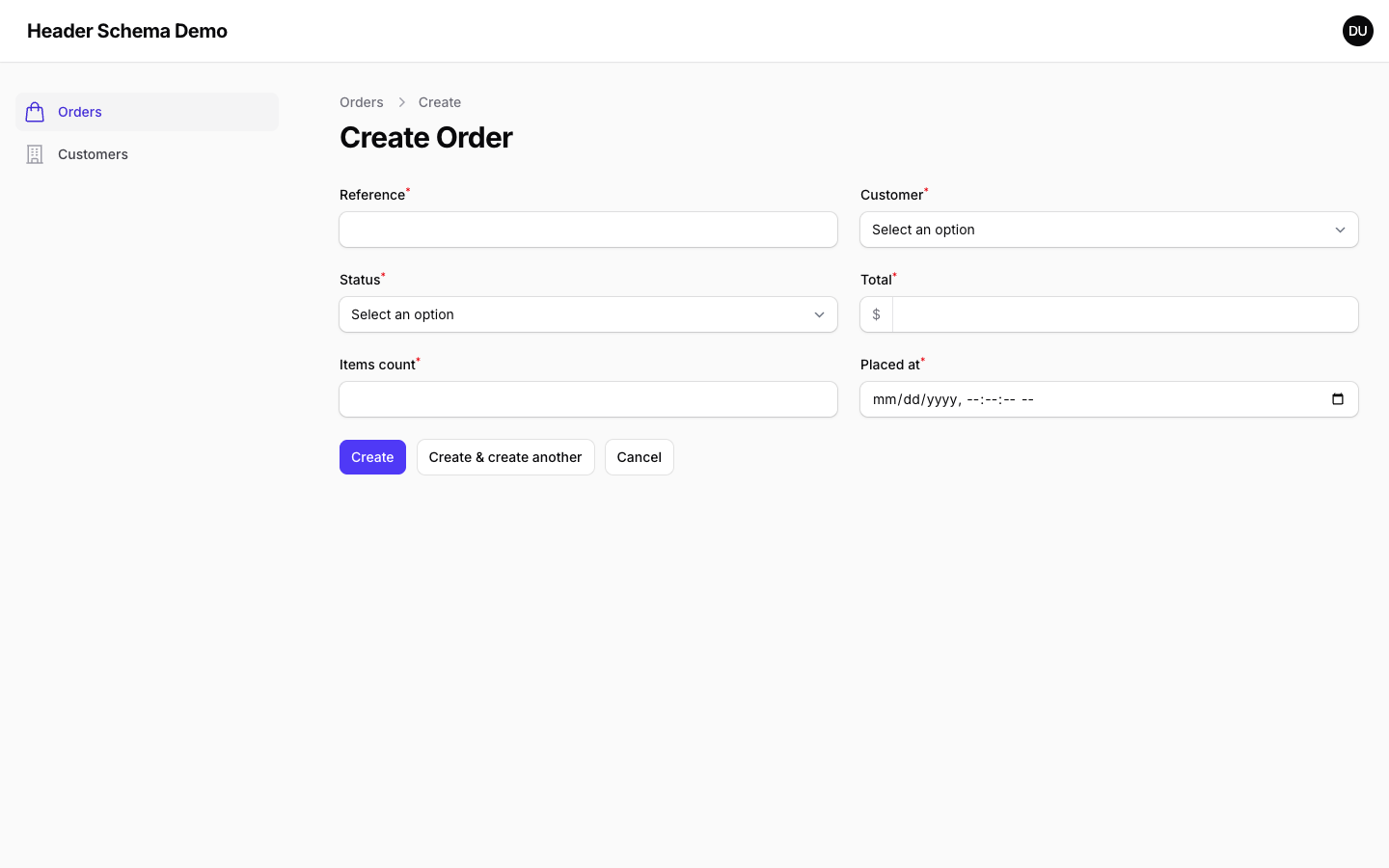
A Filament panel with two resources and seeded data lives in workbench/. Its Orders resource is wired up the way make:filament-header-schema leaves things, so every path through the package is visible at once:
| Page | What it shows |
|---|---|
ListOrders |
The convention — trait only, header from Schemas/OrderHeader.php, no record so the schema's record-specific parts hide themselves |
ViewOrder |
The same class with a record: avatar, badge row and description |
EditOrder |
An inline headerSchema() overriding the conventional class |
CreateOrder |
No trait — Filament's native heading, untouched |
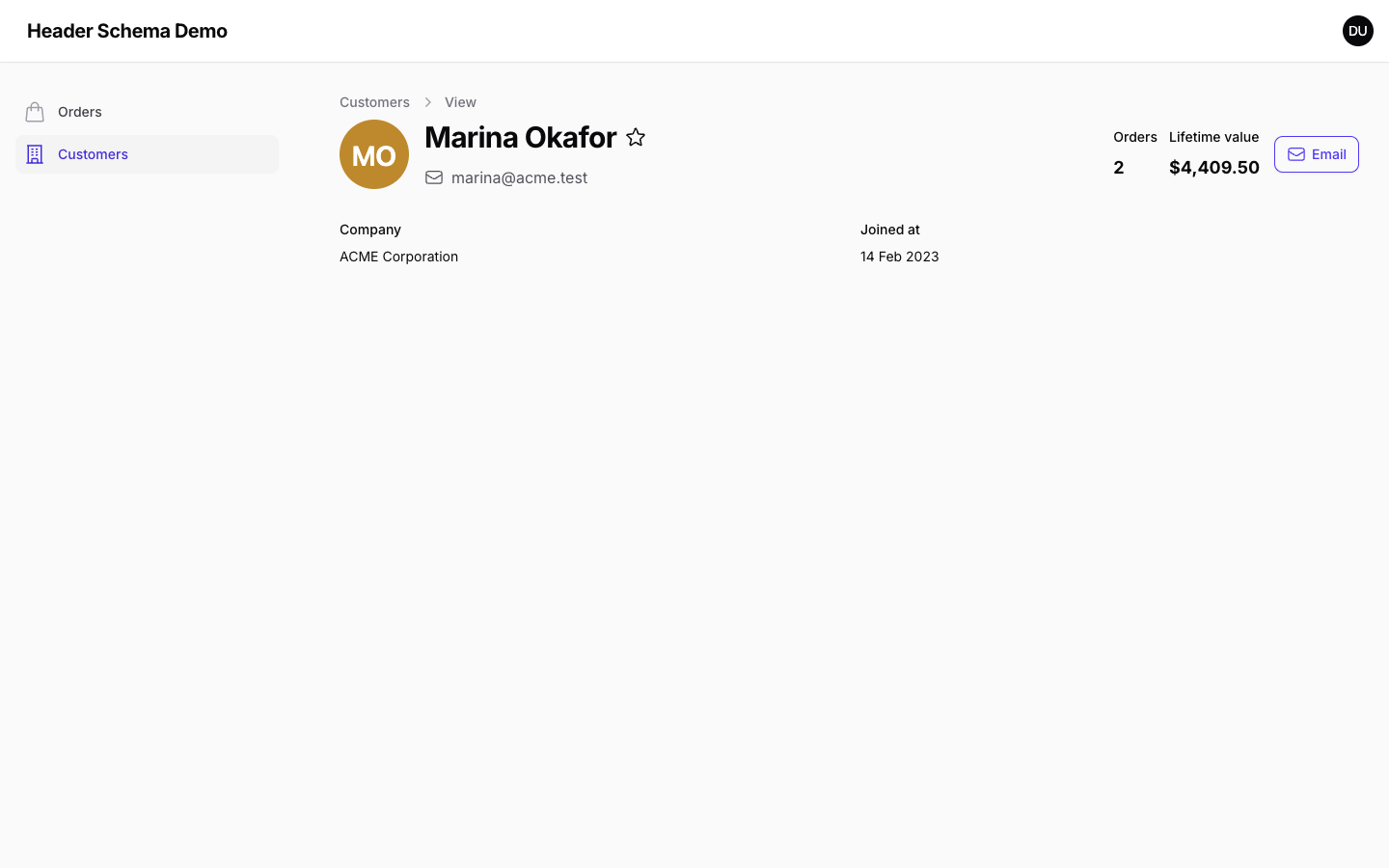
ViewCustomer |
An inline headerSchema() on a resource with no generated class, with a favorite toggle action beside the heading |
ListCustomers |
No trait — the baseline to compare against |
composer serve
Then open http://localhost:8000 — you are logged in automatically. composer build rebuilds the database and republishes assets without starting the server.
#Testing
composer test
#Changelog
Please see CHANGELOG for what has changed recently.
#Contributing
Pull requests are welcome. Please open an issue first for anything substantial, and run composer test, composer analyze and composer format before you push.
#Security vulnerabilities
Please review our security policy on how to report security vulnerabilities.
#Credits
#License
The MIT License (MIT). Please see License File for more information.
The author
Featured Plugins
A selection of plugins curated by the Filament team

Blueprint
Filament Blueprint is a premium Laravel Boost extension that helps AI agents produce accurate, detailed implementation plans and security reports for Filament apps.
 Filament

Custom Fields
Eliminate custom field migrations forever. Let your users create and manage form fields directly in Filament admin panels with 20+ built-in field types, validation, and zero database changes.
 Relaticle

Custom Dashboards
Let your users build and share their own dashboards with a drag-and-drop interface. Define your data sources in PHP and let them do the rest.
Filament

