
Two Factor Authentication (2FA)
CommunityAdd two factor authentication to new and existing Filament applications.
 Author:
Stephen Jude
Author:
Stephen Jude
Package health
BetaAutomated checks of this plugin's Composer package
15 checks
- Failed: GitHub Actions pinned to SHA — View details on Plumb
- Skipped: GitLab CI includes pinned to SHA
- Passed: Open security advisories
- Passed: Dependabot PR responsiveness — No open Dependabot PRs.
- Skipped: Renovate MR responsiveness
- Warning: Dependabot or Renovate configured — Updater does not cover the JavaScript ecosystem, which has a committed lockfile.
-
Failed:
Dependency update cooldown configured
—
No cooldown configured in
.github/dependabot.yml. View details on Plumb - Passed: Provides a security policy
- Passed: Abandoned or archived — No consulted source marks the package abandoned (packagist, github).
- Passed: Commit and release recency — Active: last commit 58 days ago; last release 58 days ago.
-
Passed:
composer.lock not committed by library
—
composer.lockis absent from the released dist archive. - Passed: Dist archive is lean
-
Passed:
Current Laravel version supported
—
Package dependencies resolve together with current Laravel
13.0. -
Passed:
Current PHP version supported
—
Constraint
^8.3supports current PHP8.5. - Skipped: Current Symfony version supported
filament/
namespace. Review the source and install at your own risk. Found
malware or an unresolved security issue the author won't
address?
Report it
.
Documentation
- Learn More
- Installation
- Plugin Configuration
- Events
- Screenshot
- Testing
- Changelog
- Contributing
- Security Vulnerabilities
- Credits
- License




Add two-factor authentication to new and existing Filament applications.
#Learn More
Filament Two-Factor Authentication Demo — Filament Daily
#Installation
Below, you'll find documentation on installing this plugin. If you have any questions, find a bug, need support, or have a feature request, please don't hesitate to reach out to me at stephenjudesuccess@gmail.com.
You can install the package via composer:
composer require stephenjude/filament-two-factor-authentication
Add the TwoFactorAuthenticatable trait to your application's authentication model and implement the HasPasskeys trait:
namespace App\Models;

use Spatie\LaravelPasskeys\Models\Concerns\HasPasskeys;
use Stephenjude\FilamentTwoFactorAuthentication\TwoFactorAuthenticatable;

//...

class User extends Authenticatable implements FilamentUser, HasPasskeys
{
    use TwoFactorAuthenticatable;

    //...
⚠️ Passkey implementation is using the spatie/laravel-passkeys package under the hood.
Install the plugin migration using:
php artisan filament-two-factor-authentication:install
Optionally, you can publish the views using
php artisan vendor:publish --tag="filament-two-factor-authentication-views"
#Plugin Configuration
Add two-factor authentication plugin to a panel by instantiating the plugin class and passing it to the plugin() method of the configuration:
...
use Stephenjude\FilamentTwoFactorAuthentication\TwoFactorAuthenticationPlugin;

public function panel(Panel $panel): Panel
{
    return $panel
        ->plugins([
            TwoFactorAuthenticationPlugin::make()
                    ->enableTwoFactorAuthentication() // Enable Google 2FA
                    ->enablePasskeyAuthentication() // Enable Passkey
                    ->addTwoFactorMenuItem() // Add 2FA menu item
                    ->forceTwoFactorSetup() // Force 2FA setup
        ])
}
...
#Advanced Configurations
use Stephenjude\FilamentTwoFactorAuthentication\TwoFactorAuthenticationPlugin;
use Stephenjude\FilamentTwoFactorAuthentication\Middleware\ForceTwoFactorSetup;
use Stephenjude\FilamentTwoFactorAuthentication\Middleware\TwoFactorChallenge;

TwoFactorAuthenticationPlugin::make()
        ->enableTwoFactorAuthentication(
            condition:  true, // Enable Google 2FA
            challengeMiddleware:  TwoFactorChallenge::class, // Middleware to challenge user with 2FA
        )
        ->enablePasskeyAuthentication(
            condition:  true, // Enable Passkey
        )
        ->forceTwoFactorSetup(
            condition:  true, // Force 2FA setup for all users
            requiresPassword:  true, // Require password during setup
            forceMiddleware:  ForceTwoFactorSetup::class, // Middleware to enforce 2FA
        )
        ->addTwoFactorMenuItem(
            condition:  true, // Show 2FA on the user menu item
            label:  '2FA', // Menu item label
            icon:  'heroicon-s-key', // Menu item icon
        )
])
#Custom Settings Page
If your application already has a user profile page, you can add a 2FA settings to your profile page view:
<x-filament-panels::page>
    @livewire(\Stephenjude\FilamentTwoFactorAuthentication\Livewire\TwoFactorAuthentication::class)

    @livewire(\Stephenjude\FilamentTwoFactorAuthentication\Livewire\PasskeyAuthentication::class)
</x-filament-panels::page>
#Events
This package dispatches events which your application can subscribe to. You can listen to these events inside your EventServiceProvider class:
use Stephenjude\FilamentTwoFactorAuthentication\Events\{RecoveryCodeReplaced,RecoveryCodesGenerated,TwoFactorAuthenticationChallenged,TwoFactorAuthenticationConfirmed,TwoFactorAuthenticationDisabled,TwoFactorAuthenticationEnabled,TwoFactorAuthenticationFailed,ValidTwoFactorAuthenticationCodeProvided};

protected $listen = [
    TwoFactorAuthenticationChallenged::class => [
        // Dispatched when a user is required to enter 2FA code during login.
    ],
    TwoFactorAuthenticationFailed::class => [
        // Dispatched when a user provides incorrect 2FA code or recovery code during login.
    ],
    ValidTwoFactorAuthenticationCodeProvided::class => [
        // Dispatched when a user provides a valid 2FA code during login.
    ]
    TwoFactorAuthenticationConfirmed::class => [
        // Dispatched when a user confirms code during 2FA setup.
    ],
    TwoFactorAuthenticationEnabled::class => [
        // Dispatched when a user enables 2FA.
    ],
    TwoFactorAuthenticationDisabled::class => [
        // Dispatched when a user disables 2FA.
    ],
    RecoveryCodeReplaced::class => [
        // Dispatched after a user's recovery code is replaced.
    ],
    RecoveryCodesGenerated::class => [
        // Dispatched after a user's recovery codes are generated.
    ],
];
#Screenshot
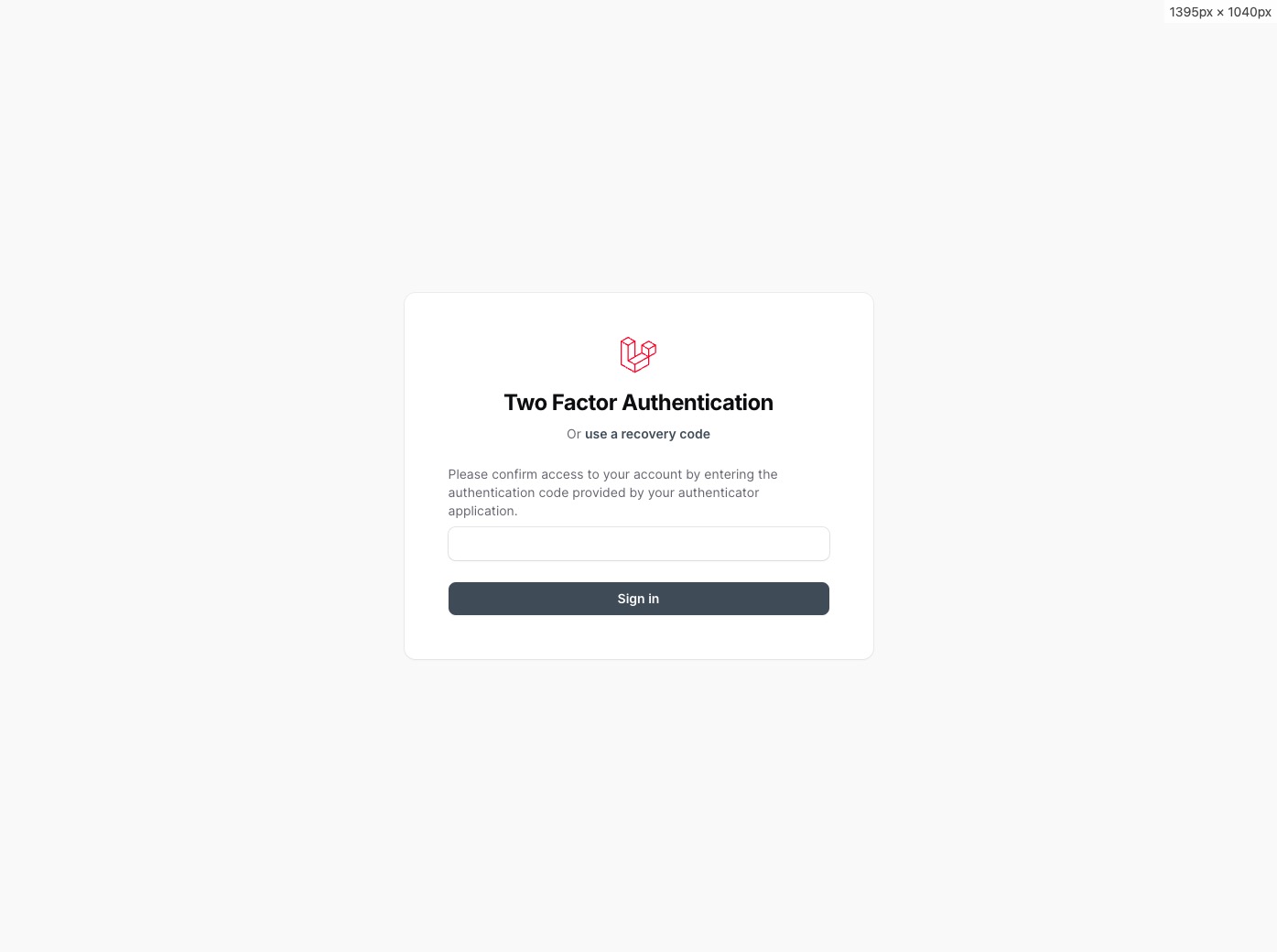
#2FA Authentication
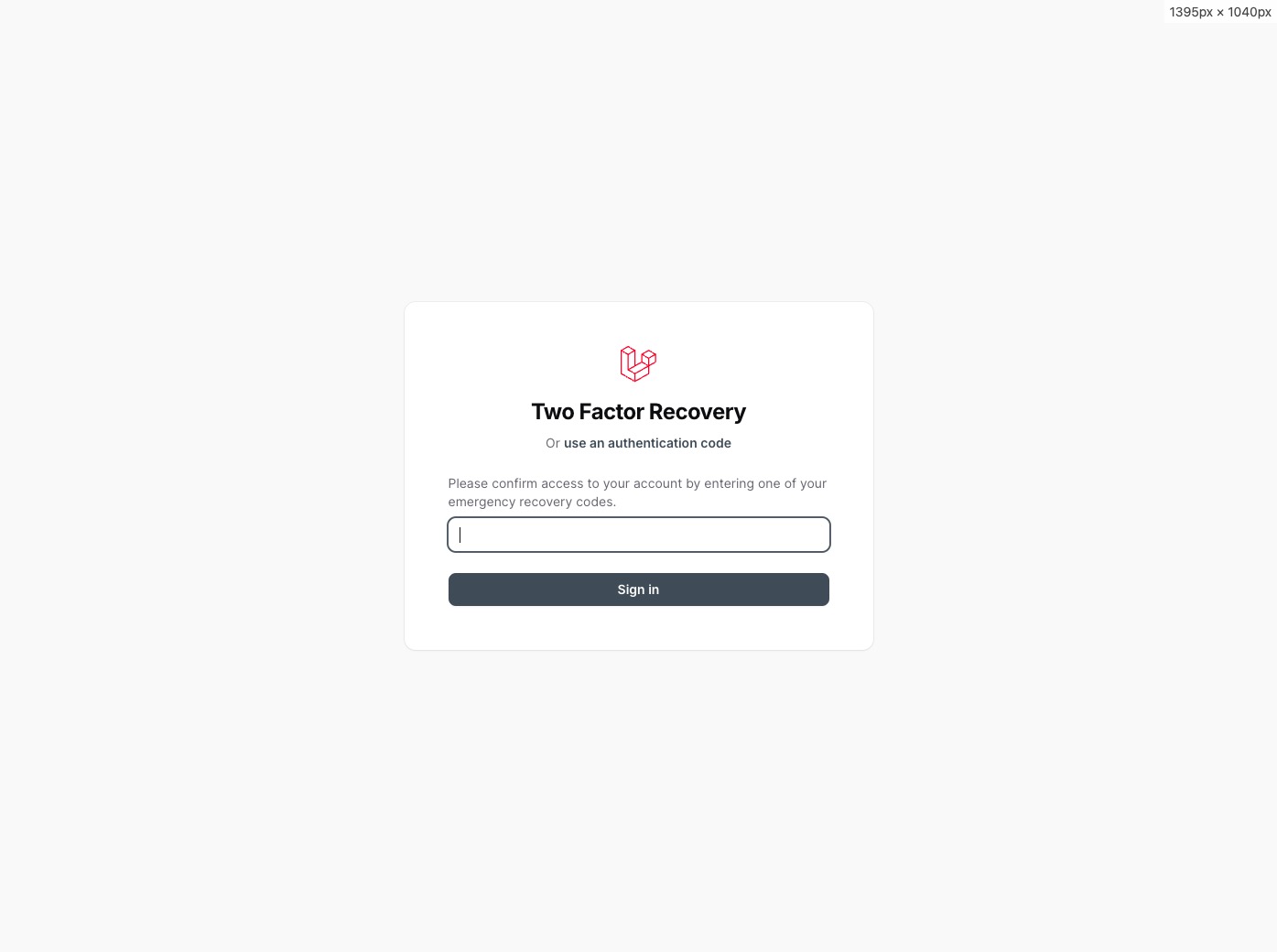
#2FA Recovery
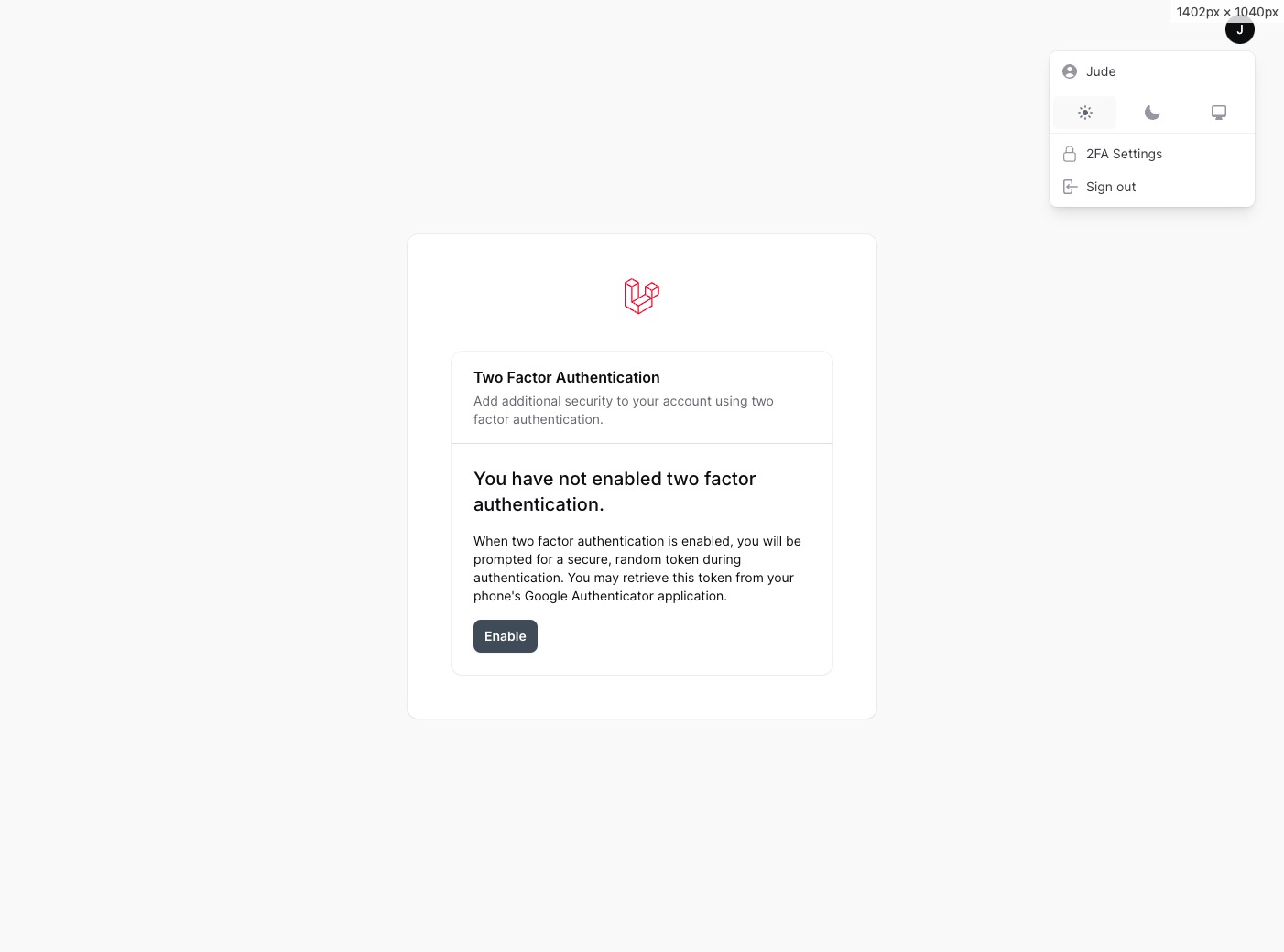
#2FA Disabled
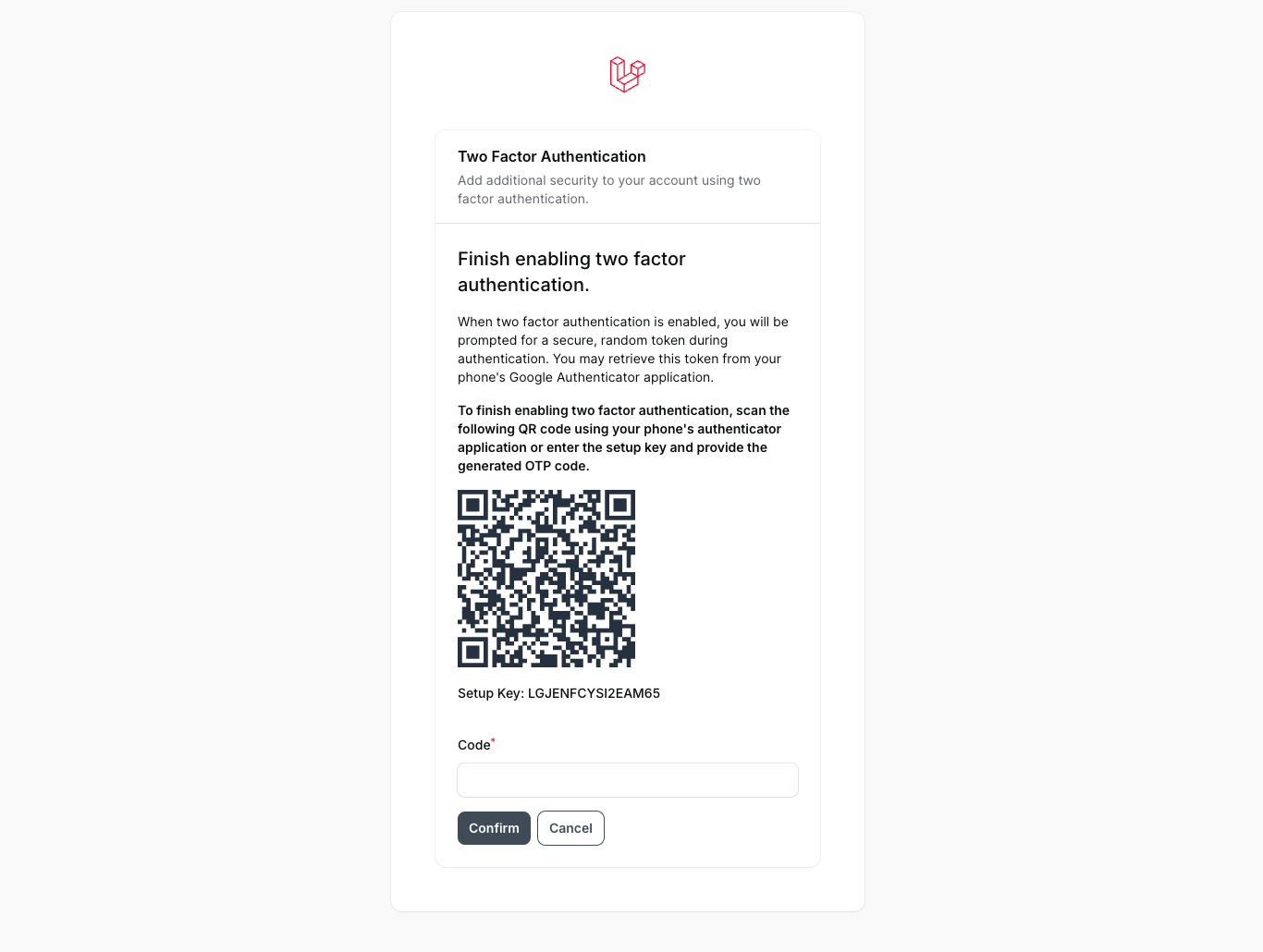
#2FA Setup
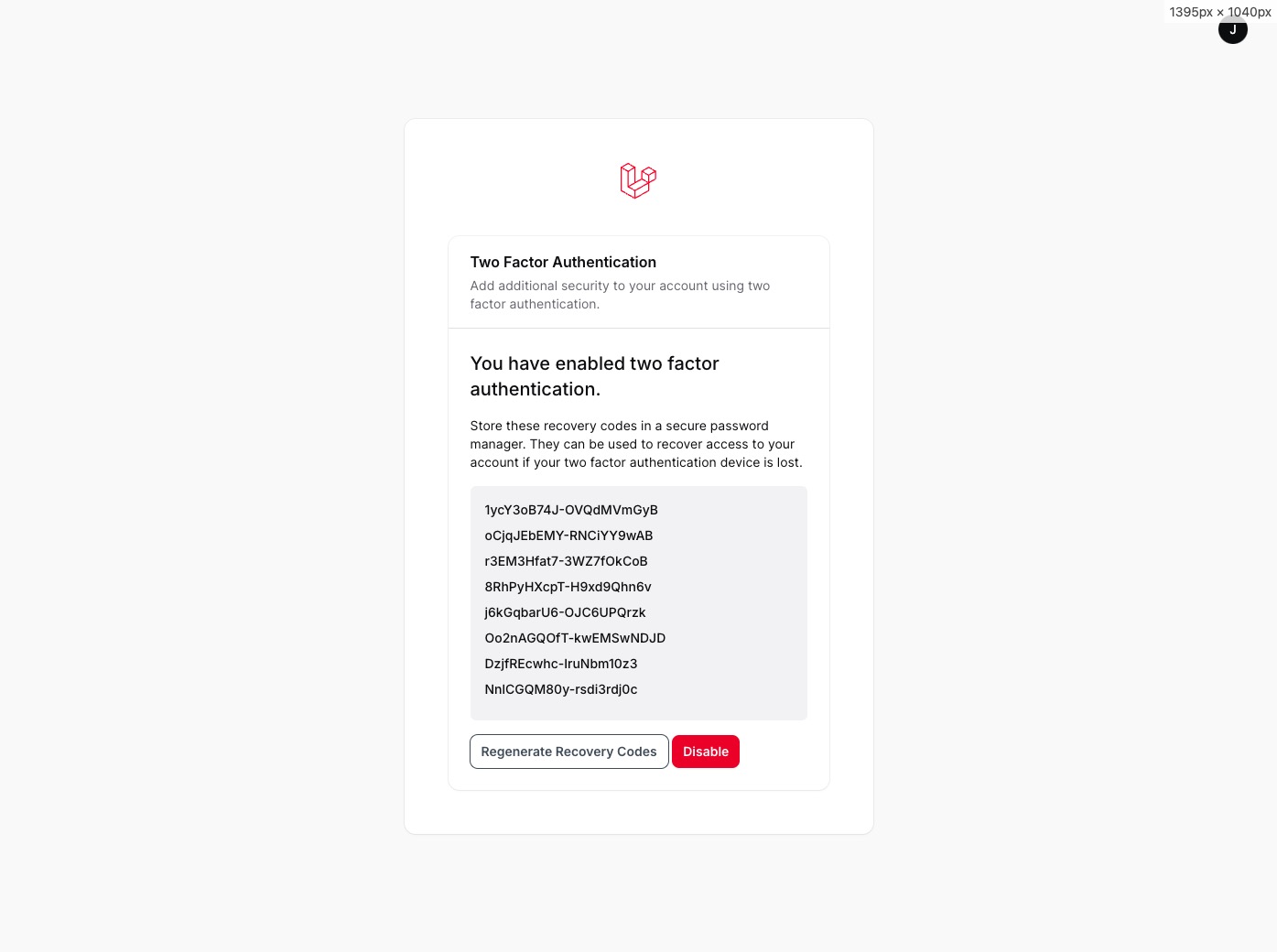
#2FA Enabled (Recovery Codes)
#Testing
composer test
#Changelog
Please see CHANGELOG for more information on what has changed recently.
#Contributing
Please see CONTRIBUTING for details.
#Security Vulnerabilities
Please review our security policy on how to report security vulnerabilities.
#Credits
#License
The MIT License (MIT). Please see License File for more information.
The author
From the same author

Feature Flags
Filament implementation of feature flags and segmentation with Laravel Pennant.
Author:
Stephen Jude

Blog
A faceless blog content manager with configurable richtext and markdown support.
Author:
Stephen Jude

Jetstream
A Laravel Starter Kit Built With Filament.
Author:
Stephen Jude

Debugger
Easily add Laravel Telescope and Laravel Horizon to admin panel.
Author:
Stephen Jude
Featured Plugins
A selection of plugins curated by the Filament team

Noir Theme
A theme that gives panels a focused, refined look with near-black surfaces, crisp actions, and restrained color.
 Filament

Spotlight Pro
Browse your Filament Panel with ease. Filament Spotlight Pro adds a Spotlight like Command Palette to your Filament Panel.
 Dennis Koch

Custom Fields
Eliminate custom field migrations forever. Let your users create and manage form fields directly in Filament admin panels with 20+ built-in field types, validation, and zero database changes.
 Relaticle
