
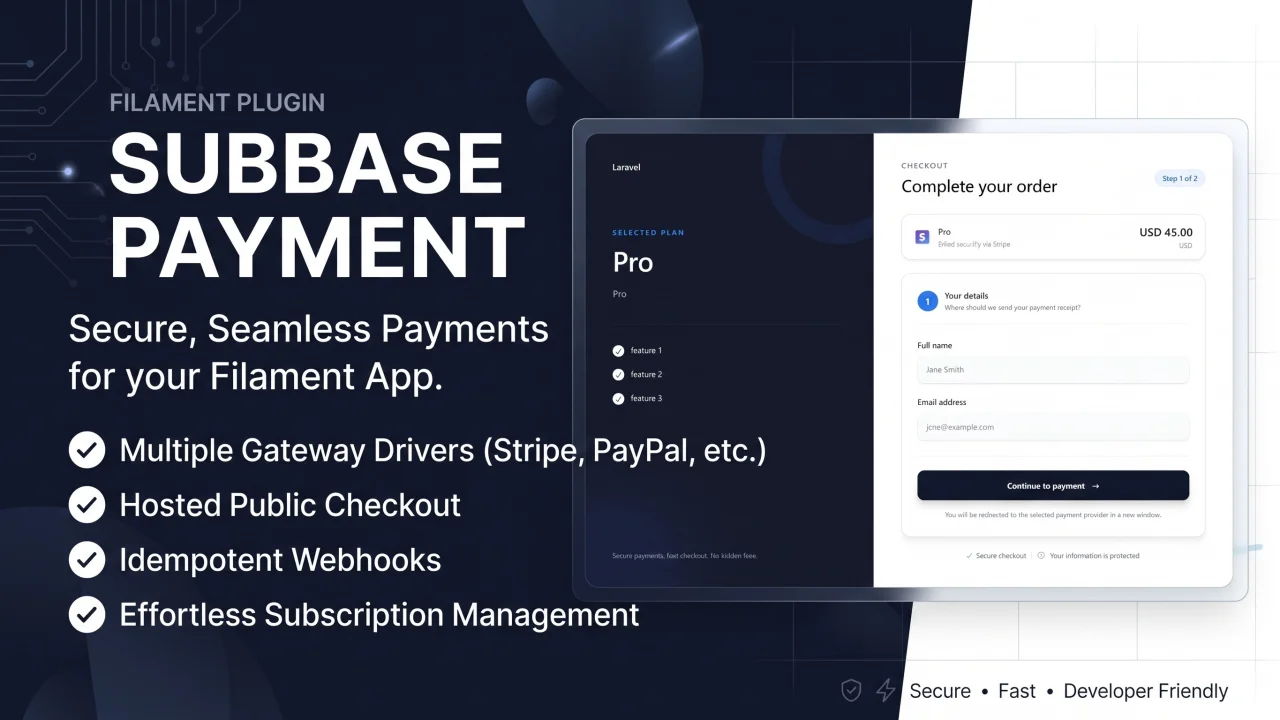
Subbase Payment
CommunityPayment gateway integrations for nafiswatsiq/subbase. Out-of-the-box support for popular gateways, public checkout pages, webhook handling, and payment events for subscription activation.
 Author:
Nafis Watsiq
Author:
Nafis Watsiq
Package health
BetaAutomated checks of this plugin's Composer package
15 checks
- Skipped: GitHub Actions pinned to SHA
- Skipped: GitLab CI includes pinned to SHA
- Passed: Open security advisories
- Passed: Dependabot PR responsiveness — No open Dependabot PRs.
- Skipped: Renovate MR responsiveness
- Skipped: Dependabot or Renovate configured
- Skipped: Dependency update cooldown configured
- Passed: Provides a security policy
- Passed: Abandoned or archived — No consulted source marks the package abandoned (packagist, github).
- Passed: Commit and release recency — Active: last commit 0 days ago; last release 0 days ago.
-
Passed:
composer.lock not committed by library
—
composer.lockis absent from the released dist archive. - Passed: Dist archive is lean
-
Passed:
Current Laravel version supported
—
Package dependencies resolve together with current Laravel
13.0. -
Passed:
Current PHP version supported
—
Constraint
^8.2supports current PHP8.5. - Skipped: Current Symfony version supported
filament/
namespace. Review the source and install at your own risk. Found
malware or an unresolved security issue the author won't
address?
Report it
.
Documentation
- Checkout Page Preview
- Payment Status Page Preview
- Invoice Mail Preview
- Payment History & Webhook Logs
- Features
- Requirements
- Installation
- Public Checkout
- Payment Driver & Documentation
- Configuration
- Email Invoices
- Publishing Assets & Views
- Development
- Support
- License
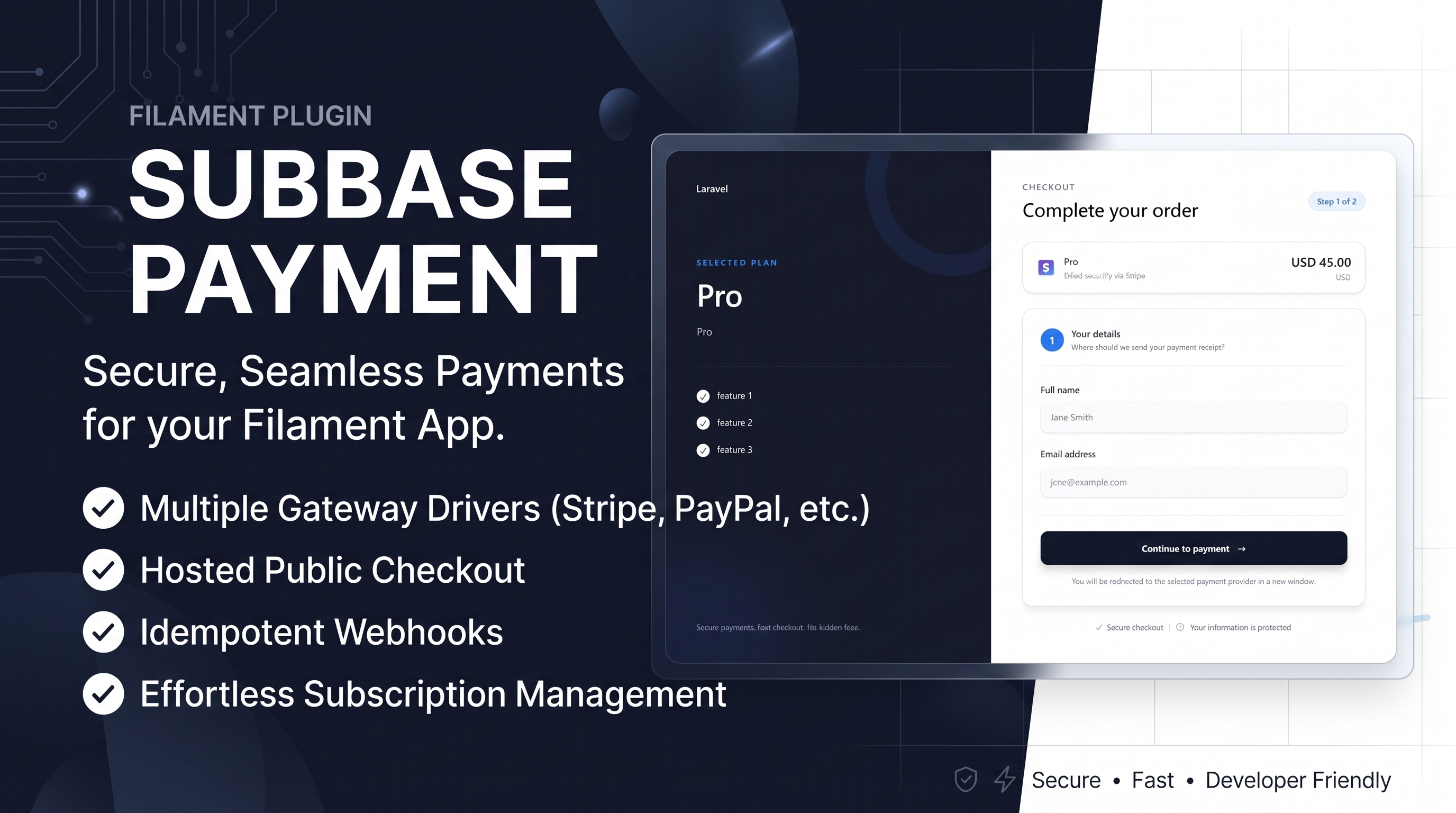



#Checkout Page Preview
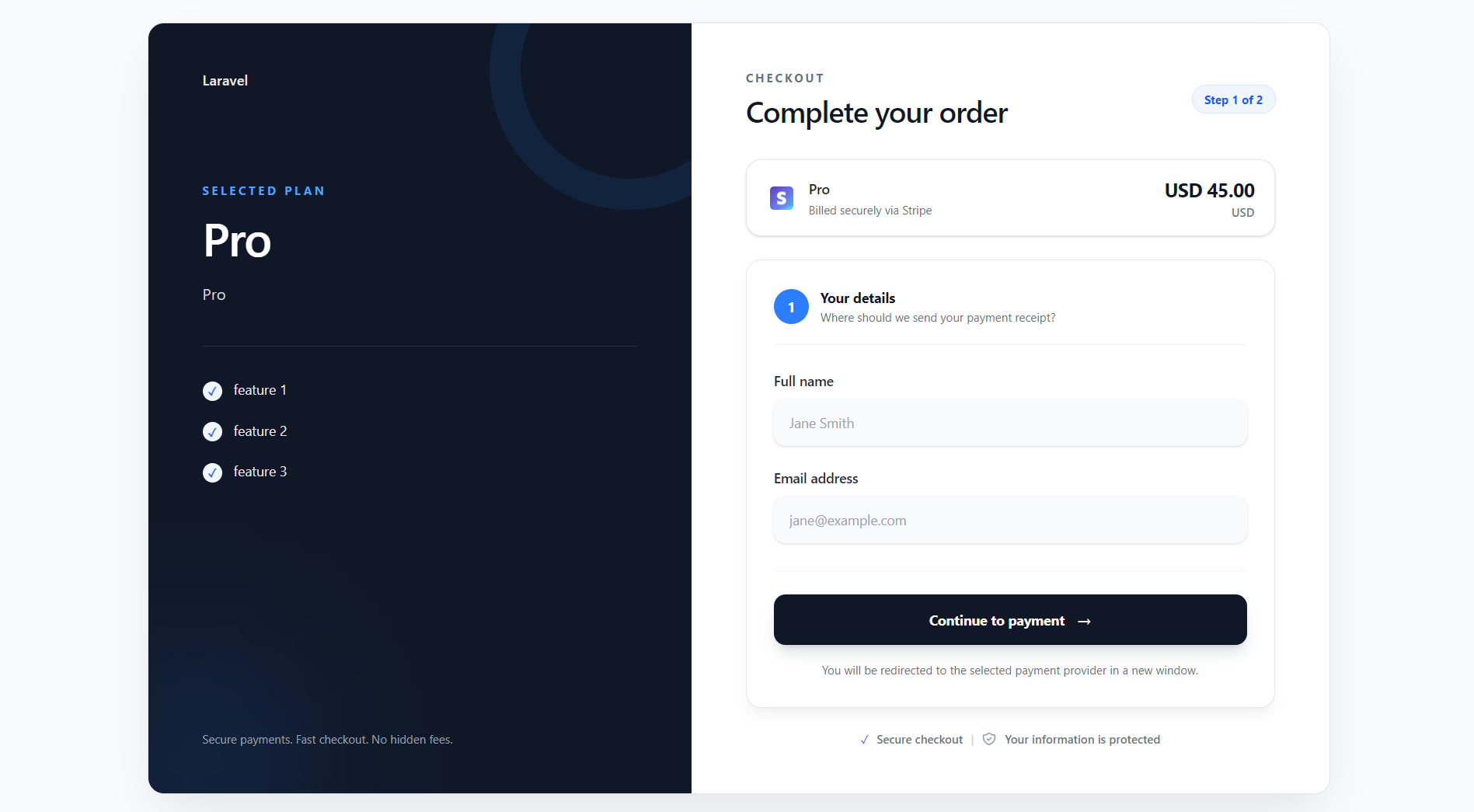
#Payment Status Page Preview
#Invoice Mail Preview
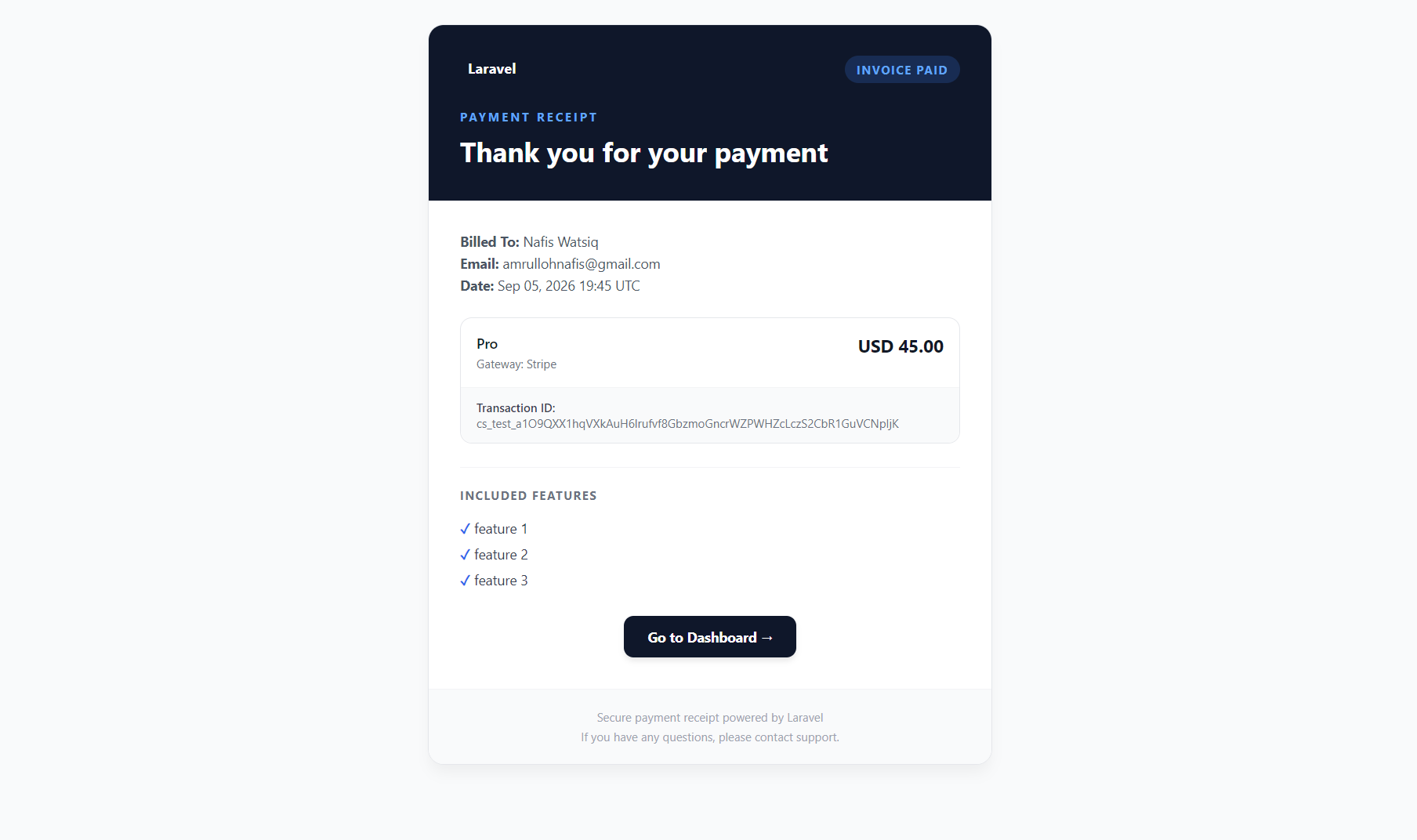
#Payment History & Webhook Logs
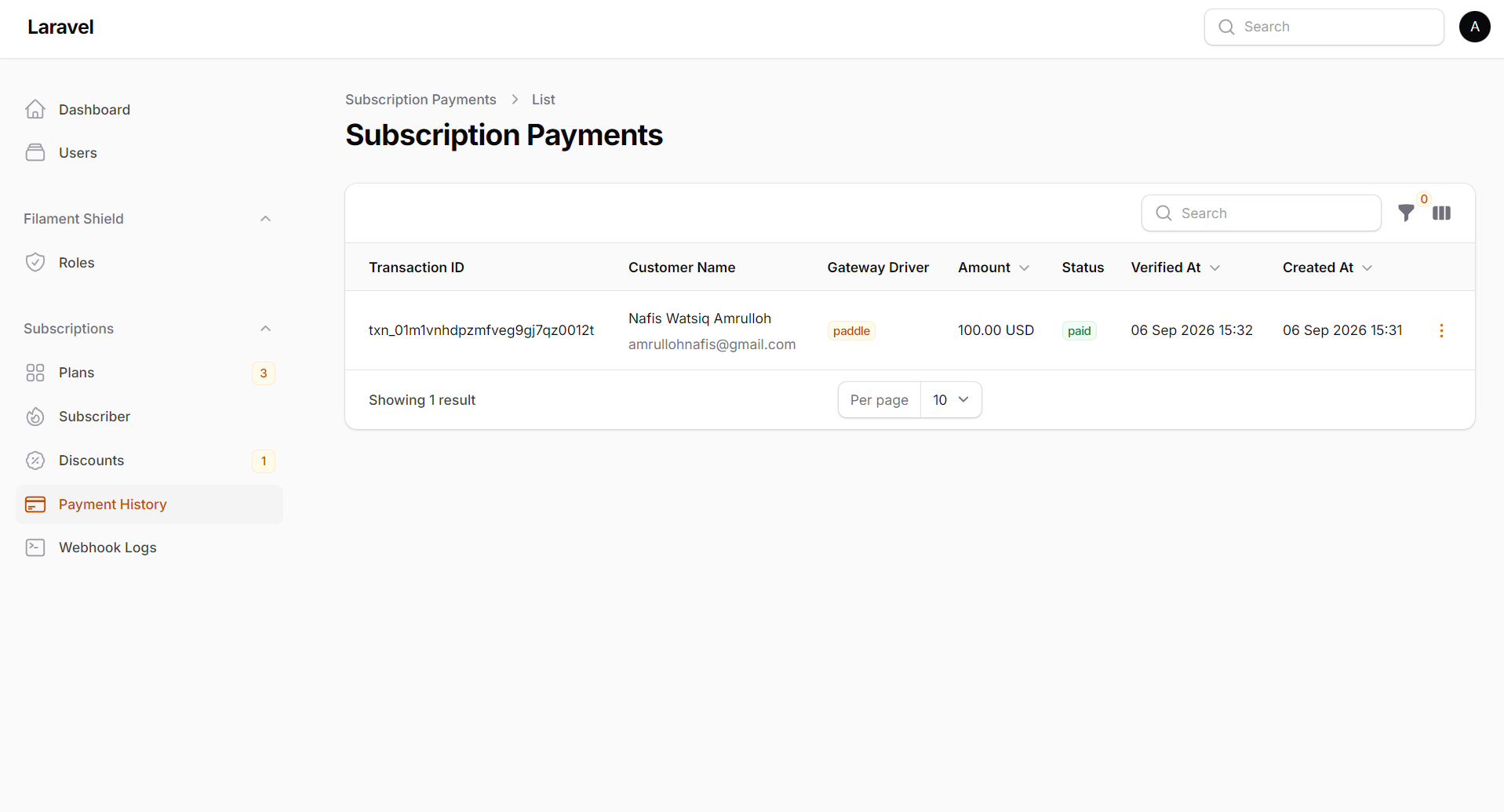
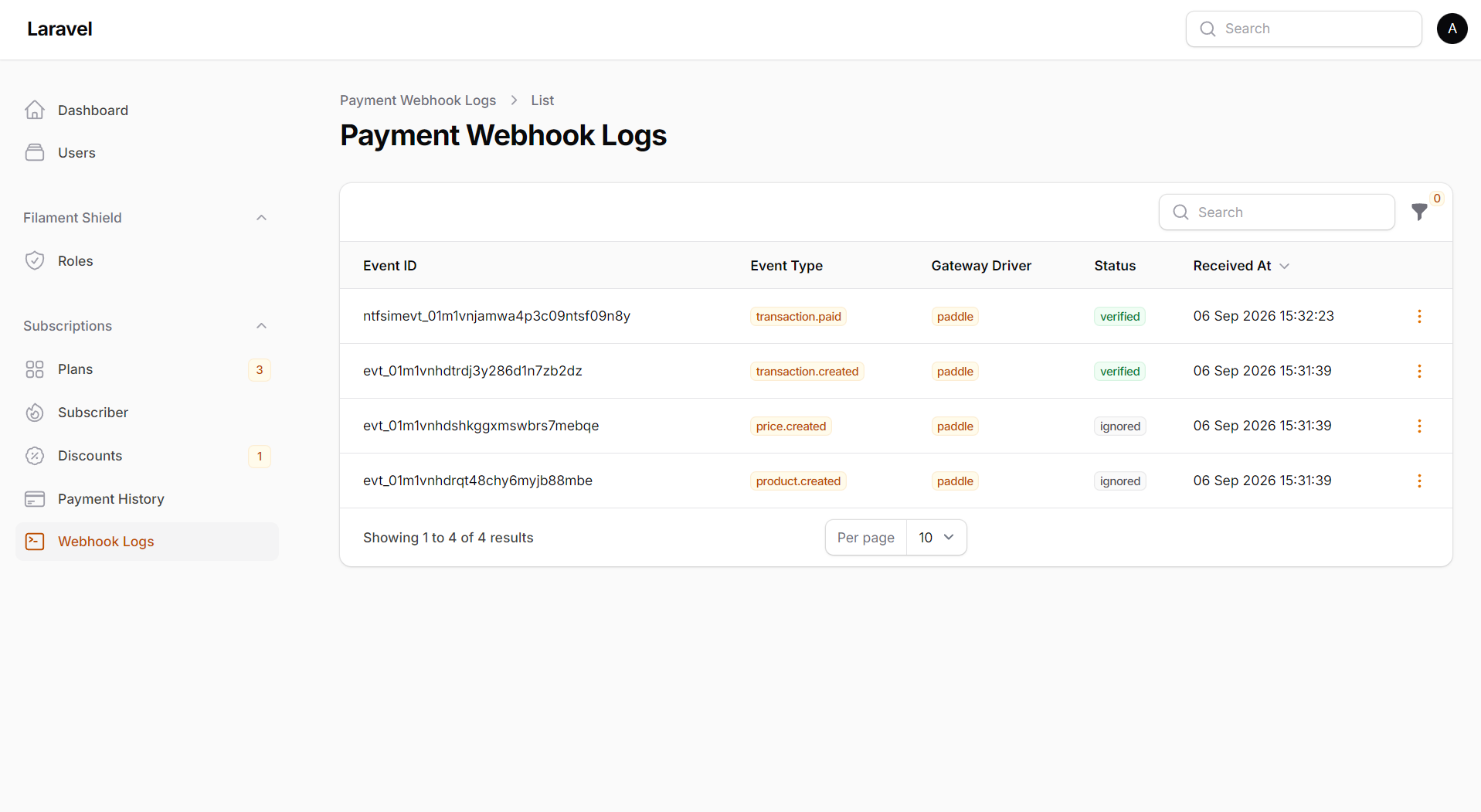
Payment gateway integrations for nafiswatsiq/subbase. Out-of-the-box support for popular gateways, public checkout pages, webhook handling, and payment events for subscription activation.
Quick links: Features · Requirements · Installation · Public Checkout · Events · Email Invoices · Configuration
#Features
- 💳 Multiple Gateway Drivers — Built-in support for PayPal, Stripe, Midtrans, Xendit, and Paddle.
- ⚙️ Custom Gateway Support — Extensible architecture to build your own payment driver.
- 🛒 Hosted Public Checkout — Modern, responsive checkout UI automatically connected with Subbase plan components.
- 🔔 Idempotent Webhooks — Secure, signature-verified webhook handling to update payment status safely.
- ⚡ Automated CLI Setup — Interactively install, configure, reset, or switch gateway drivers via
php artisan subbase-payment:install. - 📧 Email Invoices — Optional email receipt/invoice delivery upon verified payment completion.
- 🔄 Custom Redirect Flow — Easily redirect customers to named routes or external URLs after payment.
#Requirements
- PHP 8.2+
- Laravel 13.0+
- Filament 5.0
nafiswatsiq/subbase^1.3
Important: Read the
nafiswatsiq/subbasedocumentation before installing this payment plugin.
#Installation
#1. Install via Composer
composer require nafiswatsiq/subbase-payment
Install Subbase and publish its migrations:
php artisan subbase:install
#2. Register the Filament Plugin
Add SubbasePaymentPlugin to your Filament panel provider:
use Filament\Panel;
use Filament\PanelProvider;
use Nafiswatsiq\SubbasePayment\SubbasePaymentPlugin;

class AdminPanelProvider extends PanelProvider
{
    public function panel(Panel $panel): Panel
    {
        return $panel
            ->plugins([
                SubbasePlugin::make(),
                SubbasePaymentPlugin::make()
              ])
            // ... rest of your panel configuration
        ;
    }
}
This registers the payment history and webhook log resources in your Filament panel.
#3. Publish Configuration & Migrations
php artisan vendor:publish --tag=subbase-payment-config
php artisan vendor:publish --tag=subbase-payment-migrations
#4. Interactive Gateway Installer
Run the interactive installer to configure your driver:
php artisan subbase-payment:install
Or pass the driver explicitly:
php artisan subbase-payment:install --driver=paypal
#Available Drivers for --driver:
paypal— PayPal REST API Gatewaystripe— Stripe Checkout Sessions Gatewaymidtrans— Midtrans Snap Gateway (Indonesia)xendit— Xendit Invoice Gateway (SE Asia)paddle— Paddle Billing Gateway (v2 API)custom— Custom/Manual Gateway Driver
CI / Non-interactive setup:
php artisan subbase-payment:install --driver=paypal --no-interaction
The install command updates your .env file with SUBBASE_PAYMENT_DRIVER and the corresponding provider credentials.
#5. Run Migrations
php artisan migrate
#Reset / Switch Driver
Reset current driver configuration and clear driver env keys:
php artisan subbase-payment:reset
Reset and immediately switch to another driver:
php artisan subbase-payment:reset --driver=stripe --force
#Public Checkout
Render the pricing component in any Blade view:
{{-- resources/views/pricing.blade.php --}}
<x-subbase::plan-list />
When the payment plugin is installed, it automatically uses the
subbase-payment.checkout route:
/checkout/{plan-slug}
#Checkout Configuration
Customize the checkout path, middleware, and post-payment redirects in
config/subbase-payment.php:
'checkout' => [
    'path' => 'checkout',
    'middleware' => ['web'],
    'return_url' => null,  // named route or full URL after successful payment
    'cancel_url' => null,  // named route or full URL after canceled payment
],
The default return_url and cancel_url show the built-in status page. Set a
named route or full URL to redirect the customer elsewhere after payment.
#Custom Redirect After Payment
Set return_url / cancel_url to override the default status page:
| Value | Behavior |
|---|---|
null (default) |
Show built-in status page (status.blade.php) |
Named route (e.g. dashboard) |
redirect()->route('dashboard', $plan->slug) |
Full URL (e.g. https://app.example/success) |
redirect()->away('https://app.example/success') |
Example — redirect to dashboard after payment:
'checkout' => [
    'return_url' => 'dashboard',
    'cancel_url' => 'plans.index',
],
Example — external URLs:
'checkout' => [
    'return_url' => 'https://app.example.com/payment/success',
    'cancel_url' => 'https://app.example.com/payment/cancel',
],
#Payment Driver & Documentation
| Payment | Payment Driver | Driver Option | Guide |
|---|---|---|---|
 |
PayPal | paypal |
PayPal Setup Guide |
 |
Stripe | stripe |
Stripe Setup Guide |
 |
Midtrans | midtrans |
Midtrans Setup Guide |
 |
Xendit | xendit |
Xendit Setup Guide |
 |
Paddle | paddle |
Paddle Setup Guide |
| ⚙️ | Custom | custom |
Custom Gateway Guide |
#Configuration
Published config/subbase-payment.php:
| Key | Default | Description |
|---|---|---|
driver |
null |
Selected gateway (paypal, stripe, midtrans, etc.) |
checkout.path |
checkout |
Public checkout URL prefix |
checkout.middleware |
['web'] |
Middleware on checkout routes |
checkout.return_url |
null |
Named route or full URL after successful payment |
checkout.cancel_url |
null |
Named route or full URL after canceled payment |
mail.send_invoice |
false |
Send email invoice to buyer on verified payment |
webhook.path |
subbase-payment/webhook |
Webhook endpoint path |
webhook.middleware |
[] |
Middleware on webhook (keep empty for PayPal) |
gateways |
[] |
Per-gateway config (see driver guides) |
#Email Invoices
Optional email invoice sending to customer upon verified payment. Disabled by default.
#Enable via .env
Add to your .env file:
SUBBASE_PAYMENT_SEND_INVOICE=true
#Enable via Configuration
Or update config/subbase-payment.php:
'mail' => [
    'send_invoice' => true,
],
The email view can be published and customized using:
php artisan vendor:publish --tag=subbase-payment-views
Look for resources/views/vendor/subbase-payment/mail/invoice.blade.php.
#Publishing Assets & Views
Publish configuration file:
php artisan vendor:publish --tag=subbase-payment-config
Publish Blade views (checkout.blade.php, status.blade.php to resources/views/vendor/subbase-payment):
php artisan vendor:publish --tag=subbase-payment-views
#Development
composer install
composer validate --strict
composer test
#Support
- 📖 Documentation: GitHub Wiki
- 🐛 Issues: GitHub Issues
- 💬 Discussions: GitHub Discussions
#License
The MIT License (MIT). Please see License File for more information.
The author
From the same author
Featured Plugins
A selection of plugins curated by the Filament team

Custom Dashboards
Let your users build and share their own dashboards with a drag-and-drop interface. Define your data sources in PHP and let them do the rest.
 Filament

Advanced Tables (formerly Filter Sets)
Supercharge your tables with powerful features like user-customizable views, quick filters, multi-column sorting, advanced table searching, convenient view management, and more. Compatible with Resource Panel Tables, Relation Managers, Table Widgets, and Table Builder!
 Kenneth Sese

Spotlight Pro
Browse your Filament Panel with ease. Filament Spotlight Pro adds a Spotlight like Command Palette to your Filament Panel.
 Dennis Koch

