Data Copilot
CommunityGenerate intelligent charts, data tables, and automated PDF reports directly from your database using natural language prompts.
 Author:
Matondo
Author:
Matondo
Package health
BetaAutomated checks of this plugin's Composer package
15 checks
- Skipped: GitHub Actions pinned to SHA
- Skipped: GitLab CI includes pinned to SHA
- Passed: Open security advisories
- Passed: Dependabot PR responsiveness — No open Dependabot PRs.
- Skipped: Renovate MR responsiveness
- Skipped: Dependabot or Renovate configured
- Skipped: Dependency update cooldown configured
- Failed: Provides a security policy — View details on Plumb
- Passed: Abandoned or archived — No consulted source marks the package abandoned (packagist, github).
- Passed: Commit and release recency — Active: last commit 4 days ago; last release 4 days ago.
-
Passed:
composer.lock not committed by library
—
composer.lockis absent from the released dist archive. - Passed: Dist archive is lean
-
Passed:
Current Laravel version supported
—
Package dependencies resolve together with current Laravel
13.0. -
Passed:
Current PHP version supported
—
Constraint
^8.1supports current PHP8.5. - Skipped: Current Symfony version supported
filament/
namespace. Review the source and install at your own risk. Found
malware or an unresolved security issue the author won't
address?
Report it
.
Documentation
- Table of Contents
- Features
- Supported AI Providers
- Installation
- Usage
- Scheduling Reports
- Configuration
- Prompt Examples
- Security
- License
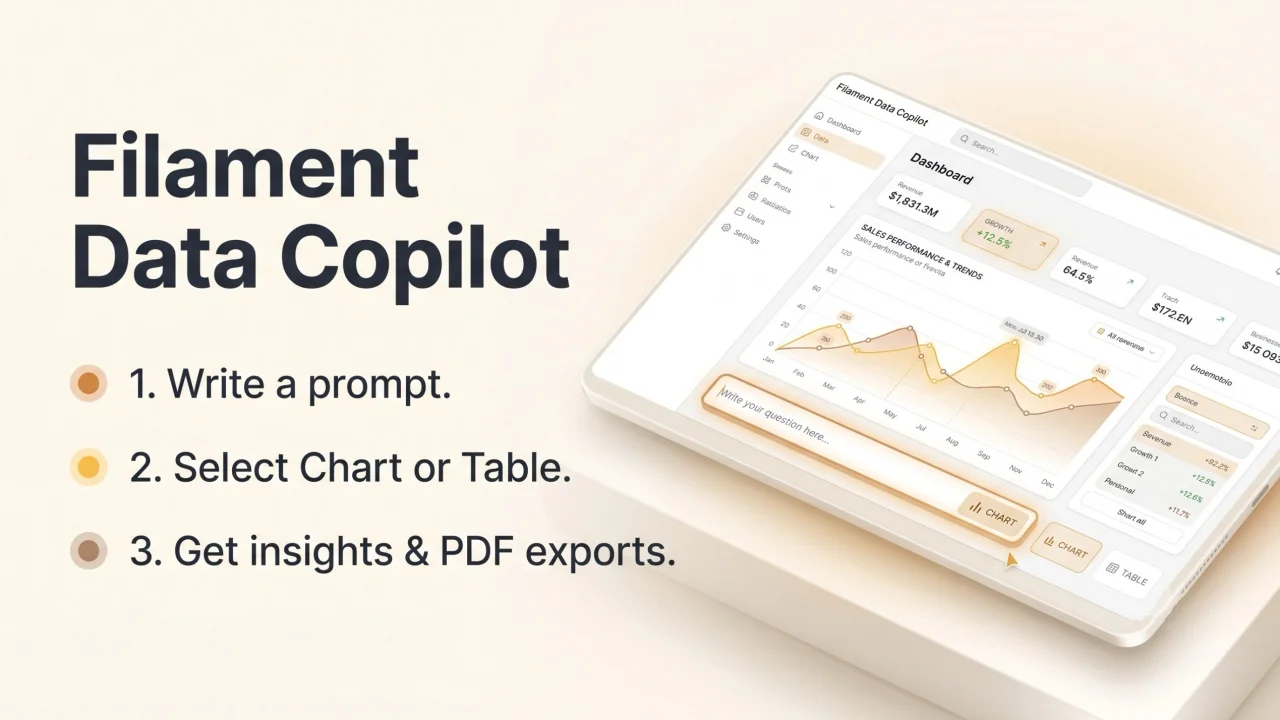
Filament Data Copilot is a powerful AI-driven assistant for Filament PHP that allows you to chat with your database. Turn plain natural language into precise SQL queries, interactive charts, textual insights, and automated PDF reports directly inside your Filament Admin Panel.
#Table of Contents
#Features
- Natural Language to SQL: Stop writing complex SQL queries manually. Just ask for what you want in plain text.
- Dynamic & Interactive Charts: Automatically renders data as Bar, Line, Pie, Doughnut, Stacked, and Polar Area charts.
- AI-Generated Insights: Provides a brief, intelligent textual interpretation of the data fetched.
- Safe & Restricted Context: Strictly limit which database tables and columns the AI is allowed to query to prevent unauthorized data access.
- Scheduled Reports via Email: You can easily schedule report generation and receive updates directly in your inbox daily, weekly, or monthly.
- PDF Exports: Export your charts and tables to beautiful PDF files.
- Multi-language Support: Automatically adapts to your application's locale. Prompt the AI in any language (English, Spanish, French, Arabic, etc.), and the AI will dynamically translate SQL outputs seamlessly.
#Supported AI Providers
Powered by the robust Laravel AI SDK, this package supports multiple Large Language Models out-of-the-box:
- OpenAI (GPT-4o, GPT-4o-mini)
- Google Gemini
- DeepSeek
- Azure OpenAI
- Anthropic
- And all other providers supported by the
laravel/aipackage!
#Installation
You can install the package via composer:
composer require matondojk/filament-data-copilot
Publish and run the migrations:
php artisan vendor:publish --tag="filament-data-copilot-migrations"
php artisan migrate
(Optional) Publish the config file:
php artisan vendor:publish --tag="filament-data-copilot-config"
(Optional) Publish the translations:
php artisan vendor:publish --tag="filament-data-copilot-translations"
#Usage
Register the plugin in your Filament Panel Provider (usually app/Providers/Filament/AdminPanelProvider.php):
use Matondojk\FilamentDataCopilot\FilamentDataCopilotPlugin;

public function panel(Panel $panel): Panel
{
    return $panel
        // ...
        ->plugin(FilamentDataCopilotPlugin::make());
}
Once registered, the Data Copilot and its Settings pages will appear in your Filament navigation menu.
#Scheduling Reports
This package allows users to schedule reports directly from the interface to be sent via email on a daily, weekly, or monthly basis.
To ensure these scheduled emails are actually processed and sent out automatically, you must register the package's console command in your application's scheduler (typically located in routes/console.php):
use Illuminate\Support\Facades\Schedule;

Schedule::command('ai:send-scheduled-reports')->hourly();
Note: Make sure your server's Cron is properly configured to run php artisan schedule:run every minute as per the official Laravel documentation.
#Configuration
Before making your first query, you must set up the AI context:
- Navigate to the Settings page in your Filament panel.
- Select your preferred base language and currency.
- Select your AI Provider (e.g., OpenAI) and paste your API Key.
- Allowed Models: Select which Eloquent Models (Tables) the AI is authorized to read. The AI will strictly be blocked from accessing any table not selected here.
- Business Context: Provide a short description of your business to give the AI context for better insights.
#Prompt Examples
Because the package is completely multi-language, you can prompt the AI in any language you want. Here are some examples of what you can type into the Data Copilot:
#Sales & Revenue
"Show me the total revenue generated grouped by product category for the last 6 months."
"Show the total sales made per month this year, grouped by order status."
#Operations & Logistics
"Present the temporal evolution of purchases and sales on a daily basis. Show total bought, total sold, and the variation. Identify trends between inventory replacement and sales rhythm."
#Customers
"Who were the top 5 customers that purchased the most in our store by total value in the last quarter?"
#Security
If you discover any security-related issues, please use the issue tracker directly.
#License
The MIT License (MIT). Please see License File for more information.
The author
Software Engineer specializing in PHP and Laravel, focused on designing and developing scalable SaaS platforms and enterprise web applications. Experienced in software architecture, RESTful APIs, FilamentPHP, Livewire, AI integrations, and database design, delivering secure, maintainable, and high-performance solutions through clean code and best engineering practices.
From the same author
Featured Plugins
A selection of plugins curated by the Filament team

Custom Dashboards
Let your users build and share their own dashboards with a drag-and-drop interface. Define your data sources in PHP and let them do the rest.
 Filament

Custom Fields
Eliminate custom field migrations forever. Let your users create and manage form fields directly in Filament admin panels with 20+ built-in field types, validation, and zero database changes.
 Relaticle

Advanced Tables (formerly Filter Sets)
Supercharge your tables with powerful features like user-customizable views, quick filters, multi-column sorting, advanced table searching, convenient view management, and more. Compatible with Resource Panel Tables, Relation Managers, Table Widgets, and Table Builder!
 Kenneth Sese