
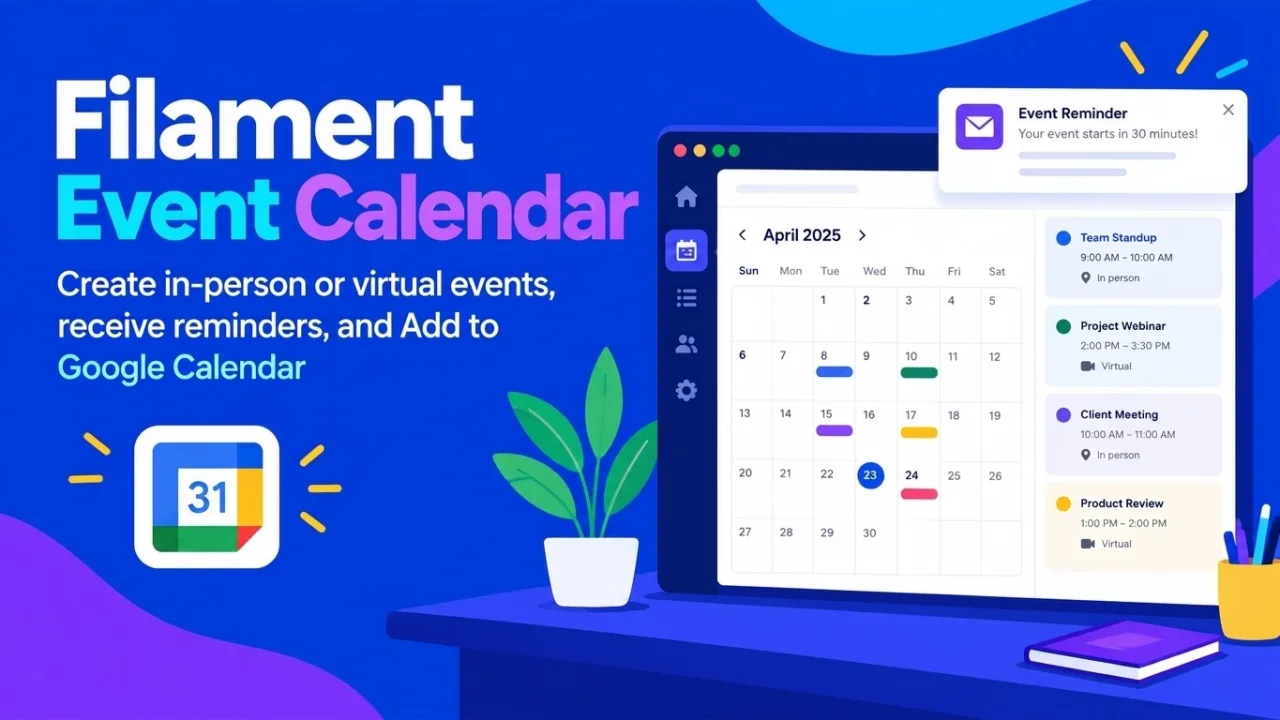
Event Calendar
CommunityA comprehensive plugin to manage virtual and in-person events, handle RSVPs, send automated reminders, and add events to Google Calendar.
 Author:
Matondo
Author:
Matondo
Package health
BetaAutomated checks of this plugin's Composer package
15 checks
- Skipped: GitHub Actions pinned to SHA
- Skipped: GitLab CI includes pinned to SHA
- Passed: Open security advisories
- Passed: Dependabot PR responsiveness — No stale Dependabot PRs.
- Skipped: Renovate MR responsiveness
- Passed: Dependabot or Renovate configured
-
Failed:
Dependency update cooldown configured
—
No cooldown configured in
.github/dependabot.yml. View details on Plumb - Passed: Provides a security policy
- Passed: Abandoned or archived — No consulted source marks the package abandoned (packagist, github).
- Passed: Commit and release recency — Active: last commit 0 days ago; last release 0 days ago.
-
Passed:
composer.lock not committed by library
—
composer.lockis absent from the released dist archive. - Passed: Dist archive is lean
-
Passed:
Current Laravel version supported
—
Package dependencies resolve together with current Laravel
13.0. -
Passed:
Current PHP version supported
—
Constraint
^8.2supports current PHP8.5. - Skipped: Current Symfony version supported
filament/
namespace. Review the source and install at your own risk. Found
malware or an unresolved security issue the author won't
address?
Report it
.
Documentation
- Screenshots
- Features
- Requirements
- Installation
- Plugin Registration
- Scheduling Reminders
- Configuration
- Queues & Performance
- Usage Concepts
- Support the Project
- License
A professional, fully customizable, and responsive event management plugin designed specifically for Filament v5.
#Screenshots
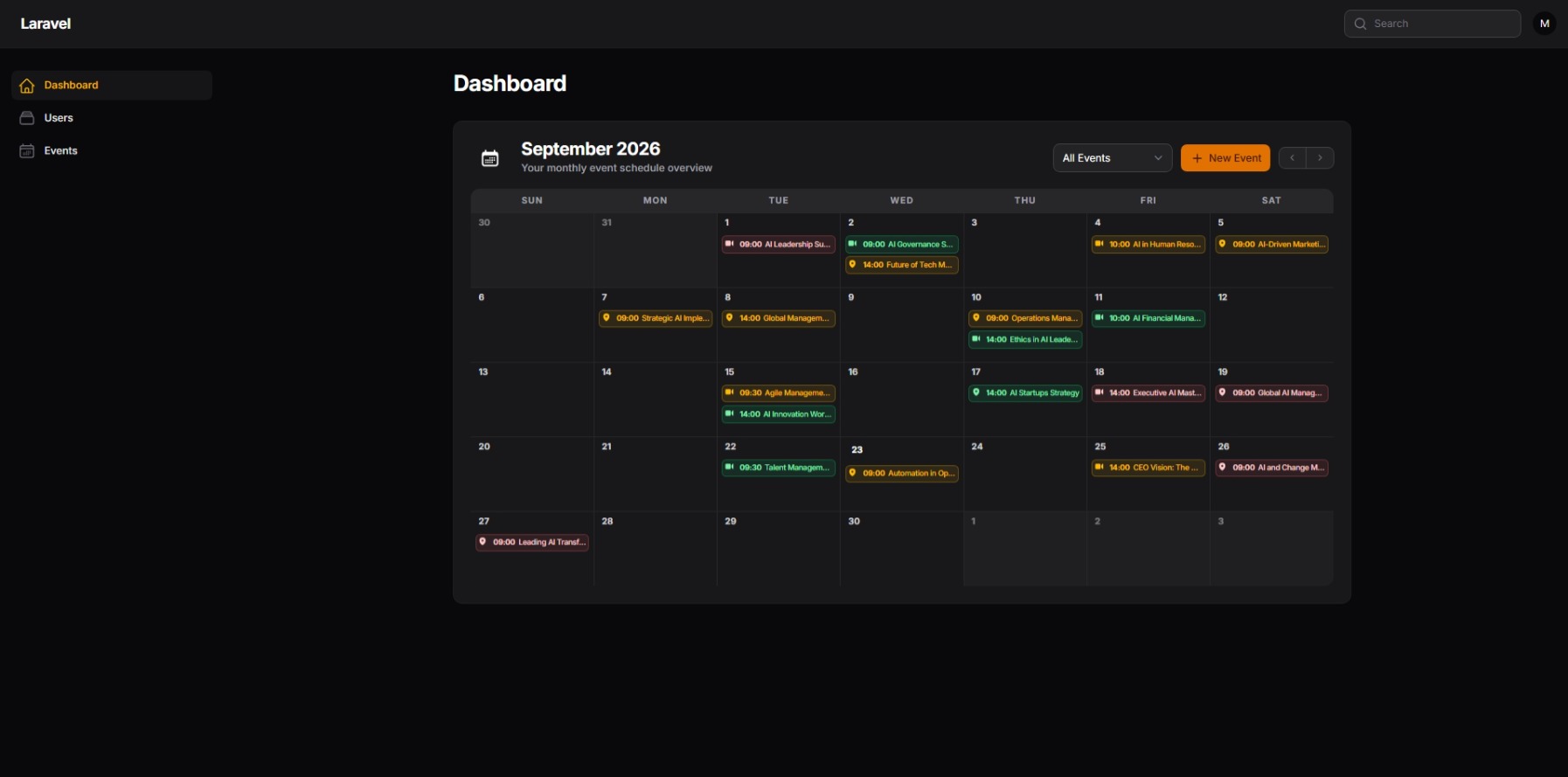
Calendar Dashboard Widget:
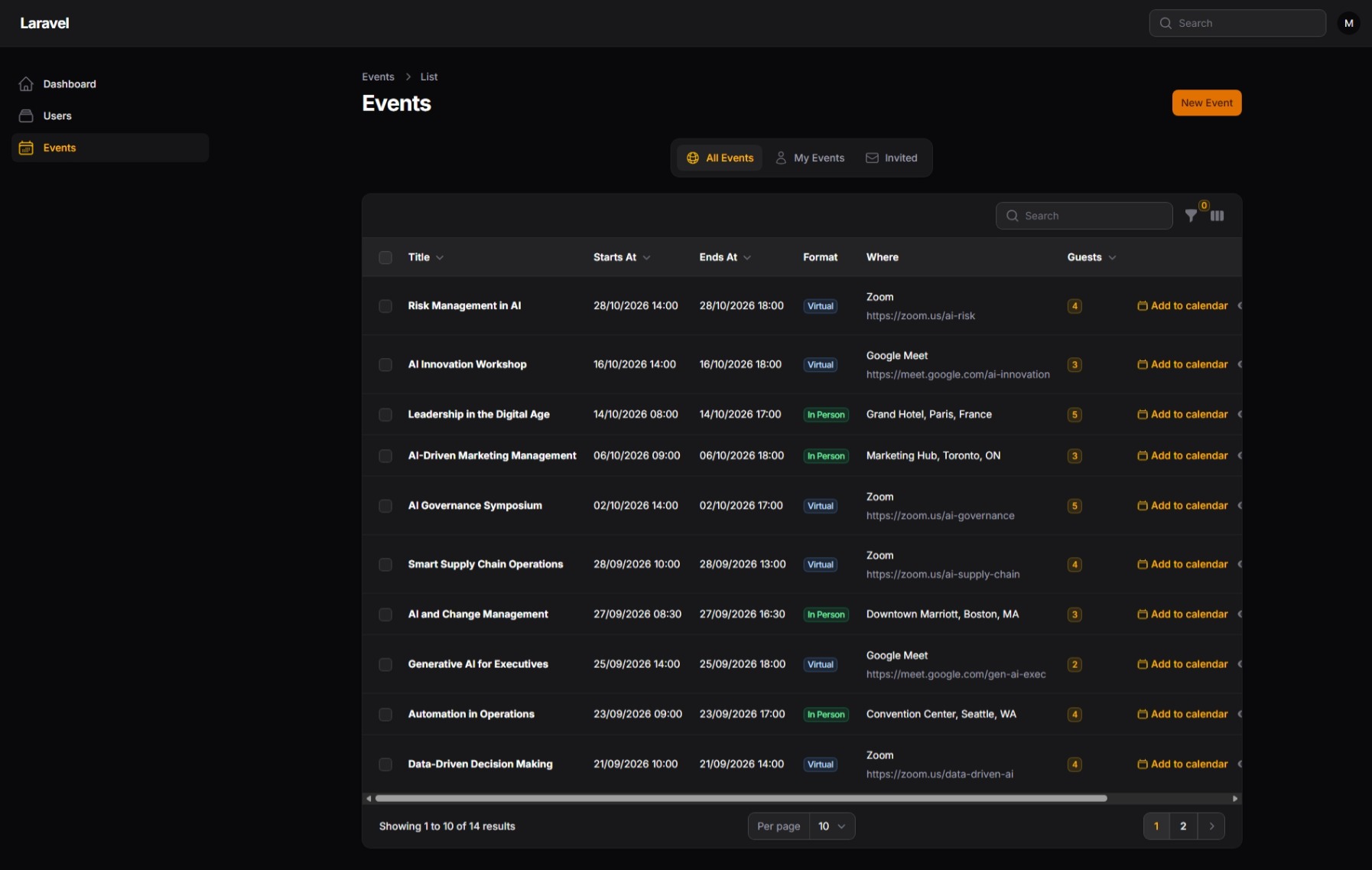
Events Table & Views:
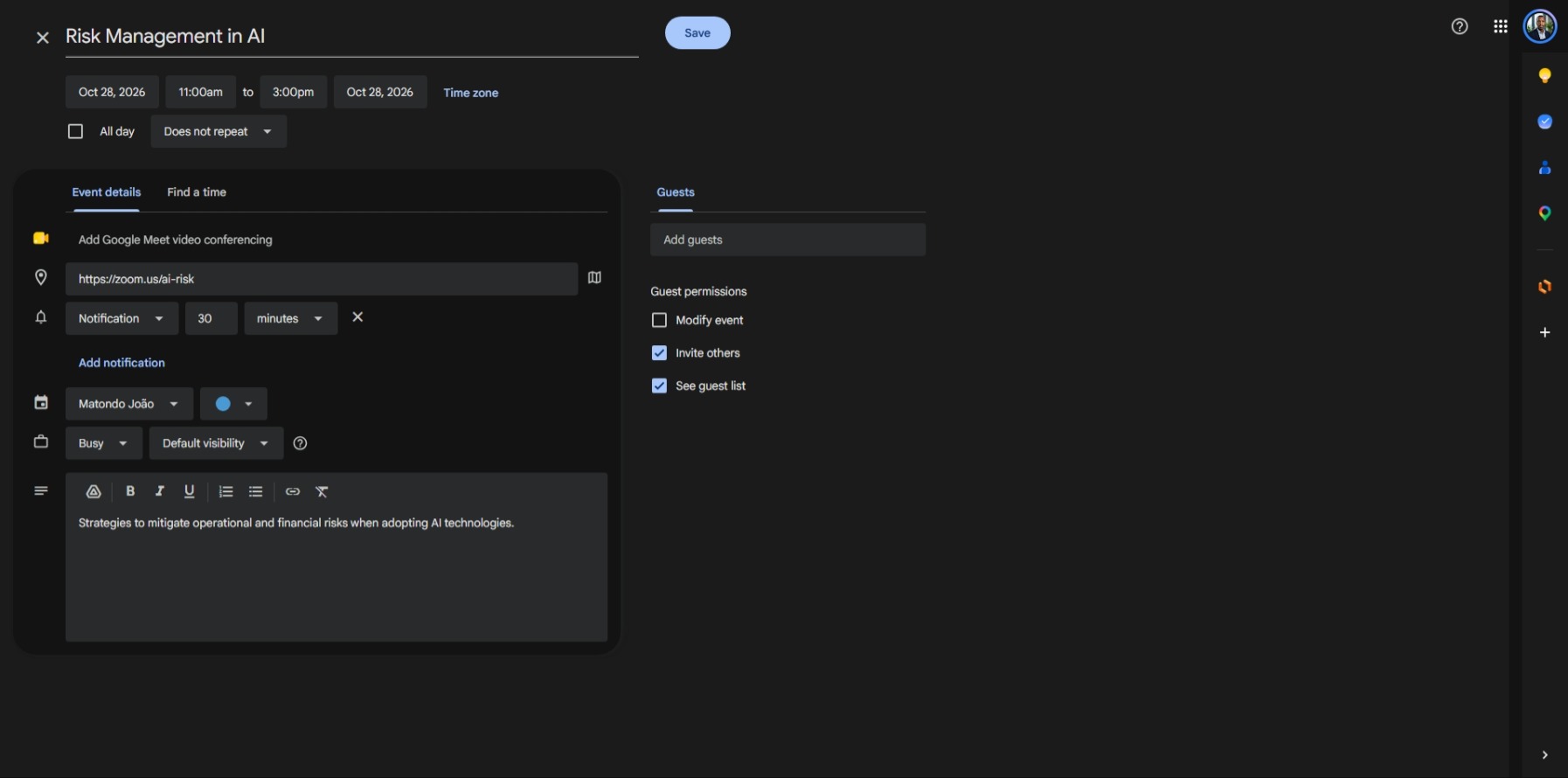
Google Calendar Integration:
#Features
- In-Person and Virtual Events: Create physical events with locations, or virtual meetings with direct links (Google Meet, Zoom, Teams, etc.).
- Smart Visibility & Invitations: Users only see events they created or events they have been explicitly invited to.
- RSVP Tracking: Invited users can confirm or decline their presence directly through the calendar.
- Automated Email Notifications: The system sends an email invitation automatically when users are added to an event.
- Daily Reminders: Configurable job to send warnings 24 hours before an event starts.
- Google Calendar Integration: Allows attendees to add the event (including dates, description, and link/location) directly to their personal Google Calendar with a single click.
- Perfect UI Integration: Matches the native Filament v5 Zinc theme seamlessly in both Light and Dark modes.
#Requirements
- PHP 8.2+
- Laravel 13.0+
- Filament v5
#Installation
You can install the package via Composer:
composer require matondojk/filament-event-calendar
Publish and run the migrations to create the required database tables (events and event_user):
php artisan vendor:publish --tag="filament-event-calendar-migrations"
php artisan migrate
Optionally, you can publish the configuration file to customize the resource visibility and menu sorting:
php artisan vendor:publish --tag="filament-event-calendar-config"
#Plugin Registration
To use the event resource and the calendar widget, you must register them in your Filament panel configuration.
Open your app/Providers/Filament/AdminPanelProvider.php:
- Register the plugin to load the Events management resource.
- Register the
CalendarWidgetmanually in thewidgets()array. This gives you full control over the widget's position on your dashboard!
use Matondojk\FilamentEventCalendar\FilamentEventCalendarPlugin;
use Matondojk\FilamentEventCalendar\Widgets\CalendarWidget;

public function panel(Panel $panel): Panel
{
    return $panel
        // ...
        ->plugins([
            // 1. Register the plugin here!
            FilamentEventCalendarPlugin::make(),
        ])
        ->widgets([
            Widgets\AccountWidget::class,
            Widgets\FilamentInfoWidget::class,
            // 2. Register the calendar widget here! (You can change its position)
            CalendarWidget::class,
        ]);
}
#Scheduling Reminders
The package includes a job (EventReminderJob) that checks for upcoming events exactly 24 hours before they start. It sends both database notifications and email reminders to all confirmed or pending guests.
To enable this feature, you must schedule the job to run hourly.
Add the following to your routes/console.php (Laravel 11+):
use Matondojk\FilamentEventCalendar\Jobs\EventReminderJob;
use Illuminate\Support\Facades\Schedule;

Schedule::job(new EventReminderJob)->hourly();
Note: Ensure your server has the Laravel scheduler configured (cron).
#Configuration
If you published the configuration file, it will be located at config/filament-event-calendar.php.
You can define if the EventResource should appear in the left sidebar, in which position, and whether automated emails should be dispatched:
return [
    // Determine if the Events link should appear in the navigation menu.
    'should_register_navigation' => true,

    // Set the navigation sort order for the Events link.
    'navigation_sort' => 1,

    // Determine if invitation emails should be sent automatically when a user is added to an event.
    'send_invitation_emails' => true,
];
#Queues & Performance
This package heavily relies on background jobs (like SendEventInvitationJob and EventReminderJob) to send emails without slowing down your application.
Highly Recommended: Ensure you have a Queue worker running on your server (e.g., php artisan queue:work, or configure Supervisor/Horizon). If you do not configure queues, your application will send emails synchronously, which may cause slow page loads when creating events with many participants.
If you don't want to send automatic email invitations at all, you can disable them by setting 'send_invitation_emails' => false in the configuration file.
#Usage Concepts
#Visibility and Privacy
Privacy is built-in by default. When an event is created, it belongs to the creator. The event will only appear on the calendar and table of the creator and the guests selected in the "Participants" field. The filtering tabs allow users to quickly switch between "All Events", "My Events", and "Invited".
#Google Calendar Integration
When an event is viewed, a button to "Add to Google Calendar" is presented. This button dynamically generates a URL populated with the event's title, description, start/end dates, and location (or virtual meeting link). Clicking it opens the Google Calendar creation page pre-filled.
#Support the Project
If you find this plugin useful, please consider leaving a star (⭐️) on the GitHub repository. Your support helps the project grow and reach more developers!
#License
The MIT License (MIT).
The author
Software Engineer specializing in PHP and Laravel, focused on designing and developing scalable SaaS platforms and enterprise web applications. Experienced in software architecture, RESTful APIs, FilamentPHP, Livewire, AI integrations, and database design, delivering secure, maintainable, and high-performance solutions through clean code and best engineering practices.
From the same author

Matondo Avatar Picker
A form component providing a responsive gallery and upload tool for selecting user profile avatars.
Author:
Matondo

Data Copilot
Generate intelligent charts, data tables, and automated PDF reports directly from your database using natural language prompts.
Author:
Matondo
Social Login
A beautiful, plug-and-play social login integration for modern Filament PHP panels.
Author:
Matondo
Featured Plugins
A selection of plugins curated by the Filament team

Custom Dashboards
Let your users build and share their own dashboards with a drag-and-drop interface. Define your data sources in PHP and let them do the rest.
 Filament

Compact Theme
A theme that makes data-heavy panels easier to scan by fitting more useful information on each screen.
Filament

Custom Fields
Eliminate custom field migrations forever. Let your users create and manage form fields directly in Filament admin panels with 20+ built-in field types, validation, and zero database changes.
 Relaticle

