
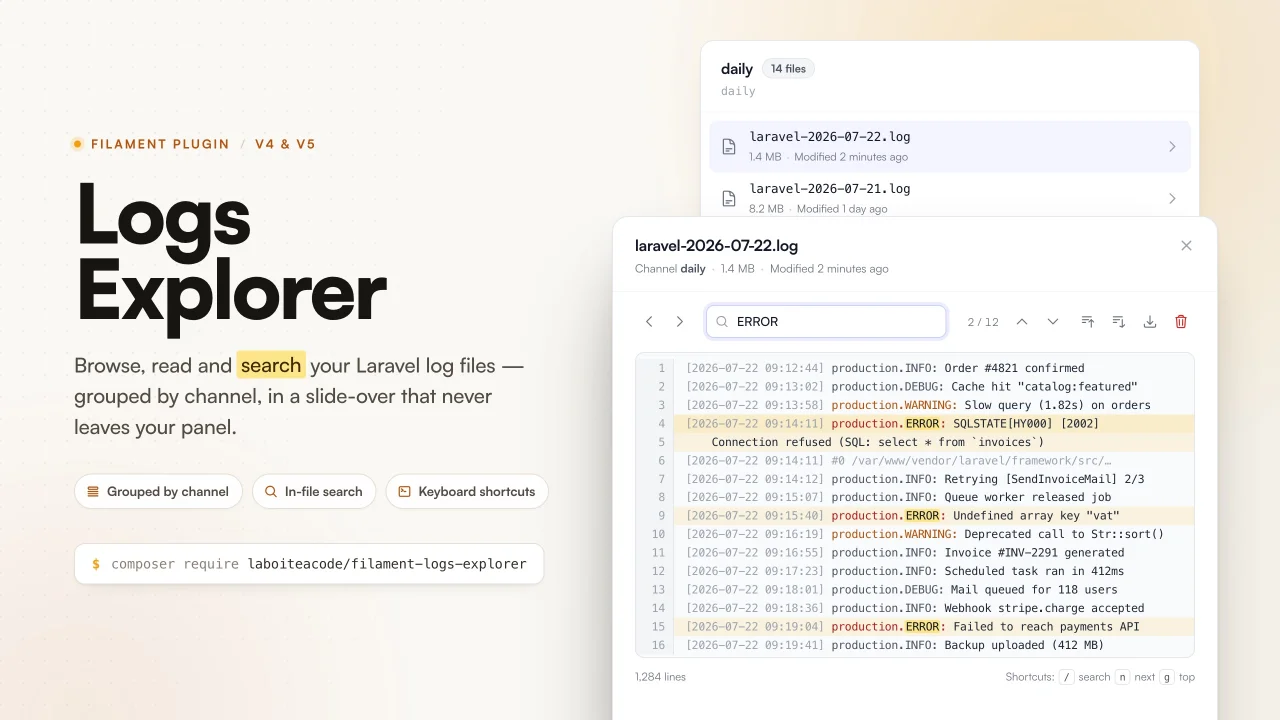
Logs Explorer
CommunityRead and search your Laravel log files without leaving your Filament panel. Files are resolved from your logging channels and open in a slide-over with in-file search, match navigation, keyboard shortcuts, download and delete.
 Author:
La boîte à code
Author:
La boîte à code
Package health
BetaAutomated checks of this plugin's Composer package
15 checks
- Passed: GitHub Actions pinned to SHA
- Skipped: GitLab CI includes pinned to SHA
- Passed: Open security advisories
- Passed: Dependabot PR responsiveness — No open Dependabot PRs.
- Skipped: Renovate MR responsiveness
- Passed: Dependabot or Renovate configured
-
Failed:
Dependency update cooldown configured
—
No cooldown configured in
.github/dependabot.yml. View details on Plumb - Passed: Provides a security policy
- Passed: Abandoned or archived — No consulted source marks the package abandoned (packagist, github).
- Passed: Commit and release recency — Active: last commit 3 days ago; last release 3 days ago.
-
Passed:
composer.lock not committed by library
—
composer.lockis absent from the released dist archive. - Passed: Dist archive is lean
-
Passed:
Current Laravel version supported
—
Package dependencies resolve together with current Laravel
13.0. -
Passed:
Current PHP version supported
—
Constraint
^8.2supports current PHP8.5. - Skipped: Current Symfony version supported
filament/
namespace. Review the source and install at your own risk. Found
malware or an unresolved security issue the author won't
address?
Report it
.
Documentation
- Features
- Compatibility
- Installation
- Usage
- Configuration
- Translations
- Security
- Testing
- Changelog
- Credits
- License



Read your Laravel log files without leaving your Filament panel. Files are grouped by logging channel and open in a slide-over with in-file search, match navigation and keyboard shortcuts.
#Features
- Channel aware. Log files are resolved from your
config/logging.php, not from a hardcoded path:single,daily,monologstream handlers, and the file based members of astack. - Slide-over viewer. In-file search with highlighting and match navigation, jump to start or end, move to the previous or next file without closing the slide-over, and download the raw file.
- Keyboard driven.
/to search,nandNto walk through matches,gandGto jump to the start or the end of the file. - Safe on large files. Files above a configurable size are truncated, and the viewer loads the end of the file first so the most recent entries are always the ones you see.
- File deletion. Delete a log file from the list or from the viewer, behind a confirmation dialog and its own authorization hook, independent of read access.
- Configurable twice over. Every option is available both in a published config file and through a fluent, per-panel plugin API.
- Authorization built in. A single
canAccess()hook drives both the navigation item and the route. - Translated. Ships with English, French and Spanish.
#Compatibility
| Package | Supported versions |
|---|---|
| PHP | 8.2, 8.3, 8.4, 8.5 |
| Laravel | 11, 12, 13 |
| Filament | 4, 5 |
#Installation
Install the package with Composer:
composer require laboiteacode/filament-logs-explorer
Register the plugin on every panel where it should appear, usually in
app/Providers/Filament/AdminPanelProvider.php:
use LaBoiteACode\FilamentLogsExplorer\FilamentLogsExplorerPlugin;

public function panel(Panel $panel): Panel
{
    return $panel
        // ...
        ->plugin(FilamentLogsExplorerPlugin::make());
}
That is the whole setup. A Logs entry appears in the navigation and lists every file based channel the plugin can find.
#Assets
The viewer's CSS and JS are registered with Filament automatically. In production, publish them like any other Filament asset:
php artisan filament:assets
#Publishing
All three publishable groups are optional:
# config/filament-logs-explorer.php
php artisan vendor:publish --tag="filament-logs-explorer-config"

# lang/vendor/filament-logs-explorer/{locale}/filament-logs-explorer.php
php artisan vendor:publish --tag="filament-logs-explorer-translations"

# resources/views/vendor/filament-logs-explorer/
php artisan vendor:publish --tag="filament-logs-explorer-views"
#Usage
#The Logs page
The page renders one collapsible section per channel, each showing that channel's most recent files with their name, size and last modified date. A Refresh action in the header re-scans the disk.
Clicking a file opens it in the viewer. Files the process cannot read are listed but marked as unreadable, so a permission problem is visible instead of silent.
#The viewer
| Action | How |
|---|---|
| Search in the file | Type in the search box, matches are highlighted |
| Jump between matches | The up and down buttons, or n and N |
| Go to the start or end of the file | The two buttons, or g and G |
| Open the previous or next file | The < and > buttons, without closing the slide-over |
| Focus the search box | / |
| Download the raw file | The download button |
| Delete the file | The trash button, after a confirmation |
While the search box has focus, Enter moves to the next match, Shift+Enter
to the previous one, and Escape clears the search. The single letter
shortcuts are only active outside the search box, so typing n in a query does
what you expect.
#Large files
Files larger than reader.max_bytes (5 MB by default) are truncated. The
viewer loads the end of the file, which is where the most recent entries
are, and shows a banner explaining that the file was truncated and inviting the
user to download it in full. Set reader.tail_when_exceeded to false to load
the beginning instead.
#Configuration
Every option can be set globally in the published
config/filament-logs-explorer.php, or per panel through the fluent plugin
API. The fluent value always wins, which lets several panels in the same
application expose different subsets of the logs.
#Channels
By default the plugin auto-discovers every file based channel declared in
config/logging.php. Provide an explicit list to restrict and order them:
// config/filament-logs-explorer.php
'channels' => ['daily', 'single'],  // empty array => auto-discover
'exclude_channels' => ['emergency'],
'expand_stacks' => true,            // expand "stack" channels into their members
'files_per_channel' => 15,
FilamentLogsExplorerPlugin::make()
    ->channels(['daily', 'single'])
    ->excludeChannels(['emergency'])
    ->expandStacks()
    ->filesPerChannel(20);
#Untracked files
To also surface *.log files that are not attached to any channel, enable the
directory scan. Those files are grouped under their own section:
'discover_untracked_files' => true,
'log_directory' => null,             // null => storage_path('logs')
'untracked_channel_label' => null,   // null => the translated label
FilamentLogsExplorerPlugin::make()
    ->discoverUntrackedFiles(directory: storage_path('logs'));
#Navigation
FilamentLogsExplorerPlugin::make()
    ->navigationLabel('Application logs')
    ->navigationIcon('heroicon-o-bug-ant')
    ->activeNavigationIcon('heroicon-s-bug-ant')
    ->navigationGroup('System')
    ->navigationSort(99)
    ->navigationParentItem('Tools')
    ->navigationBadge()          // show the number of channels as a badge
    ->registerNavigation(false)  // keep the route, hide the menu entry
    ->slug('application-logs');
To nest the page inside a Filament cluster, pass its class name:
FilamentLogsExplorerPlugin::make()
    ->cluster(SystemCluster::class);
#Access control
The page is available to anyone who can access the panel. Restrict it with a Gate ability:
'authorization' => [
    'gate' => 'view-logs',
],
Or with a closure, which takes precedence over the configured gate:
FilamentLogsExplorerPlugin::make()
    ->canAccessUsing(fn (): bool => auth()->user()?->can('viewLogs') ?? false);
Either way this drives the page's canAccess() method, so it controls the
navigation visibility and the route authorization at once.
#Deleting log files
Deletion is enabled by default and has its own authorization, separate from read access, so people can browse logs without being able to delete them. The trash button asks for confirmation before removing the file from disk, and deleting the file currently open also closes the slide-over.
'deletion' => [
    'enabled' => true,
    'gate' => 'delete-logs',  // null => anyone who can access the page
],
// Hide the delete buttons entirely.
FilamentLogsExplorerPlugin::make()->deletable(false);

// Or decide per user.
FilamentLogsExplorerPlugin::make()
    ->canDeleteUsing(fn (): bool => auth()->user()?->can('deleteLogs') ?? false);
Files are always resolved back from an opaque id, never from a path sent by the browser, so only files the plugin listed itself can be deleted, and the check runs again server side before the file is removed.
#Reader
'reader' => [
    'max_bytes' => 5 * 1024 * 1024,
    'tail_when_exceeded' => true,
],
FilamentLogsExplorerPlugin::make()
    ->maxBytes(10 * 1024 * 1024)
    ->tailWhenExceeded();
#Reference
| Config key | Fluent method | Default |
|---|---|---|
navigation.register |
registerNavigation() |
true |
navigation.label |
navigationLabel() |
translated "Logs" |
navigation.icon |
navigationIcon() |
heroicon-o-document-magnifying-glass |
navigation.active_icon |
activeNavigationIcon() |
heroicon-s-document-magnifying-glass |
navigation.group |
navigationGroup() |
null |
navigation.sort |
navigationSort() |
null |
navigation.parent_item |
navigationParentItem() |
null |
navigation.badge |
navigationBadge() |
false |
slug |
slug() |
logs |
cluster |
cluster() |
null |
channels |
channels() |
[] (auto-discover) |
exclude_channels |
excludeChannels() |
[] |
expand_stacks |
expandStacks() |
true |
discover_untracked_files |
discoverUntrackedFiles() |
false |
log_directory |
logDirectory() |
null (storage_path('logs')) |
untracked_channel_label |
none | null (translated label) |
files_per_channel |
filesPerChannel() |
15 |
reader.max_bytes |
maxBytes() |
5242880 (5 MB) |
reader.tail_when_exceeded |
tailWhenExceeded() |
true |
authorization.gate |
canAccessUsing() |
null |
deletion.enabled |
deletable() |
true |
deletion.gate |
canDeleteUsing() |
null |
#Translations
The package ships with English, French and Spanish, and follows your application locale. Publish the files to change the wording or to add a language:
php artisan vendor:publish --tag="filament-logs-explorer-translations"
Then edit or create
lang/vendor/filament-logs-explorer/{locale}/filament-logs-explorer.php.
#Security
The viewer only ever reads files it resolved itself from your logging configuration. The front end references files by an opaque, non-reversible id rather than by path, so a path supplied by the browser is never read from disk, and both reading and deleting are re-authorized server side.
If you discover a security issue, please email alexandre@laboiteacode.fr rather than using the issue tracker.
#Testing
composer test      # Pest
composer analyse   # PHPStan / Larastan
composer format    # Pint
#Changelog
See CHANGELOG.md for what has changed recently.
#Credits
#License
The MIT License (MIT). See LICENSE.md for more information.
The author
La Boîte à Code is a French web studio based in Perpignan, founded and led by Alexandre Ribes. We design and build custom web applications, business software and SaaS products on the Laravel and TALL stack (Tailwind, Alpine, Laravel, Livewire), with Filament for the back-office side.
Our model is simple: one project at a time, clear ownership, high technical standards. We structure it, we build it, we ship it. No detours, and nothing that falls apart six months later.
We don't promise everything. We ship what matters.
From the same author
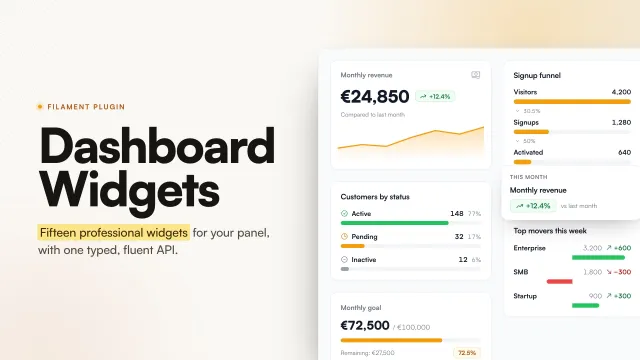
Dashboard Widgets
A collection of ready to use, professional dashboard widgets for Filament, oriented towards SaaS products, CRMs, back-offices and business tools.
Author:
La boîte à code
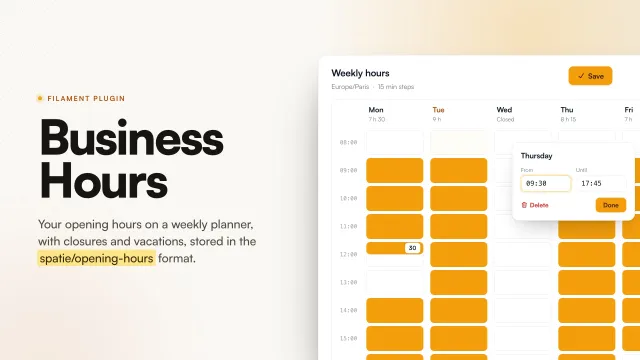
Business Hours
Filament plugin to manage the opening hours of a business: a weekly 24h grid, exceptional closures, vacation periods and timezones, backed by spatie/opening-hours.
Author:
La boîte à code
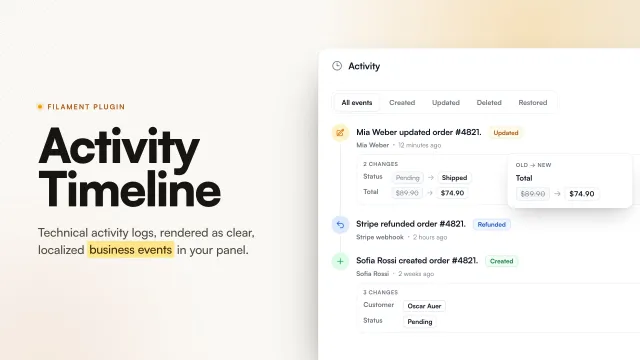
Activity Timeline
The semantic activity timeline for Filament. Turn technical activity logs into clear, localized business events.
Author:
La boîte à code
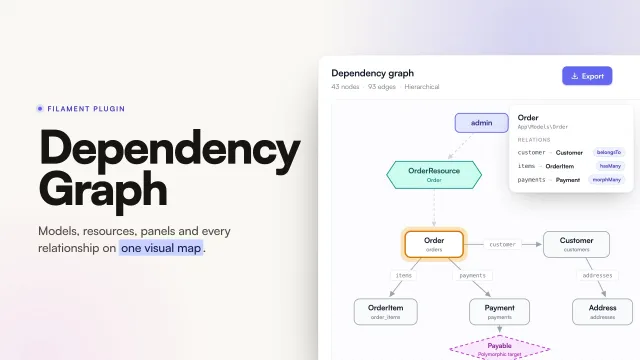
Dependency Graph
Explore models, Livewire components, resources, panels and relationships from one visual workspace. Filament Dependency Graph automatically discovers the structure of a Laravel and Filament application and presents it through an interactive, navigable interface: a graph, a tree, a table, a contextual inspector, search, focus mode, filtering and exports.
Author:
La boîte à code
Featured Plugins
A selection of plugins curated by the Filament team

Custom Dashboards
Let your users build and share their own dashboards with a drag-and-drop interface. Define your data sources in PHP and let them do the rest.
 Filament

Advanced Tables (formerly Filter Sets)
Supercharge your tables with powerful features like user-customizable views, quick filters, multi-column sorting, advanced table searching, convenient view management, and more. Compatible with Resource Panel Tables, Relation Managers, Table Widgets, and Table Builder!
 Kenneth Sese

Noir Theme
A theme that gives panels a focused, refined look with near-black surfaces, crisp actions, and restrained color.
Filament

