
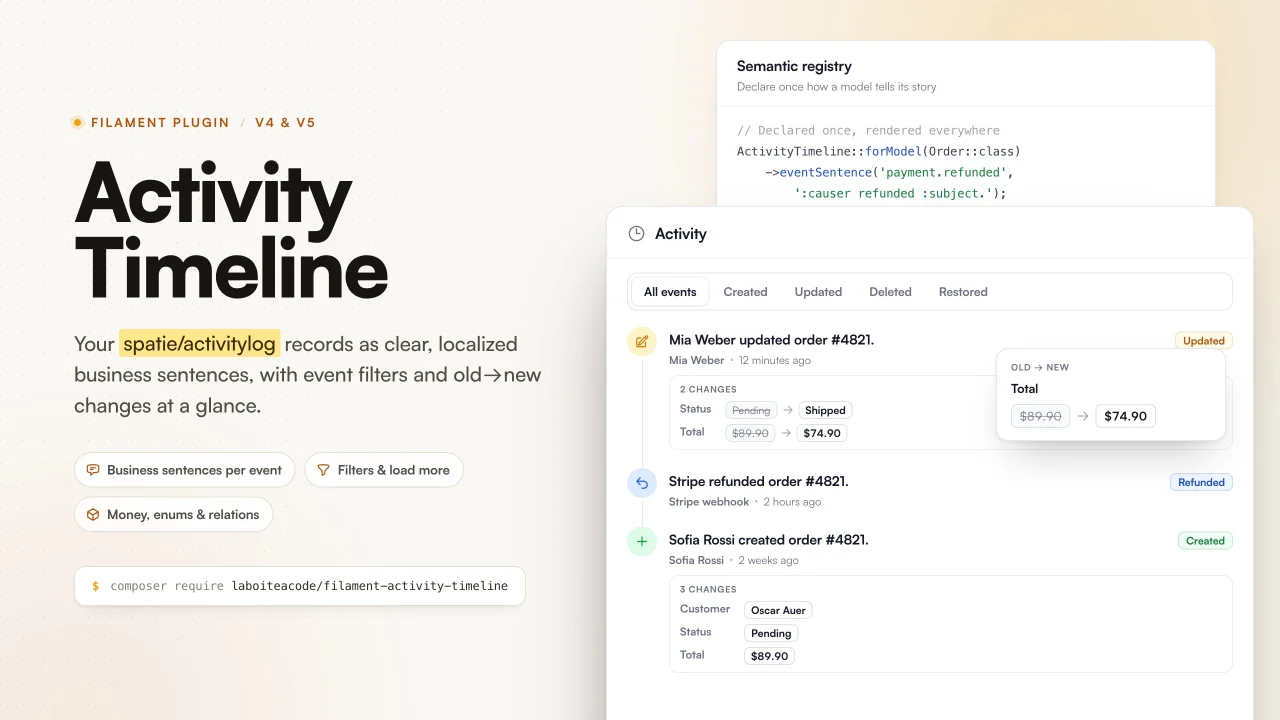
Activity Timeline
CommunityThe semantic activity timeline for Filament. Turn technical activity logs into clear, localized business events.
 Author:
La boîte à code
Author:
La boîte à code
Package health
BetaAutomated checks of this plugin's Composer package
15 checks
- Passed: GitHub Actions pinned to SHA
- Skipped: GitLab CI includes pinned to SHA
- Passed: Open security advisories
- Passed: Dependabot PR responsiveness — No open Dependabot PRs.
- Skipped: Renovate MR responsiveness
- Passed: Dependabot or Renovate configured
-
Failed:
Dependency update cooldown configured
—
No cooldown configured in
.github/dependabot.yml. View details on Plumb - Passed: Provides a security policy
- Passed: Abandoned or archived — No consulted source marks the package abandoned (packagist, github).
- Passed: Commit and release recency — Active: last commit 3 days ago; last release 3 days ago.
-
Passed:
composer.lock not committed by library
—
composer.lockis absent from the released dist archive. - Passed: Dist archive is lean
-
Passed:
Current Laravel version supported
—
Package dependencies resolve together with current Laravel
13.0. -
Passed:
Current PHP version supported
—
Constraint
^8.3supports current PHP8.5. - Skipped: Current Symfony version supported
filament/
namespace. Review the source and install at your own risk. Found
malware or an unresolved security issue the author won't
address?
Report it
.
Documentation
- Table of contents
- The idea
- Features
- Requirements
- Installation
- Registering the plugin
- Quick start
- Basic usage
- Using the semantic registry
- Customizing events
- Customizing the causer
- Displaying changes
- Filters
- Pagination
- Theming
- Translations
- Configuration
- Adding a source
- Testing
- Contributing
- Security
- Credits
- License
The semantic activity timeline for Filament.
Turn technical activity logs into clear, localized business events.





Stop showing customer_id: 14 -> 27. Show Client: ACME France -> Dupont Conseil.
#Table of contents
- The idea
- Features
- Requirements
- Installation
- Registering the plugin
- Quick start
- Basic usage
- Using the semantic registry
- Customizing events
- Customizing the causer
- Displaying changes
- Filters
- Pagination
- Theming
- Translations
- Configuration
- Adding a source
- Testing
- Credits
#The idea
Several packages already display a timeline of spatie/laravel-activitylog
events. This one is different: it is a reusable, localized presentation layer
that turns raw model changes into sentences your users actually understand,
without spreading callbacks across every Filament resource.
From a technical activity such as:
App\Models\Order
event: updated
subject_id: 184
properties:
    old.status: pending
    attributes.status: paid
it produces, once the presentation is configured:
Alexandre marked order CMD-2026-0184 as paid.
And for several changes:
Alexandre updated order CMD-2026-0184
3 changes
- Status: Pending -> Paid
- Payment date: Not set -> 23 July 2026 10:42
- Payment method: Not set -> Credit card
#Features
- A ready to use
ActivityTimelineWidgetand a declarativeTimelinecomponent. - An
ActivityTimelineEntryschema component for infolists, interactive by default with a read onlystatic()mode. - A
spatie/laravel-activitylogsource, with cursor pagination and server side filters. - A per model semantic registry: labels, business record titles, icons and colors.
- Human readable formats: text, boolean, date, date time, money, enum, list, json, map and relationships.
- Localized null, empty and boolean values.
- Sensitive attributes hidden, redacted or masked by default.
- Relation identifiers resolved to titles, with no N+1 queries.
- Optional subject and relation snapshots, so titles survive deletion.
- Translatable business sentences per event, and custom events with their own icon and color.
- English and French translations out of the box.
- Native Filament look: every color comes from the panel theme variables, so custom themes, custom registered colors, dark mode and responsive layouts work with zero configuration.
#Requirements
- PHP 8.3, 8.4 or 8.5
- Laravel 12 or 13
- Filament 4 or 5
spatie/laravel-activitylog5 (only when using the Spatie source)
#Installation
composer require laboiteacode/filament-activity-timeline
When you use the Spatie integration:
composer require spatie/laravel-activitylog

php artisan vendor:publish \
    --provider="Spatie\Activitylog\ActivitylogServiceProvider" \
    --tag="activitylog-migrations"

php artisan migrate
Optionally publish the configuration and the translations:
php artisan vendor:publish --tag="filament-activity-timeline-config"
php artisan vendor:publish --tag="filament-activity-timeline-translations"
#Registering the plugin
use LaBoiteACode\FilamentActivityTimeline\FilamentActivityTimelinePlugin;

public function panel(Panel $panel): Panel
{
    return $panel->plugins([
        FilamentActivityTimelinePlugin::make(),
    ]);
}
The plugin works with sensible defaults and no further configuration.
#Quick start
This package does not record activity; it presents activity recorded by another
system. With spatie/laravel-activitylog, make your model log its changes, then
show the timeline.
- Log activity on the model (see the Spatie documentation for all options):
use Illuminate\Database\Eloquent\Model;
use Spatie\Activitylog\Models\Concerns\LogsActivity;
use Spatie\Activitylog\Support\LogOptions;

class Order extends Model
{
    use LogsActivity;

    public function getActivitylogOptions(): LogOptions
    {
        return LogOptions::defaults()
            ->logOnly(['status', 'total', 'customer_id', 'paid_at'])
            ->logOnlyDirty();
    }
}
- Show the timeline on the record's view page with the widget or the infolist entry (see Basic usage).
That already gives a working timeline. Everything after that is about turning those technical logs into clear, localized business sentences.
#Basic usage
#As a widget
Extend the widget to configure it, then register it on a resource record page.
On a record page Filament injects the current record into the widget's $record
property automatically.
use App\Models\Order;
use LaBoiteACode\FilamentActivityTimeline\Timeline;
use LaBoiteACode\FilamentActivityTimeline\Widgets\ActivityTimelineWidget;

class OrderTimelineWidget extends ActivityTimelineWidget
{
    protected function timeline(): Timeline
    {
        return Timeline::make()
            ->source('spatie')
            ->heading('History')
            ->description('Everything that happened to this order.')
            ->limit(15)
            ->loadMore()
            ->filters();
    }
}
// App\Filament\Resources\Orders\Pages\ViewOrder
protected function getFooterWidgets(): array
{
    return [
        OrderTimelineWidget::class,
    ];
}
Closures declared in timeline() run server side on every request and are never
serialized, so the subclass has access to the full API (custom sentences,
causer resolution, title formatting).
You can also drop the widget in with plain, serializable properties and let the global registry provide the presentation:
@livewire(\LaBoiteACode\FilamentActivityTimeline\Widgets\ActivityTimelineWidget::class, [
    'record' => $record,
    'source' => 'spatie',
    'withLoadMore' => true,
    'withFilters' => true,
])
#In a page
Timeline is Htmlable, so it renders anywhere a view can echo it:
use LaBoiteACode\FilamentActivityTimeline\Timeline;

Timeline::make('activity')
    ->record($this->record)
    ->loadMore()
    ->filters();
When rendered in a page, only serializable configuration crosses the Livewire boundary, so declare closures on a widget subclass or in the global registry.
#In an infolist
Place the timeline in a resource infolist or any schema with
ActivityTimelineEntry. The record is provided by the infolist automatically.
use LaBoiteACode\FilamentActivityTimeline\Infolists\ActivityTimelineEntry;

public function infolist(Schema $schema): Schema // Infolist $infolist on Filament 4
{
    return $schema->components([
        TextEntry::make('number'),
        // ...
        ActivityTimelineEntry::make('activity')
            ->source('spatie')
            ->heading('History')
            ->perPage(10)
            ->loadMore()
            ->filters(),
    ]);
}
The entry proxies the timeline configuration API: source(), heading(),
description(), perPage(), loadMore(), filters(), modelLabel(),
attributes(), attributeLabels(), hiddenAttributes(), eventSentence(),
eventLabels(), eventIcons(), eventColors() and debugPresentation().
By default the entry is interactive: it embeds the timeline widget, so "load
more" and the filters work inside the infolist. Call ->static() for a read
only, non interactive list (useful for print or a frozen infolist):
ActivityTimelineEntry::make('activity')
    ->source('spatie')
    ->static();
#Drop-in widget properties
Every property accepted by the drop-in @livewire() call, all serializable:
| Property | Type | Purpose |
|---|---|---|
record |
Model |
The record whose activity is shown. |
source |
string |
Source name (spatie by default). |
perPage |
int |
Page size, also used as the "load more" step. |
withLoadMore |
bool |
Show the "load more" button. |
withFilters |
bool |
Show the event filter tabs. |
heading / description |
string |
Section header texts. |
eventLabels / eventIcons / eventColors |
array<string, string> |
Per event overrides, keyed by event name. |
presentationOverrides |
array |
Serializable presentation overrides: modelLabel, pluralModelLabel, attributeLabels, hiddenAttributes, eventSentences. |
debug |
bool |
Presentation diagnostics (never in production). |
#Using the semantic registry
Declare a model presentation once, usually in a service provider. Every timeline that shows that model then benefits from it.
use App\Enums\OrderStatus;
use App\Filament\Resources\Orders\OrderResource;
use App\Models\Order;
use LaBoiteACode\FilamentActivityTimeline\ActivityTimeline;
use LaBoiteACode\FilamentActivityTimeline\Presentation\AttributePresentation;

ActivityTimeline::forModel(Order::class)
    ->resource(OrderResource::class)
    ->label('order')
    ->pluralLabel('orders')
    ->recordTitleUsing(fn (Order $order) => $order->number)
    ->icon('heroicon-o-shopping-cart')
    ->color('primary')
    ->attributes([
        'status' => AttributePresentation::make('Status')
            ->enum(OrderStatus::class),

        'customer_id' => AttributePresentation::make('Customer')
            ->relationship('customer', titleAttribute: 'name'),

        'total' => AttributePresentation::make('Total')
            ->money('EUR'),

        'paid_at' => AttributePresentation::make('Payment date')
            ->dateTime(),

        'internal_token' => AttributePresentation::make()
            ->hidden(),
    ])
    ->eventSentence('created', ':causer created :subject.')
    ->eventSentence('updated', ':causer updated :subject.')
    ->eventSentence('deleted', ':causer deleted :subject.');
To start from a Filament resource (the resource provides the labels and the
record title attribute), use forResource():
ActivityTimeline::forResource(OrderResource::class)
    ->eventSentence('updated', ':causer updated :subject.');
A model may also expose its own presentation:
use LaBoiteACode\FilamentActivityTimeline\Contracts\HasActivityTimelinePresentation;
use LaBoiteACode\FilamentActivityTimeline\Presentation\ModelPresentation;

class Order extends Model implements HasActivityTimelinePresentation
{
    public static function activityTimelinePresentation(): ModelPresentation
    {
        return ModelPresentation::make()
            ->label('order')
            ->recordTitleUsing(fn (Order $order): string => $order->number);
    }
}
Record titles resolve in this order: an explicit recordTitleUsing() callback,
the ProvidesActivityTitle contract on the model, recordTitleAttributes(),
then a snapshot stored on the activity.
Resolution priority for the whole presentation, highest first: local timeline overrides, the global registry, the model contract, the Filament resource, then conventions (humanized class and column names).
Groups of declarations can be packaged as presets: register a preset callback
with ActivityTimeline::presentation()->registerPreset('name', $callback) and
apply it with ActivityTimeline::preset('name').
#Customizing events
Register a presentation for any event, custom or not:
use LaBoiteACode\FilamentActivityTimeline\ActivityTimeline;

ActivityTimeline::event('invoice.sent')
    ->label('Invoice sent')
    ->sentence(':causer sent :subject to :recipient.')
    ->property('recipient', 'recipient_email')
    ->icon('heroicon-o-paper-airplane')
    ->color('info');
property() binds a sentence variable to a path inside the activity
properties, so business payloads stay addressable from the template.
Override an event locally on a timeline, or use a callback for full control:
use LaBoiteACode\FilamentActivityTimeline\Support\PresentationContext;
use LaBoiteACode\FilamentActivityTimeline\Data\TimelineEntry;

Timeline::make()
    ->eventLabels(['payment.refunded' => 'Refunded'])
    ->eventIcons(['payment.refunded' => 'heroicon-o-arrow-uturn-left'])
    ->eventColors(['payment.refunded' => 'info'])
    ->eventSentence('updated', ':causer actualized :subject.')
    ->eventSentenceUsing(
        'status_changed',
        fn (TimelineEntry $entry, PresentationContext $context): string =>
            "{$context->causerName()} marked {$context->subject()} as {$context->newValue('status')}.",
    );
Available sentence variables: :causer, :subject, :subject_label,
:subject_title, :event, :changes_count, :date and :property.path.
Inside an eventSentenceUsing() callback, the PresentationContext exposes
entry(), causerName(), subject(), subjectTitle(), subjectLabel(),
date(), newValue(), oldValue(), property() and changesCount().
The icon and color of the four Eloquent events (created, updated,
deleted, restored) are defined in the configuration file and can be changed
there globally.
#Customizing the causer
Timeline::make()
    ->causerNameUsing(fn (?Model $causer) => $causer?->name)
    ->causerAvatarUsing(fn (?Model $causer) => $causer?->avatar_url);
When an activity has no causer, a configurable system identity is shown
(system_causer in the configuration, label translated through
timeline.causer.system).
#Displaying changes
For updated events, the old and new values are rendered readably. By default:
- sensitive attributes are hidden;
- column names are humanized;
- null, empty and boolean values are localized;
- long strings are truncated;
- relation identifiers are resolved to titles.
Timeline::make()
    ->hiddenAttributes(['password', 'remember_token'])
    ->attributeLabels(['email_verified_at' => 'Email verification'])
    ->formatAttributeUsing('status', fn (mixed $value) => OrderStatus::tryFrom($value)?->getLabel() ?? $value);
Per attribute helpers, all declarable in the registry, on a timeline or on the infolist entry:
use LaBoiteACode\FilamentActivityTimeline\Presentation\AttributePresentation;

AttributePresentation::make('Active')->boolean();                 // localized Yes / No, custom labels supported
AttributePresentation::make('Due date')->date();                  // date only, optional format
AttributePresentation::make('Published at')->dateTime();          // date and time, optional format
AttributePresentation::make('Amount')->money('EUR');              // localized currency, optional locale
AttributePresentation::make('Status')->enum(OrderStatus::class);  // enum label, HasLabel supported
AttributePresentation::make('Tags')->list();                      // arrays joined, custom glue
AttributePresentation::make('Metadata')->json();                  // compact JSON rendering
AttributePresentation::make('Priority')->map(['1' => 'Low', '2' => 'High']); // value to label map
AttributePresentation::make('Customer')->relationship('customer', titleAttribute: 'name');
AttributePresentation::make('Owner')->relationshipUsing(fn ($id) => User::find($id)?->full_name);
AttributePresentation::make('Custom')->formatUsing(fn (mixed $value) => strtoupper((string) $value));
AttributePresentation::make('Internal')->hidden();                // never shown
AttributePresentation::make('API key')->redacted();               // shown as a localized "Hidden"
AttributePresentation::make('Email')->maskUsing(fn (string $value) => Str::mask($value, '*', 3, -10));
#Snapshots
To keep a relation or subject title readable after the related record is deleted, store a snapshot in the activity properties at log time:
'presentation' => [
    'subject_label' => 'order',
    'subject_title' => 'CMD-2026-0184',
    'attributes' => [
        'customer_id' => ['old_label' => 'ACME France', 'new_label' => 'Dupont Conseil'],
    ],
]
Snapshots always win over a live lookup.
#Diagnosing the presentation
When you are not sure how a label, a record title or a format was resolved, enable the diagnostic output. Keep it off in production.
Timeline::make()->debugPresentation();
#Filters
Server side filters by event are enabled with ->filters(). A native Filament
tab bar lets the user switch between all events and each known event.
Timeline::make()->filters();                       // tabs for every known event
Timeline::make()->filters(['created', 'updated']); // tabs for these events only
Without an explicit list, the tabs are built from the events declared in the
configuration plus every event registered through ActivityTimeline::event().
Filtering happens in the source query, not in the browser, so it stays exact on
large histories.
#Pagination
Set the page size with ->limit() and enable progressive loading with
->loadMore(). The "load more" button is disabled while loading, disappears
when there is nothing left, keeps the already loaded items and never duplicates
an entry. Cursor pagination is used whenever the source supports it, so large
histories never load entirely into memory.
#Theming
The widget is designed to disappear into your panel:
- Generic UI (section, tabs, badges, avatars, buttons, empty state) uses native Filament Blade components.
- The timeline specific styles (rail, event dots, change chips) reuse Filament core color recipes, variable for variable. There is not a single hard coded color in the stylesheet, so a custom theme restyles the timeline automatically, dark mode included.
- Event dots are scoped with Filament's own
fi-color-{name}classes. A color registered in your panel is therefore directly usable for a custom event:
use Filament\Support\Colors\Color;
use Filament\Support\Facades\FilamentColor;

FilamentColor::register(['purple' => Color::Purple]);

ActivityTimeline::event('vip.upgraded')->color('purple');
- Every element carries a stable
fi-at-*class (fi-at-entry,fi-at-dot,fi-at-chip,fi-at-changes, ...) for targeted CSS overrides in your theme.
#Translations
English and French ship with the package. Publish and edit them, or add your own
locale, with the filament-activity-timeline-translations tag.
Everything user visible is translatable: the section heading, event labels, default sentences per event, the causer fallbacks, null and boolean values, the change counters, the filter labels, the "load more" button, the empty state and the error state. Visible labels are resolved from the translation files, so the published configuration stays free of hard coded strings.
#Configuration
Publish config/filament-activity-timeline.php to change the defaults:
default_source: the source used when a timeline does not pick one.pagination.per_pageandpagination.mode(load_moreorsimple).date_formatandtimezonefor the absolute date shown on hover.system_causer: the identity shown when an activity has no causer.events: the icon and color for each known event.hidden_attributes: attribute names that are never shown in a change list.attributes.truncate: the maximum length of a rendered string value.relations.resolve: resolve relation identifiers to titles.debug: presentation diagnostics, never in production.
#Adding a source
The Spatie source is registered as spatie by default. Register another source
(a custom table, an external API, another package) by name in a service
provider:
use LaBoiteACode\FilamentActivityTimeline\ActivityTimeline;

ActivityTimeline::registerSource('audit', fn () => new AuditSource());
A source implements
LaBoiteACode\FilamentActivityTimeline\Contracts\ActivitySource: it is scoped
with forRecord(), filtered with events(), ordered with latestFirst() and
read with paginate(), returning normalized TimelineEntry objects inside a
TimelineResult. The presentation layer never depends on a specific logging
library. Select it with ->source('audit').
#Testing
composer test
The suite runs against Filament 4 and 5, Livewire 3 and 4, Laravel 12 and 13, and PHP 8.3 to 8.5.
#Contributing
Please see CONTRIBUTING.md for details.
#Security
Please see SECURITY.md for reporting vulnerabilities.
#Credits
#License
The MIT License (MIT). Please see LICENSE.md for more information.
The author
La Boîte à Code is a French web studio based in Perpignan, founded and led by Alexandre Ribes. We design and build custom web applications, business software and SaaS products on the Laravel and TALL stack (Tailwind, Alpine, Laravel, Livewire), with Filament for the back-office side.
Our model is simple: one project at a time, clear ownership, high technical standards. We structure it, we build it, we ship it. No detours, and nothing that falls apart six months later.
We don't promise everything. We ship what matters.
From the same author
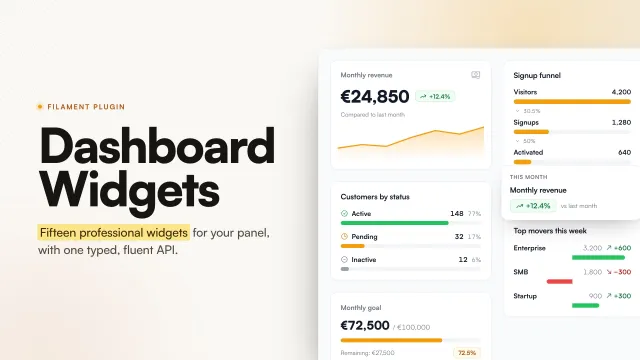
Dashboard Widgets
A collection of ready to use, professional dashboard widgets for Filament, oriented towards SaaS products, CRMs, back-offices and business tools.
Author:
La boîte à code
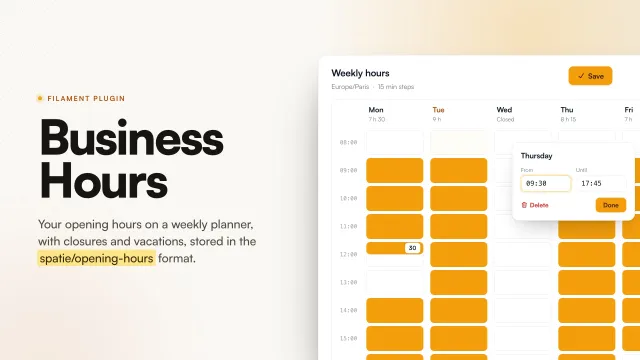
Business Hours
Filament plugin to manage the opening hours of a business: a weekly 24h grid, exceptional closures, vacation periods and timezones, backed by spatie/opening-hours.
Author:
La boîte à code
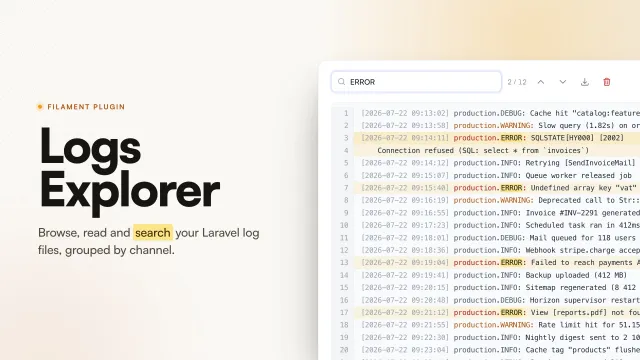
Logs Explorer
Read and search your Laravel log files without leaving your Filament panel. Files are resolved from your logging channels and open in a slide-over with in-file search, match navigation, keyboard shortcuts, download and delete.
Author:
La boîte à code
Dependency Graph
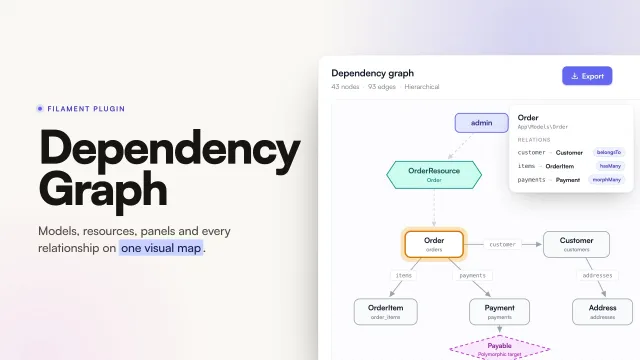
Explore models, Livewire components, resources, panels and relationships from one visual workspace. Filament Dependency Graph automatically discovers the structure of a Laravel and Filament application and presents it through an interactive, navigable interface: a graph, a tree, a table, a contextual inspector, search, focus mode, filtering and exports.
Author:
La boîte à code
Featured Plugins
A selection of plugins curated by the Filament team

Blueprint
Filament Blueprint is a premium Laravel Boost extension that helps AI agents produce accurate, detailed implementation plans and security reports for Filament apps.
 Filament

Advanced Tables (formerly Filter Sets)
Supercharge your tables with powerful features like user-customizable views, quick filters, multi-column sorting, advanced table searching, convenient view management, and more. Compatible with Resource Panel Tables, Relation Managers, Table Widgets, and Table Builder!
 Kenneth Sese

Custom Fields
Eliminate custom field migrations forever. Let your users create and manage form fields directly in Filament admin panels with 20+ built-in field types, validation, and zero database changes.
 Relaticle
