
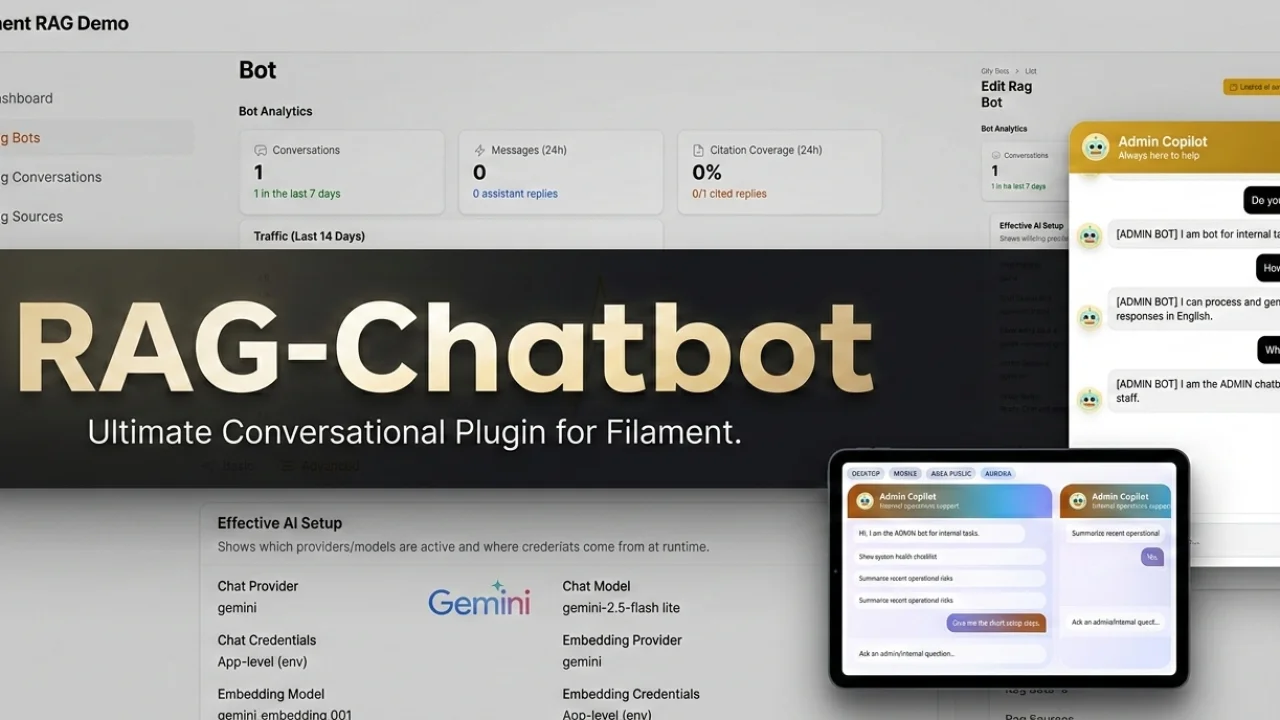
RAG Chatbot by Heiner Giehl
CommunityBuild, manage, and embed production-ready RAG chatbots directly from Filament.
filament/
namespace. Review the source and install at your own risk. Found
malware or an unresolved security issue the author won't
address?
Report it
.
 Author:
Heiner Giehl
Author:
Heiner Giehl
Documentation
- Live Demo
- Purchase, Docs, And Support
- What Filament RAG Does
- Feature Summary
- Quick First Workflow
- Requirements
- Installation
- When To Use It
- Best Starting Points
- Need Deeper Setup Details?
- Feedback Welcome
Filament RAG is a Filament plugin for teams that want to build, manage, and embed grounded chatbots without building the full admin layer from scratch.
It is designed for real product use inside Laravel + Filament: multiple bots, source ingestion, retrieval tuning, embeddable chat widgets, conversation history, and production controls in one place.
#Live Demo
- Landing page: https://filament-rag.heinerdevelops.tech/
- Admin login: https://filament-rag.heinerdevelops.tech/admin/login
Use the landing page for the public product and docs experience. Use the admin login if you want to go straight into the Filament demo.
#Purchase, Docs, And Support
- Public docs: https://filament-rag.heinerdevelops.tech/docs
- Public GitHub docs repo: https://github.com/heinergiehl/rag-filament-docs
- Support: webdevislife2021@gmail.com
#What Filament RAG Does
Filament RAG adds a complete chatbot management layer to a Laravel + Filament app:
- create and manage multiple bots from inside Filament
- ingest text, file, and URL knowledge sources
- use Gemini, OpenAI, Anthropic, xAI, OpenRouter, or DeepSeek for chat
- tune retrieval settings per bot
- return source-backed answers with citations
- embed chat widgets on public or authenticated surfaces
- review conversations and operate ingestion from the panel
This is a strong fit when you want to ship support assistants, documentation bots, internal copilots, onboarding helpers, or customer-specific knowledge assistants.
#Feature Summary
#Bot Management
- multiple bots with separate prompts, providers, models, and retrieval settings
- public, member, and admin context areas
- separate widget branding, prompts, and behavior per bot
#Knowledge And Ingestion
- text, file, and URL sources
- support for markdown, HTML, PDFs, and public web content
- custom Laravel ingestion paths for database/API-backed sources
- queue-driven ingestion with retries and re-ingest workflows
- smarter chunk sizing and better document structure retention
#Retrieval And Answers
- configurable
top_k, similarity thresholds, and context budget - grounded answers backed by ingested content
- richer Markdown answer rendering
- stronger citation UX with inline references and verification panels
#Widget And Embeds
- one-script widget embed for websites
- NPM loader for SPA frameworks
- signed embeds, domain allowlists, and rate limiting
- widget titles, subtitles, welcome text, quick prompts, templates, and presentation controls
#Operations And Safety
- built-in readiness checks through
php artisan filament-rag:doctor - queue and ingestion visibility in Filament
- privacy export and deletion endpoints
- safe URL ingestion defaults and production hardening support
#Quick First Workflow
- Install the package and register
FilamentRagPlugin::make()in your panel. - Configure your provider API key and vector backend.
- Run migrations, start a queue worker, and run
php artisan filament-rag:doctor. - Create your first bot in
RAG Bots. - Add a source in
RAG Sourcesand wait for ingestion to complete. - Use
Test RetrievalandTest Bot Answerbefore embedding. - Generate the widget snippet and embed it in your app or website.
#Requirements
- PHP 8.4+
- Laravel 12.61.1+ or Laravel 13.x
- Filament 5.6.5+; Laravel 13 resolves Filament 5.7+
- PostgreSQL with
pgvectorrecommended, or Chroma as an alternative backend - One supported chat provider API key such as Gemini, OpenAI, Anthropic, xAI, OpenRouter, or DeepSeek
- One embedding-capable provider key, usually Gemini or OpenAI, for RAG indexing and retrieval
#Installation
Install the package:
composer require heiner/filament-rag
php artisan vendor:publish --tag=filament-rag-config
php artisan migrate
php artisan queue:work
Register the plugin in your Filament panel:
use Filament\Panel;
use Heiner\FilamentRag\FilamentRagPlugin;

public function panel(Panel $panel): Panel
{
	return $panel
		->plugins([
			FilamentRagPlugin::make(),
		]);
}
Then run the health check:
php artisan filament-rag:doctor
For the complete setup flow, environment examples, and first-run troubleshooting, see:
#When To Use It
Filament RAG is a strong fit when you need:
- a support assistant inside a product or admin panel
- a docs chatbot grounded in your own content
- internal assistants for staff or operations teams
- multiple bots with different sources, models, and access rules
- a production-ready admin layer instead of building bot management from scratch
#Best Starting Points
- Product overview: https://filament-rag.heinerdevelops.tech/docs/product-overview
- Core concepts: https://filament-rag.heinerdevelops.tech/docs/core-concepts
- Quickstart: https://filament-rag.heinerdevelops.tech/docs/quickstart
- Operations: https://filament-rag.heinerdevelops.tech/docs/operations
#Need Deeper Setup Details?
Start with these pages depending on what you need next:
- Bots: https://filament-rag.heinerdevelops.tech/docs/bots
- RAG Sources: https://filament-rag.heinerdevelops.tech/docs/rag-sources
- Ingestion and Retrieval: https://filament-rag.heinerdevelops.tech/docs/ingestion-and-retrieval
- Chat Widget: https://filament-rag.heinerdevelops.tech/docs/chat-widget
- Security and Privacy: https://filament-rag.heinerdevelops.tech/docs/security-and-privacy
#Feedback Welcome
If you have a feature idea, a workflow improvement, or a docs gap you want fixed, feel free to reach out.
Support questions, bug reports, and product feedback are welcome at webdevislife2021@gmail.com.
The author
From the same author
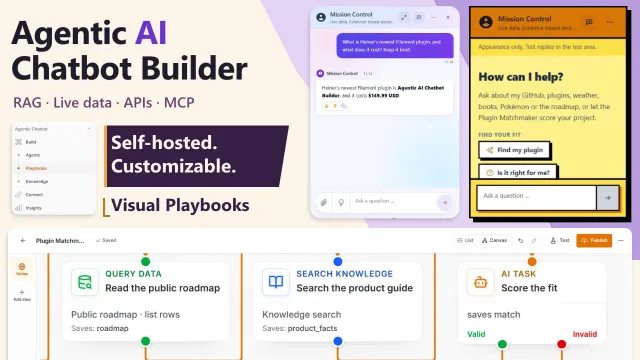
Agentic AI Chatbot Builder
Build fully customizable, self-hosted AI chatbots in Laravel with RAG, live data access, API and MCP actions, visual workflows, and embeddable widgets.
Author:
Heiner Giehl
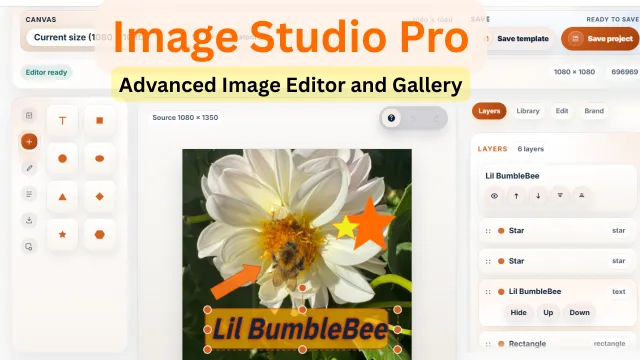
Image Studio Pro
A powerful in-panel image editor for Filament that lets users create, edit, brand, template, and export production-ready images without leaving the admin.
Author:
Heiner Giehl
Featured Plugins
A selection of plugins curated by the Filament team

Soft Theme
A theme that gives panels a warm, approachable look with rounded shapes, gentle colors, and serif headings.
 Filament

Blueprint
Filament Blueprint is a premium Laravel Boost extension that helps AI agents produce accurate, detailed implementation plans and security reports for Filament apps.
Filament

Spotlight Pro
Browse your Filament Panel with ease. Filament Spotlight Pro adds a Spotlight like Command Palette to your Filament Panel.
 Dennis Koch

