
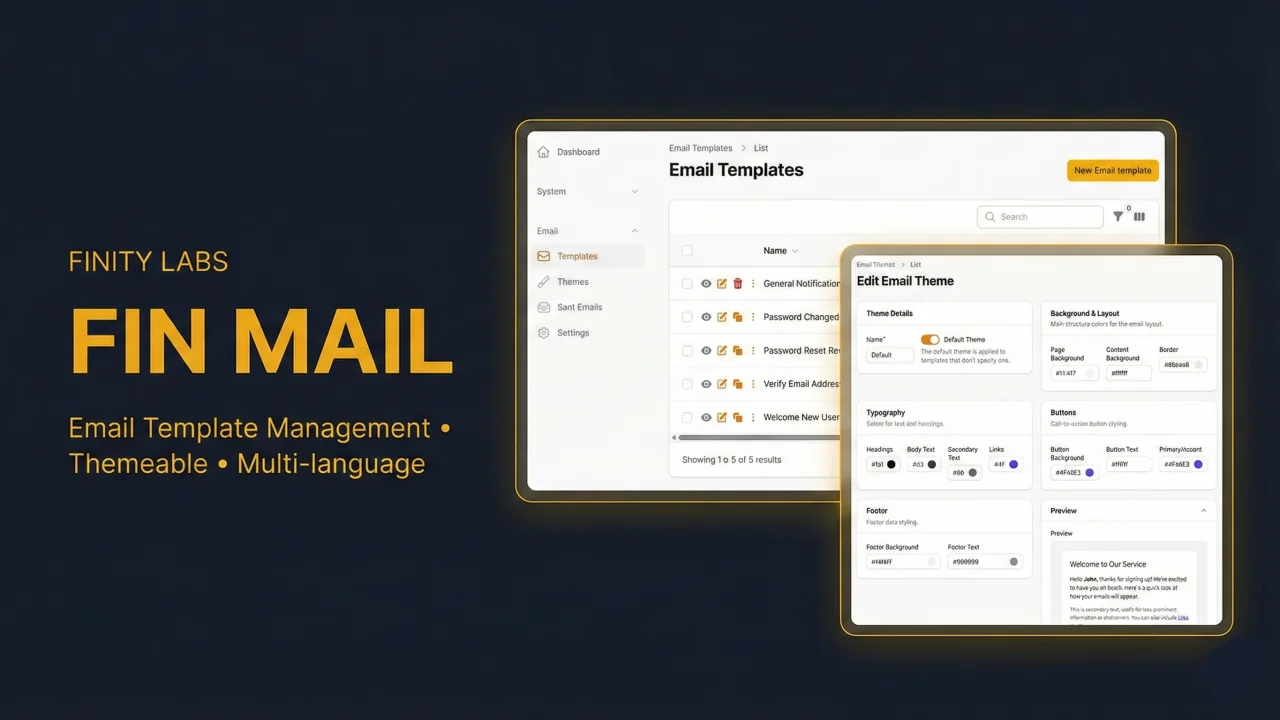
Fin Mail
CommunityA powerful email template manager and composer for Filament. Build, manage, and send emails directly from your admin panel — with dynamic token replacement, multilingual templates, customizable themes, template versioning, email logging with status tracking, auth email overrides, and a reusable Send Email action that drops into any resource.
 Author:
Finity Labs
Author:
Finity Labs
Package health
BetaAutomated checks of this plugin's Composer package
15 checks
- Failed: GitHub Actions pinned to SHA — View details on Plumb
- Skipped: GitLab CI includes pinned to SHA
- Passed: Open security advisories
- Passed: Dependabot PR responsiveness — No open Dependabot PRs.
- Skipped: Renovate MR responsiveness
- Failed: Dependabot or Renovate configured — No dependency updater configuration found. View details on Plumb
- Skipped: Dependency update cooldown configured
- Failed: Provides a security policy — View details on Plumb
- Passed: Abandoned or archived — No consulted source marks the package abandoned (packagist, github).
- Passed: Commit and release recency — Active: last commit 0 days ago; last release 1 days ago.
-
Passed:
composer.lock not committed by library
—
composer.lockis absent from the released dist archive. - Passed: Dist archive is lean
-
Passed:
Current Laravel version supported
—
Package dependencies resolve together with current Laravel
13.0. -
Passed:
Current PHP version supported
—
Constraint
^8.2supports current PHP8.5. - Skipped: Current Symfony version supported
filament/
namespace. Review the source and install at your own risk. Found
malware or an unresolved security issue the author won't
address?
Report it
.
Documentation
- Features
- Requirements
- Installation
- Usage
- Events
- Authorization
- Filament Shield Integration
- Auth Email Overrides
- Configuration
- Upgrading
- Uninstalling
- Testing
- License
- Screenshots







A powerful email template manager and composer for Filament. Build, manage, and send emails directly from your admin panel — with dynamic token replacement, multilingual templates, customizable themes, template versioning, email logging with status tracking, auth email overrides, and a reusable Send Email action that drops into any resource.
#Features
- Email Composer — Send emails from any resource using templates as starting points, with full editing of subject, body, recipients, and attachments
- Dynamic Templates — No need for separate Mailable classes per template. One universal
TemplateMailhandles everything - Token Replacement —
{{ user.name }},{{ config.app.name }}, conditionals{% if user.is_premium %}, and fallbacks{{ user.name | 'Customer' }} - Merge Tags — Tokens are available as merge tags directly in the RichEditor toolbar for easy insertion
- CTA Button Block — Insert styled call-to-action buttons from the editor with configurable label, URL, and alignment
- Template Versioning — Automatic version history with preview and one-click restore
- Email Logging — Every sent email is logged with status tracking, rendered body storage, and polymorphic model association
- Translatable — Templates support multiple languages via
spatie/laravel-translatable, all locales stored in a single record - Theme System — Create color themes and apply them to templates, with live preview that updates as you change colors
- Swappable Editor — Ships with Filament's RichEditor by default, with Tiptap and TinyMCE supported via the
EditorContract - Categories & Tags — Organize templates as they grow
- Reusable Actions —
SendEmailActionandSentEmailsRelationManagerdrop into any Filament resource - Preview & Test Send — Preview templates inline and send test emails from the admin
- Admin Settings — Manage sender defaults, branding, logging, and attachment rules from the UI
- Full Navigation Control — Configure navigation groups, sort order, and visibility per resource from the plugin
- Shield Support — Built-in policies and permission setup for Filament Shield
#Requirements
- PHP 8.2+
- Laravel 11, 12, or 13
- Filament 4 or 5
FinMail uses spatie/laravel-settings to store plugin settings. It's pulled in automatically as a Composer dependency — fin-mail:install publishes and runs its migration if you don't already have a settings table.
#Installation
composer require finity-labs/fin-mail
Dependency conflict? If you see an error about
phpdocumentor/type-resolver, it means your project hasphpdocumentor/reflection-docblock6.x which conflicts withspatie/laravel-settings. Fix it by allowing Composer to resolve all dependencies:composer require finity-labs/fin-mail phpdocumentor/reflection-docblock:^5.6 -W
php artisan fin-mail:install
The install command will:
- Publish config and migrations
- Configure supported locales (auto-detects from your
lang/directory) - Optionally run migrations and seed default templates
- Optionally register the plugin in your Filament panel
- Optionally register FinMail styles in your custom Filament theme
- Optionally configure Filament Shield permissions
- Optionally configure scheduled cleanup of old sent emails
#Non-interactive install
Pass --locales to skip the interactive locale prompt (useful for CI or scripted setups):
php artisan fin-mail:install --locales=en,hu,de --seed
During interactive install, choose "Other" from the locale list to manually enter any of the 59 supported locale codes.
#Custom Filament theme
If you are using a custom Filament theme, add the FinMail view path to your theme CSS so Tailwind can scan the plugin's styles:
/* resources/css/filament/{panel}/theme.css */
@source '../../../../vendor/finity-labs/fin-mail/resources/views/**/*';
The install command will do this automatically if it detects a custom theme CSS file for the selected panel.
#Register the plugin
use FinityLabs\FinMail\FinMailPlugin;

public function panel(Panel $panel): Panel
{
    return $panel
        ->plugins([
            FinMailPlugin::make(),
        ]);
}
#Plugin options
FinMailPlugin::make()
    ->enableSentEmails()    // Show the Sent Emails resource (default: true)
    ->enableThemes()        // Show the Themes resource (default: true)
    ->deleteActionOnEditPage() // Show delete button on edit pages (default: false)
    ->policyNamespace('App\\Policies') // Where model policies live (default: App\Policies)
#Extending the resources
To adjust one of the built-in resources, extend it and register your class on the plugin — it replaces the built-in one:
use FinityLabs\FinMail\Resources\EmailTemplateResource\EmailTemplateResource;

class MyEmailTemplateResource extends EmailTemplateResource
{
    // override what you need
}

FinMailPlugin::make()
    ->emailTemplateResource(MyEmailTemplateResource::class)
    ->emailThemeResource(...)   // same pattern
    ->sentEmailResource(...)    // same pattern
Keep the built-in slug (or override getPages() too) so the plugin's internal links keep resolving.
#Navigation customization
All navigation group settings accept strings, enums, closures, or null:
FinMailPlugin::make()
    // Set a shared navigation group for all resources and settings
    ->navigationGroup('Communications')

    // Or configure each resource independently
    ->emailTemplateNavigationGroup('Email')
    ->emailThemeNavigationGroup('Email')
    ->sentEmailNavigationGroup('Logs')
    ->settingsNavigationGroup('Administration')

    // Set sort order for all resources at once (auto-increments: base, +1, +2, +3)
    ->navigationSort(10)

    // Or configure each resource independently
    ->emailTemplateNavigationSort(10)
    ->emailThemeNavigationSort(20)
    ->sentEmailNavigationSort(30)
    ->settingsNavigationSort(40)
#Usage
#Sending emails programmatically
use FinityLabs\FinMail\Mail\TemplateMail;

// Simple
Mail::to($user->email)->send(
    TemplateMail::make('welcome-email')
        ->models(['user' => $user])
);

// With locale, attachments, and overrides
Mail::to($customer->email)->send(
    TemplateMail::make('invoice-sent', locale: 'hu')
        ->models(['customer' => $customer, 'invoice' => $invoice])
        ->attachFile($invoice->getPdfPath(), "Invoice-{$invoice->number}.pdf")
);
TemplateMail is automatically queued. Configure the queue connection and name in config/fin-mail.php.
#Logging
When logging is enabled in the FinMail settings, every TemplateMail creates a Sent Emails log entry on its own — no extra setup needed. Queued mail is logged at dispatch time with a Queued status and updated to Sent or Failed once the worker processes it. Each entry records who sent the email: the authenticated user at the time the mailable was built, or nobody for system-triggered mail like scheduled jobs.
// Logged automatically when logging is enabled in the settings
Mail::to($user->email)->send(
    TemplateMail::make('welcome-email')->models(['user' => $user])
);

// Opt out for a single email
TemplateMail::make('internal-report')->withoutLogging();

// Force a log entry even when logging is disabled in the settings
TemplateMail::make('invoice-sent')->withLogging();

// Log the email but keep the rendered body out of the database —
// the built-in password reset and verification emails do this by
// default, since their bodies contain signed URLs
TemplateMail::make('user-password-reset')->withoutStoringRenderedBody();
#Passing extra view data
models() is for token replacement ({{ user.name }}). For variables you want available directly in the Blade template — without going through the token system — use with() or its extraData() alias:
TemplateMail::make('order-confirmation')
    ->models(['user' => $user])
    ->with('trackingUrl', $tracking->url)
    // or pass an array:
    ->extraData([
        'orderItems' => $order->items,
        'currency' => 'EUR',
    ]);
After publishing the package views (php artisan vendor:publish --tag=fin-mail-views), the variables are available directly in the Blade template:
<a href="{{ $trackingUrl }}">Track your order</a>

@foreach ($orderItems as $item)
    {{ $item->name }} — {{ $item->price }} {{ $currency }}
@endforeach
The default keys (body, preheader, theme, branding) remain available — extra data is merged on top.
#Overriding branding per email
Branding settings (logo, colors, footer) normally apply to every email. For one-off deviations — a partner co-branded email, a plain internal notice — override them per email:
// No logo on this one
TemplateMail::make('internal-report')
    ->withoutLogo();

// Different logo and color for a partner mailing
TemplateMail::make('partner-newsletter')
    ->overrideBranding([
        'logo' => 'https://example.com/partner-logo.png',
        'primary_color' => '#0EA5E9',
    ]);
Any key from the branding settings works (logo, logo_width, logo_height, content_width, primary_color, footer_links, customer_service_email, customer_service_phone); keys you don't pass fall through to the saved settings.
#Using a custom email view
By default, FinMail renders emails using the built-in fin-mail::email.default view.
You can override the view on a per-email basis:
TemplateMail::make('welcome-email')
    ->models(['user' => $user])
    ->overrideView('emails.custom-layout');
The custom view receives the same variables as the default view ($body, $preheader, $theme, $branding) as well as any data provided via with() or extraData().
#Adding "Send Email" to any resource
use FinityLabs\FinMail\Actions\SendEmailAction;

// In your table actions, header actions, or anywhere Filament actions are used
SendEmailAction::make()
    ->template('invoice-sent')
    ->recipient(fn (Invoice $record) => $record->customer->email)
    ->models(fn (Invoice $record) => [
        'invoice'  => $record,
        'customer' => $record->customer,
    ])
    ->attachments(fn (Invoice $record) => [
        ['path' => $record->getPdfPath(), 'name' => "Invoice-{$record->number}.pdf"],
    ])
    ->onSent(fn (Invoice $record) => $record->update(['emailed_at' => now()]))
A SendEmailAction (page header action) is also available with the same API.
#Showing sent emails on any resource
Add the HasEmailTemplates trait to your model:
use FinityLabs\FinMail\Traits\HasEmailTemplates;

class Invoice extends Model
{
    use HasEmailTemplates;
}
Then add the relation manager to your resource:
use FinityLabs\FinMail\Resources\RelationManagers\SentEmailsRelationManager;

public static function getRelations(): array
{
    return [
        SentEmailsRelationManager::class,
    ];
}
The trait provides helpers on your model:
$invoice->sentEmails;                         // All sent emails
$invoice->latestSentEmail();                  // Most recent
$invoice->hasBeenEmailed('invoice-sent');     // Check if a specific template was sent
$invoice->sentEmailsCount();                  // Count
#Token syntax
| Syntax | Example | Description |
|---|---|---|
{{ model.attr }} |
{{ user.name }} |
Model attribute |
{{ model.rel.attr }} |
{{ order.customer.name }} |
Nested relation |
{{ config.key }} |
{{ config.app.name }} |
Config value |
{{ token | 'fallback' }} |
{{ user.name | 'Customer' }} |
With fallback |
{% if token %}...{% endif %} |
{% if user.is_premium %}...{% endif %} |
Conditional |
{% if token %}...{% else %}...{% endif %} |
If/else |
#Merge tags
When editing a template, any tokens defined in the Tokens tab are available as merge tags in the RichEditor toolbar. Click the merge tags button to browse and insert them directly into the email body.
#CTA Button block
The editor includes a built-in Button custom block. Click the custom blocks button (squares-plus icon) in the toolbar, select "Button", and configure:
- Button Text — The label displayed on the button
- URL — The link destination
- Alignment — Left, center, or right
The button automatically uses your theme's button colors (button_bg and button_text) in both preview and sent emails, with full inline styling for email client compatibility.
#Custom blocks
You can register your own custom blocks that work in the editor, preview, and sent emails. Each block must extend Filament's RichContentCustomBlock.
FinMailPlugin::make()
    ->customBlocks([
        \App\Mail\Blocks\DividerBlock::class,
        \App\Mail\Blocks\FooterBlock::class,
    ]),
Registered blocks automatically appear in the editor's custom blocks toolbar, render in preview mode, and convert to HTML when emails are sent. ButtonBlock is always included by default.
Each custom block needs to implement:
getId()— Unique identifier stored in the HTMLgetLabel()— Display name in the editor toolbarconfigureEditorAction()— Modal form for block settingstoPreviewHtml()— HTML for the editor previewtoHtml()— HTML for the actual sent email
If your block uses theme colors, add a static setPreviewTheme(?array $theme) method and it will receive theme updates automatically when the user changes the template theme.
#Events
FinMail dispatches events at key points in the email lifecycle so your application can react — e.g., log analytics, trigger webhooks, or update related models.
| Event | When | Payload |
|---|---|---|
EmailSending |
Before the email is sent | SentEmail $sentEmail, ?EmailTemplate $template |
EmailSent |
After the email was sent successfully | SentEmail $sentEmail, ?EmailTemplate $template |
EmailFailed |
When sending fails | SentEmail $sentEmail, string $error, ?EmailTemplate $template |
TemplateUpdated |
When a template is saved (new version) | EmailTemplate $template, int $newVersion |
#Listening to events
use FinityLabs\FinMail\Events\EmailSent;
use FinityLabs\FinMail\Events\EmailFailed;

// In a service provider or listener
Event::listen(EmailSent::class, function (EmailSent $event) {
    // $event->sentEmail — the SentEmail model
    // $event->template — the EmailTemplate used (nullable)
    logger()->info("Email sent to {$event->sentEmail->recipients_display}");
});

Event::listen(EmailFailed::class, function (EmailFailed $event) {
    // $event->error — the error message
    logger()->error("Email failed: {$event->error}");
});
All event properties are readonly. Events use SerializesModels so they are safe to dispatch from queued jobs.
#Authorization
#Without Shield
FinMail works with plain Laravel policies — no extra package needed. Create policy classes named EmailTemplatePolicy, EmailThemePolicy, and SentEmailPolicy in App\Policies (or wherever policyNamespace() points) and FinMail registers them automatically; Filament then applies them to the resources. Policies that don't exist are simply skipped, so you can gate only what you need.
The namespace is a per-panel option, registered when that panel boots for a request, so two panels can point at two sets of policies. Outside any panel — console commands, queue workers, routes of your own — the default panel's namespace applies, or App\Policies when the plugin is not on the default panel.
Settings pages are gated through Gate abilities named after the page class:
use Illuminate\Support\Facades\Gate;

Gate::define('page_ManageGeneralSettings', fn ($user) => $user->isAdmin());
Gate::define('page_ManageBrandingSettings', fn ($user) => $user->isAdmin());
// also: page_ManageLoggingSettings, page_ManageAttachmentSettings, page_ManageAuthEmailSettings
Pages without a defined ability stay accessible to any authenticated user, so nothing changes until you opt in.
#Filament Shield Integration
FinMail ships with built-in support for Filament Shield. Shield is entirely optional — without it, authorization works as described above.
#Automatic setup
If Shield is installed, the fin-mail:install command will:
- Register FinMail resources in your
filament-shield.phpconfig - Generate policies and permission entries via
shield:generate
FinMail automatically maps Shield-generated policies (in App\Policies by default) to its models. If your policies live elsewhere, configure the namespace on the plugin:
FinMailPlugin::make()
    ->policyNamespace('App\\Policies\\Admin')
#Manual setup
If you prefer to set up Shield manually, or if the automatic setup didn't complete:
php artisan shield:generate --panel=admin --option=policies_and_permissions
#Supported permissions
Resources:
| Resource | Permissions |
|---|---|
| Email Templates | ViewAny, View, Create, Update, Delete, Preview, SendTest, Compose |
| Email Themes | ViewAny, View, Create, Update, Delete |
| Sent Emails | ViewAny, View, Resend |
Settings pages:
Each settings page (General, Branding, Logging, Attachments, Auth Emails) has its own page-level permission managed by Shield.
#Cleanup on uninstall
The fin-mail:uninstall command automatically removes Shield config entries and permission records from the database.
#Auth Email Overrides
FinMail can replace the application's default authentication emails (verification, password reset) with your custom templates, and optionally send a welcome email on registration.
#Enable overrides
Navigate to Settings → Auth Emails in the admin panel and toggle the overrides you want.
#Required templates
Create templates with these keys (the seeder includes them by default):
| Template Key | Purpose | Available Tokens |
|---|---|---|
user-verify-email |
Email verification link | {{ user.name }}, {{ user.email }}, {{ url }} |
user-password-reset |
Password reset link | {{ user.name }}, {{ user.email }}, {{ url }} |
user-welcome |
Welcome email after registration | {{ user.name }}, {{ user.email }} |
#Locale support
Auth email overrides automatically use the active application locale (app()->getLocale()). If you use a language switcher plugin, the emails will be sent in the user's selected language — provided the template has a translation for that locale.
#Logging auth email bodies
Auth emails are logged like any other email, but their rendered body is kept out of the database by default because it contains signed URLs — anyone able to read the log could replay a still-valid reset link. If you need a full audit trail of exactly what was sent, opt in via the config:
// config/fin-mail.php
'auth_emails' => [
    'store_rendered_body' => true,
],
#Fallback behavior
If a required template is missing or deactivated, the override falls back to Laravel's default notification email instead of failing — password reset and verification keep working no matter what happens to the templates.
#Configuration
Publish the config:
php artisan vendor:publish --tag=fin-mail-config
#Date formatting
By default, dates and datetimes throughout the plugin use Filament's built-in formatting. You can override this globally or per locale in config/fin-mail.php:
// A single format for all locales
'date_format' => 'd/m/Y',
'datetime_format' => 'd/m/Y H:i',

// Or an array keyed by locale
'date_format' => [
    'en' => 'M d, Y',
    'de' => 'd.m.Y',
    'hu' => 'Y. m. d.',
],
'datetime_format' => [
    'en' => 'M d, Y H:i',
    'de' => 'd.m.Y H:i',
    'hu' => 'Y. m. d. H:i',
],
When set to null (or when the current locale isn't in the array), Filament's default formatting kicks in. These formats are standard PHP date format characters.
You can also access the resolved format programmatically:
use FinityLabs\FinMail\Facades\FinMail;

FinMail::dateFormat();     // string|null for current locale
FinMail::dateTimeFormat(); // string|null for current locale
Other publish tags:
| Tag | Description |
|---|---|
fin-mail-config |
Configuration file |
fin-mail-migrations |
Database migrations |
fin-mail-settings-migrations |
Spatie Settings migrations |
fin-mail-views |
Email template views |
#Upgrading
When upgrading from a previous version, run the upgrade command to apply any data migrations:
php artisan fin-mail:upgrade
This checks locked templates in the database against the latest seeder definitions and updates any that are outdated. The command is idempotent and safe to run multiple times.
Preview changes without applying them:
php artisan fin-mail:upgrade --dry-run
#UUID or ULID user models
Since 1.14.1 the migrations size the email_template_versions.created_by and sent_emails.sent_by columns from your auth user model, so a fresh install on a HasUuids or HasUlids user works out of the box. An install that ran the earlier migrations on such a model has integer columns that cannot hold the key. Migrate them once:
Schema::table('email_template_versions', function (Blueprint $table) {
    $table->dropConstrainedForeignId('created_by');
    $table->foreignIdFor(User::class, 'created_by')->nullable()->constrained()->nullOnDelete();
});

Schema::table('sent_emails', function (Blueprint $table) {
    $table->dropConstrainedForeignId('sent_by');
    $table->foreignIdFor(User::class, 'sent_by')->nullable()->constrained()->nullOnDelete();
});
Installs on the default integer user model need nothing.
#Uninstalling
Run the uninstall command before removing the package:
php artisan fin-mail:uninstall
composer remove finity-labs/fin-mail
The uninstall command will:
- Remove
FinMailPlugin::make()from your panel provider(s) - Remove FinMail
@sourcedirective from custom Filament theme CSS files - Remove FinMail entries from Shield config and clean up permissions from the database
- Optionally drop all FinMail database tables and settings entries
- Optionally delete published migrations, config, views, and translations
- Clear settings and application caches
#Testing
composer test
#License
MIT
#Screenshots
📝 Template Management
Template List
Manage, search, and create email templates with multi-language support.
Template Editor
The editor includes a live preview and a dynamic token selector.
🎨 Theming
Theme Editor
Create a consistent brand look with the visual theme editor — no CSS knowledge required.
⚙️ Plugin Configuration
General Settings
Configure senders, localization, and template categories.
Branding Settings
Customize logo, colors, and footer links for your email layout.
Logging Settings
Control how sent emails are recorded and cleaned up.
Attachment Settings
Set file size limits and allowed extensions.
Auth Email Overrides
Replace default Laravel auth emails with your custom templates.
The author
From the same author
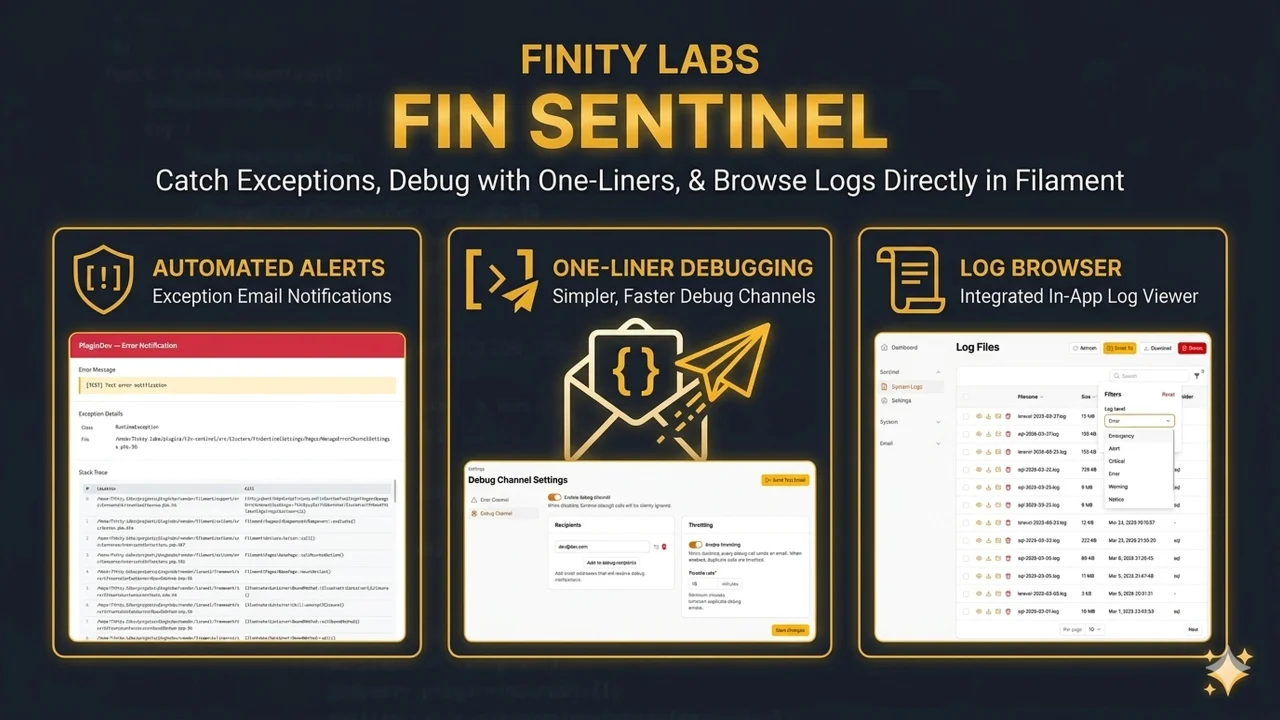
Fin Sentinel
A Filament plugin that catches exceptions and emails them to your team, gives you a one-liner debug mail channel, and lets you browse log files from the admin panel - no SSH required.
Author:
Finity Labs
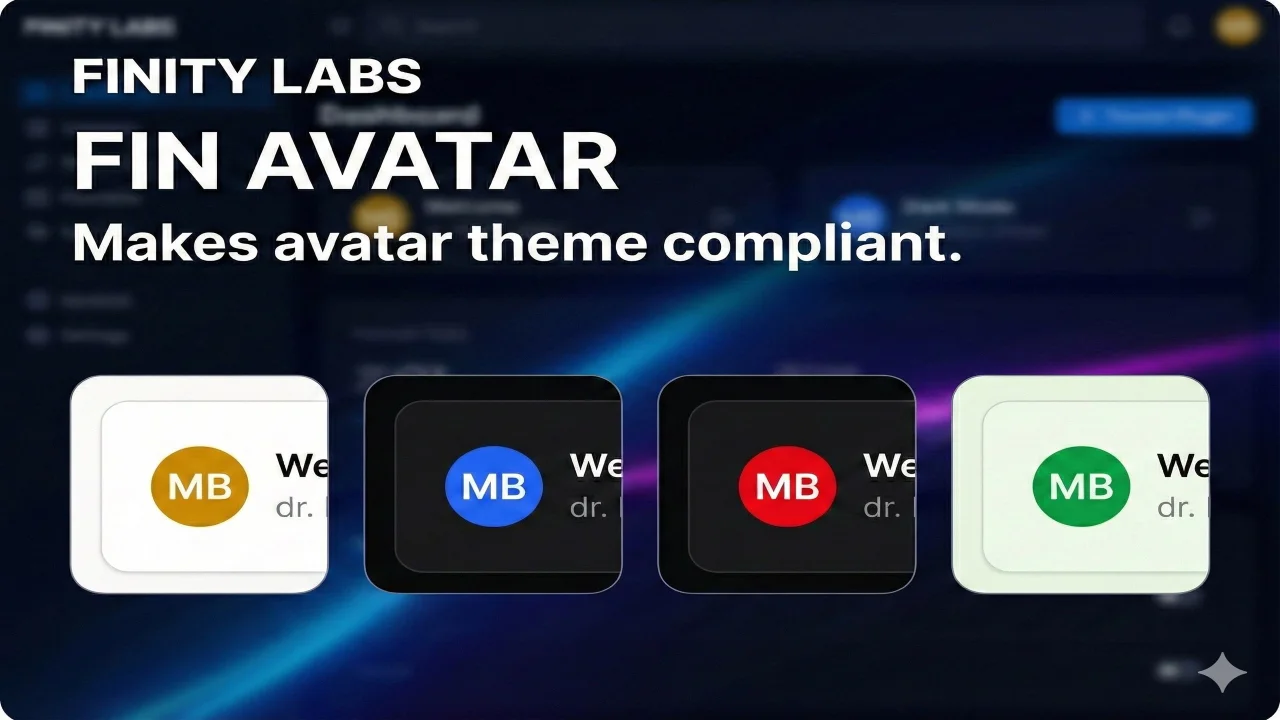
Fin Avatar
A privacy-focused, high-performance SVG avatar generator for Filament. It generates avatars locally, ensuring zero external requests (GDPR compliant) and utilizing browser caching for instant loads.
Author:
Finity Labs
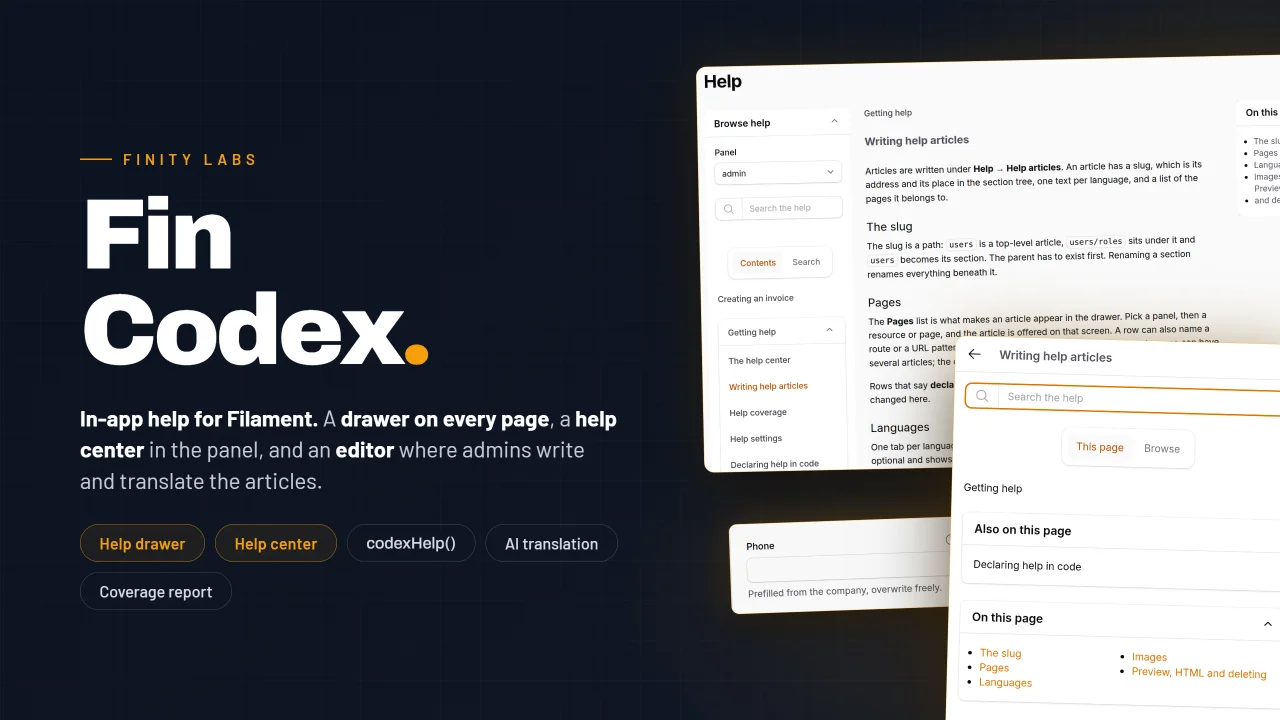
Fin Codex
In-app help for Filament panels. A help drawer on every page that opens on the articles written for that screen, a help center inside the panel, question-mark hints next to form fields, and an editor where your admins write and translate the articles without leaving Filament.
Author:
Finity Labs
Fin Modal Table Select
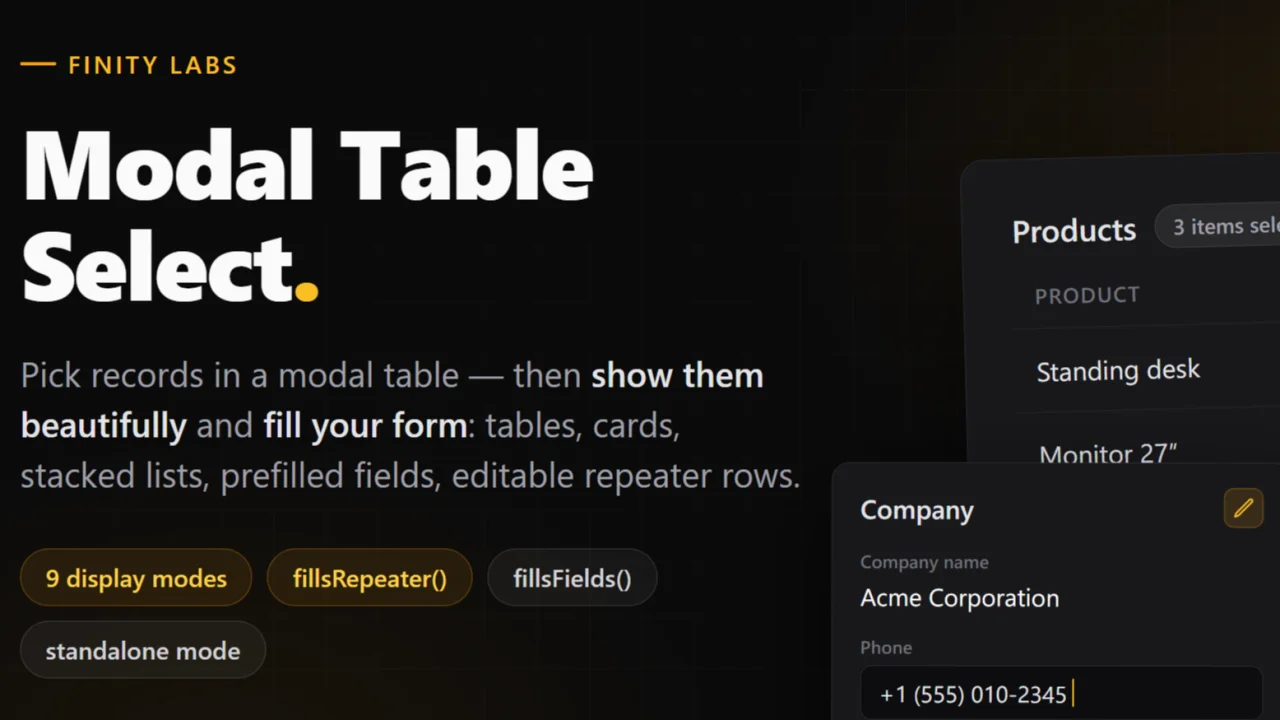
A drop-in replacement for Filament's ModalTableSelect that shows what you picked — as a table, cards, a stacked list, and more — prefills form fields from the selected record, and turns multi-selects into editable repeater rows. Everything stays stock Filament — the modal, the entries, the repeater — with dark mode and 58 locales out of the box.
Author:
Finity Labs
Featured Plugins
A selection of plugins curated by the Filament team

Soft Theme
A theme that gives panels a warm, approachable look with rounded shapes, gentle colors, and serif headings.
 Filament

Custom Dashboards
Let your users build and share their own dashboards with a drag-and-drop interface. Define your data sources in PHP and let them do the rest.
Filament

Spotlight Pro
Browse your Filament Panel with ease. Filament Spotlight Pro adds a Spotlight like Command Palette to your Filament Panel.
 Dennis Koch

