
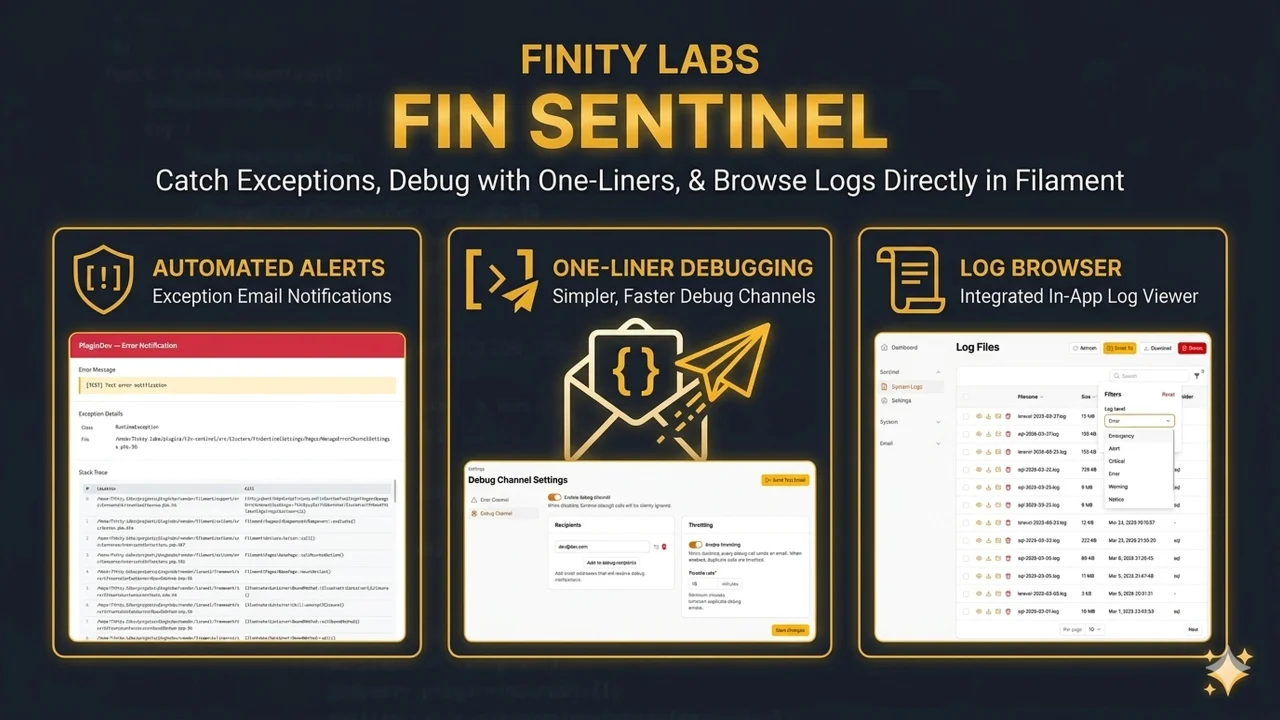
Fin Sentinel
CommunityA Filament plugin that catches exceptions and emails them to your team, gives you a one-liner debug mail channel, and lets you browse log files from the admin panel - no SSH required.
 Author:
Finity Labs
Author:
Finity Labs
Package health
BetaAutomated checks of this plugin's Composer package
15 checks
- Failed: GitHub Actions pinned to SHA — View details on Plumb
- Skipped: GitLab CI includes pinned to SHA
- Passed: Open security advisories
- Passed: Dependabot PR responsiveness — No open Dependabot PRs.
- Skipped: Renovate MR responsiveness
- Failed: Dependabot or Renovate configured — No dependency updater configuration found. View details on Plumb
- Skipped: Dependency update cooldown configured
- Failed: Provides a security policy — View details on Plumb
- Passed: Abandoned or archived — No consulted source marks the package abandoned (packagist, github).
- Passed: Commit and release recency — Active: last commit 0 days ago; last release 1 days ago.
-
Passed:
composer.lock not committed by library
—
composer.lockis absent from the released dist archive. - Passed: Dist archive is lean
-
Passed:
Current Laravel version supported
—
Package dependencies resolve together with current Laravel
13.0. -
Passed:
Current PHP version supported
—
Constraint
^8.2supports current PHP8.5. - Skipped: Current Symfony version supported
filament/
namespace. Review the source and install at your own risk. Found
malware or an unresolved security issue the author won't
address?
Report it
.
Documentation
- Features
- AI Error Analysis
- Requirements
- Installation
- Usage
- Configuration
- Customization
- Filament Shield Integration
- Uninstalling
- Testing
- License
- Screenshots





A Filament plugin that catches exceptions and emails them to your team, gives you a one-liner debug mail channel, and lets you browse log files from the admin panel -- no SSH required.
#Features
- Automatic error emails -- Stack traces, request context, and environment info delivered straight to your inbox when something breaks
- Configurable ignore list -- Skip exceptions you don't care about (like 404s and token mismatches)
- Per-exception throttling -- Same error won't flood your inbox; configurable cooldown period
- Recursive loop guard -- If the error email itself fails, it won't trigger more error emails
- Sensitive data scrubbing -- Passwords, tokens, API keys, and secrets are redacted automatically
- Debug mail via Facade --
FinSentinel::debug($data)sends whatever you're inspecting as a formatted email - Fluent builder -- Chain
->subject(),->to(), and->send()for full control over debug emails - Smart formatting -- Arrays, Eloquent models, collections, and query builders are formatted into readable HTML
- Event-based debug -- Fire
SentinelDebug::dispatch($data)from anywhere, including queued jobs - Log file browser -- List, search, and filter your Laravel log files from the admin panel
- File actions -- View, download, email, or delete log files without touching the server
- Memory-safe parsing -- Handles 100MB+ log files using indexed two-pass pagination
- Admin settings pages -- Configure both channels (error and debug) from the UI
- Shield integration -- Optional page-level permissions via Filament Shield
- AI error analysis (opt-in) -- Optional
laravel/aiintegration adds a provider-generated suggestion to the top of every error email, in the operator's locale
#AI Error Analysis
When laravel/ai is installed and the operator opts in, error emails carry a short suggestion section at the top of the body, generated by the provider you pick. The section is fully translated across 58 locales. The base package stays lean — laravel/ai is in suggest, not require, so v1.0 installs upgrade with zero behavior change until AI is explicitly enabled.
Configure provider, model, API key, prompt template, hourly cap, and cache TTL from the Error Channel settings page. The API key is stored encrypted at rest and injected into the SDK config per-call (never written to .env). A "Test" action button next to the API key validates the credentials with a one-shot SDK call without saving or sending an email.
#Provider compatibility
The AI feature uses laravel/ai, which supports nine text-capable providers: Anthropic, Azure OpenAI, DeepSeek, Gemini, Groq, Mistral, Ollama, OpenAI, and xAI.
Tested in production with:
- Anthropic
If you've successfully used another provider with FinSentinel, open an issue telling me which provider, model, and roughly what your traffic looks like — I'll add it to the list and credit you.
#Cost protection
A per-hour call cap and a three-strike circuit breaker (5-minute open window with half-open probe) sit between every error and the SDK call. Successful suggestions are cached by normalized exception fingerprint, so repeated occurrences of the same error reuse the previous answer for free. Token usage (last call + current month total) is shown on the settings page.
#Requirements
- PHP 8.2+
- Laravel 11+
- Filament 5
#Installation
composer require finity-labs/fin-sentinel
php artisan fin-sentinel:install
The install command will:
- Publish the config file and settings migrations
- Run migrations to create the settings tables
- Register the plugin in your selected Filament panel(s)
#Non-interactive install
Pass panel IDs as arguments to skip the interactive prompt:
php artisan fin-sentinel:install admin
In non-interactive mode (e.g., CI), the command registers the plugin in all discovered panels automatically.
#Register the plugin
If you skipped the automatic registration during install, add it to your panel provider manually:
use FinityLabs\FinSentinel\FinSentinelPlugin;

public function panel(Panel $panel): Panel
{
    return $panel
        ->plugins([
            FinSentinelPlugin::make(),
        ]);
}
#Plugin options
FinSentinelPlugin::make()
    ->navigationGroup('Monitoring')      // string, UnitEnum, Closure, or null
    ->navigationSort(10)                 // ?int
    ->canAccess(fn () => auth()->user()?->is_admin)  // restrict access without Shield
    ->settingsCluster(MySettingsCluster::class)       // move settings to a custom cluster
The canAccess closure controls who can see all Sentinel pages. When omitted, every authenticated panel user has access. When Filament Shield is installed, its page-level permissions take priority.
The settingsCluster option lets you move the Error Channel and Debug Channel settings pages into a different cluster (e.g., a shared "Settings" cluster in your app). By default, they live in the built-in FinSentinelSettings cluster.
#Usage
#Error Notifications
Once installed, the error channel works automatically -- there's no code to write. When an exception or message is logged at error, critical, alert, or emergency level, FinSentinel catches it, formats the stack trace and request context, scrubs sensitive data, and emails it to your configured recipients. Lower-severity log events (debug, info, notice, warning) are always ignored -- use the debug channel for ad-hoc inspection instead.
To get started, open the Error Channel Settings page in your admin panel and:
- Toggle the channel on
- Add one or more recipient email addresses
- Save
That's it. Errors will start arriving in your inbox.
You can also configure:
- Ignored exceptions -- Common exceptions like
NotFoundHttpExceptionandTokenMismatchExceptionare ignored by default. Add or remove classes from the settings page. - Throttle -- Enable per-exception throttling to avoid duplicate emails within a configurable time window.
To customize the error email template, publish the views:
php artisan vendor:publish --tag=fin-sentinel-views
#Debug Channel
The debug channel gives you a quick way to email yourself any variable, model, or collection for inspection. It's like dd() but it lands in your inbox instead of killing the request. Every FinSentinel::debug() call also writes a Log::debug() entry, so you always have a log trail regardless of whether the email is enabled.
#Using the Facade
use FinityLabs\FinSentinel\Facades\FinSentinel;

// Quick one-liner -- sends to the configured recipients
FinSentinel::debug($user);

// With a custom subject
FinSentinel::debug($order, 'Order inspection');

// Fluent builder for full control
FinSentinel::debug($cart)
    ->subject('Cart contents')
    ->to('dev@example.com')
    ->send();
When you call ->send(), the email goes out synchronously. If you don't call ->send(), the builder queues the email automatically when it's garbage collected -- so you won't accidentally forget to send it.
#Using the Event
If you prefer events (useful in queued jobs or when you don't want to import the Facade):
use FinityLabs\FinSentinel\Events\SentinelDebug;

SentinelDebug::dispatch($data, 'Optional subject');
The event listener always queues the email.
Note: The debug channel must be enabled in the admin settings before emails will be sent. The Facade and event both check the debug_enabled setting.
#Log Viewer
The log viewer lets you browse your Laravel log files from the admin panel. You'll find two pages under the Sentinel navigation group:
Log File List -- Shows all .log files in your storage/logs directory with file size and last modified date. From here you can:
- View -- Opens the log entry viewer with paginated entries
- Download -- Streams the file to your browser
- Email -- Sends the log file as an attachment to any address
- Delete -- Removes the file from disk (with confirmation)
Log Entry Viewer -- Displays individual log entries with:
- Level filtering -- Show only errors, warnings, or any combination of log levels
- Text search -- Filter entries by keyword
- Stack trace modal -- Click an entry to see the full stack trace with vendor frame detection
- Copy buttons -- Copy the message or full stack trace to your clipboard
The parser uses a two-pass approach (index first, then parse) so it can handle large log files without running out of memory.
#Settings
FinSentinel has two settings pages, both accessible from the admin panel:
- Error Channel Settings -- Toggle the error channel on/off, manage recipients, configure ignored exceptions, and set throttle rules.
- Debug Channel Settings -- Toggle the debug channel, set recipients, and configure throttle behavior.
#Configuration
Publish the config file:
php artisan vendor:publish --tag=fin-sentinel-config
The config file (config/fin-sentinel.php) contains:
Email layout -- Controls the max-width of error and debug notification emails. Stack traces and data tables benefit from extra space, so the default is wider than standard emails:
'email_max_width' => '90%',
The log file attachment email uses Laravel's default 600px width since it's a simple message.
Sensitive data scrubbing -- Values matching these keys are replaced with [REDACTED] in error and debug emails:
'scrub' => [
    'params'     => ['password', 'token', 'secret', '_token', 'credit_card', ...],
    'headers'    => ['authorization', 'cookie', 'x-api-key'],
    'env'        => ['DB_PASSWORD', 'APP_KEY', 'MAIL_PASSWORD', 'AWS_SECRET_ACCESS_KEY'],
    'trace_args' => ['password', 'secret', 'token'],
],
Each category targets a different data source. Keys are matched case-insensitively. Add your own keys to any category as needed.
#Customization
| Tag | What it publishes |
|---|---|
fin-sentinel-config |
Configuration file |
fin-sentinel-migrations |
Settings migrations |
fin-sentinel-views |
Email templates (error and debug) |
fin-sentinel-translations |
Translation files |
php artisan vendor:publish --tag=fin-sentinel-views
php artisan vendor:publish --tag=fin-sentinel-translations
#Filament Shield Integration
FinSentinel pages use the HasPageShieldSupport trait, which integrates with Filament Shield for page-level permissions. Shield is entirely optional -- without it, all pages are accessible to any authenticated user.
If you use Shield, generate the permissions:
php artisan shield:generate --panel=admin --option=policies_and_permissions
#Uninstalling
Run the uninstall command before removing the package:
php artisan fin-sentinel:uninstall
composer remove finity-labs/fin-sentinel
The uninstall command will:
- Remove
FinSentinelPlugin::make()from your panel provider(s) - Delete the published config file
- Optionally roll back settings migrations and clean up database entries
Use --force to skip confirmation prompts.
#Testing
composer test
#License
MIT
#Screenshots
🤖 AI Error Analysis
AI Settings
Pick a provider, store an encrypted API key, and tune the prompt template, hourly cap, and cache TTL.
🔍 Log Browser & Viewer
Log Browser Dashboard
Browse, download, email, or delete system logs directly from the panel.
Detailed Log Viewer
Inspect individual log files and filter by log severity levels.
Email Log Files
Send specific .log files straight to your team.
⚙️ Channel Settings
Error Channel Settings
Configure recipients, set throttling rates, and ignore specific exceptions.
Debug Channel Settings
Manage your debug notifications with dedicated recipient lists.
📧 Email Notifications
Exception Alerts
Get instantly notified with a clean stack trace when things break.
One-Liner Debug Emails
Trigger formatted debug emails containing environment details and custom payloads.
The author
From the same author
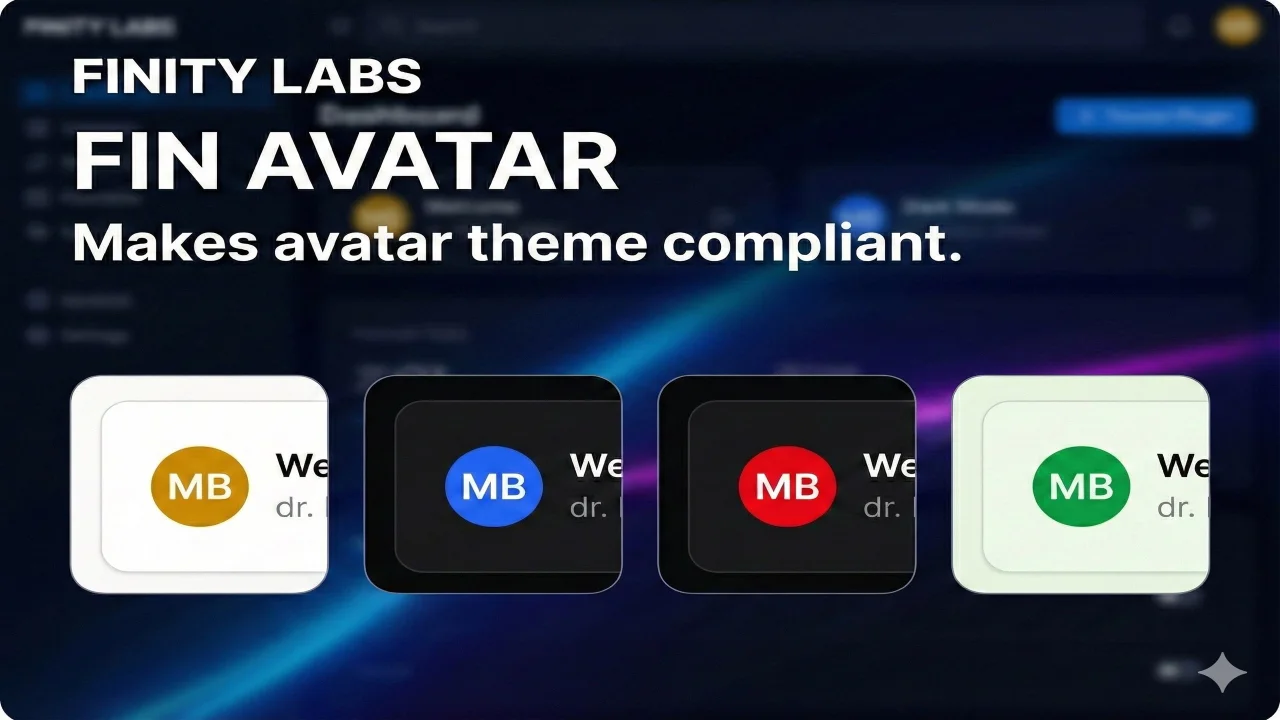
Fin Avatar
A privacy-focused, high-performance SVG avatar generator for Filament. It generates avatars locally, ensuring zero external requests (GDPR compliant) and utilizing browser caching for instant loads.
Author:
Finity Labs
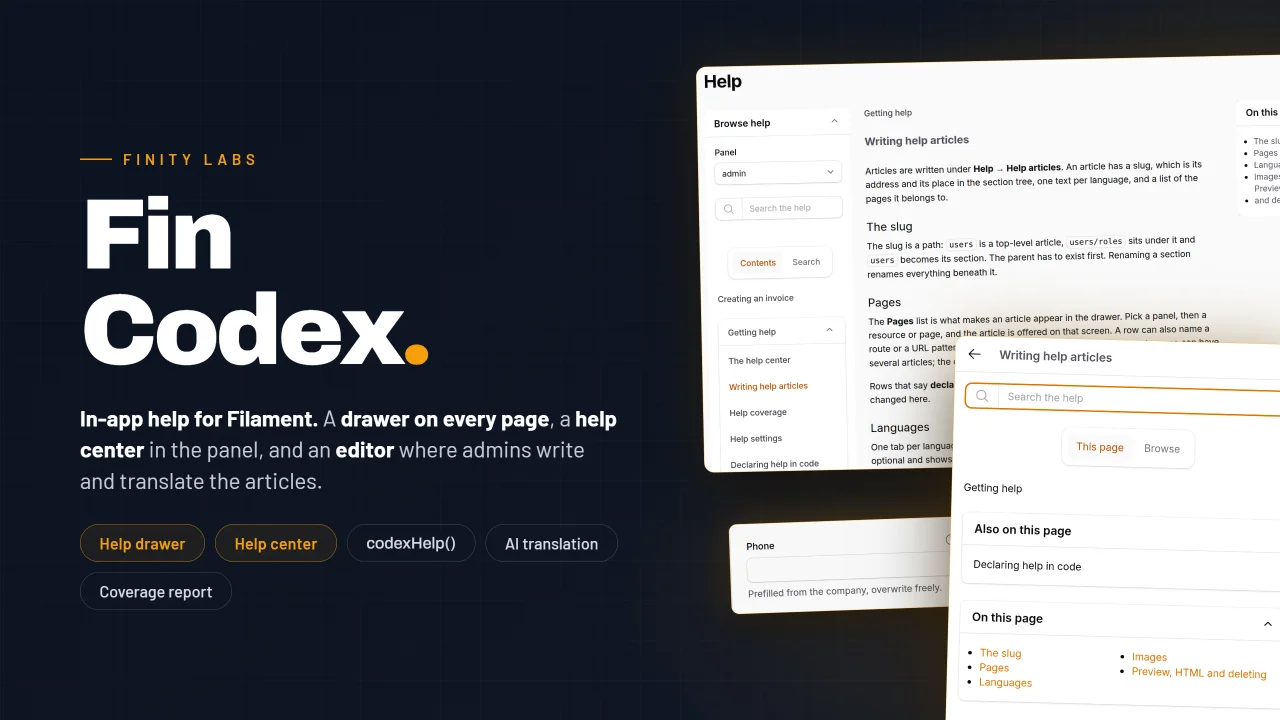
Fin Codex
In-app help for Filament panels. A help drawer on every page that opens on the articles written for that screen, a help center inside the panel, question-mark hints next to form fields, and an editor where your admins write and translate the articles without leaving Filament.
Author:
Finity Labs
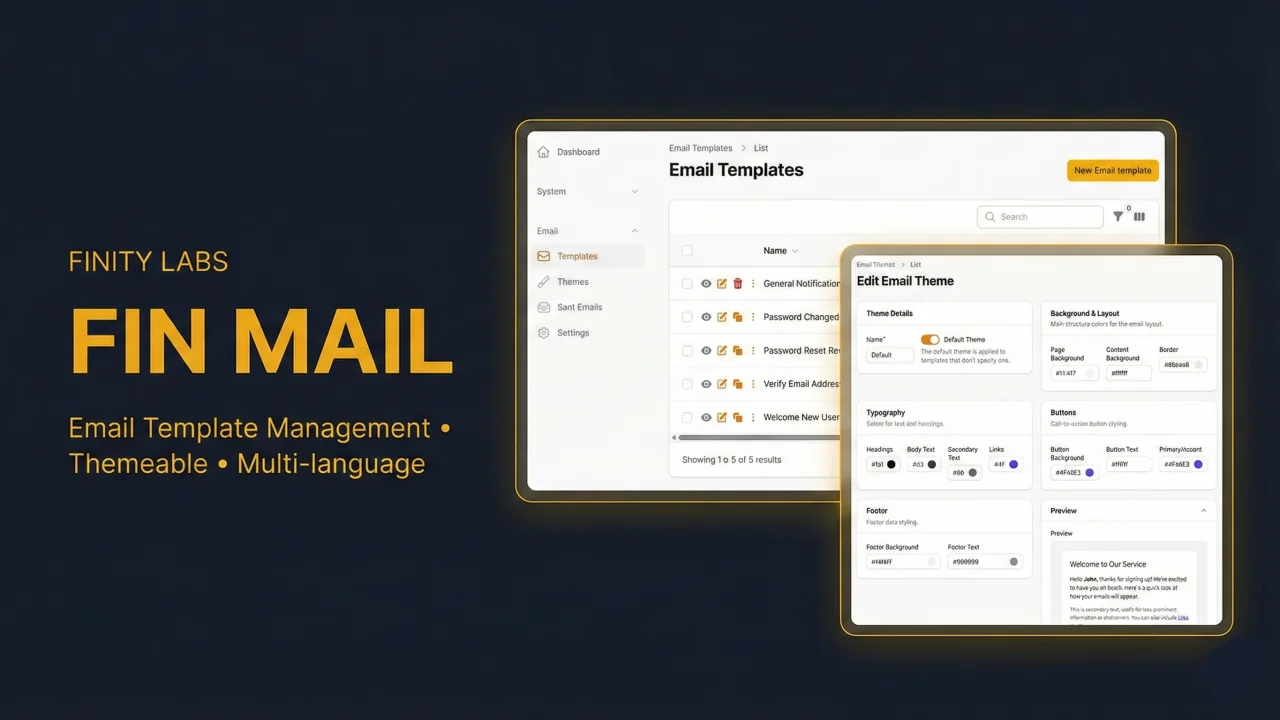
Fin Mail
A powerful email template manager and composer for Filament. Build, manage, and send emails directly from your admin panel — with dynamic token replacement, multilingual templates, customizable themes, template versioning, email logging with status tracking, auth email overrides, and a reusable Send Email action that drops into any resource.
Author:
Finity Labs
Fin Modal Table Select
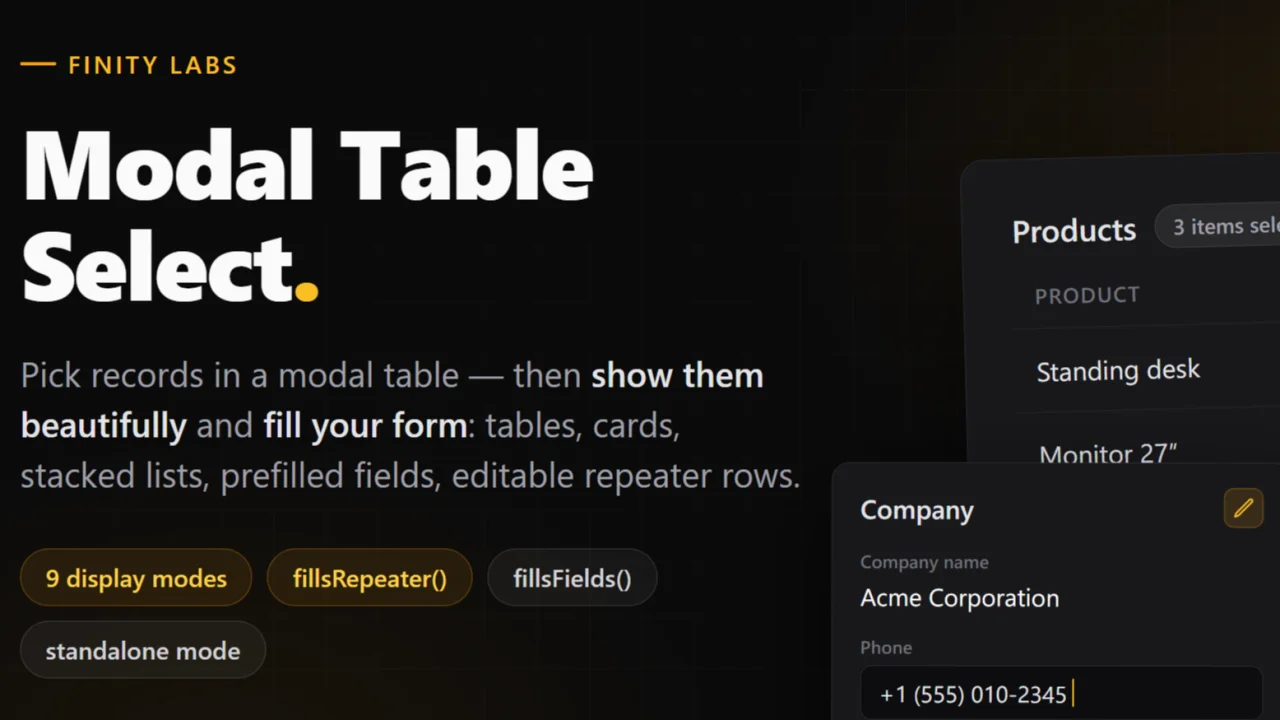
A drop-in replacement for Filament's ModalTableSelect that shows what you picked — as a table, cards, a stacked list, and more — prefills form fields from the selected record, and turns multi-selects into editable repeater rows. Everything stays stock Filament — the modal, the entries, the repeater — with dark mode and 58 locales out of the box.
Author:
Finity Labs
Featured Plugins
A selection of plugins curated by the Filament team

Soft Theme
A theme that gives panels a warm, approachable look with rounded shapes, gentle colors, and serif headings.
 Filament

Custom Fields
Eliminate custom field migrations forever. Let your users create and manage form fields directly in Filament admin panels with 20+ built-in field types, validation, and zero database changes.
 Relaticle

Custom Dashboards
Let your users build and share their own dashboards with a drag-and-drop interface. Define your data sources in PHP and let them do the rest.
Filament

