
Tabler Icons
CommunityAdds the full Tabler Icons set to Filament for seamless usage in forms, tables, actions, and navigation.
filament/
namespace. Review the source and install at your own risk. Found
malware or an unresolved security issue the author won't
address?
Report it
.
 Author:
Daljomar Morillo
Author:
Daljomar Morillo
Documentation
- Requirements
- Installation
- Configuration
- Automatic Icon Replacement
- Usage
- Available Icons
- Contributing
- Credits
- License



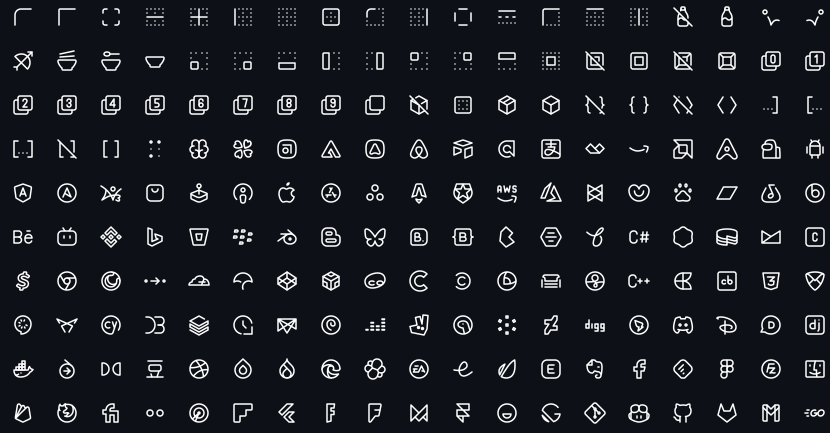
A Filament 4.x / 5.x plugin that integrates the full Tabler Icons set, allowing you to use them seamlessly across Filament forms, tables, actions, resources, and navigation.
Tabler Icons is a free and open-source SVG icon set designed to work beautifully with modern UIs.
#Requirements
- PHP 8.2+
- Laravel 10+
- Filament 4.x or 5.x
#Installation
Install the package via Composer:
composer require daljo25/filament-tabler-icons
(Optional) You can publish the configuration file to customize the plugin's behavior:
php artisan vendor:publish --tag=filament-tabler-icons-config
#Configuration
The configuration file allows you to control the automatic icon replacement and define custom overrides.
return [
    // Enable or disable automatic icon replacement
    'enabled' => true,

    // Define custom icon overrides
    'icons' => [
        'panels::global-search-field' => 'tabler-zoom-2',
    ],
];
#Icon Aliases
You can override any of Filament's default icon aliases. For a full list of available aliases, check the official Filament documentation.
#Automatic Icon Replacement
Once installed, this plugin automatically replaces all Filament UI icons with Tabler Icons, including:
#Panels Icons
- Sidebar navigation icons
- Collapse/expand buttons
- Search field icon
- Filter buttons
- Dashboard icons
- User menu icons
- Theme switcher icons (Light, Dark, System)
- Database notifications icons
#Notifications Icons
- Notification status icons (success, danger, warning, info)
- Close button icon
- Empty state icons
#Widgets Icons
- Chart filter icons
This means you don't need to do anything—Tabler Icons will be used throughout your Filament admin panel automatically!
#Usage
#Import the enum
use Daljo25\FilamentTablerIcons\Enums\TablerIcon;
#Forms
use Filament\Forms;
use Daljo25\FilamentTablerIcons\Enums\TablerIcon;

Forms\Components\TextInput::make('email')
    ->prefixIcon(TablerIcon::Mail)
    ->email()
    ->required();
#Tables
use Filament\Tables;
use Daljo25\FilamentTablerIcons\Enums\TablerIcon;

Tables\Columns\IconColumn::make('active')
    ->boolean()
    ->trueIcon(TablerIcon::Check)
    ->falseIcon(TablerIcon::X);
#Actions
use Filament\Actions;
use Daljo25\FilamentTablerIcons\Enums\TablerIcon;

Actions\Action::make('edit')
    ->icon(TablerIcon::Edit);
#Resource Navigation Icon
use Filament\Resources\Resource;
use Daljo25\FilamentTablerIcons\Enums\TablerIcon;

final class UserResource extends Resource
{
    protected static string|BackedEnum|null $navigationIcon =
        TablerIcon::Users;
}
#Icon Scaling (optional)
Since the enum implements ScalableIcon, you can control icon size:
use Filament\Support\Enums\IconSize;
use Daljo25\FilamentTablerIcons\Enums\TablerIcon;

TablerIcon::Settings->scale(IconSize::Large);
#Available Icons
All icons are provided via the TablerIcon enum.
Icon names follow the official Tabler naming convention (kebab-case internally, PascalCase enum names).
You can browse the full icon set at: 👉 https://tabler.io/icons
#Contributing
Contributions are welcome!
If you want to:
- add missing icons
- improve DX
- optimize performance
- improve documentation
Please open a pull request or issue.
#Credits
- Daljomar Morillo (@daljo25)
- Tabler Icons
- Inspired by filament-lucide-icons
#License
The MIT License (MIT). See LICENSE.md for more information.
The author
Self-taught junior web developer focused on Laravel and Filament. Author of the blog filamentenespanol.com and creator of the unofficial Spanish translation of the Filament documentation, with the goal of making Filament more accessible to the Spanish-speaking community.
From the same author
Featured Plugins
A selection of plugins curated by the Filament team

Custom Dashboards
Let your users build and share their own dashboards with a drag-and-drop interface. Define your data sources in PHP and let them do the rest.
 Filament

Blueprint
Filament Blueprint is a premium Laravel Boost extension that helps AI agents produce accurate, detailed implementation plans and security reports for Filament apps.
Filament

Advanced Tables (formerly Filter Sets)
Supercharge your tables with powerful features like user-customizable views, quick filters, multi-column sorting, advanced table searching, convenient view management, and more. Compatible with Resource Panel Tables, Relation Managers, Table Widgets, and Table Builder!
 Kenneth Sese

