
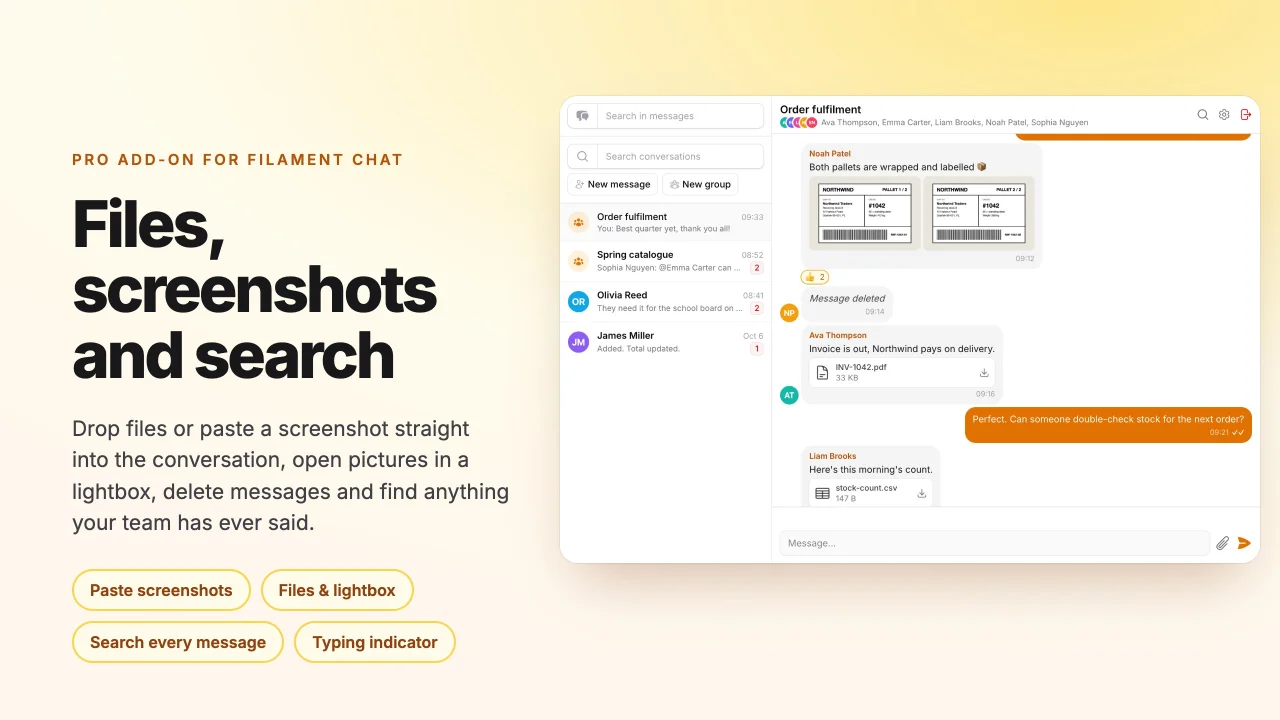
Chat Pro by asign
CommunityAdds file attachments, clipboard screenshots, a lightbox, message deletion, typing indicators and message search to Filament Chat.
filament/
namespace. Review the source and install at your own risk. Found
malware or an unresolved security issue the author won't
address?
Report it
.
 Author:
asign
Author:
asign
Documentation
- Screenshots
- Purchase
- Requirements
- Installation
- Quick start
- Features
- Realtime notes
- Security
- Gotchas
- Upgrading notes
- Usage from code
- Translations
- Styles
- AI agents
- Testing
- Changelog
- License
Documentation only. Filament Chat Pro is a commercial plugin: this public repository holds its documentation, changelog and licence terms. The package itself is installed from the private Composer repository you get with a licence — buy one on Anystack. Questions: support@asign.in.ua.
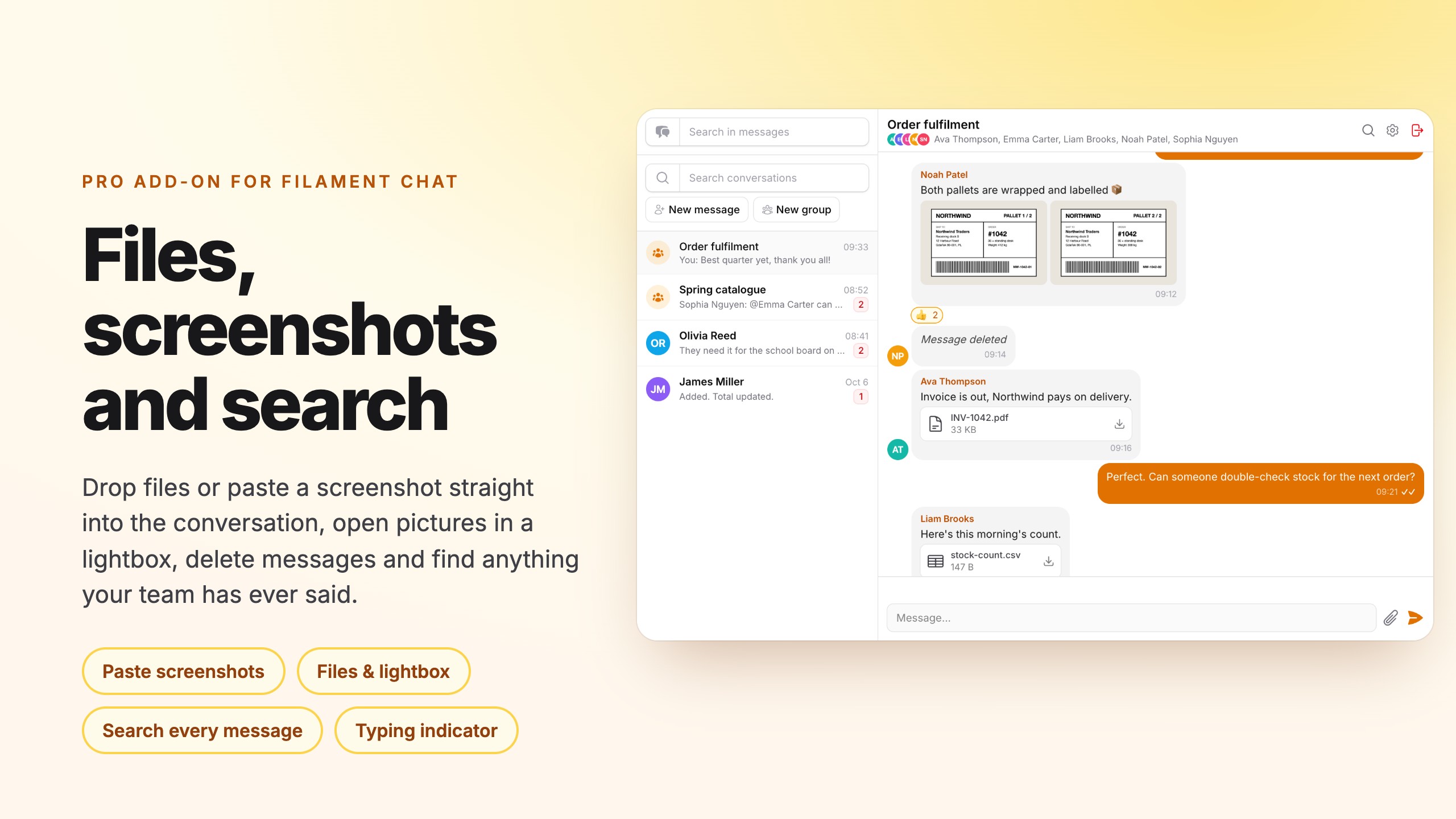
The paid add-on for Filament Chat, the team chat for Filament 5 panels. It turns the chat into a place where work happens: send files (drag & drop, the paperclip, paste a screenshot straight from the clipboard), look at pictures in a lightbox, delete your own messages, see «Olga is typing…» and search every message you have ever been part of.
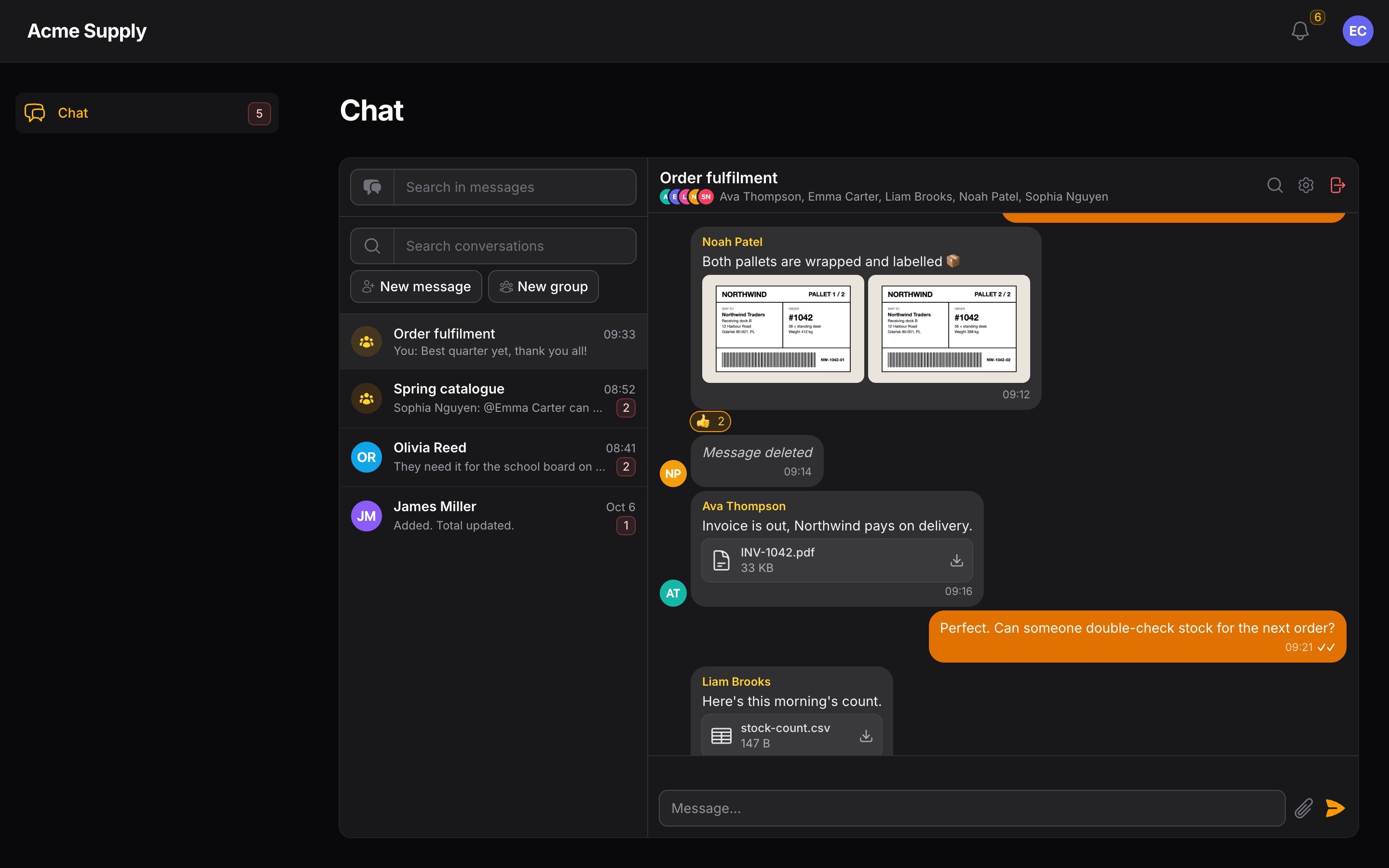
It is built on the free chat's extension seams — a window subclass, render hooks and a few protected methods — not on a fork, so the free package keeps updating on its own. Dark mode, ten languages, and every feature is a switch.
#Screenshots
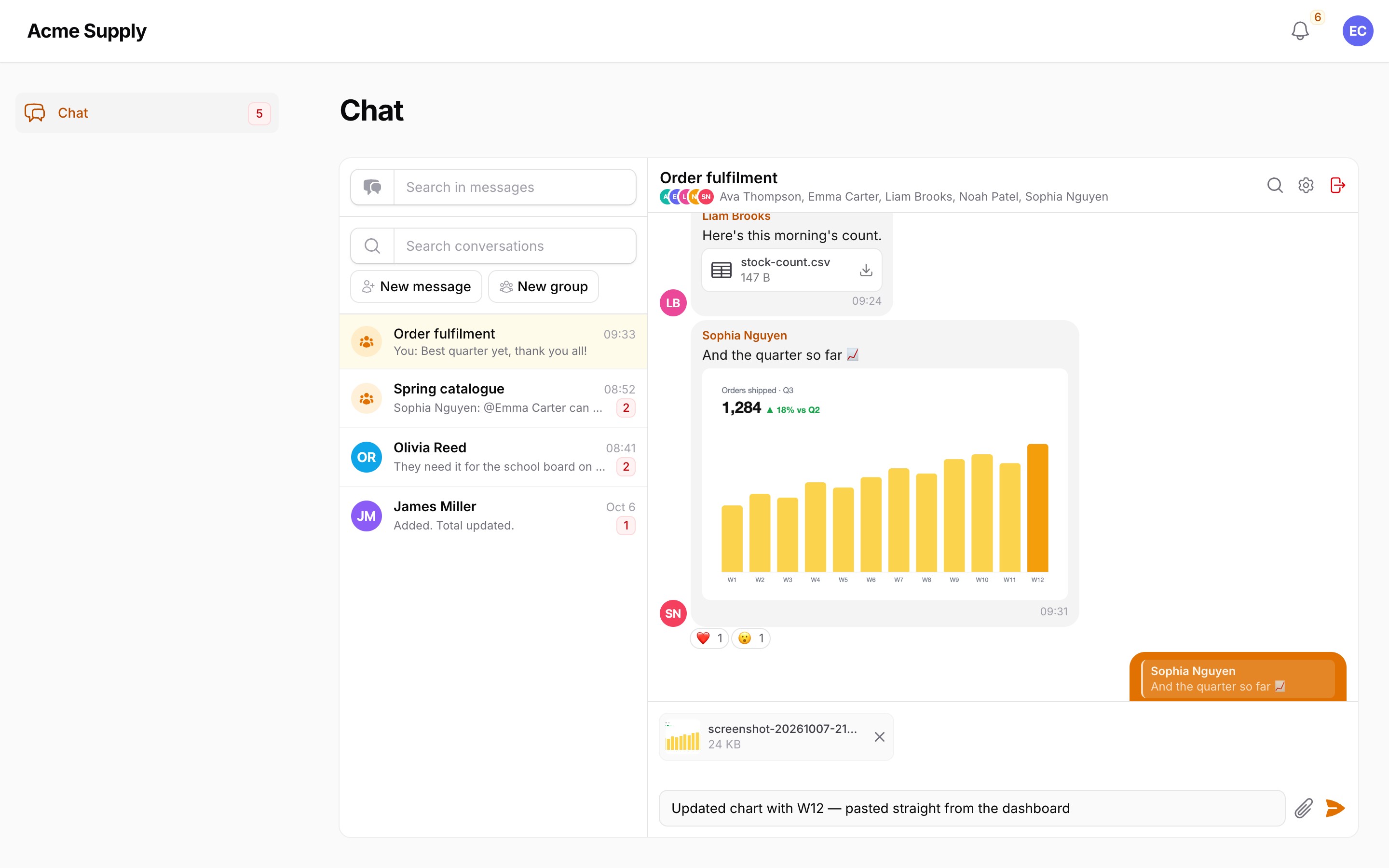
A screenshot pasted straight from the clipboard waits as a chip until you send it:
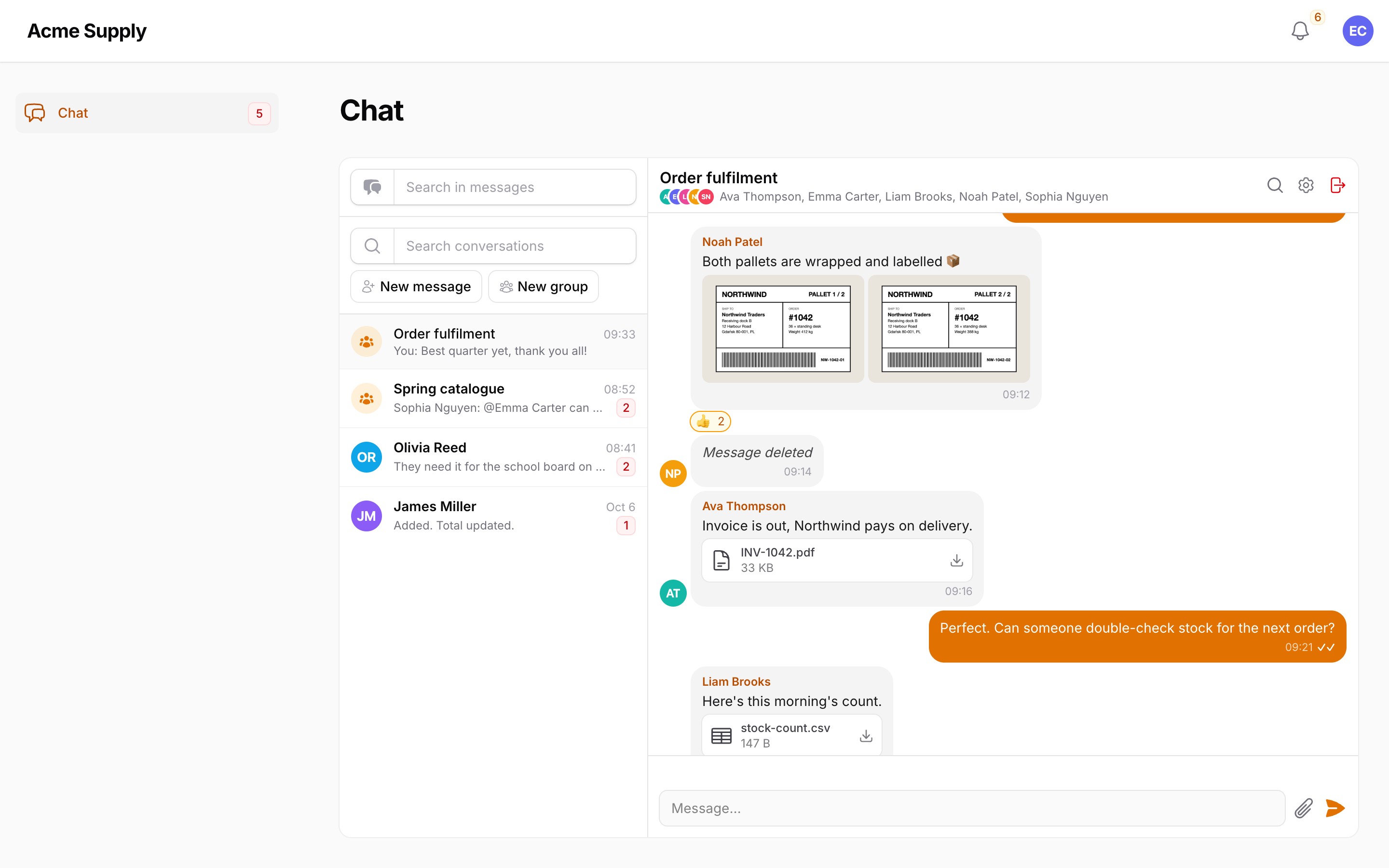
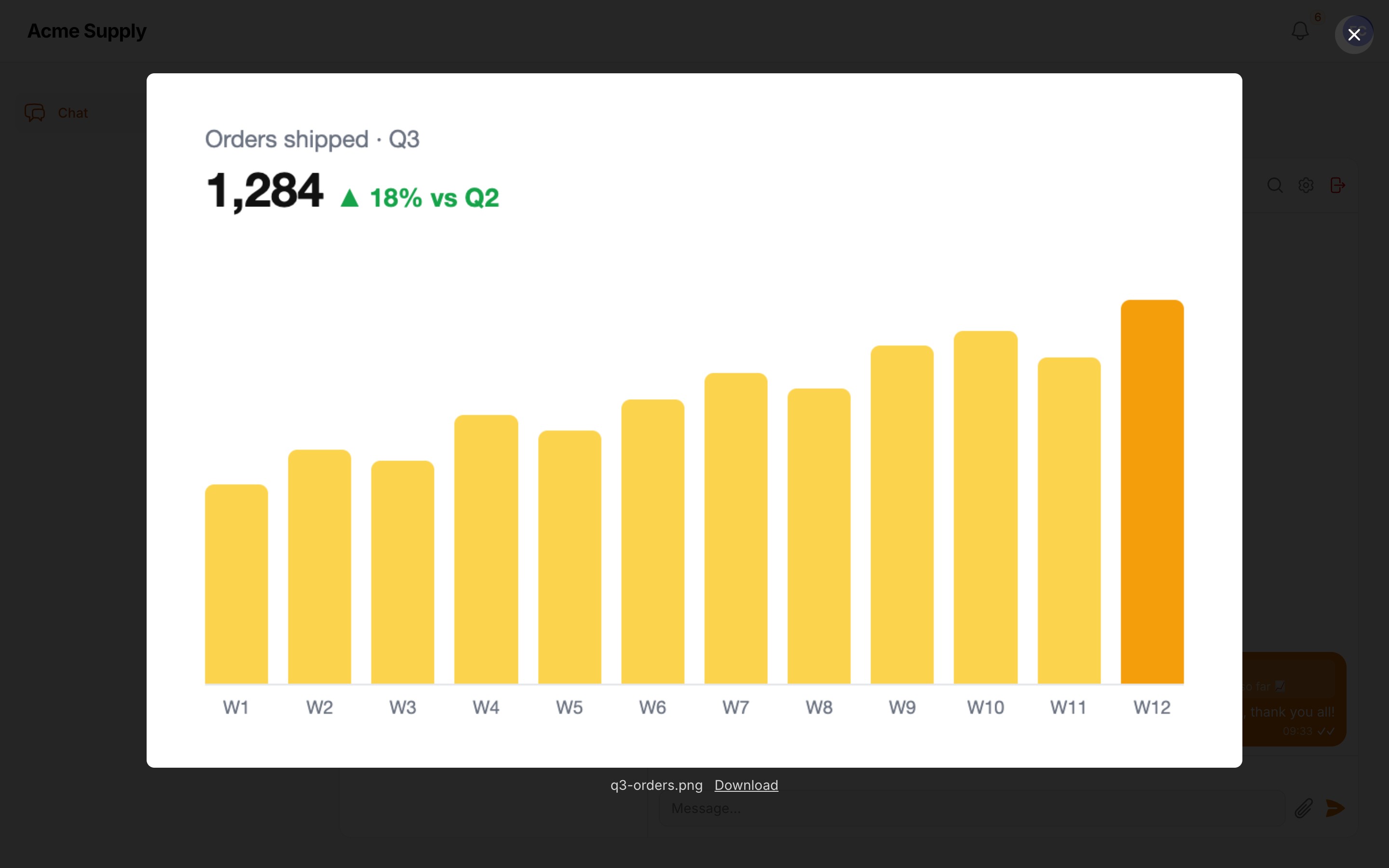
Pictures open in a lightbox; files download with one click:
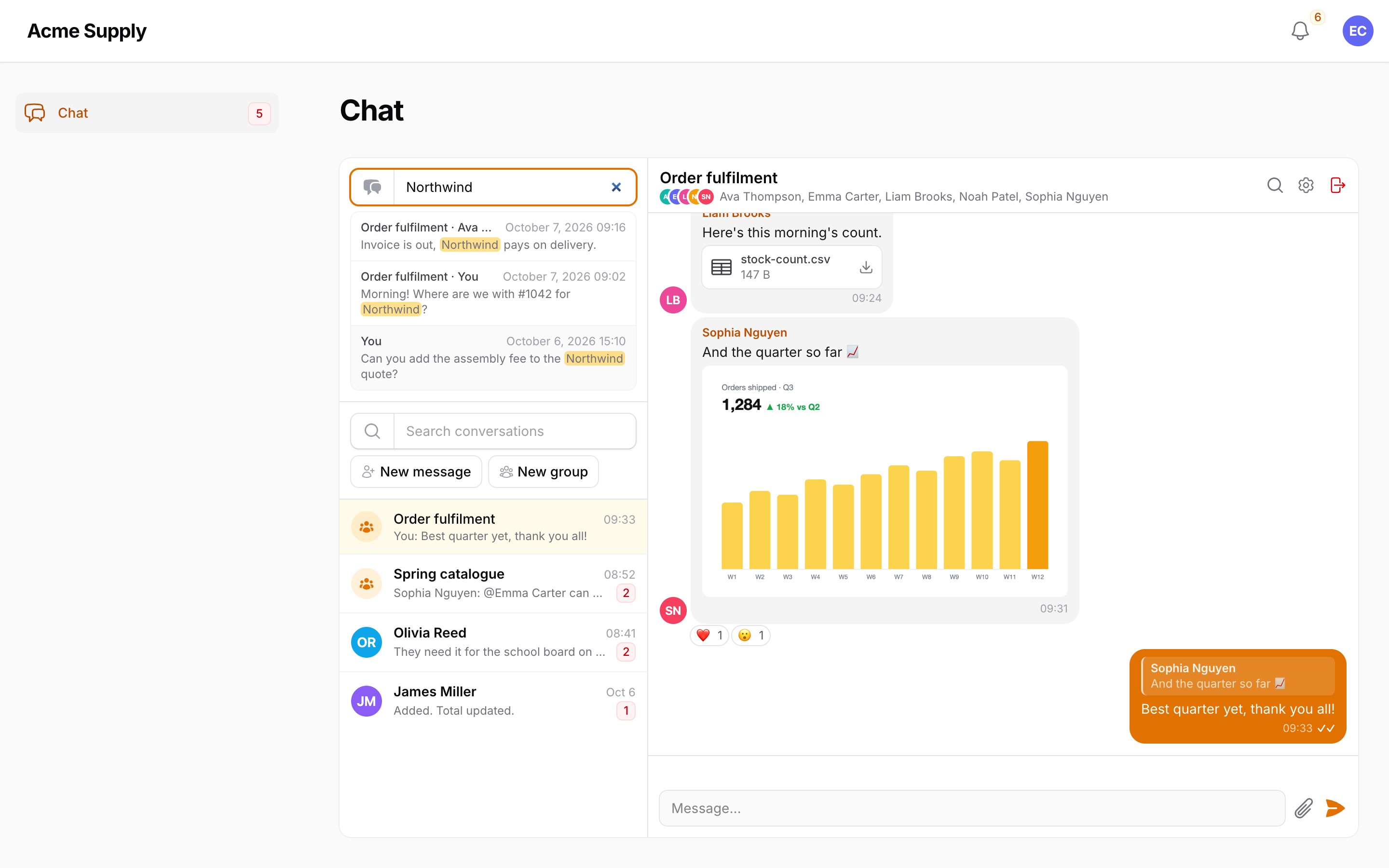
Search every message you have been part of, across conversations:
Dark mode:
#Purchase
Filament Chat Pro is a commercial plugin. Both tiers include one year of updates; after that the plugin keeps working on the last release you received, and you can renew for further updates.
| Tier | Projects | Activations | Price | Renewal |
|---|---|---|---|---|
| Single Project | 1 | up to 3 (production, staging, local) | €69 | €35 / year |
| Unlimited | any number, SaaS included | unlimited | €169 | €85 / year |
Refunds are available within 14 days of purchase.
Buy a licence on Anystack — after the purchase you receive a licence key and access to the private Composer repository. See LICENSE.md for the licence terms.
#Requirements
- PHP 8.3+
- Laravel 12 or 13
- Filament 5
asignua/filament-chat^1.3(installed with it as a dependency)- Real-time chat over Reverb or Pusher for the typing indicator (everything else works with polling)
#Installation
-
Add the private repository (the same for every customer):
composer config repositories.filament-chat-pro composer https://filament-chat-pro.composer.sh -
Add your credentials. The username is the e-mail address you bought the licence with; the password is your licence key. A Single Project licence is bound to a fingerprint, so the password is the key followed by a colon and the fingerprint you activated — usually the production domain:
# Single Project
composer config --auth http-basic.filament-chat-pro.composer.sh you@example.com "LICENCE-KEY:shop.example.com"

# Unlimited
composer config --auth http-basic.filament-chat-pro.composer.sh you@example.com "LICENCE-KEY"
This writes
auth.jsonnext to yourcomposer.json— keep it out of git (addauth.jsonto.gitignore). On CI and servers pass the same JSON through theCOMPOSER_AUTHenvironment variable instead. A Single Project licence allows three activations (for example production, staging and local); manage them in your Anystack account. -
Require the package:
composer require asignua/filament-chat-pro -
Run the installer — it publishes the config and the two migrations (a new
chat_attachmentstable anddeleted_aton the chat messages):php artisan filament-chat-pro:install --migrate -
Register both plugins on your panel:
use Asignua\FilamentChat\FilamentChatPlugin;
use Asignua\FilamentChatPro\ChatProPlugin;

$panel
    ->plugin(FilamentChatPlugin::make())
    ->plugin(ChatProPlugin::make());
That is all: Chat Pro mounts its own chat window instead of the stock one and switches the chat's message model to its own (the same table, plus soft deletes and attachments). Without
FilamentChatPluginon the same panel the panel refuses to boot with a message saying so.Register the chat on one panel only (the same for Chat Pro): notification links, the private channels and the attachment route assume a single chat panel. The download route finds the signed-in person by trying the guard of every panel that carries the chat plugin.
If your project published the free chat's
pages/chat.blade.phporchat-windowview: the published page keeps mounting the stock window (it ignoresui.window_component) and a publishedchat-windowview has none of the hook places — re-publish or merge them, or Chat Pro's features will not appear.If the project commits published assets (
public/css), runphp artisan filament:assetsafter installing and after upgrades.
#Quick start
$panel
    ->plugin(FilamentChatPlugin::make()->users(fn (Builder $query) => $query->where('is_active', true)))
    ->plugin(
        ChatProPlugin::make()
            ->attachmentDisk('s3', 'chat')            // a PRIVATE disk; default: "local"
            ->attachmentLimits(maxFileSizeKb: 20480, maxFiles: 10)
            ->deleting(window: 15)                     // authors may delete for 15 minutes
            ->canDeleteUsing(fn (User $user, Message $message): bool => $user->isModerator())
    );
Every setter writes the matching key of config/filament-chat-pro.php (publish it with the installer); what the plugin does not set
comes from the config. Closures (canDeleteUsing) live on the plugin only, so the config stays cacheable.
| Feature | Config | Plugin |
|---|---|---|
| attachments | attachments.enabled |
->attachments(false) |
| pasting from the clipboard | attachments.paste |
->paste(false) |
| disk / folder | attachments.disk / .directory |
->attachmentDisk('s3', 'chat') |
| limits | attachments.max_file_size (KB) / .max_files |
->attachmentLimits(10240, 10) |
| allowed files | attachments.mimes / .extensions |
->allowedFiles($mimes, $extensions) |
| deleting, time window (minutes), keep the text | delete.enabled / delete.window / delete.keep_text |
->deleting(true, 15, keepText: false) |
| who else may delete | — | ->canDeleteUsing(fn ($user, $message) => …) |
| typing indicator | typing.enabled / .throttle / .expire |
->typing(false) |
| search | search.enabled / .min_length / .limit |
->search(false) |
| download route | routes.prefix / routes.middleware |
— |
| attachments table | tables.attachments |
— (set it before migrating) |
#Features
#Attachments
- A paperclip next to the send button, drag & drop of files onto the conversation (a dragged link to a record still attaches the record — the free chat's feature is untouched), several files at once, an upload progress bar, and preview chips above the input where a file can be removed before sending.
- A message may be only files — the text can stay empty.
- In the feed pictures are thumbnails (one large, several in a grid) that open a lightbox (Esc closes, the arrow keys browse, a download link); everything else is a card with an icon, the name and the size.
- Checks happen when the file is picked, so a refused file disappears at once with a notification — and again when the message is
sent, so nothing slips in through a race: size (
max_file_size, KB), count per message, and an allow-list. A file must pass both lists:extensions(the name) andmimes(the content type sniffed from the file itself, never the browser's claim;image/*-style wildcards work). The defaults allow pictures, PDF, Office and OpenDocument files, zip, txt and csv;nullfor a list means "anything". SVG and HTML are not on the defaults. - Files are written to a private disk (
attachments.disk, defaultlocal), underdirectory/Y/m/<ulid>.<ext>— the client's file name only lives in the database and is cleaned (no paths, no control characters, 150 characters at most).
The width and height of a picture are stored, so the feed reserves its space before it loads.
#Clipboard paste
Press Ctrl/Cmd+V in the composer with a screenshot (or files copied in the file manager) on the clipboard: the files join the
pending uploads. A pasted picture has no real name — browsers call it image.png — so it is named screenshot-YYYYMMDD-HHMMSS.png
(the server applies the same rule as a safety net). Default is prevented only when files were taken: pasting text works exactly as
before, and a paste that carries text plus only an unnamed picture of it (a cell copied from a spreadsheet, a web page) pastes the text; files with real names, or a screenshot with no text, are attached.
#Deleting your own messages
A trash button in the message menu opens a confirmation (Filament's modal). The message is soft-deleted: everyone sees «Message
deleted» in its place (a quote of it too, and the unread counters follow), and the message is really erased: in the same transaction its
text, record reference and mentions are blanked in the row, its files and rows are removed, and the bell notifications that quoted it are
deleted (they carry no message id, so they are matched by identity, never by time: chat notification type, member, this conversation's link, the author named in the title, and the exact quoted preview). The other members' feeds refresh
through the chat's own channel. Hosts that need an audit trail set delete.keep_text (->deleting(keepText: true)): the row then keeps its
content — readable by anyone with database access. In the conversation list a deleted latest message gives way to the previous one (for groups
you left too).
- Who: the author, while still a member of the conversation, inside
delete.windowminutes (null— any time). - Moderators:
->canDeleteUsing(fn ($user, $message): bool => …). It is asked for every message the menu shows, so keep it cheap; a closure "yes" still needs the person to be able to read the conversation. Gate::allows('delete', $message)follows the same rule, for your own code.- Editing stays the free chat's rule.
#Typing indicator
While someone types, the others see «Olga is typing…», «Olga and Ivan are typing…» or «3 people are typing…» above the input; it
disappears after typing.expire seconds (6) without a new signal or when a message arrives. The signal is a client whisper over
the private channel filament-chat.conversation.{conversationUlid}, at most one per typing.throttle seconds (3), authorised for the
conversation's current members only. The whisper carries just a member key and the names come from the server-rendered page, so a
whisper cannot inject text. It is not authenticated beyond membership: Pusher/Reverb client events do not carry a verified sender, so
any member can whisper on behalf of another member's key — fine for a «typing» hint, never a basis for any decision. It leaves the channel
when you switch conversation.
Real-time only. It needs the chat running over Reverb/Pusher (FILAMENT_CHAT_REALTIME=true). With polling the feature renders
nothing — there is no channel to whisper on.
#Message search
- A box above the conversation list searches all your conversations: hits show the conversation, the author, the date and a snippet with the match highlighted; a click opens the conversation and jumps to the message.
- A magnifier in the conversation header opens a bar at the top of the feed that searches this conversation only.
- The query runs only when the term changes; the hits are kept as ids and re-read (with the membership check) on every render, so polls
and re-renders never search again. A plain case-insensitive
LOWER(body) LIKEon the text (%,_in what you type are literal); SQLite'sLOWERonly folds ASCII, so on SQLite non-Latin text is matched case-sensitively (MySQL, MariaDB and PostgreSQL are fine), at leastsearch.min_lengthcharacters (2), at mostsearch.limithits (30), newest first. Deleted messages are skipped; in a group you left you find only what was written before you left. Queries live inMessageSearchRepository. For millions of messages bring your own engine.
#Realtime notes
FILAMENT_CHAT_REALTIME |
What changes with Chat Pro |
|---|---|
true (Reverb, Pusher, Ably) |
everything, including the typing indicator |
false / polling |
everything except the typing indicator |
- Whispers are client events. Reverb supports them out of the box; on Pusher Channels enable Client events in the app settings (they only work on private/presence channels — ours is private). Without it the indicator silently never shows.
- The channel needs
/broadcasting/auth; the free chat registers it when your app has none. - Chat Pro uses the
window.Echothe free chat creates (realtime.echo); nothing extra to install in the browser.
#Security
- Private disk, no direct links. Attachments are never reachable through a public URL. They are served by
GET /filament-chat-pro/attachments/{ulid}after checking that the signed-in person (from the chat panel's guard) can see the conversation — admins included: a conversation is its members'. Someone who left a group keeps the history but gets no file sent after leaving. A guest is redirected to the panel login (403 when the panel has none); an unknown id or a missing file is 404. - Only raster pictures (JPEG, PNG, GIF, WebP, AVIF) are shown inline. SVG, HTML and every document are always sent as
Content-Disposition: attachment, withX-Content-Type-Options: nosniffand a locked-downContent-Security-Policy: sandbox, so an uploaded file can never run in your origin. Addsvgto the allow-list if you must — it will still only ever download. - The file name goes through
filename*(RFC 5987) with an ASCII fallback; the stored name is the ulid, never the client's, and its extension comes from the sniffed content type (the client's only if it is plain and notphp,html,svg,jsand the like; otherwise.bin). - Content types are sniffed server-side; both the extension and the type must be on the allow-list.
- Who may download: a member of the conversation who is still in the chat's
->users()set and allowed into the panel (canAccessPanel). A deactivated or excluded person gets 403. - Sniffing reads the first 8 KB from the temporary file's stream (also on a remote temp disk) with libmagic. Formats whose type is
decided deeper into the file read as a generic type (an Office file as
application/zip) — the default list includes those. - Names, snippets and file names are escaped everywhere; a search hit is built piece by piece with only
<mark>as markup. - The delete button is only an offer: the action re-checks the rule, the conversation and the message on the server. The ulid is looked up inside the open conversation, so a stranger's message cannot be reached by guessing.
- Add throttling to the download route if you need it:
routes.middleware=['web', 'throttle:120,1'].
#Gotchas
-
The
notifications.datacolumn must stay Laravel's stocktext. The bell cleanup looks the body up withLIKEon the stored JSON; a MySQLjsonor PostgreSQLjsonbcolumn re-serialises the value (spaces, raw unicode), so nothing would match and the bells would keep the deleted text. -
Deleting a message removes its bell notifications by text identity. The free chat's notification data has no message id, so a bell is deleted when it is a chat notification of this conversation, its title is a free-chat title template filled with exactly the message's author (any locale: the request's, the fallback, the recipient's preferred one, every shipped or host-overridden one; the group title may be anything) and its body equals the message's preview exactly. Consequences: two identical texts by the same author in the same conversation lose both bells; the bell of an edited message's original text and bells whose author was renamed since stay. Follow-up for the owner: add the message ulid to the free
filament-chatnotification data, then match on it. -
Both migrations are required even if you switch a feature off: the message model gains
SoftDeletesand anattachmentsrelation, and every query then filters ondeleted_at. -
Livewire's upload limit applies first.
livewire.temporary_file_upload.rulesdefaults to 12 MB; raisingmax_file_sizeabove it needs that setting raised too (and PHP'supload_max_filesize/post_max_size, and nginxclient_max_body_size). -
The message model and the window are swapped for Chat Pro's own (
filament-chat.models.message,filament-chat.ui.window_component) when the plugin registers — but only the free defaults are replaced. Your own subclass ofAsignua\FilamentChatPro\Models\Message/Livewire\ProChatWindowis kept (and gets the Pro policy); any other class there makes registration throw a clear exception. -
Drag & drop of files stops at the conversation: the free chat's «drop a record link» overlay does not appear for files.
-
A message that is only files cannot be saved with an empty text in the editor (the free chat refuses empty edits) — add a text or cancel the edit.
-
A deleted message that was the latest of a conversation drops out of the list preview (the previous message shows) instead of «Message deleted» — for groups you left too; quotes and the feed do show the tombstone.
-
Temporary files. Chat Pro deletes its temporary uploads once the message is stored. Whatever stays behind (a picked file never sent) is Livewire's
livewire-tmpfolder: Livewire cleans it after 24 hours on a local disk; on S3 add a lifecycle rule. Orphaned stored files (a crash between writing and committing) are removed byphp artisan filament-chat-pro:prune-orphans [--days=1] [--dry-run]— schedule it daily. -
While a file is uploading, Send and Enter are blocked (with a hint); pending files are dropped when you switch conversation.
-
The download route is registered when routes load: set
routes.prefix/routes.middlewarein the config, not in the plugin. -
The
uploadsproperty of the window is writable from the browser like any Livewire property; anything that is not a signed temporary upload is ignored.
#Upgrading notes
- Chat Pro 1.x needs
asignua/filament-chat^1.3(the extension seams). Upgrade the free chat first. - Moving from the free chat to Chat Pro on an existing installation: install, run the migrations, add the plugin. Existing messages
are unaffected; the
deleted_atcolumn is nullable. ChatService::send()(free 1.3) has a new optional fourth parameter; a publishedpages/chat.blade.phpkeeps the stock window and a publishedchat-windowview has no hook places (see Installation).- If your app rebinds
MessageRepository, copy the optional trailing?Closure $scopeof its read methods (free 1.3).
#Usage from code
use Asignua\FilamentChatPro\Models\Message;
use Asignua\FilamentChatPro\Services\MessageDeletionService;
use Asignua\FilamentChatPro\Repositories\MessageSearchRepository;

app(MessageDeletionService::class)->delete($message, $user);          // throws InvalidArgumentException when not allowed
app(MessageSearchRepository::class)->search($user, 'invoice');        // Collection<Message>, newest first
$message->attachments;                                                // Collection<Attachment>; $attachment->url(download: true)
Gate::allows('delete', $message);
Public extension points: ChatProPlugin (the setters above), Livewire\ProChatWindow (extend it and set it as
filament-chat.ui.window_component), Models\Message, Models\Attachment, Services\AttachmentService,
Services\MessageDeletionService, Repositories\MessageSearchRepository, Support\TypingChannel, and the route
filament-chat-pro.attachment.
#Translations
The interface ships in English, Ukrainian, German, Spanish, French, Italian, Dutch, Polish, Brazilian Portuguese and Turkish
under the filament-chat-pro::filament-chat-pro namespace. A test keeps every language in step with the English keys and
placeholders. Override a string by publishing the translations (--tag=filament-chat-pro-translations) and editing the copy in
lang/vendor/filament-chat-pro.
#Styles
The stylesheet (resources/dist/filament-chat-pro.css, Tailwind v4, dark mode) is linked after the panel's theme like the free chat's;
no custom theme changes are needed. Rebuild it with npm install && npm run build when you change the views.
#AI agents
The package ships Laravel Boost guidelines (resources/boost/guidelines/core.blade.php) and a skill
(php artisan filament-chat-pro:install --skill) so a coding agent wires it up correctly.
#Testing
composer install
vendor/bin/phpunit
vendor/bin/phpstan analyse --memory-limit=1G
vendor/bin/pint --test
Trying it by hand (the workbench panel with both plugins, three seeded users, SQLite):
vendor/bin/testbench workbench:build
vendor/bin/testbench db:seed --class='Workbench\Database\Seeders\DatabaseSeeder'
vendor/bin/testbench serve --host=0.0.0.0 --port=8000     # /admin — alice@example.com, bob@, carol@ / password
Chat runs on polling there (FILAMENT_CHAT_REALTIME=false in testbench.yaml); point it at a Reverb to see the typing indicator.
The browser parts (drag & drop, paste, the lightbox, the typing whispers) are JavaScript inside Blade and are not covered by the PHP suite; the server side of each is.
#Changelog
See CHANGELOG.md.
#License
Filament Chat Pro is commercial software. See LICENSE.md.
The author
asign is a small web-dev company from Lviv, Ukraine. We build business applications on Laravel and Filament — CRMs, automation systems for standard and non-standard business processes, booking and content management systems, including our own Filament-based CMS. We open-source the parts that prove useful beyond a single project
From the same author
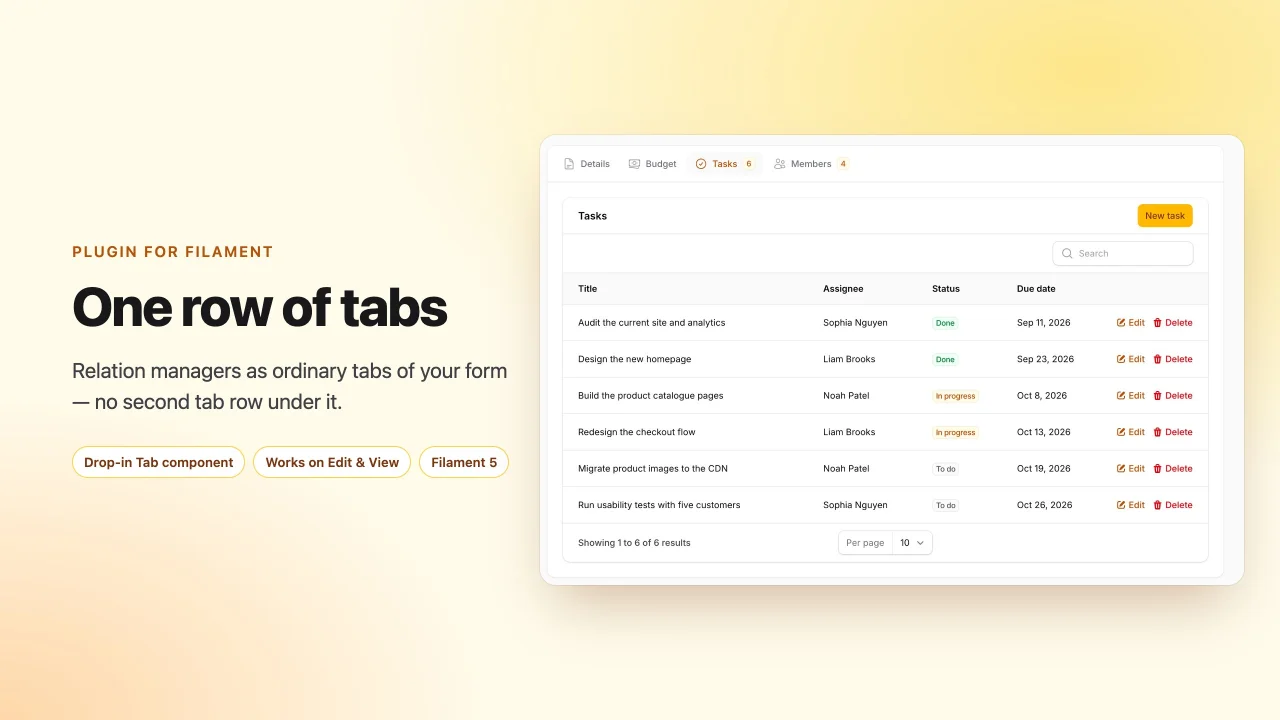
Relation Manager Tabs
Render relation managers as ordinary tabs of the record form, so an edit or view page has exactly one row of tabs.
Author:
asign
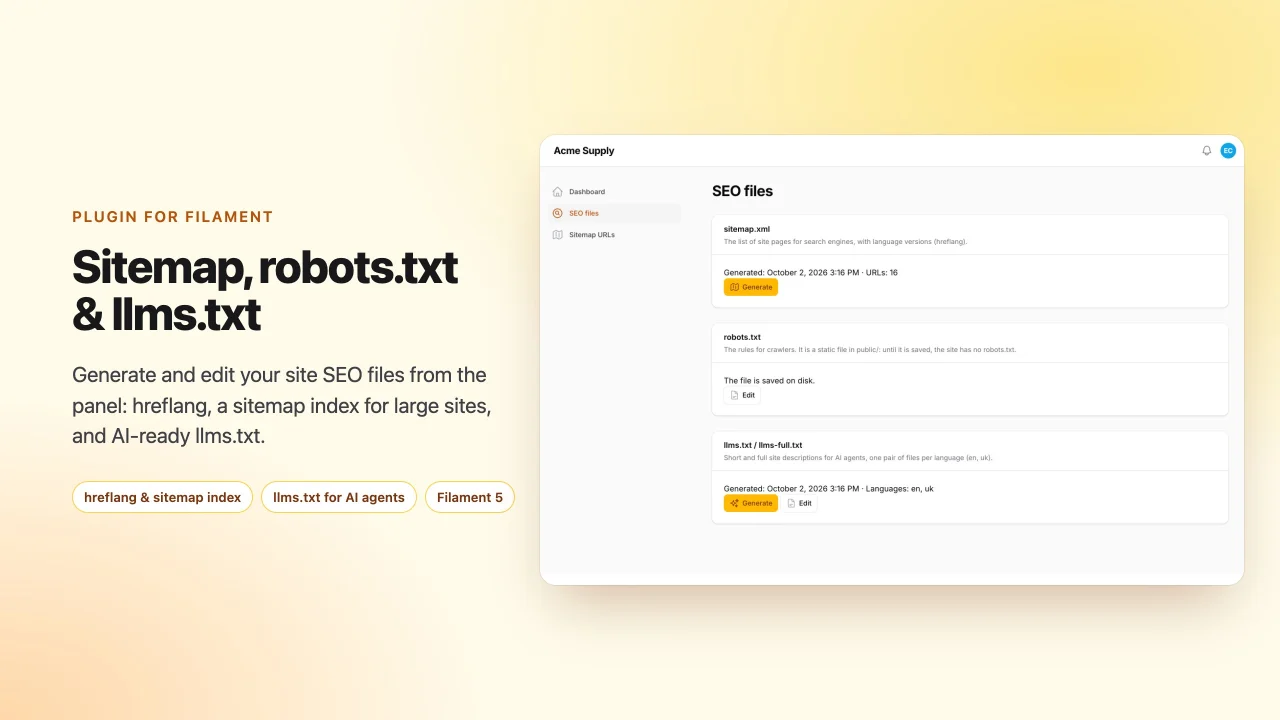
SEO Files
Generate and edit sitemap.xml with hreflang and a sitemap index for large sites, robots.txt and llms.txt / llms-full.txt from your Filament panel
Author:
asign
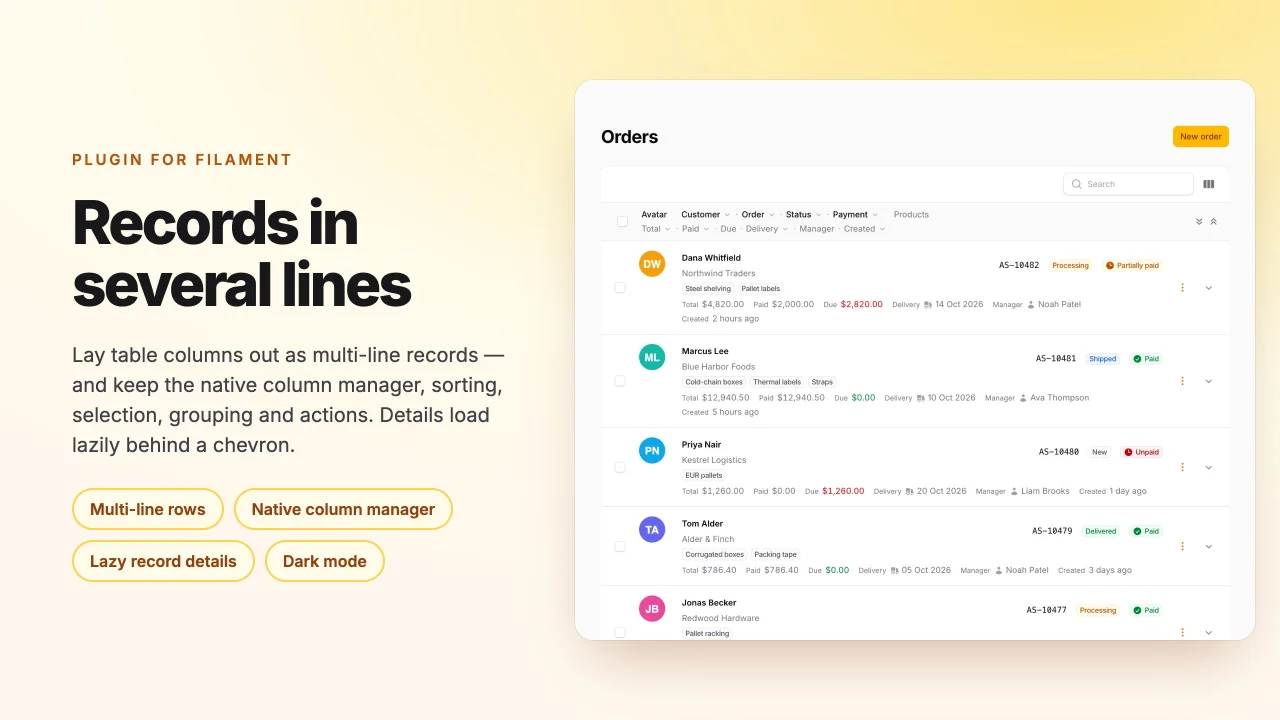
Row Layout
Lays Filament table records out in several lines while keeping the native column manager, sorting, selection, grouping, and actions.
Author:
asign
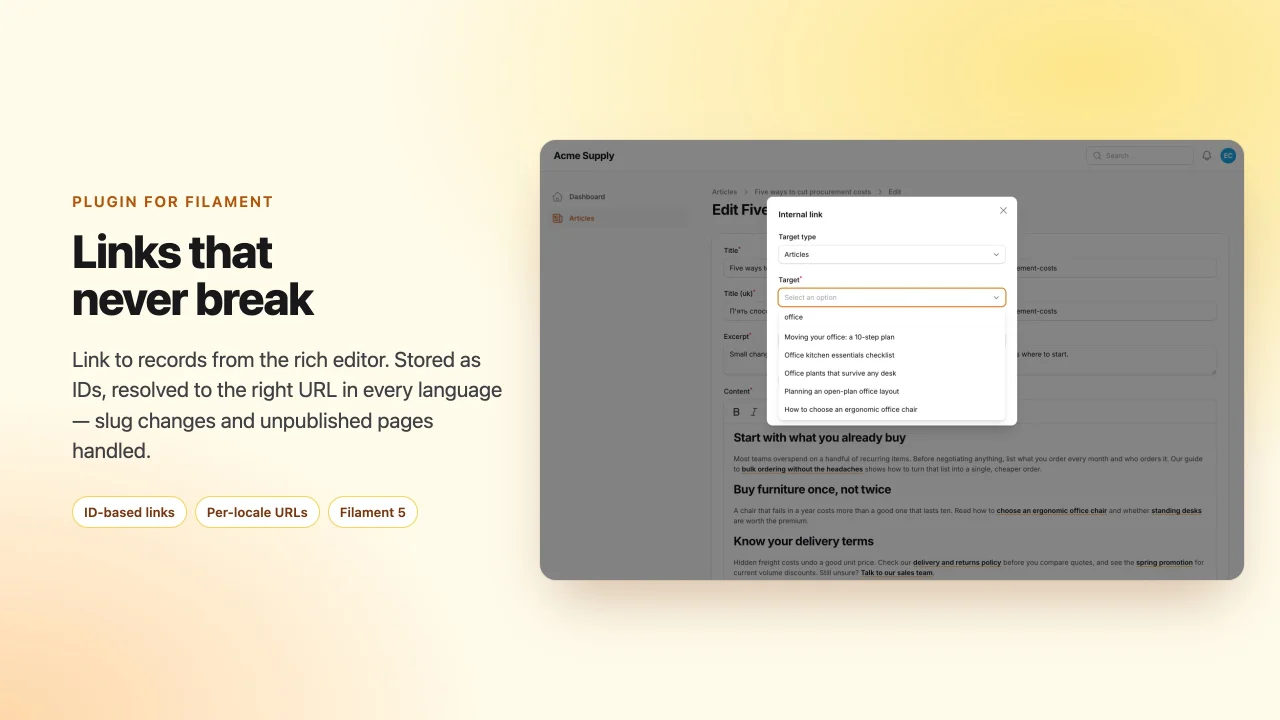
Rich Links
Internal links for the RichEditor: pick a record, store its ID instead of a URL, and resolve it to the current address in every language — slug changes and unpublished pages handled.
Author:
asign
Featured Plugins
A selection of plugins curated by the Filament team

Sharp Theme
A theme that gives panels a precise, technical look with square corners, strong borders, and clear contrast.
 Filament

Compact Theme
A theme that makes data-heavy panels easier to scan by fitting more useful information on each screen.
Filament

Spotlight Pro
Browse your Filament Panel with ease. Filament Spotlight Pro adds a Spotlight like Command Palette to your Filament Panel.
 Dennis Koch

