
Row Layout by asign
CommunityLays Filament table records out in several lines while keeping the native column manager, sorting, selection, grouping, and actions.
filament/
namespace. Review the source and install at your own risk. Found
malware or an unresolved security issue the author won't
address?
Report it
.
 Author:
asign
Author:
asign
Documentation
- Screenshots
- Purchase
- Requirements
- Installation
- Quick start
- Layout rules
- Line options
- Aside
- Turning it off per condition
- Blocks
- Record details
- How clicks work
- Limitations
- Static analysis
- Roadmap
- Testing
- Licence
Documentation only. Filament Row Layout is a commercial plugin: this public repository holds its documentation, changelog and licence terms. The package itself is installed from the private Composer repository you get with a licence — buy one on Anystack. Questions: support@asign.in.ua.
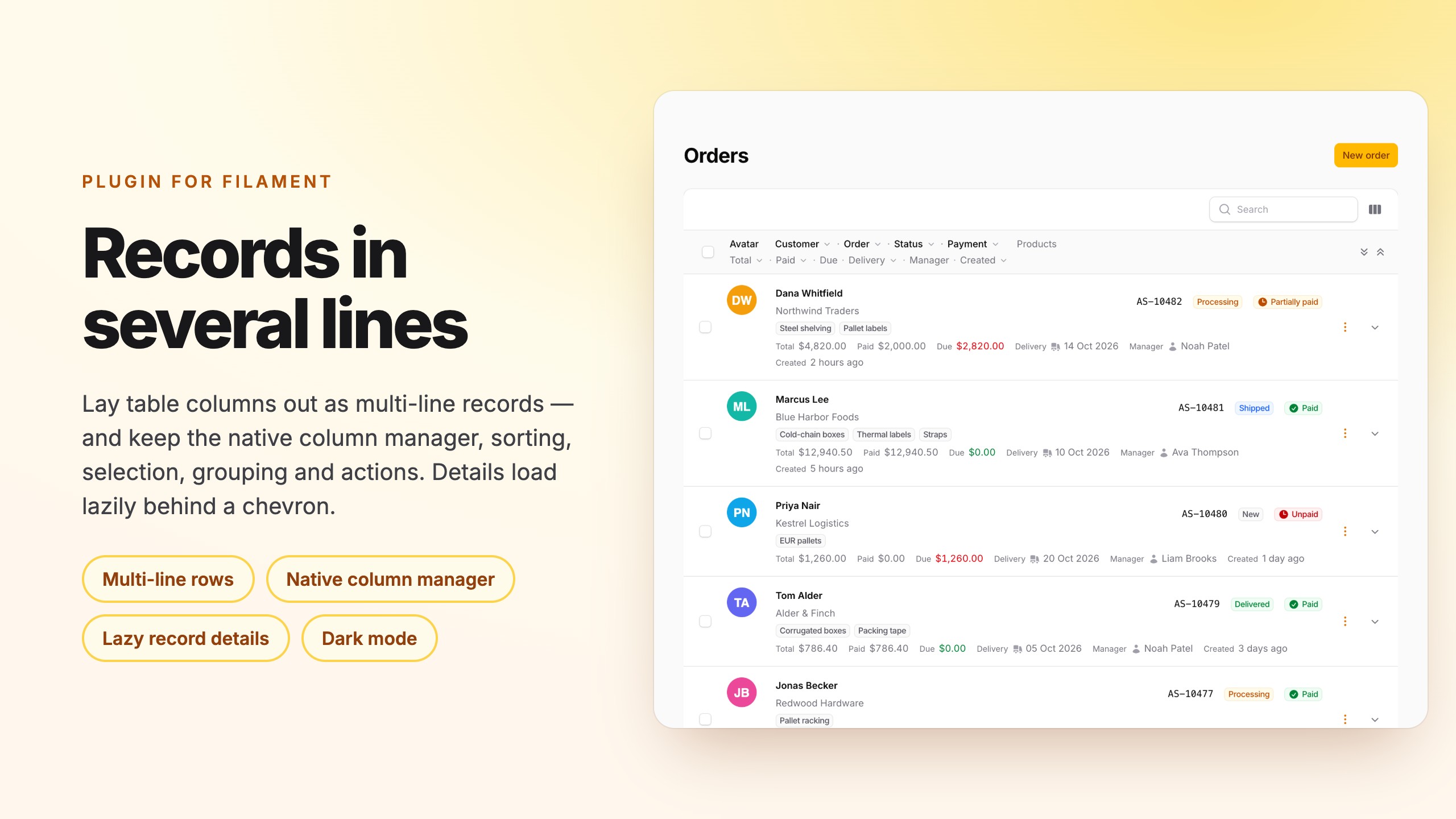


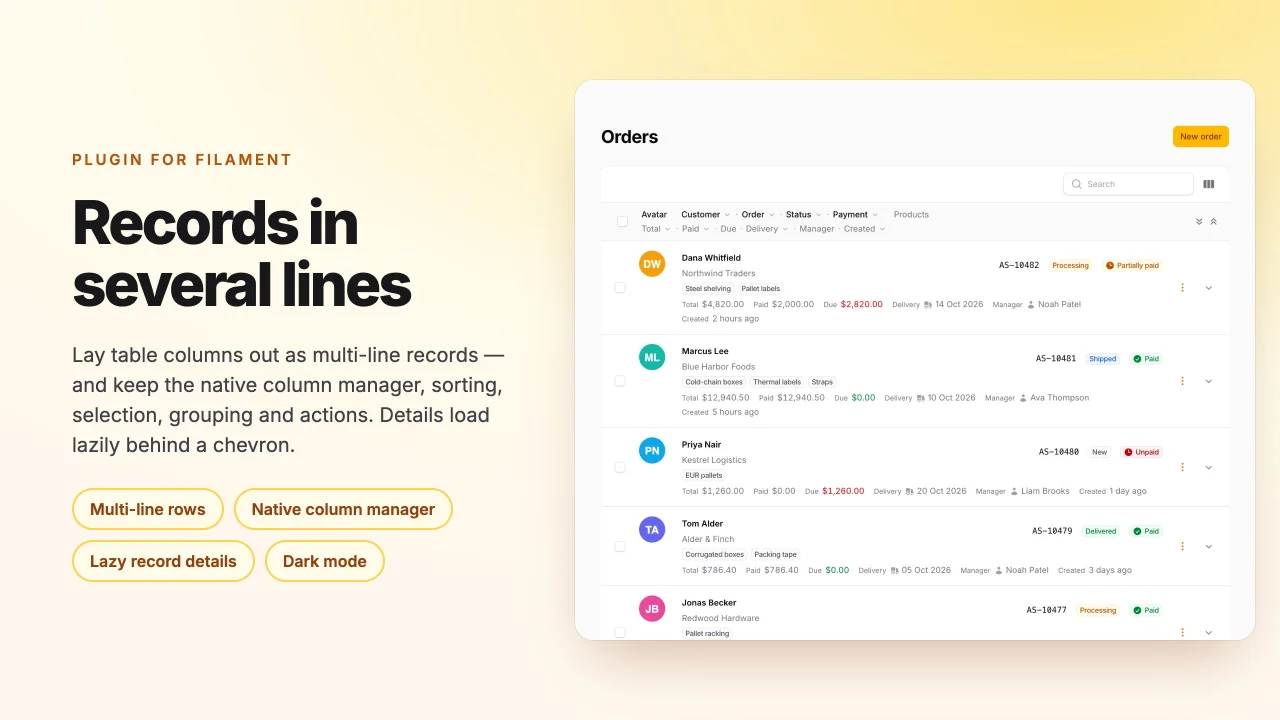
Multi-line records for Filament 5 tables: lay the columns of a record out in several lines, and keep the native column manager, a real table header, sorting, selection, bulk actions and grouping.
Filament can draw a record over several lines only through the Split / Stack / Panel column layouts, and a table that
uses any of them silently:
- switches the column manager off — the button is still there, but toggling a column does nothing and columns cannot be reordered;
- drops the table header — sorting moves into a dropdown.
This is a known gap (filamentphp/filament #6158, #7572), closed as not planned in core. This plugin does it differently:
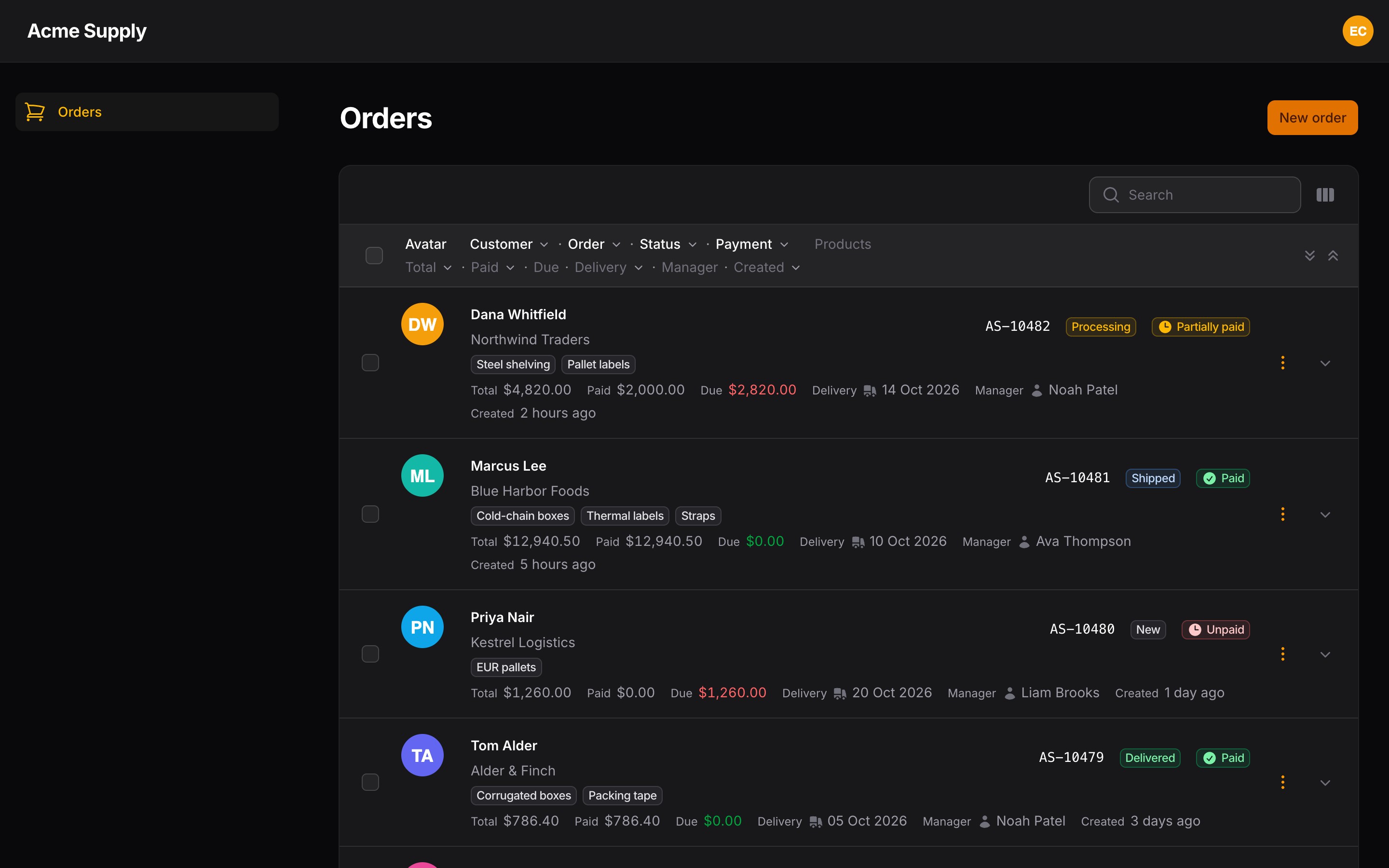
- The native column manager stays. Toggle, reorder and session persistence work, and they act inside the lines.
- A real header with one label group per line and sortable labels (
aria-pressed, direction icon). - Everything else is stock: toolbar, search, filters, pagination, selection checkbox, bulk actions, grouping with collapsible headers, record URL / record actions, reorder mode, dark mode, RTL.
- Plain DOM. No canvas: the text is selectable, accessible and styled by your panel theme.
- Columns stay flat in
->columns([...]); every column API (badge(),url(),toggleable(),searchable()…) keeps working. The layout is declared next to them and refers to columns by name.
#Screenshots
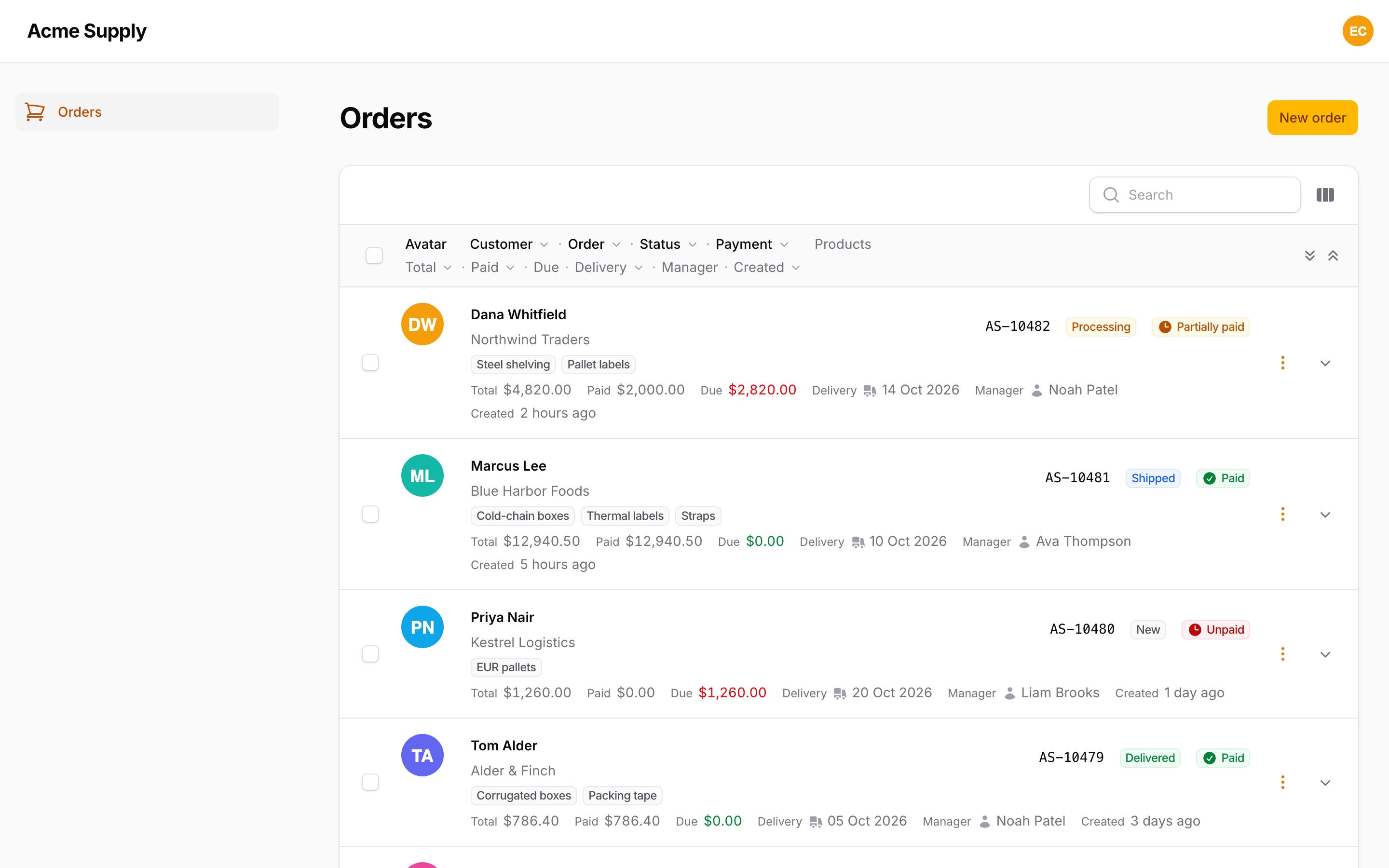
Three lines per record and an avatar aside, with the native header, sorting and selection:
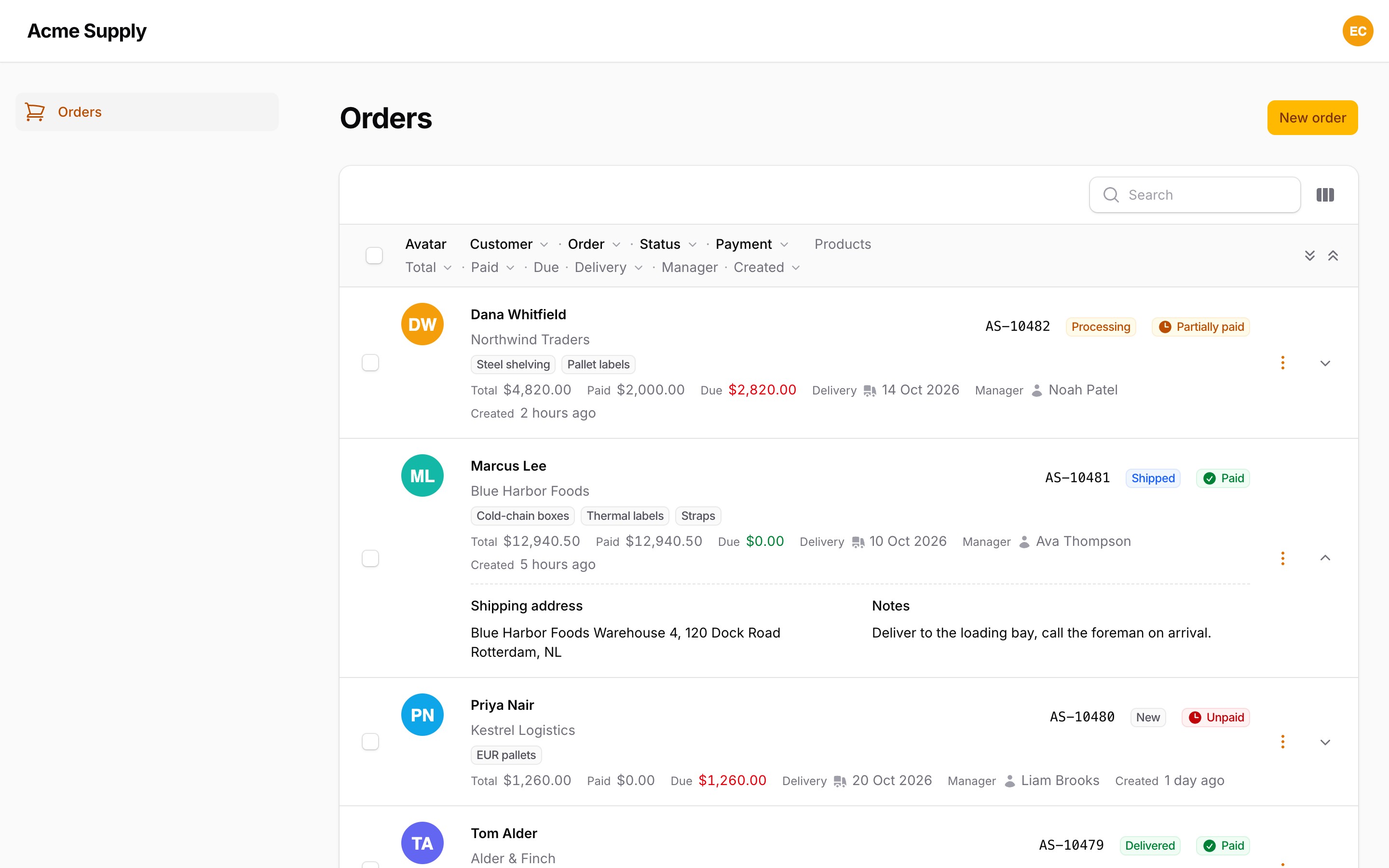
Details open behind the chevron and load only when someone opens them:
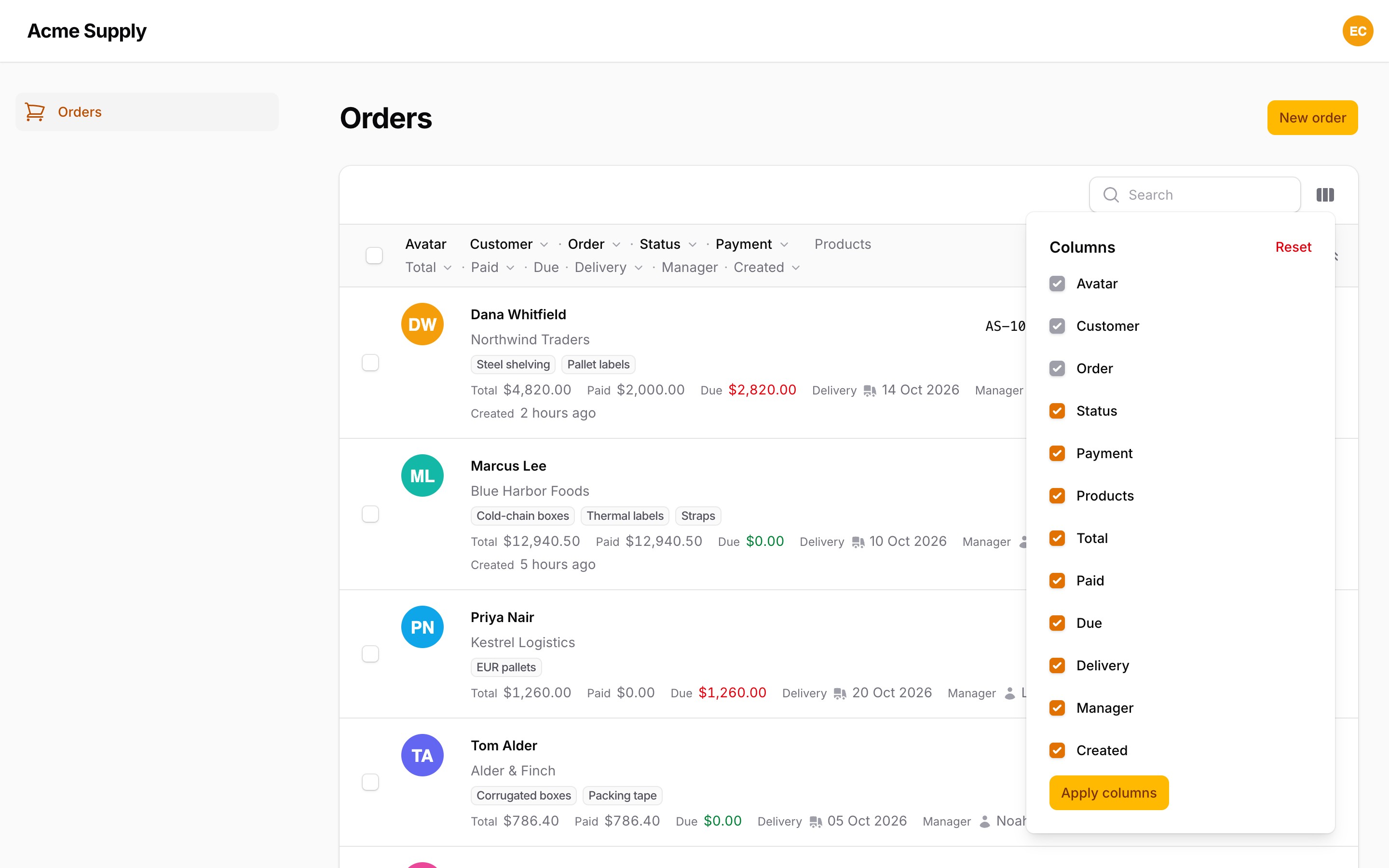
The native column manager keeps working inside the lines:
#Purchase
Filament Row Layout is a commercial plugin. Both tiers include one year of updates; after that the plugin keeps working on the last release you received, and you can renew for further updates.
| Tier | Projects | Activations | Price | Renewal |
|---|---|---|---|---|
| Single Project | 1 | up to 3 (production, staging, local) | €69 | €35 / year |
| Unlimited | any number, SaaS included | unlimited | €169 | €85 / year |
Refunds are available within 14 days of purchase.
Buy a licence on Anystack — after the purchase you receive a licence key and access to the private Composer repository. See LICENSE.md for the licence terms.
#Requirements
- PHP 8.3+
- Laravel 12 or 13
- Filament ^5.9
#Installation
-
Add the private repository:
composer config repositories.filament-row-layout composer https://filament-row-layout.composer.sh -
Add your credentials. The username is the e-mail address you bought the licence with; the password is your licence key. A Single Project licence is bound to a fingerprint, so the password is the key followed by a colon and the fingerprint you activated — usually the production domain:
# Single Project
composer config --auth http-basic.filament-row-layout.composer.sh you@example.com "LICENCE-KEY:shop.example.com"

# Unlimited
composer config --auth http-basic.filament-row-layout.composer.sh you@example.com "LICENCE-KEY"
This writes
auth.jsonnext to yourcomposer.json— keep it out of git (addauth.jsonto.gitignore). On CI and servers pass the same JSON through theCOMPOSER_AUTHenvironment variable instead. A Single Project licence allows three activations (for example production, staging and local); manage them in your Anystack account. -
Require the package:
composer require asignua/filament-row-layout -
Register the plugin on the panel (recommended):
use Asignua\FilamentRowLayout\RowLayoutPlugin;

$panel->plugin(RowLayoutPlugin::make());
It links the stylesheet in
<head>, after the panel theme. Without it the records area loads the stylesheet itself (Filament'sx-load-css), so the first paint can show a brief unstyled flash.
#Quick start
use Asignua\FilamentRowLayout\Line;
use Filament\Tables\Columns\ImageColumn;
use Filament\Tables\Columns\TextColumn;

$table
    ->columns([
        ImageColumn::make('preview'),
        TextColumn::make('title')->searchable()->sortable()->toggleable(),
        TextColumn::make('status')->badge()->sortable()->toggleable(),
        TextColumn::make('slug')->toggleable(),
        TextColumn::make('published_at')->date()->sortable()->toggleable(),
    ])
    ->rowLayout([
        Line::make(['title', 'status'])->grow('title'),
        Line::make(['slug', 'published_at'])->muted()->size('sm'),
    ])
    ->rowLayoutAside('preview', width: '4rem');
Each record is now drawn as two lines with a preview on the left. Hiding slug in the column manager removes it from the
second line; reordering the columns in the manager reorders them inside their line.
#Layout rules
- The columns drawn are the table's visible columns: visible, and not toggled off in the column manager.
- A
Linesays which columns it holds. The order inside a line is the column order of the table (the order of->columns(), then whatever the user set in the column manager), not the order you wrote inLine::make(). Columns never move between lines. - A visible column that no line mentions (and that is not the aside) goes to the last line. With no lines at all there is one implicit line holding everything.
- A column named in two lines stays in the first one. Unknown names are ignored.
- A line with no visible columns is not rendered — no empty strip. A hidden aside column means no aside.
#Line options
| Method | What it does |
|---|---|
grow(string ...$columns) |
These columns take the free space of the line (flex-grow). |
wrap(bool $condition = true) |
Wrap cells onto the next visual row when they do not fit (default), or keep one row and truncate. |
gap('xs'|'sm'|'md'|'lg') |
Space between cells. Default md. |
muted(bool $condition = true) |
Secondary information: grey text. |
size('xs'|'sm'|'md'|null) |
Text size of the line. |
alignment(Alignment $alignment) |
Horizontal alignment of the line (Filament\Support\Enums\Alignment, default Start). |
visibleFrom('sm'|'md'|'lg'|'xl'|'2xl'|null) |
Render the line only from this breakpoint up. |
label(?string $label) |
The line's caption in the header. Default: the labels of its visible columns. |
inlineLabels(bool $condition = true) |
Print each column's label before its value (Slug: hello-world). |
#Aside
->rowLayoutAside('preview', width: '4rem')
One column is drawn at the start of the record and spans all its lines (a thumbnail, an avatar, an icon). Give it a fixed
width (any CSS length) so the lines stay aligned when some records have nothing aside. Below the sm breakpoint the aside is
moved above the lines. Pass null as the column to remove it.
#Turning it off per condition
rowLayout() takes enabled:, a bool or a closure. When it is false the table is the stock one, untouched:
->rowLayout([...], enabled: fn (): bool => ! auth()->user()->prefers_classic_table)
#Blocks
Blocks are ordinary Column subclasses, so they appear in the column manager and take toggleable(), visible(),
visibleFrom() and the rest. Put them in ->columns([...]) and name them in a Line.
MetaBlock — several values in one cell with a separator. Entries are state paths; path => closure formats the value
(fn ($state, $record)). Empty values are skipped.
use Asignua\FilamentRowLayout\Blocks\MetaBlock;

MetaBlock::make('meta')->toggleable()
    ->items([
        'author.name',
        'views' => fn ($state, $record): string => number_format($state).' views',
    ])
    ->separator('·'),   // default '·'
BadgeGroup — badges collected from several state paths. Arrays and collections are flattened, blanks skipped,
duplicates dropped. color() takes a colour name or a closure that receives the badge text.
use Asignua\FilamentRowLayout\Blocks\BadgeGroup;

BadgeGroup::make('badges')->toggleable()
    ->sources(['status', 'category.title', 'tags.name'])   // a to-many path (`tags.name`) lists every tag's name; relations are eager-loaded
    ->color(fn (string $value): ?string => $value === 'published' ? 'success' : null),
ProgressBlock — a progress bar. The value comes from the record (a state path or a closure), clamped to 0..max.
use Asignua\FilamentRowLayout\Blocks\ProgressBlock;

ProgressBlock::make('progress')->toggleable()
    ->value('views')                       // or fn ($record) => ...
    ->max(100)                             // int|float|Closure, default 100
    ->color('danger')                      // string|Closure, default 'primary'
    ->showPercentage(),                    // default true
ActionsBlock — puts record actions into a line by name. The actions stay declared in ->recordActions([...])
(so Filament can mount them); those placed by a visible block are removed from the trailing actions of the record. Unknown
names are ignored, hidden actions are skipped.
use Asignua\FilamentRowLayout\Blocks\ActionsBlock;

$table
    ->columns([TextColumn::make('title'), ActionsBlock::make('quick')->actions(['edit', 'publish'])])
    ->recordActions([EditAction::make(), Action::make('publish')->action(...), DeleteAction::make()])
    ->rowLayout([Line::make(['title', 'quick'])->grow('title')]);
For custom markup use the stock ViewColumn — it works in a line as it is; there is no separate view block.
#Record details
Part of a record can live behind a chevron and load only when someone opens it:
use Filament\Infolists\Components\TextEntry;
use Filament\Schemas\Components\Section;
use Filament\Schemas\Schema;

$table
    ->rowLayout([
        Line::make(['title', 'status'])->grow('title'),
        Line::make(['slug', 'published_at'])->muted()->size('sm'),
        Line::make(['regions', 'branches'])->inlineLabels()->details(), // ordinary columns, hidden behind the chevron
    ])
    ->rowDetails(fn (Schema $schema): Schema => $schema->components([   // a native Filament schema
        TextEntry::make('abstract')->html(),
        Section::make('Deadlines')->schema([/* ... */]),
    ]));
Line::details()puts a line into the details. Its columns stay table columns: the column manager still toggles and reorders them. Columns not named in any line never go into the details (they go to the last ordinary line).->rowDetails(Closure)adds a schema under the details lines. The closure getsSchema $schema(already bound to the record) and may inject$record. Return the schema, ornullfor a record that has none.- A record gets a chevron when there is a details schema or a details line with a visible column.
- Lazy: nothing is rendered until a record is opened. The chevron calls
$wire.rowLayoutDetails([key]), which the plugin answers through a Livewire component hook — no trait or method on your page. The record is resolved through the table's own query (getTableRecord()), so a key outside it returns nothing. The table itself is not re-rendered. - Expand all / collapse all buttons sit at the end of the header; opening a whole page is one request per 100 records
(the keys are collected and sent in chunks, so a page of any size stays within Livewire's
max_calls). Filament's ownexpand-all-table-rows/collapse-all-table-rowsevents work too. - Opened details survive sorting, refreshes and paging back (they are cached in the page) — not a page reload.
#How clicks work
A cell is wrapped exactly like a cell of the stock table: the column's own url() / action() first, then the record's
recordUrl() / recordAction(). So every cell of the record is a link, and a column that renders its own links does not
end up inside a link. A column with disabledClick() stays a plain element — ActionsBlock and Filament's editable columns
(toggle, select, text input) do this themselves. In reorder mode nothing is a link.
#Limitations
- No column summaries. Filament does not render them in content layouts either.
- Reorder mode is supported (the handle is drawn at the start of the record).
- The header is not sticky, because the table container scrolls horizontally.
- The plugin uses
Table::content()for the records area, so a table that usesrowLayout()cannot also set its own->content(); theSplit/Stack/Panellayouts cannot be combined with it either. - Actions inside the details schema are not supported: the schema is rendered outside the component's registered
schemas, so Filament could not mount their modals. Record actions and
ActionsBlockwork as usual. - Opened details are cached in the page. Changing the details columns in the column manager or the table locale drops the cache (an open record reloads), but edits made elsewhere or in the table itself are not reflected until the page is reloaded.
- Blocks and details need Eloquent records. A table of plain arrays (
->records()) gets no chevron, andMetaBlock,BadgeGroup,ProgressBlockandActionsBlockrender nothing for an array record. - A
Line::visibleFrom()line is not counted in the aside's row span, so below that breakpoint the aside never leaves an empty row.
#Static analysis
rowLayout(), rowLayoutAside() and rowDetails() are Table macros, so PHPStan / Larastan would report
Call to an undefined method Filament\Tables\Table::rowLayout(). The package ships a stub and an extension.neon.
With phpstan/extension-installer it is picked up automatically. Without it,
include the file in your phpstan.neon:
includes:
    - vendor/asignua/filament-row-layout/extension.neon
#Roadmap
- 1.1 — expandable record details (done); density and a table / cards switch are next.
- 1.2 — sticky columns, column resizing, a sticky header.
#Testing
composer test
#Licence
Proprietary. See LICENSE.md.
The author
asign is a small web-dev company from Lviv, Ukraine. We build business applications on Laravel and Filament — CRMs, automation systems for standard and non-standard business processes, booking and content management systems, including our own Filament-based CMS. We open-source the parts that prove useful beyond a single project
From the same author
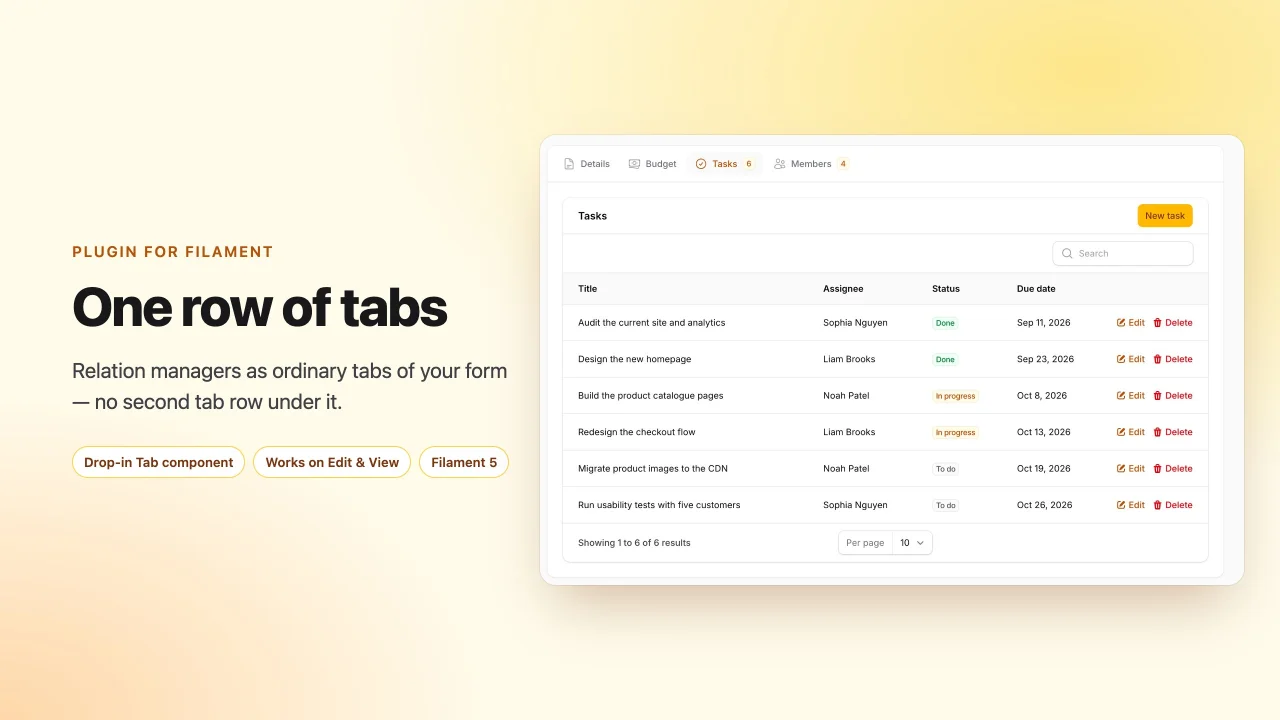
Relation Manager Tabs
Render relation managers as ordinary tabs of the record form, so an edit or view page has exactly one row of tabs.
Author:
asign
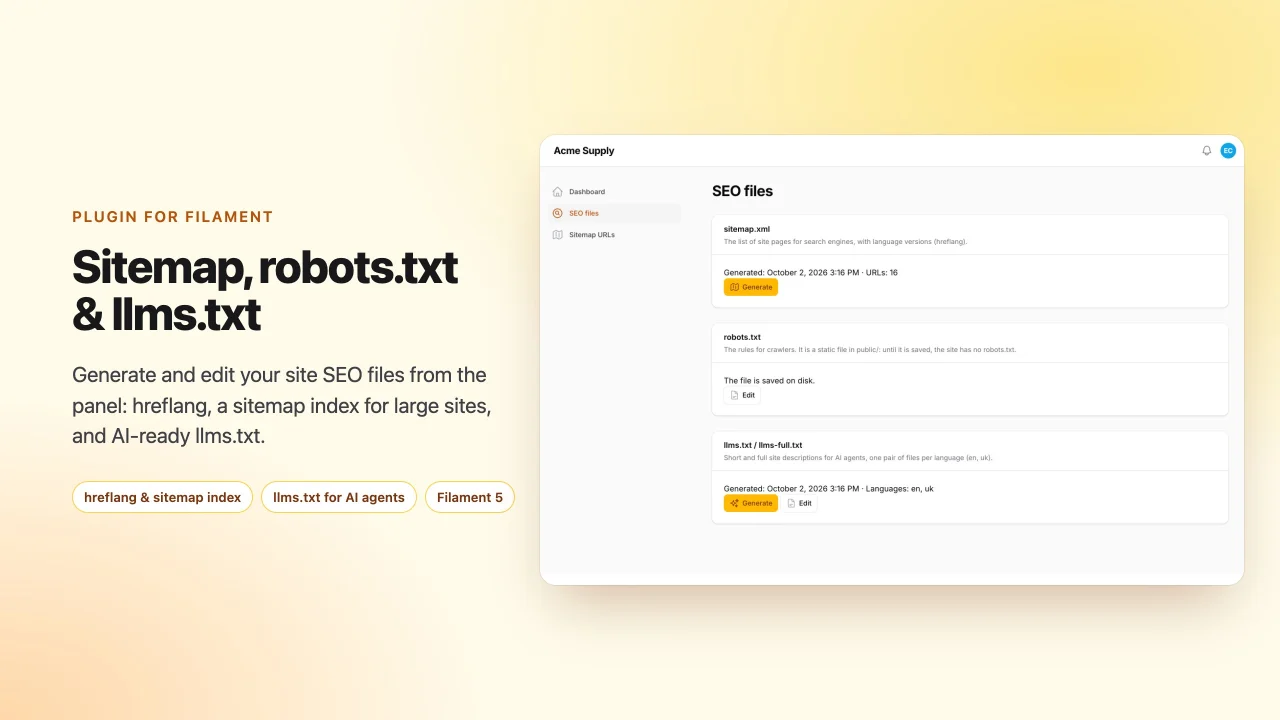
SEO Files
Generate and edit sitemap.xml with hreflang and a sitemap index for large sites, robots.txt and llms.txt / llms-full.txt from your Filament panel
Author:
asign
Rich Links
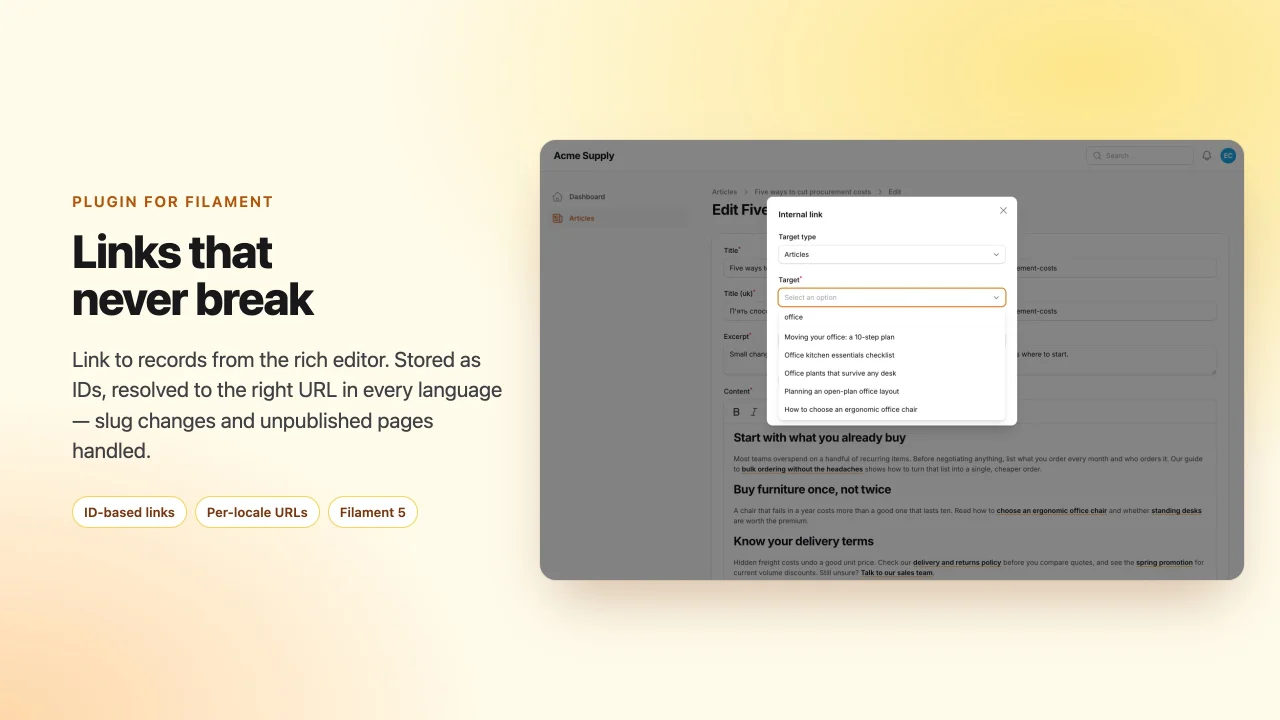
Internal links for the RichEditor: pick a record, store its ID instead of a URL, and resolve it to the current address in every language — slug changes and unpublished pages handled.
Author:
asign
CSP Nonce
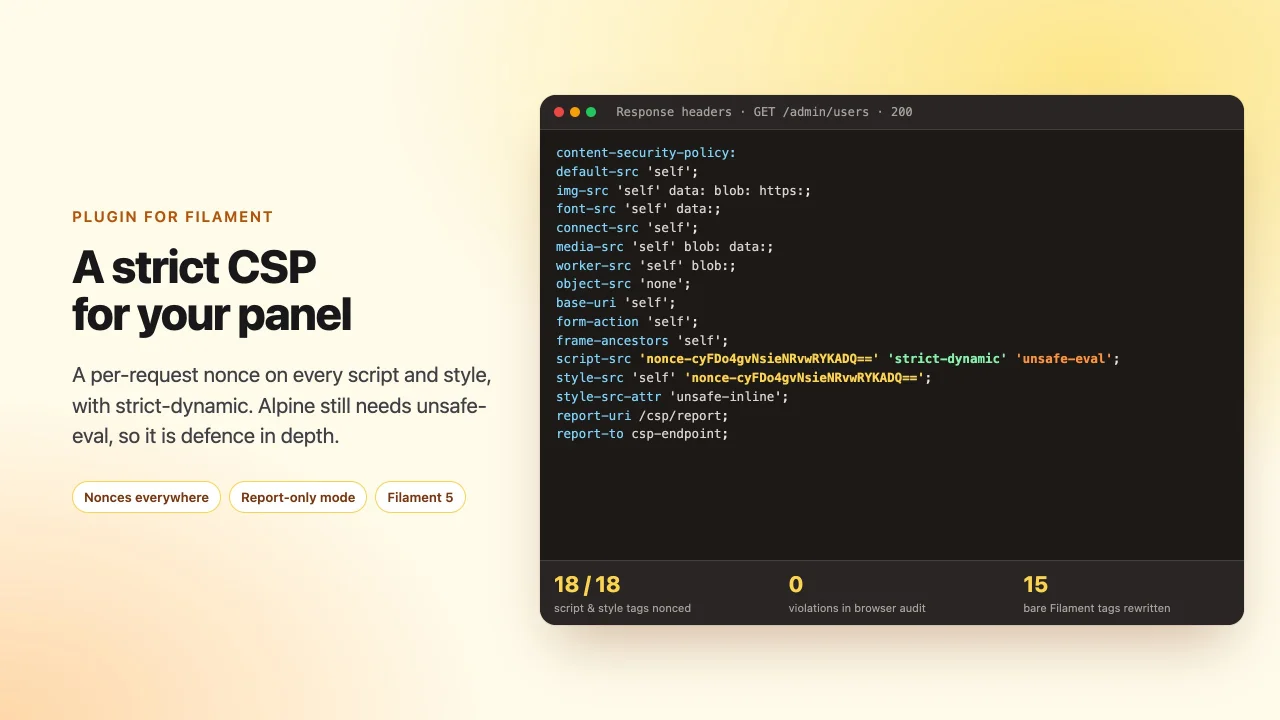
A Content-Security-Policy for your panel without 'unsafe-inline' scripts: per-request nonce, a ready header, report-only mode and stored violation reports.
Author:
asign
Featured Plugins
A selection of plugins curated by the Filament team

Blueprint
Filament Blueprint is a premium Laravel Boost extension that helps AI agents produce accurate, detailed implementation plans and security reports for Filament apps.
 Filament

Custom Fields
Eliminate custom field migrations forever. Let your users create and manage form fields directly in Filament admin panels with 20+ built-in field types, validation, and zero database changes.
 Relaticle

Advanced Tables (formerly Filter Sets)
Supercharge your tables with powerful features like user-customizable views, quick filters, multi-column sorting, advanced table searching, convenient view management, and more. Compatible with Resource Panel Tables, Relation Managers, Table Widgets, and Table Builder!
 Kenneth Sese
