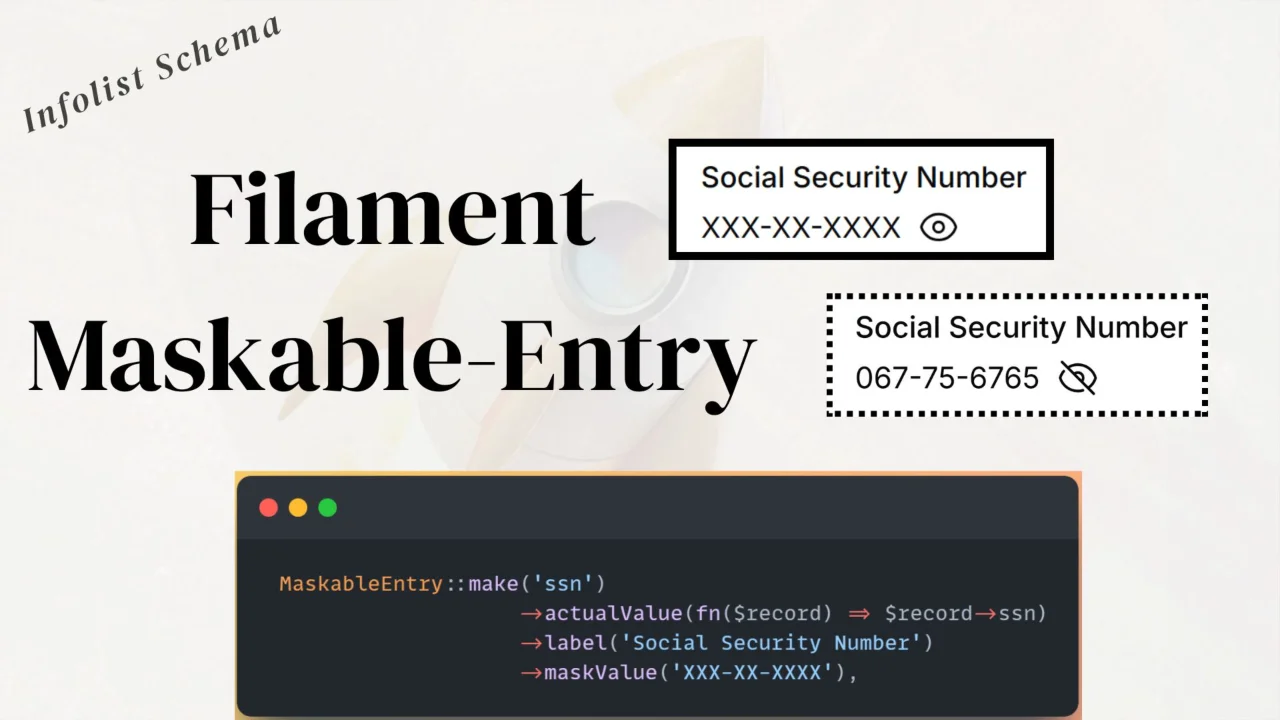
Maskable Entry
CommunityA reusable maskable entry component for Filament Infolists to hide and toggle sensitive values.
filament/
namespace. Review the source and install at your own risk. Found
malware or an unresolved security issue the author won't
address?
Report it
.
 Author:
Anish Regmi
Author:
Anish Regmi
Documentation
- Features
- Requirements
- Installation
- Basic Usage
- Advanced Usage
- Available Methods
- How It Works
- Testing
- Code Style
- Contributing
- Security
- Changelog
- Credits
- License
A reusable maskable entry component for Filament Infolists.
A powerful Filament PHP infolist component that enables seamless maskable entry. Ideal for hiding and toggling sensitive values such as passwords, social security numbers, credit card numbers, and API keys.
#Features
- 🔒 Maskable Display — Hide sensitive data with custom mask patterns
- 👁️ Toggle Visibility — One click to reveal or hide the actual value
- 🎨 Native Filament v4 & v5 Integration — Works like any infolist entry
- ⚙️ Fully Configurable — Custom patterns, masking characters, closures
- 📱 Responsive — Works across all device sizes
#Requirements
- PHP 8.1+
- Laravel 10+
- Filament 4.x or 5.x
#Installation
composer require anish/maskable-entry
The package auto-discovers its service provider—no manual setup required.
#Basic Usage
use Anish\MaskableEntry\Components\MaskableEntry;
use Illuminate\Support\Facades\Auth;
use Filament\Schemas\Schema;

public static function configure(Schema $schema): Schema
{
    return $schema->components([
        MaskableEntry::make('social_security_number')
            ->maskValue('XXX-XX-XXXX')
            ->actualValue(fn ($record) => $record->social_security_number)
            ->toggleable(Auth::user()->can('view_social_security_number'))
            ->label('Social Security Number'),
    ]);
}
#Note:
If you are using a custom theme add the plugin's views to your theme css file or your app's css file.
@source '../../../../vendor/anish/maskable-entry/resources/views/**/*.blade.php
#Advanced Usage
#Custom Mask Pattern
MaskableEntry::make('credit_card')
    ->maskValue('XXXX-XXXX-XXXX-XXXX')
    ->actualValue(fn ($record) => $record->credit_card_number)
    ->label('Credit Card Number');
#Using a Closure for Actual Value
MaskableEntry::make('password')
    ->maskValue('XXXXXXXX')
    ->actualValue(fn (User $record) => $record->password)
    ->label('Password');
#Available Methods
#maskValue(string $value)
The pattern shown in masked mode.
Use X (or your custom char) to represent masked digits.
->maskValue('XXX-XX-XXXX')
#actualValue(string|Closure|null $value)
Defines the value revealed on toggle.
->actualValue(fn ($record) => $record->social_security_number)
// or
->actualValue('123-45-6789')
#Supports All Standard TextEntry Methods
MaskableEntry::make('field')
    ->maskValue('XXX-XX-XXXX')
    ->actualValue(fn ($record) => $record->value)
    ->label('Custom Label')
    ->placeholder('N/A')
    ->copyable()
    ->icon('heroicon-o-shield-check');
#How It Works
- Masked State — Displays the mask pattern (
XXX-XX-XXXX) - Toggle Button — Eye icon switches visibility
- Revealed State — Shows the actual value formatted
- Formatting — Automatically aligns characters to mask structure
#Testing
composer test
#Code Style
This package uses Laravel Pint:
composer format
#Contributing
Contributions are welcome!
#Development Setup
- Clone the repo
composer install- Create a new branch
- Write your feature
- Run tests & Pint
- Submit PR
#Security
If you find a security issue, please email: anishregminaglibang@gmail.com
#Changelog
See CHANGELOG.
#Credits
- Anish Regmi
- All Contributors
#License
MIT
The author
I am Anish Regmi, a full-stack web developer from Nepal. I have a strong foundation in PHP, Laravel, Filament, and JavaScript, and I specialize in building modern, scalable web applications. I enjoy creating clean, maintainable code and delivering seamless user experiences across both frontend and backend development.
From the same author

ClearField Action
An action that allows users to quickly reset all form fields with customizable confirmation dialogs and notifications.
Author:
Anish Regmi
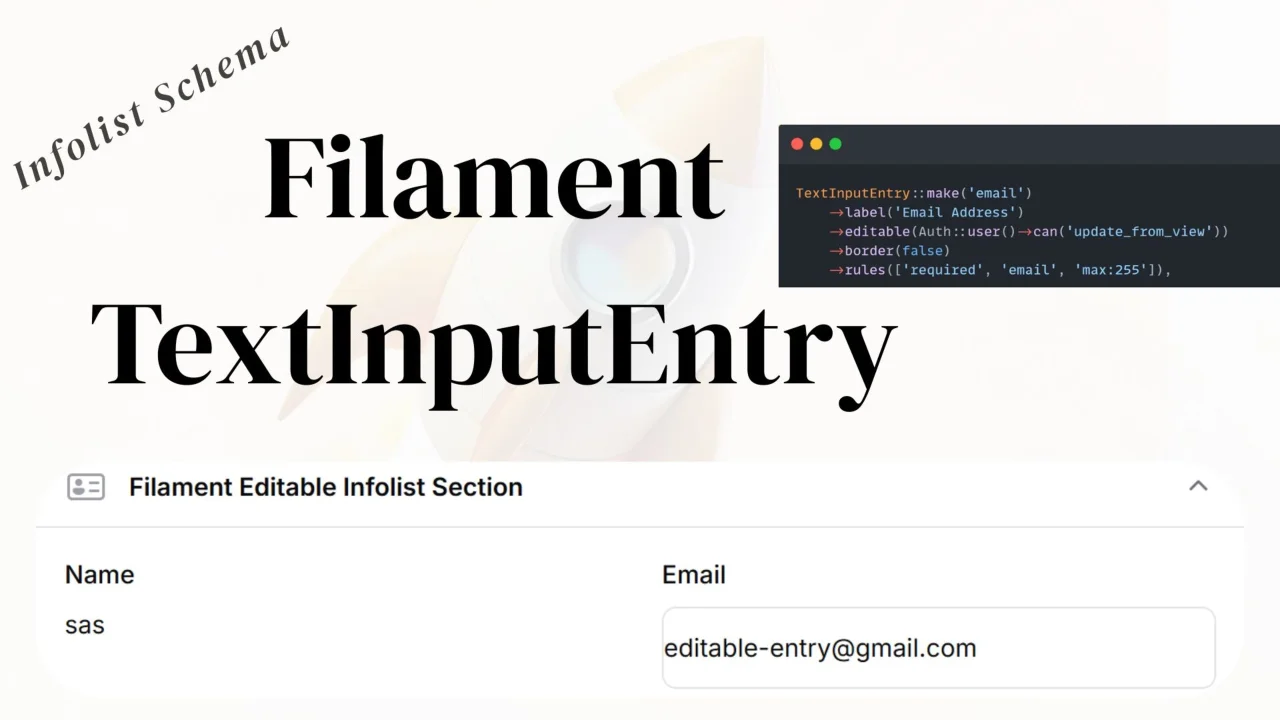
TextInput Entry
An editable text input entry that allows users to edit text fields directly in the infolist view without navigating to an edit page.
Author:
Anish Regmi
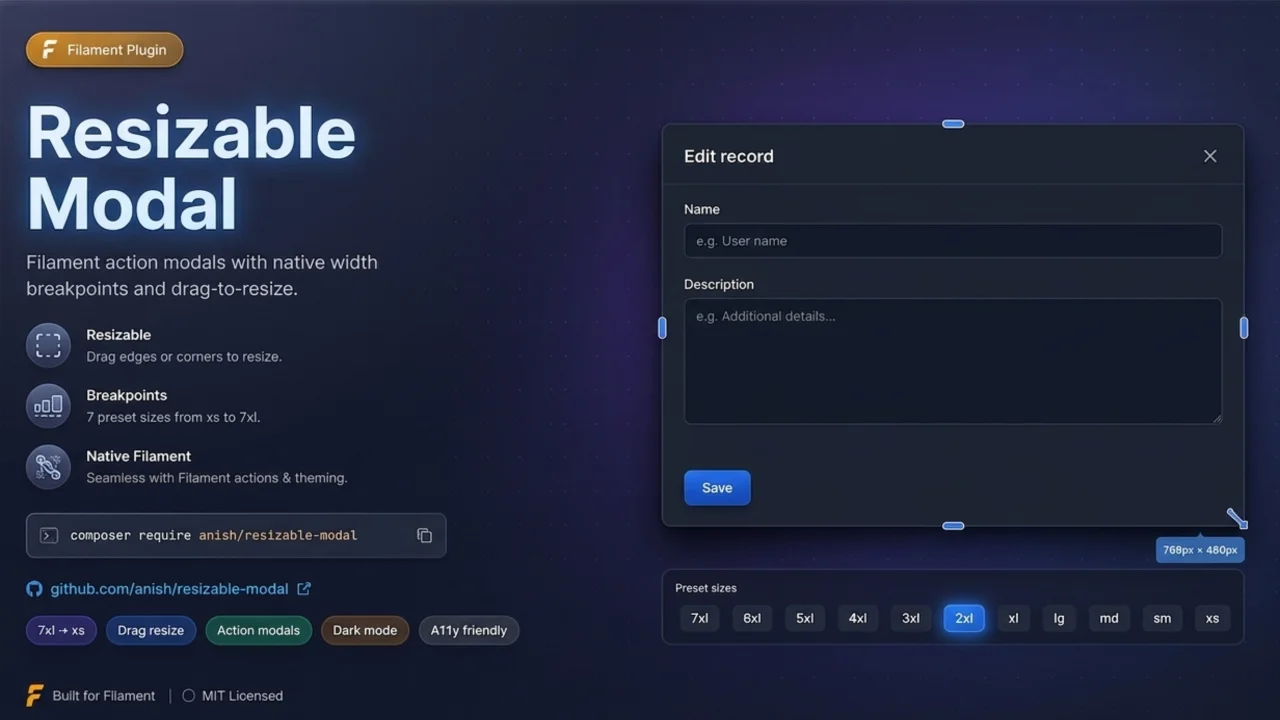
Resizable Modal
Filament plugin that adds drag-to-resize handles to action modals, snapping widths to Filament's native Width breakpoints for seamless ->modalWidth() compatibility.
Author:
Anish Regmi
Featured Plugins
A selection of plugins curated by the Filament team

Blueprint
Filament Blueprint is a premium Laravel Boost extension that helps AI agents produce accurate, detailed implementation plans and security reports for Filament apps.
 Filament

Custom Fields
Eliminate custom field migrations forever. Let your users create and manage form fields directly in Filament admin panels with 20+ built-in field types, validation, and zero database changes.
 Relaticle

Custom Dashboards
Let your users build and share their own dashboards with a drag-and-drop interface. Define your data sources in PHP and let them do the rest.
Filament

