
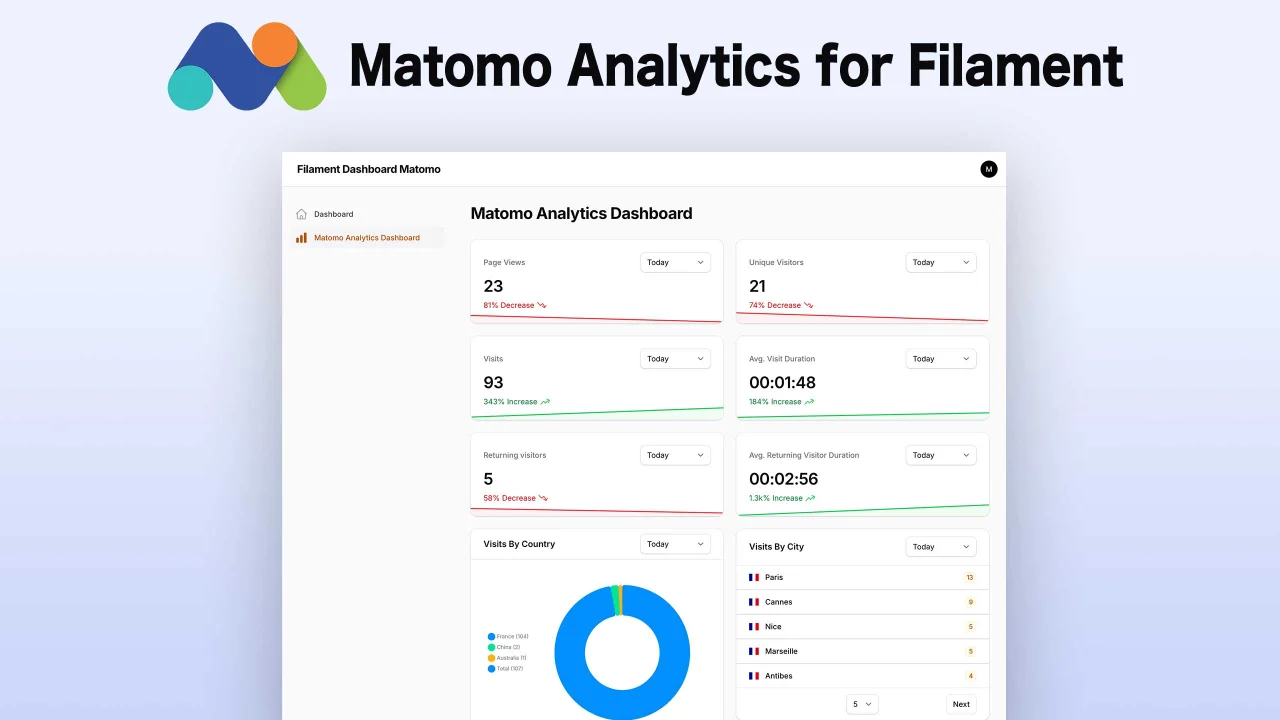
Matomo Analytics by AgenceTwogether
CommunityMatomo Analytics integration for Filament Panels with a set of widgets to display your analytics data in a beautiful way.
 Author:
AgenceTwogether
Author:
AgenceTwogether
Package health
Automated checks of this plugin's Composer package
15 checks
- Failed: GitHub Actions pinned to SHA — View details on Plumb
- Skipped: GitLab CI includes pinned to SHA
- Passed: Open security advisories
- Passed: Dependabot PR responsiveness — No open Dependabot PRs.
- Skipped: Renovate MR responsiveness
- Failed: Dependabot or Renovate configured — No dependency updater configuration found. View details on Plumb
- Skipped: Dependency update cooldown configured
- Passed: Provides a security policy
- Passed: Abandoned or archived — No consulted source marks the package abandoned (packagist, github).
- Passed: Commit and release recency — Active: last commit 27 days ago; last release 27 days ago.
-
Passed:
composer.lock not committed by library
—
composer.lockis absent from the released dist archive. - Passed: Dist archive is lean
-
Passed:
Current Laravel version supported
—
Package dependencies resolve together with current Laravel
13.0. -
Passed:
Current PHP version supported
—
Constraint
^8.2supports current PHP8.5. - Skipped: Current Symfony version supported
filament/
namespace. Review the source and install at your own risk. Found
malware or an unresolved security issue the author won't
address?
Report it
.
Documentation
- Features
- Installation
- Available Widgets
- Usage
- Preview
- Changelog
- Contributing
- Security Vulnerabilities
- Credits
- License






Matomo Analytics for Filament integration for Filament Panels with a set of widgets to display your analytics data in a beautiful way.
#Features
- Matomo statistics in Filament dashboard
- Page views
- Unique visitors
- Visit duration
- Country statistics
- City statistics
- Period filters...
Note
Matomo is a trademark of the Matomo project. This plugin is not affiliated with or endorsed by Matomo.
Note
This package is an adaptation of bezhanSalleh/filament-google-analytics, updated to work with Matomo Analytics for Filament. Thanks to him
#Installation
You can install the package in a Laravel app that uses Filament via composer:
composer require agencetwogether/matomo-analytics
Important
If you have not set up a custom theme and are using Filament Panels follow the instructions in theFilament Docs (V4), Filament Docs (V5) first.
After setting up a custom theme add the following to your theme css file.
@source '../../../../vendor/agencetwogether/matomo-analytics/resources/views/**/*';
@source '../../../../vendor/agencetwogether/matomo-analytics/src/{Widgets,Support}/*';
Then rebuild your assets:
npm run build
#First you need to retrieve credentials from your Matomo instance (self-hosted or cloud)
#Matomo API Key
To generate a new API Key go to Administration->Personal->Security and click on Create new token button.
- Give a description as you want,
- Uncheck
Only allow secure requests - And set or no an exire date.
#Matomo Base Url
Copy Url of your instance with http or https prefix and remove slash (/) at the end.
For example, your base Url must be like : https://analyse.domain.com
#Matomo ID Site
To retrieve ID of your website you want to track, go to Administration->Websites->Manage and copy the ID below site name.
After that, add these credentials to the .env for your Filament PHP app:
MATOMO_API_KEY=
MATOMO_BASE_URL=
MATOMO_ID_SITE=
For example, it might look like this
MATOMO_API_KEY="d26fa64666d15073d9a8e49101422c06"
MATOMO_BASE_URL="https://analyse.domain.com"
MATOMO_ID_SITE=1
#Registering the plugin
use Agencetwogether\MatomoAnalytics\MatomoAnalyticsPlugin;

public function panel(Panel $panel): Panel
{
    return $panel
        ->plugins([
            //...
            MatomoAnalyticsPlugin::make()
        ]);
}
#Available Widgets
use Agencetwogether\MatomoAnalytics\Widgets;

Widgets\PageViewsWidget::class, // Displays the total number of page views
Widgets\VisitorsWidget::class, // Displays the number of unique visitors
Widgets\VisitsWidget::class, // Displays the total number of visits
Widgets\VisitsDurationWidget::class, // Shows the average duration of visits
Widgets\VisitorsFrequenciesWidget::class, // Shows visitor frequency (returning visitors)
Widgets\VisitorsFrequenciesDurationWidget::class, // Shows visit duration based on visitor frequency
Widgets\VisitsByCountryWidget::class, // Displays visits grouped by country
Widgets\VisitsByCityWidget::class, // Displays visits grouped by city
Widgets\VisitsPerHourWidget::class, // Shows visits distribution by hour of the day
Widgets\VisitsByBrowserListWidget::class, // Lists visits by browser
Widgets\VisitsByDeviceWidget::class, // Displays visits by device type (desktop, mobile, tablet)
Widgets\VisitsByModelListWidget::class, // Lists visits by device model
Widgets\MostVisitedPagesWidget::class, // Displays the most visited pages
Widgets\TopReferrersListWidget::class, // Lists the top traffic referrers
#Usage
You can display the widgets in several ways:
- In the default Filament Dashboard
- In the Dashboard provided by the plugin
- In a custom Dashboard
- In any page or resource
To manage these displays, publish the configuration file:
php artisan vendor:publish --tag=matomo-analytics-config
Then modify the settings depending on your use case.
For the desired widget, set the value filament_dashboard to true
Example:
'widgets' => [
    'page_views' => [
        'filament_dashboard' => true,
        // ..
    ],
],
2. Dashboard provided by the plugin
Ensure dedicated_dashboard is set to true in config file to show dashboard provided by the plugin.
For the desired widget, set the value plugin_dashboard to true
Example:
'widgets' => [
    'visits_by_browser_list' => [
        // ..
        'plugin_dashboard' => true,
        // ..
    ],

    'most_visited_pages' => [
        // ..
        'plugin_dashboard' => true,
        // ..
    ],
],
Though this plugin comes with a default dashboard, but sometimes you might want to change navigationLabel or navigationGroup or personalize some widgets or any other options.
The easiest solution would be to disable the default dashboard and create a new page.
First, create a page using the command:
php artisan make:matomo-page MyCustomDashboardPage
This page extends the base page MatomoBaseAnalyticsDashboard and implement the HasMatomoWidgets interface.
<?php

namespace App\Filament\Pages;

use Agencetwogether\MatomoAnalytics\Contracts\HasMatomoWidgets;
use Agencetwogether\MatomoAnalytics\Pages\MatomoBaseAnalyticsDashboard;
use Agencetwogether\MatomoAnalytics\Widgets;

class MyCustomDashboardPage extends MatomoBaseAnalyticsDashboard implements HasMatomoWidgets
{
    protected static ?string $title = 'My Custom Dashboard';

    public function getMatomoWidgets(): array
    {
        return [
            Widgets\PageViewsWidget::class,
            Widgets\VisitorsWidget::class,
            //Add other widgets
        ];
    }
}
You must register the widgets you want to show in the getMatomoWidgets() method and set their custom_pages values to true in the configuration file.
Example:
'widgets' => [
    'page_views' => [
        // ..
        'custom_pages' => true,
    ],
    'visitors' => [
        // ..
        'custom_pages' => true,
    ],
],
4. Other Page or Resource page
You have to register the desired widgets in the page’s getHeaderWidgets() or getFooterWidgets() method.
use Agencetwogether\MatomoAnalytics\Widgets;

protected function getHeaderWidgets(): array
{
    return [
        Widgets\VisitsByCountryWidget::class,
        Widgets\VisitsByCityWidget::class,
    ];
}
And in the configuration file, set the custom_pages value to true for the selected widgets.
Example:
'widgets' => [
    'visits_by_country' => [
        // ..
        'custom_pages' => true,
    ],
    'visits_by_city' => [
        // ..
        'custom_pages' => true,
    ],
],
#Manage cache
By default, responses from requests to the Matomo server are cached to avoid sending too many requests and to optimize widget rendering.
You can enable or disable caching widgets and set custom time to cache per filter (in minutes).
See config file to manage this feature.
Note
If the Matomo server request fails or is unavailable, a widget will appear indicating that the data may be outdated or empty. However, the cache still allows the data from the last successful synchronization to be displayed (only in default Filament Dashboard, Dashboard provided by the plugin and Custom Dashboard)
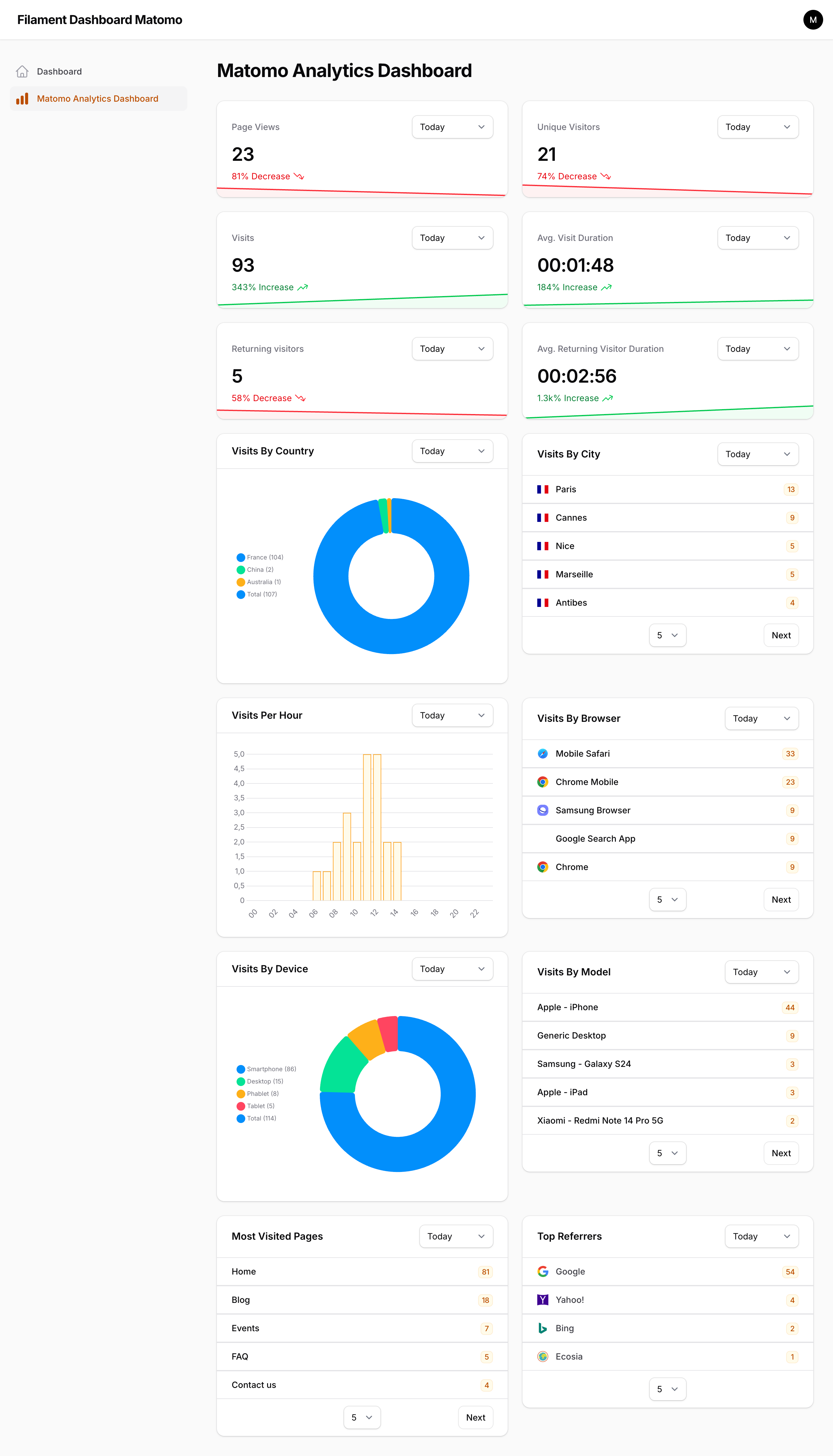
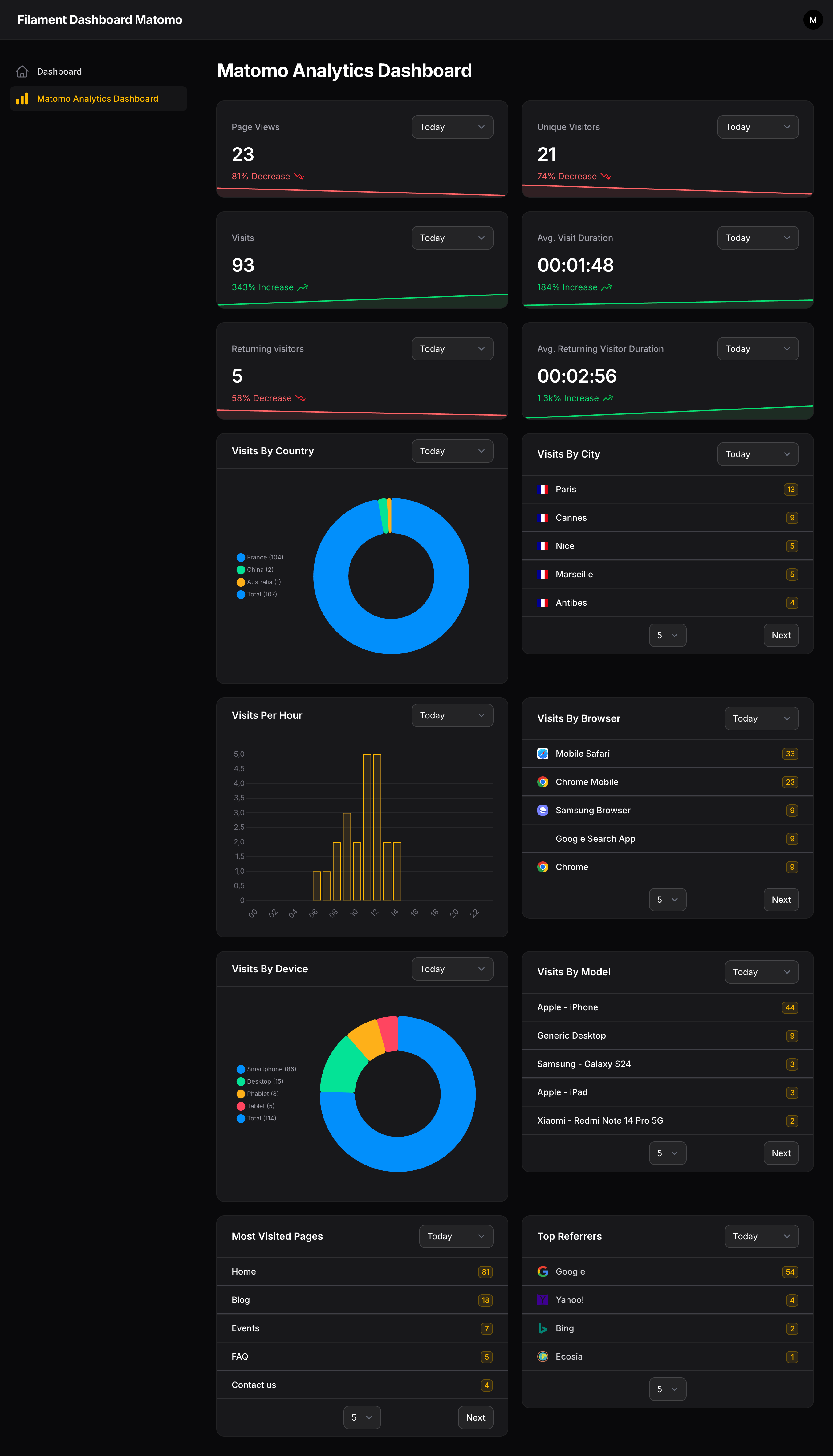
#Preview
Widgets rendered in a dedicated dashboard (or any other page you create)
#Changelog
Please see CHANGELOG for more information on what has changed recently.
#Contributing
Please see CONTRIBUTING for details.
#Security Vulnerabilities
Please review our security policy on how to report security vulnerabilities.
#Credits
#License
The MIT License (MIT). Please see License File for more information.
The author
From the same author
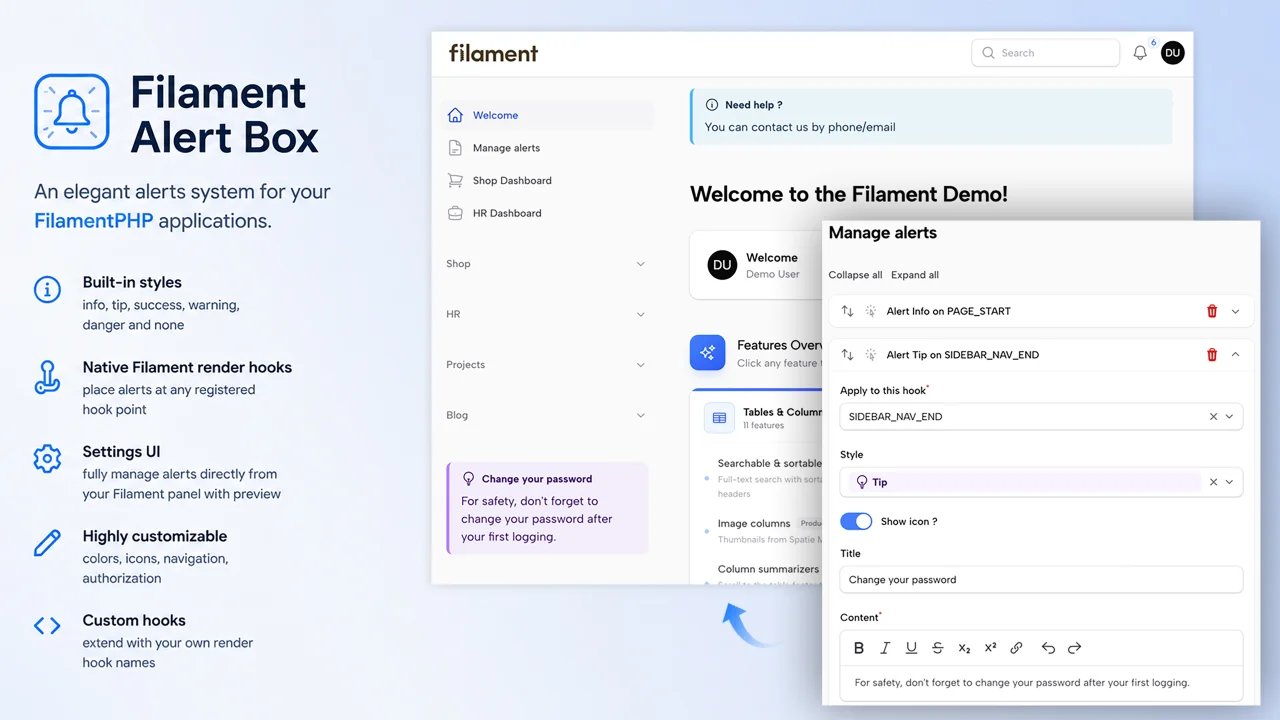
Alert Box
Define and display contextual alerts anywhere on your admin panel pages — Resources, custom Pages — using Filament's native render hooks system
Author:
AgenceTwogether
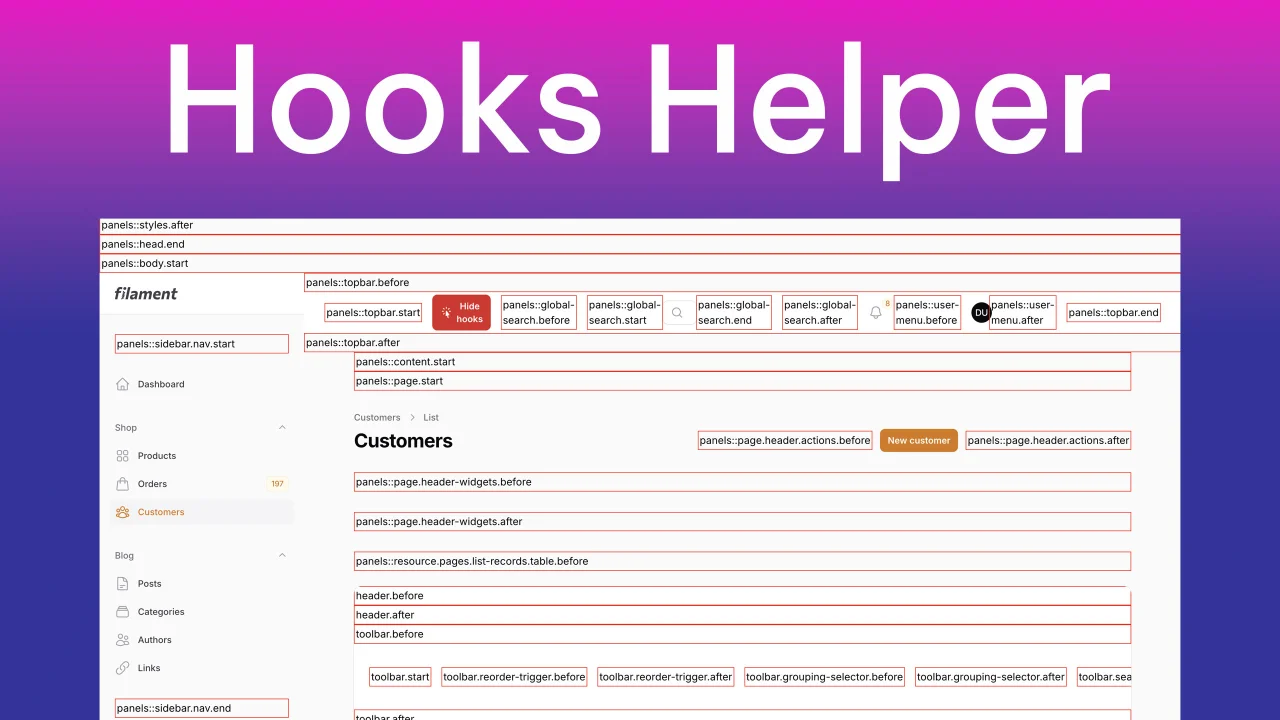
Hooks Helper
Simple plugin to toggle display hooks available in current page.
Author:
AgenceTwogether
Featured Plugins
A selection of plugins curated by the Filament team

Noir Theme
A theme that gives panels a focused, refined look with near-black surfaces, crisp actions, and restrained color.
 Filament

Custom Dashboards
Let your users build and share their own dashboards with a drag-and-drop interface. Define your data sources in PHP and let them do the rest.
Filament

Spotlight Pro
Browse your Filament Panel with ease. Filament Spotlight Pro adds a Spotlight like Command Palette to your Filament Panel.
 Dennis Koch

