
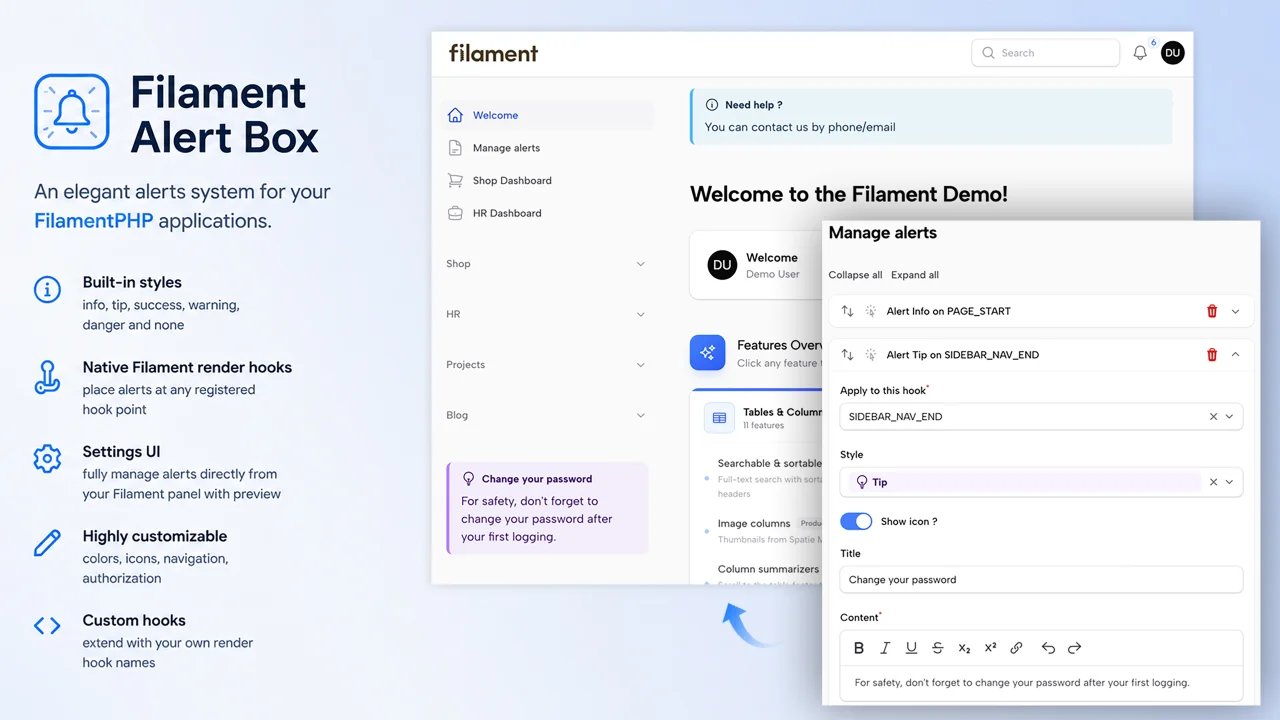
Alert Box by AgenceTwogether
CommunityDefine and display contextual alerts anywhere on your admin panel pages — Resources, custom Pages — using Filament's native render hooks system
 Author:
AgenceTwogether
Author:
AgenceTwogether
Package health
Automated checks of this plugin's Composer package
15 checks
- Failed: GitHub Actions pinned to SHA — View details on Plumb
- Skipped: GitLab CI includes pinned to SHA
- Passed: Open security advisories
- Passed: Dependabot PR responsiveness — No open Dependabot PRs.
- Skipped: Renovate MR responsiveness
- Failed: Dependabot or Renovate configured — No dependency updater configuration found. View details on Plumb
- Skipped: Dependency update cooldown configured
- Passed: Provides a security policy
- Passed: Abandoned or archived — No consulted source marks the package abandoned (packagist, github).
- Passed: Commit and release recency — Active: last commit 0 days ago; last release 89 days ago.
-
Passed:
composer.lock not committed by library
—
composer.lockis absent from the released dist archive. - Passed: Dist archive is lean
-
Passed:
Current Laravel version supported
—
Package dependencies resolve together with current Laravel
13.0. -
Passed:
Current PHP version supported
—
Constraint
^8.3supports current PHP8.5. - Skipped: Current Symfony version supported
filament/
namespace. Review the source and install at your own risk. Found
malware or an unresolved security issue the author won't
address?
Report it
.
Documentation
- Features
- Requirements
- Installation
- Usage
- Alert Configuration
- Available Render Hooks
- Plugin Customization
- Configuration
- Alerts are scoped per panel
- Translations
- Views
- Filament Shield Integration
- Suggested Companion Plugin
- Changelog
- Contributing
- Security Vulnerabilities
- Credits
- License
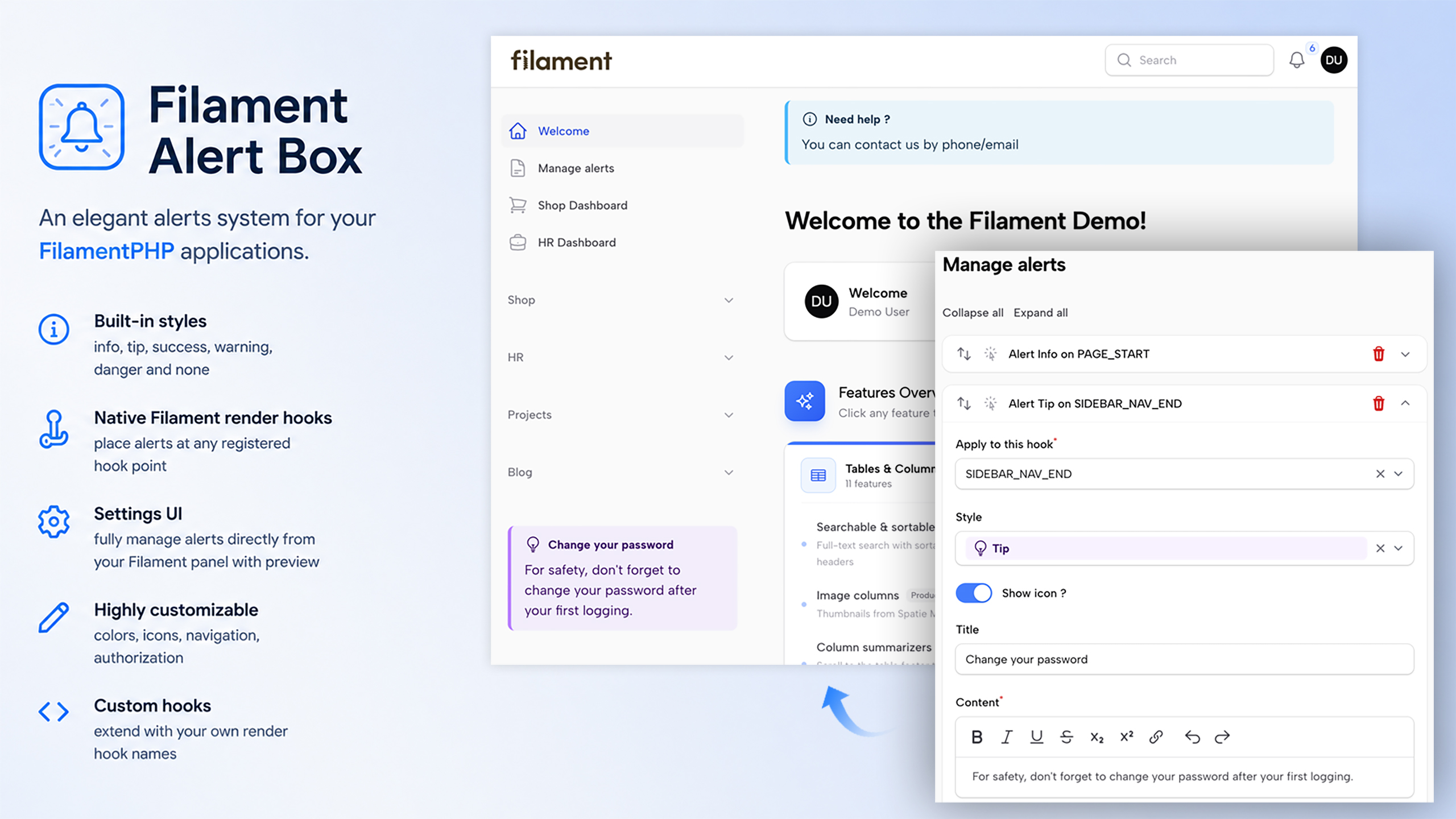





A FilamentPHP plugin to define and display contextual alerts anywhere on your admin panel pages — Resources, custom Pages — using Filament's native render hooks system.
Alerts are managed through a dedicated settings page in your panel and stored in the database via
spatie/laravel-settings. No code changes needed after initial setup.
#Features
- 3 alert scopes — Resource, Page, Global
- Per-panel isolation — alerts created in one panel are never visible in another
- 6 built-in styles —
info,tip,success,warning,danger,none - Native Filament render hooks — place alerts at any registered hook point
- Settings UI — fully manage alerts directly from your Filament panel
- Live preview — see the alert render in real-time while editing
- Rich text content — editor with bold, italic, links, and more
- Multilingual — English and French included, fully translatable
- Highly customizable — colors, icons, navigation, authorization
- Custom hooks — extend with your own render hook names
- Shield Support — Built-in permission setup for Filament Shield
#Requirements
- PHP
^8.2 - FilamentPHP
^4.0 | ^5.0
AlertBox uses spatie/laravel-settings to store plugin settings. It's pulled in automatically as a Composer dependency — filament-alert-box:install publishes and runs its migration if you don't already have a settings table.
#Installation
Install the package via Composer:
composer require agencetwogether/filament-alert-box
Important
If you have not set up a custom theme and are using Filament Panels follow the instructions in the Filament Docs (V4), Filament Docs (V5) first.
#Automatic installation
Run install command:
php artisan filament-alert-box:install
The installer will interactively guide you through:
- Publishing and running the database migrations (creates the
settingstable if needed) - Seeding demo alerts
- Publishing the configuration file
- Publishing translations for customization
- Publishing views for customization
- Register the plugin in your Filament panel
- Register AlertBox styles in your custom Filament theme
- Configure Filament Shield permission
Then rebuild your assets:
npm run build
#Manual installation
Publish and run the migrations with:
php artisan vendor:publish --tag="filament-alert-box-migrations"
php artisan migrate
You can seed demo alerts using
php artisan db:seed --class=Agencetwogether\\AlertBox\\Database\\Seeders\\AlertBoxSeeder
You can publish the config file with:
php artisan vendor:publish --tag="filament-alert-box-config"
You can publish the translations using
php artisan vendor:publish --tag="filament-alert-box-translations"
You can publish the views using
php artisan vendor:publish --tag="filament-alert-box-views"
Register the plugin in your Filament panel provider:
use Agencetwogether\AlertBox\AlertBoxPlugin;

public function panel(Panel $panel): Panel
{
    return $panel
        ->plugins([
            AlertBoxPlugin::make(),
        ]);
}
Add the views to your theme.css
After setting up a custom theme add the following to your theme CSS file.
@source '../../../../vendor/agencetwogether/filament-alert-box/resources/views/**/*';
Then rebuild your assets:
npm run build
#Usage
Once installed, a "Manage alerts" page is added to your panel's navigation. From this page you can create and manage all your alerts without touching any code.
Each alert is defined as a block with one of three scopes:
#🗂 Resource
Displays an alert on one or more pages of a specific Resource.
- Select the Resource to target
- Optionally enable scope constraint to restrict to specific resource pages (Index, Create, Edit, View, etc.)
- Choose the hook where the alert should appear
#📄 Page
Displays an alert on a specific custom Page registered in your panel.
- Select the Page to target
- Choose the hook where the alert should appear
#🌐 Global
Displays an alert globally on all pages matching the selected hook.
- Choose the hook where the alert should appear
- Supports custom hooks defined in your configuration
#Alert Configuration
Each alert block, regardless of scope, shares a common set of fields:
| Field | Description |
|---|---|
| Hook | The Filament render hook where the alert is injected |
| Style | Visual style: info, tip, success, warning, danger, none |
| Show icon | Whether to display the icon next to the title |
| Title | The alert's title |
| Content | Rich text content (bold, italic, underline, links, etc.) |
| Preview | Live visual preview of the alert |
#Available Render Hooks
The plugin exposes a curated list of Filament render hooks for each scope.
#Resource hooks
| Hook | Position |
|---|---|
panels::page.start |
Top of the page |
panels::page.end |
Bottom of the page |
panels::page.header-widgets.before |
Before header widgets |
panels::page.header-widgets.after |
After header widgets |
panels::page.footer-widgets.before |
Before footer widgets |
panels::page.footer-widgets.after |
After footer widgets |
panels::resource.pages.list-records.table.before |
Before the list table |
panels::resource.pages.list-records.table.after |
After the list table |
panels::resource.pages.manage-related-records.table.before |
Before related records table |
panels::resource.pages.manage-related-records.table.after |
After related records table |
panels::resource.relation-manager.before |
Before a relation manager |
panels::resource.relation-manager.after |
After a relation manager |
#Page hooks
| Hook | Position |
|---|---|
panels::page.start / panels::page.end |
Top / bottom of page |
panels::content.start / panels::content.end |
Start / end of content area |
panels::content.before / panels::content.after |
Before / after content |
panels::page.header-widgets.before / .after |
Around header widgets |
panels::page.header.heading.before / .after |
Around the page heading |
panels::topbar.before / panels::topbar.after |
Around the top bar |
panels::footer |
Footer area |
panels::simple-layout.start / .end |
Simple layout bounds |
panels::simple-page.start / .end |
Simple page bounds |
#Global hooks
All Page hooks above, plus:
| Hook | Position |
|---|---|
panels::auth.login.form.before / .after |
Around the login form |
panels::auth.register.form.before / .after |
Around the register form |
panels::auth.password-reset.request.form.before / .after |
Around password reset request form |
panels::auth.password-reset.reset.form.before / .after |
Around the reset form |
panels::sidebar.start / panels::sidebar.footer |
Sidebar areas |
panels::sidebar.nav.start / panels::sidebar.nav.end |
Around sidebar navigation |
panels::tenant-menu.before / .after |
Around the tenant menu |
panels::user-menu.profile.before / .after |
Around the user profile menu |
#Plugin Customization
All options are chainable on AlertBoxPlugin::make().
#Navigation
AlertBoxPlugin::make()
    ->navigationLabel('Alerts')
    ->navigationIcon('heroicon-o-bell-alert')
    ->navigationGroup('Settings')
    ->navigationSort(5)
    ->title('Alert Management'),
#Page Access Control
The ManageAlertBox settings page follows a three-level priority chain to decide whether the current user is allowed to access it. Each level is evaluated in order; the first one that applies wins.
#Priority 1 — Filament Shield permission (highest)
If Shield is installed in your project and you have generated the permissions for this page, access is controlled exclusively by the generated permission e.g. View:ManageAlertBox.
The page will be visible only to users (or roles) that have been granted that permission in your Shield configuration. The ->authorize() option described below is ignored in this case.
Note
If Shield is installed, but you have not yet run shield:generate, this level is skipped and the chain falls through to the next one. The page will not silently disappear while you are setting things up.
#Priority 2 — Custom ->authorize() closure
If Shield is not installed (or its permission has not been generated yet), you can restrict access with your own logic by passing a closure to the ->authorize() method when registering the plugin in your panel provider:
AlertBoxPlugin::make()
    ->authorize(fn (): bool => auth()->user()->isAdmin()),
The closure receives no arguments and must return a bool. It is evaluated on every request, so you can use any runtime check — roles, model attributes, feature flags, etc.:
AlertBoxPlugin::make()
    ->authorize(fn (): bool => auth()->user()->hasRole('editor')),
Note
This level is only reached when Shield is not managing access for this page. If Shield is active and the permission exists, this closure is never called.
#Priority 3 — Open access (default)
If neither of the above applies — Shield is not installed and ->authorize() was never called — the page is accessible to every authenticated user who has access to the panel. This is the default behavior and requires no configuration.
#Summary
| Situation | Who can access the page |
|---|---|
| Shield installed + permission generated | Users/roles granted View:ManageAlertBox |
| Shield installed, permission not generated | Falls through to the next rule |
->authorize(fn ...) defined, no Shield |
Users for whom the closure returns true |
Neither Shield nor ->authorize() |
All authenticated panel users |
#Colors
Override the default Tailwind colors for each alert style:
AlertBoxPlugin::make()
    ->colorInfo('blue')
    ->colorTip('violet')
    ->colorSuccess('emerald')
    ->colorWarning('amber')
    ->colorDanger('rose'),
#Builder UI
AlertBoxPlugin::make()
    ->blocksCollapsible()       // Allow collapsing alert blocks
    ->blocksCollapsed()         // Collapse all blocks by default (implies collapsible)
    ->iconResource('heroicon-o-table-cells')
    ->iconPage('heroicon-o-document')
    ->iconGlobal('heroicon-o-globe-alt')
    ->addActionAlignment(\Filament\Support\Enums\Alignment::Center),
#Configuration
After publishing the config file, you can customize:
// config/filament-alert-box.php

return [
    'page' => [
        'slug'    => 'alert-box',   // URL slug for the settings page
        'cluster' => null,          // Optional cluster class
    ],

    'toolbar_buttons' => [
        ['bold', 'italic', 'underline', 'strike', 'subscript', 'superscript', 'link'],
        ['undo', 'redo'],
    ],

    'default_icons' => [
        'info'    => Heroicon::OutlinedInformationCircle,
        'tip'     => Heroicon::OutlinedLightBulb,
        'success' => Heroicon::OutlinedCheckCircle,
        'warning' => Heroicon::OutlinedExclamationTriangle,
        'danger'  => Heroicon::OutlinedFire,
        'none'    => null,
    ],

    'default_colors' => [
        'info'    => 'sky',
        'tip'     => 'purple',
        'success' => 'green',
        'warning' => 'yellow',
        'danger'  => 'red',
        'none'    => null,
    ],

    // Add your own Filament render hooks here
    // See: https://filamentphp.com/docs/5.x/advanced/render-hooks
    'custom_hooks' => [
        // 'panels::my-custom-hook',
    ],
];
Note
Custom hooks are meant for views that live outside of any Filament panel
— for example a public-facing Blade view rendering FilamentView::renderHook('my-custom-hook').
Unlike native panels::* hooks, they are always registered globally and are
never restricted to a single panel, even if the alert using them was created
from a specific panel's Manage alerts page. See Alerts are scoped per panel below.
#Alerts are scoped per panel
If AlertBoxPlugin is registered in more than one panel (e.g. admin and members),
each panel gets its own, independent list of alerts. An alert created from the
Manage alerts page of the admin panel is only visible/editable there — it will
not appear in members, and vice versa.
The only exception is custom hooks (see Configuration): since they are meant to render on pages outside of any panel context, alerts using a custom hook are always rendered globally, regardless of which panel's page was used to create them.
#Migrating from a version prior to 2.0
If you're upgrading from a version where alerts were shared across all panels, run:
php artisan filament-alert-box:migrate-alerts
See the CHANGELOG for full upgrade instructions.
#Translations
The plugin ships with English and French translations. To customize them:
php artisan vendor:publish --tag=filament-alert-box-translations
Files will be published to lang/vendor/filament-alert-box/.
#Views
To customize the alert blade template:
php artisan vendor:publish --tag=filament-alert-box-views
Files will be published to resources/views/vendor/filament-alert-box/.
#Filament Shield Integration
The plugin ships with built-in support for Filament Shield. Shield is entirely optional — without it, "Manage alerts" page is accessible to any authenticated user unless you set explicitly authorize() method when you register the plugin.
#Automatic setup
If Shield is installed, the filament-alert-box:install command will generate permission entries via shield:generate
#Manual setup
If you prefer to set up Shield manually, or if the automatic setup didn't complete:
php artisan shield:generate --panel=admin --option=permissions
#Supported permissions
Manage alerts page has its own page-level permission managed by Shield.
#Suggested Companion Plugin
agencetwogether/hookshelper — A simple Filament plugin to toggle a visual overlay of all available render hooks on the current page. Very useful when configuring alert positions.
#Changelog
Please see CHANGELOG for more information on what has changed recently.
#Contributing
Please see CONTRIBUTING for details.
#Security Vulnerabilities
Please review our security policy on how to report security vulnerabilities.
#Credits
#License
This package is open-sourced software licensed under the MIT license.
The author
From the same author
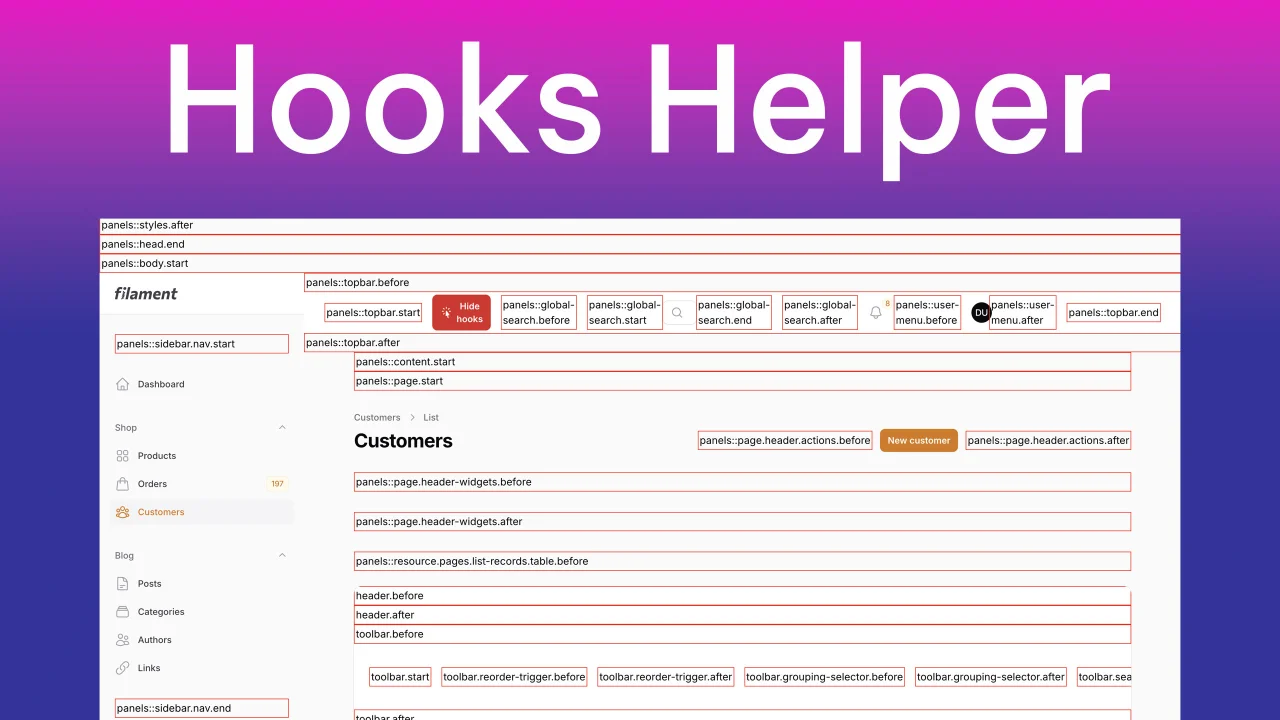
Hooks Helper
Simple plugin to toggle display hooks available in current page.
Author:
AgenceTwogether
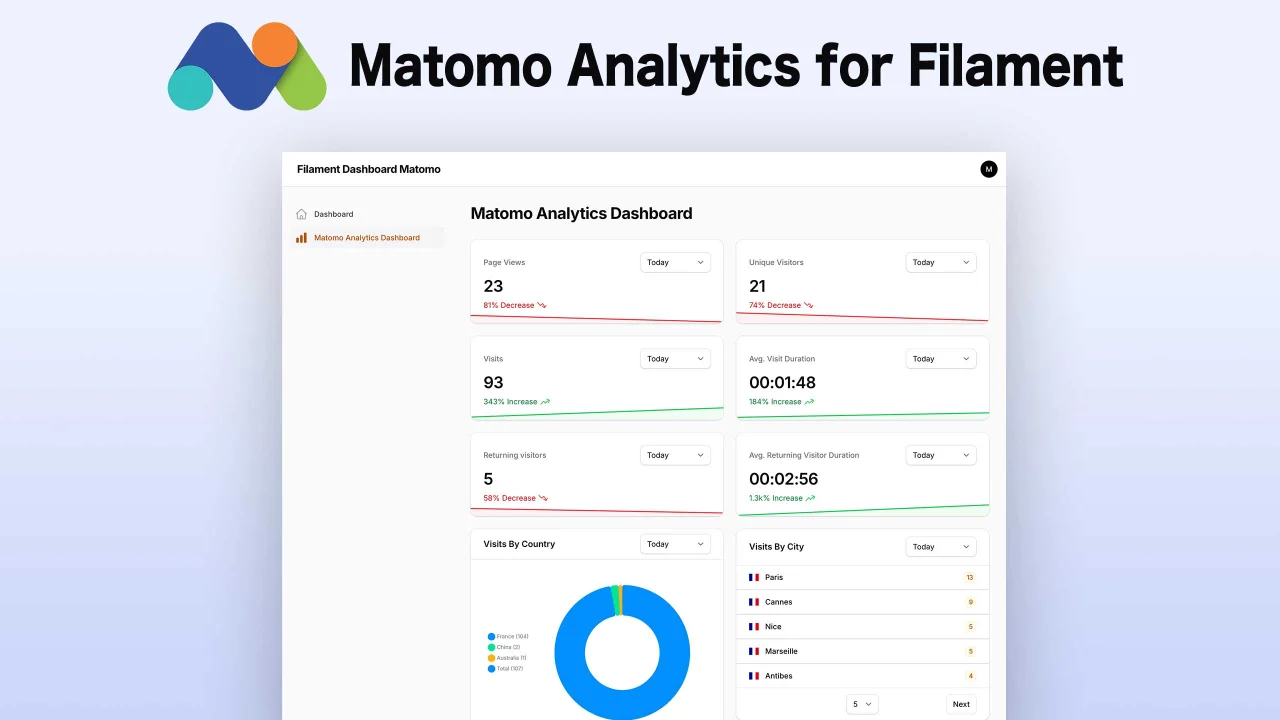
Matomo Analytics
Matomo Analytics integration for Filament Panels with a set of widgets to display your analytics data in a beautiful way.
Author:
AgenceTwogether
Featured Plugins
A selection of plugins curated by the Filament team

Sharp Theme
A theme that gives panels a precise, technical look with square corners, strong borders, and clear contrast.
 Filament

Spotlight Pro
Browse your Filament Panel with ease. Filament Spotlight Pro adds a Spotlight like Command Palette to your Filament Panel.
 Dennis Koch

Custom Fields
Eliminate custom field migrations forever. Let your users create and manage form fields directly in Filament admin panels with 20+ built-in field types, validation, and zero database changes.
 Relaticle
