SEO Manager
Manage and generate SEO tags and integrate your website with Google SEO services
 Author:
Fady Mondy
Author:
Fady Mondy
Documentation
- Installation
- Screenshots
- Features
- Using
- Allow CMS Builder Auto Indexing
- Use Google Indexing Jobs
- Use Filament Shield
- Publish Assets
- Other Filament Packages


Manage and generate SEO tags and integrate your website with Google SEO services
#Installation
composer require tomatophp/filament-seo
after install your package please run this command
php artisan filament-seo:install
finally register the plugin on /app/Providers/Filament/AdminPanelProvider.php
->plugin(
    \TomatoPHP\FilamentSeo\FilamentSeoPlugin::make()
)
on your .env add GOOGLE_CREDENTIALS to the path of your google admin service credentials file, please make sure that the account has access to Indexing API and Search Console API
GOOGLE_CREDENTIALS=
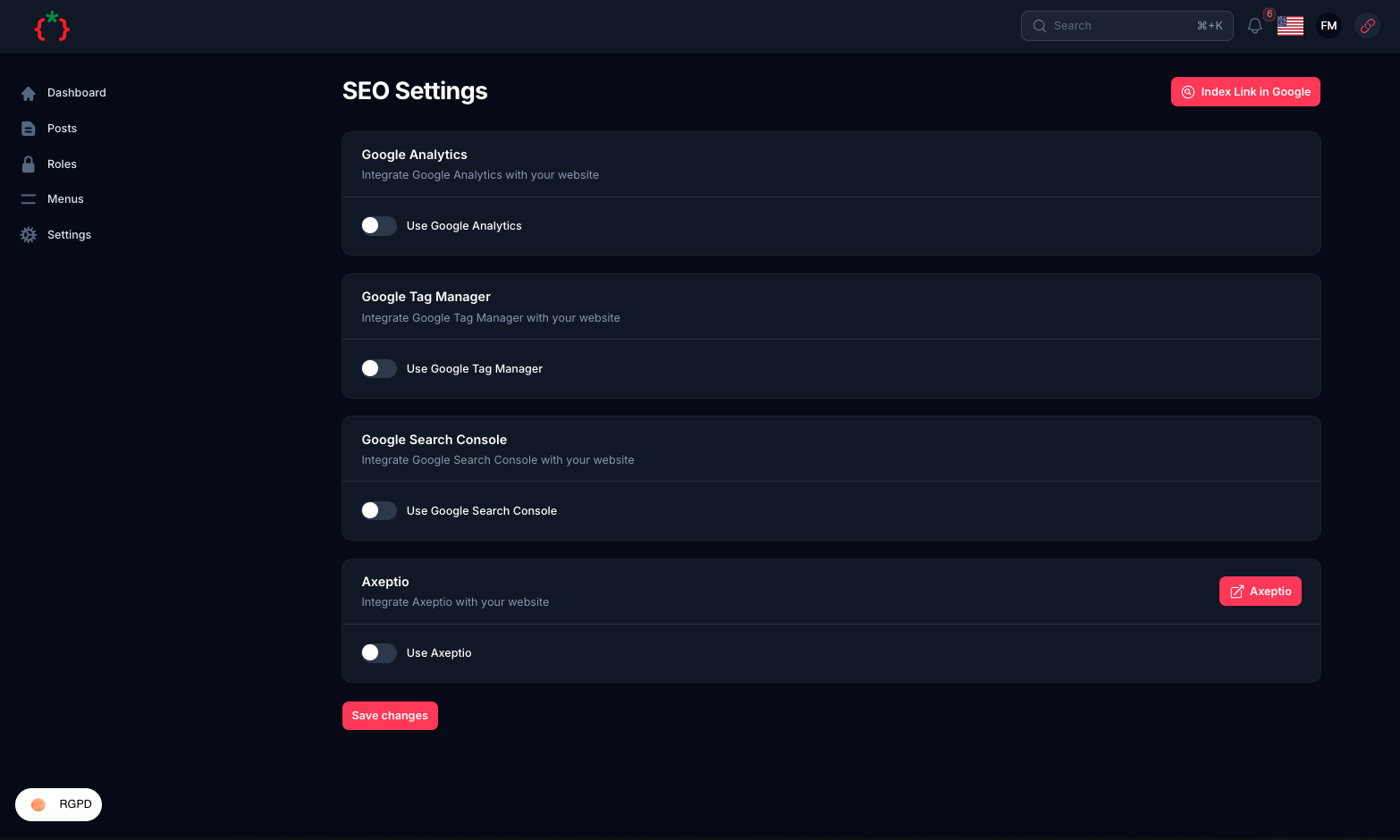
#Screenshots
#Features
- CMS builder auto indexing
- Generate SEO tags
- Generate Open Graph tags
- Generate Twitter tags
- Generate JSON-LD tags
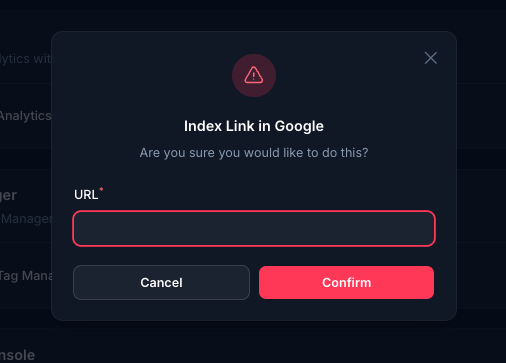
- Integrate with Google Indexing API
- Integrate with Google Search Console API
- Integrate with Google Analytics
- Integrate with Google Tag Manager
- Integrate with Axeptio
- Integrate with Meta Pixel
- Integrate with X Business ads
#Using
you can just add this blade directive to your head of your layout
@filamentSeo
and for Meta tags use
<x-filament-meta />
it will integrate everything for you and when you extend this layout you can use this sections
@section('title', 'PAGE TITLE')
@section('description', 'PAGE DESCRIPTION')
@section('keywords', 'PAGE KEYWORDS')
@section('image', 'PAGE IMAGE')
@section('author', 'PAGE AUTHOR')
@section('type', 'PAGE TYPE')
@section('category', 'PAGE CATEGORY')
@section('date', 'PAGE PUBLISHING DATE')
#Allow CMS Builder Auto Indexing
we are integrate with CMS Builder to allow auto indexing for your pages, to allow this feature make sure you install filament-cms then allow this feature by use this method
->plugin(
    \TomatoPHP\FilamentSeo\FilamentSeoPlugin::make()
        ->allowAutoPostsIndexing()
        ->postUrl('/blog') // your post url
        ->postSlug('slug') // your post slug or id
)
#Use Google Indexing Jobs
we have a jobs to make it easy to integrate google indexing API on your Site like this
dispatch(new \TomatoPHP\FilamentSeo\Jobs\GoogleIndexURLJob([
    'url' => 'https://example.com'
]));

dispatch(new \TomatoPHP\FilamentSeo\Jobs\GoogleRemoveIndexURLJob([
    'url' => 'https://example.com'
]));
#Use Filament Shield
you can use the shield to protect your resource and allow user roles by install it first
composer require bezhansalleh/filament-shield
Add the Spatie\Permission\Traits\HasRoles trait to your User model(s):
use Illuminate\Foundation\Auth\User as Authenticatable;
use Spatie\Permission\Traits\HasRoles;

class User extends Authenticatable
{
    use HasRoles;

    // ...
}
Publish the config file then setup your configuration:
->plugin(\BezhanSalleh\FilamentShield\FilamentShieldPlugin::make())
Now run the following command to install shield:
php artisan shield:install
Now we can publish the package assets.
php artisan vendor:publish --tag="filament-users-config"
now you need to allow it on the plugin options
->plugin(\TomatoPHP\FilamentCms\FilamentCMSPlugin::make()->allowShield())
for more information check the Filament Shield
#Publish Assets
you can publish config file by use this command
php artisan vendor:publish --tag="filament-seo-config"
you can publish views file by use this command
php artisan vendor:publish --tag="filament-seo-views"
you can publish languages file by use this command
php artisan vendor:publish --tag="filament-seo-lang"
you can publish migrations file by use this command
php artisan vendor:publish --tag="filament-seo-migrations"
#Other Filament Packages
Checkout our Awesome TomatoPHP
The author
Manage and generate SEO tags and integrate your website with Google SEO services
From the same author
Tenancy Multi-database
Tenancy multi-database integration for FilamentPHP
Author:
Fady Mondy
Menu Generator
Menu view generator using view component
Author:
Fady Mondy
Translations Manager
Manage your translation with DB and cache, you can scan an collect translation strings like `trans()` and `__()`, and translate them using UI
Author:
Fady Mondy
Meta Manager
Convert any model on your app to pluggable model using Meta and get ready to use relation manager on FilamentPHP panel
Author:
Fady Mondy
Featured Plugins
A selection of plugins curated by the Filament team

Custom Dashboards
Let your users build and share their own dashboards with a drag-and-drop interface. Define your data sources in PHP and let them do the rest.
 Filament

Spotlight Pro
Browse your Filament Panel with ease. Filament Spotlight Pro adds a Spotlight/Raycast like Command Palette to your Filament Panel.
 Dennis Koch

Custom Fields
Eliminate custom field migrations forever. Let your users create and manage form fields directly in Filament admin panels with 20+ built-in field types, validation, and zero database changes.
 Relaticle

