
Autosave by Yousef Aman
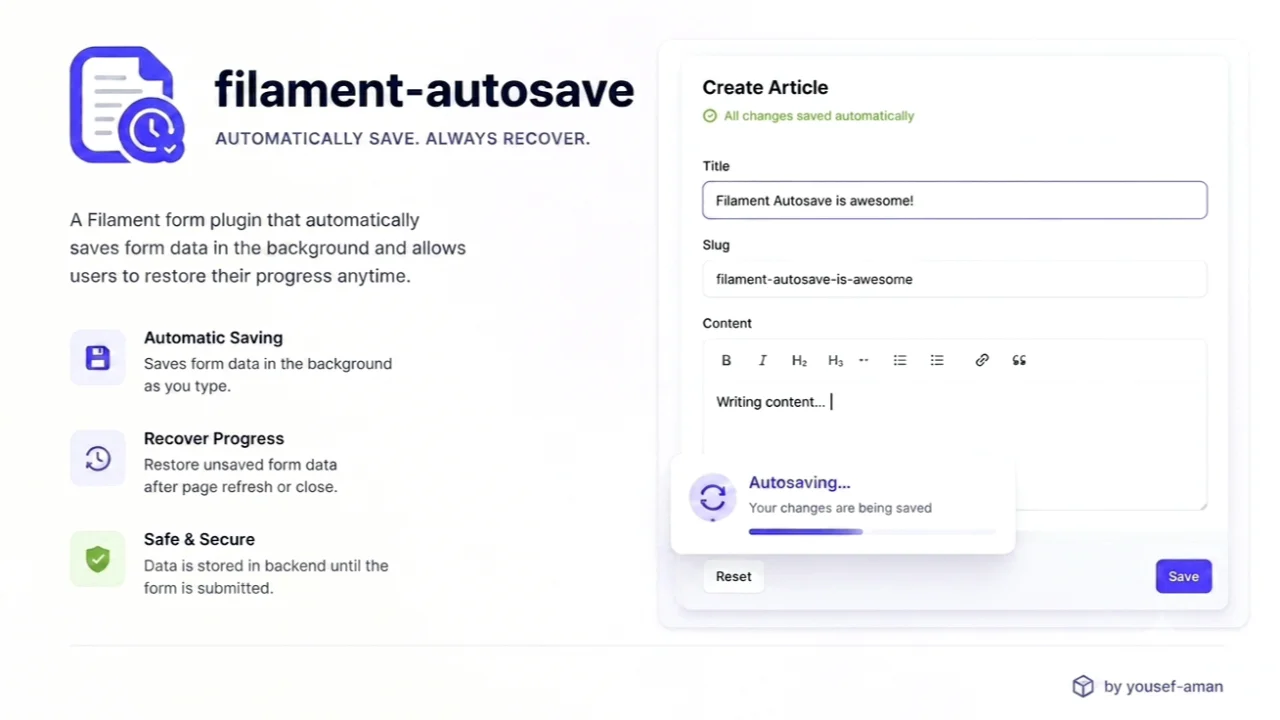
CommunityAutomatically saves Filament forms as the user types — writing straight to the record on Edit pages, keeping a restorable draft on Create pages, with a status indicator and one-step undo.
 Author:
Yousef Aman
Author:
Yousef Aman
Package health
Automated checks of this plugin's Composer package
15 checks
- Passed: GitHub Actions pinned to SHA
- Skipped: GitLab CI includes pinned to SHA
- Passed: Open security advisories
- Passed: Dependabot PR responsiveness — No open Dependabot PRs.
- Skipped: Renovate MR responsiveness
- Passed: Dependabot or Renovate configured
- Passed: Dependency update cooldown configured
- Passed: Provides a security policy
- Passed: Abandoned or archived — No consulted source marks the package abandoned (packagist, github).
- Passed: Commit and release recency — Active: last commit 0 days ago; last release 5 days ago.
-
Passed:
composer.lock not committed by library
—
composer.lockis absent from the released dist archive. - Passed: Dist archive is lean
-
Passed:
Current Laravel version supported
—
Package dependencies resolve together with current Laravel
13.0. -
Passed:
Current PHP version supported
—
Constraint
^8.2supports current PHP8.5. - Skipped: Current Symfony version supported
filament/
namespace. Review the source and install at your own risk. Found
malware or an unresolved security issue the author won't
address?
Report it
.
Documentation
- Requirements
- Installation
- Usage
- Configuration
- Lifecycle hooks
- Undo (Edit pages)
- Files and sensitive data
- Translations
- Testing
- License



Automatic form saving for Filament v4 and v5 with a visual status indicator and one-step Undo on Edit pages.
- Edit pages — changes are written to the database after a debounce.
- Create and custom pages — unsubmitted changes are stored as a draft in Laravel Cache. When the user returns, they can Restore or Discard the draft.
If this package saves you time, a star on GitHub helps other Filament developers find it.
#Requirements
- PHP 8.2+
- Filament v4 or v5
- Livewire v3 (with Filament v4) or v4 (with Filament v5)
Laravel is not constrained by this package; it comes from Filament, which accepts 11.28+, 12 and 13. CI covers Laravel 12 and 13 only — Composer 2.9+ refuses to install any Laravel 11 release, because the whole 11.x line is past its security-support window.
#Tested combinations
| PHP | Filament | Laravel |
|---|---|---|
| 8.2, 8.3, 8.4 | v4, v5 | 12 |
| 8.4 | v4, v5 | 13 |
| 8.2 | v4.0 (lowest dependencies) | 12 |
#Installation
composer require yousefaman/filament-autosave
Register the plugin in your panel provider:
use YousefAman\FilamentAutosave\AutosavePlugin;

public function panel(Panel $panel): Panel
{
    return $panel->plugin(AutosavePlugin::make());
}
The status indicator ships its own CSS/JS assets. If you copy Filament's assets
into public/ for production, re-run:
php artisan filament:assets
Publish the config (optional):
php artisan vendor:publish --tag="filament-autosave-config"
Publish the translations (optional):
php artisan vendor:publish --tag="filament-autosave-translations"
Publish the indicator view to customize its markup (optional):
php artisan vendor:publish --tag="filament-autosave-views"
#Usage
#Edit pages
use Filament\Resources\Pages\EditRecord;
use YousefAman\FilamentAutosave\HasAutosave;

class EditArticle extends EditRecord
{
    use HasAutosave;

    protected static string $resource = ArticleResource::class;
}
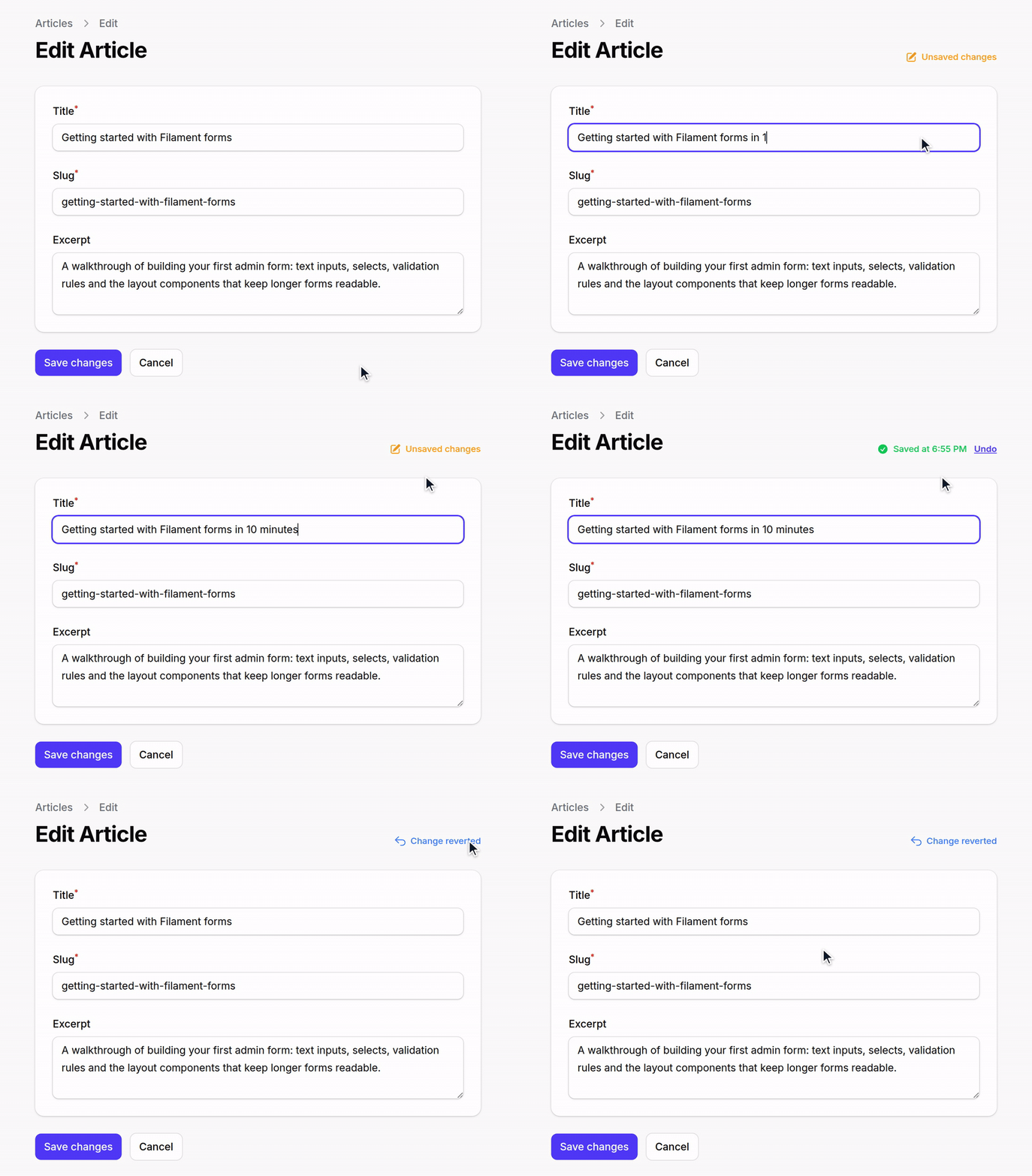
The form autosaves 1.5 s after the last keystroke. After each save, an Undo button appears briefly to revert that write.
Autosave persists the form's dehydrated state — the same values Filament would
write on a normal save (dehydrateStateUsing() transforms and casts applied,
dehydrated(false) fields skipped) — but without running validation, so an
incomplete form never blocks the save. What that means per field type:
| Field | Autosaved? |
|---|---|
| Plain column-backed field | ✓ |
Plain (non-relationship) Repeater, CheckboxList — stores to its own column |
✓ |
Single Select::relationship() (BelongsTo) — Filament dehydrates the foreign key |
✓ |
Multiple Select, BelongsToMany, Repeater::relationship(), and anything else Filament persists through saveRelationships() |
✗ — on explicit submit only |
->dehydrated(false) |
✗ |
Because validation is skipped, field-level rules (minLength, maxValue, etc.)
are not enforced during autosave — only on explicit submit. Two things are
always enforced, because skipping them would let autosave persist what a normal
save rejects:
- A
requiredfield left blank is skipped rather than written, so it never violates aNOT NULLcolumn. - A
Select,CheckboxListorToggleButtonsvalue outside the field's own options (including options scoped to the current tenant or team) is skipped.
You can enforce further rules non-blockingly via getAutosaveValidationRules()
(see below).
#Fields nested under a state path
A field inside a Group/Section with a statePath(), or inside a Repeater,
lives under a nested key (settings.api_key, items.*.secret). That whole
top-level key is written as one column value, so autosave writes it only when
every field beneath it survived the rules above. If one nested field is skipped
— a password, an out-of-options Select, a blank required — the entire container
is left untouched rather than written back without it, which would destroy the
stored value of the skipped field.
Practically: a statePath()ed group or a Repeater that contains a
->password() field is never autosaved. The rest of the form still is.
Create-page drafts are re-filled into the form instead of written to a column, so there is nothing to destroy — a nested secret is pruned from the draft and its siblings are kept.
#Create pages
use Filament\Resources\Pages\CreateRecord;
use YousefAman\FilamentAutosave\HasAutosaveForCreate;

class CreateArticle extends CreateRecord
{
    use HasAutosaveForCreate;

    protected static string $resource = ArticleResource::class;
}
#Custom Filament pages
For pages without an Eloquent record. The form must use the default data
state path (->statePath('data')), which is what the status indicator watches:
use Filament\Pages\Page;
use YousefAman\FilamentAutosave\HasAutosaveForCreate;

class UserPreferences extends Page
{
    use HasAutosaveForCreate;

    public ?array $data = [];

    public function save(): void
    {
        $data = $this->form->getState();
        // ... persist however you like

        $this->clearAutosaveDraft();
    }
}
Call $this->clearAutosaveDraft() from your save handler to drop the draft once the user submits.
#Configuration
Each option supports the levels listed below, merged so the later wins
(config → plugin → page), except except, which is unioned across all levels.
| Option | config | plugin | page |
|---|---|---|---|
debounce |
✓ | ✓ | ✓ |
except |
✓ | ✓ | ✓ |
cache_ttl |
✓ | ✓ | — |
show_timestamp |
✓ | ✓ | — |
indicatorPosition |
— | ✓ | — |
exceptPages |
— | ✓ | — |
Page-level options are methods. Do not redeclare a property the trait already defines (
$autosaveEnabled,$autosaveSnapshotHash,$autosaveDebounceMs,$autosaveCanUndo,$autosaveHasDraft): PHP treats a redeclaration with a different default as an incompatible trait composition and raises a fatal error.
#Debounce
AutosavePlugin::make()->debounce(2000);       // plugin-wide

// per-page
protected function autosaveDebounce(): ?int
{
    return 2000;
}

// config/filament-autosave.php
'debounce' => 1500,
#Exclude fields
AutosavePlugin::make()->except(['internal_notes']);

// per-page — unioned with the plugin and config lists
protected function autosaveExcept(): array
{
    return ['internal_notes'];
}

// config/filament-autosave.php
'except' => ['password', 'password_confirmation'],
#Exclude specific pages
Suppress the indicator on individual pages that use one of the traits (an
alternative to shouldAutosave() on the page itself):
AutosavePlugin::make()
    ->exceptPages([EditPayment::class]);
#Draft TTL (Create pages)
AutosavePlugin::make()->cacheTtl(48);         // hours
'cache_ttl' => 24,
#Indicator
AutosavePlugin::make()
    ->showTimestamp(false)
    ->indicatorPosition('after');
indicatorPosition places the indicator before or after the page header actions.
A page that overrides getHeader(), or that has no heading, header actions and
breadcrumbs at all, renders no header — there the indicator falls back to the end
of the page rather than disappearing along with autosave.
#Per-page disable
class EditSensitive extends EditRecord
{
    use HasAutosave;

    protected function shouldAutosave(): bool
    {
        return false;
    }
}
shouldAutosave() is authoritative on the server, so a disabled page cannot be
switched back on from the browser.
#Lifecycle hooks
beforeAutosave() and getAutosaveValidationRules() apply to both Edit and
Create/custom pages. afterAutosave() runs on Edit pages only — it receives
the saved record, which Create pages don't have until submit.
protected function beforeAutosave(array $data): array
{
    return $data;
}

protected function afterAutosave(object $record): void
{
    Cache::forget("user-{$record->id}");
}

/** @return array<string, mixed> */
protected function getAutosaveValidationRules(): array
{
    return [
        'slug' => ['required', 'string', 'max:120'],
    ];
}
Every rule whose field is part of the payload is checked; a field that fails is silently skipped so autosave never blocks the user. Full form validation still runs at submit time.
Rule keys may target nested paths ('items.*.qty' => ['integer', 'min:1']). A
failure there skips the whole top-level key (items) for the same reason nested
containers are all-or-nothing — see above.
Autosave runs mutateFormDataBeforeSave() and writes inside a database
transaction, matching Filament's save(). It deliberately does not fire
Filament's beforeSave/afterSave hooks or the RecordUpdated/RecordSaved
events — use afterAutosave() for work that should run on every autosave. It
re-baselines Filament's unsaved-changes tracking whenever the write covered every
filled field, so a panel using ->unsavedChangesAlerts() won't warn about changes
autosave already wrote.
#Undo (Edit pages)
After a successful autosave, the indicator shows an Undo button for 5 seconds. Clicking it:
- Reads the pre-save values from a short-lived cache entry (30 min by default, override via
protected function getUndoTtlMinutes(): int). - Writes them back through
handleRecordUpdate(). - Re-fills the form.
- Clears the undo snapshot.
Undo only replays a snapshot created by the same live page instance, so a snapshot left behind by an earlier page load can't roll back an edit made since. The snapshot covers real columns only — an accessor/mutator-backed field is not undoable.
#Files and sensitive data
Dropped from every autosave payload automatically:
TemporaryUploadedFileinstances (pending file uploads).- Any
TextInputmarked->password()or->type('password'), at any depth. On an Edit page autosave would otherwise commit a half-typed secret; on a Create page it would sit in the draft cache in plain text. - The
exceptlist (config + plugin + page), applied to both the autosave write and the draft restore. - Client-submitted keys that don't map to a declared form field — at every depth, so a crafted payload cannot smuggle extra keys into a JSON column either.
except matches top-level field names only; to drop a field nested inside a
Repeater row or a statePath()ed group, mark it ->password() or
->dehydrated(false).
Because a skipped field is genuinely unsaved, an autosave that had to skip a field
the user actually filled in does not re-baseline Filament's unsaved-changes
tracking — so ->unsavedChangesAlerts() still warns before navigation instead of
reporting the typed secret as saved.
->dehydrated(false) keeps a field out of Edit-page writes, but not out of
Create-page drafts — those are built from raw form state precisely so the user
gets back exactly what they typed. For a secret on a Create page, use except (or
->password(), which is handled for you).
#Translations
Publish translations with --tag="filament-autosave-translations" to customize any of the indicator labels (unsaved, saving, saved, saved_at, undo, undone, error, draft_available, restore, discard, restored).
#Testing
composer test                          # everything
vendor/bin/pest --testsuite=Unit       # traits and manager, no panel
vendor/bin/pest --testsuite=Integration  # real EditRecord/CreateRecord in a booted panel
#License
MIT
The author
From the same author
Modal Repeater
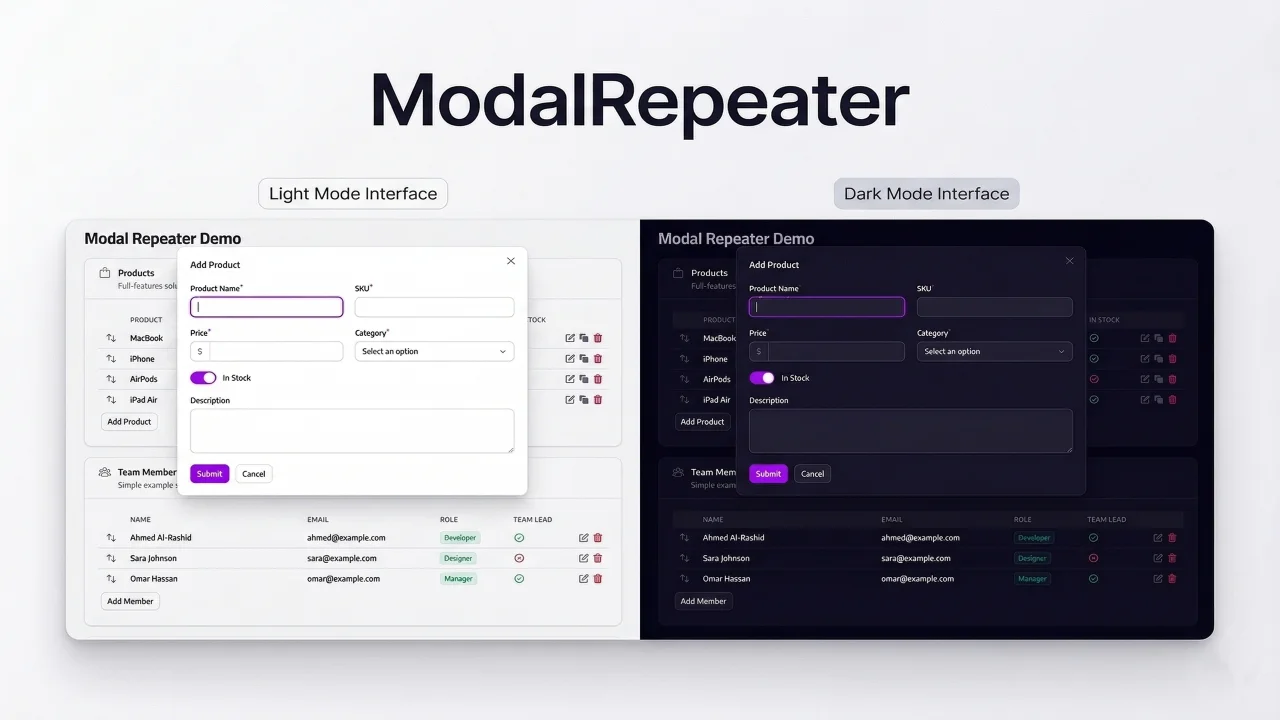
A form component that displays repeater items in a compact table with modal-based editing .
Author:
Yousef Aman
Smart Fill
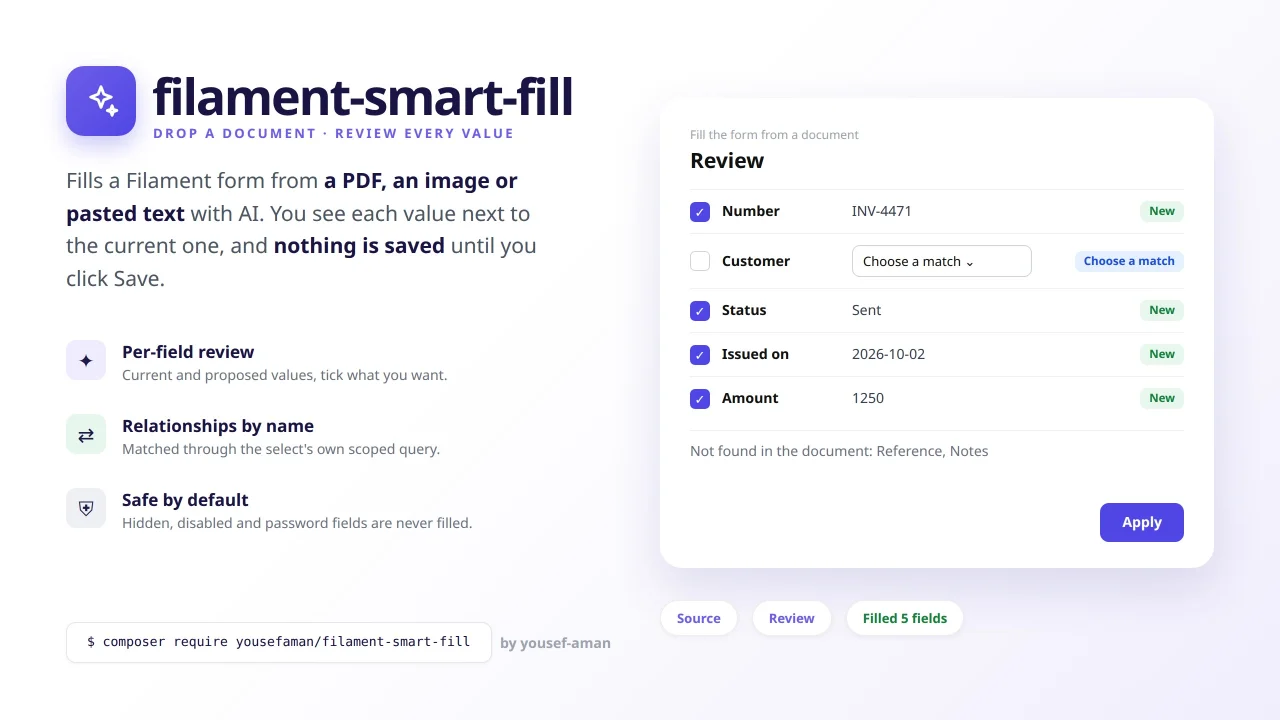
Fill a form from a PDF, an image or pasted text with AI, review each proposed value next to the current one, and apply only what you accept.
Author:
Yousef Aman
Featured Plugins
A selection of plugins curated by the Filament team

Soft Theme
A theme that gives panels a warm, approachable look with rounded shapes, gentle colors, and serif headings.
 Filament

Custom Fields
Eliminate custom field migrations forever. Let your users create and manage form fields directly in Filament admin panels with 20+ built-in field types, validation, and zero database changes.
 Relaticle

Blueprint
Filament Blueprint is a premium Laravel Boost extension that helps AI agents produce accurate, detailed implementation plans and security reports for Filament apps.
Filament

